“ Welcome”
A few quick thanks… New Horizons for providing facilities for our Hands On Lab day Breeze Training for picking up the tab for the Brekkie & Newspapers Microsoft for allowing us to use their great venue Muffin Break for the wonderful breakfast served this morning
VSTSTechBrekkie Final session coming up 27th Oct 2006 - " Best Practices: Driving up quality using VSTS (Test & Build) “ with Chuck & Marty
VSTSTechBrekkie Hands on Lab day Friday 10 th  November 2006 Free registration open for either of the following sessions; Morning 9:00 – 12:30 - or - Afternoon 1:00 – 4:30 Supported by
QLD VSTS Users Group Please complete registration form provided if you wish to register for the user group Current plan is for a Friday morning Breakfast event on 1 st  Friday of each month Inaugural meeting Friday 1 st  December 06 Website due in the next week or two www.qvstsug.org
“ End to end build automation using Team Build” William Bartholomew Developer Productivity Specialist, TechnologyOne
Who Am I? Developer Productivity Specialist TechnologyOne, Brisbane Technical Reviewer of Code Complete 2 nd  Edition by Steve McConnell Technical Reviewer of .NET Standard Library Annotated Reference Volume 2 by Brad and Tamara Abrams Member of Microsoft UI Frameworks Advisory Council (ASP .NET and Smart Client) MSDN Forum Moderator
Agenda Introduction to MSBuild Introduction to Team Build Creating a Build Type Executing a Build Default Process Editing Build Types Build Process Customisation Writing Custom Tasks Resources
Introduction to MSBuild Microsoft supported build engine XML-based configuration file Intellisense available from Visual Studio using supplied schema Ships with .NET Framework 2.0, it is NOT part of Team Foundation Server Both Visual Studio and Team Foundation Server leverage MSBuild Command-line utility - MSBuild.exe
MSBuild Concepts
MSBuild Concepts Projects The root concept in MSBuild Defines the build process Properties Name/value pairs Items Set of objects (commonly files) Can specify meta-data to be applied to the objects
MSBuild Concepts Targets Defines a number of sequential tasks Projects can have initial and/or default targets Tasks Performs an operation Uses properties and items Extensible
Examine a .vbproj File Demo How does this work? Extends Microsoft.VisualBasic.targets Which extends Microsoft.Common.targets
Introduction to Team Build What is Team Build? Service Properties Targets
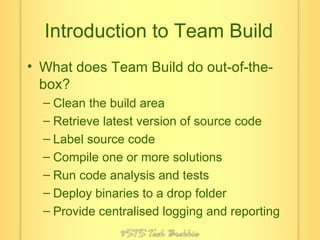
Introduction to Team Build What does Team Build do out-of-the-box? Clean the build area Retrieve latest version of source code Label source code Compile one or more solutions Run code analysis and tests Deploy binaries to a drop folder Provide centralised logging and reporting
Introduction to Team Build Extends Microsoft.TeamFoundation.Build.targets Supports customisation Configuration files Customisable properties Customisable targets Supports extensibility Custom tasks Team Foundation API Build eventing
Creating a Build Type Demo Creates three files in Source Control TfsBuild.proj TfsBuild.rsp WorkspaceMapping.xml Best Practices Avoid spaces in the name Choose a long-term name
Executing a Build Demo From within Visual Studio From the Command-Line (TfsBuild.exe) Also allows you to stop a build and delete builds From the API Continuous Integration
Default Build Process Generate build number Clean Get Label Compile Create work items Test Drop
Desktop Build Process Compile Test No status report Not part of build history Launched from the command-line: MSBuild TfsBuild.proj /p:SolutionRoot=..\..
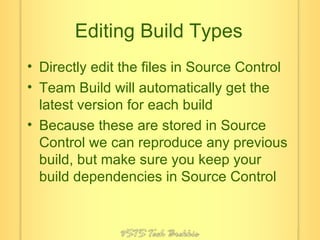
Editing Build Types Directly edit the files in Source Control Team Build will automatically get the latest version for each build Because these are stored in Source Control we can reproduce any previous build, but make sure you keep your build dependencies in Source Control
Editing Build Types Demo Attrice Team Build Sidekick
Build Process Customisation Each step in the build process provides customisation points BeforeEndToEndIteration, AfterEndToEndIteration BuildNumberOverrideTarget BeforeClean, AfterClean BeforeGet, AfterGet BeforeLabel, AfterLabel BeforeCompile, AfterCompile
Build Process Customisation Customisation points continued BeforeTest, AfterTest BeforeDropBuild, AfterDropBuild BeforeOnBuildBroke, AfterOnBuildBroke You can override the other targets, but beware!
Build Process Customisation Demo Override build number Get SkipGet ForceGet RecursiveGet Partial get using WorkspaceMapping.xml
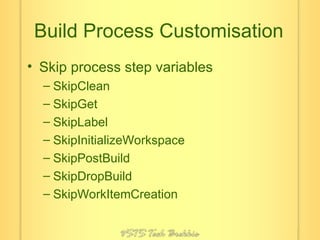
Build Process Customisation Skip process step variables SkipClean SkipGet SkipLabel SkipInitializeWorkspace SkipPostBuild SkipDropBuild SkipWorkItemCreation
Build Process Customisation Location variables WorkspaceName SolutionRoot BinariesRoot TestResultsRoot
Build Process Customisation Demo Work Item Creation Change Assigned To
Writing Custom Tasks Either implement Microsoft.Build.Framework.ITask Or, inherit Microsoft.Build.Utilities.Task Provide Team System “awareness” by passing $(TeamFoundationServerUrl) and $(BuildURI) as properties Avoid requiring Team System when not necessary
Writing Custom Tasks XML attributes are passed through as properties Properties can be marked <Required()> Properties can be marked <Output()> Most intrinsic types are supported Arrays of these types are also supported, delimited using ; in XML Use <UsingTask> to reference your custom task
Writing Custom Tasks Demo
Resources My Blog http://blog.bartholomew.id.au/ MSDN Forums http://forums.microsoft.com/forums/default.aspx?ForumGroupID=5 OzTFS Mailing List http://www.oztfs.com/
Resources Attrice Team Build Sidekick http://www.attrice.info/cm/tfs/TeamBuildAddin.htm Team System Widgets   http://accentient.com/widgets.aspx
Thank you for attending Don’t forget Chuck and Marty’s session on “Best Practices: Driving up quality using VSTS (Test & Build)” next Friday. Check out the Hands on Lab day on the  www.vststechbrekkie.com  site

End To End Build Automation With Team Build

  • 1.
  • 2.
    A few quickthanks… New Horizons for providing facilities for our Hands On Lab day Breeze Training for picking up the tab for the Brekkie & Newspapers Microsoft for allowing us to use their great venue Muffin Break for the wonderful breakfast served this morning
  • 3.
    VSTSTechBrekkie Final sessioncoming up 27th Oct 2006 - &quot; Best Practices: Driving up quality using VSTS (Test & Build) “ with Chuck & Marty
  • 4.
    VSTSTechBrekkie Hands onLab day Friday 10 th November 2006 Free registration open for either of the following sessions; Morning 9:00 – 12:30 - or - Afternoon 1:00 – 4:30 Supported by
  • 5.
    QLD VSTS UsersGroup Please complete registration form provided if you wish to register for the user group Current plan is for a Friday morning Breakfast event on 1 st Friday of each month Inaugural meeting Friday 1 st December 06 Website due in the next week or two www.qvstsug.org
  • 6.
    “ End toend build automation using Team Build” William Bartholomew Developer Productivity Specialist, TechnologyOne
  • 7.
    Who Am I?Developer Productivity Specialist TechnologyOne, Brisbane Technical Reviewer of Code Complete 2 nd Edition by Steve McConnell Technical Reviewer of .NET Standard Library Annotated Reference Volume 2 by Brad and Tamara Abrams Member of Microsoft UI Frameworks Advisory Council (ASP .NET and Smart Client) MSDN Forum Moderator
  • 8.
    Agenda Introduction toMSBuild Introduction to Team Build Creating a Build Type Executing a Build Default Process Editing Build Types Build Process Customisation Writing Custom Tasks Resources
  • 9.
    Introduction to MSBuildMicrosoft supported build engine XML-based configuration file Intellisense available from Visual Studio using supplied schema Ships with .NET Framework 2.0, it is NOT part of Team Foundation Server Both Visual Studio and Team Foundation Server leverage MSBuild Command-line utility - MSBuild.exe
  • 10.
  • 11.
    MSBuild Concepts ProjectsThe root concept in MSBuild Defines the build process Properties Name/value pairs Items Set of objects (commonly files) Can specify meta-data to be applied to the objects
  • 12.
    MSBuild Concepts TargetsDefines a number of sequential tasks Projects can have initial and/or default targets Tasks Performs an operation Uses properties and items Extensible
  • 13.
    Examine a .vbprojFile Demo How does this work? Extends Microsoft.VisualBasic.targets Which extends Microsoft.Common.targets
  • 14.
    Introduction to TeamBuild What is Team Build? Service Properties Targets
  • 15.
    Introduction to TeamBuild What does Team Build do out-of-the-box? Clean the build area Retrieve latest version of source code Label source code Compile one or more solutions Run code analysis and tests Deploy binaries to a drop folder Provide centralised logging and reporting
  • 16.
    Introduction to TeamBuild Extends Microsoft.TeamFoundation.Build.targets Supports customisation Configuration files Customisable properties Customisable targets Supports extensibility Custom tasks Team Foundation API Build eventing
  • 17.
    Creating a BuildType Demo Creates three files in Source Control TfsBuild.proj TfsBuild.rsp WorkspaceMapping.xml Best Practices Avoid spaces in the name Choose a long-term name
  • 18.
    Executing a BuildDemo From within Visual Studio From the Command-Line (TfsBuild.exe) Also allows you to stop a build and delete builds From the API Continuous Integration
  • 19.
    Default Build ProcessGenerate build number Clean Get Label Compile Create work items Test Drop
  • 20.
    Desktop Build ProcessCompile Test No status report Not part of build history Launched from the command-line: MSBuild TfsBuild.proj /p:SolutionRoot=..\..
  • 21.
    Editing Build TypesDirectly edit the files in Source Control Team Build will automatically get the latest version for each build Because these are stored in Source Control we can reproduce any previous build, but make sure you keep your build dependencies in Source Control
  • 22.
    Editing Build TypesDemo Attrice Team Build Sidekick
  • 23.
    Build Process CustomisationEach step in the build process provides customisation points BeforeEndToEndIteration, AfterEndToEndIteration BuildNumberOverrideTarget BeforeClean, AfterClean BeforeGet, AfterGet BeforeLabel, AfterLabel BeforeCompile, AfterCompile
  • 24.
    Build Process CustomisationCustomisation points continued BeforeTest, AfterTest BeforeDropBuild, AfterDropBuild BeforeOnBuildBroke, AfterOnBuildBroke You can override the other targets, but beware!
  • 25.
    Build Process CustomisationDemo Override build number Get SkipGet ForceGet RecursiveGet Partial get using WorkspaceMapping.xml
  • 26.
    Build Process CustomisationSkip process step variables SkipClean SkipGet SkipLabel SkipInitializeWorkspace SkipPostBuild SkipDropBuild SkipWorkItemCreation
  • 27.
    Build Process CustomisationLocation variables WorkspaceName SolutionRoot BinariesRoot TestResultsRoot
  • 28.
    Build Process CustomisationDemo Work Item Creation Change Assigned To
  • 29.
    Writing Custom TasksEither implement Microsoft.Build.Framework.ITask Or, inherit Microsoft.Build.Utilities.Task Provide Team System “awareness” by passing $(TeamFoundationServerUrl) and $(BuildURI) as properties Avoid requiring Team System when not necessary
  • 30.
    Writing Custom TasksXML attributes are passed through as properties Properties can be marked <Required()> Properties can be marked <Output()> Most intrinsic types are supported Arrays of these types are also supported, delimited using ; in XML Use <UsingTask> to reference your custom task
  • 31.
  • 32.
    Resources My Bloghttp://blog.bartholomew.id.au/ MSDN Forums http://forums.microsoft.com/forums/default.aspx?ForumGroupID=5 OzTFS Mailing List http://www.oztfs.com/
  • 33.
    Resources Attrice TeamBuild Sidekick http://www.attrice.info/cm/tfs/TeamBuildAddin.htm Team System Widgets http://accentient.com/widgets.aspx
  • 34.
    Thank you forattending Don’t forget Chuck and Marty’s session on “Best Practices: Driving up quality using VSTS (Test & Build)” next Friday. Check out the Hands on Lab day on the www.vststechbrekkie.com site