Jenkins
& Continuous Integration
What is Continuous integration
 A development methodology
 Of daily developer integrations
 Verified by automated builds
 Every commit triggers a build
As soon as you have completed an independent functionality
A full build on another, empty machine
Why use continuous integration
 Automate the build
 Make the build self testing
 Keep the build fast
 Test in a clone of the production environment
 Everyone can see what's happening
 Automate deployment
Self-testing build
 Directly go from source to running build
No manual copying
No click on dialog boxes
No configuration file editing
 Test with
Unit tests
Functional tests (web tests)
Performance tests
 Responsible persons should be notified when
anything fails
 Tests web in more browsers
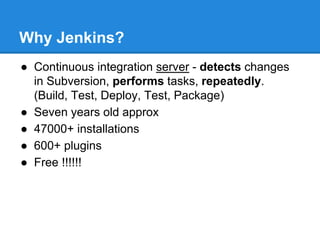
Why Jenkins?
● Continuous integration server - detects changes
in Subversion, performs tasks, repeatedly.
(Build, Test, Deploy, Test, Package)
● Seven years old approx
● 47000+ installations
● 600+ plugins
● Free !!!!!!
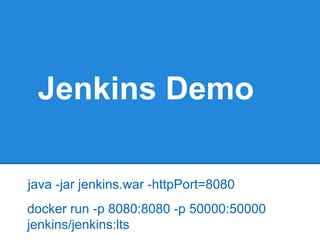
Jenkins Demo
docker run -p 8080:8080 -p 50000:50000
jenkins/jenkins:lts
java -jar jenkins.war -httpPort=8080
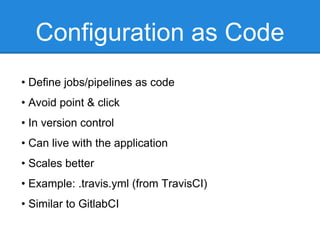
Configuration as Code
• Define jobs/pipelines as code
• Avoid point & click
• In version control
• Can live with the application
• Scales better
• Example: .travis.yml (from TravisCI)
• Similar to GitlabCI
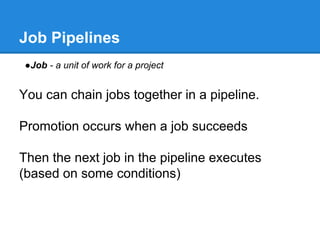
Job Pipelines
●Job - a unit of work for a project
You can chain jobs together in a pipeline.
Promotion occurs when a job succeeds
Then the next job in the pipeline executes
(based on some conditions)
Jenkins Pipeline Plugins
• Whole suite of plugins (10+), open-sourced in 2016
• Shipped with Jenkins 2.0
• Formerly commercially available by CloudBees, called Work
• Define pipeline as code (again Groovy DSL)
Pipeline as code
• Introduce “Pipeline” as a new type in Jenkins
• Codify an implicit series of stages into an explicit pip
• Resumability/durability of pipeline state
• Extend the DSL to meet organizational needs
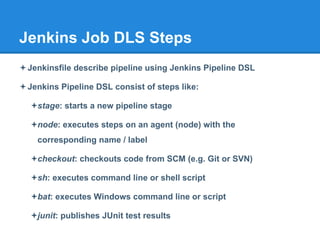
Jenkins Job DLS Steps
Jenkinsfile describe pipeline using Jenkins Pipeline DSL
Jenkins Pipeline DSL consist of steps like:
stage: starts a new pipeline stage
node: executes steps on an agent (node) with the
corresponding name / label
checkout: checkouts code from SCM (e.g. Git or SVN)
sh: executes command line or shell script
bat: executes Windows command line or script
junit: publishes JUnit test results
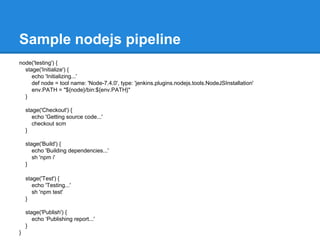
Sample nodejs pipeline
node('testing') {
stage('Initialize') {
echo 'Initializing...'
def node = tool name: 'Node-7.4.0', type: 'jenkins.plugins.nodejs.tools.NodeJSInstallation'
env.PATH = "${node}/bin:${env.PATH}"
}
stage('Checkout') {
echo 'Getting source code...'
checkout scm
}
stage('Build') {
echo 'Building dependencies...'
sh 'npm i'
}
stage('Test') {
echo 'Testing...'
sh 'npm test'
}
stage('Publish') {
echo ‘Publishing report...'
}
}
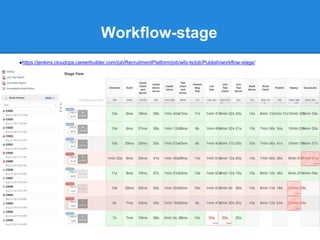
Workflow-stage
●https://jenkins.cloudops.careerbuilder.com/job/RecruitmentPlatform/job/wfa-ts/job/Publish/workflow-stage/
Plugins that support Pipeline
• A few plugins which provide custom steps for Pipeline scripts:
- Tooling: Credentials binding, SSH Agent, Parallel Test
- Reporters: JUnit, Brakeman, HTML Publisher, Cucumber Test
- Notifiers: Slack, HipChat, email-ext
- Wrappers: Timestamper
• Plugins work within Pipelines
- SCM: Git, SVN, Mercurial, P4, CV
- Wrappers: Ansi Color, NodeJS
- Build steps: Ant, etc
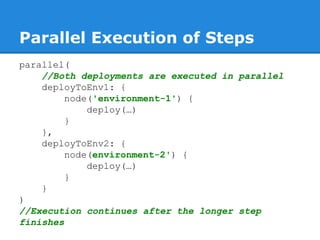
Parallel Execution of Steps
parallel(
//Both deployments are executed in parallel
deployToEnv1: {
node('environment-1') {
deploy(…)
}
},
deployToEnv2: {
node(environment-2') {
deploy(…)
}
}
)
//Execution continues after the longer step
finishes
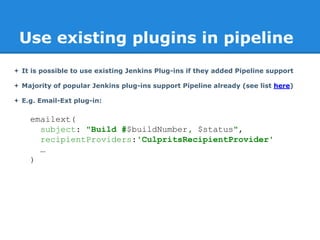
Use existing plugins in pipeline
 It is possible to use existing Jenkins Plug-ins if they added Pipeline support
 Majority of popular Jenkins plug-ins support Pipeline already (see list here)
 E.g. Email-Ext plug-in:
emailext(
subject: "Build #$buildNumber, $status",
recipientProviders:'CulpritsRecipientProvider'
…
)
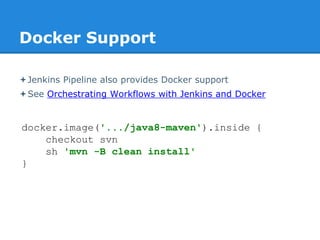
Docker Support
Jenkins Pipeline also provides Docker support
See Orchestrating Workflows with Jenkins and Docker
docker.image('.../java8-maven').inside {
checkout svn
sh 'mvn -B clean install'
}
wfa-ts/Publish.Jenkinsfile
CloudOps/blob/master/Jenkins/Pipelines/RecruitmentPlatform/wfa
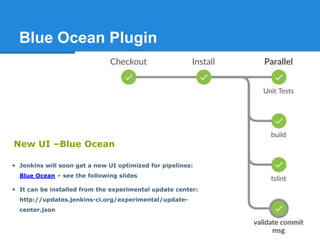
Blue Ocean Plugin
 Jenkins will soon get a new UI optimized for pipelines:
Blue Ocean – see the following slides
 It can be installed from the experimental update center:
http://updates.jenkins-ci.org/experimental/update-
center.json
New UI –Blue Ocean

Jenkins presentation

  • 1.
  • 2.
    What is Continuousintegration  A development methodology  Of daily developer integrations  Verified by automated builds  Every commit triggers a build As soon as you have completed an independent functionality A full build on another, empty machine
  • 3.
    Why use continuousintegration  Automate the build  Make the build self testing  Keep the build fast  Test in a clone of the production environment  Everyone can see what's happening  Automate deployment
  • 4.
    Self-testing build  Directlygo from source to running build No manual copying No click on dialog boxes No configuration file editing  Test with Unit tests Functional tests (web tests) Performance tests  Responsible persons should be notified when anything fails  Tests web in more browsers
  • 5.
    Why Jenkins? ● Continuousintegration server - detects changes in Subversion, performs tasks, repeatedly. (Build, Test, Deploy, Test, Package) ● Seven years old approx ● 47000+ installations ● 600+ plugins ● Free !!!!!!
  • 6.
    Jenkins Demo docker run-p 8080:8080 -p 50000:50000 jenkins/jenkins:lts java -jar jenkins.war -httpPort=8080
  • 7.
    Configuration as Code •Define jobs/pipelines as code • Avoid point & click • In version control • Can live with the application • Scales better • Example: .travis.yml (from TravisCI) • Similar to GitlabCI
  • 8.
    Job Pipelines ●Job -a unit of work for a project You can chain jobs together in a pipeline. Promotion occurs when a job succeeds Then the next job in the pipeline executes (based on some conditions)
  • 9.
    Jenkins Pipeline Plugins •Whole suite of plugins (10+), open-sourced in 2016 • Shipped with Jenkins 2.0 • Formerly commercially available by CloudBees, called Work • Define pipeline as code (again Groovy DSL)
  • 10.
    Pipeline as code •Introduce “Pipeline” as a new type in Jenkins • Codify an implicit series of stages into an explicit pip • Resumability/durability of pipeline state • Extend the DSL to meet organizational needs
  • 11.
    Jenkins Job DLSSteps Jenkinsfile describe pipeline using Jenkins Pipeline DSL Jenkins Pipeline DSL consist of steps like: stage: starts a new pipeline stage node: executes steps on an agent (node) with the corresponding name / label checkout: checkouts code from SCM (e.g. Git or SVN) sh: executes command line or shell script bat: executes Windows command line or script junit: publishes JUnit test results
  • 12.
    Sample nodejs pipeline node('testing'){ stage('Initialize') { echo 'Initializing...' def node = tool name: 'Node-7.4.0', type: 'jenkins.plugins.nodejs.tools.NodeJSInstallation' env.PATH = "${node}/bin:${env.PATH}" } stage('Checkout') { echo 'Getting source code...' checkout scm } stage('Build') { echo 'Building dependencies...' sh 'npm i' } stage('Test') { echo 'Testing...' sh 'npm test' } stage('Publish') { echo ‘Publishing report...' } }
  • 13.
  • 14.
    Plugins that supportPipeline • A few plugins which provide custom steps for Pipeline scripts: - Tooling: Credentials binding, SSH Agent, Parallel Test - Reporters: JUnit, Brakeman, HTML Publisher, Cucumber Test - Notifiers: Slack, HipChat, email-ext - Wrappers: Timestamper • Plugins work within Pipelines - SCM: Git, SVN, Mercurial, P4, CV - Wrappers: Ansi Color, NodeJS - Build steps: Ant, etc
  • 15.
    Parallel Execution ofSteps parallel( //Both deployments are executed in parallel deployToEnv1: { node('environment-1') { deploy(…) } }, deployToEnv2: { node(environment-2') { deploy(…) } } ) //Execution continues after the longer step finishes
  • 16.
    Use existing pluginsin pipeline  It is possible to use existing Jenkins Plug-ins if they added Pipeline support  Majority of popular Jenkins plug-ins support Pipeline already (see list here)  E.g. Email-Ext plug-in: emailext( subject: "Build #$buildNumber, $status", recipientProviders:'CulpritsRecipientProvider' … )
  • 17.
    Docker Support Jenkins Pipelinealso provides Docker support See Orchestrating Workflows with Jenkins and Docker docker.image('.../java8-maven').inside { checkout svn sh 'mvn -B clean install' }
  • 18.
  • 19.
    Blue Ocean Plugin Jenkins will soon get a new UI optimized for pipelines: Blue Ocean – see the following slides  It can be installed from the experimental update center: http://updates.jenkins-ci.org/experimental/update- center.json New UI –Blue Ocean