1© Copyright 2013 EMC Corporation. All rights reserved.
EMC VSPEX Private Cloud
with VMWARE vSphere 5.1
For 50 to 100 Virtual Machines
2© Copyright 2013 EMC Corporation. All rights reserved.
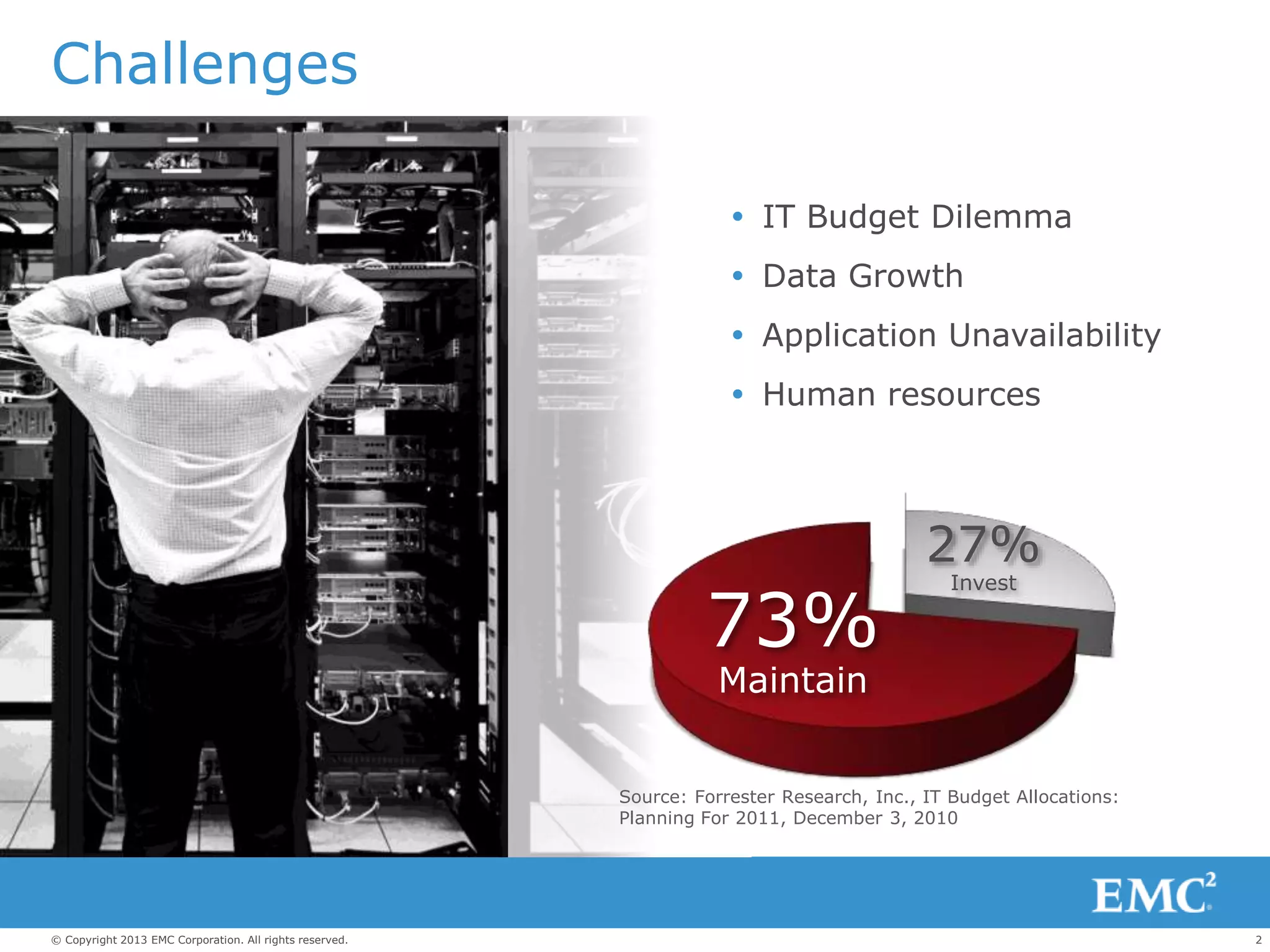
Source: Forrester Research, Inc., IT Budget Allocations:
Planning For 2011, December 3, 2010
73%
Maintain
27%
Invest
Challenges
 IT Budget Dilemma
 Data Growth
 Application Unavailability
 Human resources
3© Copyright 2013 EMC Corporation. All rights reserved.
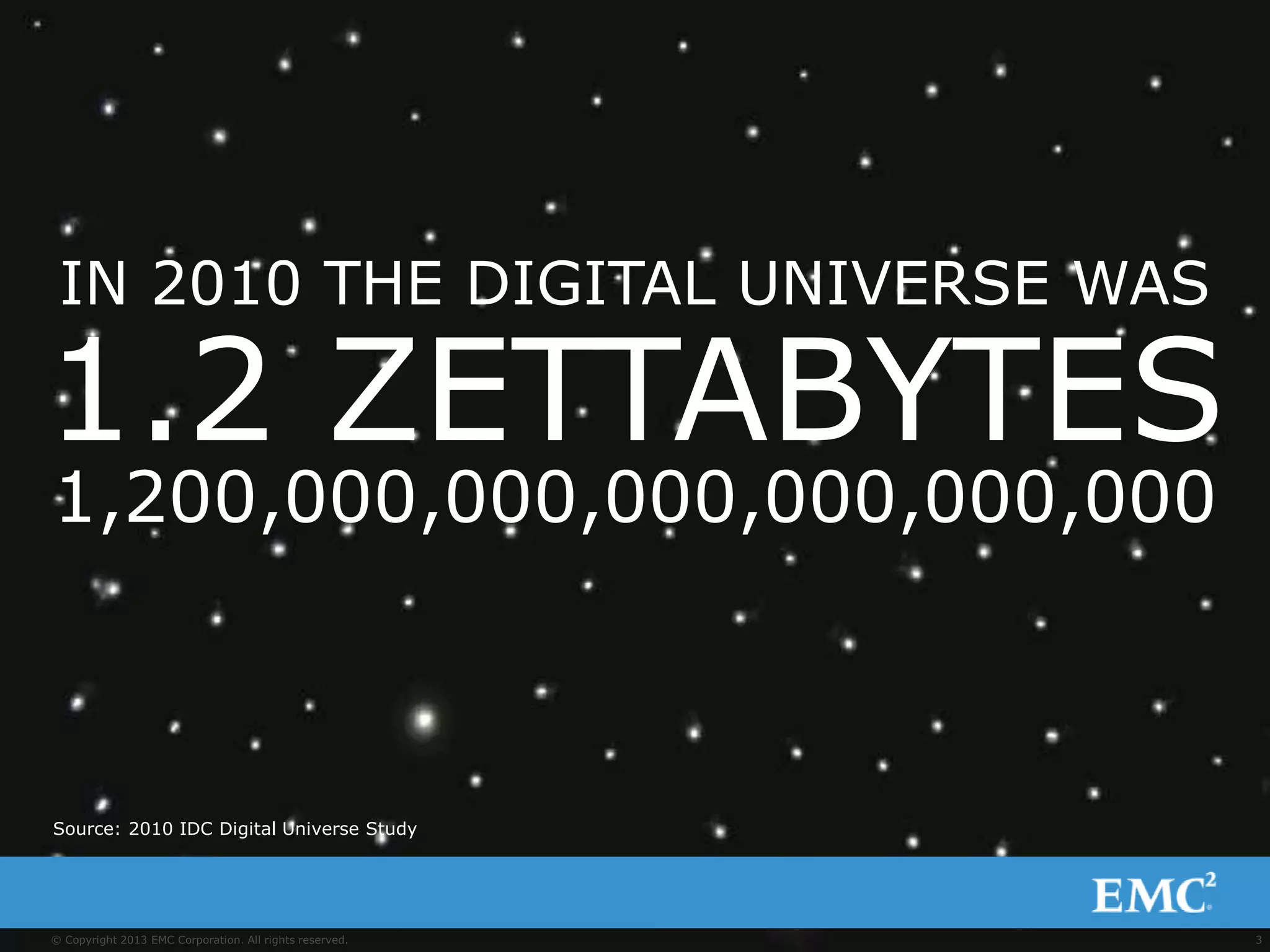
IN 2010 THE DIGITAL UNIVERSE WAS
1.2 ZETTABYTES
1,200,000,000,000,000,000,000
Source: 2010 IDC Digital Universe Study
4© Copyright 2013 EMC Corporation. All rights reserved.
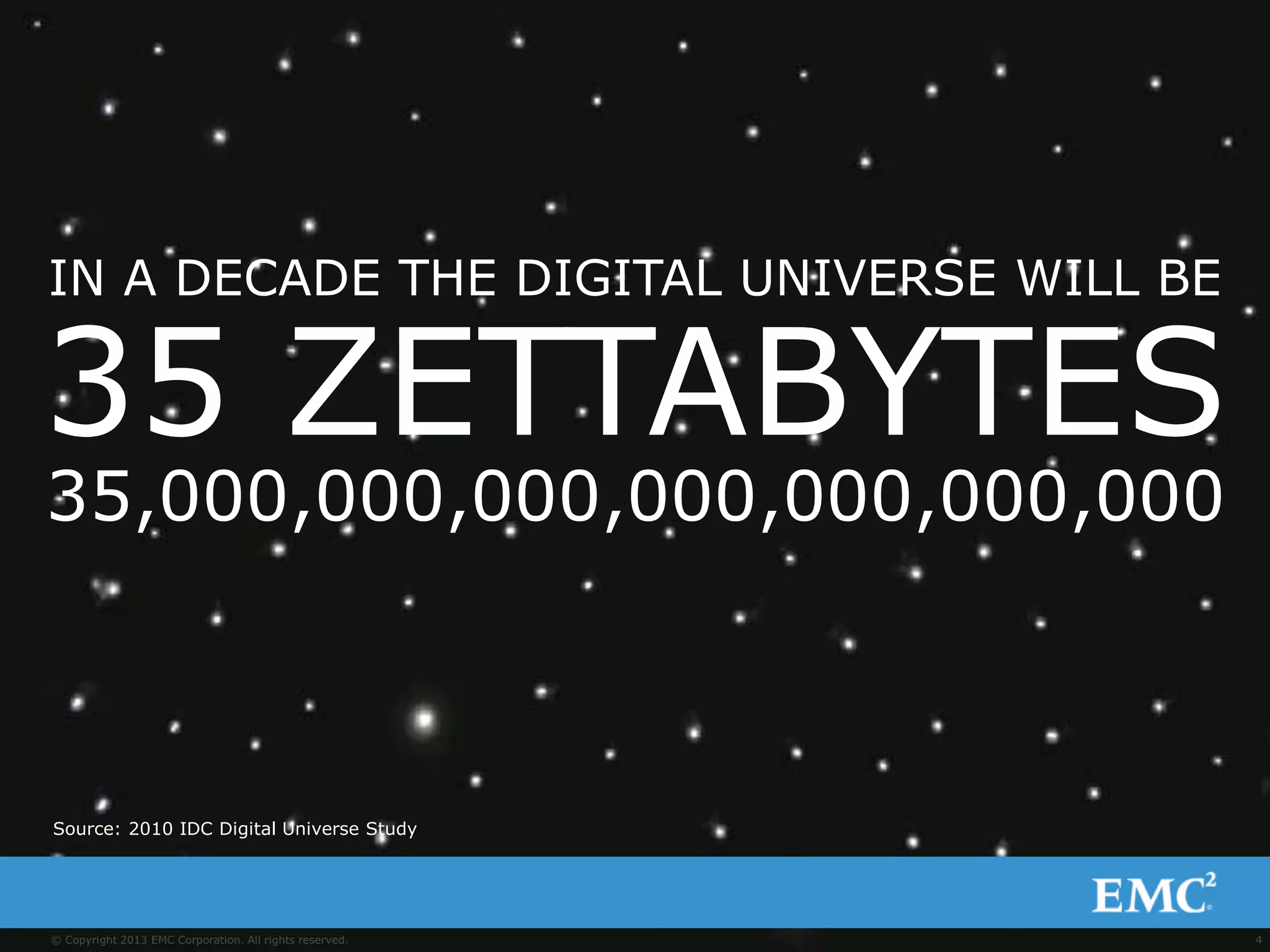
IN A DECADE THE DIGITAL UNIVERSE WILL BE
35 ZETTABYTES
35,000,000,000,000,000,000,000
Source: 2010 IDC Digital Universe Study
5© Copyright 2013 EMC Corporation. All rights reserved.
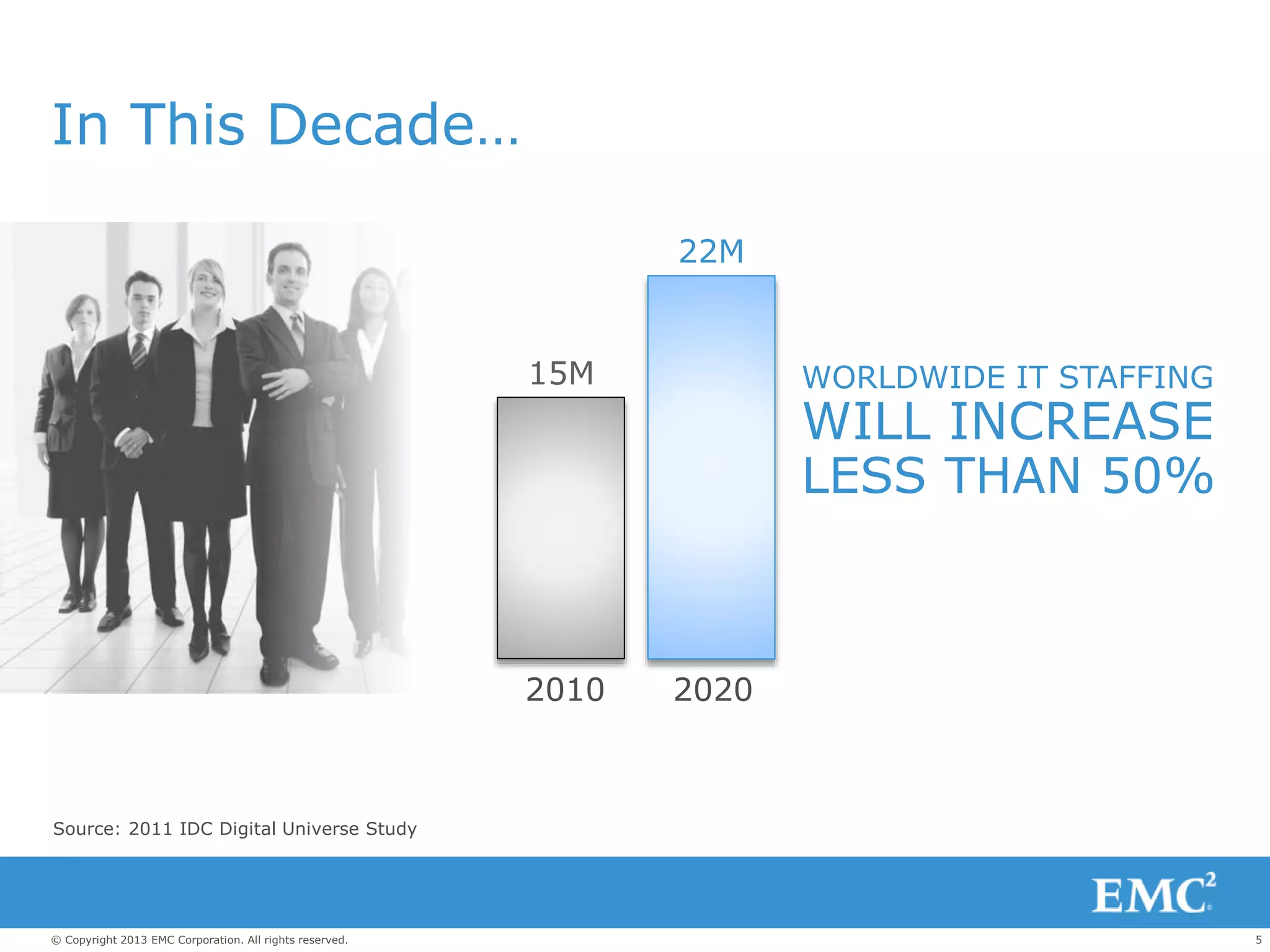
In This Decade…
Source: 2011 IDC Digital Universe Study
15M
22M
WORLDWIDE IT STAFFING
WILL INCREASE
LESS THAN 50%
2010 2020
6© Copyright 2013 EMC Corporation. All rights reserved.
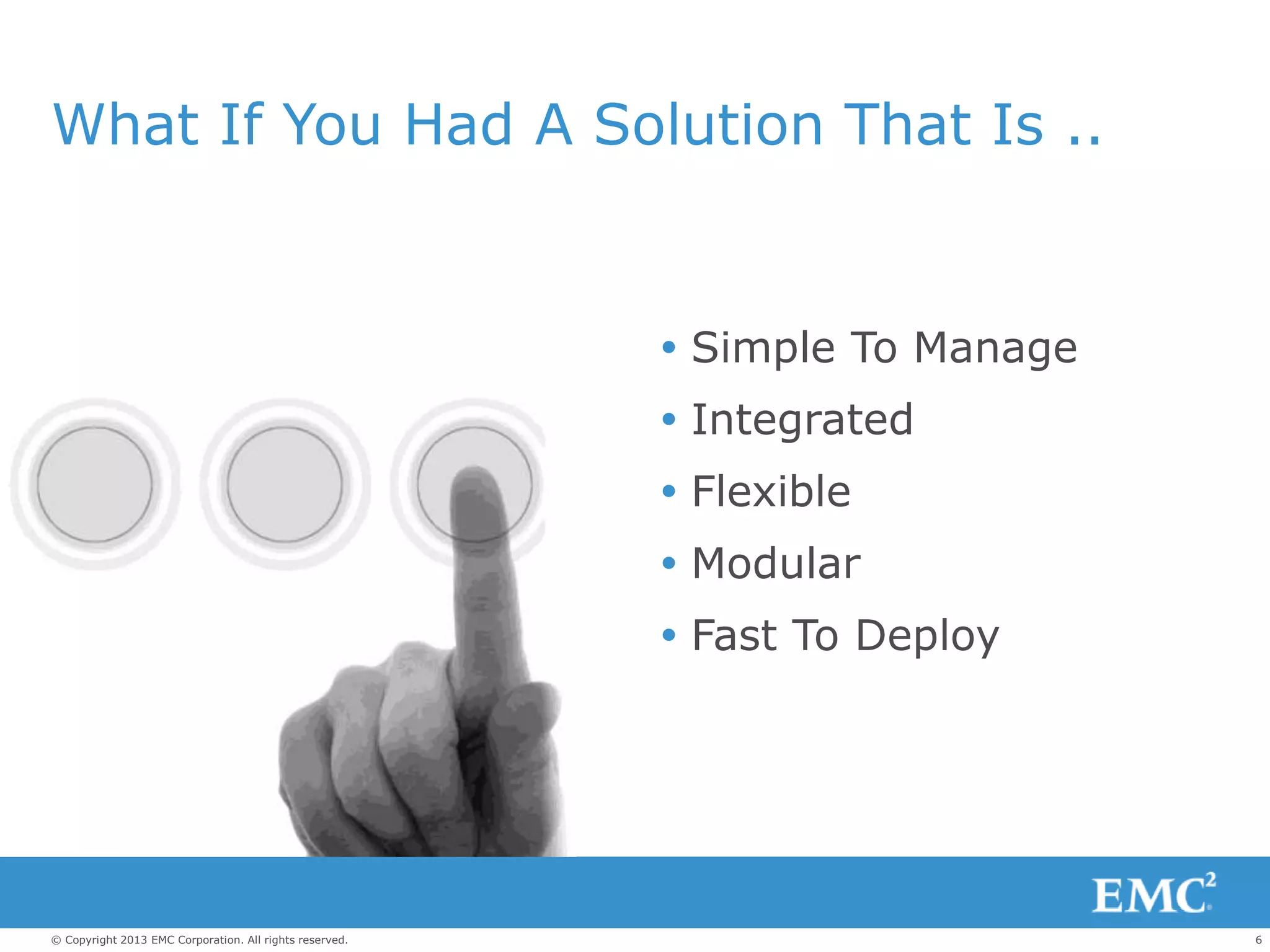
What If You Had A Solution That Is ..
 Simple To Manage
 Integrated
 Flexible
 Modular
 Fast To Deploy
Enter The Cloud.
8© Copyright 2013 EMC Corporation. All rights reserved.
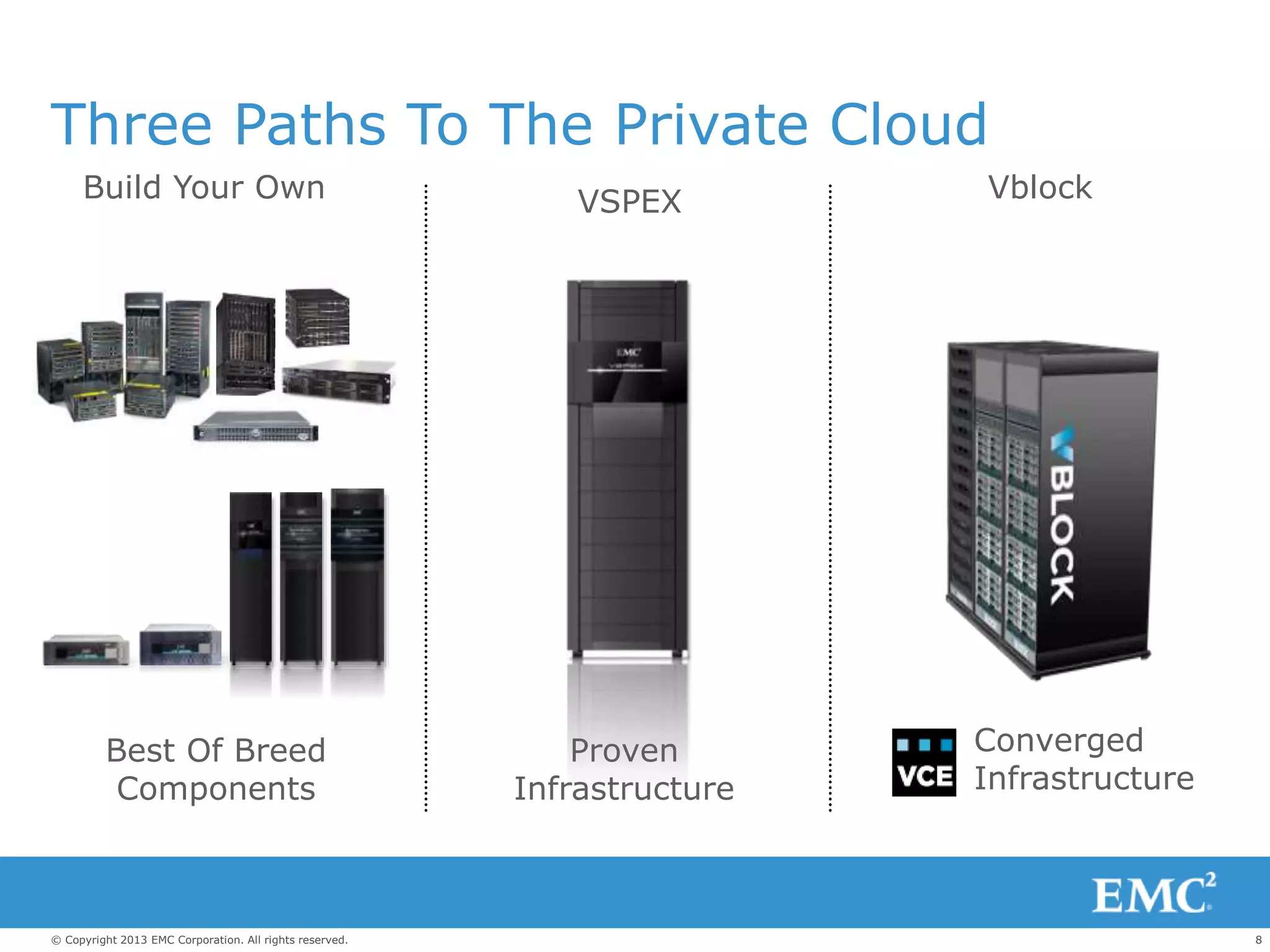
Three Paths To The Private Cloud
Build Your Own
Best Of Breed
Components
VSPEX
Proven
Infrastructure
Vblock
Converged
Infrastructure
9© Copyright 2013 EMC Corporation. All rights reserved.
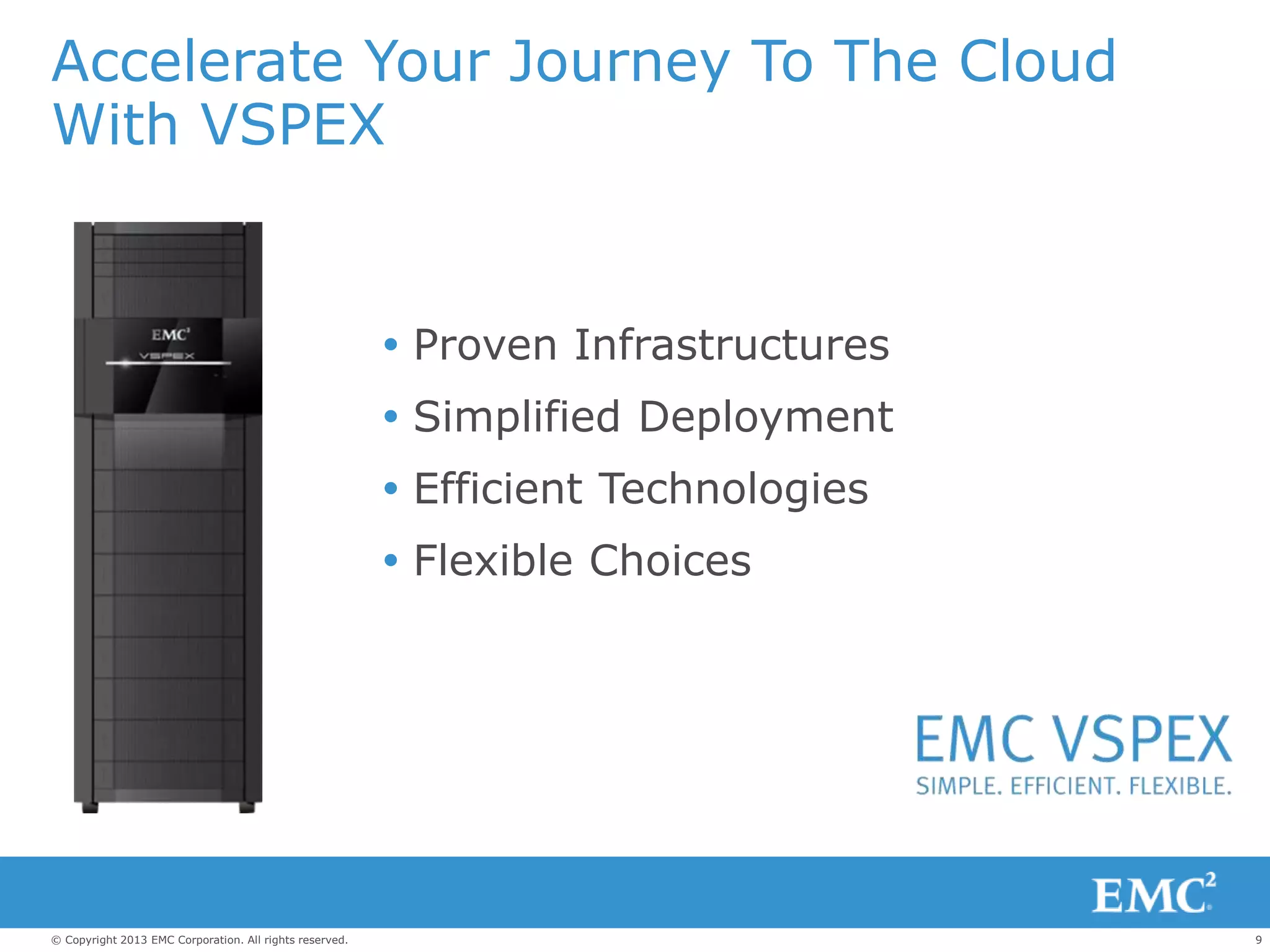
Accelerate Your Journey To The Cloud
With VSPEX
 Proven Infrastructures
 Simplified Deployment
 Efficient Technologies
 Flexible Choices
10© Copyright 2013 EMC Corporation. All rights reserved.
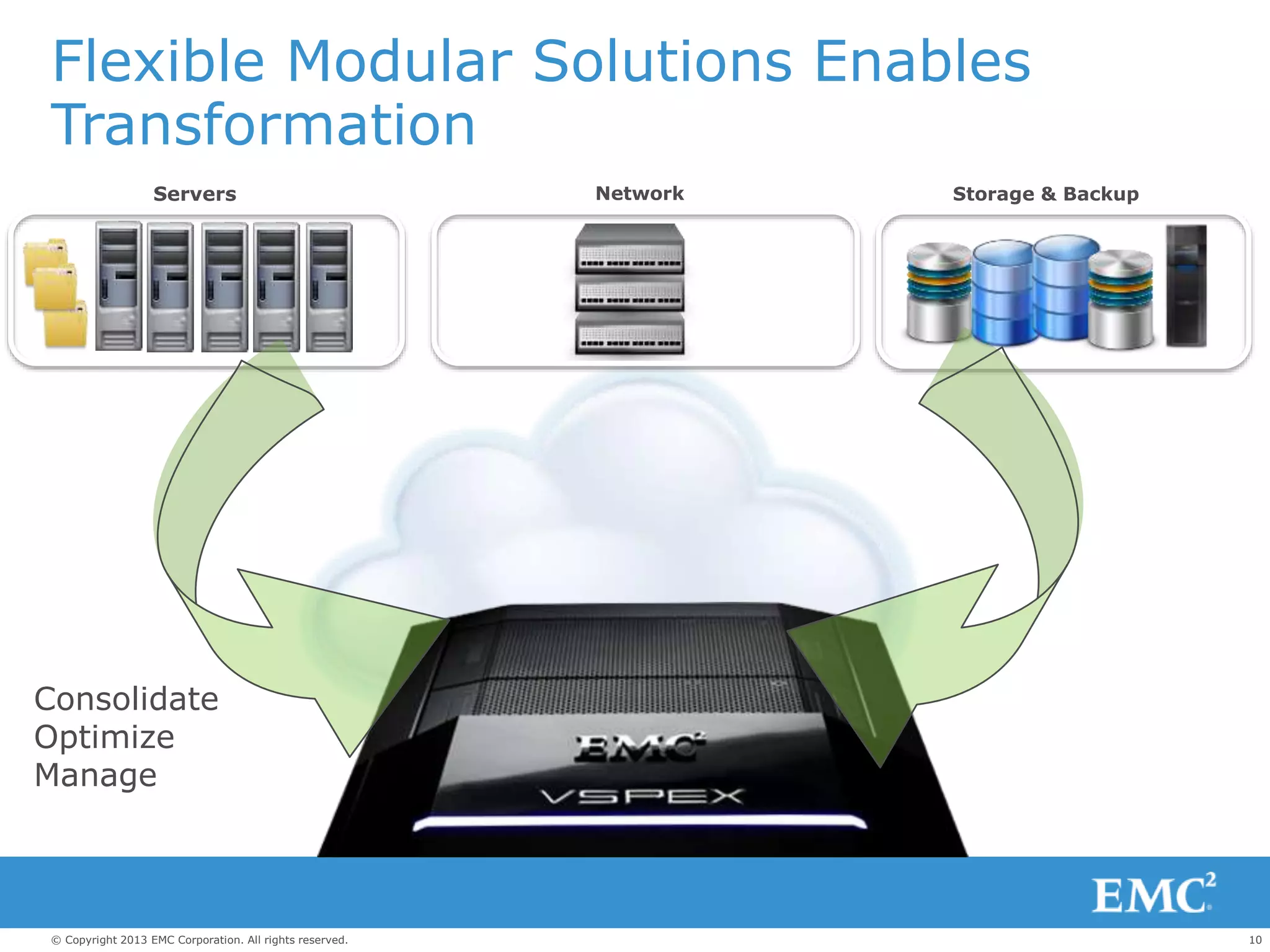
Flexible Modular Solutions Enables
Transformation
Servers Storage & BackupNetwork
Consolidate
Optimize
Manage
11© Copyright 2013 EMC Corporation. All rights reserved.
EMC Velocity Financing Is Available
 Simple Process
 Transparent Contracts
 Affordable Solutions
 Talk to us to learn more
12© Copyright 2013 EMC Corporation. All rights reserved.
EMC VSPEX Private Cloud
VMware vSphere5.1 for 50 and 100 Virtual Machines.
13© Copyright 2013 EMC Corporation. All rights reserved.
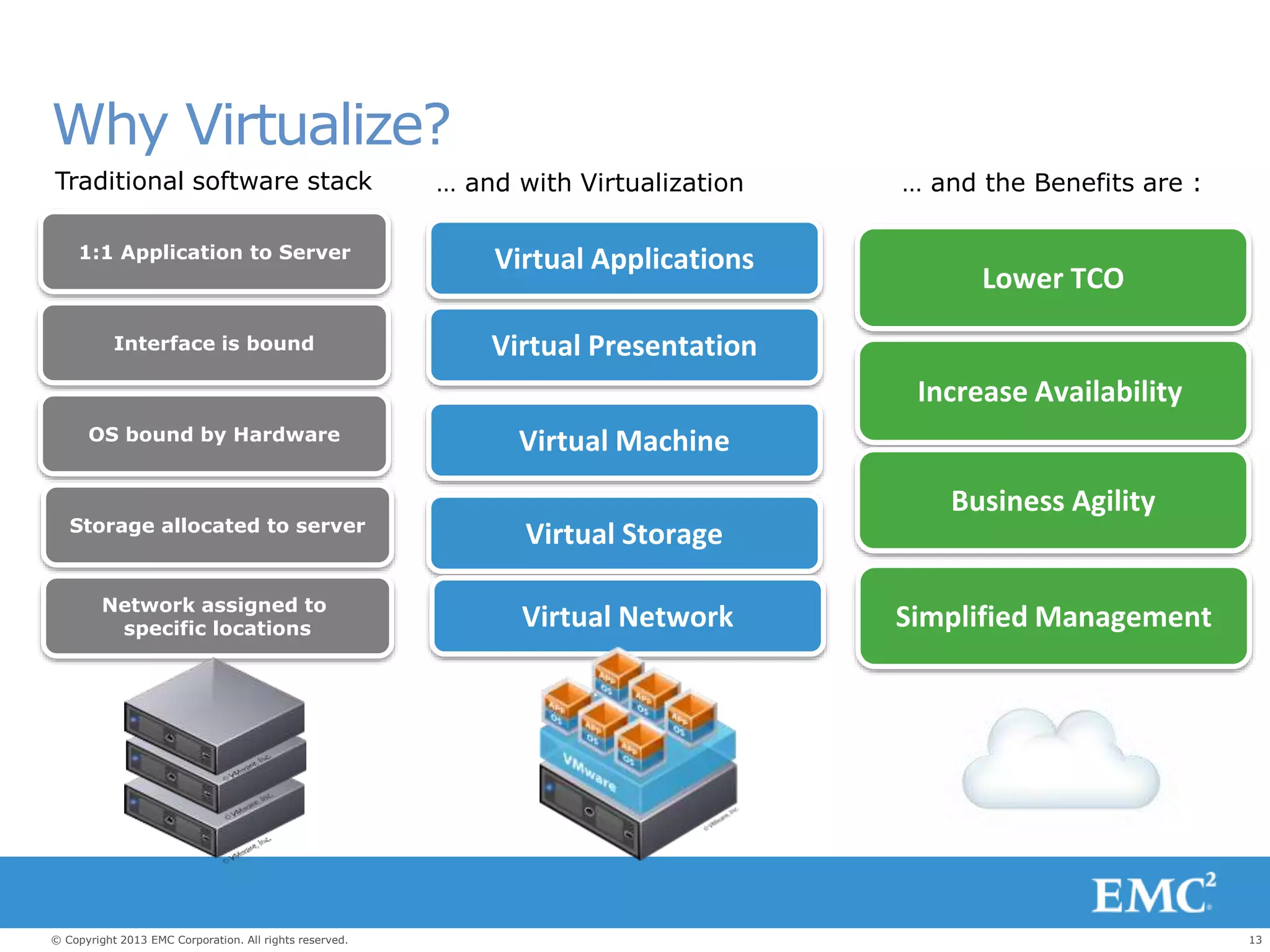
Virtual Presentation
Virtual Storage
Virtual Network
Virtual Machine
Virtual Applications
Interface is bound
Storage allocated to server
Network assigned to
specific locations
OS bound by Hardware
1:1 Application to Server
Traditional software stack … and with Virtualization … and the Benefits are :
Lower TCO
Increase Availability
Business Agility
Simplified Management
Why Virtualize?
14© Copyright 2013 EMC Corporation. All rights reserved.
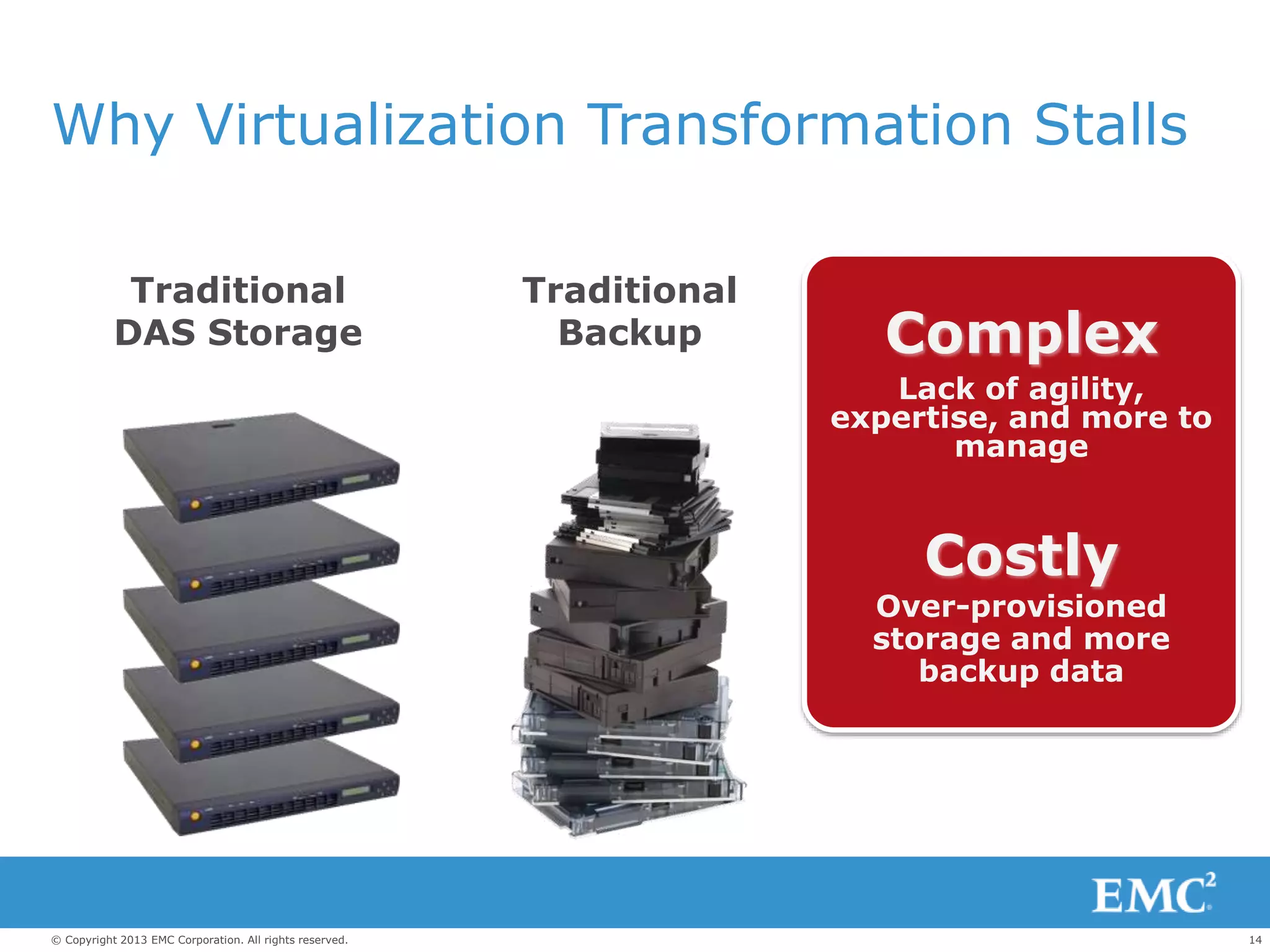
Why Virtualization Transformation Stalls
Complex
Lack of agility,
expertise, and more to
manage
Costly
Over-provisioned
storage and more
backup data
Traditional
Backup
Traditional
DAS Storage
15© Copyright 2013 EMC Corporation. All rights reserved.
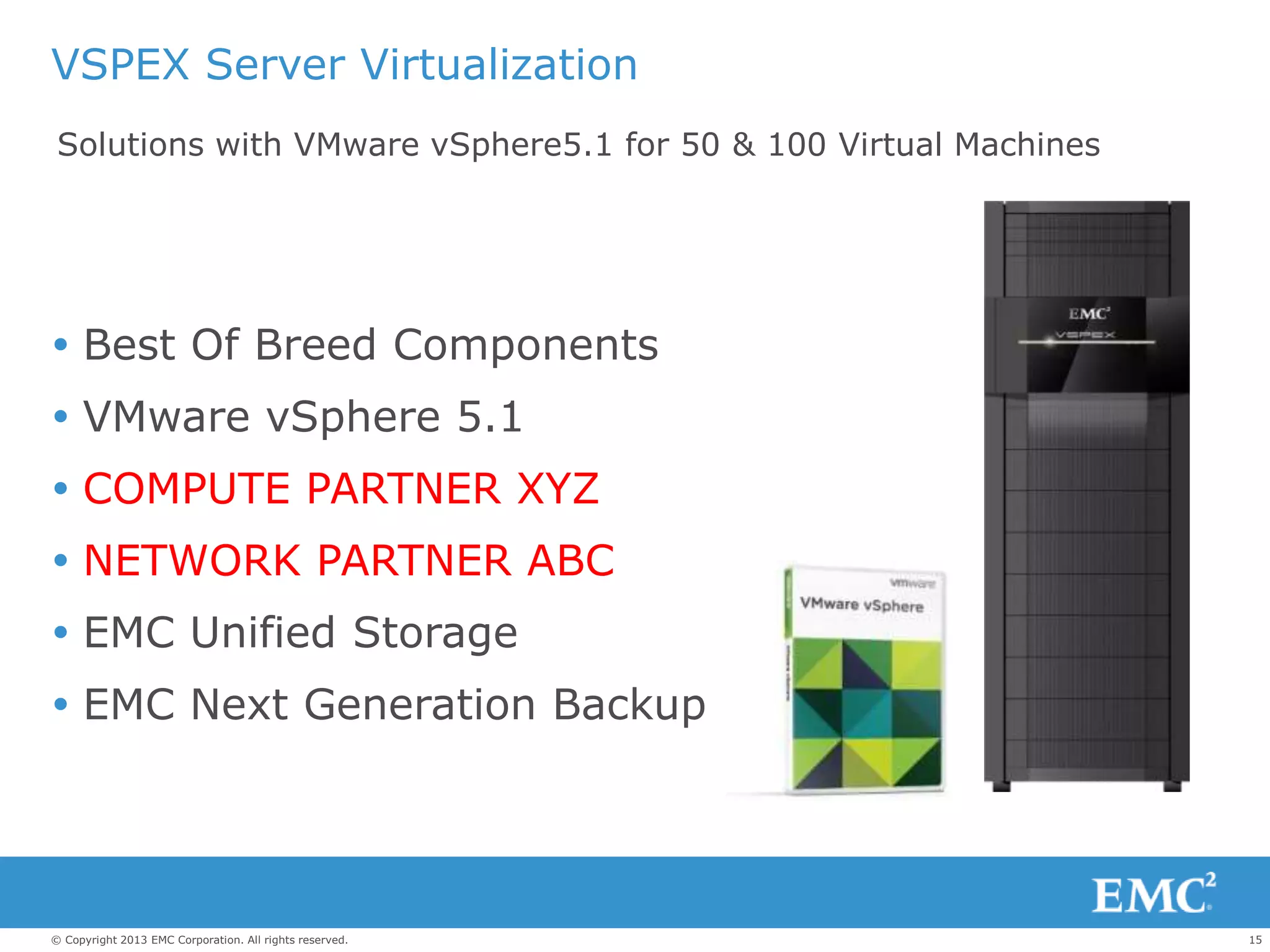
VSPEX Server Virtualization
 Best Of Breed Components
 VMware vSphere 5.1
 COMPUTE PARTNER XYZ
 NETWORK PARTNER ABC
 EMC Unified Storage
 EMC Next Generation Backup
Solutions with VMware vSphere5.1 for 50 & 100 Virtual Machines
16© Copyright 2013 EMC Corporation. All rights reserved.
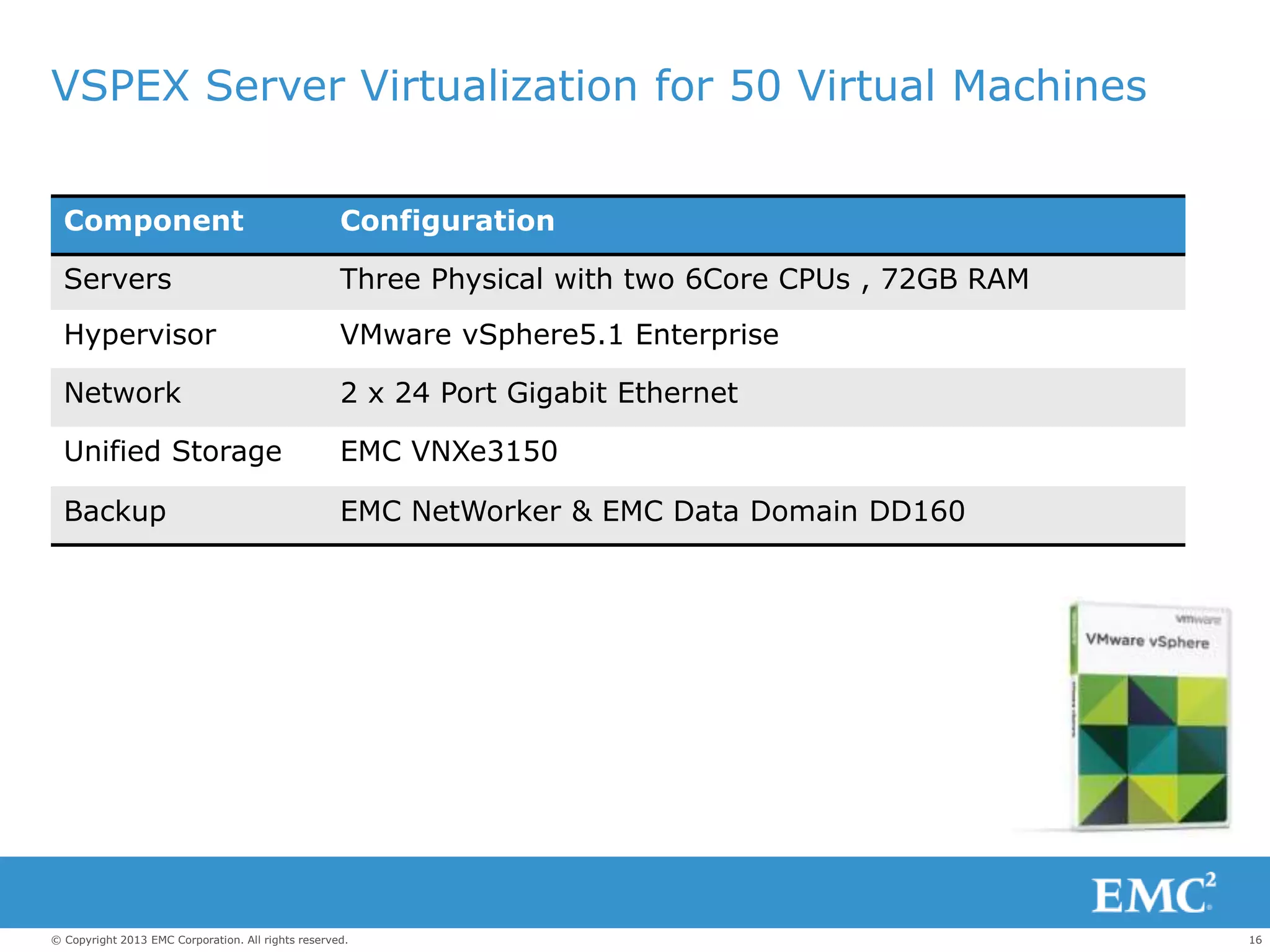
VSPEX Server Virtualization for 50 Virtual Machines
Component Configuration
Servers Three Physical with two 6Core CPUs , 72GB RAM
Hypervisor VMware vSphere5.1 Enterprise
Network 2 x 24 Port Gigabit Ethernet
Unified Storage EMC VNXe3150
Backup EMC NetWorker & EMC Data Domain DD160
17© Copyright 2013 EMC Corporation. All rights reserved.
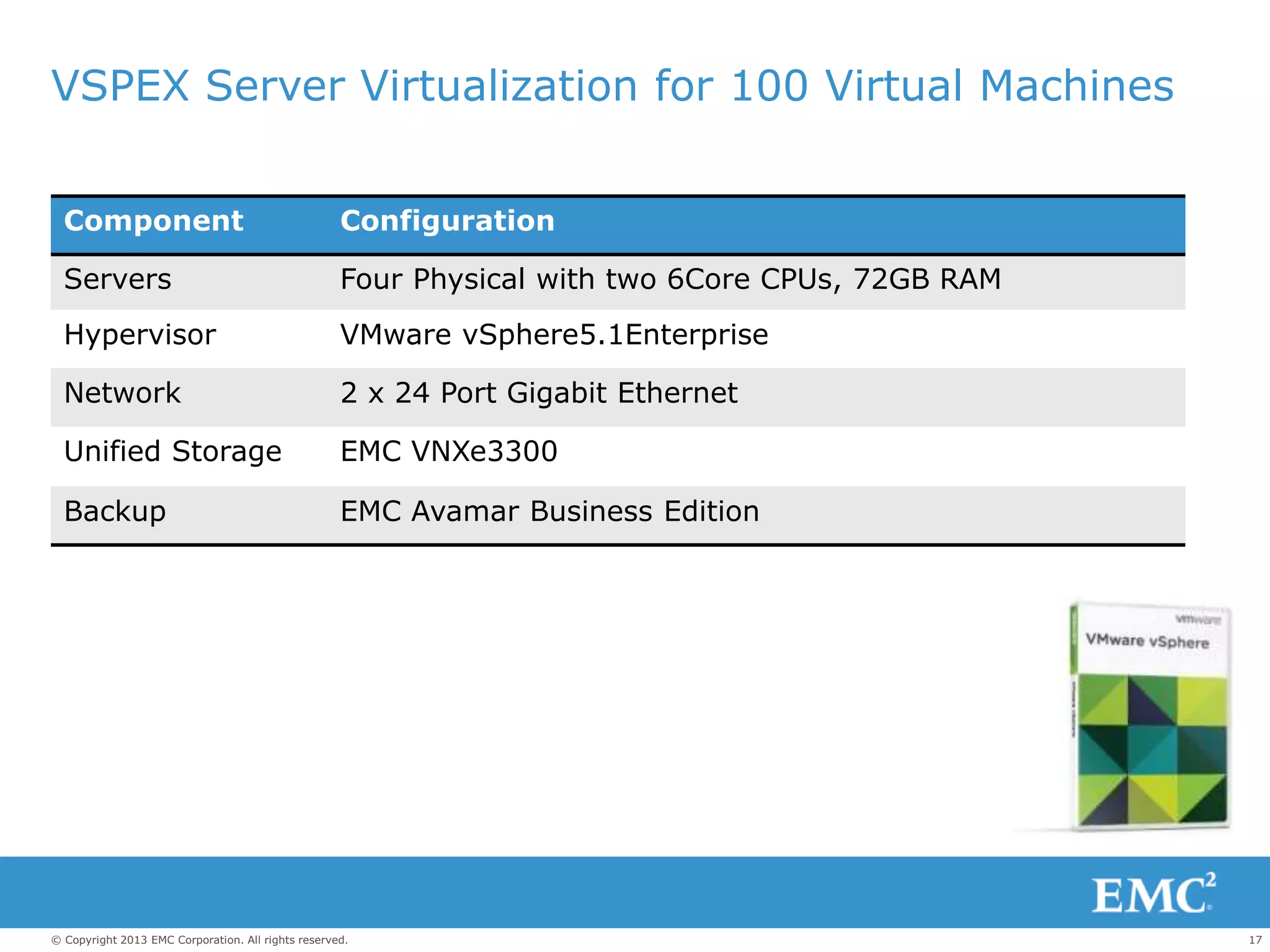
VSPEX Server Virtualization for 100 Virtual Machines
Component Configuration
Servers Four Physical with two 6Core CPUs, 72GB RAM
Hypervisor VMware vSphere5.1Enterprise
Network 2 x 24 Port Gigabit Ethernet
Unified Storage EMC VNXe3300
Backup EMC Avamar Business Edition
18© Copyright 2013 EMC Corporation. All rights reserved.
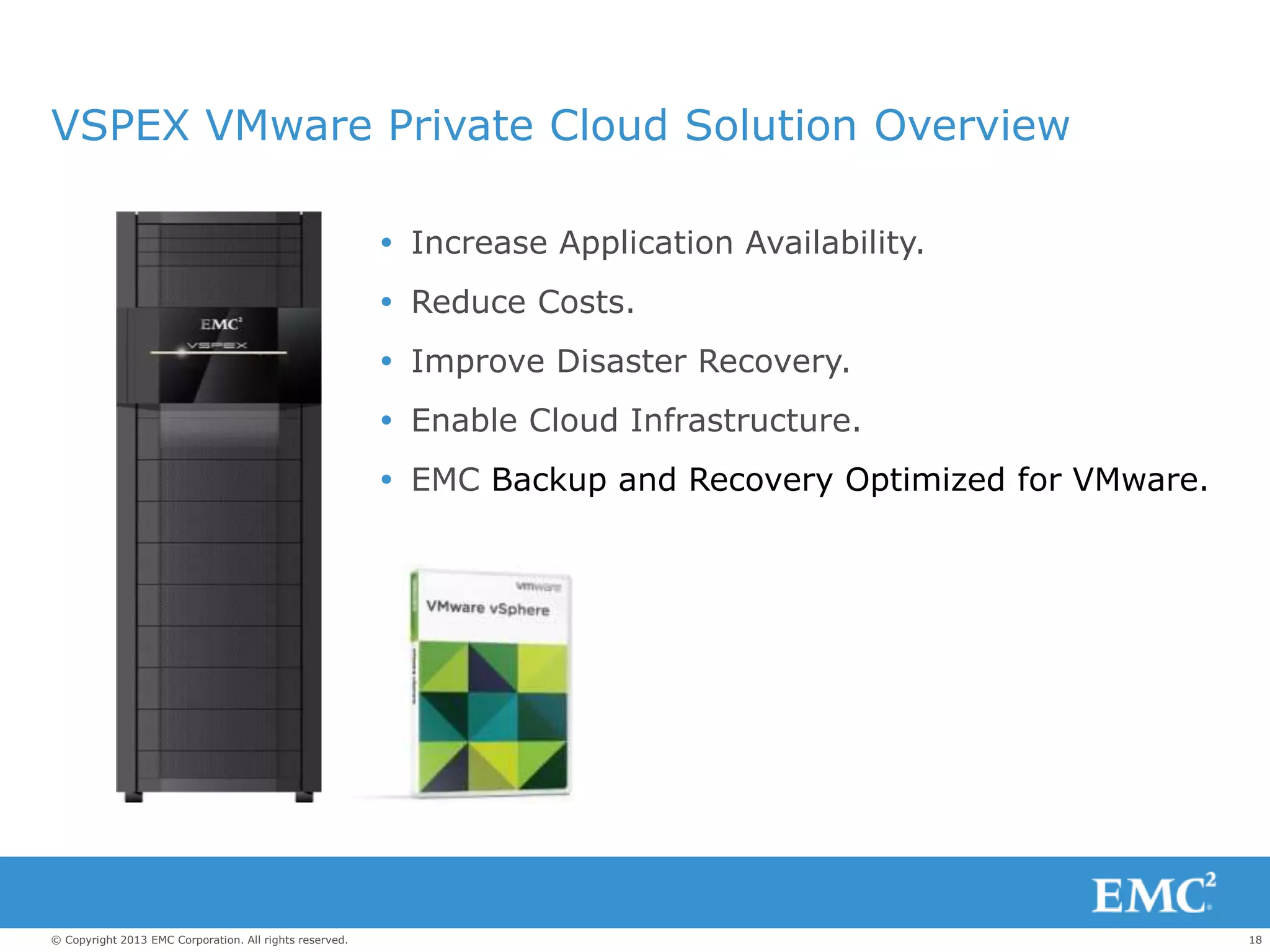
VSPEX VMware Private Cloud Solution Overview
 Increase Application Availability.
 Reduce Costs.
 Improve Disaster Recovery.
 Enable Cloud Infrastructure.
 EMC Backup and Recovery Optimized for VMware.
19© Copyright 2013 EMC Corporation. All rights reserved.
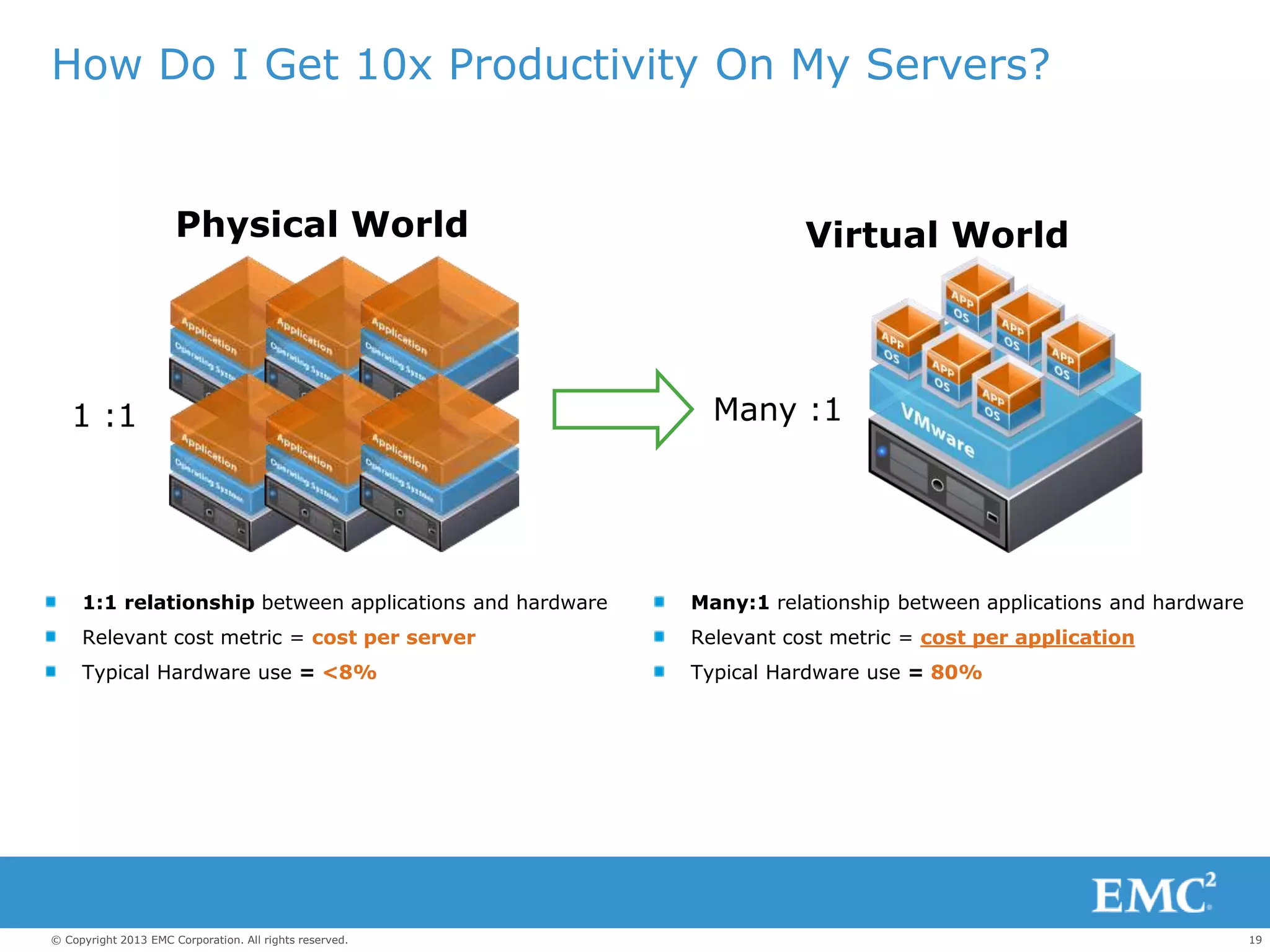
Physical World
How Do I Get 10x Productivity On My Servers?
1:1 relationship between applications and hardware
Relevant cost metric = cost per server
Typical Hardware use = <8%
1 :1
Many:1 relationship between applications and hardware
Relevant cost metric = cost per application
Typical Hardware use = 80%
Virtual World
Many :1
20© Copyright 2013 EMC Corporation. All rights reserved.
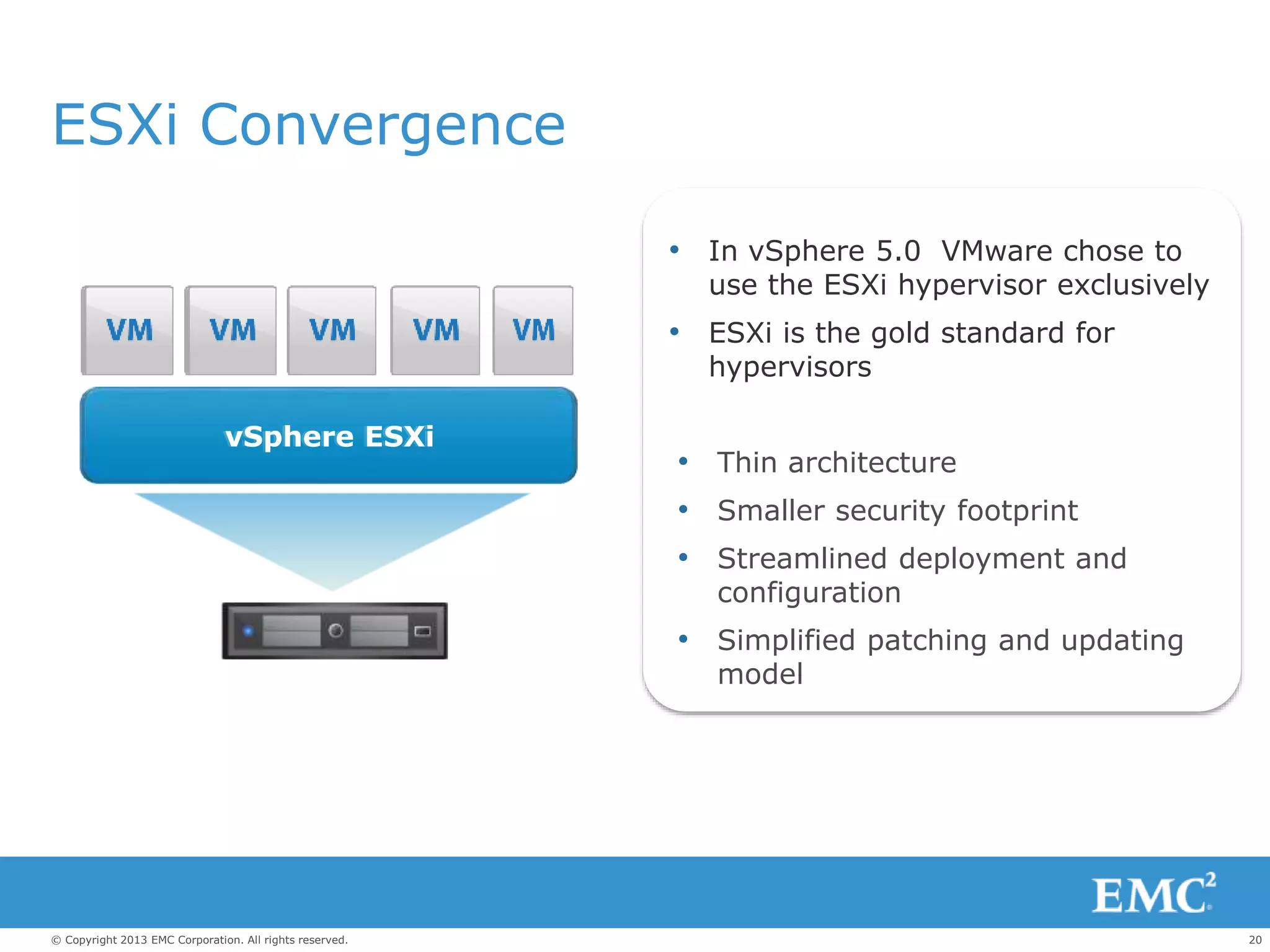
ESXi Convergence
Most Trusted
vSphere ESXivSphere ESXi
• In vSphere 5.0 VMware chose to
use the ESXi hypervisor exclusively
• ESXi is the gold standard for
hypervisors
• Thin architecture
• Smaller security footprint
• Streamlined deployment and
configuration
• Simplified patching and updating
model
21© Copyright 2013 EMC Corporation. All rights reserved.
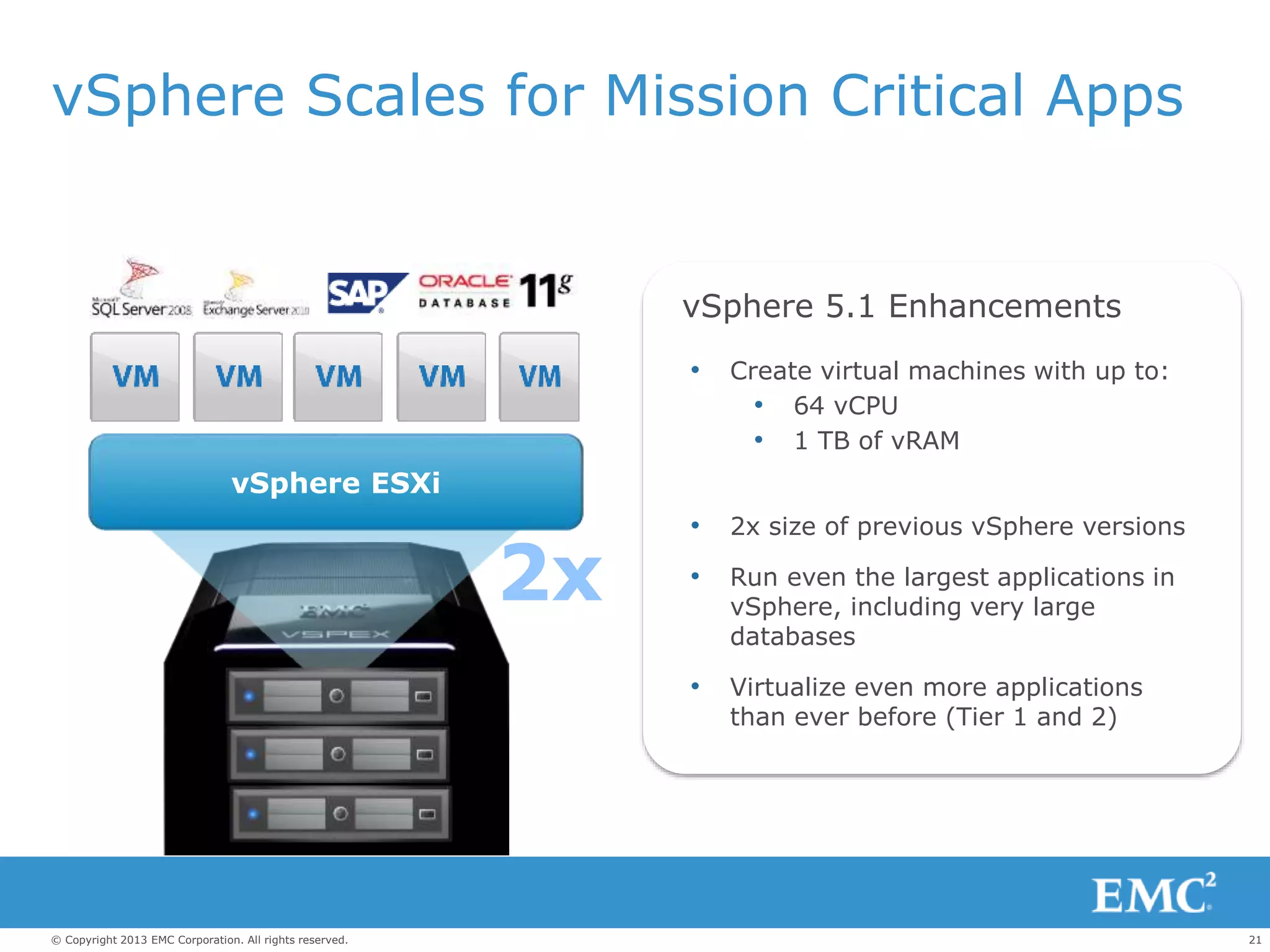
vSphere Scales for Mission Critical Apps
vSphere ESXi
2x
• Create virtual machines with up to:
• 64 vCPU
• 1 TB of vRAM
• 2x size of previous vSphere versions
• Run even the largest applications in
vSphere, including very large
databases
• Virtualize even more applications
than ever before (Tier 1 and 2)
vSphere 5.1 Enhancements
22© Copyright 2013 EMC Corporation. All rights reserved.
c
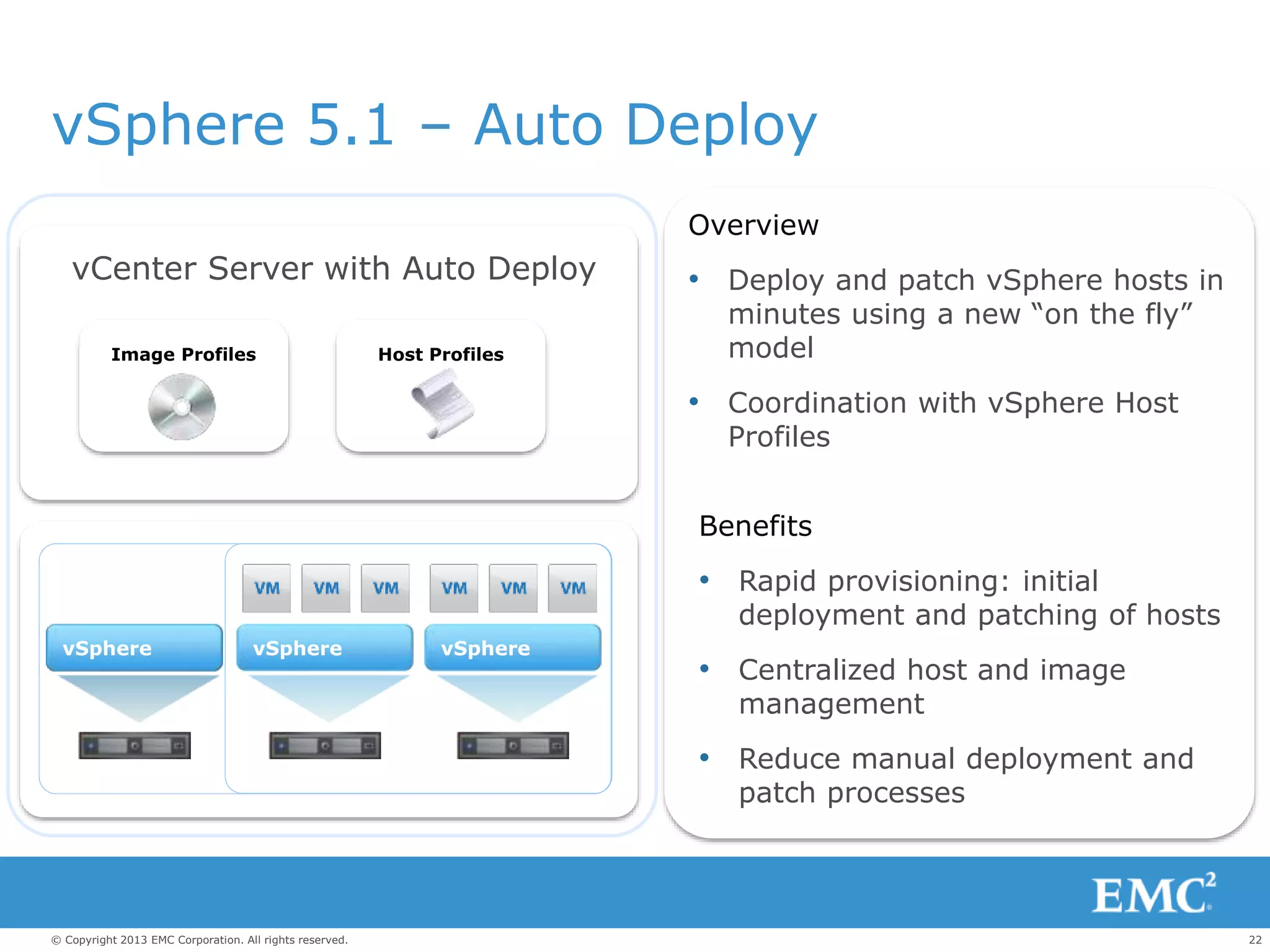
Host Profiles
vSphere vSpherevSphere
Image Profiles
Overview
• Deploy and patch vSphere hosts in
minutes using a new “on the fly”
model
• Coordination with vSphere Host
Profiles
Benefits
• Rapid provisioning: initial
deployment and patching of hosts
• Centralized host and image
management
• Reduce manual deployment and
patch processes
vSphere
vCenter Server with Auto Deploy
vSphere 5.1 – Auto Deploy
23© Copyright 2013 EMC Corporation. All rights reserved.
c
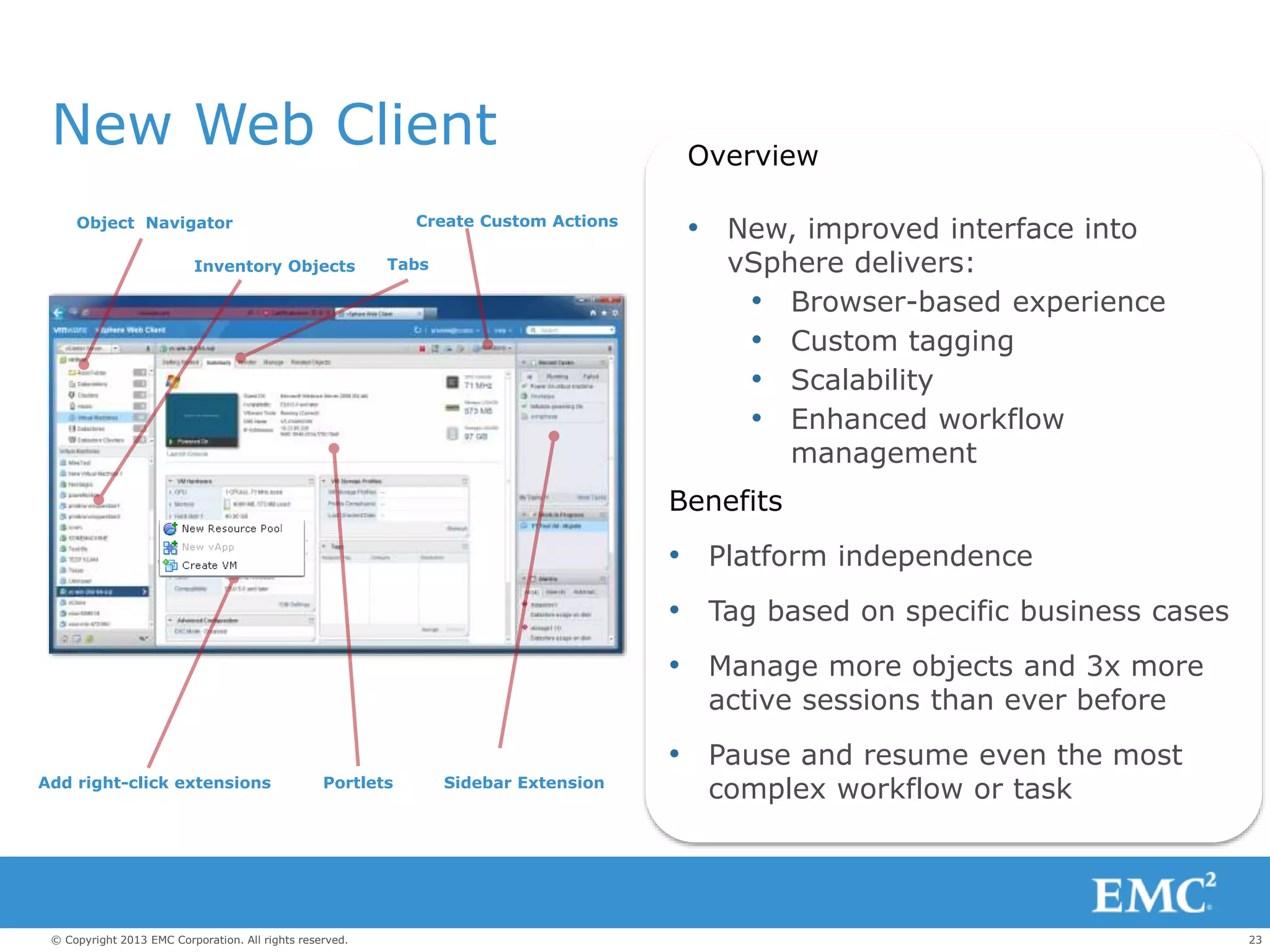
New Web Client Overview
• New, improved interface into
vSphere delivers:
• Browser-based experience
• Custom tagging
• Scalability
• Enhanced workflow
management
Benefits
• Platform independence
• Tag based on specific business cases
• Manage more objects and 3x more
active sessions than ever before
• Pause and resume even the most
complex workflow or task
Object Navigator
Inventory Objects Tabs
Create Custom Actions
Sidebar ExtensionPortletsAdd right-click extensions
24© Copyright 2013 EMC Corporation. All rights reserved.
c
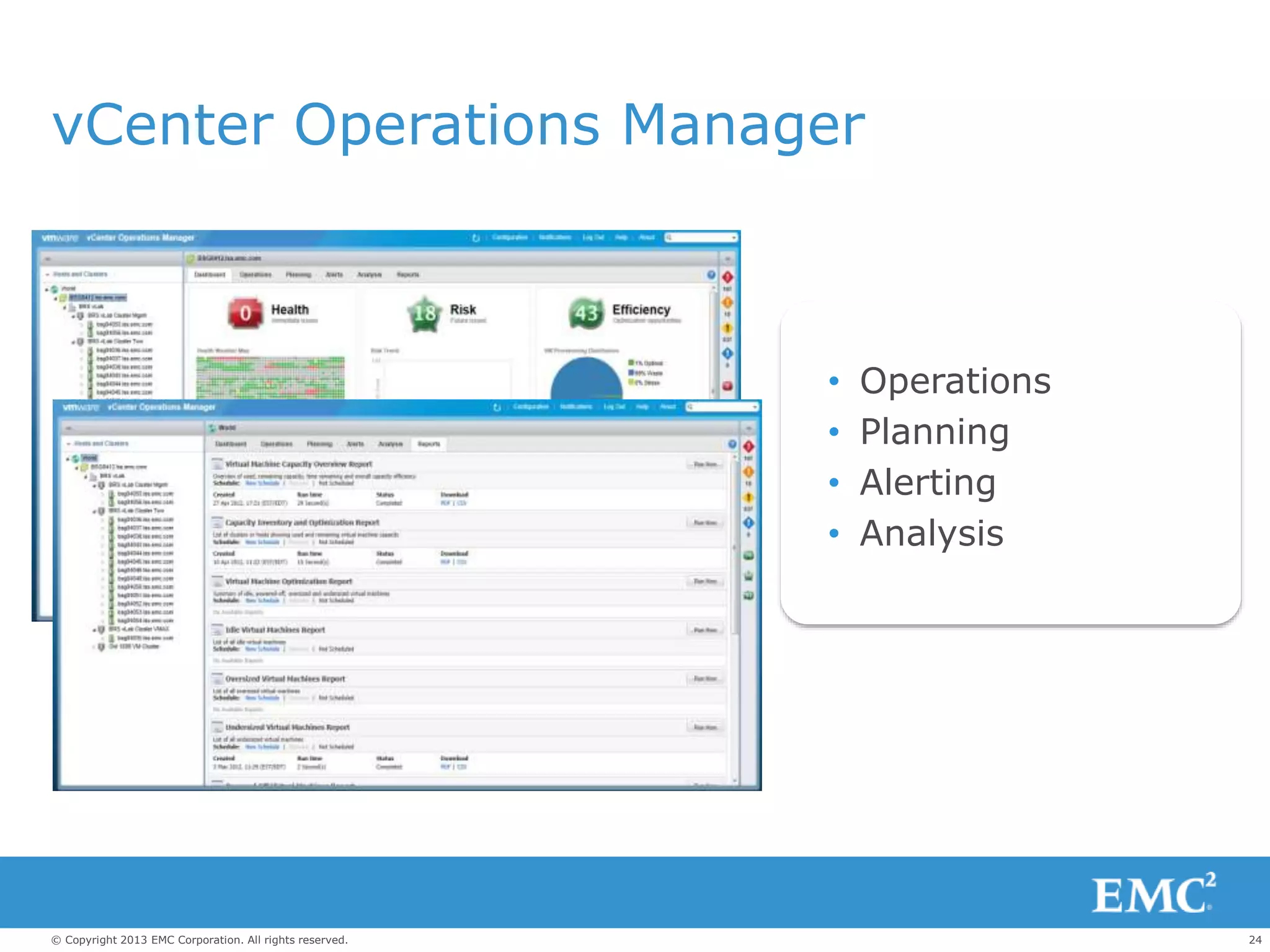
vCenter Operations Manager
• Operations
• Planning
• Alerting
• Analysis
25© Copyright 2013 EMC Corporation. All rights reserved.
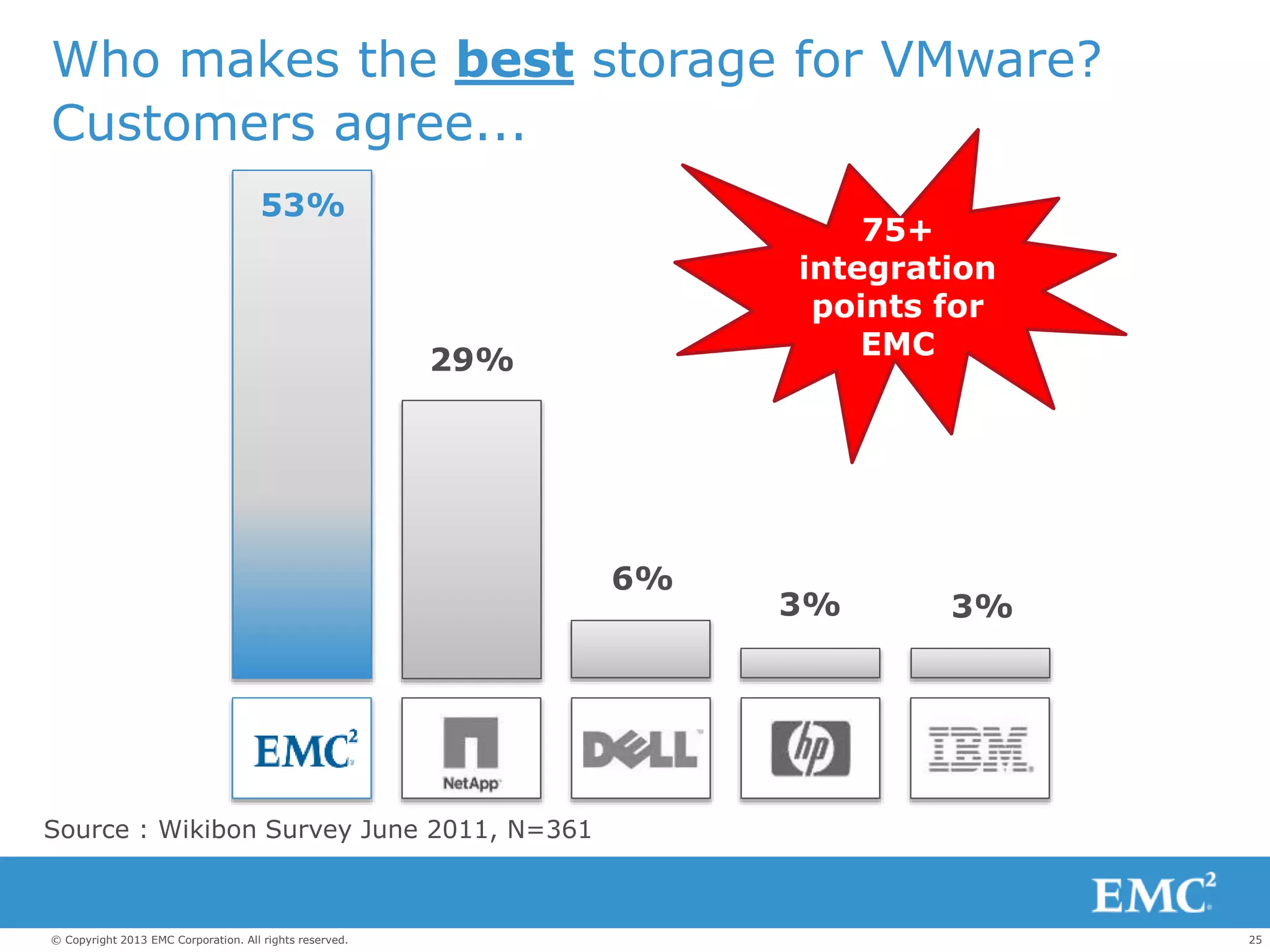
Source : Wikibon Survey June 2011, N=361
Who makes the best storage for VMware?
Customers agree...
53%
29%
6%
3% 3%
75+
integration
points for
EMC
26© Copyright 2013 EMC Corporation. All rights reserved.
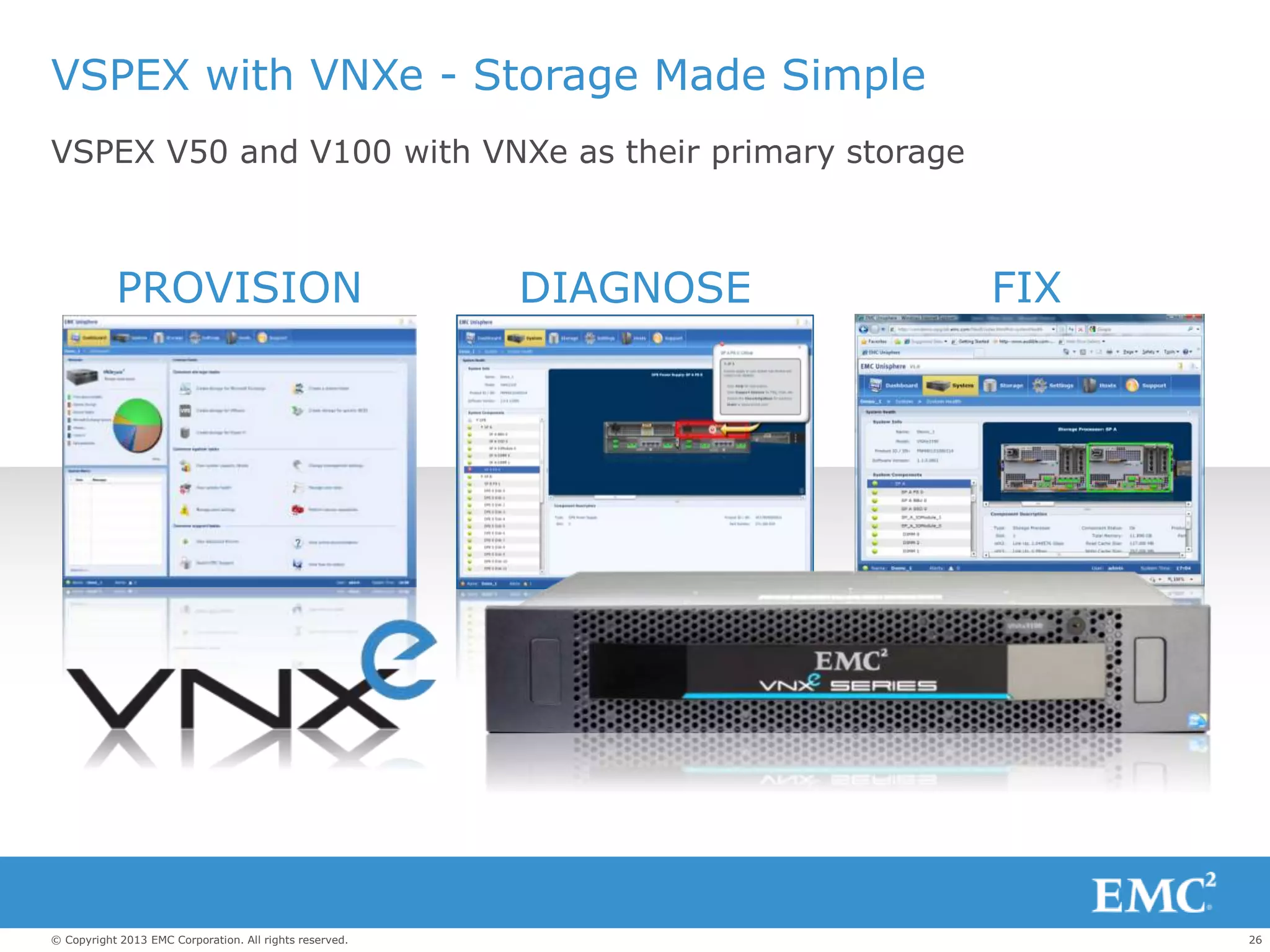
VSPEX with VNXe - Storage Made Simple
PROVISION DIAGNOSE FIX
VSPEX V50 and V100 with VNXe as their primary storage
27© Copyright 2013 EMC Corporation. All rights reserved.
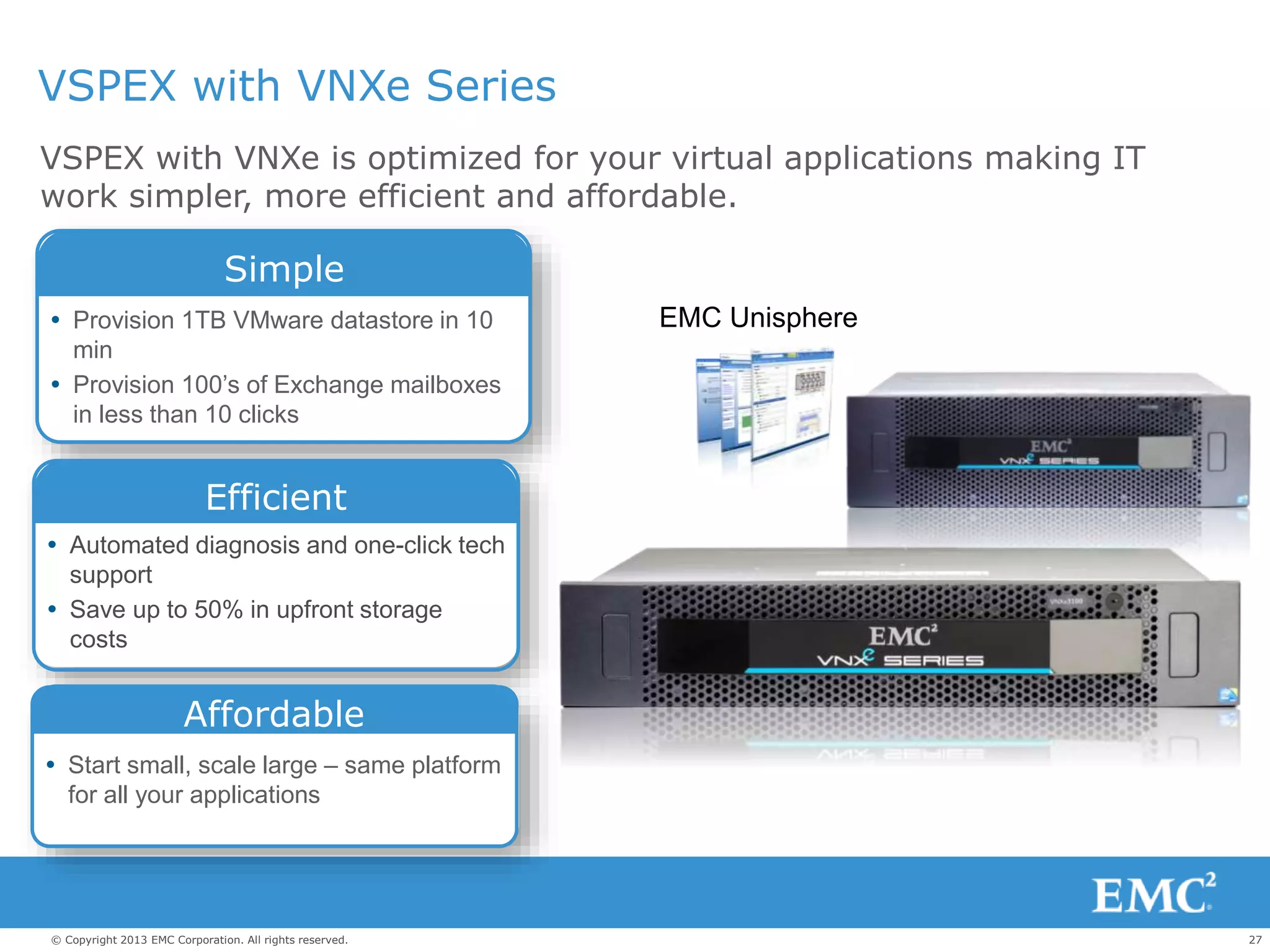
VSPEX with VNXe Series
VSPEX with VNXe is optimized for your virtual applications making IT
work simpler, more efficient and affordable.
 Provision 1TB VMware datastore in 10
min
 Provision 100’s of Exchange mailboxes
in less than 10 clicks
Simple
 Automated diagnosis and one-click tech
support
 Save up to 50% in upfront storage
costs
Efficient
 Start small, scale large – same platform
for all your applications
Affordable
EMC Unisphere
28© Copyright 2013 EMC Corporation. All rights reserved.
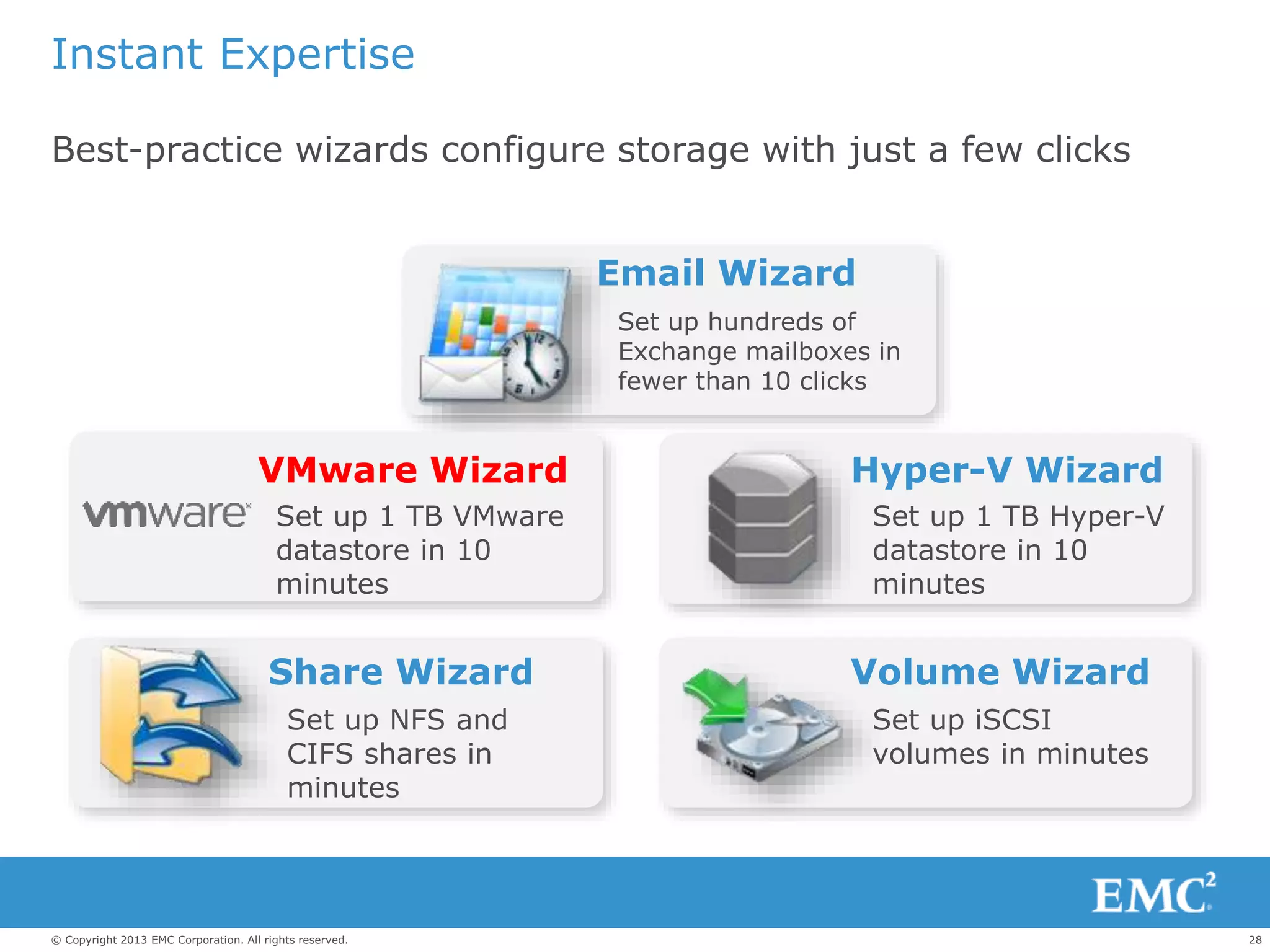
Instant Expertise
Best-practice wizards configure storage with just a few clicks
Share Wizard
Set up NFS and
CIFS shares in
minutes
Volume Wizard
Set up iSCSI
volumes in minutes
Hyper-V Wizard
Set up 1 TB Hyper-V
datastore in 10
minutes
Email Wizard
Set up hundreds of
Exchange mailboxes in
fewer than 10 clicks
VMware Wizard
Set up 1 TB VMware
datastore in 10
minutes
29© Copyright 2013 EMC Corporation. All rights reserved.
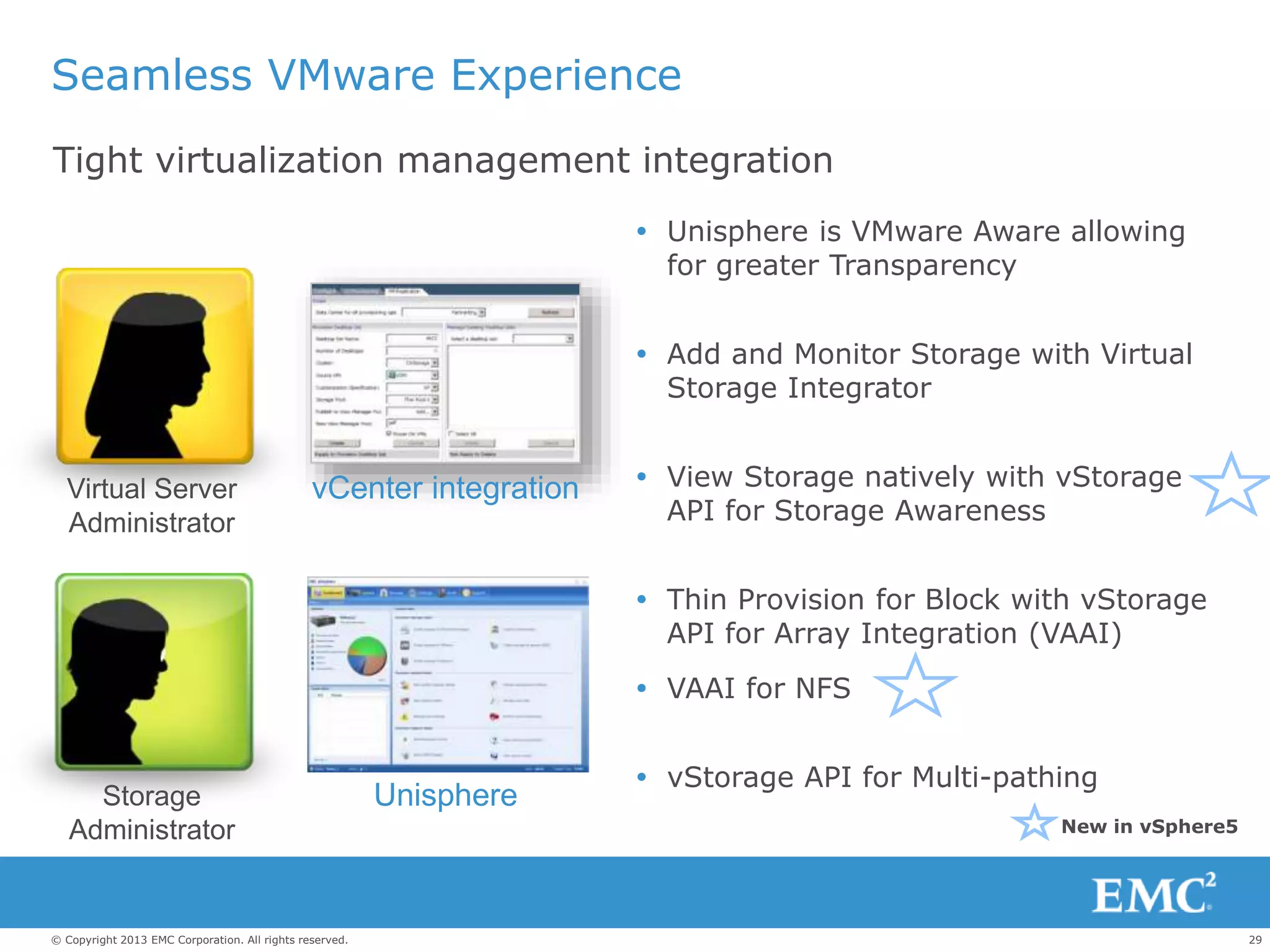
Seamless VMware Experience
Tight virtualization management integration
 Unisphere is VMware Aware allowing
for greater Transparency
 Add and Monitor Storage with Virtual
Storage Integrator
 View Storage natively with vStorage
API for Storage Awareness
 Thin Provision for Block with vStorage
API for Array Integration (VAAI)
 VAAI for NFS
 vStorage API for Multi-pathing
Storage
Administrator
Virtual Server
Administrator
Unisphere
vCenter integration
New in vSphere5
30© Copyright 2013 EMC Corporation. All rights reserved.
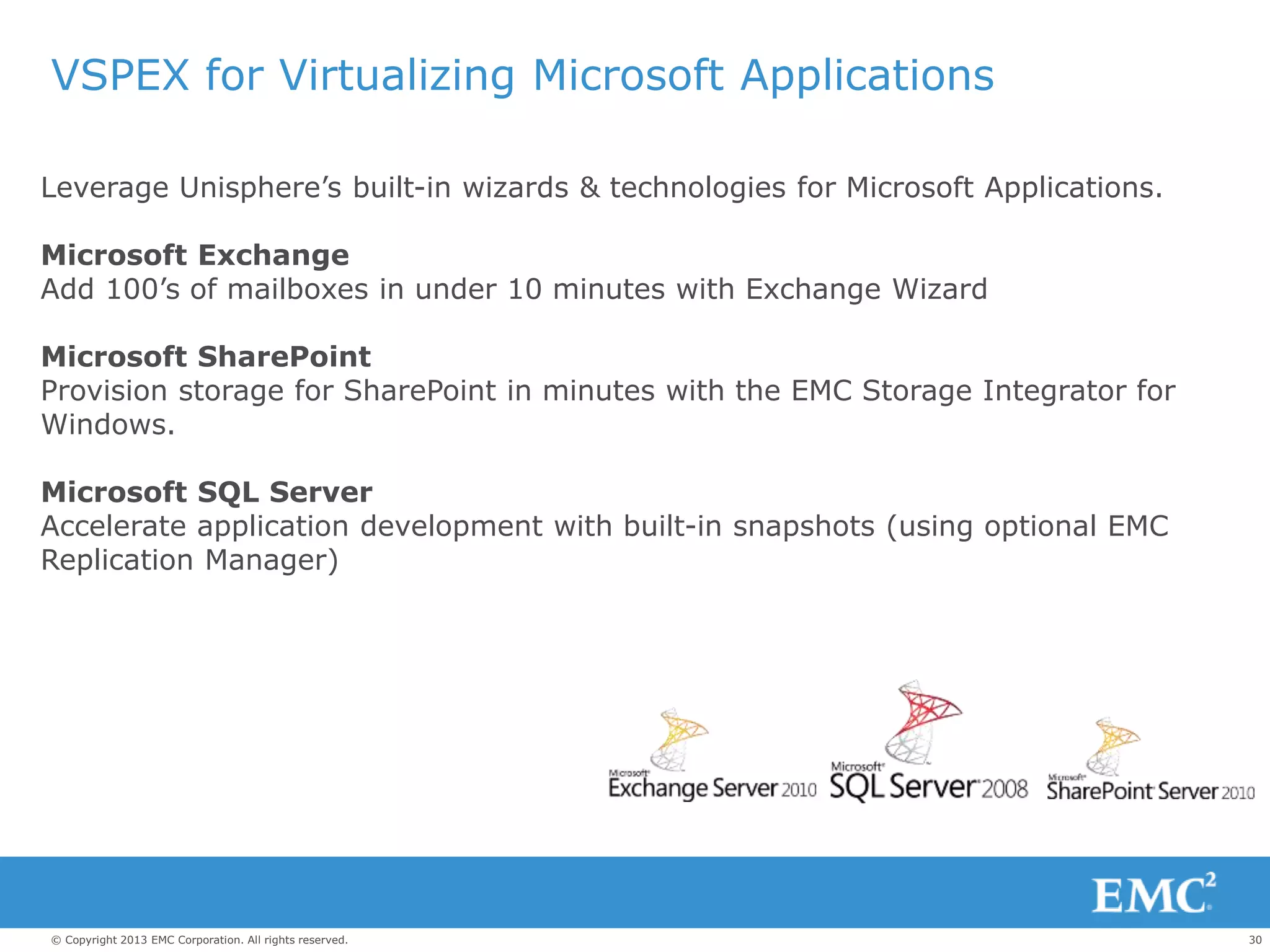
VSPEX for Virtualizing Microsoft Applications
Leverage Unisphere’s built-in wizards & technologies for Microsoft Applications.
Microsoft Exchange
Add 100’s of mailboxes in under 10 minutes with Exchange Wizard
Microsoft SharePoint
Provision storage for SharePoint in minutes with the EMC Storage Integrator for
Windows.
Microsoft SQL Server
Accelerate application development with built-in snapshots (using optional EMC
Replication Manager)
31© Copyright 2013 EMC Corporation. All rights reserved.
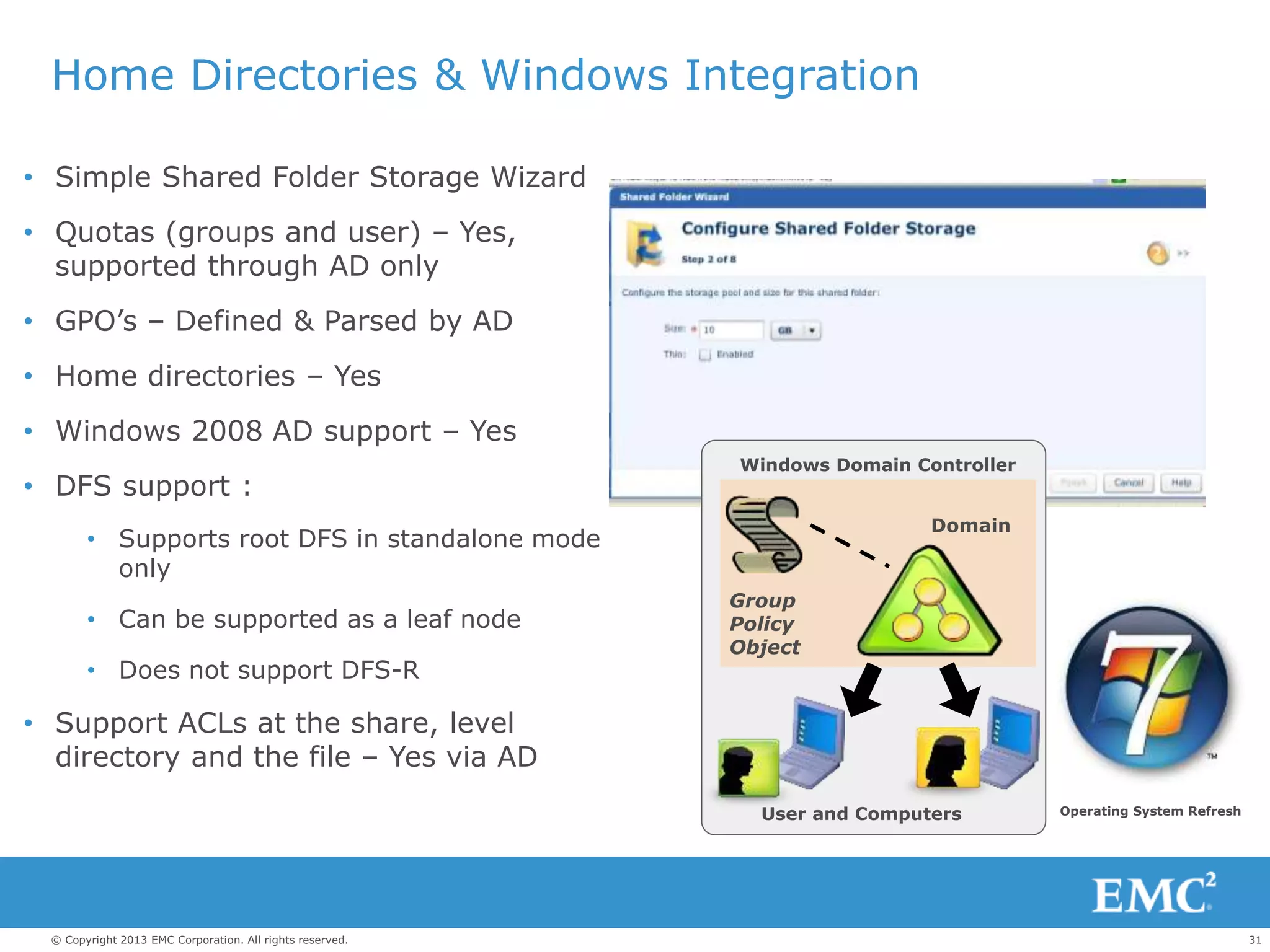
Home Directories & Windows Integration
• Simple Shared Folder Storage Wizard
• Quotas (groups and user) – Yes,
supported through AD only
• GPO’s – Defined & Parsed by AD
• Home directories – Yes
• Windows 2008 AD support – Yes
• DFS support :
• Supports root DFS in standalone mode
only
• Can be supported as a leaf node
• Does not support DFS-R
• Support ACLs at the share, level
directory and the file – Yes via AD
Group
Policy
Object
User and Computers
Domain
Windows Domain Controller
Operating System Refresh
32© Copyright 2013 EMC Corporation. All rights reserved.
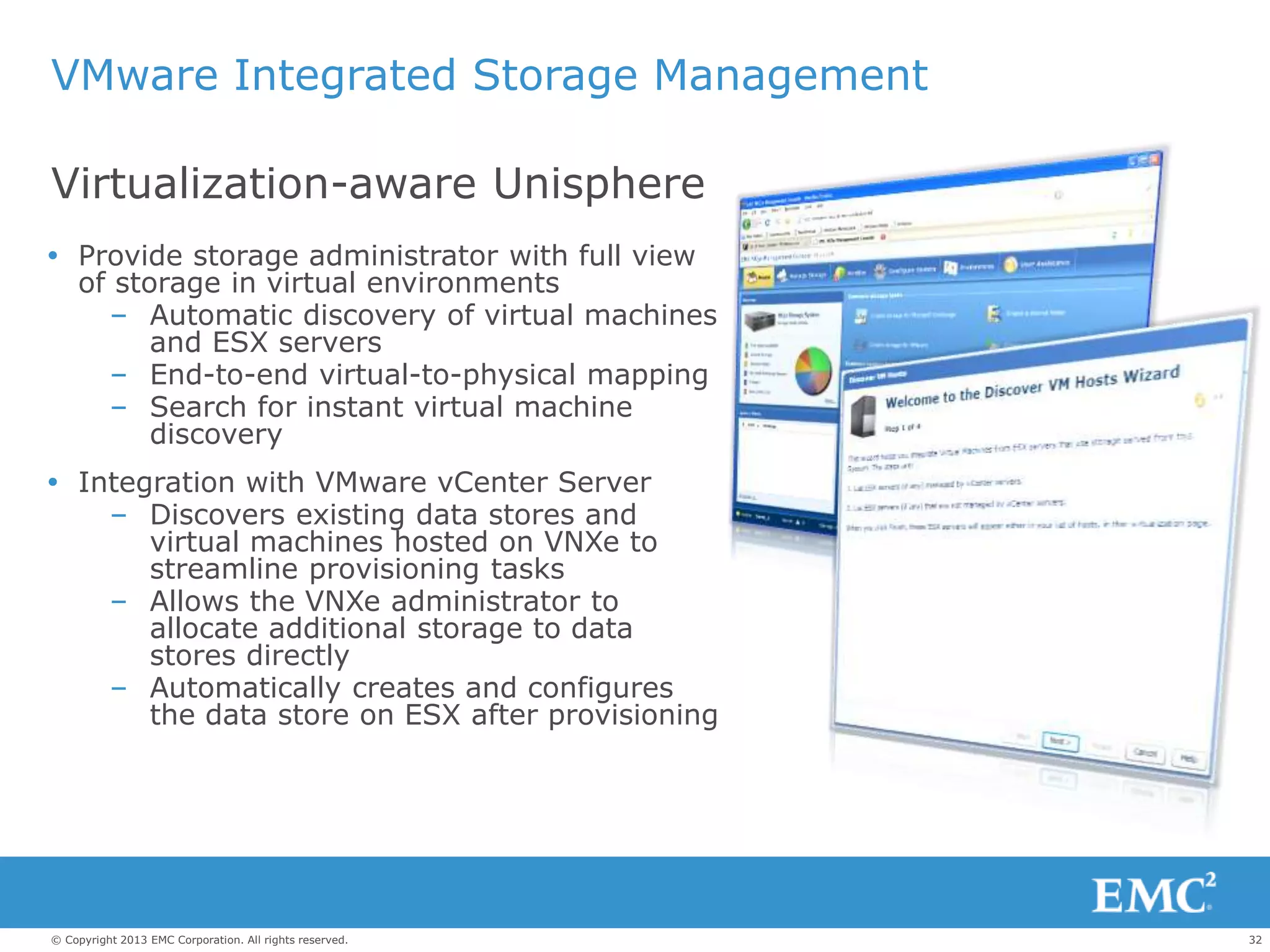
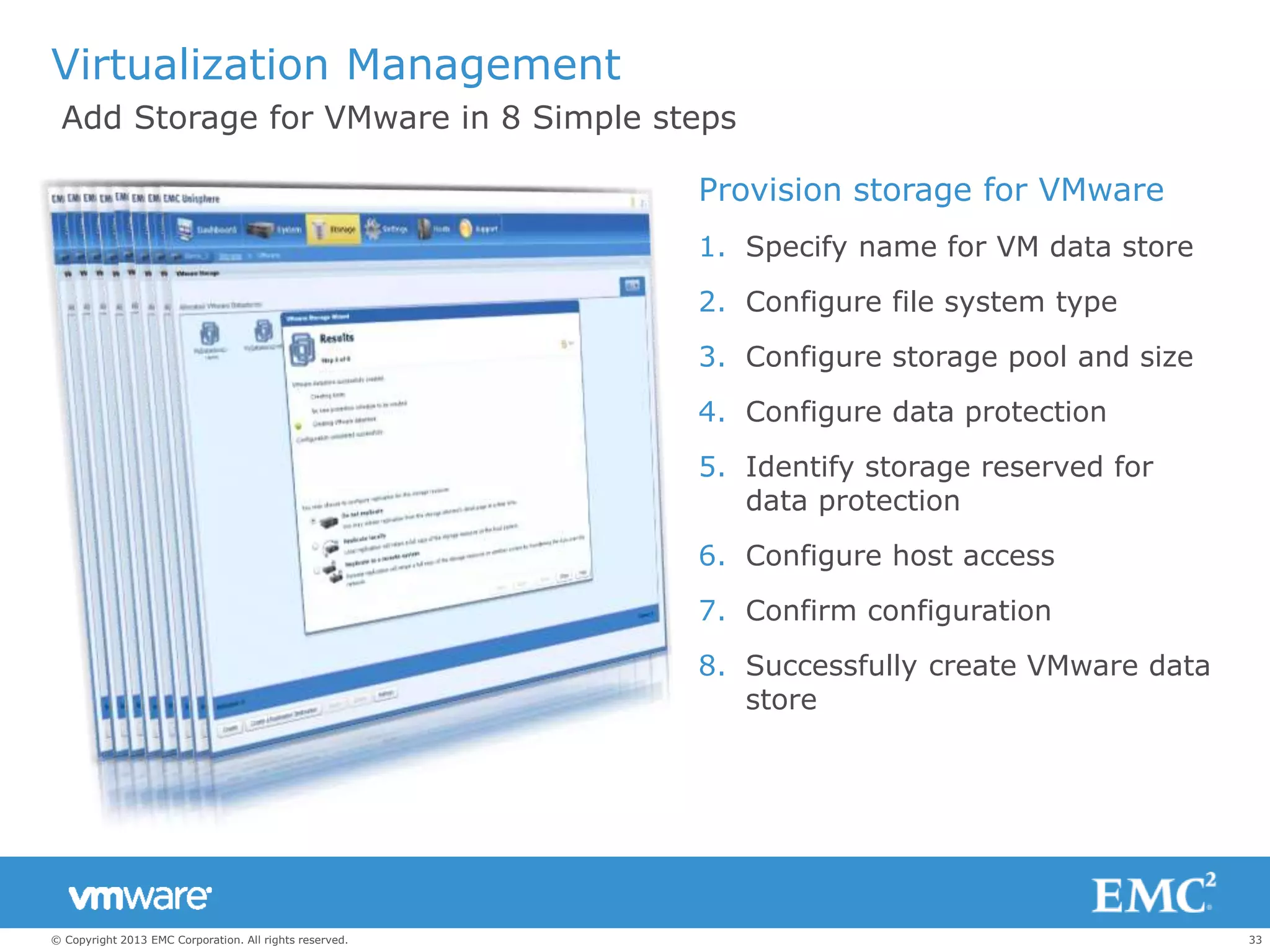
VMware Integrated Storage Management
 Provide storage administrator with full view
of storage in virtual environments
– Automatic discovery of virtual machines
and ESX servers
– End-to-end virtual-to-physical mapping
– Search for instant virtual machine
discovery
 Integration with VMware vCenter Server
– Discovers existing data stores and
virtual machines hosted on VNXe to
streamline provisioning tasks
– Allows the VNXe administrator to
allocate additional storage to data
stores directly
– Automatically creates and configures
the data store on ESX after provisioning
Virtualization-aware Unisphere
33© Copyright 2013 EMC Corporation. All rights reserved.
Virtualization Management
Provision storage for VMware
1. Specify name for VM data store
2. Configure file system type
3. Configure storage pool and size
4. Configure data protection
5. Identify storage reserved for
data protection
6. Configure host access
7. Confirm configuration
8. Successfully create VMware data
store
Add Storage for VMware in 8 Simple steps
34© Copyright 2013 EMC Corporation. All rights reserved.
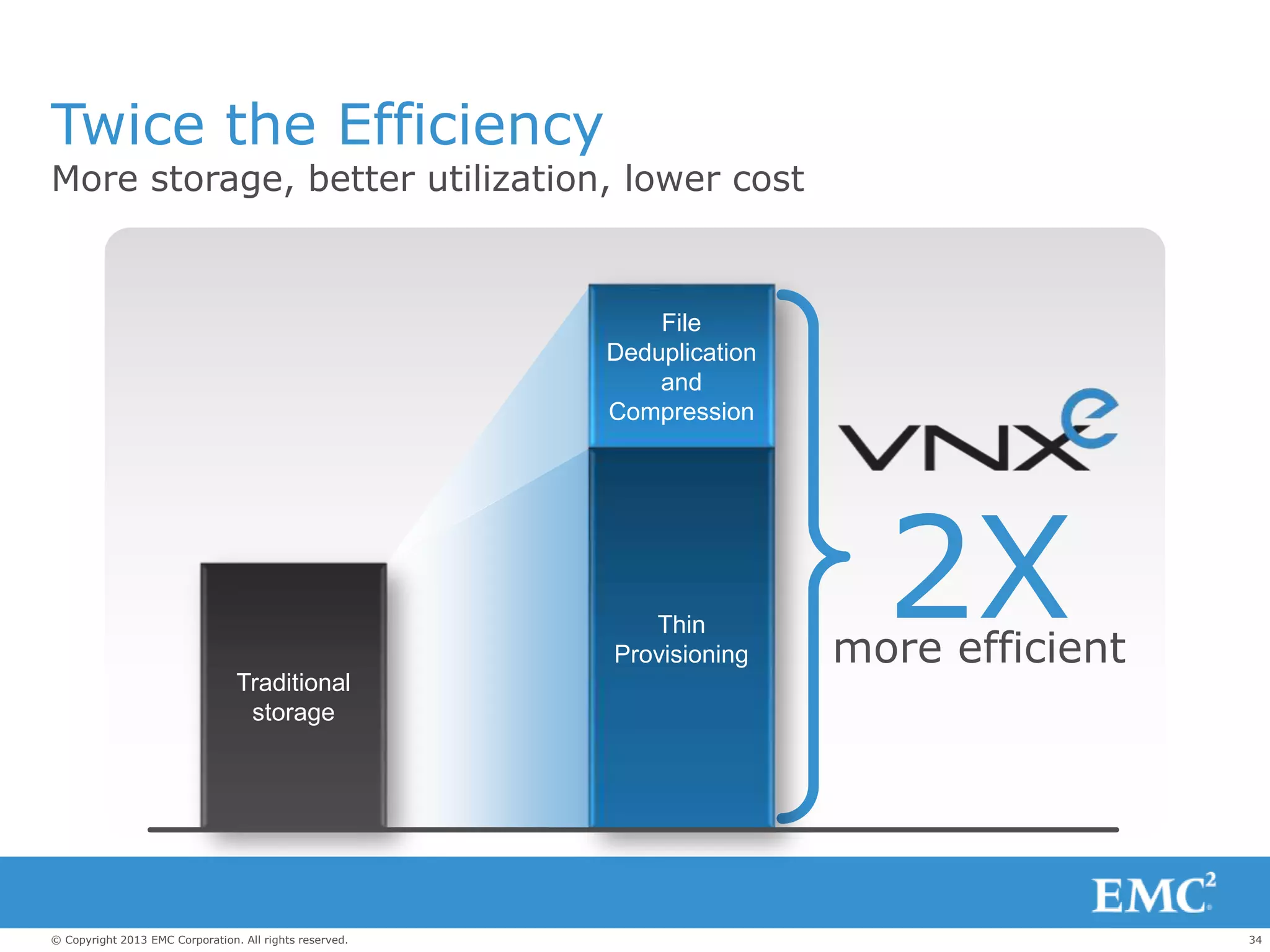
2Xmore efficient
Twice the Efficiency
More storage, better utilization, lower cost
File
Deduplication
and
Compression
Thin
Provisioning
Traditional
storage
35© Copyright 2013 EMC Corporation. All rights reserved.
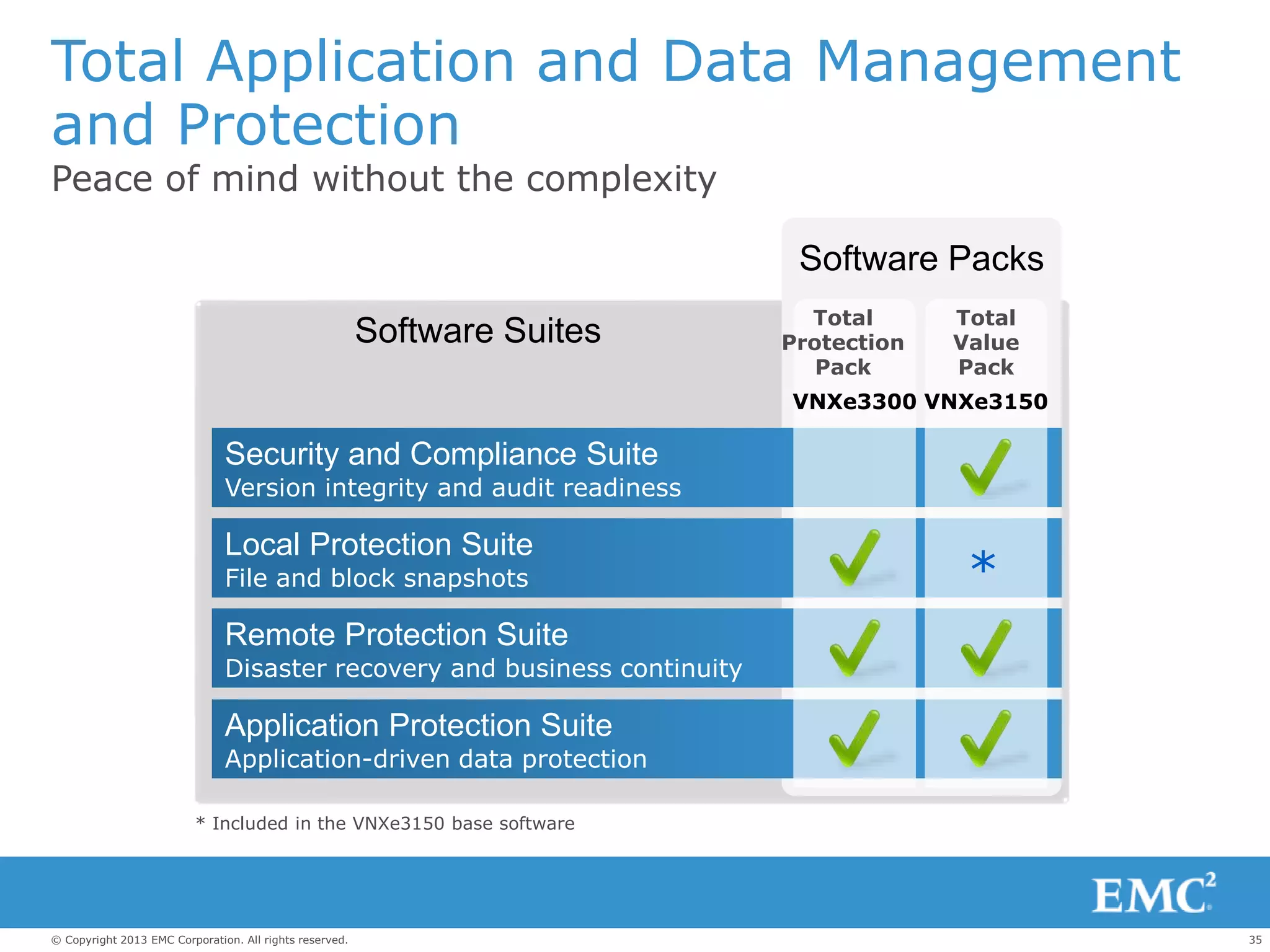
Total Application and Data Management
and Protection
Peace of mind without the complexity
Security and Compliance Suite
Version integrity and audit readiness
Local Protection Suite
File and block snapshots
Remote Protection Suite
Disaster recovery and business continuity
Application Protection Suite
Application-driven data protection
Software Suites Total
Protection
Pack
Total
Value
Pack
Software Packs
VNXe3150VNXe3300
*
* Included in the VNXe3150 base software
36© Copyright 2013 EMC Corporation. All rights reserved.
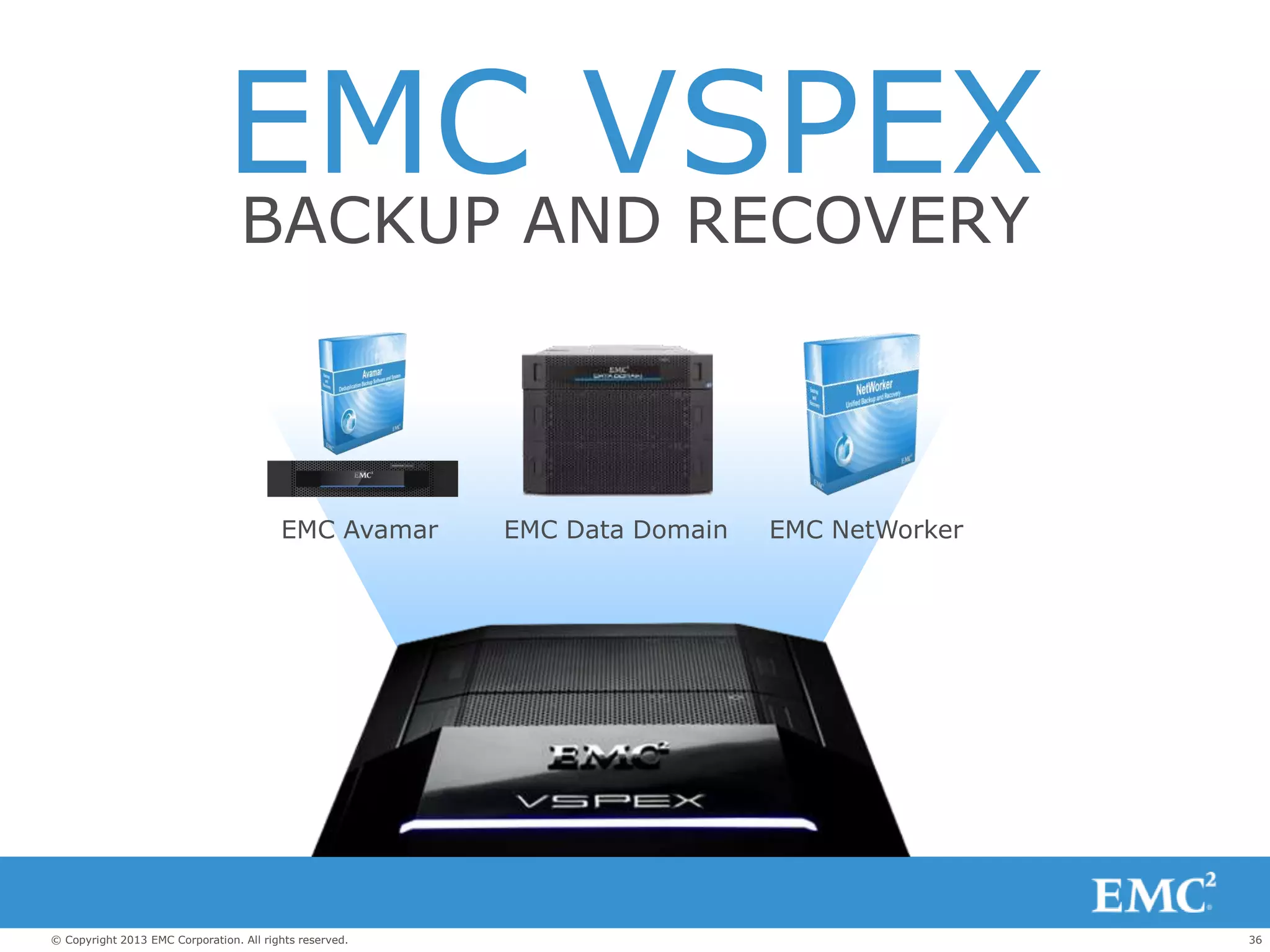
EMC VSPEXBACKUP AND RECOVERY
EMC NetWorkerEMC Avamar EMC Data Domain
37© Copyright 2013 EMC Corporation. All rights reserved.
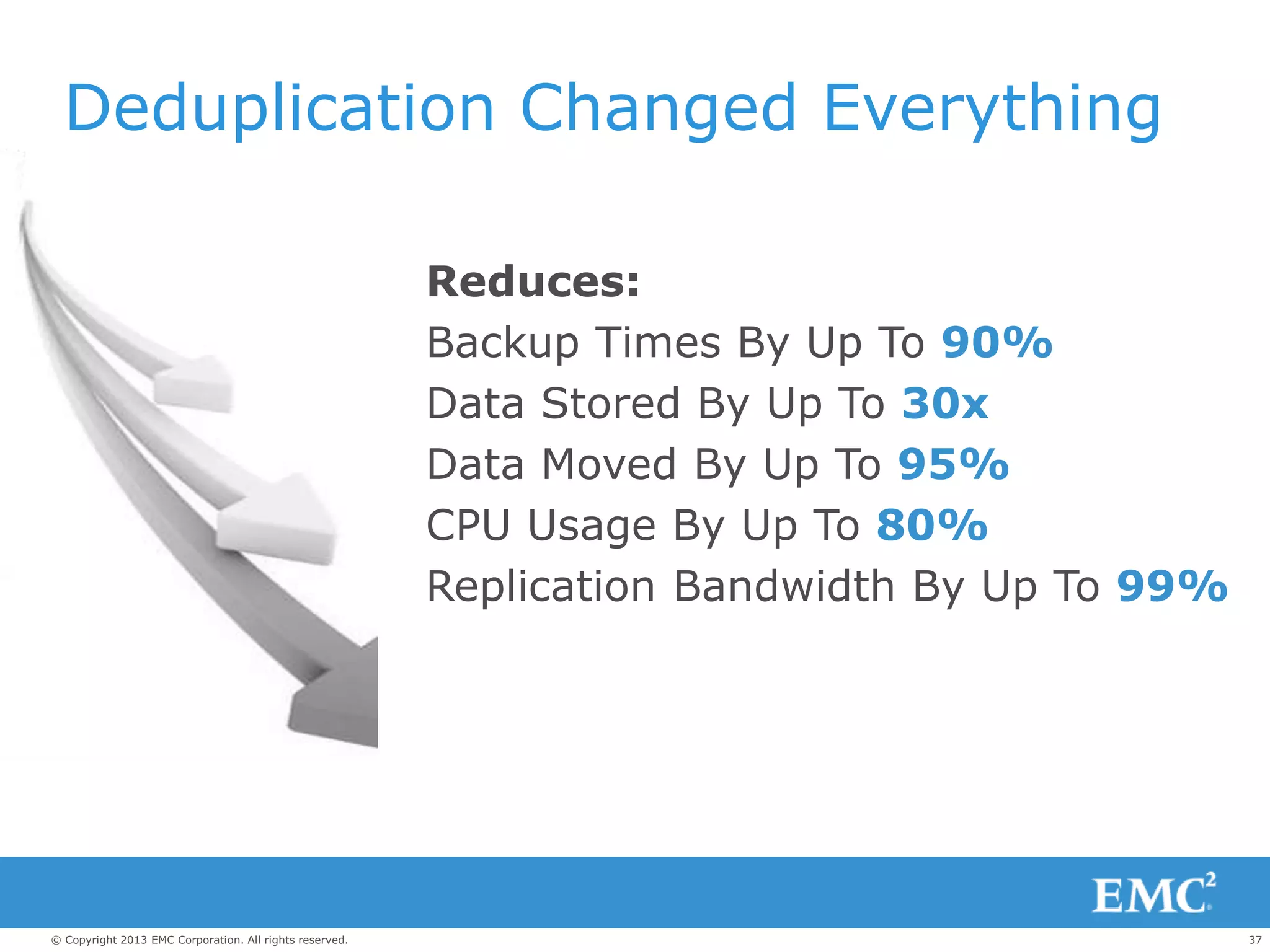
Deduplication Changed Everything
Reduces:
Backup Times By Up To 90%
Data Stored By Up To 30x
Data Moved By Up To 95%
CPU Usage By Up To 80%
Replication Bandwidth By Up To 99%
38© Copyright 2013 EMC Corporation. All rights reserved.
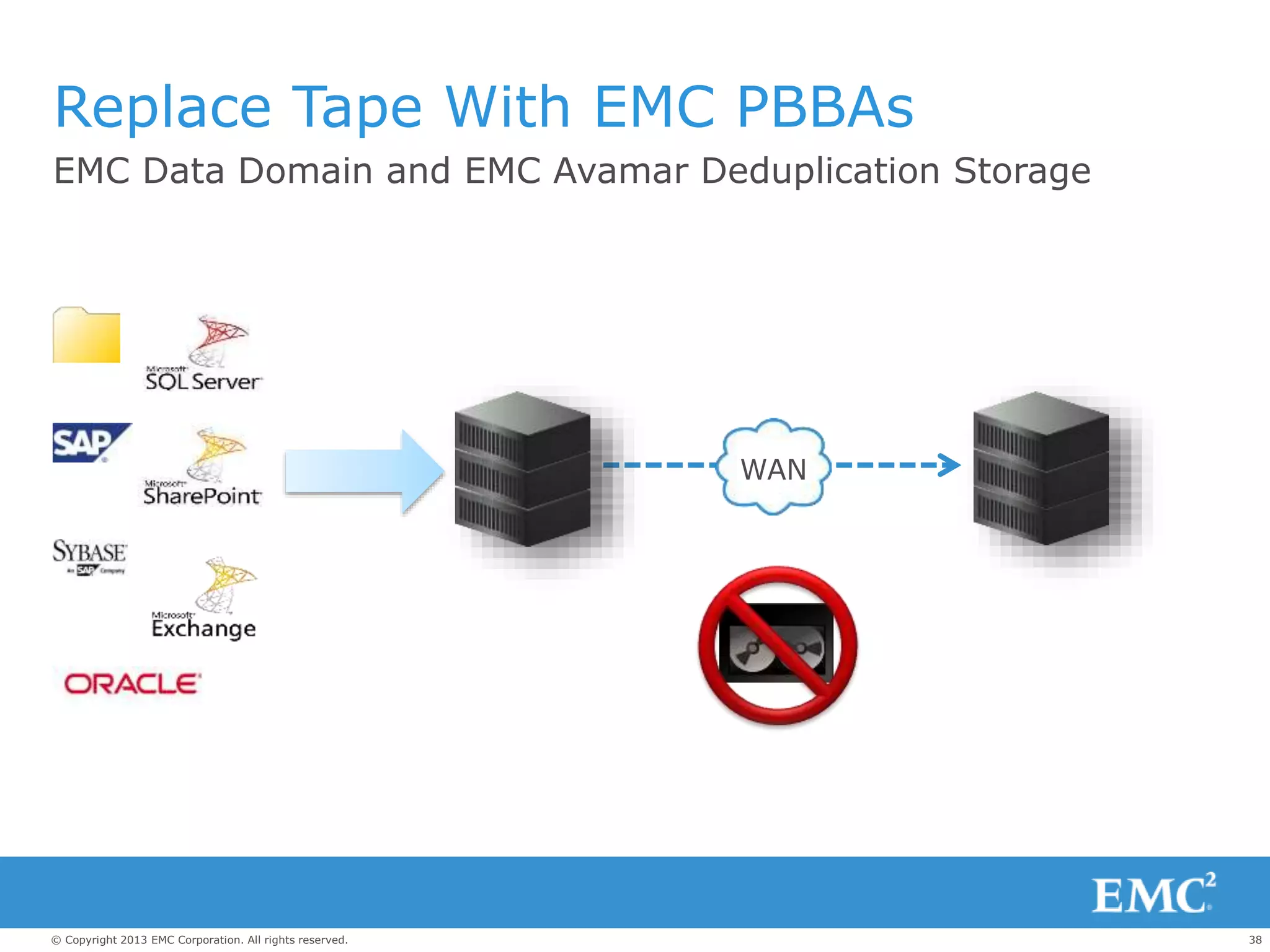
WAN
Replace Tape With EMC PBBAs
EMC Data Domain and EMC Avamar Deduplication Storage
39© Copyright 2013 EMC Corporation. All rights reserved.
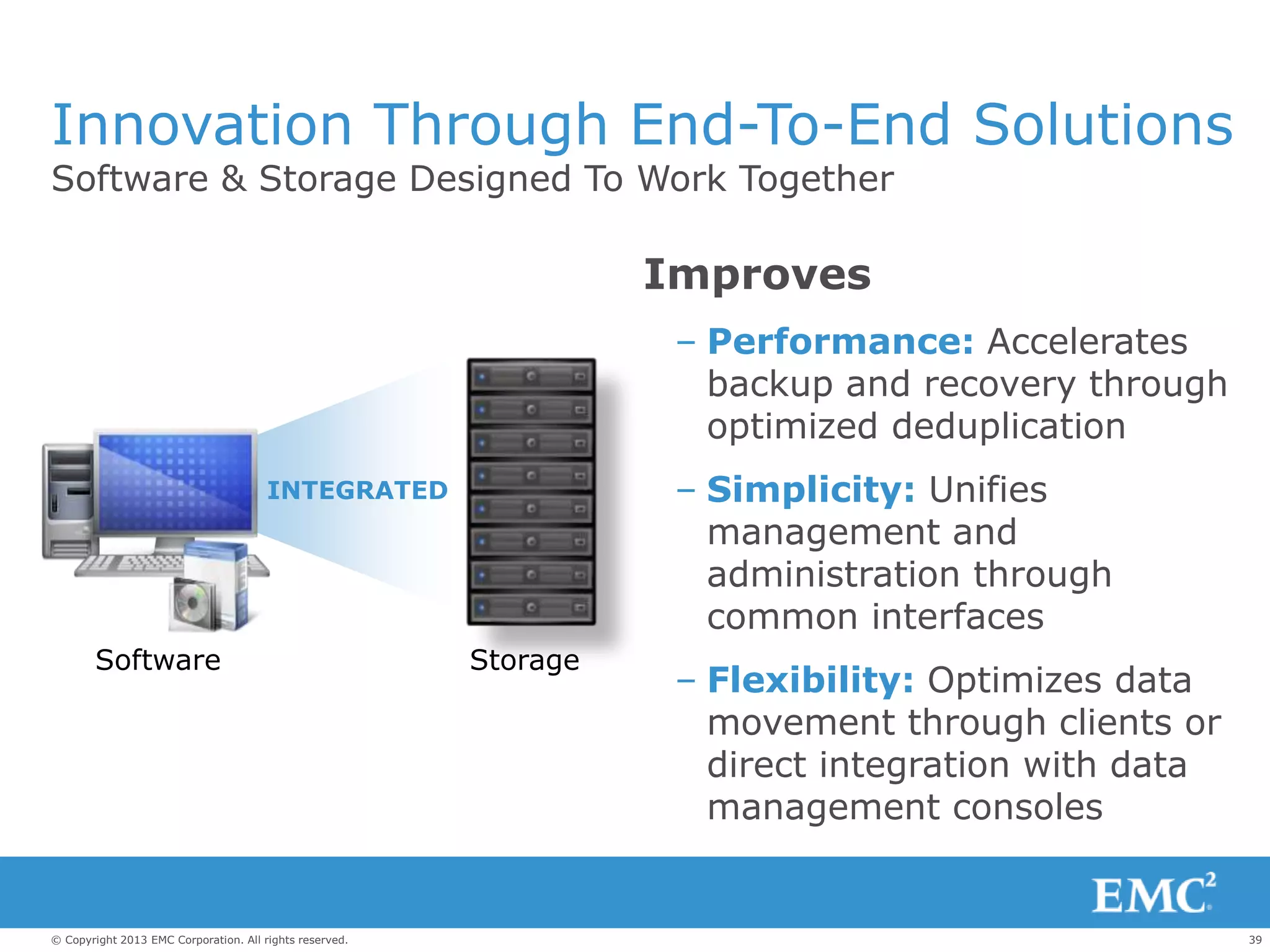
Innovation Through End-To-End Solutions
Software & Storage Designed To Work Together
Improves
– Performance: Accelerates
backup and recovery through
optimized deduplication
– Simplicity: Unifies
management and
administration through
common interfaces
– Flexibility: Optimizes data
movement through clients or
direct integration with data
management consoles
INTEGRATED
StorageSoftware
40© Copyright 2013 EMC Corporation. All rights reserved.
VSPEX Server Virtualization
for 50 Virtual Machines
BACKUP AND RECOVERY
41© Copyright 2013 EMC Corporation. All rights reserved.
EMC NetWorker
Unified Management
Bring Together A Full Range Of Traditional And Next-Generation
Data Protection—From Backup-To-Disk To Replication To Tape—
Under A Common Management Interface
High Performance
Accelerate Backup And Recovery With Industry-Leading Speed,
Security, And Scalability To Meet Demanding Service Levels
Leading Deduplication
Integrate With Data Domain To Transform Your Backup And
Recovery With Industry-Leading Deduplication
Maximum Flexibility
Backup Mission-critical Business Applications
Unified Backup And Recovery Software
42© Copyright 2013 EMC Corporation. All rights reserved.
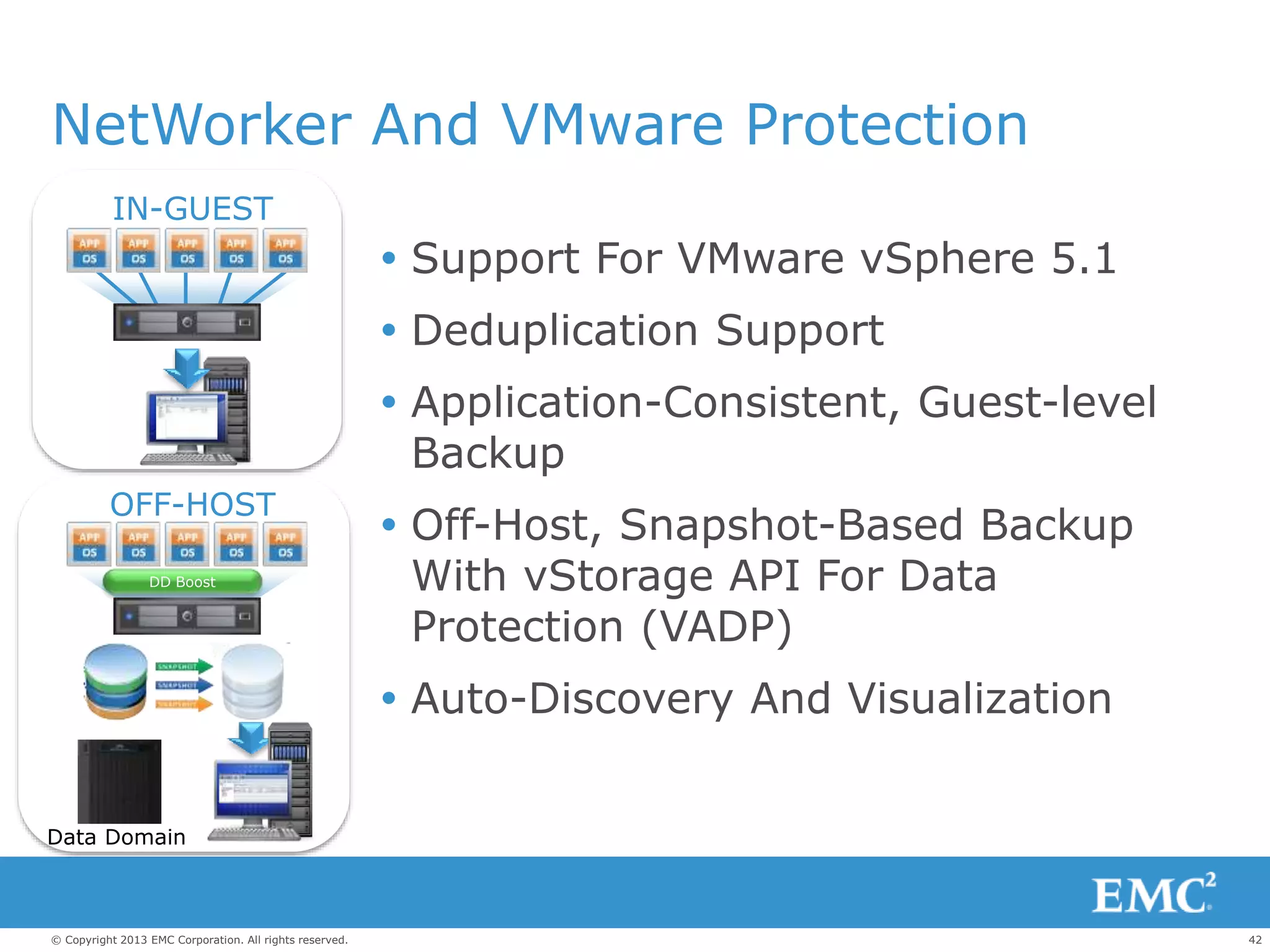
NetWorker And VMware Protection
 Support For VMware vSphere 5.1
 Deduplication Support
 Application-Consistent, Guest-level
Backup
 Off-Host, Snapshot-Based Backup
With vStorage API For Data
Protection (VADP)
 Auto-Discovery And Visualization
OFF-HOST
IN-GUEST
DD Boost
Data Domain
43© Copyright 2013 EMC Corporation. All rights reserved.
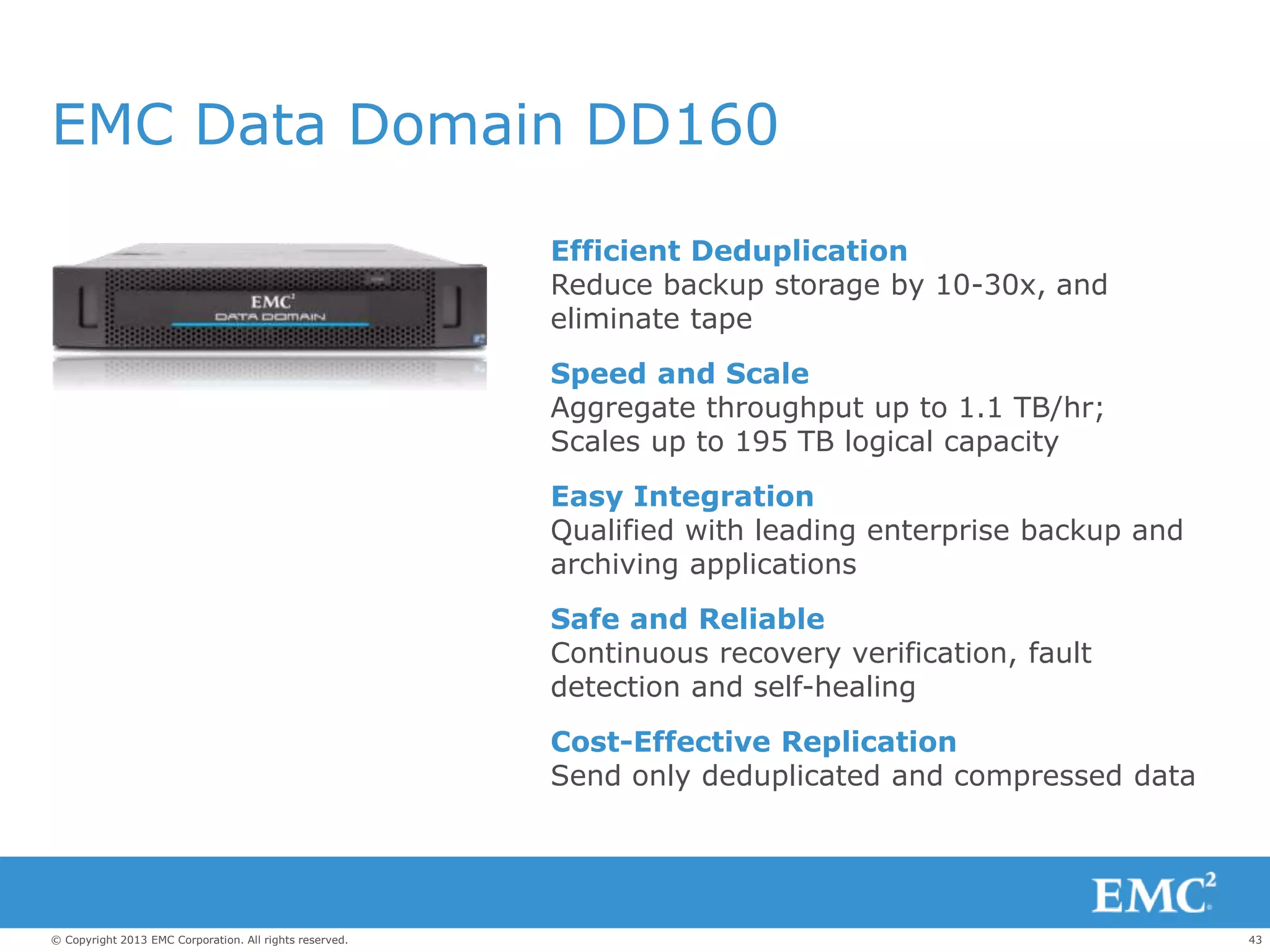
EMC Data Domain DD160
Efficient Deduplication
Reduce backup storage by 10-30x, and
eliminate tape
Speed and Scale
Aggregate throughput up to 1.1 TB/hr;
Scales up to 195 TB logical capacity
Easy Integration
Qualified with leading enterprise backup and
archiving applications
Safe and Reliable
Continuous recovery verification, fault
detection and self-healing
Cost-Effective Replication
Send only deduplicated and compressed data
44© Copyright 2013 EMC Corporation. All rights reserved.
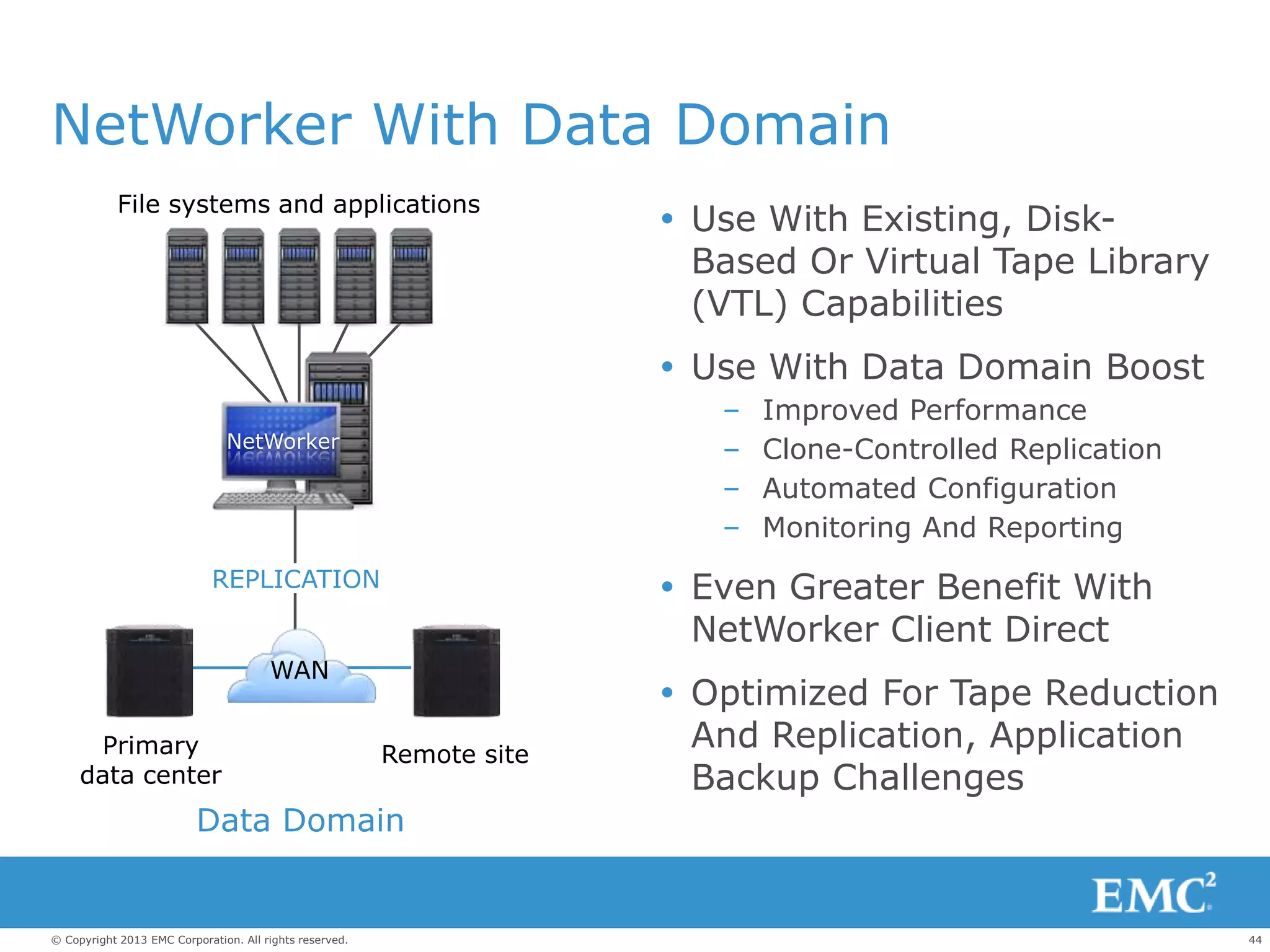
NetWorker With Data Domain
 Use With Existing, Disk-
Based Or Virtual Tape Library
(VTL) Capabilities
 Use With Data Domain Boost
– Improved Performance
– Clone-Controlled Replication
– Automated Configuration
– Monitoring And Reporting
 Even Greater Benefit With
NetWorker Client Direct
 Optimized For Tape Reduction
And Replication, Application
Backup Challenges
Primary
data center
Remote site
Data Domain
File systems and applications
NetWorker
WAN
REPLICATION
45© Copyright 2013 EMC Corporation. All rights reserved.
VSPEX Server Virtualization
for 100 Virtual Machines
BACKUP AND RECOVERY
46© Copyright 2013 EMC Corporation. All rights reserved.
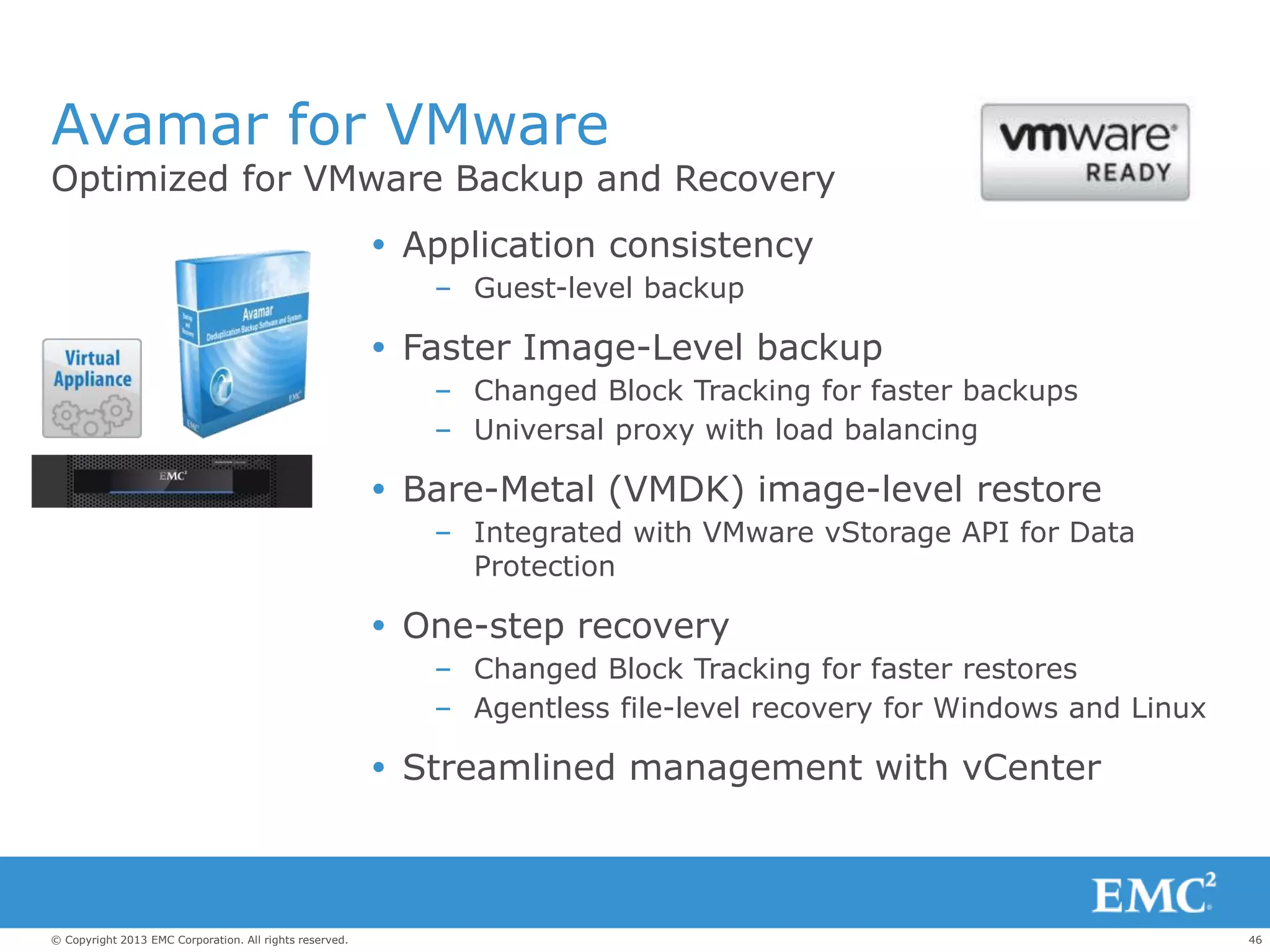
Avamar for VMware
Optimized for VMware Backup and Recovery
 Application consistency
– Guest-level backup
 Faster Image-Level backup
– Changed Block Tracking for faster backups
– Universal proxy with load balancing
 Bare-Metal (VMDK) image-level restore
– Integrated with VMware vStorage API for Data
Protection
 One-step recovery
– Changed Block Tracking for faster restores
– Agentless file-level recovery for Windows and Linux
 Streamlined management with vCenter
47© Copyright 2013 EMC Corporation. All rights reserved.
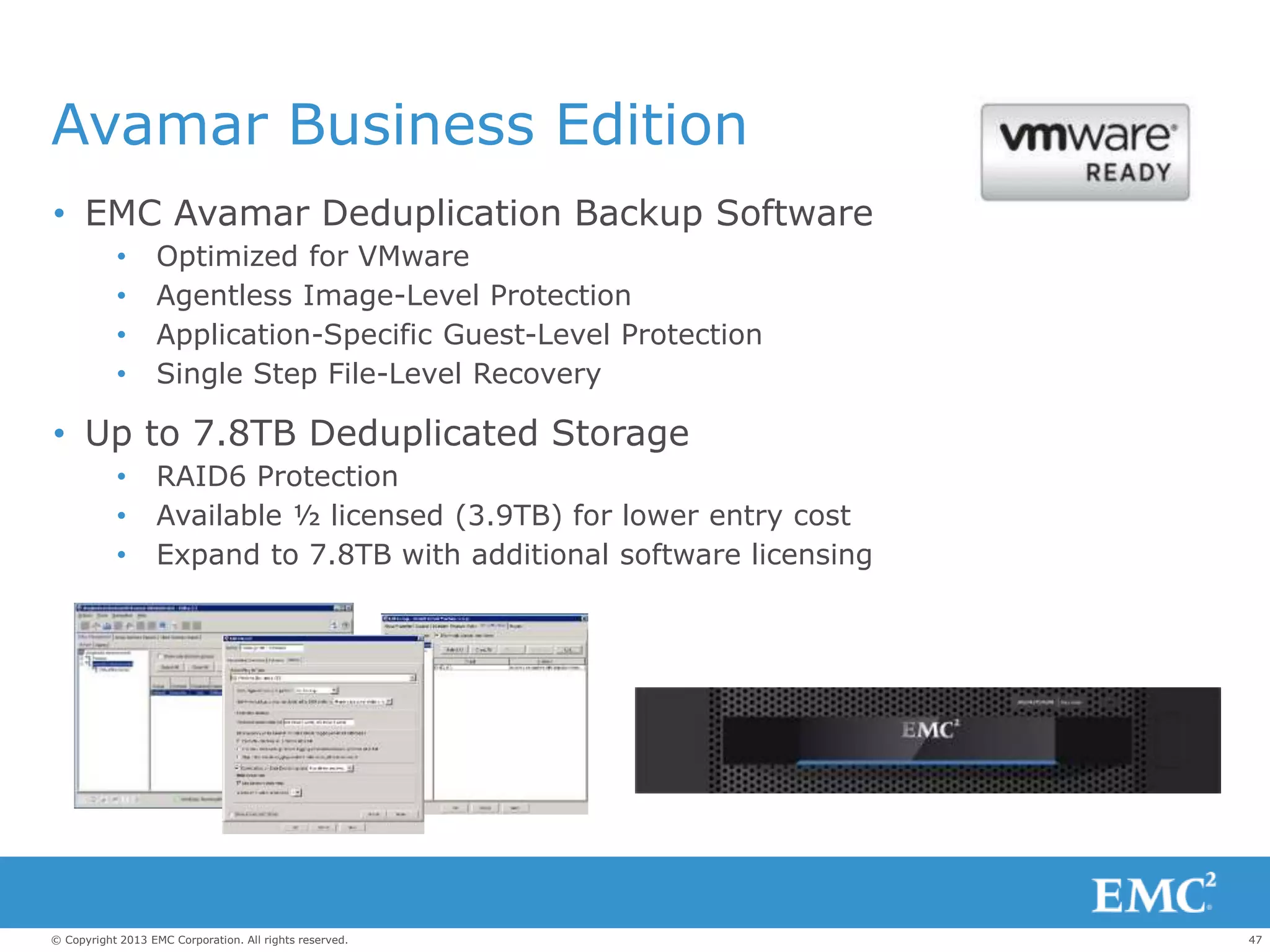
Avamar Business Edition
• EMC Avamar Deduplication Backup Software
• Optimized for VMware
• Agentless Image-Level Protection
• Application-Specific Guest-Level Protection
• Single Step File-Level Recovery
• Up to 7.8TB Deduplicated Storage
• RAID6 Protection
• Available ½ licensed (3.9TB) for lower entry cost
• Expand to 7.8TB with additional software licensing
48© Copyright 2013 EMC Corporation. All rights reserved.
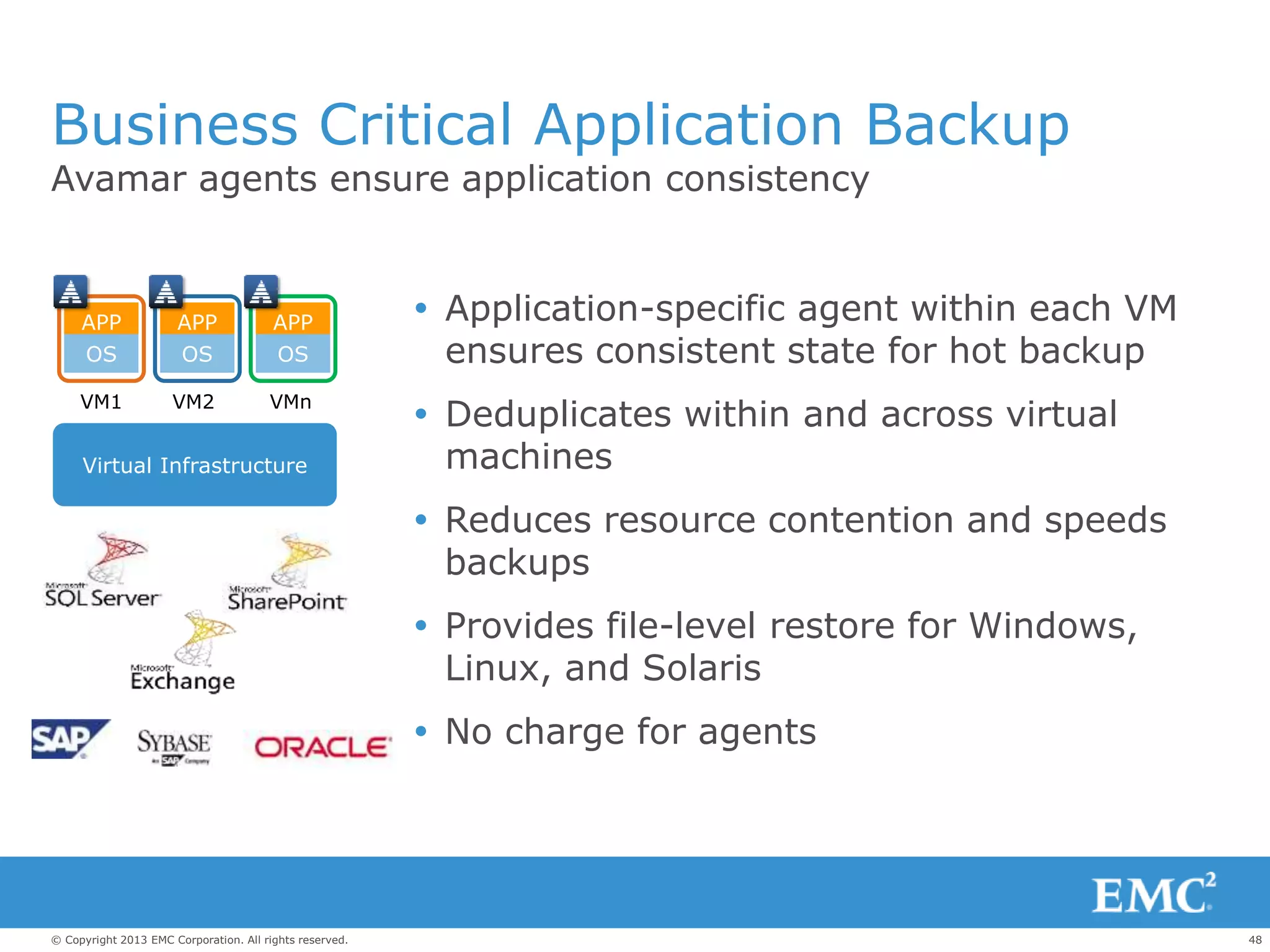
Business Critical Application Backup
 Application-specific agent within each VM
ensures consistent state for hot backup
 Deduplicates within and across virtual
machines
 Reduces resource contention and speeds
backups
 Provides file-level restore for Windows,
Linux, and Solaris
 No charge for agents
Avamar agents ensure application consistency
Virtual Infrastructure
APP
OS
APP
OS
APP
OS
VM1 VM2 VMn
49© Copyright 2013 EMC Corporation. All rights reserved.
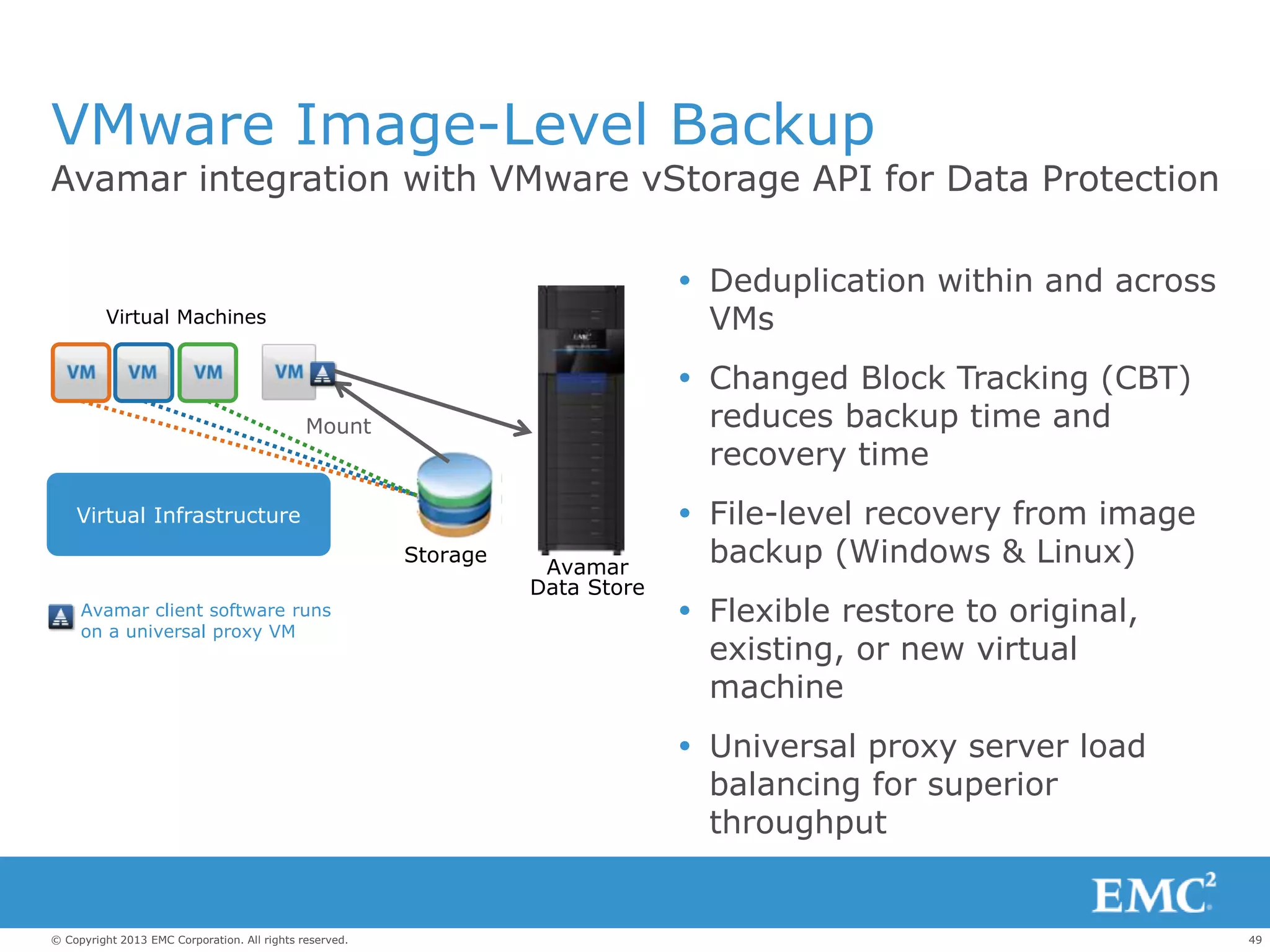
VMware Image-Level Backup
Avamar integration with VMware vStorage API for Data Protection
 Deduplication within and across
VMs
 Changed Block Tracking (CBT)
reduces backup time and
recovery time
 File-level recovery from image
backup (Windows & Linux)
 Flexible restore to original,
existing, or new virtual
machine
 Universal proxy server load
balancing for superior
throughput
Storage
Avamar
Data Store
Mount
Virtual Machines
Virtual Infrastructure
Avamar client software runs
on a universal proxy VM
50© Copyright 2013 EMC Corporation. All rights reserved.
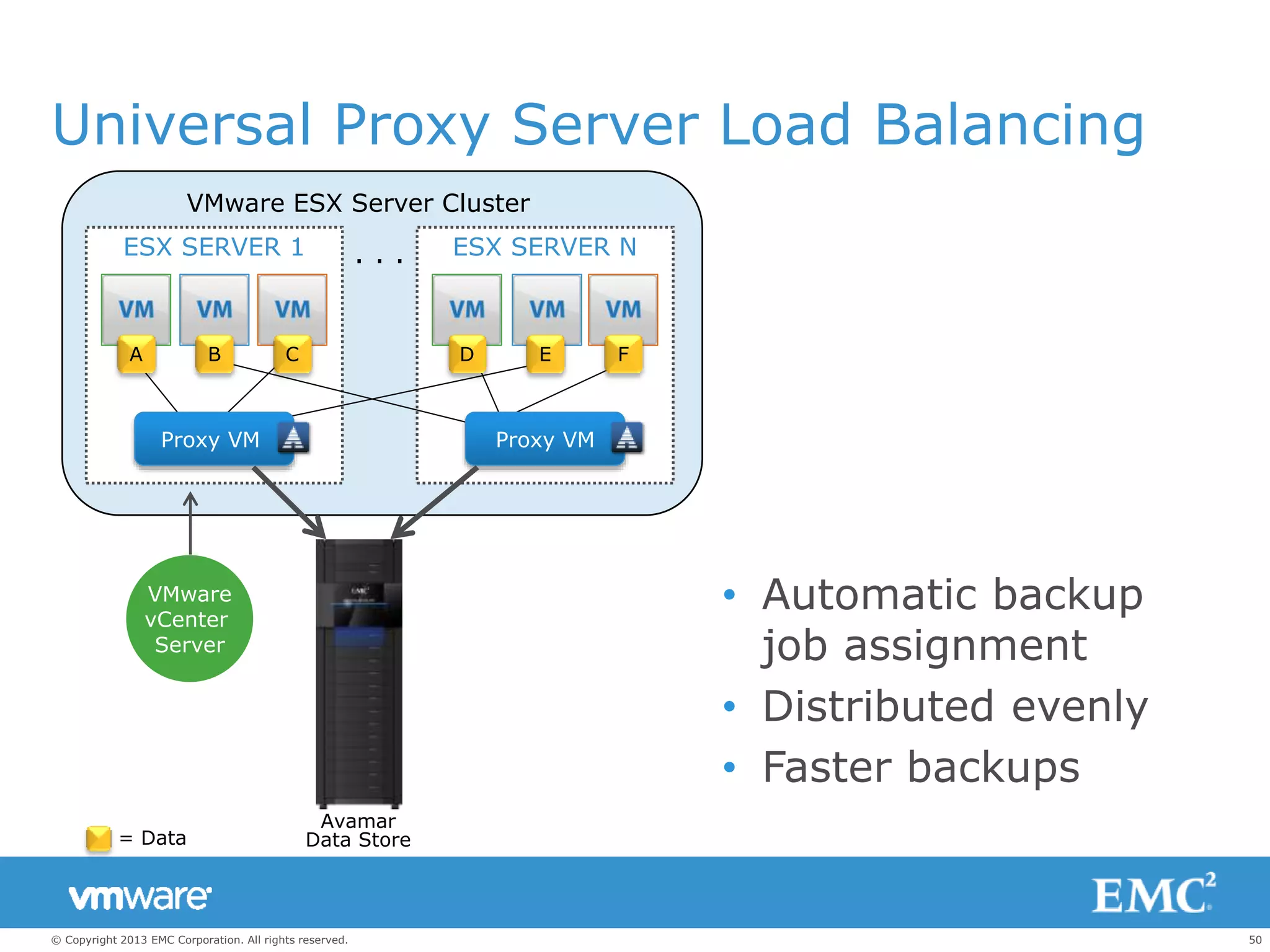
ESX SERVER NESX SERVER 1
Universal Proxy Server Load Balancing
Proxy VM
A B C E FD
= Data
VMware ESX Server Cluster
Proxy VM
VMware
vCenter
Server
Avamar
Data Store
. . .
• Automatic backup
job assignment
• Distributed evenly
• Faster backups
51© Copyright 2013 EMC Corporation. All rights reserved.
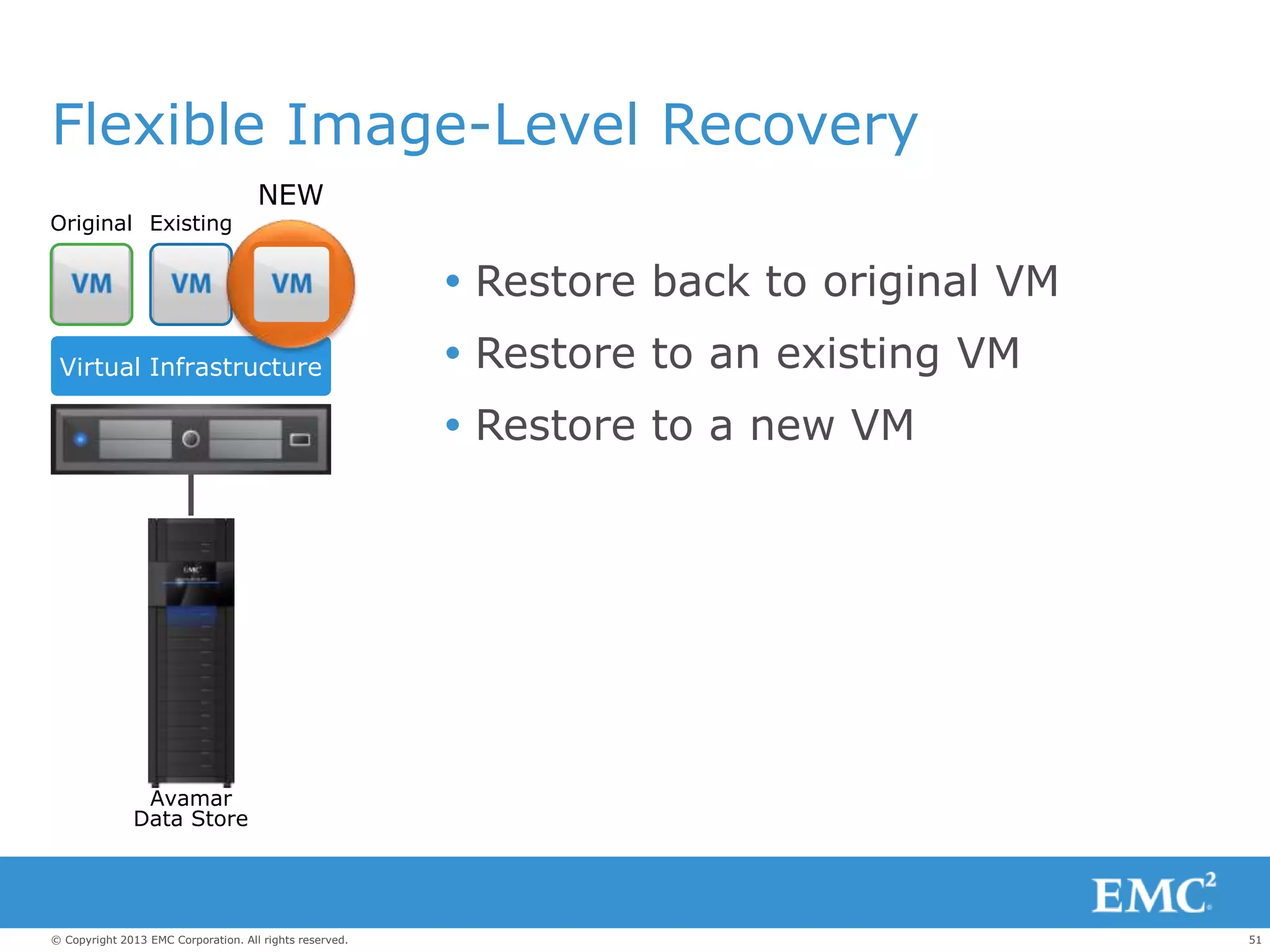
Flexible Image-Level Recovery
 Restore back to original VM
 Restore to an existing VM
 Restore to a new VM
Original Existing
Virtual Infrastructure
Avamar
Data Store
NEW
52© Copyright 2013 EMC Corporation. All rights reserved.
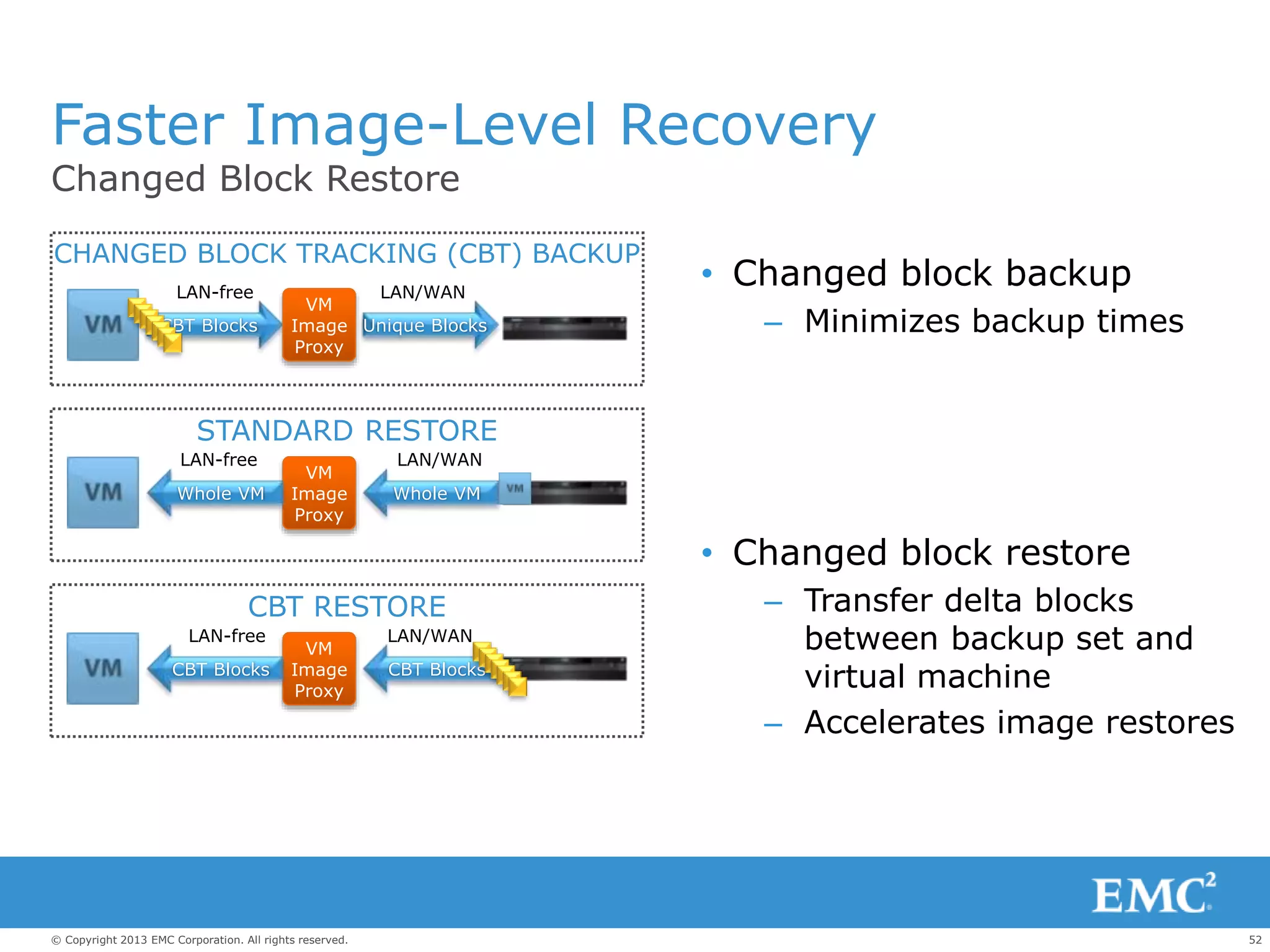
CBT Blocks
Faster Image-Level Recovery
Changed Block Restore
• Changed block backup
– Minimizes backup times
• Changed block restore
– Transfer delta blocks
between backup set and
virtual machine
– Accelerates image restores
VM
Image
Proxy
LAN-free
LAN-free
LAN/WAN
LAN/WAN
LAN/WANLAN-free
CBT Blocks
CHANGED BLOCK TRACKING (CBT) BACKUP
STANDARD RESTORE
CBT RESTORE
VM
Image
Proxy
VM
Image
Proxy
Unique Blocks
Whole VMWhole VM
CBT Blocks
53© Copyright 2013 EMC Corporation. All rights reserved.
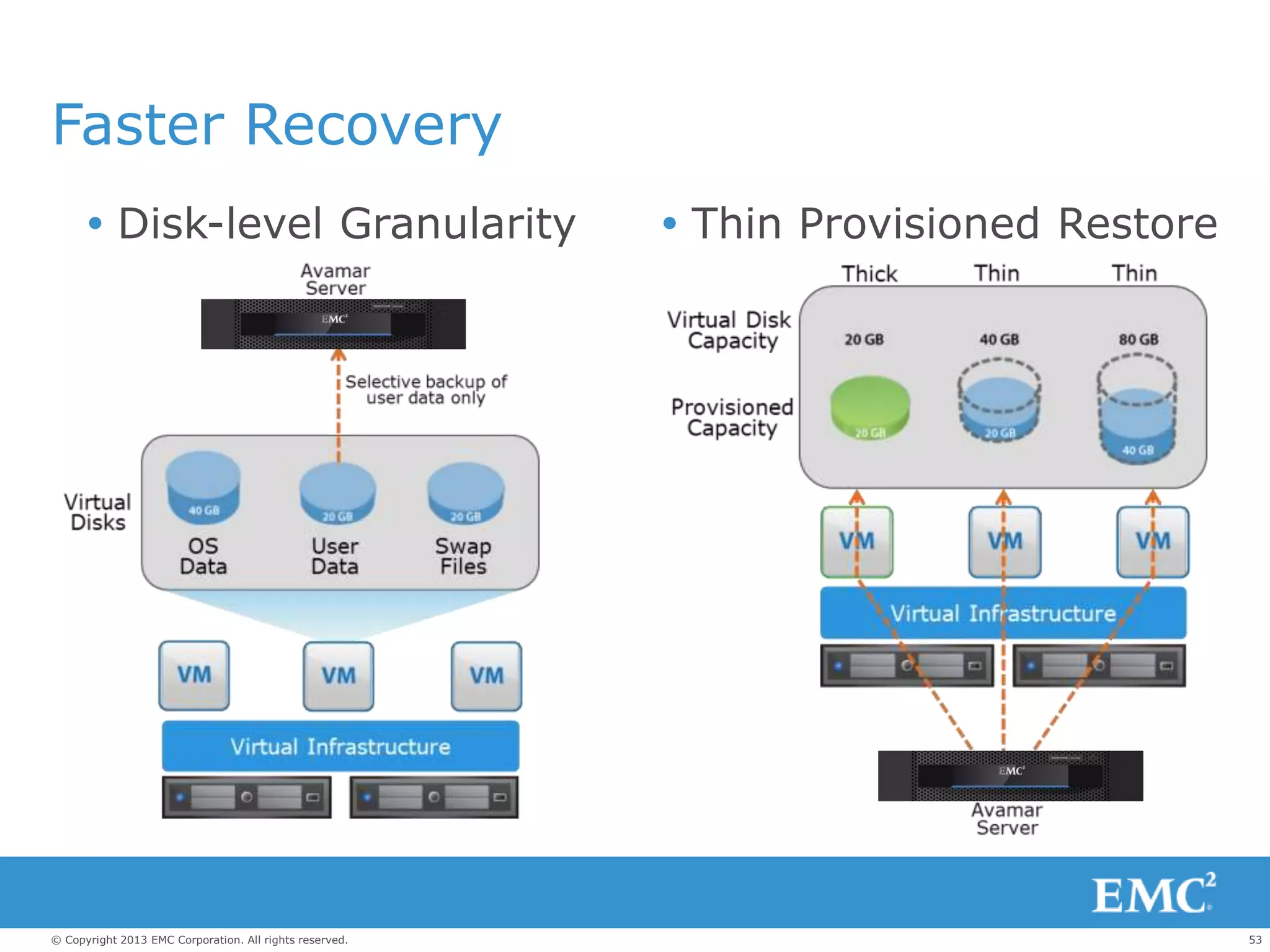
Faster Recovery
 Disk-level Granularity  Thin Provisioned Restore
54© Copyright 2013 EMC Corporation. All rights reserved.
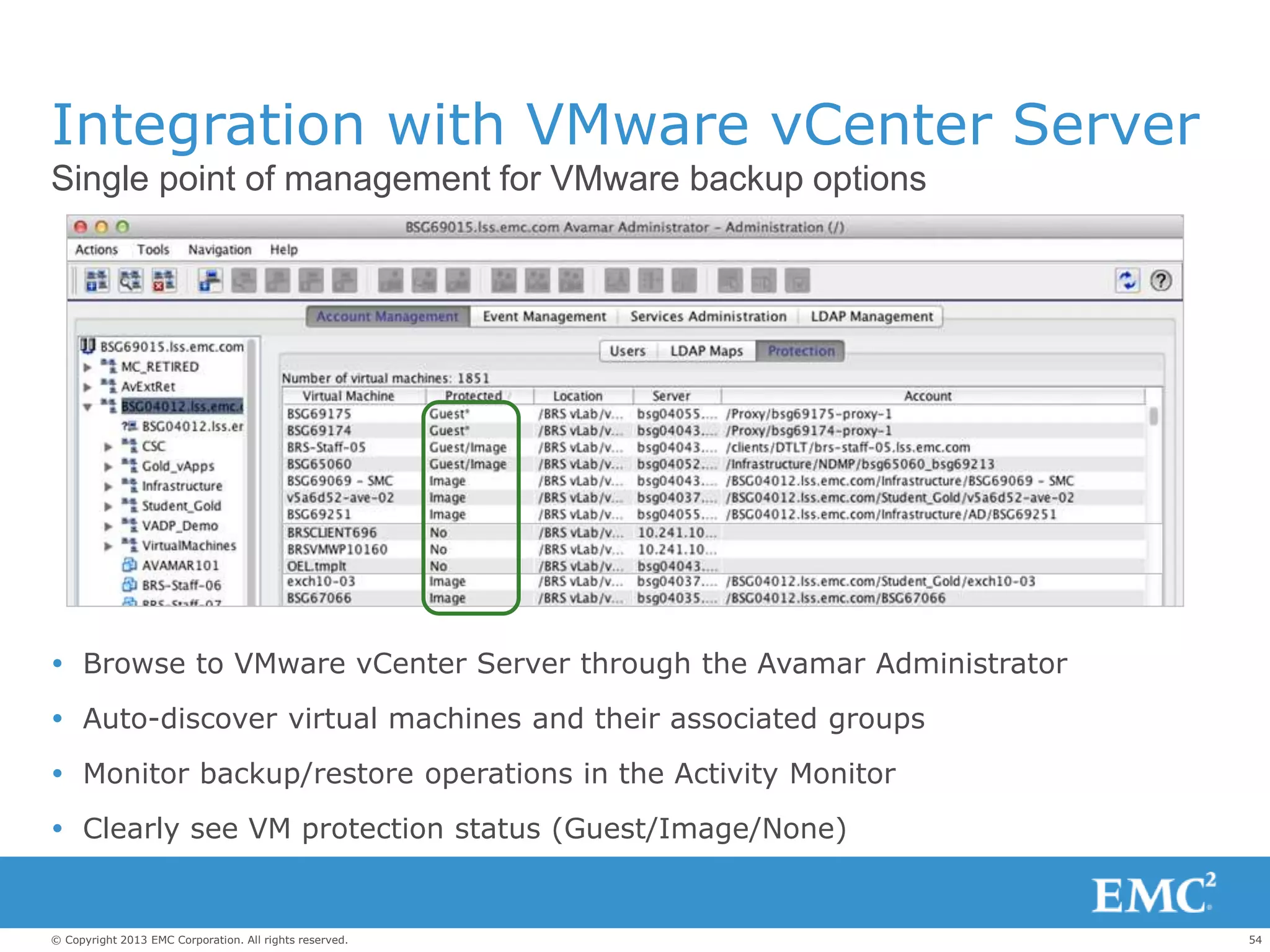
Integration with VMware vCenter Server
Single point of management for VMware backup options
 Browse to VMware vCenter Server through the Avamar Administrator
 Auto-discover virtual machines and their associated groups
 Monitor backup/restore operations in the Activity Monitor
 Clearly see VM protection status (Guest/Image/None)
55© Copyright 2013 EMC Corporation. All rights reserved.
EMC Backup And Recovery
Recovery
– Worlds Fastest Deduplication Backup
– 90% Reduction in VMware Backup Windows
– 30x Faster VMware Restores
– Disk Based Reliability
Efficiency
– 10-30x Reduction In Backup Storage
– 99% Bandwidth Efficiency
– 80% Reduction In Time Managing Backup
– 7 Month Payback
Agility
– #1 In Purpose Build Backup Appliances
– #1 Deduplication Software And Systems
– Protect Physical And Virtual Environments
– Future Built Architecture
56© Copyright 2013 EMC Corporation. All rights reserved.
VSPEX Summary
 Increases Application Availability
 Reduces Cost
 Improves Backup
 Reduces Management Overhead
 Enables Cloud Infrastructure
Emc vspex customer_presentation_private_cloud_v_mware_smb_2.0

Emc vspex customer_presentation_private_cloud_v_mware_smb_2.0

  • 1.
    1© Copyright 2013EMC Corporation. All rights reserved. EMC VSPEX Private Cloud with VMWARE vSphere 5.1 For 50 to 100 Virtual Machines
  • 2.
    2© Copyright 2013EMC Corporation. All rights reserved. Source: Forrester Research, Inc., IT Budget Allocations: Planning For 2011, December 3, 2010 73% Maintain 27% Invest Challenges  IT Budget Dilemma  Data Growth  Application Unavailability  Human resources
  • 3.
    3© Copyright 2013EMC Corporation. All rights reserved. IN 2010 THE DIGITAL UNIVERSE WAS 1.2 ZETTABYTES 1,200,000,000,000,000,000,000 Source: 2010 IDC Digital Universe Study
  • 4.
    4© Copyright 2013EMC Corporation. All rights reserved. IN A DECADE THE DIGITAL UNIVERSE WILL BE 35 ZETTABYTES 35,000,000,000,000,000,000,000 Source: 2010 IDC Digital Universe Study
  • 5.
    5© Copyright 2013EMC Corporation. All rights reserved. In This Decade… Source: 2011 IDC Digital Universe Study 15M 22M WORLDWIDE IT STAFFING WILL INCREASE LESS THAN 50% 2010 2020
  • 6.
    6© Copyright 2013EMC Corporation. All rights reserved. What If You Had A Solution That Is ..  Simple To Manage  Integrated  Flexible  Modular  Fast To Deploy
  • 7.
  • 8.
    8© Copyright 2013EMC Corporation. All rights reserved. Three Paths To The Private Cloud Build Your Own Best Of Breed Components VSPEX Proven Infrastructure Vblock Converged Infrastructure
  • 9.
    9© Copyright 2013EMC Corporation. All rights reserved. Accelerate Your Journey To The Cloud With VSPEX  Proven Infrastructures  Simplified Deployment  Efficient Technologies  Flexible Choices
  • 10.
    10© Copyright 2013EMC Corporation. All rights reserved. Flexible Modular Solutions Enables Transformation Servers Storage & BackupNetwork Consolidate Optimize Manage
  • 11.
    11© Copyright 2013EMC Corporation. All rights reserved. EMC Velocity Financing Is Available  Simple Process  Transparent Contracts  Affordable Solutions  Talk to us to learn more
  • 12.
    12© Copyright 2013EMC Corporation. All rights reserved. EMC VSPEX Private Cloud VMware vSphere5.1 for 50 and 100 Virtual Machines.
  • 13.
    13© Copyright 2013EMC Corporation. All rights reserved. Virtual Presentation Virtual Storage Virtual Network Virtual Machine Virtual Applications Interface is bound Storage allocated to server Network assigned to specific locations OS bound by Hardware 1:1 Application to Server Traditional software stack … and with Virtualization … and the Benefits are : Lower TCO Increase Availability Business Agility Simplified Management Why Virtualize?
  • 14.
    14© Copyright 2013EMC Corporation. All rights reserved. Why Virtualization Transformation Stalls Complex Lack of agility, expertise, and more to manage Costly Over-provisioned storage and more backup data Traditional Backup Traditional DAS Storage
  • 15.
    15© Copyright 2013EMC Corporation. All rights reserved. VSPEX Server Virtualization  Best Of Breed Components  VMware vSphere 5.1  COMPUTE PARTNER XYZ  NETWORK PARTNER ABC  EMC Unified Storage  EMC Next Generation Backup Solutions with VMware vSphere5.1 for 50 & 100 Virtual Machines
  • 16.
    16© Copyright 2013EMC Corporation. All rights reserved. VSPEX Server Virtualization for 50 Virtual Machines Component Configuration Servers Three Physical with two 6Core CPUs , 72GB RAM Hypervisor VMware vSphere5.1 Enterprise Network 2 x 24 Port Gigabit Ethernet Unified Storage EMC VNXe3150 Backup EMC NetWorker & EMC Data Domain DD160
  • 17.
    17© Copyright 2013EMC Corporation. All rights reserved. VSPEX Server Virtualization for 100 Virtual Machines Component Configuration Servers Four Physical with two 6Core CPUs, 72GB RAM Hypervisor VMware vSphere5.1Enterprise Network 2 x 24 Port Gigabit Ethernet Unified Storage EMC VNXe3300 Backup EMC Avamar Business Edition
  • 18.
    18© Copyright 2013EMC Corporation. All rights reserved. VSPEX VMware Private Cloud Solution Overview  Increase Application Availability.  Reduce Costs.  Improve Disaster Recovery.  Enable Cloud Infrastructure.  EMC Backup and Recovery Optimized for VMware.
  • 19.
    19© Copyright 2013EMC Corporation. All rights reserved. Physical World How Do I Get 10x Productivity On My Servers? 1:1 relationship between applications and hardware Relevant cost metric = cost per server Typical Hardware use = <8% 1 :1 Many:1 relationship between applications and hardware Relevant cost metric = cost per application Typical Hardware use = 80% Virtual World Many :1
  • 20.
    20© Copyright 2013EMC Corporation. All rights reserved. ESXi Convergence Most Trusted vSphere ESXivSphere ESXi • In vSphere 5.0 VMware chose to use the ESXi hypervisor exclusively • ESXi is the gold standard for hypervisors • Thin architecture • Smaller security footprint • Streamlined deployment and configuration • Simplified patching and updating model
  • 21.
    21© Copyright 2013EMC Corporation. All rights reserved. vSphere Scales for Mission Critical Apps vSphere ESXi 2x • Create virtual machines with up to: • 64 vCPU • 1 TB of vRAM • 2x size of previous vSphere versions • Run even the largest applications in vSphere, including very large databases • Virtualize even more applications than ever before (Tier 1 and 2) vSphere 5.1 Enhancements
  • 22.
    22© Copyright 2013EMC Corporation. All rights reserved. c Host Profiles vSphere vSpherevSphere Image Profiles Overview • Deploy and patch vSphere hosts in minutes using a new “on the fly” model • Coordination with vSphere Host Profiles Benefits • Rapid provisioning: initial deployment and patching of hosts • Centralized host and image management • Reduce manual deployment and patch processes vSphere vCenter Server with Auto Deploy vSphere 5.1 – Auto Deploy
  • 23.
    23© Copyright 2013EMC Corporation. All rights reserved. c New Web Client Overview • New, improved interface into vSphere delivers: • Browser-based experience • Custom tagging • Scalability • Enhanced workflow management Benefits • Platform independence • Tag based on specific business cases • Manage more objects and 3x more active sessions than ever before • Pause and resume even the most complex workflow or task Object Navigator Inventory Objects Tabs Create Custom Actions Sidebar ExtensionPortletsAdd right-click extensions
  • 24.
    24© Copyright 2013EMC Corporation. All rights reserved. c vCenter Operations Manager • Operations • Planning • Alerting • Analysis
  • 25.
    25© Copyright 2013EMC Corporation. All rights reserved. Source : Wikibon Survey June 2011, N=361 Who makes the best storage for VMware? Customers agree... 53% 29% 6% 3% 3% 75+ integration points for EMC
  • 26.
    26© Copyright 2013EMC Corporation. All rights reserved. VSPEX with VNXe - Storage Made Simple PROVISION DIAGNOSE FIX VSPEX V50 and V100 with VNXe as their primary storage
  • 27.
    27© Copyright 2013EMC Corporation. All rights reserved. VSPEX with VNXe Series VSPEX with VNXe is optimized for your virtual applications making IT work simpler, more efficient and affordable.  Provision 1TB VMware datastore in 10 min  Provision 100’s of Exchange mailboxes in less than 10 clicks Simple  Automated diagnosis and one-click tech support  Save up to 50% in upfront storage costs Efficient  Start small, scale large – same platform for all your applications Affordable EMC Unisphere
  • 28.
    28© Copyright 2013EMC Corporation. All rights reserved. Instant Expertise Best-practice wizards configure storage with just a few clicks Share Wizard Set up NFS and CIFS shares in minutes Volume Wizard Set up iSCSI volumes in minutes Hyper-V Wizard Set up 1 TB Hyper-V datastore in 10 minutes Email Wizard Set up hundreds of Exchange mailboxes in fewer than 10 clicks VMware Wizard Set up 1 TB VMware datastore in 10 minutes
  • 29.
    29© Copyright 2013EMC Corporation. All rights reserved. Seamless VMware Experience Tight virtualization management integration  Unisphere is VMware Aware allowing for greater Transparency  Add and Monitor Storage with Virtual Storage Integrator  View Storage natively with vStorage API for Storage Awareness  Thin Provision for Block with vStorage API for Array Integration (VAAI)  VAAI for NFS  vStorage API for Multi-pathing Storage Administrator Virtual Server Administrator Unisphere vCenter integration New in vSphere5
  • 30.
    30© Copyright 2013EMC Corporation. All rights reserved. VSPEX for Virtualizing Microsoft Applications Leverage Unisphere’s built-in wizards & technologies for Microsoft Applications. Microsoft Exchange Add 100’s of mailboxes in under 10 minutes with Exchange Wizard Microsoft SharePoint Provision storage for SharePoint in minutes with the EMC Storage Integrator for Windows. Microsoft SQL Server Accelerate application development with built-in snapshots (using optional EMC Replication Manager)
  • 31.
    31© Copyright 2013EMC Corporation. All rights reserved. Home Directories & Windows Integration • Simple Shared Folder Storage Wizard • Quotas (groups and user) – Yes, supported through AD only • GPO’s – Defined & Parsed by AD • Home directories – Yes • Windows 2008 AD support – Yes • DFS support : • Supports root DFS in standalone mode only • Can be supported as a leaf node • Does not support DFS-R • Support ACLs at the share, level directory and the file – Yes via AD Group Policy Object User and Computers Domain Windows Domain Controller Operating System Refresh
  • 32.
    32© Copyright 2013EMC Corporation. All rights reserved. VMware Integrated Storage Management  Provide storage administrator with full view of storage in virtual environments – Automatic discovery of virtual machines and ESX servers – End-to-end virtual-to-physical mapping – Search for instant virtual machine discovery  Integration with VMware vCenter Server – Discovers existing data stores and virtual machines hosted on VNXe to streamline provisioning tasks – Allows the VNXe administrator to allocate additional storage to data stores directly – Automatically creates and configures the data store on ESX after provisioning Virtualization-aware Unisphere
  • 33.
    33© Copyright 2013EMC Corporation. All rights reserved. Virtualization Management Provision storage for VMware 1. Specify name for VM data store 2. Configure file system type 3. Configure storage pool and size 4. Configure data protection 5. Identify storage reserved for data protection 6. Configure host access 7. Confirm configuration 8. Successfully create VMware data store Add Storage for VMware in 8 Simple steps
  • 34.
    34© Copyright 2013EMC Corporation. All rights reserved. 2Xmore efficient Twice the Efficiency More storage, better utilization, lower cost File Deduplication and Compression Thin Provisioning Traditional storage
  • 35.
    35© Copyright 2013EMC Corporation. All rights reserved. Total Application and Data Management and Protection Peace of mind without the complexity Security and Compliance Suite Version integrity and audit readiness Local Protection Suite File and block snapshots Remote Protection Suite Disaster recovery and business continuity Application Protection Suite Application-driven data protection Software Suites Total Protection Pack Total Value Pack Software Packs VNXe3150VNXe3300 * * Included in the VNXe3150 base software
  • 36.
    36© Copyright 2013EMC Corporation. All rights reserved. EMC VSPEXBACKUP AND RECOVERY EMC NetWorkerEMC Avamar EMC Data Domain
  • 37.
    37© Copyright 2013EMC Corporation. All rights reserved. Deduplication Changed Everything Reduces: Backup Times By Up To 90% Data Stored By Up To 30x Data Moved By Up To 95% CPU Usage By Up To 80% Replication Bandwidth By Up To 99%
  • 38.
    38© Copyright 2013EMC Corporation. All rights reserved. WAN Replace Tape With EMC PBBAs EMC Data Domain and EMC Avamar Deduplication Storage
  • 39.
    39© Copyright 2013EMC Corporation. All rights reserved. Innovation Through End-To-End Solutions Software & Storage Designed To Work Together Improves – Performance: Accelerates backup and recovery through optimized deduplication – Simplicity: Unifies management and administration through common interfaces – Flexibility: Optimizes data movement through clients or direct integration with data management consoles INTEGRATED StorageSoftware
  • 40.
    40© Copyright 2013EMC Corporation. All rights reserved. VSPEX Server Virtualization for 50 Virtual Machines BACKUP AND RECOVERY
  • 41.
    41© Copyright 2013EMC Corporation. All rights reserved. EMC NetWorker Unified Management Bring Together A Full Range Of Traditional And Next-Generation Data Protection—From Backup-To-Disk To Replication To Tape— Under A Common Management Interface High Performance Accelerate Backup And Recovery With Industry-Leading Speed, Security, And Scalability To Meet Demanding Service Levels Leading Deduplication Integrate With Data Domain To Transform Your Backup And Recovery With Industry-Leading Deduplication Maximum Flexibility Backup Mission-critical Business Applications Unified Backup And Recovery Software
  • 42.
    42© Copyright 2013EMC Corporation. All rights reserved. NetWorker And VMware Protection  Support For VMware vSphere 5.1  Deduplication Support  Application-Consistent, Guest-level Backup  Off-Host, Snapshot-Based Backup With vStorage API For Data Protection (VADP)  Auto-Discovery And Visualization OFF-HOST IN-GUEST DD Boost Data Domain
  • 43.
    43© Copyright 2013EMC Corporation. All rights reserved. EMC Data Domain DD160 Efficient Deduplication Reduce backup storage by 10-30x, and eliminate tape Speed and Scale Aggregate throughput up to 1.1 TB/hr; Scales up to 195 TB logical capacity Easy Integration Qualified with leading enterprise backup and archiving applications Safe and Reliable Continuous recovery verification, fault detection and self-healing Cost-Effective Replication Send only deduplicated and compressed data
  • 44.
    44© Copyright 2013EMC Corporation. All rights reserved. NetWorker With Data Domain  Use With Existing, Disk- Based Or Virtual Tape Library (VTL) Capabilities  Use With Data Domain Boost – Improved Performance – Clone-Controlled Replication – Automated Configuration – Monitoring And Reporting  Even Greater Benefit With NetWorker Client Direct  Optimized For Tape Reduction And Replication, Application Backup Challenges Primary data center Remote site Data Domain File systems and applications NetWorker WAN REPLICATION
  • 45.
    45© Copyright 2013EMC Corporation. All rights reserved. VSPEX Server Virtualization for 100 Virtual Machines BACKUP AND RECOVERY
  • 46.
    46© Copyright 2013EMC Corporation. All rights reserved. Avamar for VMware Optimized for VMware Backup and Recovery  Application consistency – Guest-level backup  Faster Image-Level backup – Changed Block Tracking for faster backups – Universal proxy with load balancing  Bare-Metal (VMDK) image-level restore – Integrated with VMware vStorage API for Data Protection  One-step recovery – Changed Block Tracking for faster restores – Agentless file-level recovery for Windows and Linux  Streamlined management with vCenter
  • 47.
    47© Copyright 2013EMC Corporation. All rights reserved. Avamar Business Edition • EMC Avamar Deduplication Backup Software • Optimized for VMware • Agentless Image-Level Protection • Application-Specific Guest-Level Protection • Single Step File-Level Recovery • Up to 7.8TB Deduplicated Storage • RAID6 Protection • Available ½ licensed (3.9TB) for lower entry cost • Expand to 7.8TB with additional software licensing
  • 48.
    48© Copyright 2013EMC Corporation. All rights reserved. Business Critical Application Backup  Application-specific agent within each VM ensures consistent state for hot backup  Deduplicates within and across virtual machines  Reduces resource contention and speeds backups  Provides file-level restore for Windows, Linux, and Solaris  No charge for agents Avamar agents ensure application consistency Virtual Infrastructure APP OS APP OS APP OS VM1 VM2 VMn
  • 49.
    49© Copyright 2013EMC Corporation. All rights reserved. VMware Image-Level Backup Avamar integration with VMware vStorage API for Data Protection  Deduplication within and across VMs  Changed Block Tracking (CBT) reduces backup time and recovery time  File-level recovery from image backup (Windows & Linux)  Flexible restore to original, existing, or new virtual machine  Universal proxy server load balancing for superior throughput Storage Avamar Data Store Mount Virtual Machines Virtual Infrastructure Avamar client software runs on a universal proxy VM
  • 50.
    50© Copyright 2013EMC Corporation. All rights reserved. ESX SERVER NESX SERVER 1 Universal Proxy Server Load Balancing Proxy VM A B C E FD = Data VMware ESX Server Cluster Proxy VM VMware vCenter Server Avamar Data Store . . . • Automatic backup job assignment • Distributed evenly • Faster backups
  • 51.
    51© Copyright 2013EMC Corporation. All rights reserved. Flexible Image-Level Recovery  Restore back to original VM  Restore to an existing VM  Restore to a new VM Original Existing Virtual Infrastructure Avamar Data Store NEW
  • 52.
    52© Copyright 2013EMC Corporation. All rights reserved. CBT Blocks Faster Image-Level Recovery Changed Block Restore • Changed block backup – Minimizes backup times • Changed block restore – Transfer delta blocks between backup set and virtual machine – Accelerates image restores VM Image Proxy LAN-free LAN-free LAN/WAN LAN/WAN LAN/WANLAN-free CBT Blocks CHANGED BLOCK TRACKING (CBT) BACKUP STANDARD RESTORE CBT RESTORE VM Image Proxy VM Image Proxy Unique Blocks Whole VMWhole VM CBT Blocks
  • 53.
    53© Copyright 2013EMC Corporation. All rights reserved. Faster Recovery  Disk-level Granularity  Thin Provisioned Restore
  • 54.
    54© Copyright 2013EMC Corporation. All rights reserved. Integration with VMware vCenter Server Single point of management for VMware backup options  Browse to VMware vCenter Server through the Avamar Administrator  Auto-discover virtual machines and their associated groups  Monitor backup/restore operations in the Activity Monitor  Clearly see VM protection status (Guest/Image/None)
  • 55.
    55© Copyright 2013EMC Corporation. All rights reserved. EMC Backup And Recovery Recovery – Worlds Fastest Deduplication Backup – 90% Reduction in VMware Backup Windows – 30x Faster VMware Restores – Disk Based Reliability Efficiency – 10-30x Reduction In Backup Storage – 99% Bandwidth Efficiency – 80% Reduction In Time Managing Backup – 7 Month Payback Agility – #1 In Purpose Build Backup Appliances – #1 Deduplication Software And Systems – Protect Physical And Virtual Environments – Future Built Architecture
  • 56.
    56© Copyright 2013EMC Corporation. All rights reserved. VSPEX Summary  Increases Application Availability  Reduces Cost  Improves Backup  Reduces Management Overhead  Enables Cloud Infrastructure