EMAIL MARKETING 
IN THE DIGITAL AGE 
Trends, Best Practices and Predictions
OVERVIEW 
Fundamentals 
List 
Management 
Creative 
Testing & 
Optimization 
!"! ! 
!" 
2
FUNDAMENTALS 
3
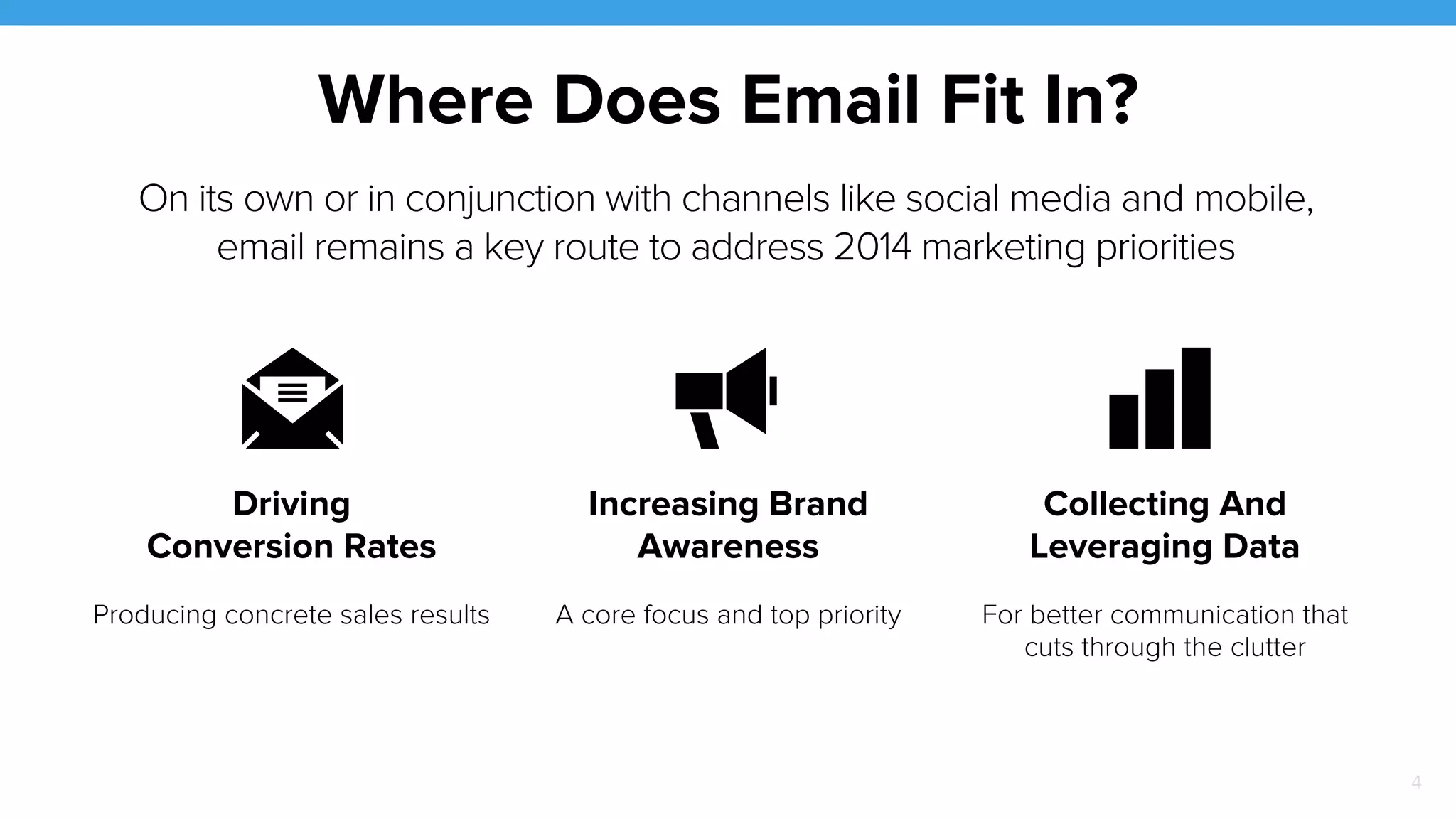
Where Does Email Fit In? 
On its own or in conjunction with channels like social media and mobile, 
email remains a key route to address 2014 marketing priorities 
! 
! 
! 
Driving 
Conversion Rates 
Increasing Brand 
Awareness 
Collecting And 
Leveraging Data 
Producing concrete sales results A core focus and top priority For better communication that 
cuts through the clutter 
4
Email Marketing 
Isn’t New 
5 
But the facts* remain: 
! Consumers receive an average of 44 emails a 
day, 25% of which are permission-based 
commercial messages. 
! 88% of US online consumers check email daily 
! 81% of subscribers have been motivated to 
provide a company with their email address due 
to some form of promotion 
! 50% of consumers make purchases as a direct 
result of email 
* Source: ExactTarget Email X-Factors Report
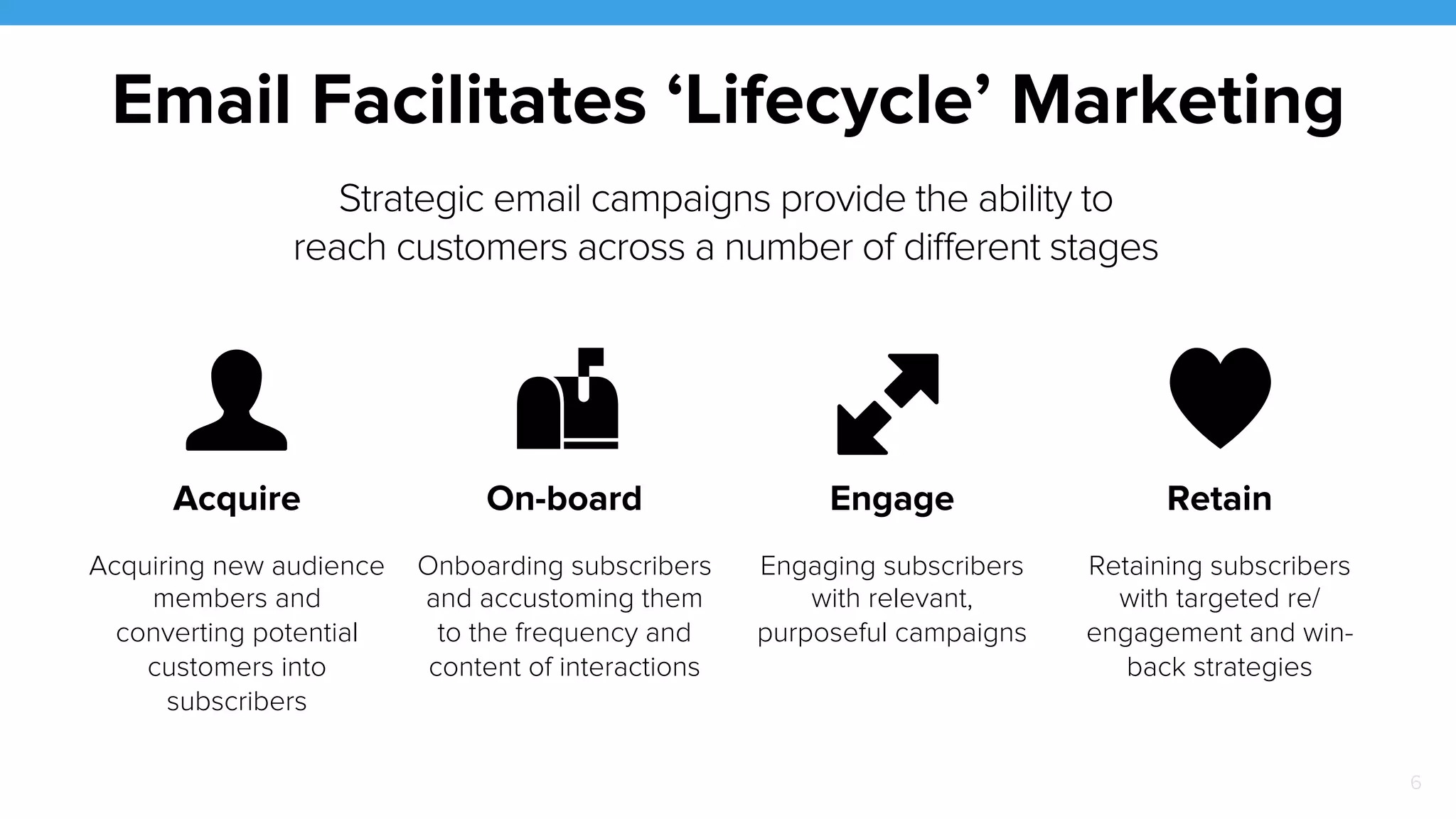
Email Facilitates ‘Lifecycle’ Marketing 
Acquire On-board Engage Retain 
Acquiring new audience 
members and 
converting potential 
customers into 
subscribers 
Onboarding subscribers 
and accustoming them 
to the frequency and 
content of interactions 
Engaging subscribers 
with relevant, 
purposeful campaigns 
Retaining subscribers 
with targeted re/ 
engagement and win-back 
strategies 
Strategic email campaigns provide the ability to 
reach customers across a number of different stages 
♥ 
! 
!" 
!" 
6
Relevancy 
Is Factor #1 
7 
Consumers quickly decide which companies 
they like receiving messages from based on 
relevancy. 
! Personalization is Paramount: 
Noticeable evidence that content is 
targeted drives conversions. 
! Value is Evident: It’s important to make the 
advantage of being on the email list clear. 
This can be achieved via special deals, 
promotions or exclusive content.
8 
The Mobile 
Imperative 
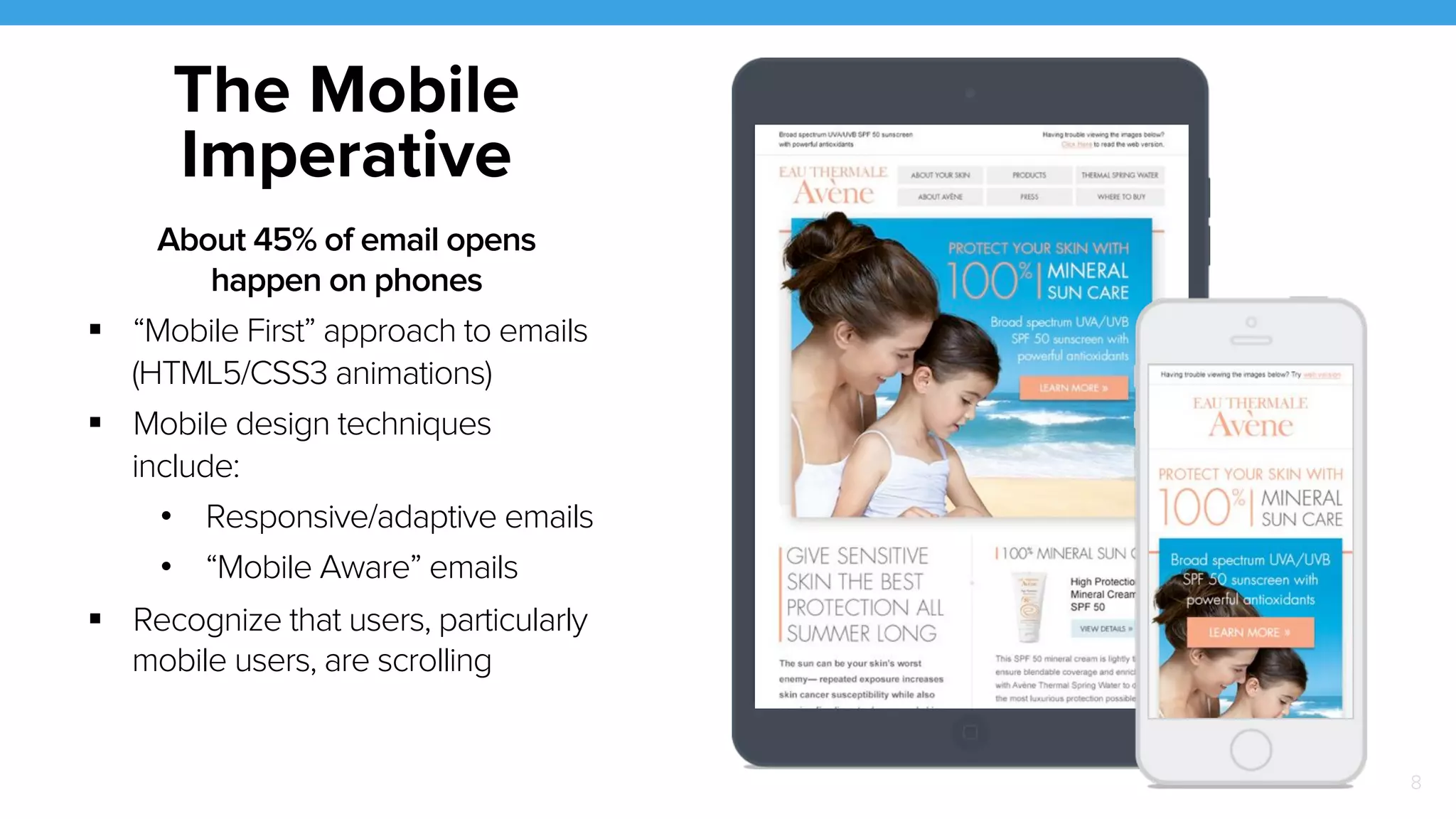
About 45% of email opens 
happen on phones 
! “Mobile First” approach to emails 
(HTML5/CSS3 animations) 
! Mobile design techniques 
include: 
• Responsive/adaptive emails 
• “Mobile Aware” emails 
! Recognize that users, particularly 
mobile users, are scrolling
9 
Email & Social 
Channels 
Overlap 
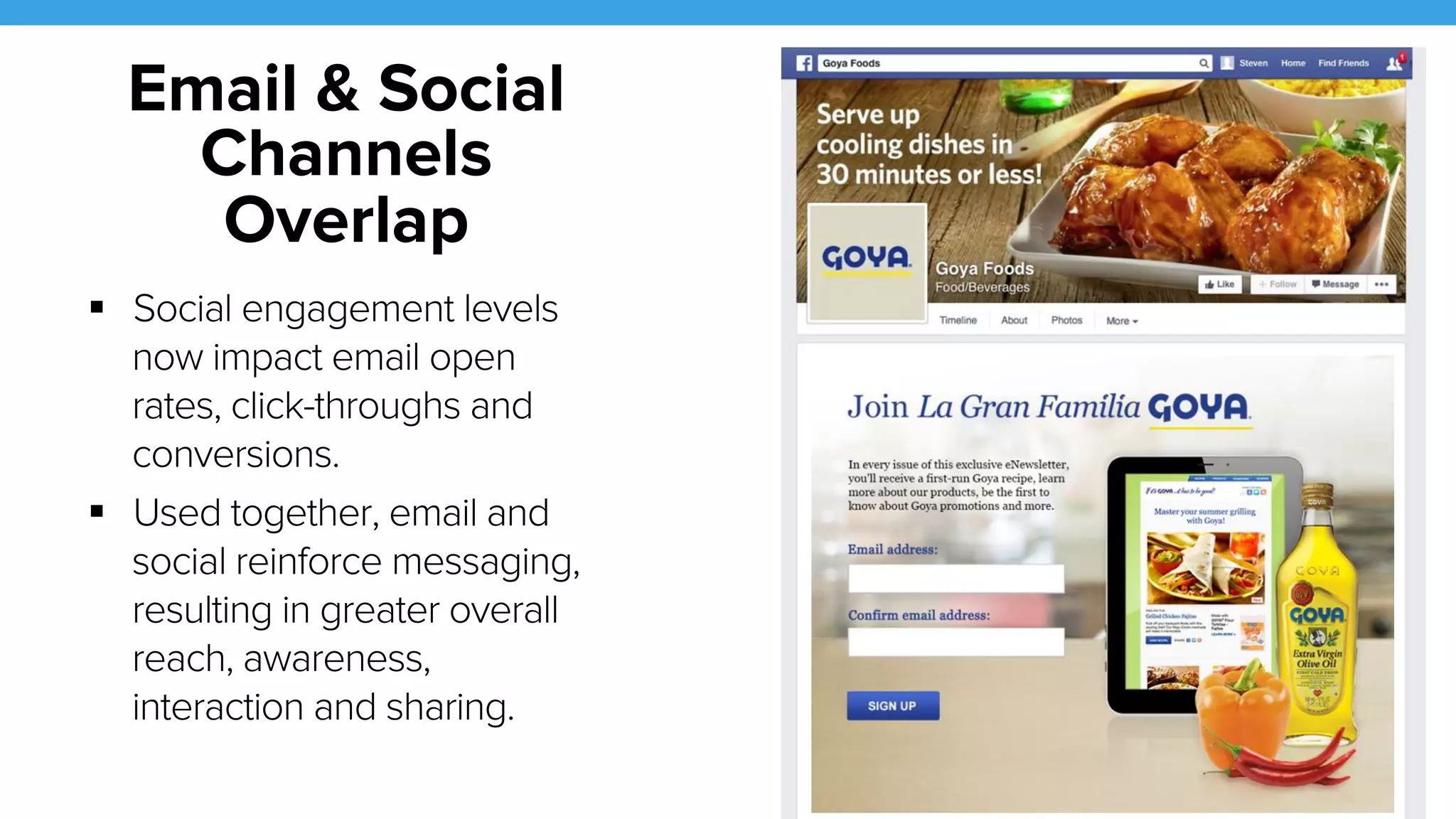
! Social engagement levels 
now impact email open 
rates, click-throughs and 
conversions. 
! Used together, email and 
social reinforce messaging, 
resulting in greater overall 
reach, awareness, 
interaction and sharing.
LIST MANAGEMENT 
10
11 
Driving 
Sign-up 
! Pop-Ups and Overlays: Can be annoying 
but are proven to be effective. 
! Messaging: Incentives for registering must 
be clear and relevant. 
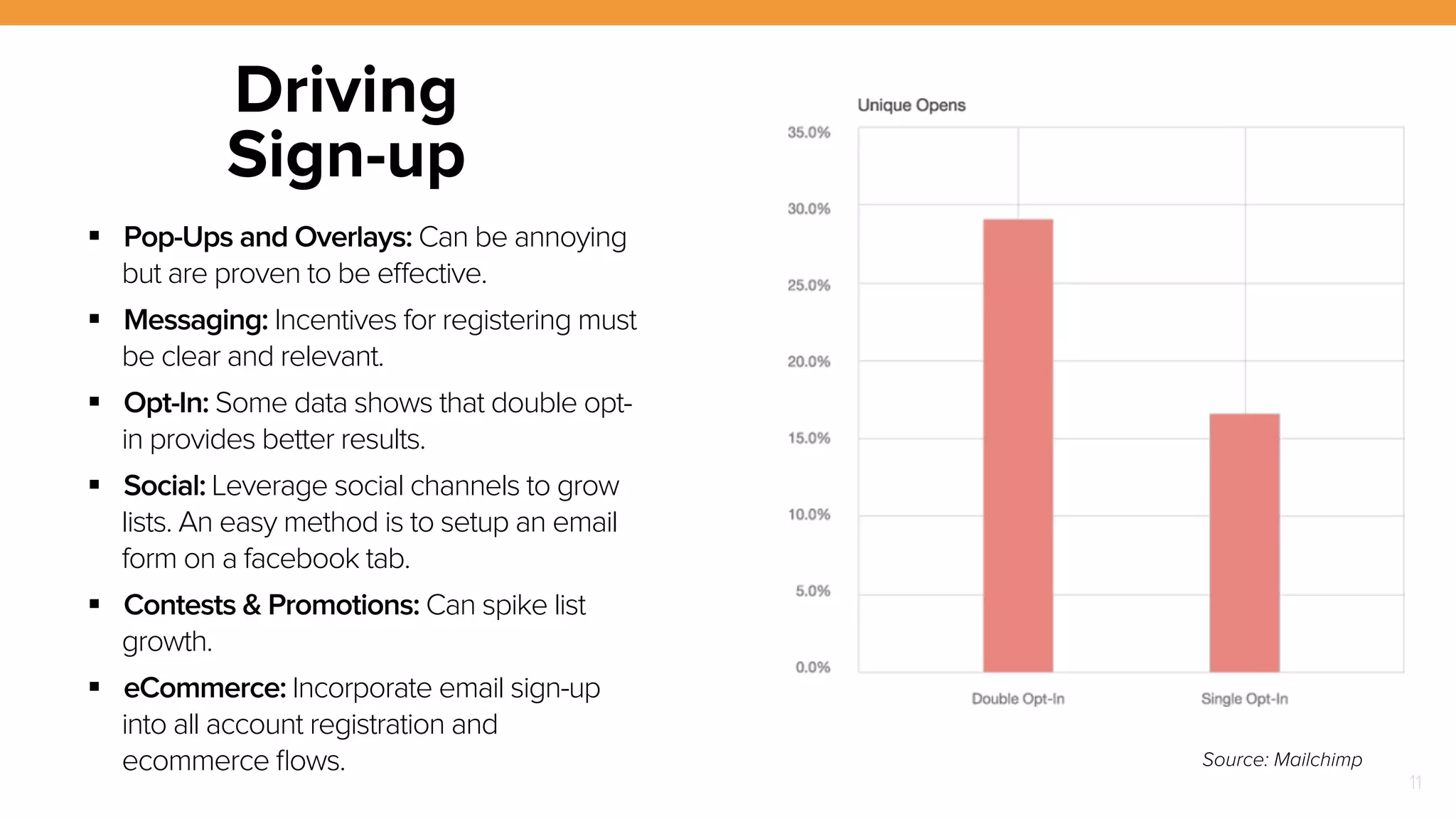
! Opt-In: Some data shows that double opt-in 
provides better results. 
! Social: Leverage social channels to grow 
lists. An easy method is to setup an email 
form on a facebook tab. 
! Contests & Promotions: Can spike list 
growth. 
! eCommerce: Incorporate email sign-up 
into all account registration and 
ecommerce flows. Source: Mailchimp
12 
Welcome 
Emails 
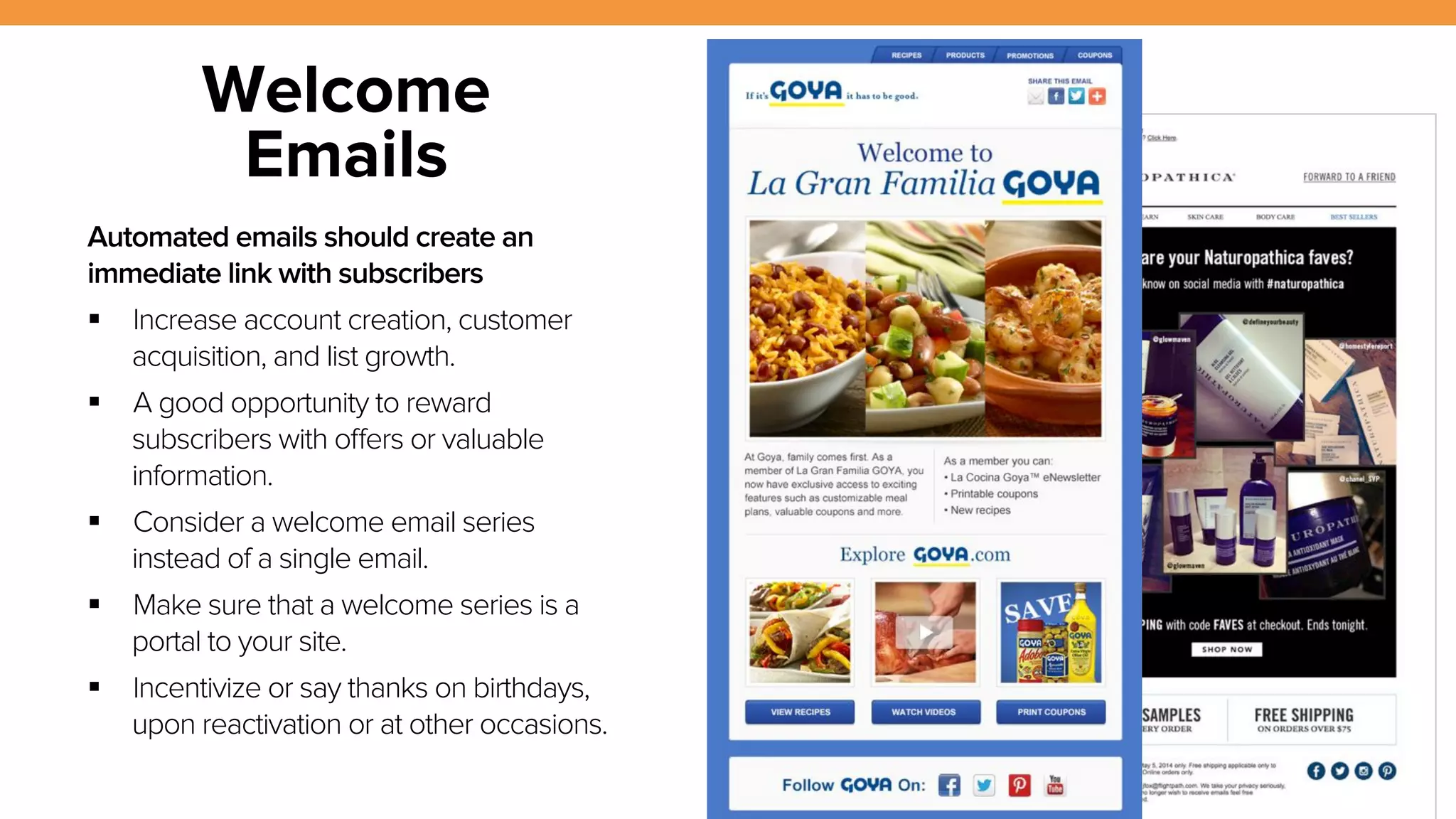
Automated emails should create an 
immediate link with subscribers 
! Increase account creation, customer 
acquisition, and list growth. 
! A good opportunity to reward 
subscribers with offers or valuable 
information. 
! Consider a welcome email series 
instead of a single email. 
! Make sure that a welcome series is a 
portal to your site. 
! Incentivize or say thanks on birthdays, 
upon reactivation or at other occasions.
13 
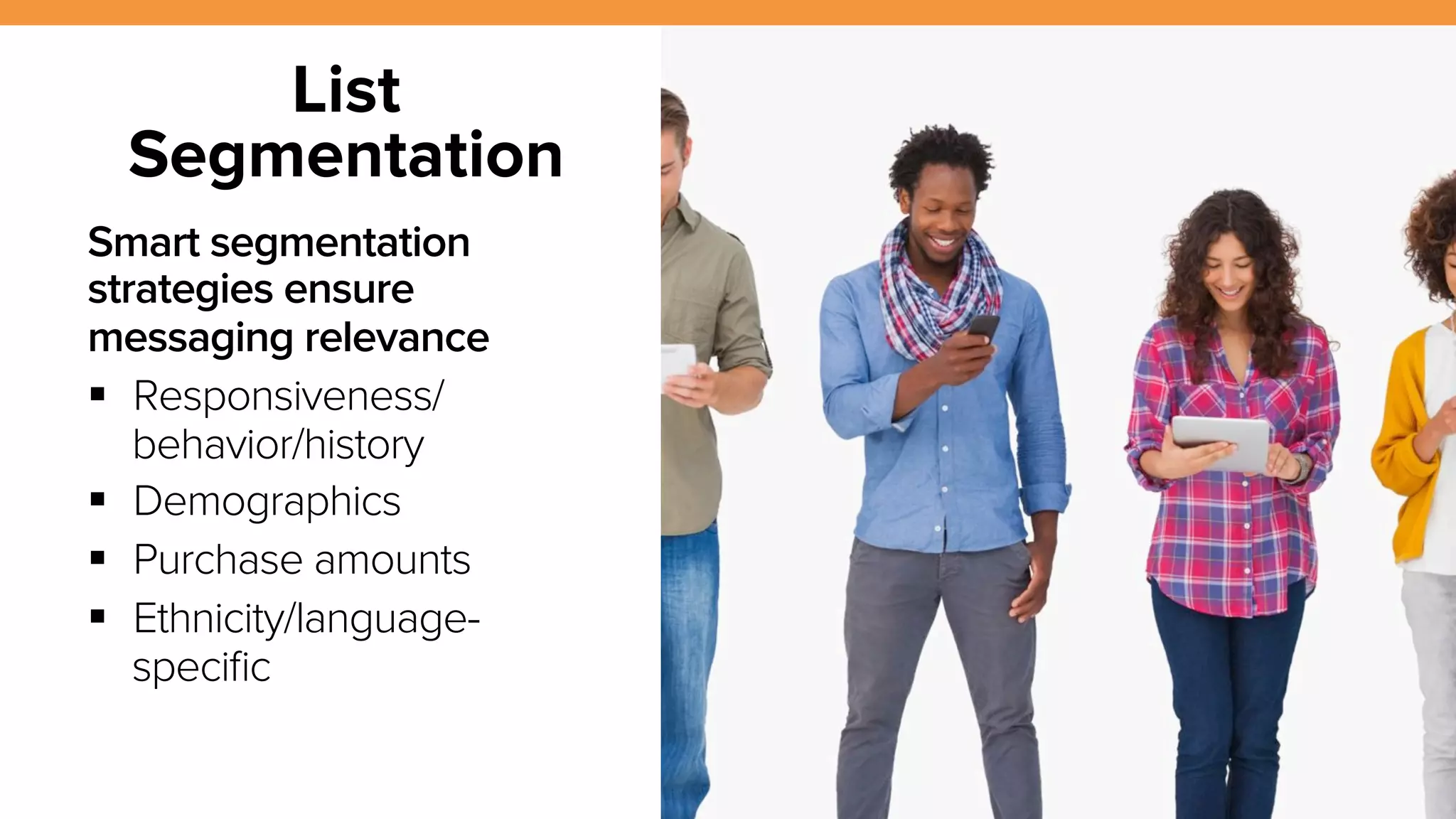
List 
Segmentation 
Smart segmentation 
strategies ensure 
messaging relevance 
! Responsiveness/ 
behavior/history 
! Demographics 
! Purchase amounts 
! Ethnicity/language-specific
14 
List Cleansing 
& Management 
Improve your list integrity with 
accurate list cleansing 
! Improve deliverability, minimize 
SPAM traps, improve response 
rates 
! Delete inactive subscribers 
! Investigate hard and 
soft bounces 
! Consider partner services like 
briteverify, datavalidation or 
leadspend 
Source: Mailchimp
CREATIVE 
15
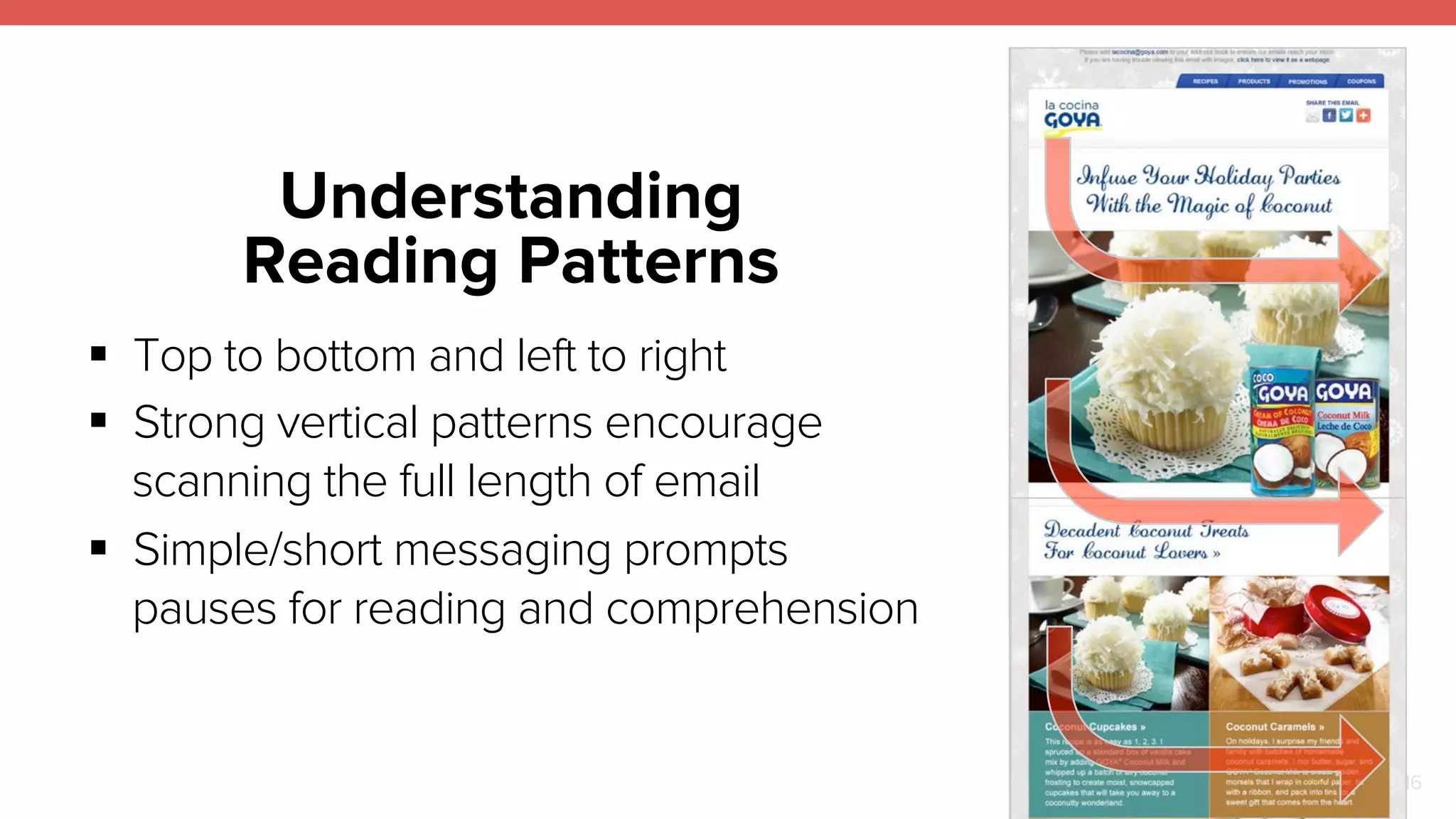
Understanding 
Reading Patterns 
16 
! Top to bottom and left to right 
! Strong vertical patterns encourage 
scanning the full length of email 
! Simple/short messaging prompts 
pauses for reading and comprehension
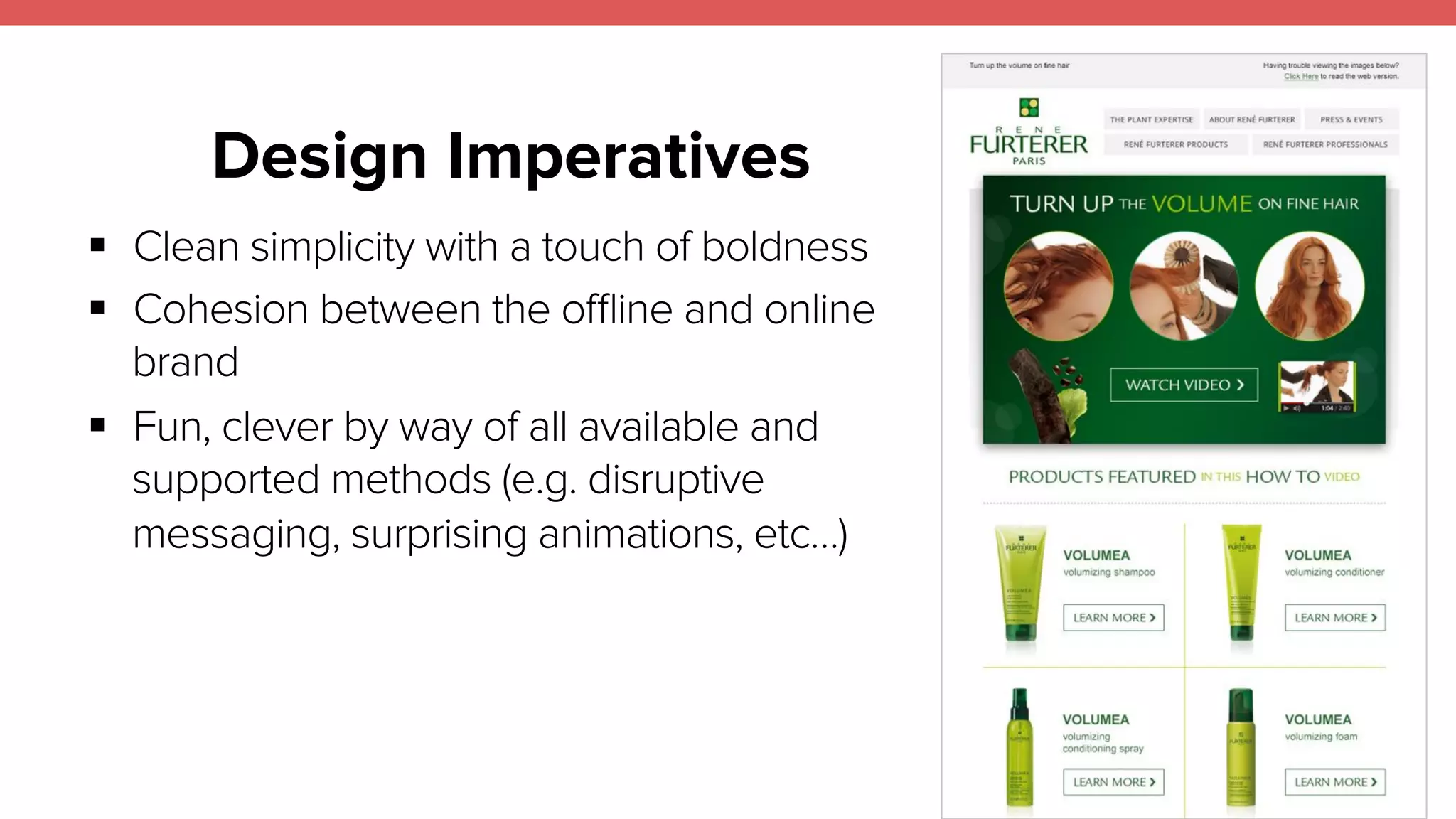
Design Imperatives 
17 
! Clean simplicity with a touch of boldness 
! Cohesion between the offline and online 
brand 
! Fun, clever by way of all available and 
supported methods (e.g. disruptive 
messaging, surprising animations, etc…)
Design 
Fundamentals 
18 
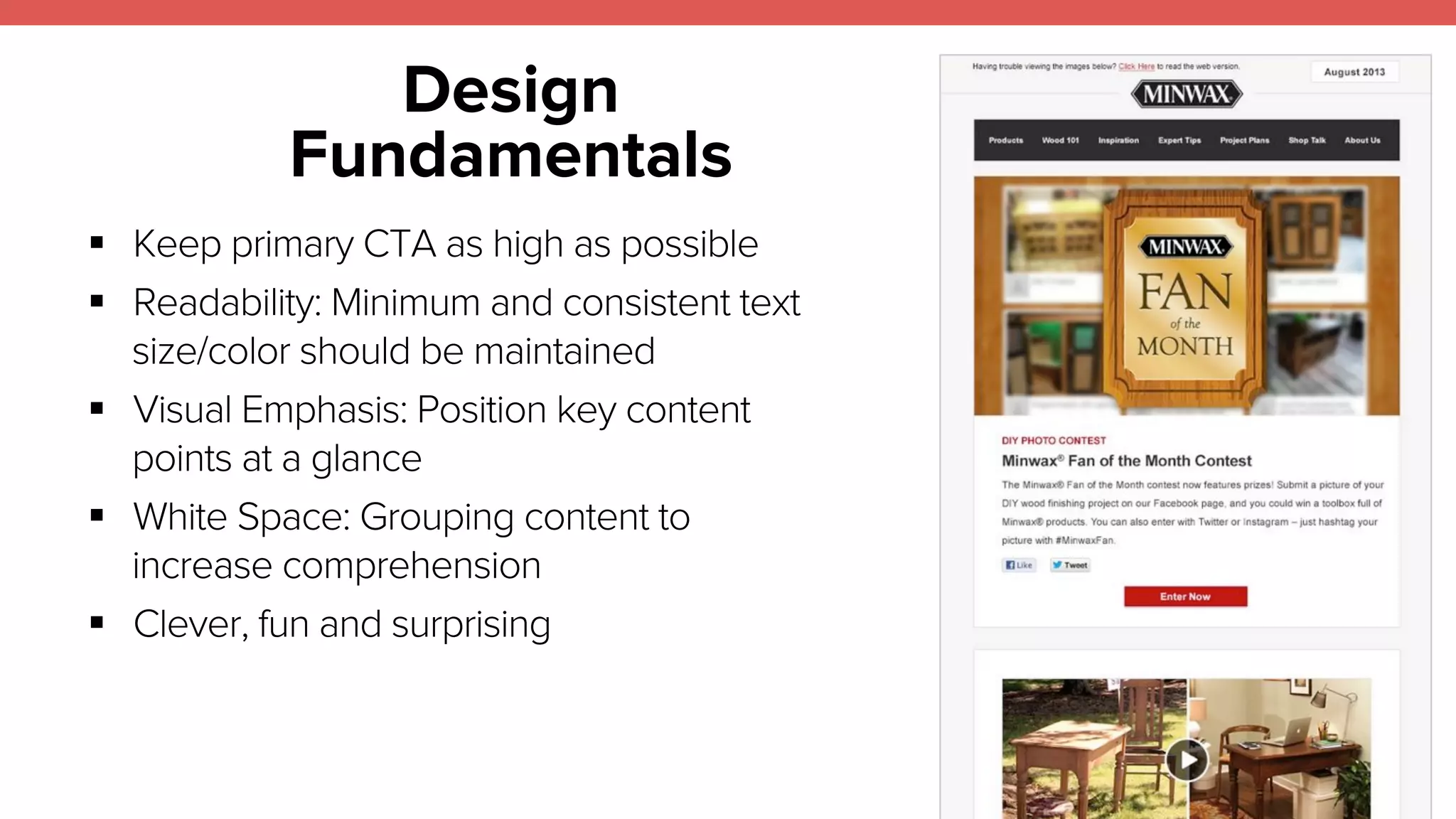
! Keep primary CTA as high as possible 
! Readability: Minimum and consistent text 
size/color should be maintained 
! Visual Emphasis: Position key content 
points at a glance 
! White Space: Grouping content to 
increase comprehension 
! Clever, fun and surprising
Trends: Mobile First 
19 
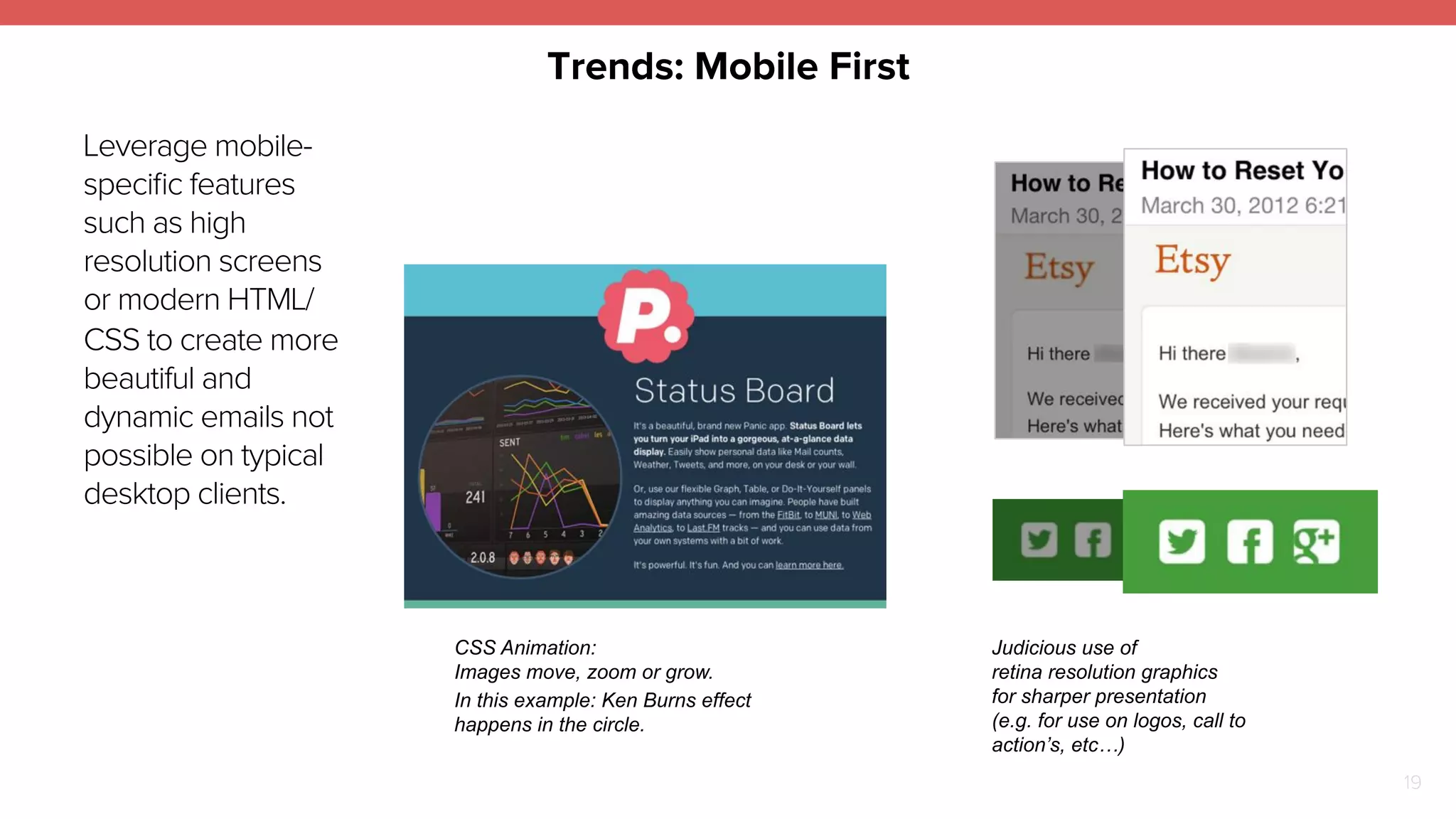
Leverage mobile-specific 
features 
such as high 
resolution screens 
or modern HTML/ 
CSS to create more 
beautiful and 
dynamic emails not 
possible on typical 
desktop clients. 
Judicious use of 
retina resolution graphics 
for sharper presentation 
(e.g. for use on logos, call to 
action’s, etc…) 
CSS Animation: 
Images move, zoom or grow. 
In this example: Ken Burns effect 
happens in the circle.
Content 
20 
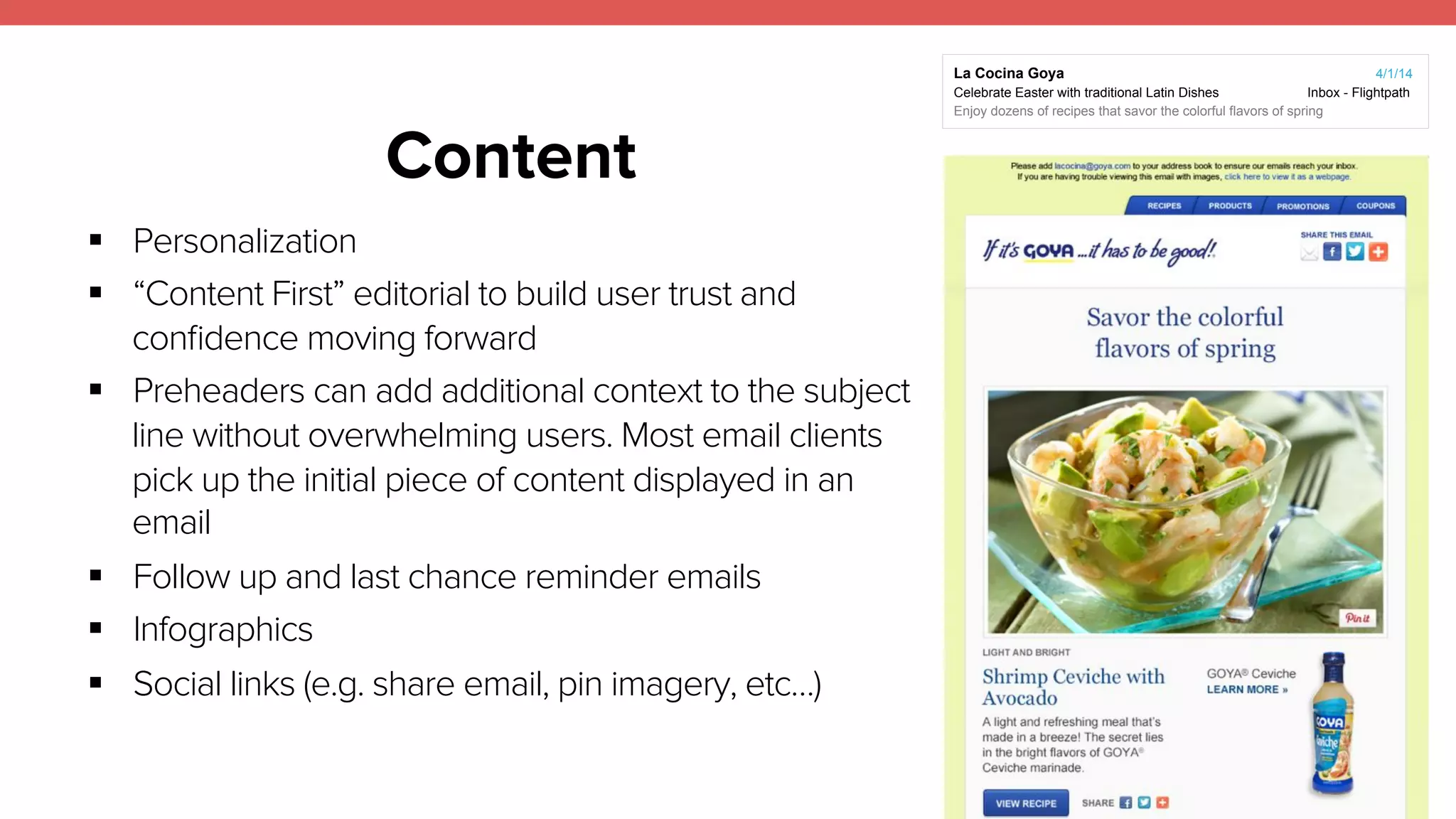
! Personalization 
! “Content First” editorial to build user trust and 
confidence moving forward 
! Preheaders can add additional context to the subject 
line without overwhelming users. Most email clients 
pick up the initial piece of content displayed in an 
email 
! Follow up and last chance reminder emails 
! Infographics 
! Social links (e.g. share email, pin imagery, etc…) 
La Cocina Goya 4/1/14 
Celebrate Easter with traditional Latin Dishes Inbox - Flightpath 
Enjoy dozens of recipes that savor the colorful flavors of spring
21 
Long Tail 
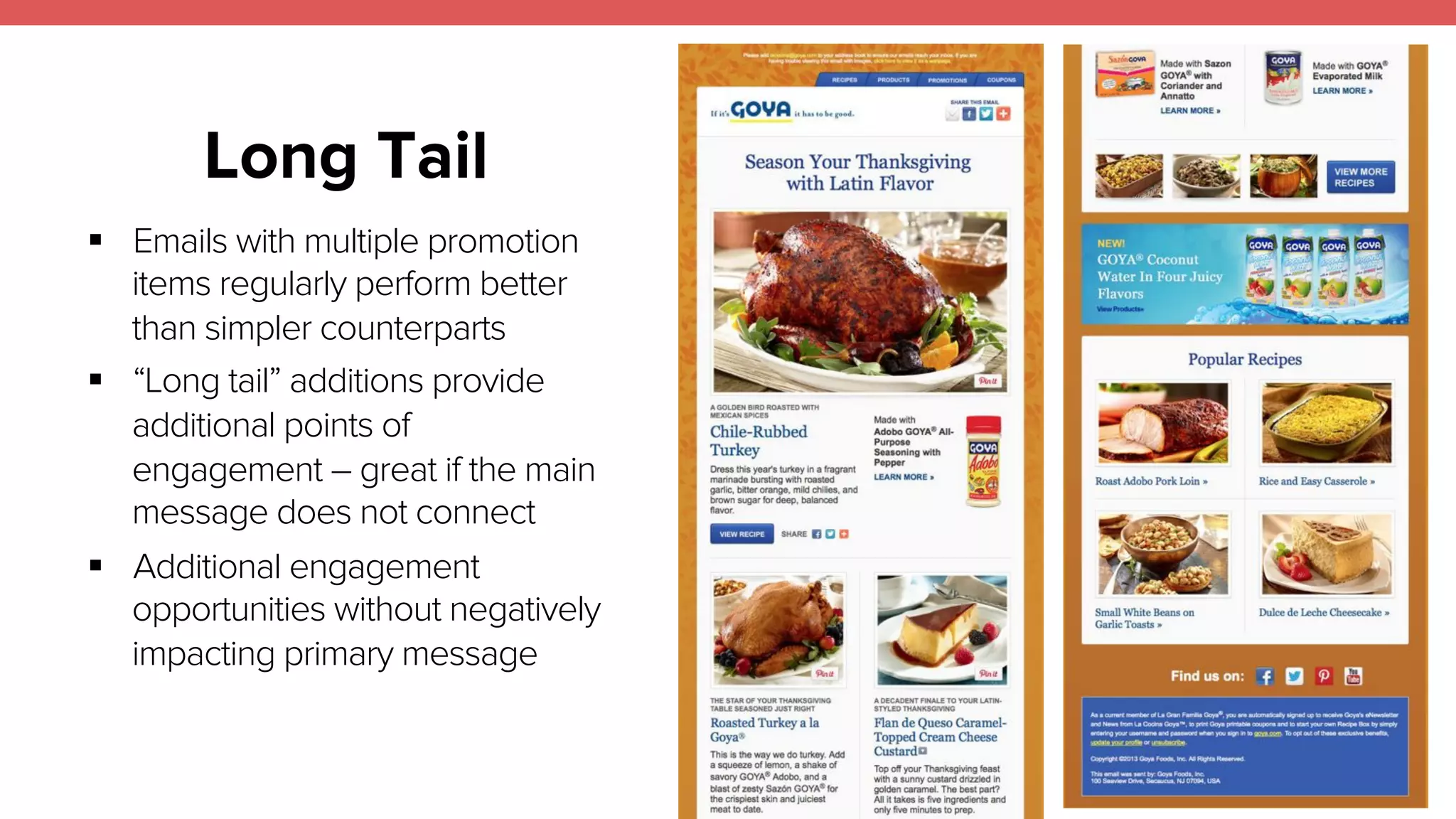
! Emails with multiple promotion 
items regularly perform better 
than simpler counterparts 
! “Long tail” additions provide 
additional points of 
engagement – great if the main 
message does not connect 
! Additional engagement 
opportunities without negatively 
impacting primary message
Trends: Animated GIFs 
22 
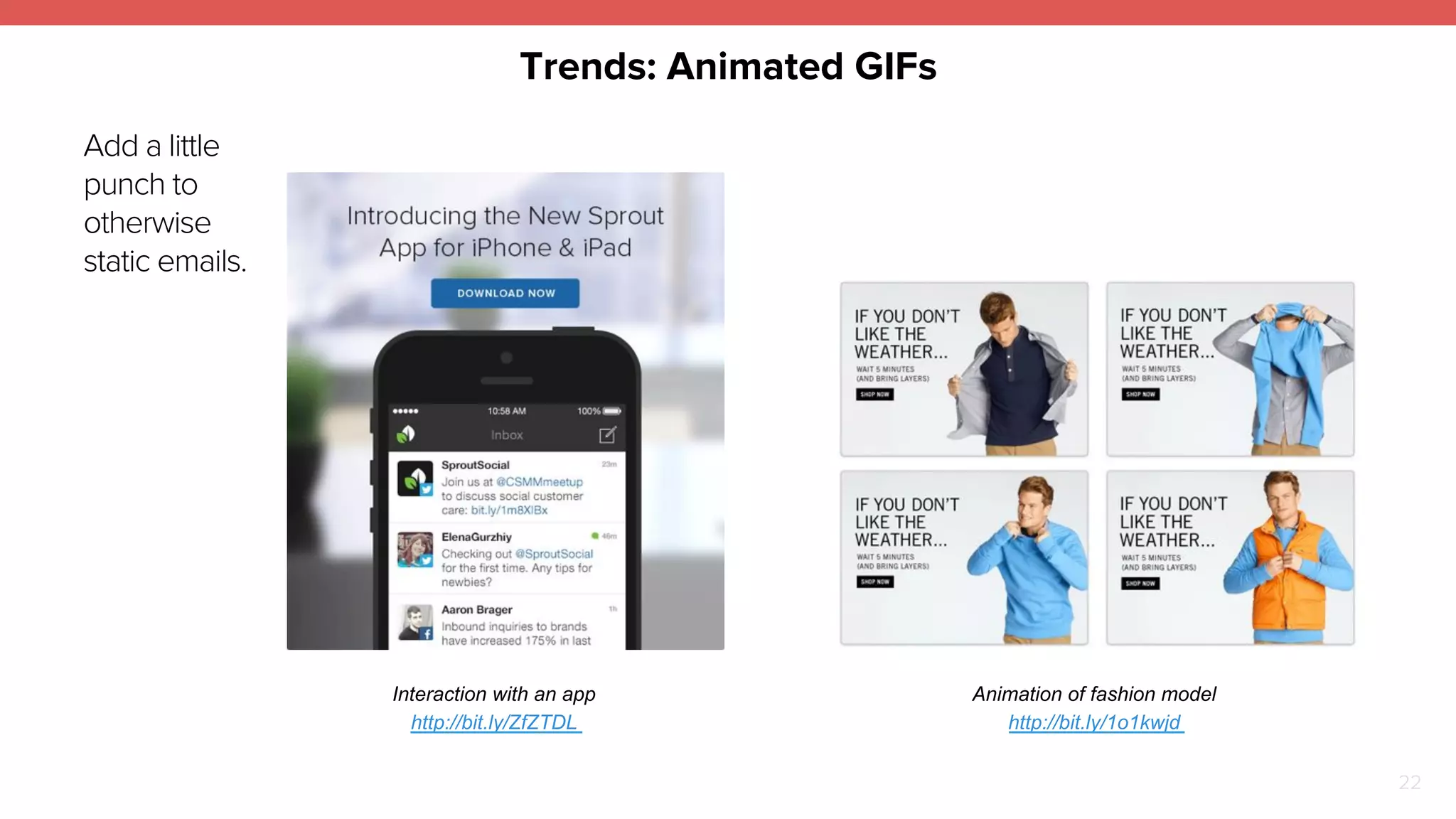
Add a little 
punch to 
otherwise 
static emails. 
Interaction with an app 
http://bit.ly/ZfZTDL 
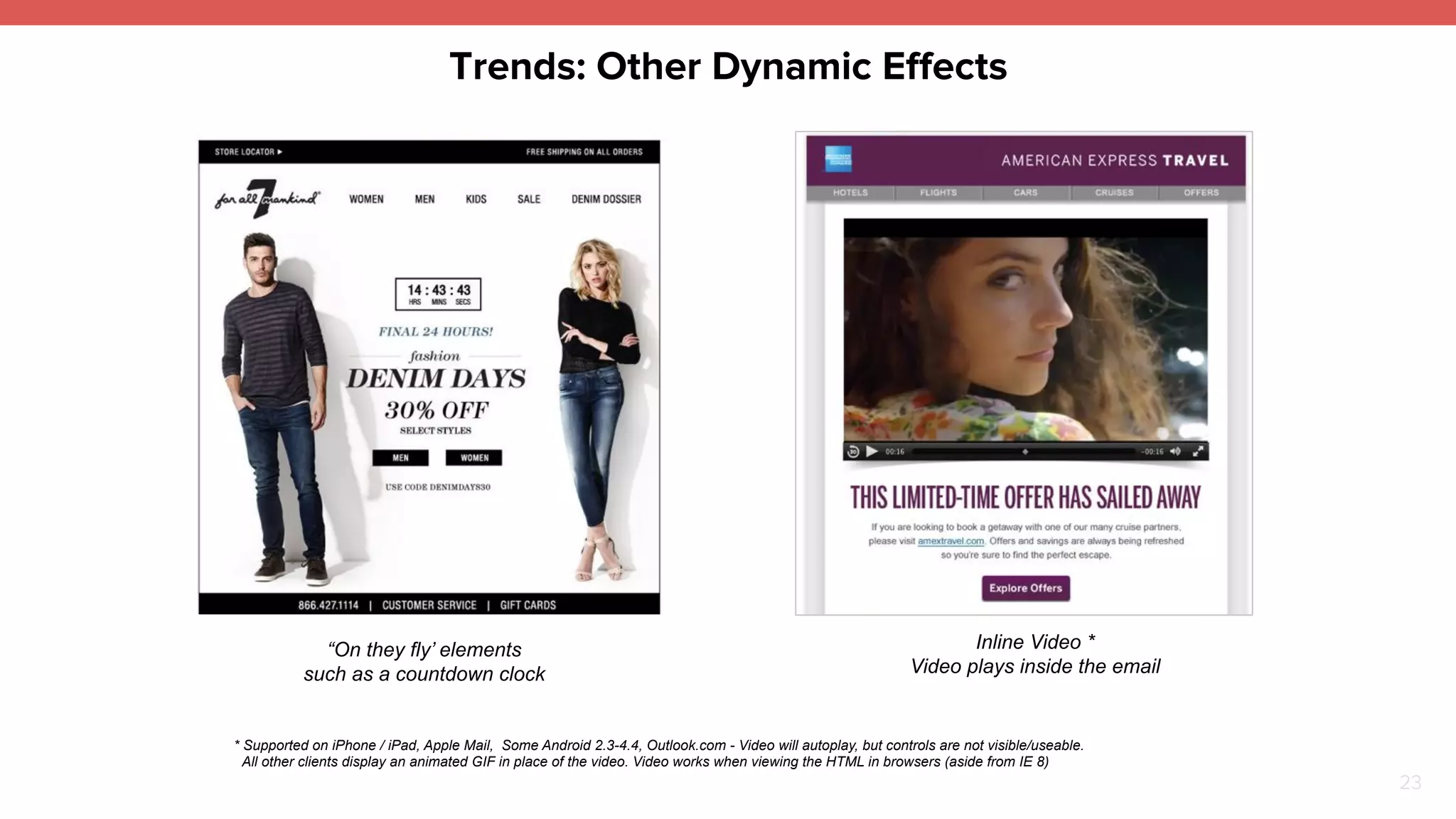
Animation of fashion model 
http://bit.ly/1o1kwjd
Trends: Other Dynamic Effects 
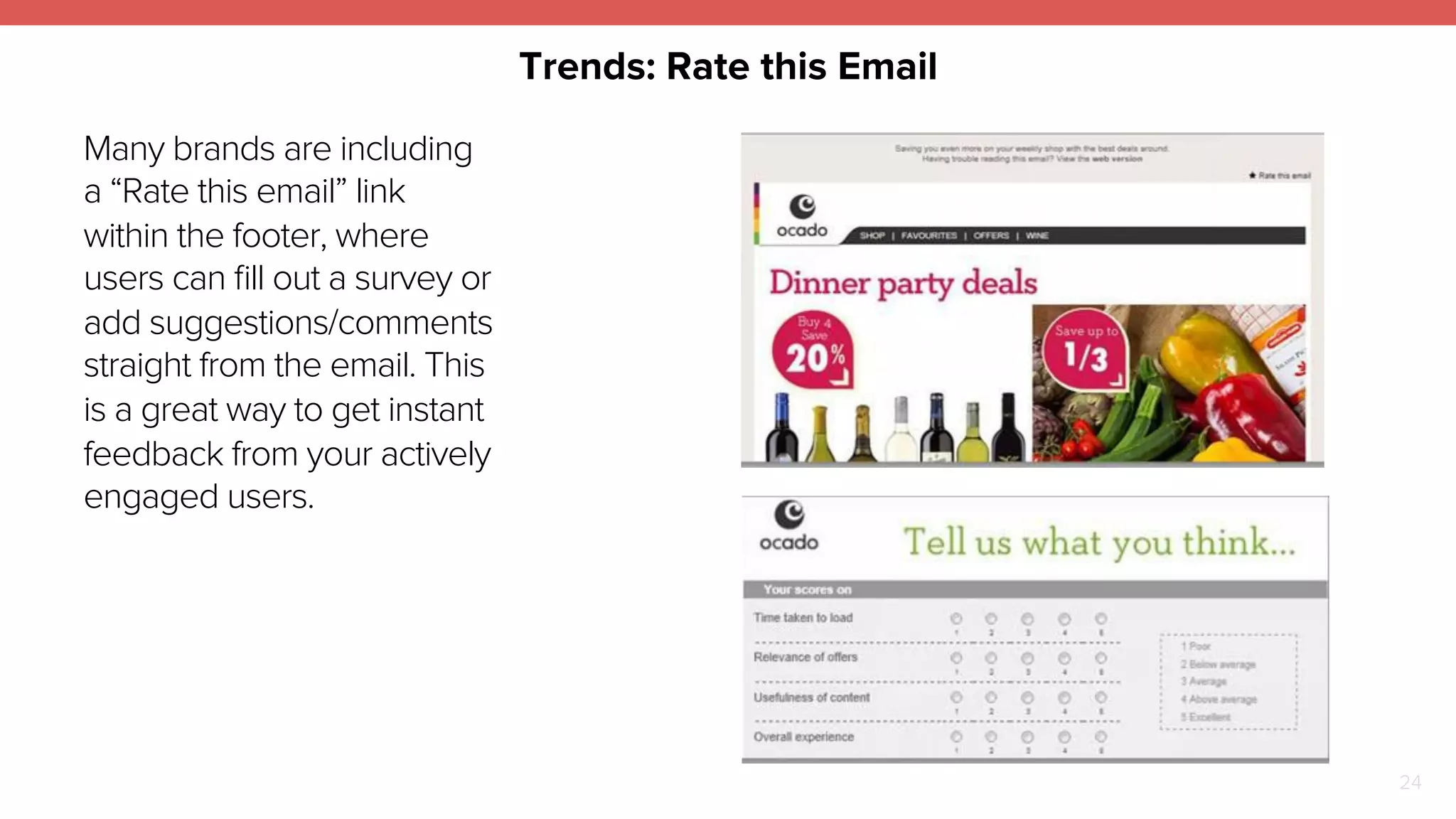
“On they fly’ elements 
such as a countdown clock 
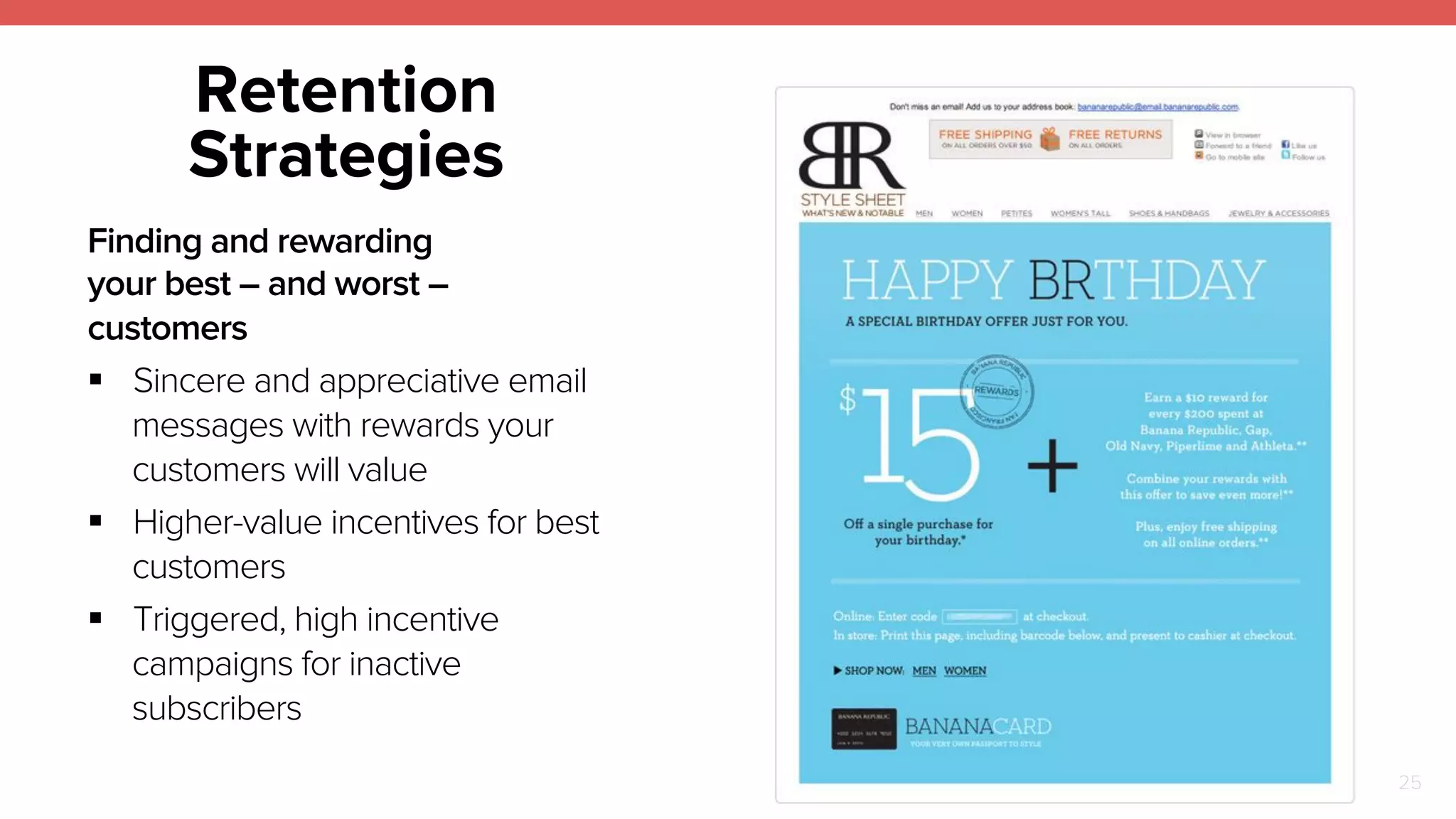
Inline Video * 
Video plays inside the email 
* Supported on iPhone / iPad, Apple Mail, Some Android 2.3-4.4, Outlook.com - Video will autoplay, but controls are not visible/useable. 
All other clients display an animated GIF in place of the video. Video works when viewing the HTML in browsers (aside from IE 8) 
23
Trends: Rate this Email 
24 
Many brands are including 
a “Rate this email” link 
within the footer, where 
users can fill out a survey or 
add suggestions/comments 
straight from the email. This 
is a great way to get instant 
feedback from your actively 
engaged users.
25 
Retention 
Strategies 
Finding and rewarding 
your best – and worst – 
customers 
! Sincere and appreciative email 
messages with rewards your 
customers will value 
! Higher-value incentives for best 
customers 
! Triggered, high incentive 
campaigns for inactive 
subscribers
TESTING & 
OPTIMIZATION 
26
27 
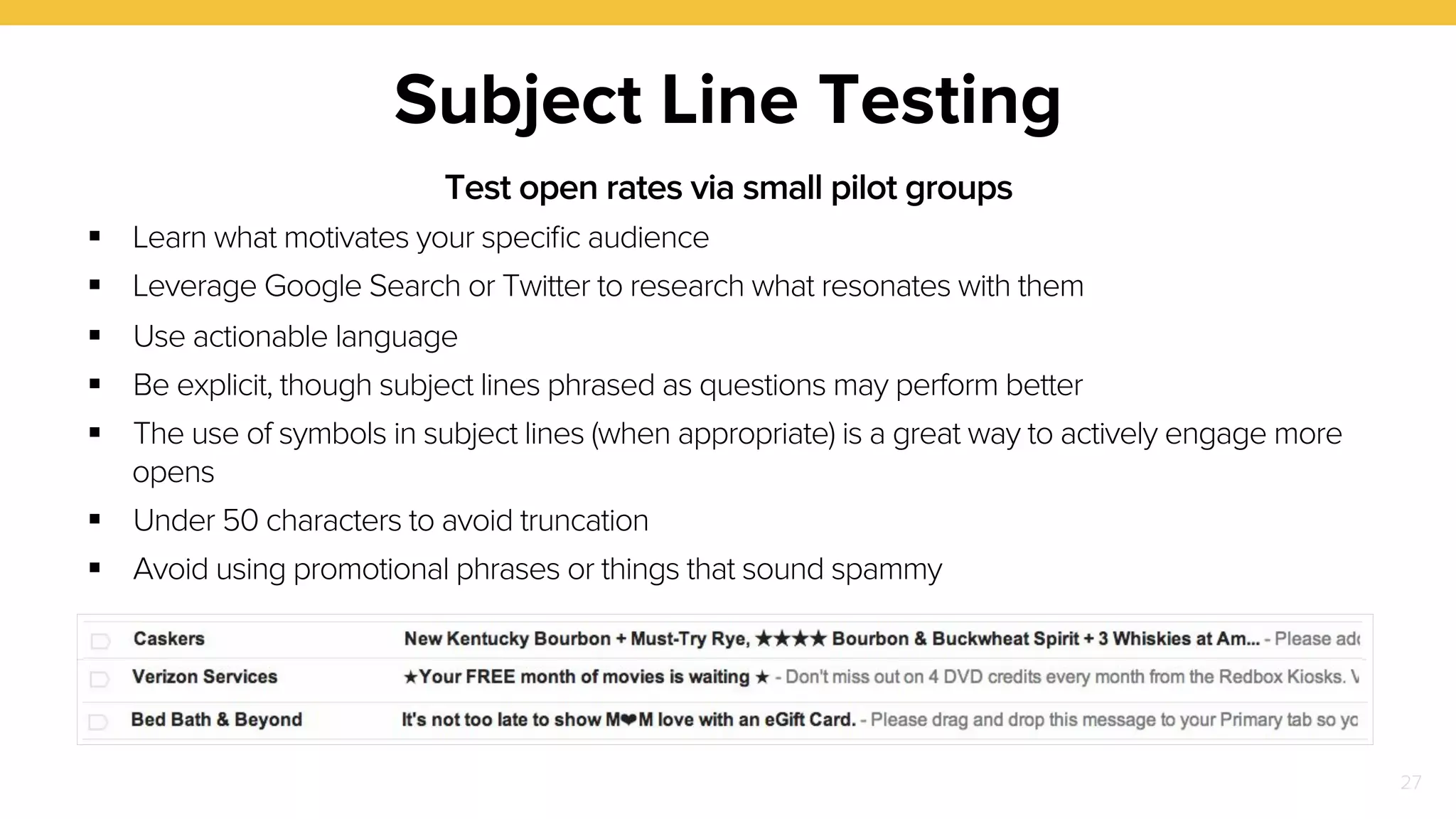
Subject Line Testing 
Test open rates via small pilot groups 
! Learn what motivates your specific audience 
! Leverage Google Search or Twitter to research what resonates with them 
! Use actionable language 
! Be explicit, though subject lines phrased as questions may perform better 
! The use of symbols in subject lines (when appropriate) is a great way to actively engage more 
opens 
! Under 50 characters to avoid truncation 
! Avoid using promotional phrases or things that sound spammy
28 
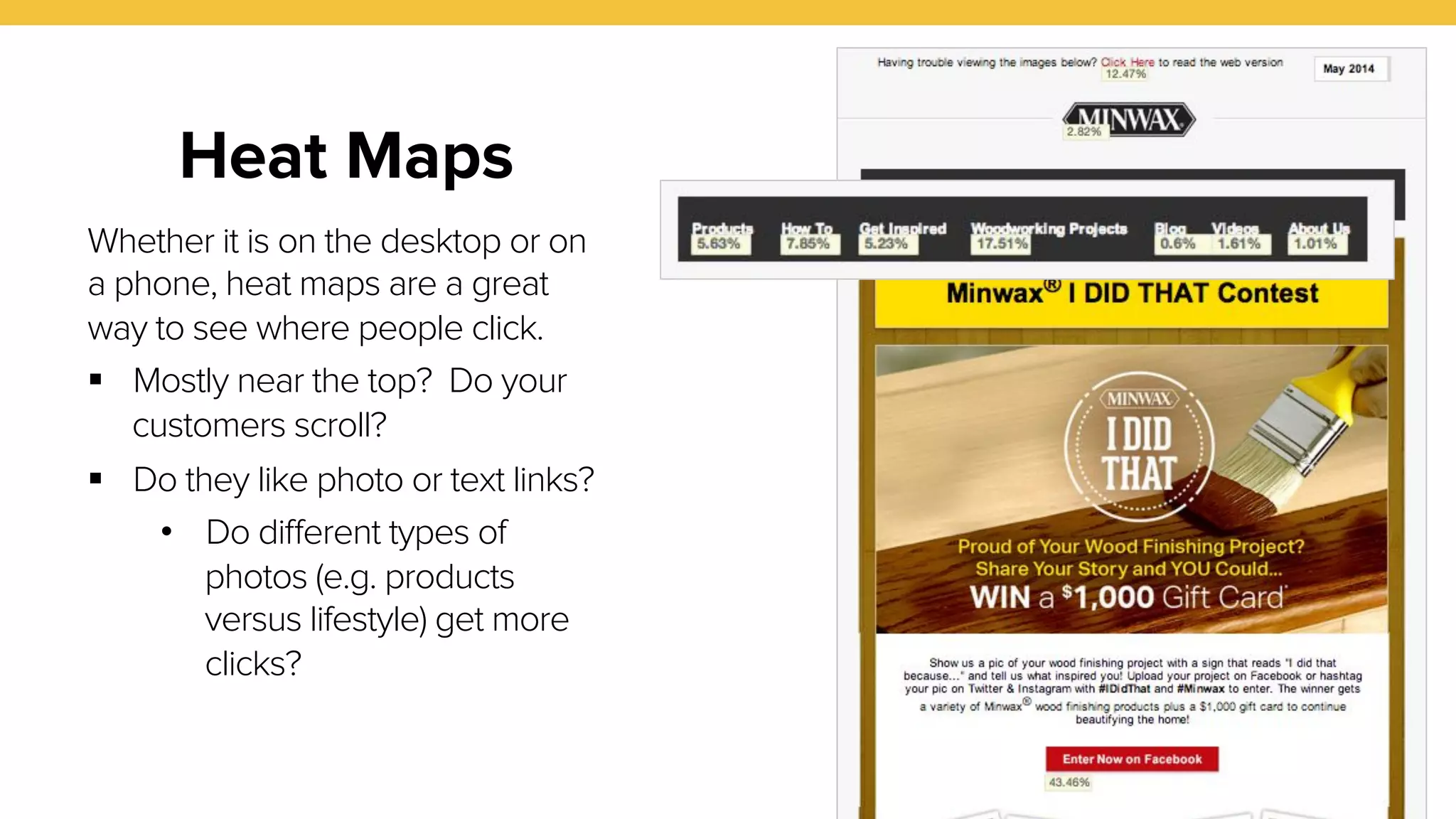
Heat Maps 
Whether it is on the desktop or on 
a phone, heat maps are a great 
way to see where people click. 
! Mostly near the top? Do your 
customers scroll? 
! Do they like photo or text links? 
• Do different types of 
photos (e.g. products 
versus lifestyle) get more 
clicks?
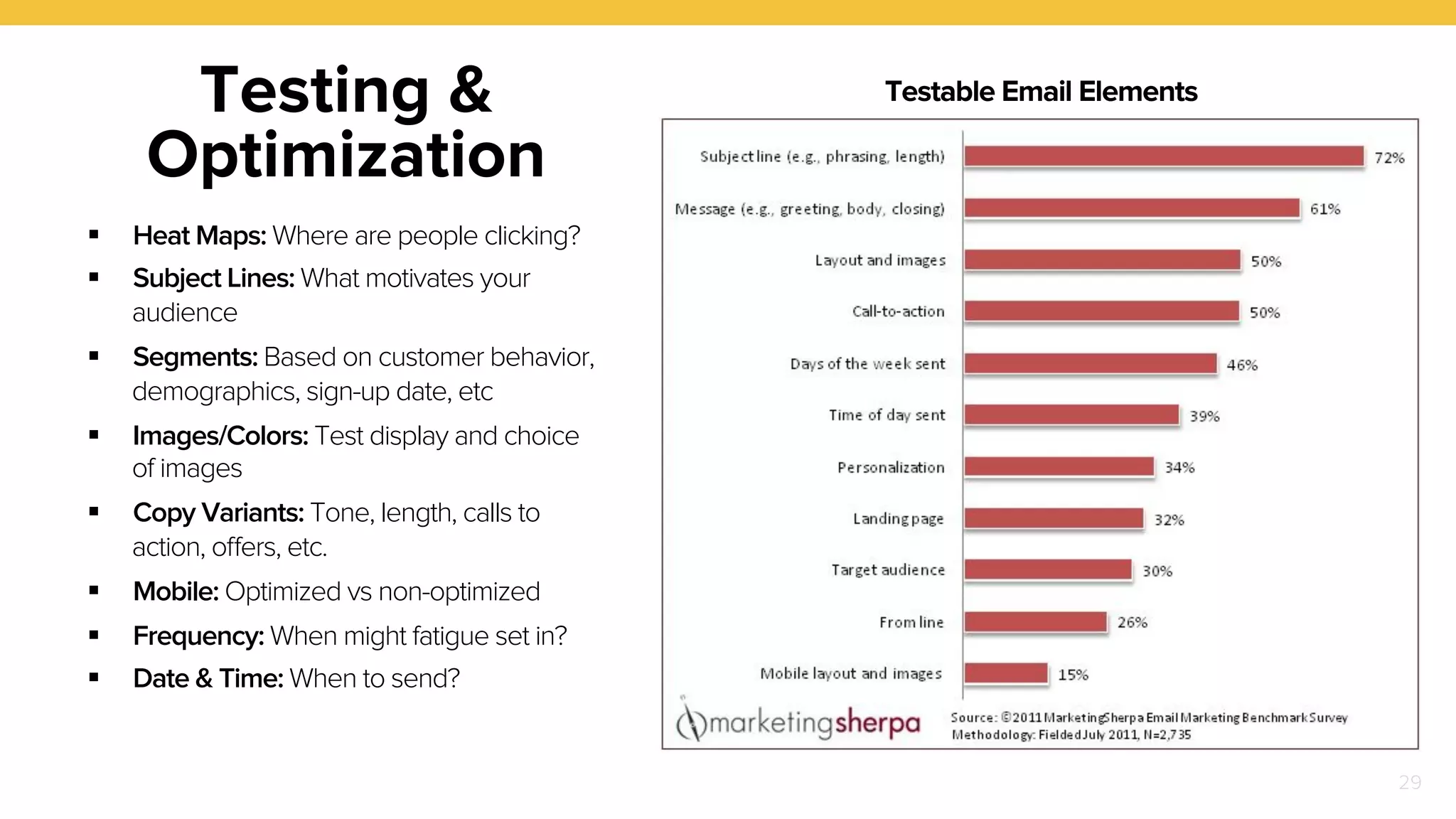
29 
Testing & 
Optimization 
! Heat Maps: Where are people clicking? 
! Subject Lines: What motivates your 
audience 
! Segments: Based on customer behavior, 
demographics, sign-up date, etc 
! Images/Colors: Test display and choice 
of images 
! Copy Variants: Tone, length, calls to 
action, offers, etc. 
! Mobile: Optimized vs non-optimized 
! Frequency: When might fatigue set in? 
! Date & Time: When to send? 
Testable Email Elements
Measuring Success 
30 
Move beyond open and click-through rates 
! Where do recipients go on your website? 
! How often do they visit? 
! Study conversions and/or email revenue 
! Are there new ways to think about how to 
segment your list based on behavior? 
! Understand deliverability, bounces, 
unsubscribes and complaints
Optimize & 
Innovate 
31 
" User behavior patterns 
change and evolve 
" Every audience/ 
business is unique
About 
Flightpath 
! Founded in 1994 
! Creative digital agency 
! Headquartered in New 
York City 
! 50+ employees 
! Privately held 
! Email specialists 
! Results oriented 
32
THANK YOU 
flightpath.com

Email Marketing in the Digital Age: Trends, Best Practices and Predictions

  • 1.
    EMAIL MARKETING INTHE DIGITAL AGE Trends, Best Practices and Predictions
  • 2.
    OVERVIEW Fundamentals List Management Creative Testing & Optimization !"! ! !" 2
  • 3.
  • 4.
    Where Does EmailFit In? On its own or in conjunction with channels like social media and mobile, email remains a key route to address 2014 marketing priorities ! ! ! Driving Conversion Rates Increasing Brand Awareness Collecting And Leveraging Data Producing concrete sales results A core focus and top priority For better communication that cuts through the clutter 4
  • 5.
    Email Marketing Isn’tNew 5 But the facts* remain: ! Consumers receive an average of 44 emails a day, 25% of which are permission-based commercial messages. ! 88% of US online consumers check email daily ! 81% of subscribers have been motivated to provide a company with their email address due to some form of promotion ! 50% of consumers make purchases as a direct result of email * Source: ExactTarget Email X-Factors Report
  • 6.
    Email Facilitates ‘Lifecycle’Marketing Acquire On-board Engage Retain Acquiring new audience members and converting potential customers into subscribers Onboarding subscribers and accustoming them to the frequency and content of interactions Engaging subscribers with relevant, purposeful campaigns Retaining subscribers with targeted re/ engagement and win-back strategies Strategic email campaigns provide the ability to reach customers across a number of different stages ♥ ! !" !" 6
  • 7.
    Relevancy Is Factor#1 7 Consumers quickly decide which companies they like receiving messages from based on relevancy. ! Personalization is Paramount: Noticeable evidence that content is targeted drives conversions. ! Value is Evident: It’s important to make the advantage of being on the email list clear. This can be achieved via special deals, promotions or exclusive content.
  • 8.
    8 The Mobile Imperative About 45% of email opens happen on phones ! “Mobile First” approach to emails (HTML5/CSS3 animations) ! Mobile design techniques include: • Responsive/adaptive emails • “Mobile Aware” emails ! Recognize that users, particularly mobile users, are scrolling
  • 9.
    9 Email &Social Channels Overlap ! Social engagement levels now impact email open rates, click-throughs and conversions. ! Used together, email and social reinforce messaging, resulting in greater overall reach, awareness, interaction and sharing.
  • 10.
  • 11.
    11 Driving Sign-up ! Pop-Ups and Overlays: Can be annoying but are proven to be effective. ! Messaging: Incentives for registering must be clear and relevant. ! Opt-In: Some data shows that double opt-in provides better results. ! Social: Leverage social channels to grow lists. An easy method is to setup an email form on a facebook tab. ! Contests & Promotions: Can spike list growth. ! eCommerce: Incorporate email sign-up into all account registration and ecommerce flows. Source: Mailchimp
  • 12.
    12 Welcome Emails Automated emails should create an immediate link with subscribers ! Increase account creation, customer acquisition, and list growth. ! A good opportunity to reward subscribers with offers or valuable information. ! Consider a welcome email series instead of a single email. ! Make sure that a welcome series is a portal to your site. ! Incentivize or say thanks on birthdays, upon reactivation or at other occasions.
  • 13.
    13 List Segmentation Smart segmentation strategies ensure messaging relevance ! Responsiveness/ behavior/history ! Demographics ! Purchase amounts ! Ethnicity/language-specific
  • 14.
    14 List Cleansing & Management Improve your list integrity with accurate list cleansing ! Improve deliverability, minimize SPAM traps, improve response rates ! Delete inactive subscribers ! Investigate hard and soft bounces ! Consider partner services like briteverify, datavalidation or leadspend Source: Mailchimp
  • 15.
  • 16.
    Understanding Reading Patterns 16 ! Top to bottom and left to right ! Strong vertical patterns encourage scanning the full length of email ! Simple/short messaging prompts pauses for reading and comprehension
  • 17.
    Design Imperatives 17 ! Clean simplicity with a touch of boldness ! Cohesion between the offline and online brand ! Fun, clever by way of all available and supported methods (e.g. disruptive messaging, surprising animations, etc…)
  • 18.
    Design Fundamentals 18 ! Keep primary CTA as high as possible ! Readability: Minimum and consistent text size/color should be maintained ! Visual Emphasis: Position key content points at a glance ! White Space: Grouping content to increase comprehension ! Clever, fun and surprising
  • 19.
    Trends: Mobile First 19 Leverage mobile-specific features such as high resolution screens or modern HTML/ CSS to create more beautiful and dynamic emails not possible on typical desktop clients. Judicious use of retina resolution graphics for sharper presentation (e.g. for use on logos, call to action’s, etc…) CSS Animation: Images move, zoom or grow. In this example: Ken Burns effect happens in the circle.
  • 20.
    Content 20 !Personalization ! “Content First” editorial to build user trust and confidence moving forward ! Preheaders can add additional context to the subject line without overwhelming users. Most email clients pick up the initial piece of content displayed in an email ! Follow up and last chance reminder emails ! Infographics ! Social links (e.g. share email, pin imagery, etc…) La Cocina Goya 4/1/14 Celebrate Easter with traditional Latin Dishes Inbox - Flightpath Enjoy dozens of recipes that savor the colorful flavors of spring
  • 21.
    21 Long Tail ! Emails with multiple promotion items regularly perform better than simpler counterparts ! “Long tail” additions provide additional points of engagement – great if the main message does not connect ! Additional engagement opportunities without negatively impacting primary message
  • 22.
    Trends: Animated GIFs 22 Add a little punch to otherwise static emails. Interaction with an app http://bit.ly/ZfZTDL Animation of fashion model http://bit.ly/1o1kwjd
  • 23.
    Trends: Other DynamicEffects “On they fly’ elements such as a countdown clock Inline Video * Video plays inside the email * Supported on iPhone / iPad, Apple Mail, Some Android 2.3-4.4, Outlook.com - Video will autoplay, but controls are not visible/useable. All other clients display an animated GIF in place of the video. Video works when viewing the HTML in browsers (aside from IE 8) 23
  • 24.
    Trends: Rate thisEmail 24 Many brands are including a “Rate this email” link within the footer, where users can fill out a survey or add suggestions/comments straight from the email. This is a great way to get instant feedback from your actively engaged users.
  • 25.
    25 Retention Strategies Finding and rewarding your best – and worst – customers ! Sincere and appreciative email messages with rewards your customers will value ! Higher-value incentives for best customers ! Triggered, high incentive campaigns for inactive subscribers
  • 26.
  • 27.
    27 Subject LineTesting Test open rates via small pilot groups ! Learn what motivates your specific audience ! Leverage Google Search or Twitter to research what resonates with them ! Use actionable language ! Be explicit, though subject lines phrased as questions may perform better ! The use of symbols in subject lines (when appropriate) is a great way to actively engage more opens ! Under 50 characters to avoid truncation ! Avoid using promotional phrases or things that sound spammy
  • 28.
    28 Heat Maps Whether it is on the desktop or on a phone, heat maps are a great way to see where people click. ! Mostly near the top? Do your customers scroll? ! Do they like photo or text links? • Do different types of photos (e.g. products versus lifestyle) get more clicks?
  • 29.
    29 Testing & Optimization ! Heat Maps: Where are people clicking? ! Subject Lines: What motivates your audience ! Segments: Based on customer behavior, demographics, sign-up date, etc ! Images/Colors: Test display and choice of images ! Copy Variants: Tone, length, calls to action, offers, etc. ! Mobile: Optimized vs non-optimized ! Frequency: When might fatigue set in? ! Date & Time: When to send? Testable Email Elements
  • 30.
    Measuring Success 30 Move beyond open and click-through rates ! Where do recipients go on your website? ! How often do they visit? ! Study conversions and/or email revenue ! Are there new ways to think about how to segment your list based on behavior? ! Understand deliverability, bounces, unsubscribes and complaints
  • 31.
    Optimize & Innovate 31 " User behavior patterns change and evolve " Every audience/ business is unique
  • 32.
    About Flightpath !Founded in 1994 ! Creative digital agency ! Headquartered in New York City ! 50+ employees ! Privately held ! Email specialists ! Results oriented 32
  • 33.