LEVERAGING
INSTANT EXTRACTS
FROM RELATIONAL
DATABASES FOR
AZURE FABRIC
DATA SATURDAY DALLAS 2024 SPONSOR
SILVER
GOLD
Who am I? • Director of Data and AI at Silk
• 30 Years in the Tech Industry
• DBA (Oracle, SQL Server, MySQL, PostgreSQL…)
• DevOps, Analytics and AI
• Cloud Migrations and High IO Infrastructure
• Co-Leader for the Data Platform DEI Group
• Advisor for the Data Platform WIT Group
https://www.linkedin.com/in/kellyngorman/
https://dbakevlar.com
https://x.com/dbakevlar
Various Online platforms as DBAKevlar!
What do I do
• I build technical “Legos”
• I architect how
technology works
together.
• I build products/features
that fill in holes between
products that exist today
• I solve problems.
• I work in the Product
Group at Silk and consult
with secondary
companies, such as
DZone, LinkedIn and
Redgate…
4
THE DATA LAKE CONUNDRUM
5
Data lakes are for data scientists, not
business professionals.
ACID support is rarely available.
Data lakes are more vulnerable to data
silos and data sprawl.
Data lakes don’t possess the robust
security layers built into relational
systems.
They often create compliance risks for
certain critical data
Recent data breaches and lawsuits have
demonstrated how data lakes have
challenged customers who thought it
simply would replace relational systems
of yesterday.
THE DATA LAKE CONUNDRUM
6
Data lakes are for data scientists, not
business professionals.
ACID support is rarely available.
Data lakes are more vulnerable to data
silos and data sprawl.
Data lakes don’t possess the robust
security layers built into relational
systems.
They often create compliance risks for
certain critical data
Recent data breaches and lawsuits have
demonstrated how data lakes have
challenged customers who thought it
simply would replace relational systems
of yesterday.
THE GOAL FOR THIS
SESSION IS…
NOT say data lakes are bad, but that you
should use data lakes for the right data and
for the right reasons.
Next, I will show you how to use relational
databases with Fabric without impacting
what it needs to do each day.
7
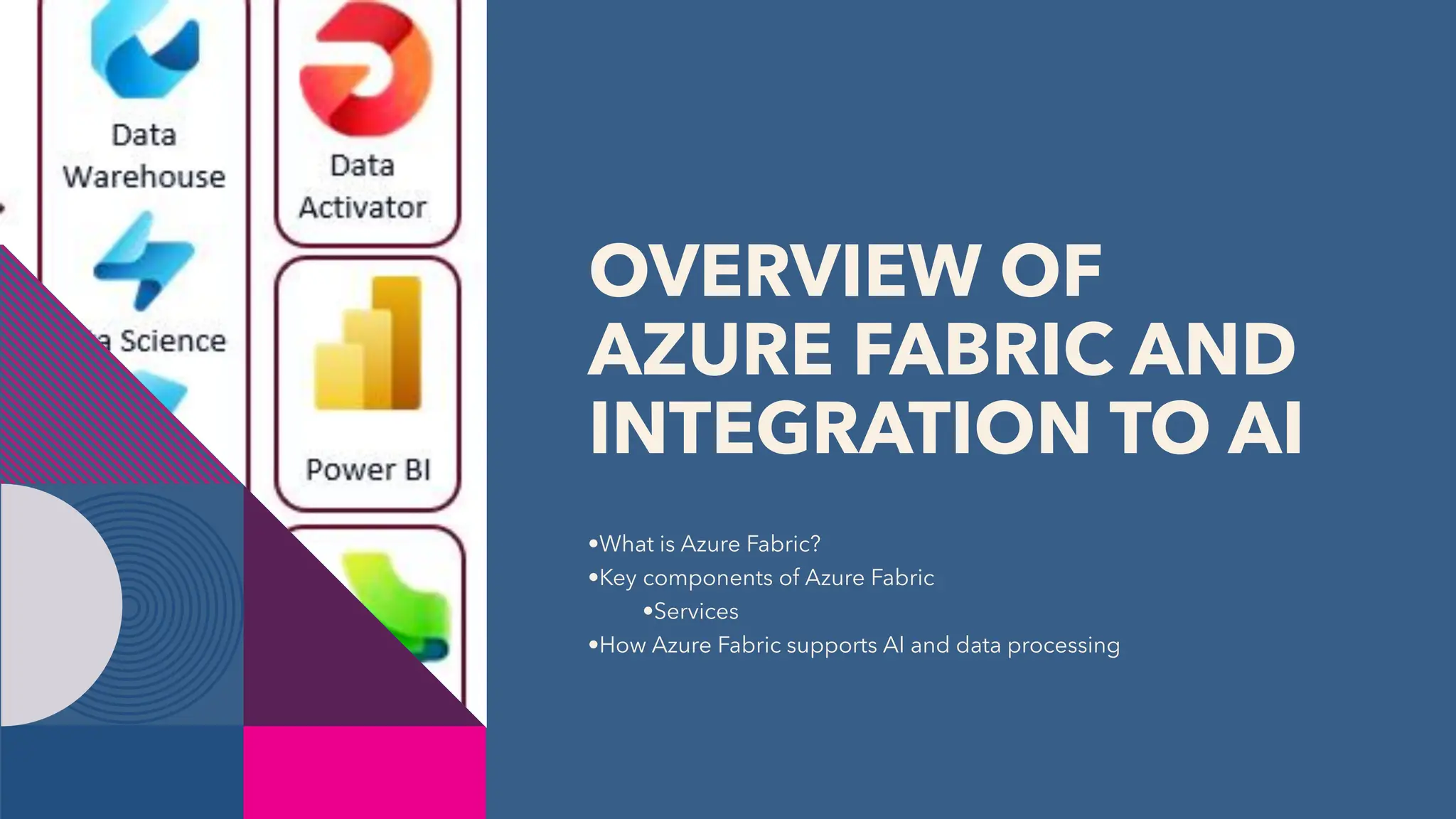
OVERVIEW OF
AZURE FABRIC AND
INTEGRATION TO AI
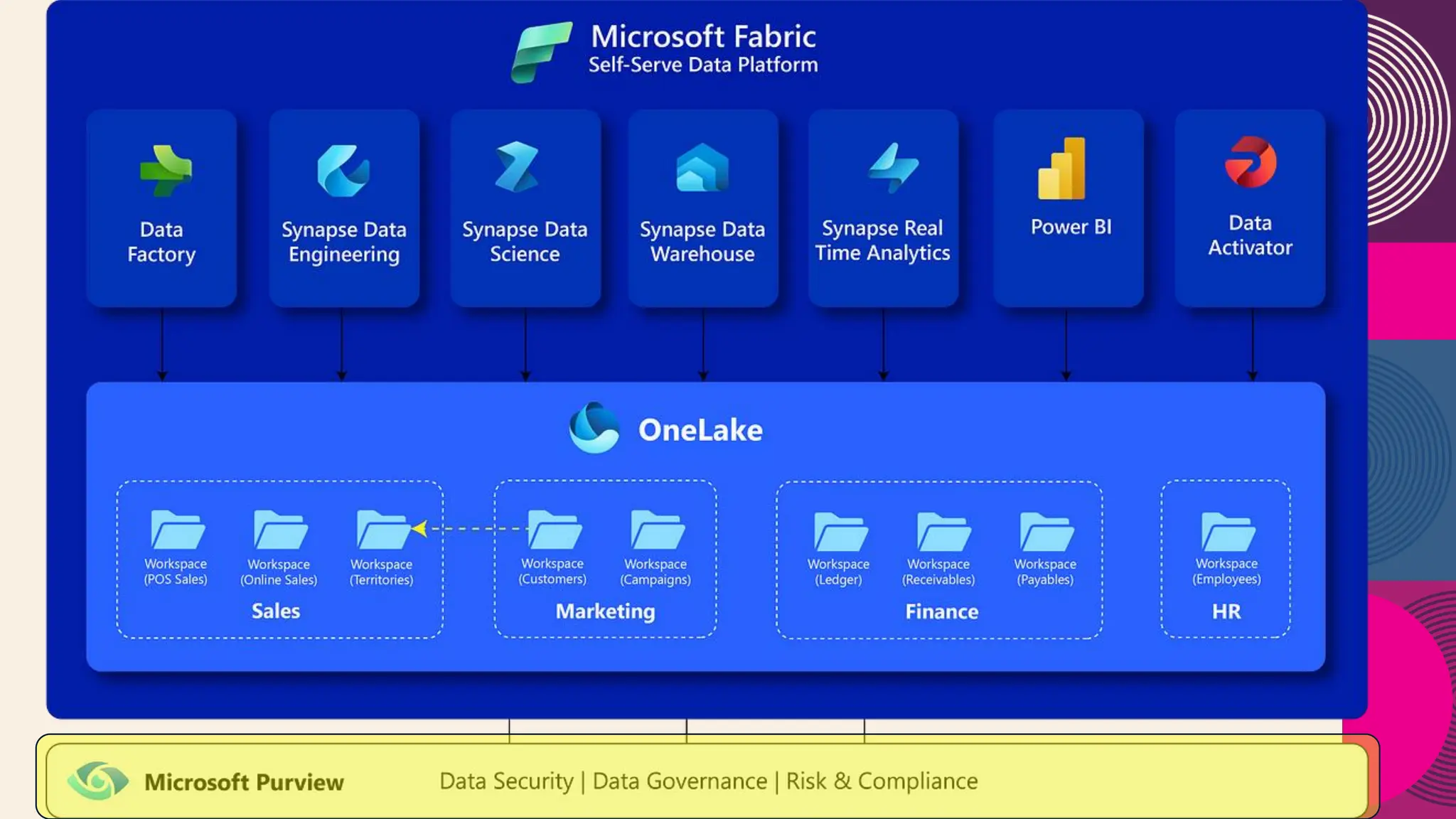
•What is Azure Fabric?
•Key components of Azure Fabric
•Services
•How Azure Fabric supports AI and data processing
UNIFIED ANALYTICS PLATFORM
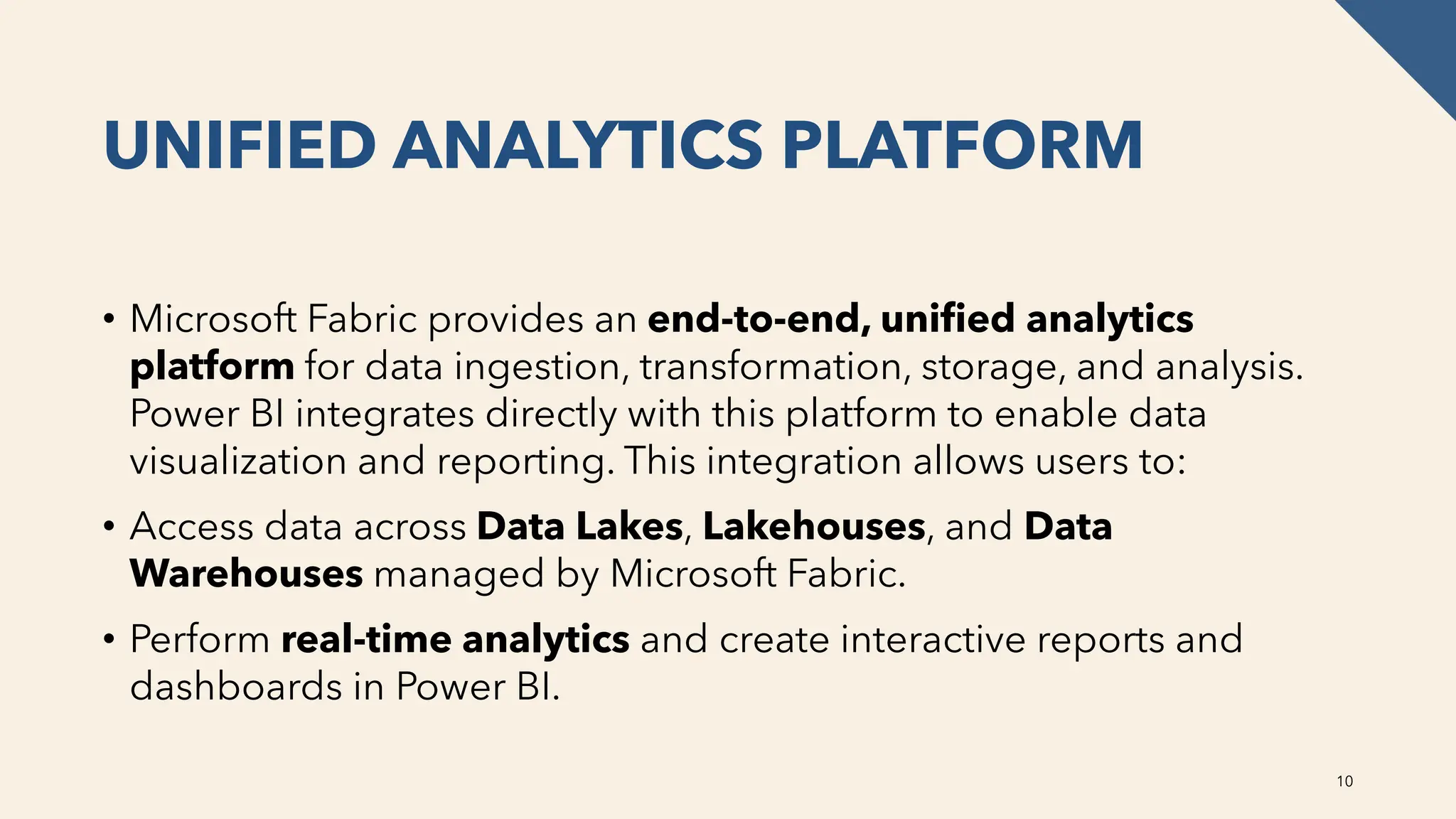
• Microsoft Fabric provides an end-to-end, unified analytics
platform for data ingestion, transformation, storage, and analysis.
Power BI integrates directly with this platform to enable data
visualization and reporting. This integration allows users to:
• Access data across Data Lakes, Lakehouses, and Data
Warehouses managed by Microsoft Fabric.
• Perform real-time analytics and create interactive reports and
dashboards in Power BI.
10
DATA ACCESS AND INGESTION
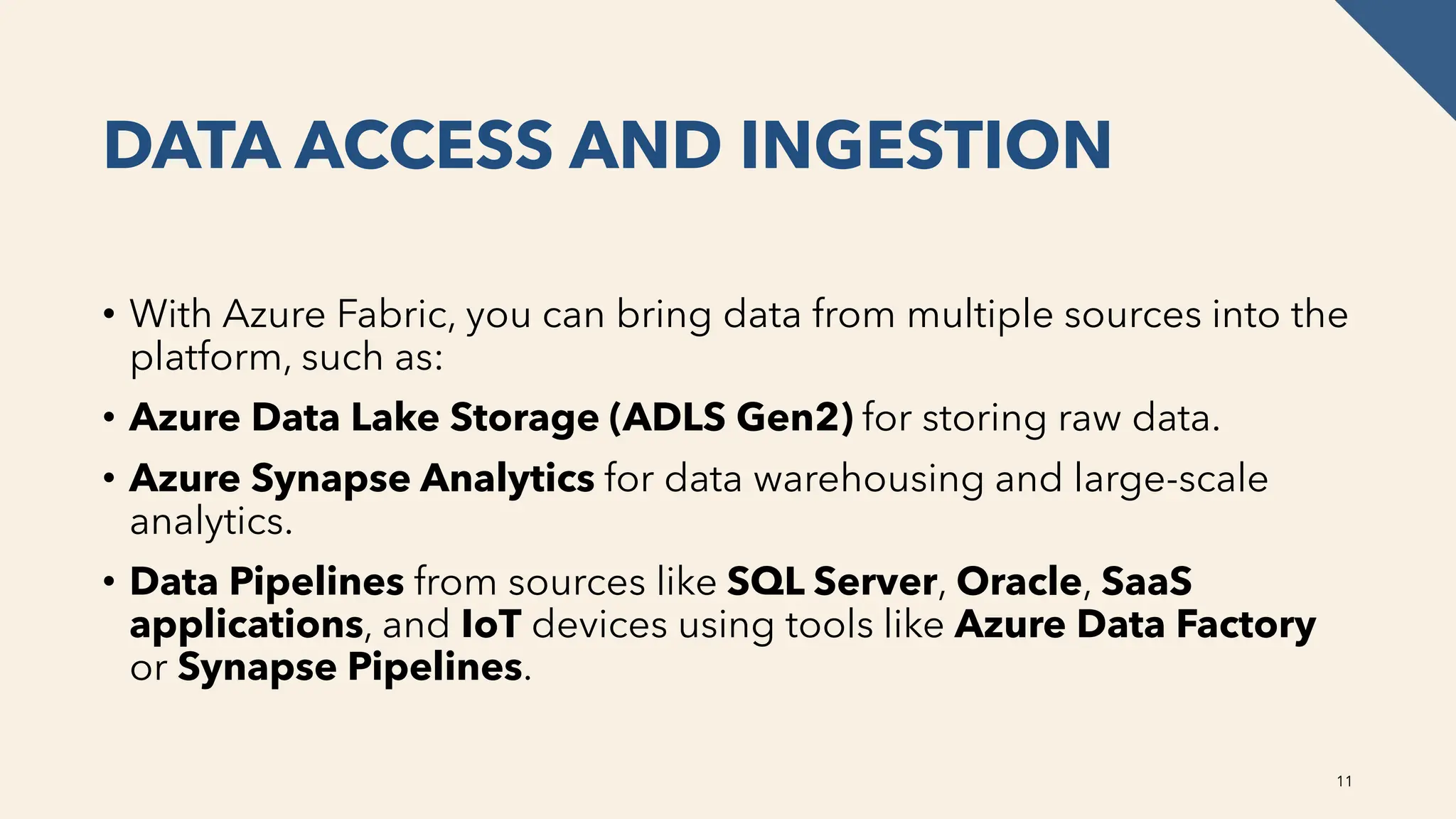
• With Azure Fabric, you can bring data from multiple sources into the
platform, such as:
• Azure Data Lake Storage (ADLS Gen2) for storing raw data.
• Azure Synapse Analytics for data warehousing and large-scale
analytics.
• Data Pipelines from sources like SQL Server, Oracle, SaaS
applications, and IoT devices using tools like Azure Data Factory
or Synapse Pipelines.
11
POWER BI CAN CONNECT
DIRECTLY TO DATA
THROUGH DIRECTQUERY,
IMPORT MODE, OR
COMPOSITE MODELS,
ALLOWING REAL-TIME OR
SCHEDULED DATA
REFRESHES.
12
POWER BI INTEGRATION
Power BI is natively integrated with Microsoft Fabric, providing features like:
• Auto-discovery of Fabric data models: Power BI automatically detects
data models and datasets in Microsoft Fabric for reporting and
visualization.
• Lakehouse Integration: Power BI can connect directly to Lakehouses
created in Microsoft Fabric, which store structured and unstructured data.
• Enhanced Performance: Power BI's DirectQuery and Composite
Models allow users to work with large datasets stored in Fabric without
needing to move the data. This reduces latency and improves
performance in handling real-time data
13
LAKEHOUSE AND WAREHOUSE FOR
DATASETS
• With Microsoft Fabric’s Lakehouse and Data Warehouse
capabilities, users can easily convert these data stores into
Power BI datasets. These datasets can then be used to create
reports and dashboards in Power BI, making it easy to visualize
data directly from your analytics platform.
14
ADVANCED ANALYTICS
Power BI leverages the AI capabilities of Microsoft Fabric to provide
advanced features such as:
• AI-driven insights: Use Azure Machine Learning models or pre-
built AI models to generate predictions or recommendations, and
visualize the outcomes in Power BI.
• Dataflows: These can be used to pre-process or cleanse data within
Power BI before connecting it to the data stored in Microsoft Fabric,
ensuring clean and consistent data for analysis.
15
COLLABORATION AND SHARING
Fabric and Power BI promote collaboration between data engineers,
analysts, and business users by:
• Workspaces: Shared workspaces allow teams to collaborate on
datasets, reports, and dashboards in Power BI, backed by data
stored and processed in Fabric.
• Power BI Service Integration: Reports and dashboards created in
Power BI Desktop can be published directly to the Power BI
Service, where they can interact with Fabric data and be shared
across organizations
16
AZURE MACHINE LEARNING
Azure Machine Learning (Azure ML)
• Azure Machine Learning integrates directly with Azure Fabric to support the full
machine learning lifecycle, from model development to deployment and management.
• Model Training: Use Fabric’s data lakes and warehouses as data sources for training
machine learning models.
• Model Deployment: Models built in Azure ML can be deployed as web services and
integrated with Fabric for batch or real-time scoring.
• AutoML: Automates the process of selecting algorithms, feature engineering, and
model tuning, accessible within the Fabric environment.
• ML Pipelines: Build end-to-end machine learning workflows by connecting data in
Fabric to model training, evaluation, and deployment.
17
AZURE COGNITIVE SERVICES
Azure Cognitive Services provides pre-built APIs for incorporating AI into applications
without needing extensive AI expertise. It can be integrated with Fabric to process and
analyze unstructured data, automate tasks, and enhance user’s experice:
• Language: For natural language processing (NLP), sentiment analysis, and text
translation.
• Vision: Image recognition, object detection, and OCR (Optical Character Recognition).
• Speech: Speech-to-text, text-to-speech, and real-time translation of spoken language.
• Decision: Services like anomaly detection and personalized recommendation
• Azure OpenAI Service: Leverage large language models (LLMs) like GPT for text
generation, summarization, and conversational AI
18
AZURE SYNAPSE ANALYTICS
Azure Synapse is part of the Fabric platform, and it offers deep AI and
machine learning integration, making it easier to analyze large-scale data.
• Big Data Analytics: Use Spark pools within Synapse to process big data
using distributed computing, and integrate with AI models for insights.
• Built-in Notebooks: Synapse integrates with Jupyter Notebooks for
interactive data exploration and model development using Python, Spark,
and machine learning libraries.
• Machine Learning Integration: Models trained within Azure ML can be
integrated into Synapse pipelines to run AI/ML jobs over Fabric data.
19
AZURE COGNITIVE SEARCH
Azure Cognitive Search can be integrated with Fabric to provide
intelligent search experiences over large data sets.
• AI-Powered Search: Incorporate natural language processing (NLP) to
understand queries better and return more relevant results.
• Text Analytics and Knowledge Mining: Use AI to extract key insights
from unstructured data in Fabric’s lakehouses or warehouses.
• Document Processing: Enhance search capabilities by adding layers of
understanding to documents through AI-based skill sets like language
detection, key phrase extraction, and sentiment analysis
20
POWER BI AI SERVICES
Power BI, as a visualization and reporting tool integrated with Fabric, also offers
built-in AI capabilities that can enhance analytics:
• Key Influencers: Automatically detect the factors that most influence a metric or
outcome using machine learning models.
• AI-Driven Insights: Use Quick Insights to identify trends, anomalies, and
patterns in data without needing to manually build models.
• Cognitive Services Integration: Embed text analytics, sentiment analysis, and
image recognition within Power BI reports using Azure Cognitive Services.
• AutoML in Power BI: Power BI can leverage AutoML to build machine learning
models within the dataflows, directly integrated with Fabric’s data sources.
21
AZURE OPEN AI SERVICE
Azure OpenAI Service offers access to advanced large language
models (LLMs), such as GPT-3 and GPT-4, for tasks like:
• Natural Language Processing (NLP): Text generation,
summarization, and translation.
• Text Analytics: Extract information from text data stored in Fabric’s
lakehouse or warehouse.
• AI-Powered Automation: Generate responses or automate tasks
using conversational AI and Fabric data.
22
AZURE COGNITIVE VISION
Azure Form Recognizer and other Vision services can be used
to extract structured data from unstructured documents, making
it easy to analyze:
• Document Processing: Extract information like invoices,
receipts, and contracts from files stored in Fabric’s data lakes.
• OCR and Handwriting Recognition: Leverage optical
character recognition (OCR) to convert images of text into
usable data.
23
WHY PURVIEW
24
• Data Governance: Azure Purview is essential for enterprises aiming
to implement comprehensive data governance strategies.
• Data Lineage for Compliance: Especially critical for industries like
finance, healthcare, and insurance, where tracking the lineage of data
is important for regulatory reasons.
• Sensitive Data Classification: Azure Purview helps identify and
classify sensitive data to ensure proper handling, thus reducing risks
of data breaches or non-compliance with privacy laws
This is a necessary layer to Fabric that many are missing today and
most likely will be missing going forward to classify data and
eliminate data vulnerability.
NOW THAT WE
KNOW ALL THIS,
WHAT IS COMMON
ARCHITECTURE?
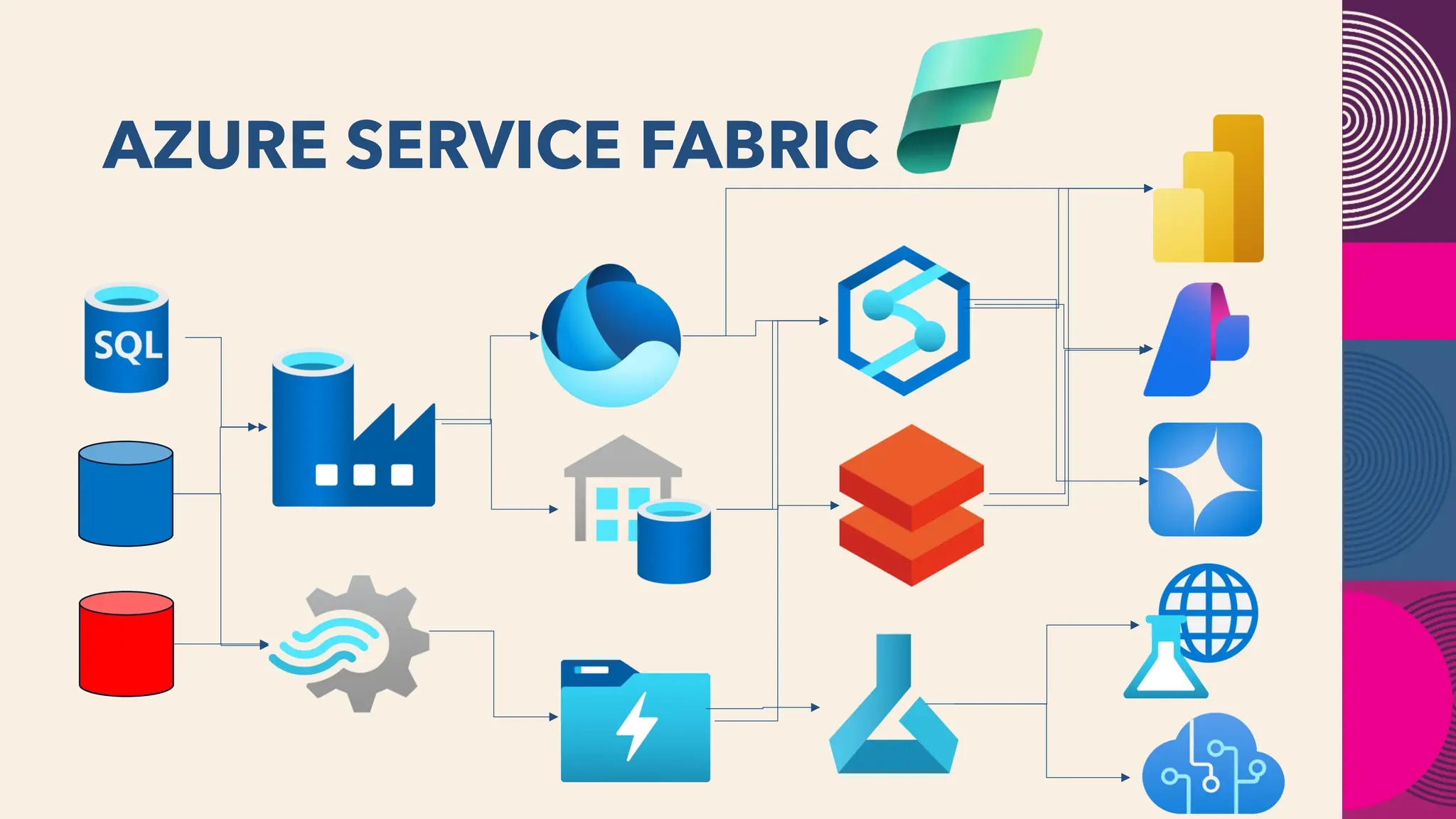
AZURE SERVICE FABRIC
DATA SECURITY IN FABRIC
27
Encryption: Data in OneLake is encrypted at rest by default using Microsoft-managed
keys. Encryption is transparent and FIPS 140-2 compliant. TDE exists, but without Customer-
Managed Keys.
Role-based access control (RBAC): You can define security roles that grant read access to
specific folders within a Fabric item. You can then assign these roles to users or groups. Fine-
grained controlled don’t exist at this time and are quite broad. No row-level security exists.
Column-level security requires complex work arounds.
Auditing: Activity can be logged, but limited and nothing around what records have been
accessed, etc. It’s not at the level to meet SOX or HIPAA requirements.
Networking: Understanding private endpoints are essential to ensure vulnerabilities at the
network layer aren’t introduced. No DDoS protection at this time exists.
RDBMS SECURITY
28
Transparent Data Encryption (TDE): Encrypts data at rest in the database, making it difficult for
attackers to read directly from storage. This is available on top of host-level encryption or network
encryption.
Data Redaction: Dynamically masks data as it's selected from the database, based on conditions like
IP address, program used, or time of day.
Strong authentication: Helps protect against unauthorized access to the database. MFA and other
authentication is secondary to this and included at the IaaS layer.
Network encryption and authentication: Integrates with network encryption and authentication
solutions and additional to what is offered in Fabric, along with DDoS protection offered IaaS.
Key Vault: Manages encryption keys and secrets, including passwords, SSH keys, and Wallets.
Role-Based Access: down to the column and row level, not just the table or folder level.
Multi-level Configuration: Relational Systems have a logical and physical file level, meaning that the
data requires a client to access the logical data, unlike text files.
WHY NOT JUST USE THE
PRODUCTION DATABASE?
29
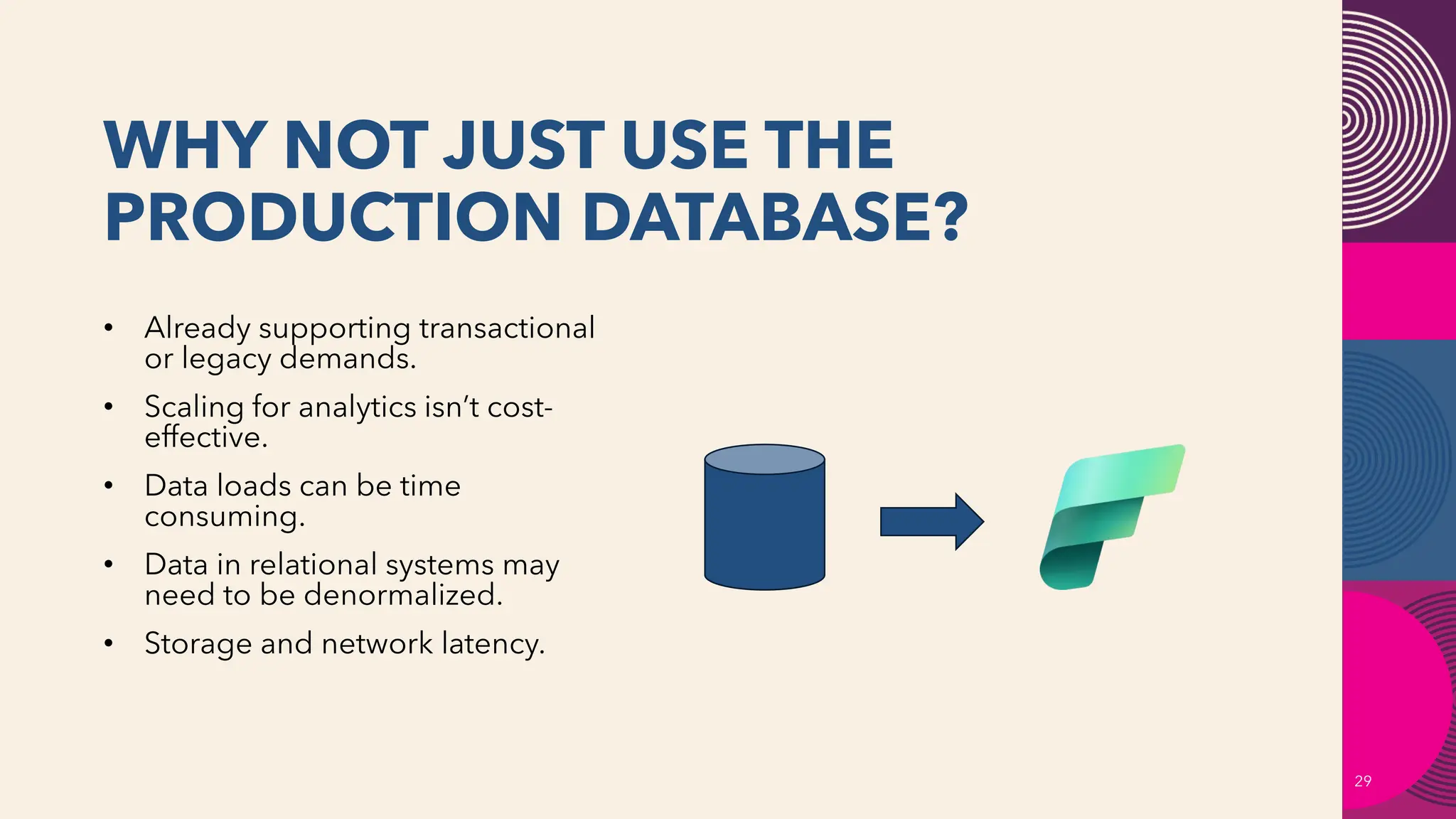
• Already supporting transactional
or legacy demands.
• Scaling for analytics isn’t cost-
effective.
• Data loads can be time
consuming.
• Data in relational systems may
need to be denormalized.
• Storage and network latency.
WHY NOT JUST USE MIRRORING?
30
Azure data mirroring is a low-latency replication of your data into Azure
Cosmos DB.
It creates a continuous and incremental copy of your data, without affecting
your transactional workloads on the source database or container.
CosmosDB has RBAC, but the granularity of control is very limited- much too
limited for sensitive data.
It uses two keys for access to the database. As these provide full access, if
they are compromised, they can expose the entire database. Frequent key
rotation is a requirement.
It only uses basic encryption and lacks DDoS protection natively.
UNDERSTANDING VOLUME
SNAPSHOTS
31
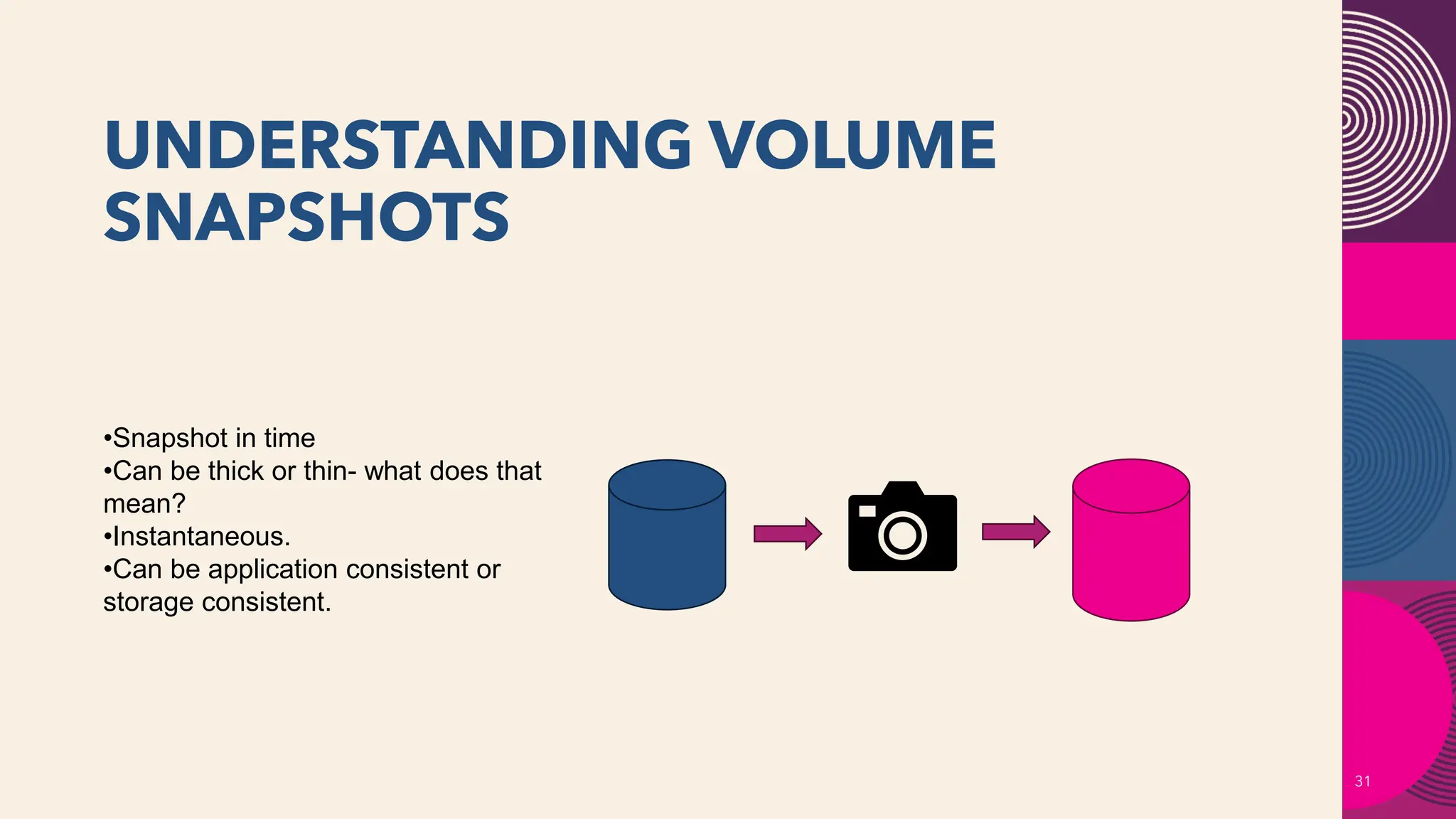
•Snapshot in time
•Can be thick or thin- what does that
mean?
•Instantaneous.
•Can be application consistent or
storage consistent.
WHY USE INSTANT EXTRACTS/VOLUME
SNAPSHOTS FOR FABRIC?
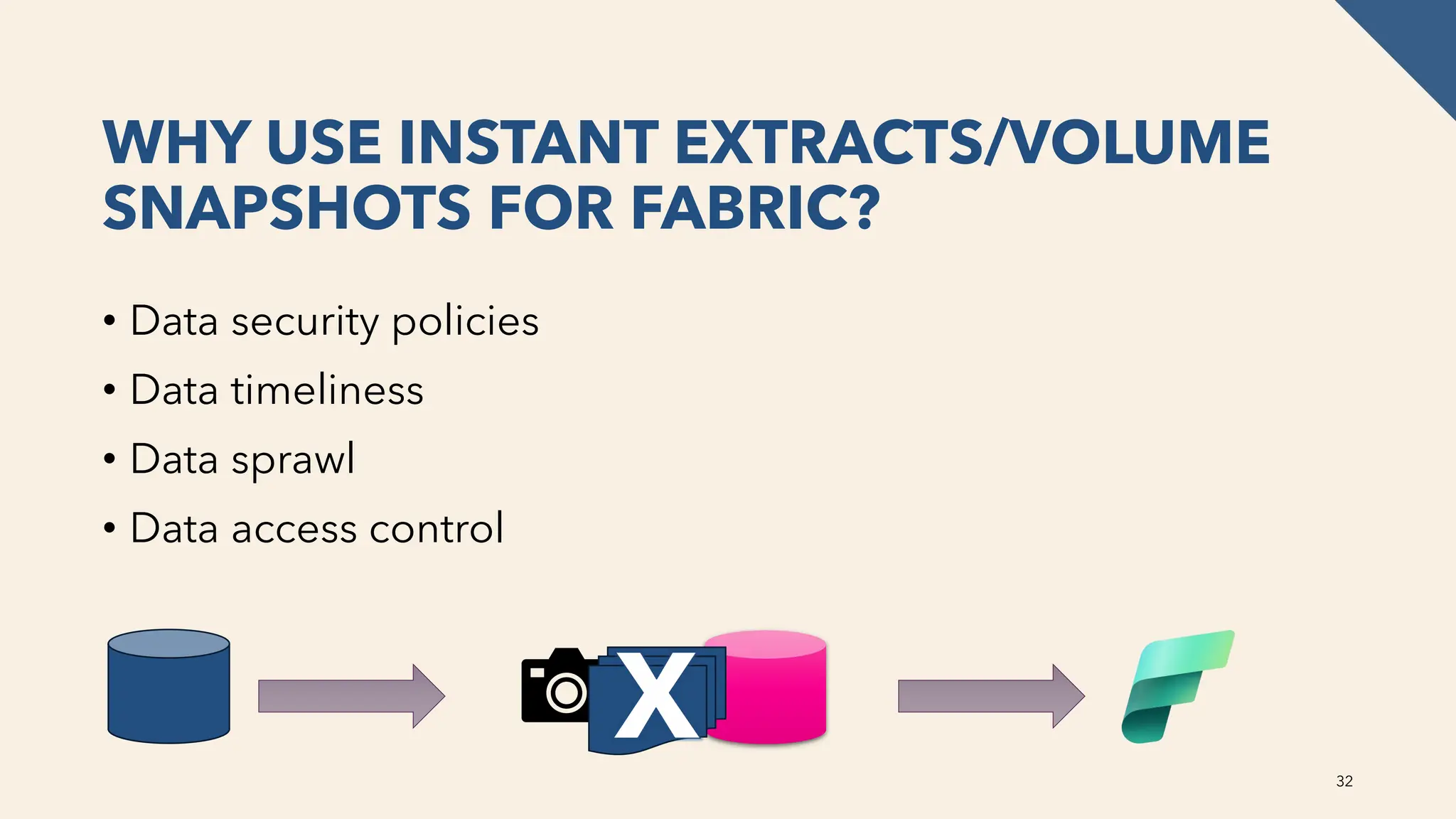
• Data security policies
• Data timeliness
• Data sprawl
• Data access control
32
X
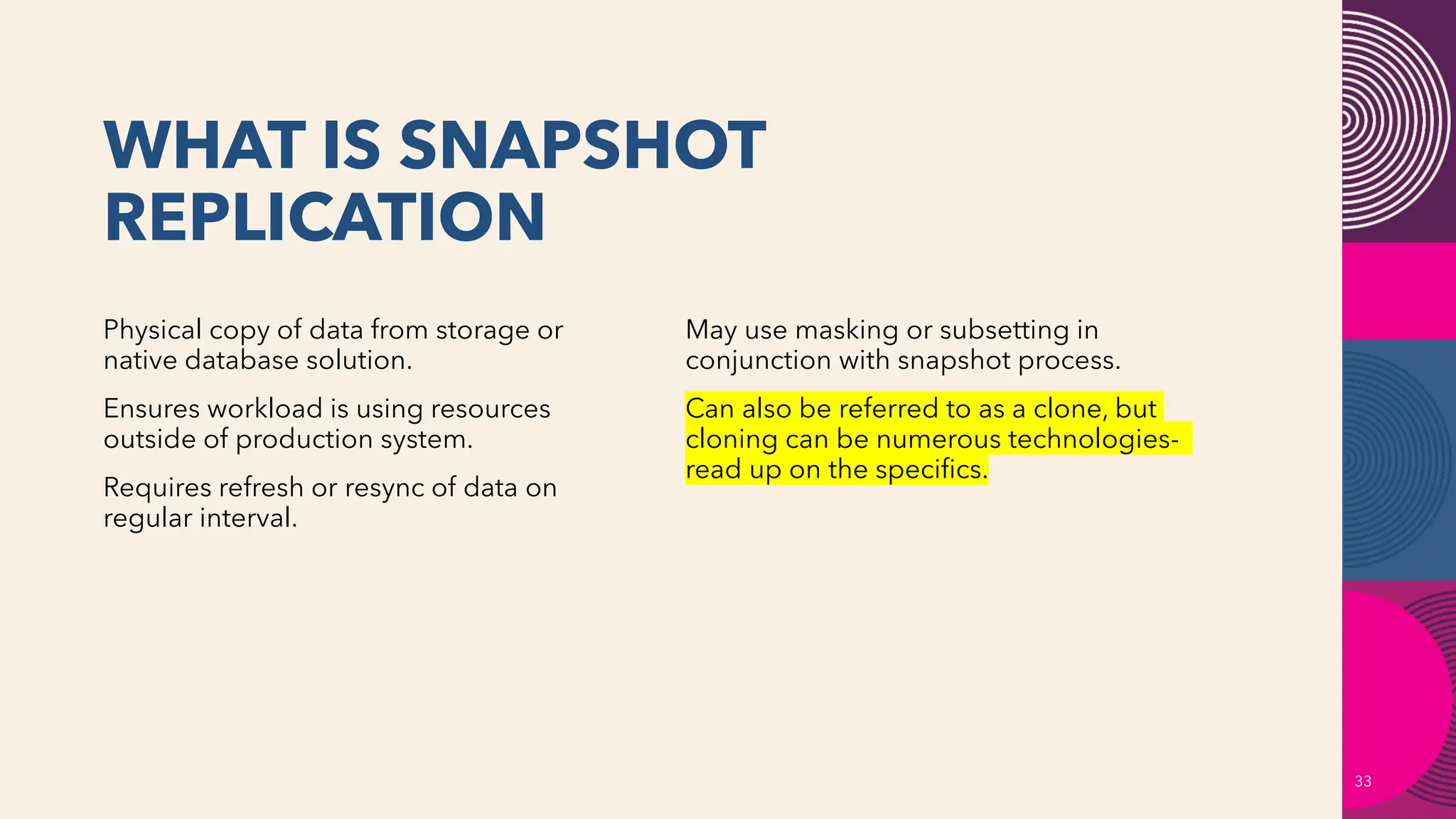
WHAT IS SNAPSHOT
REPLICATION
33
Physical copy of data from storage or
native database solution.
Ensures workload is using resources
outside of production system.
Requires refresh or resync of data on
regular interval.
May use masking or subsetting in
conjunction with snapshot process.
Can also be referred to as a clone, but
cloning can be numerous technologies-
read up on the specifics.
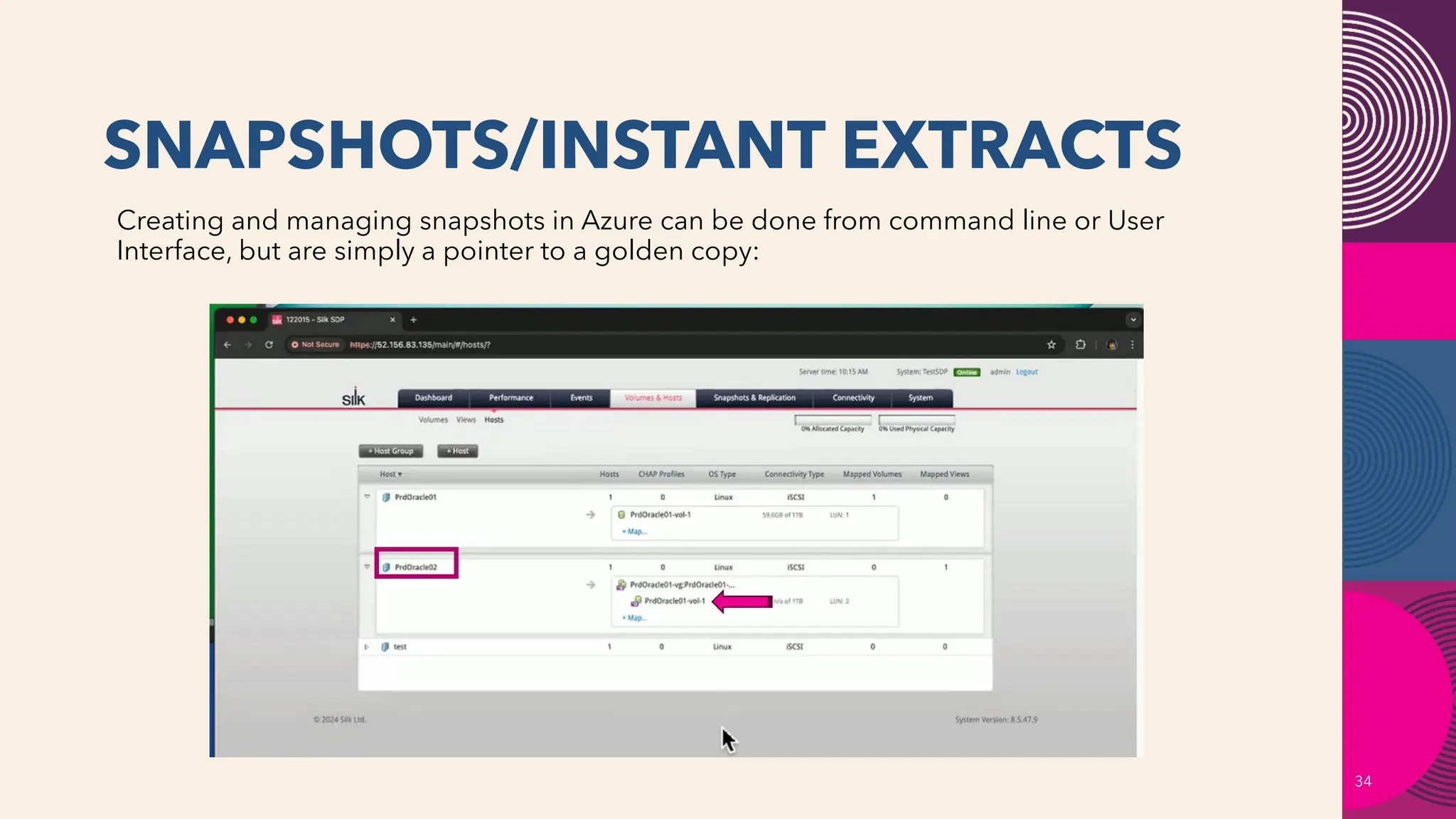
SNAPSHOTS/INSTANT EXTRACTS
34
Creating and managing snapshots in Azure can be done from command line or User
Interface, but are simply a pointer to a golden copy:
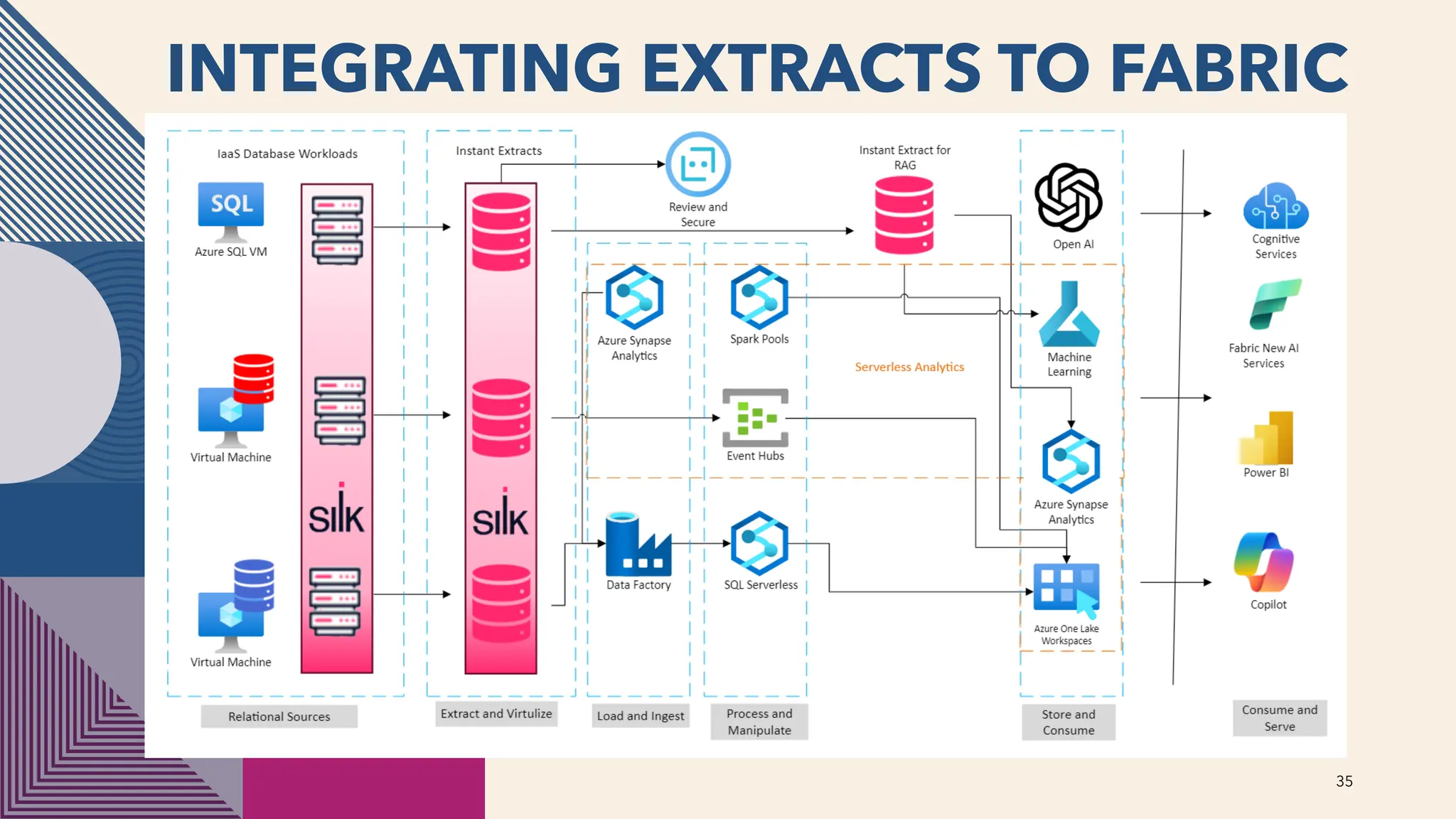
INTEGRATING EXTRACTS TO FABRIC
35
SNAPSHOT REPLICATION FOR
FABRIC
36
Identify frequency for real-time data analysis requirements.
Goal should be to keep replication as complete and as simple as possible.
The more granule changes to data from the source, the more challenges that will
be faced.
Consider data types and encryption that may not be supported and how a
snapshot can continue to support all relational demands that exist in the main
database.
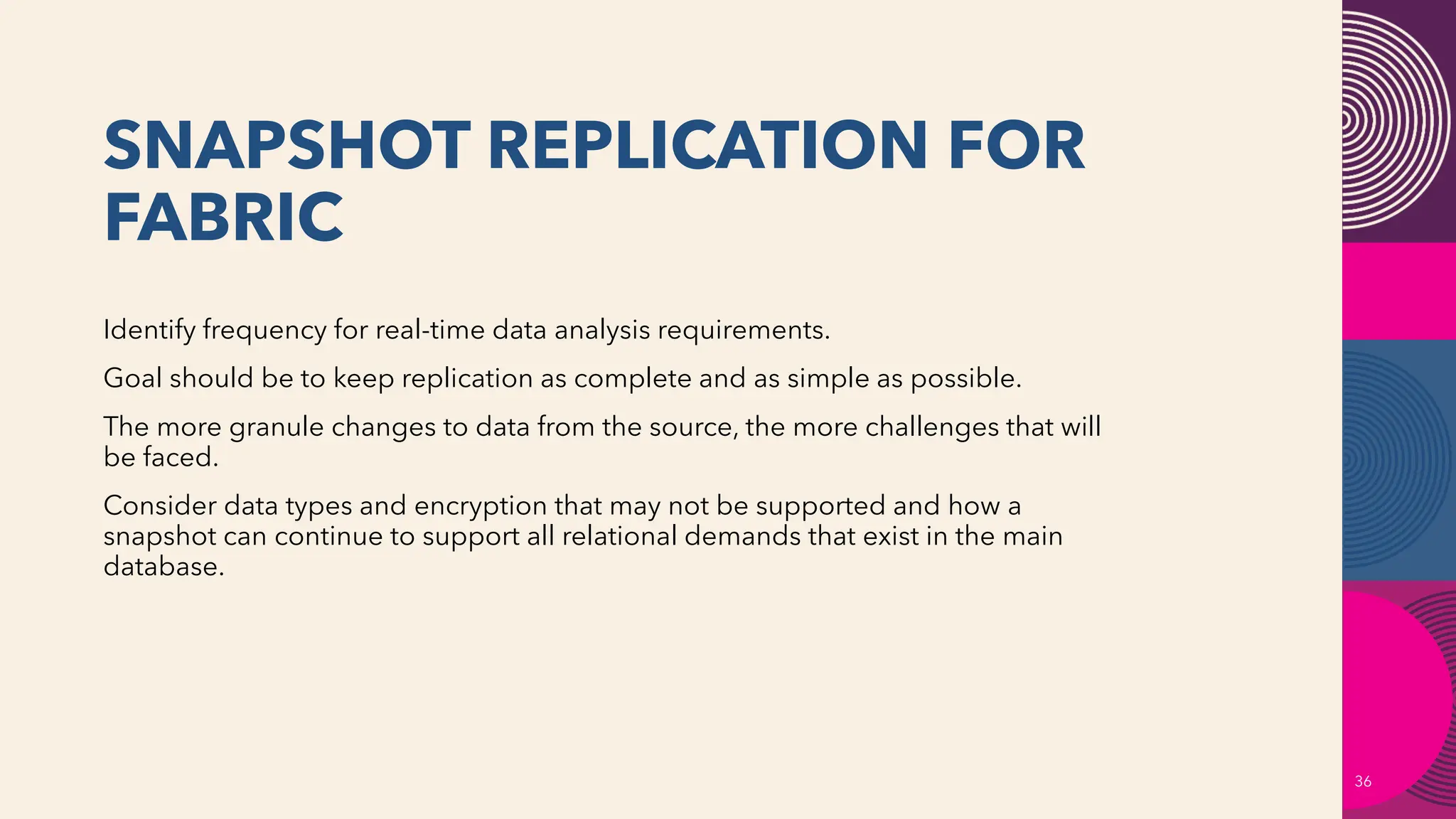
CONNECTING TO AN INSTANT
EXTRACT
37
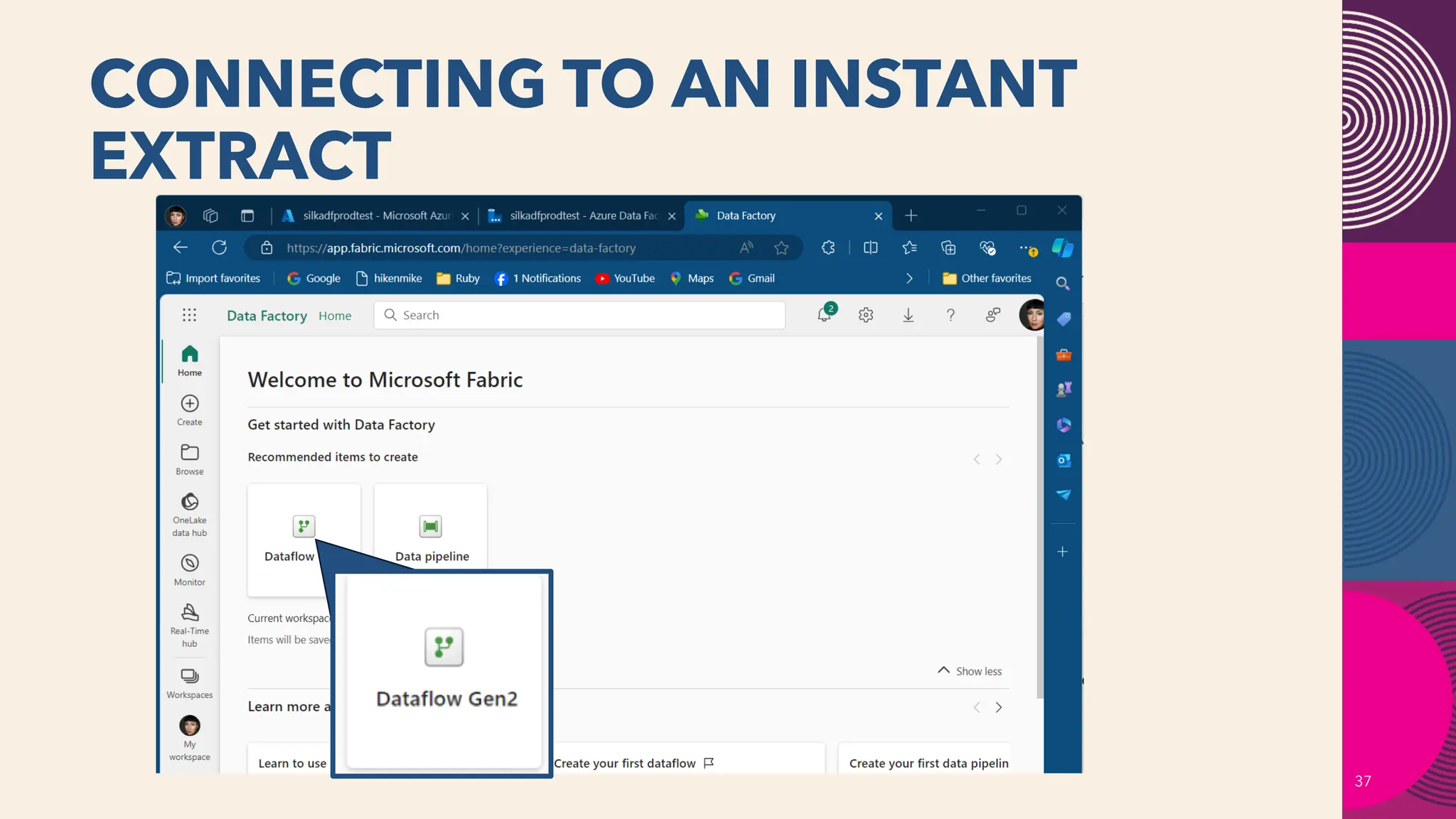
JUST LIKE ANY OTHER
DATABASE!
38
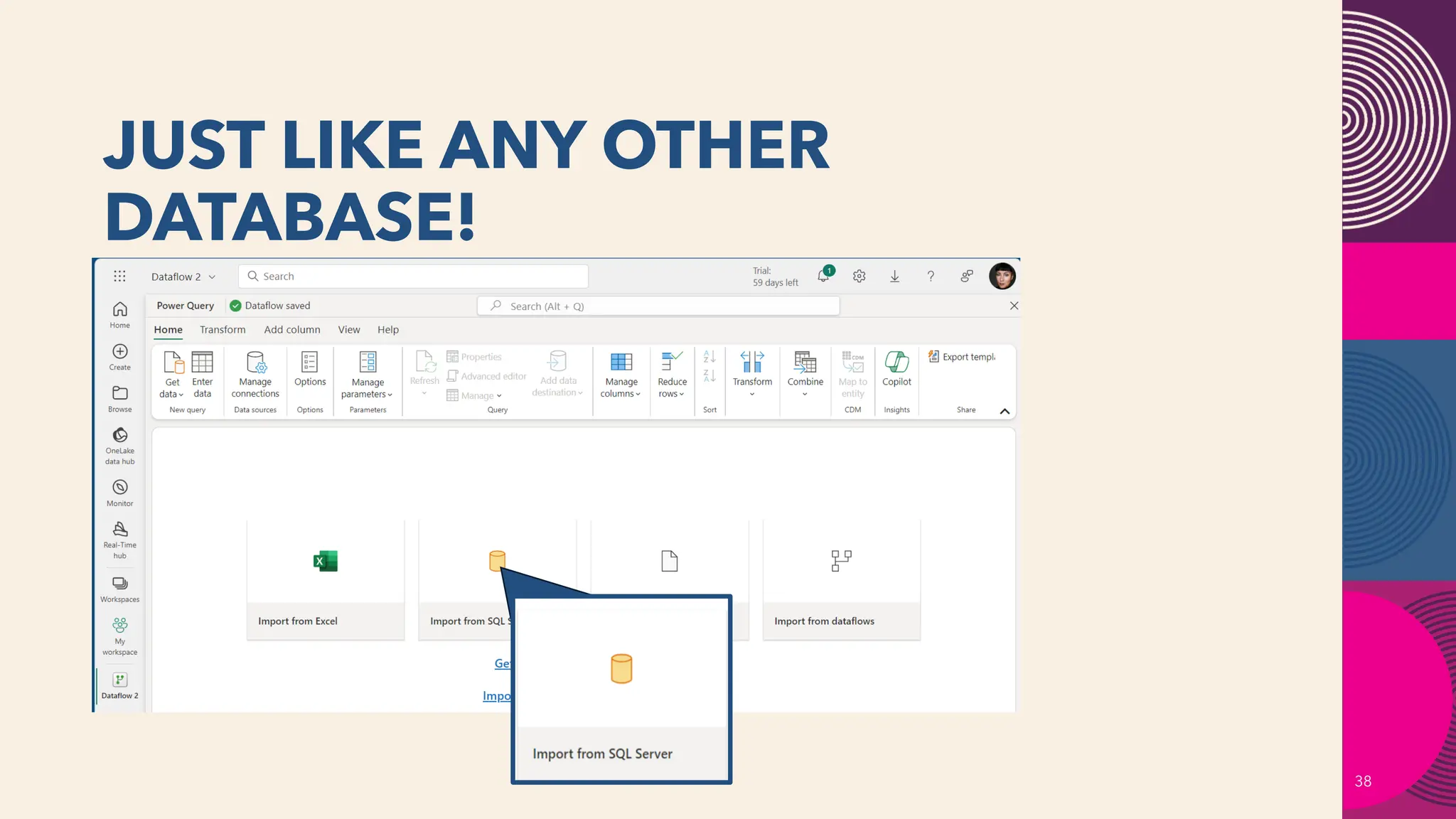
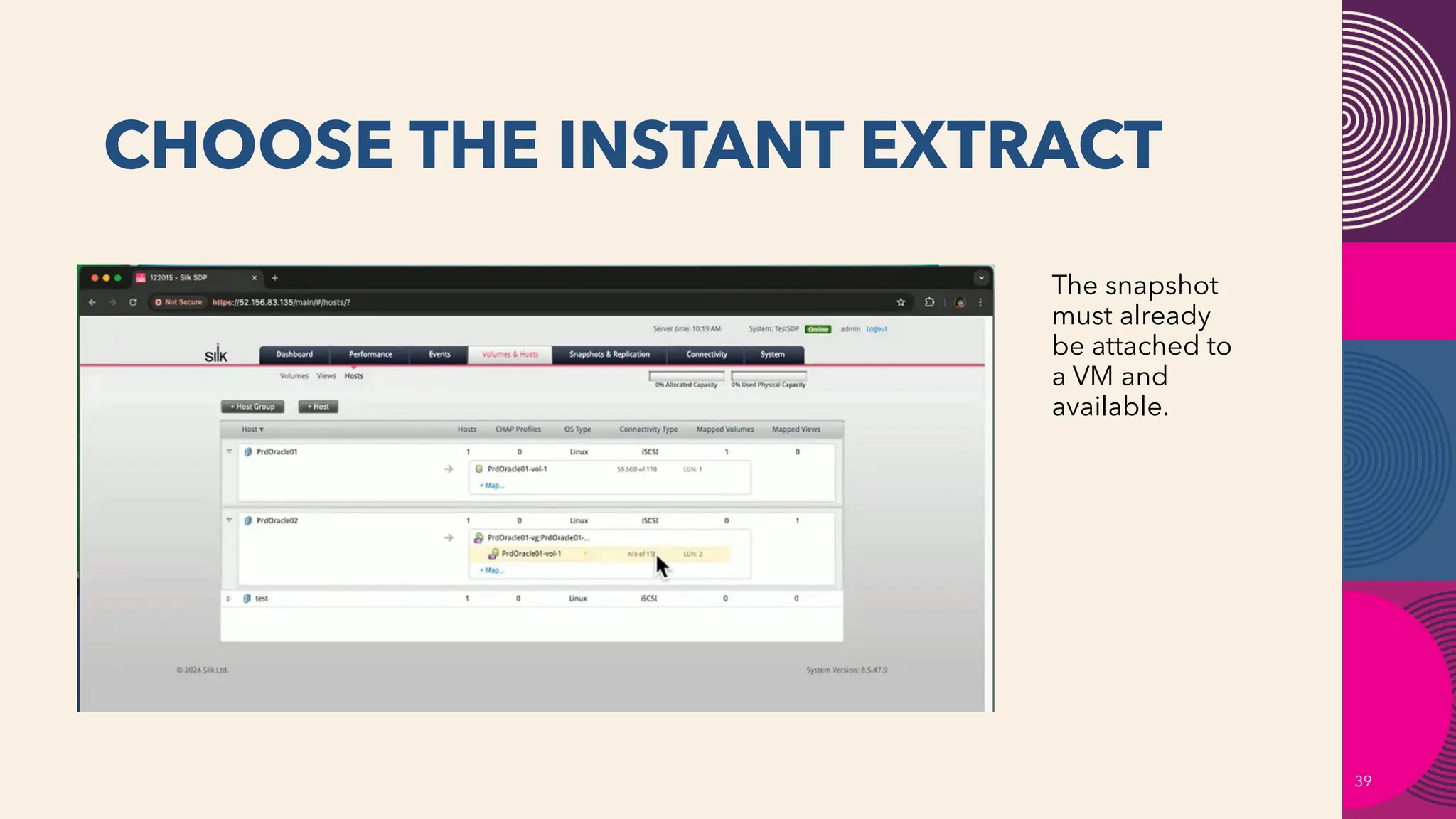
CHOOSE THE INSTANT EXTRACT
39
The snapshot
must already
be attached to
a VM and
available.
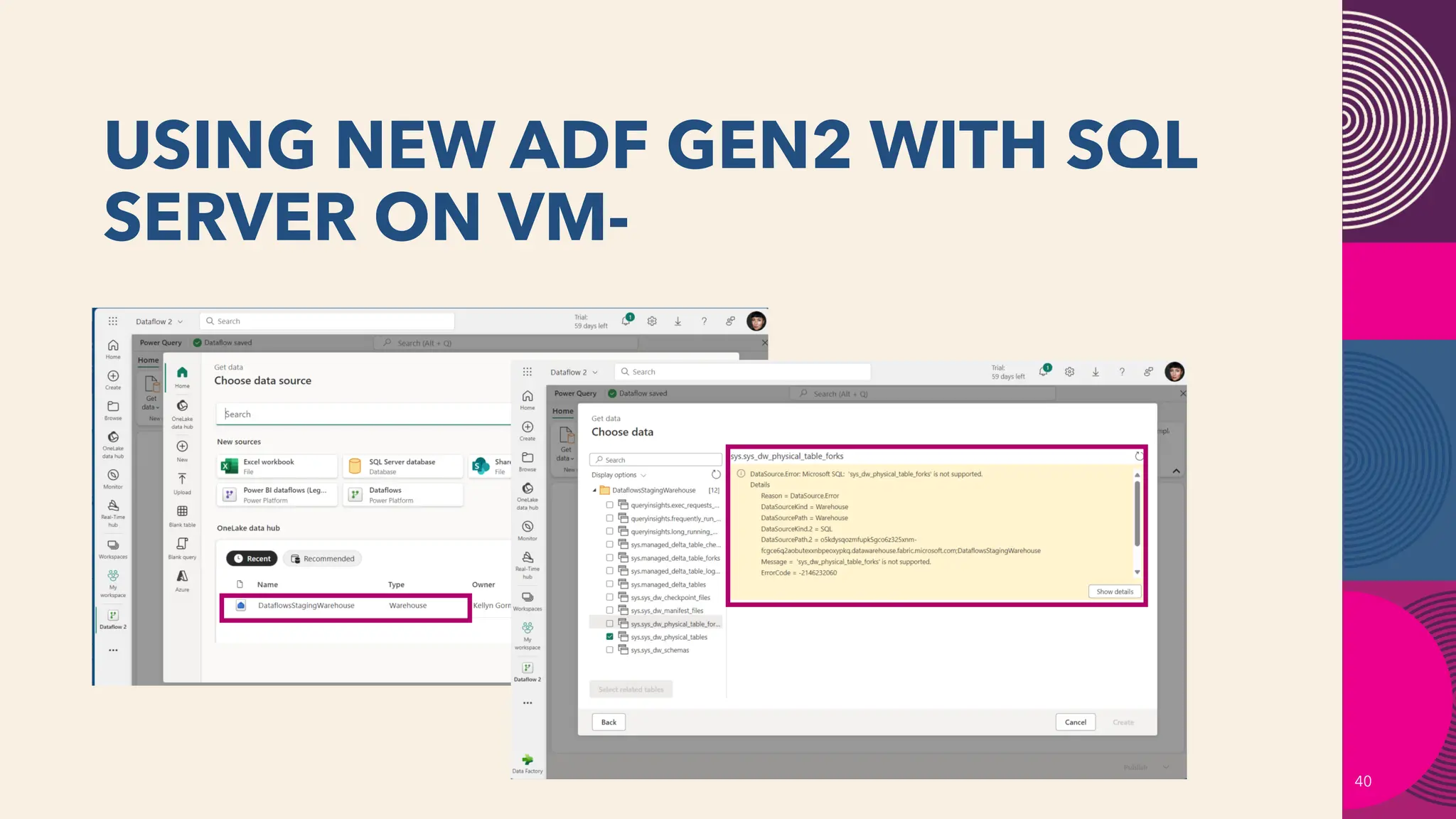
USING NEW ADF GEN2 WITH SQL
SERVER ON VM-
40
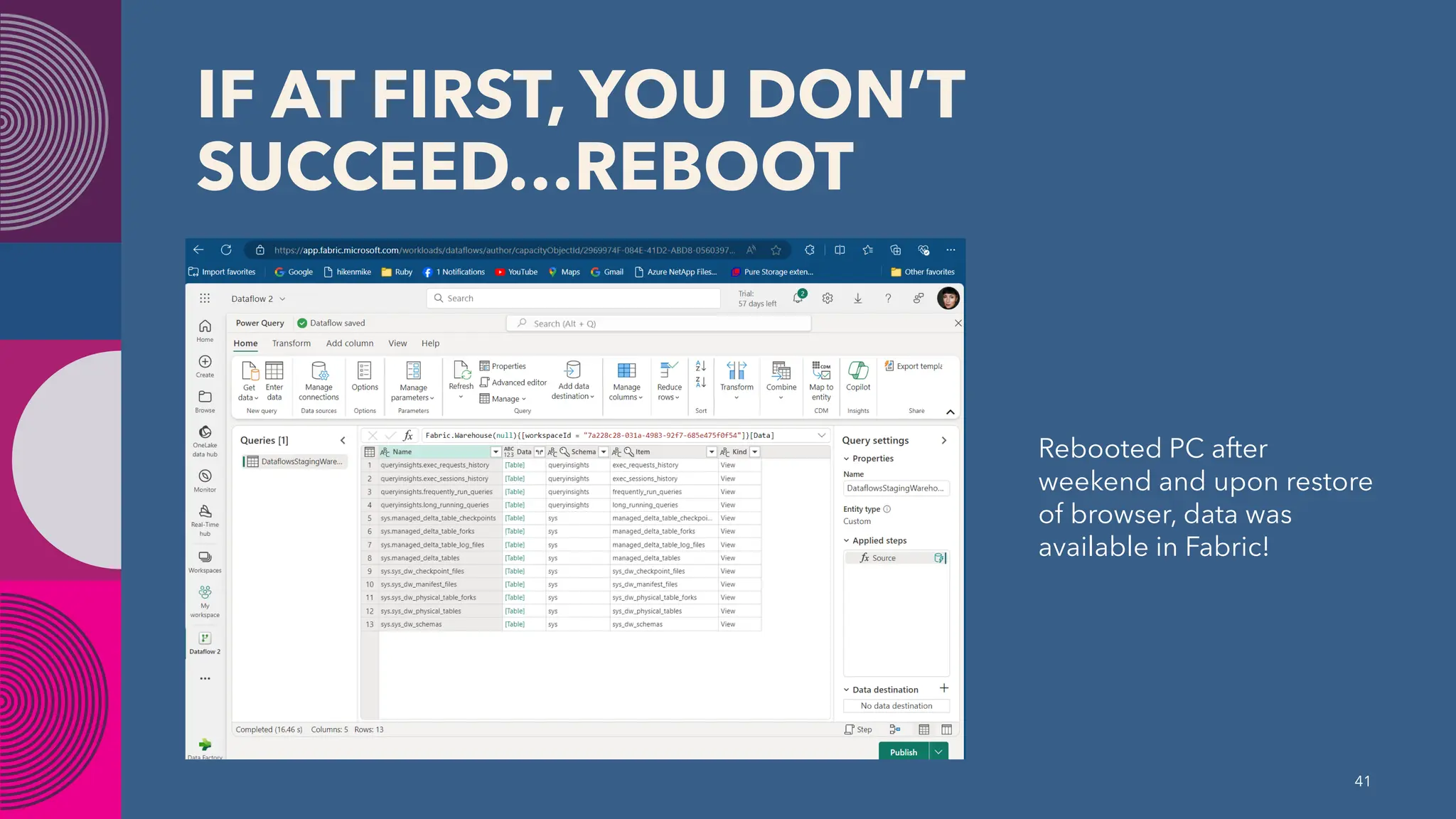
IF AT FIRST, YOU DON’T
SUCCEED…REBOOT
Rebooted PC after
weekend and upon restore
of browser, data was
available in Fabric!
41
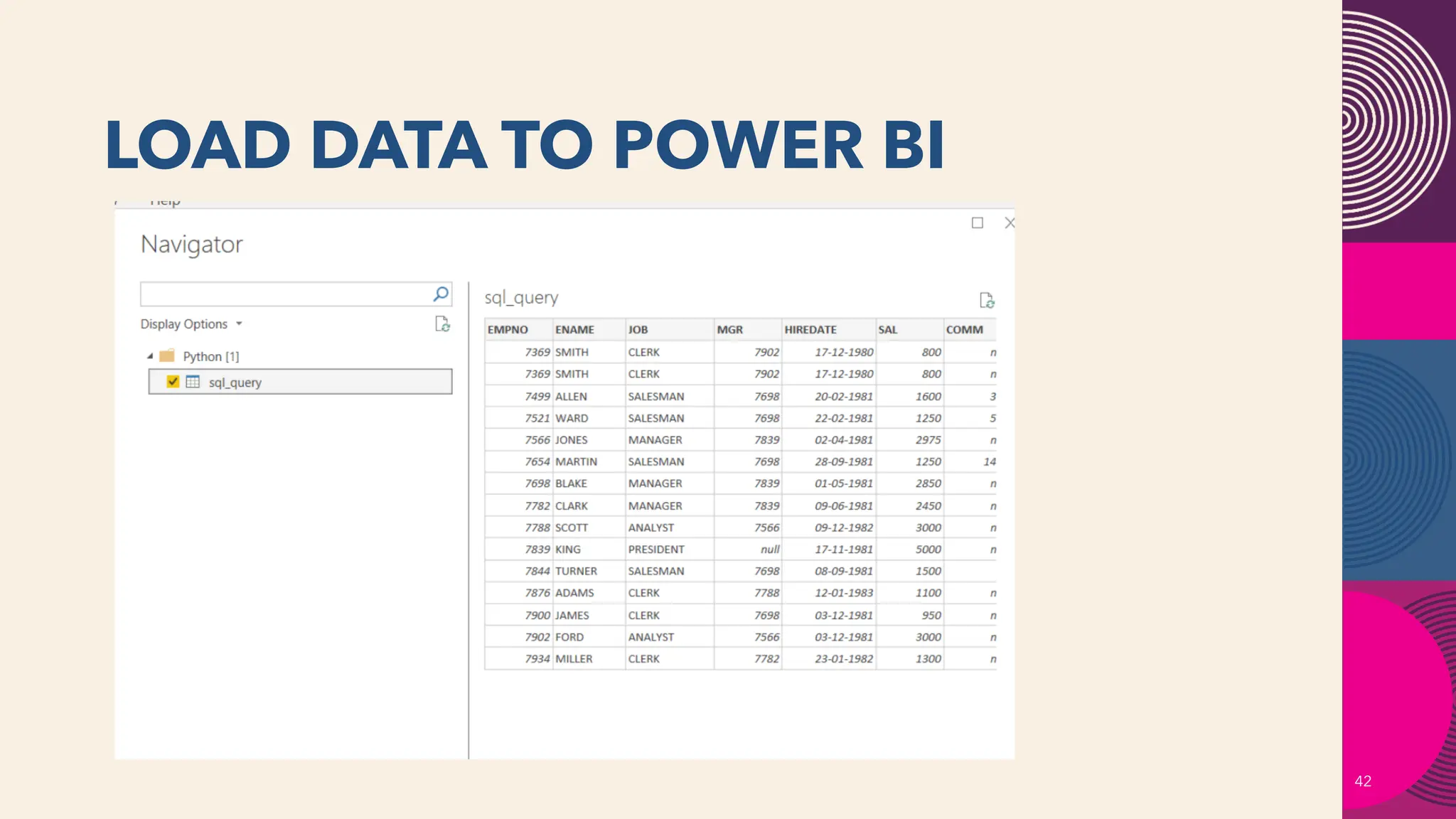
LOAD DATA TO POWER BI
42
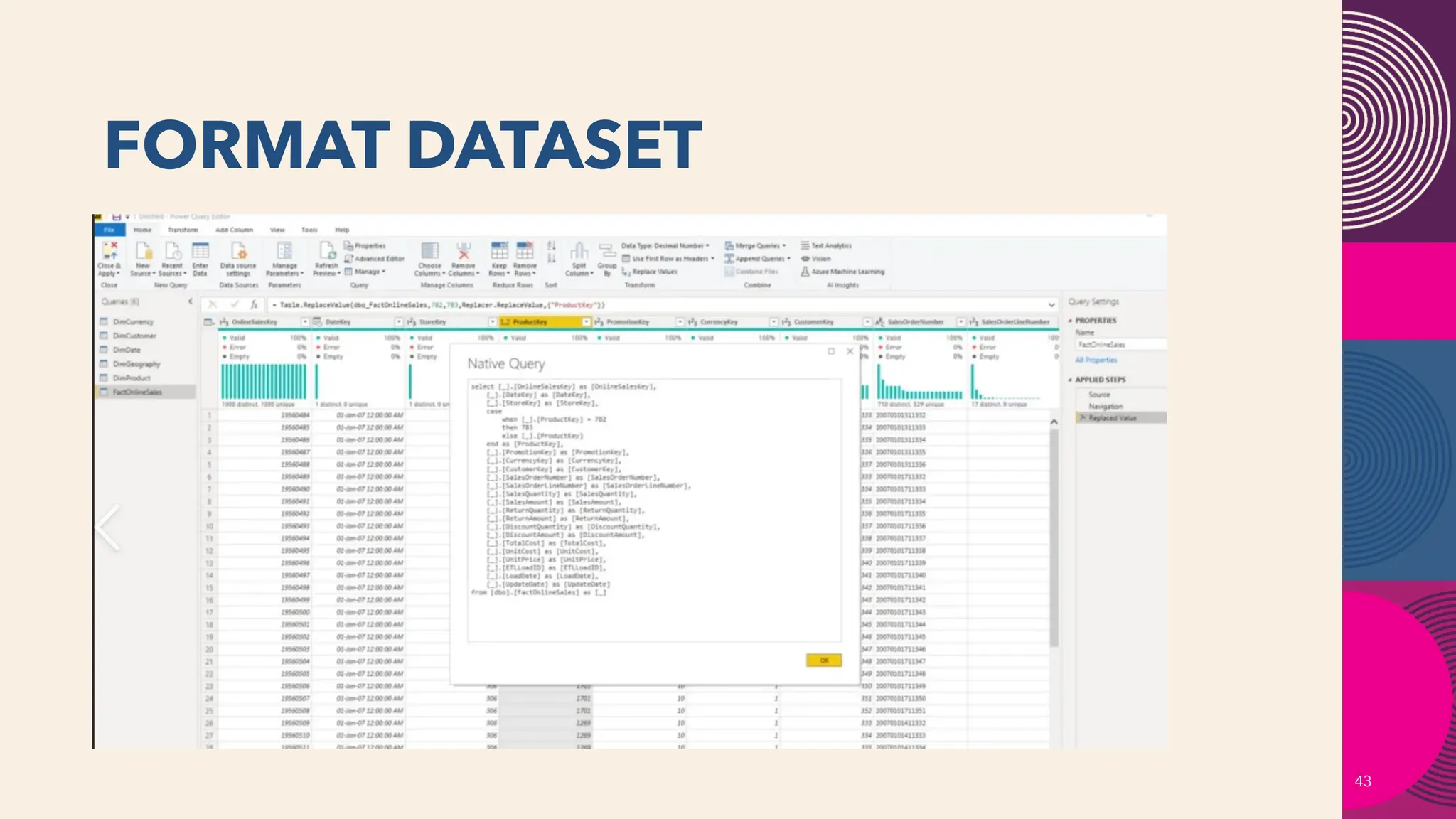
FORMAT DATASET
43
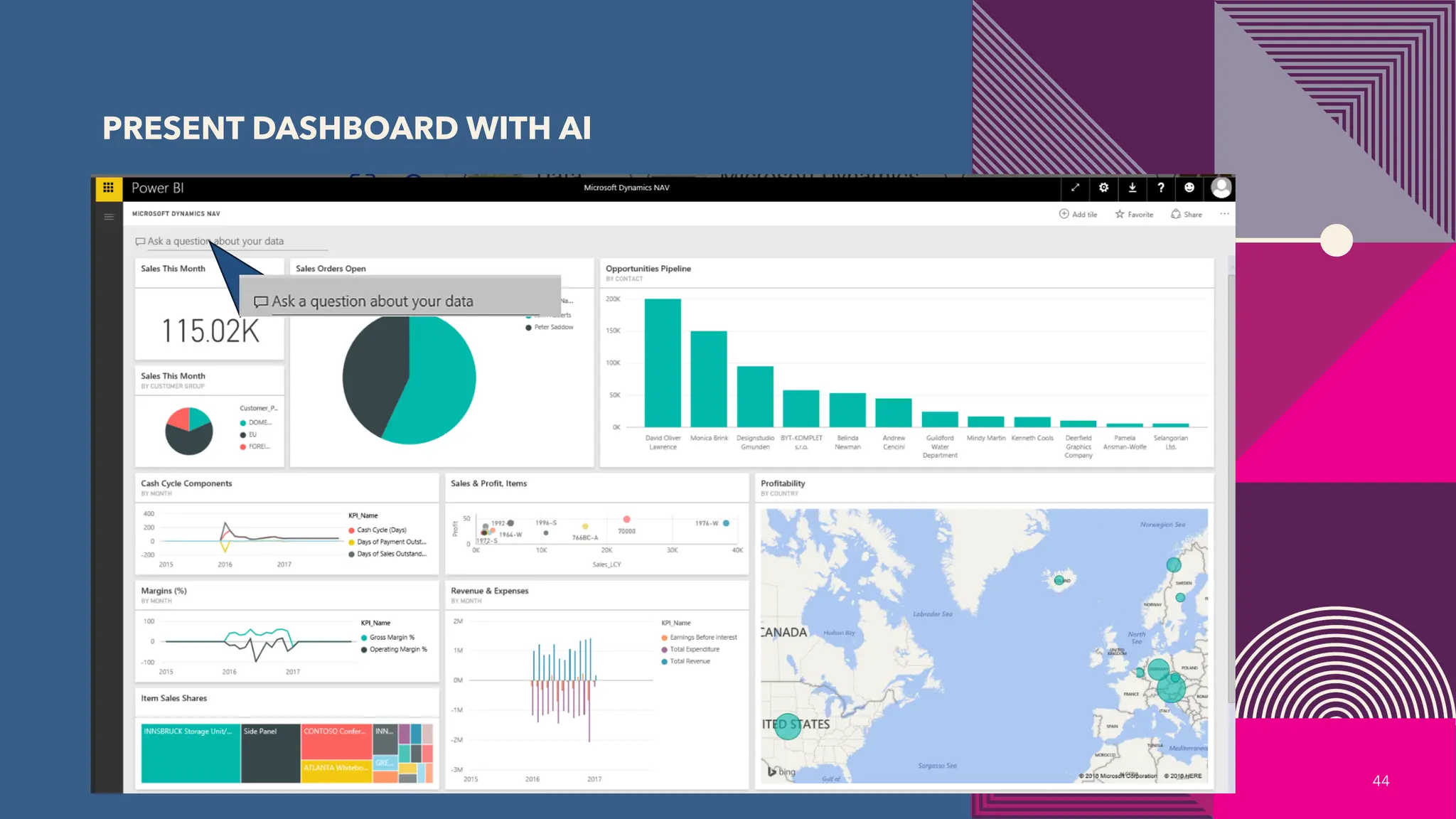
PRESENT DASHBOARD WITH AI
44
USING INSTANT
EXTRACTS FOR RAG
45
WHY USE INSTANT
EXTRACTS FOR RAG
• Critical data is retained in relational systems.
• Can isolate critical data and mask or redact as required for isolated
model training.
• With microservice and AI deployment, can isolate for masked data
to develop and test without exposing PII, HIPAA or other critical
data.
46
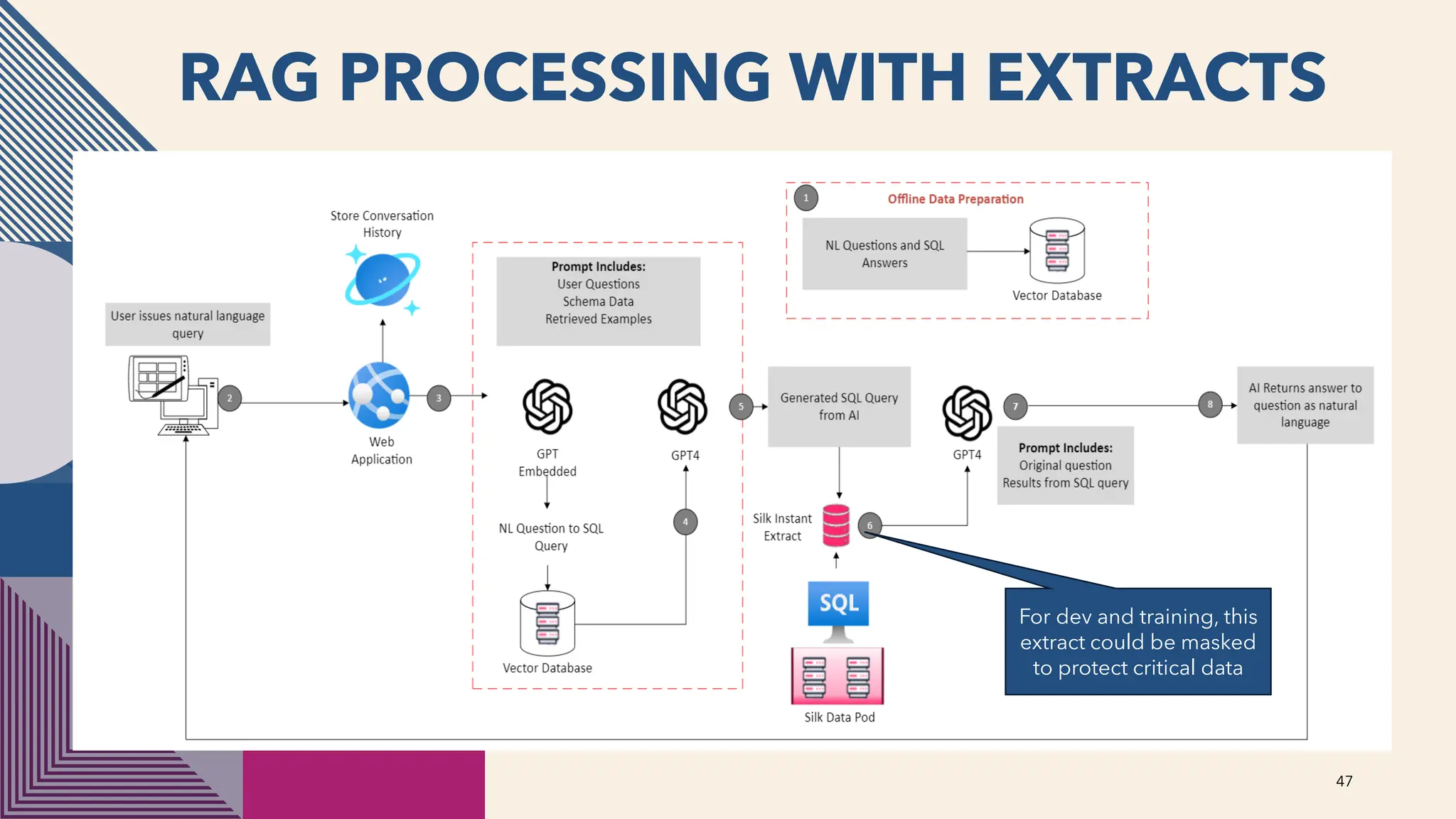
RAG PROCESSING WITH EXTRACTS
47
For dev and training, this
extract could be masked
to protect critical data
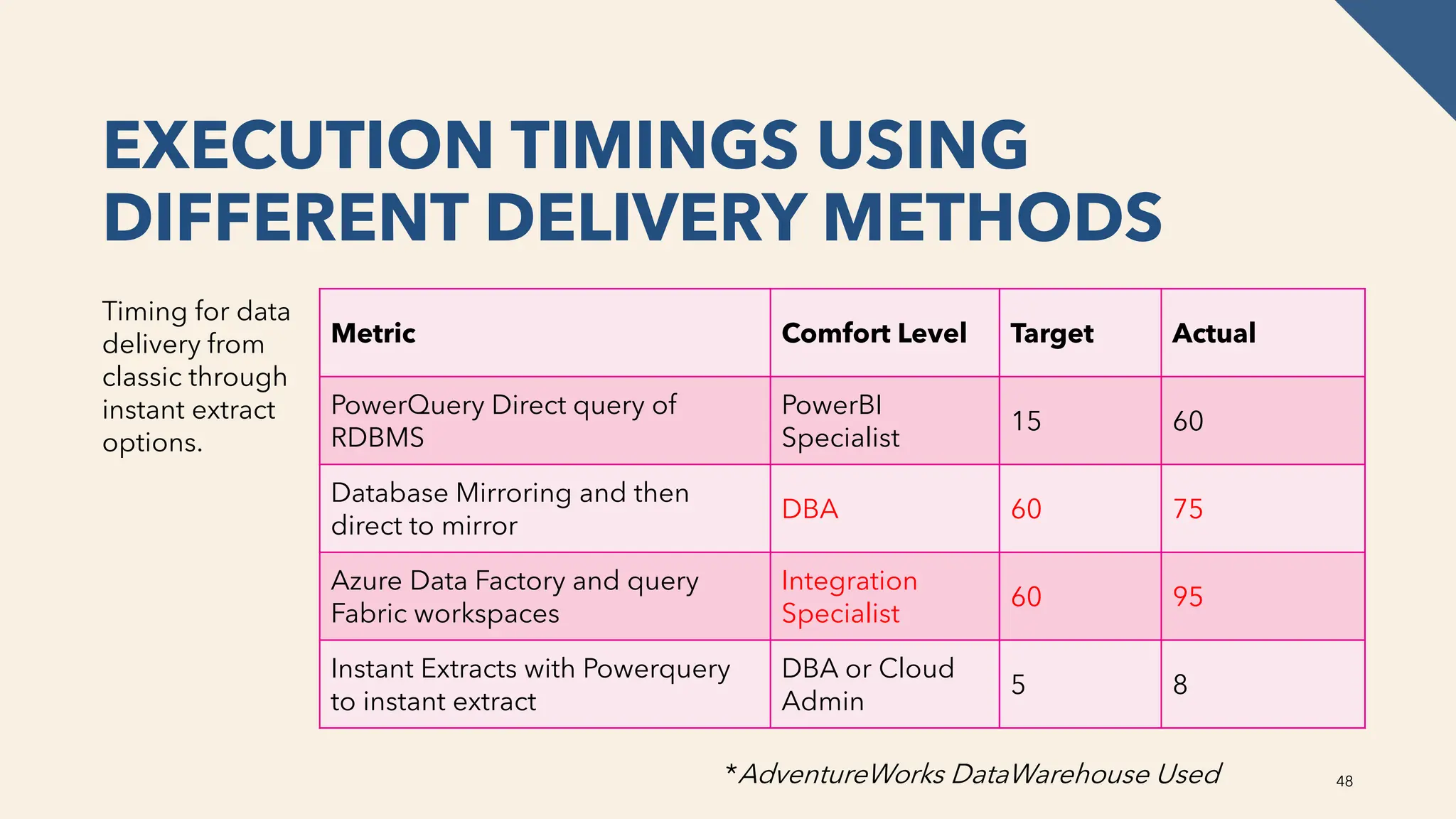
EXECUTION TIMINGS USING
DIFFERENT DELIVERY METHODS
Timing for data
delivery from
classic through
instant extract
options.
Metric Comfort Level Target Actual
PowerQuery Direct query of
RDBMS
PowerBI
Specialist
15 60
Database Mirroring and then
direct to mirror
DBA 60 75
Azure Data Factory and query
Fabric workspaces
Integration
Specialist
60 95
Instant Extracts with Powerquery
to instant extract
DBA or Cloud
Admin
5 8
48
*AdventureWorks DataWarehouse Used
REAL-WORLD EXAMPLES
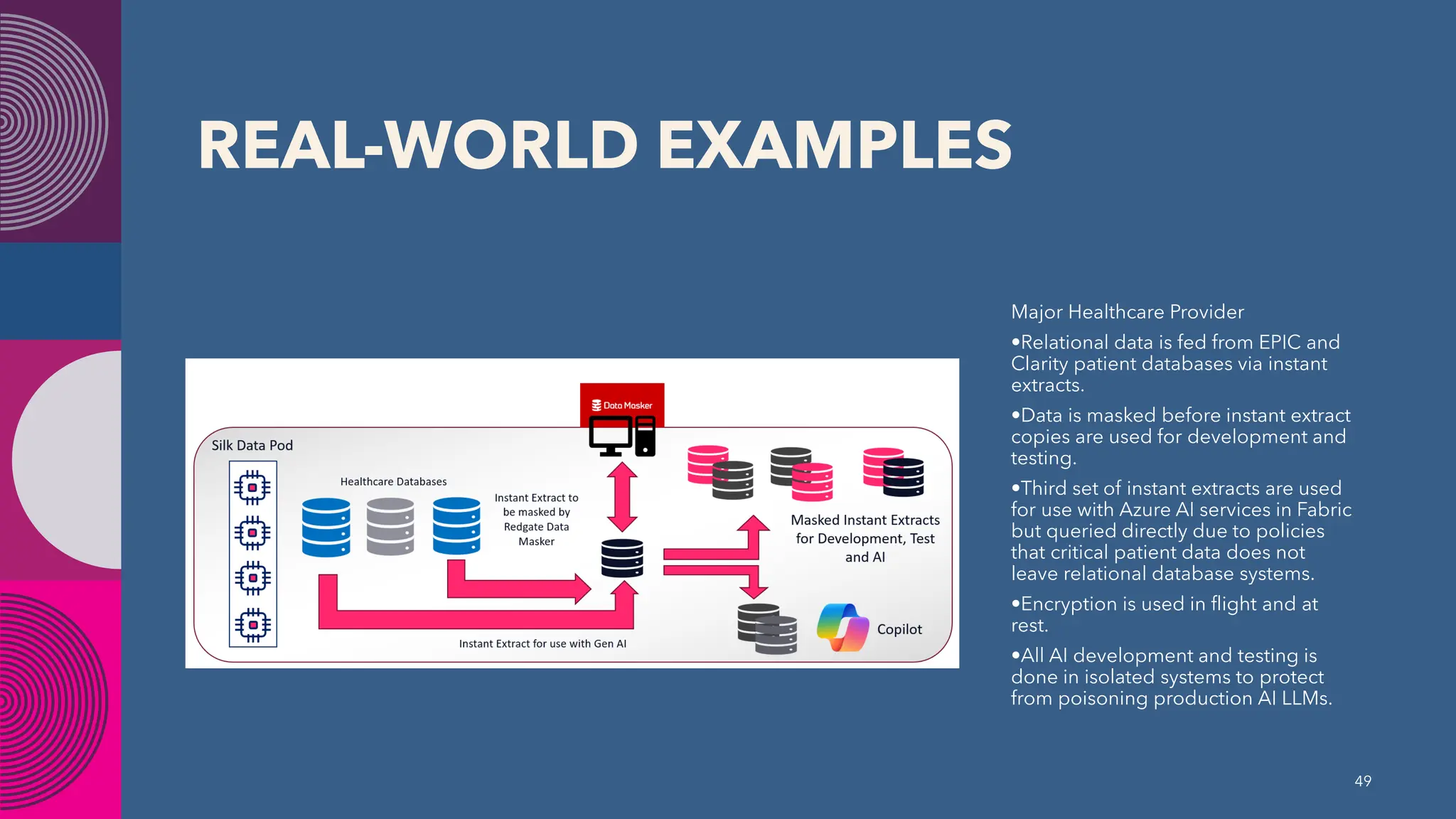
Major Healthcare Provider
•Relational data is fed from EPIC and
Clarity patient databases via instant
extracts.
•Data is masked before instant extract
copies are used for development and
testing.
•Third set of instant extracts are used
for use with Azure AI services in Fabric
but queried directly due to policies
that critical patient data does not
leave relational database systems.
•Encryption is used in flight and at
rest.
•All AI development and testing is
done in isolated systems to protect
from poisoning production AI LLMs.
49
FINAL TIPS & TAKEAWAYS
• Consider the criticality of the data that you’re working with.
• Use the right tool for the job.
• Relational data can be retained and used in conjunction with Fabric
and use zero-footprint
• Quick refresh options for analytics and AI processes.
• Secured, masked data for AI, and honestly, ALL development,
testing and training.
50
DON’T FORGET TO SUPPORT NTSSUG
Follow us on LinkedIn Join us monthly for more learning.
Third Thursday of every Month right here at
this same location.
Meetup Google
THANK YOU
Kellyn Gorman
Director of Data and AI, Silk
dbakevlar.com
Kellyn.Gorman@silk.us
@DBAKevlar
Questions?
Leveraging Instant Extracts with Azure Fabric

Leveraging Instant Extracts with Azure Fabric

  • 1.
  • 2.
    DATA SATURDAY DALLAS2024 SPONSOR SILVER GOLD
  • 3.
    Who am I?• Director of Data and AI at Silk • 30 Years in the Tech Industry • DBA (Oracle, SQL Server, MySQL, PostgreSQL…) • DevOps, Analytics and AI • Cloud Migrations and High IO Infrastructure • Co-Leader for the Data Platform DEI Group • Advisor for the Data Platform WIT Group https://www.linkedin.com/in/kellyngorman/ https://dbakevlar.com https://x.com/dbakevlar Various Online platforms as DBAKevlar!
  • 4.
    What do Ido • I build technical “Legos” • I architect how technology works together. • I build products/features that fill in holes between products that exist today • I solve problems. • I work in the Product Group at Silk and consult with secondary companies, such as DZone, LinkedIn and Redgate… 4
  • 5.
    THE DATA LAKECONUNDRUM 5 Data lakes are for data scientists, not business professionals. ACID support is rarely available. Data lakes are more vulnerable to data silos and data sprawl. Data lakes don’t possess the robust security layers built into relational systems. They often create compliance risks for certain critical data Recent data breaches and lawsuits have demonstrated how data lakes have challenged customers who thought it simply would replace relational systems of yesterday.
  • 6.
    THE DATA LAKECONUNDRUM 6 Data lakes are for data scientists, not business professionals. ACID support is rarely available. Data lakes are more vulnerable to data silos and data sprawl. Data lakes don’t possess the robust security layers built into relational systems. They often create compliance risks for certain critical data Recent data breaches and lawsuits have demonstrated how data lakes have challenged customers who thought it simply would replace relational systems of yesterday.
  • 7.
    THE GOAL FORTHIS SESSION IS… NOT say data lakes are bad, but that you should use data lakes for the right data and for the right reasons. Next, I will show you how to use relational databases with Fabric without impacting what it needs to do each day. 7
  • 8.
    OVERVIEW OF AZURE FABRICAND INTEGRATION TO AI •What is Azure Fabric? •Key components of Azure Fabric •Services •How Azure Fabric supports AI and data processing
  • 10.
    UNIFIED ANALYTICS PLATFORM •Microsoft Fabric provides an end-to-end, unified analytics platform for data ingestion, transformation, storage, and analysis. Power BI integrates directly with this platform to enable data visualization and reporting. This integration allows users to: • Access data across Data Lakes, Lakehouses, and Data Warehouses managed by Microsoft Fabric. • Perform real-time analytics and create interactive reports and dashboards in Power BI. 10
  • 11.
    DATA ACCESS ANDINGESTION • With Azure Fabric, you can bring data from multiple sources into the platform, such as: • Azure Data Lake Storage (ADLS Gen2) for storing raw data. • Azure Synapse Analytics for data warehousing and large-scale analytics. • Data Pipelines from sources like SQL Server, Oracle, SaaS applications, and IoT devices using tools like Azure Data Factory or Synapse Pipelines. 11
  • 12.
    POWER BI CANCONNECT DIRECTLY TO DATA THROUGH DIRECTQUERY, IMPORT MODE, OR COMPOSITE MODELS, ALLOWING REAL-TIME OR SCHEDULED DATA REFRESHES. 12
  • 13.
    POWER BI INTEGRATION PowerBI is natively integrated with Microsoft Fabric, providing features like: • Auto-discovery of Fabric data models: Power BI automatically detects data models and datasets in Microsoft Fabric for reporting and visualization. • Lakehouse Integration: Power BI can connect directly to Lakehouses created in Microsoft Fabric, which store structured and unstructured data. • Enhanced Performance: Power BI's DirectQuery and Composite Models allow users to work with large datasets stored in Fabric without needing to move the data. This reduces latency and improves performance in handling real-time data 13
  • 14.
    LAKEHOUSE AND WAREHOUSEFOR DATASETS • With Microsoft Fabric’s Lakehouse and Data Warehouse capabilities, users can easily convert these data stores into Power BI datasets. These datasets can then be used to create reports and dashboards in Power BI, making it easy to visualize data directly from your analytics platform. 14
  • 15.
    ADVANCED ANALYTICS Power BIleverages the AI capabilities of Microsoft Fabric to provide advanced features such as: • AI-driven insights: Use Azure Machine Learning models or pre- built AI models to generate predictions or recommendations, and visualize the outcomes in Power BI. • Dataflows: These can be used to pre-process or cleanse data within Power BI before connecting it to the data stored in Microsoft Fabric, ensuring clean and consistent data for analysis. 15
  • 16.
    COLLABORATION AND SHARING Fabricand Power BI promote collaboration between data engineers, analysts, and business users by: • Workspaces: Shared workspaces allow teams to collaborate on datasets, reports, and dashboards in Power BI, backed by data stored and processed in Fabric. • Power BI Service Integration: Reports and dashboards created in Power BI Desktop can be published directly to the Power BI Service, where they can interact with Fabric data and be shared across organizations 16
  • 17.
    AZURE MACHINE LEARNING AzureMachine Learning (Azure ML) • Azure Machine Learning integrates directly with Azure Fabric to support the full machine learning lifecycle, from model development to deployment and management. • Model Training: Use Fabric’s data lakes and warehouses as data sources for training machine learning models. • Model Deployment: Models built in Azure ML can be deployed as web services and integrated with Fabric for batch or real-time scoring. • AutoML: Automates the process of selecting algorithms, feature engineering, and model tuning, accessible within the Fabric environment. • ML Pipelines: Build end-to-end machine learning workflows by connecting data in Fabric to model training, evaluation, and deployment. 17
  • 18.
    AZURE COGNITIVE SERVICES AzureCognitive Services provides pre-built APIs for incorporating AI into applications without needing extensive AI expertise. It can be integrated with Fabric to process and analyze unstructured data, automate tasks, and enhance user’s experice: • Language: For natural language processing (NLP), sentiment analysis, and text translation. • Vision: Image recognition, object detection, and OCR (Optical Character Recognition). • Speech: Speech-to-text, text-to-speech, and real-time translation of spoken language. • Decision: Services like anomaly detection and personalized recommendation • Azure OpenAI Service: Leverage large language models (LLMs) like GPT for text generation, summarization, and conversational AI 18
  • 19.
    AZURE SYNAPSE ANALYTICS AzureSynapse is part of the Fabric platform, and it offers deep AI and machine learning integration, making it easier to analyze large-scale data. • Big Data Analytics: Use Spark pools within Synapse to process big data using distributed computing, and integrate with AI models for insights. • Built-in Notebooks: Synapse integrates with Jupyter Notebooks for interactive data exploration and model development using Python, Spark, and machine learning libraries. • Machine Learning Integration: Models trained within Azure ML can be integrated into Synapse pipelines to run AI/ML jobs over Fabric data. 19
  • 20.
    AZURE COGNITIVE SEARCH AzureCognitive Search can be integrated with Fabric to provide intelligent search experiences over large data sets. • AI-Powered Search: Incorporate natural language processing (NLP) to understand queries better and return more relevant results. • Text Analytics and Knowledge Mining: Use AI to extract key insights from unstructured data in Fabric’s lakehouses or warehouses. • Document Processing: Enhance search capabilities by adding layers of understanding to documents through AI-based skill sets like language detection, key phrase extraction, and sentiment analysis 20
  • 21.
    POWER BI AISERVICES Power BI, as a visualization and reporting tool integrated with Fabric, also offers built-in AI capabilities that can enhance analytics: • Key Influencers: Automatically detect the factors that most influence a metric or outcome using machine learning models. • AI-Driven Insights: Use Quick Insights to identify trends, anomalies, and patterns in data without needing to manually build models. • Cognitive Services Integration: Embed text analytics, sentiment analysis, and image recognition within Power BI reports using Azure Cognitive Services. • AutoML in Power BI: Power BI can leverage AutoML to build machine learning models within the dataflows, directly integrated with Fabric’s data sources. 21
  • 22.
    AZURE OPEN AISERVICE Azure OpenAI Service offers access to advanced large language models (LLMs), such as GPT-3 and GPT-4, for tasks like: • Natural Language Processing (NLP): Text generation, summarization, and translation. • Text Analytics: Extract information from text data stored in Fabric’s lakehouse or warehouse. • AI-Powered Automation: Generate responses or automate tasks using conversational AI and Fabric data. 22
  • 23.
    AZURE COGNITIVE VISION AzureForm Recognizer and other Vision services can be used to extract structured data from unstructured documents, making it easy to analyze: • Document Processing: Extract information like invoices, receipts, and contracts from files stored in Fabric’s data lakes. • OCR and Handwriting Recognition: Leverage optical character recognition (OCR) to convert images of text into usable data. 23
  • 24.
    WHY PURVIEW 24 • DataGovernance: Azure Purview is essential for enterprises aiming to implement comprehensive data governance strategies. • Data Lineage for Compliance: Especially critical for industries like finance, healthcare, and insurance, where tracking the lineage of data is important for regulatory reasons. • Sensitive Data Classification: Azure Purview helps identify and classify sensitive data to ensure proper handling, thus reducing risks of data breaches or non-compliance with privacy laws This is a necessary layer to Fabric that many are missing today and most likely will be missing going forward to classify data and eliminate data vulnerability.
  • 25.
    NOW THAT WE KNOWALL THIS, WHAT IS COMMON ARCHITECTURE?
  • 26.
  • 27.
    DATA SECURITY INFABRIC 27 Encryption: Data in OneLake is encrypted at rest by default using Microsoft-managed keys. Encryption is transparent and FIPS 140-2 compliant. TDE exists, but without Customer- Managed Keys. Role-based access control (RBAC): You can define security roles that grant read access to specific folders within a Fabric item. You can then assign these roles to users or groups. Fine- grained controlled don’t exist at this time and are quite broad. No row-level security exists. Column-level security requires complex work arounds. Auditing: Activity can be logged, but limited and nothing around what records have been accessed, etc. It’s not at the level to meet SOX or HIPAA requirements. Networking: Understanding private endpoints are essential to ensure vulnerabilities at the network layer aren’t introduced. No DDoS protection at this time exists.
  • 28.
    RDBMS SECURITY 28 Transparent DataEncryption (TDE): Encrypts data at rest in the database, making it difficult for attackers to read directly from storage. This is available on top of host-level encryption or network encryption. Data Redaction: Dynamically masks data as it's selected from the database, based on conditions like IP address, program used, or time of day. Strong authentication: Helps protect against unauthorized access to the database. MFA and other authentication is secondary to this and included at the IaaS layer. Network encryption and authentication: Integrates with network encryption and authentication solutions and additional to what is offered in Fabric, along with DDoS protection offered IaaS. Key Vault: Manages encryption keys and secrets, including passwords, SSH keys, and Wallets. Role-Based Access: down to the column and row level, not just the table or folder level. Multi-level Configuration: Relational Systems have a logical and physical file level, meaning that the data requires a client to access the logical data, unlike text files.
  • 29.
    WHY NOT JUSTUSE THE PRODUCTION DATABASE? 29 • Already supporting transactional or legacy demands. • Scaling for analytics isn’t cost- effective. • Data loads can be time consuming. • Data in relational systems may need to be denormalized. • Storage and network latency.
  • 30.
    WHY NOT JUSTUSE MIRRORING? 30 Azure data mirroring is a low-latency replication of your data into Azure Cosmos DB. It creates a continuous and incremental copy of your data, without affecting your transactional workloads on the source database or container. CosmosDB has RBAC, but the granularity of control is very limited- much too limited for sensitive data. It uses two keys for access to the database. As these provide full access, if they are compromised, they can expose the entire database. Frequent key rotation is a requirement. It only uses basic encryption and lacks DDoS protection natively.
  • 31.
    UNDERSTANDING VOLUME SNAPSHOTS 31 •Snapshot intime •Can be thick or thin- what does that mean? •Instantaneous. •Can be application consistent or storage consistent.
  • 32.
    WHY USE INSTANTEXTRACTS/VOLUME SNAPSHOTS FOR FABRIC? • Data security policies • Data timeliness • Data sprawl • Data access control 32 X
  • 33.
    WHAT IS SNAPSHOT REPLICATION 33 Physicalcopy of data from storage or native database solution. Ensures workload is using resources outside of production system. Requires refresh or resync of data on regular interval. May use masking or subsetting in conjunction with snapshot process. Can also be referred to as a clone, but cloning can be numerous technologies- read up on the specifics.
  • 34.
    SNAPSHOTS/INSTANT EXTRACTS 34 Creating andmanaging snapshots in Azure can be done from command line or User Interface, but are simply a pointer to a golden copy:
  • 35.
  • 36.
    SNAPSHOT REPLICATION FOR FABRIC 36 Identifyfrequency for real-time data analysis requirements. Goal should be to keep replication as complete and as simple as possible. The more granule changes to data from the source, the more challenges that will be faced. Consider data types and encryption that may not be supported and how a snapshot can continue to support all relational demands that exist in the main database.
  • 37.
    CONNECTING TO ANINSTANT EXTRACT 37
  • 38.
    JUST LIKE ANYOTHER DATABASE! 38
  • 39.
    CHOOSE THE INSTANTEXTRACT 39 The snapshot must already be attached to a VM and available.
  • 40.
    USING NEW ADFGEN2 WITH SQL SERVER ON VM- 40
  • 41.
    IF AT FIRST,YOU DON’T SUCCEED…REBOOT Rebooted PC after weekend and upon restore of browser, data was available in Fabric! 41
  • 42.
    LOAD DATA TOPOWER BI 42
  • 43.
  • 44.
  • 45.
  • 46.
    WHY USE INSTANT EXTRACTSFOR RAG • Critical data is retained in relational systems. • Can isolate critical data and mask or redact as required for isolated model training. • With microservice and AI deployment, can isolate for masked data to develop and test without exposing PII, HIPAA or other critical data. 46
  • 47.
    RAG PROCESSING WITHEXTRACTS 47 For dev and training, this extract could be masked to protect critical data
  • 48.
    EXECUTION TIMINGS USING DIFFERENTDELIVERY METHODS Timing for data delivery from classic through instant extract options. Metric Comfort Level Target Actual PowerQuery Direct query of RDBMS PowerBI Specialist 15 60 Database Mirroring and then direct to mirror DBA 60 75 Azure Data Factory and query Fabric workspaces Integration Specialist 60 95 Instant Extracts with Powerquery to instant extract DBA or Cloud Admin 5 8 48 *AdventureWorks DataWarehouse Used
  • 49.
    REAL-WORLD EXAMPLES Major HealthcareProvider •Relational data is fed from EPIC and Clarity patient databases via instant extracts. •Data is masked before instant extract copies are used for development and testing. •Third set of instant extracts are used for use with Azure AI services in Fabric but queried directly due to policies that critical patient data does not leave relational database systems. •Encryption is used in flight and at rest. •All AI development and testing is done in isolated systems to protect from poisoning production AI LLMs. 49
  • 50.
    FINAL TIPS &TAKEAWAYS • Consider the criticality of the data that you’re working with. • Use the right tool for the job. • Relational data can be retained and used in conjunction with Fabric and use zero-footprint • Quick refresh options for analytics and AI processes. • Secured, masked data for AI, and honestly, ALL development, testing and training. 50
  • 51.
    DON’T FORGET TOSUPPORT NTSSUG Follow us on LinkedIn Join us monthly for more learning. Third Thursday of every Month right here at this same location. Meetup Google
  • 52.
    THANK YOU Kellyn Gorman Directorof Data and AI, Silk dbakevlar.com Kellyn.Gorman@silk.us @DBAKevlar Questions?