KnowledgeVision Systems, Inc.
                                       Michael E. Kolowich, Founder/CEO
                                       michael@knowledgevision.com
                                       (978) 254-1221

                                       @MichaelKolowich


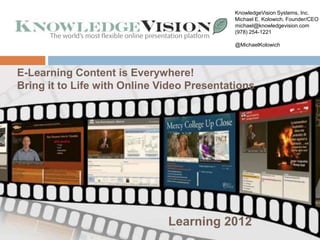
E-Learning Content for Forrester Research
          Briefing is Everywhere!
Bring it to Life with Online Video Presentations


                           Learning 2012
                           -1-
“To see what is
in front of our nose
is a constant struggle.”
        -George Orwell
         “In Front of Your Nose”


                                   -2-
So it is with e-Learning Content
in our organizations…


                  -3-
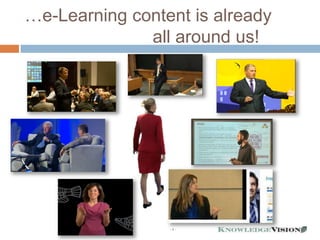
…e-Learning content is already
              all around us!


                 -4-
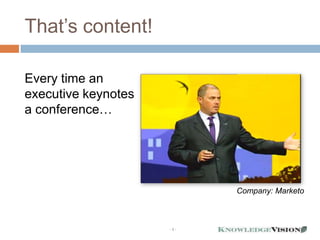
That’s content!

Every time an
executive keynotes
a conference…


                           Company: Marketo


                     -5-
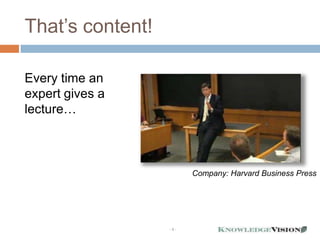
That’s content!

Every time an
expert gives a
lecture…


                        Company: Harvard Business Press


                  -6-
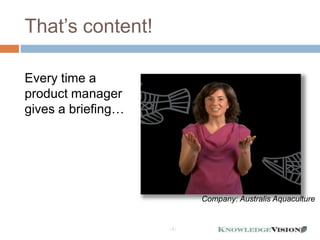
That’s content!

Every time a
product manager
gives a briefing…


                          Company: Australis Aquaculture


                    -7-
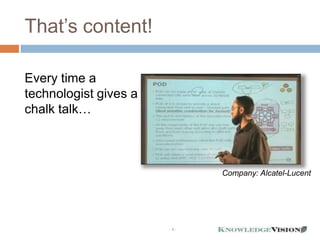
That’s content!

Every time a
technologist gives a
chalk talk…


                             Company: Alcatel-Lucent


                       -8-
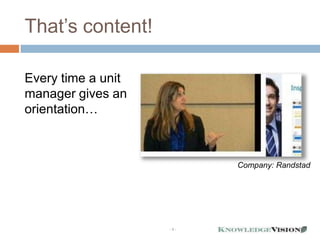
That’s content!

Every time a unit
manager gives an
orientation…


                          Company: Randstad


                    -9-
That’s content!

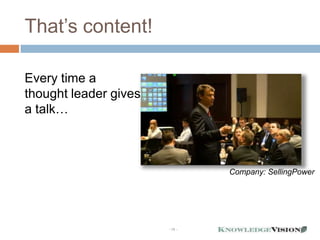
Every time a
thought leader gives
a talk…


                                Company: SellingPower


                       - 10 -
That’s content!

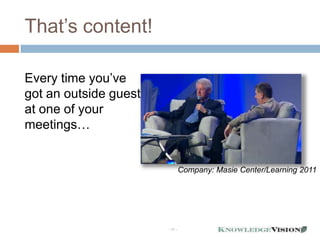
Every time you’ve
got an outside guest
at one of your
meetings…


                                Company: Masie Center/Learning 2011


                       - 11 -
How much potential
e-Learning content is
lurking “in the wild” in
your organization?


- 12 -
Here’s the rub…
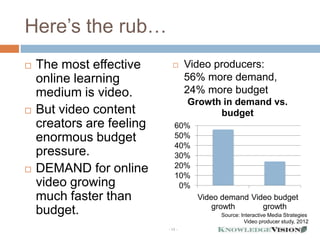
   The most effective             Video producers:
    online learning                 56% more demand,
    medium is video.                24% more budget
                                    Growth in demand vs.
   But video content                     budget
    creators are feeling       60%
    enormous budget            50%
                               40%
    pressure.                  30%
                               20%
   DEMAND for online          10%
    video growing               0%
    much faster than                  Video demand Video budget
                                          growth      growth
    budget.                                Source: Interactive Media Strategies
                                                    Video producer study, 2012
                           - 13 -
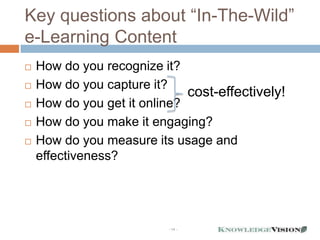
Key questions about “In-The-Wild”
e-Learning Content
   How do you recognize it?
   How do you capture it?
                              cost-effectively!
   How do you get it online?
   How do you make it engaging?
   How do you measure its usage and
    effectiveness?


                          - 14 -
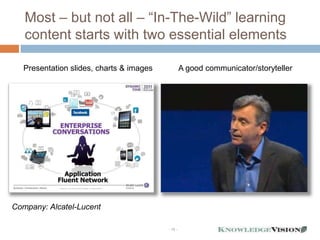
Most – but not all – “In-The-Wild” learning
   content starts with two essential elements

   Presentation slides, charts & images            A good communicator/storyteller


Company: Alcatel-Lucent

                                          - 15 -
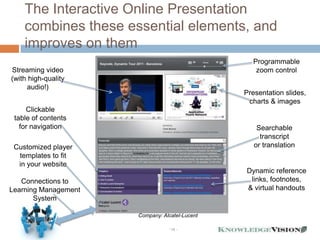
The Interactive Online Presentation
    combines these essential elements, and
    improves on them
                                                  Programmable
Streaming video                                    zoom control
(with high-quality
     audio!)
                                                Presentation slides,
                                                 charts & images
     Clickable
 table of contents
   for navigation                                   Searchable
                                                     transcript
 Customized player                                 or translation
  templates to fit
  in your website
                                                Dynamic reference
   Connections to                                links, footnotes,
Learning Management                             & virtual handouts
       System

                      Company: Alcatel-Lucent

                                 - 16 -
Here’s what we’re going to do
today
             Show you some great
              examples of “In-The-Wild”
              online presentation
              applications for e-Learning
             Draw best practices lessons
              from them
             Build & deploy an online
              presentation for you, in real
              time
             Leave you with a free tool that
              will let you get started with
              online presentations within 15
                      - 17 -
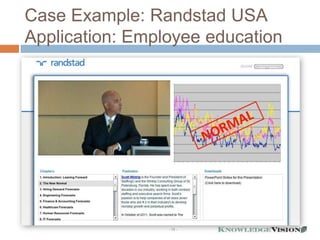
Case Example: Randstad USA
Application: Employee education


                 - 18 -
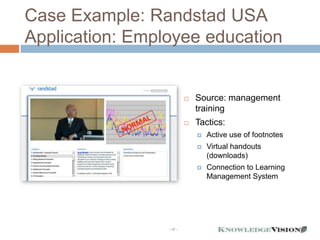
Case Example: Randstad USA
Application: Employee education


                             Source: management
                              training
                             Tactics:
                                 Active use of footnotes
                                 Virtual handouts
                                  (downloads)
                                 Connection to Learning
                                  Management System


                 - 19 -
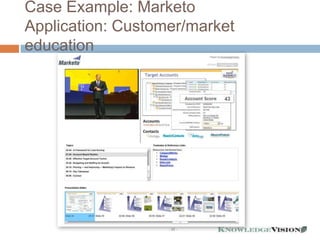
Case Example: Marketo
Application: Customer/market
education


                   - 20 -
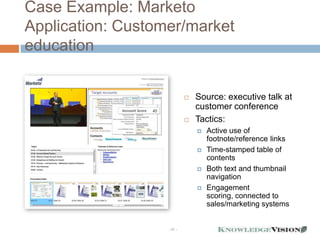
Case Example: Marketo
Application: Customer/market
education


                               Source: executive talk at
                                customer conference
                               Tactics:
                                   Active use of
                                    footnote/reference links
                                   Time-stamped table of
                                    contents
                                   Both text and thumbnail
                                    navigation
                                   Engagement
                                    scoring, connected to
                                    sales/marketing systems


                   - 21 -
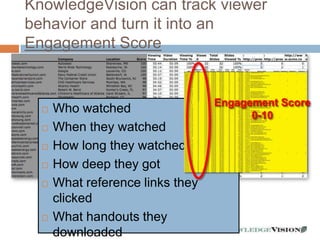
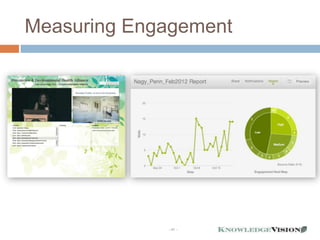
KnowledgeVision can track viewer
behavior and turn it into an
Engagement Score


                                  Engagement Score
     Who watched                       0-10
     When they watched
     How long they watched
     How deep they got
     What reference links they
      clicked
     What handouts they
      downloaded         - 22 -
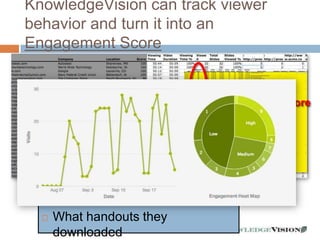
KnowledgeVision can track viewer
behavior and turn it into an
Engagement Score


                                  Engagement Score
     Who watched                       0-10
     When they watched
     How long they watched
     How deep they got
     What reference links they
      clicked
     What handouts they
      downloaded         - 23 -
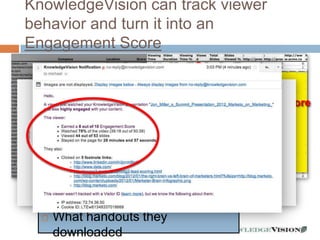
KnowledgeVision can track viewer
behavior and turn it into an
Engagement Score


                                  Engagement Score
     Who watched                       0-10
     When they watched
     How long they watched
     How deep they got
     What reference links they
      clicked
     What handouts they
      downloaded         - 24 -
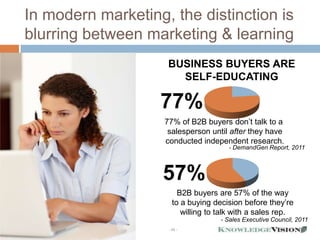
In modern marketing, the distinction is
blurring between marketing & learning
                     BUSINESS BUYERS ARE
                       SELF-EDUCATING

                   77%
                    77% of B2B buyers don’t talk to a
                     salesperson until after they have
                    conducted independent research.
                                       - DemandGen Report, 2011


                    57%
                         B2B buyers are 57% of the way
                       to a buying decision before they’re
                          willing to talk with a sales rep.
                                     - Sales Executive Council, 2011
                     - 25 -
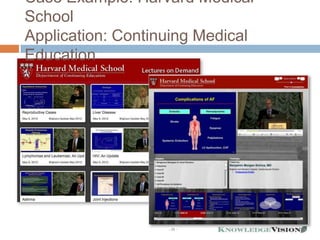
Case Example: Harvard Medical
School
Application: Continuing Medical
Education


                   - 26 -
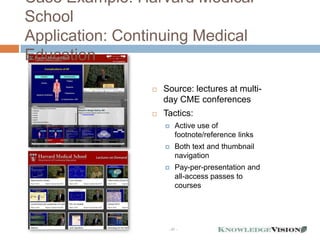
Case Example: Harvard Medical
School
Application: Continuing Medical
Education
                    Source: lectures at multi-
                     day CME conferences
                    Tactics:
                         Active use of
                          footnote/reference links
                         Both text and thumbnail
                          navigation
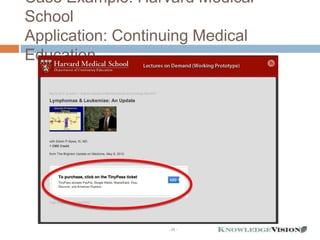
                         Pay-per-presentation and
                          all-access passes to
                          courses


                      - 27 -
Case Example: Harvard Medical
School
Application: Continuing Medical
Education


                   - 28 -
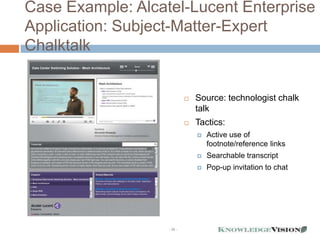
Case Example: Alcatel-Lucent Enterprise
Application: Subject-Matter-Expert
Chalktalk


                   - 29 -
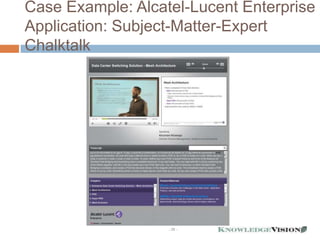
Case Example: Alcatel-Lucent Enterprise
Application: Subject-Matter-Expert
Chalktalk


                               Source: technologist chalk
                                talk
                               Tactics:
                                   Active use of
                                    footnote/reference links
                                   Searchable transcript
                                   Pop-up invitation to chat


                   - 30 -
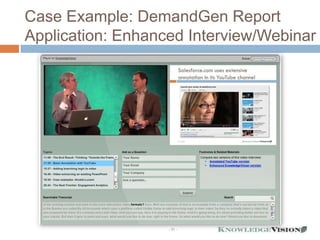
Case Example: DemandGen Report
Application: Enhanced Interview/Webinar


                   - 31 -
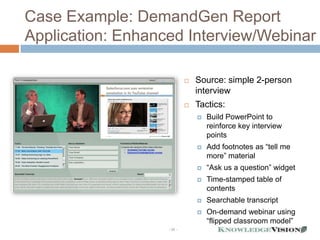
Case Example: DemandGen Report
Application: Enhanced Interview/Webinar

                               Source: simple 2-person
                                interview
                               Tactics:
                                   Build PowerPoint to
                                    reinforce key interview
                                    points
                                   Add footnotes as “tell me
                                    more” material
                                   “Ask us a question” widget
                                   Time-stamped table of
                                    contents
                                   Searchable transcript
                                   On-demand webinar using
                                    “flipped classroom model”
                   - 32 -
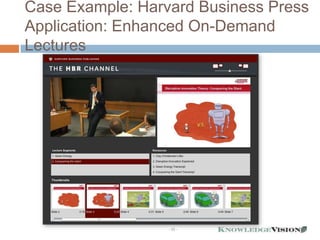
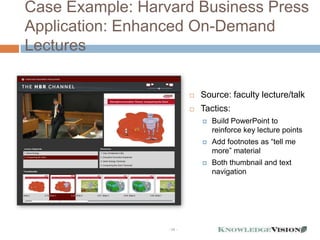
Case Example: Harvard Business Press
Application: Enhanced On-Demand
Lectures


                  - 33 -
Case Example: Harvard Business Press
Application: Enhanced On-Demand
Lectures

                              Source: faculty lecture/talk
                              Tactics:
                                  Build PowerPoint to
                                   reinforce key lecture points
                                  Add footnotes as “tell me
                                   more” material
                                  Both thumbnail and text
                                   navigation


                  - 34 -
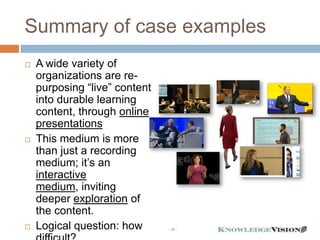
Summary of case examples
   A wide variety of
    organizations are re-
    purposing “live” content
    into durable learning
    content, through online
    presentations
   This medium is more
    than just a recording
    medium; it’s an
    interactive
    medium, inviting
    deeper exploration of
    the content.
   Logical question: how      - 35 -
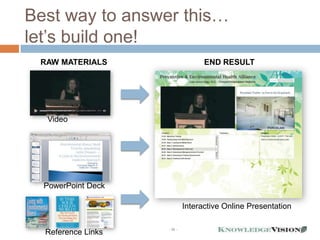
Best way to answer this…
let’s build one!
 RAW MATERIALS                                   END RESULT


  (http://youtu.be/CrGZIxY7yHM)

  Video


  PowerPoint Deck

                                           Interactive Online Presentation

                                  - 36 -
  Reference Links
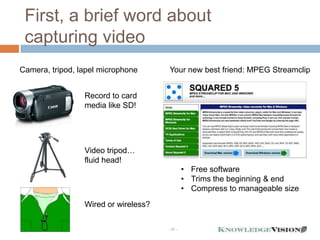
First, a brief word about
 capturing video
Camera, tripod, lapel microphone      Your new best friend: MPEG Streamclip


                 Record to card
                 media like SD!


                 Video tripod…
                 fluid head!
                                               • Free software
                                               • Trims the beginning & end
                                               • Compress to manageable size
                 Wired or wireless?

                                      - 37 -
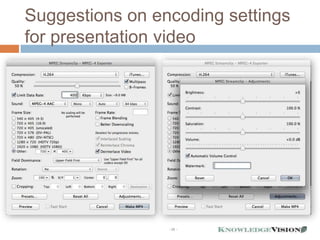
Suggestions on encoding settings
for presentation video


                 - 38 -
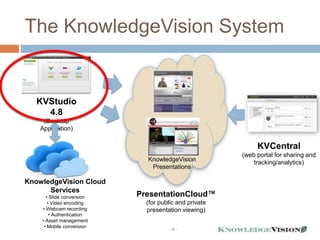
The KnowledgeVision System


   KVStudio
     4.8
     (Desktop
    Application)

                                                            KVCentral
                                                       (web portal for sharing and
                             KnowledgeVision               tracking/analytics)
                              Presentations

KnowledgeVision Cloud
      Services
      • Slide conversion   PresentationCloud™
       • Video encoding      (for public and private
    • Webcam recording       presentation viewing)
        • Authentication
    • Asset management
     • Mobile conversion
                                     - 39 -
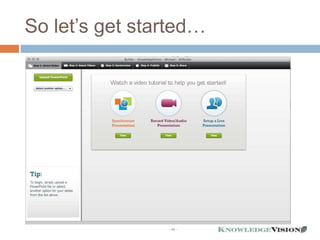
So let’s get started…


                - 40 -
Measuring Engagement


             - 41 -
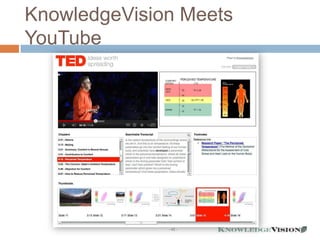
KnowledgeVision Meets
YouTube


              - 42 -
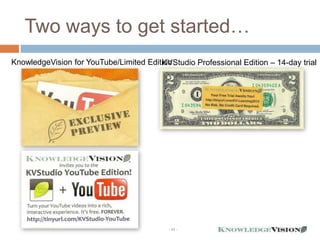
Two ways to get started…
                                        KVStudio Professional Edition – 14-day trial
KnowledgeVision for YouTube/Limited Edition


                                           - 43 -
Summary
   e-Learning content is all around us
   We just need to recognize it, capture it, and put it online
   Interactive online presentations are a great way to do this
       start with assets that already exist
       easy to learn, create, share, and track
   The best platforms support many different engagement
    tactics
       navigation
       footnotes and reference
       virtual handouts
       searchable transcripts
       monetization models
       engagement measurement and scoring
   It’s easy to get started in this new medium with
    KnowledgeVision
                                       - 44 -
KnowledgeVision Systems, Inc.
Michael Kolowich
michael@knowledgevision.com
(978) 254-1221

@MichaelKolowich
linkedin.com/in/kolowich
               - 45 -

E-Learning Content Is Everywhere | KnowledgeVision

  • 1.
    KnowledgeVision Systems, Inc. Michael E. Kolowich, Founder/CEO michael@knowledgevision.com (978) 254-1221 @MichaelKolowich E-Learning Content for Forrester Research Briefing is Everywhere! Bring it to Life with Online Video Presentations Learning 2012 -1-
  • 2.
    “To see whatis in front of our nose is a constant struggle.” -George Orwell “In Front of Your Nose” -2-
  • 3.
    So it iswith e-Learning Content in our organizations… -3-
  • 4.
    …e-Learning content isalready all around us! -4-
  • 5.
    That’s content! Every timean executive keynotes a conference… Company: Marketo -5-
  • 6.
    That’s content! Every timean expert gives a lecture… Company: Harvard Business Press -6-
  • 7.
    That’s content! Every timea product manager gives a briefing… Company: Australis Aquaculture -7-
  • 8.
    That’s content! Every timea technologist gives a chalk talk… Company: Alcatel-Lucent -8-
  • 9.
    That’s content! Every timea unit manager gives an orientation… Company: Randstad -9-
  • 10.
    That’s content! Every timea thought leader gives a talk… Company: SellingPower - 10 -
  • 11.
    That’s content! Every timeyou’ve got an outside guest at one of your meetings… Company: Masie Center/Learning 2011 - 11 -
  • 12.
    How much potential e-Learningcontent is lurking “in the wild” in your organization? - 12 -
  • 13.
    Here’s the rub…  The most effective  Video producers: online learning 56% more demand, medium is video. 24% more budget Growth in demand vs.  But video content budget creators are feeling 60% enormous budget 50% 40% pressure. 30% 20%  DEMAND for online 10% video growing 0% much faster than Video demand Video budget growth growth budget. Source: Interactive Media Strategies Video producer study, 2012 - 13 -
  • 14.
    Key questions about“In-The-Wild” e-Learning Content  How do you recognize it?  How do you capture it? cost-effectively!  How do you get it online?  How do you make it engaging?  How do you measure its usage and effectiveness? - 14 -
  • 15.
    Most – butnot all – “In-The-Wild” learning content starts with two essential elements Presentation slides, charts & images A good communicator/storyteller Company: Alcatel-Lucent - 15 -
  • 16.
    The Interactive OnlinePresentation combines these essential elements, and improves on them Programmable Streaming video zoom control (with high-quality audio!) Presentation slides, charts & images Clickable table of contents for navigation Searchable transcript Customized player or translation templates to fit in your website Dynamic reference Connections to links, footnotes, Learning Management & virtual handouts System Company: Alcatel-Lucent - 16 -
  • 17.
    Here’s what we’regoing to do today  Show you some great examples of “In-The-Wild” online presentation applications for e-Learning  Draw best practices lessons from them  Build & deploy an online presentation for you, in real time  Leave you with a free tool that will let you get started with online presentations within 15 - 17 -
  • 18.
    Case Example: RandstadUSA Application: Employee education - 18 -
  • 19.
    Case Example: RandstadUSA Application: Employee education  Source: management training  Tactics:  Active use of footnotes  Virtual handouts (downloads)  Connection to Learning Management System - 19 -
  • 20.
    Case Example: Marketo Application:Customer/market education - 20 -
  • 21.
    Case Example: Marketo Application:Customer/market education  Source: executive talk at customer conference  Tactics:  Active use of footnote/reference links  Time-stamped table of contents  Both text and thumbnail navigation  Engagement scoring, connected to sales/marketing systems - 21 -
  • 22.
    KnowledgeVision can trackviewer behavior and turn it into an Engagement Score Engagement Score  Who watched 0-10  When they watched  How long they watched  How deep they got  What reference links they clicked  What handouts they downloaded - 22 -
  • 23.
    KnowledgeVision can trackviewer behavior and turn it into an Engagement Score Engagement Score  Who watched 0-10  When they watched  How long they watched  How deep they got  What reference links they clicked  What handouts they downloaded - 23 -
  • 24.
    KnowledgeVision can trackviewer behavior and turn it into an Engagement Score Engagement Score  Who watched 0-10  When they watched  How long they watched  How deep they got  What reference links they clicked  What handouts they downloaded - 24 -
  • 25.
    In modern marketing,the distinction is blurring between marketing & learning BUSINESS BUYERS ARE SELF-EDUCATING 77% 77% of B2B buyers don’t talk to a salesperson until after they have conducted independent research. - DemandGen Report, 2011 57% B2B buyers are 57% of the way to a buying decision before they’re willing to talk with a sales rep. - Sales Executive Council, 2011 - 25 -
  • 26.
    Case Example: HarvardMedical School Application: Continuing Medical Education - 26 -
  • 27.
    Case Example: HarvardMedical School Application: Continuing Medical Education  Source: lectures at multi- day CME conferences  Tactics:  Active use of footnote/reference links  Both text and thumbnail navigation  Pay-per-presentation and all-access passes to courses - 27 -
  • 28.
    Case Example: HarvardMedical School Application: Continuing Medical Education - 28 -
  • 29.
    Case Example: Alcatel-LucentEnterprise Application: Subject-Matter-Expert Chalktalk - 29 -
  • 30.
    Case Example: Alcatel-LucentEnterprise Application: Subject-Matter-Expert Chalktalk  Source: technologist chalk talk  Tactics:  Active use of footnote/reference links  Searchable transcript  Pop-up invitation to chat - 30 -
  • 31.
    Case Example: DemandGenReport Application: Enhanced Interview/Webinar - 31 -
  • 32.
    Case Example: DemandGenReport Application: Enhanced Interview/Webinar  Source: simple 2-person interview  Tactics:  Build PowerPoint to reinforce key interview points  Add footnotes as “tell me more” material  “Ask us a question” widget  Time-stamped table of contents  Searchable transcript  On-demand webinar using “flipped classroom model” - 32 -
  • 33.
    Case Example: HarvardBusiness Press Application: Enhanced On-Demand Lectures - 33 -
  • 34.
    Case Example: HarvardBusiness Press Application: Enhanced On-Demand Lectures  Source: faculty lecture/talk  Tactics:  Build PowerPoint to reinforce key lecture points  Add footnotes as “tell me more” material  Both thumbnail and text navigation - 34 -
  • 35.
    Summary of caseexamples  A wide variety of organizations are re- purposing “live” content into durable learning content, through online presentations  This medium is more than just a recording medium; it’s an interactive medium, inviting deeper exploration of the content.  Logical question: how - 35 -
  • 36.
    Best way toanswer this… let’s build one! RAW MATERIALS END RESULT (http://youtu.be/CrGZIxY7yHM) Video PowerPoint Deck Interactive Online Presentation - 36 - Reference Links
  • 37.
    First, a briefword about capturing video Camera, tripod, lapel microphone Your new best friend: MPEG Streamclip Record to card media like SD! Video tripod… fluid head! • Free software • Trims the beginning & end • Compress to manageable size Wired or wireless? - 37 -
  • 38.
    Suggestions on encodingsettings for presentation video - 38 -
  • 39.
    The KnowledgeVision System KVStudio 4.8 (Desktop Application) KVCentral (web portal for sharing and KnowledgeVision tracking/analytics) Presentations KnowledgeVision Cloud Services • Slide conversion PresentationCloud™ • Video encoding (for public and private • Webcam recording presentation viewing) • Authentication • Asset management • Mobile conversion - 39 -
  • 40.
    So let’s getstarted… - 40 -
  • 41.
  • 42.
  • 43.
    Two ways toget started… KVStudio Professional Edition – 14-day trial KnowledgeVision for YouTube/Limited Edition - 43 -
  • 44.
    Summary  e-Learning content is all around us  We just need to recognize it, capture it, and put it online  Interactive online presentations are a great way to do this  start with assets that already exist  easy to learn, create, share, and track  The best platforms support many different engagement tactics  navigation  footnotes and reference  virtual handouts  searchable transcripts  monetization models  engagement measurement and scoring  It’s easy to get started in this new medium with KnowledgeVision - 44 -
  • 45.
    KnowledgeVision Systems, Inc. MichaelKolowich michael@knowledgevision.com (978) 254-1221 @MichaelKolowich linkedin.com/in/kolowich - 45 -