Educational Studies Goals
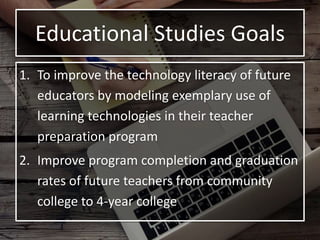
1. To improve the technology literacy of future
educators by modeling exemplary use of
learning technologies in their teacher
preparation program
2. Improve program completion and graduation
rates of future teachers from community
college to 4-year college
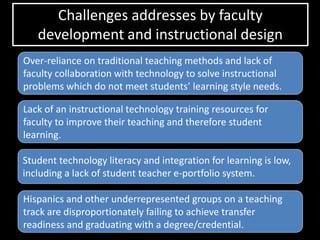
Challenges addresses by faculty
development and instructional design
Hispanics and other underrepresented groups on a teaching
track are disproportionately failing to achieve transfer
readiness and graduating with a degree/credential.
Student technology literacy and integration for learning is low,
including a lack of student teacher e-portfolio system.
Lack of an instructional technology training resources for
faculty to improve their teaching and therefore student
learning.
Over-reliance on traditional teaching methods and lack of
faculty collaboration with technology to solve instructional
problems which do not meet students’ learning style needs.
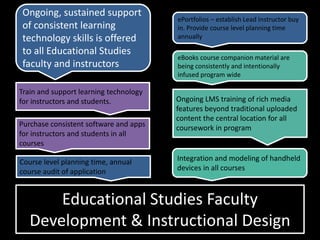
Educational Studies Faculty
Development & Instructional Design
Train and support learning technology
for instructors and students.
Ongoing, sustained support
of consistent learning
technology skills is offered
to all Educational Studies
faculty and instructors
ePortfolios – establish Lead Instructor buy
in. Provide course level planning time
annually
Integration and modeling of handheld
devices in all courses
Purchase consistent software and apps
for instructors and students in all
courses
Course level planning time, annual
course audit of application
Ongoing LMS training of rich media
features beyond traditional uploaded
content the central location for all
coursework in program
eBooks course companion material are
being consistently and intentionally
infused program wide
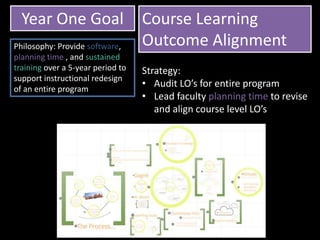
Year One Goal Course Learning
Outcome AlignmentPhilosophy: Provide software,
planning time , and sustained
training over a 5-year period to
support instructional redesign
of an entire program
Strategy:
• Audit LO’s for entire program
• Lead faculty planning time to revise
and align course level LO’s
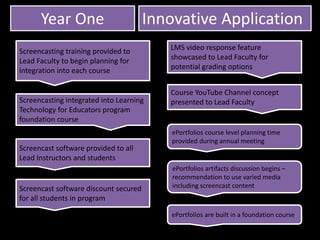
Screencasting training provided to
Lead Faculty to begin planning for
integration into each course
LMS video response feature
showcased to Lead Faculty for
potential grading options
ePortfolios are built in a foundation course
Year One Innovative Application
Screencasting integrated into Learning
Technology for Educators program
foundation course
Screencast software provided to all
Lead Instructors and students
ePortfolios course level planning time
provided during annual meeting
Course YouTube Channel concept
presented to Lead Faculty
ePortfolios artifacts discussion begins –
recommendation to use varied media
including screencast contentScreencast software discount secured
for all students in program
Year One
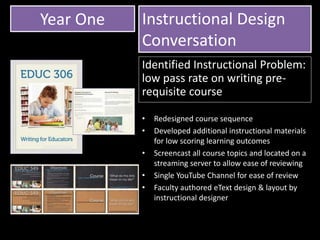
• Redesigned course sequence
• Developed additional instructional materials
for low scoring learning outcomes
• Screencast all course topics and located on a
streaming server to allow ease of reviewing
• Single YouTube Channel for ease of review
• Faculty authored eText design & layout by
instructional designer
Instructional Design
Conversation
Identified Instructional Problem:
low pass rate on writing pre-
requisite course
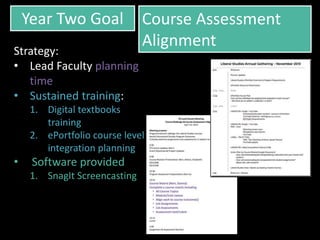
Year Two Goal Course Assessment
Alignment
Strategy:
• Lead Faculty planning
time
• Sustained training:
1. Digital textbooks
training
2. ePortfolio course level
integration planning
• Software provided
1. SnagIt Screencasting
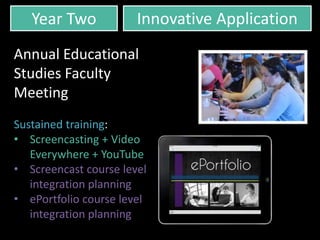
Year Two Innovative Application
Annual Educational
Studies Faculty
Meeting
Sustained training:
• Screencasting + Video
Everywhere + YouTube
• Screencast course level
integration planning
• ePortfolio course level
integration planning
Year Two Instructional Design
Conversation
Identified Instructional
Problems:
1. Low quality of lesson
plans in multiple
courses,
2. Redesigning a course for
flipped delivery
3. Redesigning inherited
course materials
Year Three Goal Course Content
Redesign Institute
Strategy:
All faculty instructional
design, training,
preparation time
Summer Design Institute:
• Competitive Proposal
• Project specific
professional
development
• Equipment
• Software
To what degree have your incorporated
screencasting as an instructor?
To what degree have you assigned and
assessed an item for the Liberal Studies
ePortfolio?
To what degree have you integrated
screencasting into student assignments?
Year Three Innovative Application
Year Three
• Diagnostic App integration into
introductory unit
• Project based capstone
assessment
Instructional Design
Conversation
Identified Instructional Problems:
1. Outdated material
2. Lack of use of learning
technologies
3. Low modeling of technical
literacy

Educause+poster

  • 1.
    Educational Studies Goals 1.To improve the technology literacy of future educators by modeling exemplary use of learning technologies in their teacher preparation program 2. Improve program completion and graduation rates of future teachers from community college to 4-year college
  • 2.
    Challenges addresses byfaculty development and instructional design Hispanics and other underrepresented groups on a teaching track are disproportionately failing to achieve transfer readiness and graduating with a degree/credential. Student technology literacy and integration for learning is low, including a lack of student teacher e-portfolio system. Lack of an instructional technology training resources for faculty to improve their teaching and therefore student learning. Over-reliance on traditional teaching methods and lack of faculty collaboration with technology to solve instructional problems which do not meet students’ learning style needs.
  • 3.
    Educational Studies Faculty Development& Instructional Design Train and support learning technology for instructors and students. Ongoing, sustained support of consistent learning technology skills is offered to all Educational Studies faculty and instructors ePortfolios – establish Lead Instructor buy in. Provide course level planning time annually Integration and modeling of handheld devices in all courses Purchase consistent software and apps for instructors and students in all courses Course level planning time, annual course audit of application Ongoing LMS training of rich media features beyond traditional uploaded content the central location for all coursework in program eBooks course companion material are being consistently and intentionally infused program wide
  • 4.
    Year One GoalCourse Learning Outcome AlignmentPhilosophy: Provide software, planning time , and sustained training over a 5-year period to support instructional redesign of an entire program Strategy: • Audit LO’s for entire program • Lead faculty planning time to revise and align course level LO’s
  • 5.
    Screencasting training providedto Lead Faculty to begin planning for integration into each course LMS video response feature showcased to Lead Faculty for potential grading options ePortfolios are built in a foundation course Year One Innovative Application Screencasting integrated into Learning Technology for Educators program foundation course Screencast software provided to all Lead Instructors and students ePortfolios course level planning time provided during annual meeting Course YouTube Channel concept presented to Lead Faculty ePortfolios artifacts discussion begins – recommendation to use varied media including screencast contentScreencast software discount secured for all students in program
  • 6.
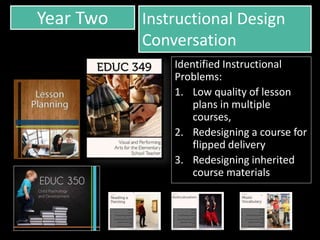
    Year One • Redesignedcourse sequence • Developed additional instructional materials for low scoring learning outcomes • Screencast all course topics and located on a streaming server to allow ease of reviewing • Single YouTube Channel for ease of review • Faculty authored eText design & layout by instructional designer Instructional Design Conversation Identified Instructional Problem: low pass rate on writing pre- requisite course
  • 7.
    Year Two GoalCourse Assessment Alignment Strategy: • Lead Faculty planning time • Sustained training: 1. Digital textbooks training 2. ePortfolio course level integration planning • Software provided 1. SnagIt Screencasting
  • 8.
    Year Two InnovativeApplication Annual Educational Studies Faculty Meeting Sustained training: • Screencasting + Video Everywhere + YouTube • Screencast course level integration planning • ePortfolio course level integration planning
  • 9.
    Year Two InstructionalDesign Conversation Identified Instructional Problems: 1. Low quality of lesson plans in multiple courses, 2. Redesigning a course for flipped delivery 3. Redesigning inherited course materials
  • 10.
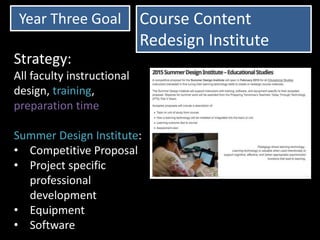
    Year Three GoalCourse Content Redesign Institute Strategy: All faculty instructional design, training, preparation time Summer Design Institute: • Competitive Proposal • Project specific professional development • Equipment • Software
  • 11.
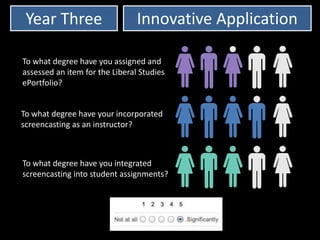
    To what degreehave your incorporated screencasting as an instructor? To what degree have you assigned and assessed an item for the Liberal Studies ePortfolio? To what degree have you integrated screencasting into student assignments? Year Three Innovative Application
  • 12.
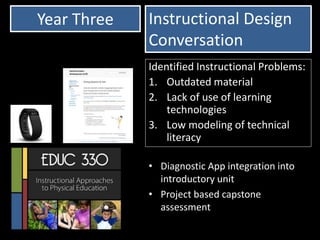
    Year Three • DiagnosticApp integration into introductory unit • Project based capstone assessment Instructional Design Conversation Identified Instructional Problems: 1. Outdated material 2. Lack of use of learning technologies 3. Low modeling of technical literacy

Editor's Notes

  • #2 “(Solve)…the issue of poor student success [as evidenced] in teacher education completion rates and inadequate technology integration by faculty, and inadequate student technology literacy, emerged as one of the top priorities.” Grant Proposal An instructional design team has worked in partnership with Faculty Content Experts to redesign courses to include interactive mobile content, and technology and media rich
  • #6 Screencasting and lecture capture LMS Streamed lectures on mobile device iBook authored as a companion course text
  • #7 Full redesign – course was a patch work of borrowed materials Redesigned all presentations Lecture captured (Produced Camtasia) all course topics and located on a streaming server Created SoftChalk SCORM compliant lessons w/ embedded lecture Created and embedded self checking quizzes during each topic Assessments aligned more closely with course learning outcomes
  • #9 Conversations about courses resulted in a deficit program wide on two items: ePortfolio + Lesson Planning We shifted to a platform agnostic outcome using Adobe Design + eLearning Suite How-To resources for program consistency and better faculty support
  • #10 Flipped class – defined by instructor, readings prior, activities during Resources more consistently organized in LMS