+
Dr. Neelam Parmar
Director of E-Learning
Ashford School, United Learning
Educational
Technology
+
Director of Digital Innovation, London Prep Schools
Head of ICT, Kew Green School
Learning Technology Advisor, Bournemouth University
PhD in New Media Pedagogy: To develop an appropriate pedagogy while using new
technology with young children – mobile technology.
Introduction
+
Developing and Sustaining Continuous
Professional Development for teachers
using Educational Technology
Teacher Survival in use of Technology
ICT CPD Training
Programme 1 (3-5 mts)
• Operating and Understanding
Survey
• Understand the
Device/VLE/Software
• Digital Steering Committee – staff
• Digital Leaders Group - students
+
DEMONSTRATION OF SURVEY
RESULTS BY STAFF
Teacher Empowerment in use of
Technology
ICT CPD Training
Programme 2
(3-6 months)
SAMR Model: Enhancement
1) Substitution – Tech acts as a
direct tool to substitute tasks
2) Augmentation – Tech acts as
a direct tool with some
functional improvement
+
Some Examples – Basic ICT tasks
 Substitution
- Writing an essay in Word
or Pages and emailing it
over to the teacher
- Taking a photo of an art
work and then printing it
and pasting it in your book
 Augmentation
- Taking the same word
document and this time
using spell check and new
fonts, size and format.
- Taking a photo of an art
work, and this time instead
of printing it, saving it into
your folder in the network
drive so the teacher can
find it.
Teacher Mastery in use of Technology –
Pedagogical Integration
ICT CPD Training
Programme 3 (3-6 months)
SAMR Model Transformation
3) Modification – Tech acts
as a significant task redesign
+
Modification: Socrative Quiz
1) http://www.socrative.com
2) Log in as Student
3) Pin Code: 372676
Instant Feedback and Assessment
Q) What is your biggest challenge in using technology in learning?
Q) What's the most fun application of technology in a classroom that you
have used or wish to use?
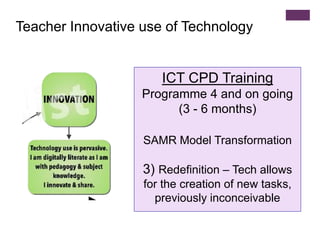
Teacher Innovative use of Technology
ICT CPD Training
Programme 4 and on going
(3 - 6 months)
SAMR Model Transformation
3) Redefinition – Tech allows
for the creation of new tasks,
previously inconceivable
+
O365 Yammer
https://blogs.microsoft.com/firehose/2015/04/16/video-see-how-teams-use-
yammer-as-part-of-office-365/#sm.0001ksjlauyzje7mylx1s6bg3t3rn
Power of Communication
Power of Delivery
Power of being Connected
It is what the students do
and its how we work now
+
Technological, Pedagogical, and Content Knowledge
Teachers are adapting and
learning the use of new digital
technologies (Continuous
Professional Development).
Teachers are using these digital
technologies to pedagogically
deliver and transmit knowledge
to the children (Teaching and
Learning Strategies).
Teachers are applying these
new skills and taking direct
action in offering their subject
content knowledge to the
students (Content Specialist).
TPACK – Mishra and Koehler 2008
+ Technology Adaptation in 21st Century Learning
Students are gaining the
competence to think in complex
and technological ways – preparing
for what we, the digital immigrants,
have created for them
Extension of
Learning
21st Century
Application of
Skills
Independent
Learning
Communication
Peer
Collaboration
Personalised
Learning
Where the effective use of technology by teachers is able to offer students:
+
Drop the Walls in School
Encourage the technology to
be embedded into:
• school culture
• curriculum
• content delivery
• assessment and
feedback
+ Our Fears Manifested……..
The Teacher is still the catalyst…..
1) Don’t stop the teacher-student interactions.
2) The student may have the technical skills but the
teacher still has the wisdom and understanding.
3) Remember that the killer app is still the teacher.
Successful classrooms display great passion where there
is a variety and depth of skill and knowledge by both the
teacher and learner. Teachers need to be aware when
learning is correct or incorrect; when to encourage
independent learning; when to seek and give feedback
and when to be aware of how to try alternative strategies
to produce the most effective outcomes for the student
(Hattie 2009).
+
Technology For Learning Hub
 Theory Modules and Quizzes
 Videos, Tutorials and Guidance
 Technology for Learning Accreditation
Technology for Learning is a modular approach to professional
development for teachers who are developing their own skills and
understanding of how iPads can be used to benefit teaching and
learning. With an underpinning theory module that everyone must
complete, teachers are then able to choose from a range of
modules that support the use of different apps.
https://hub.unitedlearning.org.uk/school-
support/technology/tfl/Pages/default.aspx
+
Dr. Neelam Parmar
email: parmarn@ashfordschool.co.uk
twitter: @neelamaparmar1
linkedIn: https://www.linkedin.com/in/neelamparmar
Thank You
Any Questions?

Educational Technology

  • 1.
    + Dr. Neelam Parmar Directorof E-Learning Ashford School, United Learning Educational Technology
  • 2.
    + Director of DigitalInnovation, London Prep Schools Head of ICT, Kew Green School Learning Technology Advisor, Bournemouth University PhD in New Media Pedagogy: To develop an appropriate pedagogy while using new technology with young children – mobile technology. Introduction
  • 3.
    + Developing and SustainingContinuous Professional Development for teachers using Educational Technology
  • 5.
    Teacher Survival inuse of Technology ICT CPD Training Programme 1 (3-5 mts) • Operating and Understanding Survey • Understand the Device/VLE/Software • Digital Steering Committee – staff • Digital Leaders Group - students
  • 6.
  • 7.
    Teacher Empowerment inuse of Technology ICT CPD Training Programme 2 (3-6 months) SAMR Model: Enhancement 1) Substitution – Tech acts as a direct tool to substitute tasks 2) Augmentation – Tech acts as a direct tool with some functional improvement
  • 8.
    + Some Examples –Basic ICT tasks  Substitution - Writing an essay in Word or Pages and emailing it over to the teacher - Taking a photo of an art work and then printing it and pasting it in your book  Augmentation - Taking the same word document and this time using spell check and new fonts, size and format. - Taking a photo of an art work, and this time instead of printing it, saving it into your folder in the network drive so the teacher can find it.
  • 9.
    Teacher Mastery inuse of Technology – Pedagogical Integration ICT CPD Training Programme 3 (3-6 months) SAMR Model Transformation 3) Modification – Tech acts as a significant task redesign
  • 10.
    + Modification: Socrative Quiz 1)http://www.socrative.com 2) Log in as Student 3) Pin Code: 372676 Instant Feedback and Assessment Q) What is your biggest challenge in using technology in learning? Q) What's the most fun application of technology in a classroom that you have used or wish to use?
  • 11.
    Teacher Innovative useof Technology ICT CPD Training Programme 4 and on going (3 - 6 months) SAMR Model Transformation 3) Redefinition – Tech allows for the creation of new tasks, previously inconceivable
  • 12.
    + O365 Yammer https://blogs.microsoft.com/firehose/2015/04/16/video-see-how-teams-use- yammer-as-part-of-office-365/#sm.0001ksjlauyzje7mylx1s6bg3t3rn Power ofCommunication Power of Delivery Power of being Connected It is what the students do and its how we work now
  • 13.
    + Technological, Pedagogical, andContent Knowledge Teachers are adapting and learning the use of new digital technologies (Continuous Professional Development). Teachers are using these digital technologies to pedagogically deliver and transmit knowledge to the children (Teaching and Learning Strategies). Teachers are applying these new skills and taking direct action in offering their subject content knowledge to the students (Content Specialist). TPACK – Mishra and Koehler 2008
  • 14.
    + Technology Adaptationin 21st Century Learning Students are gaining the competence to think in complex and technological ways – preparing for what we, the digital immigrants, have created for them Extension of Learning 21st Century Application of Skills Independent Learning Communication Peer Collaboration Personalised Learning Where the effective use of technology by teachers is able to offer students:
  • 15.
    + Drop the Wallsin School Encourage the technology to be embedded into: • school culture • curriculum • content delivery • assessment and feedback
  • 16.
    + Our FearsManifested…….. The Teacher is still the catalyst….. 1) Don’t stop the teacher-student interactions. 2) The student may have the technical skills but the teacher still has the wisdom and understanding. 3) Remember that the killer app is still the teacher. Successful classrooms display great passion where there is a variety and depth of skill and knowledge by both the teacher and learner. Teachers need to be aware when learning is correct or incorrect; when to encourage independent learning; when to seek and give feedback and when to be aware of how to try alternative strategies to produce the most effective outcomes for the student (Hattie 2009).
  • 17.
    + Technology For LearningHub  Theory Modules and Quizzes  Videos, Tutorials and Guidance  Technology for Learning Accreditation Technology for Learning is a modular approach to professional development for teachers who are developing their own skills and understanding of how iPads can be used to benefit teaching and learning. With an underpinning theory module that everyone must complete, teachers are then able to choose from a range of modules that support the use of different apps. https://hub.unitedlearning.org.uk/school- support/technology/tfl/Pages/default.aspx
  • 19.
    + Dr. Neelam Parmar email:parmarn@ashfordschool.co.uk twitter: @neelamaparmar1 linkedIn: https://www.linkedin.com/in/neelamparmar Thank You Any Questions?