chapter 3

the interaction
The Interaction

• interaction models
  – translations between user and system
• ergonomics
  – physical characteristics of interaction
• interaction styles
  – the nature of user/system dialog
• context
  – social, organizational, motivational
What is interaction?

 communication

          user         system


 but is that all … ?
  – see “language and action” in chapter 4 …
models of interaction

   terms of interaction
      Norman model
 interaction framework
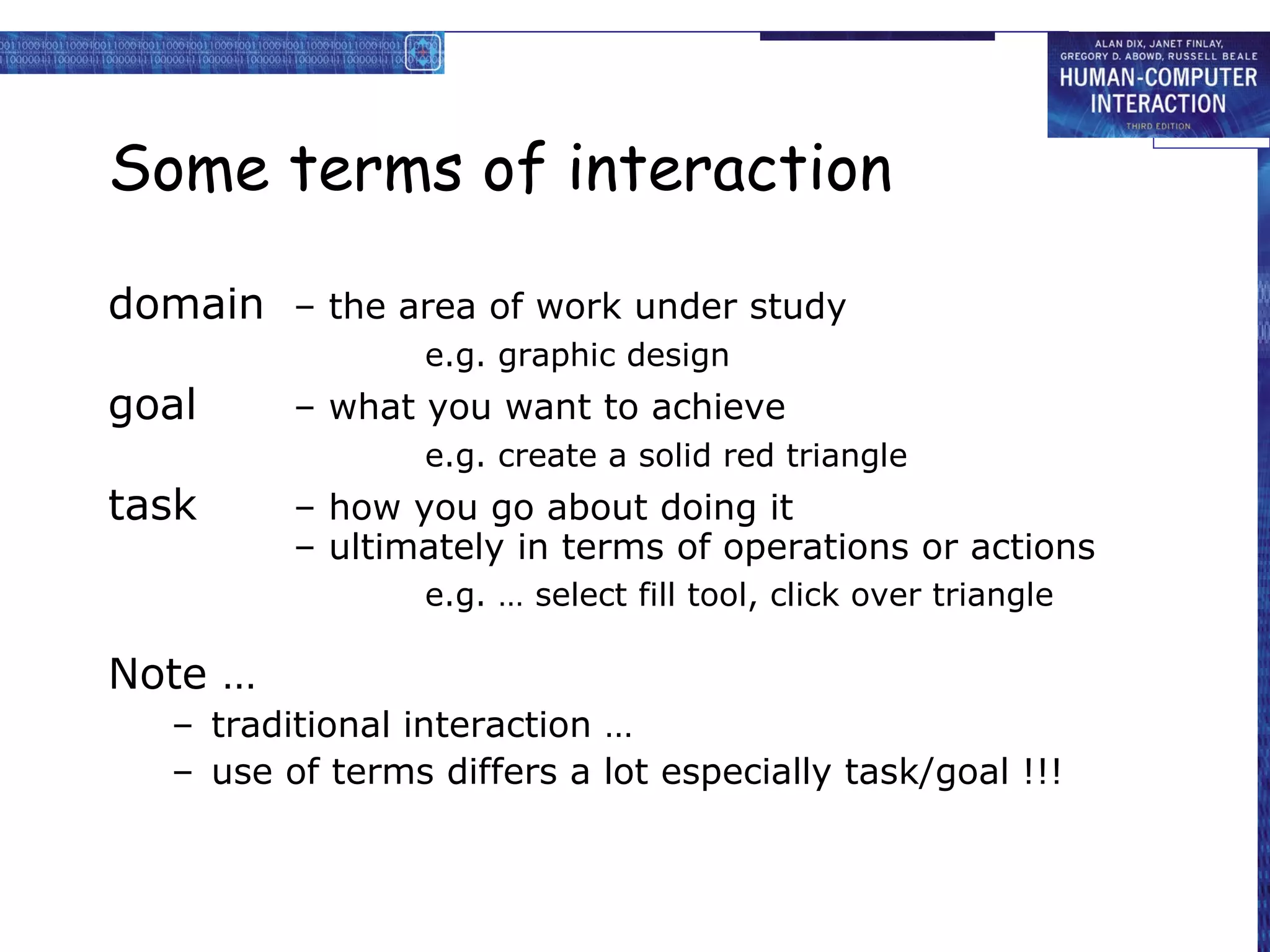
Some terms of interaction

domain – the area of work under study
                  e.g. graphic design
goal      – what you want to achieve
                  e.g. create a solid red triangle
task      – how you go about doing it
          – ultimately in terms of operations or actions
                  e.g. … select fill tool, click over triangle

Note …
   – traditional interaction …
   – use of terms differs a lot especially task/goal !!!
Donald Norman’s model

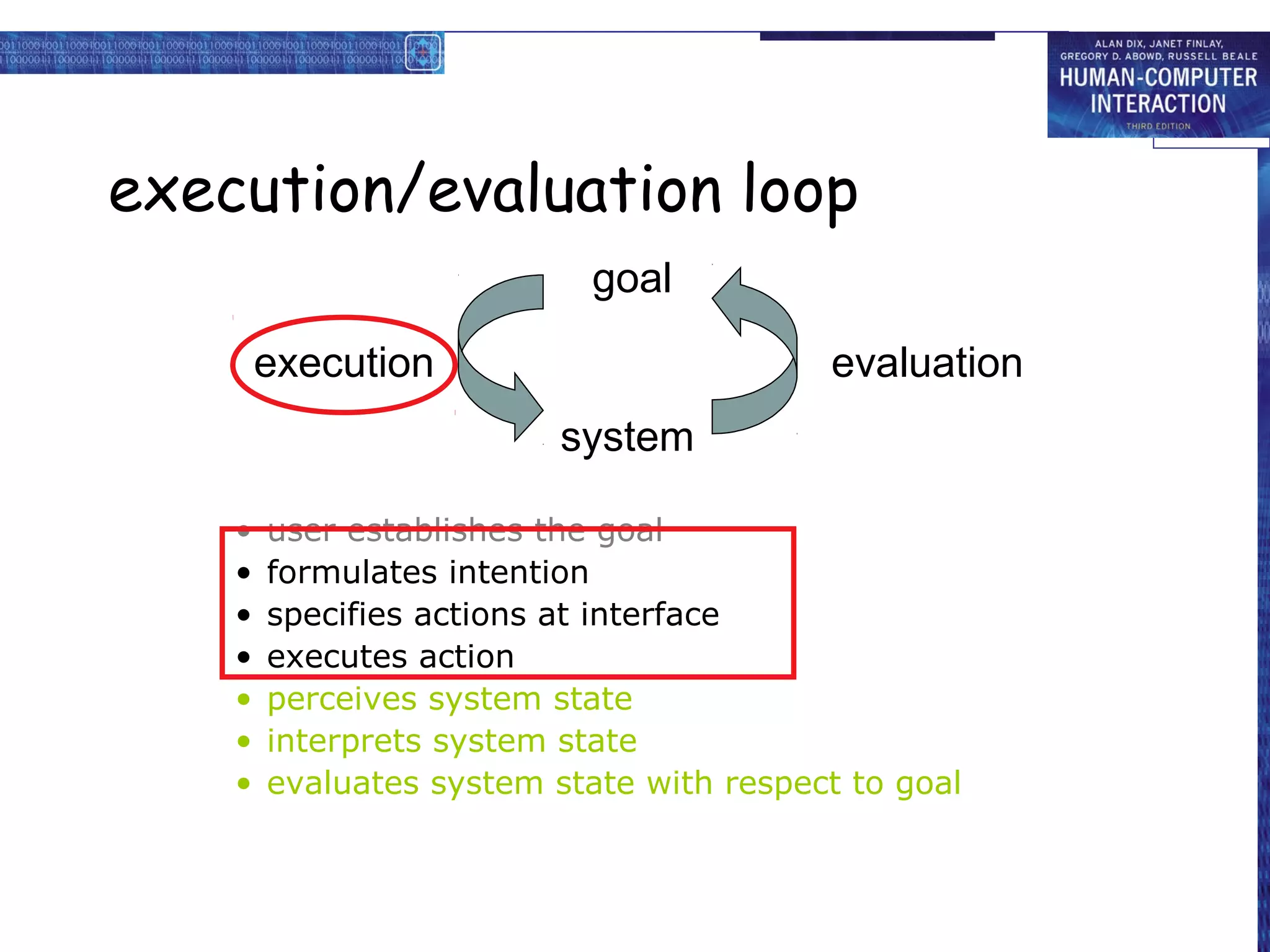
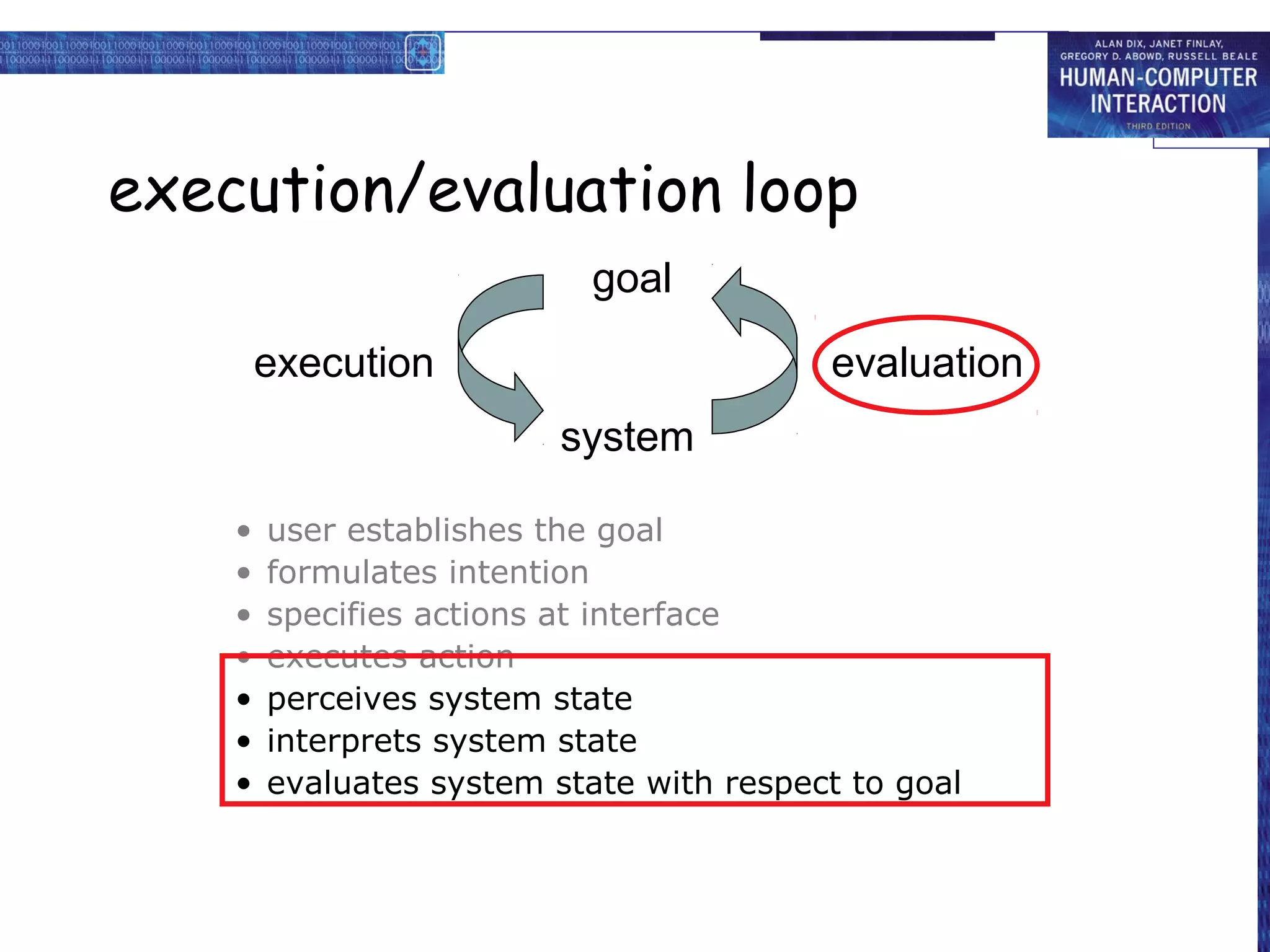
• Seven stages
  –   user establishes the goal
  –   formulates intention
  –   specifies actions at interface
  –   executes action
  –   perceives system state
  –   interprets system state
  –   evaluates system state with respect to goal


• Norman’s model concentrates on user’s view
  of the interface
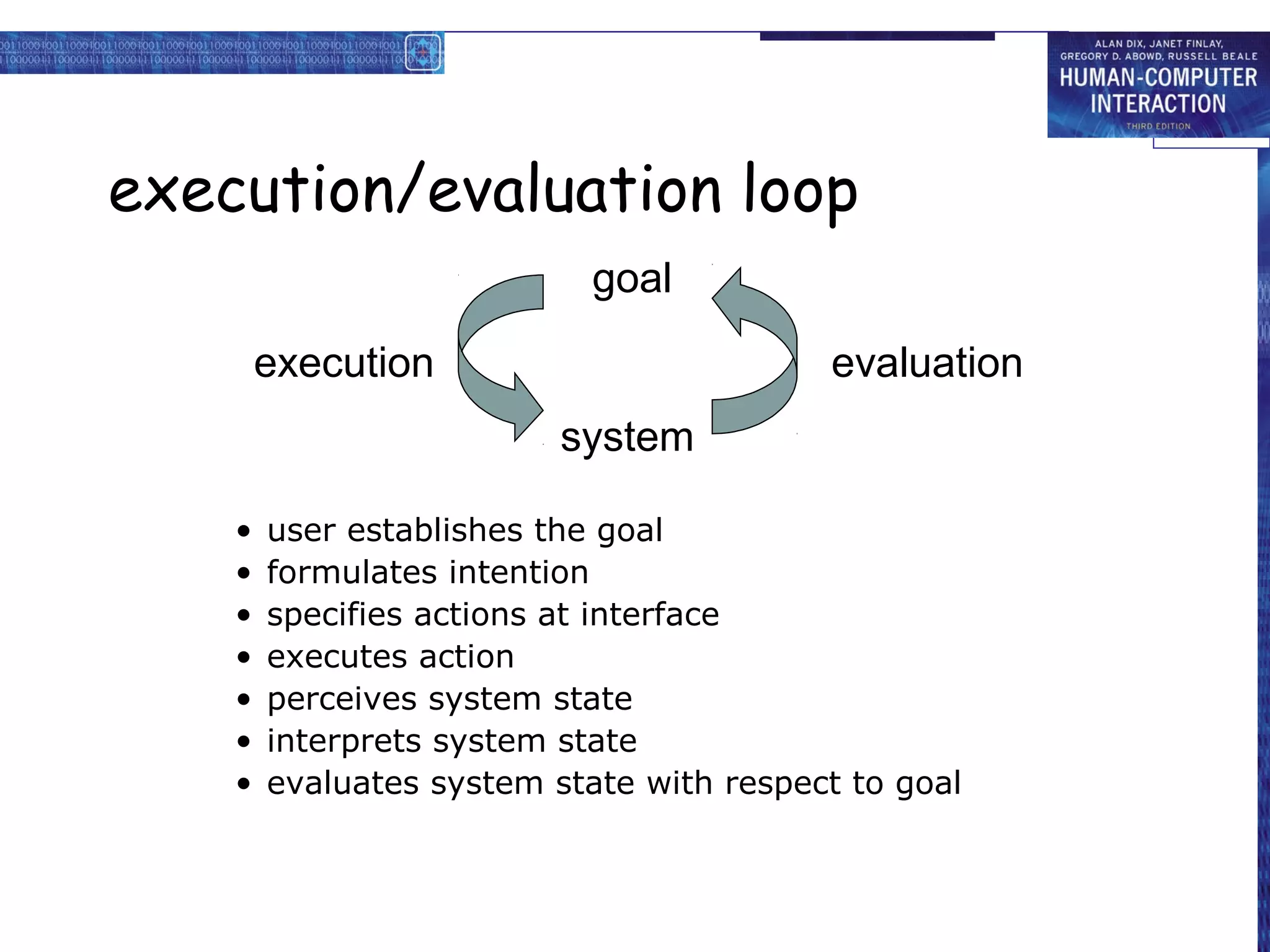
execution/evaluation loop
                            goal

        execution                         evaluation
                          system

    •   user establishes the goal
    •   formulates intention
    •   specifies actions at interface
    •   executes action
    •   perceives system state
    •   interprets system state
    •   evaluates system state with respect to goal
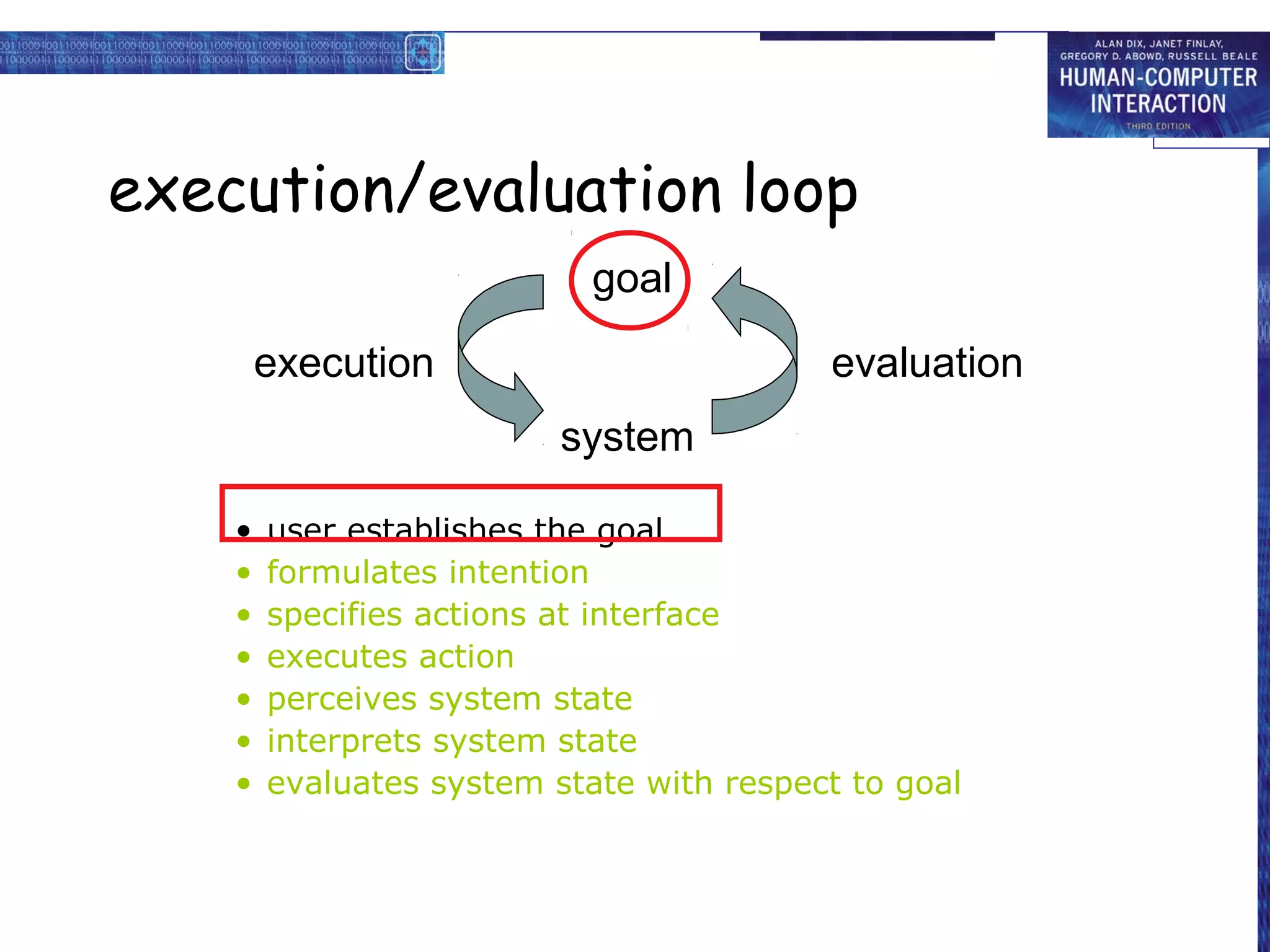
execution/evaluation loop
                            goal

        execution                         evaluation
                          system

    •   user establishes the goal
    •   formulates intention
    •   specifies actions at interface
    •   executes action
    •   perceives system state
    •   interprets system state
    •   evaluates system state with respect to goal
execution/evaluation loop
                            goal

        execution                         evaluation
                          system

    •   user establishes the goal
    •   formulates intention
    •   specifies actions at interface
    •   executes action
    •   perceives system state
    •   interprets system state
    •   evaluates system state with respect to goal
execution/evaluation loop
                            goal

        execution                         evaluation
                          system

    •   user establishes the goal
    •   formulates intention
    •   specifies actions at interface
    •   executes action
    •   perceives system state
    •   interprets system state
    •   evaluates system state with respect to goal
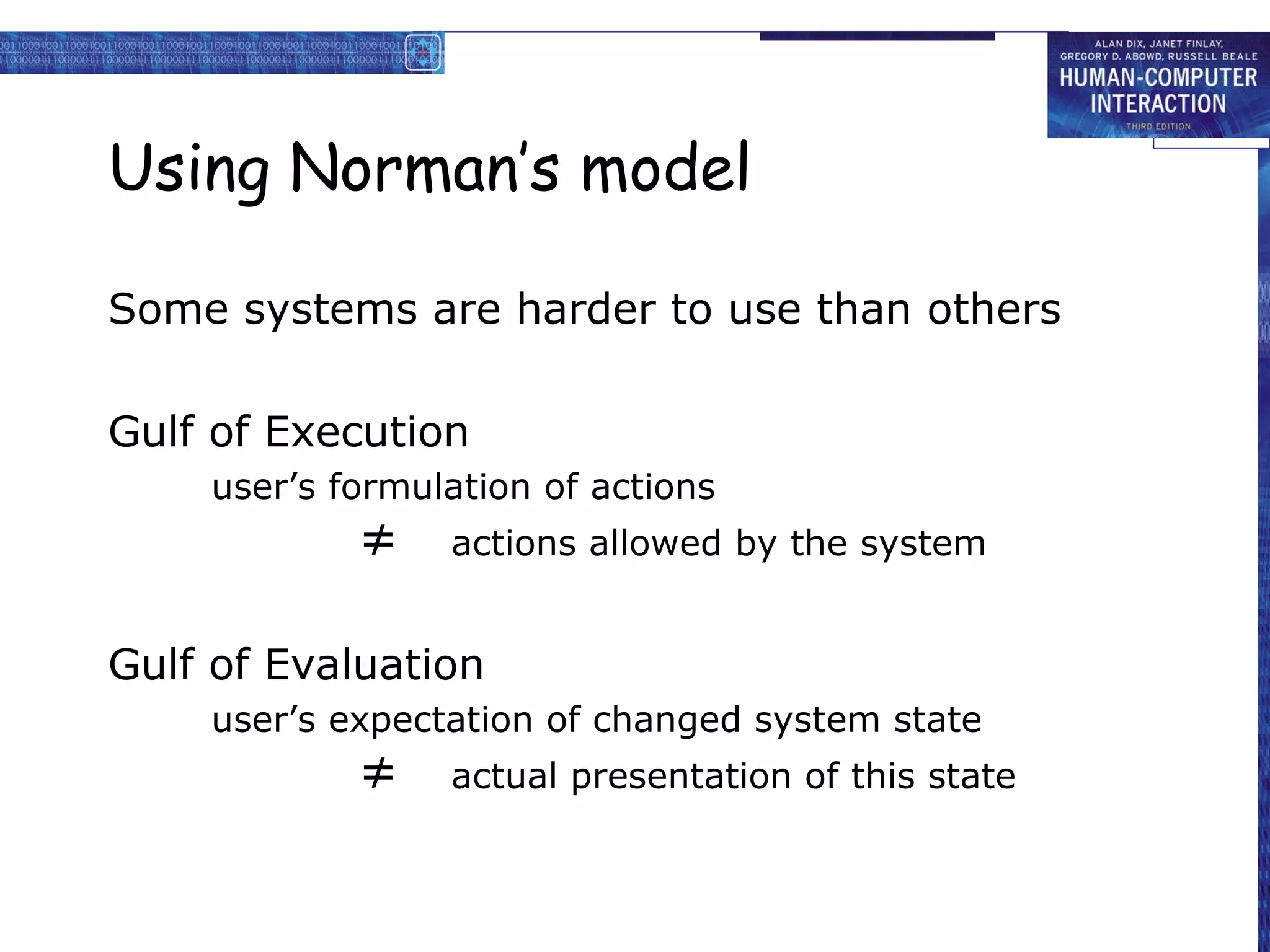
Using Norman’s model

Some systems are harder to use than others

Gulf of Execution
    user’s formulation of actions
            ≠    actions allowed by the system


Gulf of Evaluation
    user’s expectation of changed system state
            ≠    actual presentation of this state
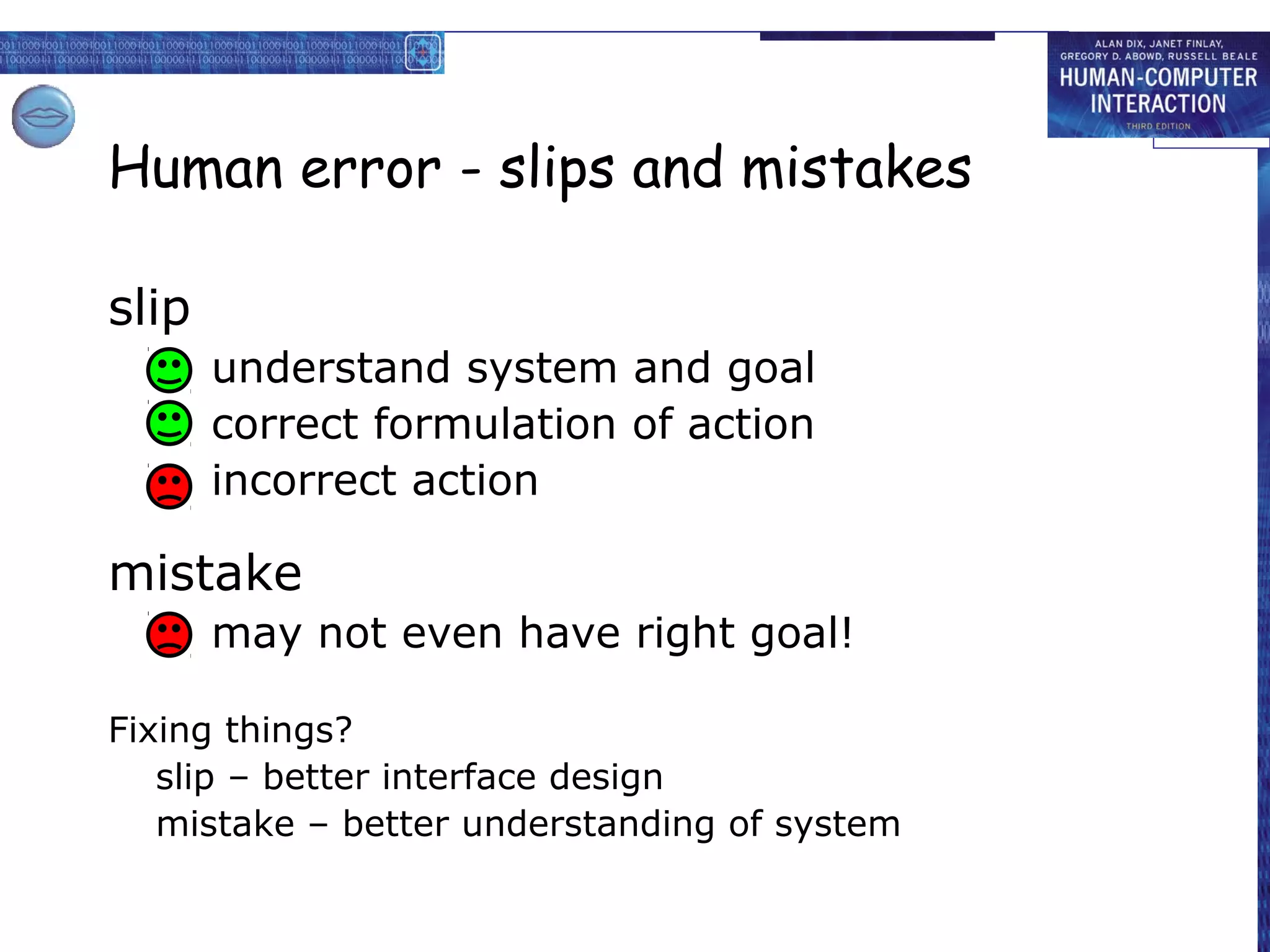
Human error - slips and mistakes

slip
       understand system and goal
       correct formulation of action
       incorrect action

mistake
       may not even have right goal!

Fixing things?
   slip – better interface design
   mistake – better understanding of system
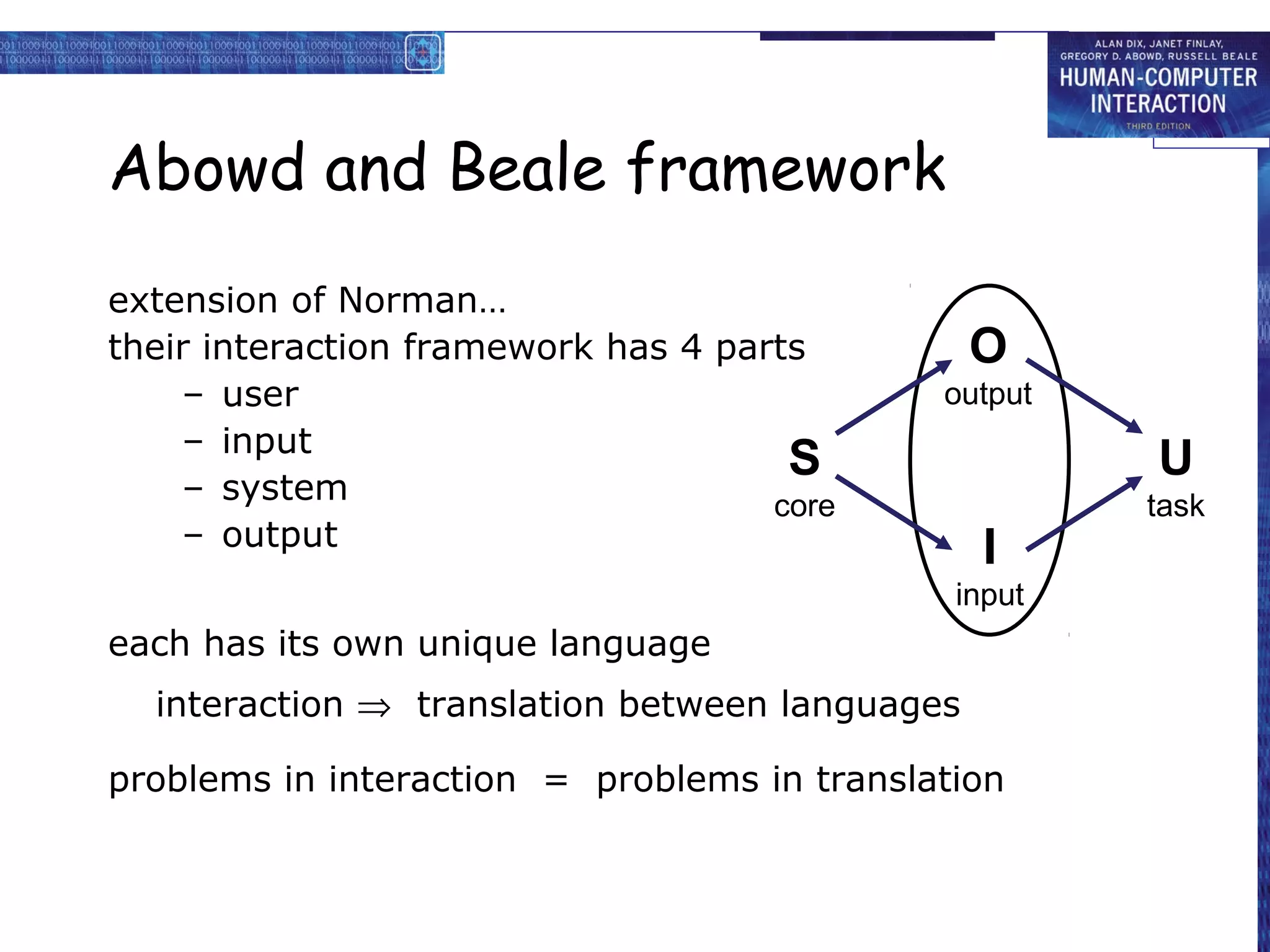
Abowd and Beale framework
extension of Norman…
their interaction framework has 4 parts         O
    – user                                   output
    – input
                                      S               U
    – system                         core             task
    – output                                    I
                                              input
each has its own unique language
  interaction ⇒ translation between languages

problems in interaction = problems in translation
Using Abowd & Beale’s model
user intentions
   → translated into actions at the interface
      → translated into alterations of system state
         → reflected in the output display
            → interpreted by the user


general framework for understanding interaction
  –   not restricted to electronic computer systems
  –   identifies all major components involved in interaction
  –   allows comparative assessment of systems
  –   an abstraction
ergonomics

physical aspects of interfaces
    industrial interfaces
Ergonomics

• Study of the physical characteristics of
  interaction

• Also known as human factors – but this can
  also be used to mean much of HCI!

• Ergonomics good at defining standards and
  guidelines for constraining the way we design
  certain aspects of systems
Ergonomics - examples

• arrangement of controls and displays
   e.g. controls grouped according to function or
        frequency of use, or sequentially
• surrounding environment
   e.g. seating arrangements adaptable to cope with all
        sizes of user
• health issues
   e.g. physical position, environmental conditions
        (temperature, humidity), lighting, noise,
• use of colour
   e.g. use of red for warning, green for okay,
        awareness of colour-blindness etc.
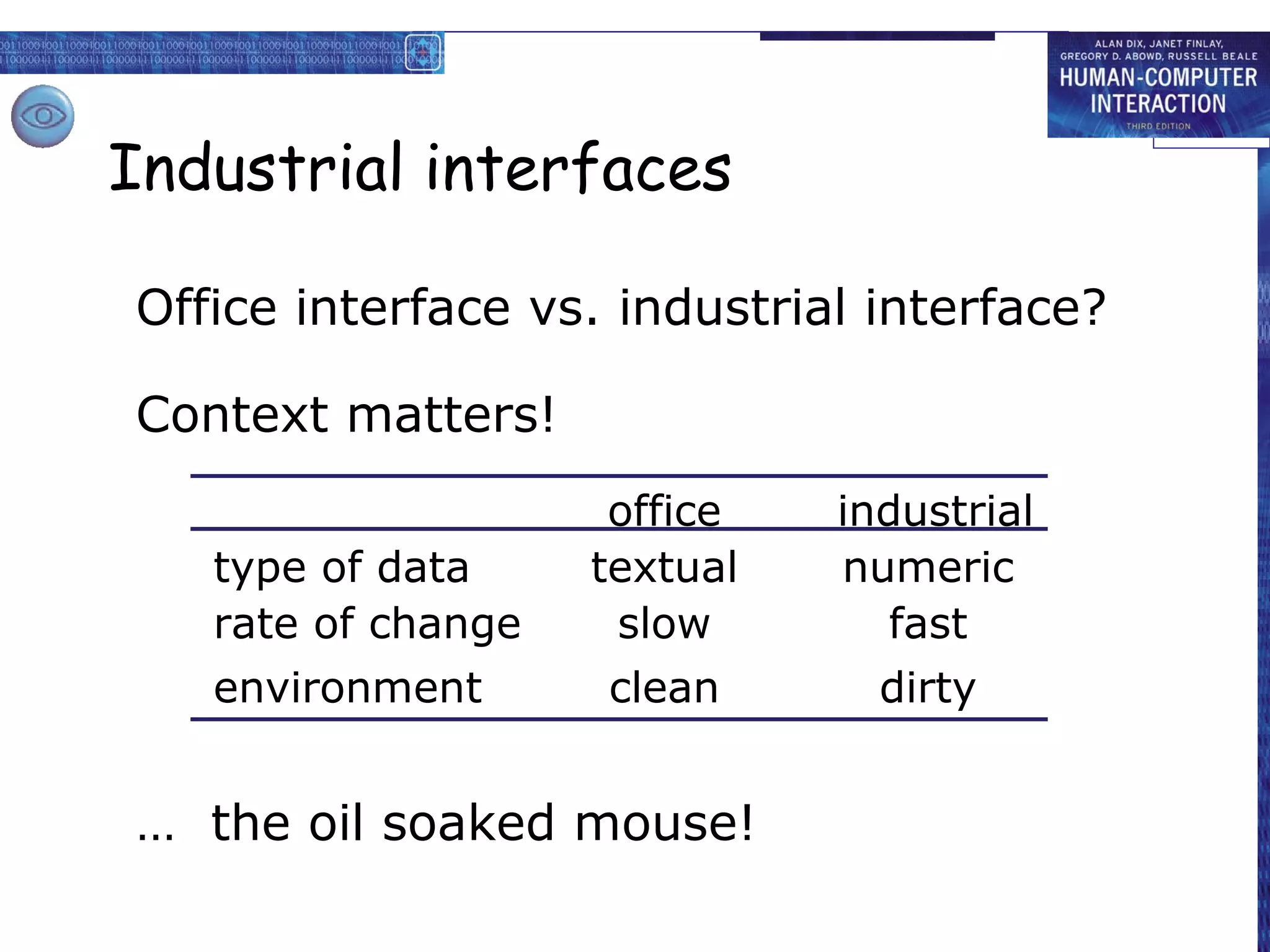
Industrial interfaces

Office interface vs. industrial interface?

Context matters!
                     office   industrial
   type of data     textual   numeric
   rate of change    slow       fast
   environment      clean       dirty


… the oil soaked mouse!
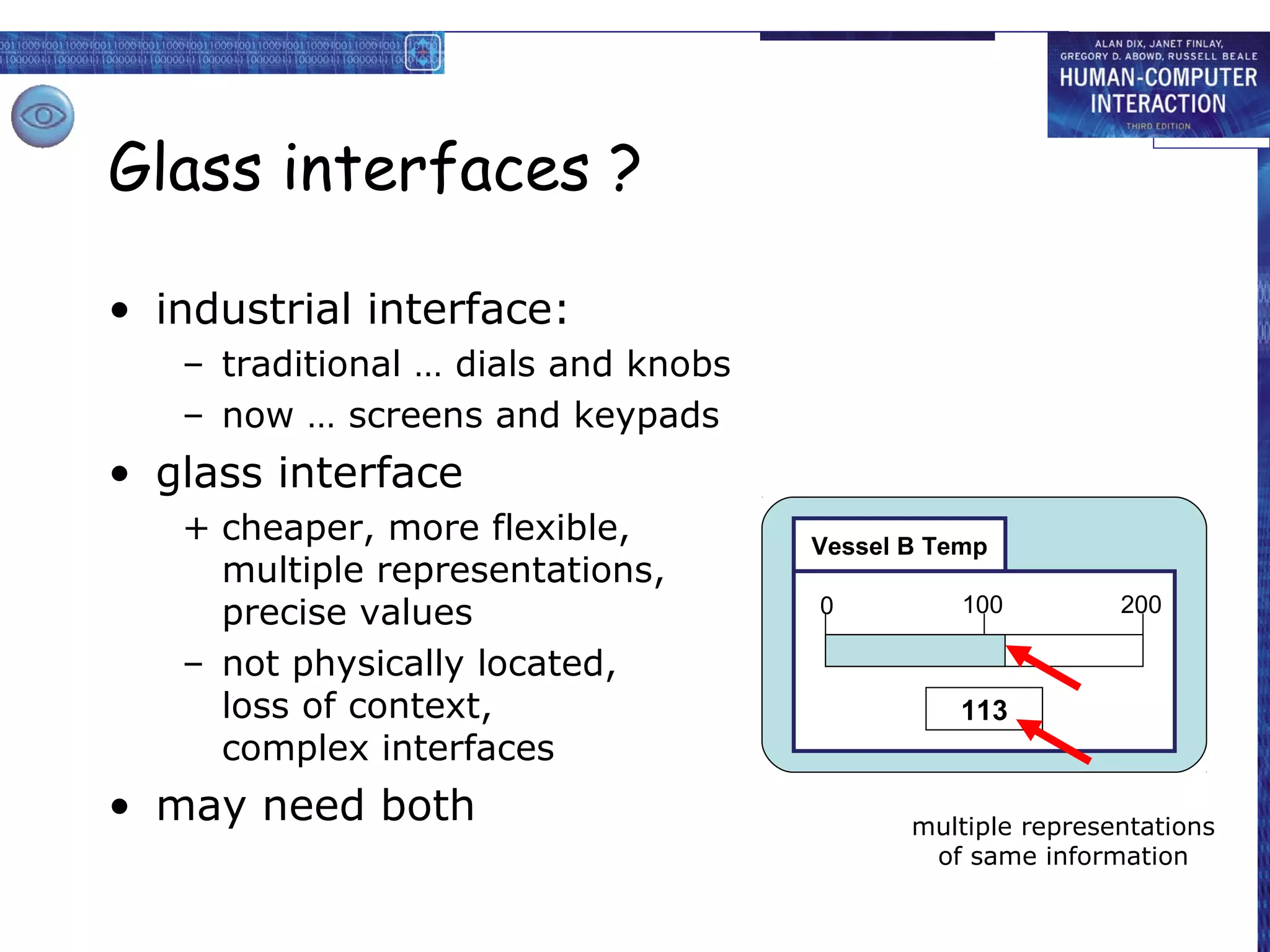
Glass interfaces ?

• industrial interface:
   – traditional … dials and knobs
   – now … screens and keypads
• glass interface
   + cheaper, more flexible,         Vessel B Temp
     multiple representations,
     precise values                  0          100         200

   – not physically located,
     loss of context,                           113
     complex interfaces
• may need both                             multiple representations
                                             of same information
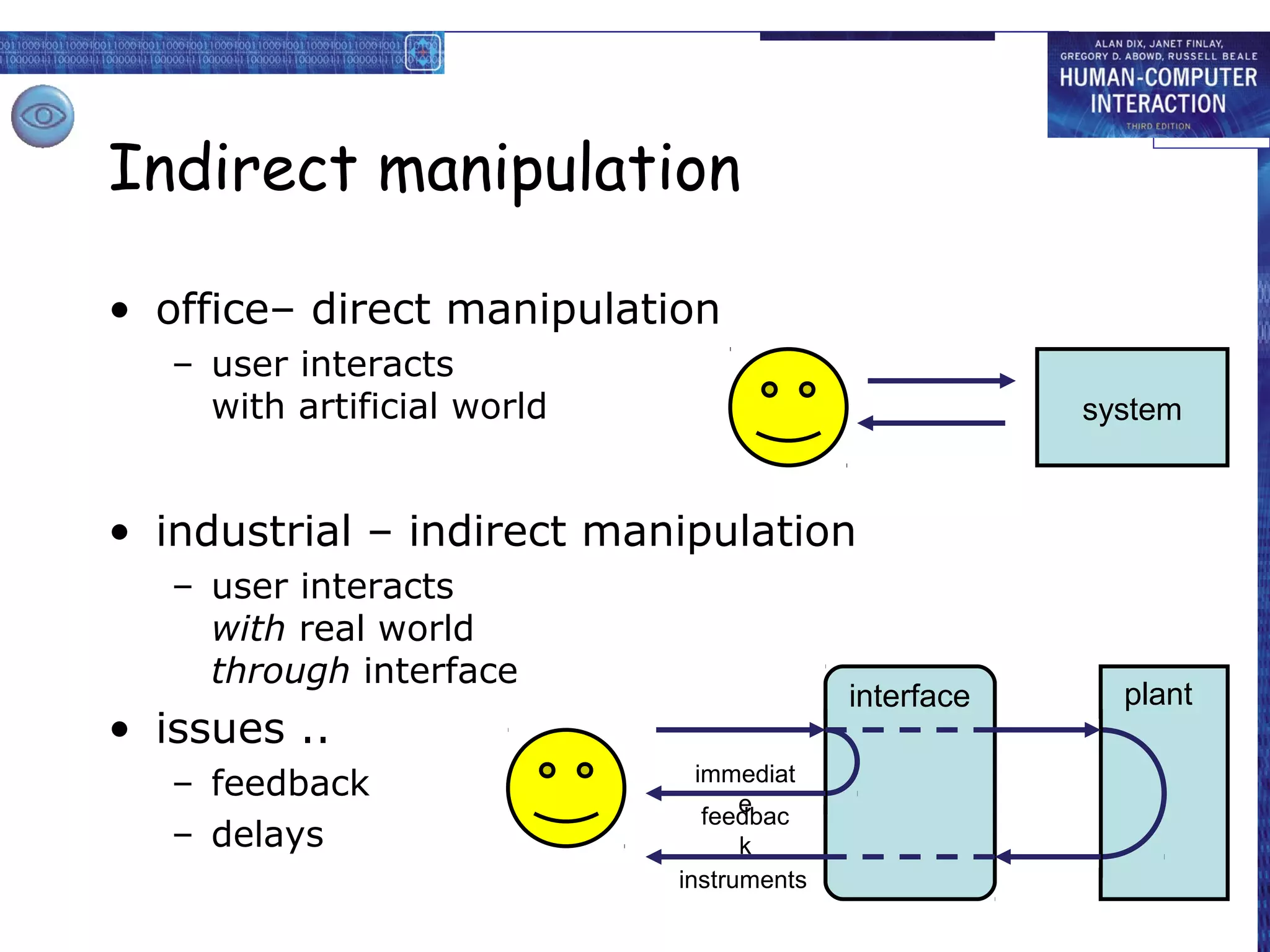
Indirect manipulation

• office– direct manipulation
   – user interacts
     with artificial world                             system


• industrial – indirect manipulation
   – user interacts
     with real world
     through interface
                                           interface     plant
• issues ..
   – feedback                  immediat
                                   e
                                feedbac
   – delays                        k
                             instruments
interaction styles

dialogue … computer and user

 distinct styles of interaction
Common interaction styles

•   command line interface
•   menus
•   natural language
•   question/answer and query dialogue
•   form-fills and spreadsheets
•   WIMP
•   point and click
•   three–dimensional interfaces
Command line interface

• Way of expressing instructions to the
  computer directly
    – function keys, single characters, short abbreviations,
      whole words, or a combination

•   suitable for repetitive tasks
•   better for expert users than novices
•   offers direct access to system functionality
•   command names/abbreviations should be
    meaningful!

Typical example: the Unix system
Menus

• Set of options displayed on the screen
• Options visible
  – less recall - easier to use
  – rely on recognition so names should be meaningful
• Selection by:
  – numbers, letters, arrow keys, mouse
  – combination (e.g. mouse plus accelerators)
• Often options hierarchically grouped
  – sensible grouping is needed
• Restricted form of full WIMP system
Natural language

• Familiar to user
• speech recognition or typed natural language
• Problems
  – vague
  – ambiguous
  – hard to do well!
• Solutions
  – try to understand a subset
  – pick on key words
Query interfaces

• Question/answer interfaces
  – user led through interaction via series of questions
  – suitable for novice users but restricted functionality
  – often used in information systems


• Query languages (e.g. SQL)
  – used to retrieve information from database
  – requires understanding of database structure and
    language syntax, hence requires some expertise
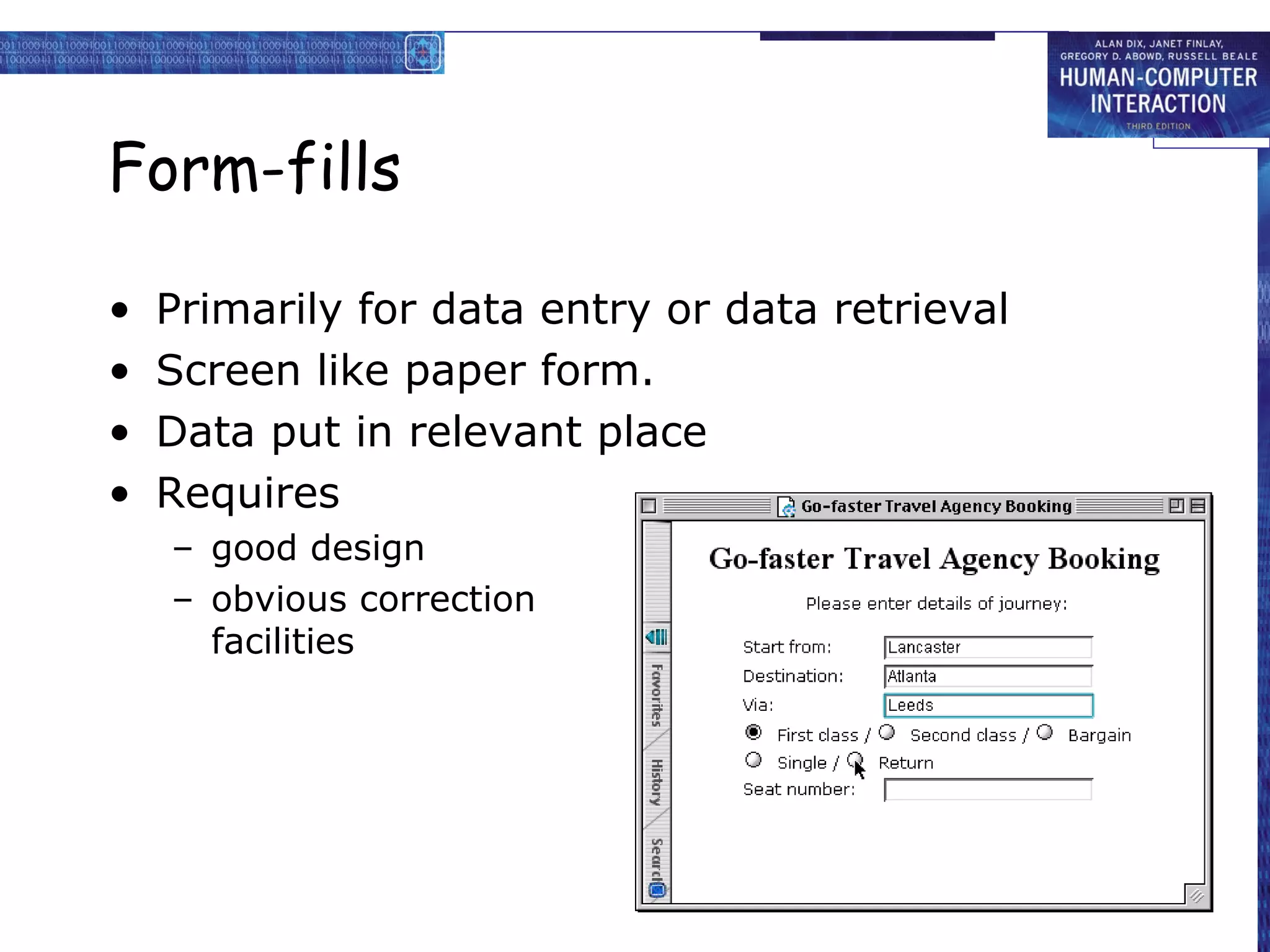
Form-fills

•   Primarily for data entry or data retrieval
•   Screen like paper form.
•   Data put in relevant place
•   Requires
    – good design
    – obvious correction
      facilities
Spreadsheets

• first spreadsheet VISICALC, followed by
  Lotus 1-2-3
  MS Excel most common today
• sophisticated variation of form-filling.
  – grid of cells contain a value or a formula
  – formula can involve values of other cells
           e.g. sum of all cells in this column
  – user can enter and alter data spreadsheet
    maintains consistency
WIMP Interface

      Windows
         Icons
            Menus
               Pointers
  … or windows, icons, mice, and pull-down menus!


• default style for majority of interactive
  computer systems, especially PCs and desktop
  machines
Point and click interfaces

• used in ..
  – multimedia
  – web browsers
  – hypertext

• just click something!
  – icons, text links or location on map

• minimal typing
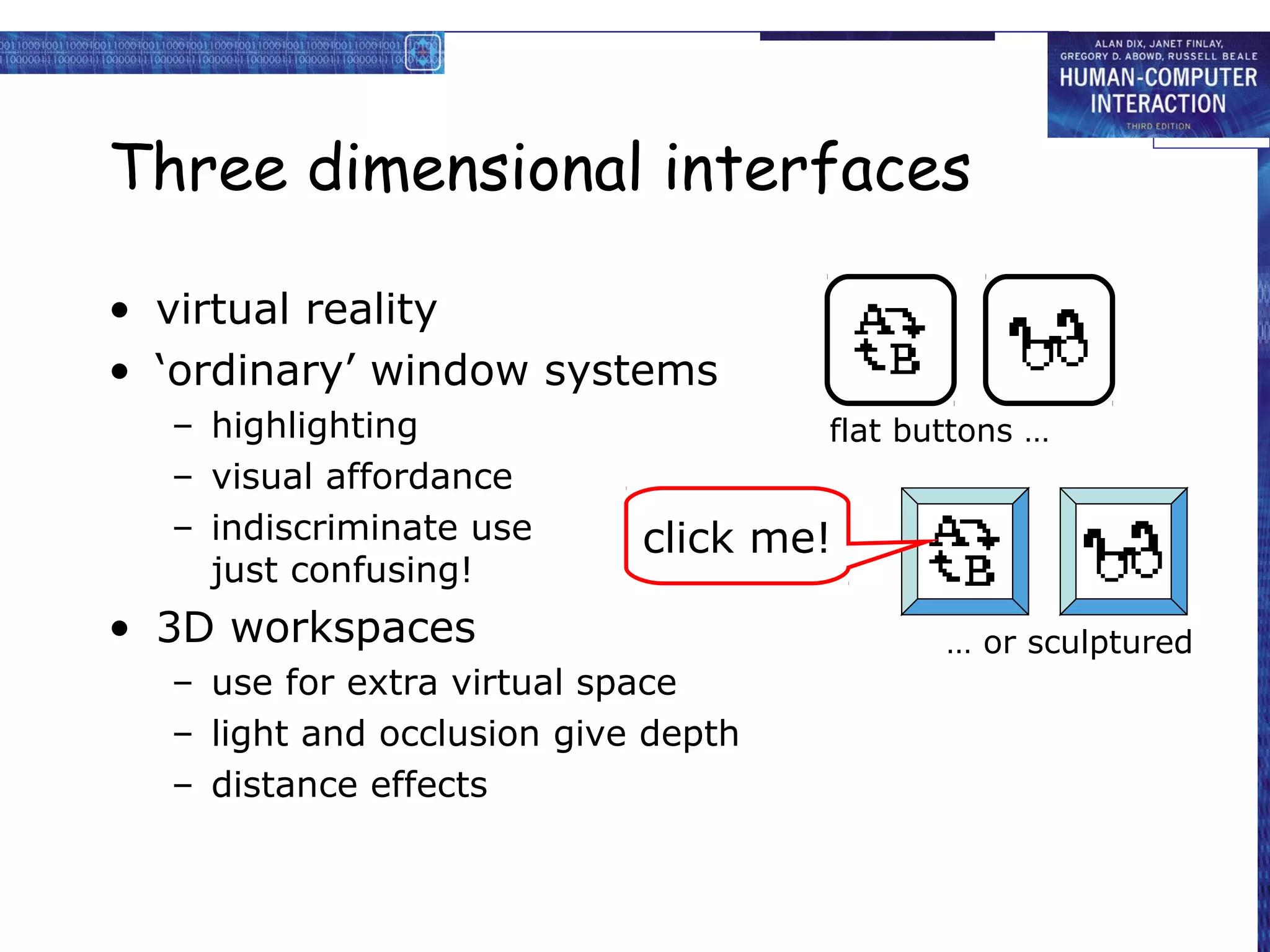
Three dimensional interfaces

• virtual reality
• ‘ordinary’ window systems
  – highlighting                     flat buttons …
  – visual affordance
  – indiscriminate use      click me!
    just confusing!
• 3D workspaces                             … or sculptured
  – use for extra virtual space
  – light and occlusion give depth
  – distance effects
elements of the wimp interface

 windows, icons, menus, pointers
              +++
       buttons, toolbars,
     palettes, dialog boxes
                         also see supplementary material
                            on choosing wimp elements
Windows

• Areas of the screen that behave as if they
  were independent
   – can contain text or graphics
   – can be moved or resized
   – can overlap and obscure each other, or can be laid
     out next to one another (tiled)


• scrollbars
   – allow the user to move the contents of the window
     up and down or from side to side
• title bars
   – describe the name of the window
Icons

• small picture or image
• represents some object in the interface
  – often a window or action
• windows can be closed down (iconised)
  – small representation fi many accessible
    windows
• icons can be many and various
  – highly stylized
  – realistic representations.
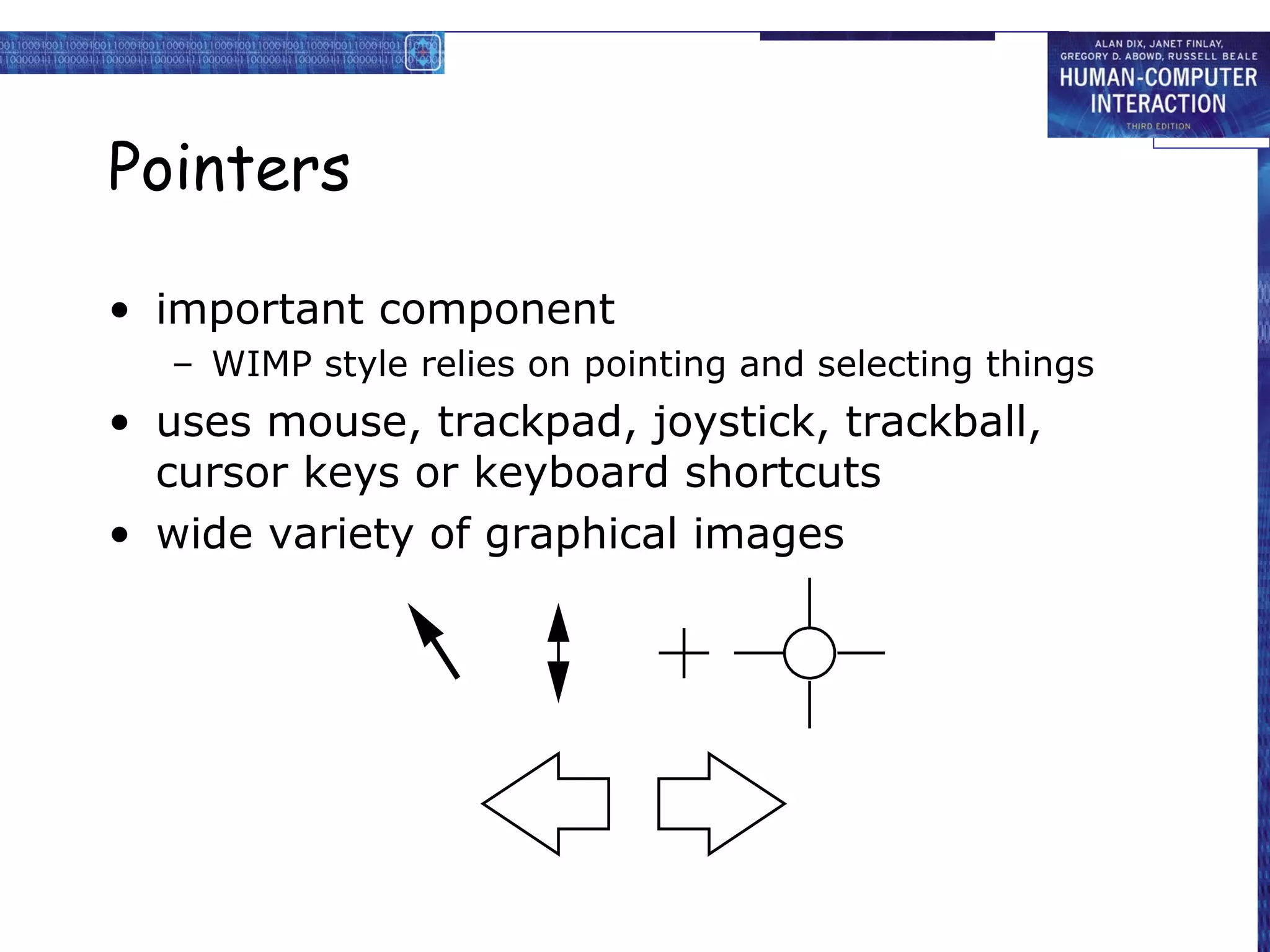
Pointers

• important component
  – WIMP style relies on pointing and selecting things
• uses mouse, trackpad, joystick, trackball,
  cursor keys or keyboard shortcuts
• wide variety of graphical images
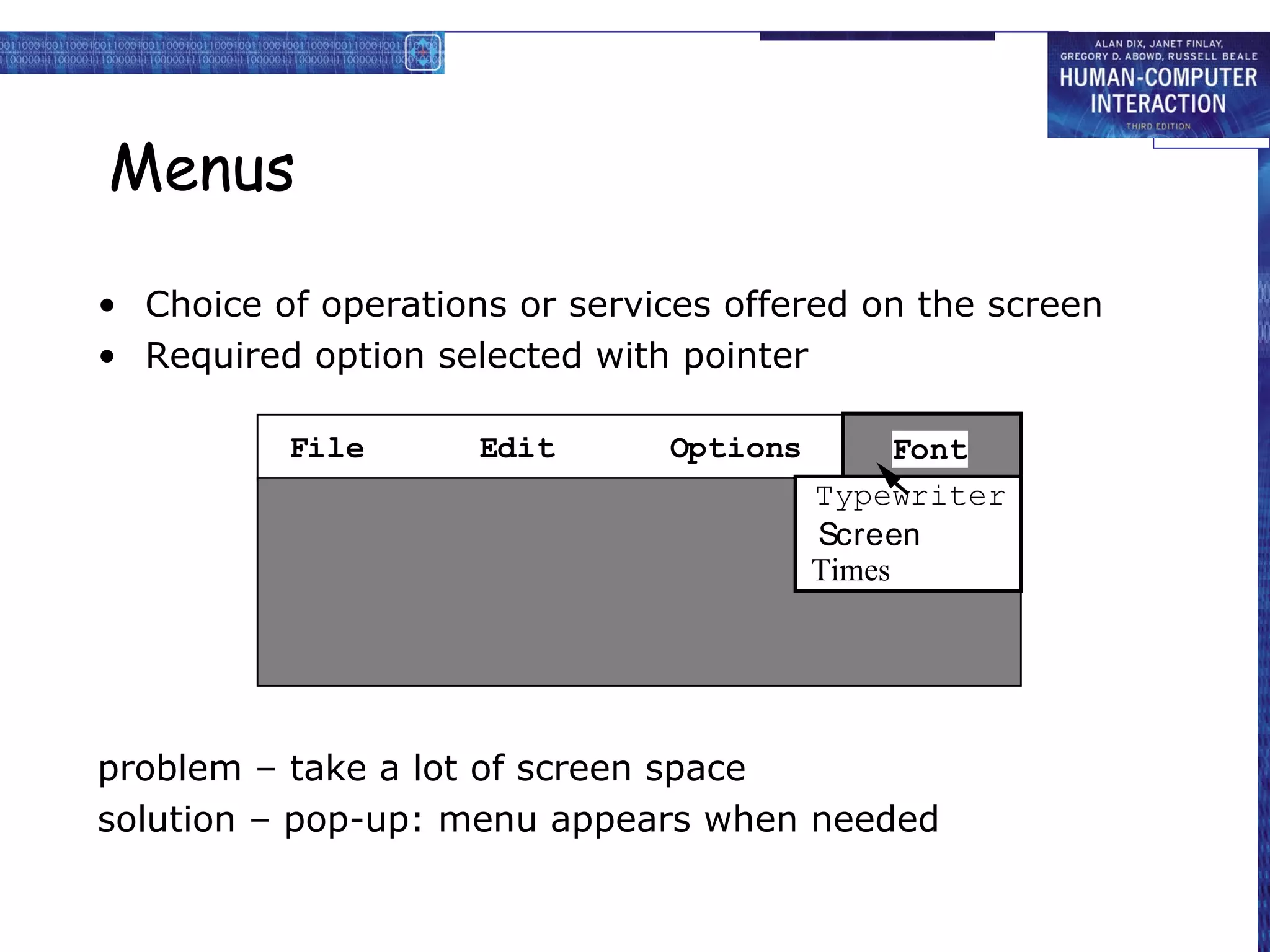
Menus

• Choice of operations or services offered on the screen
• Required option selected with pointer

          File       Edit      Options         Font
                                         Typewriter
                                         Screen
                                         Times


problem – take a lot of screen space
solution – pop-up: menu appears when needed
Kinds of Menus

• Menu Bar at top of screen (normally), menu
  drags down
  – pull-down menu - mouse hold and drag down menu
  – drop-down menu - mouse click reveals menu
  – fall-down menus - mouse just moves over bar!

• Contextual menu appears where you are
  – pop-up menus - actions for selected object
  – pie menus - arranged in a circle
     • easier to select item (larger target area)
     • quicker (same distance to any option)
       … but not widely used!
Menus extras

• Cascading menus
  – hierarchical menu structure
  – menu selection opens new menu
  – and so in ad infinitum

• Keyboard accelerators
  – key combinations - same effect as menu item
  – two kinds
     • active when menu open – usually first letter
     • active when menu closed – usually Ctrl + letter
    usually different !!!
Menus design issues

• which kind to use
• what to include in menus at all
• words to use (action or description)
• how to group items
• choice of keyboard accelerators
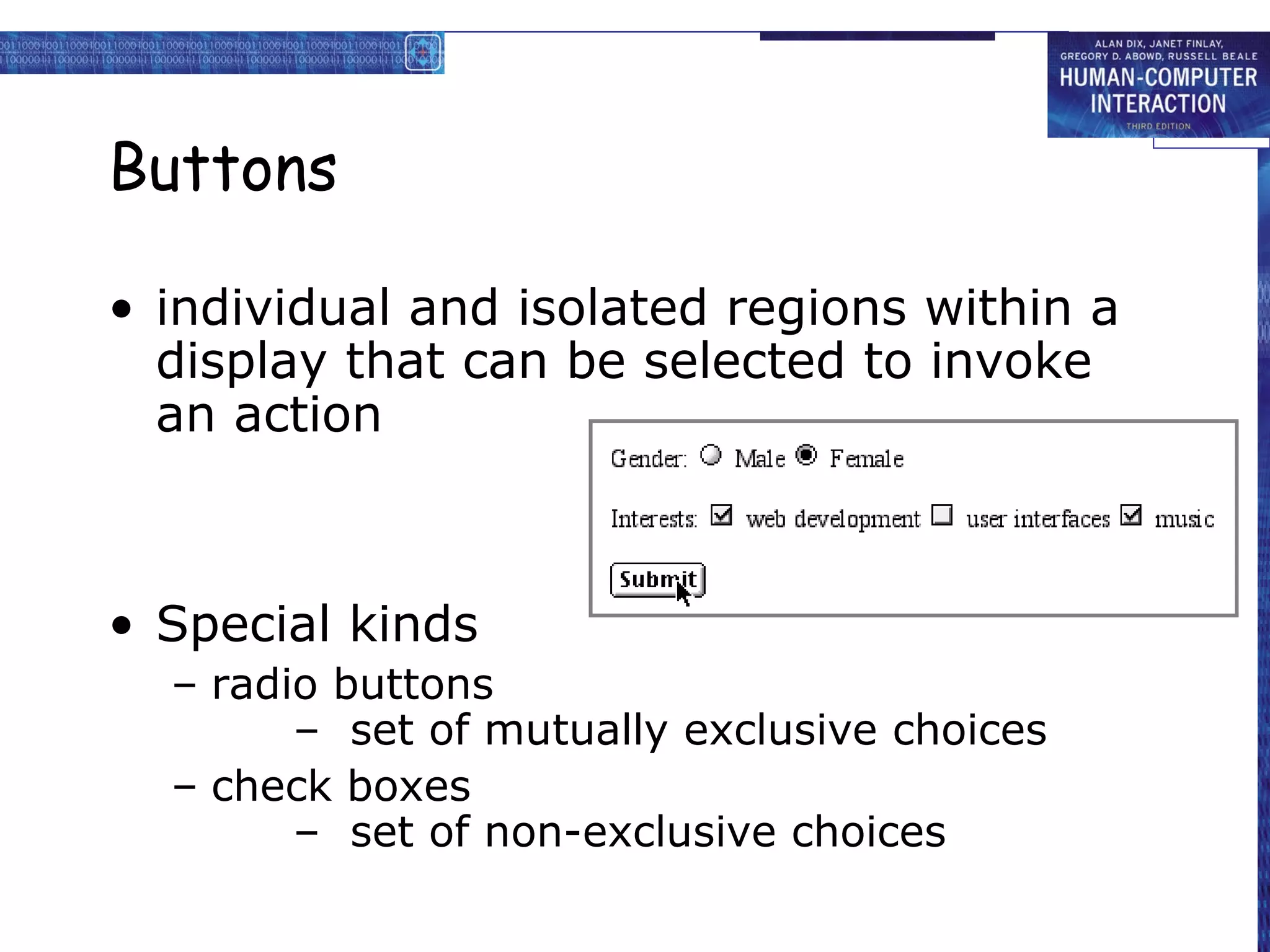
Buttons

• individual and isolated regions within a
  display that can be selected to invoke
  an action


• Special kinds
  – radio buttons
        – set of mutually exclusive choices
  – check boxes
        – set of non-exclusive choices
Toolbars

• long lines of icons …
     … but what do they do?

• fast access to common actions

• often customizable:
  – choose which toolbars to see
  – choose what options are on it
Palettes and tear-off menus

• Problem
     menu not there when you want it

• Solution
     palettes – little windows of actions
        – shown/hidden via menu option
          e.g. available shapes in drawing package
      tear-off and pin-up menus
        – menu ‘tears off’ to become palette
Dialogue boxes

• information windows that pop up to
  inform of an important event or request
  information.

    e.g: when saving a file, a dialogue box is
    displayed to allow the user to specify the
    filename and location. Once the file is
    saved, the box disappears.
interactivity

easy to focus on look
  what about feel?
Speech–driven interfaces

• rapidly improving …
     … but still inaccurate
• how to have robust dialogue?
    … interaction of course!

  e.g. airline reservation:
      reliable “yes” and “no”
      + system reflects back its understanding
     “you want a ticket from New York to Boston?”
Look and … feel

• WIMP systems have the same elements:
     windows, icons., menus, pointers, buttons, etc.

• but different window systems
      … behave differently
    e.g. MacOS vs Windows menus


  appearance + behaviour           =    look and feel
Initiative

• who has the initiative?
      old question–answer – computer
      WIMP interface      – user

• WIMP exceptions …
      pre-emptive parts of the interface

• modal dialog boxes
  – come and won’t go away!
  – good for errors, essential steps
  – but use with care
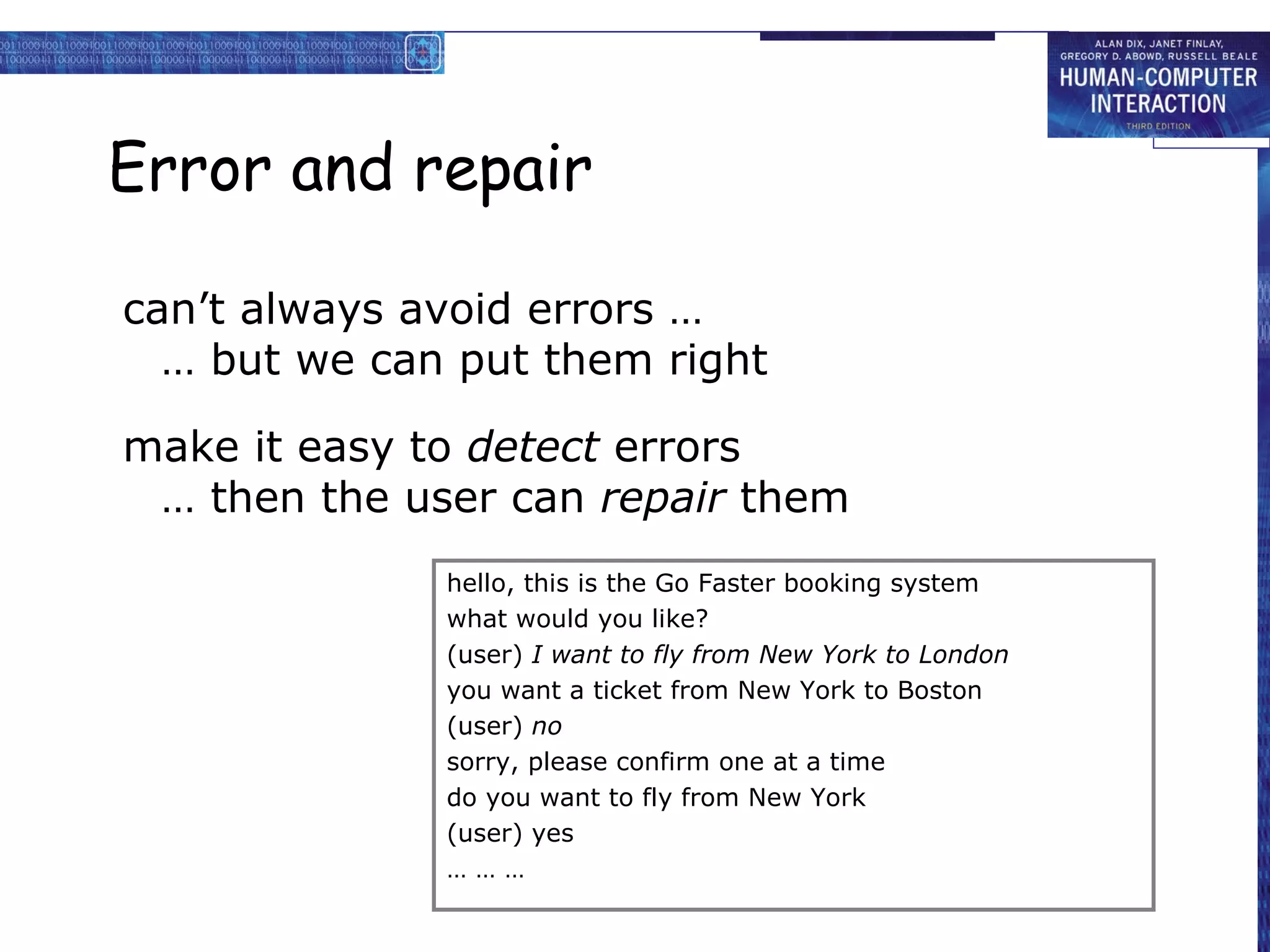
Error and repair

can’t always avoid errors …
  … but we can put them right

make it easy to detect errors
 … then the user can repair them
              hello, this is the Go Faster booking system
              what would you like?
              (user) I want to fly from New York to London
              you want a ticket from New York to Boston
              (user) no
              sorry, please confirm one at a time
              do you want to fly from New York
              (user) yes
              ………
Context

Interaction affected by social and organizational
  context

• other people
   – desire to impress, competition, fear of failure
• motivation
   – fear, allegiance, ambition, self-satisfaction
• inadequate systems
   – cause frustration and lack of motivation
Experience, engagement and fun

        designing experience
        physical engagement
          managing value
Experience?
• home, entertainment, shopping
   – not enough that people can use a system
   – they must want to use it!

• psychology of experience
   – flow (Csikszentimihalyi)
   – balance between anxiety and boredom

• education
   – zone of proximal development
   – things you can just do with help

• wider ...
   – literary analysis, film studies, drama
Designing experience


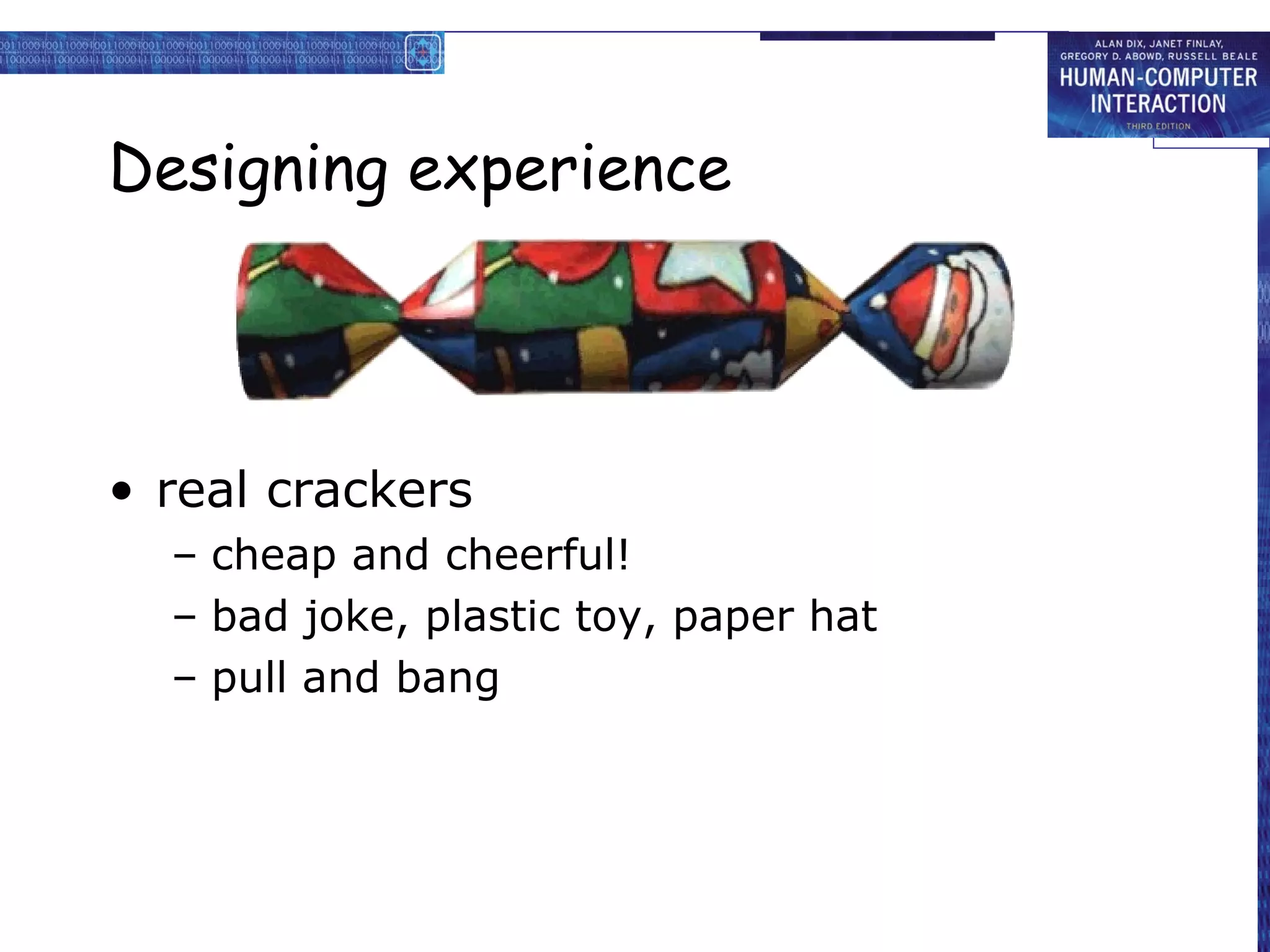
• real crackers
  – cheap and cheerful!
  – bad joke, plastic toy, paper hat
  – pull and bang
Designing experience


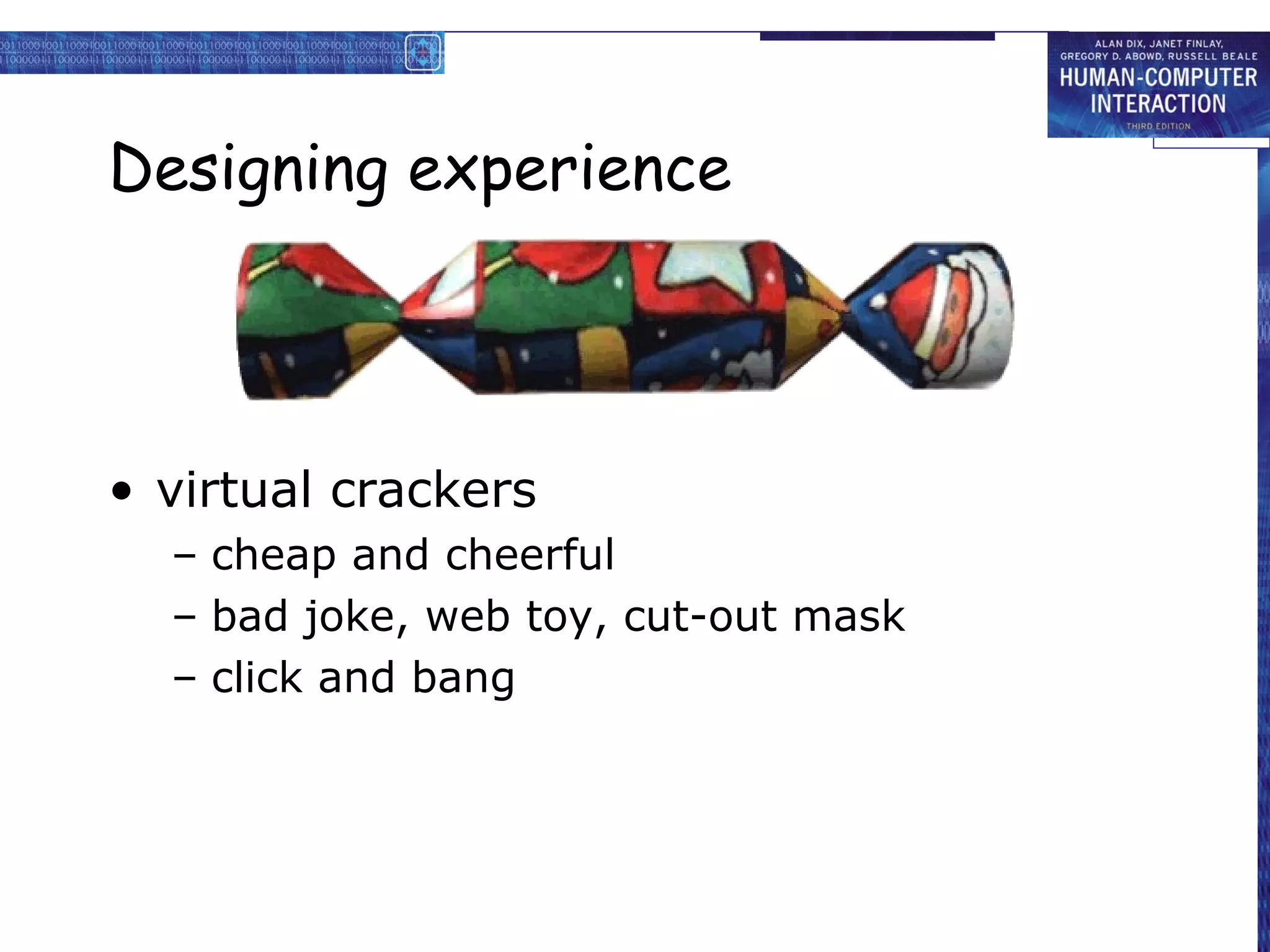
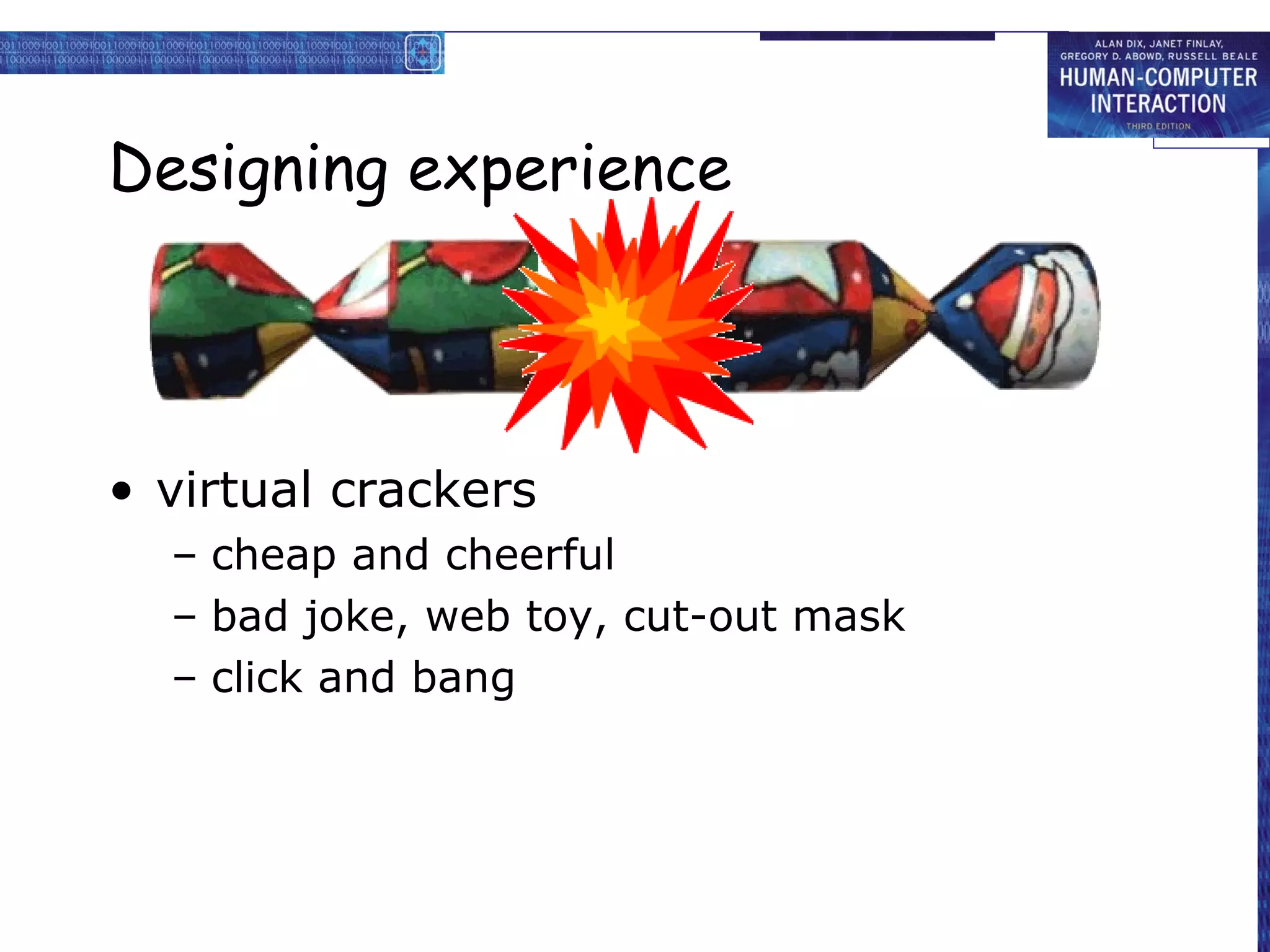
• virtual crackers
  – cheap and cheerful
  – bad joke, web toy, cut-out mask
  – click and bang
Designing experience


• virtual crackers
  – cheap and cheerful
  – bad joke, web toy, cut-out mask
  – click and bang
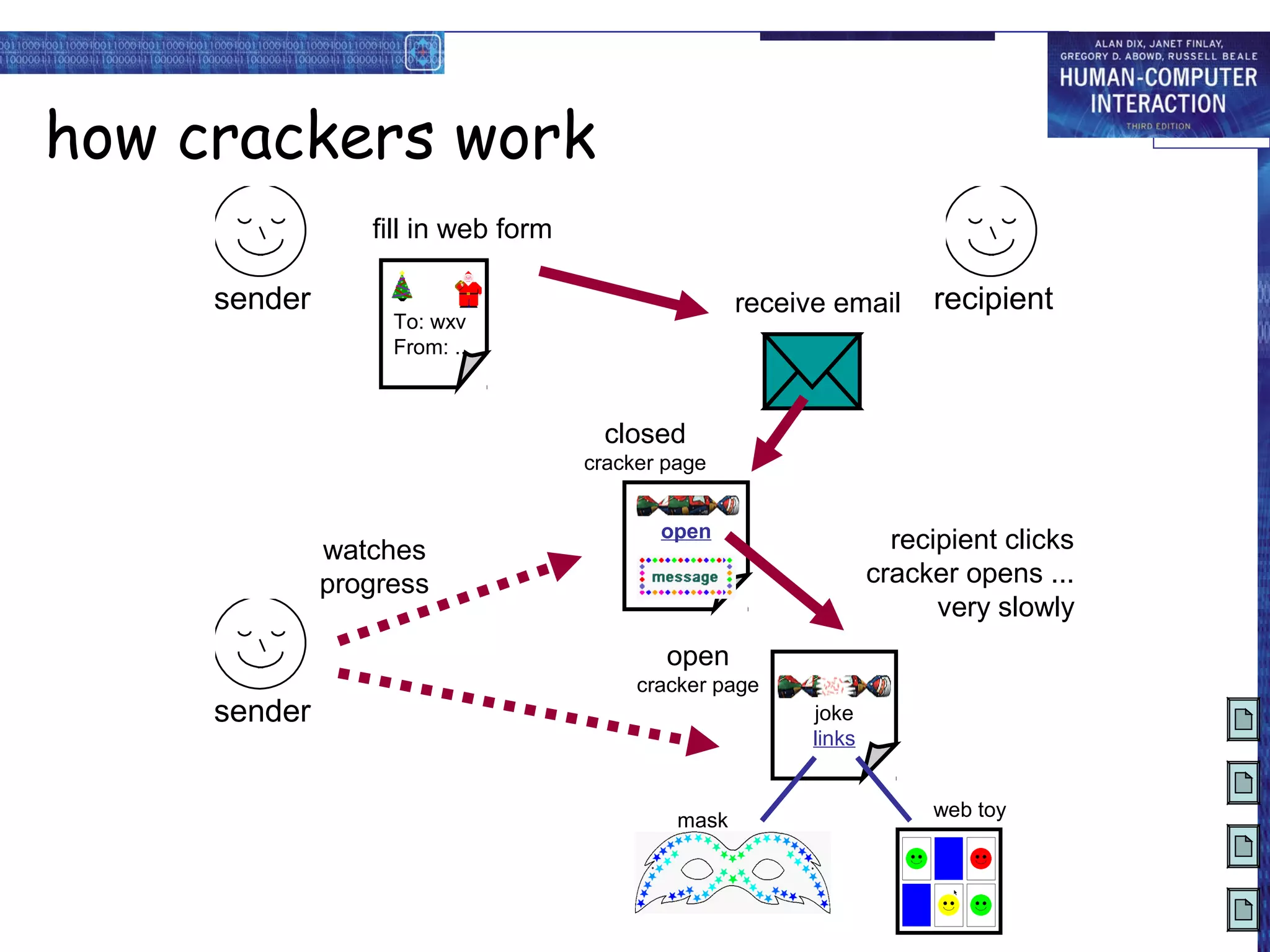
how crackers work
                 fill in web form

     sender                                         receive email      recipient
                   To: wxv
                   From: ..


                                      closed
                                    cracker page


                                           open
              watches                                               recipient clicks
                                         message
              progress                                            cracker opens ...
                                                                        very slowly
                                            open
                                         cracker page
     sender                                               joke
                                                          links


                                                                       web toy
                                             mask
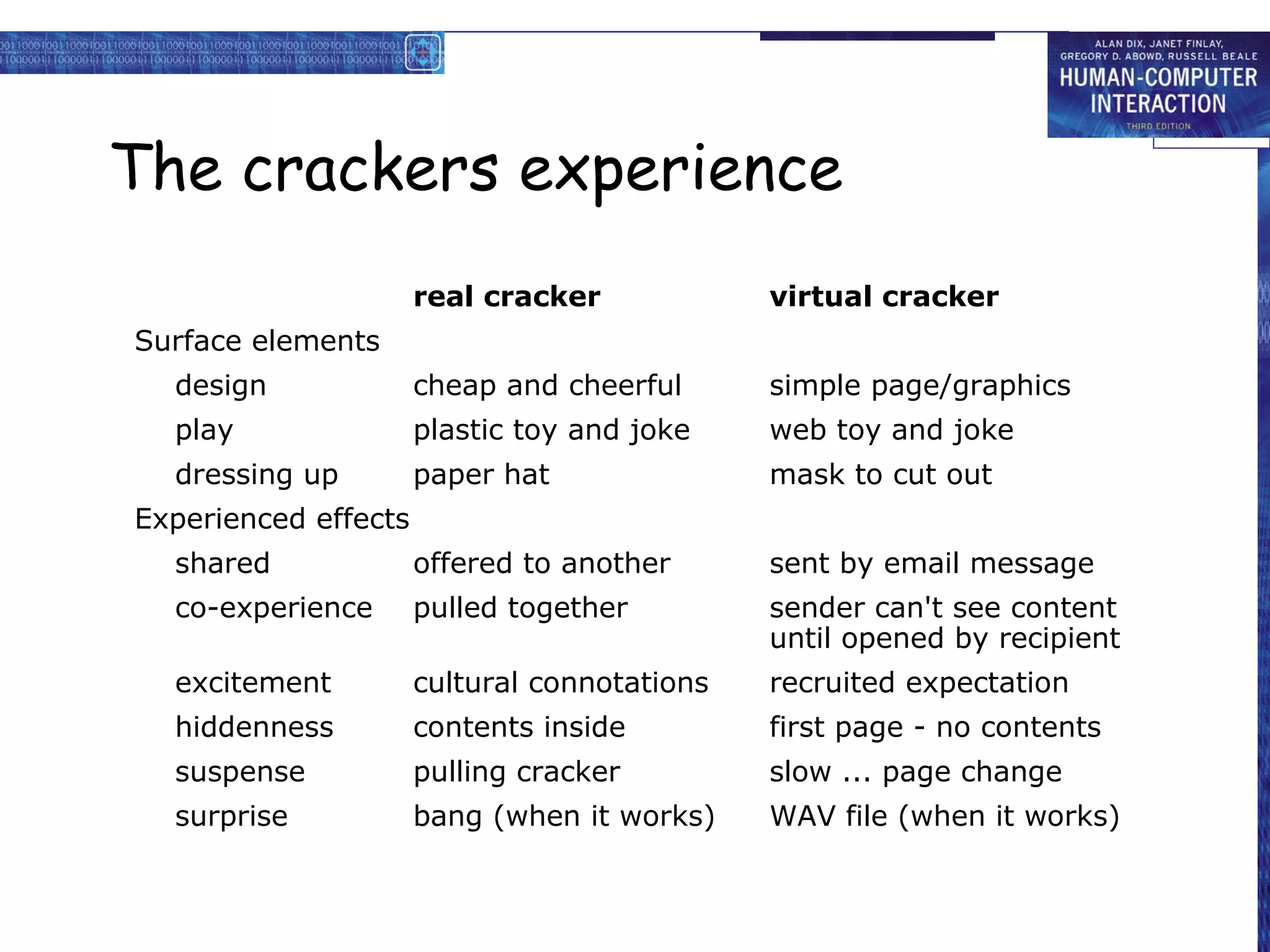
The crackers experience
                      real cracker            virtual cracker
Surface elements
  design              cheap and cheerful      simple page/graphics
  play                plastic toy and joke    web toy and joke
  dressing up         paper hat               mask to cut out
Experienced effects
  shared              offered to another      sent by email message
  co-experience       pulled together         sender can't see content
                                              until opened by recipient
  excitement          cultural connotations   recruited expectation
  hiddenness          contents inside         first page - no contents
  suspense            pulling cracker         slow ... page change
  surprise            bang (when it works)    WAV file (when it works)
Physical design

• many constraints:
  –   ergonomic – minimum button size
  –   physical – high-voltage switches are big
  –   legal and safety – high cooker controls
  –   context and environment – easy to clean
  –   aesthetic – must look good
  –   economic – … and not cost too much!
Design trade-offs

constraints are contradictory … need trade-offs
within categories:
    e.g. safety – cooker controls
       front panel – safer for adult
       rear panel – safer for child

between categories
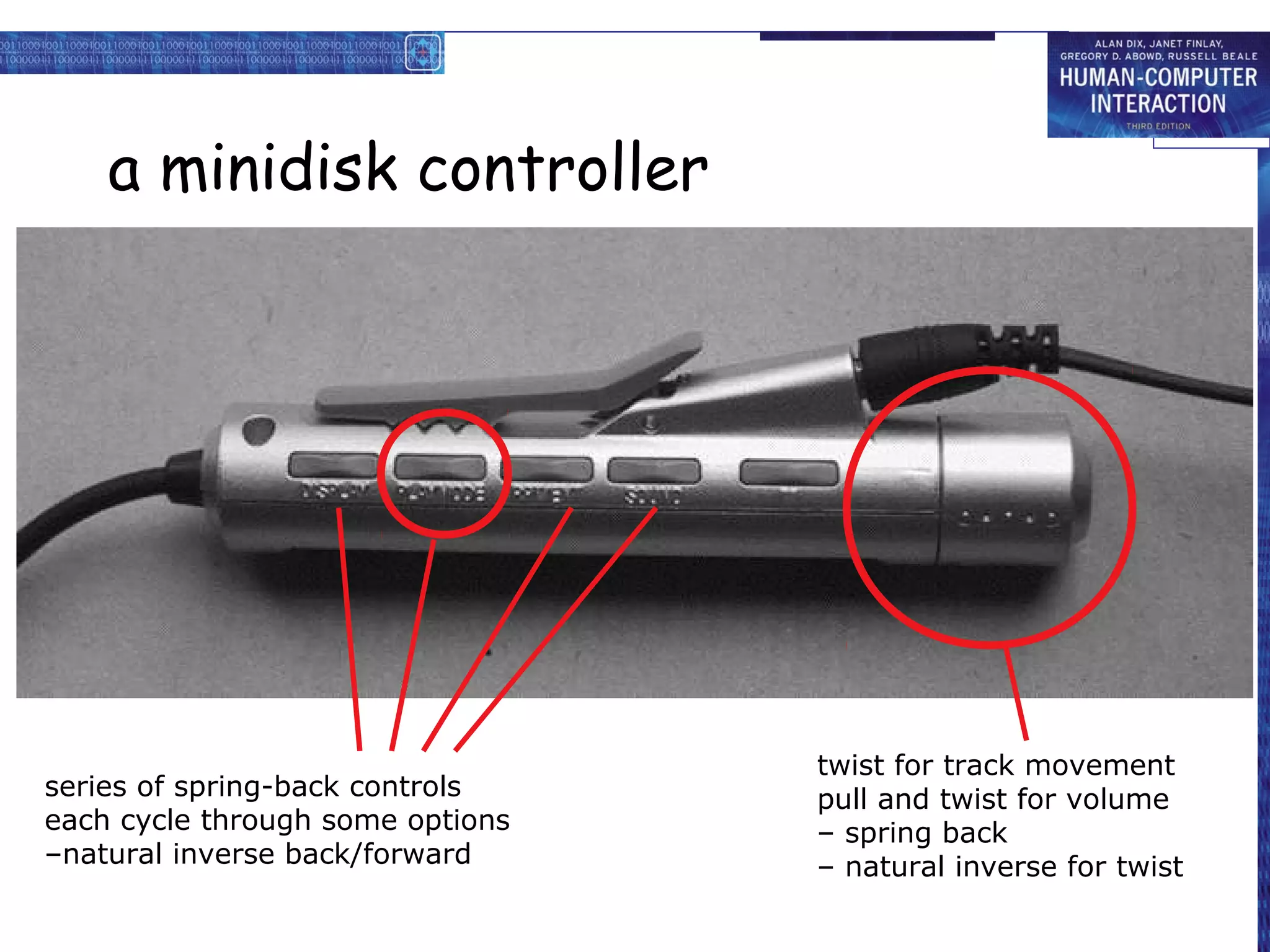
    e.g. ergonomics vs. physical – MiniDisc remote
       ergonomics – controls need to be bigger
       physical – no room!
       solution – multifunction controls & reduced functionality
Fluidity

• do external physical aspects reflect
  logical effect?
  – related to affordance (chap 5)

  logical state revealed in physical state?
        e.g. on/off buttons


  inverse actions inverse effects?
        e.g. arrow buttons, twist controls
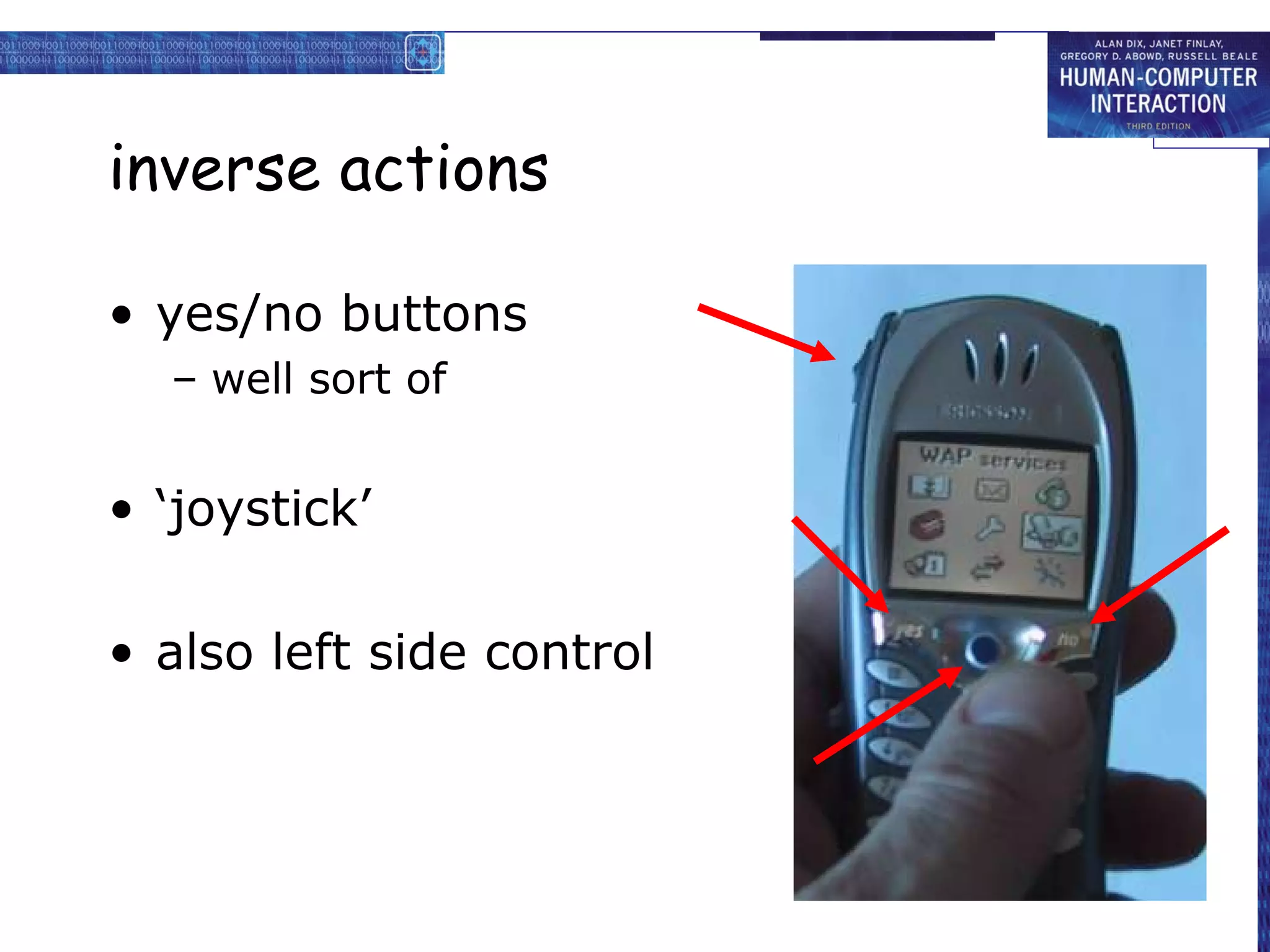
inverse actions

• yes/no buttons
  – well sort of


• ‘joystick’

• also left side control
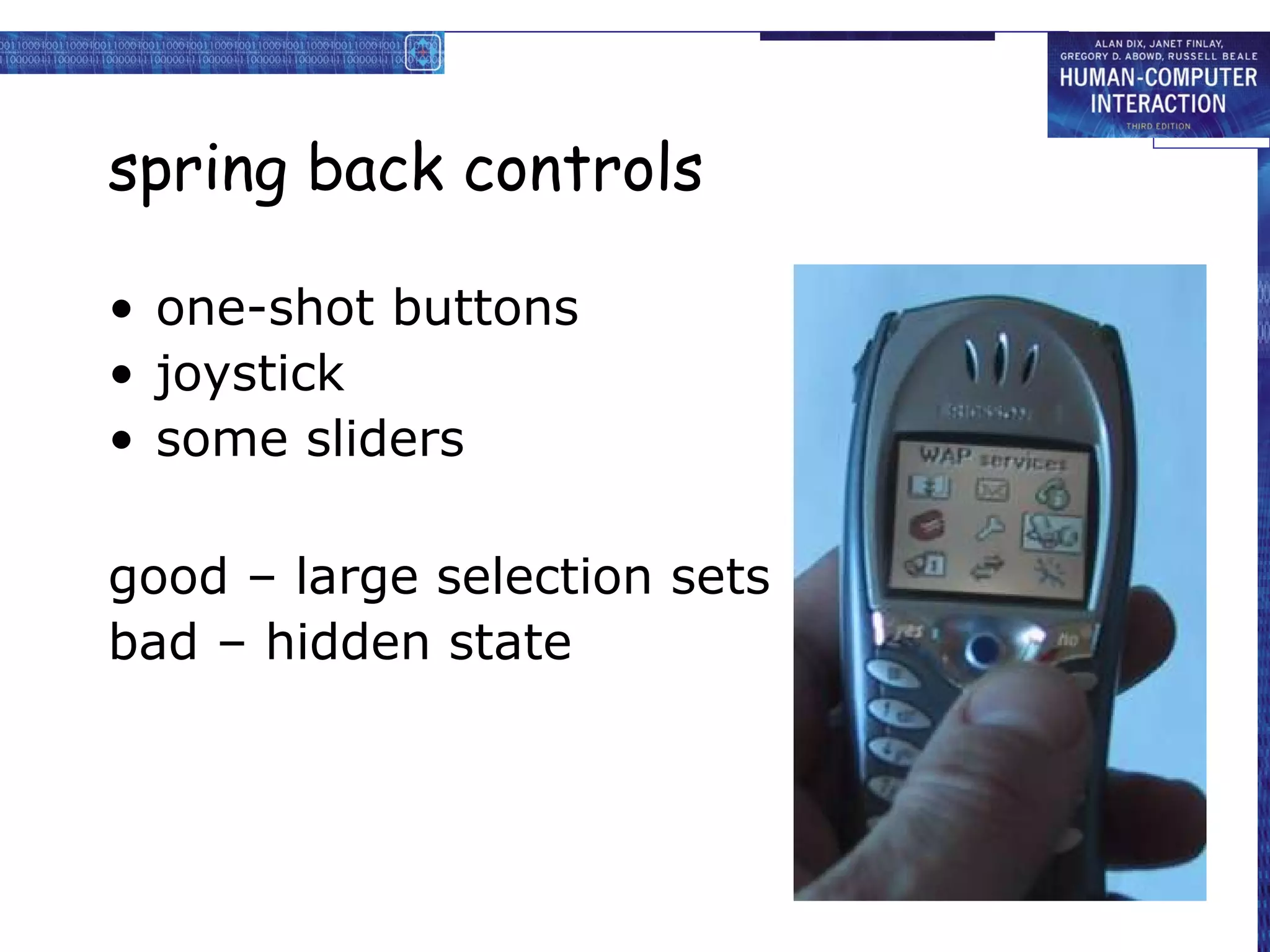
spring back controls

• one-shot buttons
• joystick
• some sliders

good – large selection sets
bad – hidden state
a minidisk controller


                                  twist for track movement
series of spring-back controls    pull and twist for volume
each cycle through some options   – spring back
–natural inverse back/forward     – natural inverse for twist
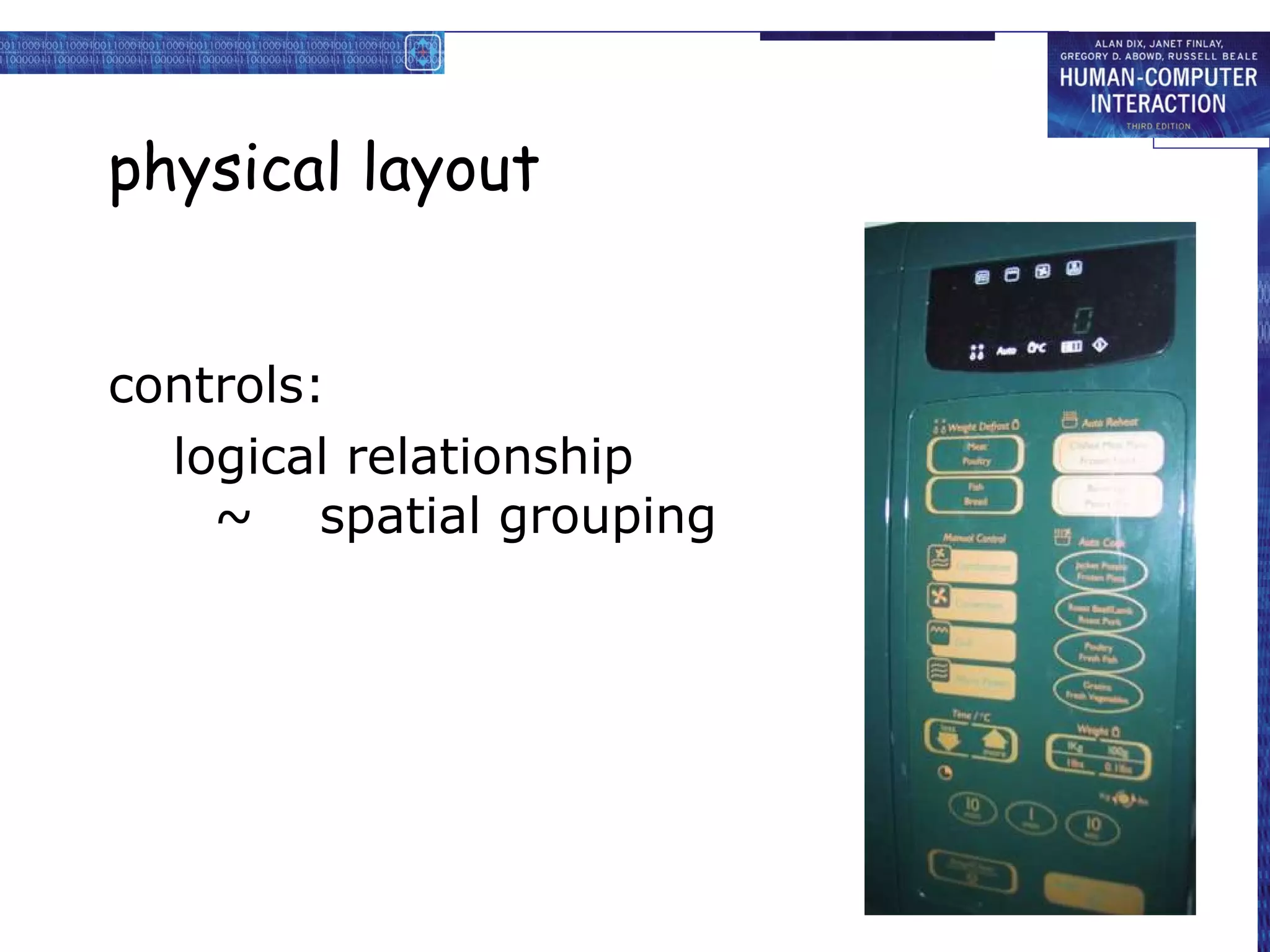
physical layout


controls:
  logical relationship
    ~ spatial grouping
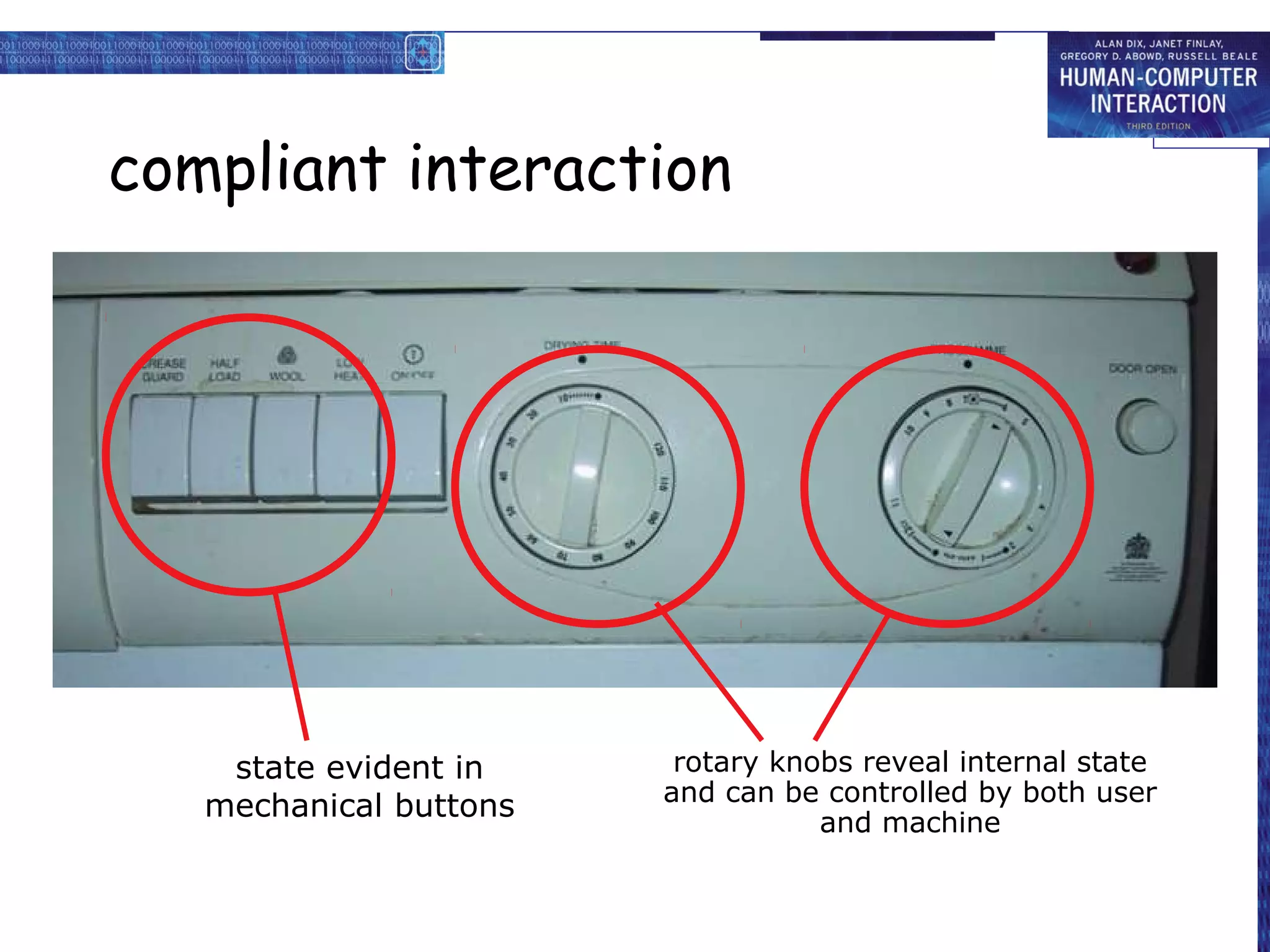
compliant interaction


    state evident in     rotary knobs reveal internal state
                        and can be controlled by both user
   mechanical buttons              and machine
Managing value

people use something
     ONLY IF
           it has perceived value
     AND
           value exceeds cost


BUT NOTE
• exceptions (e.g. habit)
• value NOT necessarily personal gain or money
Weighing up value

value
       • helps me get my work done
       • fun
       • good for others
cost
       • download time
       • money £, $, €
       • learning effort
Discounted future

• in economics Net Present Value:
  – discount by (1+rate)years to wait

• in life people heavily discount
  – future value and future cost
  – hence resistance to learning
  – need low barriers
    and high perceived present value
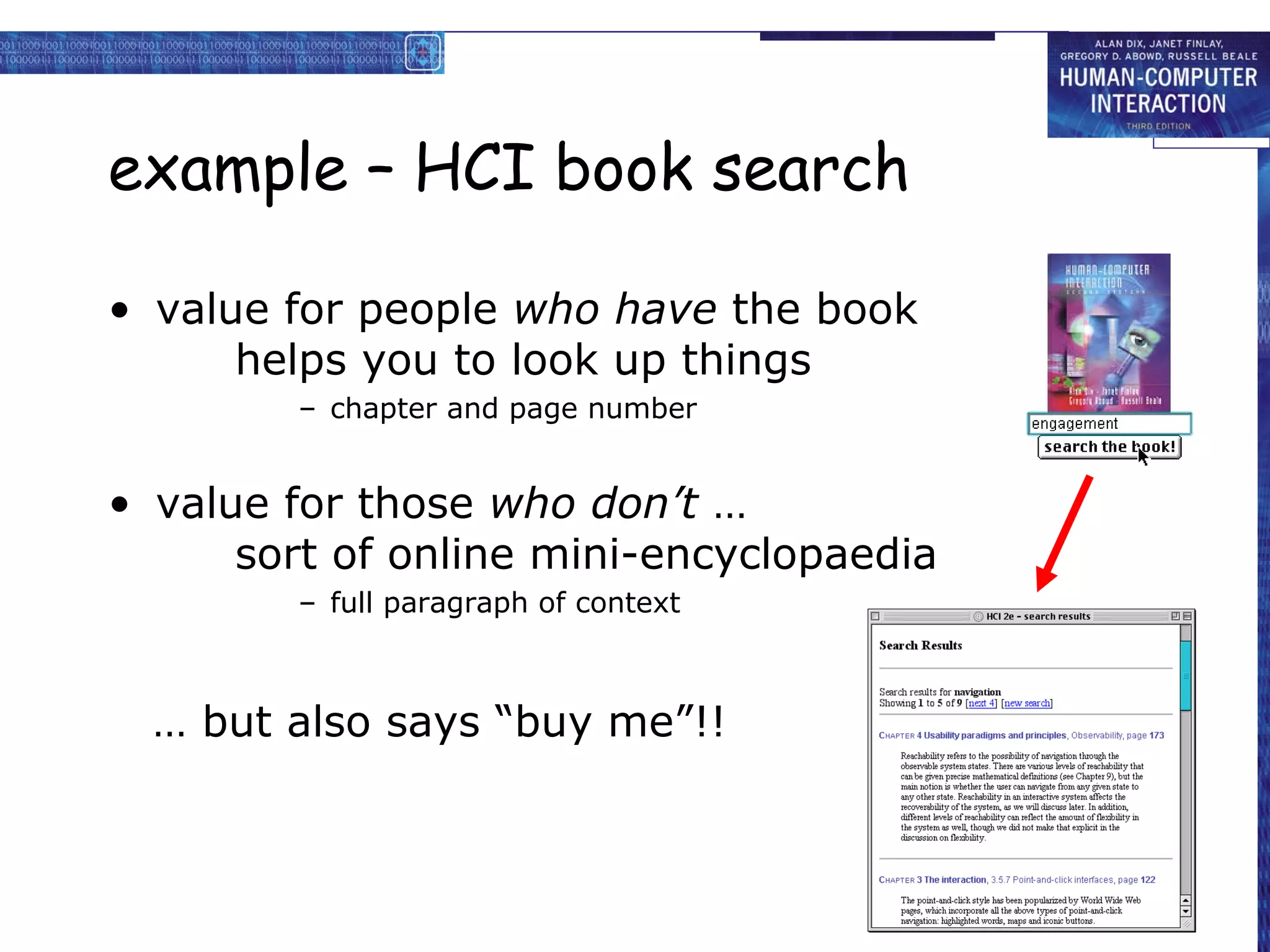
example – HCI book search

• value for people who have the book
      helps you to look up things
        – chapter and page number


• value for those who don’t …
      sort of online mini-encyclopaedia
        – full paragraph of context


  … but also says “buy me”!!
  … but also says “buy me”!!
Value and organisational design

• coercion
     • tell people what to do!
     • value = keep your job
• enculturation
     • explain corporate values
     • establish support (e.g share options)
• emergence
     • design process so that
       individuals value → organisational value
General lesson …

if you want someone to do something …

• make it easy for them!

• understand their values

E3 chap-03

  • 1.
  • 2.
    The Interaction • interactionmodels – translations between user and system • ergonomics – physical characteristics of interaction • interaction styles – the nature of user/system dialog • context – social, organizational, motivational
  • 3.
    What is interaction? communication user system but is that all … ? – see “language and action” in chapter 4 …
  • 4.
    models of interaction terms of interaction Norman model interaction framework
  • 5.
    Some terms ofinteraction domain – the area of work under study e.g. graphic design goal – what you want to achieve e.g. create a solid red triangle task – how you go about doing it – ultimately in terms of operations or actions e.g. … select fill tool, click over triangle Note … – traditional interaction … – use of terms differs a lot especially task/goal !!!
  • 6.
    Donald Norman’s model •Seven stages – user establishes the goal – formulates intention – specifies actions at interface – executes action – perceives system state – interprets system state – evaluates system state with respect to goal • Norman’s model concentrates on user’s view of the interface
  • 7.
    execution/evaluation loop goal execution evaluation system • user establishes the goal • formulates intention • specifies actions at interface • executes action • perceives system state • interprets system state • evaluates system state with respect to goal
  • 8.
    execution/evaluation loop goal execution evaluation system • user establishes the goal • formulates intention • specifies actions at interface • executes action • perceives system state • interprets system state • evaluates system state with respect to goal
  • 9.
    execution/evaluation loop goal execution evaluation system • user establishes the goal • formulates intention • specifies actions at interface • executes action • perceives system state • interprets system state • evaluates system state with respect to goal
  • 10.
    execution/evaluation loop goal execution evaluation system • user establishes the goal • formulates intention • specifies actions at interface • executes action • perceives system state • interprets system state • evaluates system state with respect to goal
  • 11.
    Using Norman’s model Somesystems are harder to use than others Gulf of Execution user’s formulation of actions ≠ actions allowed by the system Gulf of Evaluation user’s expectation of changed system state ≠ actual presentation of this state
  • 12.
    Human error -slips and mistakes slip understand system and goal correct formulation of action incorrect action mistake may not even have right goal! Fixing things? slip – better interface design mistake – better understanding of system
  • 13.
    Abowd and Bealeframework extension of Norman… their interaction framework has 4 parts O – user output – input S U – system core task – output I input each has its own unique language interaction ⇒ translation between languages problems in interaction = problems in translation
  • 14.
    Using Abowd &Beale’s model user intentions → translated into actions at the interface → translated into alterations of system state → reflected in the output display → interpreted by the user general framework for understanding interaction – not restricted to electronic computer systems – identifies all major components involved in interaction – allows comparative assessment of systems – an abstraction
  • 15.
    ergonomics physical aspects ofinterfaces industrial interfaces
  • 16.
    Ergonomics • Study ofthe physical characteristics of interaction • Also known as human factors – but this can also be used to mean much of HCI! • Ergonomics good at defining standards and guidelines for constraining the way we design certain aspects of systems
  • 17.
    Ergonomics - examples •arrangement of controls and displays e.g. controls grouped according to function or frequency of use, or sequentially • surrounding environment e.g. seating arrangements adaptable to cope with all sizes of user • health issues e.g. physical position, environmental conditions (temperature, humidity), lighting, noise, • use of colour e.g. use of red for warning, green for okay, awareness of colour-blindness etc.
  • 18.
    Industrial interfaces Office interfacevs. industrial interface? Context matters! office industrial type of data textual numeric rate of change slow fast environment clean dirty … the oil soaked mouse!
  • 19.
    Glass interfaces ? •industrial interface: – traditional … dials and knobs – now … screens and keypads • glass interface + cheaper, more flexible, Vessel B Temp multiple representations, precise values 0 100 200 – not physically located, loss of context, 113 complex interfaces • may need both multiple representations of same information
  • 20.
    Indirect manipulation • office–direct manipulation – user interacts with artificial world system • industrial – indirect manipulation – user interacts with real world through interface interface plant • issues .. – feedback immediat e feedbac – delays k instruments
  • 21.
    interaction styles dialogue …computer and user distinct styles of interaction
  • 22.
    Common interaction styles • command line interface • menus • natural language • question/answer and query dialogue • form-fills and spreadsheets • WIMP • point and click • three–dimensional interfaces
  • 23.
    Command line interface •Way of expressing instructions to the computer directly – function keys, single characters, short abbreviations, whole words, or a combination • suitable for repetitive tasks • better for expert users than novices • offers direct access to system functionality • command names/abbreviations should be meaningful! Typical example: the Unix system
  • 24.
    Menus • Set ofoptions displayed on the screen • Options visible – less recall - easier to use – rely on recognition so names should be meaningful • Selection by: – numbers, letters, arrow keys, mouse – combination (e.g. mouse plus accelerators) • Often options hierarchically grouped – sensible grouping is needed • Restricted form of full WIMP system
  • 25.
    Natural language • Familiarto user • speech recognition or typed natural language • Problems – vague – ambiguous – hard to do well! • Solutions – try to understand a subset – pick on key words
  • 26.
    Query interfaces • Question/answerinterfaces – user led through interaction via series of questions – suitable for novice users but restricted functionality – often used in information systems • Query languages (e.g. SQL) – used to retrieve information from database – requires understanding of database structure and language syntax, hence requires some expertise
  • 27.
    Form-fills • Primarily for data entry or data retrieval • Screen like paper form. • Data put in relevant place • Requires – good design – obvious correction facilities
  • 28.
    Spreadsheets • first spreadsheetVISICALC, followed by Lotus 1-2-3 MS Excel most common today • sophisticated variation of form-filling. – grid of cells contain a value or a formula – formula can involve values of other cells e.g. sum of all cells in this column – user can enter and alter data spreadsheet maintains consistency
  • 29.
    WIMP Interface Windows Icons Menus Pointers … or windows, icons, mice, and pull-down menus! • default style for majority of interactive computer systems, especially PCs and desktop machines
  • 30.
    Point and clickinterfaces • used in .. – multimedia – web browsers – hypertext • just click something! – icons, text links or location on map • minimal typing
  • 31.
    Three dimensional interfaces •virtual reality • ‘ordinary’ window systems – highlighting flat buttons … – visual affordance – indiscriminate use click me! just confusing! • 3D workspaces … or sculptured – use for extra virtual space – light and occlusion give depth – distance effects
  • 32.
    elements of thewimp interface windows, icons, menus, pointers +++ buttons, toolbars, palettes, dialog boxes also see supplementary material on choosing wimp elements
  • 33.
    Windows • Areas ofthe screen that behave as if they were independent – can contain text or graphics – can be moved or resized – can overlap and obscure each other, or can be laid out next to one another (tiled) • scrollbars – allow the user to move the contents of the window up and down or from side to side • title bars – describe the name of the window
  • 34.
    Icons • small pictureor image • represents some object in the interface – often a window or action • windows can be closed down (iconised) – small representation fi many accessible windows • icons can be many and various – highly stylized – realistic representations.
  • 35.
    Pointers • important component – WIMP style relies on pointing and selecting things • uses mouse, trackpad, joystick, trackball, cursor keys or keyboard shortcuts • wide variety of graphical images
  • 36.
    Menus • Choice ofoperations or services offered on the screen • Required option selected with pointer File Edit Options Font Typewriter Screen Times problem – take a lot of screen space solution – pop-up: menu appears when needed
  • 37.
    Kinds of Menus •Menu Bar at top of screen (normally), menu drags down – pull-down menu - mouse hold and drag down menu – drop-down menu - mouse click reveals menu – fall-down menus - mouse just moves over bar! • Contextual menu appears where you are – pop-up menus - actions for selected object – pie menus - arranged in a circle • easier to select item (larger target area) • quicker (same distance to any option) … but not widely used!
  • 38.
    Menus extras • Cascadingmenus – hierarchical menu structure – menu selection opens new menu – and so in ad infinitum • Keyboard accelerators – key combinations - same effect as menu item – two kinds • active when menu open – usually first letter • active when menu closed – usually Ctrl + letter usually different !!!
  • 39.
    Menus design issues •which kind to use • what to include in menus at all • words to use (action or description) • how to group items • choice of keyboard accelerators
  • 40.
    Buttons • individual andisolated regions within a display that can be selected to invoke an action • Special kinds – radio buttons – set of mutually exclusive choices – check boxes – set of non-exclusive choices
  • 41.
    Toolbars • long linesof icons … … but what do they do? • fast access to common actions • often customizable: – choose which toolbars to see – choose what options are on it
  • 42.
    Palettes and tear-offmenus • Problem menu not there when you want it • Solution palettes – little windows of actions – shown/hidden via menu option e.g. available shapes in drawing package tear-off and pin-up menus – menu ‘tears off’ to become palette
  • 43.
    Dialogue boxes • informationwindows that pop up to inform of an important event or request information. e.g: when saving a file, a dialogue box is displayed to allow the user to specify the filename and location. Once the file is saved, the box disappears.
  • 44.
    interactivity easy to focuson look what about feel?
  • 45.
    Speech–driven interfaces • rapidlyimproving … … but still inaccurate • how to have robust dialogue? … interaction of course! e.g. airline reservation: reliable “yes” and “no” + system reflects back its understanding “you want a ticket from New York to Boston?”
  • 46.
    Look and …feel • WIMP systems have the same elements: windows, icons., menus, pointers, buttons, etc. • but different window systems … behave differently e.g. MacOS vs Windows menus appearance + behaviour = look and feel
  • 47.
    Initiative • who hasthe initiative? old question–answer – computer WIMP interface – user • WIMP exceptions … pre-emptive parts of the interface • modal dialog boxes – come and won’t go away! – good for errors, essential steps – but use with care
  • 48.
    Error and repair can’talways avoid errors … … but we can put them right make it easy to detect errors … then the user can repair them hello, this is the Go Faster booking system what would you like? (user) I want to fly from New York to London you want a ticket from New York to Boston (user) no sorry, please confirm one at a time do you want to fly from New York (user) yes ………
  • 49.
    Context Interaction affected bysocial and organizational context • other people – desire to impress, competition, fear of failure • motivation – fear, allegiance, ambition, self-satisfaction • inadequate systems – cause frustration and lack of motivation
  • 50.
    Experience, engagement andfun designing experience physical engagement managing value
  • 51.
    Experience? • home, entertainment,shopping – not enough that people can use a system – they must want to use it! • psychology of experience – flow (Csikszentimihalyi) – balance between anxiety and boredom • education – zone of proximal development – things you can just do with help • wider ... – literary analysis, film studies, drama
  • 52.
    Designing experience • realcrackers – cheap and cheerful! – bad joke, plastic toy, paper hat – pull and bang
  • 53.
    Designing experience • virtualcrackers – cheap and cheerful – bad joke, web toy, cut-out mask – click and bang
  • 54.
    Designing experience • virtualcrackers – cheap and cheerful – bad joke, web toy, cut-out mask – click and bang
  • 55.
    how crackers work fill in web form sender receive email recipient To: wxv From: .. closed cracker page open watches recipient clicks message progress cracker opens ... very slowly open cracker page sender joke links web toy mask
  • 56.
    The crackers experience real cracker virtual cracker Surface elements design cheap and cheerful simple page/graphics play plastic toy and joke web toy and joke dressing up paper hat mask to cut out Experienced effects shared offered to another sent by email message co-experience pulled together sender can't see content until opened by recipient excitement cultural connotations recruited expectation hiddenness contents inside first page - no contents suspense pulling cracker slow ... page change surprise bang (when it works) WAV file (when it works)
  • 57.
    Physical design • manyconstraints: – ergonomic – minimum button size – physical – high-voltage switches are big – legal and safety – high cooker controls – context and environment – easy to clean – aesthetic – must look good – economic – … and not cost too much!
  • 58.
    Design trade-offs constraints arecontradictory … need trade-offs within categories: e.g. safety – cooker controls front panel – safer for adult rear panel – safer for child between categories e.g. ergonomics vs. physical – MiniDisc remote ergonomics – controls need to be bigger physical – no room! solution – multifunction controls & reduced functionality
  • 59.
    Fluidity • do externalphysical aspects reflect logical effect? – related to affordance (chap 5) logical state revealed in physical state? e.g. on/off buttons inverse actions inverse effects? e.g. arrow buttons, twist controls
  • 60.
    inverse actions • yes/nobuttons – well sort of • ‘joystick’ • also left side control
  • 61.
    spring back controls •one-shot buttons • joystick • some sliders good – large selection sets bad – hidden state
  • 62.
    a minidisk controller twist for track movement series of spring-back controls pull and twist for volume each cycle through some options – spring back –natural inverse back/forward – natural inverse for twist
  • 63.
    physical layout controls: logical relationship ~ spatial grouping
  • 64.
    compliant interaction state evident in rotary knobs reveal internal state and can be controlled by both user mechanical buttons and machine
  • 65.
    Managing value people usesomething ONLY IF it has perceived value AND value exceeds cost BUT NOTE • exceptions (e.g. habit) • value NOT necessarily personal gain or money
  • 66.
    Weighing up value value • helps me get my work done • fun • good for others cost • download time • money £, $, € • learning effort
  • 67.
    Discounted future • ineconomics Net Present Value: – discount by (1+rate)years to wait • in life people heavily discount – future value and future cost – hence resistance to learning – need low barriers and high perceived present value
  • 68.
    example – HCIbook search • value for people who have the book helps you to look up things – chapter and page number • value for those who don’t … sort of online mini-encyclopaedia – full paragraph of context … but also says “buy me”!! … but also says “buy me”!!
  • 69.
    Value and organisationaldesign • coercion • tell people what to do! • value = keep your job • enculturation • explain corporate values • establish support (e.g share options) • emergence • design process so that individuals value → organisational value
  • 70.
    General lesson … ifyou want someone to do something … • make it easy for them! • understand their values