HUMAN COMPUTER INTERACTION (INTERACTION HOMME-MACHINE) Sethserey SAM
CHAPTER 4: ERGONOMIC OF WIMP INTERFACE Usage conduct rules from honest graphic user interface designer for interactive system
INTERACTION STYLE Command line Query language and question / reply Menus WIMP interfaces Selection form Natural language (handwriting, speech) 3D interface, gesture (sensor), approaching the reality, …
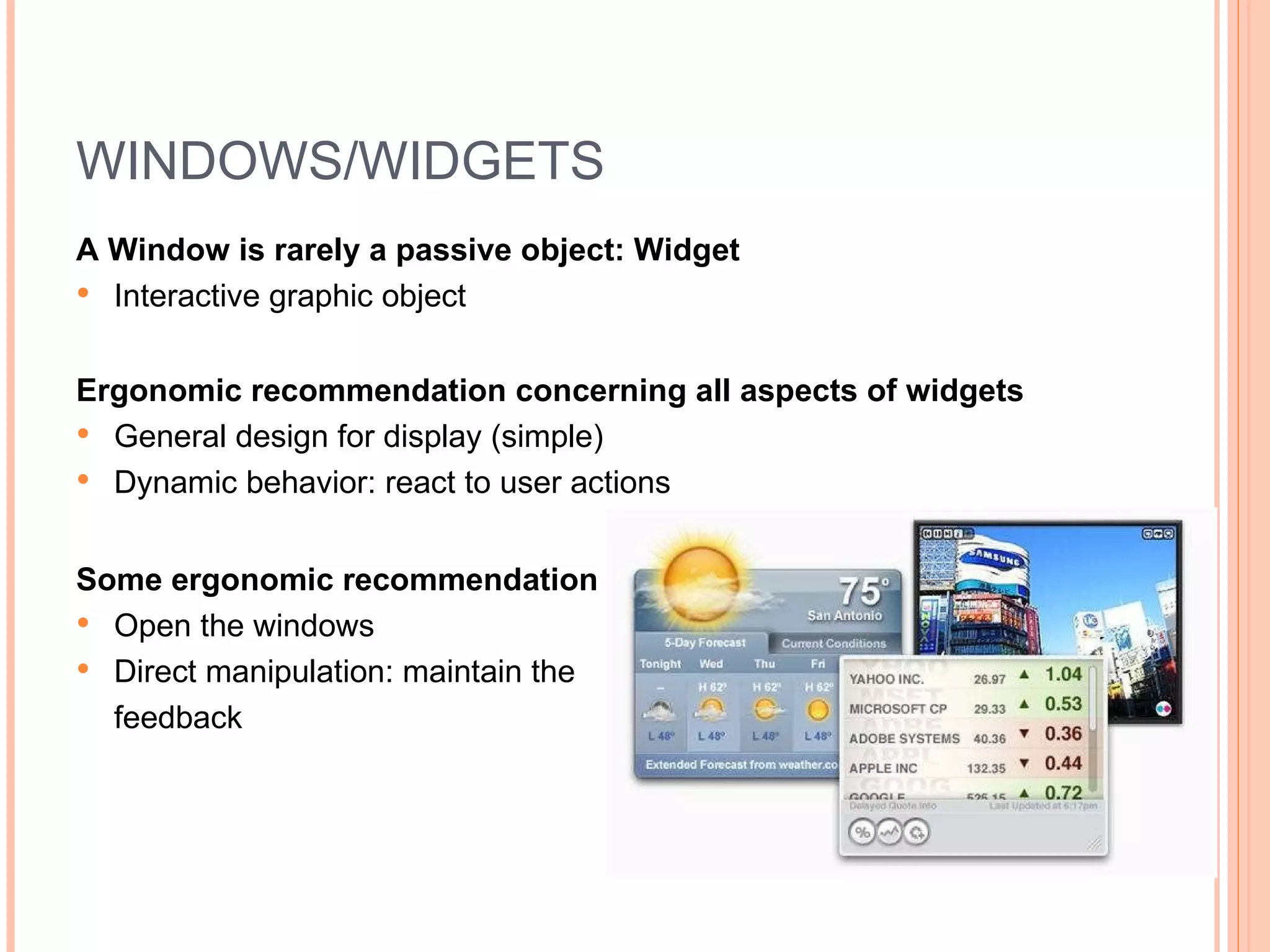
WINDOWS/WIDGETS A Window is rarely a passive object: Widget Interactive graphic object Ergonomic recommendation concerning all aspects of widgets General design for display (simple) Dynamic behavior: react to user actions Some ergonomic recommendation Open the windows Direct manipulation: maintain the  feedback
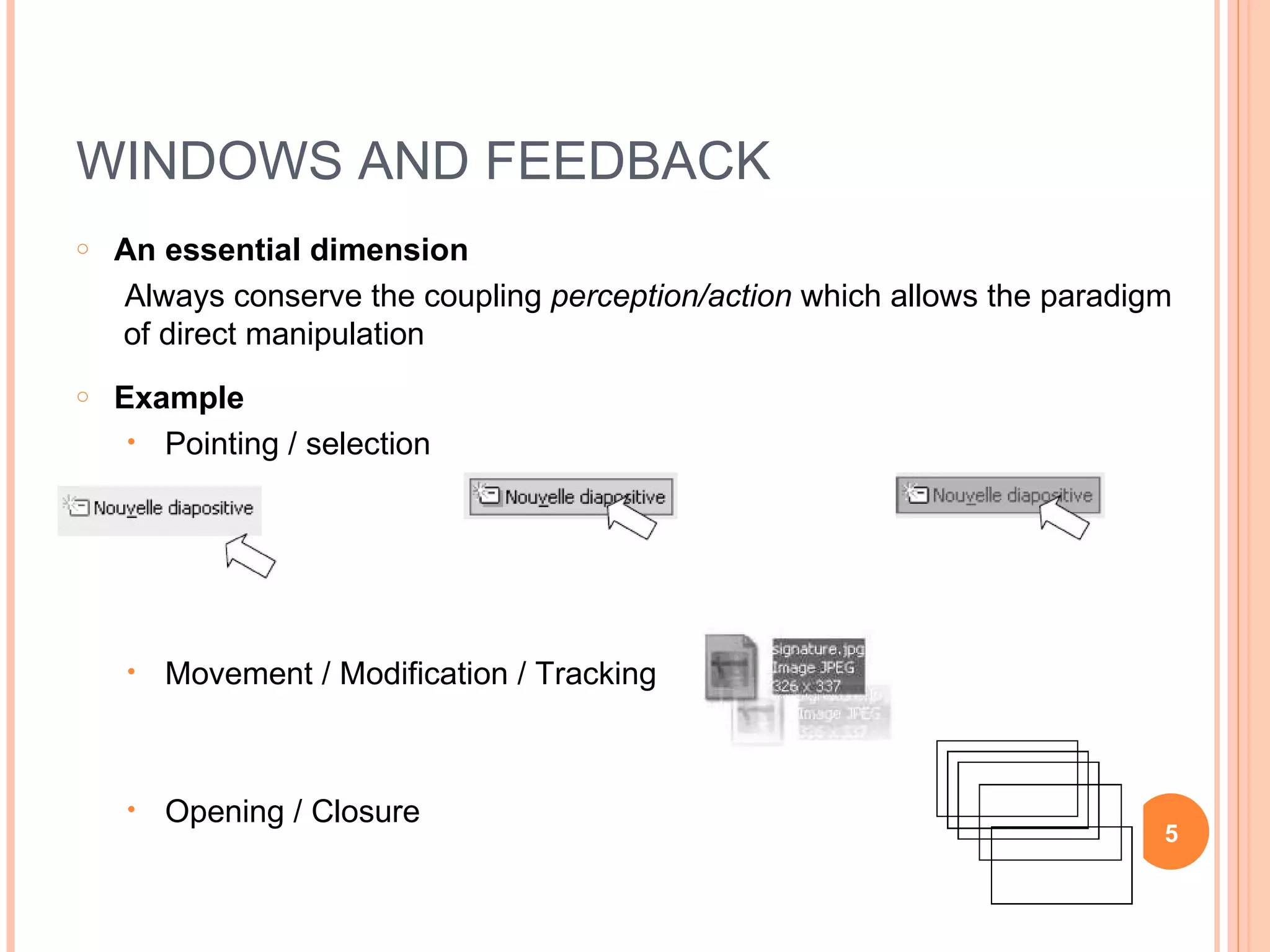
WINDOWS AND FEEDBACK An essential dimension Always conserve the coupling  perception/action  which allows the paradigm of direct manipulation Example Pointing / selection Movement / Modification / Tracking  Opening / Closure
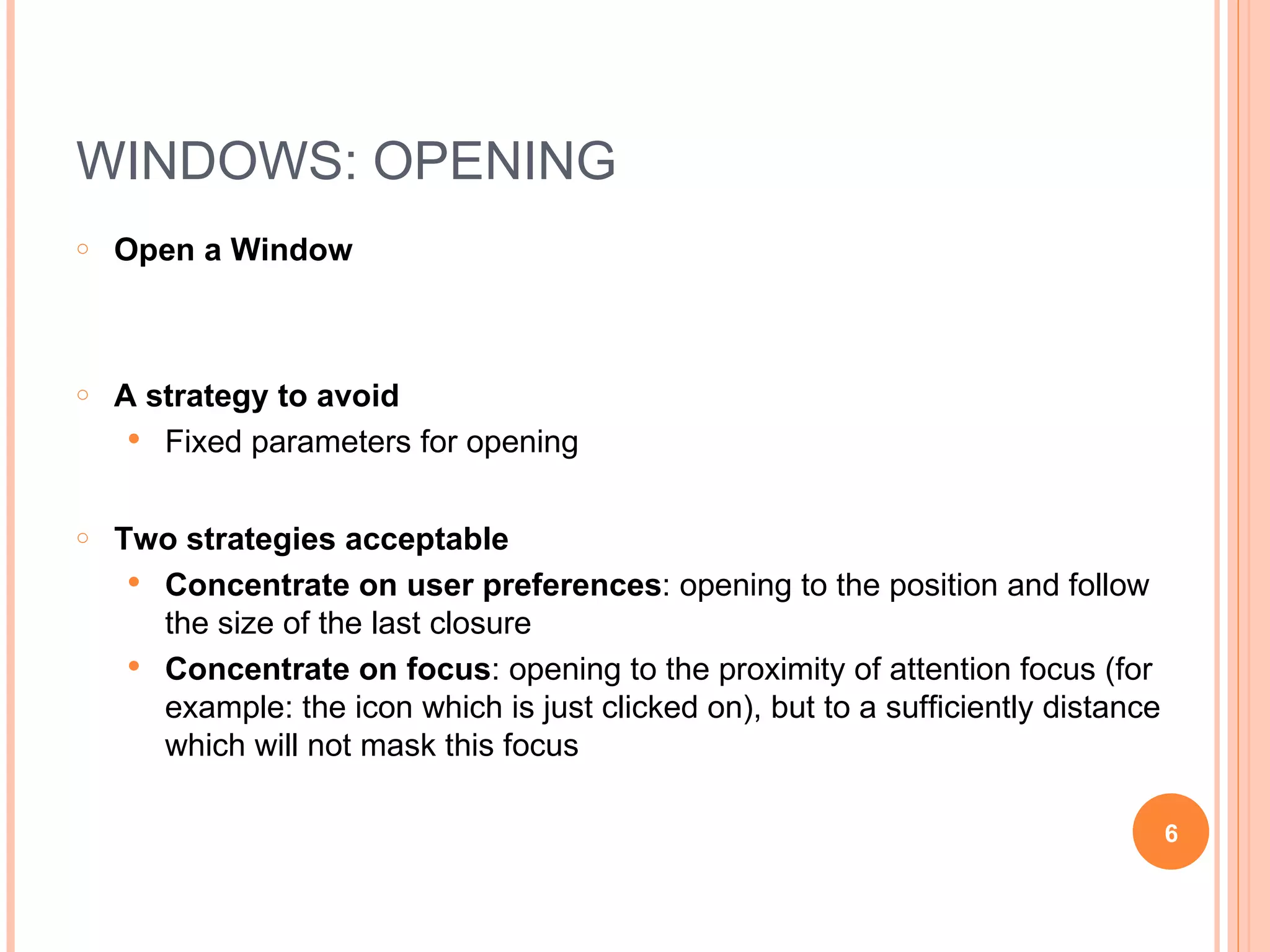
WINDOWS: OPENING Open a Window A strategy to avoid Fixed parameters for opening Two strategies acceptable Concentrate on user preferences : opening to the position and follow the size of the last closure Concentrate on focus : opening to the proximity of attention focus (for example: the icon which is just clicked on), but to a sufficiently distance which will not mask this focus
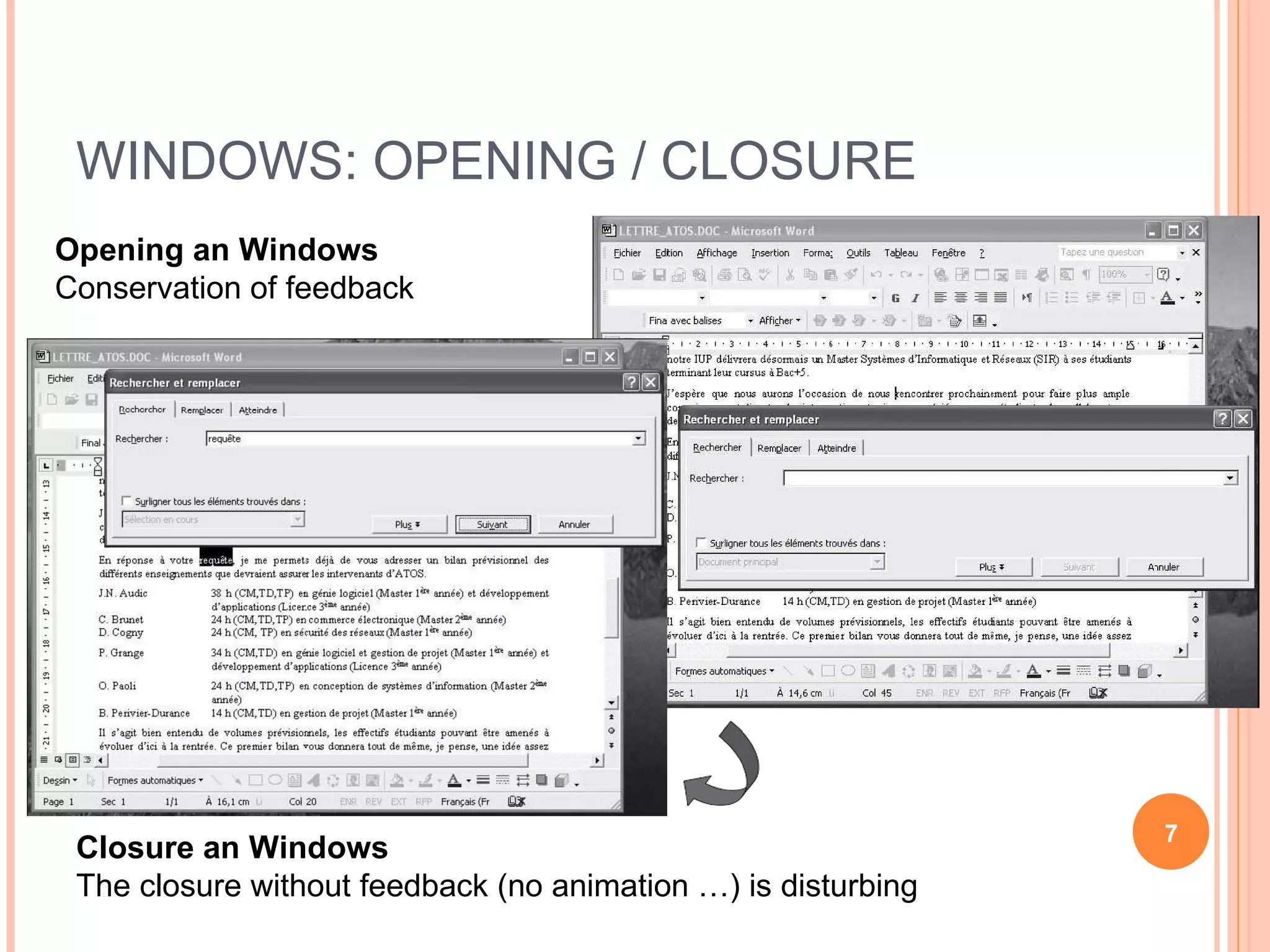
WINDOWS: OPENING / CLOSURE Opening an Windows Conservation of feedback Closure an Windows The closure without feedback (no animation …) is disturbing
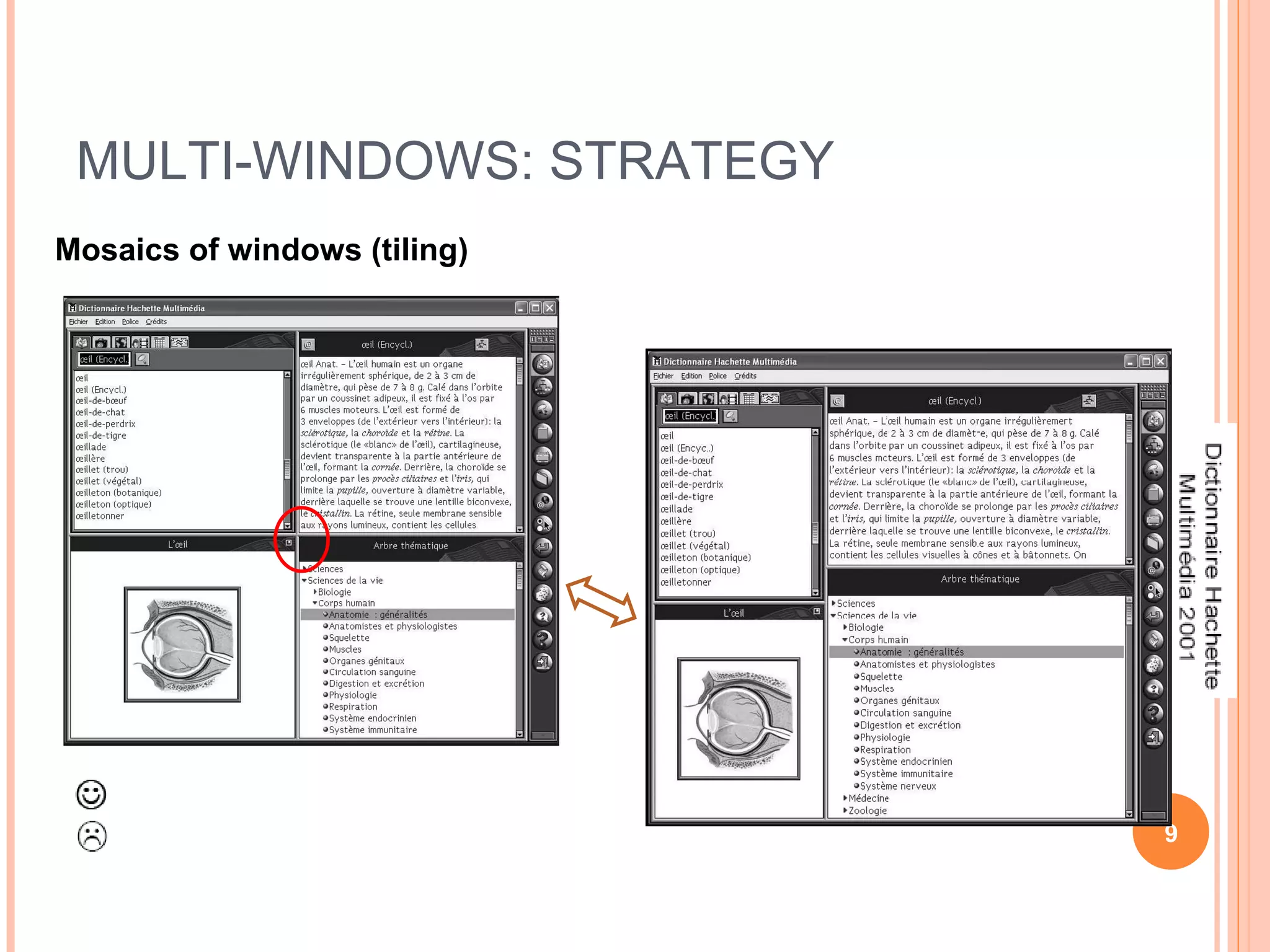
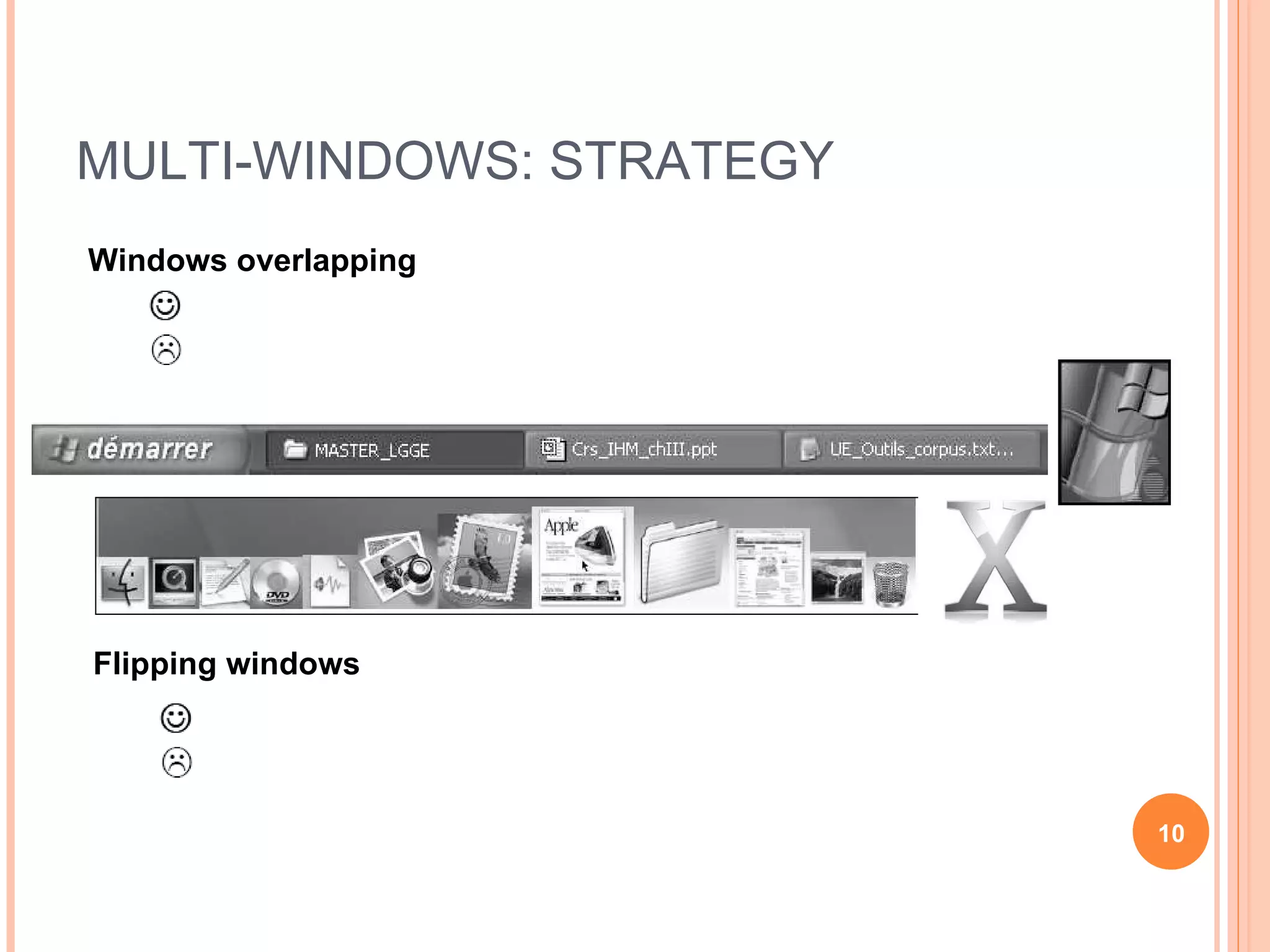
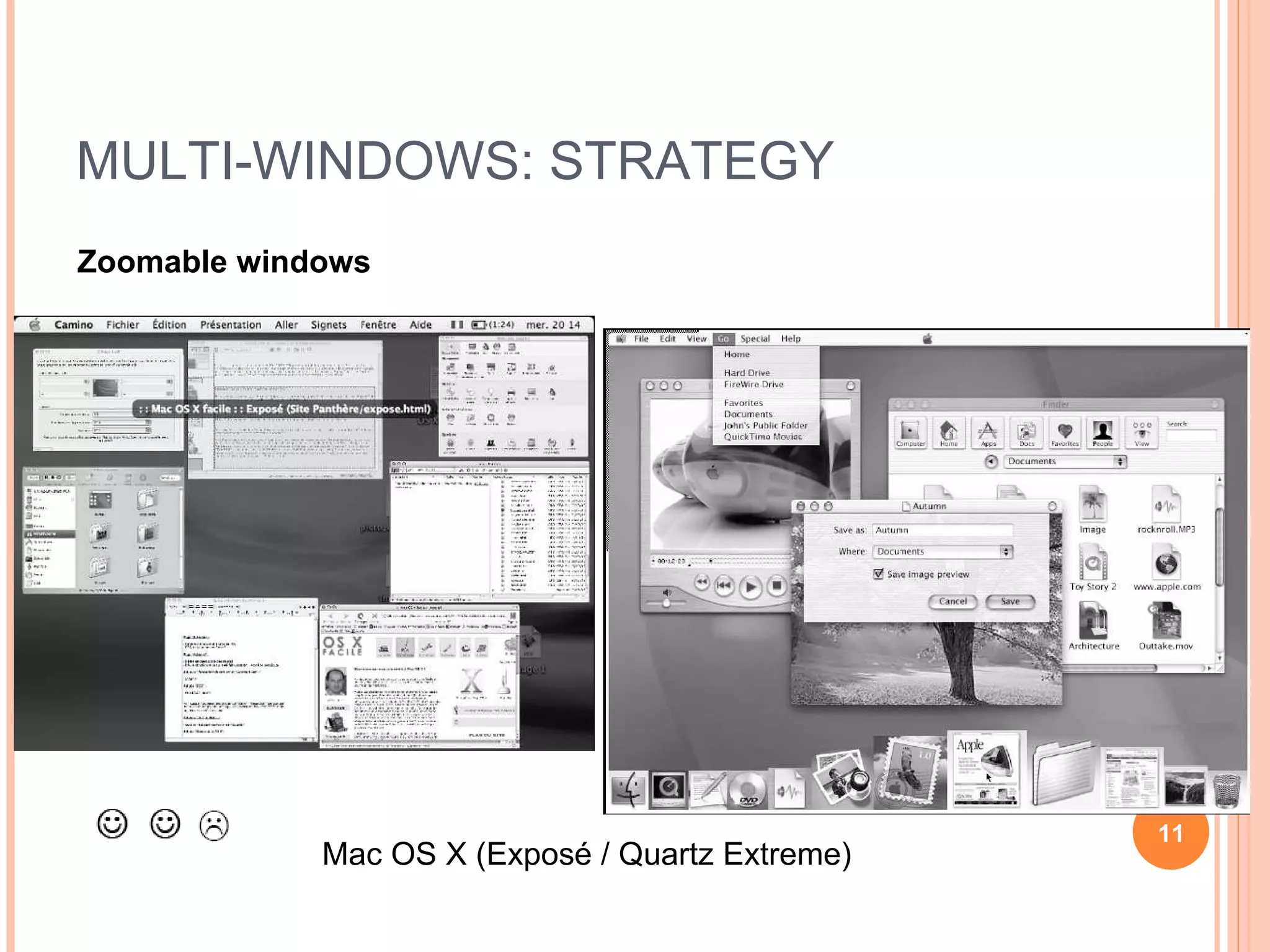
MULTI-WINDOWS Advantage: multi-tasking environment A task may need several applications Transparent management of multi-task compare with commands in UNIX  bg / fg Principle problem: masking of information Lose of context Access time for the masking windows Different strategies for multi-tasking management Mosaics of windows (tiling) Flipping windows Overlapping windows (recovery) Zoomable windows
MULTI-WINDOWS: STRATEGY Mosaics of windows (tiling)
MULTI-WINDOWS: STRATEGY Windows overlapping Flipping windows
MULTI-WINDOWS: STRATEGY Zoomable windows Mac OS X (Exposé / Quartz Extreme)
MULTI-WINDOWS: RECOMMENDATION Organization strategies Allow recovery or failover (overlapping) of windows for experienced user Use tiling windows for occasional user  Example: Encyclopedia for public Strategies for division in windows Organize the division according to the task: regrouping coherent of information Limit the quantity of information to memorize from one window to another Adapt the  number of windows  to the utilization: increase the number of windows for an utilization less frequent, complex windows is limited/reserved for very frequent usage (ex: Paint, Photoshop, …)
ICON Advantage Easily identifiable Compact: small space in interface  Difficulty Identification the meaning associate to an icon [Camacho 90]
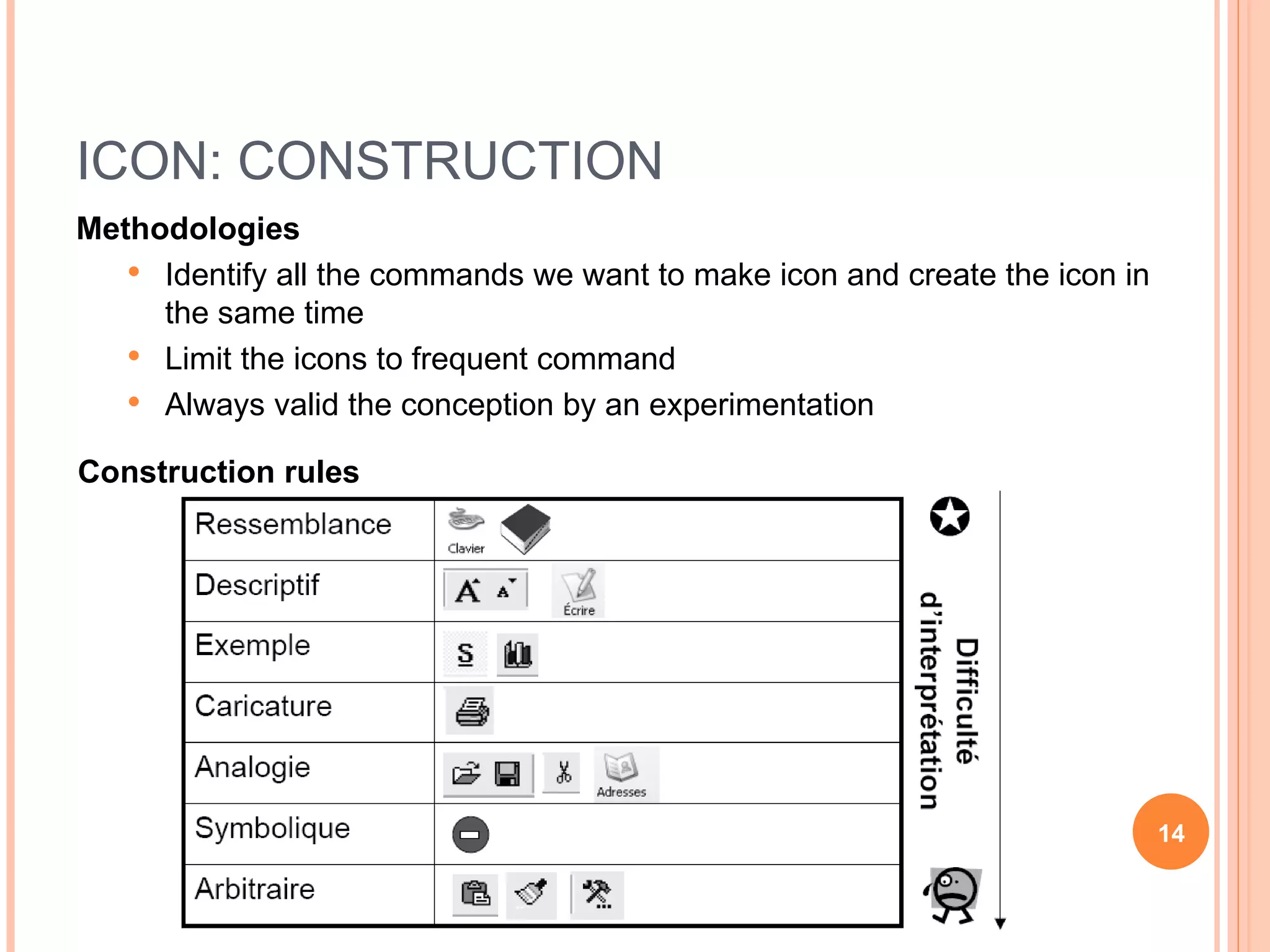
ICON: CONSTRUCTION Methodologies Identify all the commands we want to make icon and create the icon in the same time Limit the icons to frequent command Always valid the conception by an experimentation Construction rules
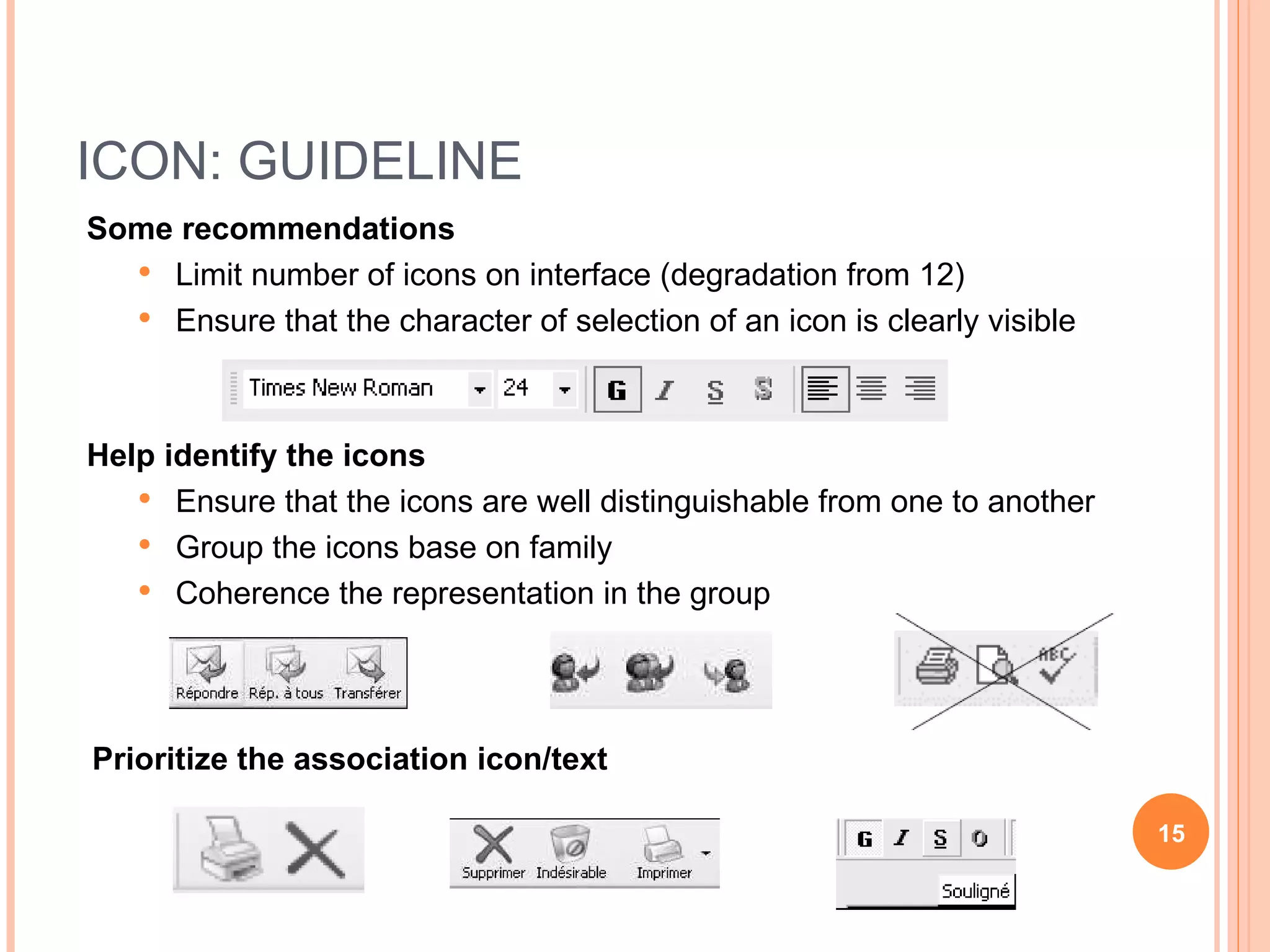
ICON: GUIDELINE Some recommendations Limit number of icons on interface (degradation from 12) Ensure that the character of selection of an icon is clearly visible Help identify the icons Ensure that the icons are well distinguishable from one to another Group the icons base on family Coherence the representation in the group Prioritize the association icon/text
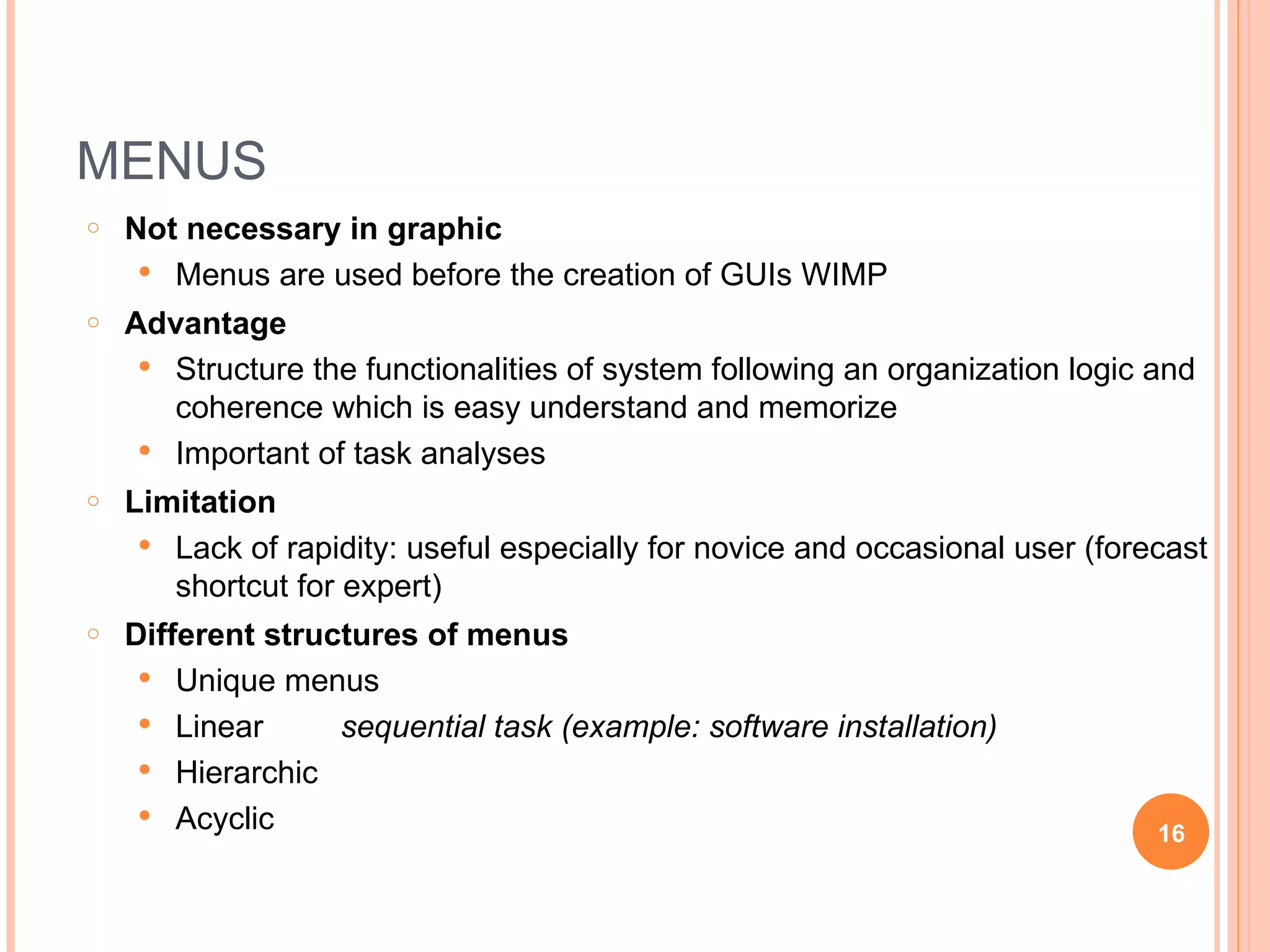
MENUS Not necessary in graphic Menus are used before the creation of GUIs WIMP Advantage Structure the functionalities of system following an organization logic and coherence which is easy understand and memorize Important of task analyses Limitation Lack of rapidity: useful especially for novice and occasional user (forecast shortcut for expert) Different structures of menus Unique menus Linear sequential task (example: software installation) Hierarchic Acyclic
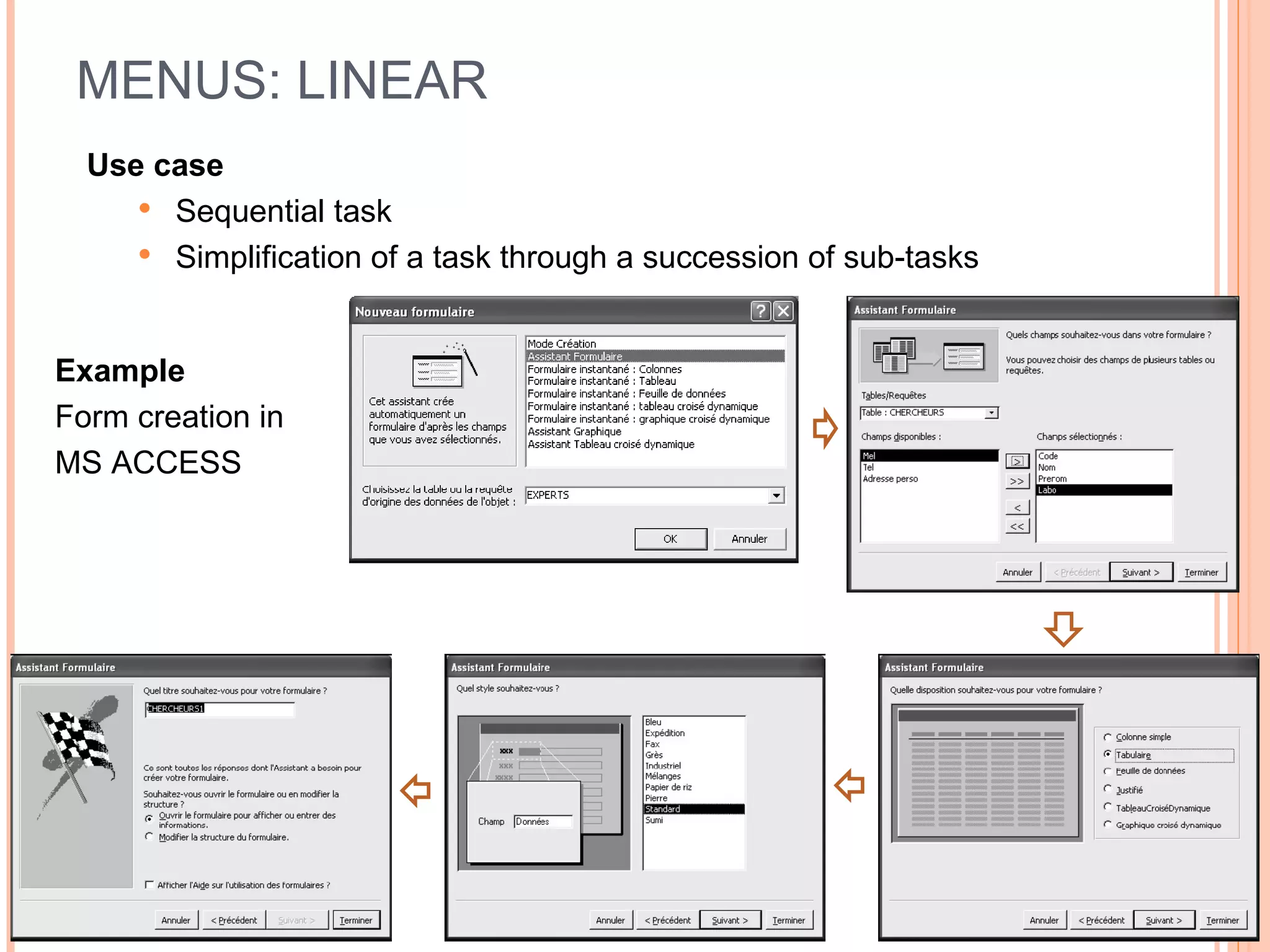
MENUS: LINEAR Use case Sequential task Simplification of a task through a succession of sub-tasks Example Form creation in  MS ACCESS
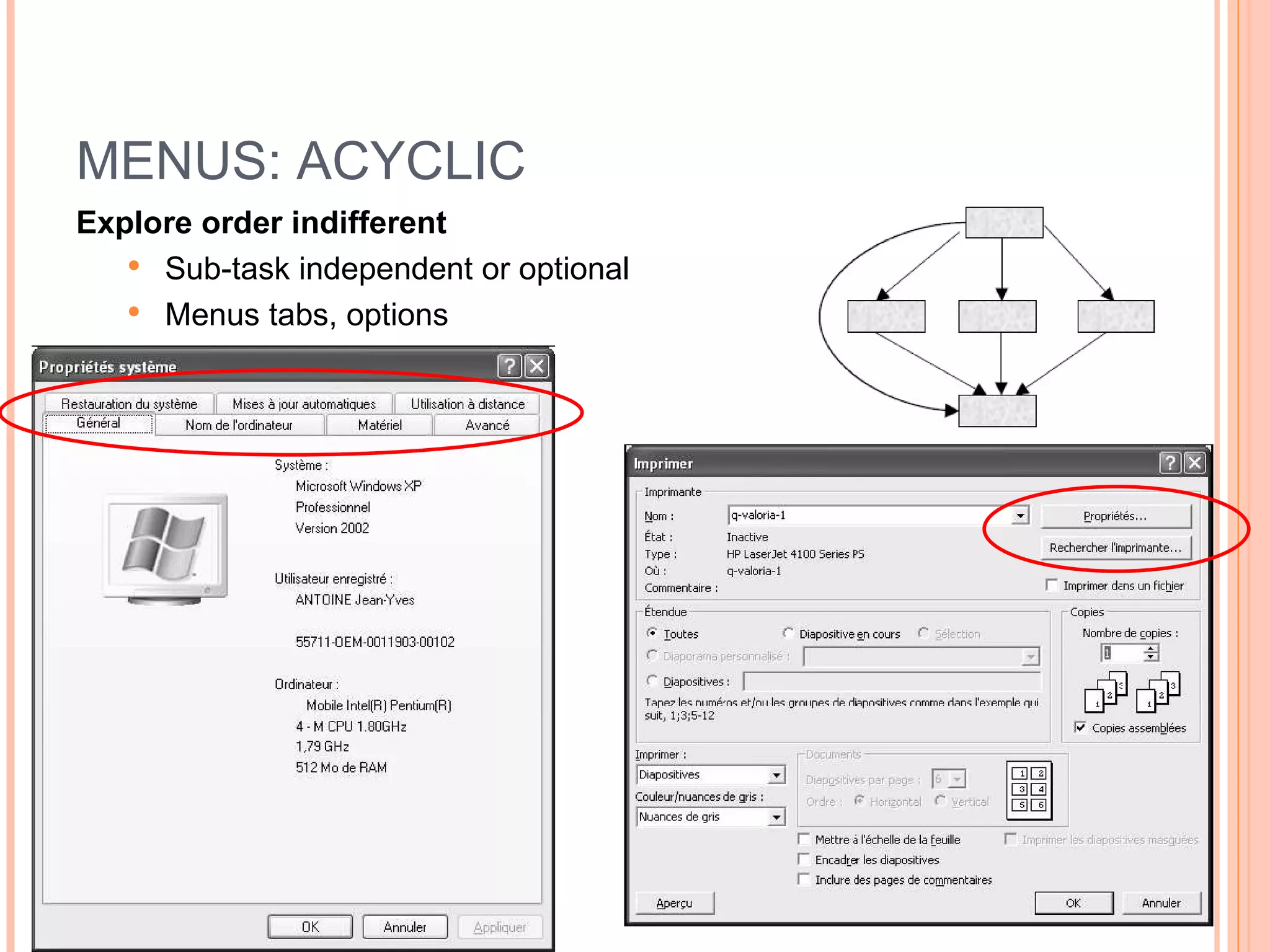
MENUS: ACYCLIC Explore order indifferent Sub-task independent or optional  Menus tabs, options
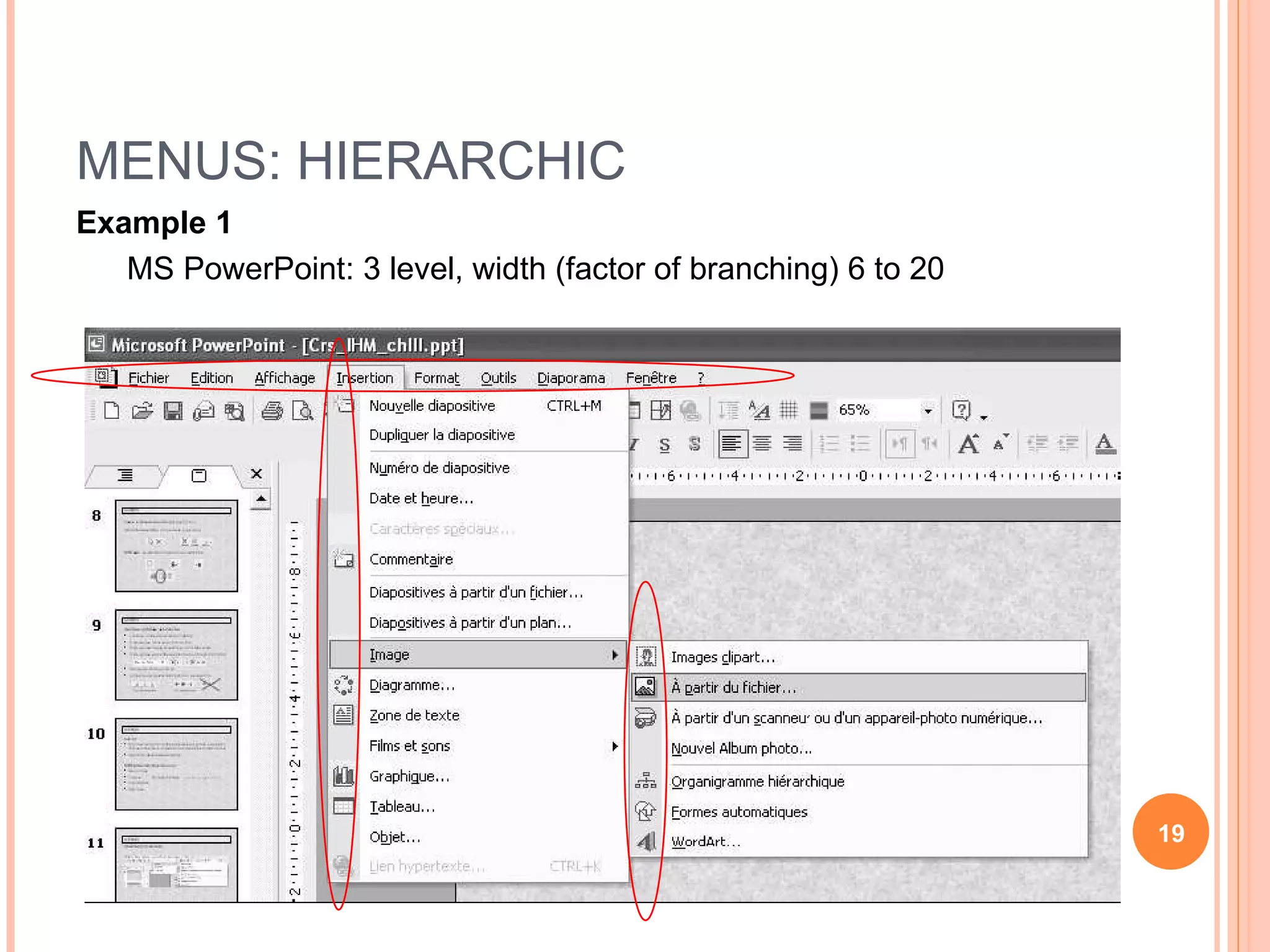
MENUS: HIERARCHIC Example 1 MS PowerPoint: 3 level, width (factor of branching) 6 to 20
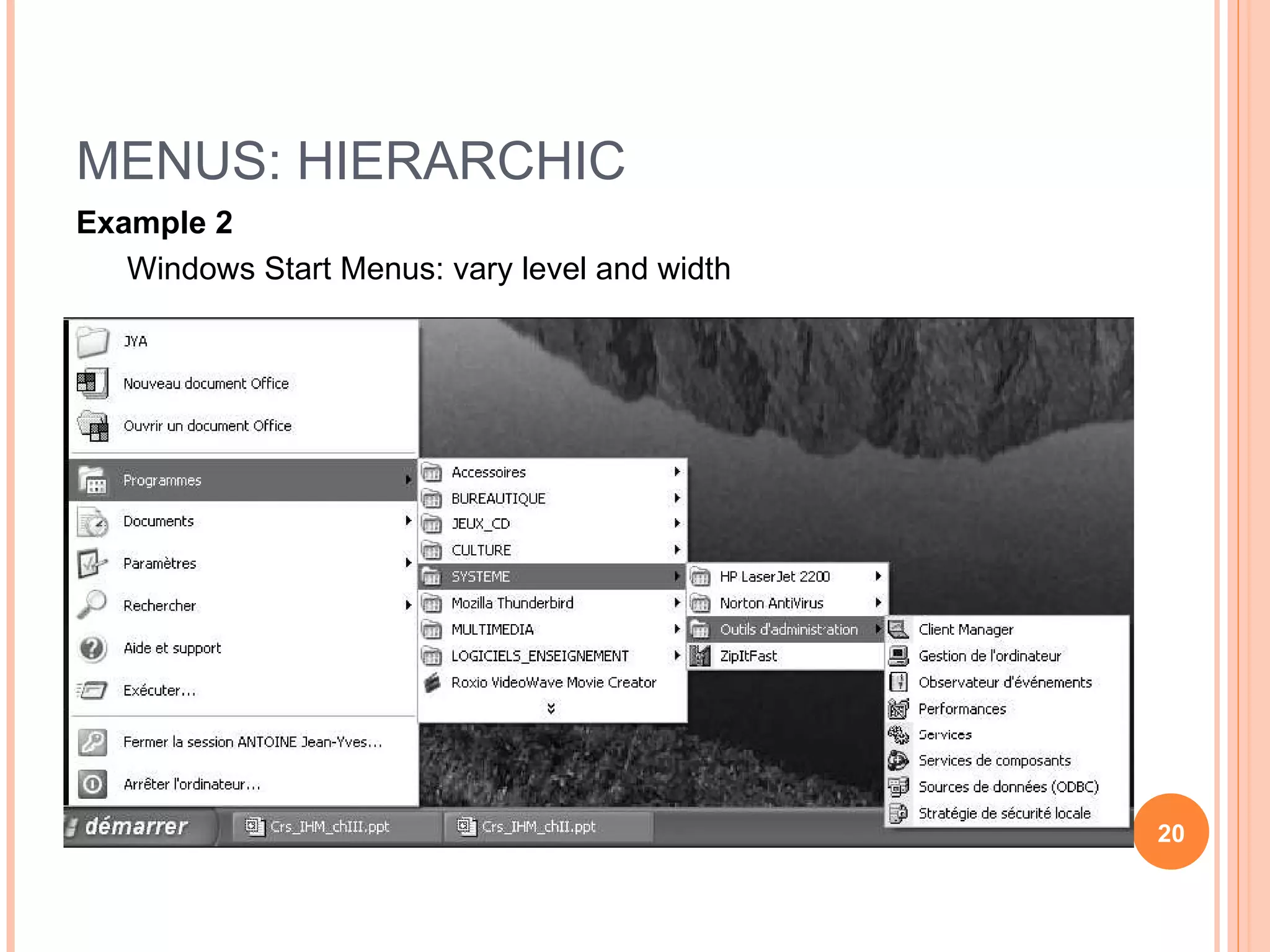
MENUS: HIERARCHIC Example 2 Windows Start Menus: vary level and width
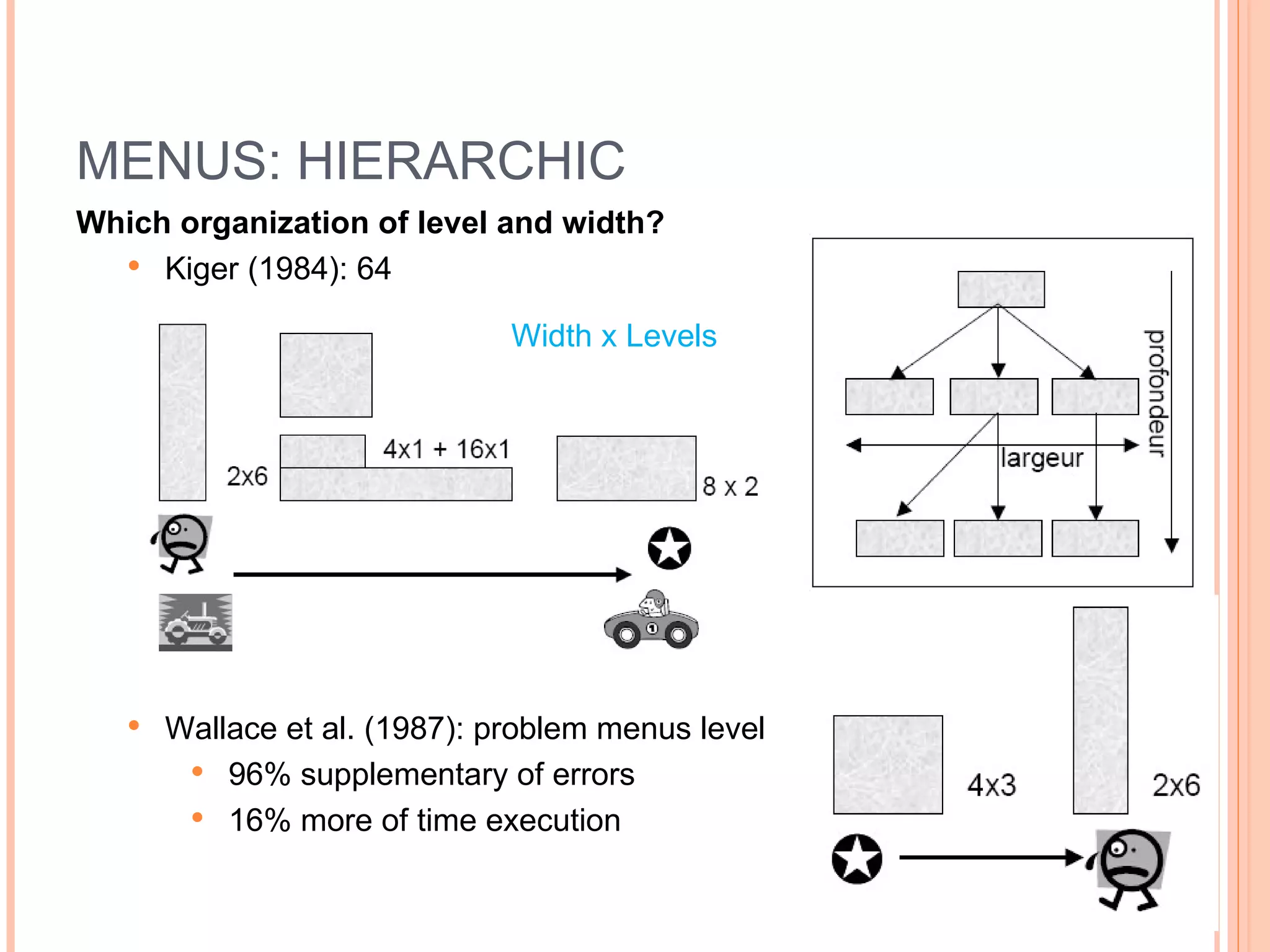
MENUS: HIERARCHIC Which organization of level and width? Kiger (1984): 64 Wallace et al. (1987): problem menus level 96% supplementary of errors 16% more of time execution Width x Levels
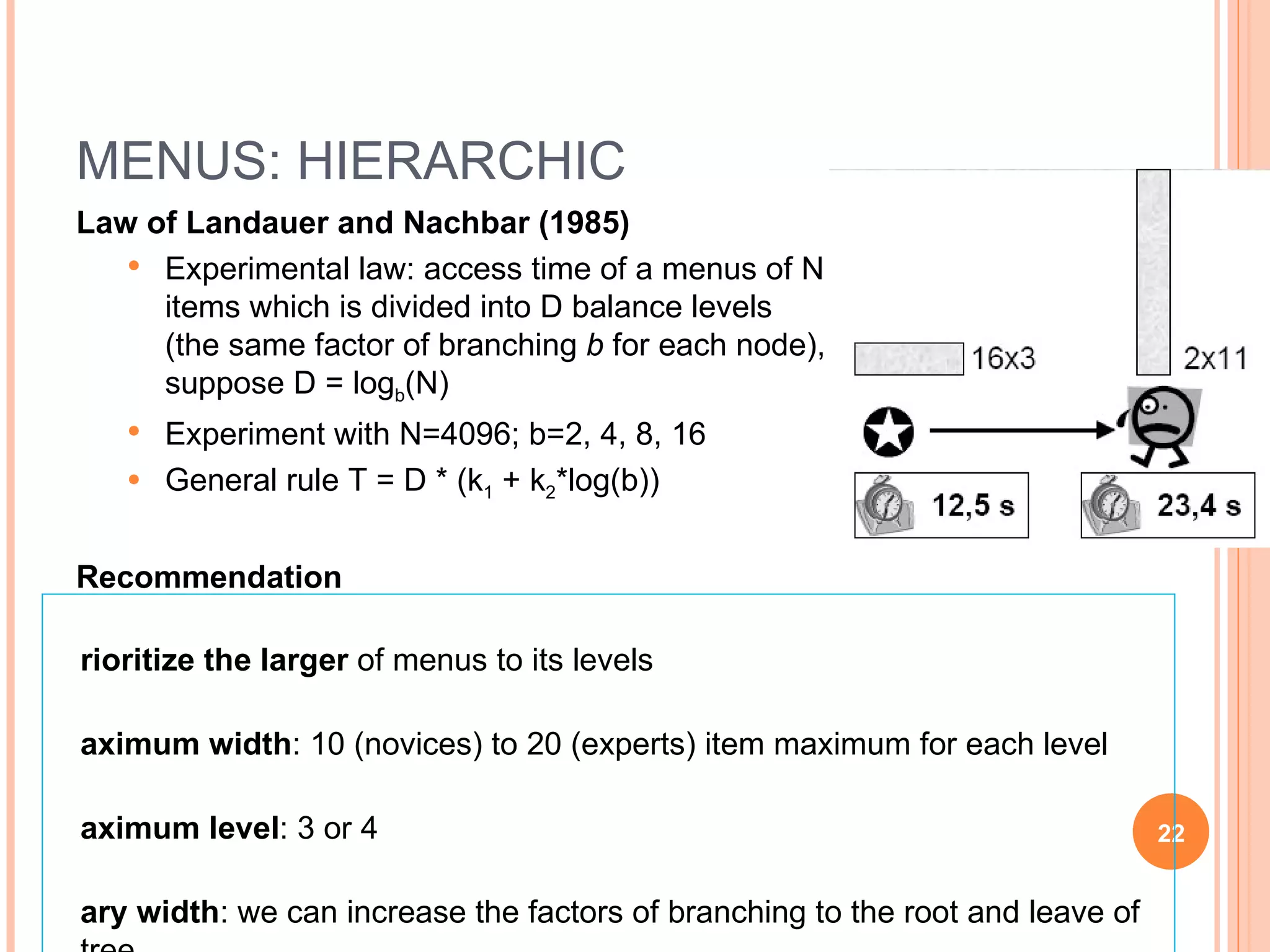
MENUS: HIERARCHIC Law of Landauer and Nachbar (1985) Experimental law: access time of a menus of N items which is divided into D balance levels (the same factor of branching  b  for each node), suppose D = log b (N) Experiment with N=4096; b=2, 4, 8, 16 General rule T = D * (k 1  + k 2 *log(b)) Recommendation Prioritize the larger  of menus to its levels Maximum width : 10 (novices) to 20 (experts) item maximum for each level Maximum level : 3 or 4 Vary width : we can increase the factors of branching to the root and leave of tree Always consider the  specificity of task
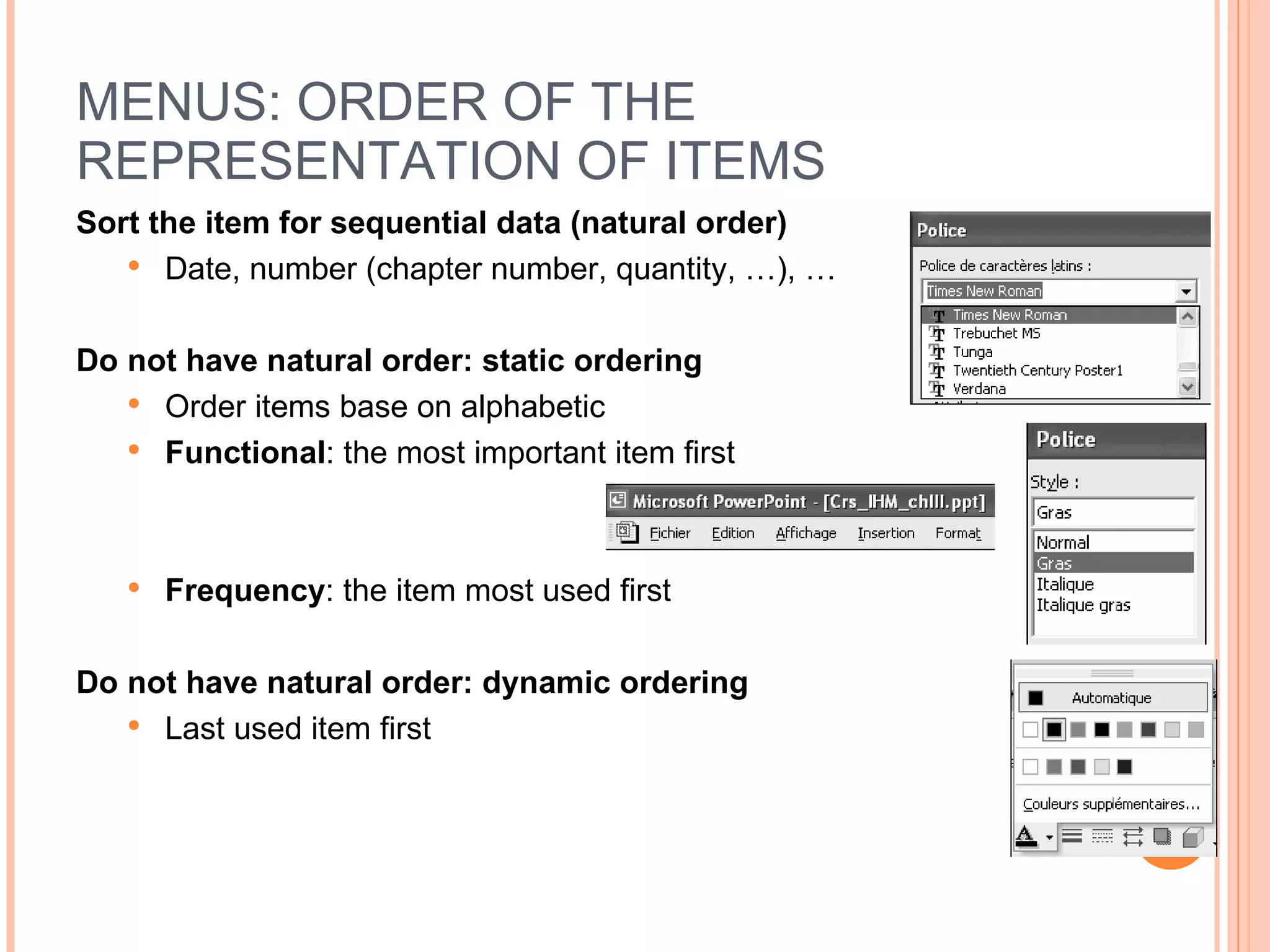
MENUS: ORDER OF THE REPRESENTATION OF ITEMS Sort the item for sequential data (natural order) Date, number (chapter number, quantity, …), … Do not have natural order: static ordering Order items base on alphabetic Functional : the most important item first Frequency : the item most used first Do not have natural order: dynamic ordering Last used item first
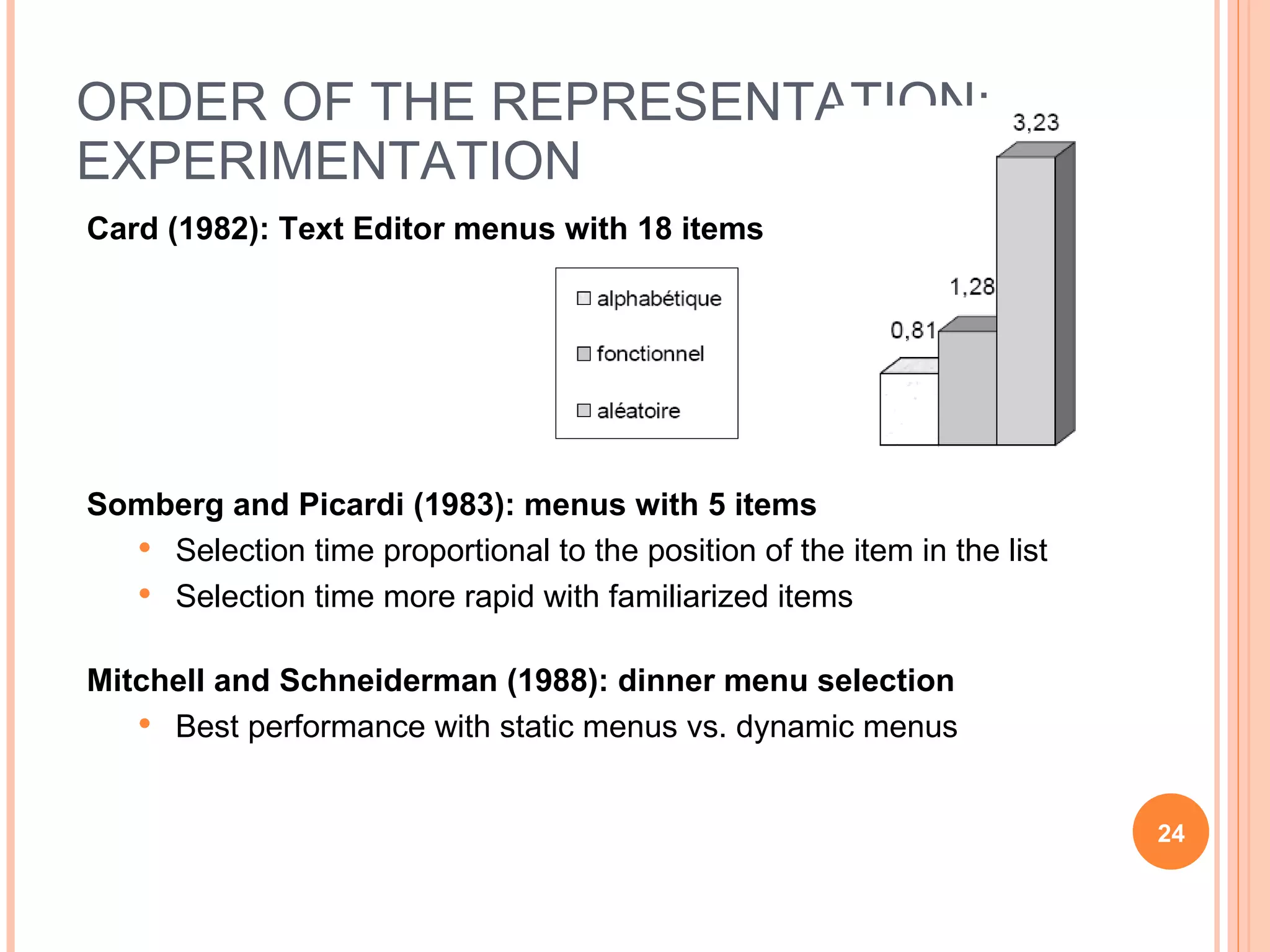
ORDER OF THE REPRESENTATION: EXPERIMENTATION Card (1982): Text Editor menus with 18 items Somberg and Picardi (1983): menus with 5 items Selection time proportional to the position of the item in the list Selection time more rapid with familiarized items Mitchell and Schneiderman (1988): dinner menu selection Best performance with static menus vs. dynamic menus
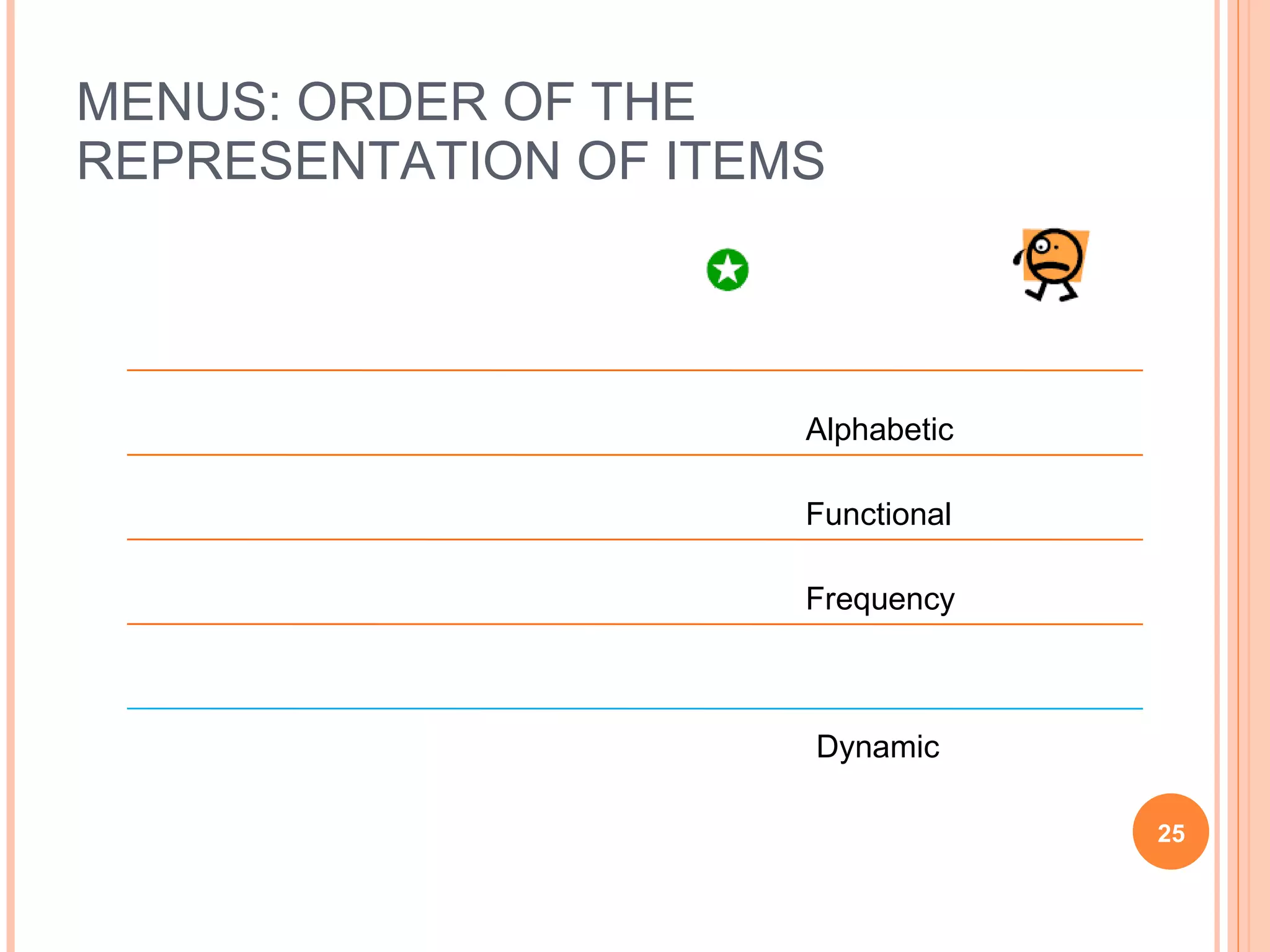
MENUS: ORDER OF THE REPRESENTATION OF ITEMS Alphabetic Functional Frequency Dynamic Static: positional coherence
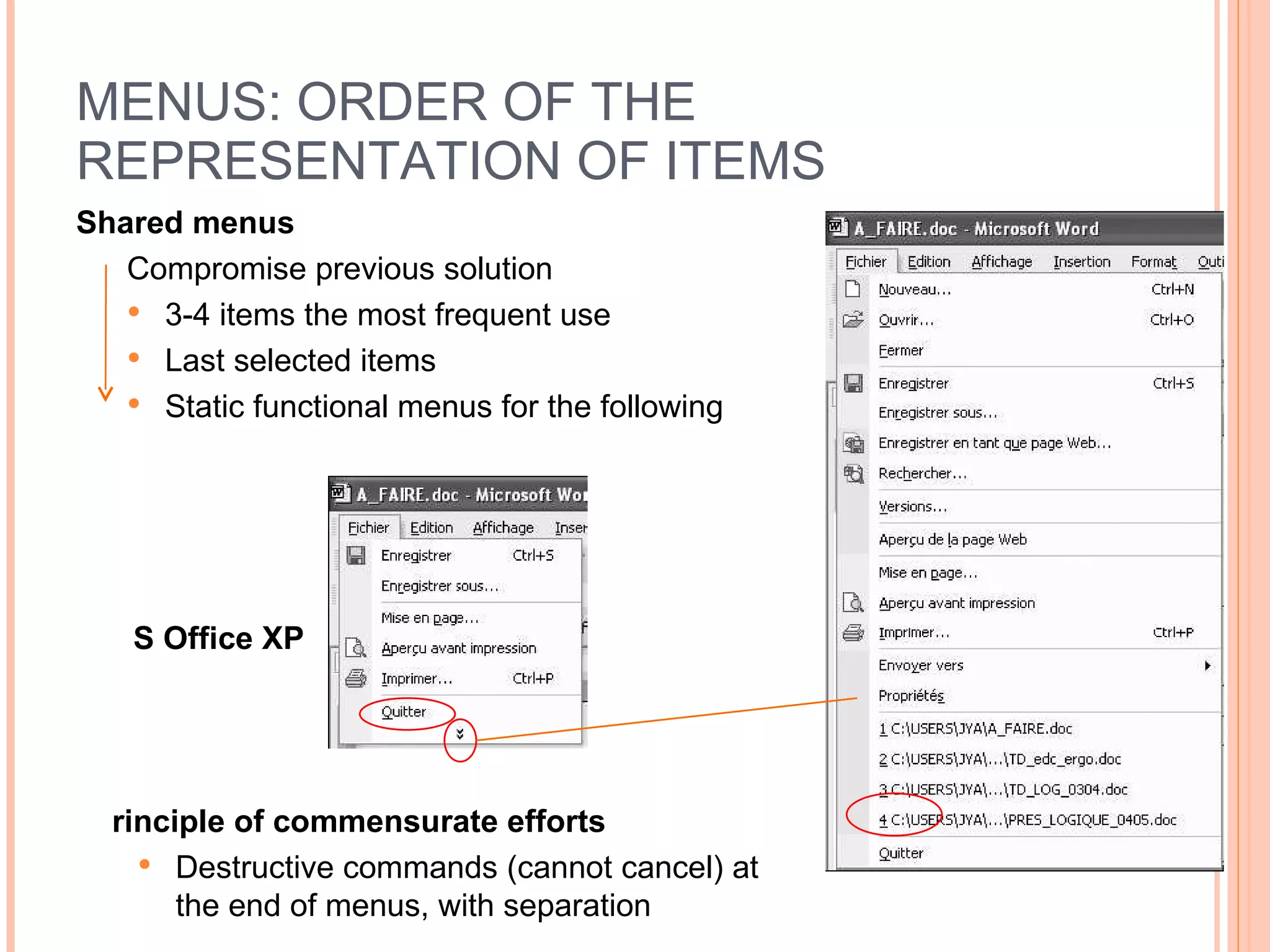
MENUS: ORDER OF THE REPRESENTATION OF ITEMS Shared menus Compromise previous solution 3-4 items the most frequent use Last selected items Static functional menus for the following Principle of commensurate efforts Destructive commands (cannot cancel) at the end of menus, with separation MS Office XP
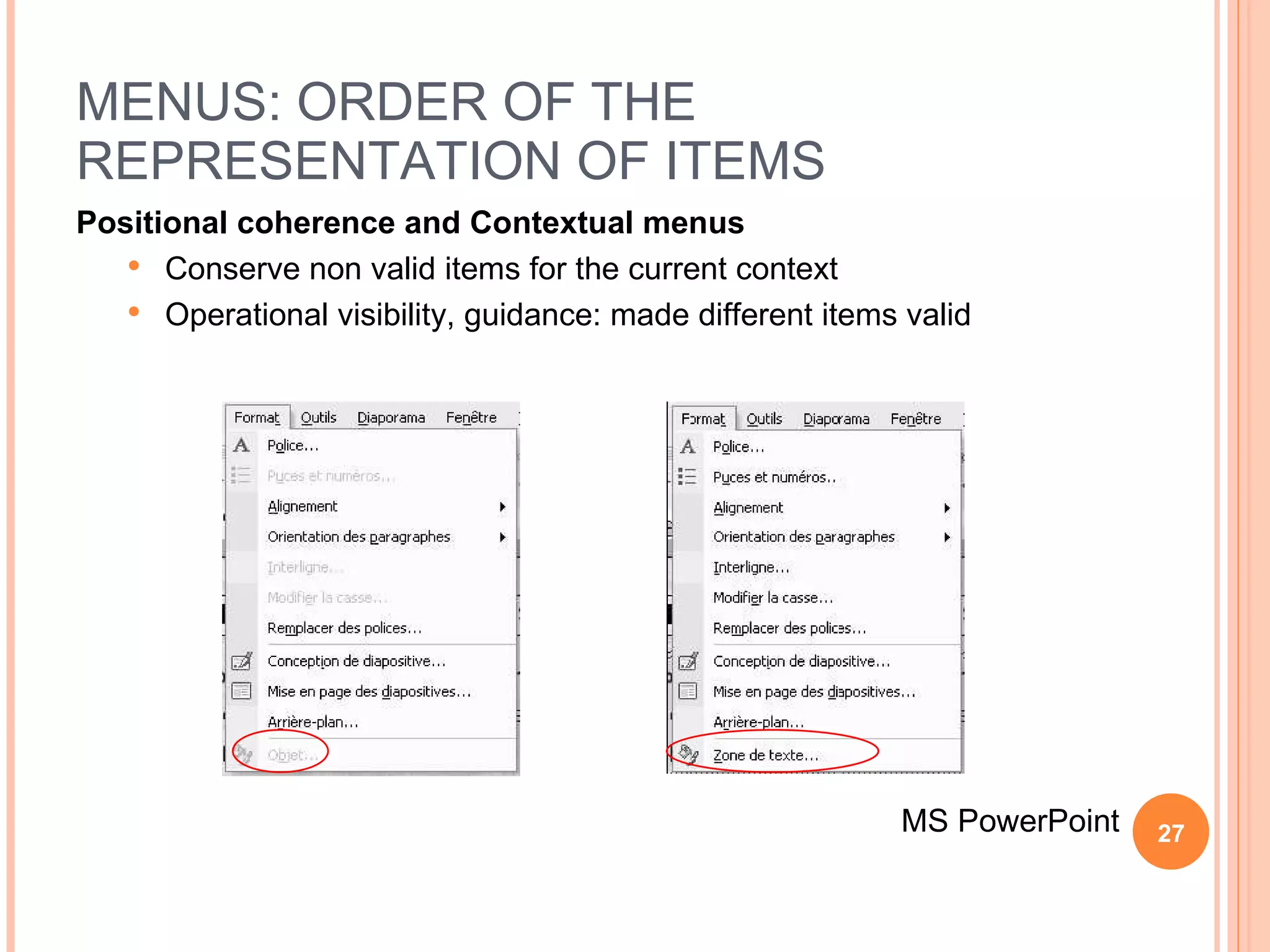
MENUS: ORDER OF THE REPRESENTATION OF ITEMS Positional coherence and Contextual menus Conserve non valid items for the current context Operational visibility, guidance: made different items valid MS PowerPoint
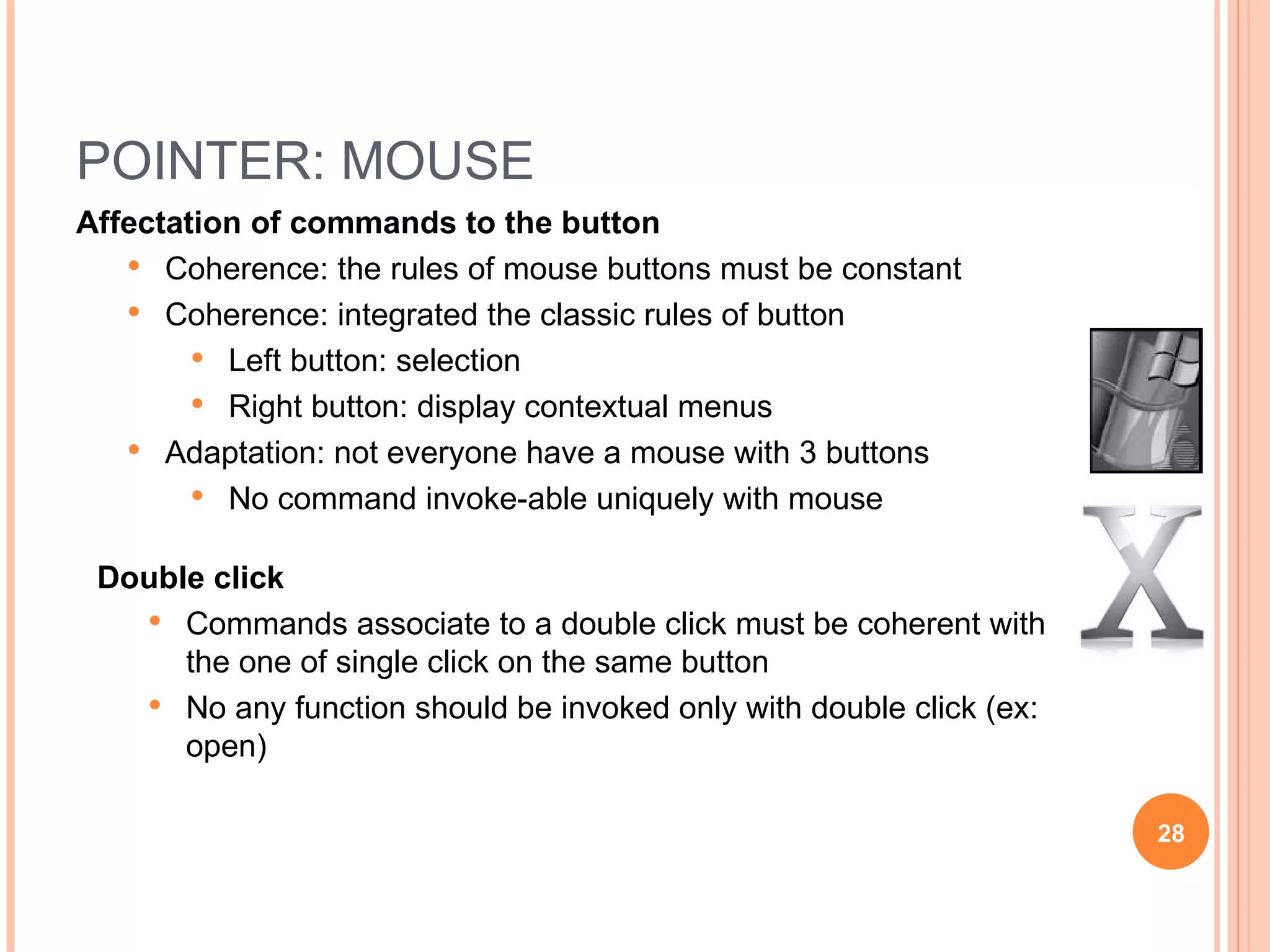
POINTER: MOUSE Affectation of commands to the button Coherence: the rules of mouse buttons must be constant Coherence: integrated the classic rules of button Left button: selection Right button: display contextual menus Adaptation: not everyone have a mouse with 3 buttons No command invoke-able uniquely with mouse Double click Commands associate to a double click must be coherent with the one of single click on the same button No any function should be invoked only with double click (ex: open)
OTHER WIMP OBJECTS Pop-up windows Explicit button (termination: OK, …) and visible Place the pop-up windows close to concerning object Study the position and size to avoid masking of information Masking: allow the movement of window before termination Selection components Check/radio Button Selection list List Number of choice [2,6] [7,12] >12 Vary Check/Radio Button Selection List List
BIBLIOGRAPHIES Publication Camacho M.J., Steiner B.A., Berson B.L. (1990) Icons versus alpha-numerics in pilot-vehicles interfaces. Actes  Human Factors and Ergonomics Society Annual Meeting. Card S. (1982) User perceptual mechanisms in the search of computer command menus. Actes  ACM Human Factors in Computer Systems, Washington DC. 190-196. Kiger J. (1984) The depth / breadth trade-off in the design of menu-driven user interfaces.  International Journal of Man-Machine Studies, 20, 1984. 201-213. Landauer T., Nachbar D. (1985) Selection from alphabetic and numeric menu trees using a touch screen : breadth, depth and width. Actes CHI’85, ACM, New-York, NJ, 73-78. Mitchell J., Schneidermann B. (1989) Dynamic versus static menus : an experimental comparison.  ACM SIGCHI Bulletin, 20(4), 33-36. Somberg B., Picardi M. (1983) Locus of information familiarity effect in the search of computer menus. Actes  37th Annual Meeting of the Human Factors Society, San  Monica, CA, 826_830. Wallace D., Anderson N., Shneiderman B. (1987) Time stress effect on two menu selection systems, Actes  31th Annual Meeting of the Human Factors Society, Santa  Monica, CA. 727-731.

4. ergonomic of wimp interface

  • 1.
    HUMAN COMPUTER INTERACTION(INTERACTION HOMME-MACHINE) Sethserey SAM
  • 2.
    CHAPTER 4: ERGONOMICOF WIMP INTERFACE Usage conduct rules from honest graphic user interface designer for interactive system
  • 3.
    INTERACTION STYLE Commandline Query language and question / reply Menus WIMP interfaces Selection form Natural language (handwriting, speech) 3D interface, gesture (sensor), approaching the reality, …
  • 4.
    WINDOWS/WIDGETS A Windowis rarely a passive object: Widget Interactive graphic object Ergonomic recommendation concerning all aspects of widgets General design for display (simple) Dynamic behavior: react to user actions Some ergonomic recommendation Open the windows Direct manipulation: maintain the feedback
  • 5.
    WINDOWS AND FEEDBACKAn essential dimension Always conserve the coupling perception/action which allows the paradigm of direct manipulation Example Pointing / selection Movement / Modification / Tracking Opening / Closure
  • 6.
    WINDOWS: OPENING Opena Window A strategy to avoid Fixed parameters for opening Two strategies acceptable Concentrate on user preferences : opening to the position and follow the size of the last closure Concentrate on focus : opening to the proximity of attention focus (for example: the icon which is just clicked on), but to a sufficiently distance which will not mask this focus
  • 7.
    WINDOWS: OPENING /CLOSURE Opening an Windows Conservation of feedback Closure an Windows The closure without feedback (no animation …) is disturbing
  • 8.
    MULTI-WINDOWS Advantage: multi-taskingenvironment A task may need several applications Transparent management of multi-task compare with commands in UNIX bg / fg Principle problem: masking of information Lose of context Access time for the masking windows Different strategies for multi-tasking management Mosaics of windows (tiling) Flipping windows Overlapping windows (recovery) Zoomable windows
  • 9.
  • 10.
    MULTI-WINDOWS: STRATEGY Windowsoverlapping Flipping windows
  • 11.
    MULTI-WINDOWS: STRATEGY Zoomablewindows Mac OS X (Exposé / Quartz Extreme)
  • 12.
    MULTI-WINDOWS: RECOMMENDATION Organizationstrategies Allow recovery or failover (overlapping) of windows for experienced user Use tiling windows for occasional user Example: Encyclopedia for public Strategies for division in windows Organize the division according to the task: regrouping coherent of information Limit the quantity of information to memorize from one window to another Adapt the number of windows to the utilization: increase the number of windows for an utilization less frequent, complex windows is limited/reserved for very frequent usage (ex: Paint, Photoshop, …)
  • 13.
    ICON Advantage Easilyidentifiable Compact: small space in interface Difficulty Identification the meaning associate to an icon [Camacho 90]
  • 14.
    ICON: CONSTRUCTION MethodologiesIdentify all the commands we want to make icon and create the icon in the same time Limit the icons to frequent command Always valid the conception by an experimentation Construction rules
  • 15.
    ICON: GUIDELINE Somerecommendations Limit number of icons on interface (degradation from 12) Ensure that the character of selection of an icon is clearly visible Help identify the icons Ensure that the icons are well distinguishable from one to another Group the icons base on family Coherence the representation in the group Prioritize the association icon/text
  • 16.
    MENUS Not necessaryin graphic Menus are used before the creation of GUIs WIMP Advantage Structure the functionalities of system following an organization logic and coherence which is easy understand and memorize Important of task analyses Limitation Lack of rapidity: useful especially for novice and occasional user (forecast shortcut for expert) Different structures of menus Unique menus Linear sequential task (example: software installation) Hierarchic Acyclic
  • 17.
    MENUS: LINEAR Usecase Sequential task Simplification of a task through a succession of sub-tasks Example Form creation in MS ACCESS
  • 18.
    MENUS: ACYCLIC Exploreorder indifferent Sub-task independent or optional Menus tabs, options
  • 19.
    MENUS: HIERARCHIC Example1 MS PowerPoint: 3 level, width (factor of branching) 6 to 20
  • 20.
    MENUS: HIERARCHIC Example2 Windows Start Menus: vary level and width
  • 21.
    MENUS: HIERARCHIC Whichorganization of level and width? Kiger (1984): 64 Wallace et al. (1987): problem menus level 96% supplementary of errors 16% more of time execution Width x Levels
  • 22.
    MENUS: HIERARCHIC Lawof Landauer and Nachbar (1985) Experimental law: access time of a menus of N items which is divided into D balance levels (the same factor of branching b for each node), suppose D = log b (N) Experiment with N=4096; b=2, 4, 8, 16 General rule T = D * (k 1 + k 2 *log(b)) Recommendation Prioritize the larger of menus to its levels Maximum width : 10 (novices) to 20 (experts) item maximum for each level Maximum level : 3 or 4 Vary width : we can increase the factors of branching to the root and leave of tree Always consider the specificity of task
  • 23.
    MENUS: ORDER OFTHE REPRESENTATION OF ITEMS Sort the item for sequential data (natural order) Date, number (chapter number, quantity, …), … Do not have natural order: static ordering Order items base on alphabetic Functional : the most important item first Frequency : the item most used first Do not have natural order: dynamic ordering Last used item first
  • 24.
    ORDER OF THEREPRESENTATION: EXPERIMENTATION Card (1982): Text Editor menus with 18 items Somberg and Picardi (1983): menus with 5 items Selection time proportional to the position of the item in the list Selection time more rapid with familiarized items Mitchell and Schneiderman (1988): dinner menu selection Best performance with static menus vs. dynamic menus
  • 25.
    MENUS: ORDER OFTHE REPRESENTATION OF ITEMS Alphabetic Functional Frequency Dynamic Static: positional coherence
  • 26.
    MENUS: ORDER OFTHE REPRESENTATION OF ITEMS Shared menus Compromise previous solution 3-4 items the most frequent use Last selected items Static functional menus for the following Principle of commensurate efforts Destructive commands (cannot cancel) at the end of menus, with separation MS Office XP
  • 27.
    MENUS: ORDER OFTHE REPRESENTATION OF ITEMS Positional coherence and Contextual menus Conserve non valid items for the current context Operational visibility, guidance: made different items valid MS PowerPoint
  • 28.
    POINTER: MOUSE Affectationof commands to the button Coherence: the rules of mouse buttons must be constant Coherence: integrated the classic rules of button Left button: selection Right button: display contextual menus Adaptation: not everyone have a mouse with 3 buttons No command invoke-able uniquely with mouse Double click Commands associate to a double click must be coherent with the one of single click on the same button No any function should be invoked only with double click (ex: open)
  • 29.
    OTHER WIMP OBJECTSPop-up windows Explicit button (termination: OK, …) and visible Place the pop-up windows close to concerning object Study the position and size to avoid masking of information Masking: allow the movement of window before termination Selection components Check/radio Button Selection list List Number of choice [2,6] [7,12] >12 Vary Check/Radio Button Selection List List
  • 30.
    BIBLIOGRAPHIES Publication CamachoM.J., Steiner B.A., Berson B.L. (1990) Icons versus alpha-numerics in pilot-vehicles interfaces. Actes Human Factors and Ergonomics Society Annual Meeting. Card S. (1982) User perceptual mechanisms in the search of computer command menus. Actes ACM Human Factors in Computer Systems, Washington DC. 190-196. Kiger J. (1984) The depth / breadth trade-off in the design of menu-driven user interfaces. International Journal of Man-Machine Studies, 20, 1984. 201-213. Landauer T., Nachbar D. (1985) Selection from alphabetic and numeric menu trees using a touch screen : breadth, depth and width. Actes CHI’85, ACM, New-York, NJ, 73-78. Mitchell J., Schneidermann B. (1989) Dynamic versus static menus : an experimental comparison. ACM SIGCHI Bulletin, 20(4), 33-36. Somberg B., Picardi M. (1983) Locus of information familiarity effect in the search of computer menus. Actes 37th Annual Meeting of the Human Factors Society, San Monica, CA, 826_830. Wallace D., Anderson N., Shneiderman B. (1987) Time stress effect on two menu selection systems, Actes 31th Annual Meeting of the Human Factors Society, Santa Monica, CA. 727-731.

Editor's Notes

  • #3 Conduct : the act of leading, guidance