





Daniel Perez
DOES 2016
Doubling Down on
ChatOps in the
Enterprise
Agenda
– Our DOES Journey
– What is ChatOps
– Overview of Hubots
– Design and Security Considerations
– Live demo
2
Our DOES Journey
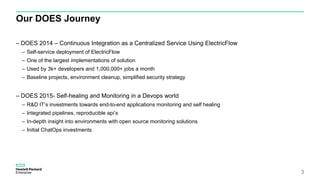
– DOES 2014 – Continuous Integration as a Centralized Service Using ElectricFlow
– Self-service deployment of ElectricFlow
– One of the largest implementations of solution
– Used by 3k+ developers and 1,000,000+ jobs a month
– Baseline projects, environment cleanup, simplified security strategy
– DOES 2015- Self-healing and Monitoring in a Devops world
– R&D IT’s investments towards end-to-end applications monitoring and self healing
– Integrated pipelines, reproducible api’s
– In-depth insight into environments with open source monitoring solutions
– Initial ChatOps investments
3
What Is ChatOps?
Pulling tools into the Conversation
4
#ChatOps
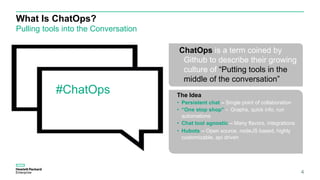
ChatOps is a term coined by
Github to describe their growing
culture of “Putting tools in the
middle of the conversation”
The Idea
• Persistent chat – Single point of collaboration
• “One stop shop” - Graphs, quick info, run
automations
• Chat tool agnostic – Many flavors, integrations
• Hubots – Open source, nodeJS based, highly
customizable, api driven
Hubot - Hammer
What can he do?
5
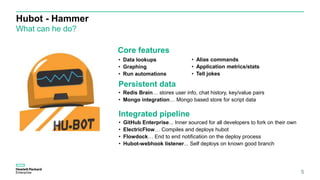
Core features
Persistent data
• Redis Brain… stores user info, chat history, key/value pairs
• Mongo integration… Mongo based store for script data
Integrated pipeline
• GitHub Enterprise... Inner sourced for all developers to fork on their own
• ElectricFlow… Compiles and deploys hubot
• Flowdock… End to end notification on the deploy process
• Hubot-webhook listener... Self deploys on known good branch
• Data lookups
• Graphing
• Run automations
• Alias commands
• Application metrics/stats
• Tell jokes
ChatOps
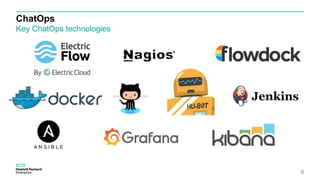
Key ChatOps technologies
6
…..sort of
Hubot
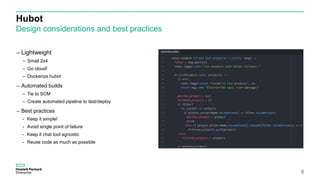
Design considerations and best practices
8
– Lightweight
– Small 2x4
– Go cloud!
– Dockerize hubot
– Automated builds
– Tie to SCM
– Create automated pipeline to test/deploy
– Best practices
- Keep it simple!
- Avoid single point of failure
- Keep it chat tool agnostic
- Reuse code as much as possible
ChatOps
Security considerations
9
– Express framework
– Enables basic auth for ports
– Implement Nginx proxy pass for SSL endpoint
– Hubot.env
– Store all related env variables in this file
– Secure file with correct permissions (chmod 600)
– Avoid personal accounts with integrations (app accounts are
safer)
– Hubot auth
– Chat Data stored off-premise
– Ensure security team vets tools
– Cleanse any confidential data that should not leave
network/premises
– Implement SSO on chat platforms that support it
– Stand up enterprise version of chat tools (HipChat, Mattermost)
ChatOps
Food for thought
Lessons Learned
– Pick tool that fits your use case
– Keep integrations simple
– Too much data can make things complicated
– Not everything needs to be automated
– Properly onboard team members
Fun stats
– 10+ applications onboarded (within our org)
– 70 active commands/integrations
– 30+ developers
– 100’s of daily calls to chatbot
– Expanded to 10+ teams in the last 6 months
10
Live Demo
• Overview of persistent chat
• Common hubot commands
• ElectricFlow performance metrics integration
• Nagios/graphios Grafana integration
• Self-deploy
11
Summary
12
HubotsChatOps
• Key enabler of DevOps with the use of
persistent chat and
• Conversation-Driven Development
• Central place to collaborate
• Accountability and audit trail
• Node based and easy to set up
• Integrations to a variety of chat tools
• Chat tool agnostic – works on many
chat platforms
• Highly customizable
• On demand automation
https://github.com/DOES16-HPE/ChatOps
Questions?
13
Thank you
daniel.perez3@hpe.com
14

DOES SFO 2016 - Daniel Perez - Doubling Down on ChatOps in the Enterprise

  • 1.
    Daniel Perez DOES 2016 DoublingDown on ChatOps in the Enterprise
  • 2.
    Agenda – Our DOESJourney – What is ChatOps – Overview of Hubots – Design and Security Considerations – Live demo 2
  • 3.
    Our DOES Journey –DOES 2014 – Continuous Integration as a Centralized Service Using ElectricFlow – Self-service deployment of ElectricFlow – One of the largest implementations of solution – Used by 3k+ developers and 1,000,000+ jobs a month – Baseline projects, environment cleanup, simplified security strategy – DOES 2015- Self-healing and Monitoring in a Devops world – R&D IT’s investments towards end-to-end applications monitoring and self healing – Integrated pipelines, reproducible api’s – In-depth insight into environments with open source monitoring solutions – Initial ChatOps investments 3
  • 4.
    What Is ChatOps? Pullingtools into the Conversation 4 #ChatOps ChatOps is a term coined by Github to describe their growing culture of “Putting tools in the middle of the conversation” The Idea • Persistent chat – Single point of collaboration • “One stop shop” - Graphs, quick info, run automations • Chat tool agnostic – Many flavors, integrations • Hubots – Open source, nodeJS based, highly customizable, api driven
  • 5.
    Hubot - Hammer Whatcan he do? 5 Core features Persistent data • Redis Brain… stores user info, chat history, key/value pairs • Mongo integration… Mongo based store for script data Integrated pipeline • GitHub Enterprise... Inner sourced for all developers to fork on their own • ElectricFlow… Compiles and deploys hubot • Flowdock… End to end notification on the deploy process • Hubot-webhook listener... Self deploys on known good branch • Data lookups • Graphing • Run automations • Alias commands • Application metrics/stats • Tell jokes
  • 6.
  • 7.
  • 8.
    Hubot Design considerations andbest practices 8 – Lightweight – Small 2x4 – Go cloud! – Dockerize hubot – Automated builds – Tie to SCM – Create automated pipeline to test/deploy – Best practices - Keep it simple! - Avoid single point of failure - Keep it chat tool agnostic - Reuse code as much as possible
  • 9.
    ChatOps Security considerations 9 – Expressframework – Enables basic auth for ports – Implement Nginx proxy pass for SSL endpoint – Hubot.env – Store all related env variables in this file – Secure file with correct permissions (chmod 600) – Avoid personal accounts with integrations (app accounts are safer) – Hubot auth – Chat Data stored off-premise – Ensure security team vets tools – Cleanse any confidential data that should not leave network/premises – Implement SSO on chat platforms that support it – Stand up enterprise version of chat tools (HipChat, Mattermost)
  • 10.
    ChatOps Food for thought LessonsLearned – Pick tool that fits your use case – Keep integrations simple – Too much data can make things complicated – Not everything needs to be automated – Properly onboard team members Fun stats – 10+ applications onboarded (within our org) – 70 active commands/integrations – 30+ developers – 100’s of daily calls to chatbot – Expanded to 10+ teams in the last 6 months 10
  • 11.
    Live Demo • Overviewof persistent chat • Common hubot commands • ElectricFlow performance metrics integration • Nagios/graphios Grafana integration • Self-deploy 11
  • 12.
    Summary 12 HubotsChatOps • Key enablerof DevOps with the use of persistent chat and • Conversation-Driven Development • Central place to collaborate • Accountability and audit trail • Node based and easy to set up • Integrations to a variety of chat tools • Chat tool agnostic – works on many chat platforms • Highly customizable • On demand automation https://github.com/DOES16-HPE/ChatOps
  • 13.
  • 14.

Editor's Notes

  • #2 1 MIN Name, R&DIT, HPE 3rd chapter of our DOES/Devops journey – TITLE ChatOps has exploded within IT field over last year Concept we introduced at DOES Initial investments Take and run with it in your teams
  • #4 ~ 3 min (1m) Provides core SDLC solutions throughout all facets of IT : R&D, IT, Business All of our solutions are highly available, 24x7 support, and scaled out DOES 2014 We shared our deployment of EC as a self-service model, unlike anything out there today Common environment for all developers, easy onboarding and standardized build processes DOES 2015 Take what we learned, apply to all other apps Nagios solution: 600 servers, +1500 services End to end monitoring and integrated pipelines Initial ChatOps investments Take that to other parts of org DOES 2016
  • #5 ~3 min (4:00) Combine persistent chat and developers in a single point of conversation/collaboration through conversation driven devlopement– you have a shared place where developers can collaborate with a tool that can help kick off automated tasks You’ve got defect tools, scm, CI, pipelines, quality tools out there that work well but there is nothing that really ties them together, this is where chatops shines Key enabler of DevOps with the use of persistent chat One location where all key collaboration takes place History, tags, referencing others, referencing conversations Increase volicity Self service automations “One stop shop” Place that documents interactions Single point of collaboration for working through issues Enables automation with ever increasing insight to your environments Chat tool agnostic Lots of flavors : Flowdock, Slack, Hipchat, IRC, Mattermost Variety of adaptors for Hubot Hubot written around the “adaptor” concept – standardize messaging, storage/persistent data, concept of “rooms” Hubot Automation is everything – Hubot really lets you “automate all the things”
  • #6 ~ 3min (10:00) Core features Data lookups – GHE stats Nagios Grafana/Kibana visualizer Integration to EC Alias is a must have Tell jokes Nagios status checks Graphing statsd performance data – ElectricFlow, SCM solutions, GitHub Enterprise Integrations to our various SCM tools for analytics, environment discovery, and general app health Self-healing – Restart services, status checks and repairs Chaos-Monkey – Break all of the things Automated selenium testing – Kick off entire end-to-end test suits for our various applications Jokes – he’s a comedian!
  • #7 30 seconds 13:00
  • #8 True, to a certain point There are certain things that really shouldn’t be automated Some things can be over-engineered, to the point where the value gained from implementing automation is simply not worth the effort Hubot or chat tool is down, you’re dead in the water Go over more of this in lessons learned
  • #9 ~ 2 min ( 6:00 ) Good guidelines for successful automations Keep it simple Keep it generic Avoid single point of failure Keep it chat tool agnostic Reuse code as much as possible
  • #10 ~2 min (8:00) Open emphasis on the hubot security perspective – role based permissions, hubot auth, native ElectricFlow ACL’s
  • #11 ~ 1min (13:30) Tool features matter Certain teams really need open chat rooms – slack Inbox from flowdock SSO – security in mind “grouped conversations” Don’t overload your chat with data Only post stuff that matters Graph only import things Don’t automate everything
  • #12 ~ 5 min 14:30) Overview of persistent chat – 1min Common hubot commands – 1 min ElectricFlow grafana integration – 1min Nagios/graphios – 1 min Self-deploy – 1 min
  • #13 ~ 1 min (19:30)
  • #14 ~ 5 min (20:30)