




ChatOps 
… a beginner’s guide 
~ $ 
@GoVictorOps #ChatOps
Jason Hand 
VictorOps 
jason@victorops.com 
@GoVictorOps #ChatOps 
@jasonhand
Agenda 
• Introduction to ChatOps 
• Origins 
• Tools 
• Benefits 
• Examples 
• Limitations & Concerns 
• Getting Started 
• Q&A 
@jasonhand 
@GoVictorOps #ChatOps
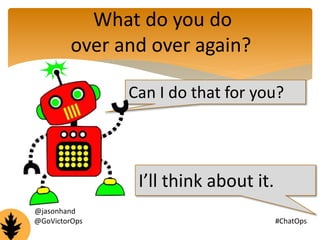
What do you do 
over and over again? 
Can I do that for you? 
I’ll think about it. 
@jasonhand 
@GoVictorOps #ChatOps
ChatOps 
“putting tools in the middle of the conversation” 
- GitHub (2010) 
@jasonhand 
@GoVictorOps #ChatOps
DevOps 
Culture 
Automation 
Measurement 
Sharing 
To move fast and maintain stability it’s important to have 
a culture of automation, measurement and sharing 
@jasonhand 
@GoVictorOps #ChatOps
Tools 
Chat clients 
(with channels or rooms) 
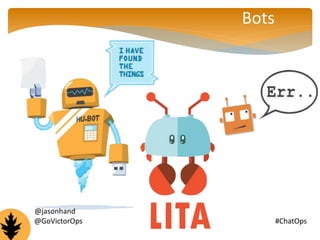
Bots 
Scripts 
@jasonhand 
@GoVictorOps #ChatOps
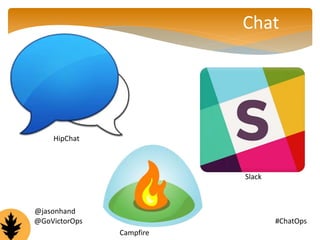
HipChat 
Chat 
@GoVictorOps #ChatOps 
Campfire 
Slack 
@jasonhand
Bots 
@jasonhand 
@GoVictorOps #ChatOps
Scripts 
@jasonhand 
@GoVictorOps #ChatOps
Benefits 
•Sharing 
•Learning 
•Speed 
@jasonhand 
@GoVictorOps #ChatOps
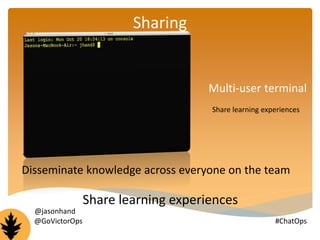
Multi-user terminal 
Share learning experiences 
Sharing 
Disseminate knowledge across everyone on the team 
Share learning experiences 
@jasonhand 
@GoVictorOps #ChatOps
Learning 
“everyone is pairing all of the time” 
- Jesse Newland (Ops – GitHub) 
@jasonhand 
@GoVictorOps #ChatOps
Speed 
How 
many 
clicks 
does it 
take you? @jasonhand 
@GoVictorOps #ChatOps
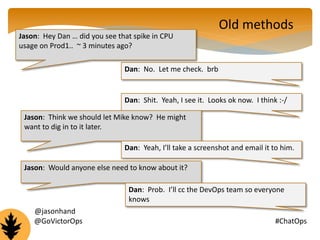
Jason: Hey Dan … did you see that spike in CPU 
usage on Prod1.. ~ 3 minutes ago? 
Dan: No. Let me check. brb 
Old methods 
Dan: Shit. Yeah, I see it. Looks ok now. I think :-/ 
Jason: Think we should let Mike know? He might 
want to dig in to it later. 
Dan: Yeah, I’ll take a screenshot and email it to him. 
Jason: Would anyone else need to know about it? 
Dan: Prob. I’ll cc the DevOps team so everyone 
knows 
@jasonhand 
@GoVictorOps #ChatOps
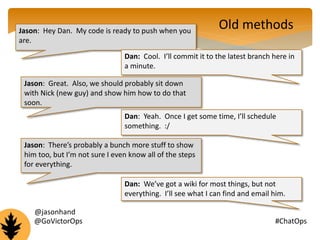
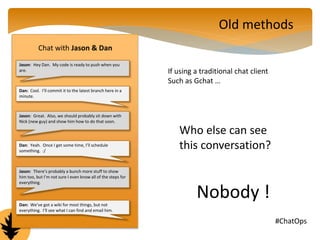
Jason: Hey Dan. My code is ready to push when you 
are. 
Old methods 
Dan: Cool. I’ll commit it to the latest branch here in 
a minute. 
Jason: Great. Also, we should probably sit down 
with Nick (new guy) and show him how to do that 
soon. 
Dan: Yeah. Once I get some time, I’ll schedule 
something. :/ 
Jason: There’s probably a bunch more stuff to show 
him too, but I’m not sure I even know all of the steps 
for everything. 
Dan: We’ve got a wiki for most things, but not 
everything. I’ll see what I can find and email him. 
@jasonhand 
@GoVictorOps #ChatOps
Chat with Jason & Dan 
Jason: Hey Dan. My code is ready to push when you 
are. 
Dan: Cool. I’ll commit it to the latest branch here in a 
minute. 
Jason: Great. Also, we should probably sit down with 
Nick (new guy) and show him how to do that soon. 
Dan: Yeah. Once I get some time, I’ll schedule 
something. :/ 
Jason: There’s probably a bunch more stuff to show 
him too, but I’m not sure I even know all of the steps for 
everything. 
Dan: We’ve got a wiki for most things, but not 
everything. I’ll see what I can find and email him. 
Old methods 
If using a traditional chat client 
Such as Gchat … 
Who else can see 
this conversation? 
Nobody ! 
@GoVictorOps #ChatOps
What do you do 
over and over again? 
Can I do that for you? 
Heck yeah! :D 
@jasonhand 
@GoVictorOps #ChatOps
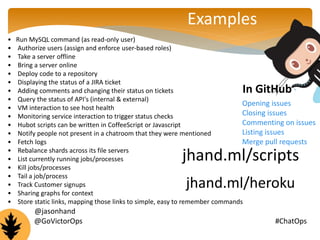
Examples 
• Run MySQL command (as read-only user) 
• Authorize users (assign and enforce user-based roles) 
• Take a server offline 
• Bring a server online 
• Deploy code to a repository 
• Displaying the status of a JIRA ticket 
• Adding comments and changing their status on tickets 
• Query the status of API's (internal & external) 
• VM interaction to see host health 
• Monitoring service interaction to trigger status checks 
• Hubot scripts can be written in CoffeeScript or Javascript 
• Notify people not present in a chatroom that they were mentioned 
• Fetch logs 
• Rebalance shards across its file servers 
• List currently running jobs/processes 
• Kill jobs/processes 
• Tail a job/process 
• Track Customer signups 
• Sharing graphs for context 
• Store static links, mapping those links to simple, easy to remember commands 
In GitHub 
Opening issues 
Closing issues 
Commenting on issues 
Listing issues 
Merge pull requests 
jhand.ml/scripts 
jhand.ml/heroku 
@jasonhand 
@GoVictorOps #ChatOps
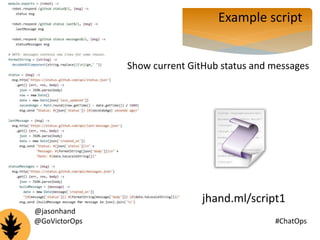
Example script 
Show current GitHub status and messages 
jhand.ml/script1 
@jasonhand 
@GoVictorOps #ChatOps
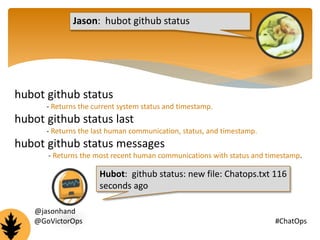
Jason: hubot github status 
hubot github status 
- Returns the current system status and timestamp. 
hubot github status last 
- Returns the last human communication, status, and timestamp. 
hubot github status messages 
- Returns the most recent human communications with status and timestamp. 
Hubot: github status: new file: Chatops.txt 116 
seconds ago 
@jasonhand 
@GoVictorOps #ChatOps
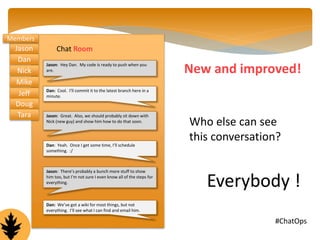
Chat Room 
Jason: Hey Dan. My code is ready to push when you 
are. 
Dan: Cool. I’ll commit it to the latest branch here in a 
minute. 
Jason: Great. Also, we should probably sit down with 
Nick (new guy) and show him how to do that soon. 
Dan: Yeah. Once I get some time, I’ll schedule 
something. :/ 
Jason: There’s probably a bunch more stuff to show 
him too, but I’m not sure I even know all of the steps for 
everything. 
Dan: We’ve got a wiki for most things, but not 
everything. I’ll see what I can find and email him. 
New and improved! 
Who else can see 
this conversation? 
Everybody ! 
Members 
@GoVictorOps #ChatOps 
Jason 
Dan 
Nick 
Mike 
Jeff 
Doug 
Tara
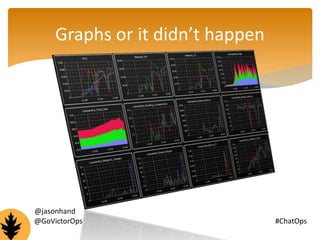
Graphs or it didn’t happen 
@jasonhand 
@GoVictorOps #ChatOps
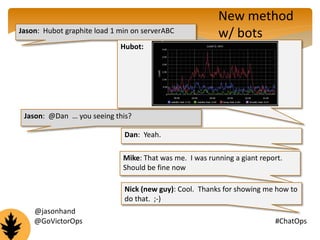
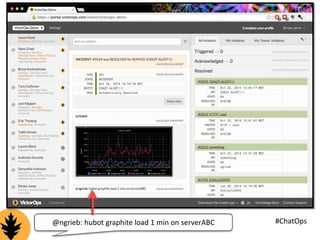
Jason: Hubot graphite load 1 min on serverABC 
Hubot: 
Jason: @Dan … you seeing this? 
Dan: Yeah. 
New method 
w/ bots 
Mike: That was me. I was running a giant report. 
Should be fine now 
Nick (new guy): Cool. Thanks for showing me how to 
do that. ;-) 
@jasonhand 
@GoVictorOps #ChatOps
Big Whoop 
Why is this 
important? 
@jasonhand 
@GoVictorOps #ChatOps
@GoV@icntogrrOiepbs: hubot graphite load 1 min on serverABC #ChatOps
@jasonhand 
@GoVictorOps #ChatOps
Getting Started 
Install bot 
jhand.ml/hubot 
jhand.ml/lita 
Create repo 
Download existing scripts 
jhand.ml/scripts 
Create your own scripts 
Ask others what needs to be automated 
@jasonhand 
@GoVictorOps #ChatOps
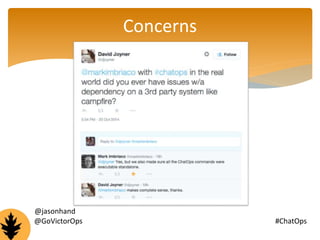
Concerns 
@jasonhand 
@GoVictorOps #ChatOps
Limitations 
@jasonhand 
@GoVictorOps #ChatOps
What I’d like to learn from you : 
Are you doing ChatOps? 
@jasonhand 
@GoVictorOps #ChatOps
Jason Hand 
VictorOps 
jason@victorops.com 
@GoVictorOps #ChatOps 
@jasonhand 
www.chatops.me

ChatOps Unplugged

  • 1.
    ChatOps … abeginner’s guide ~ $ @GoVictorOps #ChatOps
  • 2.
    Jason Hand VictorOps jason@victorops.com @GoVictorOps #ChatOps @jasonhand
  • 3.
    Agenda • Introductionto ChatOps • Origins • Tools • Benefits • Examples • Limitations & Concerns • Getting Started • Q&A @jasonhand @GoVictorOps #ChatOps
  • 4.
    What do youdo over and over again? Can I do that for you? I’ll think about it. @jasonhand @GoVictorOps #ChatOps
  • 5.
    ChatOps “putting toolsin the middle of the conversation” - GitHub (2010) @jasonhand @GoVictorOps #ChatOps
  • 6.
    DevOps Culture Automation Measurement Sharing To move fast and maintain stability it’s important to have a culture of automation, measurement and sharing @jasonhand @GoVictorOps #ChatOps
  • 7.
    Tools Chat clients (with channels or rooms) Bots Scripts @jasonhand @GoVictorOps #ChatOps
  • 8.
    HipChat Chat @GoVictorOps#ChatOps Campfire Slack @jasonhand
  • 9.
  • 10.
  • 11.
    Benefits •Sharing •Learning •Speed @jasonhand @GoVictorOps #ChatOps
  • 12.
    Multi-user terminal Sharelearning experiences Sharing Disseminate knowledge across everyone on the team Share learning experiences @jasonhand @GoVictorOps #ChatOps
  • 13.
    Learning “everyone ispairing all of the time” - Jesse Newland (Ops – GitHub) @jasonhand @GoVictorOps #ChatOps
  • 14.
    Speed How many clicks does it take you? @jasonhand @GoVictorOps #ChatOps
  • 15.
    Jason: Hey Dan… did you see that spike in CPU usage on Prod1.. ~ 3 minutes ago? Dan: No. Let me check. brb Old methods Dan: Shit. Yeah, I see it. Looks ok now. I think :-/ Jason: Think we should let Mike know? He might want to dig in to it later. Dan: Yeah, I’ll take a screenshot and email it to him. Jason: Would anyone else need to know about it? Dan: Prob. I’ll cc the DevOps team so everyone knows @jasonhand @GoVictorOps #ChatOps
  • 16.
    Jason: Hey Dan.My code is ready to push when you are. Old methods Dan: Cool. I’ll commit it to the latest branch here in a minute. Jason: Great. Also, we should probably sit down with Nick (new guy) and show him how to do that soon. Dan: Yeah. Once I get some time, I’ll schedule something. :/ Jason: There’s probably a bunch more stuff to show him too, but I’m not sure I even know all of the steps for everything. Dan: We’ve got a wiki for most things, but not everything. I’ll see what I can find and email him. @jasonhand @GoVictorOps #ChatOps
  • 17.
    Chat with Jason& Dan Jason: Hey Dan. My code is ready to push when you are. Dan: Cool. I’ll commit it to the latest branch here in a minute. Jason: Great. Also, we should probably sit down with Nick (new guy) and show him how to do that soon. Dan: Yeah. Once I get some time, I’ll schedule something. :/ Jason: There’s probably a bunch more stuff to show him too, but I’m not sure I even know all of the steps for everything. Dan: We’ve got a wiki for most things, but not everything. I’ll see what I can find and email him. Old methods If using a traditional chat client Such as Gchat … Who else can see this conversation? Nobody ! @GoVictorOps #ChatOps
  • 18.
    What do youdo over and over again? Can I do that for you? Heck yeah! :D @jasonhand @GoVictorOps #ChatOps
  • 19.
    Examples • RunMySQL command (as read-only user) • Authorize users (assign and enforce user-based roles) • Take a server offline • Bring a server online • Deploy code to a repository • Displaying the status of a JIRA ticket • Adding comments and changing their status on tickets • Query the status of API's (internal & external) • VM interaction to see host health • Monitoring service interaction to trigger status checks • Hubot scripts can be written in CoffeeScript or Javascript • Notify people not present in a chatroom that they were mentioned • Fetch logs • Rebalance shards across its file servers • List currently running jobs/processes • Kill jobs/processes • Tail a job/process • Track Customer signups • Sharing graphs for context • Store static links, mapping those links to simple, easy to remember commands In GitHub Opening issues Closing issues Commenting on issues Listing issues Merge pull requests jhand.ml/scripts jhand.ml/heroku @jasonhand @GoVictorOps #ChatOps
  • 20.
    Example script Showcurrent GitHub status and messages jhand.ml/script1 @jasonhand @GoVictorOps #ChatOps
  • 21.
    Jason: hubot githubstatus hubot github status - Returns the current system status and timestamp. hubot github status last - Returns the last human communication, status, and timestamp. hubot github status messages - Returns the most recent human communications with status and timestamp. Hubot: github status: new file: Chatops.txt 116 seconds ago @jasonhand @GoVictorOps #ChatOps
  • 22.
    Chat Room Jason:Hey Dan. My code is ready to push when you are. Dan: Cool. I’ll commit it to the latest branch here in a minute. Jason: Great. Also, we should probably sit down with Nick (new guy) and show him how to do that soon. Dan: Yeah. Once I get some time, I’ll schedule something. :/ Jason: There’s probably a bunch more stuff to show him too, but I’m not sure I even know all of the steps for everything. Dan: We’ve got a wiki for most things, but not everything. I’ll see what I can find and email him. New and improved! Who else can see this conversation? Everybody ! Members @GoVictorOps #ChatOps Jason Dan Nick Mike Jeff Doug Tara
  • 23.
    Graphs or itdidn’t happen @jasonhand @GoVictorOps #ChatOps
  • 24.
    Jason: Hubot graphiteload 1 min on serverABC Hubot: Jason: @Dan … you seeing this? Dan: Yeah. New method w/ bots Mike: That was me. I was running a giant report. Should be fine now Nick (new guy): Cool. Thanks for showing me how to do that. ;-) @jasonhand @GoVictorOps #ChatOps
  • 25.
    Big Whoop Whyis this important? @jasonhand @GoVictorOps #ChatOps
  • 26.
    @GoV@icntogrrOiepbs: hubot graphiteload 1 min on serverABC #ChatOps
  • 27.
  • 28.
    Getting Started Installbot jhand.ml/hubot jhand.ml/lita Create repo Download existing scripts jhand.ml/scripts Create your own scripts Ask others what needs to be automated @jasonhand @GoVictorOps #ChatOps
  • 29.
  • 30.
  • 31.
    What I’d liketo learn from you : Are you doing ChatOps? @jasonhand @GoVictorOps #ChatOps
  • 32.
  • 33.
    Jason Hand VictorOps jason@victorops.com @GoVictorOps #ChatOps @jasonhand www.chatops.me

Editor's Notes

  • #3 Hey everyone. My name is Jason I’m the DevOps Evangelist for VictorOps, but mostly just try to help my team and other (like yourselves) understand and adopting DevOps methodologies .. Such as ChatOps.
  • #5 I want you to start by asking yourself this question: What are you doing today that you find yourself repeating? Over and over again. It can be something simple or complex, although starting simple might be the best place to start. So.. Just start to think about that as we begin to dive in a little deeper.
  • #6 ChatOps is a term coined by Github in late 2010 to describe their growing culture of “putting tools in the middle of the conversation”. It was an effort to monitor and control infrastructure and operations from the convenience of a chat room. Additionally, it helped them centralize the conversation by driving everything they do into chat.
  • #7 CAMS … The Pillars of DevOps … and ChatOps can play a big role in that effort. The desire to “automate all of the things”… lead to putting those tools in to the conversation.
  • #8 Ops (and Devs) were already in a chat room discussing all kinds of stuff that they were seeing and doing with other tools Rather than hopping back and forth between those different tools and working in a vacuum, we’ve decided to inject all of that back in to one place. In order to do that, you need a few additional tools other than a chat client.
  • #9 These are three of the mostly widely used chat clients providing channels where multiple people can be included in the conversation. IRC is still heavily used by many but by and large, these are the tools most Ops and Dev teams are moving towards
  • #10 By bot I mean .. a chat bot that sits in your chat room, listens for commands and executes them. By and large, the most well known and used bot out there is Hubot. Hubot - Node.js (open source from GitHub But there are others out there are: Lita - Ruby Err – Python InterBot – a new one I just heard of (interbot.co) Hosted: MasterMold (http://mastermold.io/) Many have modified existing bots and created their own MegaMaid Dr. Manhattan Twiki Jarvis
  • #11 Bots are pretty useless if they don’t have instructions on what to do for you. Hubot accepts coffee scripts as well as javascripts. We’ll see some examples of scripts a little bit later
  • #12 Right away you can probably start to see how the idea of ChatOps can help Also .. Transparency / Visibility
  • #13 We’re turning a chat room in to a multi-user terminal Allows everyone in that room to see you execute important commands, Making those commands immediately accessible… while creating a level of transparency across the team. New hires learn commands by seeing current employees execute them regularly. “Teaching by doing”
  • #14 Wikis can be useful in some cases, but often times we team up with others to learn new processes. This involves watching over someone’s shoulder in many case. Anyone here like it when people watch over their shoulder? Nobody likes people hovering over their shoulder while they are working … even if you are trying to show someone how to do something. Additionally, it’s very likely that team members are distributed around the country or world, so this isn’t even possible. You have a historical record of what happened and when in your environment for others to learn from. People can ask questions without bugging busy engineers People learn process and commands from others as they work
  • #15 Learning is a great byproduct of ChatOps, but the ultimate goal here is to improve speed of deployment And management of infrastructure and code… As well as visibility of events not just within the team but for everyone who is interested. Which is faster? Running a long stringed command from the terminal or a couple of words from chat? I know what you’re thinking .. Not everything I do can be done from command line. Alright … How many clicks does it take to get to find the information you are looking for? How many additional clicks does it take to share that with your team? By building tools and executing commands in a chat room that can be automated by a bot, communication doesn’t become an afterthought to operational processes but is core to how you operate. If I want to deploy code, I type a command into chat. If I want to take a server offline, I type a command into chat. If I want to merge a git pull request into master, I type in a command into chat, and so on. Communication is baked in… but it’s also much faster! API’s are great and most of the tools we use have ways of using an API to obtain the information we need. use those API's. creat your own internal JSON API's too.
  • #16 Let’s look at an example … of a common conversation.
  • #17 Another example. Anyone notice something strange right off the bat? Jason doesn’t know how to push his own code. What a n00b. If any of your developers can’t push code on day one … that’s a bug.
  • #18 IMPORTANT: This is a chat between Jason & Dan ONLY. We are siloing so bad right now!
  • #19 Remember our question from earlier? Have you thought of anything that you do over and over again? If not, here are some examples.
  • #20 Mention only a few of these before directing them to the URL for more examples. The possibilities are endless. Get creative.
  • #21 This is a sample script that wasn’t too long and I thought some of you might be able to relate to. We want to know the current GitHub status Of course you can find this out from your command line .. In your little silo.
  • #22 These are what you’d type from your chat client
  • #23 New method: By moving these chats out of a 1-on-1 channels and in to rooms or group channels.. Everyone is part of the conversation. So, that’s step one, and something that the chat clients I mentioned above provide right out of the box
  • #24 We love graphs. You know who loves graphs even more? Managers. Put those babies right in to the conversation. Built context around what’s going on with your infrastructure.
  • #25 Now we ask Hubot to show us what’s going on. Also Two others join in to the conversation.
  • #26 Everyone sees this from the minute they join VictorOps. It’s all included in the team channel for everyone to see. Right in the middle of the conversation. Creating context. Why is context important? Post-mortems … Runbooks Nobody had to do something .. And then tell someone what they did. It’s all right there for everyone to see.
  • #27 Here’s an example of the previous conversation from within the VictorOps platform. Nate requests a graph from Hubot who then provides it in line with alerts, creating additional context.
  • #28 Pretty cool. Now … let’s do it while we are out and about. MOBILIZE ! Anything your bot can do .. You can do from your phone! Which for us in Colorado means .. A lot of fun places. The ski lift for example. Collaboration, deployment and automation of common tasks can be done from anywhere.
  • #29  Hubot and Lita instructions available from the links
  • #30 Early on, I felt like automating too much might disconnect people from how to perform tasks. Everyone that has implemented ChatOps agrees that this isn’t a concern. The steps are documented in the scripts So, in the case that you need to do it manually the steps are always available. What about being locked in to 3rd party systems, such as the chat clients?
  • #31 As I’ve met with and talked to a ton of people regarding ChatOps, I always ask if there are any concerns Or any limitations. The answer is always the same. … NO If you there’s something you can’t do with ChatOps … make a script for it! Get creative!
  • #32 I’m a student of DevOps .. Just like many of you. Are you engaged in ChatOps? What type of stuff?
  • #33 We’ve been talking about having robots do our stuff for decades. They’ve been implemented in to manufacturing and other aspects of our life .. Anyone use Siri? We are already starting to use them in conversations … Why not implement them in to our conversations surrounding managing infrastructure and software development? We finally have robots that can do stuff for us Let’s take advantage of it
  • #34 Questions?