Accelerating
DevOps with
ChatOps
When, where and how to use ChatOps
Hello! I’m Vishwa
Co-founder @ YellowAnt
VishwaKK vishwa306
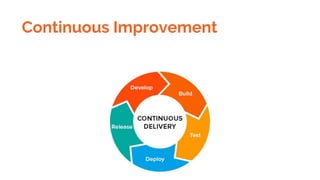
Continuous Improvement
High performing IT teams
experience 60 times
less failure, recover
from failure 168 times
faster, deploy 30
times more frequently
with 200 times
shorter lead time
- Rouan Wilsenach, ThoughtWorks
Did you know - Amazon
deploys every 11.6 seconds!
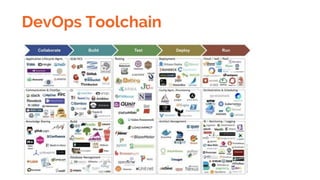
DevOps Toolchain
Short Release
cycles, rapid
feedback, minimize
MTTR
Culture
Automation
Measurement
Sharing
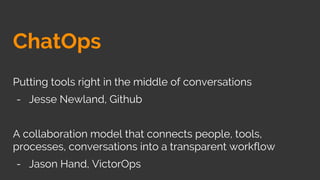
ChatOps
Putting tools right in the middle of conversations
- Jesse Newland, Github
A collaboration model that connects people, tools,
processes, conversations into a transparent workflow
- Jason Hand, VictorOps
Ingredients
Bot-enabled
communication
platform with
Channels or
Groups
Bots
Situational awareness
Connecting people and bringing people on the same page
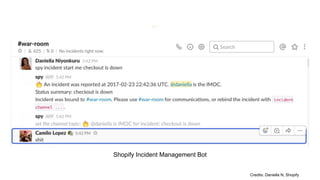
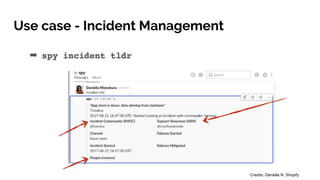
Shopify Incident Management Bot
Credits: Daniella N, Shopify
Leverage tribal knowledge
The Team is Greater than the Sum of Its Members
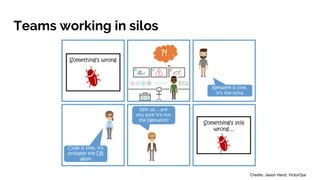
Teams working in silos
Credits: Jason Hand, VictorOps
Status Quo
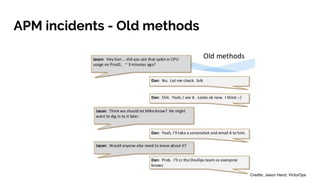
APM incidents - Old methods
Credits: Jason Hand, VictorOps
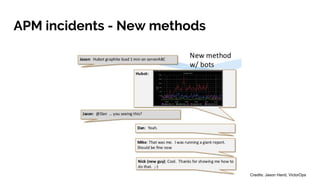
APM incidents - New methods
Credits: Jason Hand, VictorOps
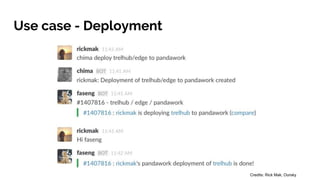
Use case - Deployment
Credits: Rick Mak, Oursky
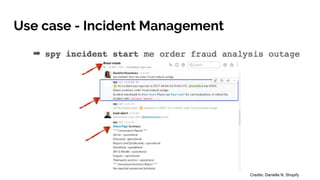
Use case - Incident Management
Credits: Daniella N, Shopify
Use case - Incident Management
Credits: Daniella N, Shopify
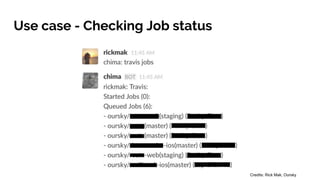
Use case - Checking Job status
Credits: Rick Mak, Oursky
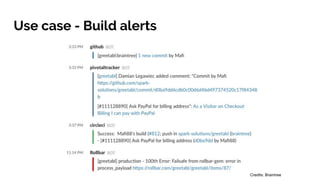
Use case - Build alerts
Credits: Braintree
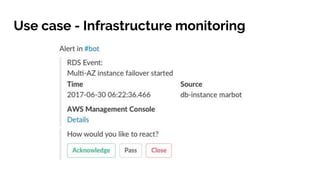
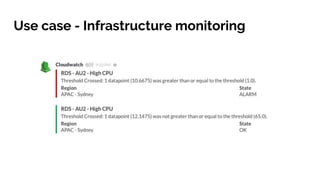
Use case - Infrastructure monitoring
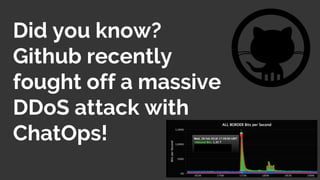
Did you know?
Github recently
fought off a massive
DDoS attack with
ChatOps!
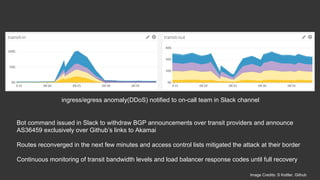
ingress/egress anomaly(DDoS) notified to on-call team in Slack channel
Bot command issued in Slack to withdraw BGP announcements over transit providers and announce
AS36459 exclusively over Github’s links to Akamai
Routes reconverged in the next few minutes and access control lists mitigated the attack at their border
Continuous monitoring of transit bandwidth levels and load balancer response codes until full recovery
Image Credits: S Kottler, Github
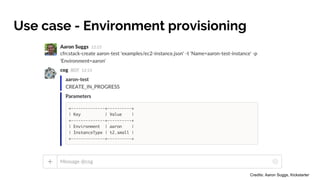
Use case - Environment provisioning
Credits: Aaron Suggs, Kickstarter
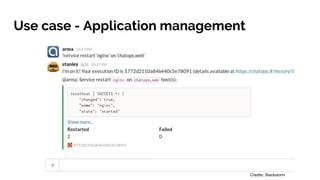
Use case - Application management
Credits: Stackstorm
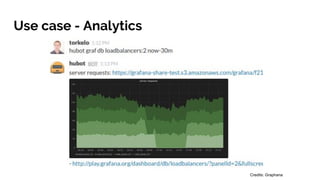
Use case - Analytics
Credits: Graphana
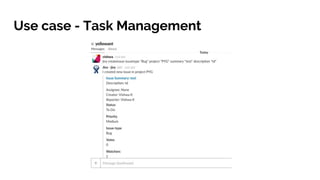
Use case - Task Management
ChatOps is not just for Devs!
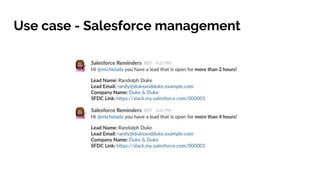
Use case - Salesforce management
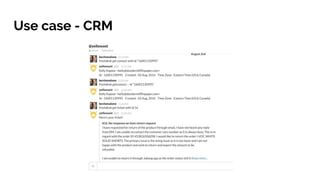
Use case - CRM
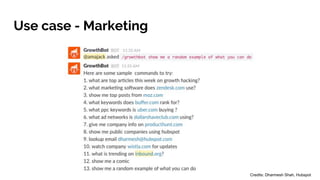
Use case - Marketing
Credits: Dharmesh Shah, Hubspot
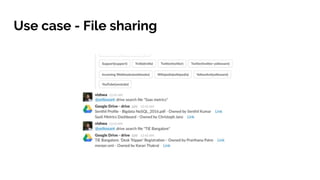
Use case - File sharing
How to implement ChatOps
for your team?
Open Source frameworks
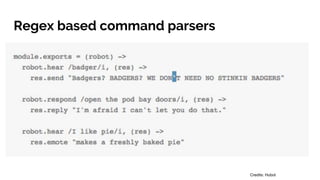
Regex based command parsers
Credits: Hubot
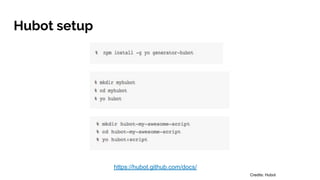
Hubot setup
https://hubot.github.com/docs/
Credits: Hubot
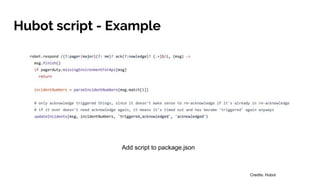
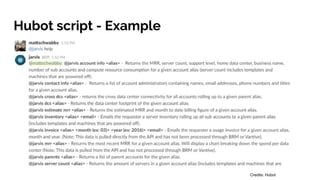
Hubot script - Example
Add script to package.json
Credits: Hubot
Hubot script - Example
Credits: Hubot
NLP - Extracting intent and entities from
commands
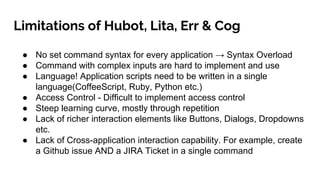
Limitations of Hubot, Lita, Err & Cog
● No set command syntax for every application → Syntax Overload
● Command with complex inputs are hard to implement and use
● Language! Application scripts need to be written in a single
language(CoffeeScript, Ruby, Python etc.)
● Access Control - Difficult to implement access control
● Steep learning curve, mostly through repetition
● Lack of richer interaction elements like Buttons, Dialogs, Dropdowns
etc.
● Lack of Cross-application interaction capability. For example, create
a Github issue AND a JIRA Ticket in a single command
ChatOps 2.0 (2018-present)
Leveraging rich UI elements
to interface with bots
Meet YellowAnt
A bot that lets you interface with your services and applications and helps you
automate work from Slack, Microsoft Teams, Cisco Spark, FB Workplace
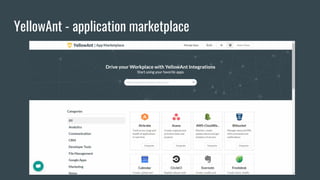
YellowAnt - application marketplace
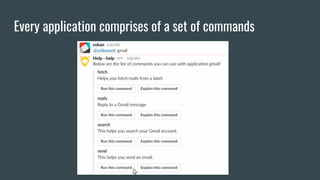
Every application comprises of a set of commands
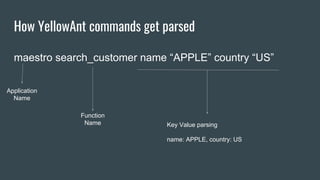
How YellowAnt commands get parsed
maestro search_customer name “APPLE” country “US”
Application
Name
Function
Name Key Value parsing
name: APPLE, country: US
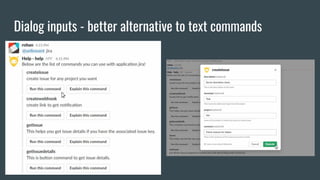
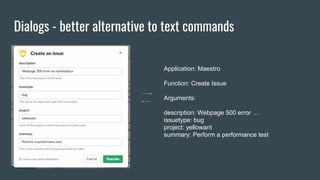
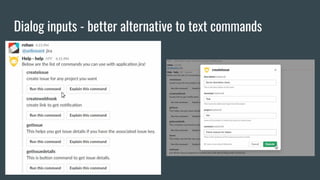
Dialog inputs - better alternative to text commands
Dialogs - better alternative to text commands
Application: Maestro
Function: Create Issue
Arguments:
description: Webpage 500 error …
issuetype: bug
project: yellowant
summary: Perform a performance test
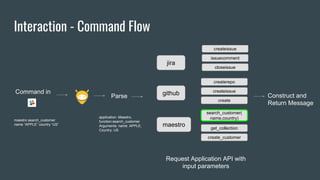
Interaction - Command Flow
Command in
jira
github
maestro
createissue
issuecomment
closeissue
createrepo
createissue
create
search_customer(
name,country)
get_collection
create_customer
Request Application API with
input parameters
Parse Construct and
Return Message
maestro search_customer
name “APPLE” country “US”
application: Maestro,
function:search_customer
Arguments: name: APPLE,
Country: US
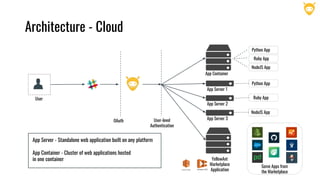
Architecture - Cloud
OAuth
User
User-level
Authentication
App Server 1
App Server 2
App Server 3
App Container
Python App
Ruby App
NodeJS App
Python App
Ruby App
NodeJS App
Some Apps from
the Marketplace
App Server - Standalone web application built on any platform
App Container - Cluster of web applications hosted
in one container YellowAnt
Marketplace
Application
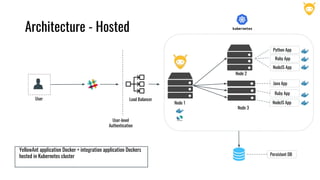
Architecture - Hosted
User
User-level
Authentication
Node 3
Node 2
Python App
Ruby App
NodeJS App
Java App
Ruby App
NodeJS App
YellowAnt application Docker + integration application Dockers
hosted in Kubernetes cluster
Node 1
Load Balancer
Persistent DB
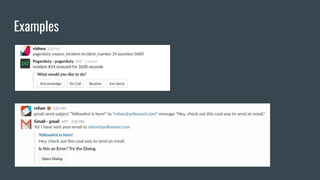
Examples
Dialog inputs - better alternative to text commands
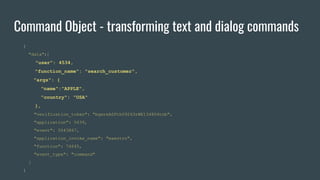
Command Object - transforming text and dialog commands
{
"data":{
"user": 4534,
"function_name": "search_customer",
"args": {
"name":"APPLE",
"country": "USA"
},
"verification_token": "bgwreASFth09243rWE134804tnb",
"application": 5639,
"event": 5043867,
"application_invoke_name": "maestro",
"function": 74645,
"event_type": "command"
}
}
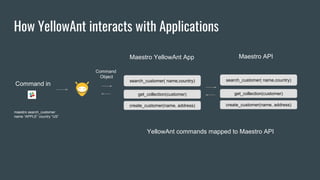
How YellowAnt interacts with Applications
search_customer( name,country)
get_collection(customer)
create_customer(name, address)
Maestro API
search_customer( name,country)
get_collection(customer)
create_customer(name, address)
Maestro YellowAnt App
Command in
maestro search_customer
name “APPLE” country “US”
YellowAnt commands mapped to Maestro API
Command
Object
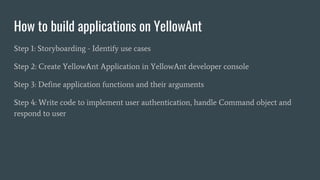
How to build applications on YellowAnt
Step 1: Storyboarding - Identify use cases
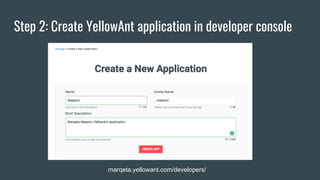
Step 2: Create YellowAnt Application in YellowAnt developer console
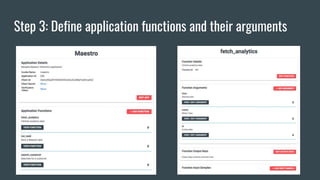
Step 3: Define application functions and their arguments
Step 4: Write code to implement user authentication, handle Command object and
respond to user
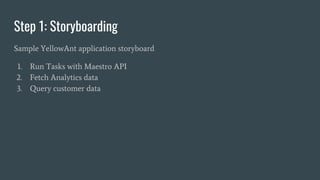
Step 1: Storyboarding
Sample YellowAnt application storyboard
1. Run Tasks with Maestro API
2. Fetch Analytics data
3. Query customer data
Step 2: Create YellowAnt application in developer console
marqeta.yellowant.com/developers/
Step 3: Define application functions and their arguments
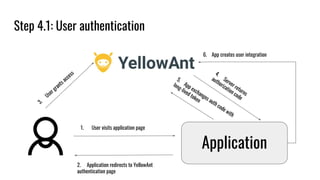
Step 4.1: User authentication
Application
1. User visits application page
2. Application redirects to YellowAnt
authentication page
3.
User grants access
5.
App exchanges auth code with
long-lived token
4.
Server returns
authorization code
6. App creates user integration
Workflows
Command workflow - Club multiple commands into one command
Event workflow - Event in one application triggers actions in others
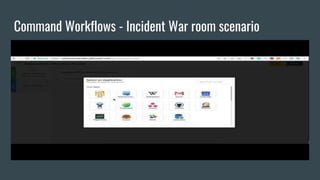
Command Workflows - Incident War room scenario
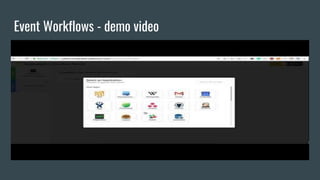
Event Workflows - demo video
Start small and simple, but
dream big. Don’t be afraid to
break things
Define goals and
engagement metrics, get
constant feedback
Be Consistent with your UX
Build confidence
Evangelize!
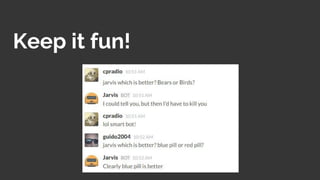
Keep it fun!
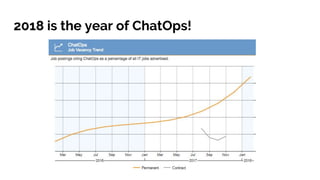
2018 is the year of ChatOps!
Thank you!

Accelerating DevOps with ChatOps