© 2009 Eventure Events. All rights reserved.
Document Management in SAP PM
Greg Olynyk
Catalyst Paper Corporation Ltd.
About Greg Olynyk
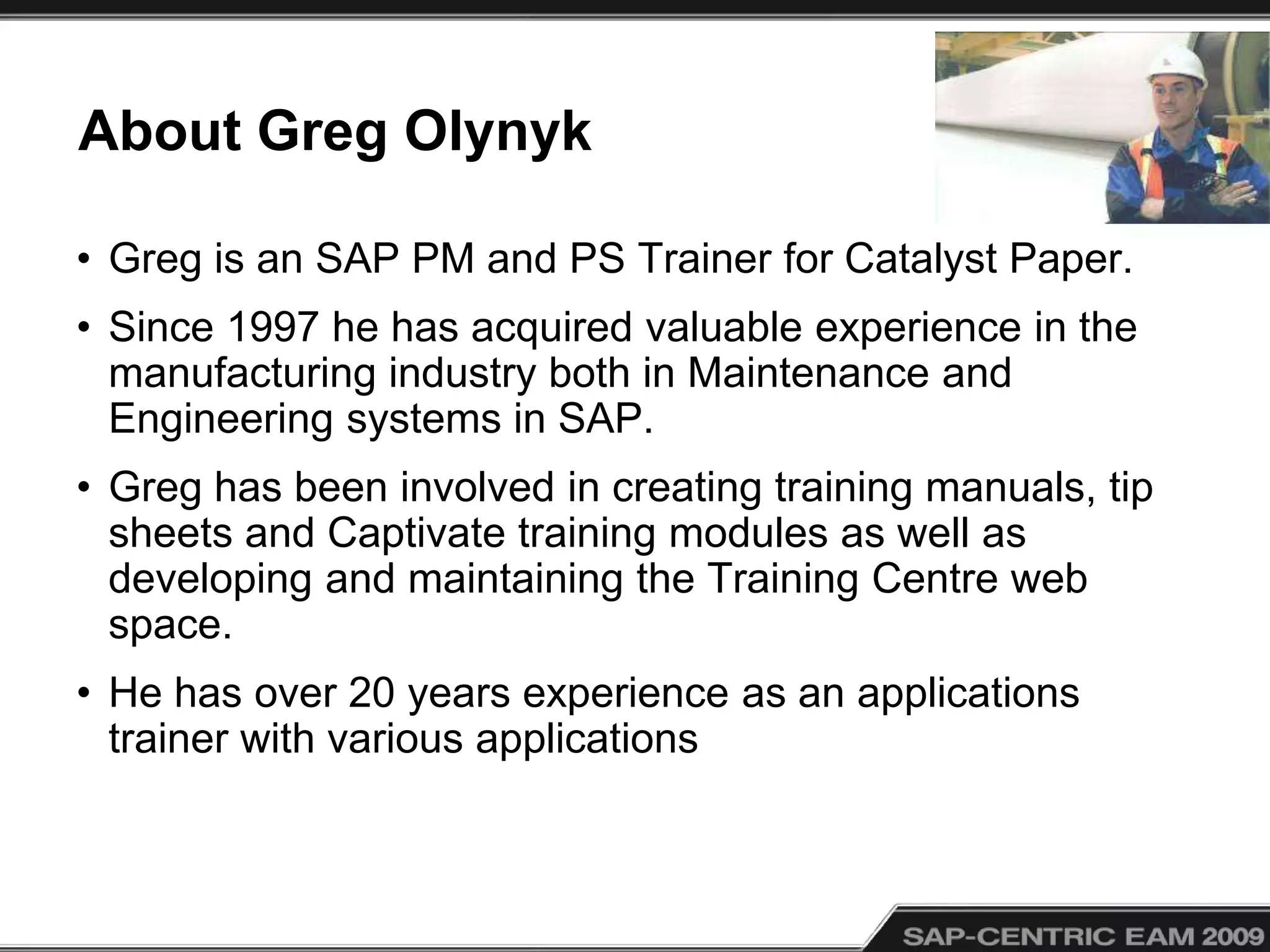
• Greg is an SAP PM and PS Trainer for Catalyst Paper.
• Since 1997 he has acquired valuable experience in the
manufacturing industry both in Maintenance and
Engineering systems in SAP.
• Greg has been involved in creating training manuals, tip
sheets and Captivate training modules as well as
developing and maintaining the Training Centre web
space.
• He has over 20 years experience as an applications
trainer with various applications
About CatalystPaper.com
• Catalyst is amongst North America's leading
producers of mechanical printing papers
• With annual capacity of 2.5 million tonnes.
• With approximately 2,700 employees
• Original Go-Live Date: 1997
• Current SAP Release: SAP ECC 5.0
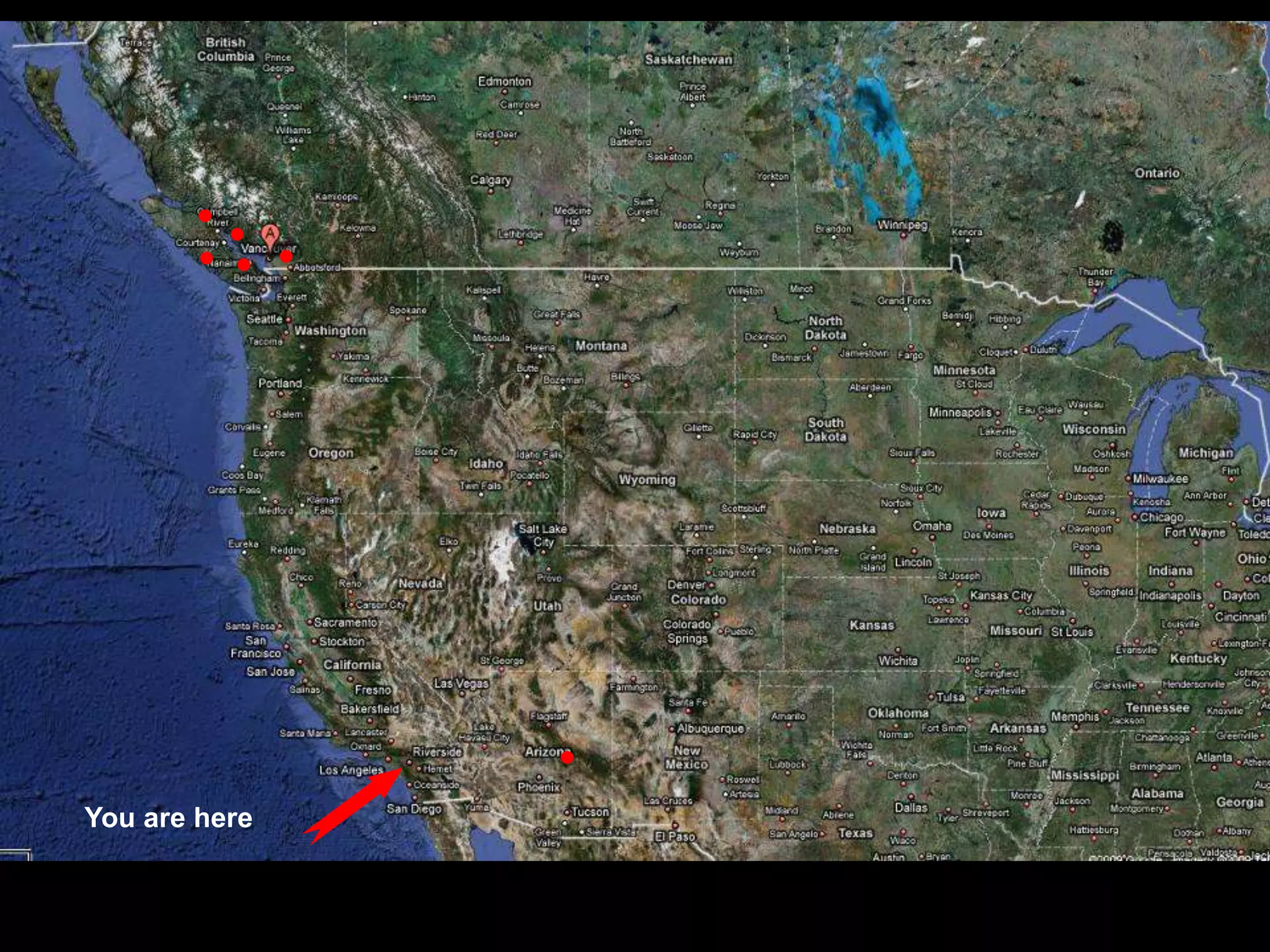
You are here
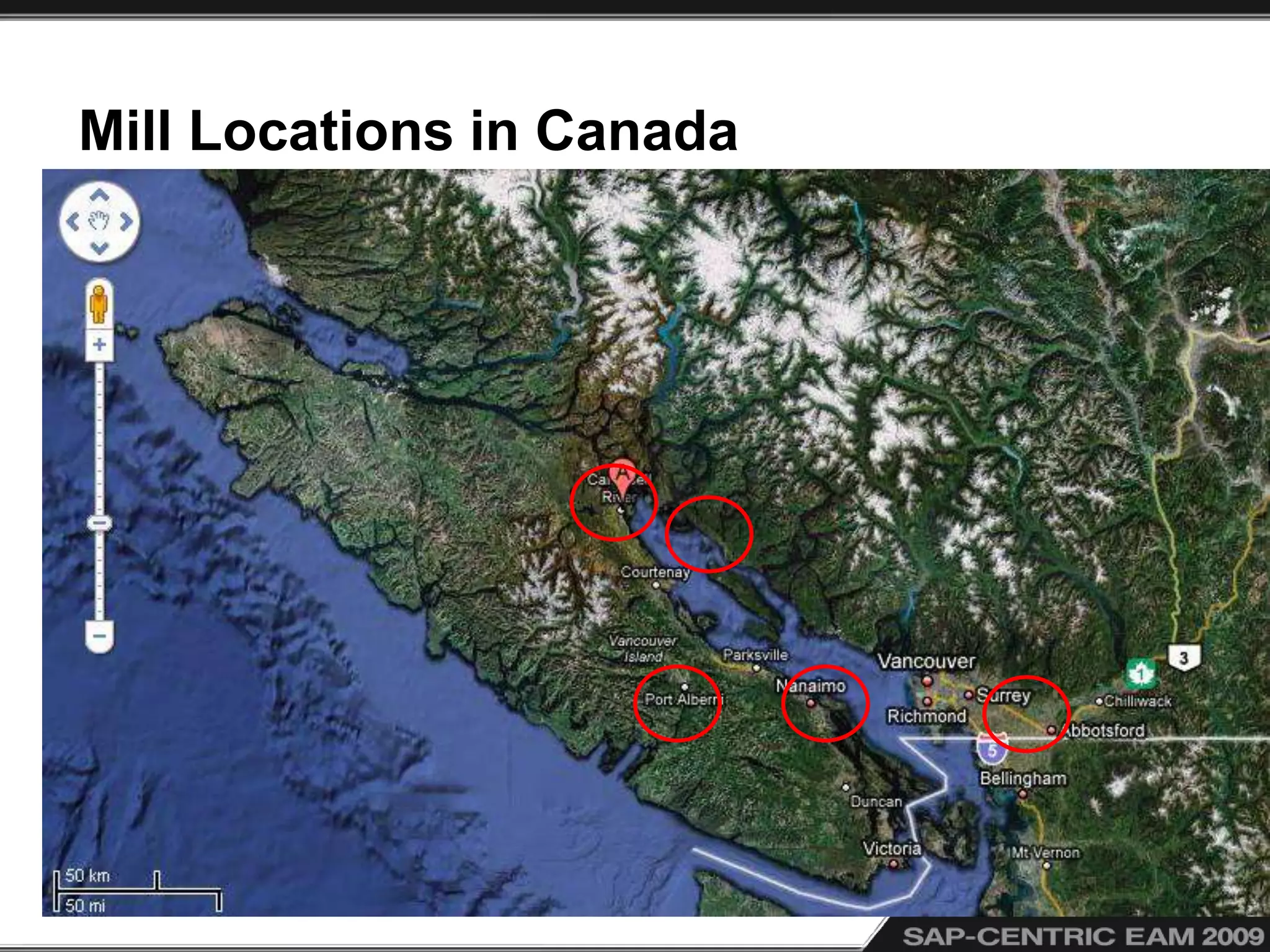
Mill Locations in Canada
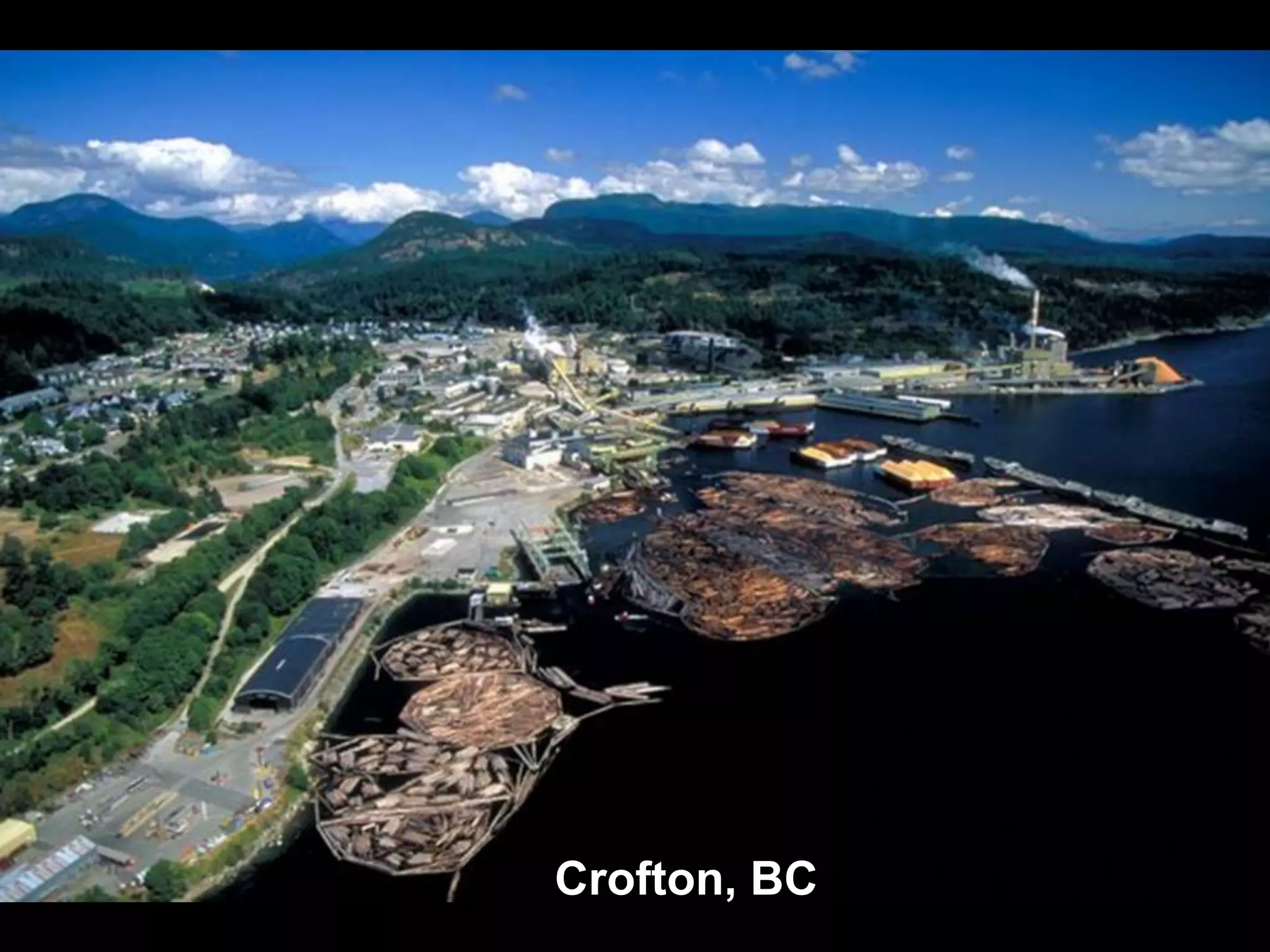
Crofton, BC
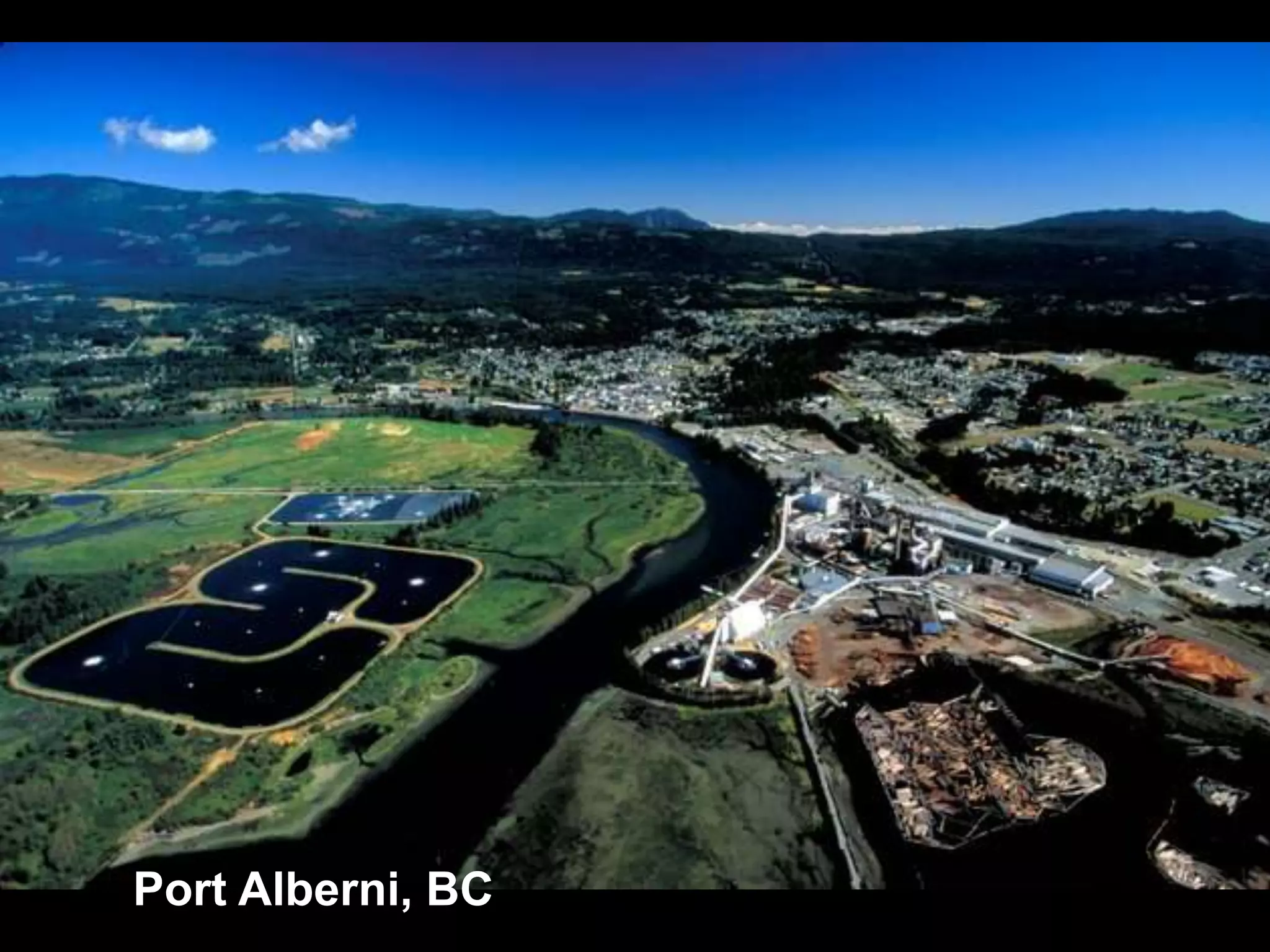
Port Alberni, BC
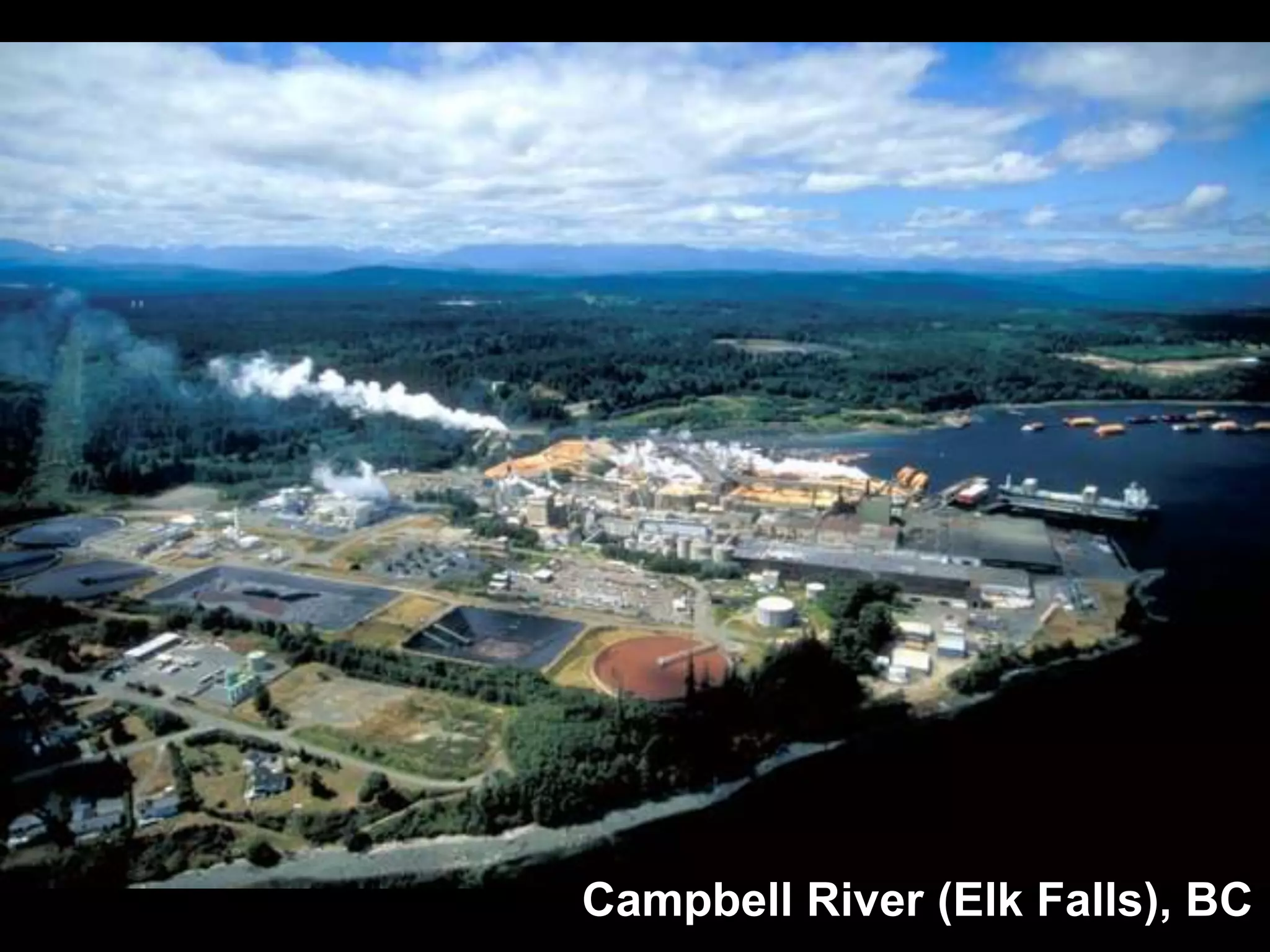
Campbell River (Elk Falls), BC
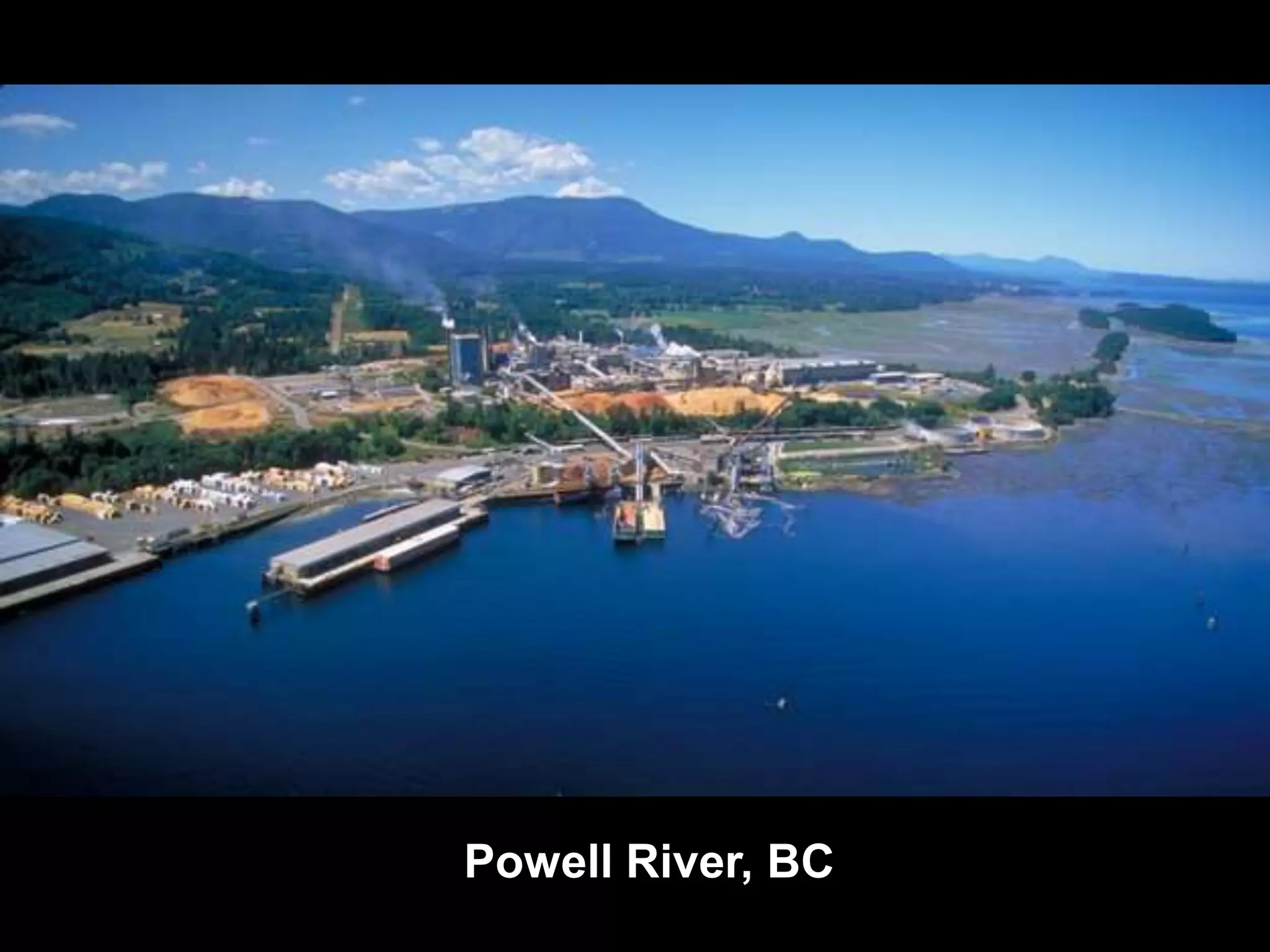
Powell River, BC
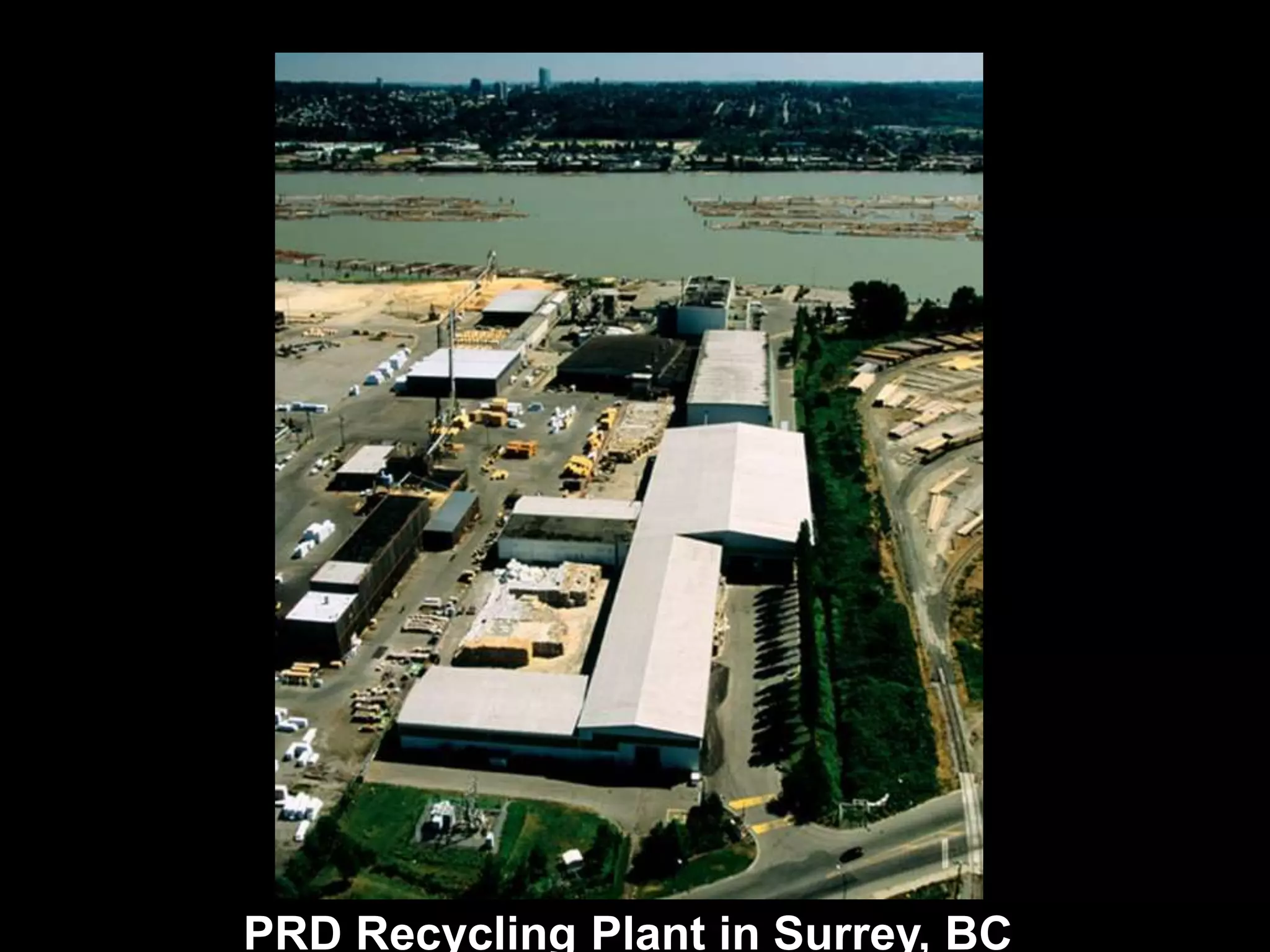
PRD Recycling Plant in Surrey, BC
Snowflake, Arizona
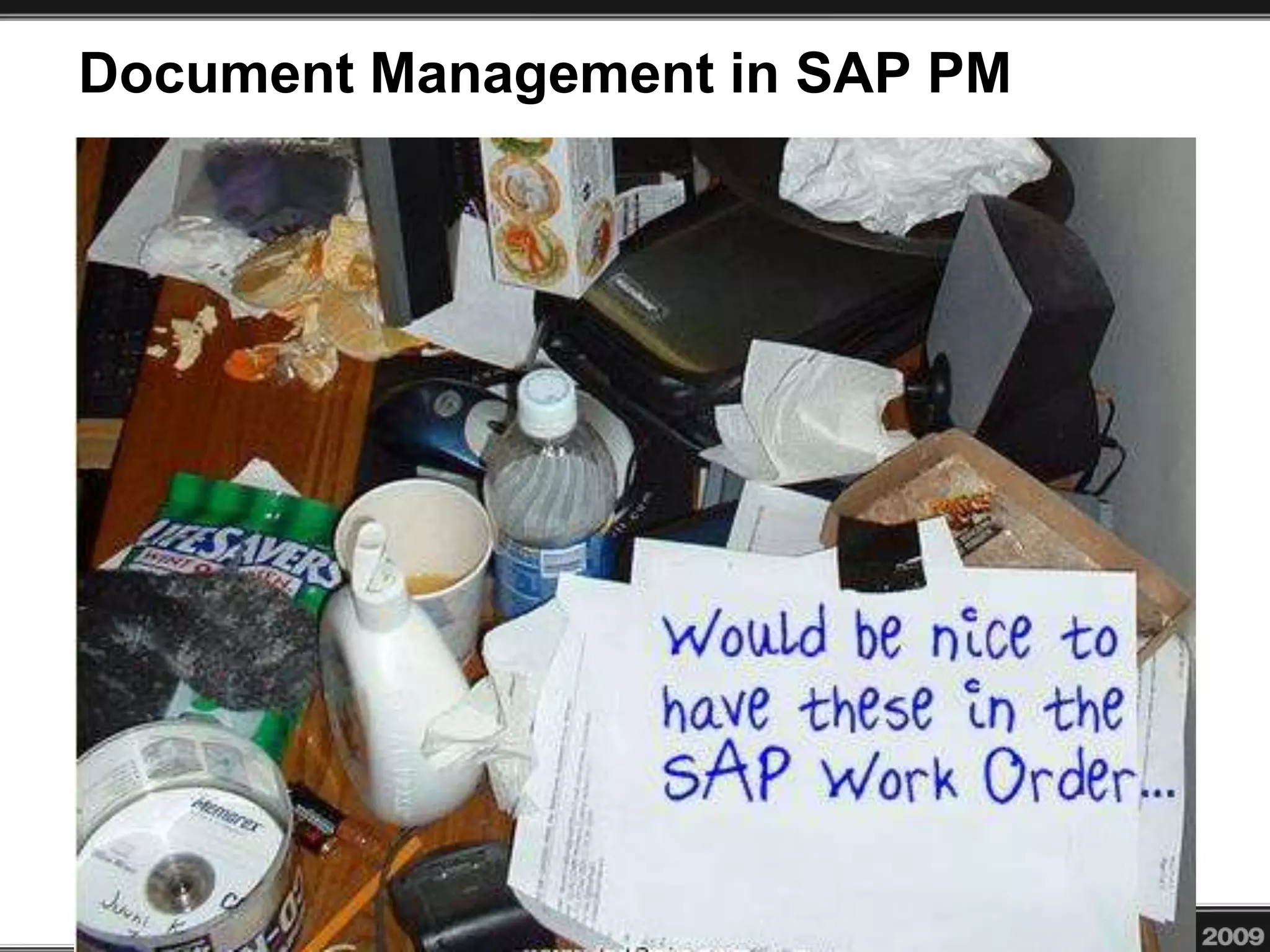
Document Management in SAP PM
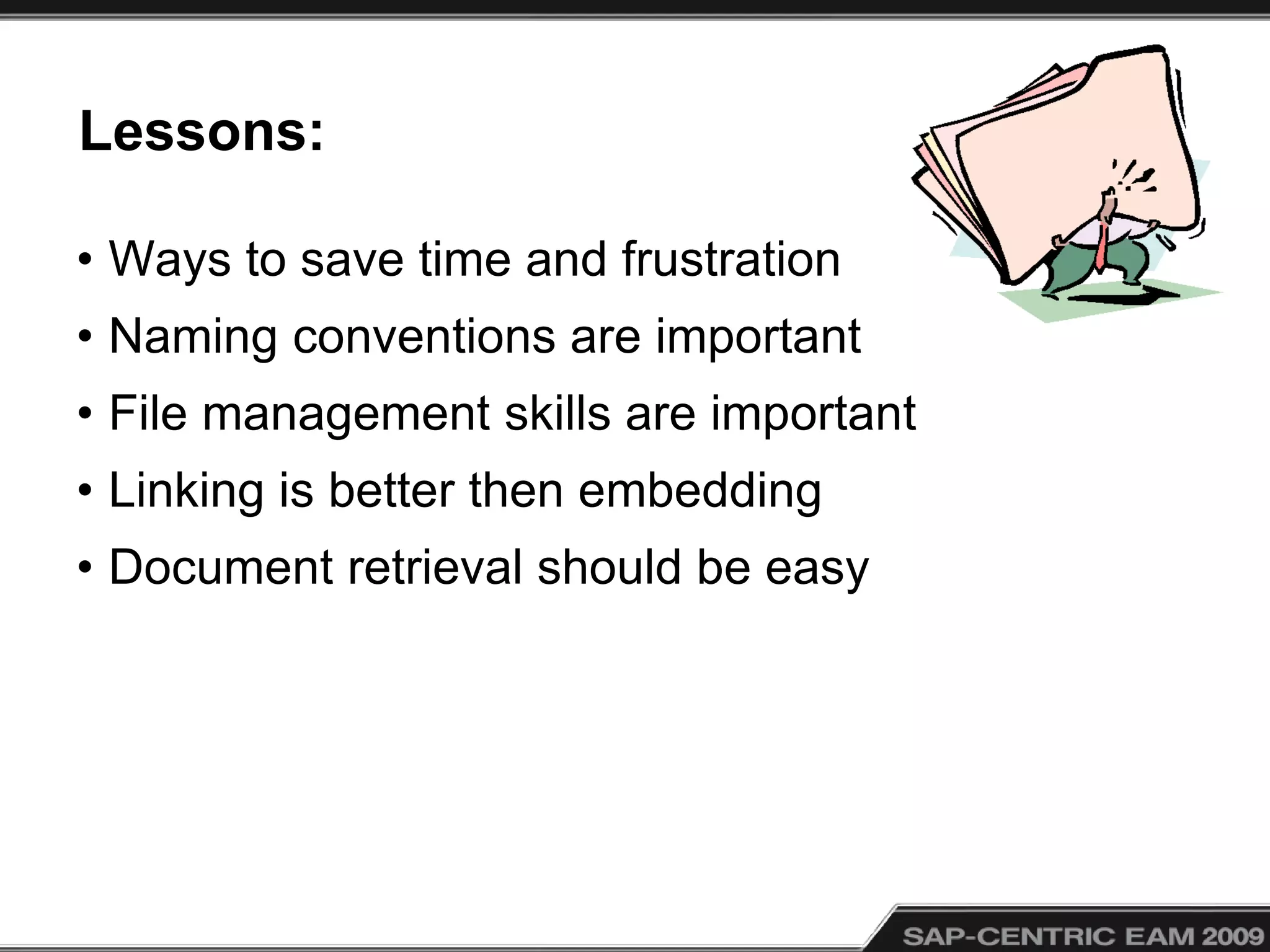
• Managing documents is difficult and time consuming for the frontline
SAP PM user. Yet file management is important and, in many cases,
required for maintenance and repair work to be initiated. Our
planners used to spend hours manually creating document packages
for their work crews. Now, with the use of task lists, PRTs, and Work
Order attachments, they have automated many repetitive procedures
and provide the crews with better information in an easier method. In
this presentation, I will describe how we are streamlining processes
for document management.
Lessons:
• Ways to save time and frustration
• Naming conventions are important
• File management skills are important
• Linking is better then embedding
• Document retrieval should be easy
Why Documents?
• “A Picture is worth a thousand words”
• Improves communication
• Provides field technicians with information to do
their jobs
• You can do it all in SAP
• We use a third party Printing Add-on to produce
document packages for work orders
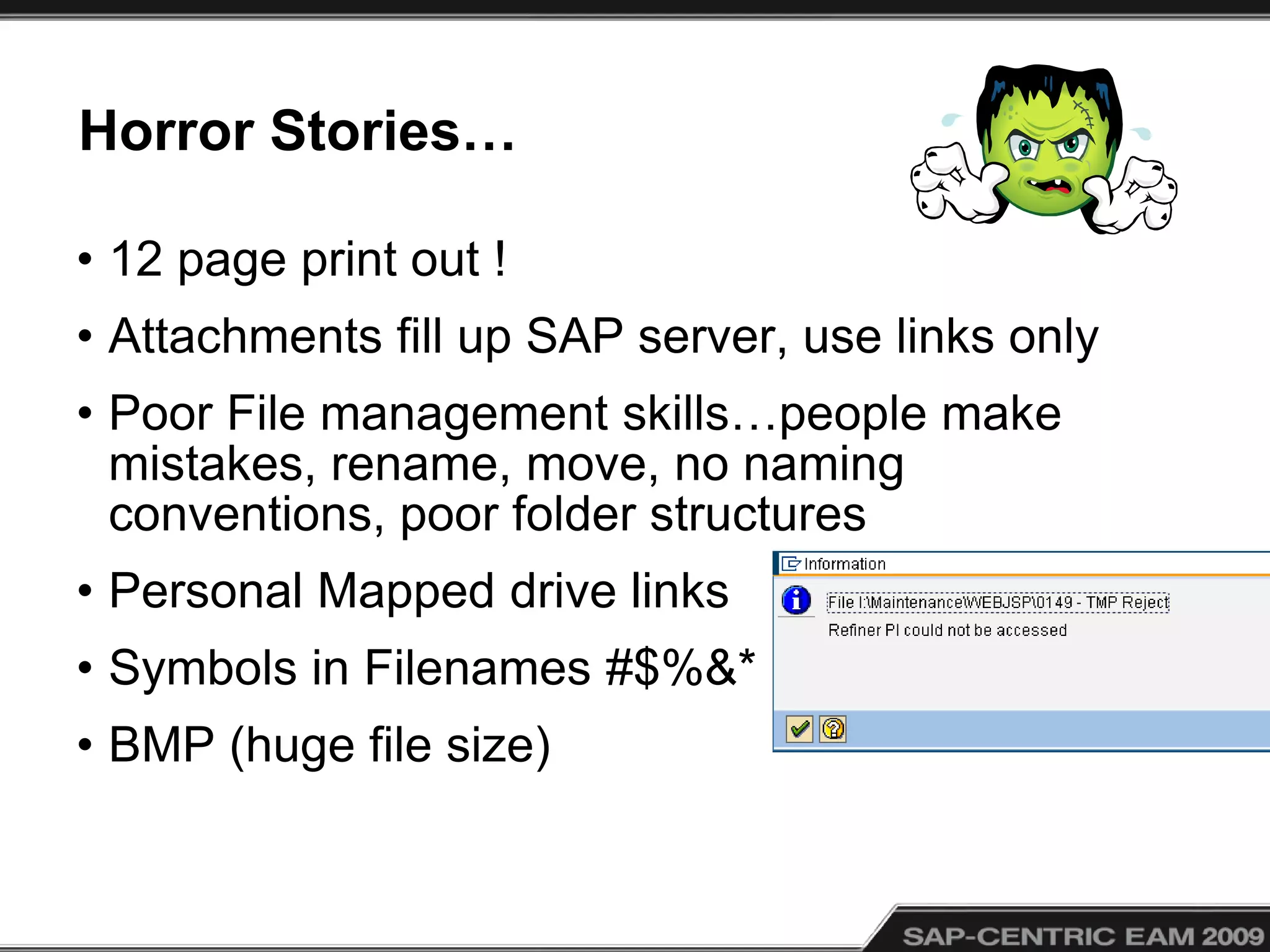
Horror Stories…
• 12 page print out !
• Attachments fill up SAP server, use links only
• Poor File management skills…people make
mistakes, rename, move, no naming
conventions, poor folder structures
• Personal Mapped drive links
• Symbols in Filenames #$%&*
• BMP (huge file size)
What is a Document ?
• Job procedures, lock-outs, sketches, drawings,
pictures, work lists
• Check Lists (Excel can have multiple authors)
• Inventory Pictures
• Manuals
• Videos
Topics
1) Storing Documents
2) Creating SAP Documents (links)
3) Object Links in “Document Settings”
4) BOM Links
5) Task List Operation Links (PRTs)
6) Work Order Operation Links (PRTs)
7) Object Links, esp. PM Work Orders
8) Print Manager from Prometheus within PM
Work Orders
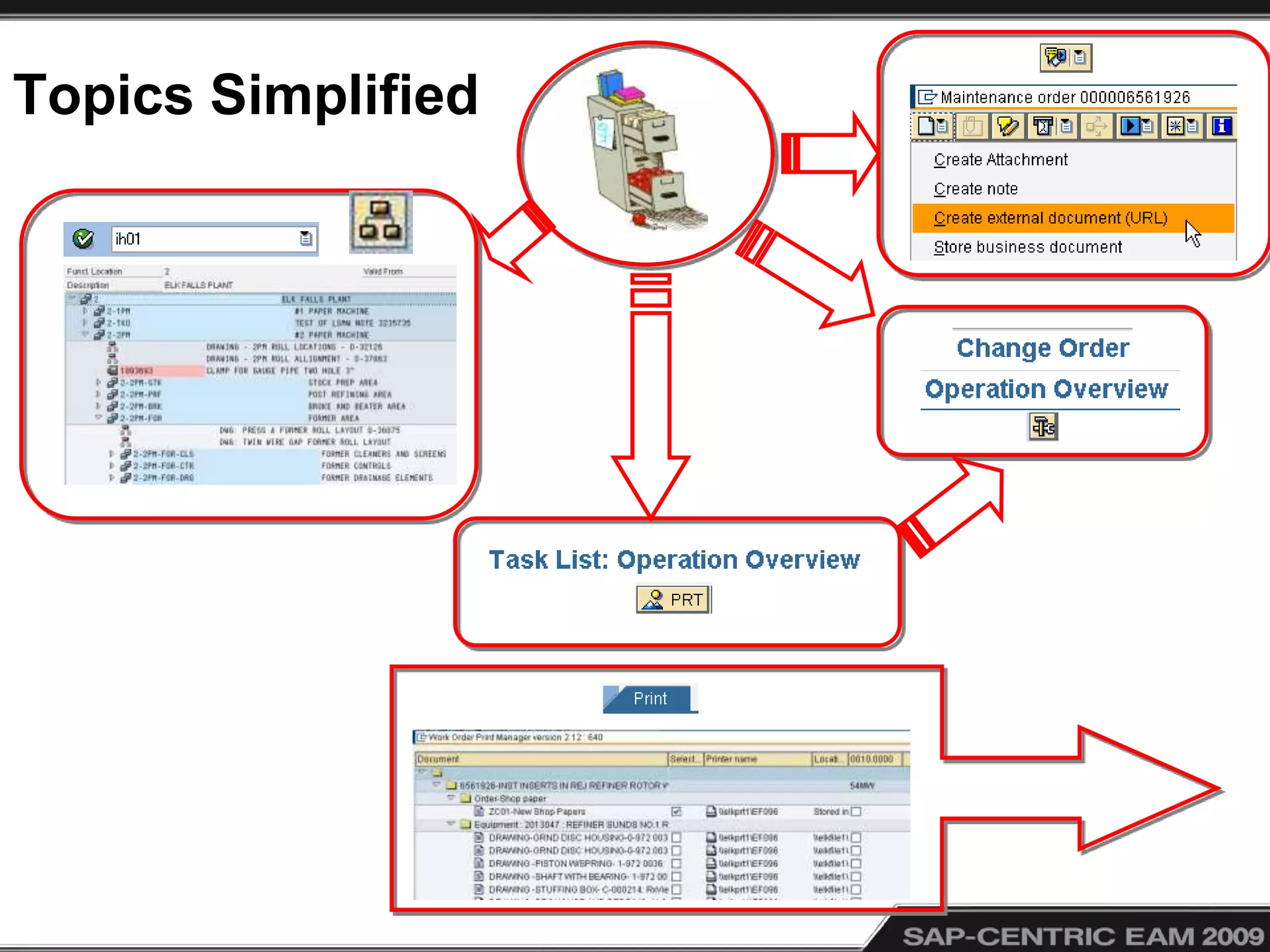
Topics Simplified
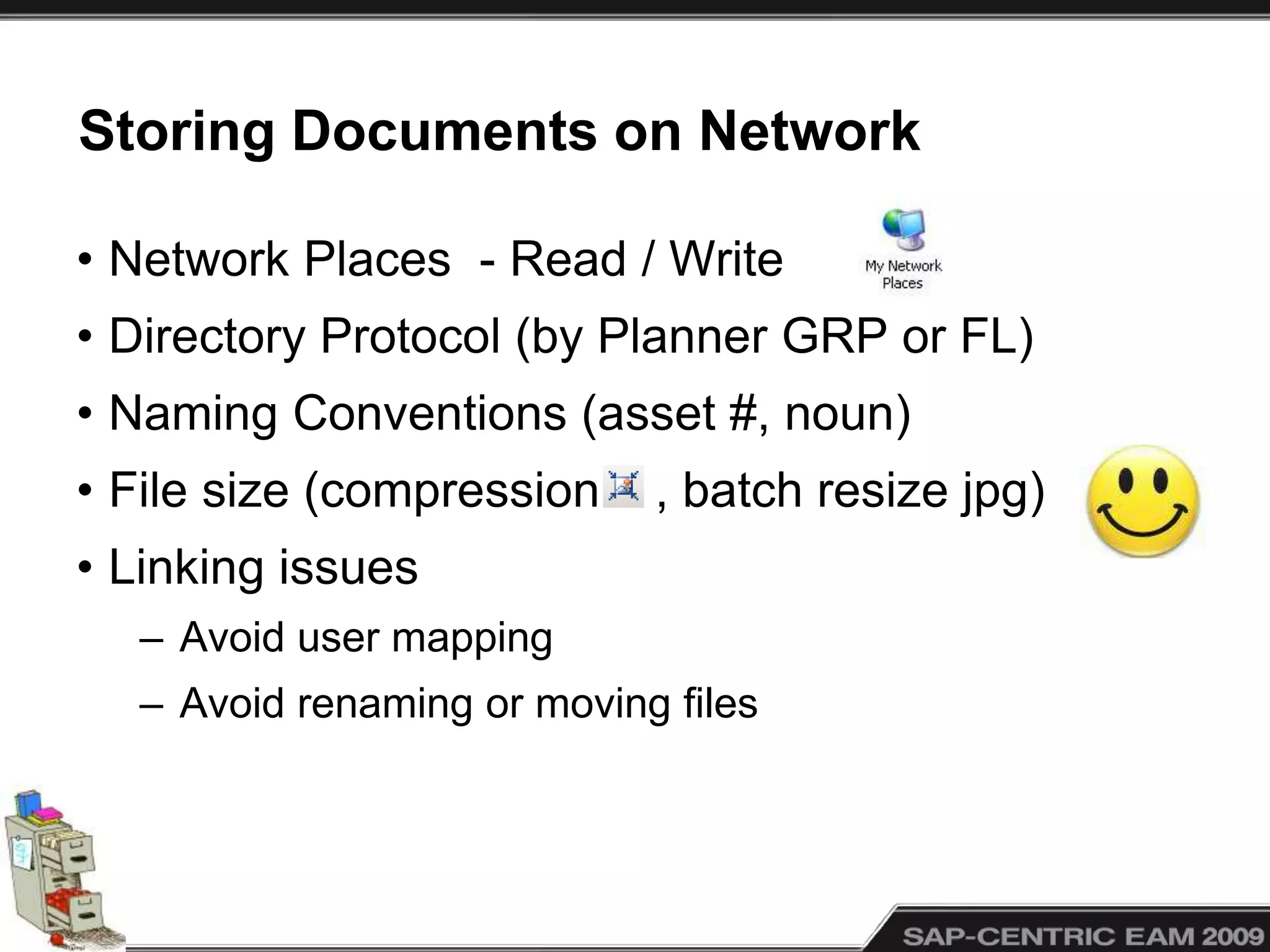
Storing Documents on Network
• Network Places - Read / Write
• Directory Protocol (by Planner GRP or FL)
• Naming Conventions (asset #, noun)
• File size (compression , batch resize jpg)
• Linking issues
– Avoid user mapping
– Avoid renaming or moving files
Creating Document Links in SAP (CV01N)
• Access via data carriers for Consistency
• Document Types (Drawings, JSP, ISO)
• Versioning (gotcha)
• Release Strategy
• Auto-numbering Documents
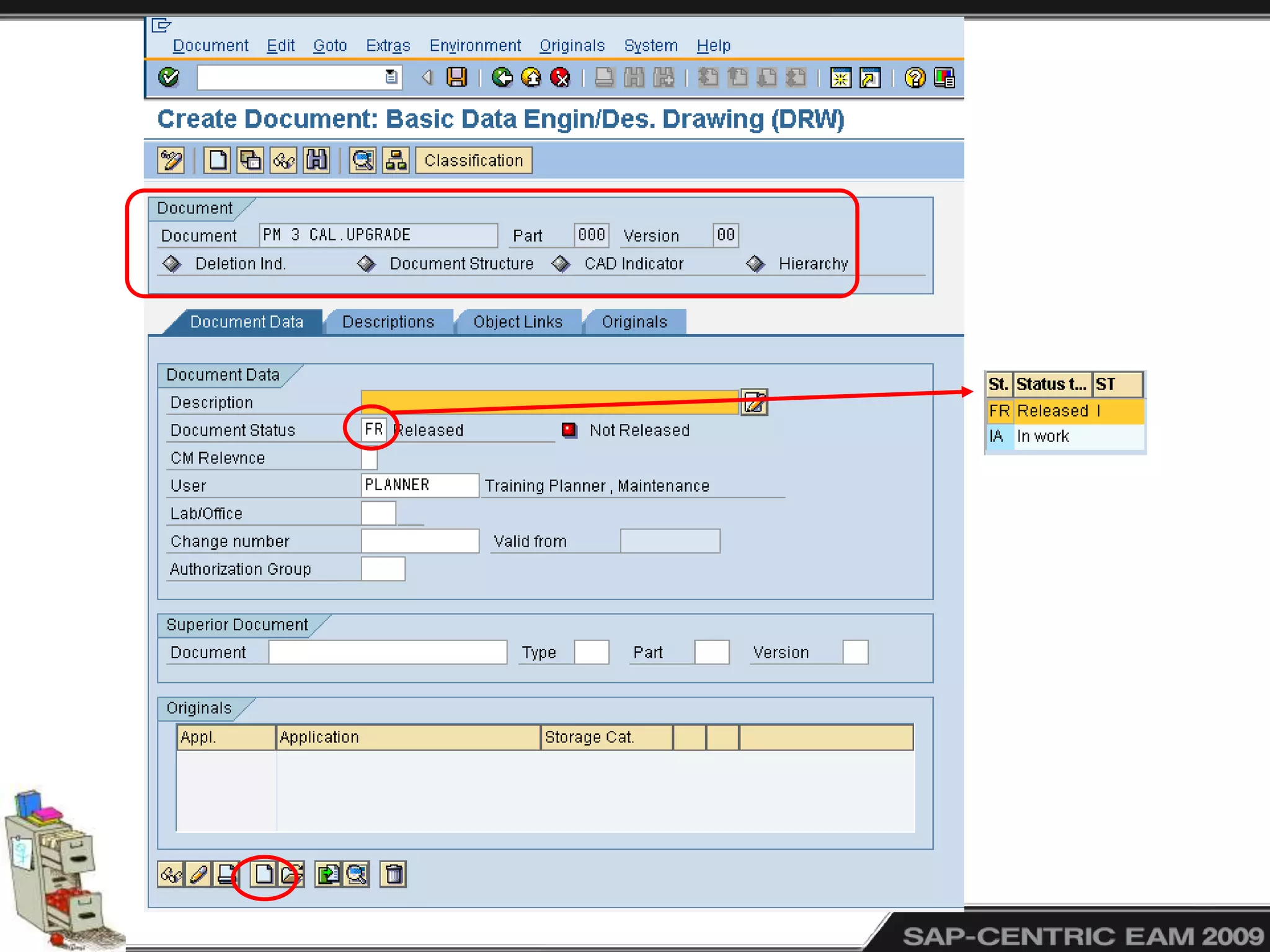
• Naming Conventions (so you can find them)
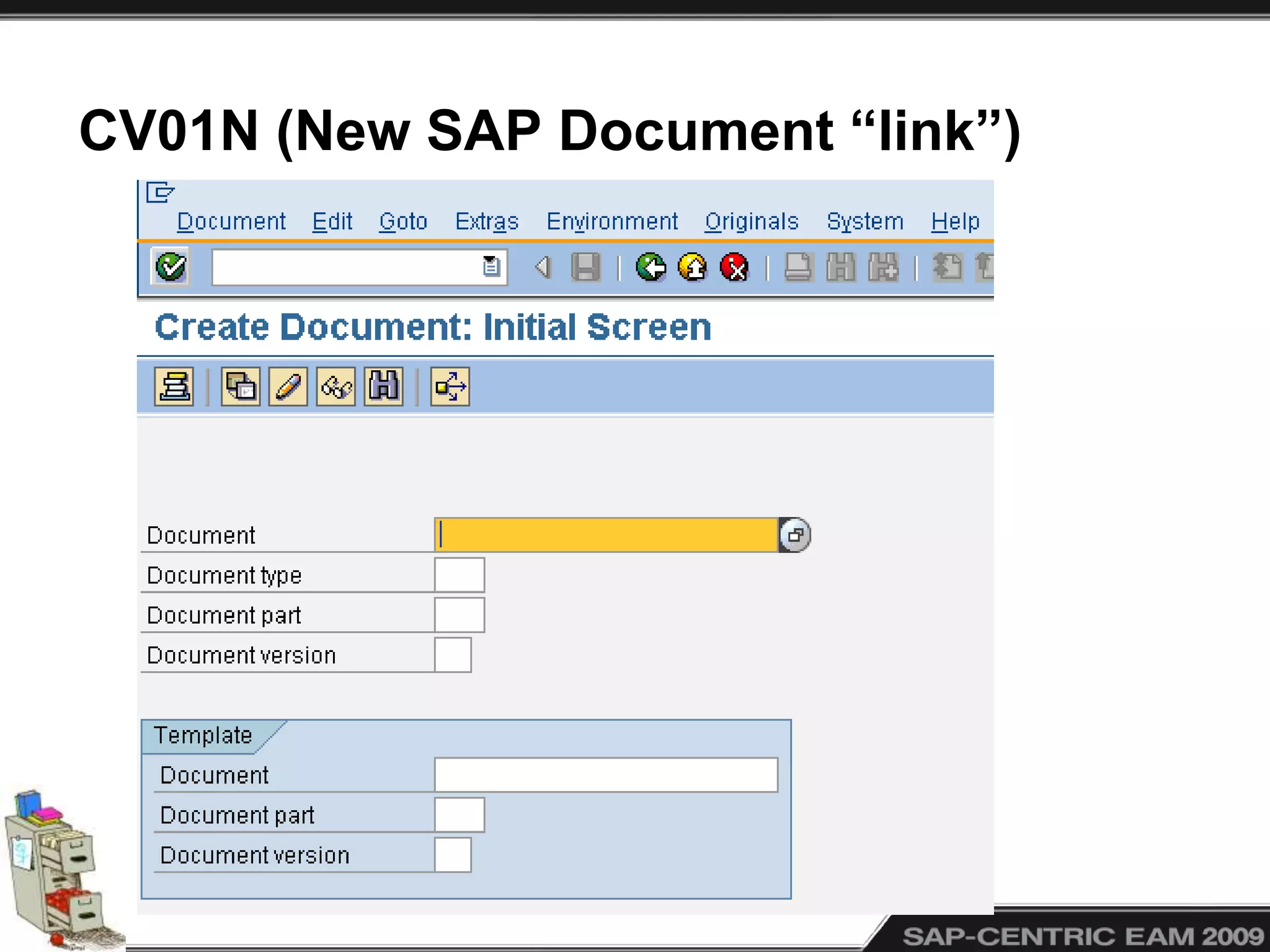
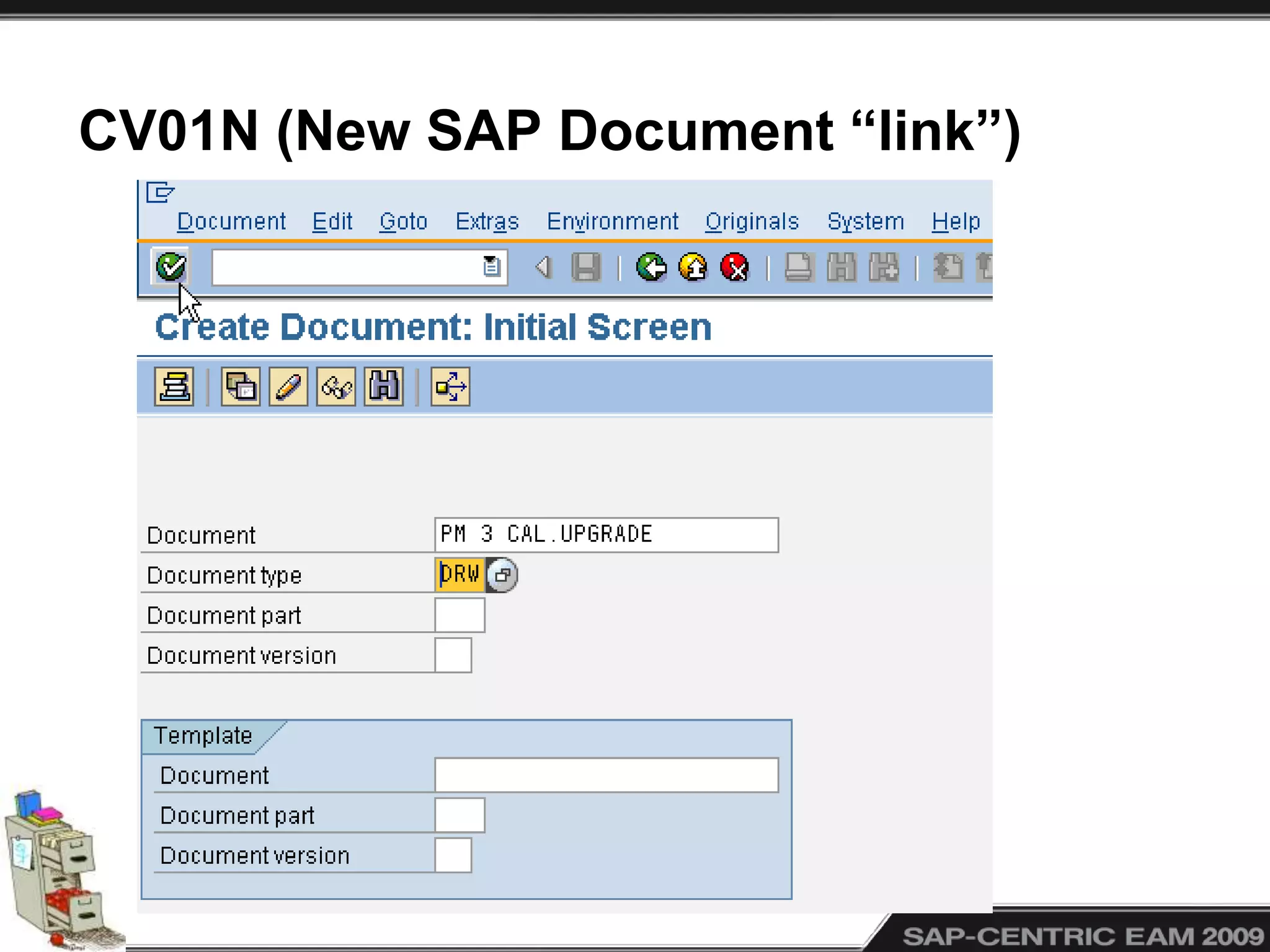
CV01N (New SAP Document “link”)
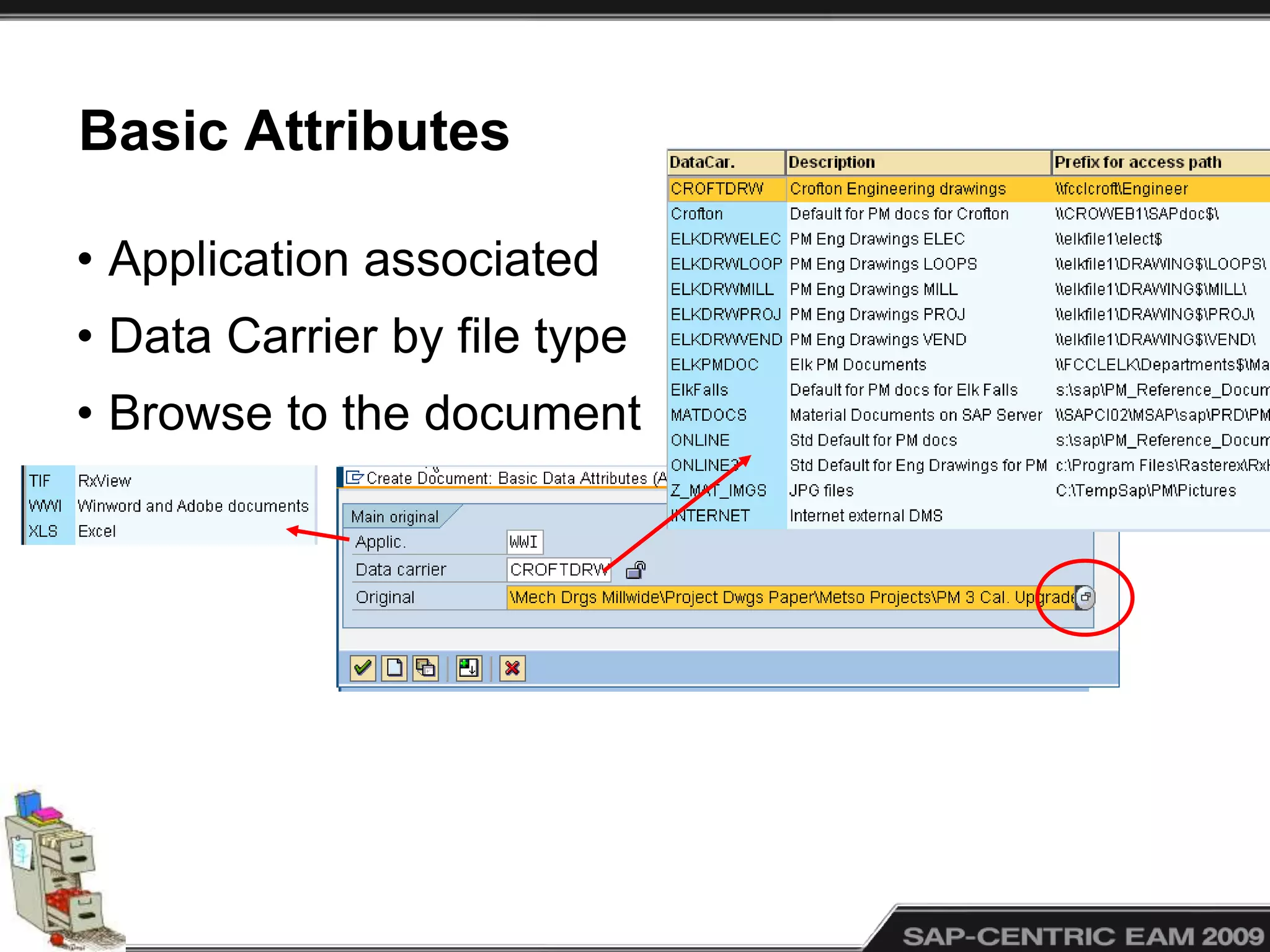
Basic Attributes
• Application associated
• Data Carrier by file type
• Browse to the document
Object Links
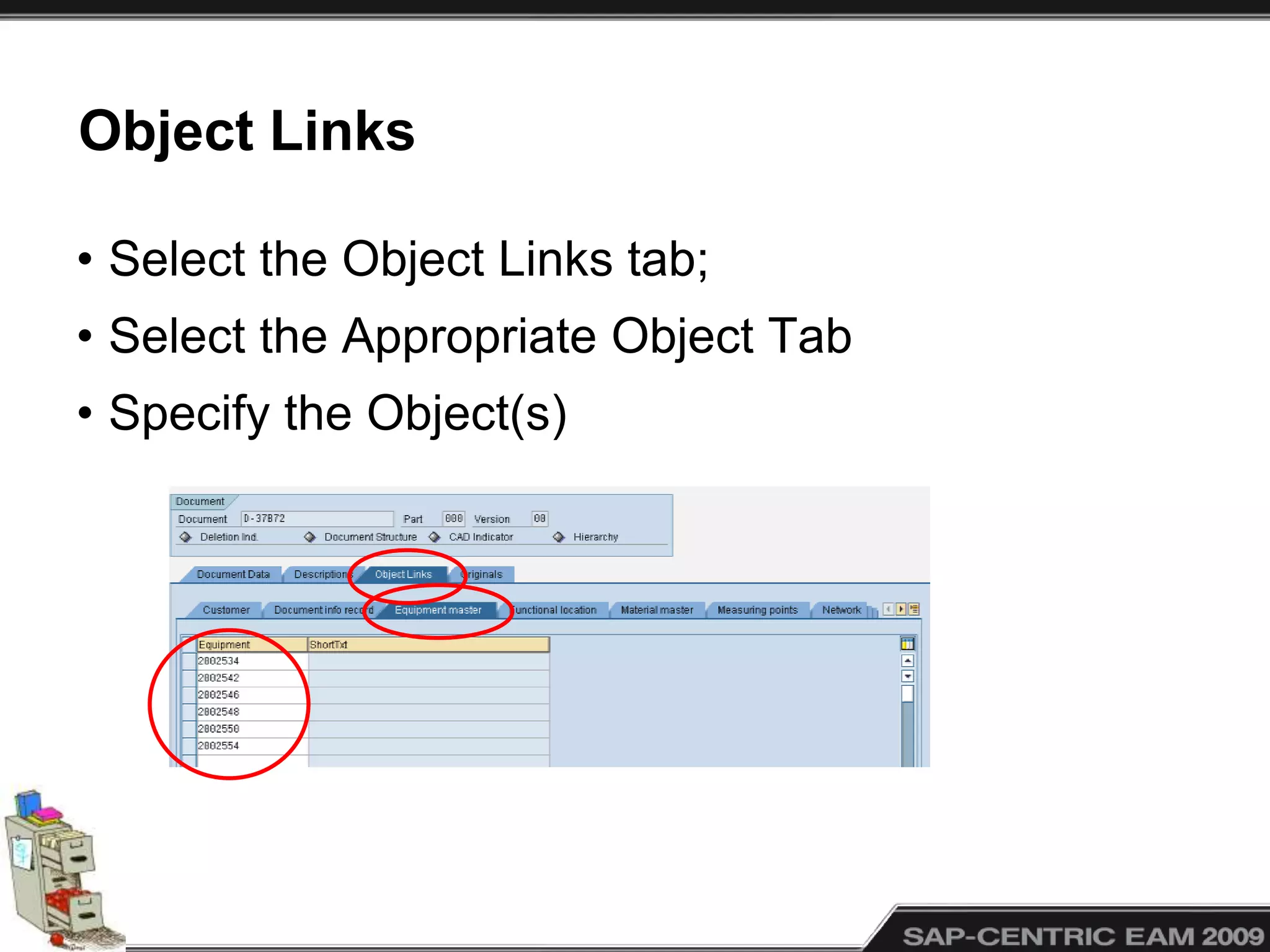
• Select the Object Links tab;
• Select the Appropriate Object Tab
• Specify the Object(s)
Object Links
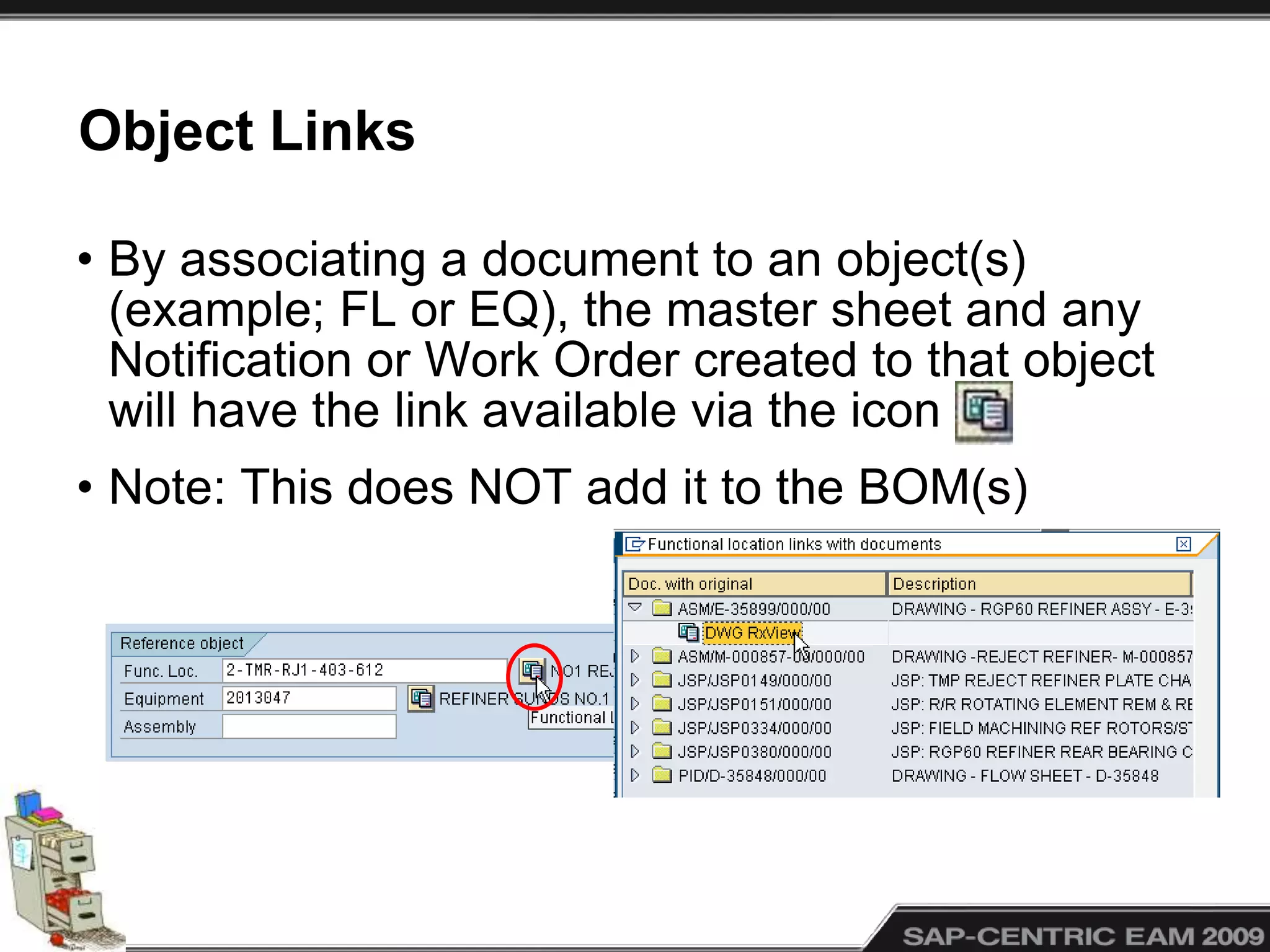
• By associating a document to an object(s)
(example; FL or EQ), the master sheet and any
Notification or Work Order created to that object
will have the link available via the icon
• Note: This does NOT add it to the BOM(s)
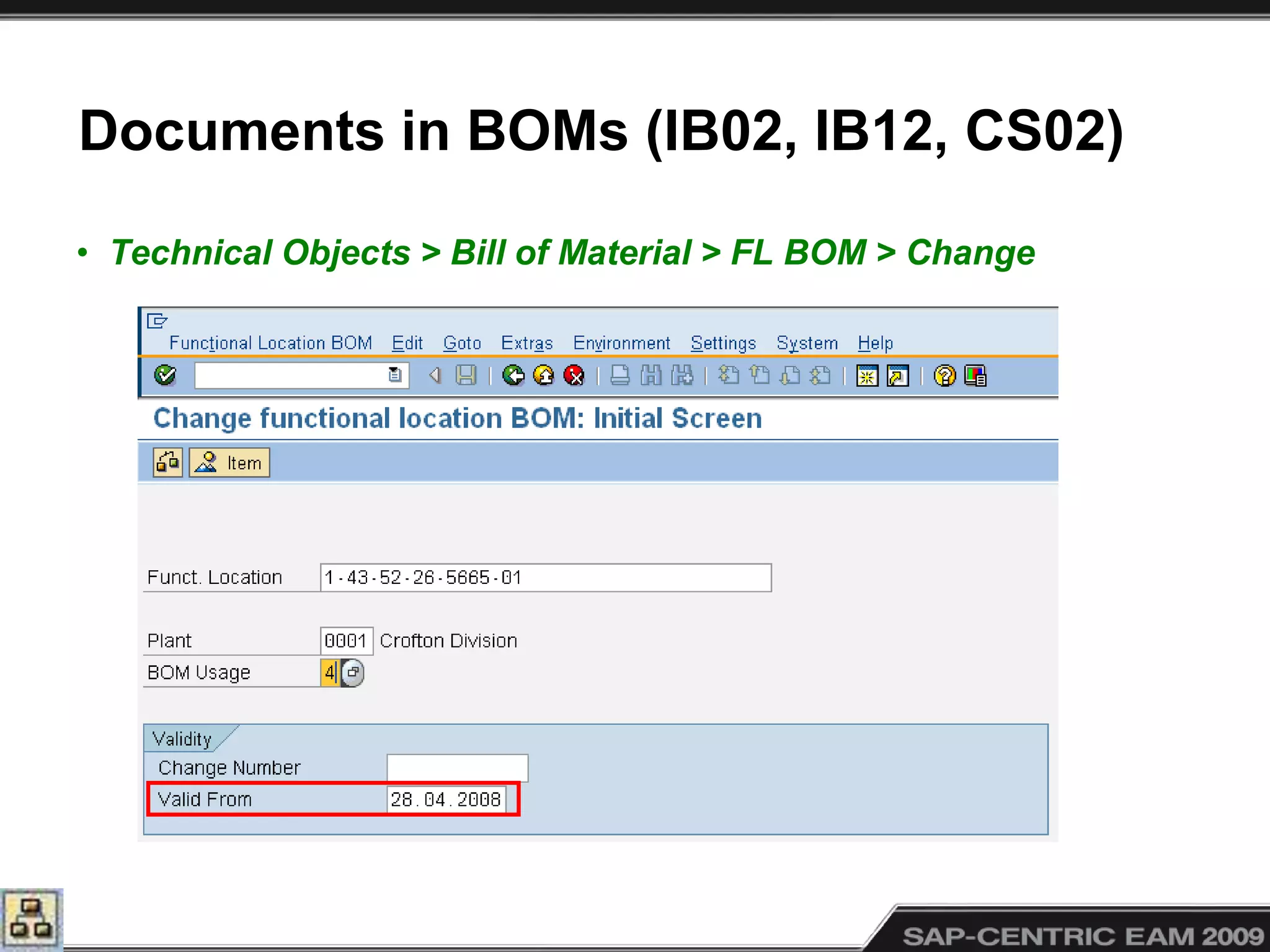
Documents in BOMs (IB02, IB12, CS02)
• Technical Objects > Bill of Material > FL BOM > Change
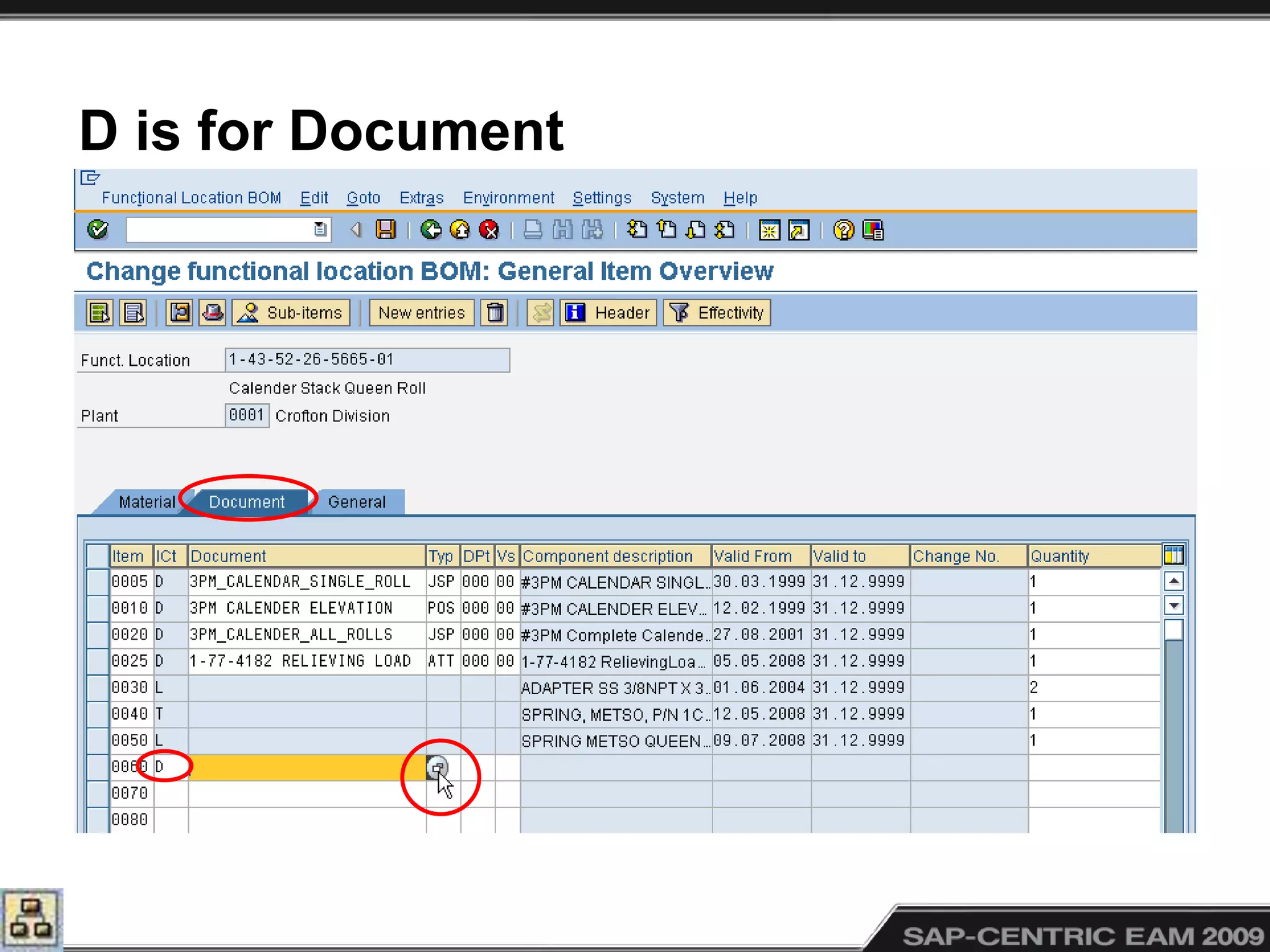
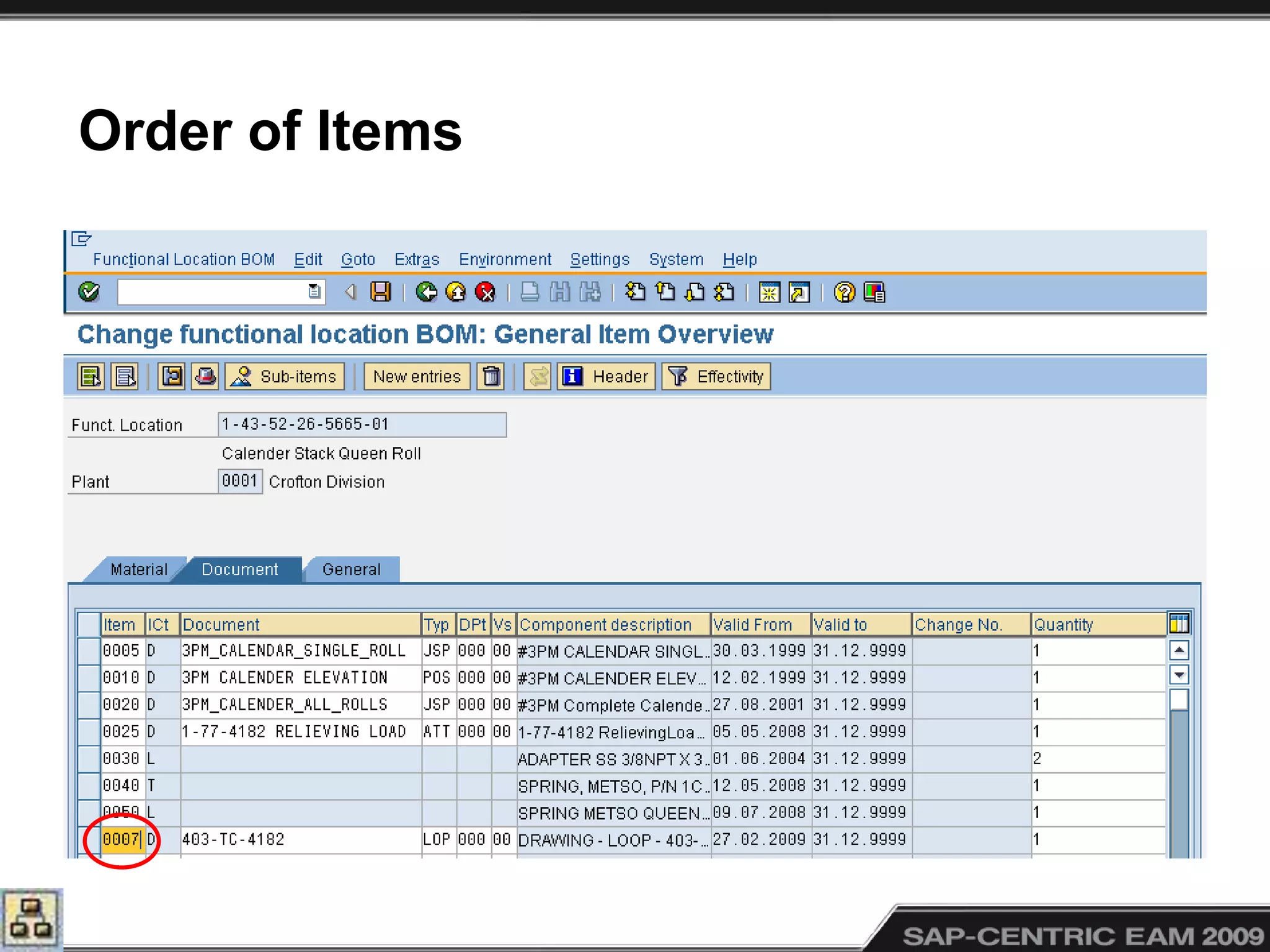
D is for Document
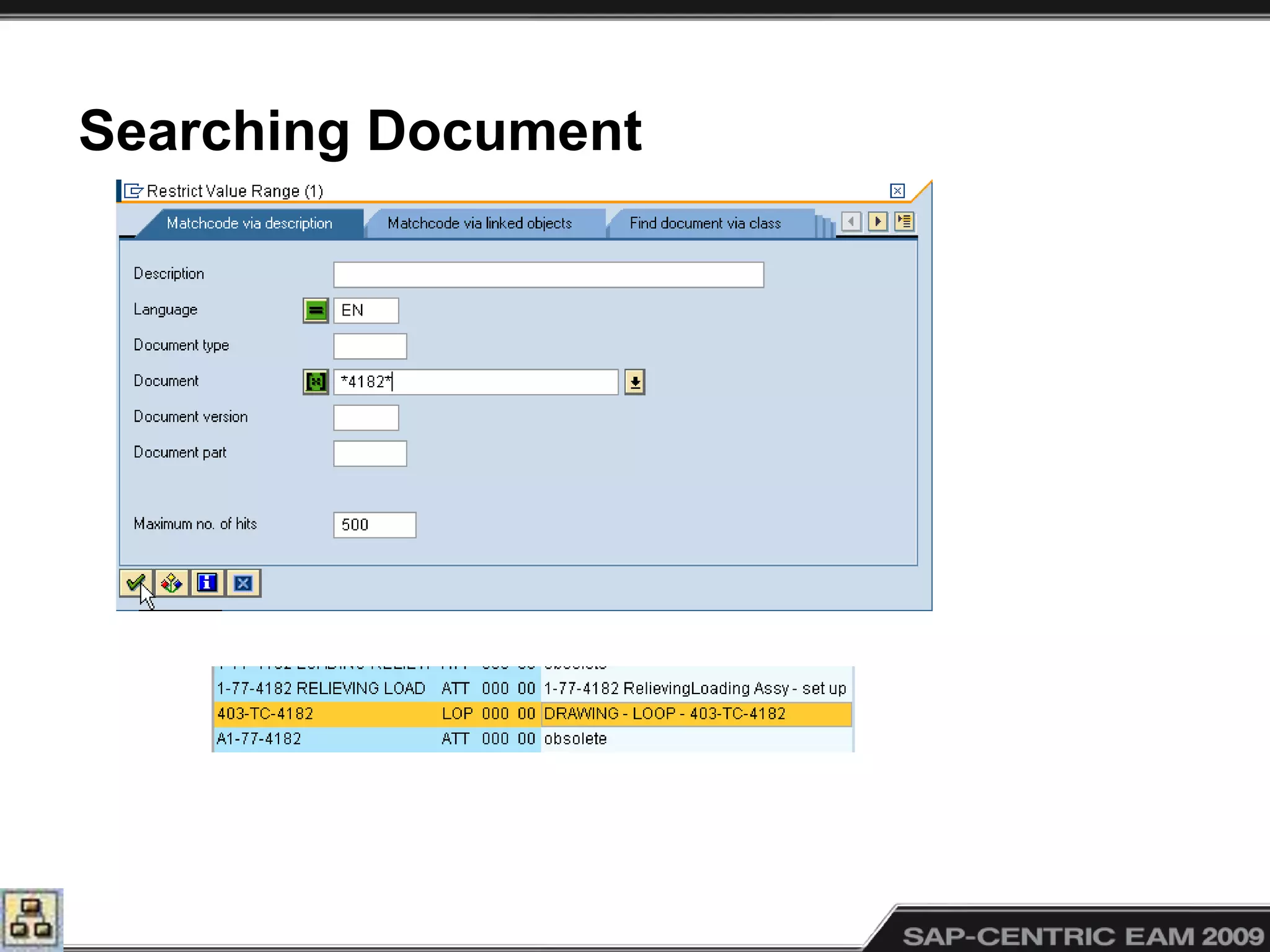
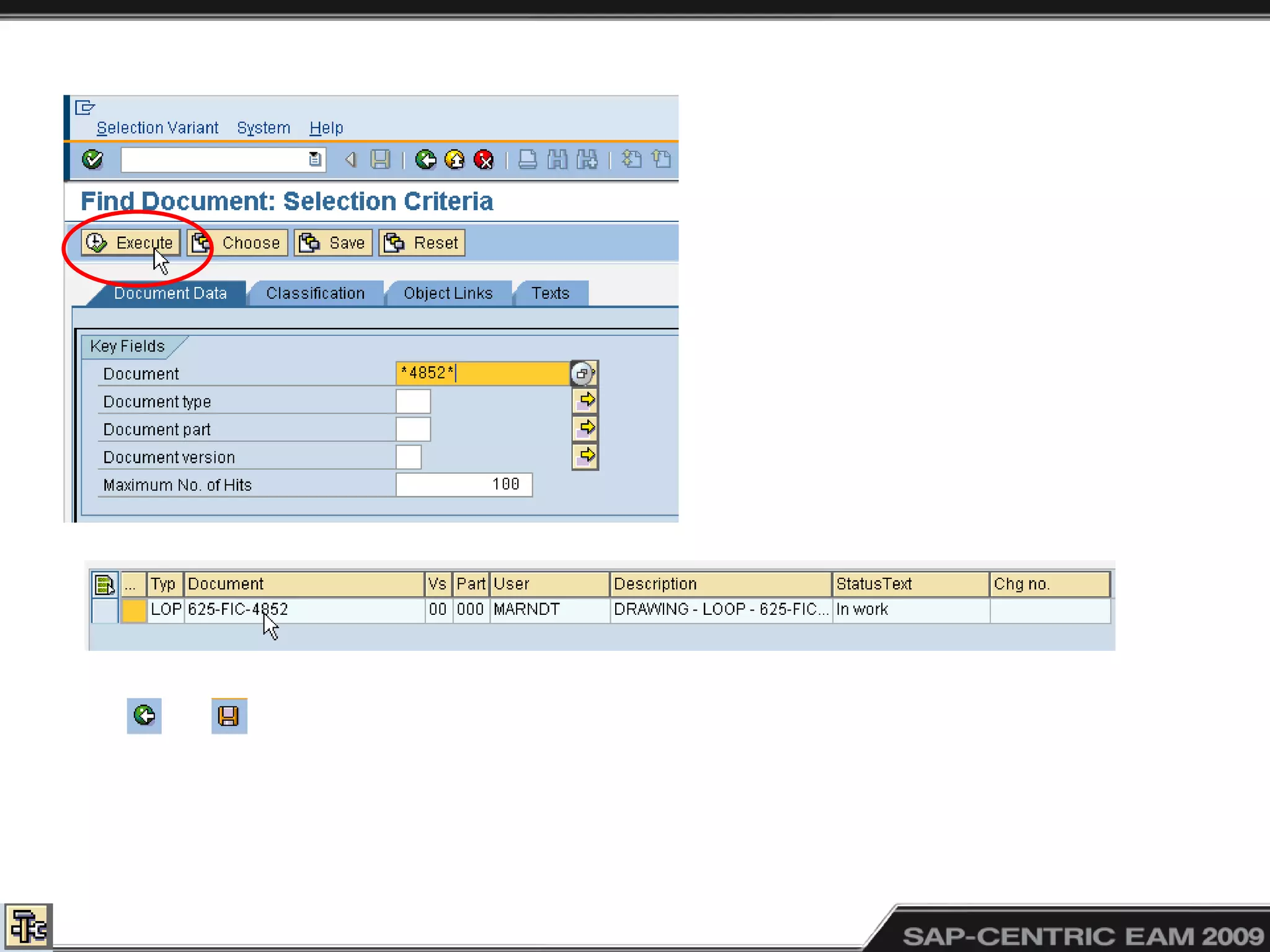
Searching Document
Order of Items
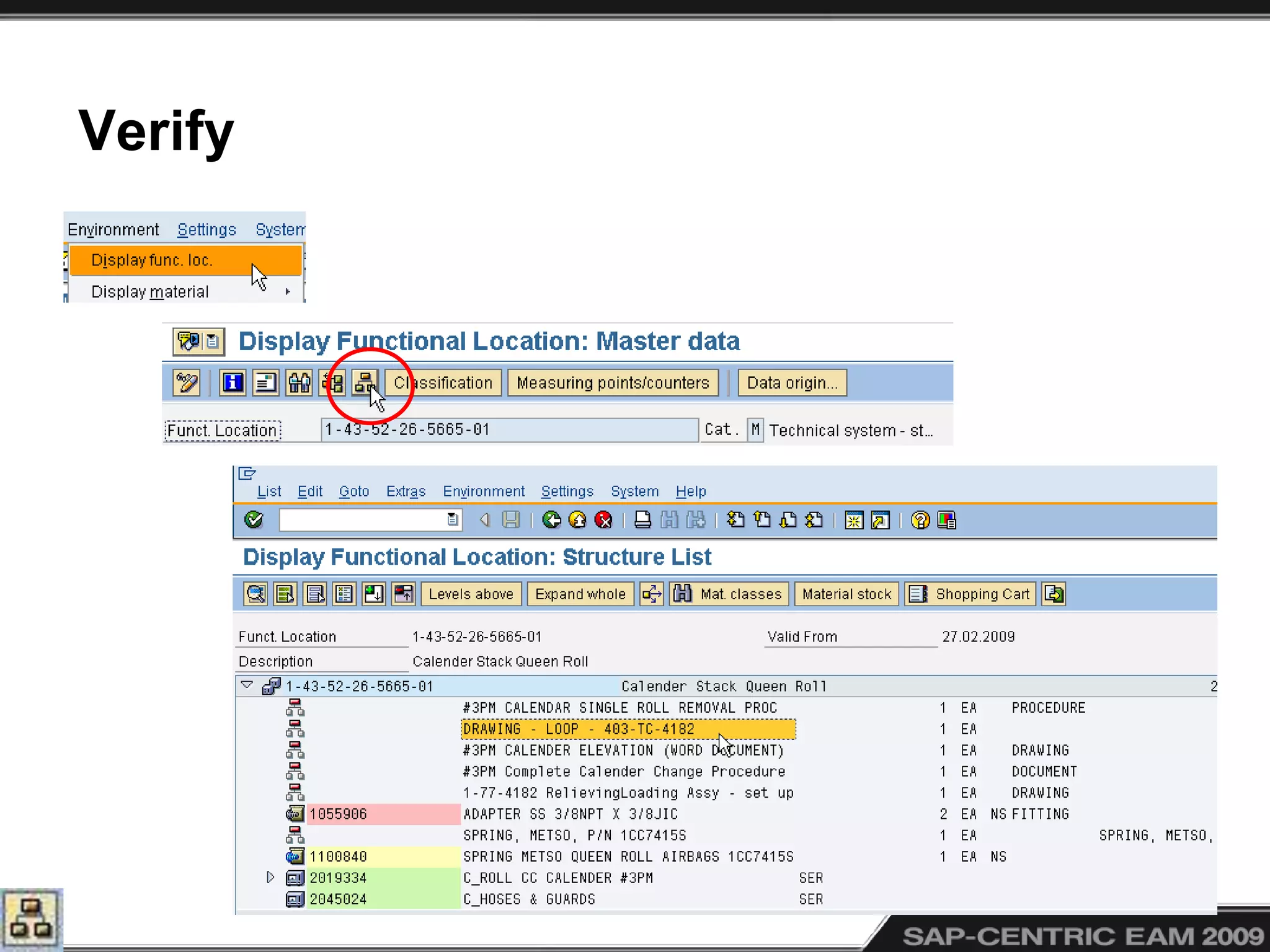
Verify
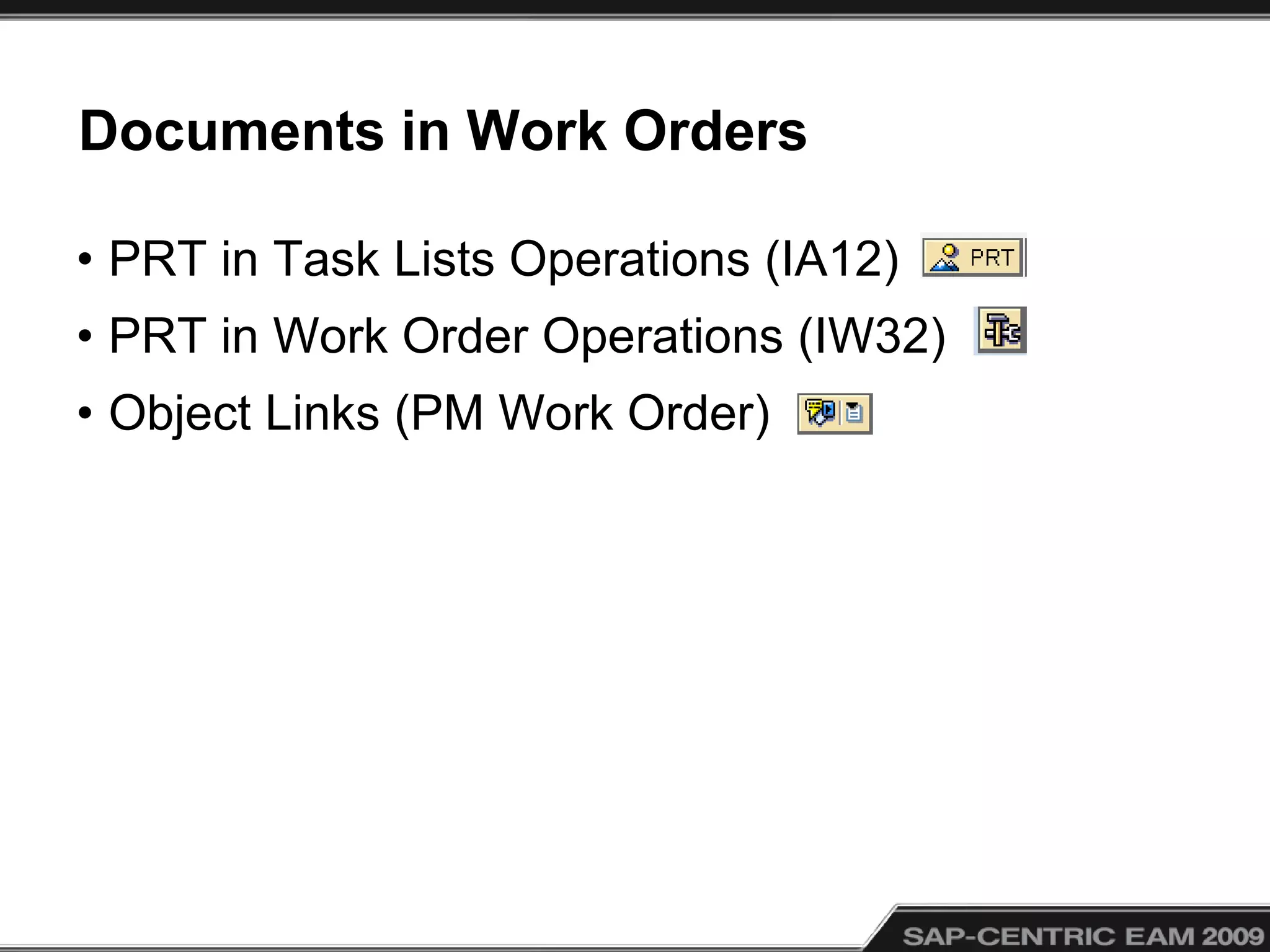
Documents in Work Orders
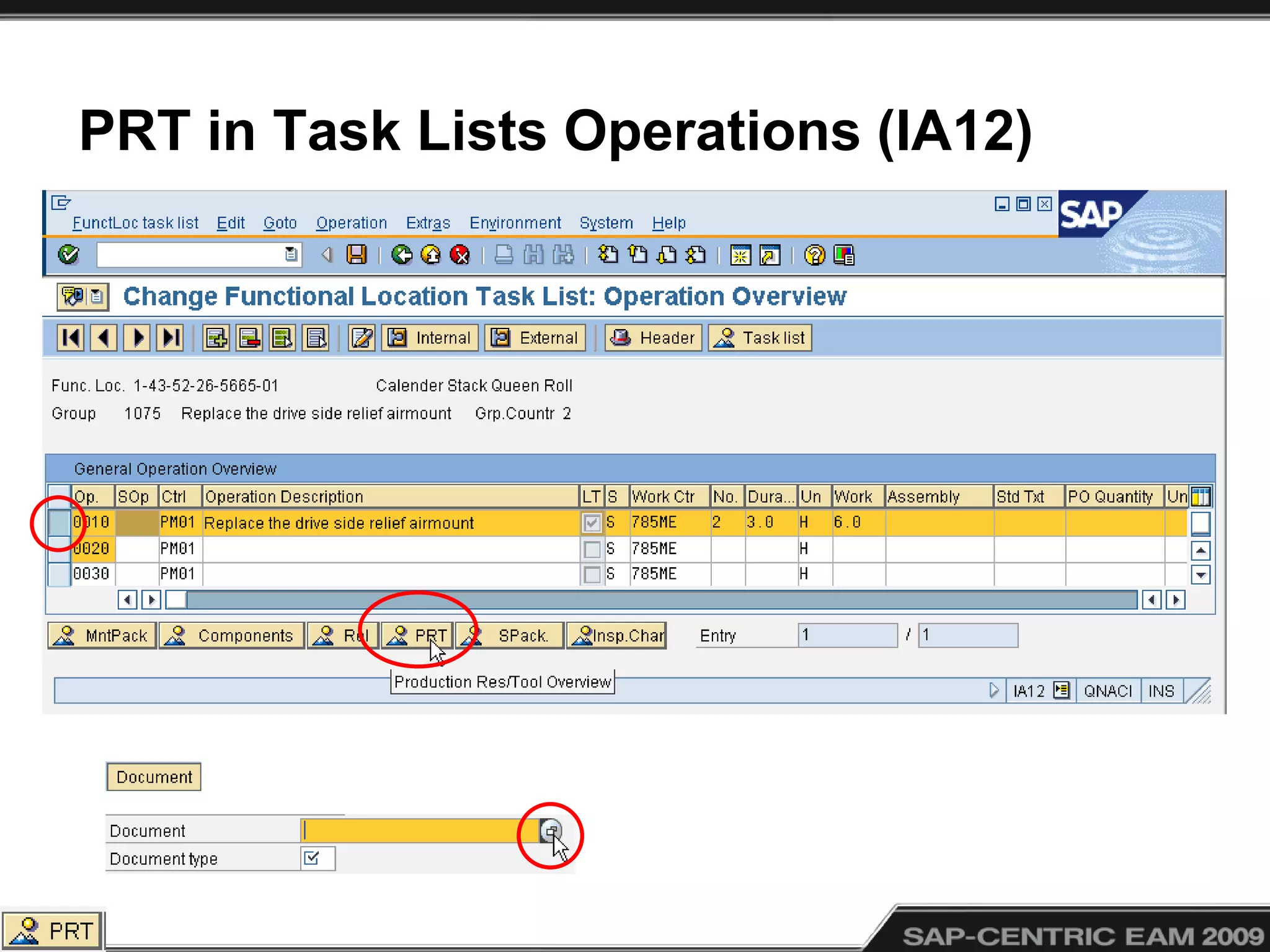
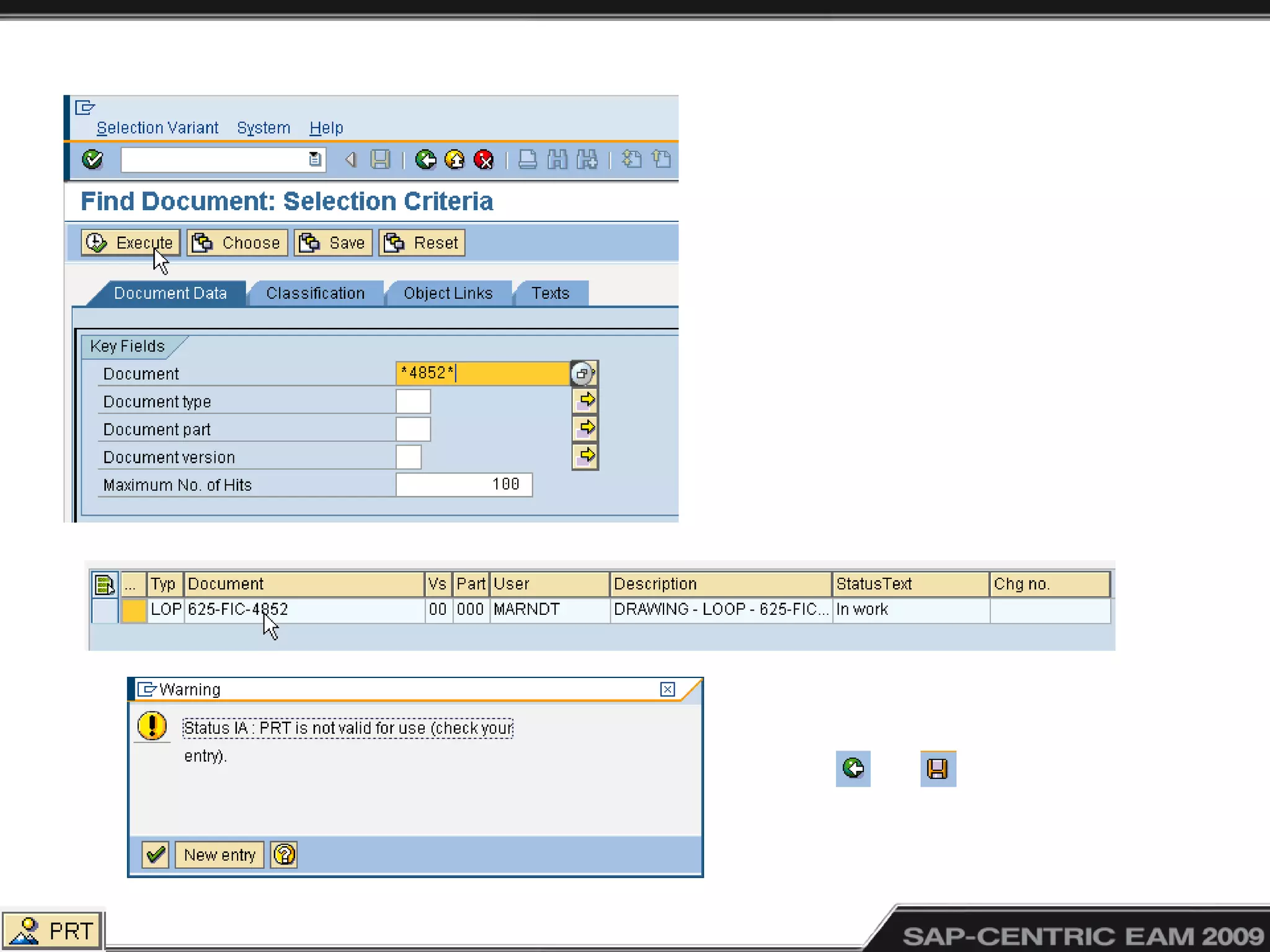
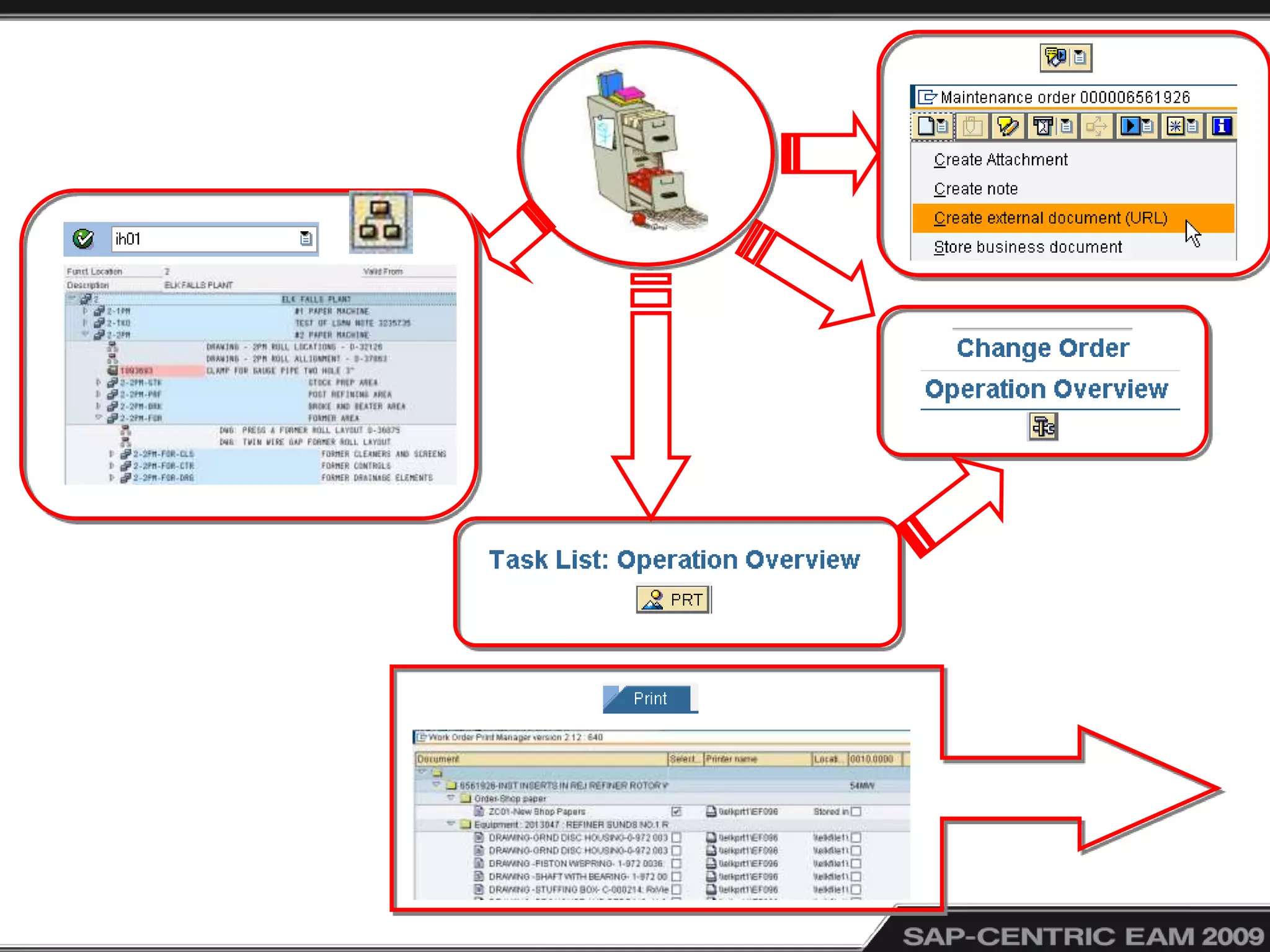
• PRT in Task Lists Operations (IA12)
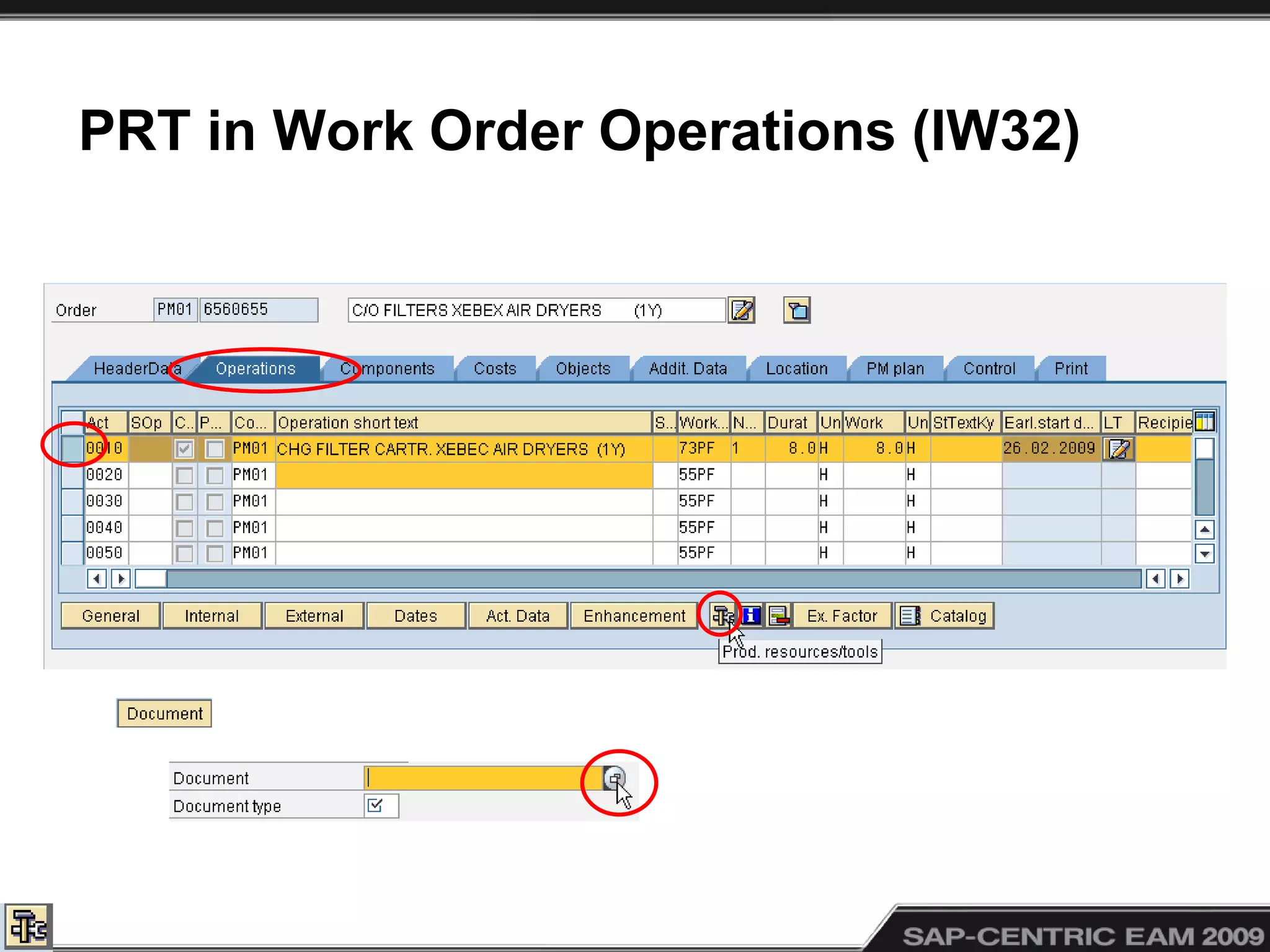
• PRT in Work Order Operations (IW32)
• Object Links (PM Work Order)
PRT in Task Lists Operations (IA12)
PRT in Work Order Operations (IW32)
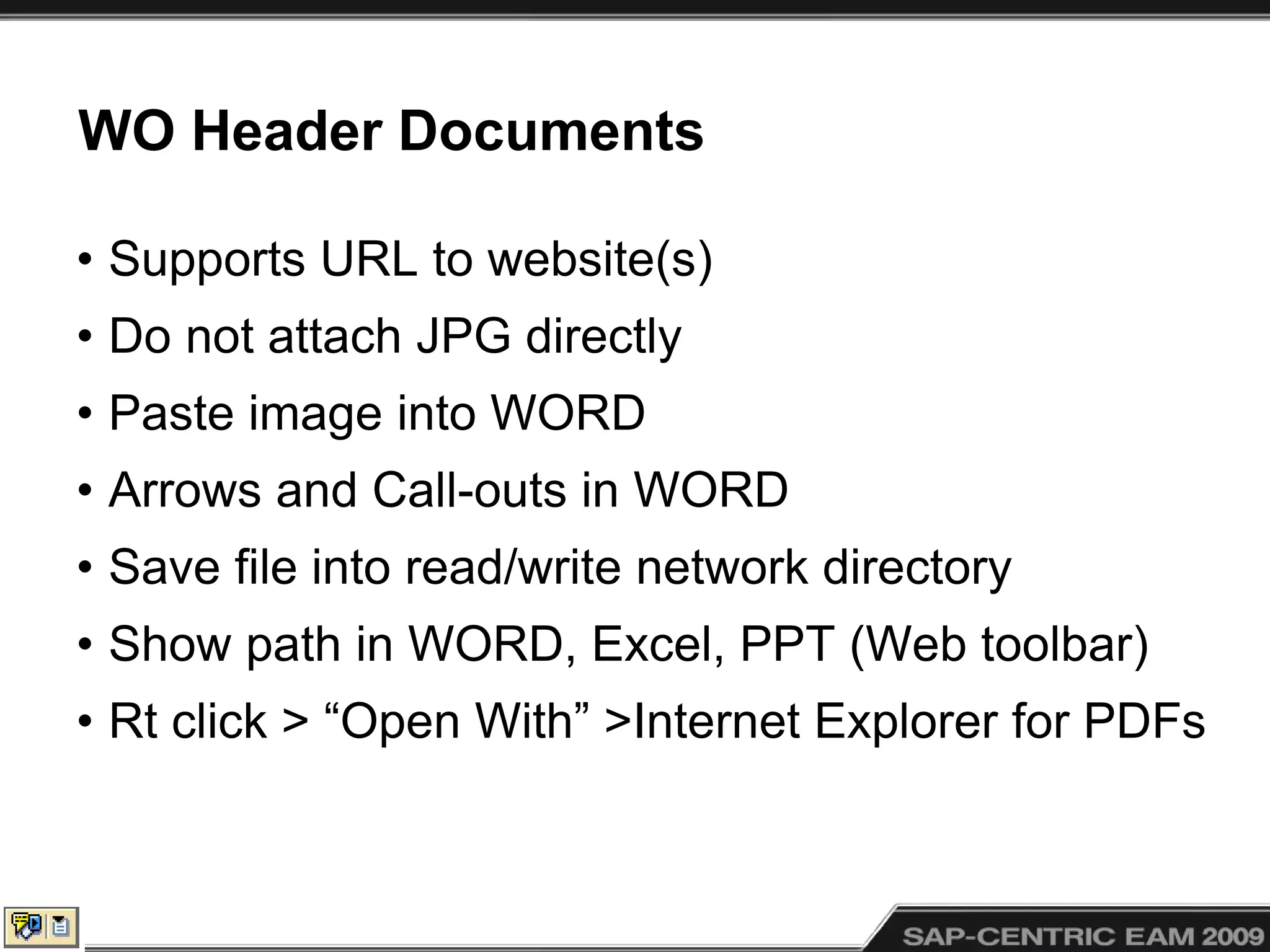
WO Header Documents
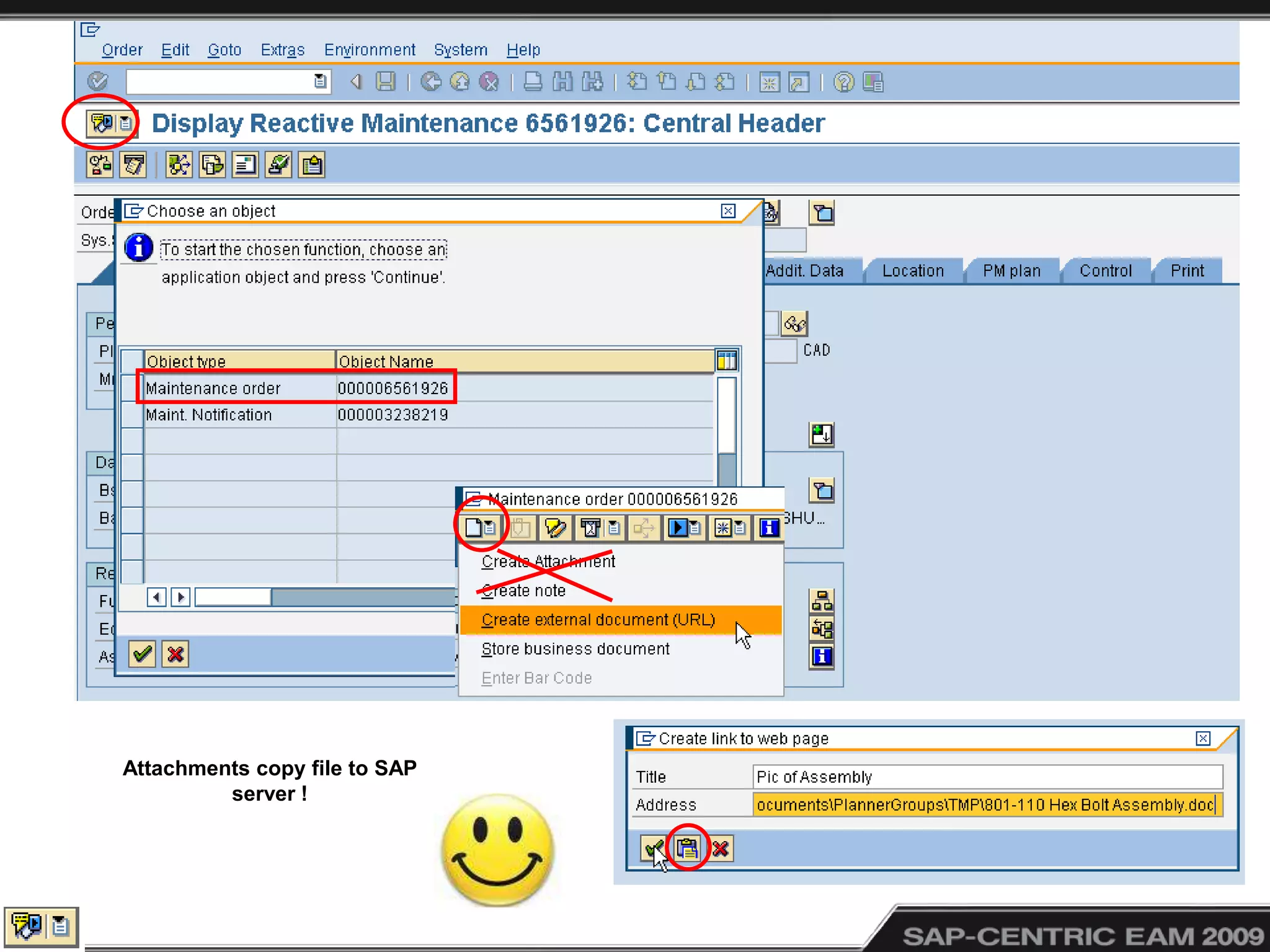
• Supports URL to website(s)
• Do not attach JPG directly
• Paste image into WORD
• Arrows and Call-outs in WORD
• Save file into read/write network directory
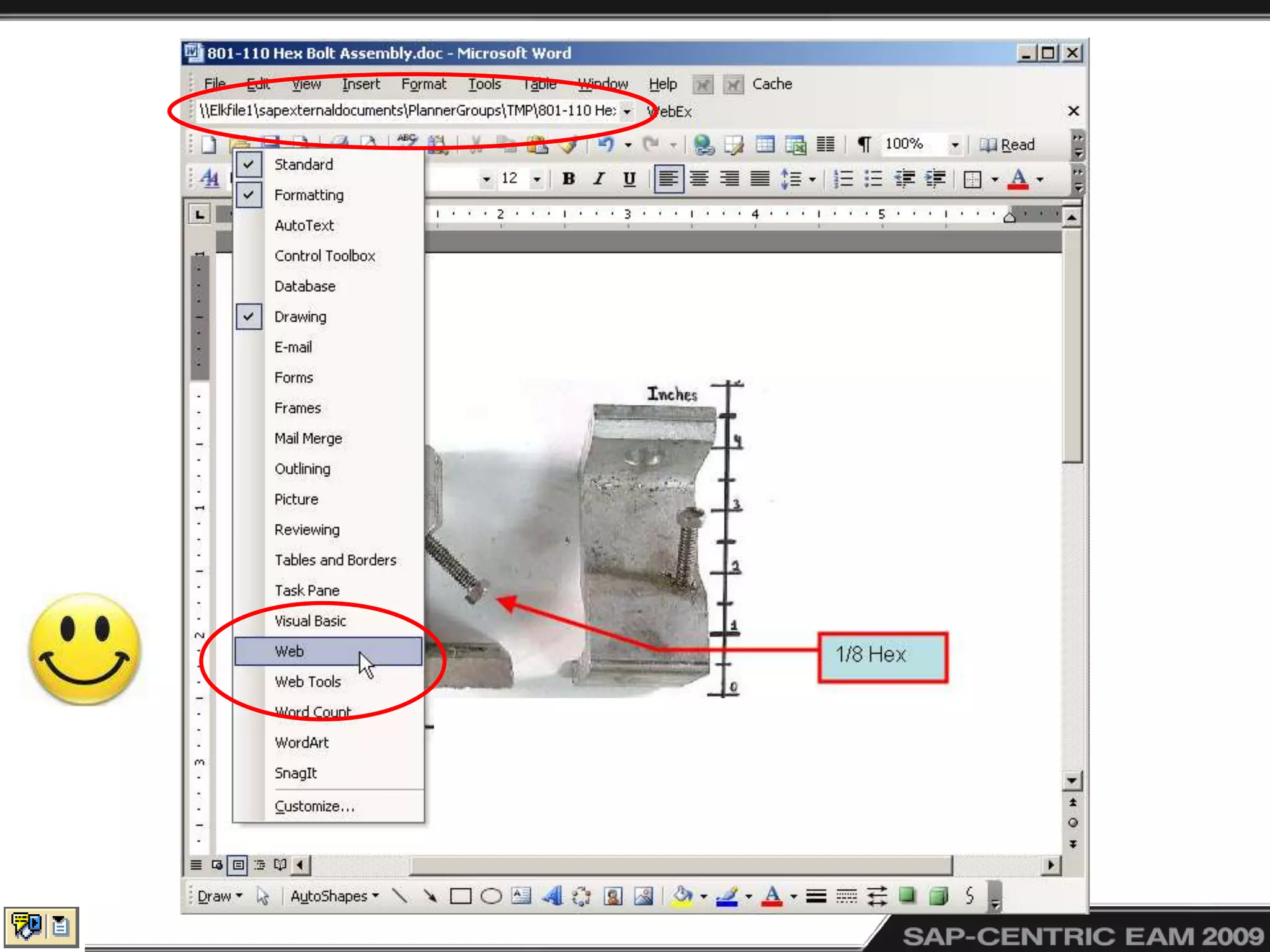
• Show path in WORD, Excel, PPT (Web toolbar)
• Rt click > “Open With” >Internet Explorer for PDFs
Attachments copy file to SAP
server !
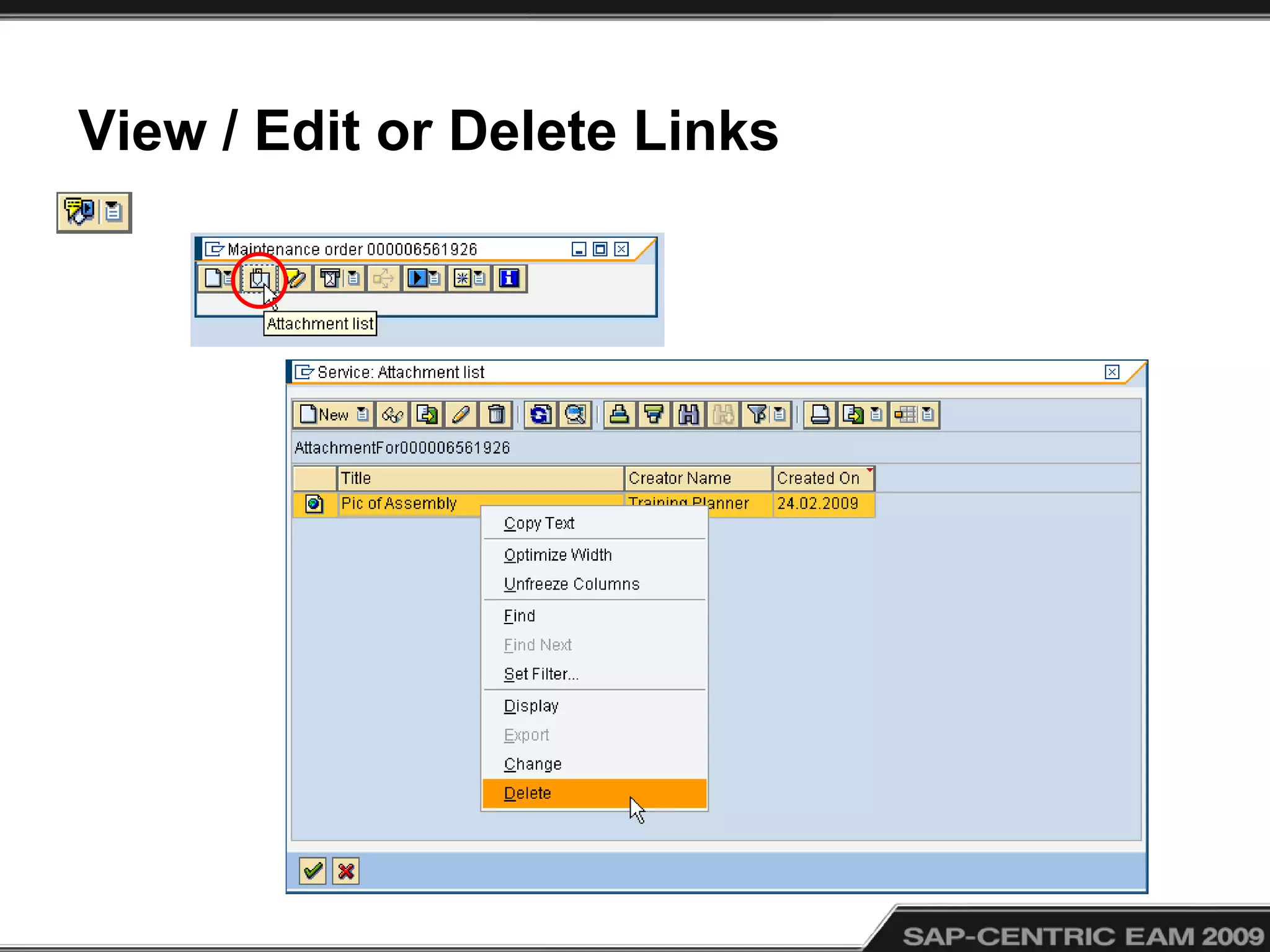
View / Edit or Delete Links
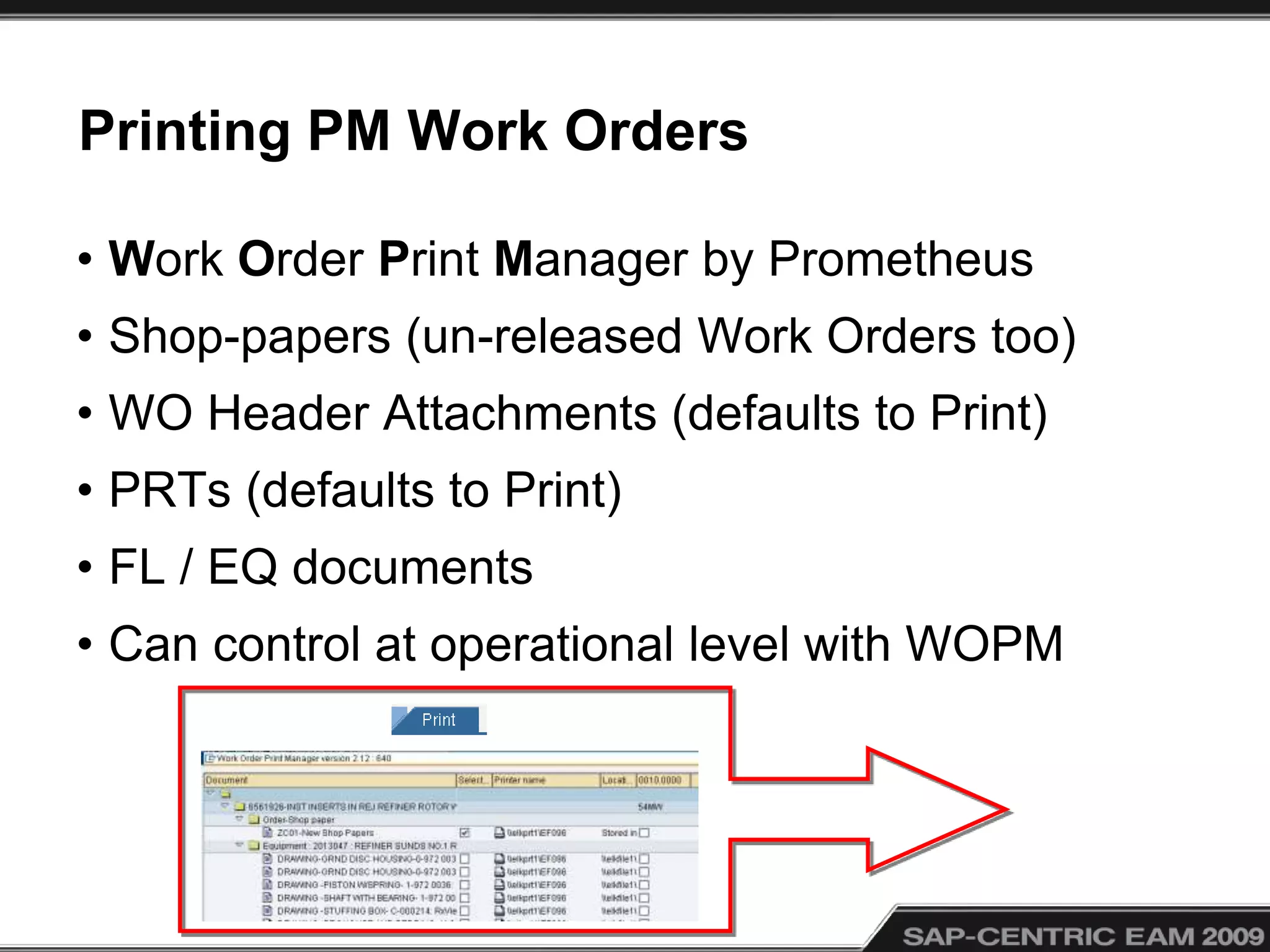
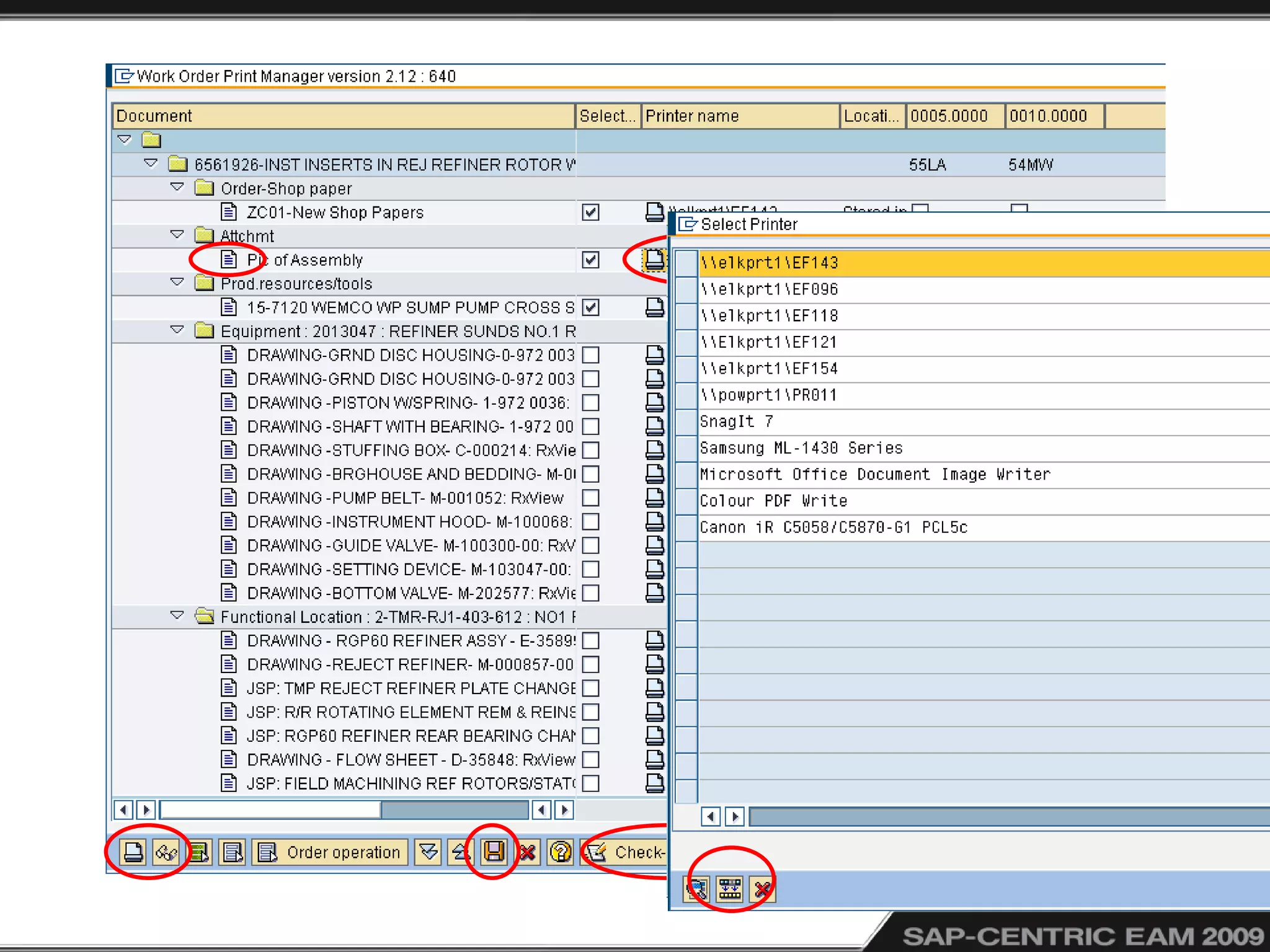
Printing PM Work Orders
• Work Order Print Manager by Prometheus
• Shop-papers (un-released Work Orders too)
• WO Header Attachments (defaults to Print)
• PRTs (defaults to Print)
• FL / EQ documents
• Can control at operational level with WOPM
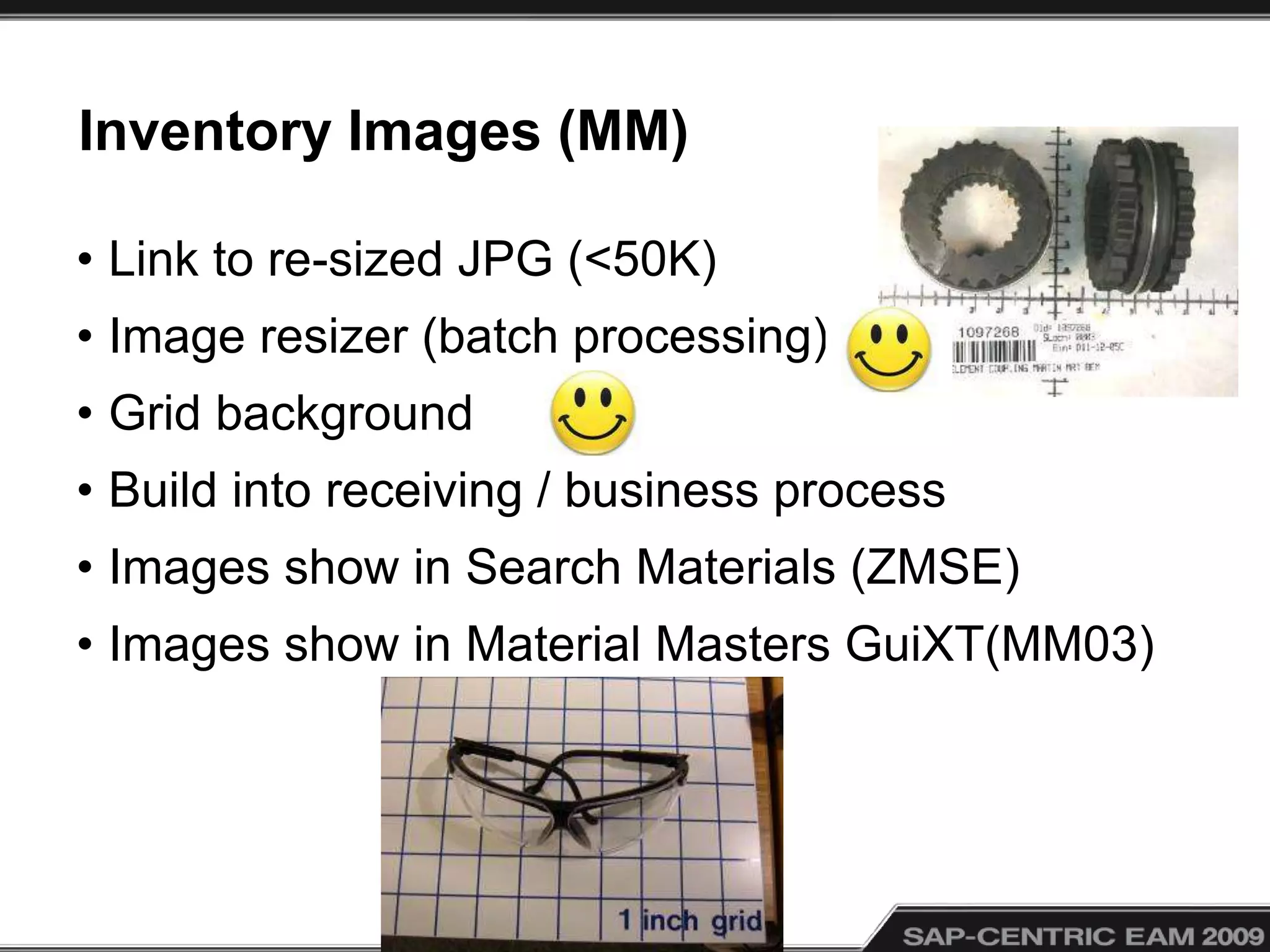
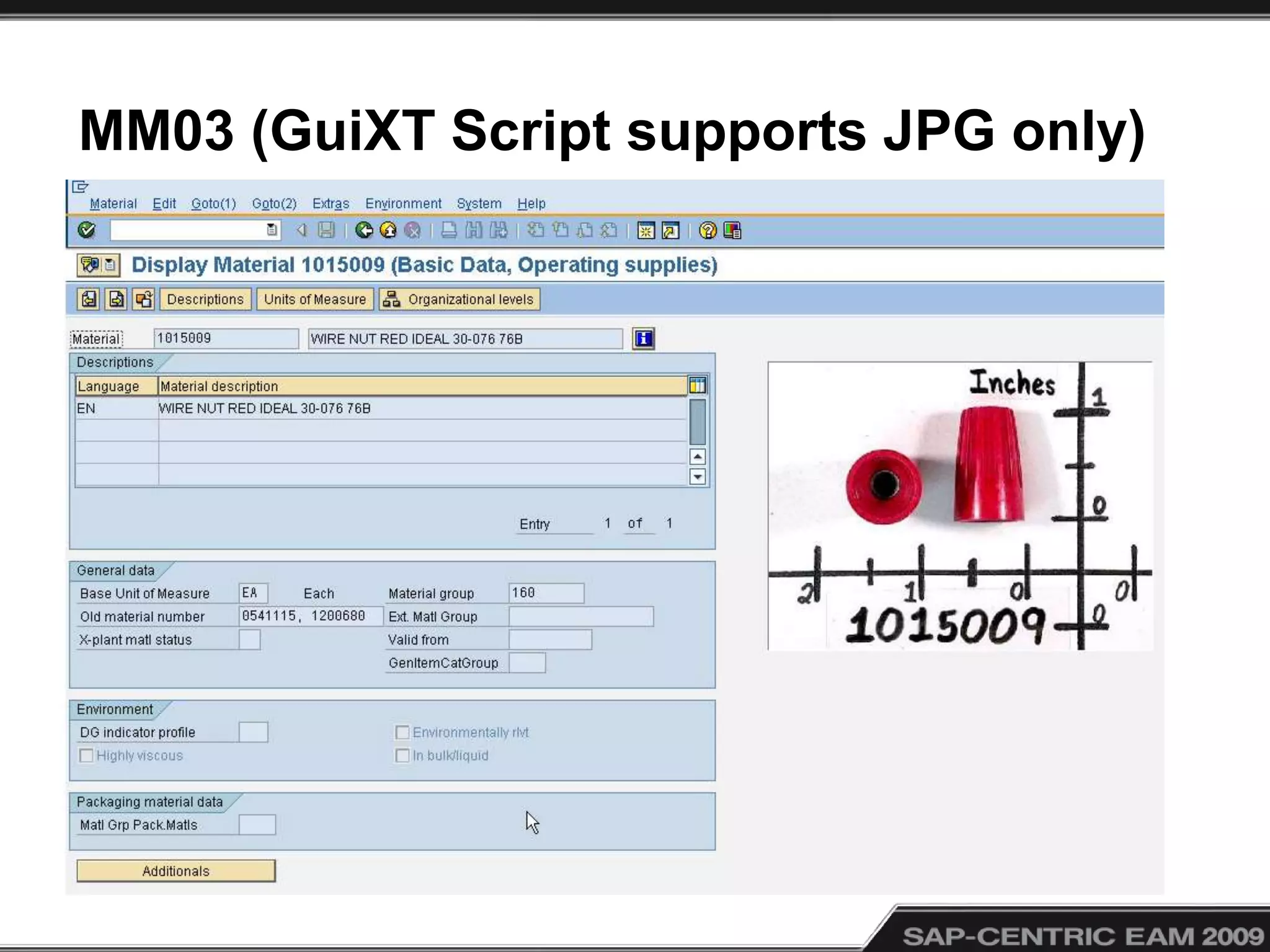
Inventory Images (MM)
• Link to re-sized JPG (<50K)
• Image resizer (batch processing)
• Grid background
• Build into receiving / business process
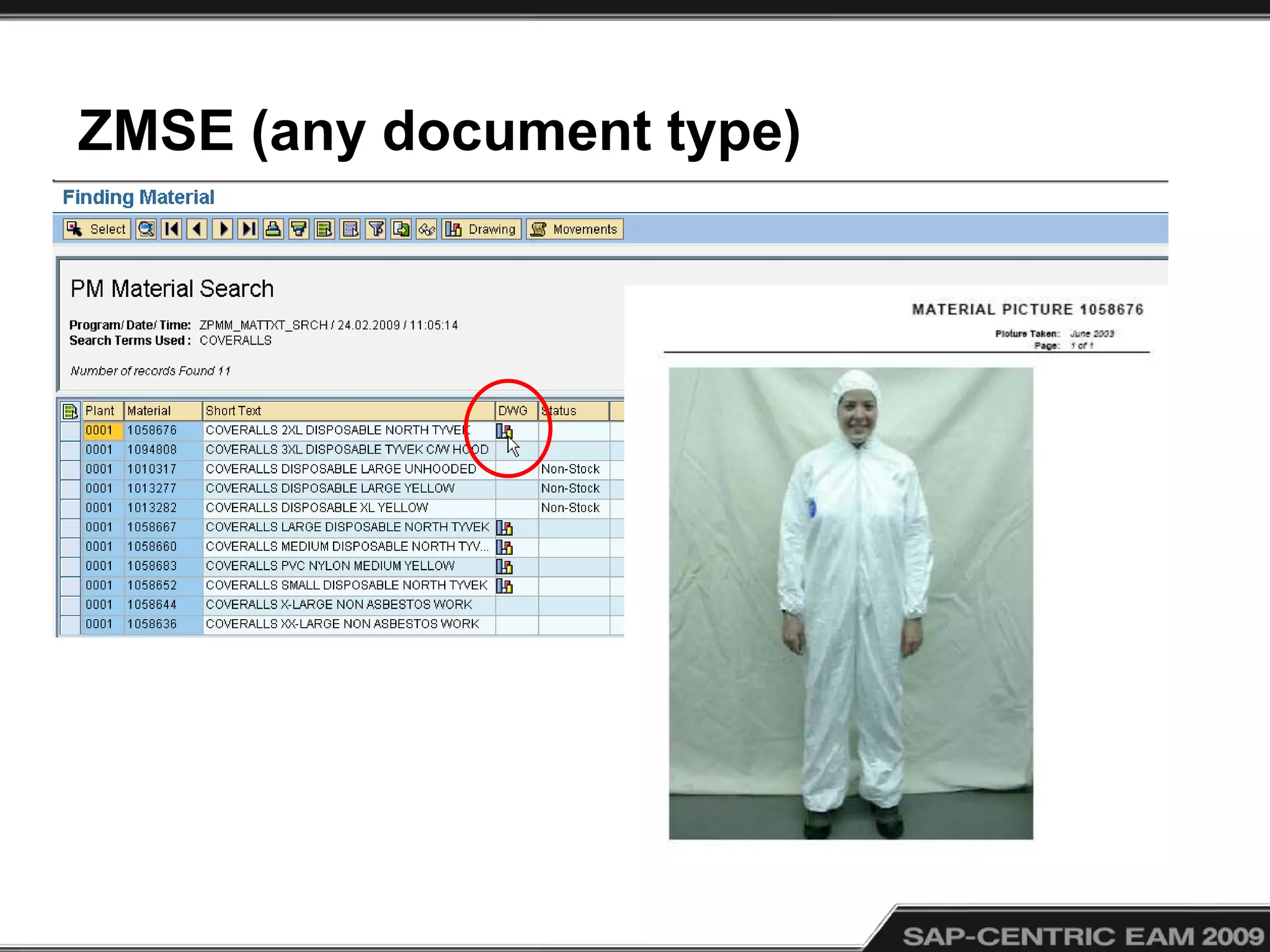
• Images show in Search Materials (ZMSE)
• Images show in Material Masters GuiXT(MM03)
ZMSE (any document type)
MM03 (GuiXT Script supports JPG only)
Conclusions
• Requires good file management skills
• Common server for documents
• Avoid storing on your SAP server
• SAP has various document linking methods
• Printing documents should be easy…
• Gets info out of people’s individual desks out to
all on the floor, easily accessed !
© 2009 Eventure Events. All rights reserved.
Greg Olynyk
greg@cvgo.com
http://cvgo.com/
Questions ?

Document management in sap pm 12b

  • 1.
    © 2009 EventureEvents. All rights reserved. Document Management in SAP PM Greg Olynyk Catalyst Paper Corporation Ltd.
  • 2.
    About Greg Olynyk •Greg is an SAP PM and PS Trainer for Catalyst Paper. • Since 1997 he has acquired valuable experience in the manufacturing industry both in Maintenance and Engineering systems in SAP. • Greg has been involved in creating training manuals, tip sheets and Captivate training modules as well as developing and maintaining the Training Centre web space. • He has over 20 years experience as an applications trainer with various applications
  • 3.
    About CatalystPaper.com • Catalystis amongst North America's leading producers of mechanical printing papers • With annual capacity of 2.5 million tonnes. • With approximately 2,700 employees • Original Go-Live Date: 1997 • Current SAP Release: SAP ECC 5.0
  • 4.
  • 5.
  • 6.
  • 7.
  • 8.
  • 9.
  • 10.
    PRD Recycling Plantin Surrey, BC
  • 11.
  • 12.
    Document Management inSAP PM • Managing documents is difficult and time consuming for the frontline SAP PM user. Yet file management is important and, in many cases, required for maintenance and repair work to be initiated. Our planners used to spend hours manually creating document packages for their work crews. Now, with the use of task lists, PRTs, and Work Order attachments, they have automated many repetitive procedures and provide the crews with better information in an easier method. In this presentation, I will describe how we are streamlining processes for document management.
  • 13.
    Lessons: • Ways tosave time and frustration • Naming conventions are important • File management skills are important • Linking is better then embedding • Document retrieval should be easy
  • 14.
    Why Documents? • “APicture is worth a thousand words” • Improves communication • Provides field technicians with information to do their jobs • You can do it all in SAP • We use a third party Printing Add-on to produce document packages for work orders
  • 15.
    Horror Stories… • 12page print out ! • Attachments fill up SAP server, use links only • Poor File management skills…people make mistakes, rename, move, no naming conventions, poor folder structures • Personal Mapped drive links • Symbols in Filenames #$%&* • BMP (huge file size)
  • 16.
    What is aDocument ? • Job procedures, lock-outs, sketches, drawings, pictures, work lists • Check Lists (Excel can have multiple authors) • Inventory Pictures • Manuals • Videos
  • 17.
    Topics 1) Storing Documents 2)Creating SAP Documents (links) 3) Object Links in “Document Settings” 4) BOM Links 5) Task List Operation Links (PRTs) 6) Work Order Operation Links (PRTs) 7) Object Links, esp. PM Work Orders 8) Print Manager from Prometheus within PM Work Orders
  • 18.
  • 19.
    Storing Documents onNetwork • Network Places - Read / Write • Directory Protocol (by Planner GRP or FL) • Naming Conventions (asset #, noun) • File size (compression , batch resize jpg) • Linking issues – Avoid user mapping – Avoid renaming or moving files
  • 20.
    Creating Document Linksin SAP (CV01N) • Access via data carriers for Consistency • Document Types (Drawings, JSP, ISO) • Versioning (gotcha) • Release Strategy • Auto-numbering Documents • Naming Conventions (so you can find them)
  • 21.
    CV01N (New SAPDocument “link”)
  • 22.
    CV01N (New SAPDocument “link”)
  • 24.
    Basic Attributes • Applicationassociated • Data Carrier by file type • Browse to the document
  • 25.
    Object Links • Selectthe Object Links tab; • Select the Appropriate Object Tab • Specify the Object(s)
  • 26.
    Object Links • Byassociating a document to an object(s) (example; FL or EQ), the master sheet and any Notification or Work Order created to that object will have the link available via the icon • Note: This does NOT add it to the BOM(s)
  • 27.
    Documents in BOMs(IB02, IB12, CS02) • Technical Objects > Bill of Material > FL BOM > Change
  • 28.
    D is forDocument
  • 29.
  • 30.
  • 31.
  • 32.
    Documents in WorkOrders • PRT in Task Lists Operations (IA12) • PRT in Work Order Operations (IW32) • Object Links (PM Work Order)
  • 33.
    PRT in TaskLists Operations (IA12)
  • 35.
    PRT in WorkOrder Operations (IW32)
  • 37.
    WO Header Documents •Supports URL to website(s) • Do not attach JPG directly • Paste image into WORD • Arrows and Call-outs in WORD • Save file into read/write network directory • Show path in WORD, Excel, PPT (Web toolbar) • Rt click > “Open With” >Internet Explorer for PDFs
  • 38.
    Attachments copy fileto SAP server !
  • 40.
    View / Editor Delete Links
  • 41.
    Printing PM WorkOrders • Work Order Print Manager by Prometheus • Shop-papers (un-released Work Orders too) • WO Header Attachments (defaults to Print) • PRTs (defaults to Print) • FL / EQ documents • Can control at operational level with WOPM
  • 44.
    Inventory Images (MM) •Link to re-sized JPG (<50K) • Image resizer (batch processing) • Grid background • Build into receiving / business process • Images show in Search Materials (ZMSE) • Images show in Material Masters GuiXT(MM03)
  • 45.
  • 46.
    MM03 (GuiXT Scriptsupports JPG only)
  • 47.
    Conclusions • Requires goodfile management skills • Common server for documents • Avoid storing on your SAP server • SAP has various document linking methods • Printing documents should be easy… • Gets info out of people’s individual desks out to all on the floor, easily accessed !
  • 48.
    © 2009 EventureEvents. All rights reserved. Greg Olynyk greg@cvgo.com http://cvgo.com/ Questions ?

Editor's Notes

  • #3 greg.olynyk@catalystpaper.com
  • #5 You are here, we have a mill in Snowflake, Arizona and 5 mills in British Columbia, Canada, where our head office is as well.
  • #6 This highlights the 5 mills in BC, Canada, our head office is in Richmond, south of that is our PRD Recycling Plant
  • #7 Crofton, BC
  • #8 Port Alberni, BC
  • #9 Campbell River (Elk Falls), BC
  • #10 Powell River, BC
  • #11 PRD Recycling Plant in Surrey, BC
  • #12 Snowflake, Arizona
  • #13 How many of you have problems with document management ? Are you still looking through file cabinets, looking through drawing archives, rolling out drawing after out-dated drawing, for each work order ?
  • #16 A person attached a JPG directly to a Work Order (Object) and when someone went to print it, they got a picture made up of 12 pages, a little bit of the picture on each page, since the JPG resolution was very high, its physical print size was 10 foot square ... Many people “map” a network path to a drive letter of their choice, the path will have their designated drive letter and not work for anyone else. Mapped drives should only be used if scripted for all users to the same drive letter. Links are severed if a user modifies the filename or path. Old software, like MS Photo Editor, paste images as BMPs instead of compressed JPGs, so avoid old software, we use MS Picture Manager to view images and batch edit, it is safe to copy & paste from there.
  • #17 Excel > Tools > Share Workbook (research this capability first, you do lose some Excel abilities, Pros usually out-weigh the cons)
  • #19 Each BOM – procedures/site map/calibrations/sketches that the trades can view from the floor – reference documentation to make their job easier. They can see these docs from the FL Structure with or without a Work Order PRT – planned documentation that you require to be printed everytime the work order is printed and in the case of a task list, all procedures, pictures, site maps, check sheets required each time the job is scheduled. Object – reminders to planners/supervisor of unique procedures, safety issues, regulation requirements (confined space entry, burn permits etc) used in the planning of the object. URL – checksheets, one time picture etc.  – “one time” – just for this work order
  • #21 Change documents = CV02N, be careful in CV01N, after you save the new document link, if you hit [Enter] you will be prompted that you are about to create a new “version” of the same document.
  • #22 Once SAVE, if you [Enter] it creates a new doc with the same document name and type, so prompts for a new version. If you wanted to re-enter the one just saved, use the menu path “Document Change” or CV02N If you wanted to create a new document link, remove the last document details first.
  • #23 If you do not specify a Document name, it will assign an auto-number. Document types can be set to only allow a specific number from a number range, as we use for ISO docs Templates can be used to create a new document link, saving lots of setup time and encouraging consistancy
  • #24 We default most document types to be created as “FR”, ie “Released” Some companies may require documents to be approved before being allowed to be link to. Upon changing tabs, it will prompt you to log a note on status condition
  • #25 Network Directory paths defined for each file type Browse to select the document (creates the link)
  • #26 There is an opportunity for automation here, we automated material master JPG documents by the material number as the filename…
  • #27 Create the object link
  • #28 Valid from date makes the change only seen from that date onwards, so older work orders will show the older BOM TIP: use Assembly BOMs (IBAUS) for same documents (and/or materials) in multiple FL or EQ
  • #29 Add “d” or “D” then [Enter] or Green check
  • #30 Double click choice
  • #34 Search to locate document, the document will fill in the form for you…
  • #35 TIP: You could use General task lists to store not only operations and components, but linked documents (PRTs), that can all be pulled into any work order via menu path; Extras > Task Lists > General (ex. SAF for safety operations that may require sign-off check lists, SRV for Service contracts that may require contracts printed to be signed)
  • #38 Task list header “attachments” do not copy over to the work order, use PRTs linked to the appropriate operation instead. Capture the link you want to put into an SAP Object “URL” first, WORD, EXCEL, PowerPoint have the handy Web Toolbar…
  • #39 TIP: The clipboard icon is better than [Ctrl][v] in SAP in many situations… SAP only pastes into visible cells with [Ctrl][v]
  • #40 Right click toolbars to be able to activate the web toolbar in Word, Excel and PowerPoint
  • #41 Copy the Internet Explorer address of the PDF file Warning; must be stored on network place, not Desktop or C drive or mapped drive…
  • #42 Right Click to display “action menu”
  • #45 BOM – procedures/site map/calibrations/sketches that the trades can view from the floor – reference documentation to make their job easier. They can see these docs from the FL Structure with or without a Work Order PRT – planned documentation that you require to be printed everytime the work order is printed and in the case of a task list, all procedures, pictures, site maps, check sheets required each time the job is scheduled. Object – reminders to planners/supervisor of unique procedures, safety issues, regulation requirements (confined space entry, burn permits etc) used in the planning of the object. URL – checksheets, one time picture etc.  – “one time” – just for this work order
  • #46 Back pocket slides….