
OpenZFS
Software defind storage
Mục Lục
▪ Lịch sử ra đời ZFS
▪ ZFS Cache - Data in memory
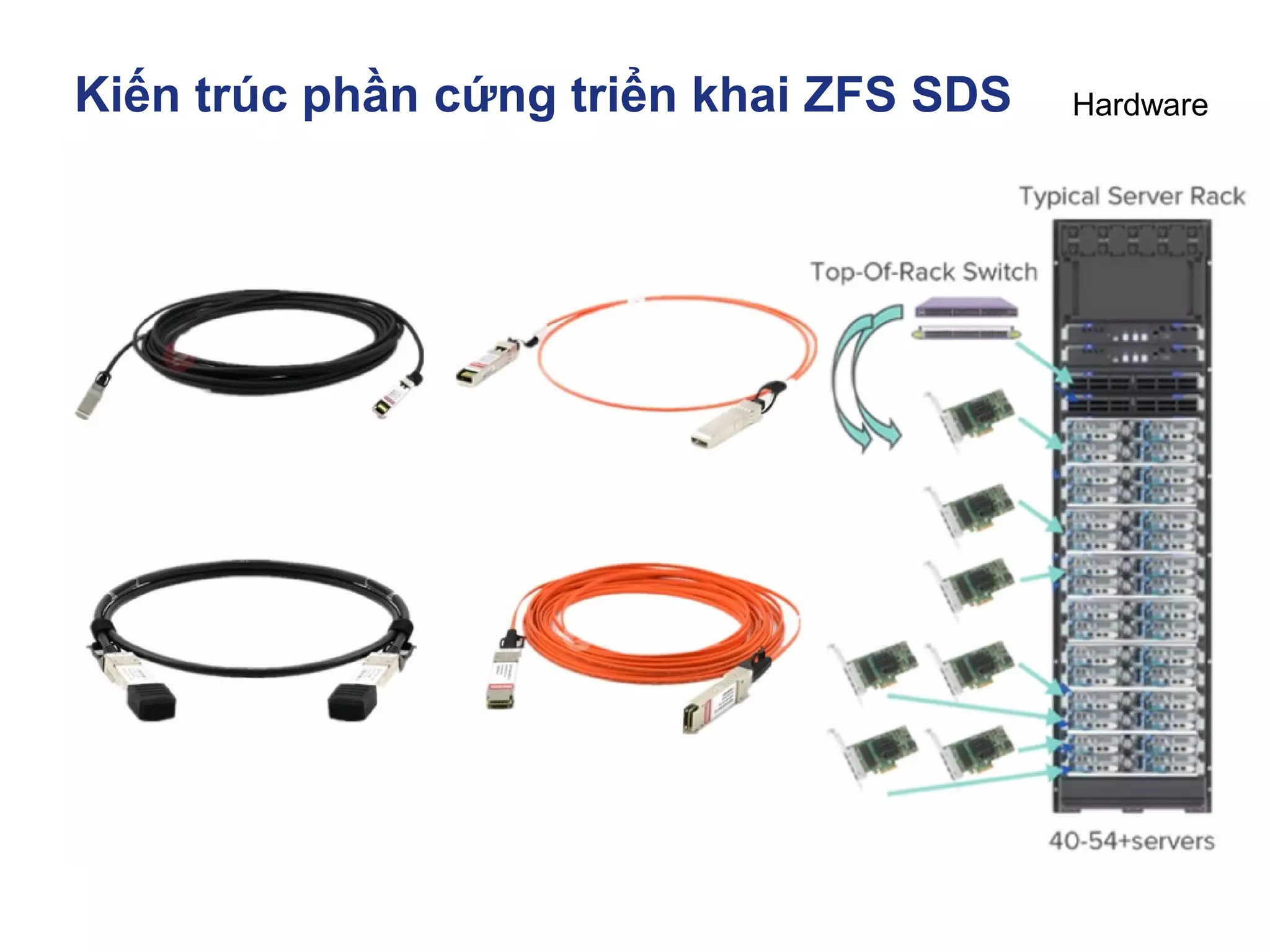
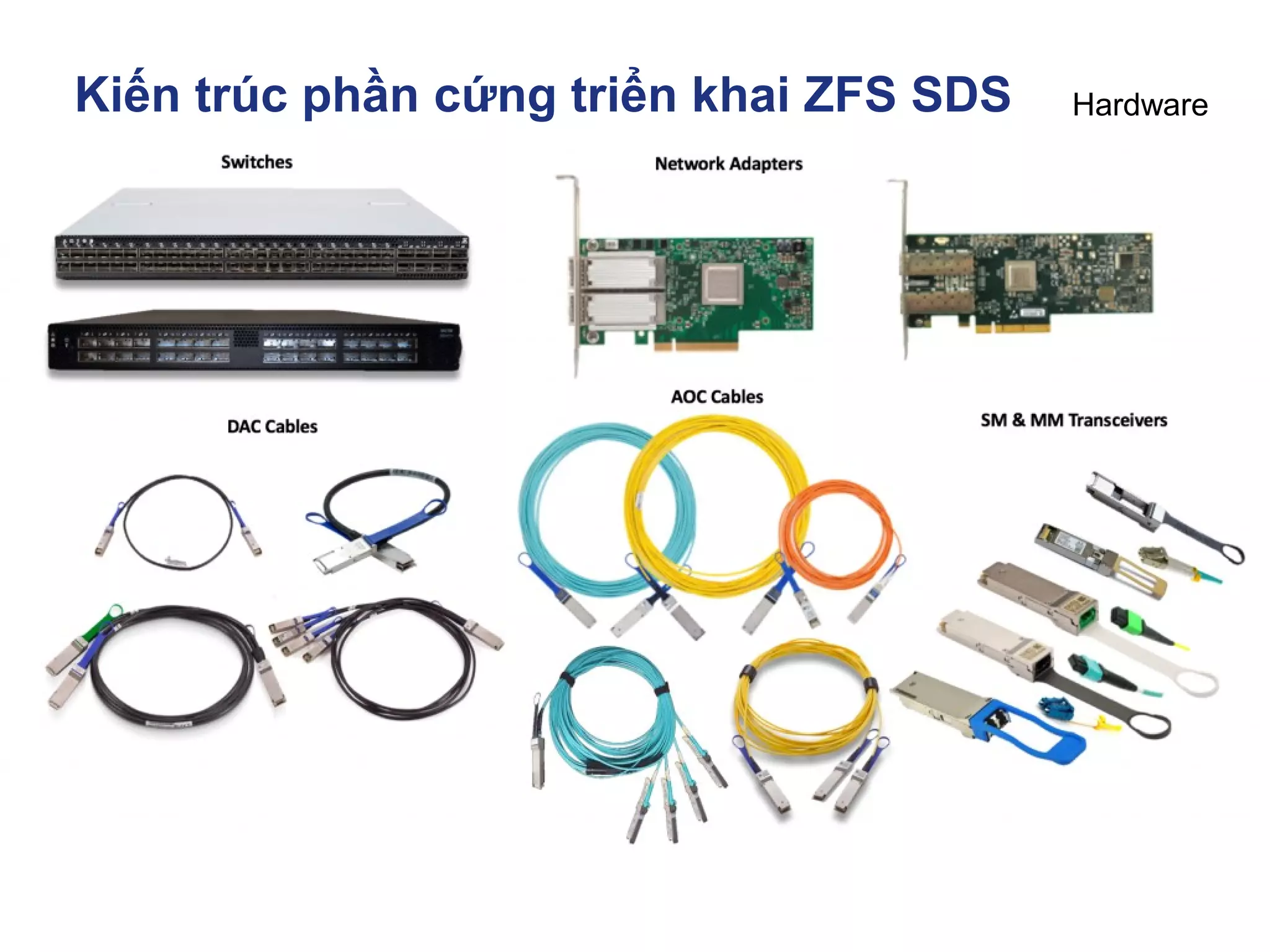
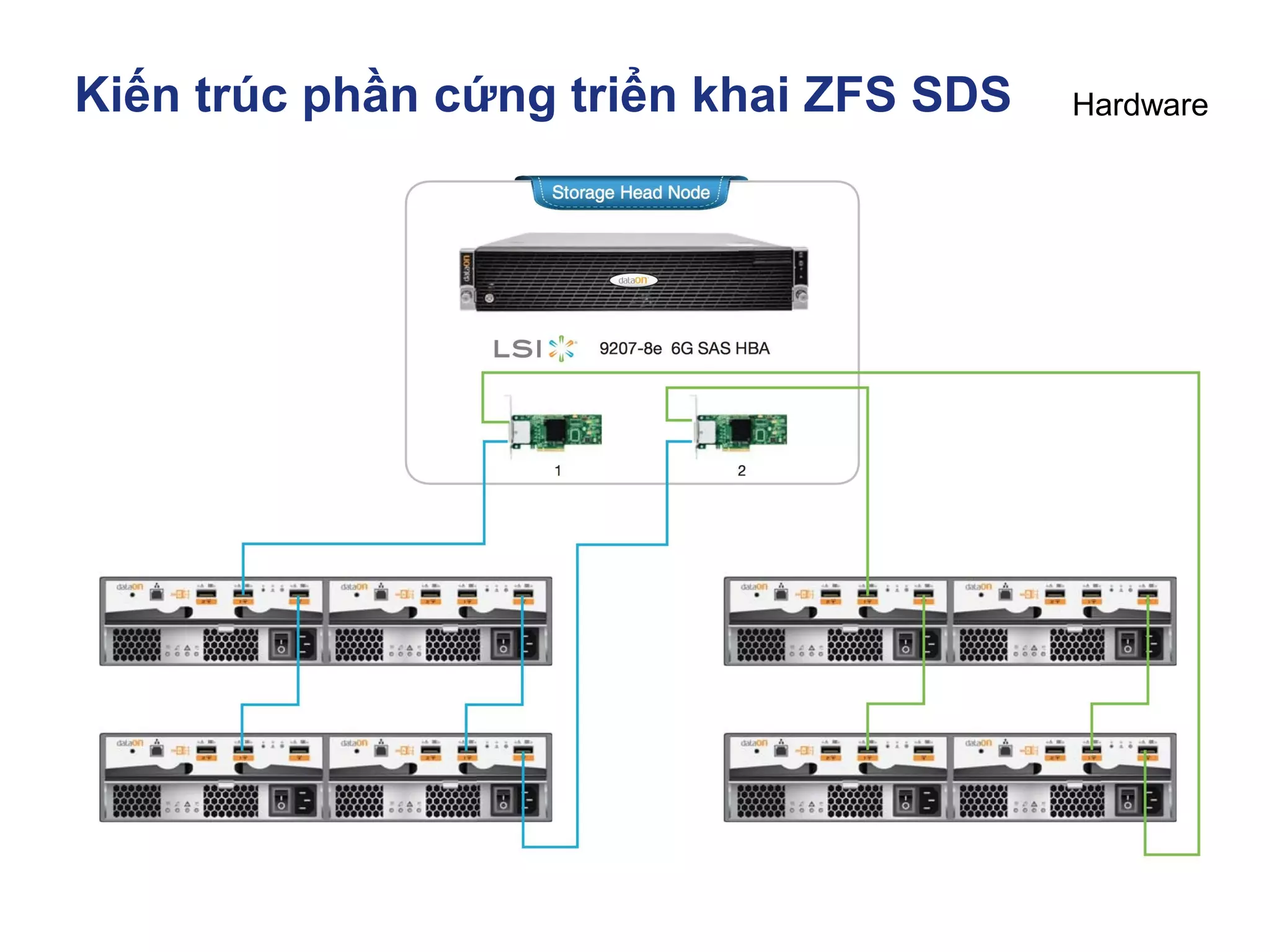
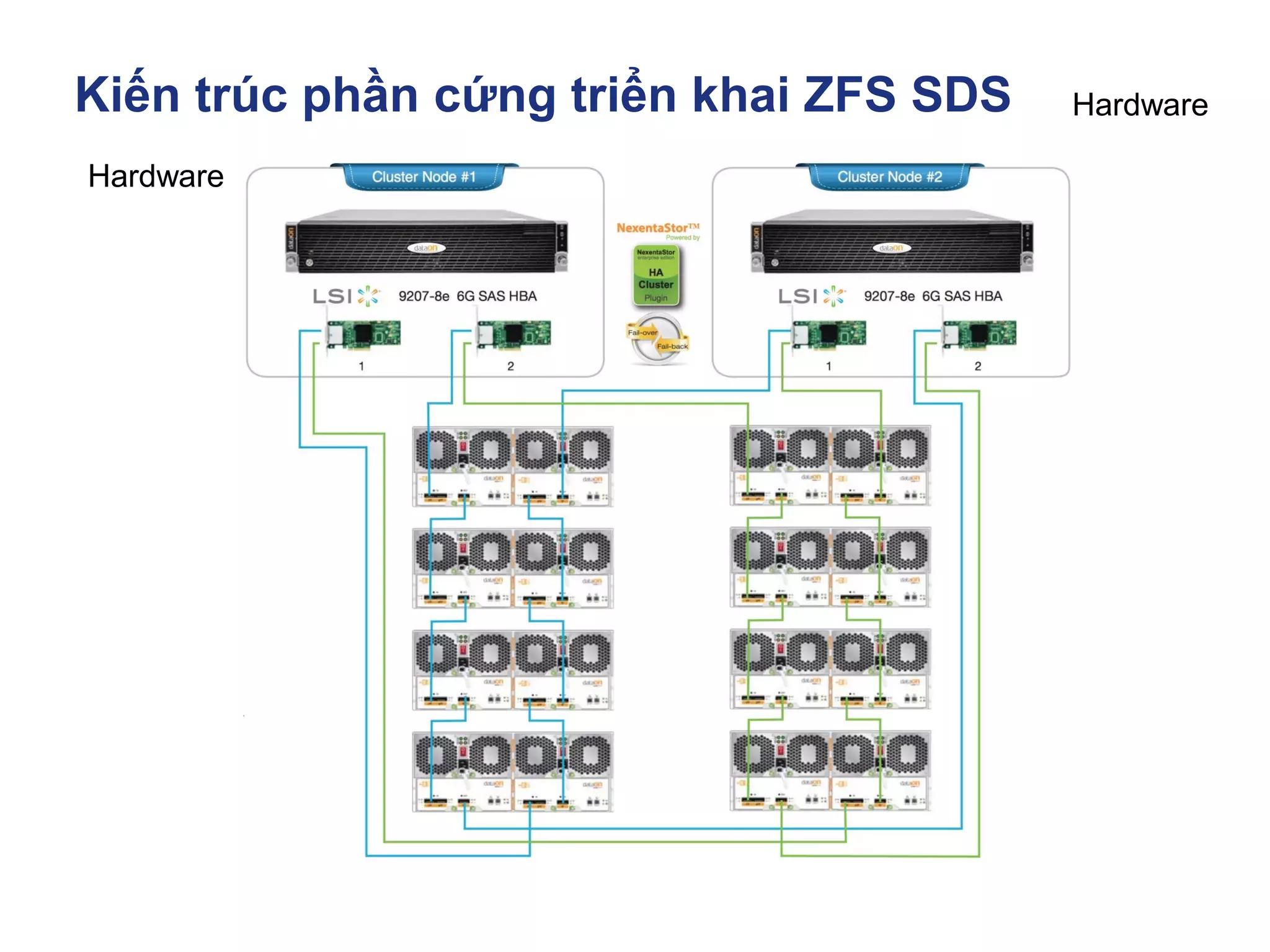
▪ Kiến trúc phần cứng triển khai ZFS SDS
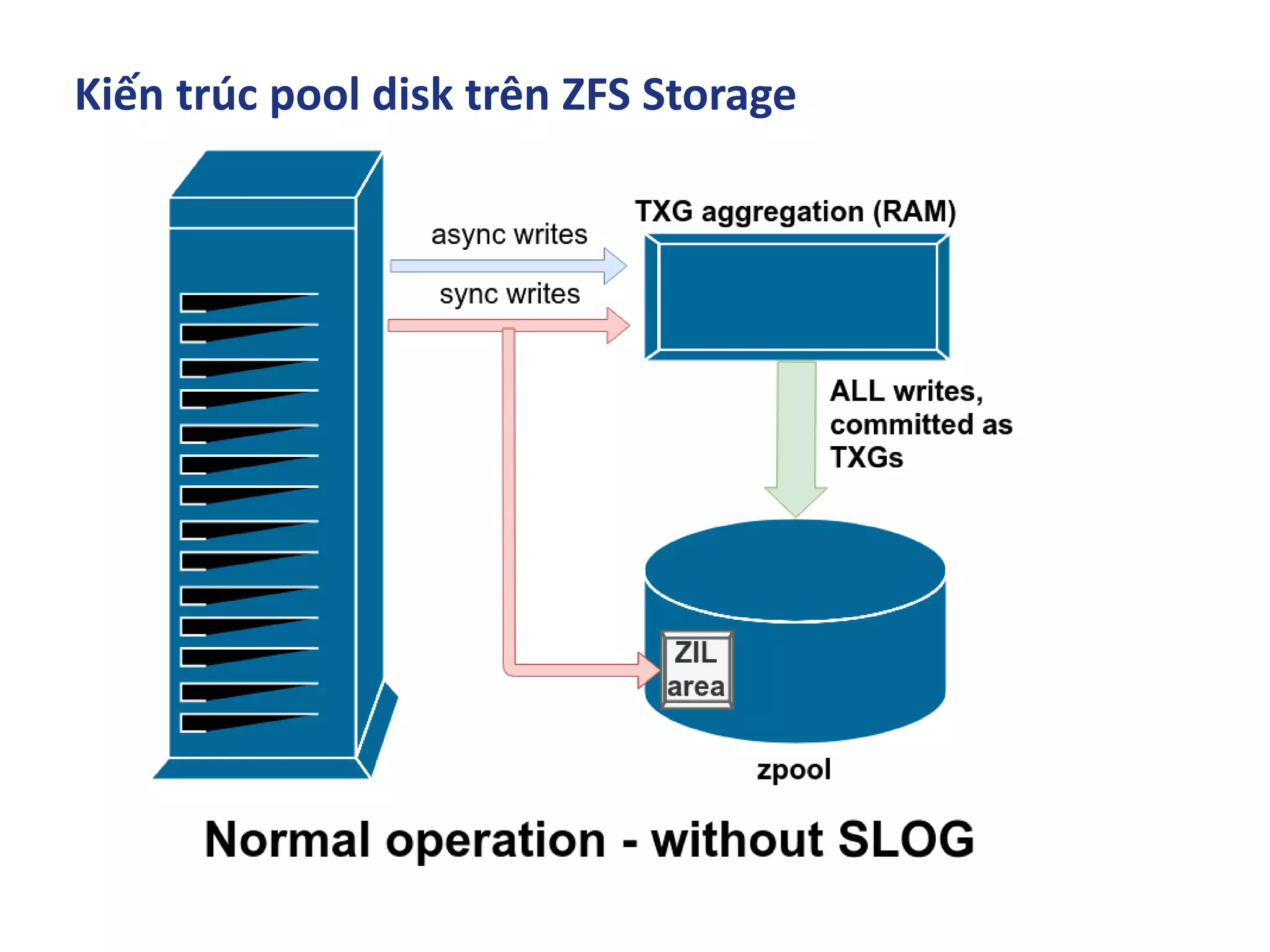
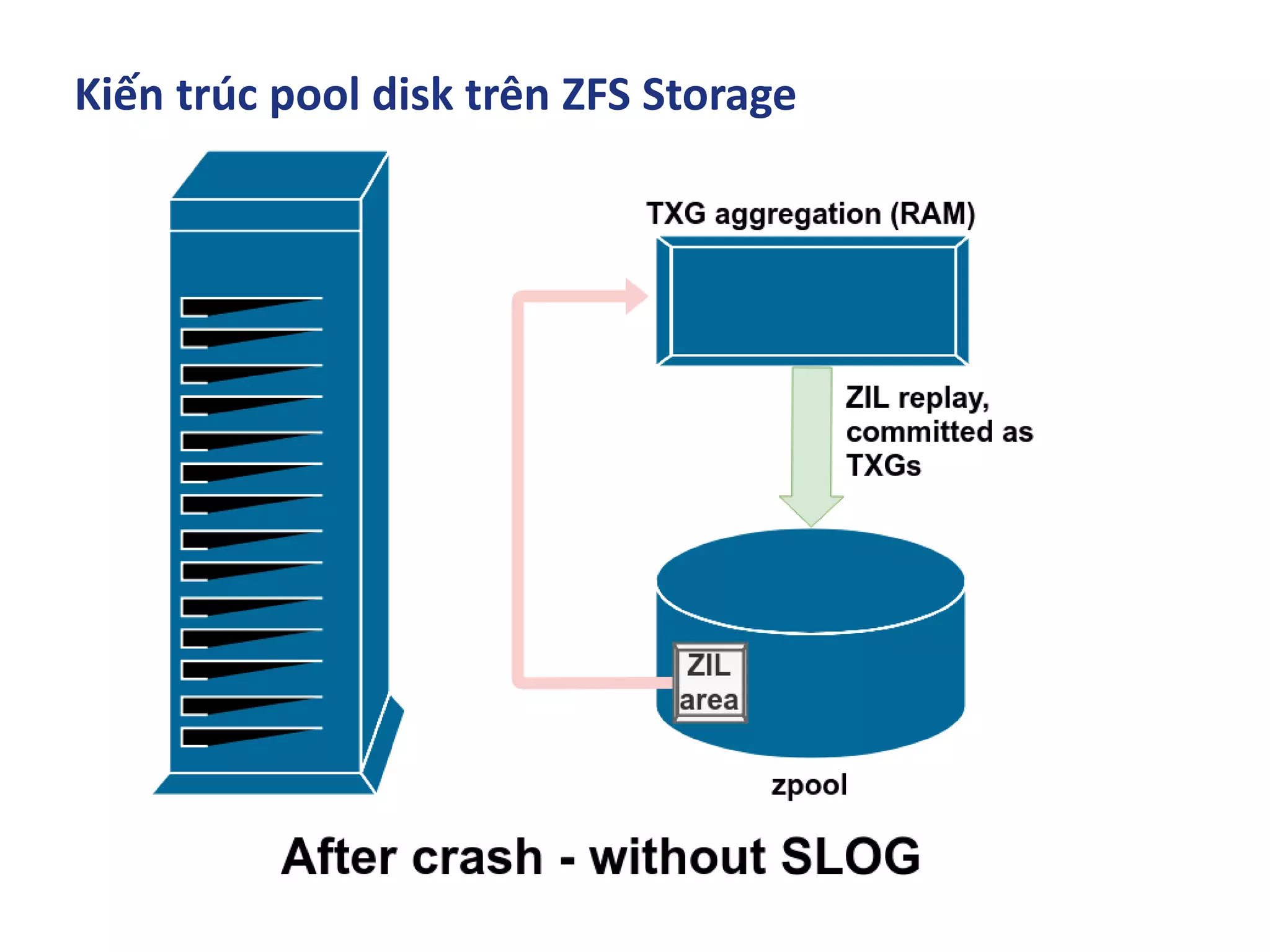
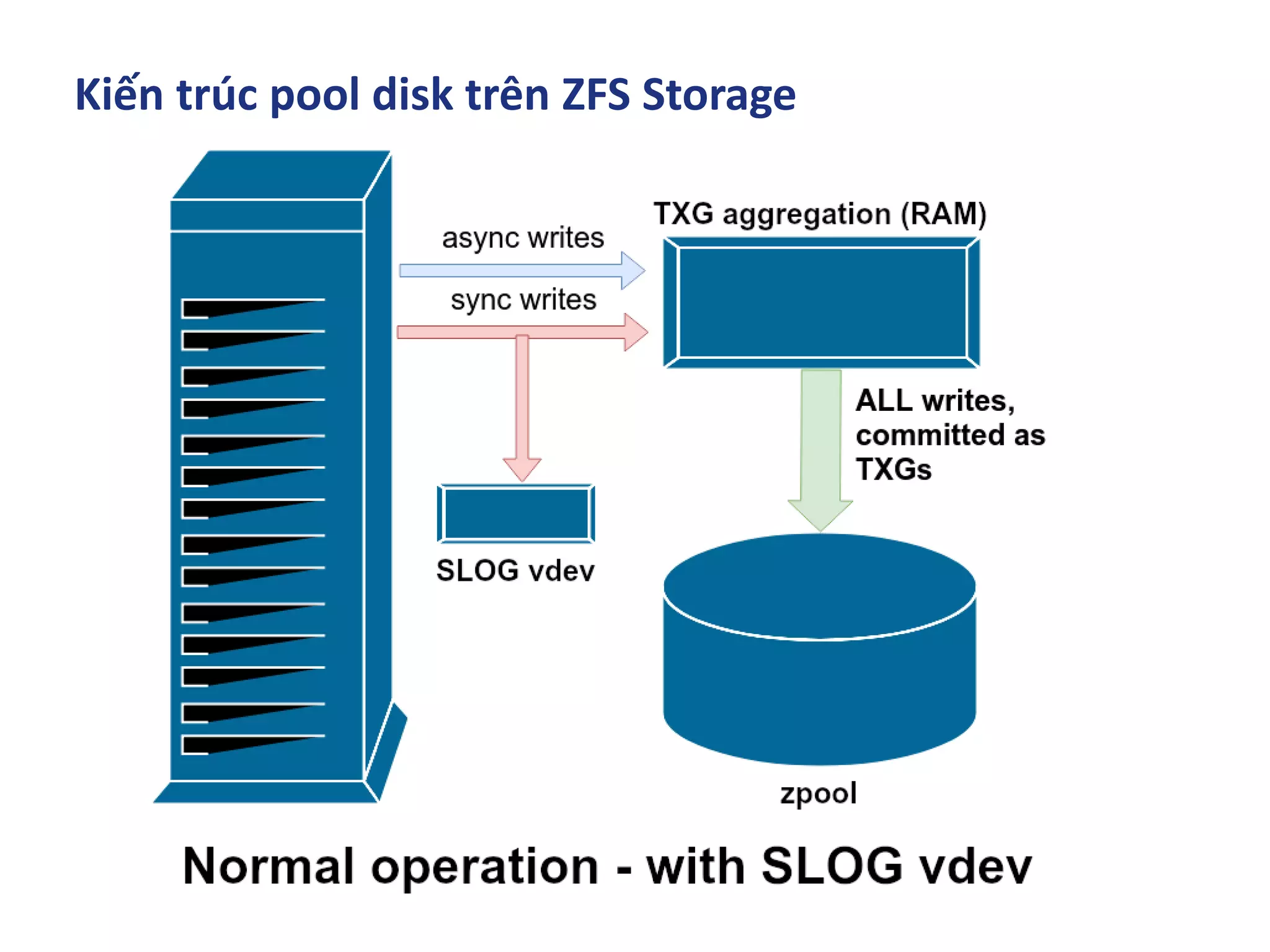
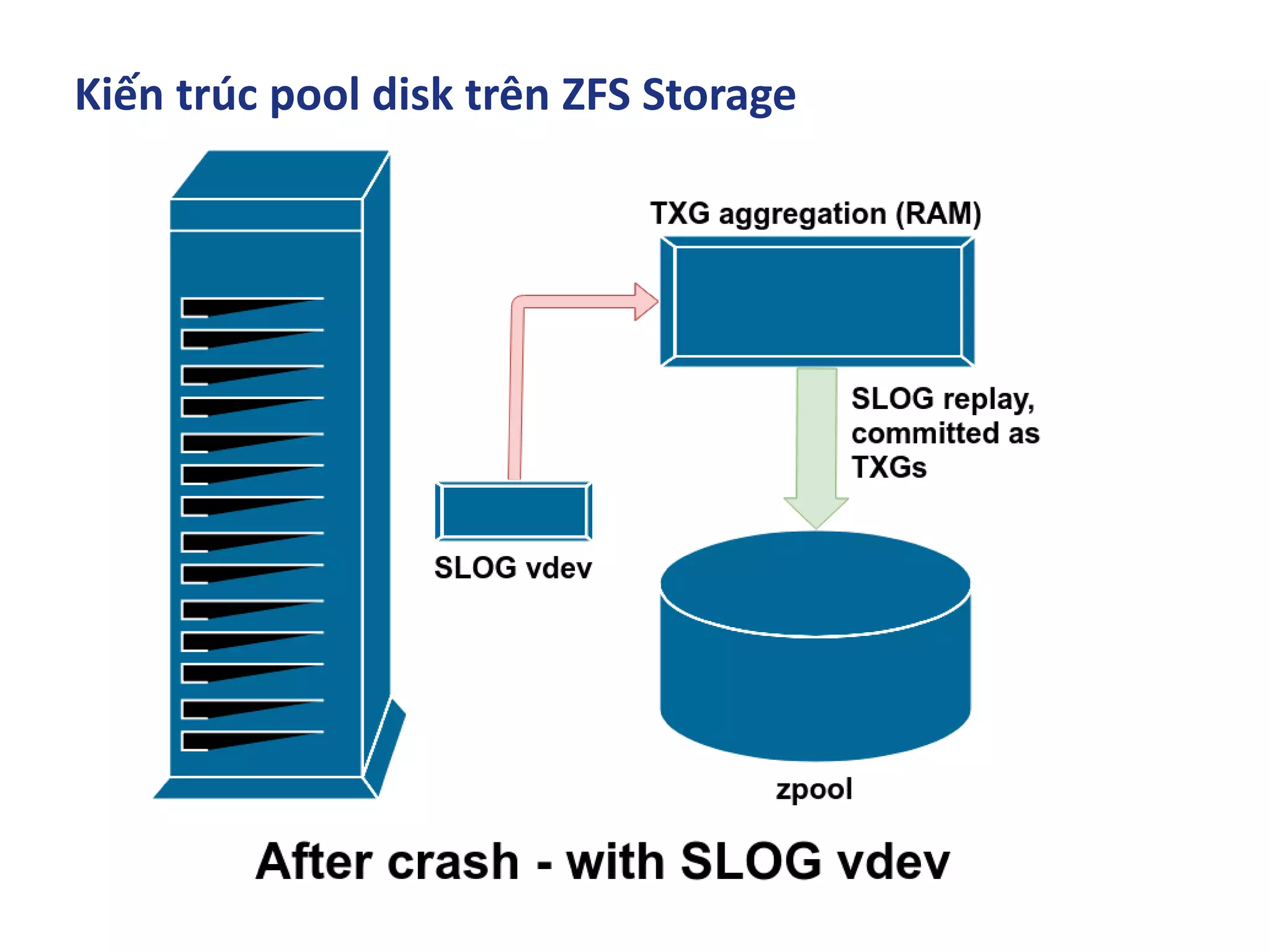
▪ Kiến trúc pool disk trên ZFS Storage
▪ ZFS trên các hệ điều hành phổ biến A - Z
▪ Tunning & Test Perfromance
▪ Troubleshooting
Mục Lục
▪ Lịch sử ra đời ZFS
▪ ZFS Cache - Data in memory
▪ Kiến trúc phần cứng triển khai ZFS SDS
▪ Kiến trúc pool disk trên ZFS Storage
▪ ZFS trên các hệ điều hành phổ biến A - Z
▪ Tunning & Test Perfromance
▪ Troubleshooting
Lịch sử ra đời ZFS
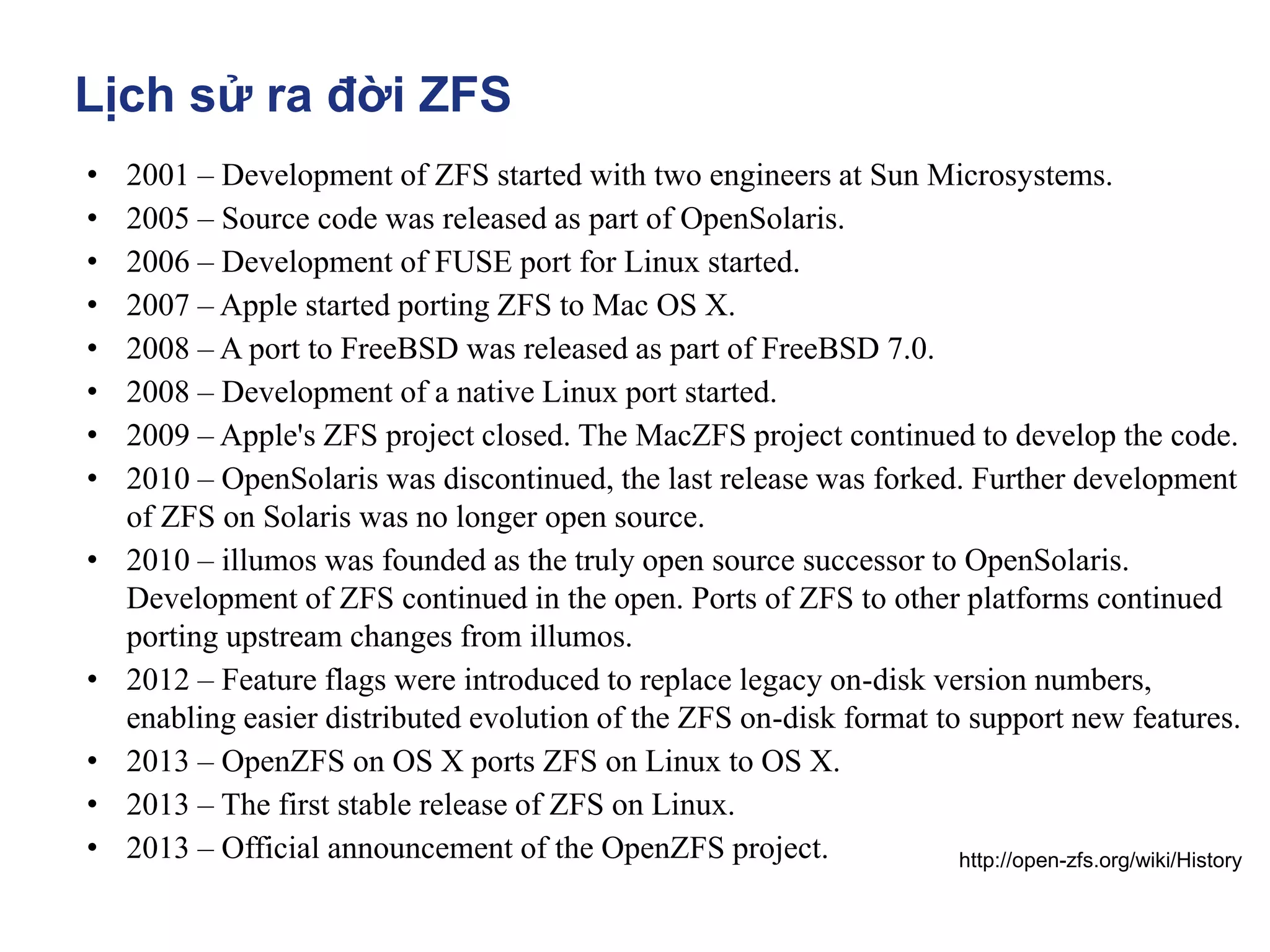
• 2001 – Development of ZFS started with two engineers at Sun Microsystems.
• 2005 – Source code was released as part of OpenSolaris.
• 2006 – Development of FUSE port for Linux started.
• 2007 – Apple started porting ZFS to Mac OS X.
• 2008 – A port to FreeBSD was released as part of FreeBSD 7.0.
• 2008 – Development of a native Linux port started.
• 2009 – Apple's ZFS project closed. The MacZFS project continued to develop the code.
• 2010 – OpenSolaris was discontinued, the last release was forked. Further development
of ZFS on Solaris was no longer open source.
• 2010 – illumos was founded as the truly open source successor to OpenSolaris.
Development of ZFS continued in the open. Ports of ZFS to other platforms continued
porting upstream changes from illumos.
• 2012 – Feature flags were introduced to replace legacy on-disk version numbers,
enabling easier distributed evolution of the ZFS on-disk format to support new features.
• 2013 – OpenZFS on OS X ports ZFS on Linux to OS X.
• 2013 – The first stable release of ZFS on Linux.
• 2013 – Official announcement of the OpenZFS project. http://open-zfs.org/wiki/History
Lịch sử ra đời ZFS
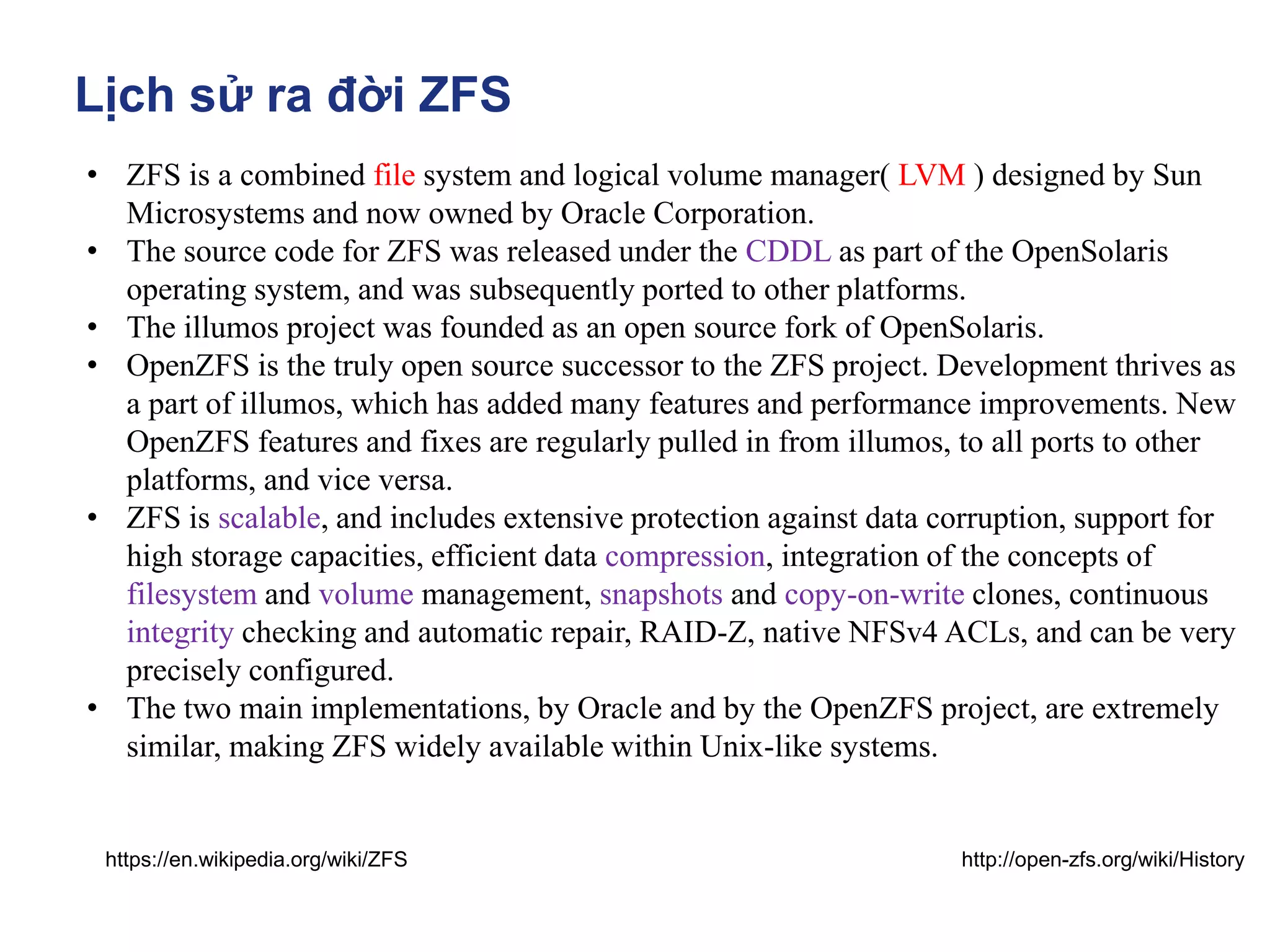
• ZFS is a combined file system and logical volume manager( LVM ) designed by Sun
Microsystems and now owned by Oracle Corporation.
• The source code for ZFS was released under the CDDL as part of the OpenSolaris
operating system, and was subsequently ported to other platforms.
• The illumos project was founded as an open source fork of OpenSolaris.
• OpenZFS is the truly open source successor to the ZFS project. Development thrives as
a part of illumos, which has added many features and performance improvements. New
OpenZFS features and fixes are regularly pulled in from illumos, to all ports to other
platforms, and vice versa.
• ZFS is scalable, and includes extensive protection against data corruption, support for
high storage capacities, efficient data compression, integration of the concepts of
filesystem and volume management, snapshots and copy-on-write clones, continuous
integrity checking and automatic repair, RAID-Z, native NFSv4 ACLs, and can be very
precisely configured.
• The two main implementations, by Oracle and by the OpenZFS project, are extremely
similar, making ZFS widely available within Unix-like systems.
http://open-zfs.org/wiki/History
https://en.wikipedia.org/wiki/ZFS
Mục Lục
▪ Lịch sử ra đời ZFS
▪ ZFS Cache - Data in memory
▪ Kiến trúc phần cứng triển khai ZFS SDS
▪ Kiến trúc pool disk trên ZFS Storage
▪ ZFS trên các hệ điều hành phổ biến A - Z
▪ Tunning & Test Perfromance
▪ Troubleshooting
ZFS Storage Data in memory
https://pthree.org/2012/12/07/zfs-administration-part-iv-the-adjustable-replacement-cache/
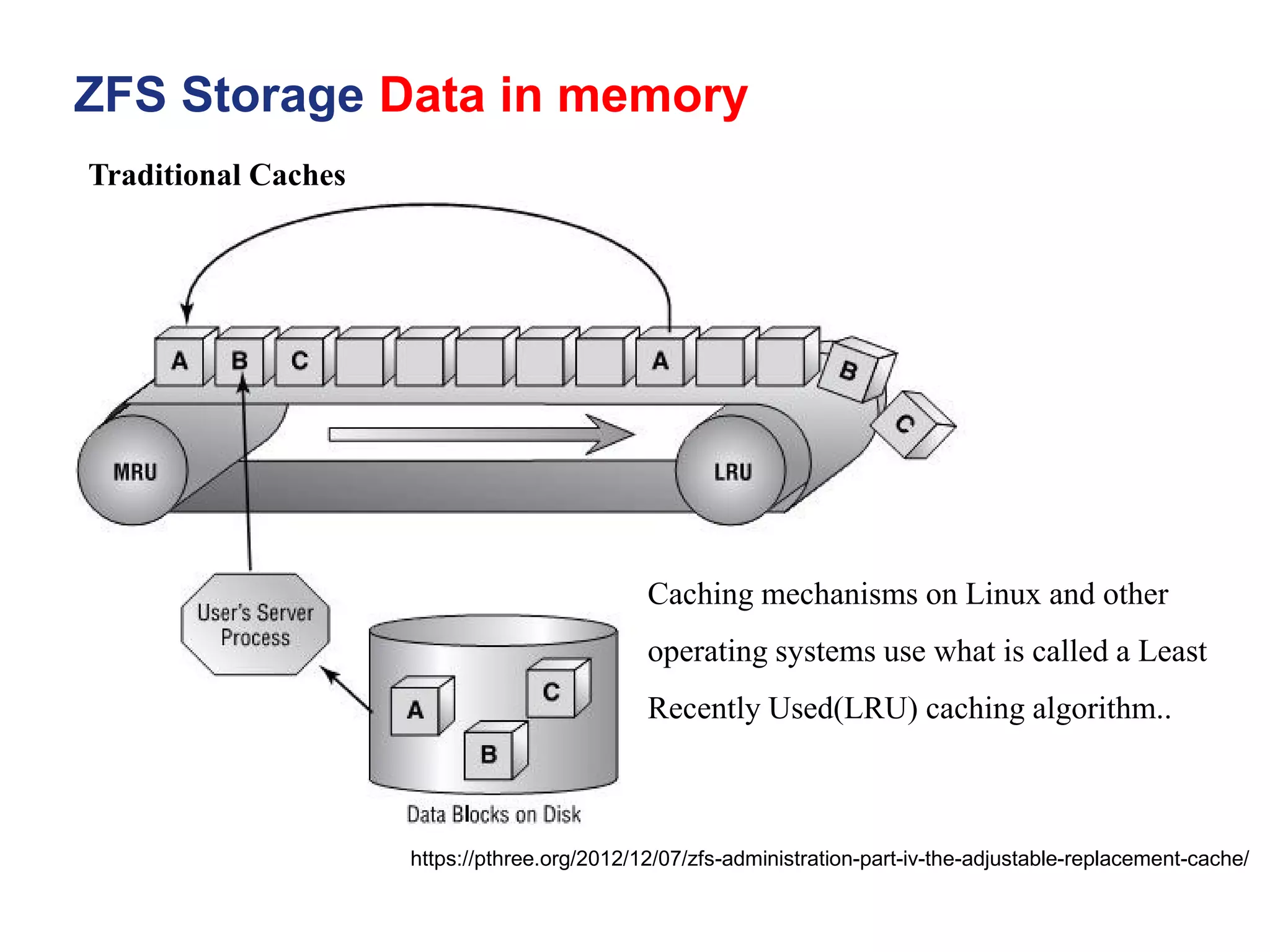
Traditional Caches
Caching mechanisms on Linux and other
operating systems use what is called a Least
Recently Used(LRU) caching algorithm..
ZFS Storage Data in memory
https://pthree.org/2012/12/07/zfs-administration-part-iv-the-adjustable-replacement-cache/
• The way the LRU algorithm works, is when an application reads data blocks,
they are put into the cache. The cache will fill as more and more data is read,
and put into the cache.
• However, the cache is a FIFO (first in, first out) algorithm. Thus, when the
cache is full, the older pages will be pushed out of the cache. Even if those
older pages are accessed more frequently. Think of the whole process as a
conveyor belt. Blocks are put into most recently used portion of the cache.
• As more blocks are read, the push the older blocks toward the least recently
used portion of the cache, until they fall off the conveyor belt, or in other
words are evicted.
Traditional Caches
ZFS Storage Data in memory
https://pthree.org/2012/12/07/zfs-administration-part-iv-the-adjustable-replacement-cache/
• When large sequential reads are read from disk, and placed into the cache, it
has a tendency to evict more frequently requested pages from the cache. Even
if this data was only needed once. Thus, from the cache perspective, it ends up
with a lot of worthless, useless data that is no longer needed. Of course, it's
eventually replaced as newer data blocks are requested.
• There do also exist least frequently used (LFU) caches. However, they suffer
from the problem that newer data could be evicted from the cache if it's not
read frequently enough. Thus, there are a great amount of disk requests, which
kind of defeats the purpose of a cache to begin with. So, it would seem that the
obvious approach would be to somehow combine the two- have an LRU and
an LFU simultaneously.
Traditional Caches
ZFS Storage Data in memory
https://pthree.org/2012/12/07/zfs-administration-part-iv-the-adjustable-replacement-cache/
• The ZFS adjustable replacement cache (ARC) is one such caching
mechanism that caches both recent block requests as well as frequent
block requests. It is an implementation of the patented IBM adaptive
replacement cache, with some modifications and extensions.
• Adjustable Replacement Cache, or ARC - A cache residing in physical
RAM. It is built using two caches - the most frequently used(MFU)
cached and the most recently used(MRU) cache. A cache directory
indexes pointers to the caches, including pointers to disk called the
ghost frequently used cache, and the ghost most recently used cache.
The ZFS ARC
The ZFS ARC
ZFS Storage Data in memory
https://pthree.org/2012/12/07/zfs-administration-part-iv-the-adjustable-replacement-cache/
• Cache Directory - An indexed directory of pointers making up the MRU, MFU,
ghost MRU and ghost MFU caches.
• MRU Cache - The most recently used cache of the ARC. The most recently
requested blocks from the filesystem are cached here.
• MFU Cache - The most frequently used cache of the ARC. The most frequently
requested blocks from the filesystem are cached here.
ZFS Storage Data in memory
https://pthree.org/2012/12/07/zfs-administration-part-iv-the-adjustable-replacement-cache/
• Ghost MRU- Evicted pages from the MRU cache back to disk to save space in
the MRU. Pointers still track the location of the evicted pages on disk.
• Ghost MFU- Evicted pages from the MFU cache back to disk to save space in
the MFU. Pointers still track the location of the evicted pages on disk.
• Level 2 Adjustable Replacement Cache, or L2ARC- A cache residing outside of
physical memory, typically on a fast SSD. It is a literal, physical extension of the
RAM ARC.
The ZFS ARC
ZFS Storage Data in memory
https://pthree.org/2012/12/07/zfs-administration-part-iv-the-adjustable-replacement-cache/
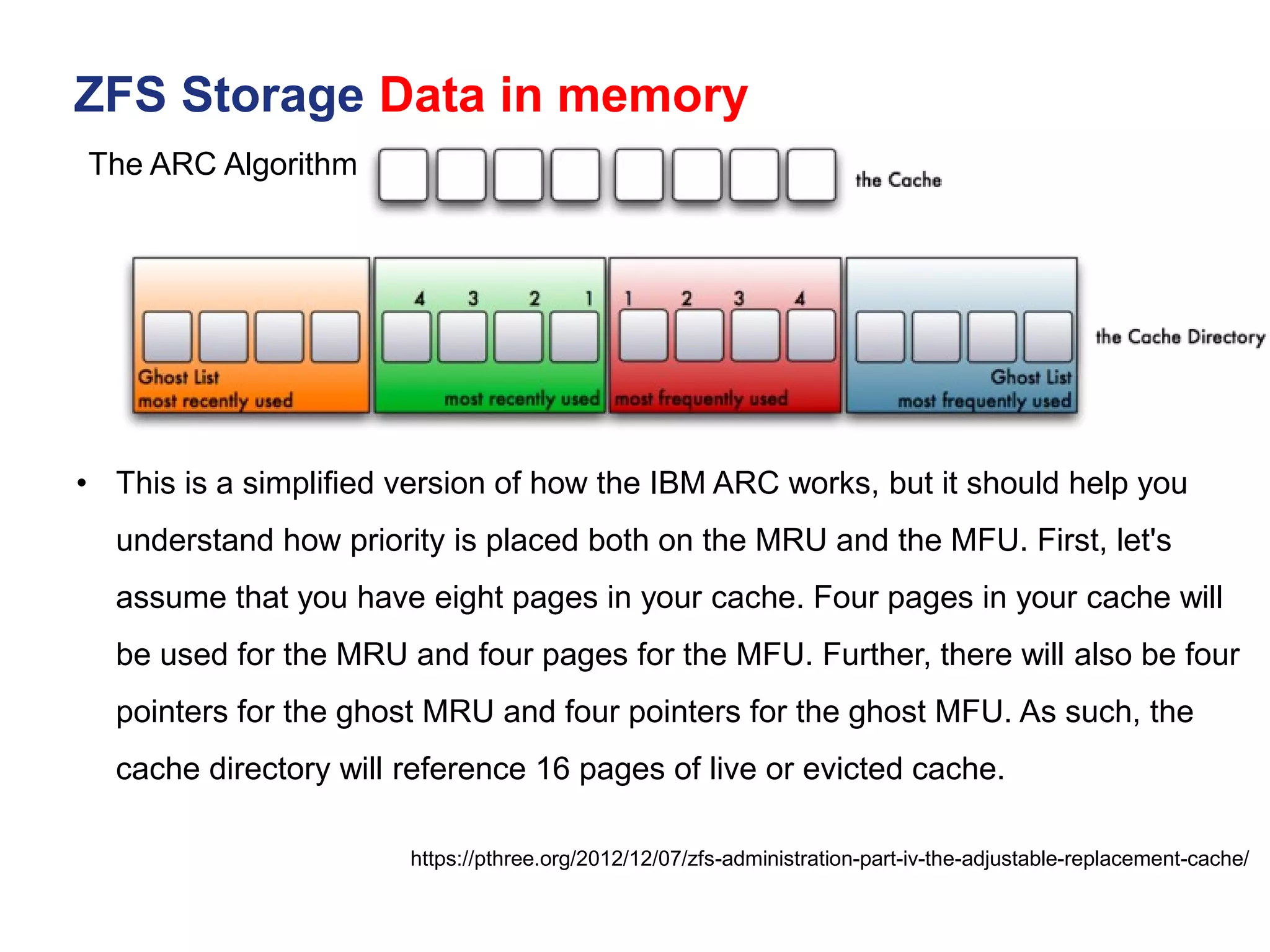
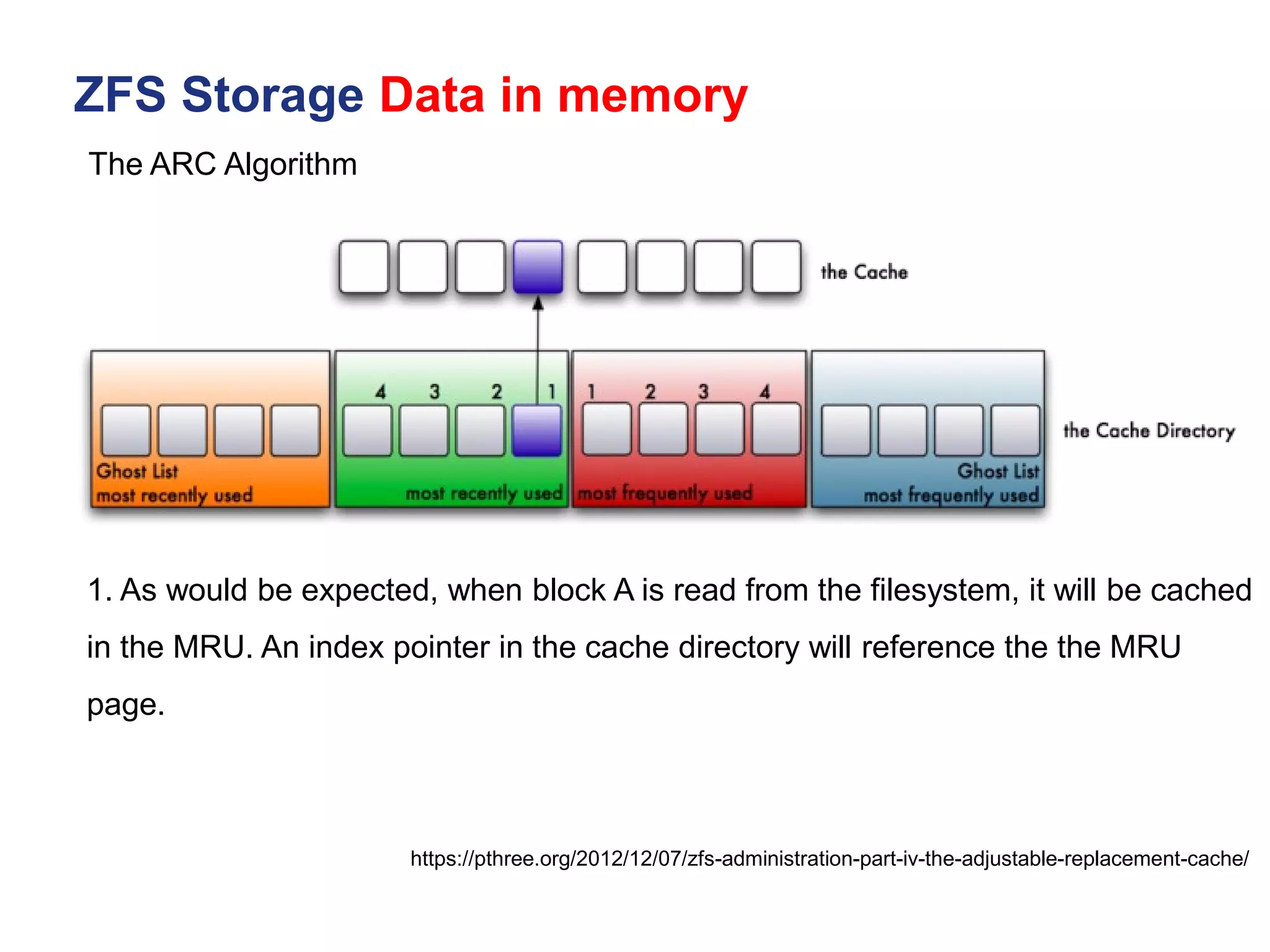
• This is a simplified version of how the IBM ARC works, but it should help you
understand how priority is placed both on the MRU and the MFU. First, let's
assume that you have eight pages in your cache. Four pages in your cache will
be used for the MRU and four pages for the MFU. Further, there will also be four
pointers for the ghost MRU and four pointers for the ghost MFU. As such, the
cache directory will reference 16 pages of live or evicted cache.
The ARC Algorithm
ZFS Storage Data in memory
https://pthree.org/2012/12/07/zfs-administration-part-iv-the-adjustable-replacement-cache/
1. As would be expected, when block A is read from the filesystem, it will be cached
in the MRU. An index pointer in the cache directory will reference the the MRU
page.
The ARC Algorithm
ZFS Storage Data in memory
https://pthree.org/2012/12/07/zfs-administration-part-iv-the-adjustable-replacement-cache/
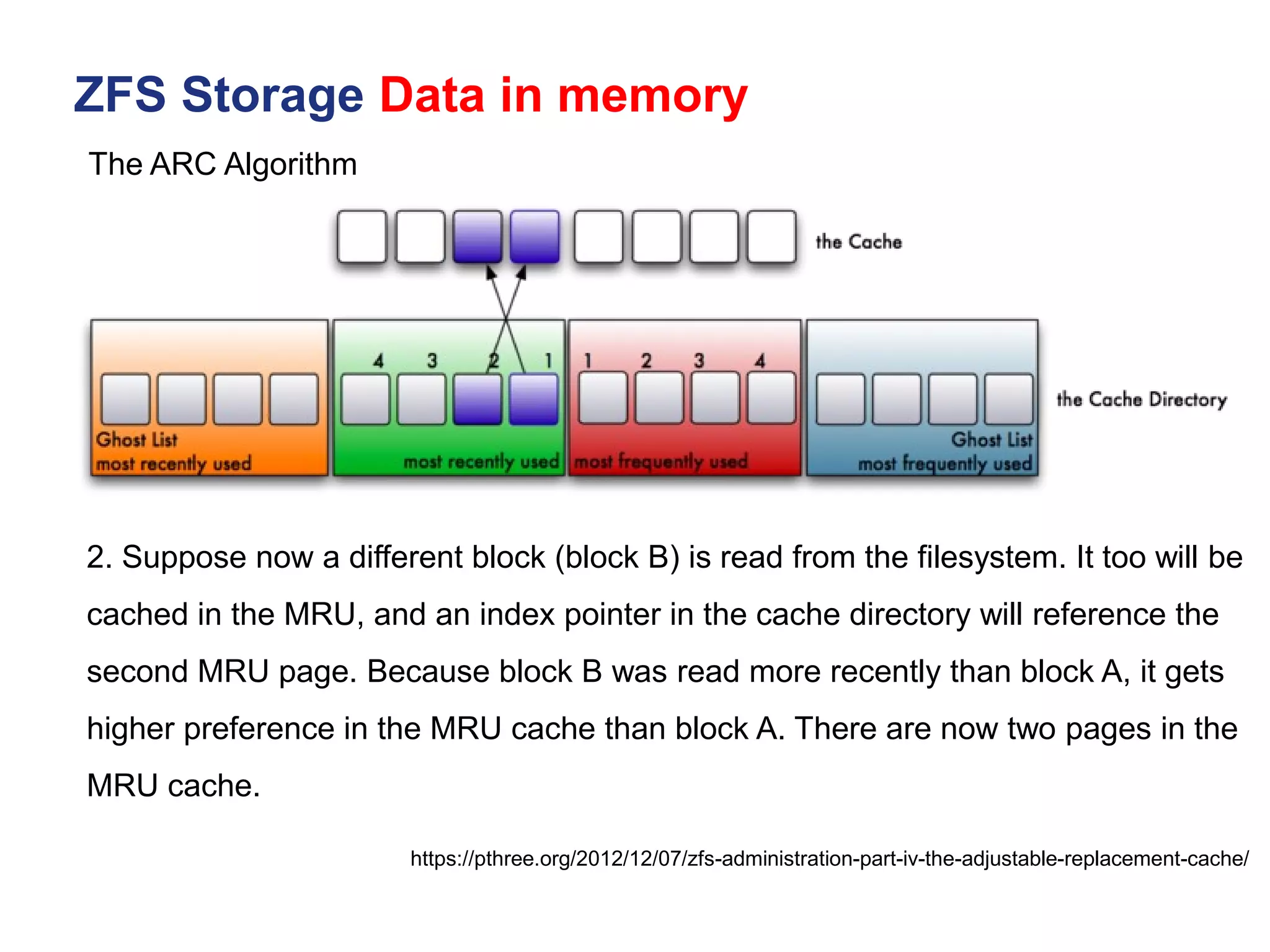
2. Suppose now a different block (block B) is read from the filesystem. It too will be
cached in the MRU, and an index pointer in the cache directory will reference the
second MRU page. Because block B was read more recently than block A, it gets
higher preference in the MRU cache than block A. There are now two pages in the
MRU cache.
The ARC Algorithm
ZFS Storage Data in memory
https://pthree.org/2012/12/07/zfs-administration-part-iv-the-adjustable-replacement-cache/
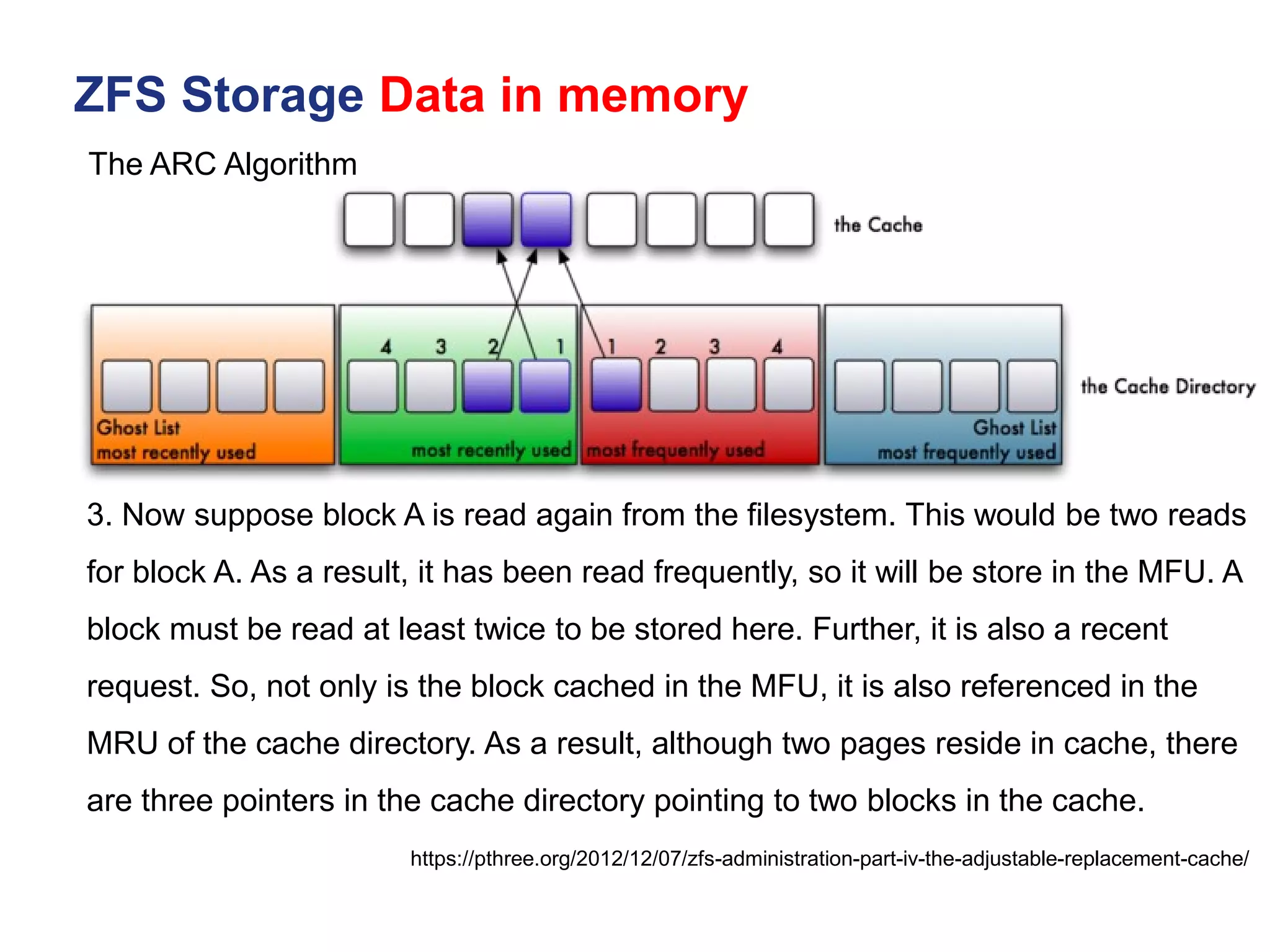
3. Now suppose block A is read again from the filesystem. This would be two reads
for block A. As a result, it has been read frequently, so it will be store in the MFU. A
block must be read at least twice to be stored here. Further, it is also a recent
request. So, not only is the block cached in the MFU, it is also referenced in the
MRU of the cache directory. As a result, although two pages reside in cache, there
are three pointers in the cache directory pointing to two blocks in the cache.
The ARC Algorithm
ZFS Storage Data in memory
https://pthree.org/2012/12/07/zfs-administration-part-iv-the-adjustable-replacement-cache/
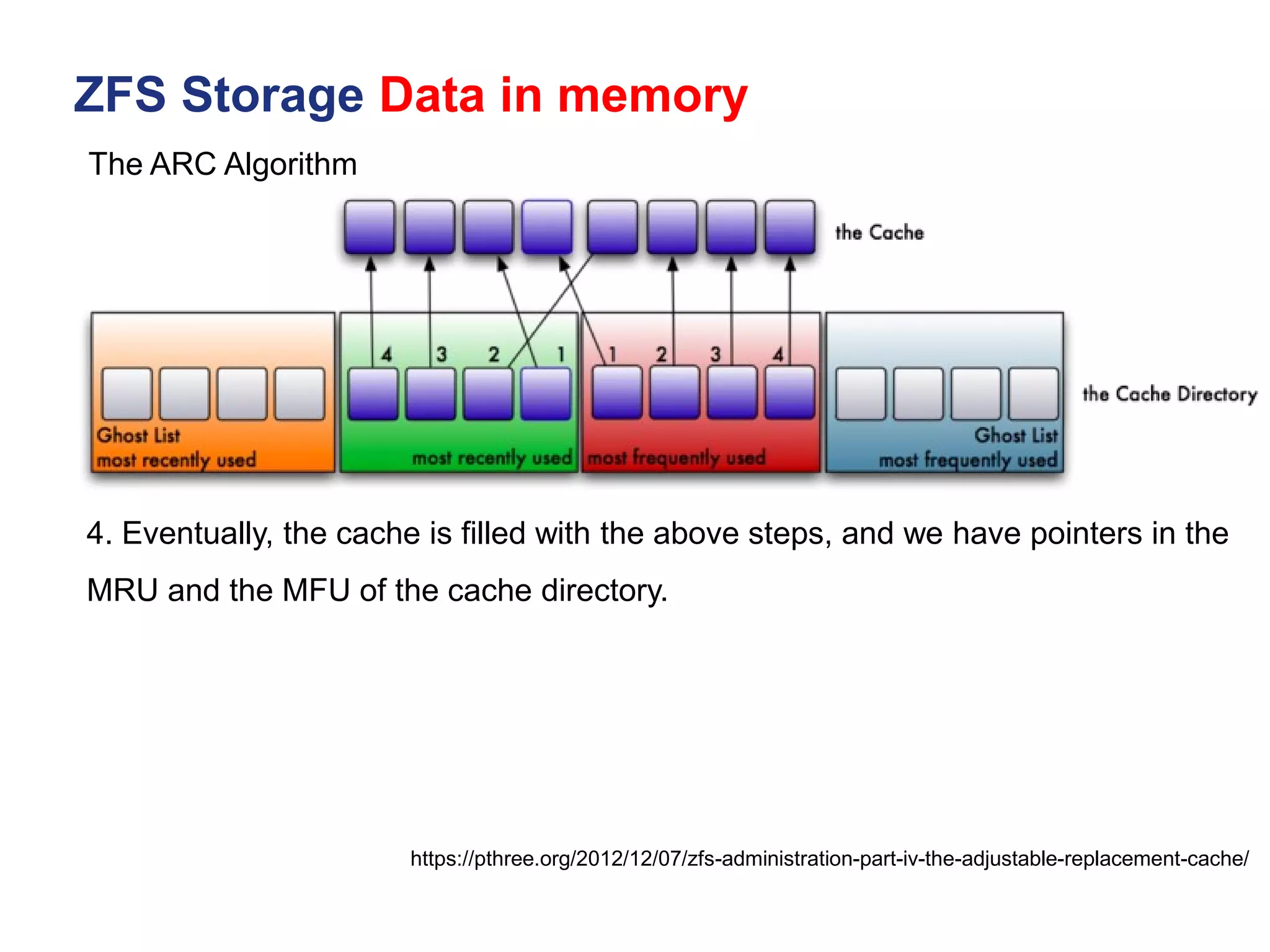
4. Eventually, the cache is filled with the above steps, and we have pointers in the
MRU and the MFU of the cache directory.
The ARC Algorithm
ZFS Storage Data in memory
https://pthree.org/2012/12/07/zfs-administration-part-iv-the-adjustable-replacement-cache/
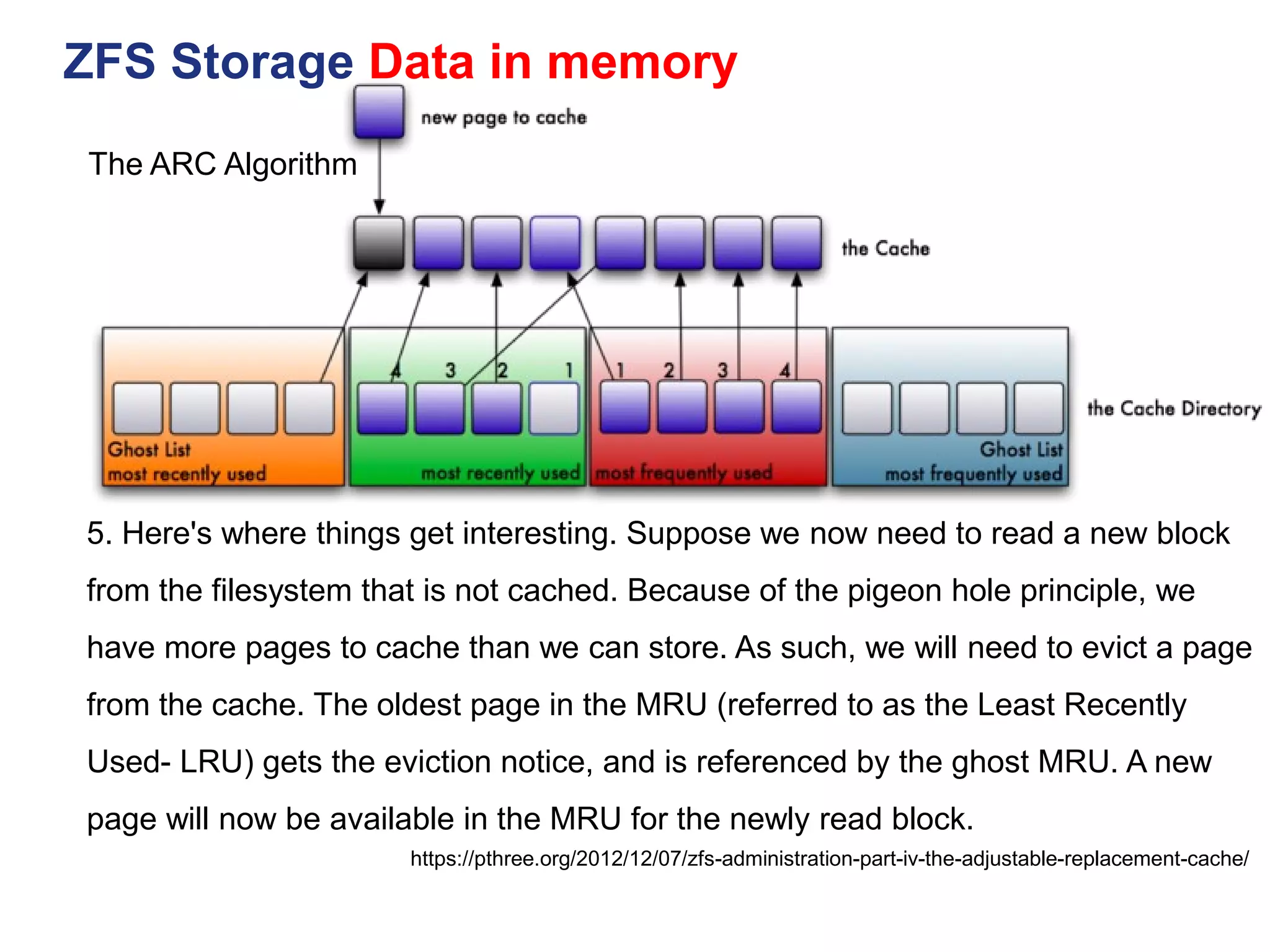
5. Here's where things get interesting. Suppose we now need to read a new block
from the filesystem that is not cached. Because of the pigeon hole principle, we
have more pages to cache than we can store. As such, we will need to evict a page
from the cache. The oldest page in the MRU (referred to as the Least Recently
Used- LRU) gets the eviction notice, and is referenced by the ghost MRU. A new
page will now be available in the MRU for the newly read block.
The ARC Algorithm
ZFS Storage Data in memory
https://pthree.org/2012/12/07/zfs-administration-part-iv-the-adjustable-replacement-cache/
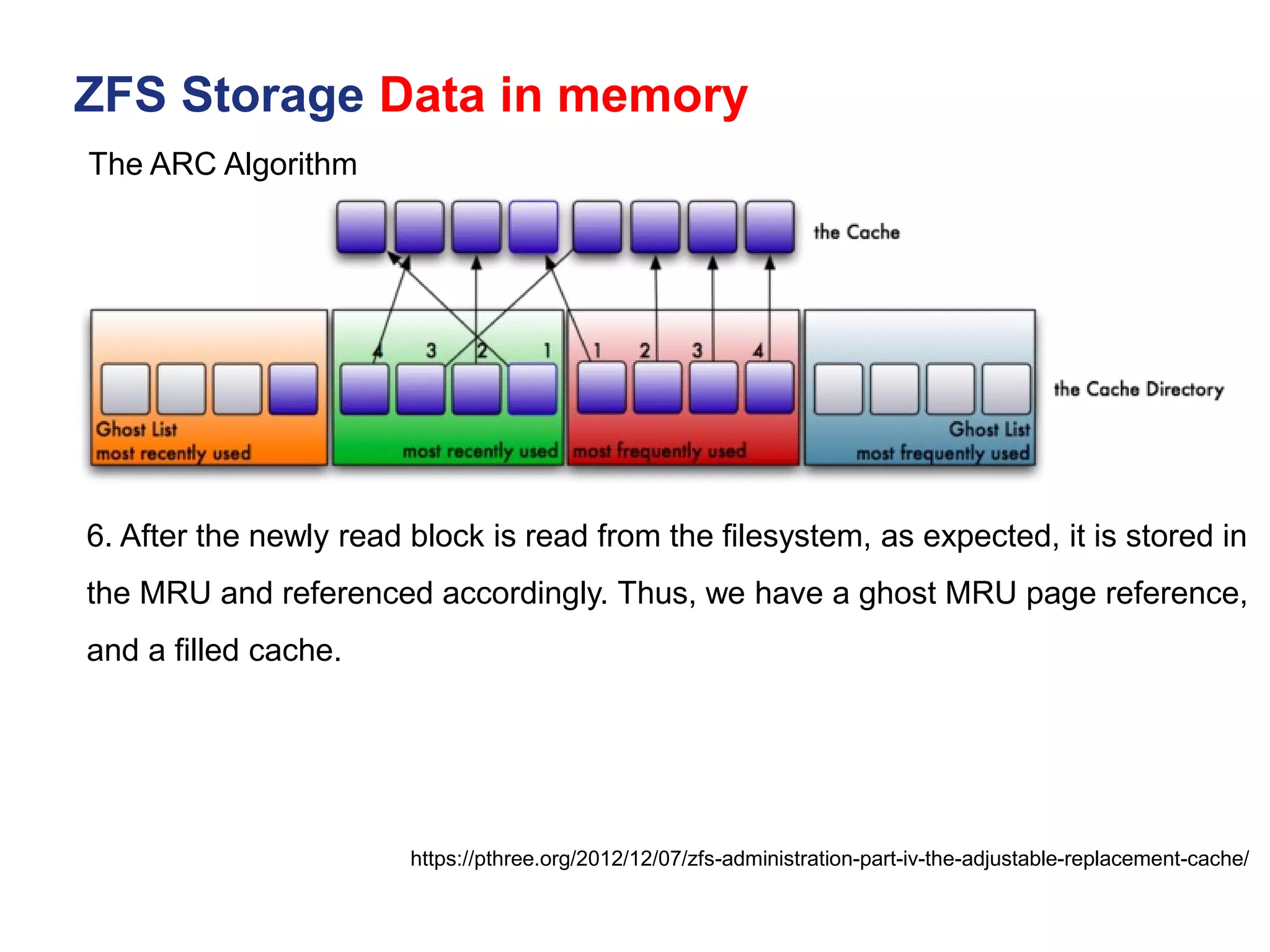
6. After the newly read block is read from the filesystem, as expected, it is stored in
the MRU and referenced accordingly. Thus, we have a ghost MRU page reference,
and a filled cache.
The ARC Algorithm
ZFS Storage Data in memory
https://pthree.org/2012/12/07/zfs-administration-part-iv-the-adjustable-replacement-cache/
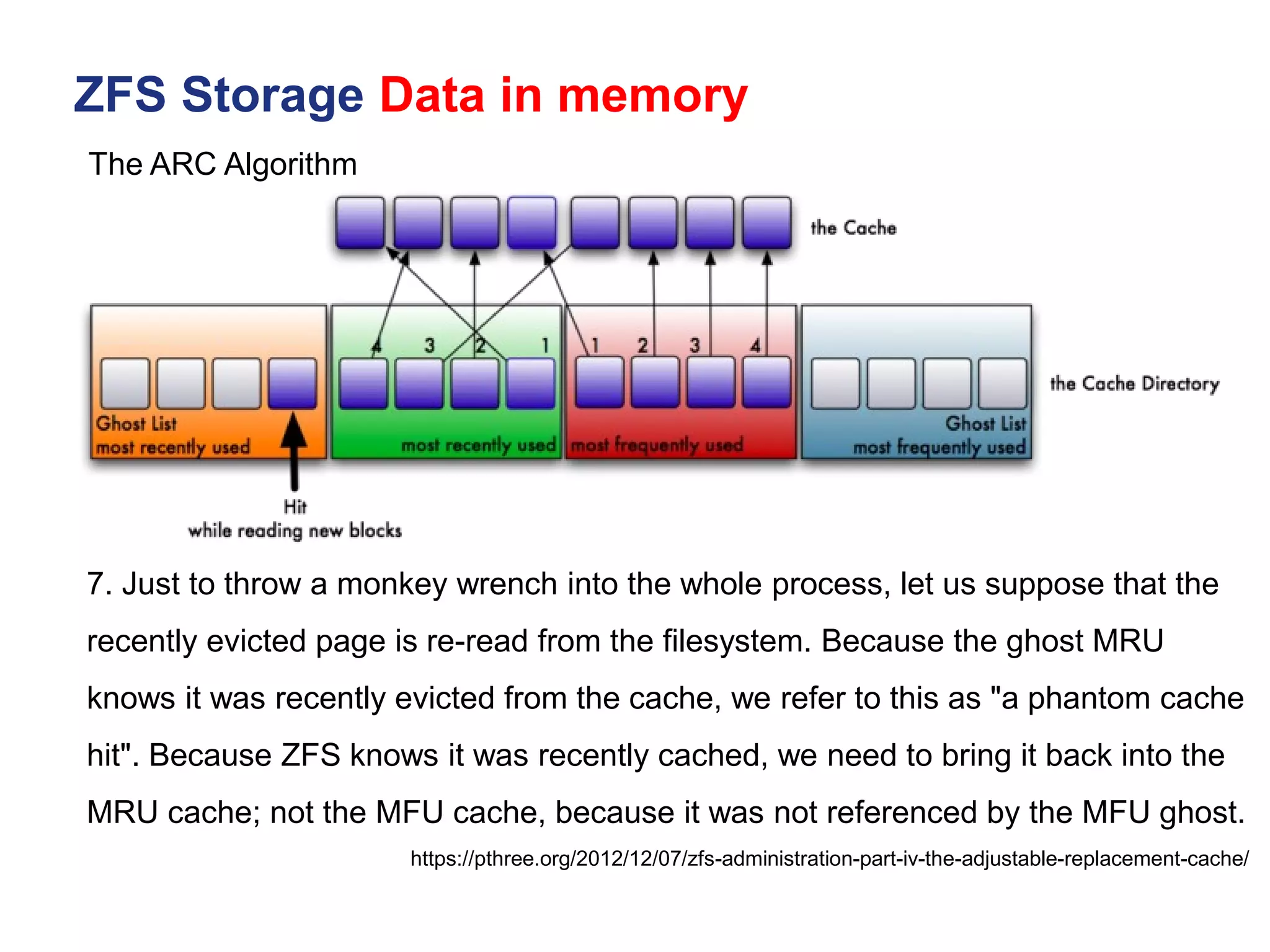
7. Just to throw a monkey wrench into the whole process, let us suppose that the
recently evicted page is re-read from the filesystem. Because the ghost MRU
knows it was recently evicted from the cache, we refer to this as "a phantom cache
hit". Because ZFS knows it was recently cached, we need to bring it back into the
MRU cache; not the MFU cache, because it was not referenced by the MFU ghost.
The ARC Algorithm
ZFS Storage Data in memory
https://pthree.org/2012/12/07/zfs-administration-part-iv-the-adjustable-replacement-cache/
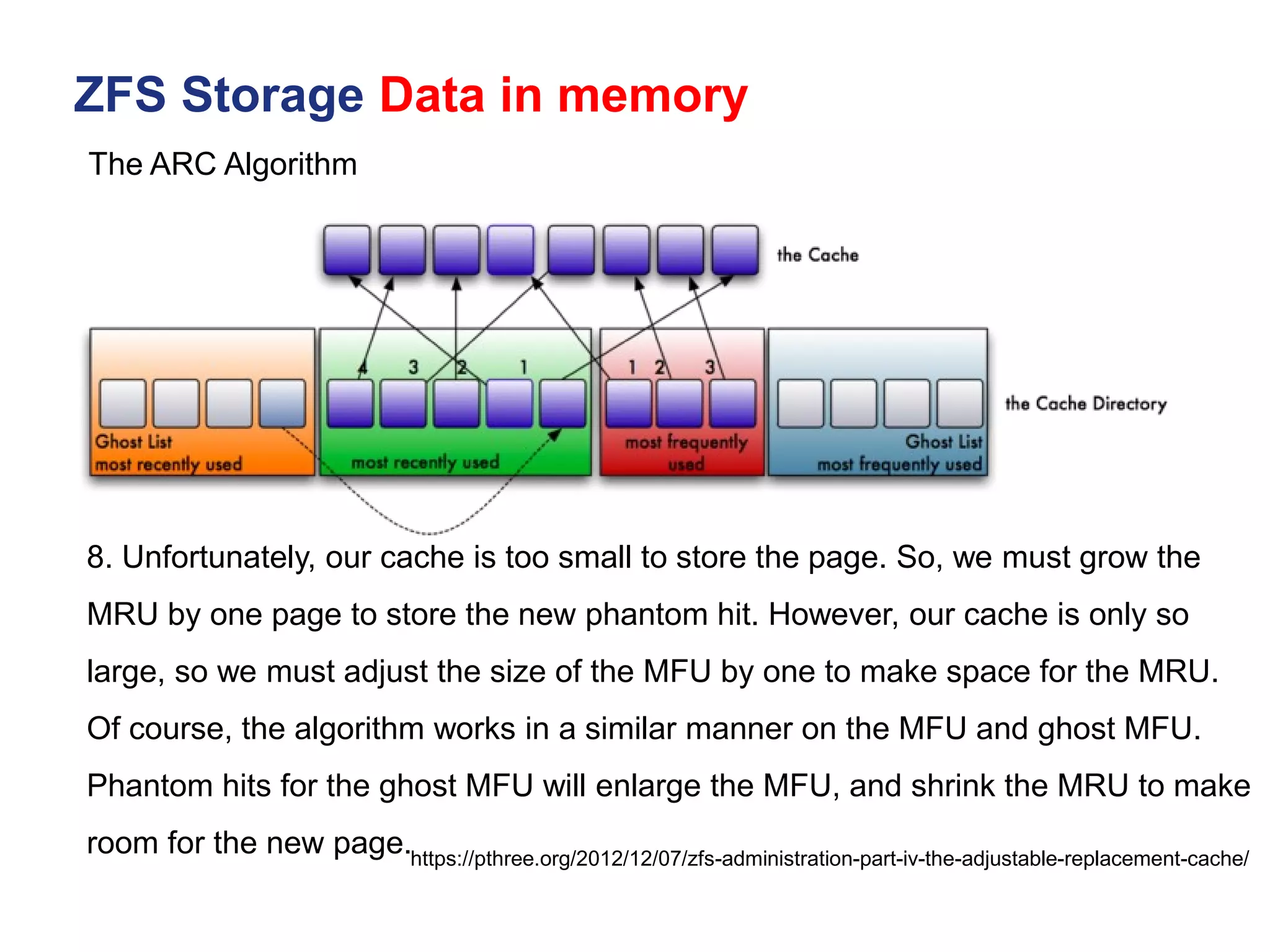
8. Unfortunately, our cache is too small to store the page. So, we must grow the
MRU by one page to store the new phantom hit. However, our cache is only so
large, so we must adjust the size of the MFU by one to make space for the MRU.
Of course, the algorithm works in a similar manner on the MFU and ghost MFU.
Phantom hits for the ghost MFU will enlarge the MFU, and shrink the MRU to make
room for the new page.
The ARC Algorithm
ZFS Storage Data in memory
https://pthree.org/2012/12/07/zfs-administration-part-iv-the-adjustable-replacement-cache/
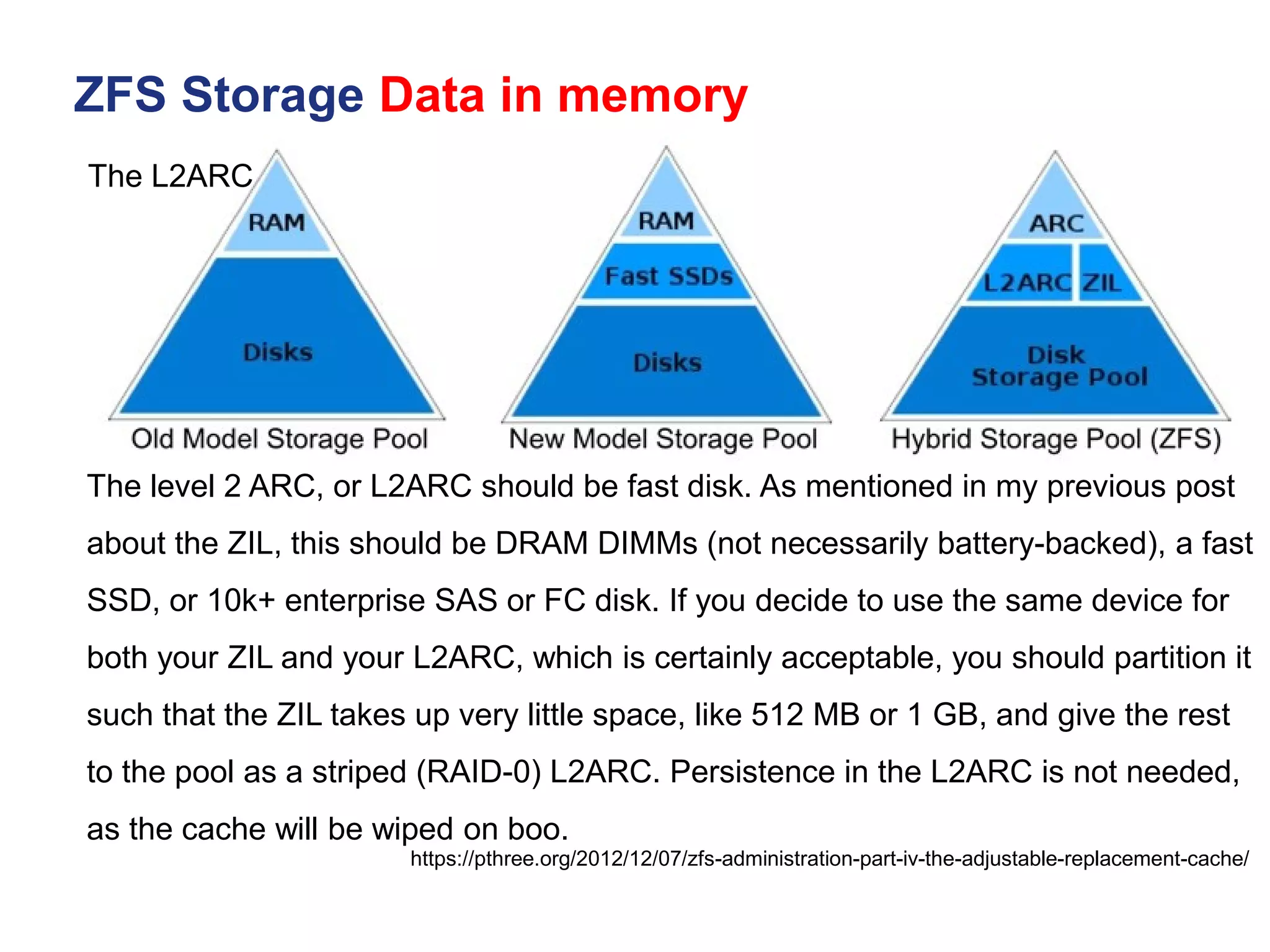
The L2ARC
The level 2 ARC, or L2ARC should be fast disk. As mentioned in my previous post
about the ZIL, this should be DRAM DIMMs (not necessarily battery-backed), a fast
SSD, or 10k+ enterprise SAS or FC disk. If you decide to use the same device for
both your ZIL and your L2ARC, which is certainly acceptable, you should partition it
such that the ZIL takes up very little space, like 512 MB or 1 GB, and give the rest
to the pool as a striped (RAID-0) L2ARC. Persistence in the L2ARC is not needed,
as the cache will be wiped on boo.
Mục Lục
▪ Lịch sử ra đời ZFS
▪ ZFS Storage Data in memory
▪ Kiến trúc phần cứng triển khai ZFS SDS
▪ Kiến trúc pool disk trên ZFS Storage
▪ ZFS trên các hệ điều hành phổ biến A - Z
▪ Tunning & Test Perfromance
▪ Troubleshooting
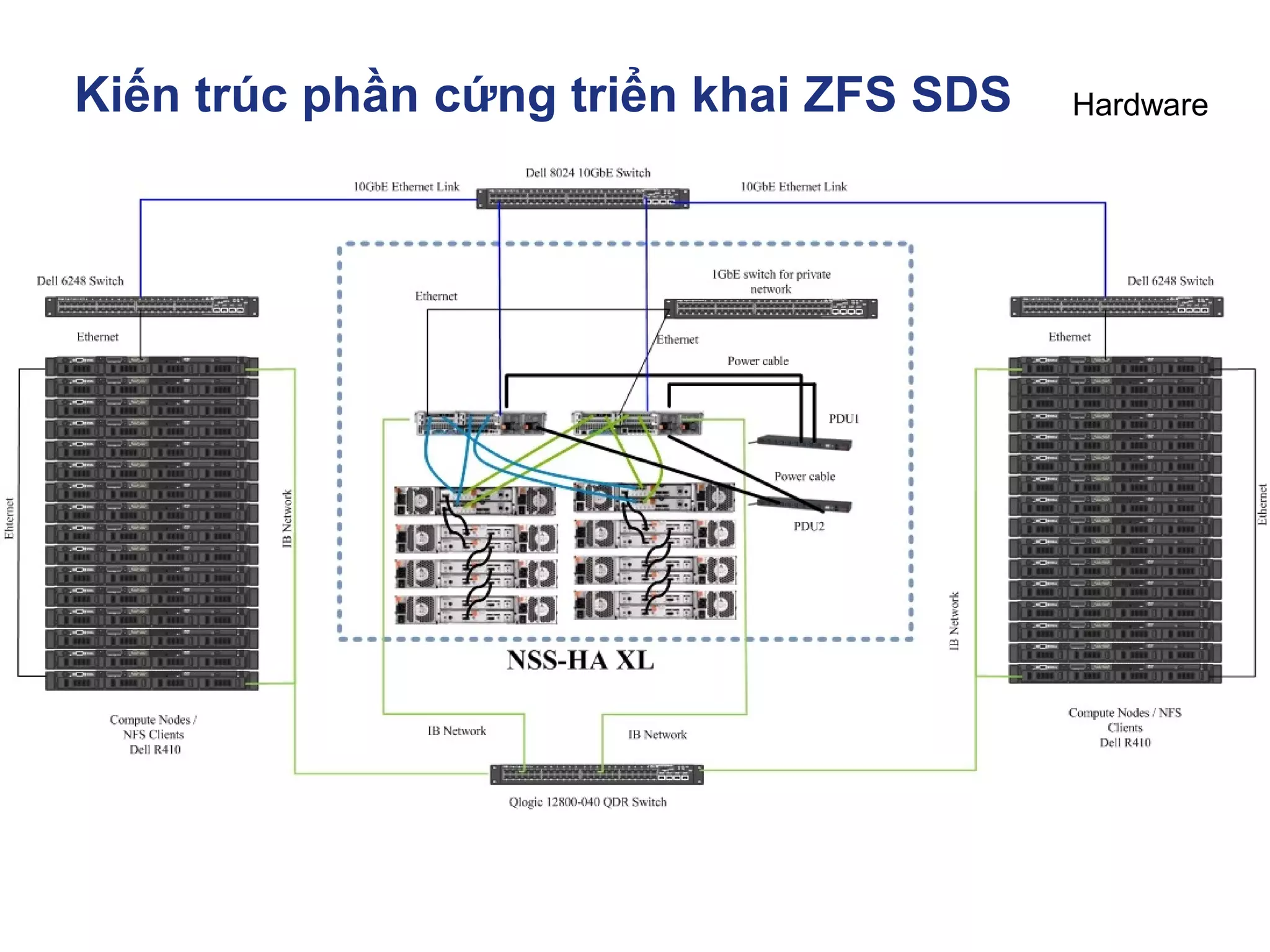
Kiến trúc phần cứng triển khai ZFS SDS
Hardware
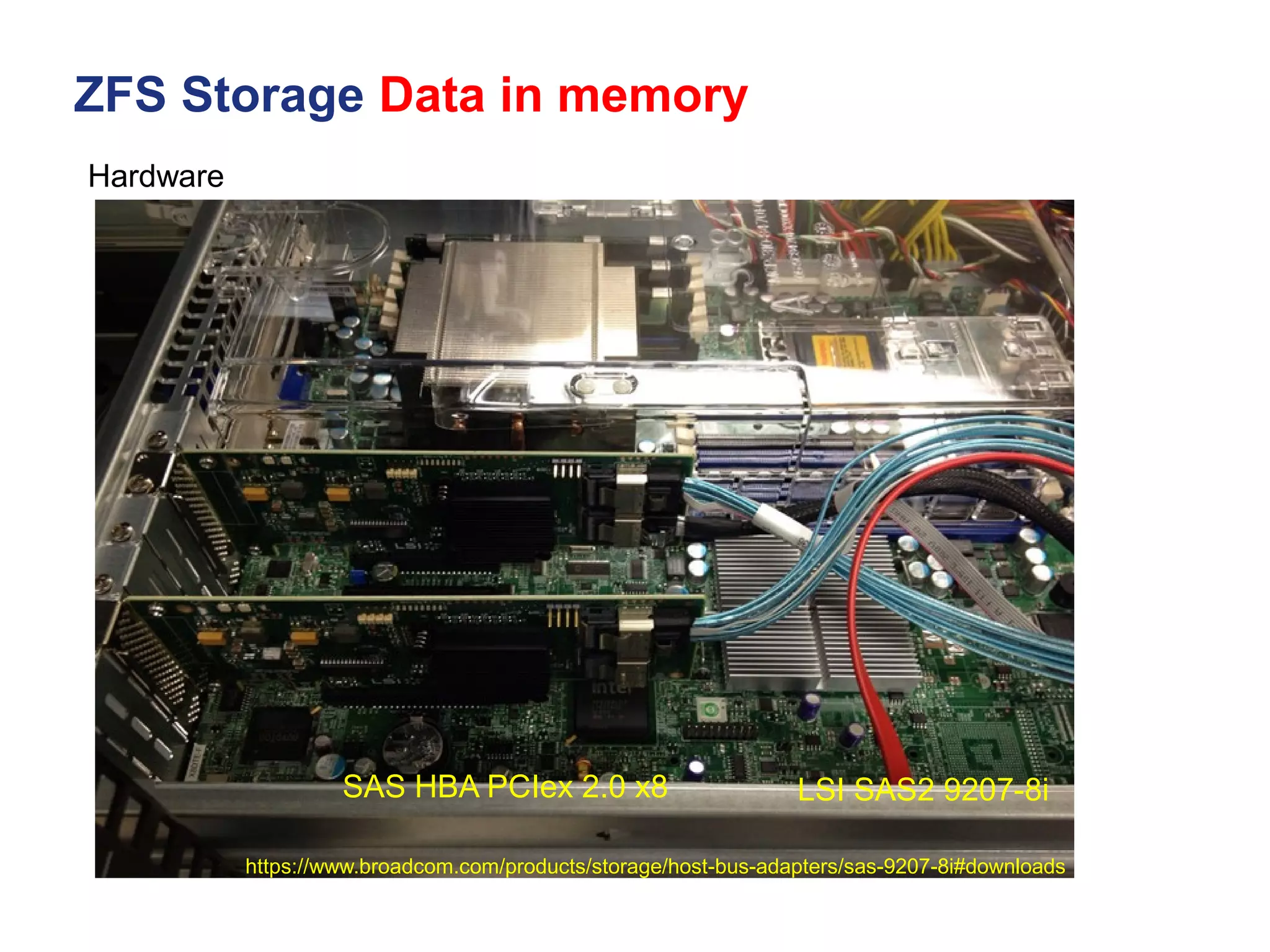
SAS HBA
Kiến trúc phần cứng triển khai ZFS SDS
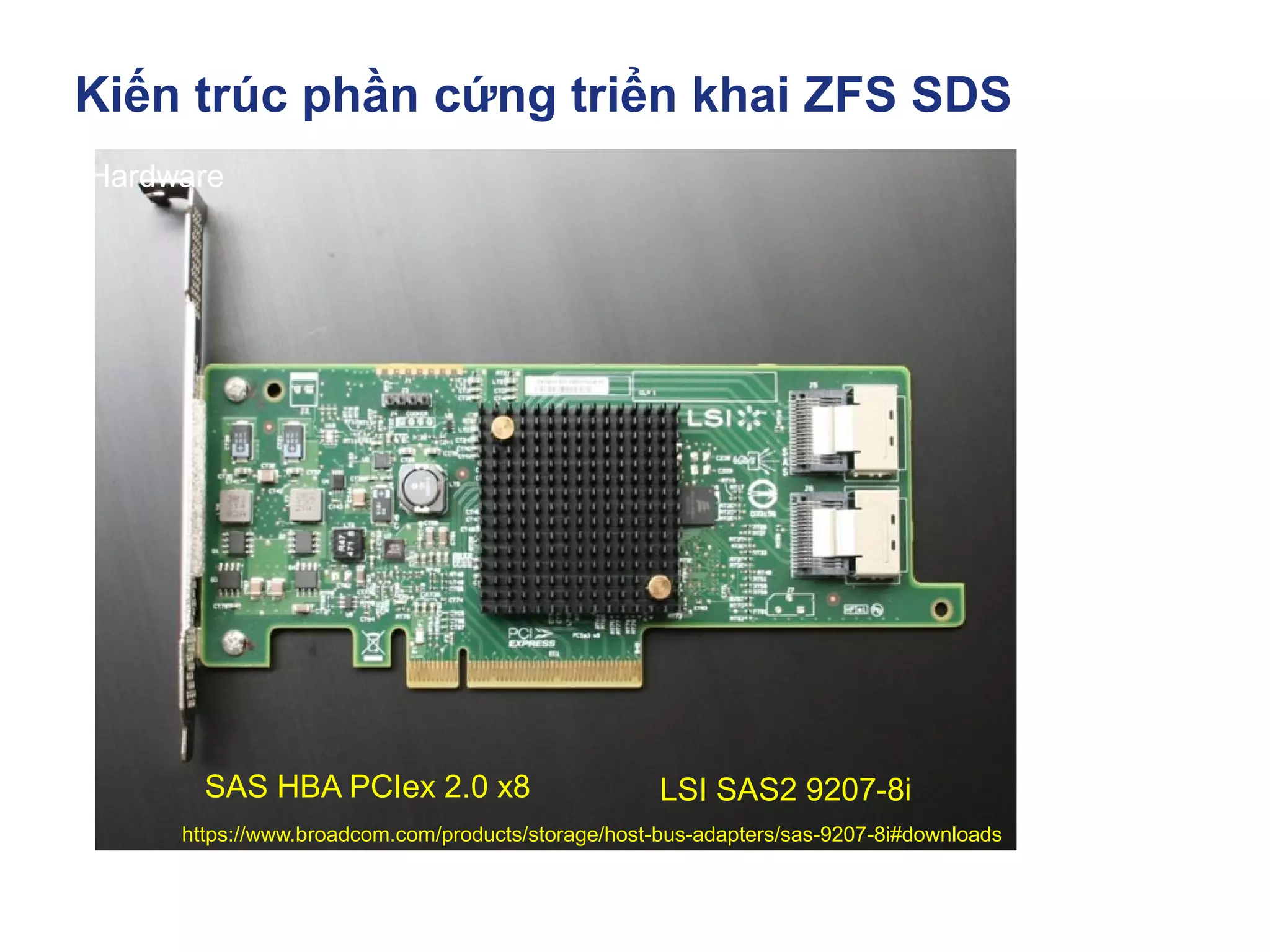
https://www.broadcom.com/products/storage/host-bus-adapters/sas-9207-8i#downloads
Hardware
LSI SAS2 9207-8i
SAS HBA PCIex 2.0 x8
ZFS Storage Data in memory
https://www.broadcom.com/products/storage/host-bus-adapters/sas-9207-8i#downloads
Hardware
LSI SAS2 9207-8i
SAS HBA PCIex 2.0 x8
ZFS Storage Data in memory
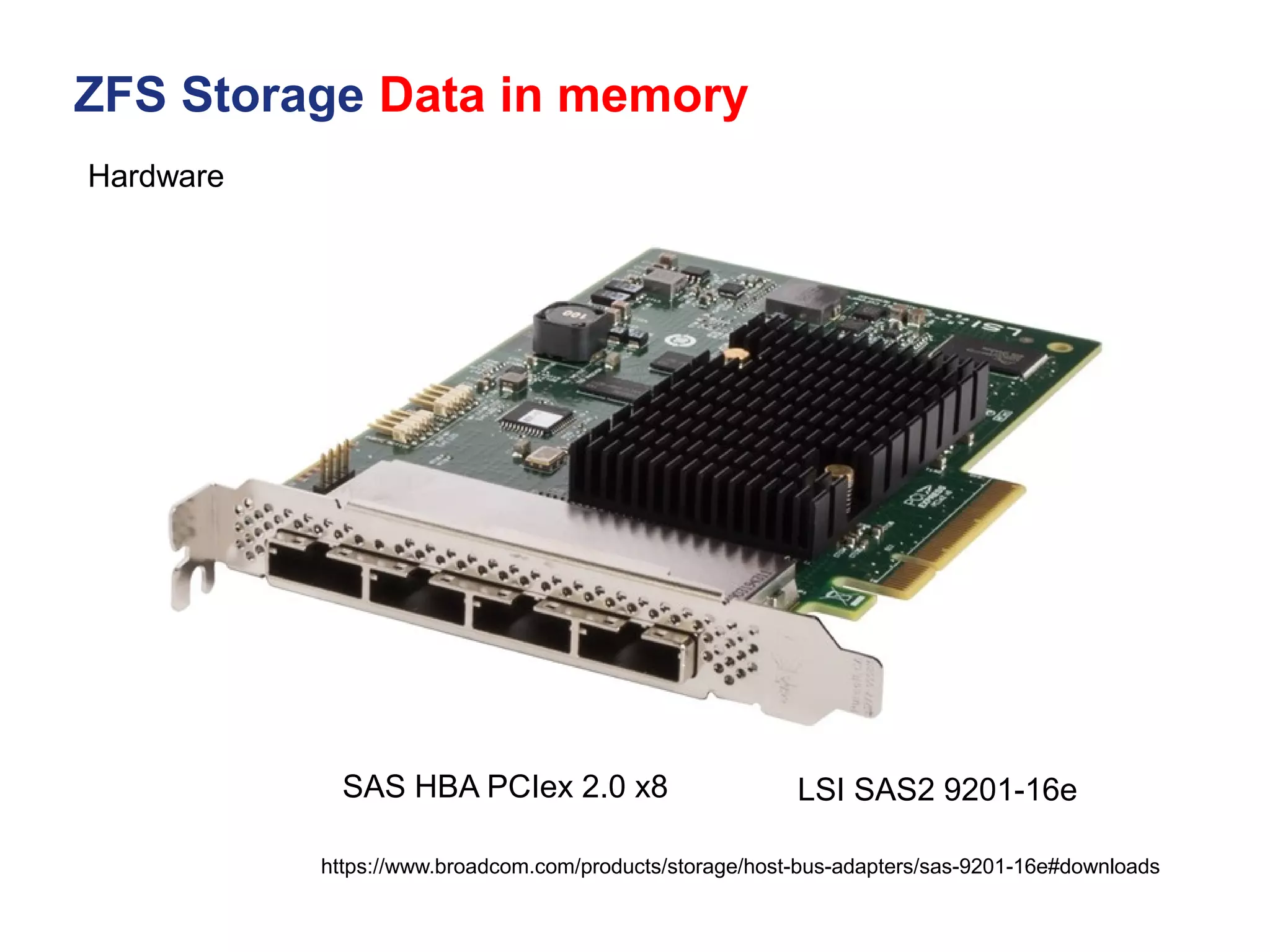
https://www.broadcom.com/products/storage/host-bus-adapters/sas-9201-16e#downloads
Hardware
LSI SAS2 9201-16e
SAS HBA PCIex 2.0 x8
Kiến trúc phần cứng triển khai ZFS SDS
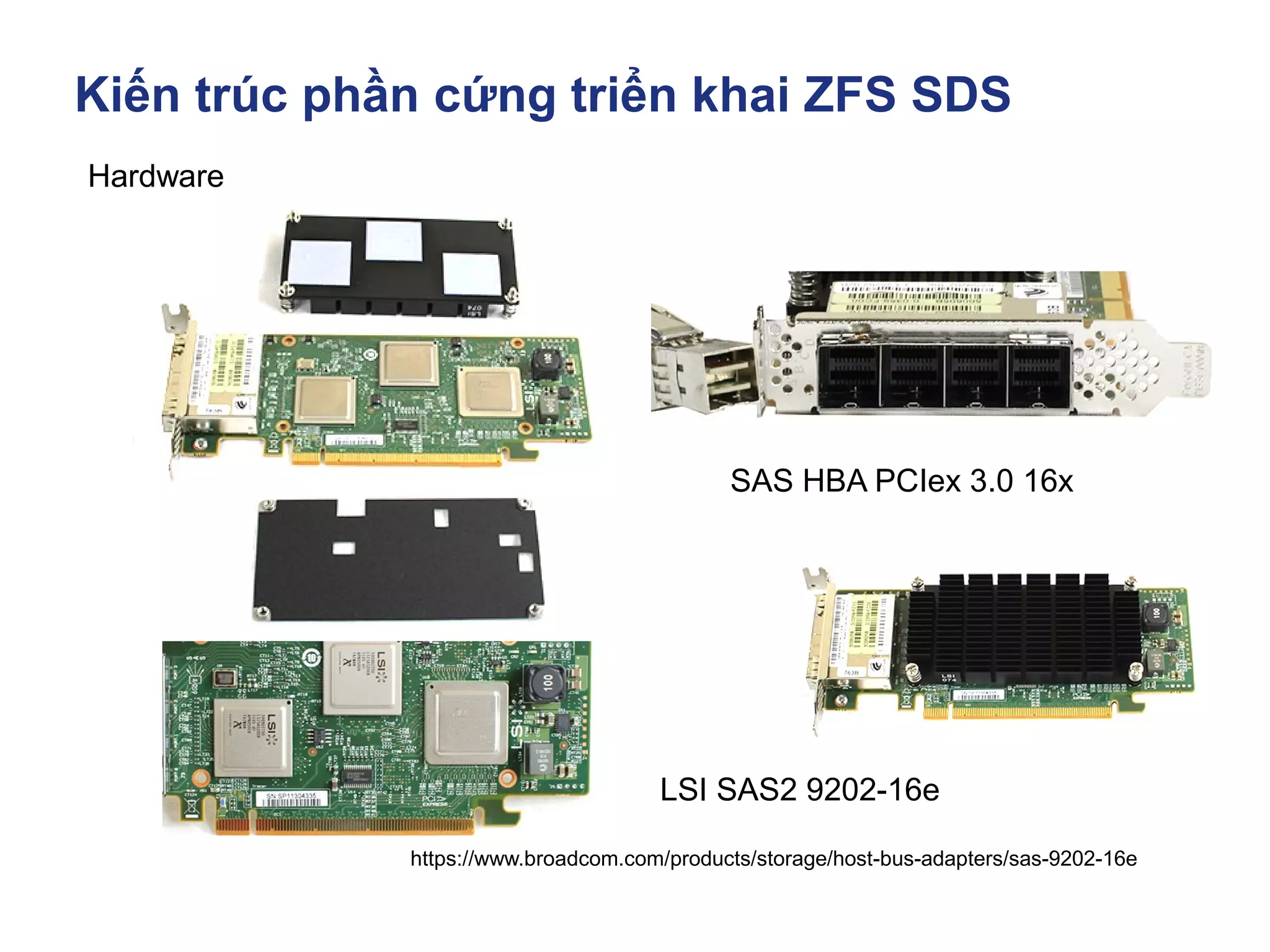
https://www.broadcom.com/products/storage/host-bus-adapters/sas-9202-16e
Hardware
LSI SAS2 9202-16e
SAS HBA PCIex 3.0 16x
Kiến trúc phần cứng triển khai ZFS SDS
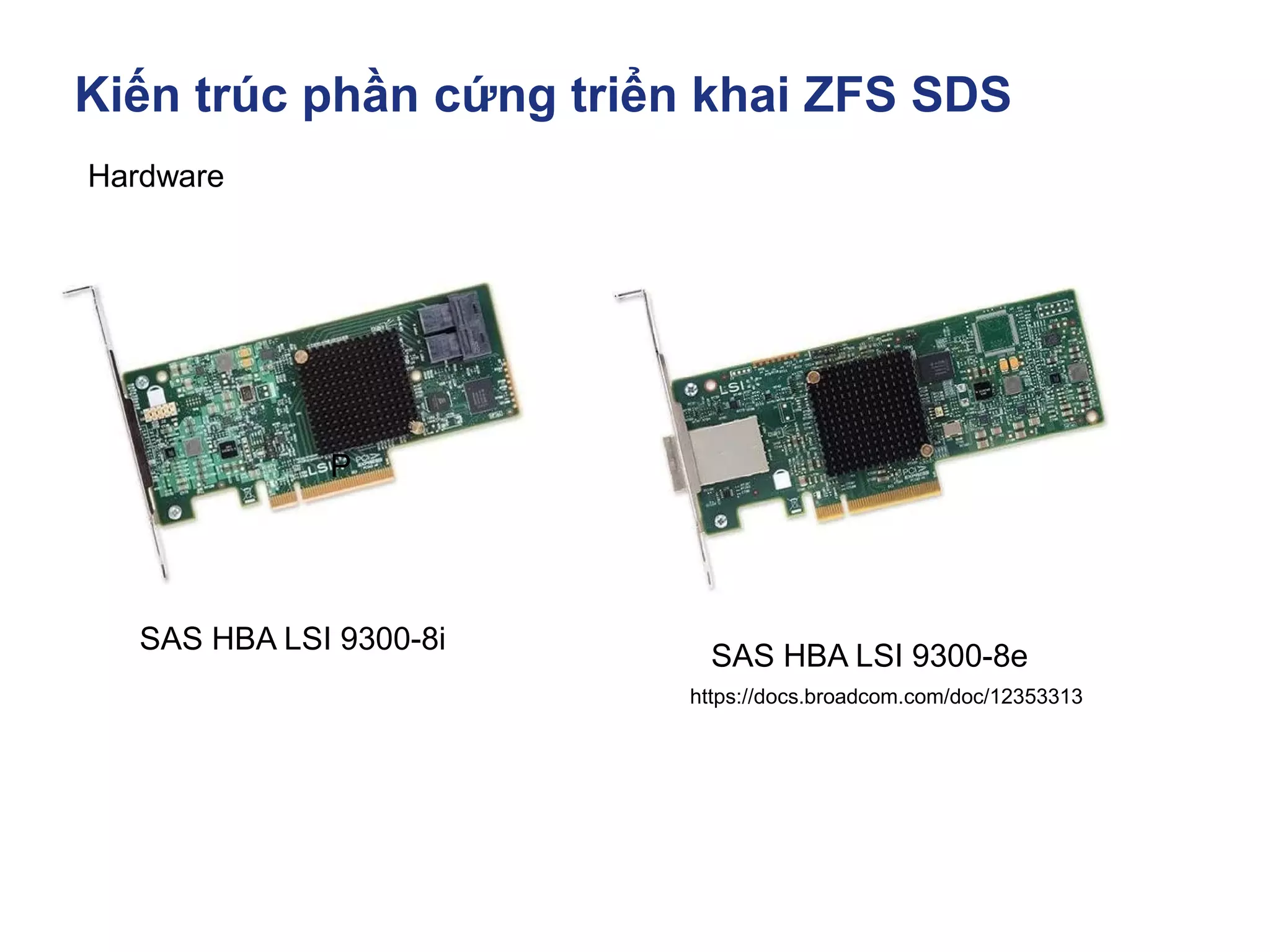
https://docs.broadcom.com/doc/12353313
Hardware
SAS HBA LSI 9300-8i
P
SAS HBA LSI 9300-8e
Kiến trúc phần cứng triển khai ZFS SDS
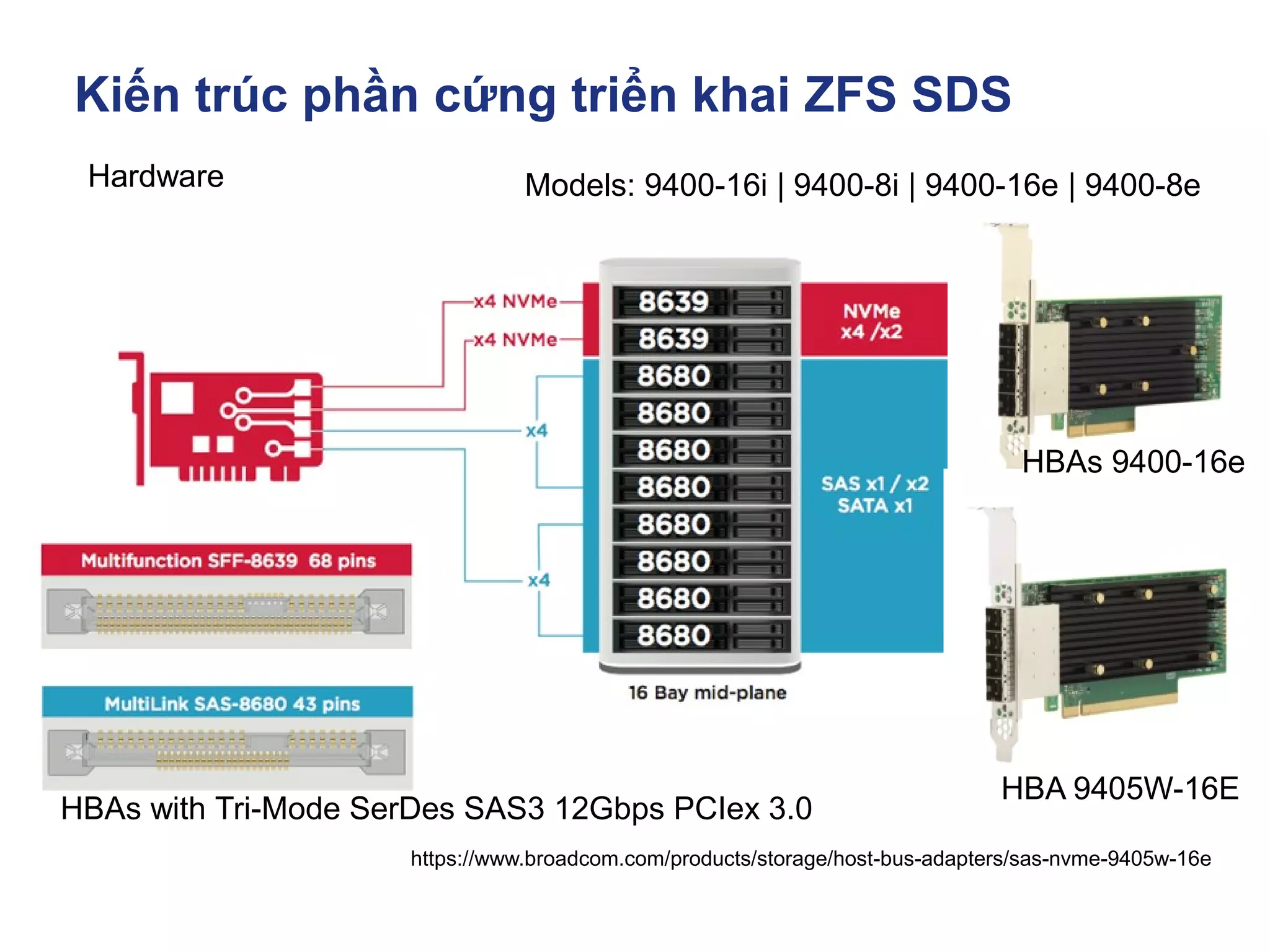
https://www.broadcom.com/products/storage/host-bus-adapters/sas-nvme-9405w-16e
Hardware
HBAs with Tri-Mode SerDes SAS3 12Gbps PCIex 3.0
Models: 9400-16i | 9400-8i | 9400-16e | 9400-8e
HBAs 9400-16e
HBA 9405W-16E
Kiến trúc phần cứng triển khai ZFS SDS
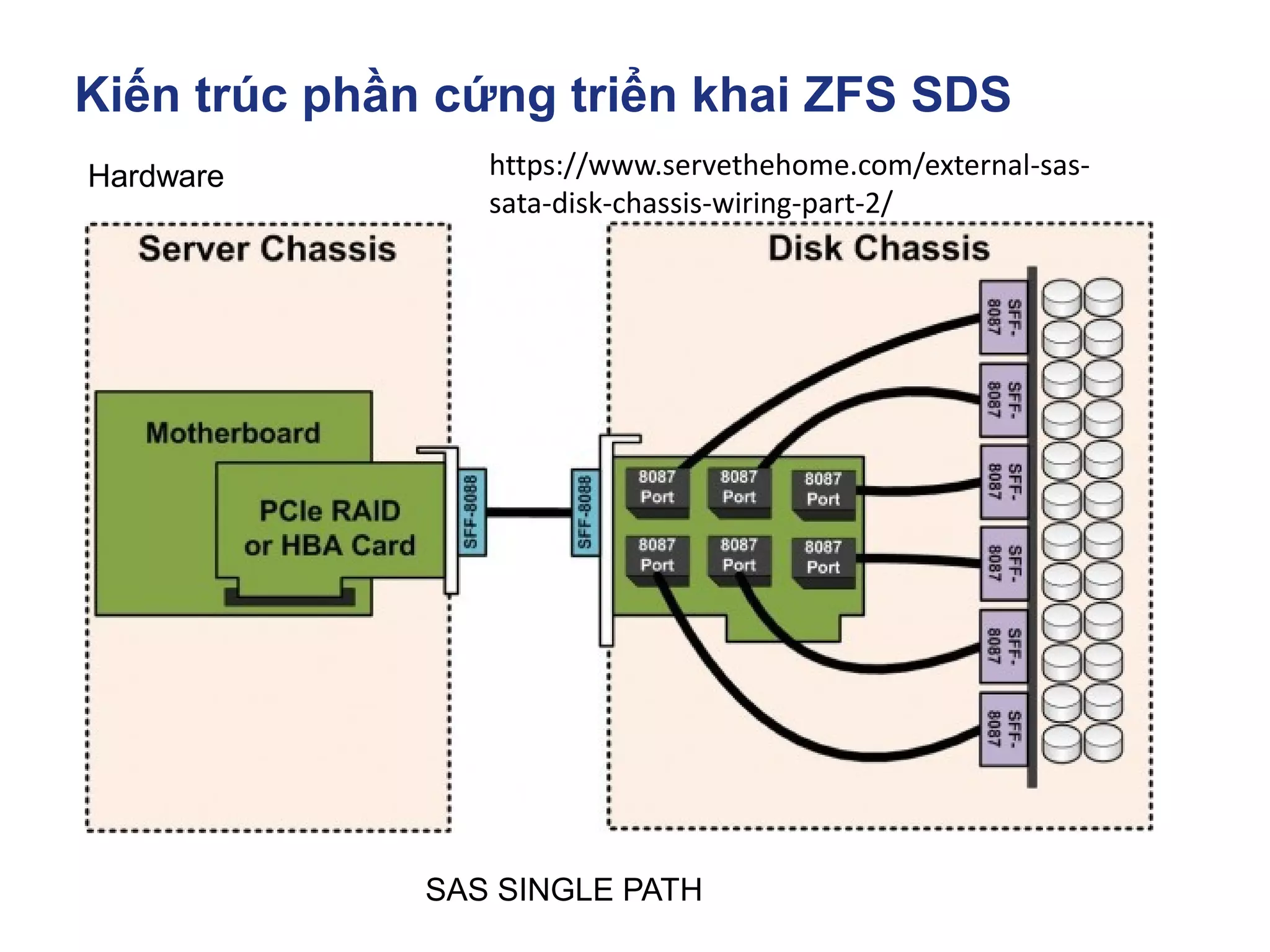
Hardware
SAS SINGLE PATH
https://www.servethehome.com/external-sas-
sata-disk-chassis-wiring-part-2/
Kiến trúc phần cứng triển khai ZFS SDS
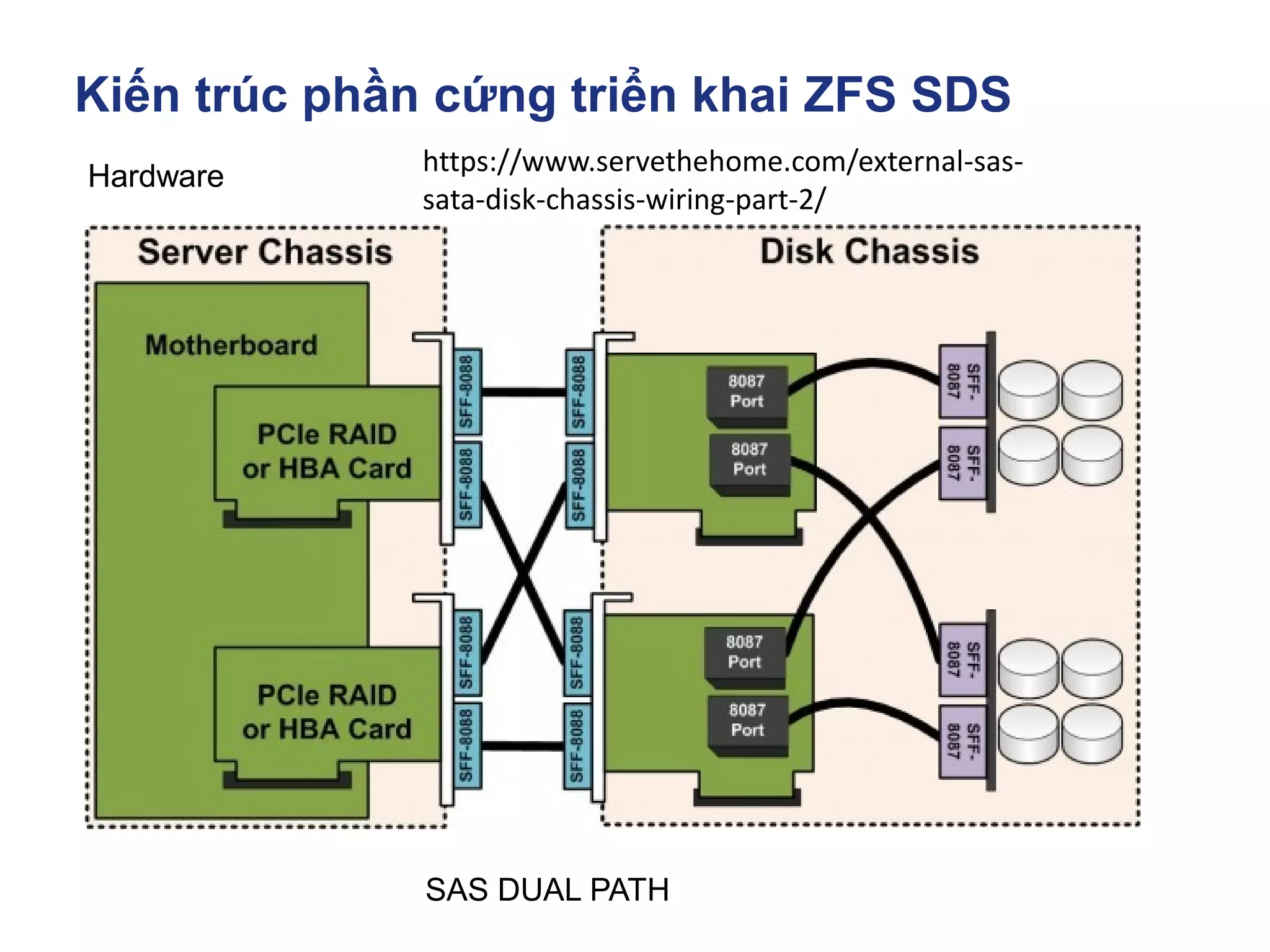
Hardware
SAS DUAL PATH
https://www.servethehome.com/external-sas-
sata-disk-chassis-wiring-part-2/
Kiến trúc phần cứng triển khai ZFS SDS
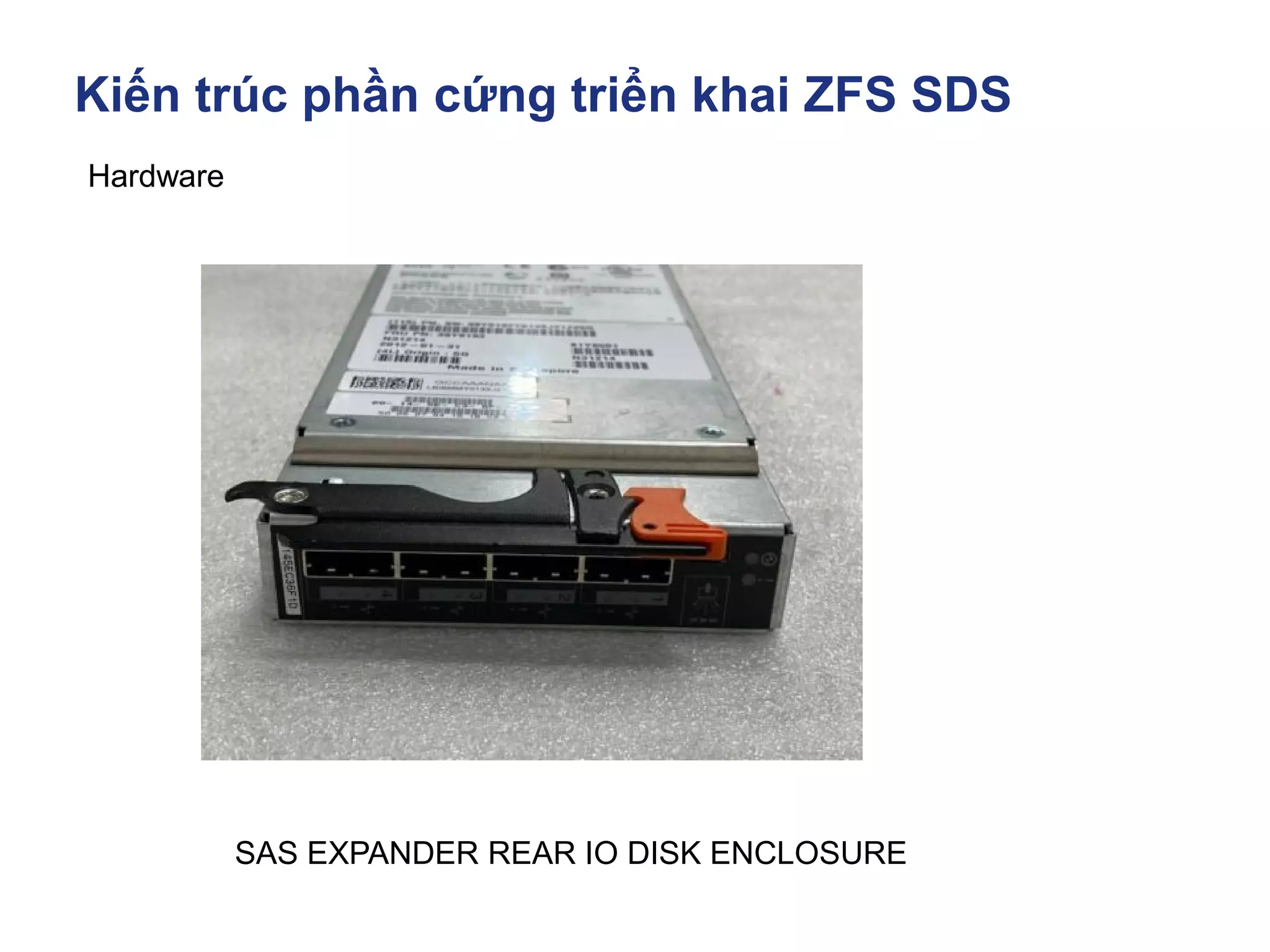
Hardware
SAS EXPANDER REAR IO DISK ENCLOSURE
Kiến trúc phần cứng triển khai ZFS SDS
Hardware
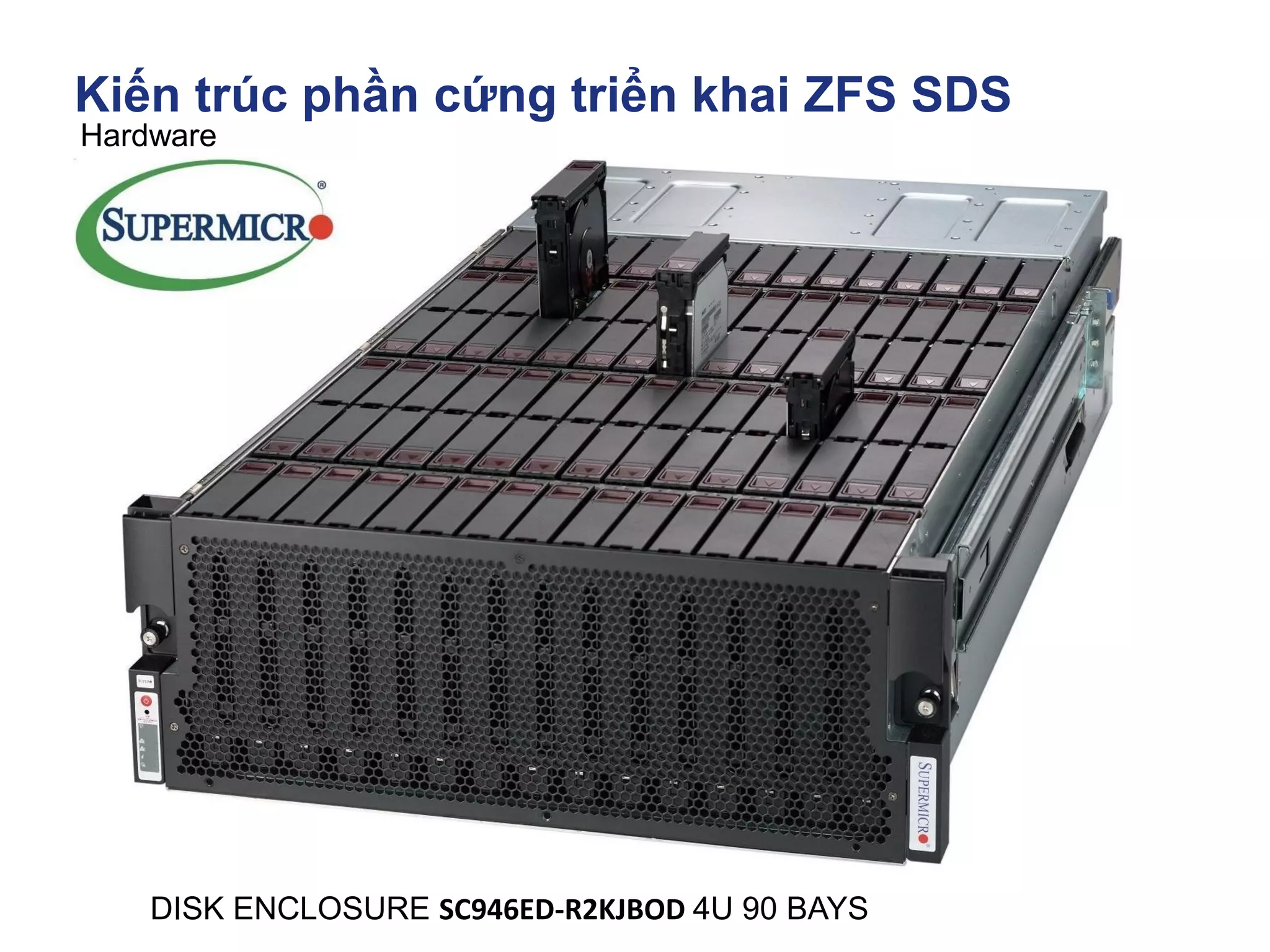
DISK ENCLOSURE SC946ED-R2KJBOD 4U 90 BAYS
Kiến trúc phần cứng triển khai ZFS SDS
https://www.broadcom.com/products/storage/host-bus-adapters/sas-nvme-9405w-16e
Hardware
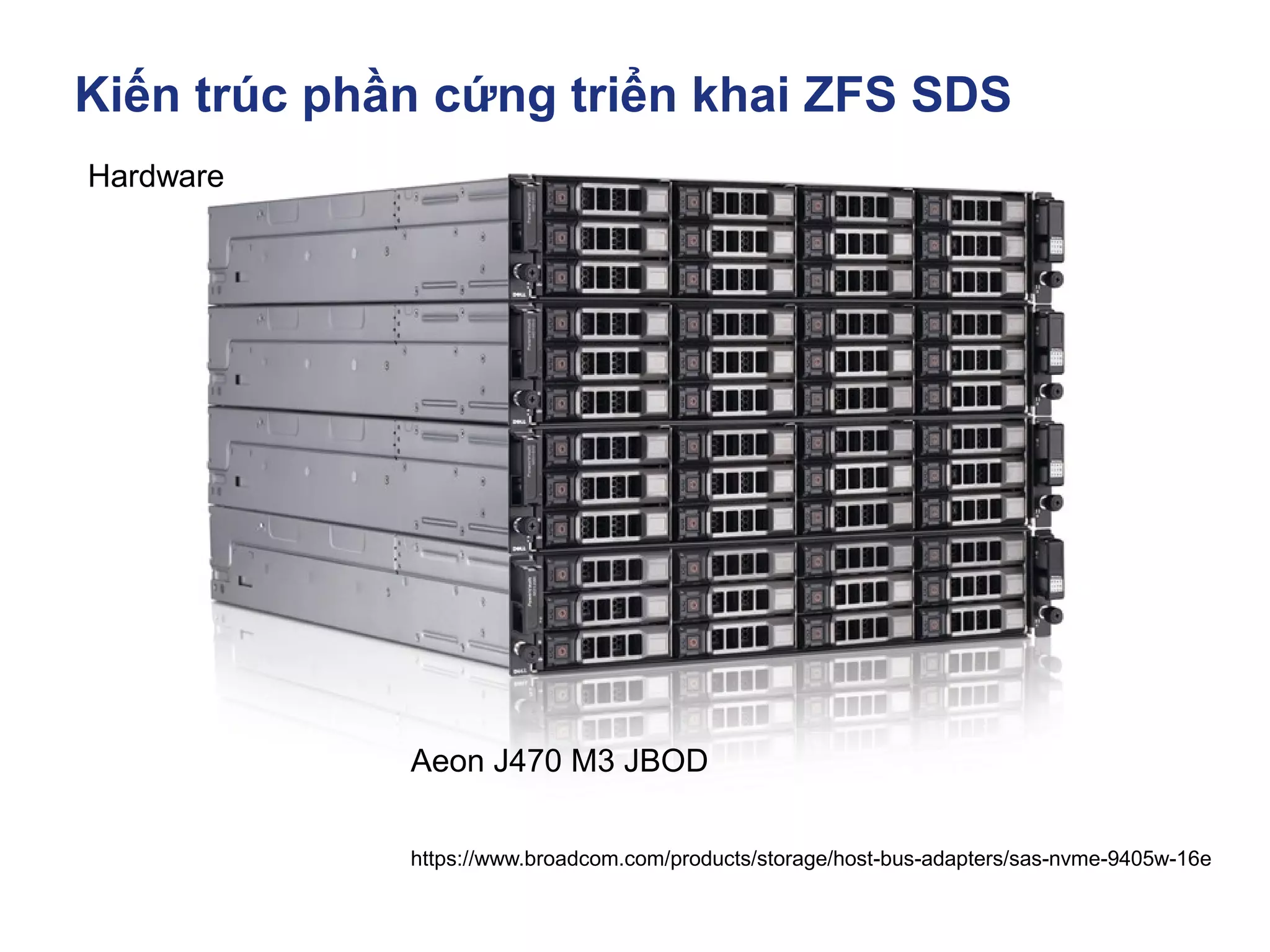
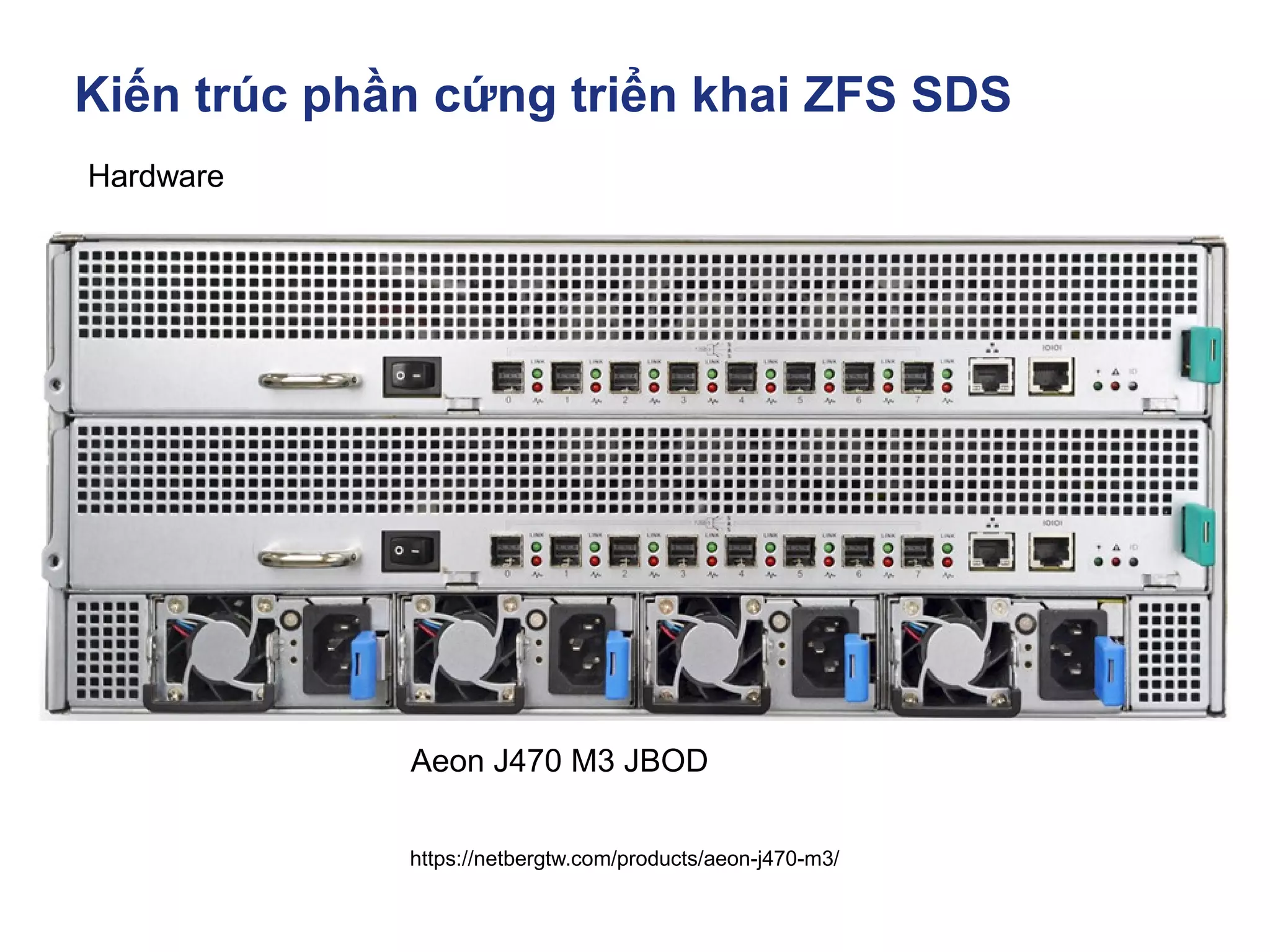
Aeon J470 M3 JBOD
Kiến trúc phần cứng triển khai ZFS SDS
https://netbergtw.com/products/aeon-j470-m3/
Hardware
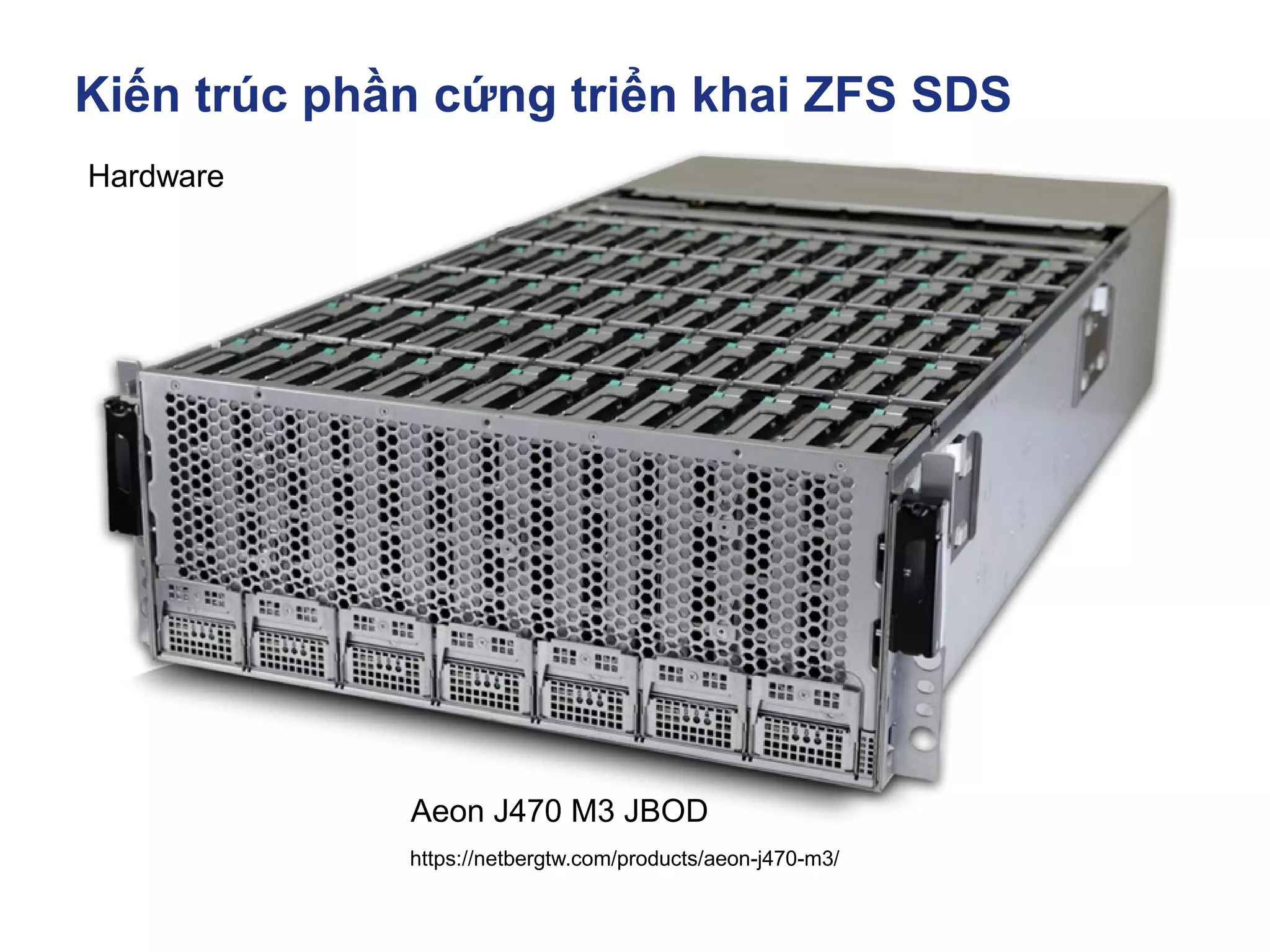
Aeon J470 M3 JBOD
Kiến trúc phần cứng triển khai ZFS SDS
https://netbergtw.com/products/aeon-j470-m3/
Hardware
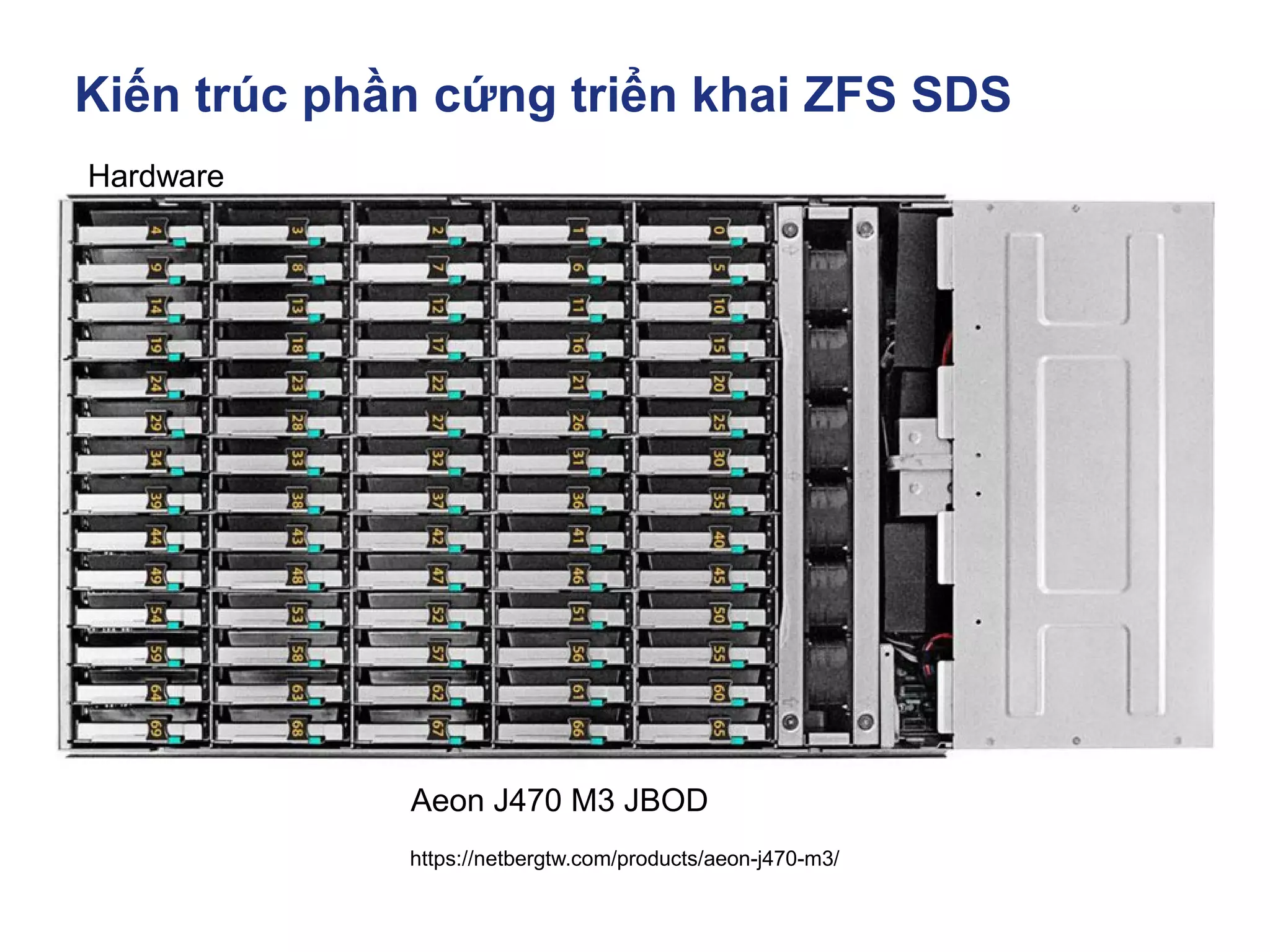
Aeon J470 M3 JBOD
Kiến trúc phần cứng triển khai ZFS SDS
https://netbergtw.com/products/aeon-j470-m3/
Hardware
Aeon J470 M3 JBOD
Kiến trúc phần cứng triển khai ZFS SDS
Hardware
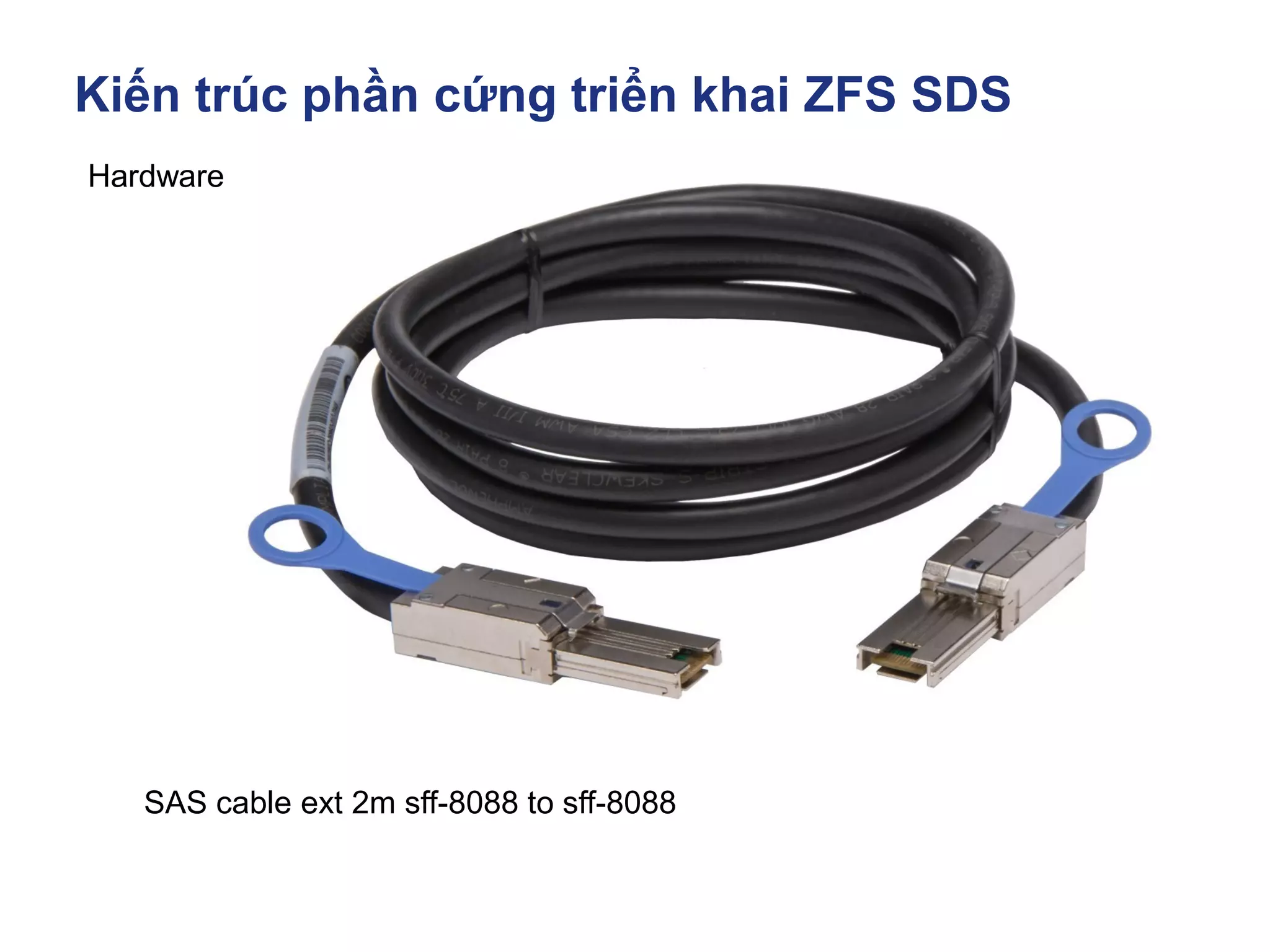
SAS cable ext 2m sff-8088 to sff-8088
Kiến trúc phần cứng triển khai ZFS SDS
Dell.com
Hardware
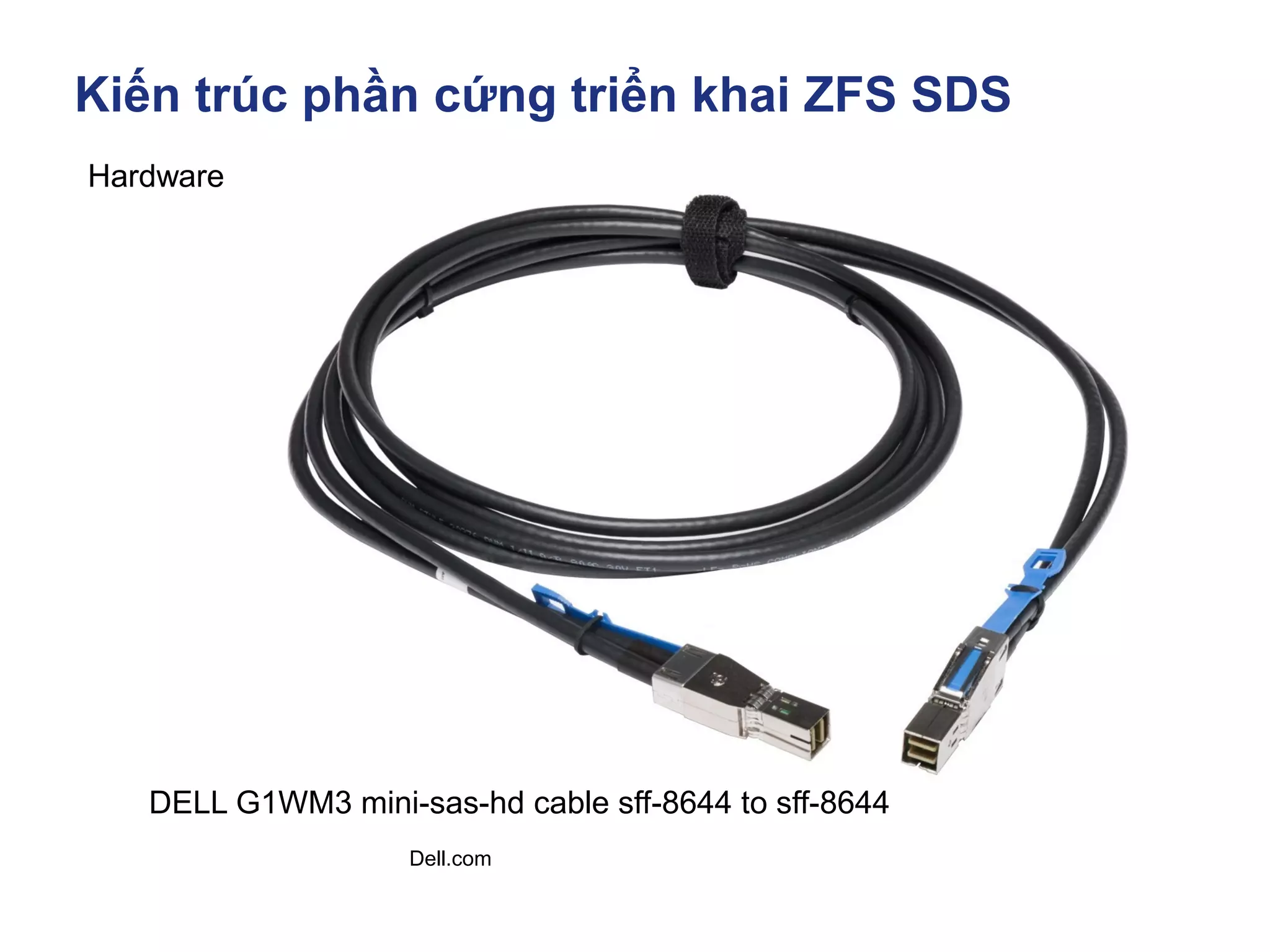
DELL G1WM3 mini-sas-hd cable sff-8644 to sff-8644
Kiến trúc phần cứng triển khai ZFS SDS
Hardware
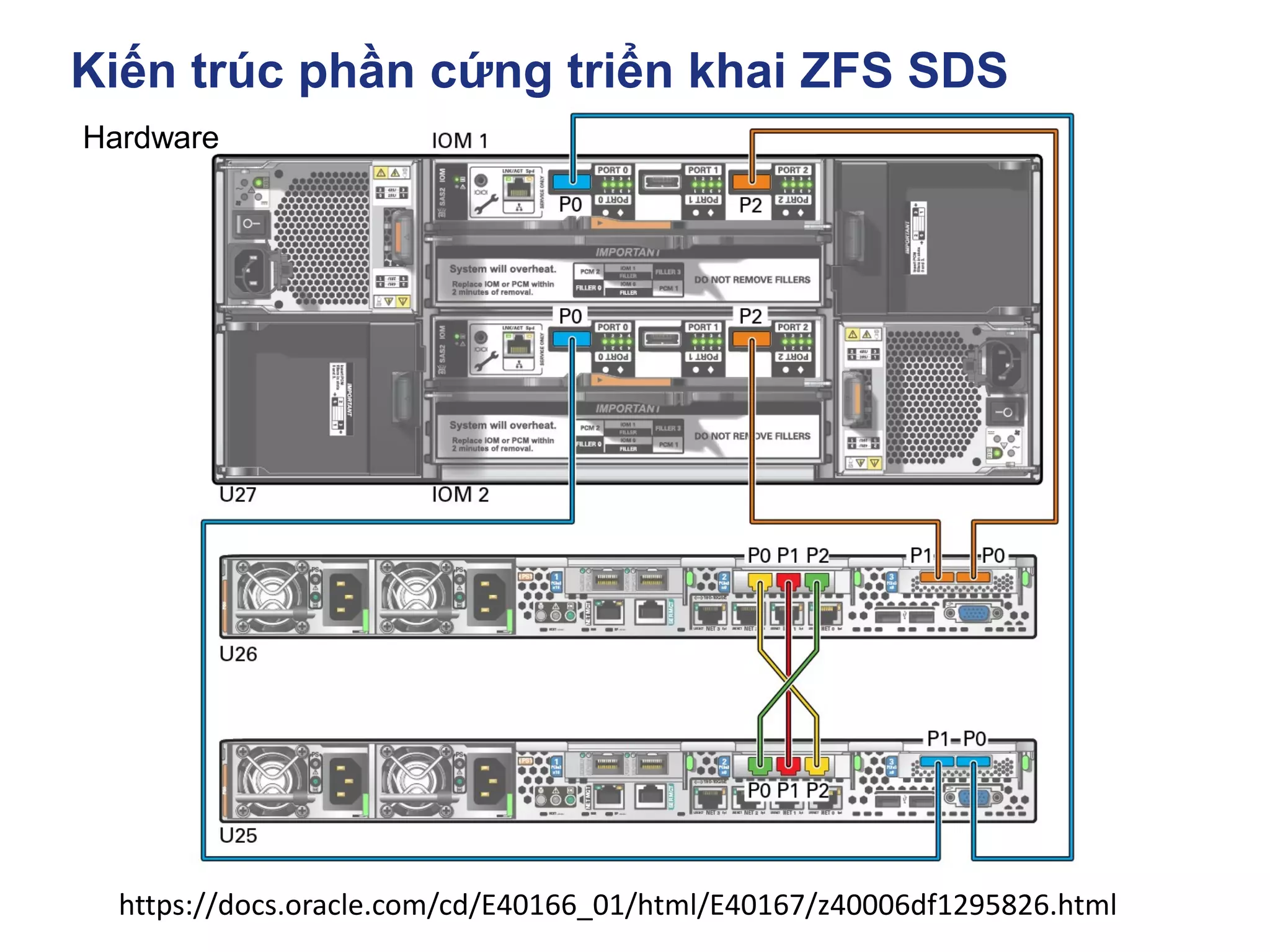
https://docs.oracle.com/cd/E40166_01/html/E40167/z40006df1295826.html
Kiến trúc phần cứng triển khai ZFS SDS
https://www.broadcom.com/products/storage/host-bus-adapters/sas-nvme-9405w-16e
Hardware
FC HBA
Fibre chanel Host bus adapter
Kiến trúc phần cứng triển khai ZFS SDS
https://www.cavium.com/fc-adapters-products.html
Hardware
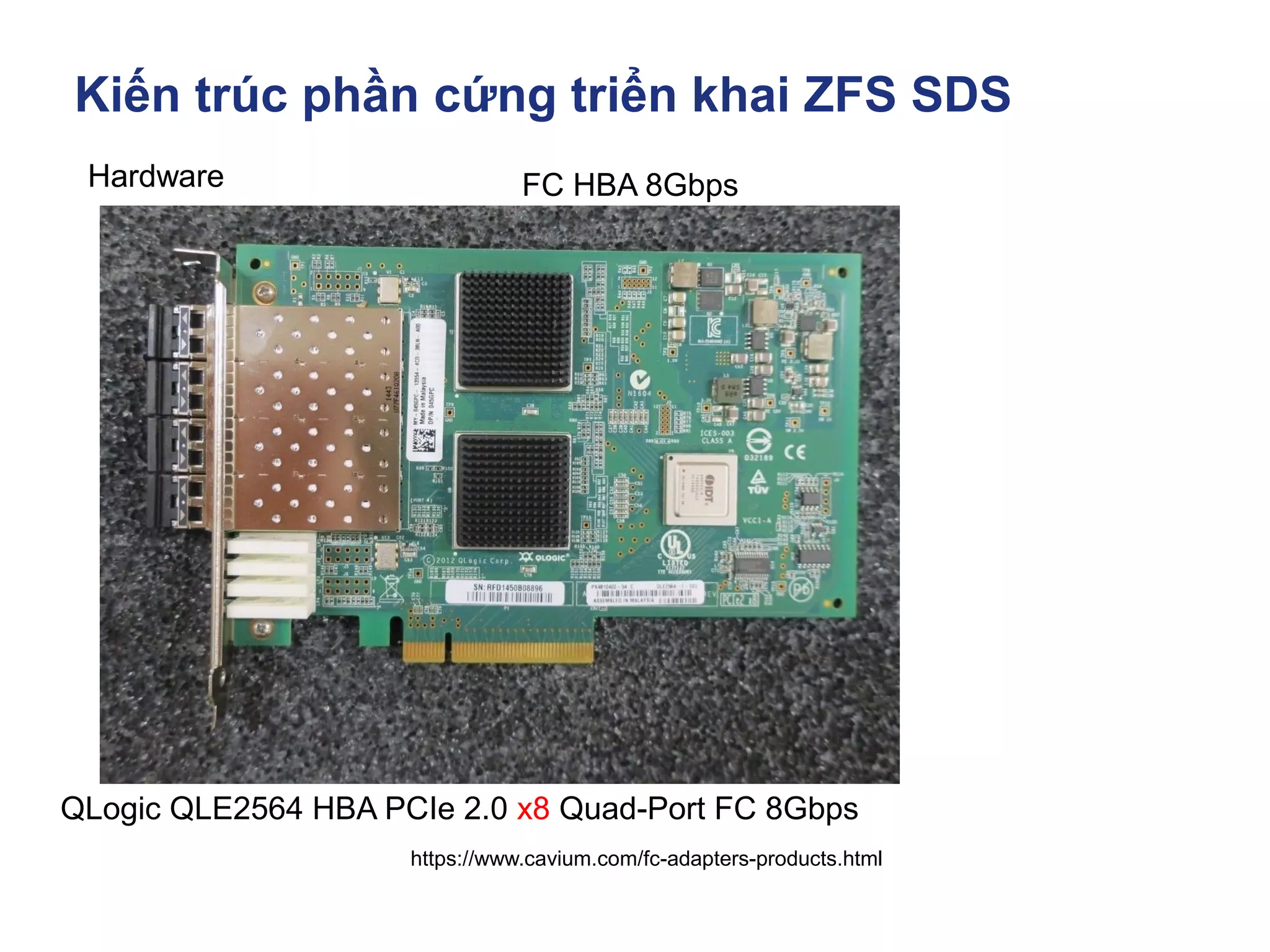
QLogic QLE2564 HBA PCIe 2.0 x8 Quad-Port FC 8Gbps
FC HBA 8Gbps
Kiến trúc phần cứng triển khai ZFS SDS
https://www.cavium.com/fc-adapters-products.html
Hardware
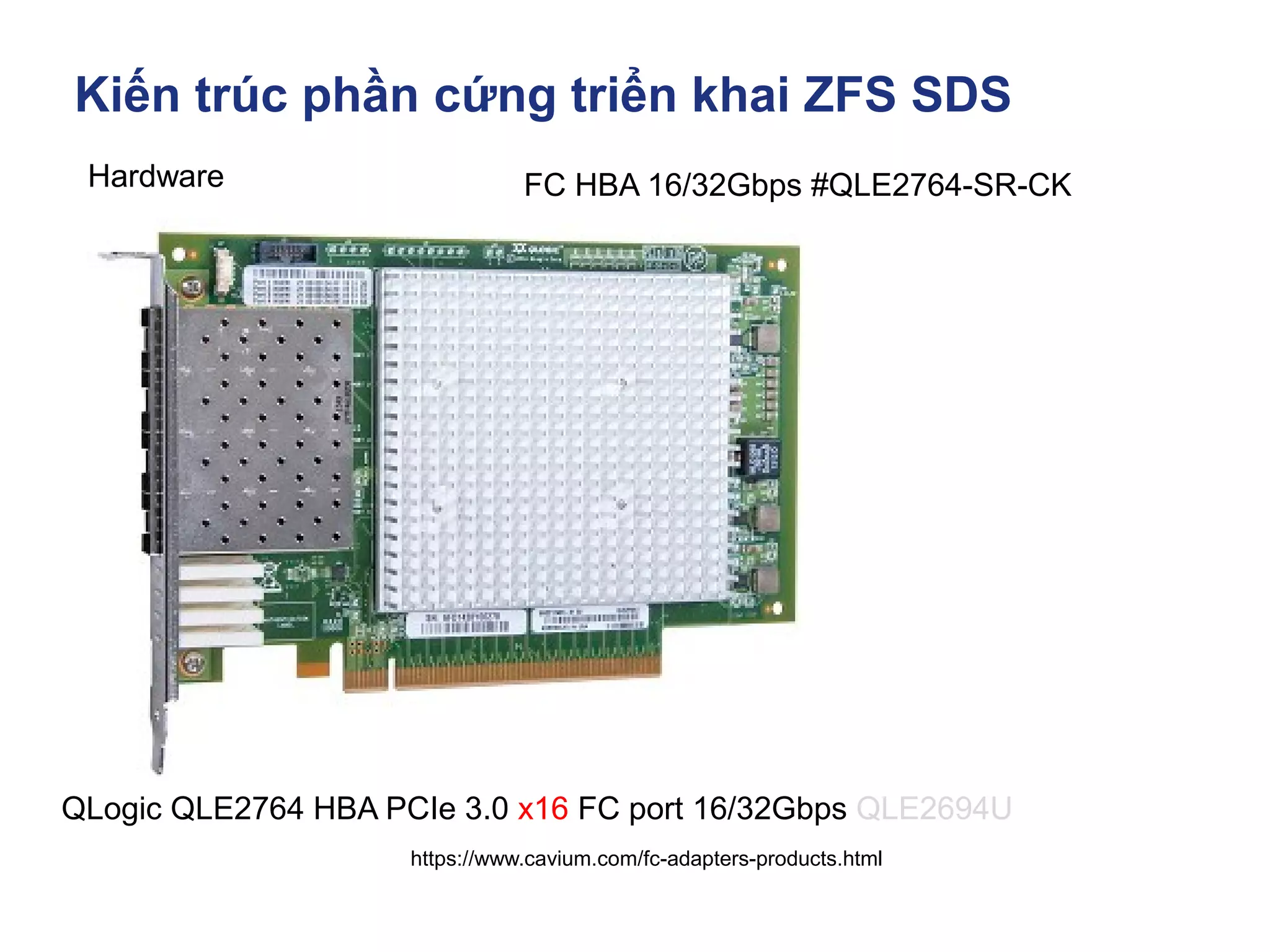
QLogic QLE2764 HBA PCIe 3.0 x16 FC port 16/32Gbps QLE2694U
FC HBA 16/32Gbps #QLE2764-SR-CK
Kiến trúc phần cứng triển khai ZFS SDS
Hardware
Disk
Kiến trúc phần cứng triển khai ZFS SDS
Hardware HDD NL-SAS, HDD SAS, SSD SAS, NVME
https://www.linuxadictos.com/en/diferencias-entre-smr-cmr-pmr.html
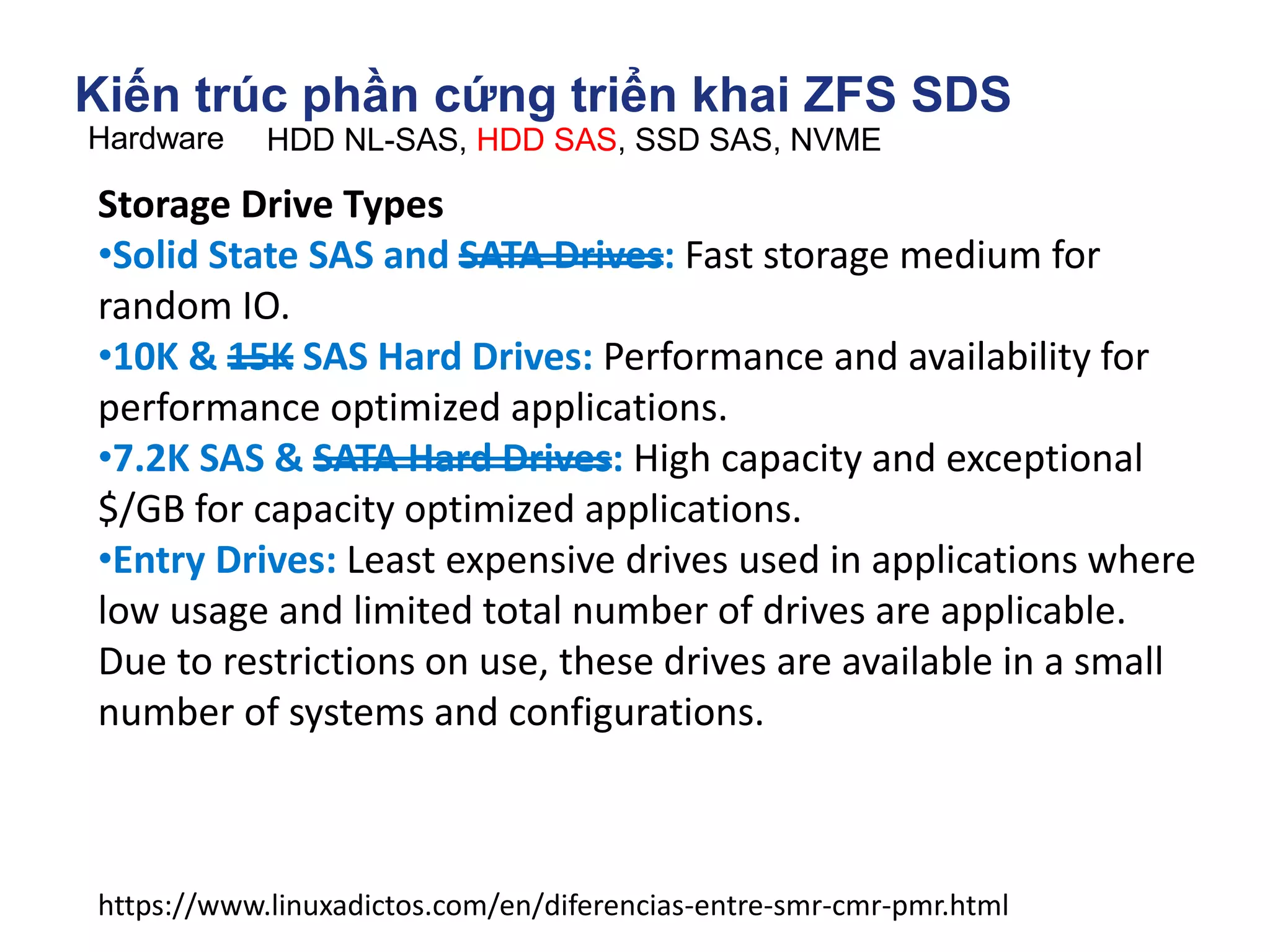
Storage Drive Types
•Solid State SAS and SATA Drives: Fast storage medium for
random IO.
•10K & 15K SAS Hard Drives: Performance and availability for
performance optimized applications.
•7.2K SAS & SATA Hard Drives: High capacity and exceptional
$/GB for capacity optimized applications.
•Entry Drives: Least expensive drives used in applications where
low usage and limited total number of drives are applicable.
Due to restrictions on use, these drives are available in a small
number of systems and configurations.
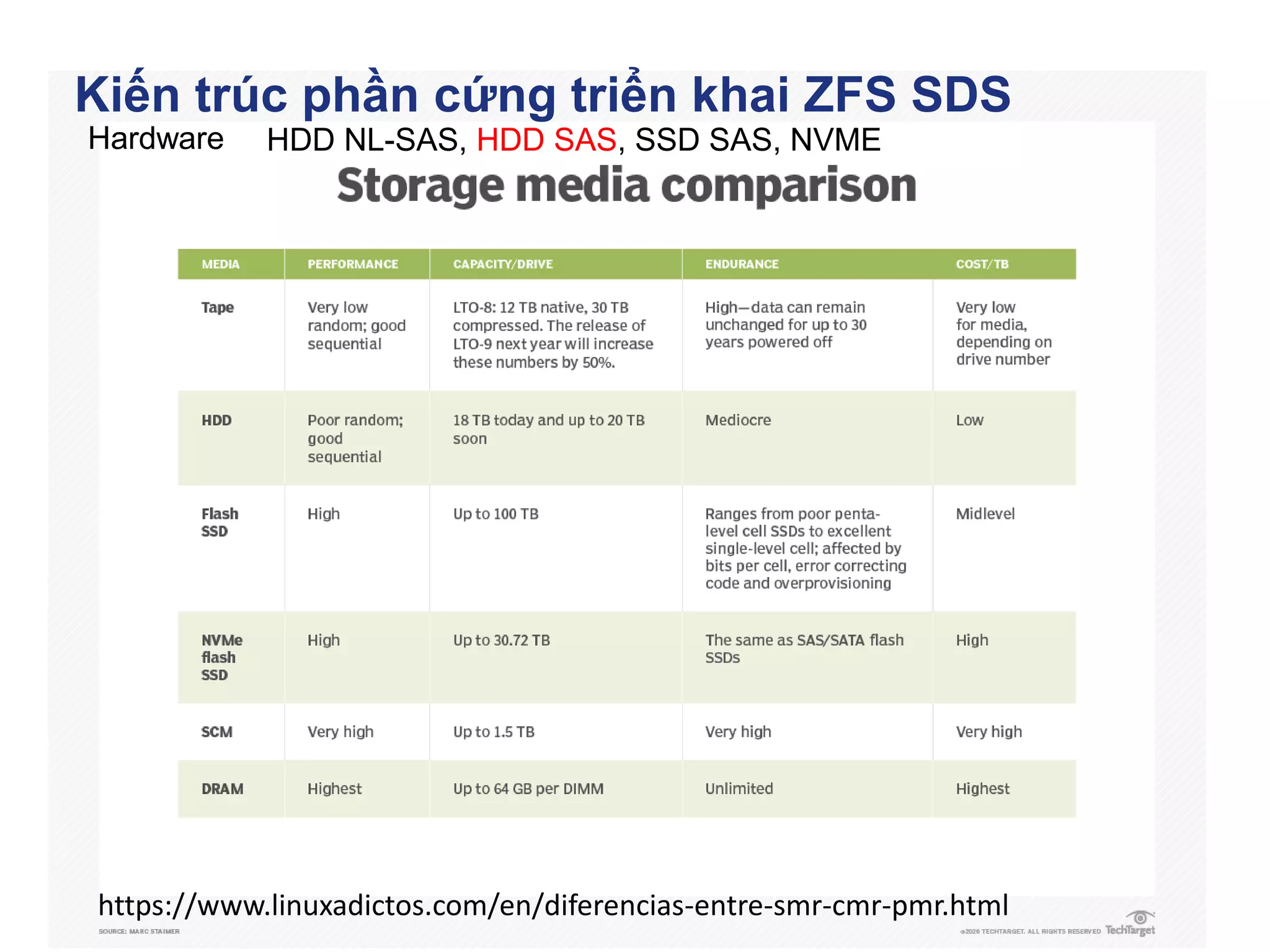
Kiến trúc phần cứng triển khai ZFS SDS
Hardware HDD NL-SAS, HDD SAS, SSD SAS, NVME
https://www.linuxadictos.com/en/diferencias-entre-smr-cmr-pmr.html
Kiến trúc phần cứng triển khai ZFS SDS
Hardware HDD NL-SAS, HDD SAS, SSD SAS, NVME
https://blog.westerndigital.com/10tb-hdd-ultrastar-dc-hc330-hc300-family/
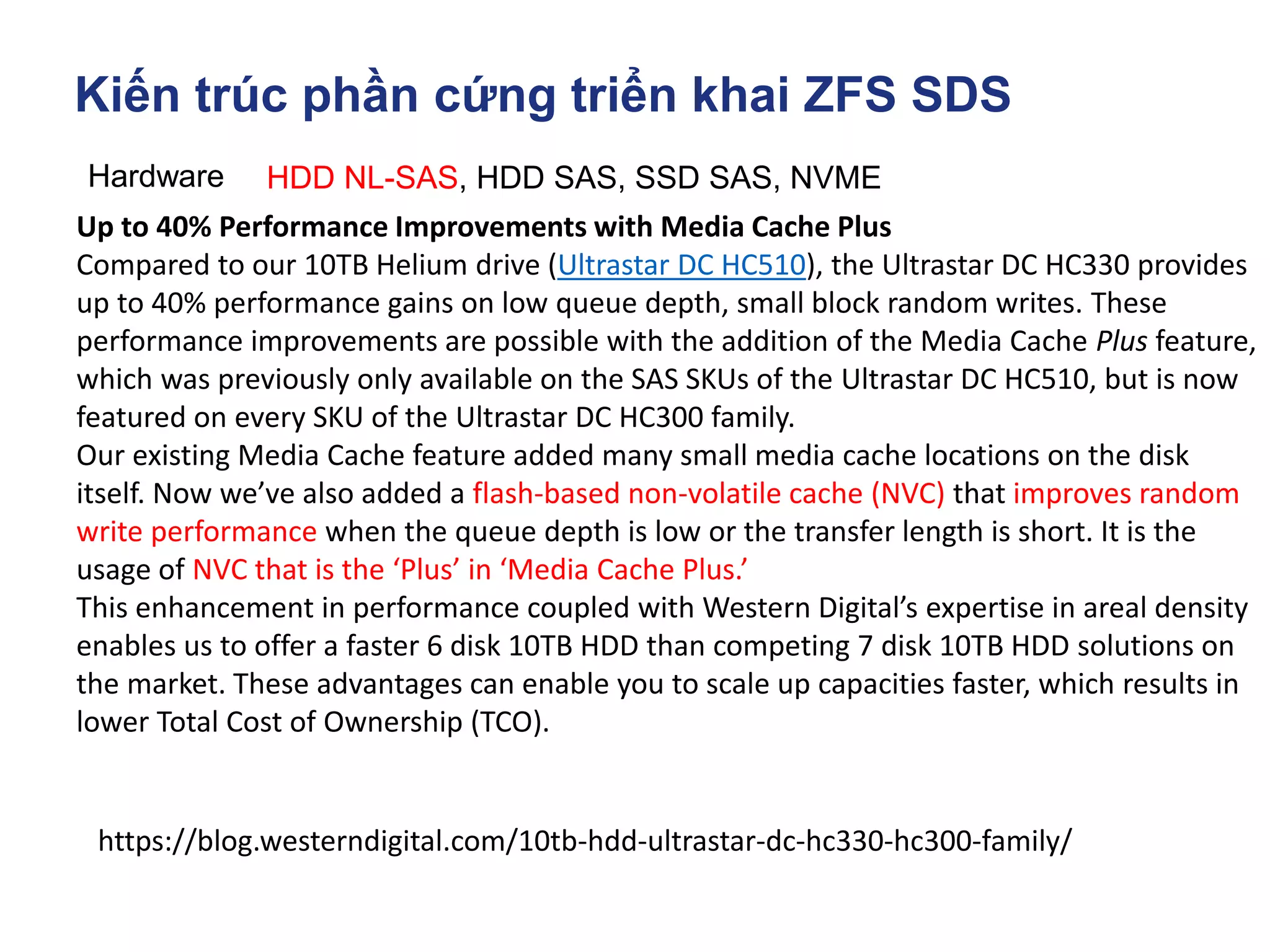
Up to 40% Performance Improvements with Media Cache Plus
Compared to our 10TB Helium drive (Ultrastar DC HC510), the Ultrastar DC HC330 provides
up to 40% performance gains on low queue depth, small block random writes. These
performance improvements are possible with the addition of the Media Cache Plus feature,
which was previously only available on the SAS SKUs of the Ultrastar DC HC510, but is now
featured on every SKU of the Ultrastar DC HC300 family.
Our existing Media Cache feature added many small media cache locations on the disk
itself. Now we’ve also added a flash-based non-volatile cache (NVC) that improves random
write performance when the queue depth is low or the transfer length is short. It is the
usage of NVC that is the ‘Plus’ in ‘Media Cache Plus.’
This enhancement in performance coupled with Western Digital’s expertise in areal density
enables us to offer a faster 6 disk 10TB HDD than competing 7 disk 10TB HDD solutions on
the market. These advantages can enable you to scale up capacities faster, which results in
lower Total Cost of Ownership (TCO).
Kiến trúc phần cứng triển khai ZFS SDS
Hardware HDD NL-SAS, HDD SAS, SSD SAS, NVME
https://www.linuxadictos.com/en/diferencias-entre-smr-cmr-pmr.html
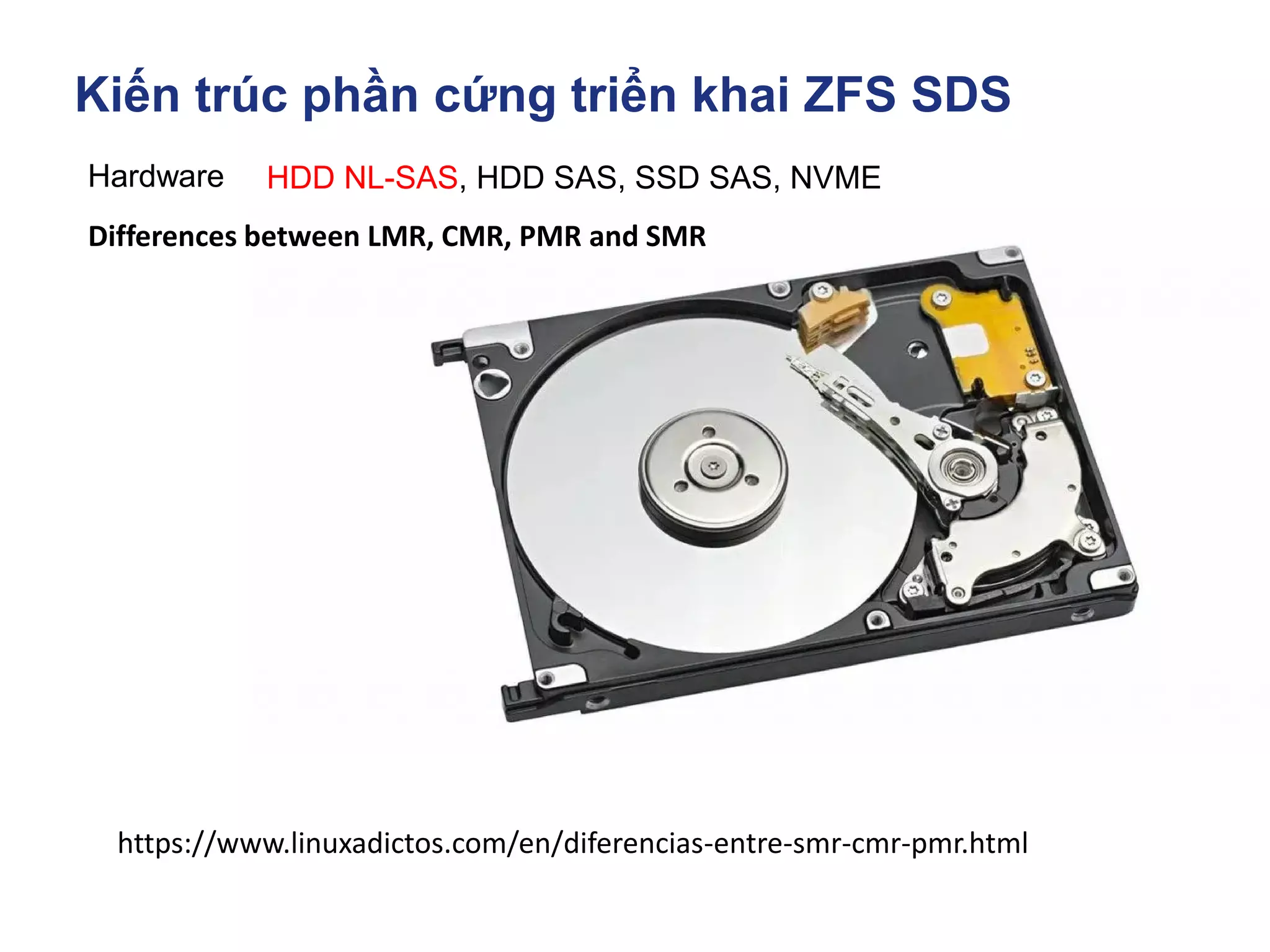
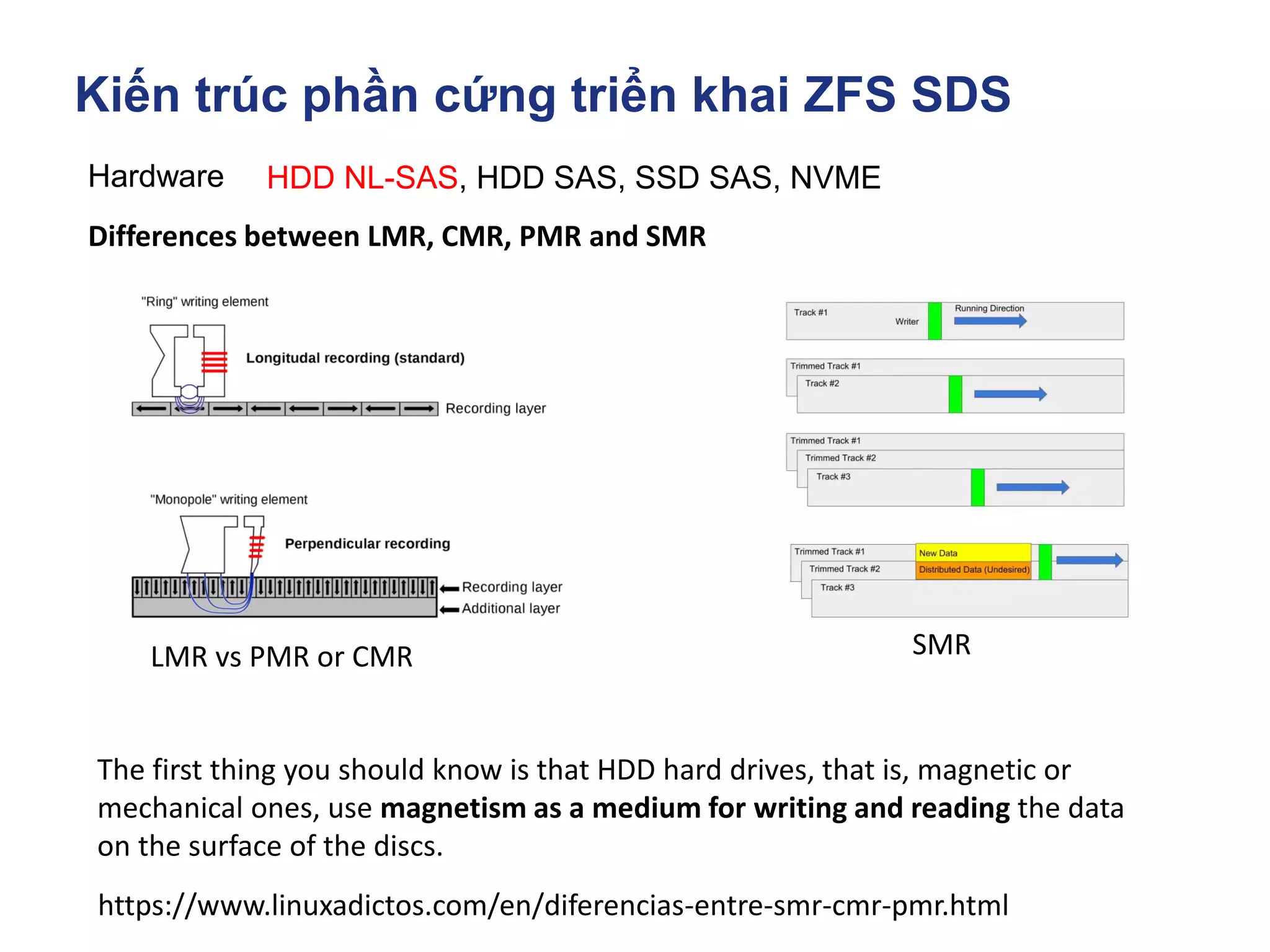
Differences between LMR, CMR, PMR and SMR
Kiến trúc phần cứng triển khai ZFS SDS
Hardware HDD NL-SAS, HDD SAS, SSD SAS, NVME
https://www.linuxadictos.com/en/diferencias-entre-smr-cmr-pmr.html
Differences between LMR, CMR, PMR and SMR
The first thing you should know is that HDD hard drives, that is, magnetic or
mechanical ones, use magnetism as a medium for writing and reading the data
on the surface of the discs.
LMR vs PMR or CMR SMR
Kiến trúc phần cứng triển khai ZFS SDS
Hardware HDD NL-SAS, HDD SAS, SSD SAS, NVME
Differences between LMR, CMR, PMR and SMR
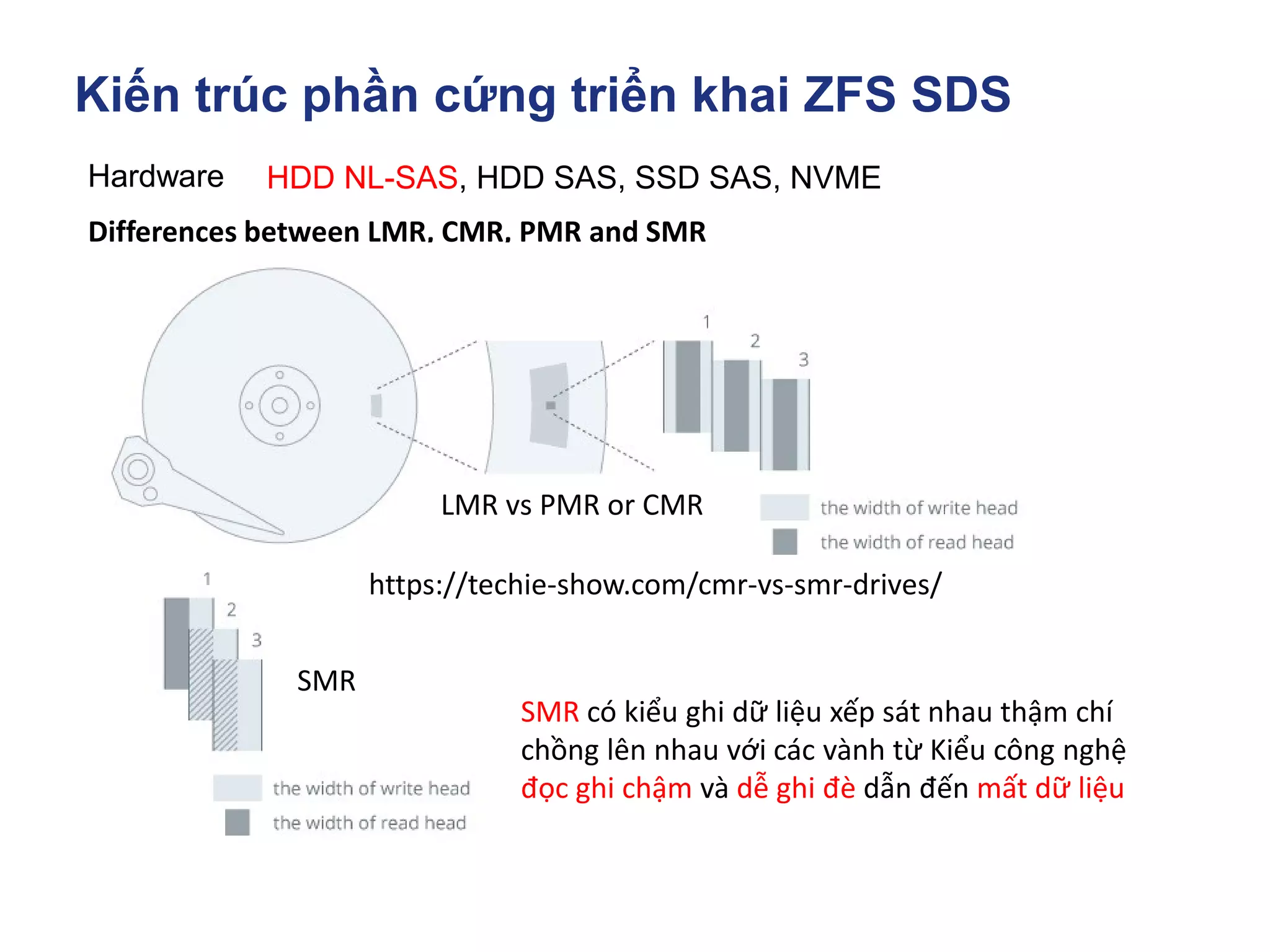
LMR vs PMR or CMR
SMR
SMR có kiểu ghi dữ liệu xếp sát nhau thậm chí
chồng lên nhau với các vành từ Kiểu công nghệ
đọc ghi chậm và dễ ghi đè dẫn đến mất dữ liệu
https://techie-show.com/cmr-vs-smr-drives/
Kiến trúc phần cứng triển khai ZFS SDS
Hardware HDD NL-SAS, HDD SAS, SSD SAS, NVME
https://www.linuxadictos.com/en/diferencias-entre-smr-cmr-pmr.html
Differences between LMR, CMR, PMR and SMR
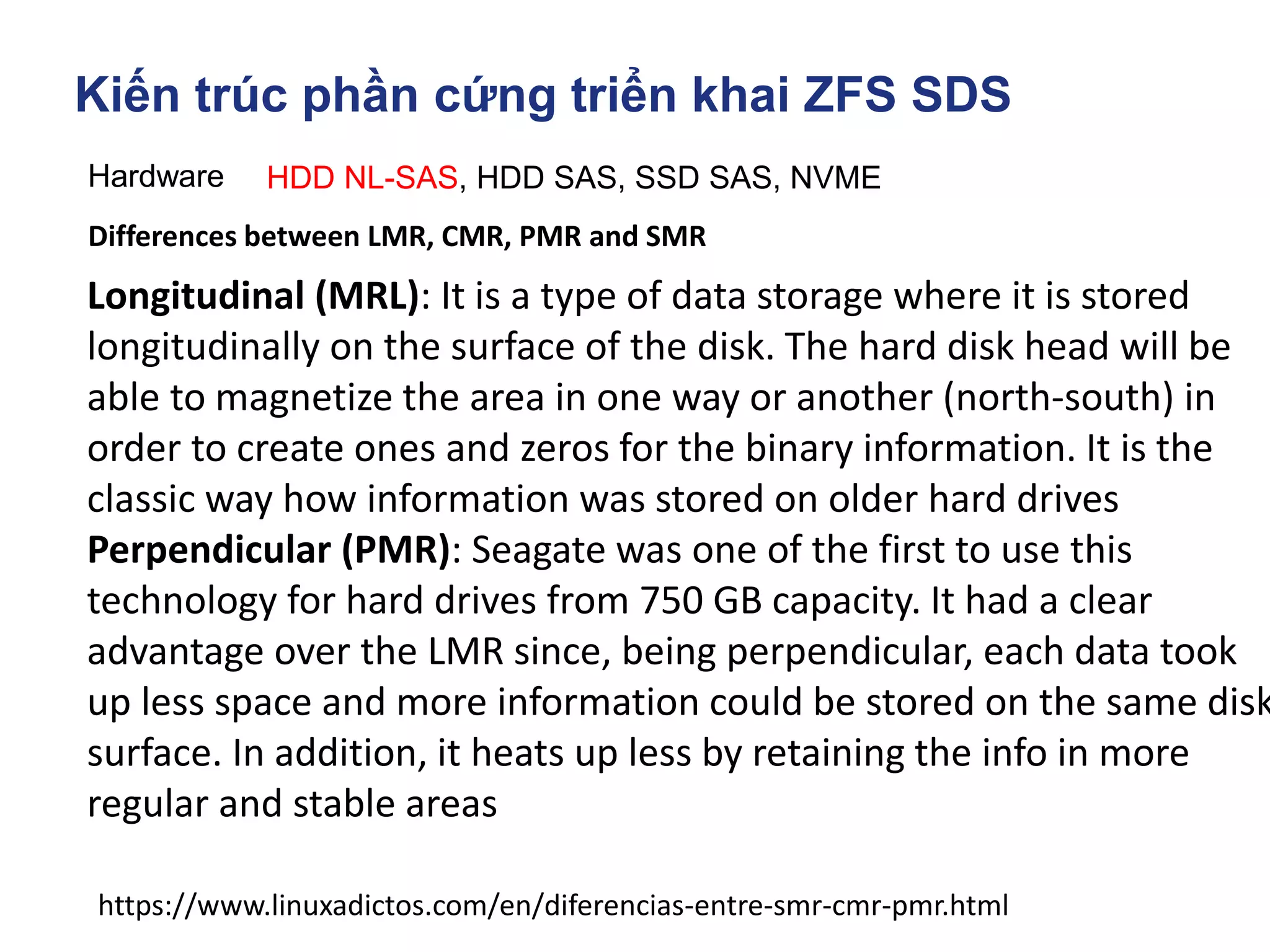
Longitudinal (MRL): It is a type of data storage where it is stored
longitudinally on the surface of the disk. The hard disk head will be
able to magnetize the area in one way or another (north-south) in
order to create ones and zeros for the binary information. It is the
classic way how information was stored on older hard drives
Perpendicular (PMR): Seagate was one of the first to use this
technology for hard drives from 750 GB capacity. It had a clear
advantage over the LMR since, being perpendicular, each data took
up less space and more information could be stored on the same disk
surface. In addition, it heats up less by retaining the info in more
regular and stable areas
Kiến trúc phần cứng triển khai ZFS SDS
Hardware HDD NL-SAS, HDD SAS, SSD SAS, NVME
https://www.linuxadictos.com/en/diferencias-entre-smr-cmr-pmr.html
Differences between LMR, CMR, PMR and SMR
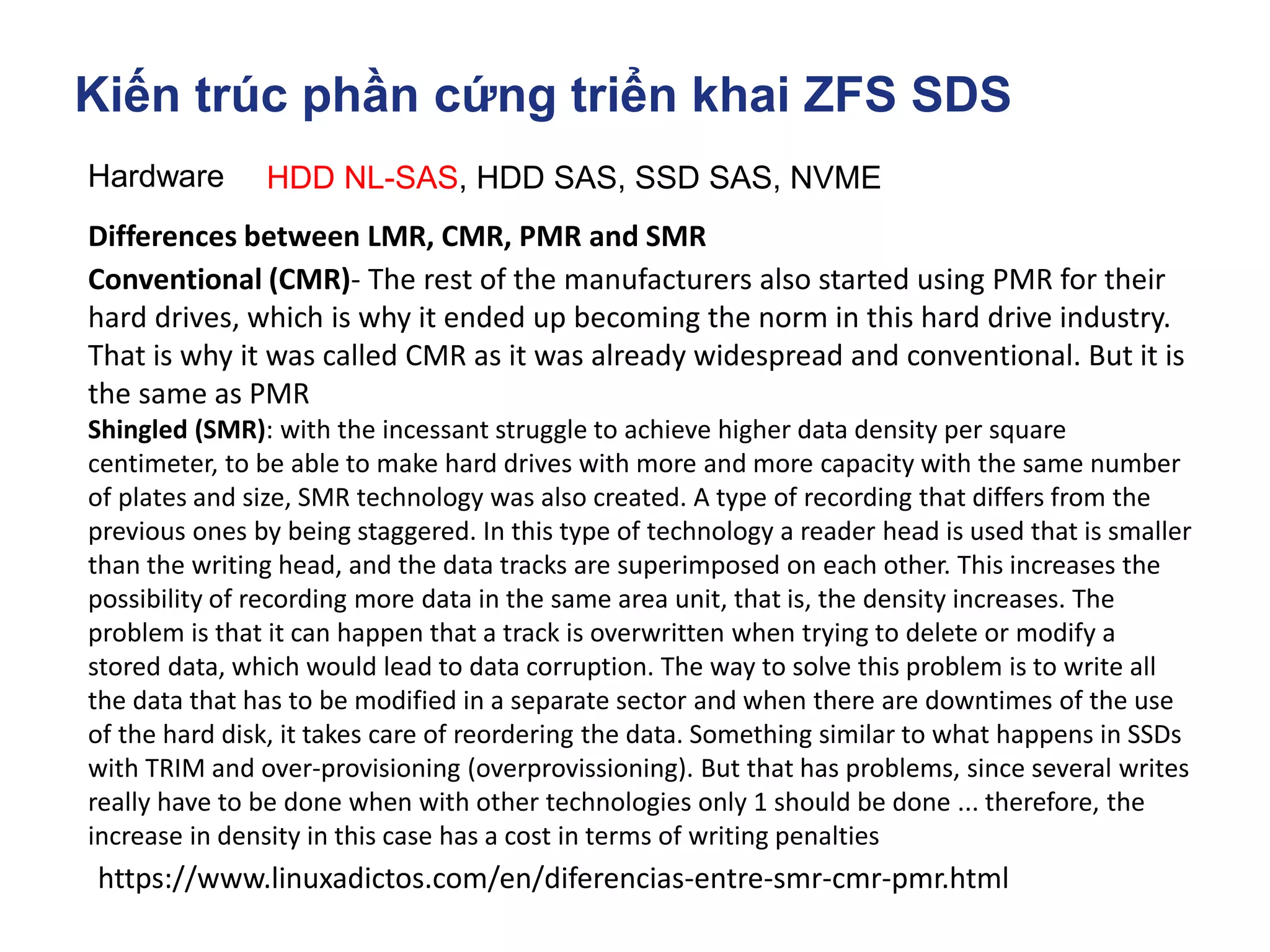
Conventional (CMR)- The rest of the manufacturers also started using PMR for their
hard drives, which is why it ended up becoming the norm in this hard drive industry.
That is why it was called CMR as it was already widespread and conventional. But it is
the same as PMR
Shingled (SMR): with the incessant struggle to achieve higher data density per square
centimeter, to be able to make hard drives with more and more capacity with the same number
of plates and size, SMR technology was also created. A type of recording that differs from the
previous ones by being staggered. In this type of technology a reader head is used that is smaller
than the writing head, and the data tracks are superimposed on each other. This increases the
possibility of recording more data in the same area unit, that is, the density increases. The
problem is that it can happen that a track is overwritten when trying to delete or modify a
stored data, which would lead to data corruption. The way to solve this problem is to write all
the data that has to be modified in a separate sector and when there are downtimes of the use
of the hard disk, it takes care of reordering the data. Something similar to what happens in SSDs
with TRIM and over-provisioning (overprovissioning). But that has problems, since several writes
really have to be done when with other technologies only 1 should be done ... therefore, the
increase in density in this case has a cost in terms of writing penalties
Kiến trúc phần cứng triển khai ZFS SDS
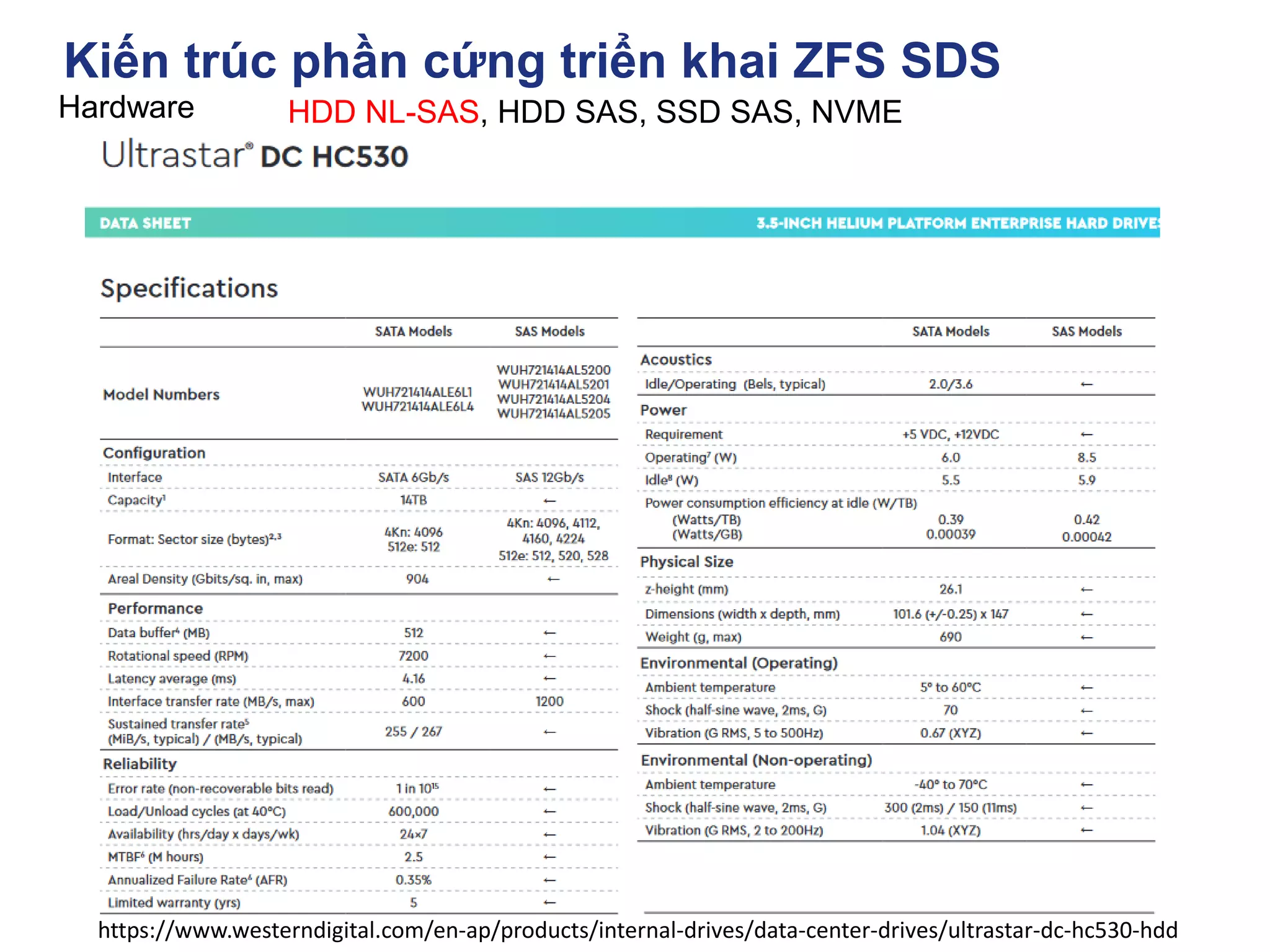
Hardware HDD NL-SAS, HDD SAS, SSD SAS, NVME
https://www.westerndigital.com/en-ap/products/internal-drives/data-center-drives/ultrastar-dc-hc530-hdd
Kiến trúc phần cứng triển khai ZFS SDS
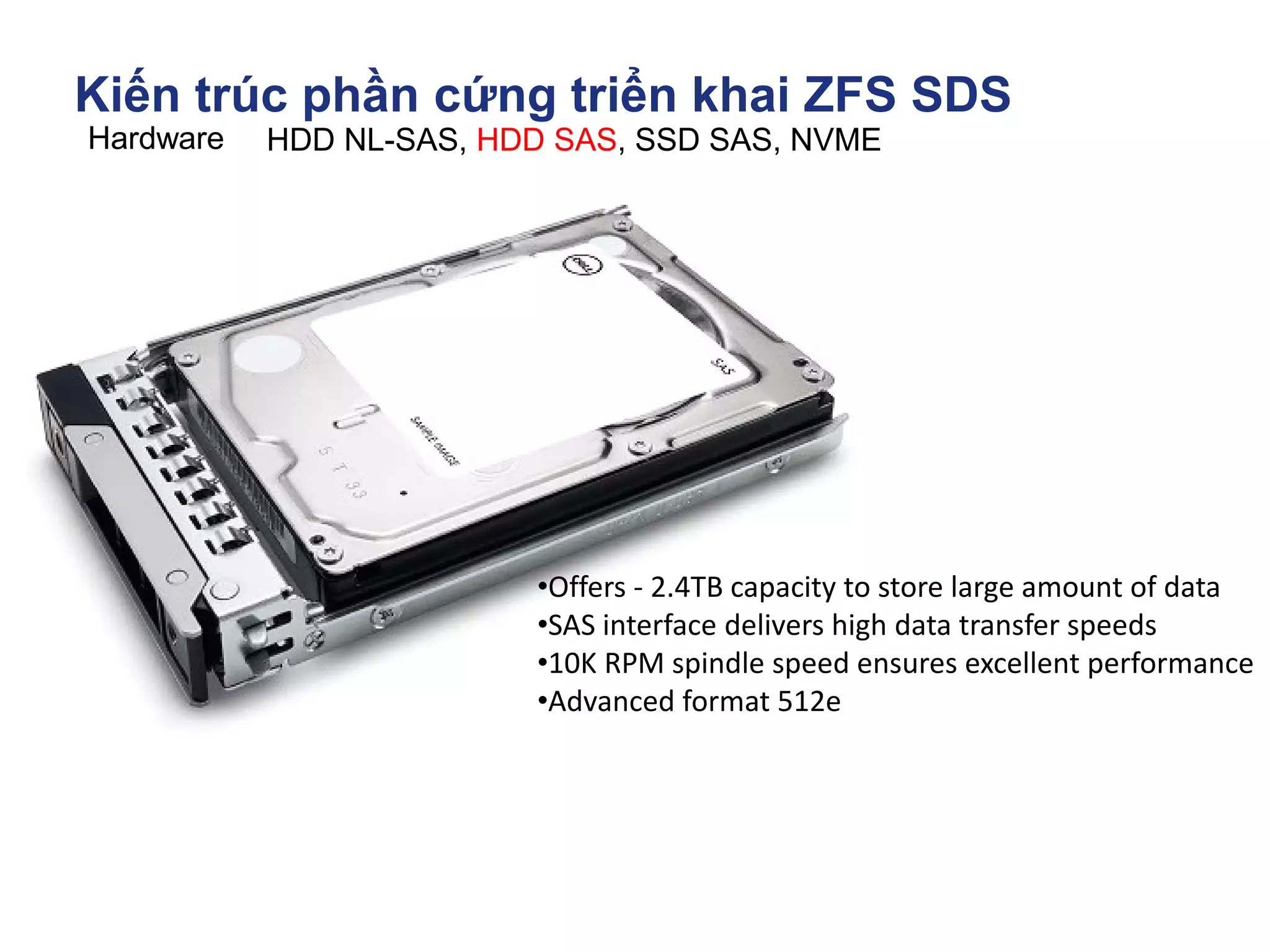
Hardware HDD NL-SAS, HDD SAS, SSD SAS, NVME
•Offers - 2.4TB capacity to store large amount of data
•SAS interface delivers high data transfer speeds
•10K RPM spindle speed ensures excellent performance
•Advanced format 512e
Kiến trúc phần cứng triển khai ZFS SDS
Hardware HDD NL-SAS, HDD SAS, SSD SAS, NVME
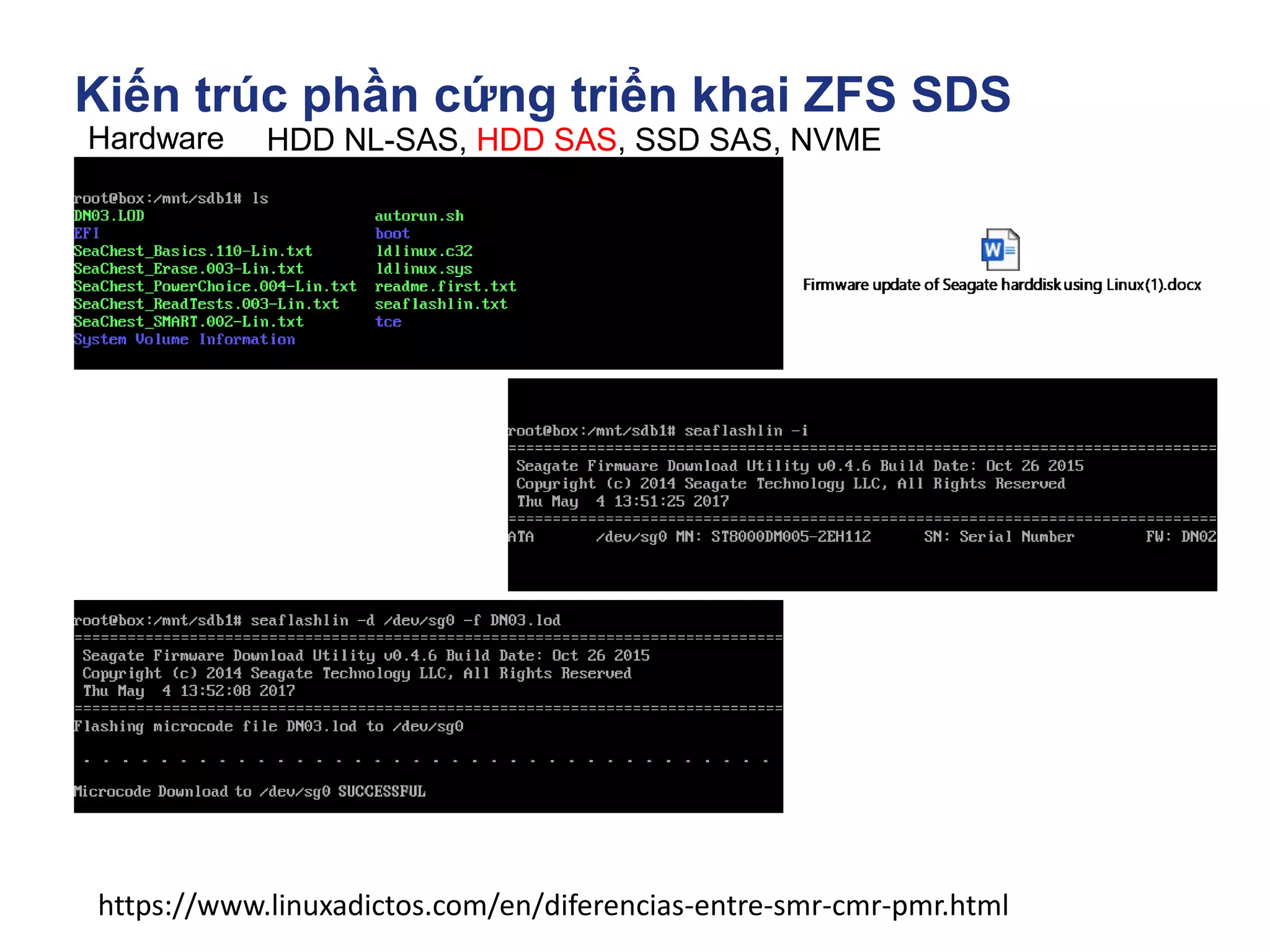
How to Flash a JBOD drive's firmware.
SGI Solution: sg3_utils WD DC HCxxx
Procedure for SAS Drives
1) Identify Drive
# lsscsi -g
[0:2:0:0] disk LSI SMC1078 1.40 /dev/sda /dev/sg0
[1:0:1:0] cd/dvd MATSHITA DVD-RAM UJ870QJ 1.00 /dev/sr0 /dev/sg1
[12:0:37:0] disk WD WD9001BKHG-02D22 SR04 /dev/sdb /dev/sg2
In this case, we have a WD 900 Gb SAS drive we are going to upgrade to SR07 firmware.
2) Flash Drive
sg_write_buffer flags used to when downloading firmware.
--in >>FILE|-I FILE read from FILE ('-I -' read from stdin)
- m >>5 (0x05) dmc_save download microcode, save and activate
# sg_write_buffer --in=SR07.pkg -m 05 -v /dev/sg2
# sg_write_buffer -vv -m 5 --in=MPGNA3A0.bin /dev/sg3
tried to read 8388608 bytes from SR07.pkg, got 1918976 bytes
will write 1918976 bytes
Write buffer cmd: 3b 05 00 00 00 00 1d 48 00 00
3) Verify Firmware Loaded
Run smartctl on drive
# smartctl -a /dev/sg2
smartctl 6.0 2012-10-10 r3643 [x86_64-linux-3.0.76-0.11-default] (SUSE RPM)
Copyright (C) 2002-12, Bruce Allen, Christian Franke, www.smartmontools.org
Vendor: WD
Product: WD9001BKHG-02D22
Revision: SR07
https://sg.danny.cz/sg/sg3_utils.html
Kiến trúc phần cứng triển khai ZFS SDS
Hardware HDD NL-SAS, HDD SAS, SSD SAS, NVME
https://www.linuxadictos.com/en/diferencias-entre-smr-cmr-pmr.html
Kiến trúc phần cứng triển khai ZFS SDS
Hardware HDD NL-SAS, HDD SAS, SSD SAS, NVME
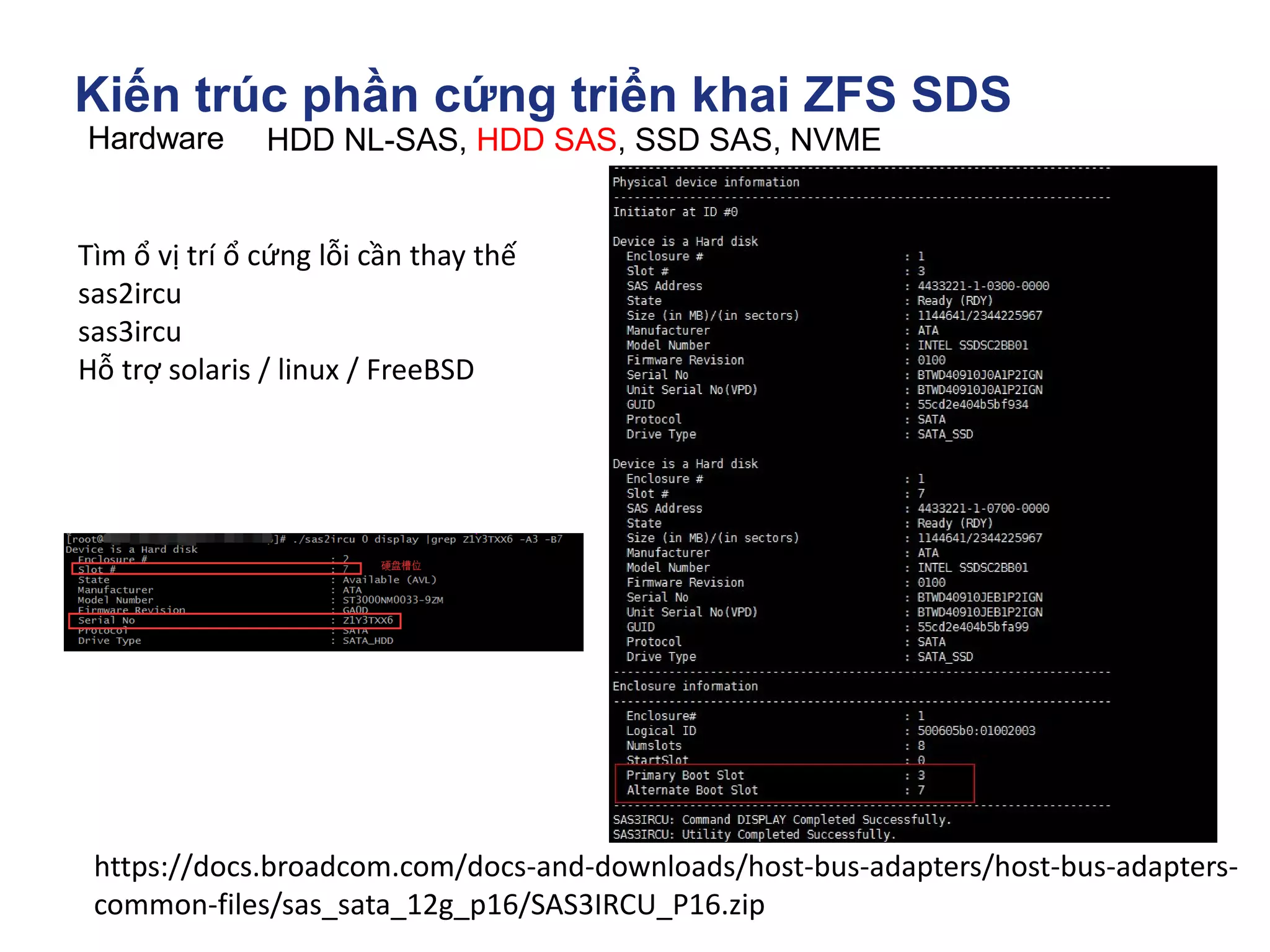
Tìm ổ vị trí ổ cứng lỗi cần thay thế
sas2ircu
sas3ircu
Hỗ trợ solaris / linux / FreeBSD
https://docs.broadcom.com/docs-and-downloads/host-bus-adapters/host-bus-adapters-
common-files/sas_sata_12g_p16/SAS3IRCU_P16.zip
Kiến trúc phần cứng triển khai ZFS SDS
Hardware
NETWORK I/O
Fibre chanel Host bus adapter
Kiến trúc phần cứng triển khai ZFS SDS
Hardware
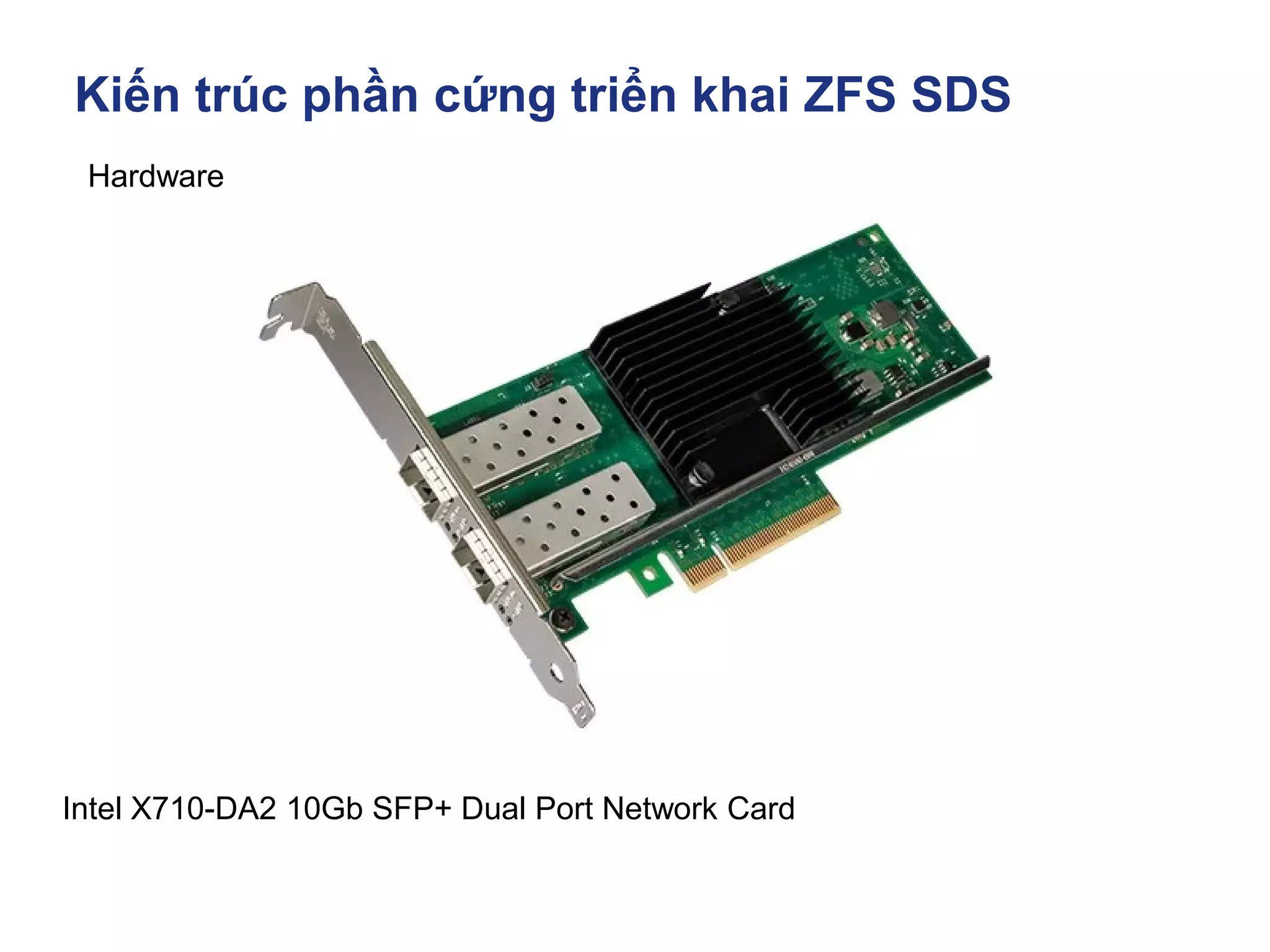
Intel X710-DA2 10Gb SFP+ Dual Port Network Card
Kiến trúc phần cứng triển khai ZFS SDS
Hardware
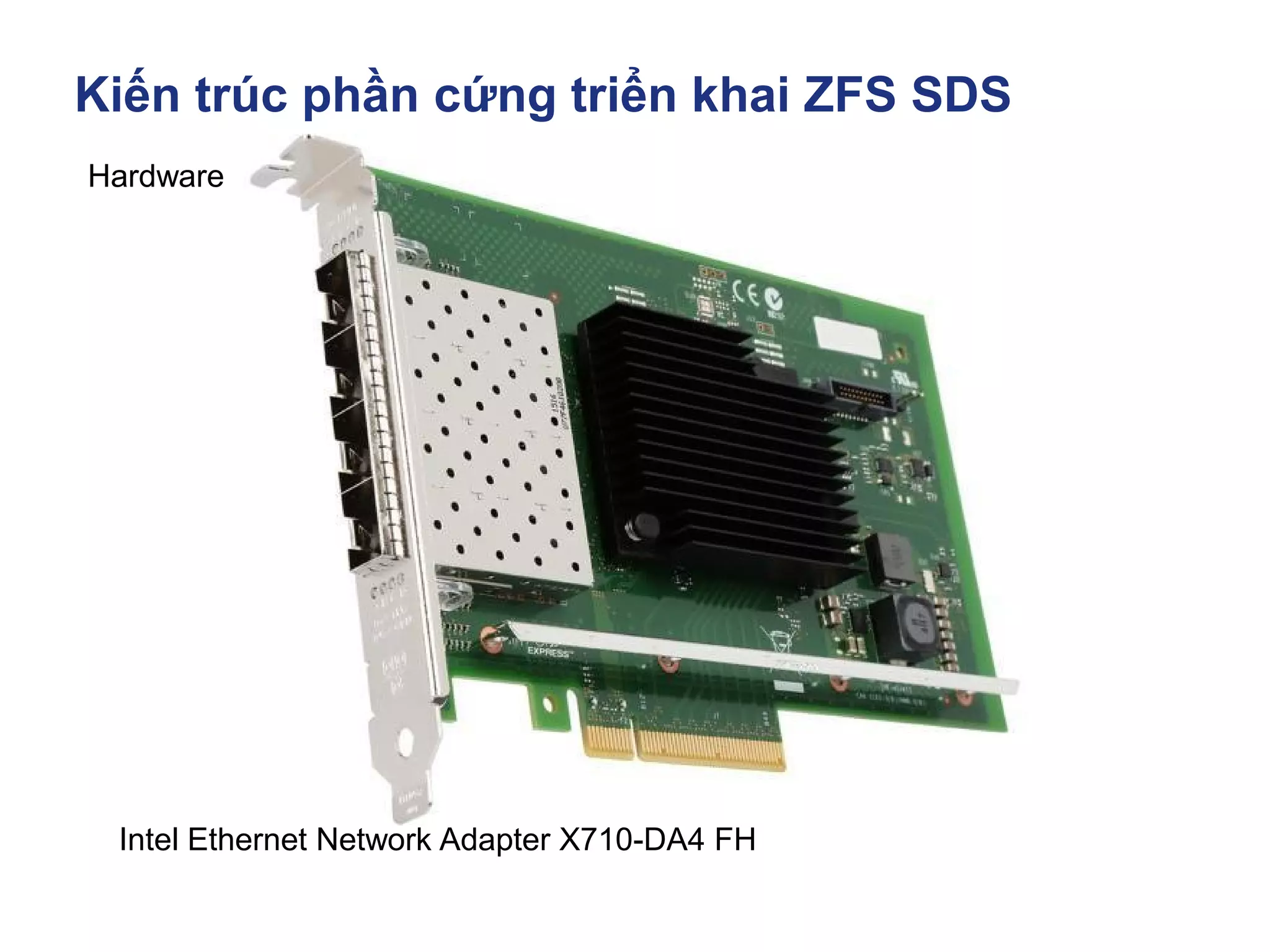
Intel Ethernet Network Adapter X710-DA4 FH
Kiến trúc phần cứng triển khai ZFS SDS
Hardware
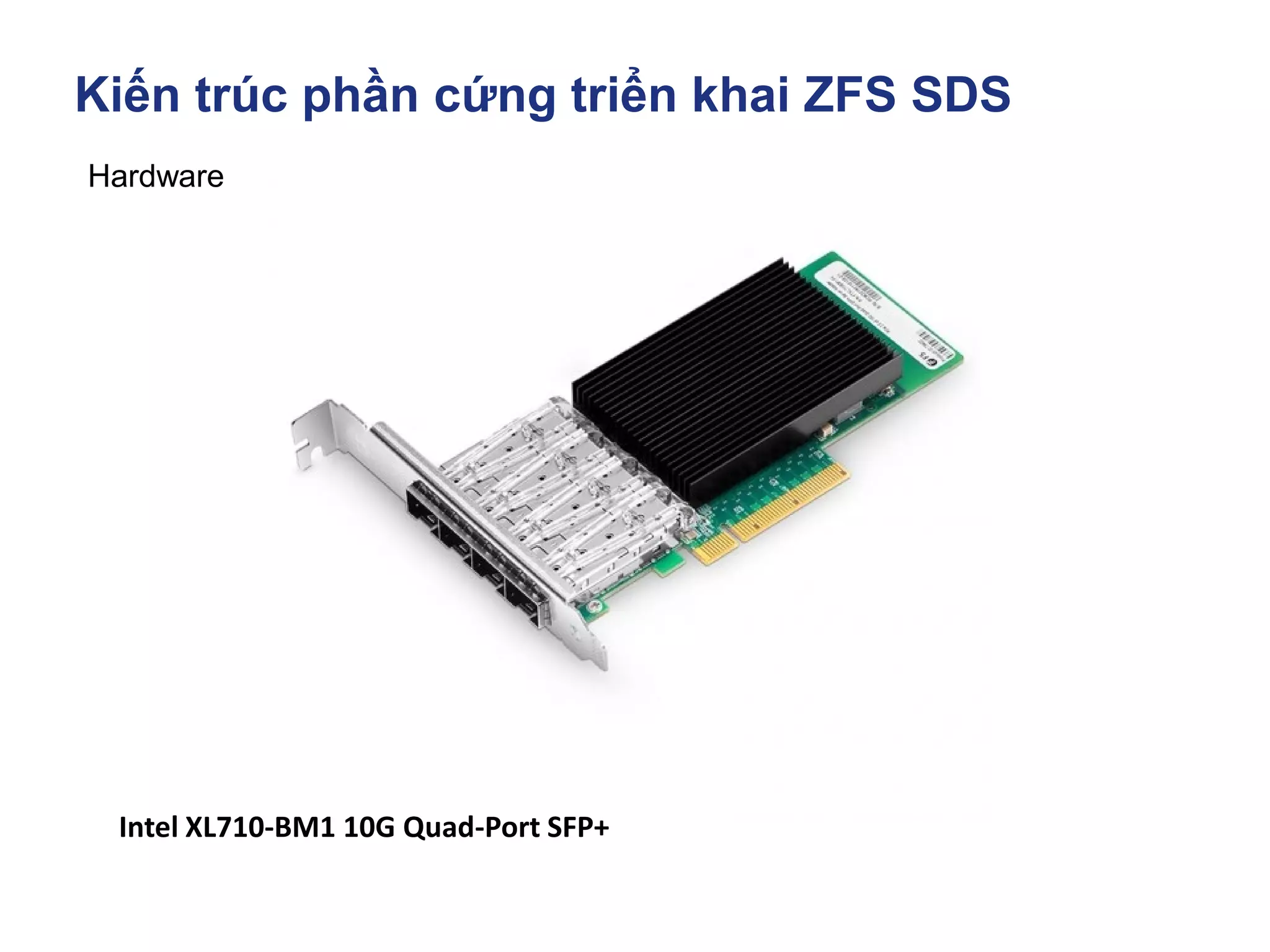
Intel XL710-BM1 10G Quad-Port SFP+
Kiến trúc phần cứng triển khai ZFS SDS
Hardware
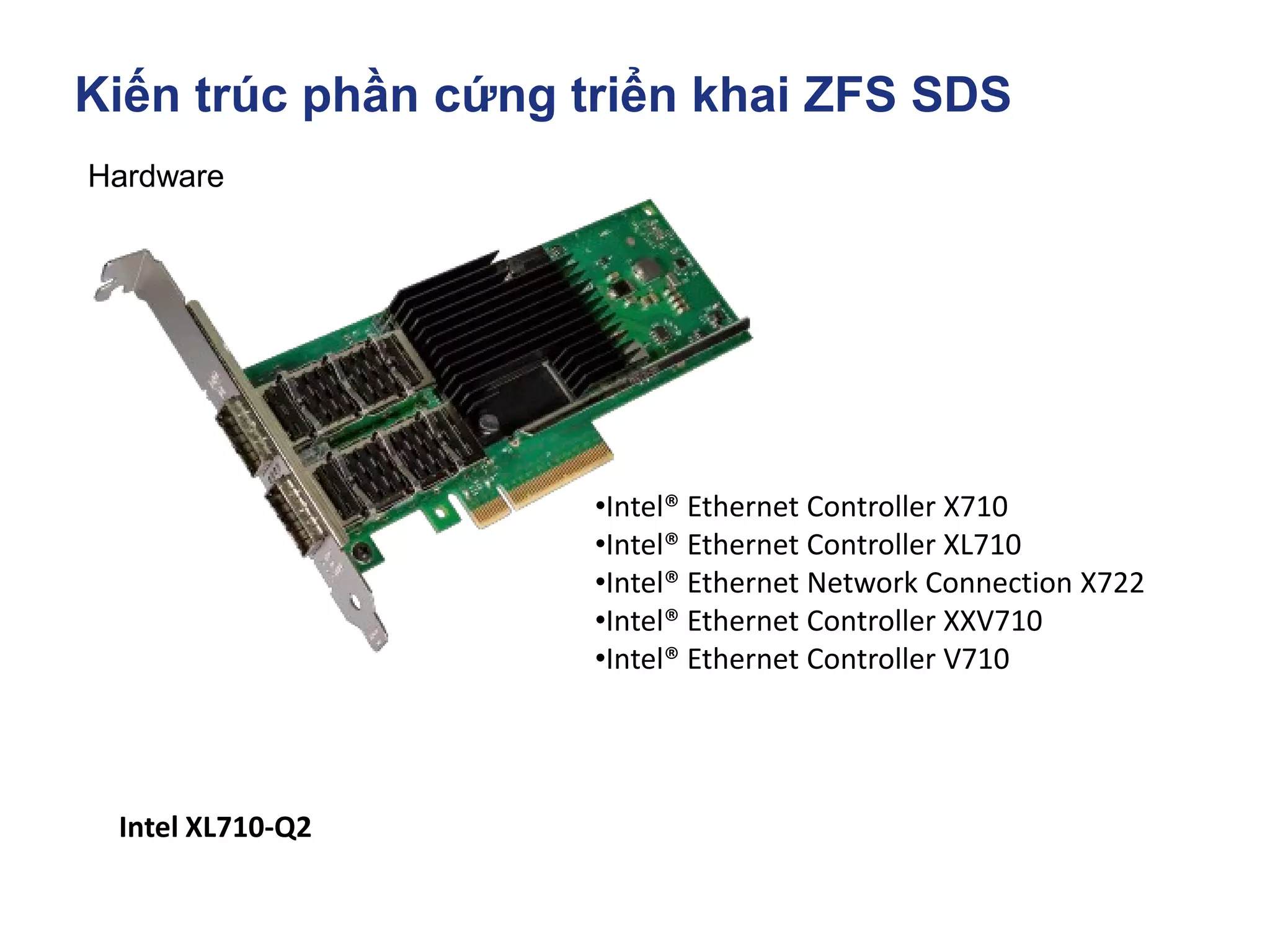
Intel XL710-Q2
•Intel® Ethernet Controller X710
•Intel® Ethernet Controller XL710
•Intel® Ethernet Network Connection X722
•Intel® Ethernet Controller XXV710
•Intel® Ethernet Controller V710
Kiến trúc phần cứng triển khai ZFS SDS
Hardware
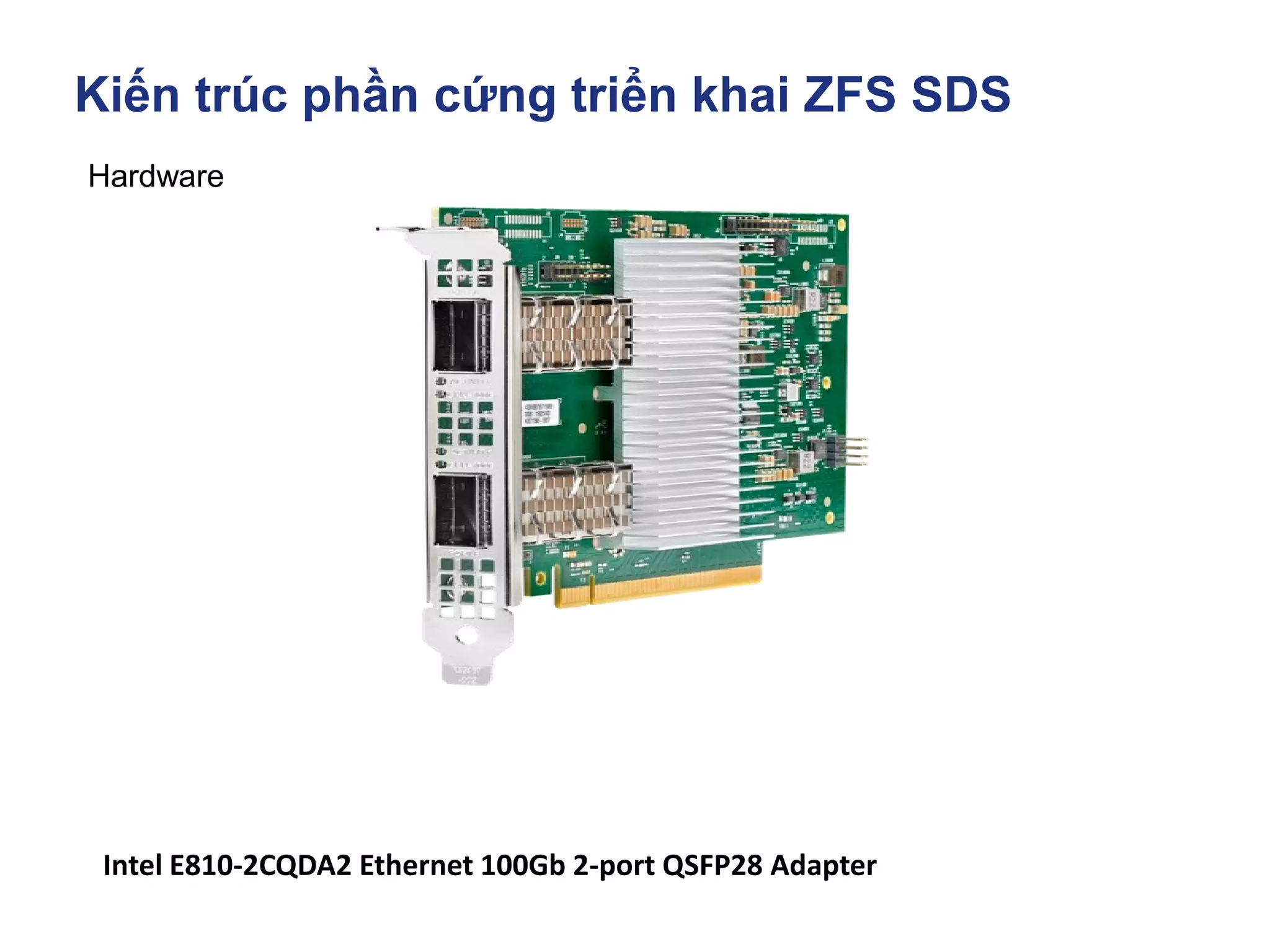
Intel E810-2CQDA2 Ethernet 100Gb 2-port QSFP28 Adapter
Kiến trúc phần cứng triển khai ZFS SDS
Hardware
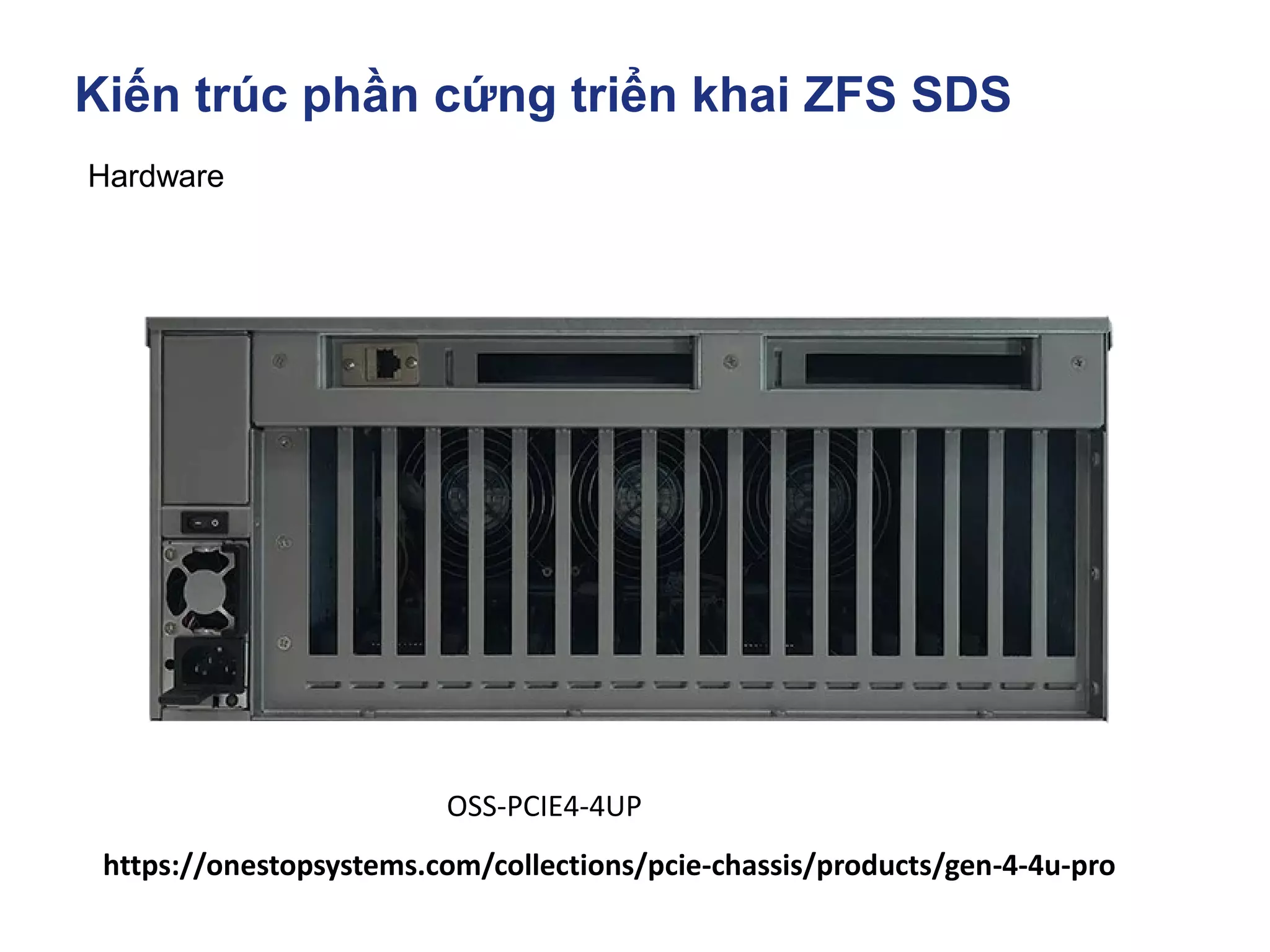
https://onestopsystems.com/collections/pcie-chassis/products/gen-4-4u-pro
OSS-PCIE4-4UP
Kiến trúc phần cứng triển khai ZFS SDS
Hardware
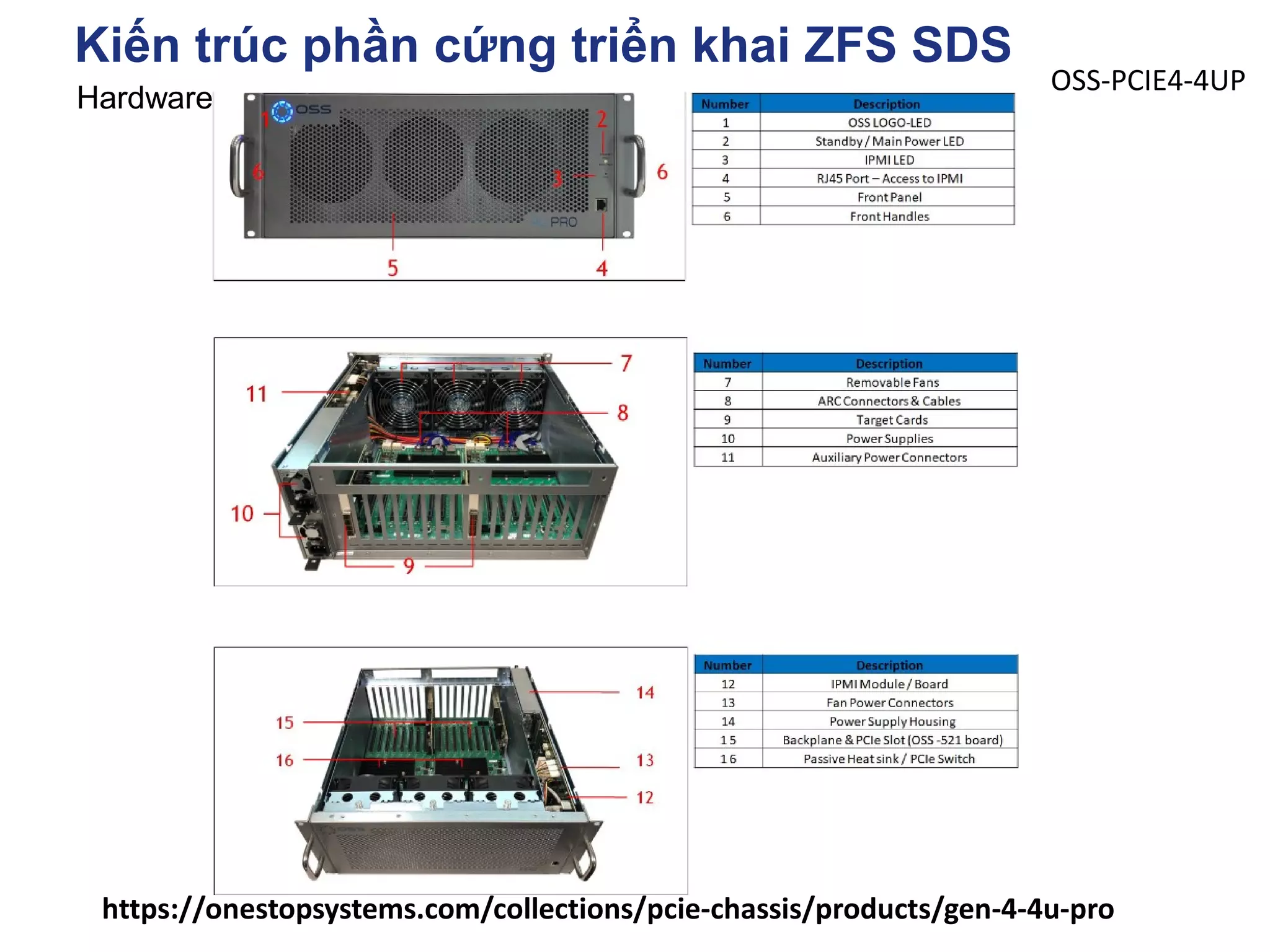
https://onestopsystems.com/collections/pcie-chassis/products/gen-4-4u-pro
OSS-PCIE4-4UP
Kiến trúc phần cứng triển khai ZFS SDS
Hardware
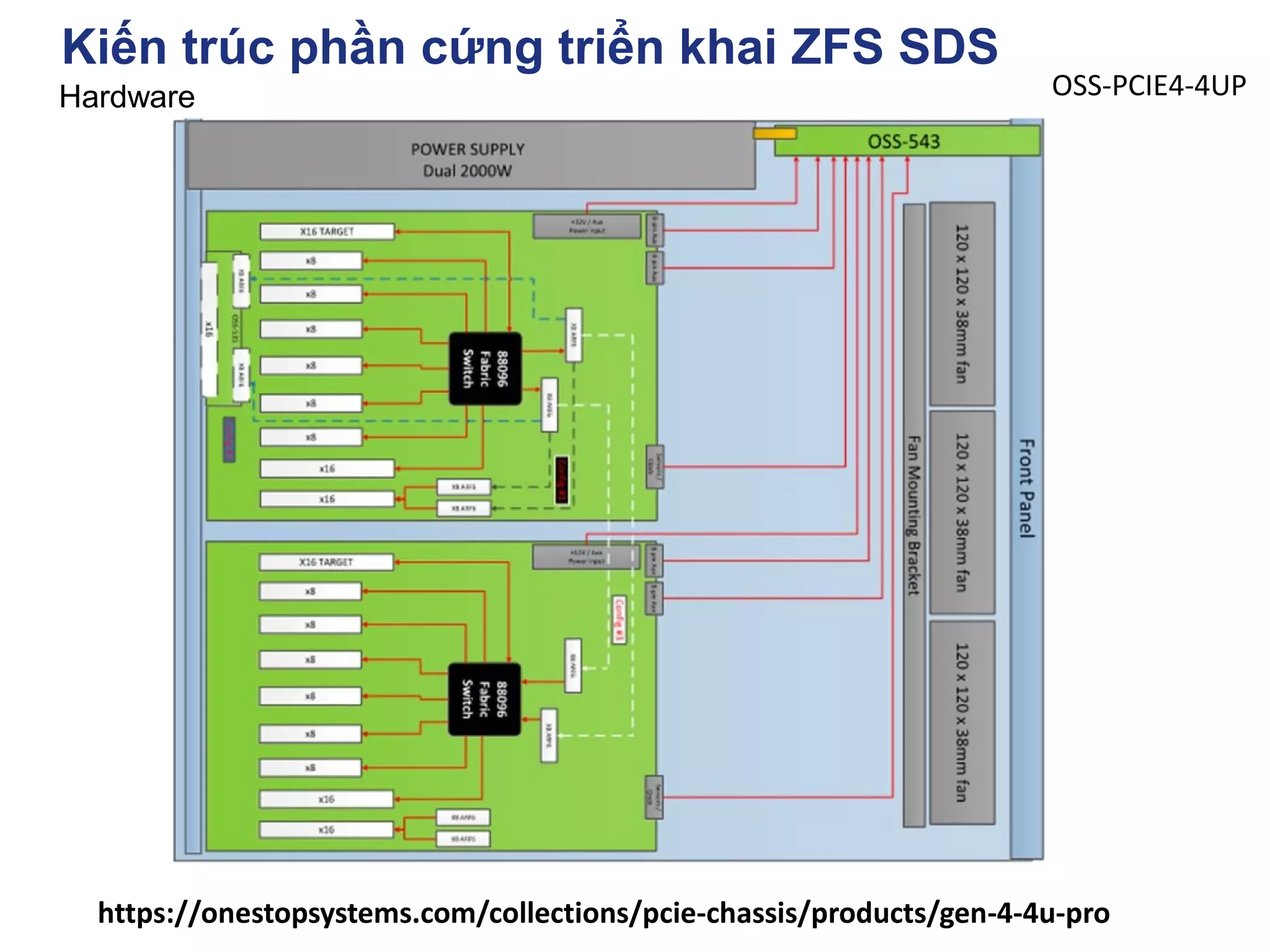
https://onestopsystems.com/collections/pcie-chassis/products/gen-4-4u-pro
OSS-PCIE4-4UP
Kiến trúc phần cứng triển khai ZFS SDS
Hardware
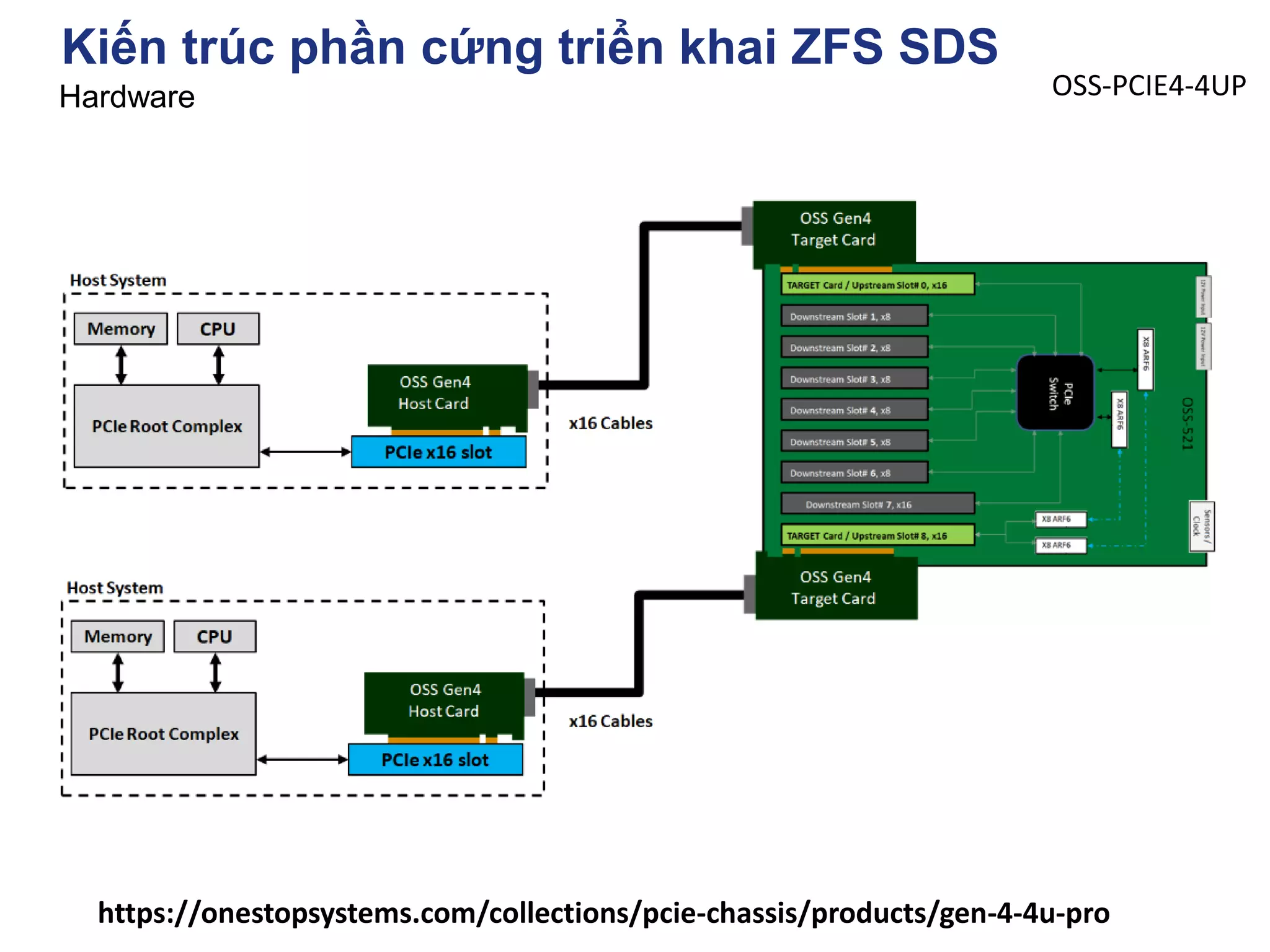
https://onestopsystems.com/collections/pcie-chassis/products/gen-4-4u-pro
OSS-PCIE4-4UP
Kiến trúc phần cứng triển khai ZFS SDS Hardware
Kiến trúc phần cứng triển khai ZFS SDS
Hardware
Dell PowerVault MD1200
Hardware
Kiến trúc phần cứng triển khai ZFS SDS
Hardware
Dell PowerVault MD1200
Hardware
Kiến trúc phần cứng triển khai ZFS SDS
Hardware
Tham khảo thêm tại
http://www.qdpma.com/storage/directattach.html
Hiểu rõ các thuật ngữ DAS, NAS, SAN, Storage
SAS, NL-SAS, FC HBA, SAS HBA, SAS Expander
Hardware
https://www.high-availability.com/docs/Quickstart-ZFS-Cluster/
https://arstechnica.com/information-technology/2020/05/zfs-101-understanding-zfs-
storage-and-performance/
Kiến trúc phần cứng triển khai ZFS SDS
Hardware
Dell PowerVault MD1200
Hardware
Kiến trúc phần cứng triển khai ZFS SDS
https://arstechnica.com/information-technology/2020/05/zfs-101-understanding-zfs-storage-and-performance/
https://www.youtube.com/watch?v=tDacjrSCeq4
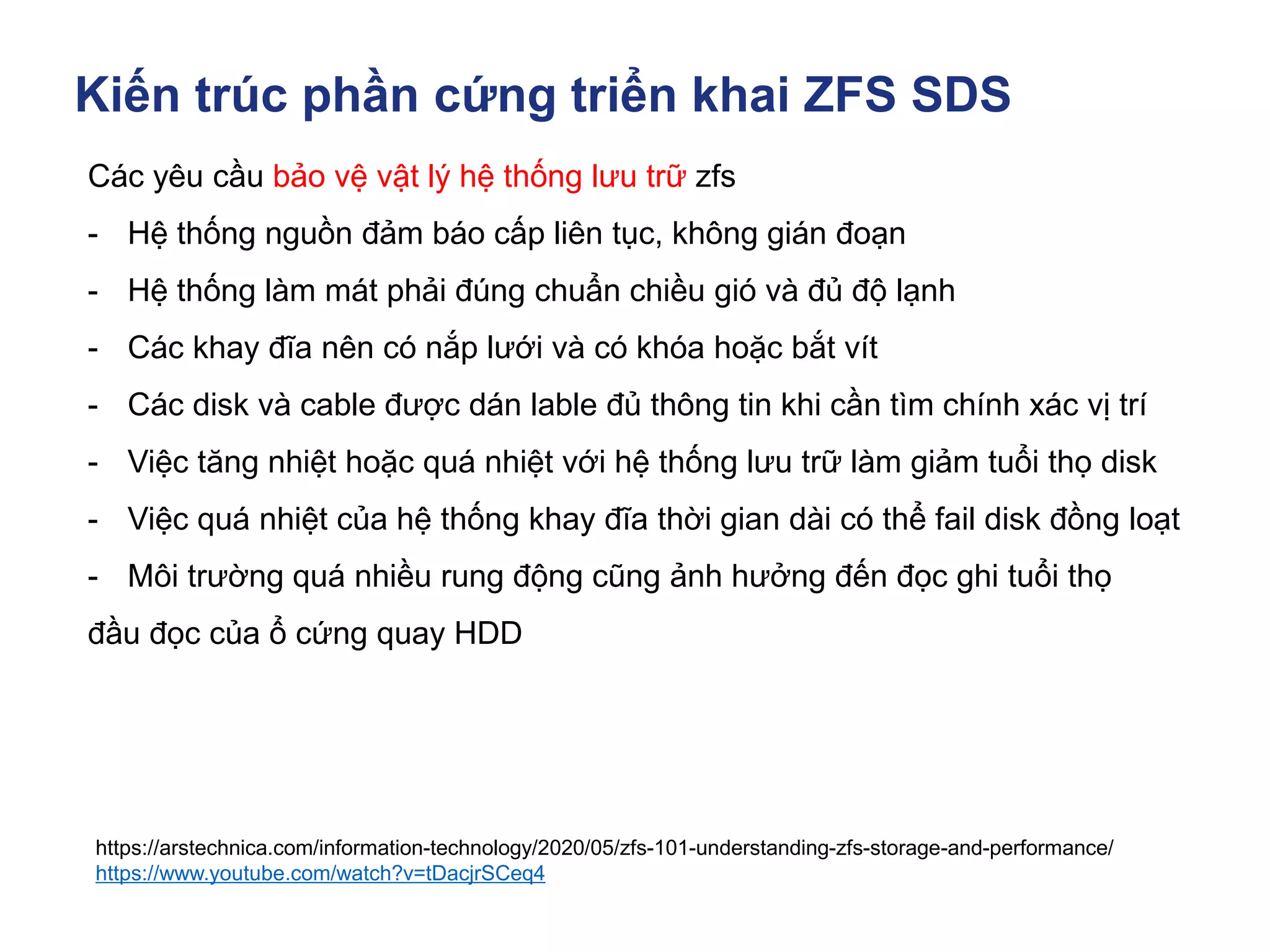
Các yêu cầu bảo vệ vật lý hệ thống lưu trữ zfs
- Hệ thống nguồn đảm báo cấp liên tục, không gián đoạn
- Hệ thống làm mát phải đúng chuẩn chiều gió và đủ độ lạnh
- Các khay đĩa nên có nắp lưới và có khóa hoặc bắt vít
- Các disk và cable được dán lable đủ thông tin khi cần tìm chính xác vị trí
- Việc tăng nhiệt hoặc quá nhiệt với hệ thống lưu trữ làm giảm tuổi thọ disk
- Việc quá nhiệt của hệ thống khay đĩa thời gian dài có thể fail disk đồng loạt
- Môi trường quá nhiều rung động cũng ảnh hưởng đến đọc ghi tuổi thọ
đầu đọc của ổ cứng quay HDD
Mục Lục
▪ Lịch sử ra đời ZFS
▪ ZFS Cache - Data in memory
▪ Kiến trúc phần cứng triển khai ZFS SDS
▪ Kiến trúc pool disk trên ZFS Storage
▪ ZFS trên các hệ điều hành phổ biến A - Z
▪ Tunning & Test Perfromance
▪ Troubleshooting
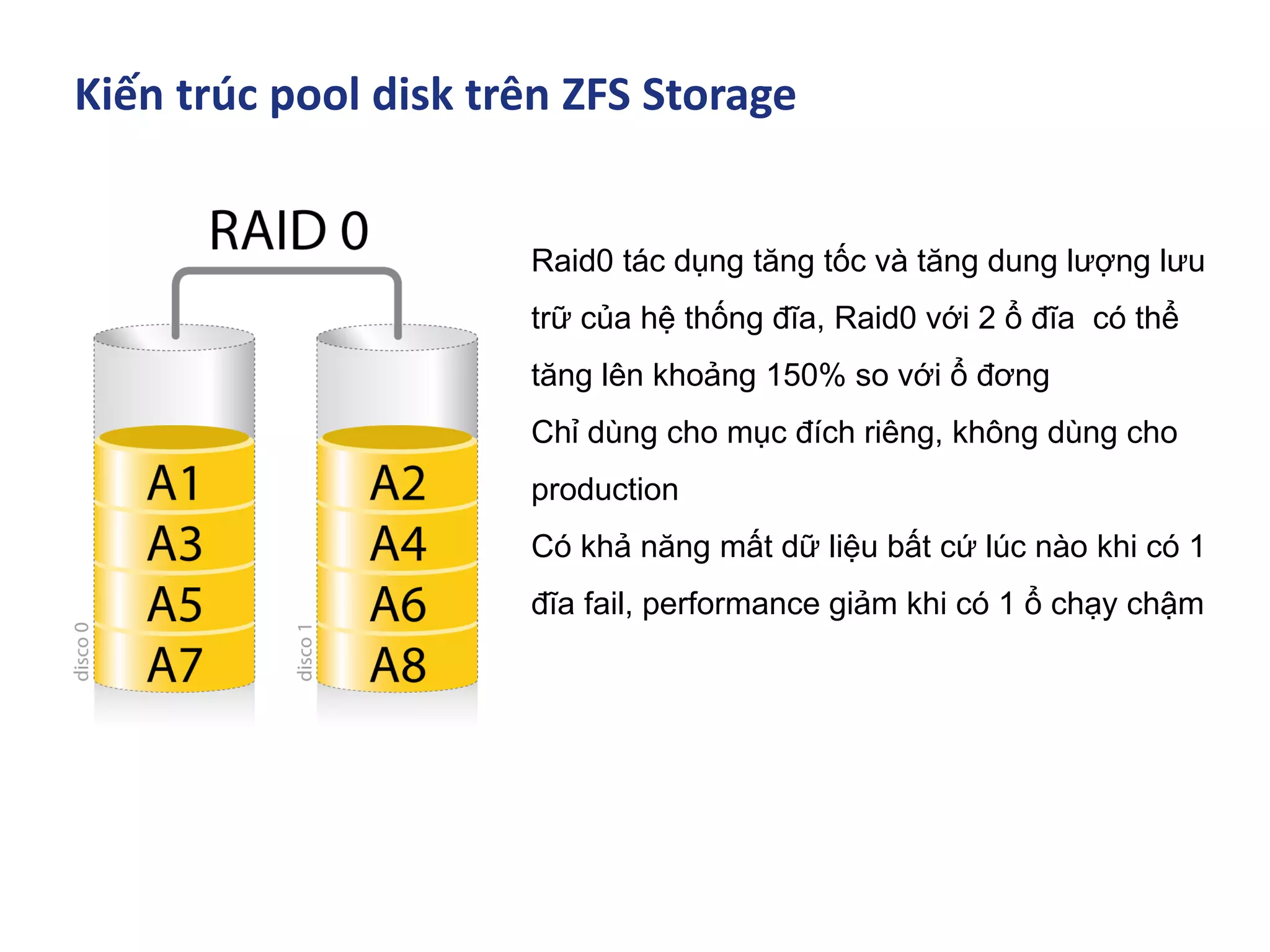
Kiến trúc pool disk trên ZFS Storage
Raid0 tác dụng tăng tốc và tăng dung lượng lưu
trữ của hệ thống đĩa, Raid0 với 2 ổ đĩa có thể
tăng lên khoảng 150% so với ổ đơng
Chỉ dùng cho mục đích riêng, không dùng cho
production
Có khả năng mất dữ liệu bất cứ lúc nào khi có 1
đĩa fail, performance giảm khi có 1 ổ chạy chậm
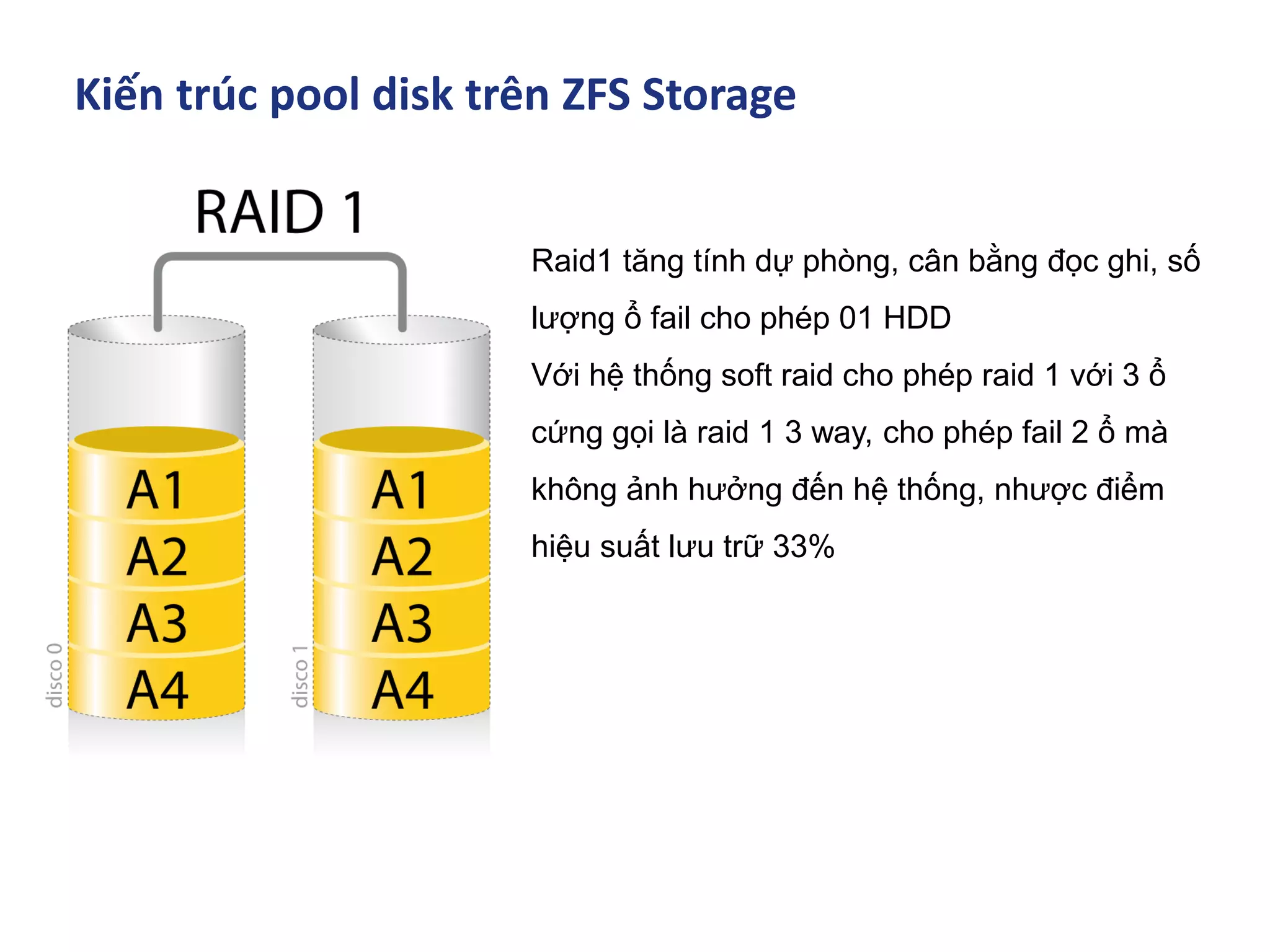
Kiến trúc pool disk trên ZFS Storage
Raid1 tăng tính dự phòng, cân bằng đọc ghi, số
lượng ổ fail cho phép 01 HDD
Với hệ thống soft raid cho phép raid 1 với 3 ổ
cứng gọi là raid 1 3 way, cho phép fail 2 ổ mà
không ảnh hưởng đến hệ thống, nhược điểm
hiệu suất lưu trữ 33%
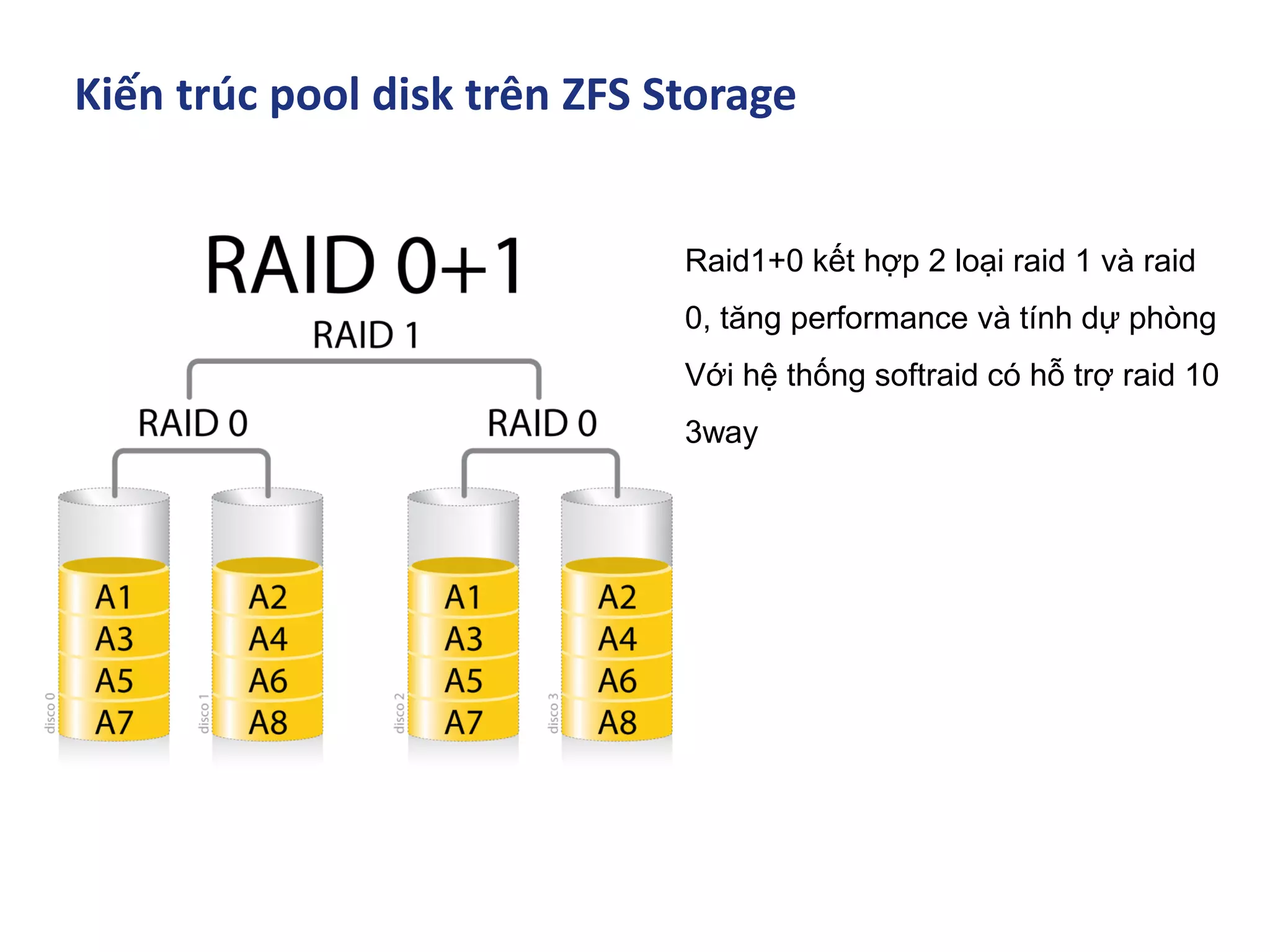
Kiến trúc pool disk trên ZFS Storage
Raid1+0 kết hợp 2 loại raid 1 và raid
0, tăng performance và tính dự phòng
Với hệ thống softraid có hỗ trợ raid 10
3way
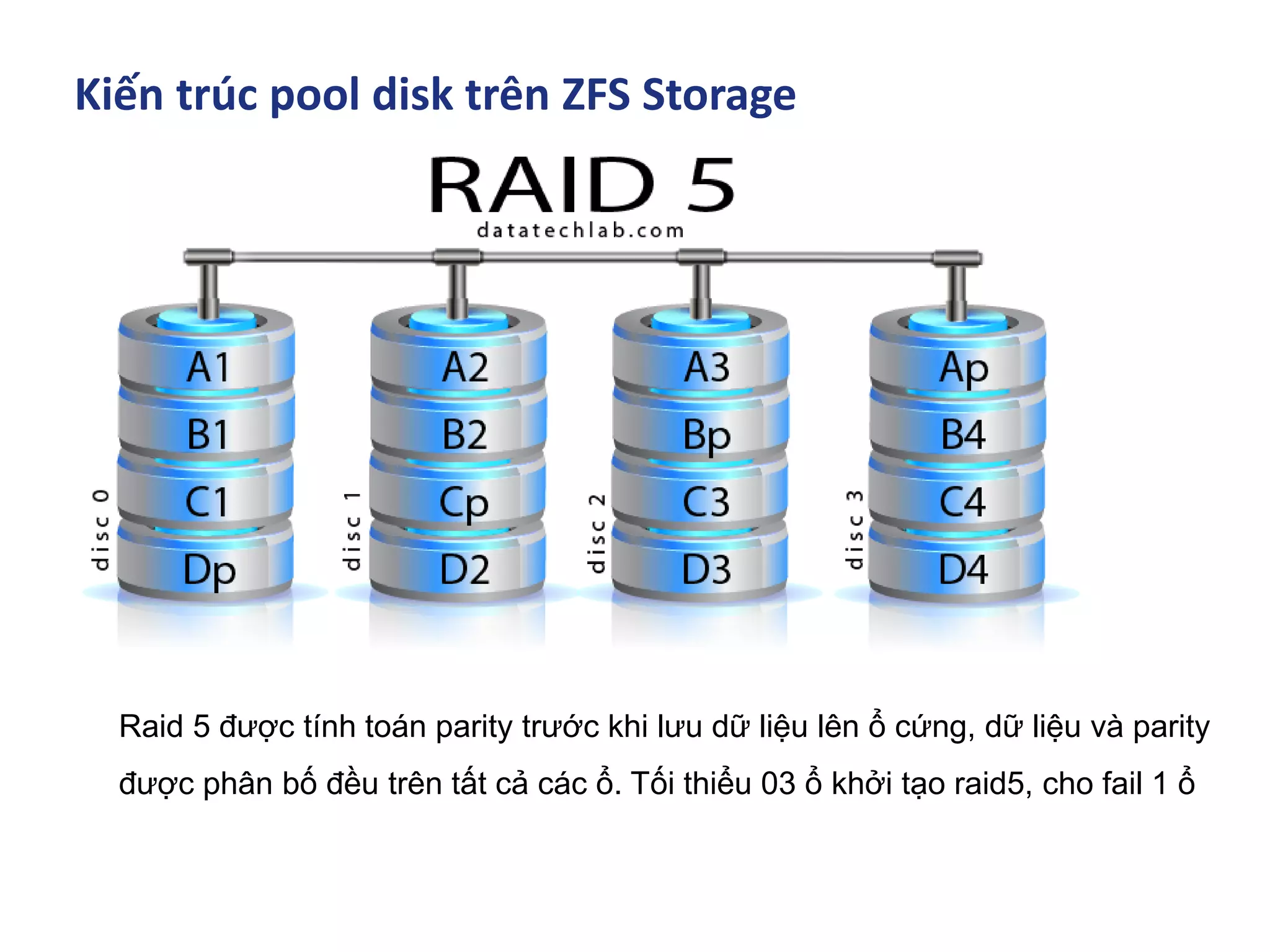
Kiến trúc pool disk trên ZFS Storage
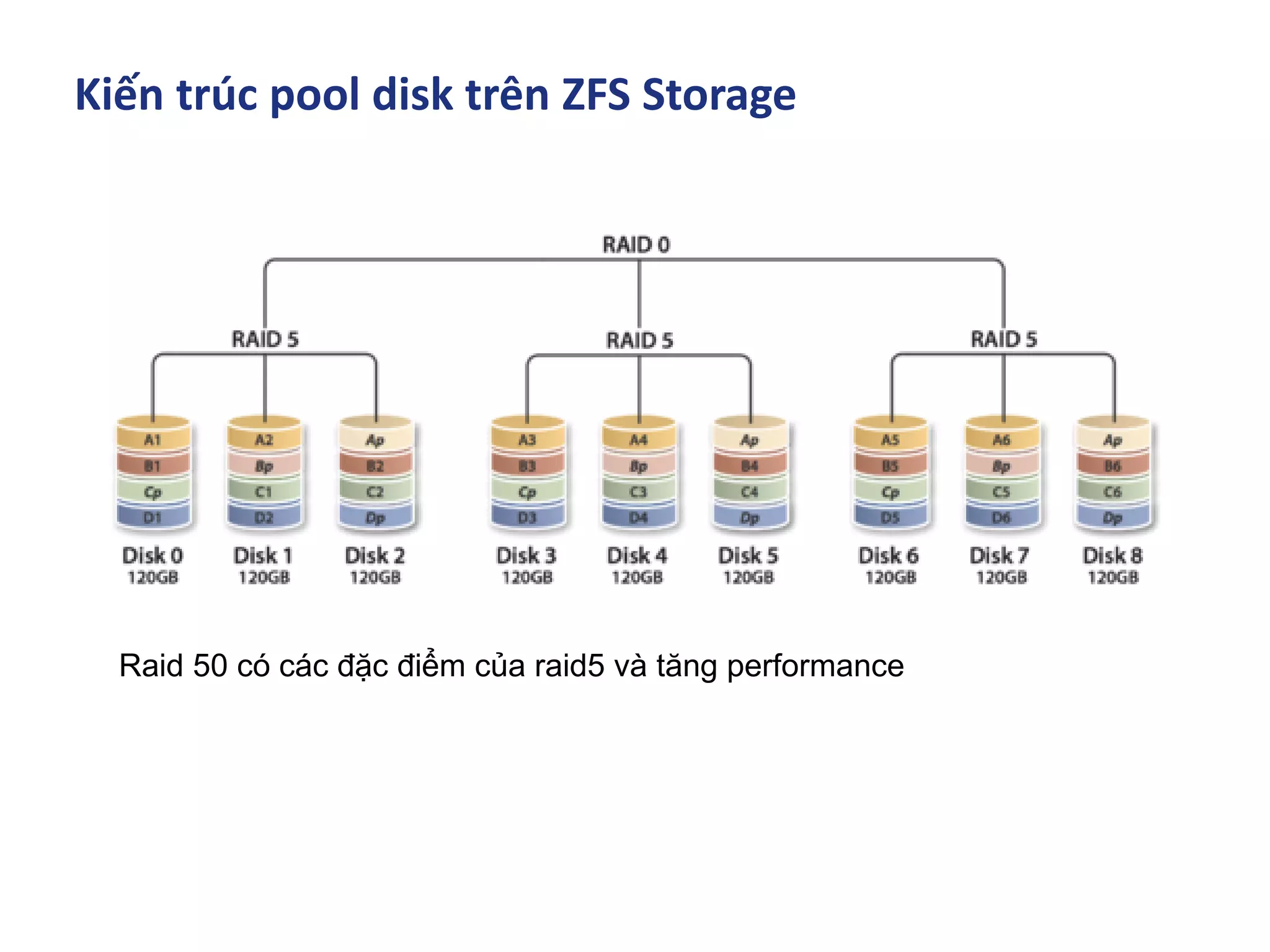
Raid 5 được tính toán parity trước khi lưu dữ liệu lên ổ cứng, dữ liệu và parity
được phân bố đều trên tất cả các ổ. Tối thiểu 03 ổ khởi tạo raid5, cho fail 1 ổ
Kiến trúc pool disk trên ZFS Storage
Raid 50 có các đặc điểm của raid5 và tăng performance
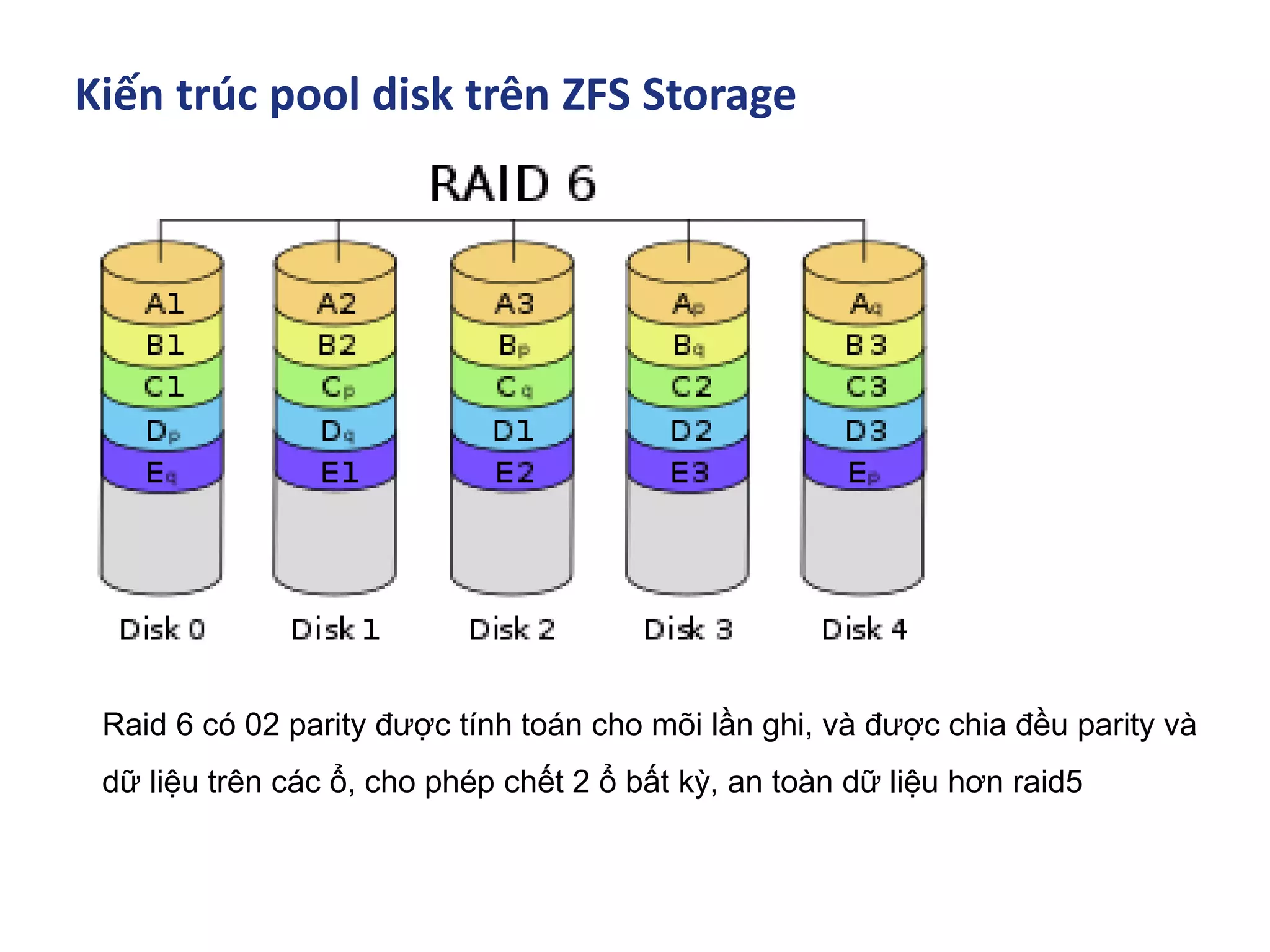
Kiến trúc pool disk trên ZFS Storage
Raid 6 có 02 parity được tính toán cho mõi lần ghi, và được chia đều parity và
dữ liệu trên các ổ, cho phép chết 2 ổ bất kỳ, an toàn dữ liệu hơn raid5
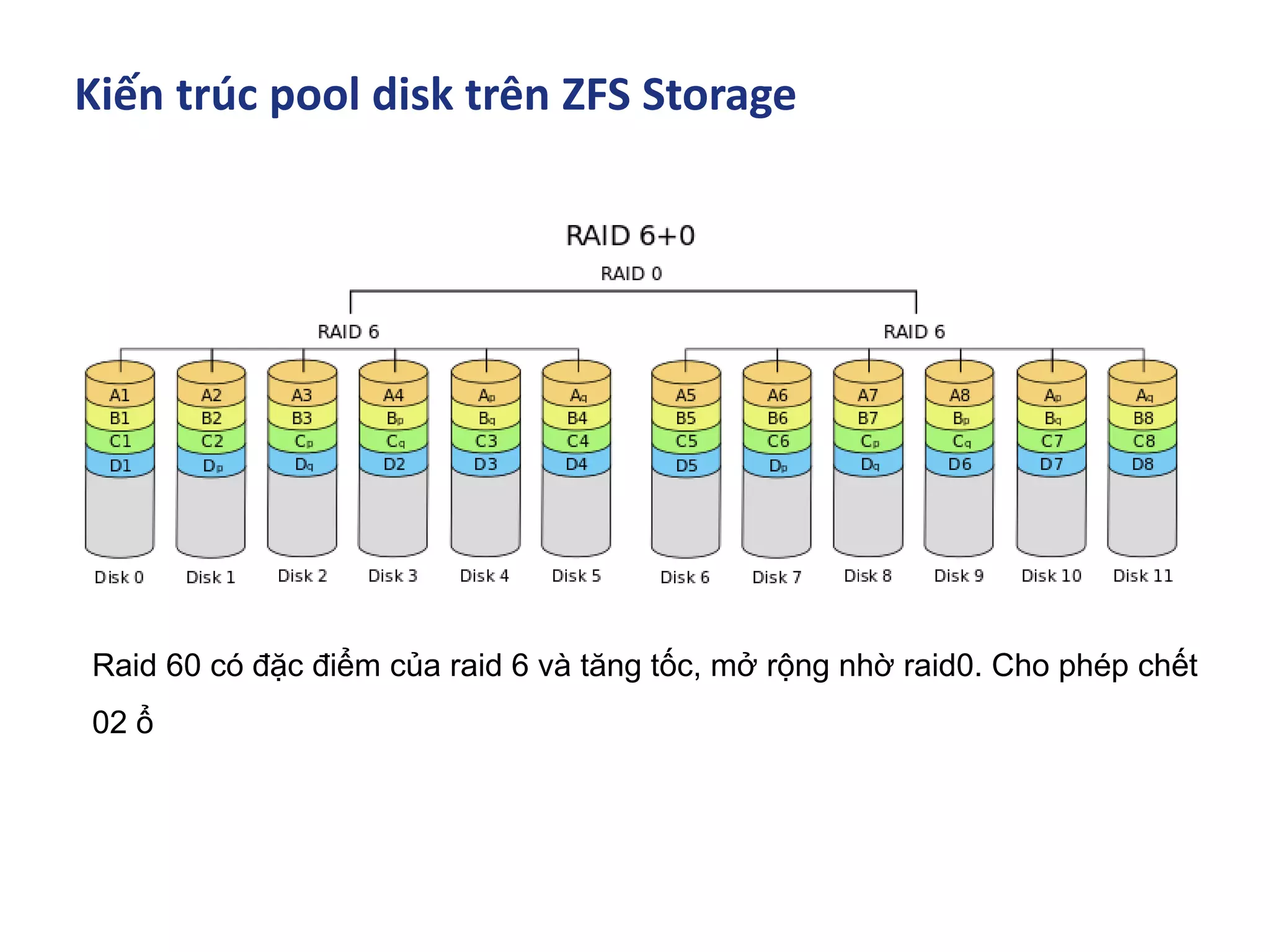
Kiến trúc pool disk trên ZFS Storage
Raid 60 có đặc điểm của raid 6 và tăng tốc, mở rộng nhờ raid0. Cho phép chết
02 ổ
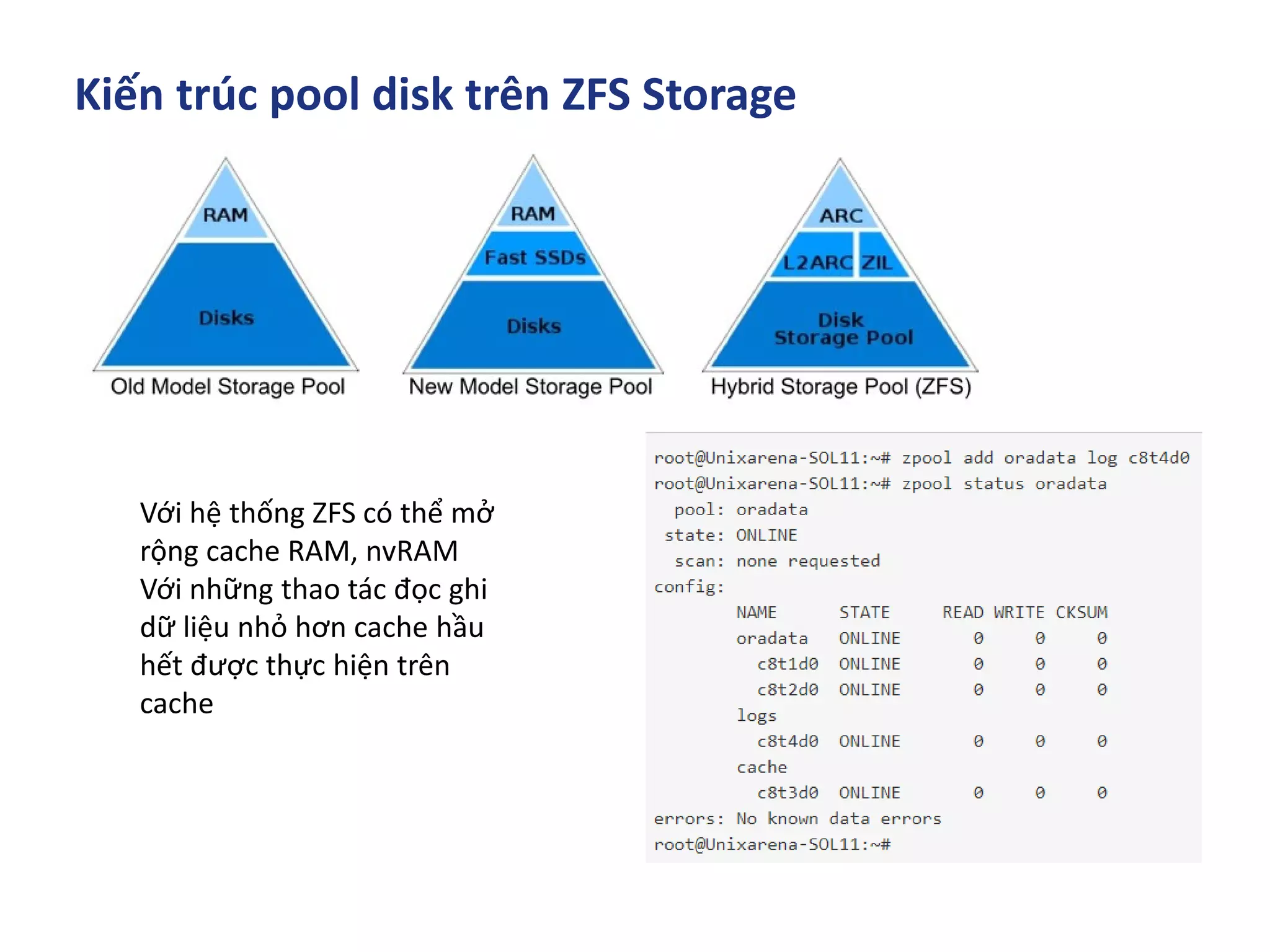
Kiến trúc pool disk trên ZFS Storage
Với hệ thống ZFS có thể mở
rộng cache RAM, nvRAM
Với những thao tác đọc ghi
dữ liệu nhỏ hơn cache hầu
hết được thực hiện trên
cache
Kiến trúc pool disk trên ZFS Storage
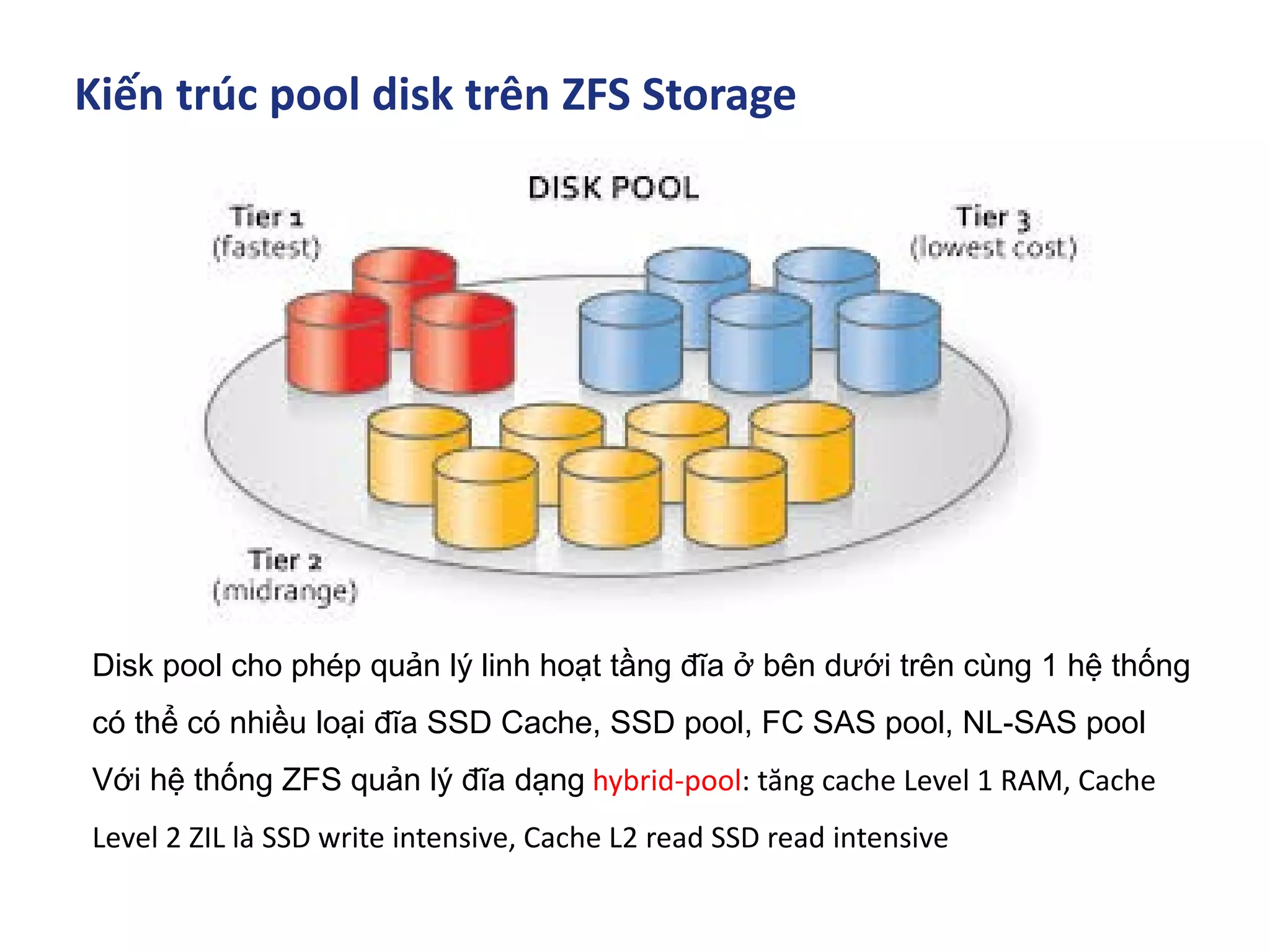
Disk pool cho phép quản lý linh hoạt tầng đĩa ở bên dưới trên cùng 1 hệ thống
có thể có nhiều loại đĩa SSD Cache, SSD pool, FC SAS pool, NL-SAS pool
Với hệ thống ZFS quản lý đĩa dạng hybrid-pool: tăng cache Level 1 RAM, Cache
Level 2 ZIL là SSD write intensive, Cache L2 read SSD read intensive
Mục Lục
▪ Lịch sử ra đời ZFS
▪ ZFS Cache - Data in memory
▪ Kiến trúc phần cứng triển khai ZFS SDS
▪ Kiến trúc pool trên ZFS Storage
▪ ZFS trên các hệ điều hành phổ biến A - Z
▪ Tunning & Test Perfromance
▪ Troubleshooting
ZFS trên các hệ điều hành phổ biến A - Z
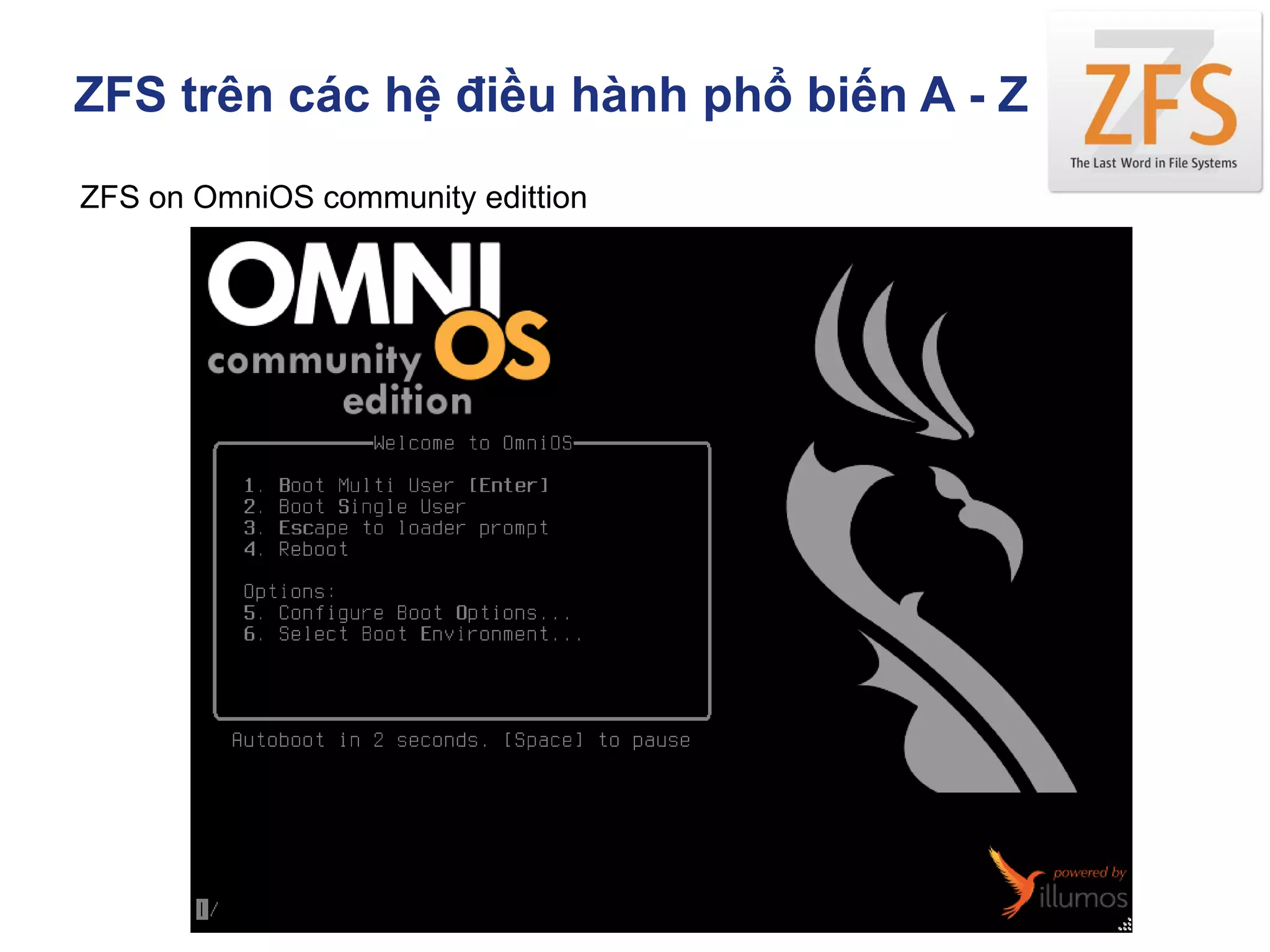
ZFS on OmniOS community edittion
ZFS trên các hệ điều hành phổ biến A - Z
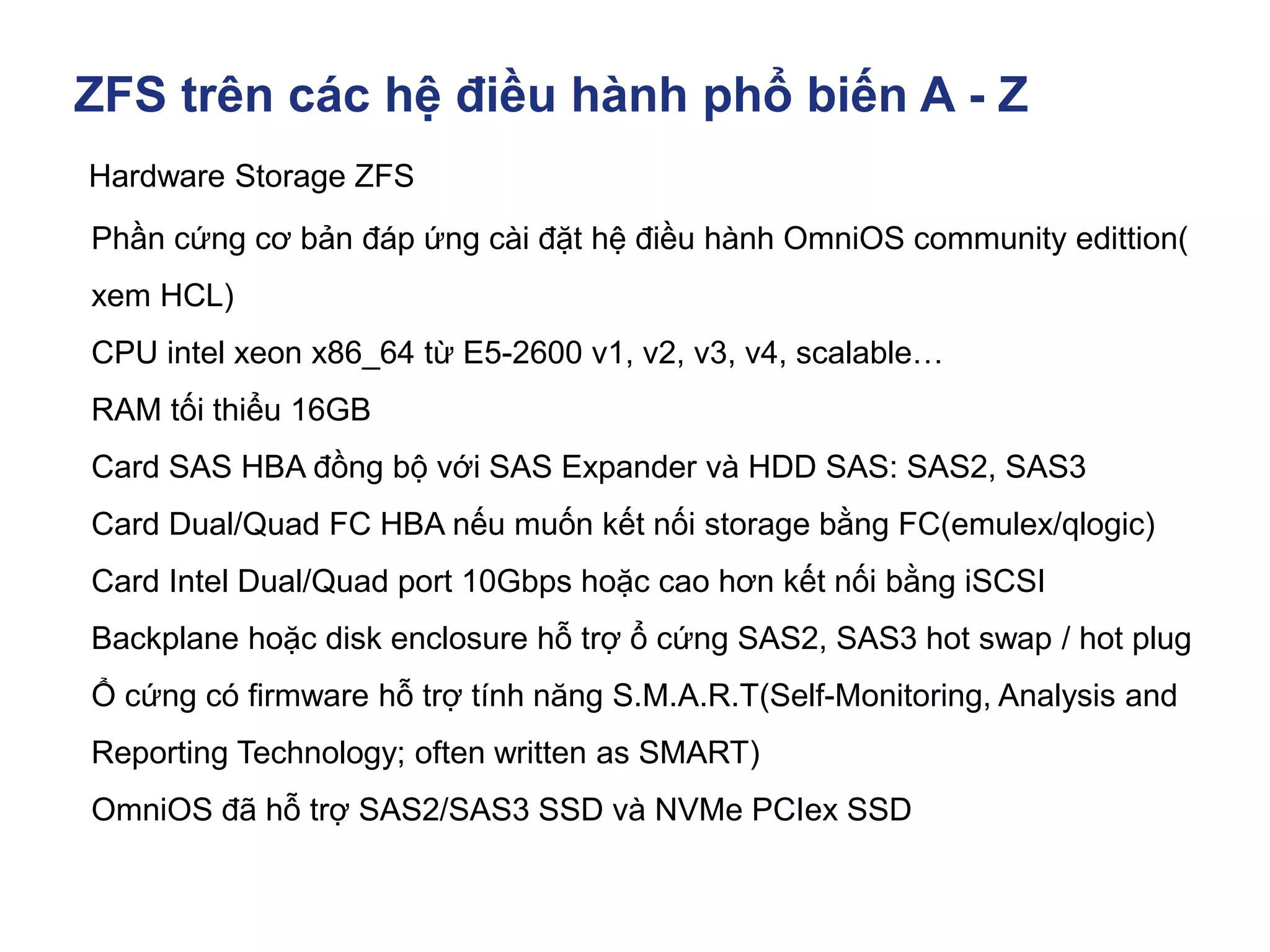
Hardware Storage ZFS
Phần cứng cơ bản đáp ứng cài đặt hệ điều hành OmniOS community edittion(
xem HCL)
CPU intel xeon x86_64 từ E5-2600 v1, v2, v3, v4, scalable…
RAM tối thiểu 16GB
Card SAS HBA đồng bộ với SAS Expander và HDD SAS: SAS2, SAS3
Card Dual/Quad FC HBA nếu muốn kết nối storage bằng FC(emulex/qlogic)
Card Intel Dual/Quad port 10Gbps hoặc cao hơn kết nối bằng iSCSI
Backplane hoặc disk enclosure hỗ trợ ổ cứng SAS2, SAS3 hot swap / hot plug
Ổ cứng có firmware hỗ trợ tính năng S.M.A.R.T(Self-Monitoring, Analysis and
Reporting Technology; often written as SMART)
OmniOS đã hỗ trợ SAS2/SAS3 SSD và NVMe PCIex SSD
ZFS trên các hệ điều hành phổ biến A - Z
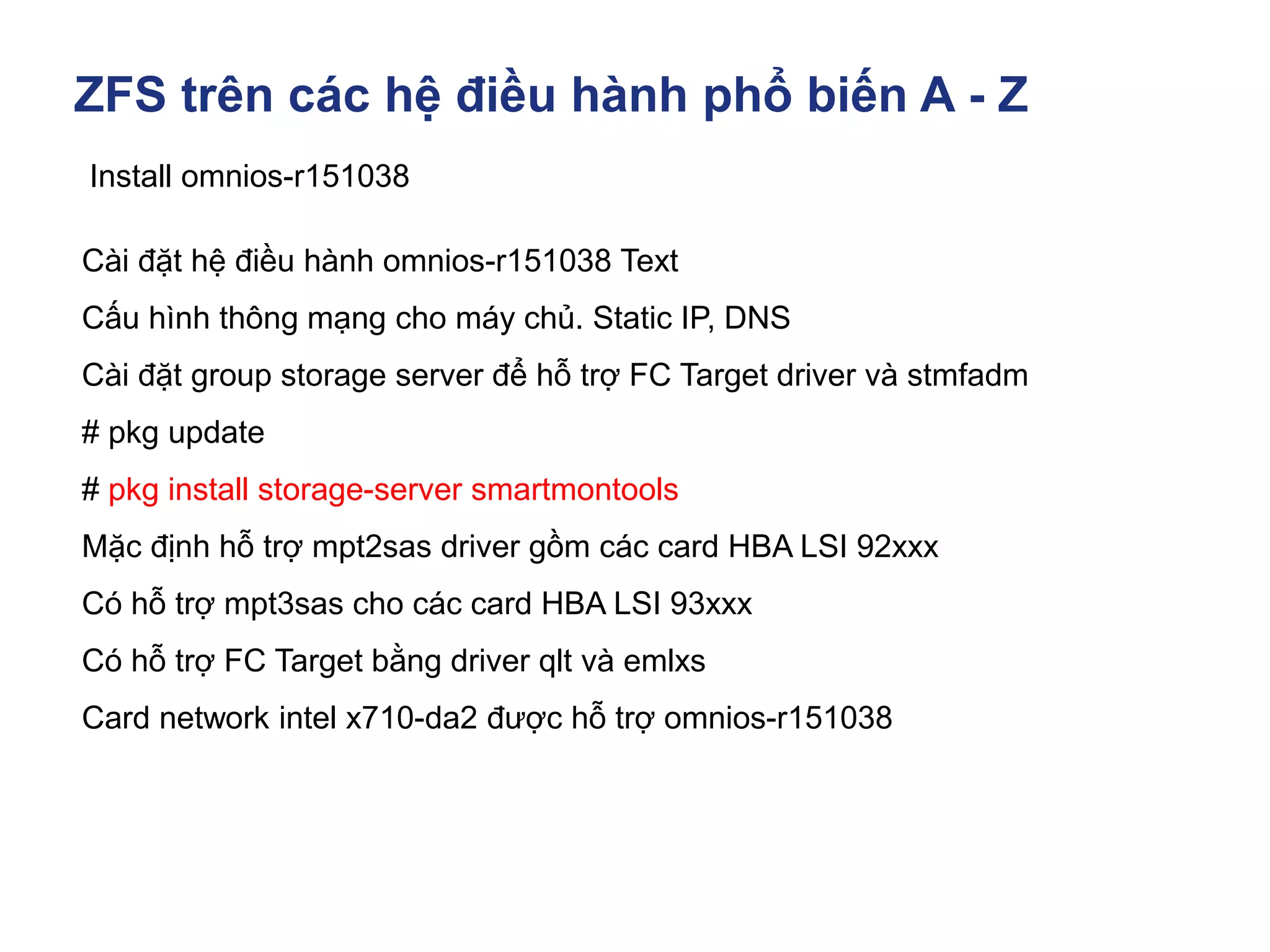
Install omnios-r151038
Cài đặt hệ điều hành omnios-r151038 Text
Cấu hình thông mạng cho máy chủ. Static IP, DNS
Cài đặt group storage server để hỗ trợ FC Target driver và stmfadm
# pkg update
# pkg install storage-server smartmontools
Mặc định hỗ trợ mpt2sas driver gồm các card HBA LSI 92xxx
Có hỗ trợ mpt3sas cho các card HBA LSI 93xxx
Có hỗ trợ FC Target bằng driver qlt và emlxs
Card network intel x710-da2 được hỗ trợ omnios-r151038
ZFS trên các hệ điều hành phổ biến A - Z
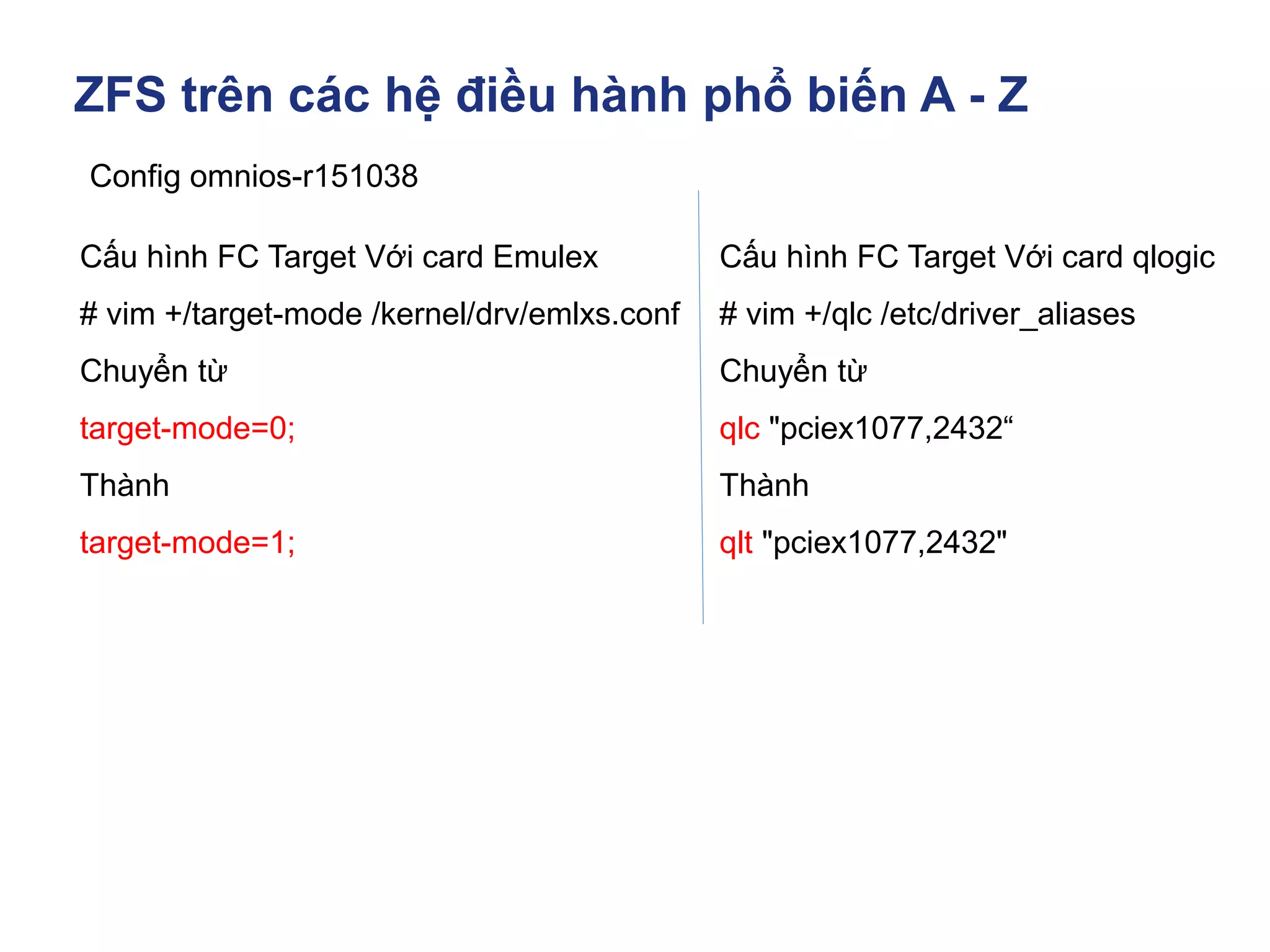
Config omnios-r151038
Cấu hình FC Target Với card Emulex
# vim +/target-mode /kernel/drv/emlxs.conf
Chuyển từ
target-mode=0;
Thành
target-mode=1;
Cấu hình FC Target Với card qlogic
# vim +/qlc /etc/driver_aliases
Chuyển từ
qlc "pciex1077,2432“
Thành
qlt "pciex1077,2432"
ZFS trên các hệ điều hành phổ biến A - Z
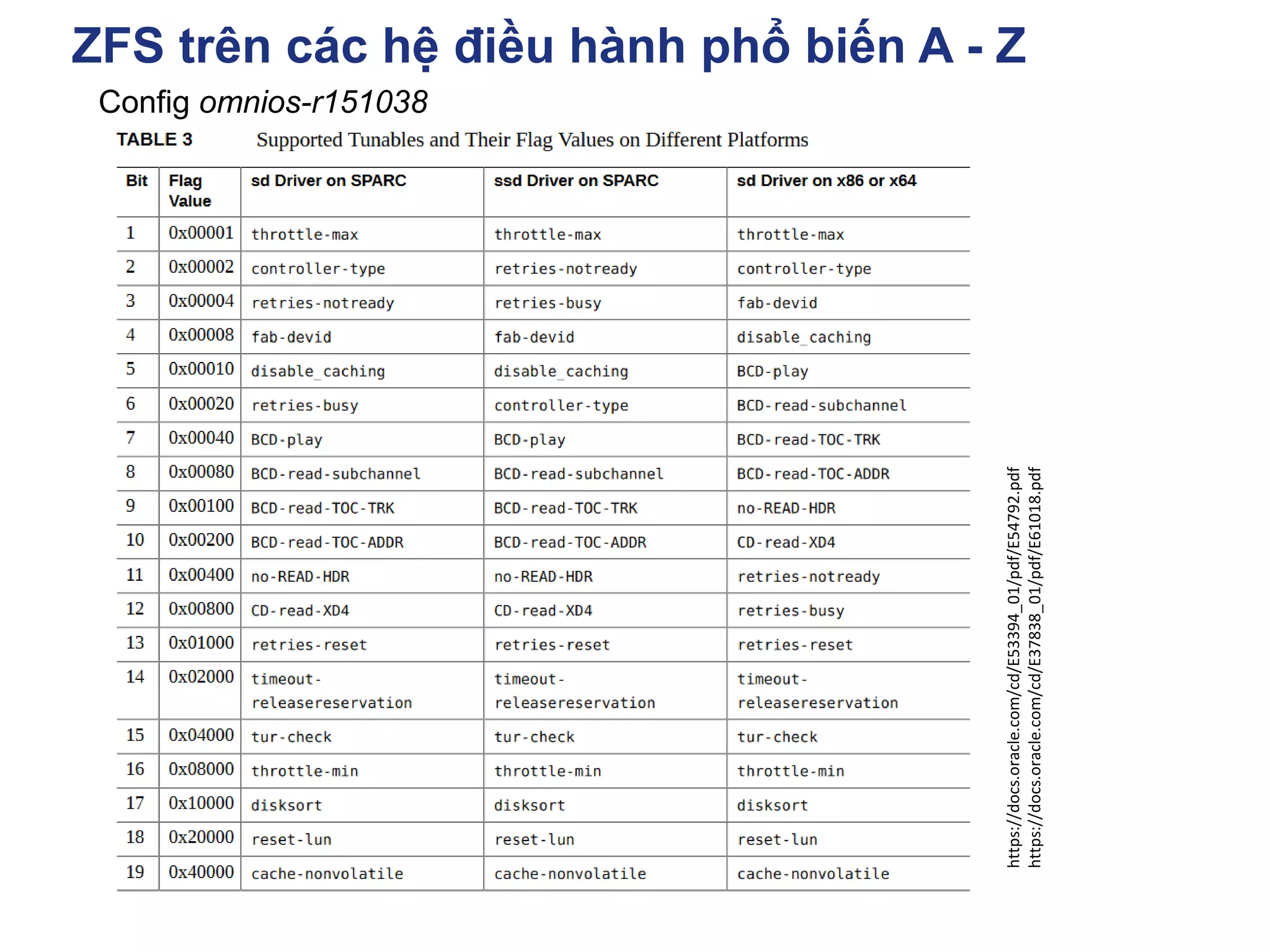
Config omnios-r151038
https://docs.oracle.com/cd/E53394_01/pdf/E54792.pdf
https://docs.oracle.com/cd/E37838_01/pdf/E61018.pdf
ZFS trên các hệ điều hành phổ biến A - Z
Config omnios-r151038
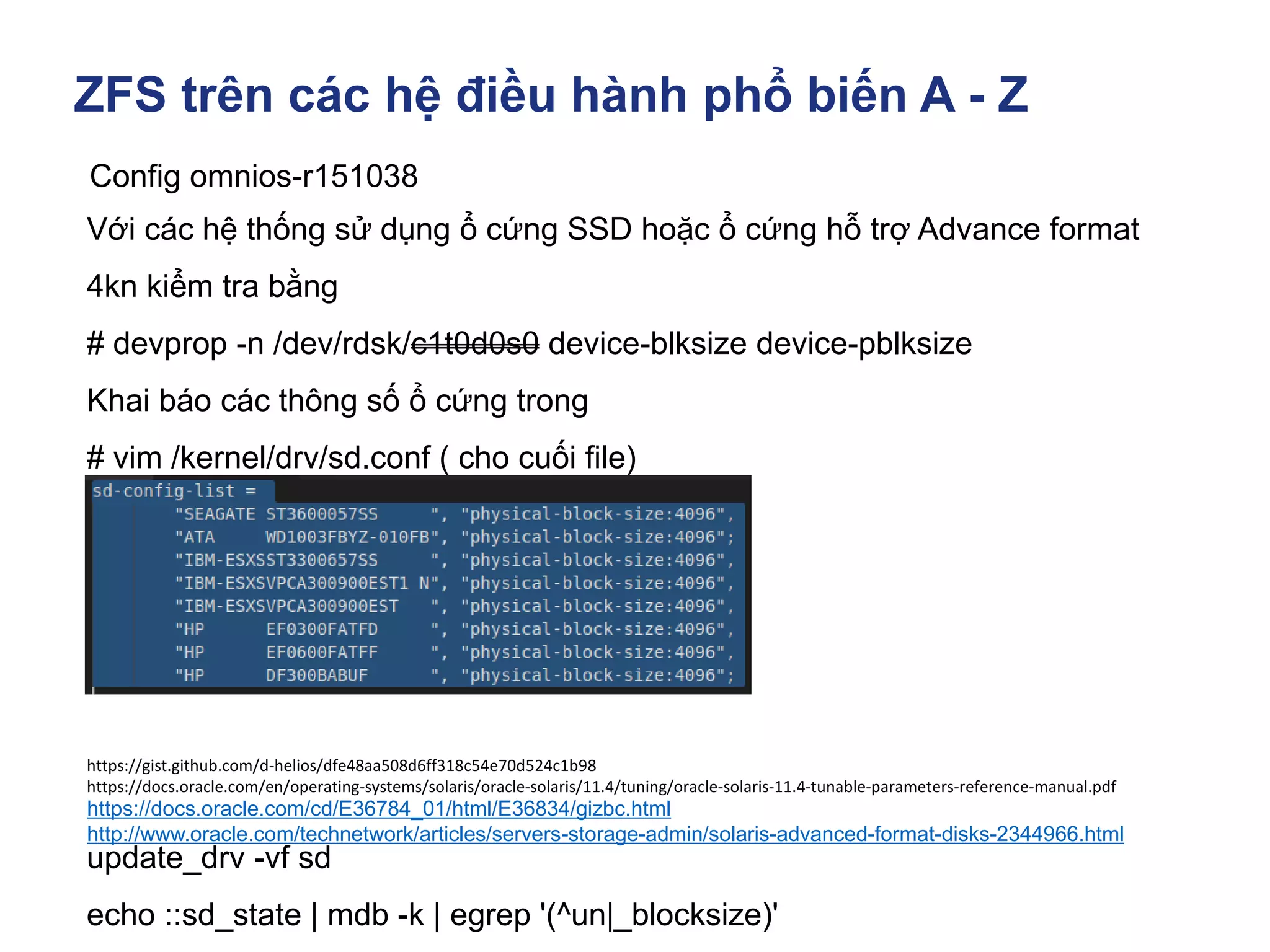
Với các hệ thống sử dụng ổ cứng SSD hoặc ổ cứng hỗ trợ Advance format
4kn kiểm tra bằng
# devprop -n /dev/rdsk/c1t0d0s0 device-blksize device-pblksize
Khai báo các thông số ổ cứng trong
# vim /kernel/drv/sd.conf ( cho cuối file)
update_drv -vf sd
echo ::sd_state | mdb -k | egrep '(^un|_blocksize)'
https://docs.oracle.com/cd/E36784_01/html/E36834/gizbc.html
http://www.oracle.com/technetwork/articles/servers-storage-admin/solaris-advanced-format-disks-2344966.html
https://gist.github.com/d-helios/dfe48aa508d6ff318c54e70d524c1b98
https://docs.oracle.com/en/operating-systems/solaris/oracle-solaris/11.4/tuning/oracle-solaris-11.4-tunable-parameters-reference-manual.pdf
ZFS trên các hệ điều hành phổ biến A - Z
Config omnios-r151038
https://docs.oracle.com/cd/E36784_01/html/E36834/gizbc.html
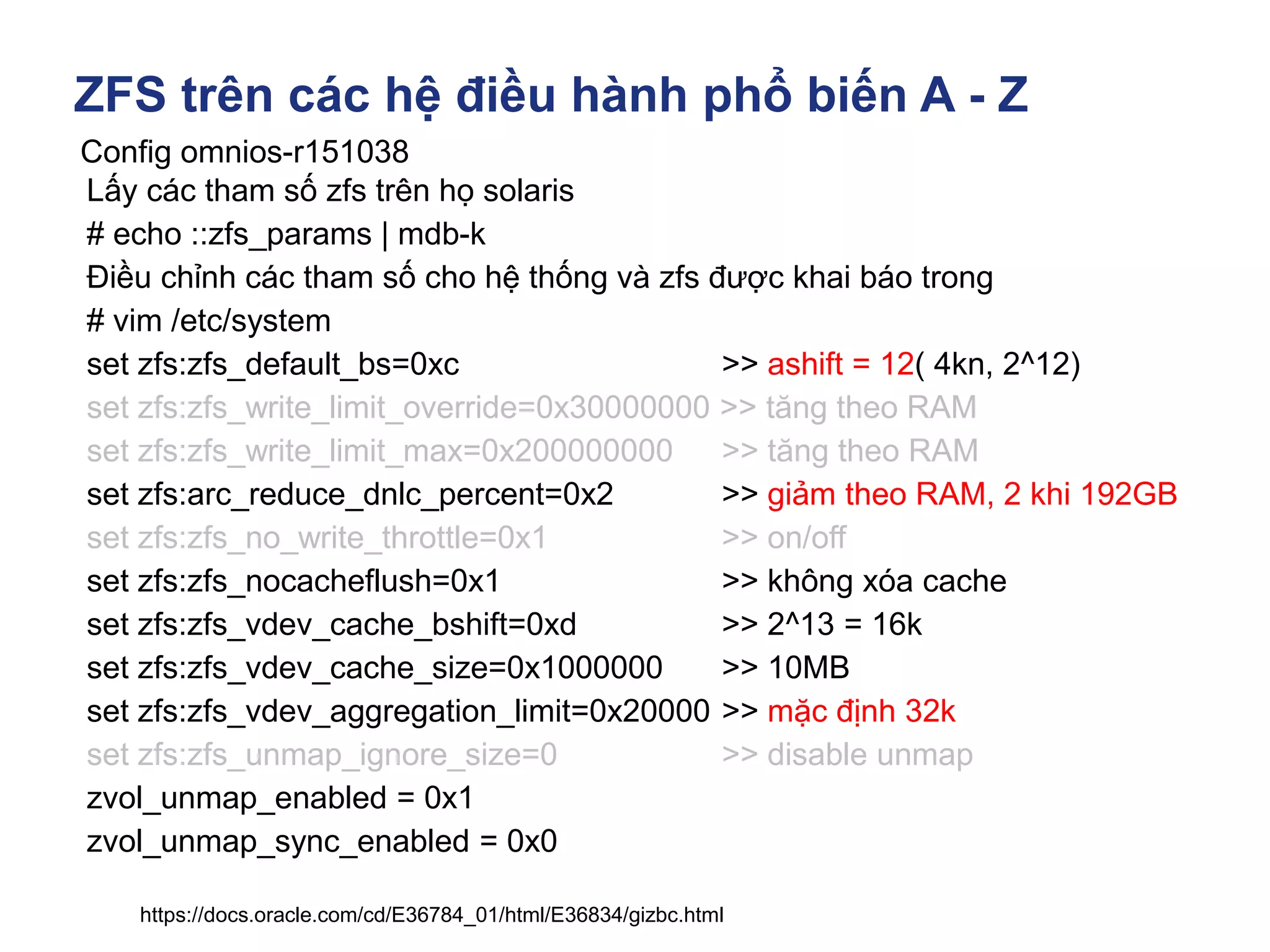
Lấy các tham số zfs trên họ solaris
# echo ::zfs_params | mdb-k
Điều chỉnh các tham số cho hệ thống và zfs được khai báo trong
# vim /etc/system
set zfs:zfs_default_bs=0xc >> ashift = 12( 4kn, 2^12)
set zfs:zfs_write_limit_override=0x30000000 >> tăng theo RAM
set zfs:zfs_write_limit_max=0x200000000 >> tăng theo RAM
set zfs:arc_reduce_dnlc_percent=0x2 >> giảm theo RAM, 2 khi 192GB
set zfs:zfs_no_write_throttle=0x1 >> on/off
set zfs:zfs_nocacheflush=0x1 >> không xóa cache
set zfs:zfs_vdev_cache_bshift=0xd >> 2^13 = 16k
set zfs:zfs_vdev_cache_size=0x1000000 >> 10MB
set zfs:zfs_vdev_aggregation_limit=0x20000 >> mặc định 32k
set zfs:zfs_unmap_ignore_size=0 >> disable unmap
zvol_unmap_enabled = 0x1
zvol_unmap_sync_enabled = 0x0
ZFS trên các hệ điều hành phổ biến A - Z
Config omnios-r151038
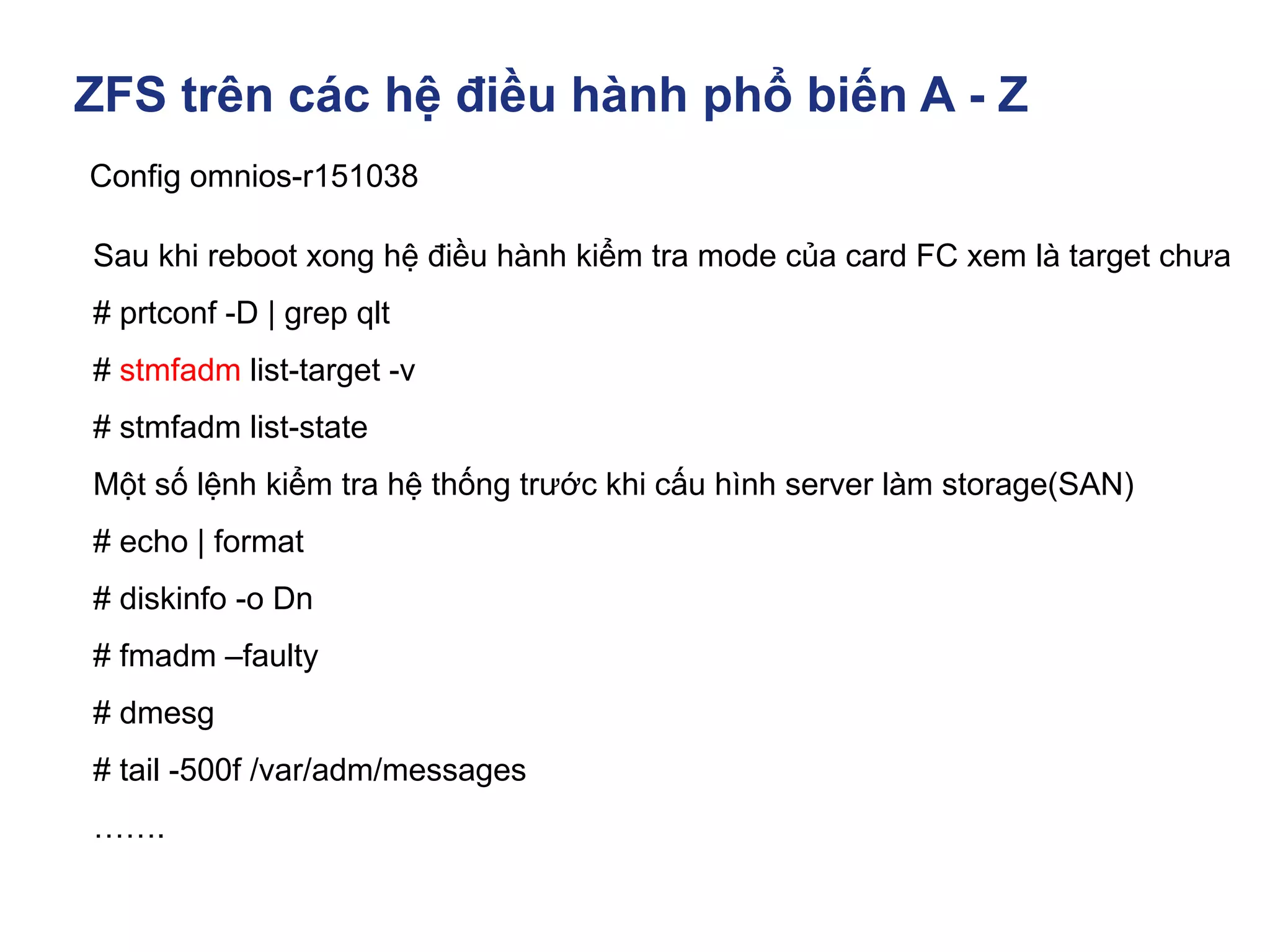
Sau khi reboot xong hệ điều hành kiểm tra mode của card FC xem là target chưa
# prtconf -D | grep qlt
# stmfadm list-target -v
# stmfadm list-state
Một số lệnh kiểm tra hệ thống trước khi cấu hình server làm storage(SAN)
# echo | format
# diskinfo -o Dn
# fmadm –faulty
# dmesg
# tail -500f /var/adm/messages
…….
ZFS trên các hệ điều hành phổ biến A - Z
Config omnios-r151038
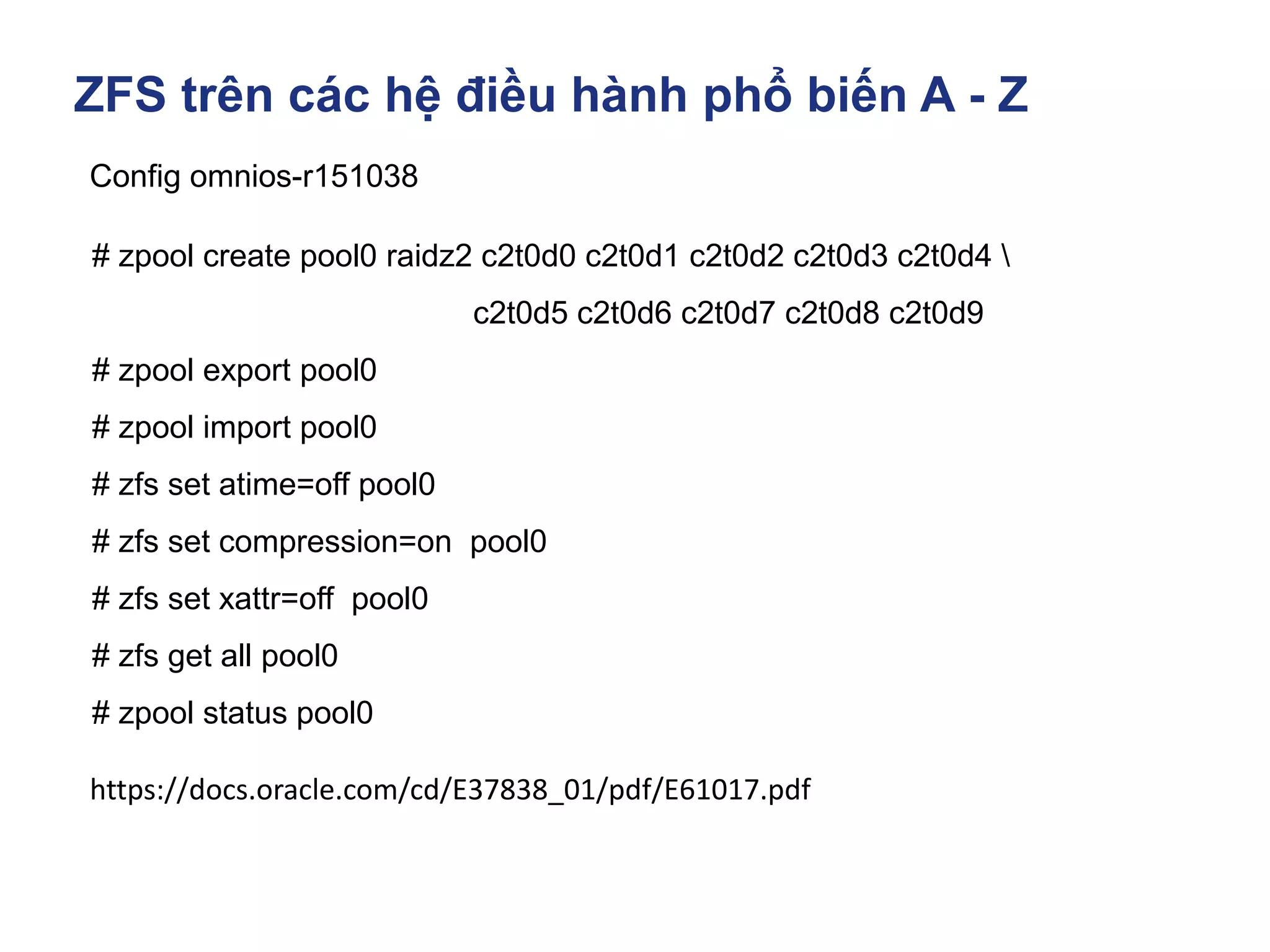
# zpool create pool0 raidz2 c2t0d0 c2t0d1 c2t0d2 c2t0d3 c2t0d4 
c2t0d5 c2t0d6 c2t0d7 c2t0d8 c2t0d9
# zpool export pool0
# zpool import pool0
# zfs set atime=off pool0
# zfs set compression=on pool0
# zfs set xattr=off pool0
# zfs get all pool0
# zpool status pool0
https://docs.oracle.com/cd/E37838_01/pdf/E61017.pdf
ZFS trên các hệ điều hành phổ biến A - Z
Config omnios-r151038
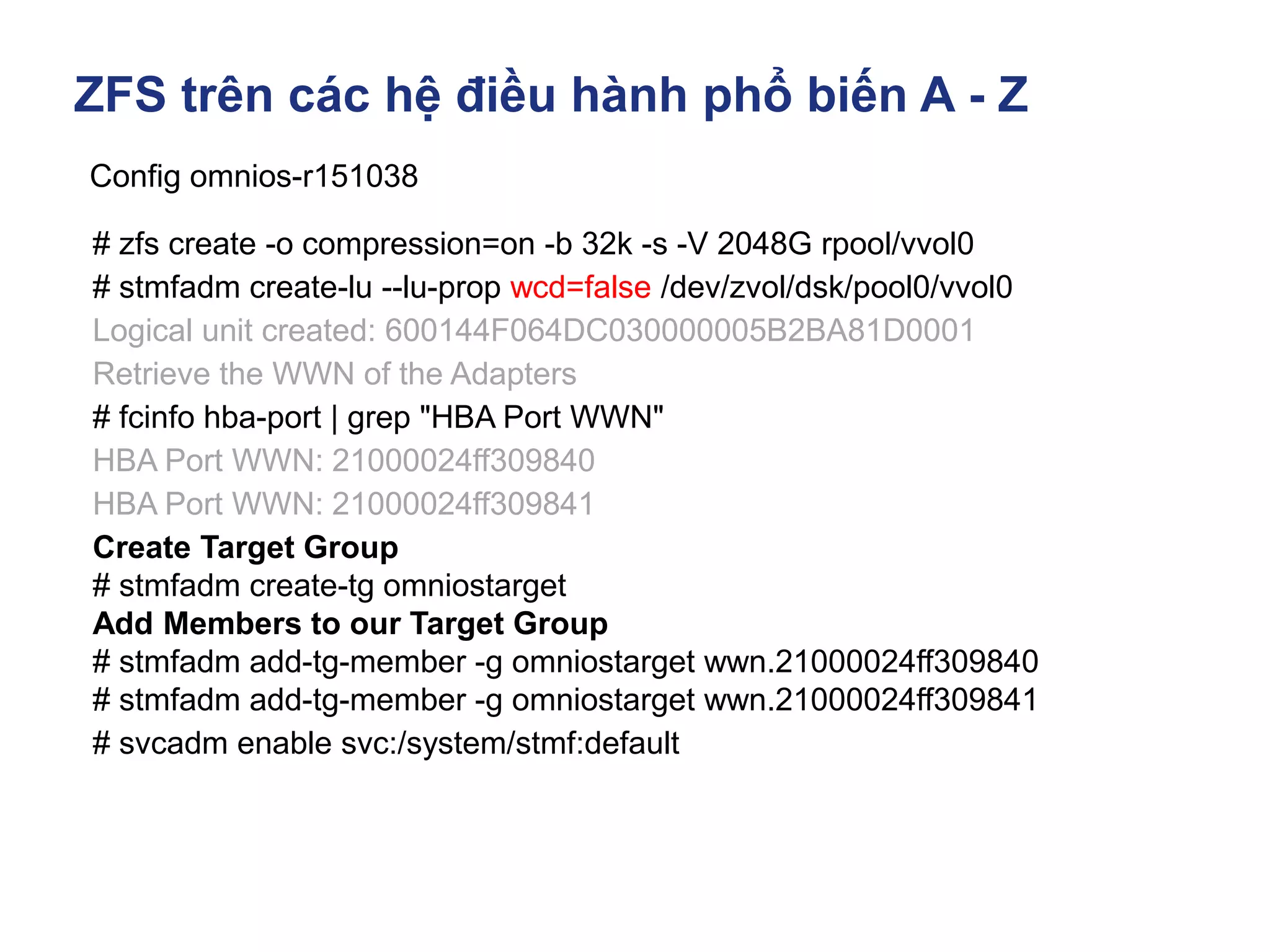
# zfs create -o compression=on -b 32k -s -V 2048G rpool/vvol0
# stmfadm create-lu --lu-prop wcd=false /dev/zvol/dsk/pool0/vvol0
Logical unit created: 600144F064DC030000005B2BA81D0001
Retrieve the WWN of the Adapters
# fcinfo hba-port | grep "HBA Port WWN"
HBA Port WWN: 21000024ff309840
HBA Port WWN: 21000024ff309841
Create Target Group
# stmfadm create-tg omniostarget
Add Members to our Target Group
# stmfadm add-tg-member -g omniostarget wwn.21000024ff309840
# stmfadm add-tg-member -g omniostarget wwn.21000024ff309841
# svcadm enable svc:/system/stmf:default
ZFS trên các hệ điều hành phổ biến A - Z
Config omnios-r151038
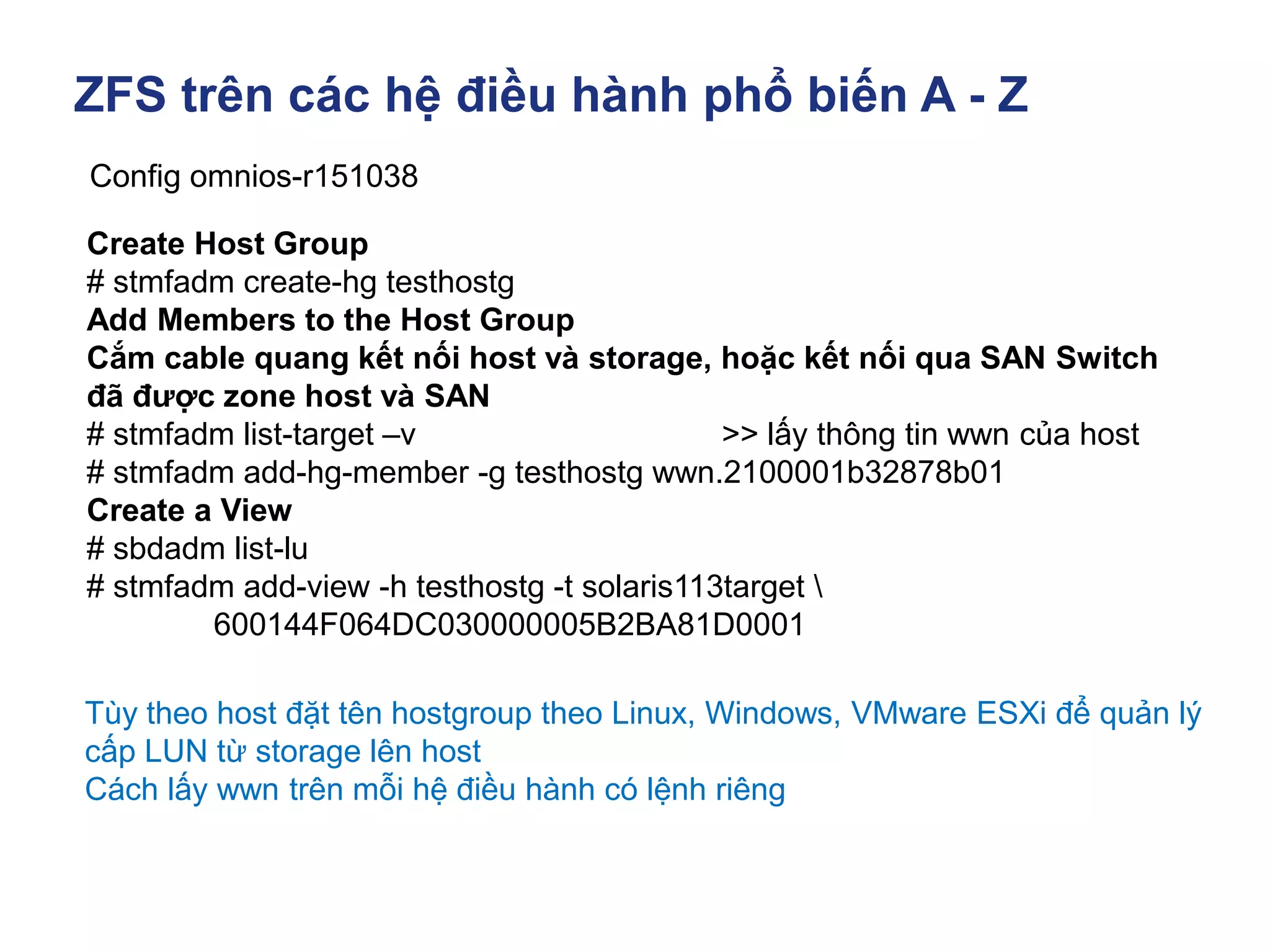
Create Host Group
# stmfadm create-hg testhostg
Add Members to the Host Group
Cắm cable quang kết nối host và storage, hoặc kết nối qua SAN Switch
đã được zone host và SAN
# stmfadm list-target –v >> lấy thông tin wwn của host
# stmfadm add-hg-member -g testhostg wwn.2100001b32878b01
Create a View
# sbdadm list-lu
# stmfadm add-view -h testhostg -t solaris113target 
600144F064DC030000005B2BA81D0001
Tùy theo host đặt tên hostgroup theo Linux, Windows, VMware ESXi để quản lý
cấp LUN từ storage lên host
Cách lấy wwn trên mỗi hệ điều hành có lệnh riêng
ZFS trên các hệ điều hành phổ biến A - Z
Config omnios-r151038
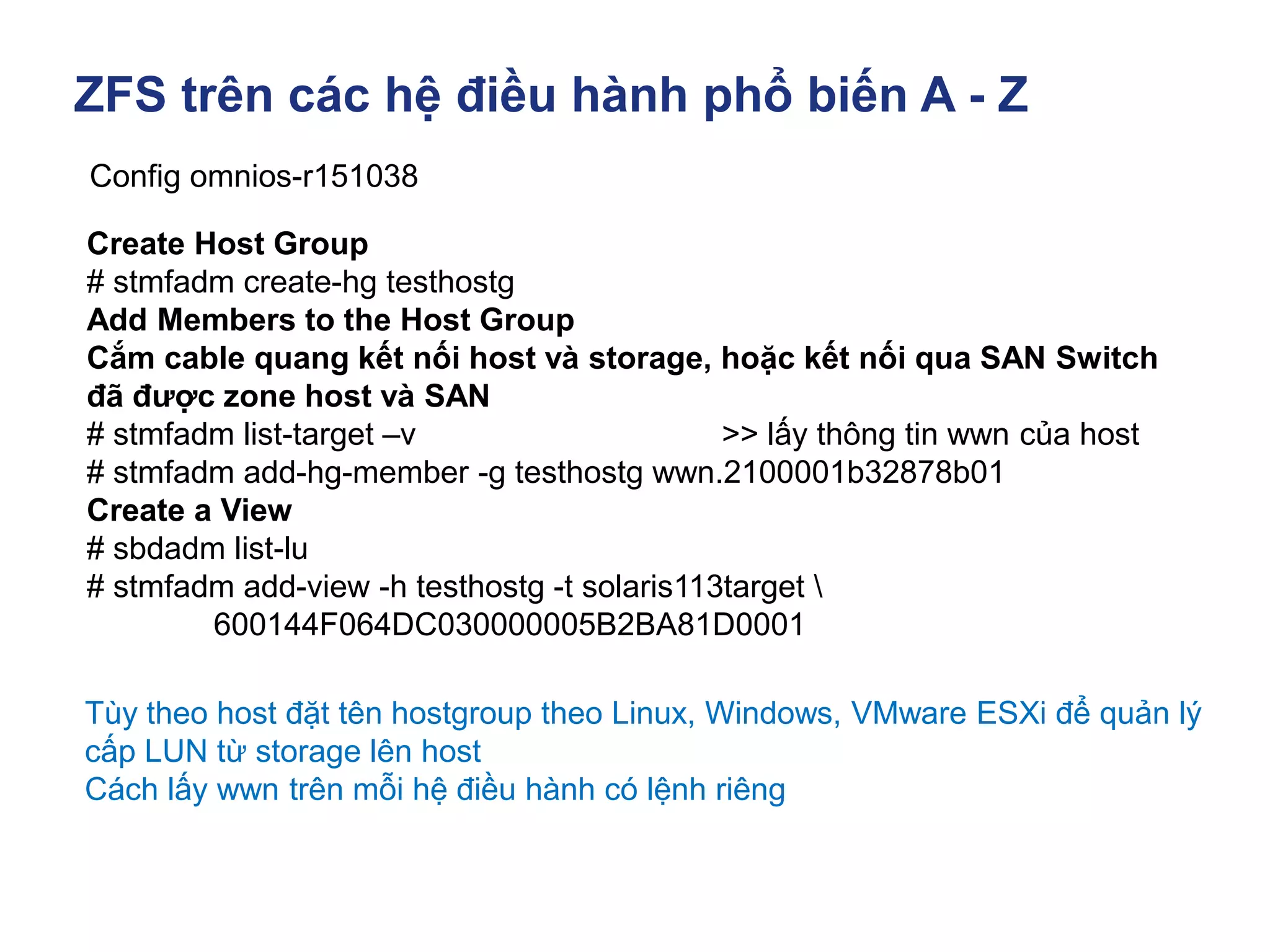
Create Host Group
# stmfadm create-hg testhostg
Add Members to the Host Group
Cắm cable quang kết nối host và storage, hoặc kết nối qua SAN Switch
đã được zone host và SAN
# stmfadm list-target –v >> lấy thông tin wwn của host
# stmfadm add-hg-member -g testhostg wwn.2100001b32878b01
Create a View
# sbdadm list-lu
# stmfadm add-view -h testhostg -t solaris113target 
600144F064DC030000005B2BA81D0001
Tùy theo host đặt tên hostgroup theo Linux, Windows, VMware ESXi để quản lý
cấp LUN từ storage lên host
Cách lấy wwn trên mỗi hệ điều hành có lệnh riêng
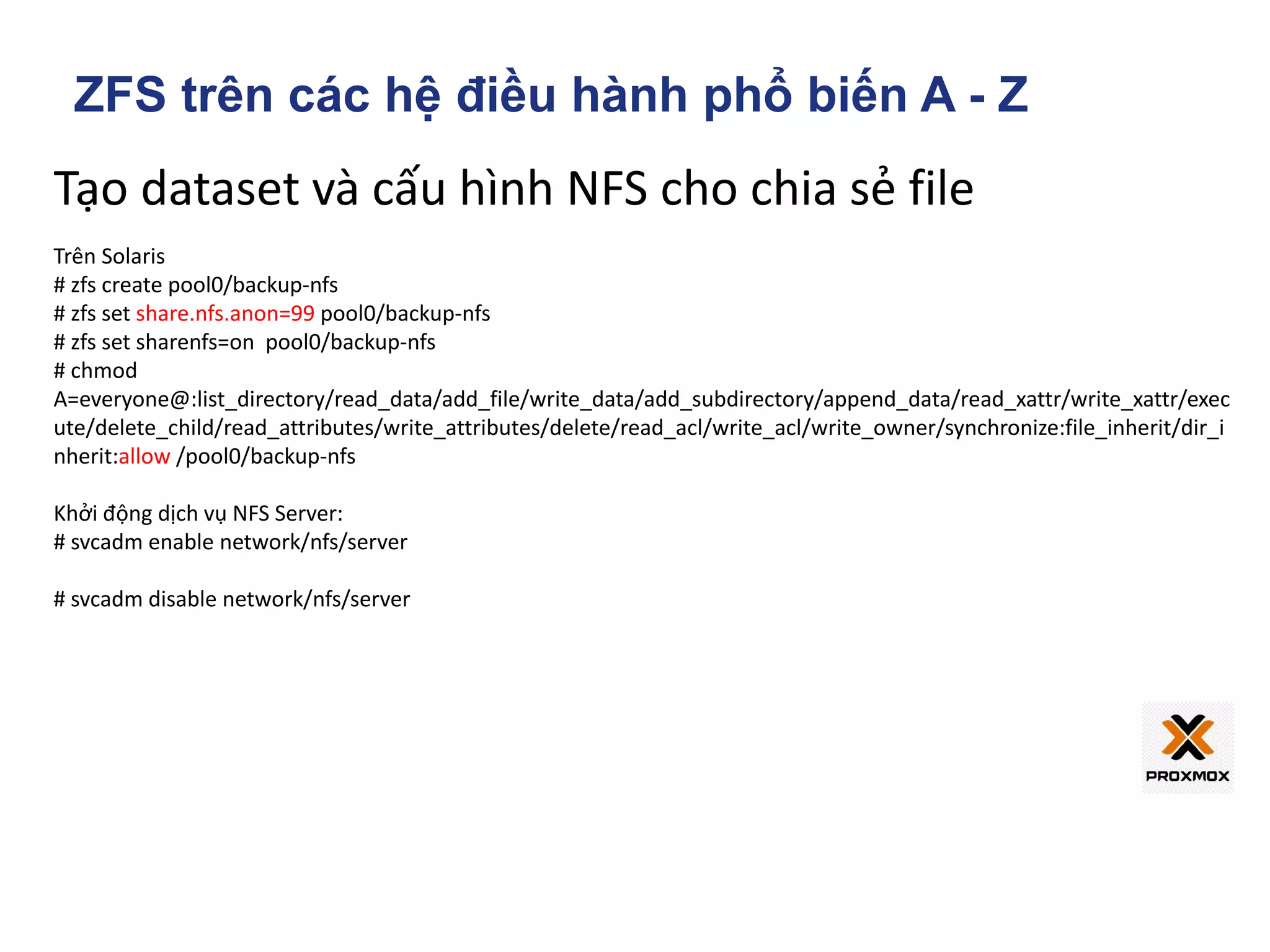
Tạo dataset và cấu hình NFS cho chia sẻ file
Trên Solaris
# zfs create pool0/backup-nfs
# zfs set share.nfs.anon=99 pool0/backup-nfs
# zfs set sharenfs=on pool0/backup-nfs
# chmod
A=everyone@:list_directory/read_data/add_file/write_data/add_subdirectory/append_data/read_xattr/write_xattr/exec
ute/delete_child/read_attributes/write_attributes/delete/read_acl/write_acl/write_owner/synchronize:file_inherit/dir_i
nherit:allow /pool0/backup-nfs
Khởi động dịch vụ NFS Server:
# svcadm enable network/nfs/server
# svcadm disable network/nfs/server
ZFS trên các hệ điều hành phổ biến A - Z
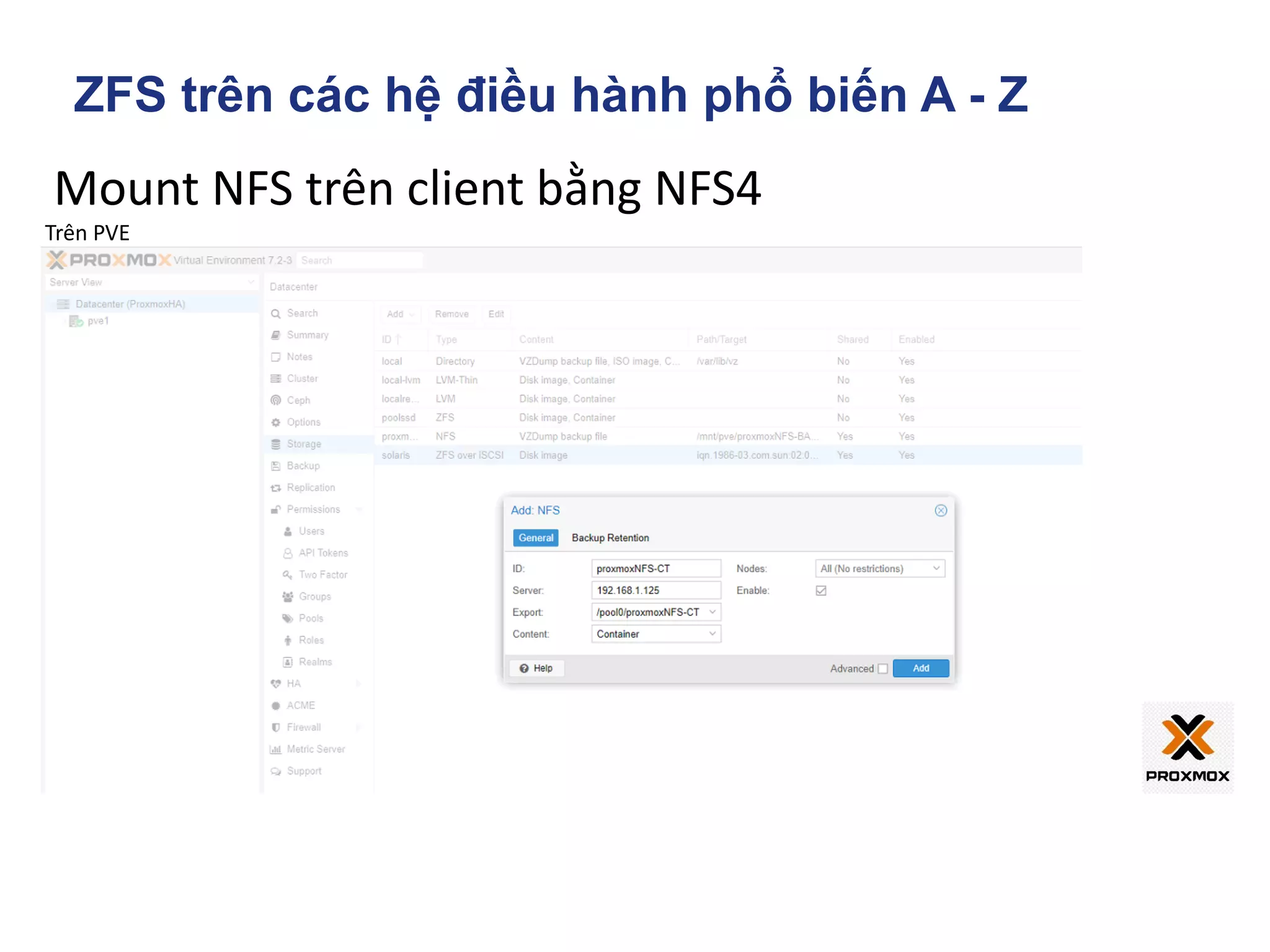
Mount NFS trên client bằng NFS4
Trên PVE
ZFS trên các hệ điều hành phổ biến A - Z
Config omnios-r151038
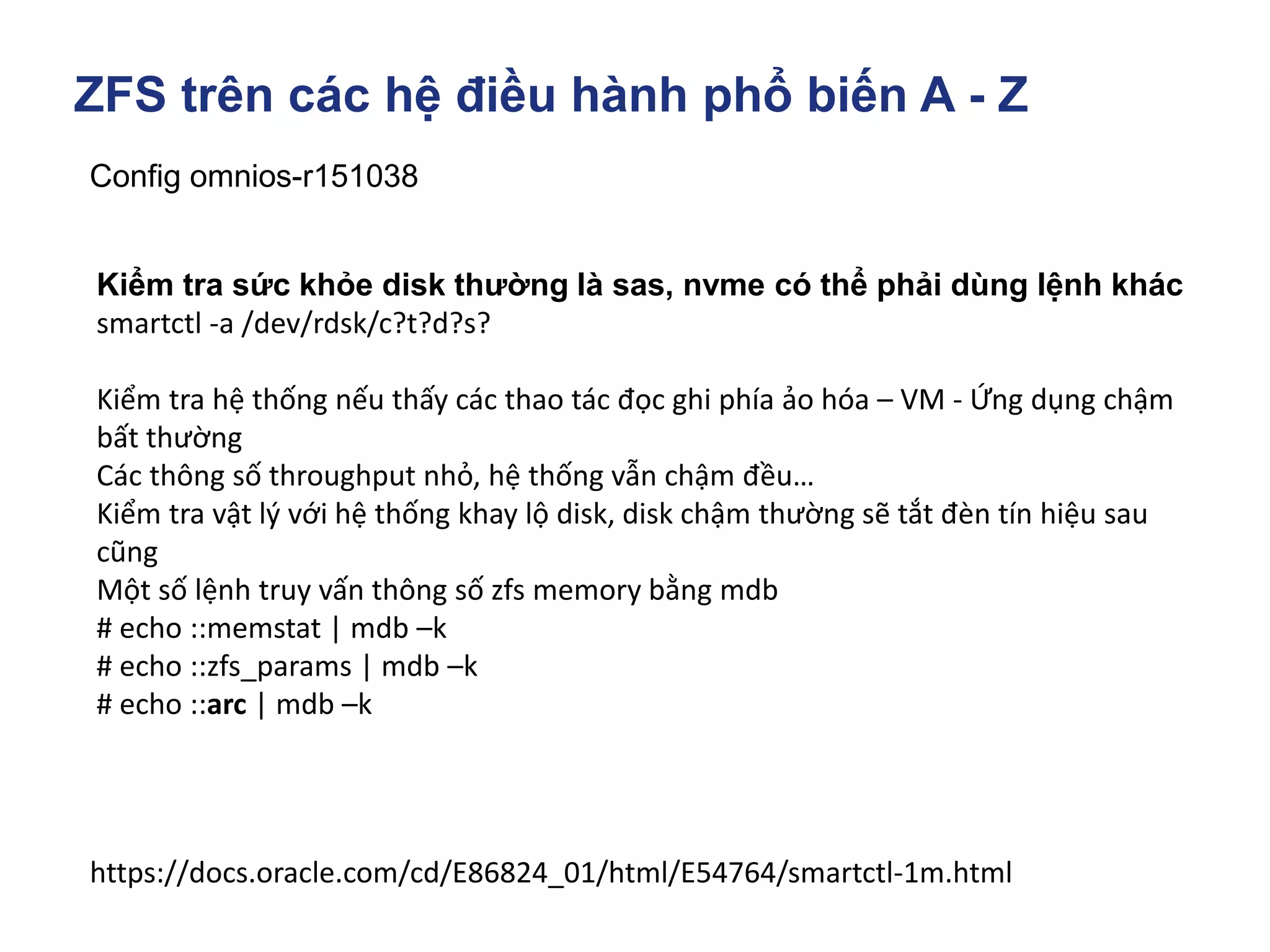
https://docs.oracle.com/cd/E86824_01/html/E54764/smartctl-1m.html
Kiểm tra sức khỏe disk thường là sas, nvme có thể phải dùng lệnh khác
smartctl -a /dev/rdsk/c?t?d?s?
Kiểm tra hệ thống nếu thấy các thao tác đọc ghi phía ảo hóa – VM - Ứng dụng chậm
bất thường
Các thông số throughput nhỏ, hệ thống vẫn chậm đều…
Kiểm tra vật lý với hệ thống khay lộ disk, disk chậm thường sẽ tắt đèn tín hiệu sau
cũng
Một số lệnh truy vấn thông số zfs memory bằng mdb
# echo ::memstat | mdb –k
# echo ::zfs_params | mdb –k
# echo ::arc | mdb –k
ZFS trên các hệ điều hành phổ biến A - Z
Config omnios-r151038
https://utcc.utoronto.ca/~cks/space/blog/solaris/ZFSScrubsOurSpeedup
Thay đổi tham số kernel khi hệ thống đang hoạt động, không reboot
To change kernel tunables like this, you need to use 'mdb -kw' to enable writing to
things. To see their value, I recommend using '::print', eg:
> zfs_scrub_delay ::print -d
4
> zfs_scan_idle ::print -d
0t50
To set the value, you should to use /W, not the /w that ZFS: Performance Tuning for
Scrubs and Resilvers says. The w modifier is for 2-byte shorts, not 4-byte ints, and all
of these variables are 4-byte ints (as you can see with '::print -t' and '::sizeof' if you
want). A typical example is:
> zfs_scrub_delay/W0
zfs_scrub_delay:0x4 = 0x0
The /W stuff accepts decimal numbers as '0tNNNN' (as '::print -d' shows them,
unsurprisingly), so you can do things like:
> zfs_scan_min_time_ms/W0t5000
zfs_scan_min_time_ms: 0x3e8 = 0x1388
ZFS trên các hệ điều hành phổ biến A - Z
ZFS on Omniosce
ZFS trên các hệ điều hành phổ biến A - Z
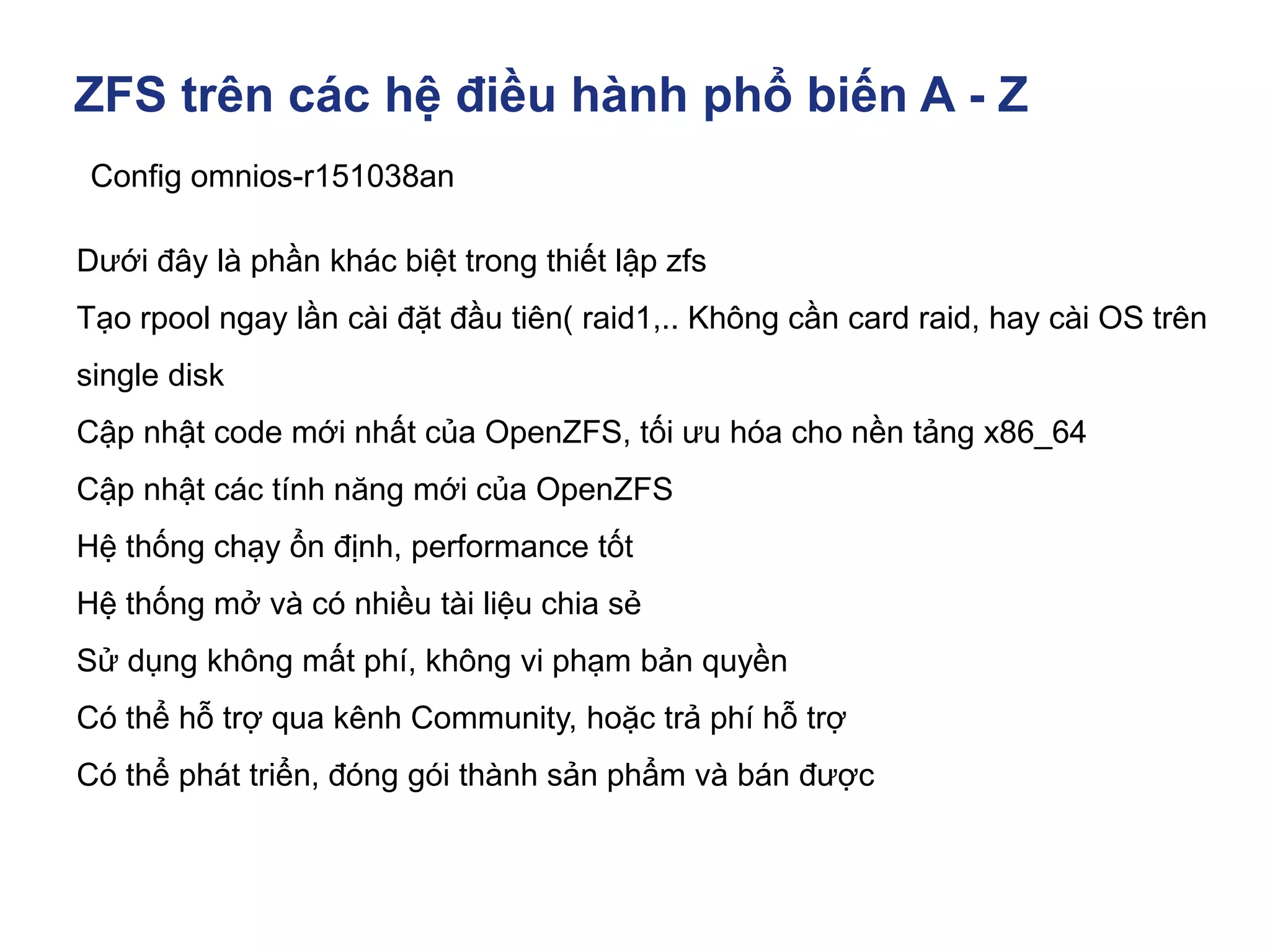
Config omnios-r151038an
Dưới đây là phần khác biệt trong thiết lập zfs
Tạo rpool ngay lần cài đặt đầu tiên( raid1,.. Không cần card raid, hay cài OS trên
single disk
Cập nhật code mới nhất của OpenZFS, tối ưu hóa cho nền tảng x86_64
Cập nhật các tính năng mới của OpenZFS
Hệ thống chạy ổn định, performance tốt
Hệ thống mở và có nhiều tài liệu chia sẻ
Sử dụng không mất phí, không vi phạm bản quyền
Có thể hỗ trợ qua kênh Community, hoặc trả phí hỗ trợ
Có thể phát triển, đóng gói thành sản phẩm và bán được
ZFS trên các hệ điều hành phổ biến A - Z
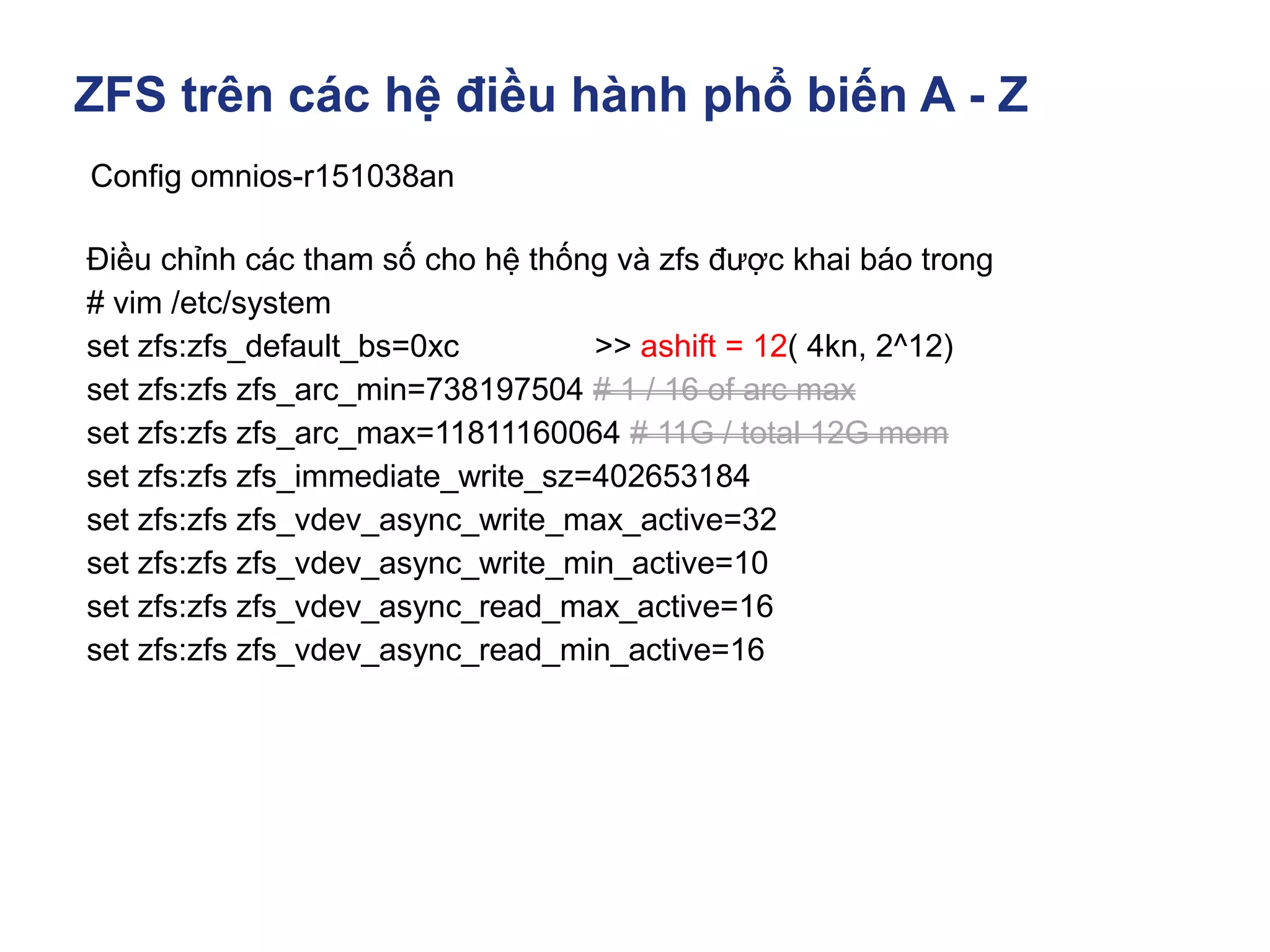
Config omnios-r151038an
Điều chỉnh các tham số cho hệ thống và zfs được khai báo trong
# vim /etc/system
set zfs:zfs_default_bs=0xc >> ashift = 12( 4kn, 2^12)
set zfs:zfs zfs_arc_min=738197504 # 1 / 16 of arc max
set zfs:zfs zfs_arc_max=11811160064 # 11G / total 12G mem
set zfs:zfs zfs_immediate_write_sz=402653184
set zfs:zfs zfs_vdev_async_write_max_active=32
set zfs:zfs zfs_vdev_async_write_min_active=10
set zfs:zfs zfs_vdev_async_read_max_active=16
set zfs:zfs zfs_vdev_async_read_min_active=16
ZFS trên các hệ điều hành phổ biến A - Z
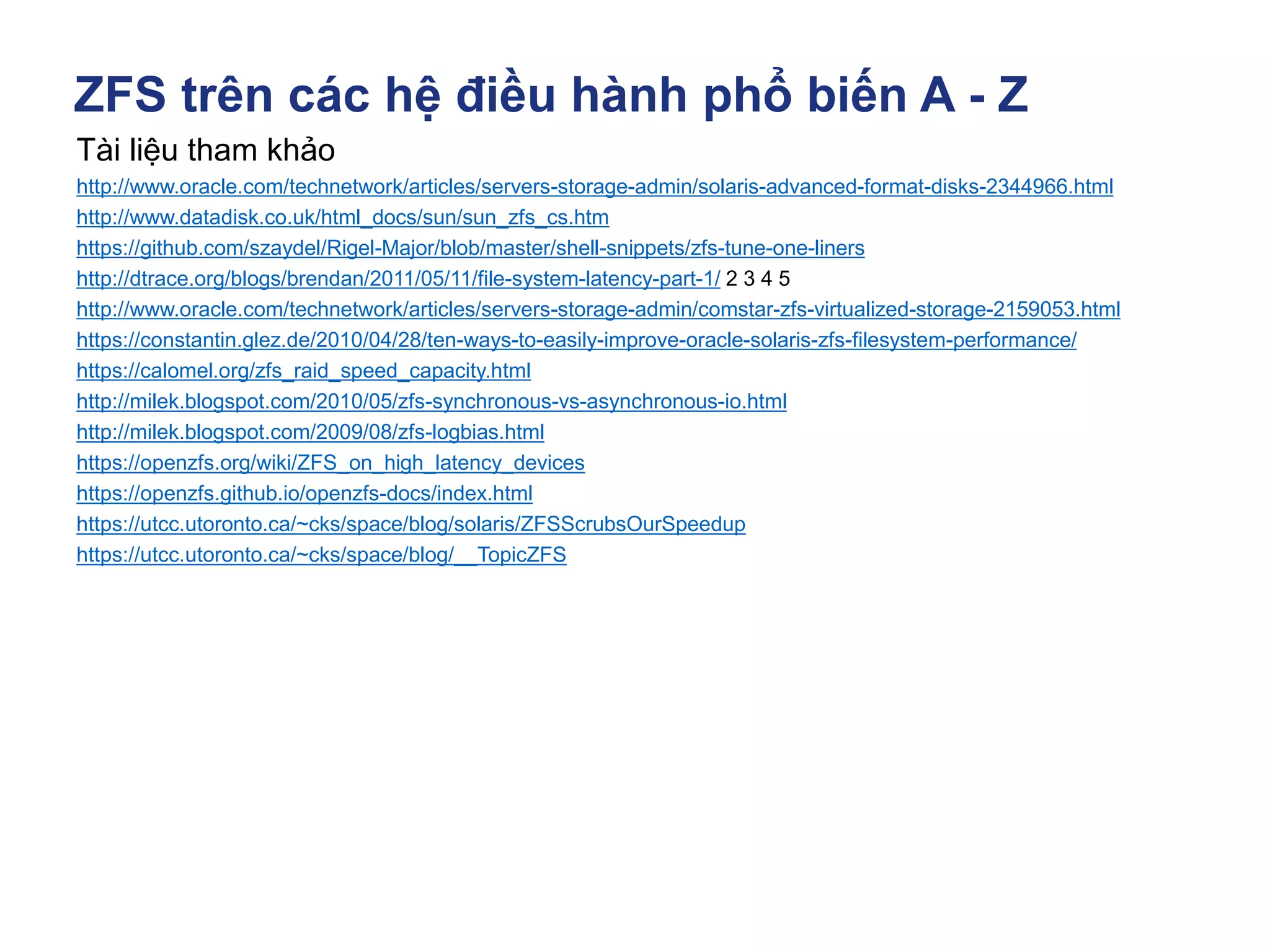
Tài liệu tham khảo
http://www.oracle.com/technetwork/articles/servers-storage-admin/solaris-advanced-format-disks-2344966.html
http://www.datadisk.co.uk/html_docs/sun/sun_zfs_cs.htm
https://github.com/szaydel/Rigel-Major/blob/master/shell-snippets/zfs-tune-one-liners
http://dtrace.org/blogs/brendan/2011/05/11/file-system-latency-part-1/ 2 3 4 5
http://www.oracle.com/technetwork/articles/servers-storage-admin/comstar-zfs-virtualized-storage-2159053.html
https://constantin.glez.de/2010/04/28/ten-ways-to-easily-improve-oracle-solaris-zfs-filesystem-performance/
https://calomel.org/zfs_raid_speed_capacity.html
http://milek.blogspot.com/2010/05/zfs-synchronous-vs-asynchronous-io.html
http://milek.blogspot.com/2009/08/zfs-logbias.html
https://openzfs.org/wiki/ZFS_on_high_latency_devices
https://openzfs.github.io/openzfs-docs/index.html
https://utcc.utoronto.ca/~cks/space/blog/solaris/ZFSScrubsOurSpeedup
https://utcc.utoronto.ca/~cks/space/blog/__TopicZFS
ZFS trên các hệ điều hành phổ biến A - Z
Config OmniOS Community Edition r151026
Tài liệu tham khảo
Tài liệu cài đặt hệ điều hành solaris
Tài liệu SMB on solaris
Tài liệu iscsi on Solaris
Tài liệu FC target on solaris
Slide NFS on solaris
https://arstechnica.com/information-technology/2020/05/zfs-101-understanding-zfs-
storage-and-performance/
ZFS trên các hệ điều hành phổ biến A - Z
ZFS on Linux
ZFS trên các hệ điều hành phổ biến A - Z
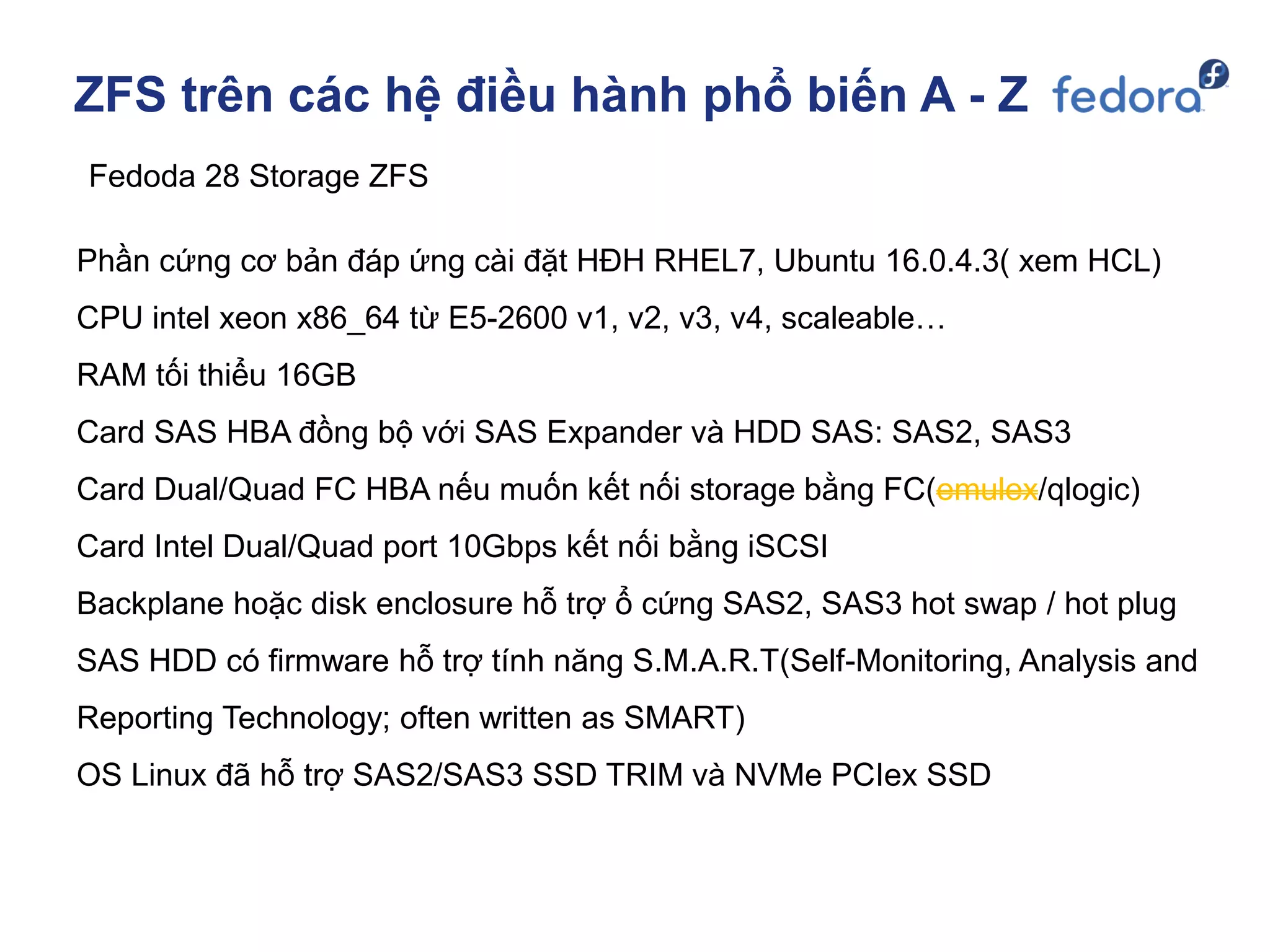
Fedoda 28 Storage ZFS
Phần cứng cơ bản đáp ứng cài đặt HĐH RHEL7, Ubuntu 16.0.4.3( xem HCL)
CPU intel xeon x86_64 từ E5-2600 v1, v2, v3, v4, scaleable…
RAM tối thiểu 16GB
Card SAS HBA đồng bộ với SAS Expander và HDD SAS: SAS2, SAS3
Card Dual/Quad FC HBA nếu muốn kết nối storage bằng FC(emulex/qlogic)
Card Intel Dual/Quad port 10Gbps kết nối bằng iSCSI
Backplane hoặc disk enclosure hỗ trợ ổ cứng SAS2, SAS3 hot swap / hot plug
SAS HDD có firmware hỗ trợ tính năng S.M.A.R.T(Self-Monitoring, Analysis and
Reporting Technology; often written as SMART)
OS Linux đã hỗ trợ SAS2/SAS3 SSD TRIM và NVMe PCIex SSD
ZFS trên các hệ điều hành phổ biến A - Z
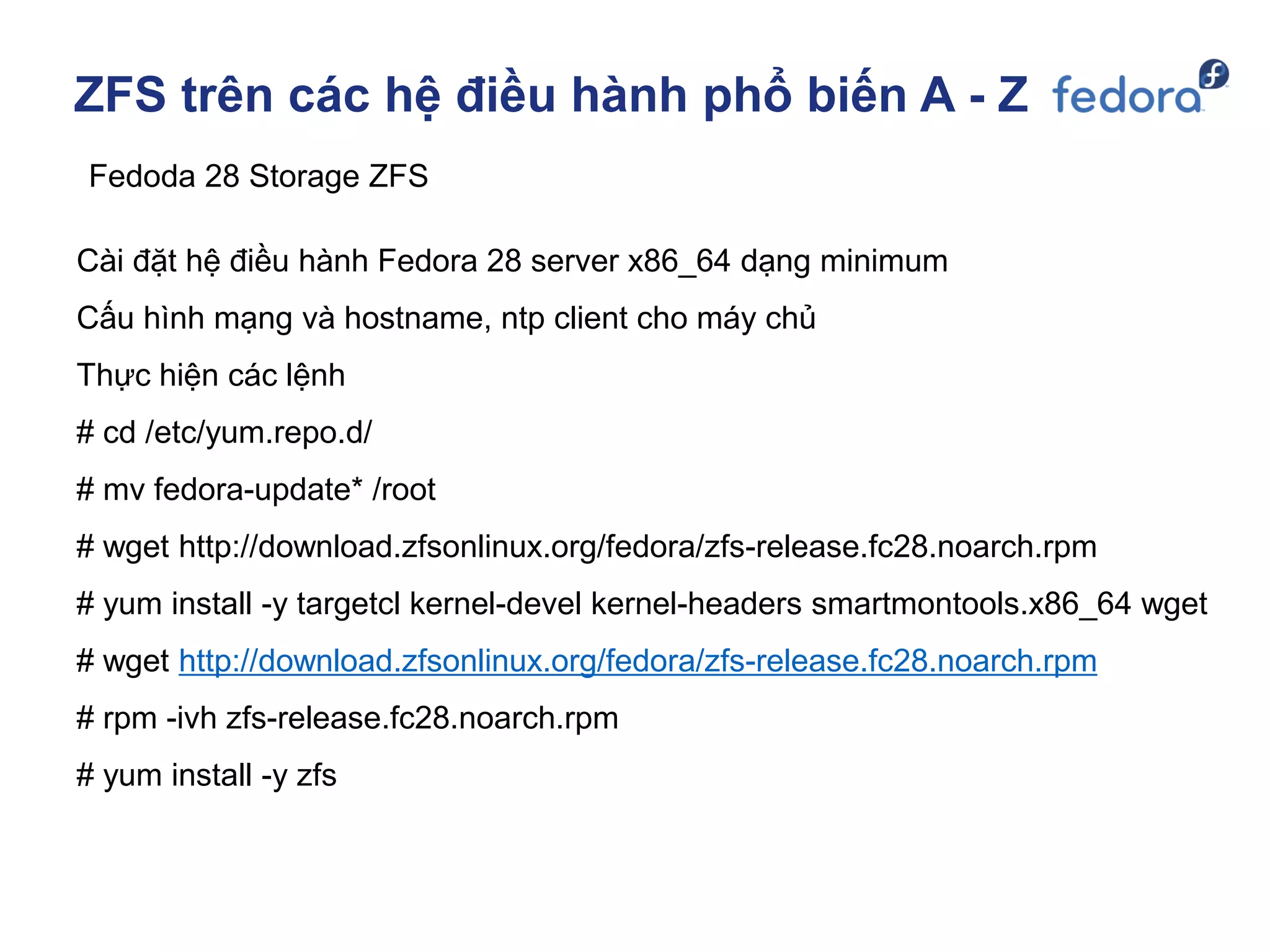
Fedoda 28 Storage ZFS
Cài đặt hệ điều hành Fedora 28 server x86_64 dạng minimum
Cấu hình mạng và hostname, ntp client cho máy chủ
Thực hiện các lệnh
# cd /etc/yum.repo.d/
# mv fedora-update* /root
# wget http://download.zfsonlinux.org/fedora/zfs-release.fc28.noarch.rpm
# yum install -y targetcl kernel-devel kernel-headers smartmontools.x86_64 wget
# wget http://download.zfsonlinux.org/fedora/zfs-release.fc28.noarch.rpm
# rpm -ivh zfs-release.fc28.noarch.rpm
# yum install -y zfs
ZFS trên các hệ điều hành phổ biến A - Z
Fedoda 28 Storage ZFS
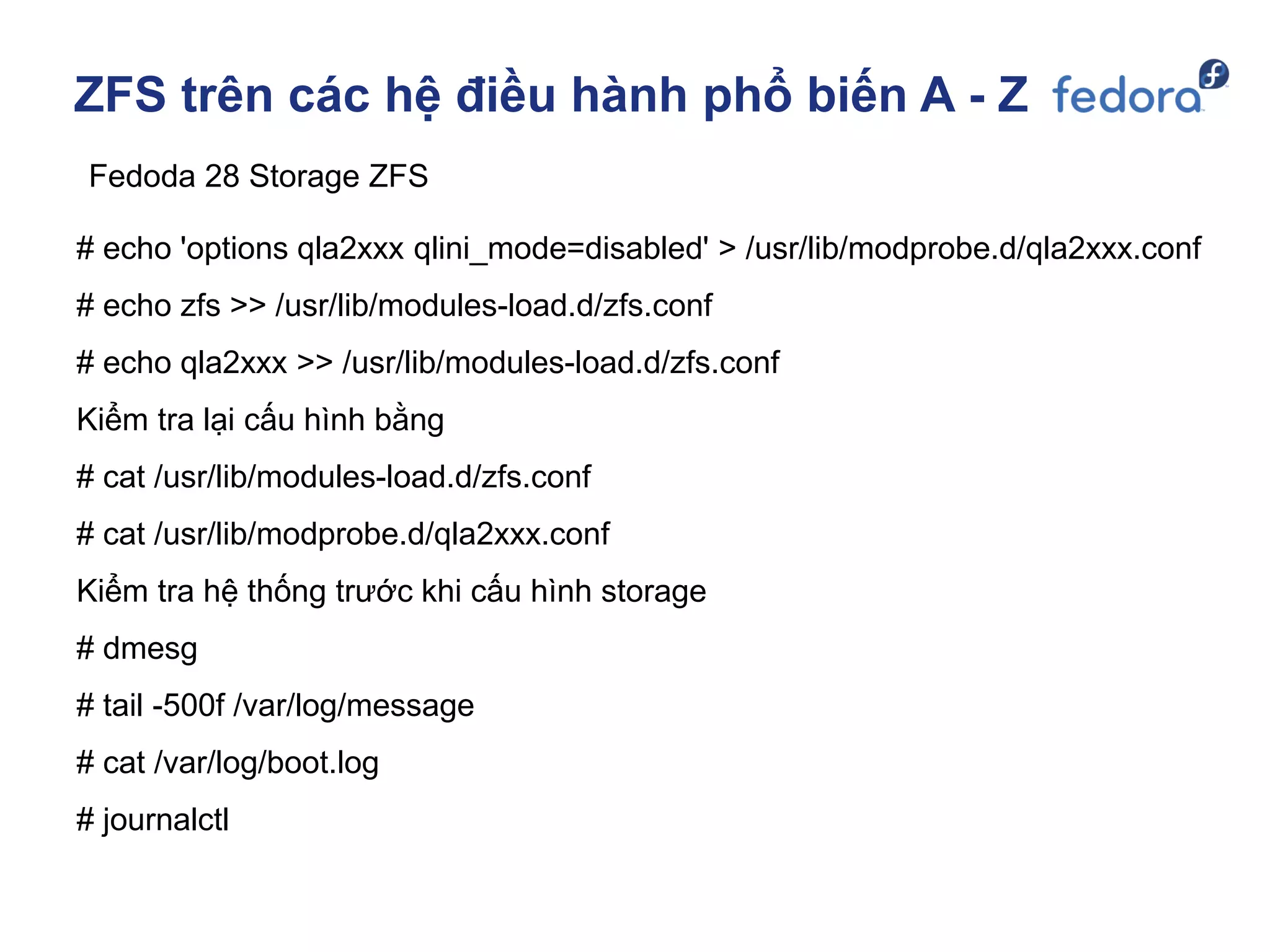
# echo 'options qla2xxx qlini_mode=disabled' > /usr/lib/modprobe.d/qla2xxx.conf
# echo zfs >> /usr/lib/modules-load.d/zfs.conf
# echo qla2xxx >> /usr/lib/modules-load.d/zfs.conf
Kiểm tra lại cấu hình bằng
# cat /usr/lib/modules-load.d/zfs.conf
# cat /usr/lib/modprobe.d/qla2xxx.conf
Kiểm tra hệ thống trước khi cấu hình storage
# dmesg
# tail -500f /var/log/message
# cat /var/log/boot.log
# journalctl
ZFS trên các hệ điều hành phổ biến A - Z
Fedoda 28 Storage ZFS
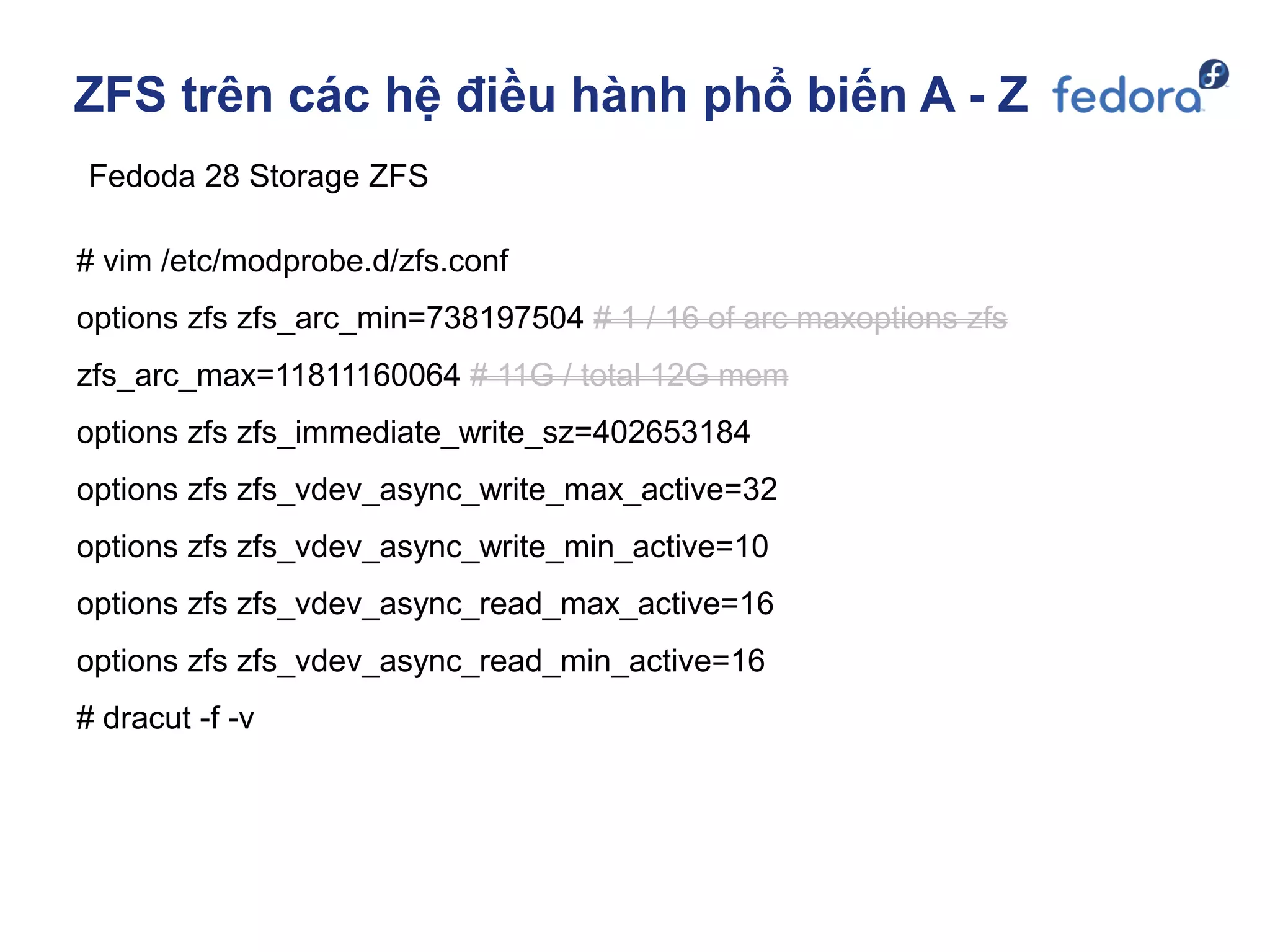
# vim /etc/modprobe.d/zfs.conf
options zfs zfs_arc_min=738197504 # 1 / 16 of arc maxoptions zfs
zfs_arc_max=11811160064 # 11G / total 12G mem
options zfs zfs_immediate_write_sz=402653184
options zfs zfs_vdev_async_write_max_active=32
options zfs zfs_vdev_async_write_min_active=10
options zfs zfs_vdev_async_read_max_active=16
options zfs zfs_vdev_async_read_min_active=16
# dracut -f -v
ZFS trên các hệ điều hành phổ biến A - Z
Fedoda 28 Storage ZFS
# zpool create -o ashift=12 pool0 raidz2 /dev/sd[b-k]
# zpool export pool0
# zpool import -d /dev/disk/by-id -N pool0
# zpool status pool0
# zfs list
# zdb -C | grep ashift >> ashift = 12
# zfs set recordsize=512k pool0
# zfs set compression=on pool0
# zfs set checksum=on/off pool0
# zfs set logbias=latency/throughput pool0
ZFS trên các hệ điều hành phổ biến A - Z
Fedoda 28 Storage ZFS
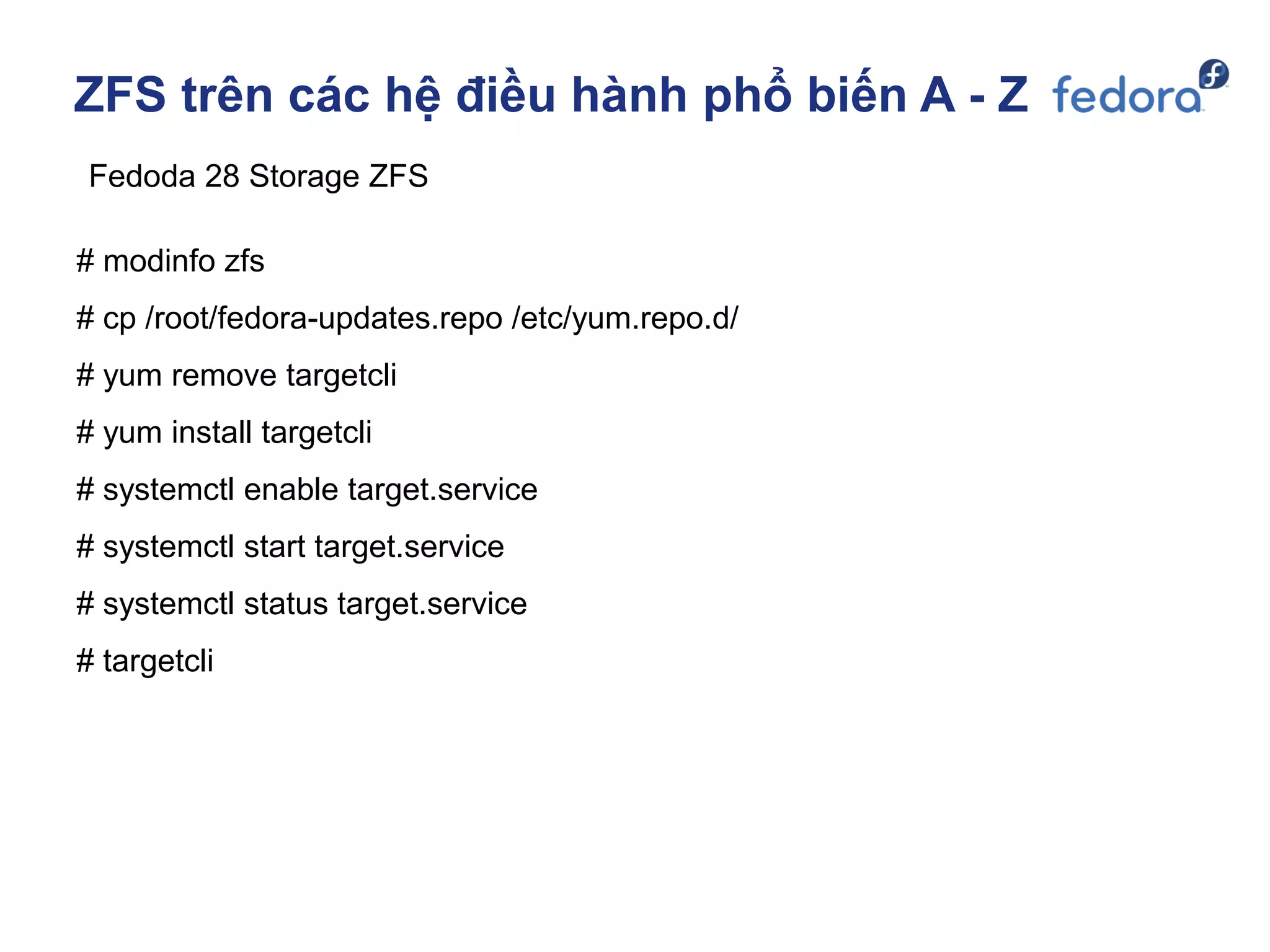
# modinfo zfs
# cp /root/fedora-updates.repo /etc/yum.repo.d/
# yum remove targetcli
# yum install targetcli
# systemctl enable target.service
# systemctl start target.service
# systemctl status target.service
# targetcli
ZFS trên các hệ điều hành phổ biến A - Z
Fedoda 28 Storage ZFS
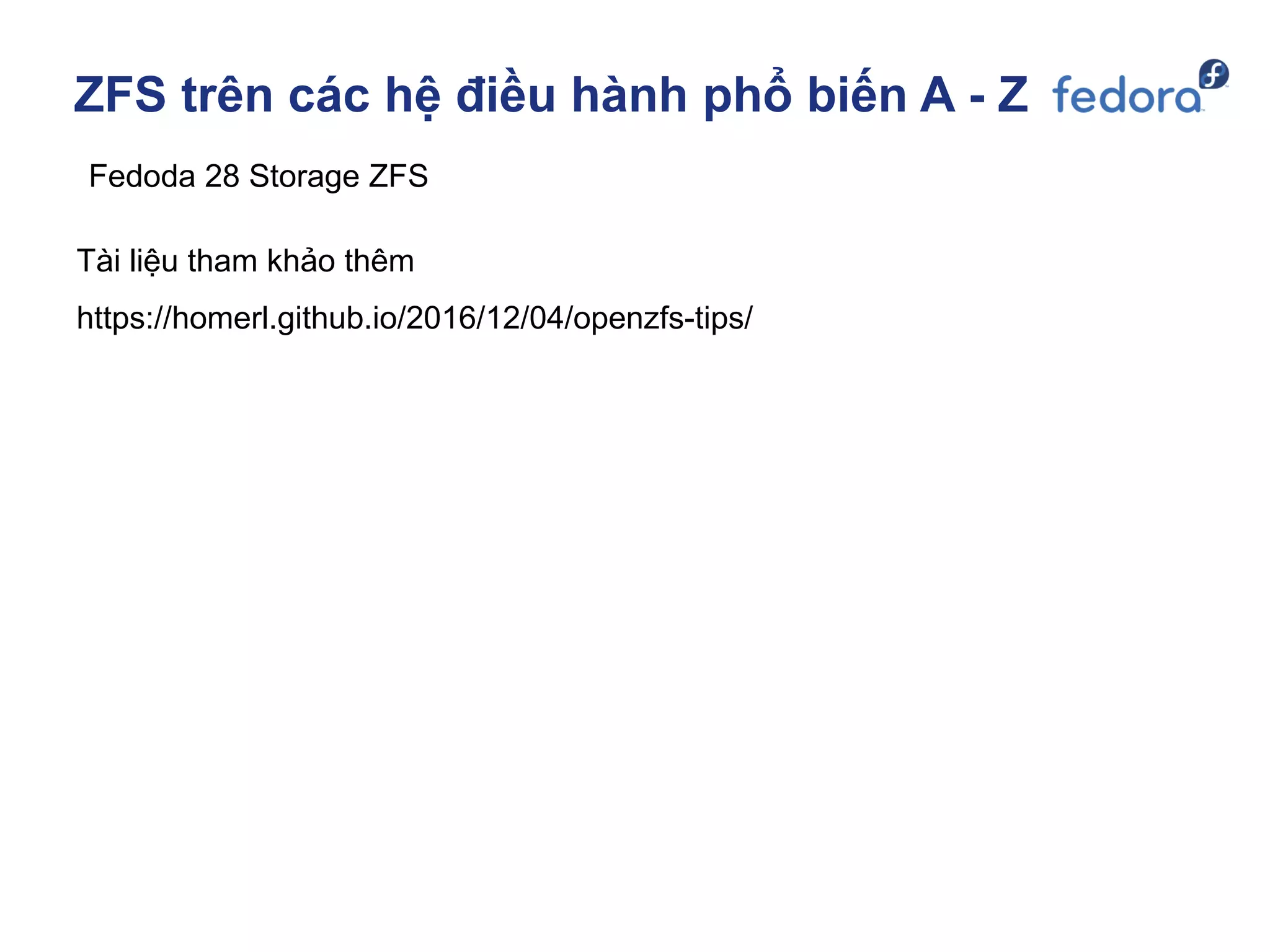
Tài liệu tham khảo thêm
https://homerl.github.io/2016/12/04/openzfs-tips/
ZFS trên các hệ điều hành phổ biến A - Z
ZFS on FreeBSD / FreeNAS
ZFS trên các hệ điều hành phổ biến A - Z
Hardware cài TrueNAS core
Phần cứng cơ bản đáp ứng cài đặt FreeBSD 11( xem HCL)
CPU intel xeon x86_64 từ E5-2600 v1, v2, v3, v4, scaleable…
RAM tối thiểu 16GB
Card SAS HBA đồng bộ với SAS Expander và HDD SAS: SAS2, SAS3
Card Dual/Quad FC HBA nếu muốn kết nối storage bằng FC(emulex/qlogic)
Card Intel Dual/Quad port 10Gbps kết nối bằng iSCSI
Backplane hoặc disk enclosure hỗ trợ ổ cứng SAS2, SAS3 hot swap / hot plug
SAS HDD có firmware hỗ trợ tính năng S.M.A.R.T(Self-Monitoring, Analysis and
Reporting Technology; often written as SMART)
OS Linux đã hỗ trợ SAS2/SAS3 SSD TRIM và NVMe PCIex SSD
ZFS trên các hệ điều hành phổ biến A - Z
Hardware
Ưu điểm
Performance tốt, cài đặt dễ dàng
Quản trị giao diện web
Hỗ trợ replication giữa 2 storage cùng phiên bản
Có hỗ trợ FC Target dạng DAS
Hỗ trợ iSCSI, NFS, CIFS
Hỗ trợ tốt VAAI, làm việc tốt với VMware
Nhược điểm
Thi thoảng lỗi kết nối với host ESXi
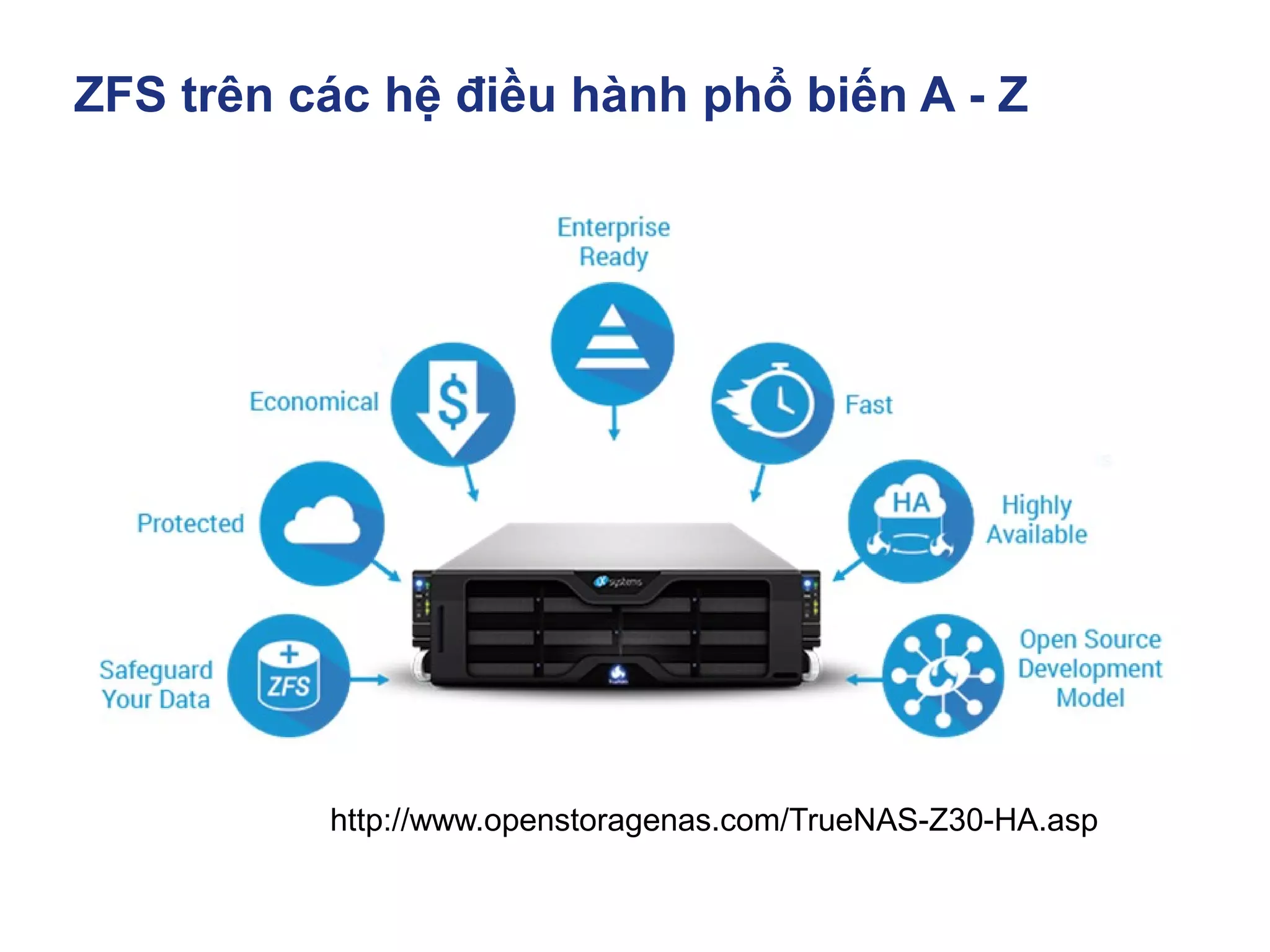
http://www.openstoragenas.com/TrueNAS-Z30-HA.asp
ZFS trên các hệ điều hành phổ biến A - Z
Mục Lục
▪ Lịch sử ra đời ZFS
▪ ZFS Storage Data in memory
▪ Kiến trúc phần cứng triển khai ZFS SDS
▪ ZFS trên các hệ điều hành phổ biến A - Z
▪ Khác nhau giữa OpenZFS và Oracle ZFS
▪ Tunning & Test Perfromance
▪ Troubleshooting
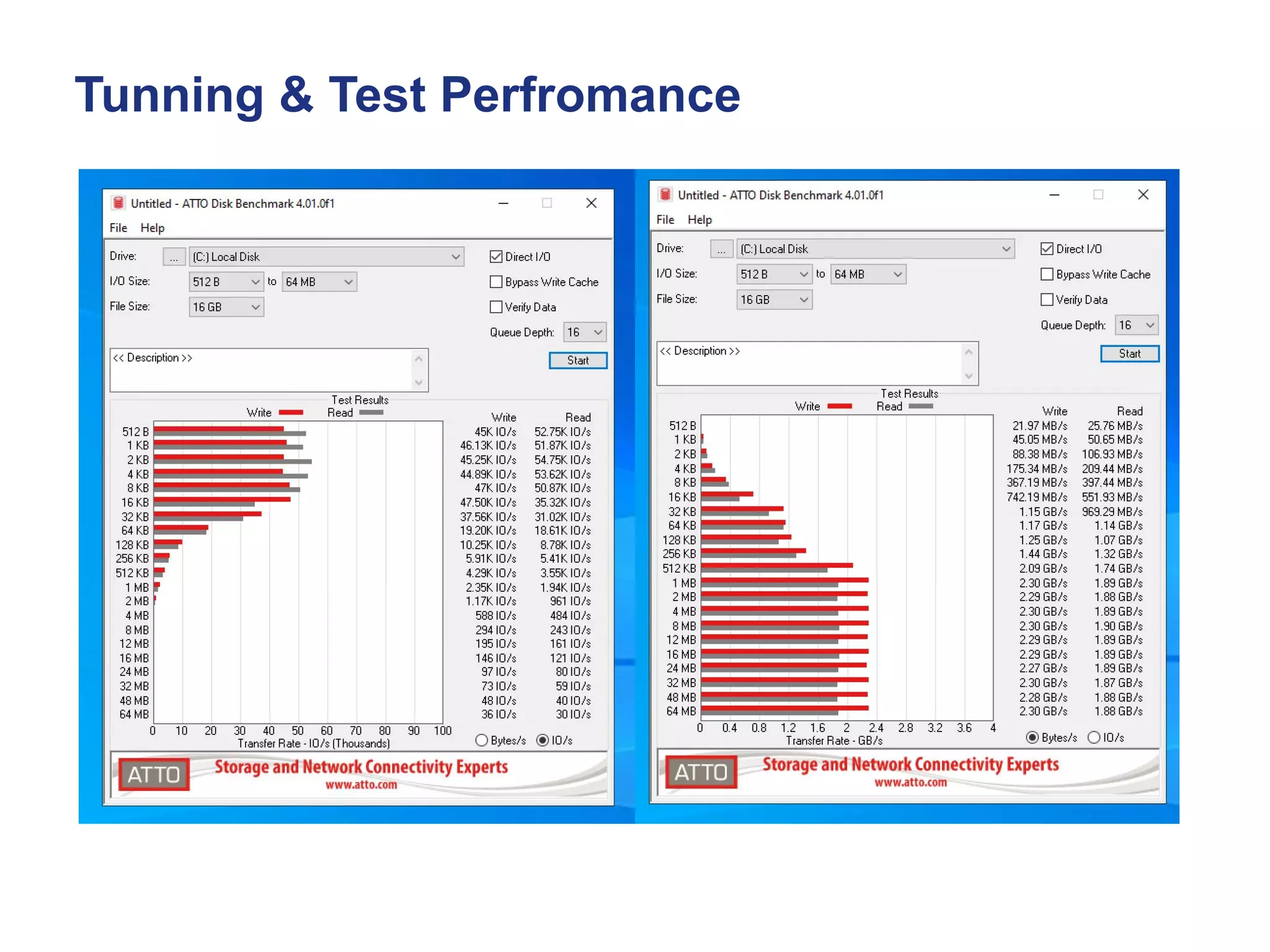
Tunning & Test Perfromance
https://docs.oracle.com/cd/E36784_01/html/E36834/gizbc.html
Các hệ điều hành họ Solaris được biết đến Oracle Solaris, omnios,
Openindiana, smartos… Có đặc trưng là native zfs, phần mềm scsi target là
COMSTAR. Đặc trưng của Solaris COMSTAR là có thể target FC, iscsi TCP/IP
với cú pháp lệnh chuẩn và có thêm tùy chỉnh wcd=false của riêng dịch vụ.
Đặc trưng của native zfs là tùy biến được nhiều tham số
+ Tùy biến nhận biết disk trong /kernel/drv/sd.conf
+ Tùy biến các tham số zfs trước khi tạo pool trong /etc/system
+ Tùy biến các tham số zpool, zvol bằng zfs set
+ Tùy biến các tham số của kernel bằng mdb -kw khi hệ thống đang chạy
+ Tùy biến các tham số wcd=fail khi tạo lun trong COMSTAR
Tunning & Test Perfromance
Tunning ZFS theo 1 số tài liệu tham khảo
https://constantin.glez.de/2010/04/28/ten-ways-to-easily-improve-oracle-solaris-
zfs-filesystem-performance/
https://calomel.org/zfs_raid_speed_capacity.html
Thiết kế hệ thống đáp ứng tải theo đầu bài toán đặt ra
+ Tăng số lượng đĩa và dự phòng trong cấu hình pool, raid10 cho perf tốt nhất
+ Hệ thống hỗ trợ đĩa 4kn hoặc all flash 8kn >> Tăng perf 1 cách đáng kể
+ SAS3, Disk vendor cũng có ảnh hưởng đến tốc độ đọc ghi
+ Chọn dĩa ưu tiên tốc độ ghi, đọc từ RAM
+ Tối thiểu đủ RAM, thêm ram perf càng tốt
+ Upgrade firmware và driver cho hệ điều hành và phần cứng
+ Thiết kế hệ thống có tính dự phòng cao, tránh single point failure
+ Tối ưu hóa phần cứng theo channel memory,
+ CPU là 1 thành phần trong lưu trữ( compression, ….)
Tunning & Test Perfromance
Mục Lục
▪ Lịch sử ra đời ZFS
▪ ZFS Storage Data in memory
▪ Kiến trúc phần cứng triển khai ZFS SDS
▪ ZFS trên các hệ điều hành phổ biến A - Z
▪ Khác nhau giữa OpenZFS và Oracle ZFS
▪ Tunning & Test Perfromance
▪ Troubleshooting
Troubleshooting
# zpool status pool0
# zpool iostat pool0 1 10000
# iostat –En
# dmesg
# zpool import
Tìm ổ cứng chậm trong pool
# iostat -xn 1 5
# iostat -xne
# iostat -E
# zpool iostat -v poolname
Thực nghiệm và tối ưu hóa quy trình thêm disk mở rộng pool và thay disk fail cho hệ
thống. Mỗi hệ thống sẽ có thiết kế, cách đấu nối phần cứng và quy trình vận hành
khác nhau.
Thời gian downtime cho hệ thống storage yêu cầu gần như zero và buộc phải online
sau cùng của toàn hệ thống core.
https://www.thegeekdiary.com/12-iostat-examples-for-solaris-performance-troubleshooting/
Các phần mềm, dịch vụ tích hợp với OpenStack
Lab Demo

Room 3 - 6 - Nguyễn Văn Thắng & Dzung Nguyen - Ứng dụng openzfs làm lưu trữ tập trung

  • 1.
  • 4.
    Mục Lục ▪ Lịchsử ra đời ZFS ▪ ZFS Cache - Data in memory ▪ Kiến trúc phần cứng triển khai ZFS SDS ▪ Kiến trúc pool disk trên ZFS Storage ▪ ZFS trên các hệ điều hành phổ biến A - Z ▪ Tunning & Test Perfromance ▪ Troubleshooting
  • 5.
    Mục Lục ▪ Lịchsử ra đời ZFS ▪ ZFS Cache - Data in memory ▪ Kiến trúc phần cứng triển khai ZFS SDS ▪ Kiến trúc pool disk trên ZFS Storage ▪ ZFS trên các hệ điều hành phổ biến A - Z ▪ Tunning & Test Perfromance ▪ Troubleshooting
  • 6.
    Lịch sử rađời ZFS • 2001 – Development of ZFS started with two engineers at Sun Microsystems. • 2005 – Source code was released as part of OpenSolaris. • 2006 – Development of FUSE port for Linux started. • 2007 – Apple started porting ZFS to Mac OS X. • 2008 – A port to FreeBSD was released as part of FreeBSD 7.0. • 2008 – Development of a native Linux port started. • 2009 – Apple's ZFS project closed. The MacZFS project continued to develop the code. • 2010 – OpenSolaris was discontinued, the last release was forked. Further development of ZFS on Solaris was no longer open source. • 2010 – illumos was founded as the truly open source successor to OpenSolaris. Development of ZFS continued in the open. Ports of ZFS to other platforms continued porting upstream changes from illumos. • 2012 – Feature flags were introduced to replace legacy on-disk version numbers, enabling easier distributed evolution of the ZFS on-disk format to support new features. • 2013 – OpenZFS on OS X ports ZFS on Linux to OS X. • 2013 – The first stable release of ZFS on Linux. • 2013 – Official announcement of the OpenZFS project. http://open-zfs.org/wiki/History
  • 7.
    Lịch sử rađời ZFS • ZFS is a combined file system and logical volume manager( LVM ) designed by Sun Microsystems and now owned by Oracle Corporation. • The source code for ZFS was released under the CDDL as part of the OpenSolaris operating system, and was subsequently ported to other platforms. • The illumos project was founded as an open source fork of OpenSolaris. • OpenZFS is the truly open source successor to the ZFS project. Development thrives as a part of illumos, which has added many features and performance improvements. New OpenZFS features and fixes are regularly pulled in from illumos, to all ports to other platforms, and vice versa. • ZFS is scalable, and includes extensive protection against data corruption, support for high storage capacities, efficient data compression, integration of the concepts of filesystem and volume management, snapshots and copy-on-write clones, continuous integrity checking and automatic repair, RAID-Z, native NFSv4 ACLs, and can be very precisely configured. • The two main implementations, by Oracle and by the OpenZFS project, are extremely similar, making ZFS widely available within Unix-like systems. http://open-zfs.org/wiki/History https://en.wikipedia.org/wiki/ZFS
  • 8.
    Mục Lục ▪ Lịchsử ra đời ZFS ▪ ZFS Cache - Data in memory ▪ Kiến trúc phần cứng triển khai ZFS SDS ▪ Kiến trúc pool disk trên ZFS Storage ▪ ZFS trên các hệ điều hành phổ biến A - Z ▪ Tunning & Test Perfromance ▪ Troubleshooting
  • 9.
    ZFS Storage Datain memory https://pthree.org/2012/12/07/zfs-administration-part-iv-the-adjustable-replacement-cache/ Traditional Caches Caching mechanisms on Linux and other operating systems use what is called a Least Recently Used(LRU) caching algorithm..
  • 10.
    ZFS Storage Datain memory https://pthree.org/2012/12/07/zfs-administration-part-iv-the-adjustable-replacement-cache/ • The way the LRU algorithm works, is when an application reads data blocks, they are put into the cache. The cache will fill as more and more data is read, and put into the cache. • However, the cache is a FIFO (first in, first out) algorithm. Thus, when the cache is full, the older pages will be pushed out of the cache. Even if those older pages are accessed more frequently. Think of the whole process as a conveyor belt. Blocks are put into most recently used portion of the cache. • As more blocks are read, the push the older blocks toward the least recently used portion of the cache, until they fall off the conveyor belt, or in other words are evicted. Traditional Caches
  • 11.
    ZFS Storage Datain memory https://pthree.org/2012/12/07/zfs-administration-part-iv-the-adjustable-replacement-cache/ • When large sequential reads are read from disk, and placed into the cache, it has a tendency to evict more frequently requested pages from the cache. Even if this data was only needed once. Thus, from the cache perspective, it ends up with a lot of worthless, useless data that is no longer needed. Of course, it's eventually replaced as newer data blocks are requested. • There do also exist least frequently used (LFU) caches. However, they suffer from the problem that newer data could be evicted from the cache if it's not read frequently enough. Thus, there are a great amount of disk requests, which kind of defeats the purpose of a cache to begin with. So, it would seem that the obvious approach would be to somehow combine the two- have an LRU and an LFU simultaneously. Traditional Caches
  • 12.
    ZFS Storage Datain memory https://pthree.org/2012/12/07/zfs-administration-part-iv-the-adjustable-replacement-cache/ • The ZFS adjustable replacement cache (ARC) is one such caching mechanism that caches both recent block requests as well as frequent block requests. It is an implementation of the patented IBM adaptive replacement cache, with some modifications and extensions. • Adjustable Replacement Cache, or ARC - A cache residing in physical RAM. It is built using two caches - the most frequently used(MFU) cached and the most recently used(MRU) cache. A cache directory indexes pointers to the caches, including pointers to disk called the ghost frequently used cache, and the ghost most recently used cache. The ZFS ARC
  • 13.
    The ZFS ARC ZFSStorage Data in memory https://pthree.org/2012/12/07/zfs-administration-part-iv-the-adjustable-replacement-cache/ • Cache Directory - An indexed directory of pointers making up the MRU, MFU, ghost MRU and ghost MFU caches. • MRU Cache - The most recently used cache of the ARC. The most recently requested blocks from the filesystem are cached here. • MFU Cache - The most frequently used cache of the ARC. The most frequently requested blocks from the filesystem are cached here.
  • 14.
    ZFS Storage Datain memory https://pthree.org/2012/12/07/zfs-administration-part-iv-the-adjustable-replacement-cache/ • Ghost MRU- Evicted pages from the MRU cache back to disk to save space in the MRU. Pointers still track the location of the evicted pages on disk. • Ghost MFU- Evicted pages from the MFU cache back to disk to save space in the MFU. Pointers still track the location of the evicted pages on disk. • Level 2 Adjustable Replacement Cache, or L2ARC- A cache residing outside of physical memory, typically on a fast SSD. It is a literal, physical extension of the RAM ARC. The ZFS ARC
  • 15.
    ZFS Storage Datain memory https://pthree.org/2012/12/07/zfs-administration-part-iv-the-adjustable-replacement-cache/ • This is a simplified version of how the IBM ARC works, but it should help you understand how priority is placed both on the MRU and the MFU. First, let's assume that you have eight pages in your cache. Four pages in your cache will be used for the MRU and four pages for the MFU. Further, there will also be four pointers for the ghost MRU and four pointers for the ghost MFU. As such, the cache directory will reference 16 pages of live or evicted cache. The ARC Algorithm
  • 16.
    ZFS Storage Datain memory https://pthree.org/2012/12/07/zfs-administration-part-iv-the-adjustable-replacement-cache/ 1. As would be expected, when block A is read from the filesystem, it will be cached in the MRU. An index pointer in the cache directory will reference the the MRU page. The ARC Algorithm
  • 17.
    ZFS Storage Datain memory https://pthree.org/2012/12/07/zfs-administration-part-iv-the-adjustable-replacement-cache/ 2. Suppose now a different block (block B) is read from the filesystem. It too will be cached in the MRU, and an index pointer in the cache directory will reference the second MRU page. Because block B was read more recently than block A, it gets higher preference in the MRU cache than block A. There are now two pages in the MRU cache. The ARC Algorithm
  • 18.
    ZFS Storage Datain memory https://pthree.org/2012/12/07/zfs-administration-part-iv-the-adjustable-replacement-cache/ 3. Now suppose block A is read again from the filesystem. This would be two reads for block A. As a result, it has been read frequently, so it will be store in the MFU. A block must be read at least twice to be stored here. Further, it is also a recent request. So, not only is the block cached in the MFU, it is also referenced in the MRU of the cache directory. As a result, although two pages reside in cache, there are three pointers in the cache directory pointing to two blocks in the cache. The ARC Algorithm
  • 19.
    ZFS Storage Datain memory https://pthree.org/2012/12/07/zfs-administration-part-iv-the-adjustable-replacement-cache/ 4. Eventually, the cache is filled with the above steps, and we have pointers in the MRU and the MFU of the cache directory. The ARC Algorithm
  • 20.
    ZFS Storage Datain memory https://pthree.org/2012/12/07/zfs-administration-part-iv-the-adjustable-replacement-cache/ 5. Here's where things get interesting. Suppose we now need to read a new block from the filesystem that is not cached. Because of the pigeon hole principle, we have more pages to cache than we can store. As such, we will need to evict a page from the cache. The oldest page in the MRU (referred to as the Least Recently Used- LRU) gets the eviction notice, and is referenced by the ghost MRU. A new page will now be available in the MRU for the newly read block. The ARC Algorithm
  • 21.
    ZFS Storage Datain memory https://pthree.org/2012/12/07/zfs-administration-part-iv-the-adjustable-replacement-cache/ 6. After the newly read block is read from the filesystem, as expected, it is stored in the MRU and referenced accordingly. Thus, we have a ghost MRU page reference, and a filled cache. The ARC Algorithm
  • 22.
    ZFS Storage Datain memory https://pthree.org/2012/12/07/zfs-administration-part-iv-the-adjustable-replacement-cache/ 7. Just to throw a monkey wrench into the whole process, let us suppose that the recently evicted page is re-read from the filesystem. Because the ghost MRU knows it was recently evicted from the cache, we refer to this as "a phantom cache hit". Because ZFS knows it was recently cached, we need to bring it back into the MRU cache; not the MFU cache, because it was not referenced by the MFU ghost. The ARC Algorithm
  • 23.
    ZFS Storage Datain memory https://pthree.org/2012/12/07/zfs-administration-part-iv-the-adjustable-replacement-cache/ 8. Unfortunately, our cache is too small to store the page. So, we must grow the MRU by one page to store the new phantom hit. However, our cache is only so large, so we must adjust the size of the MFU by one to make space for the MRU. Of course, the algorithm works in a similar manner on the MFU and ghost MFU. Phantom hits for the ghost MFU will enlarge the MFU, and shrink the MRU to make room for the new page. The ARC Algorithm
  • 24.
    ZFS Storage Datain memory https://pthree.org/2012/12/07/zfs-administration-part-iv-the-adjustable-replacement-cache/ The L2ARC The level 2 ARC, or L2ARC should be fast disk. As mentioned in my previous post about the ZIL, this should be DRAM DIMMs (not necessarily battery-backed), a fast SSD, or 10k+ enterprise SAS or FC disk. If you decide to use the same device for both your ZIL and your L2ARC, which is certainly acceptable, you should partition it such that the ZIL takes up very little space, like 512 MB or 1 GB, and give the rest to the pool as a striped (RAID-0) L2ARC. Persistence in the L2ARC is not needed, as the cache will be wiped on boo.
  • 25.
    Mục Lục ▪ Lịchsử ra đời ZFS ▪ ZFS Storage Data in memory ▪ Kiến trúc phần cứng triển khai ZFS SDS ▪ Kiến trúc pool disk trên ZFS Storage ▪ ZFS trên các hệ điều hành phổ biến A - Z ▪ Tunning & Test Perfromance ▪ Troubleshooting
  • 26.
    Kiến trúc phầncứng triển khai ZFS SDS Hardware SAS HBA
  • 27.
    Kiến trúc phầncứng triển khai ZFS SDS https://www.broadcom.com/products/storage/host-bus-adapters/sas-9207-8i#downloads Hardware LSI SAS2 9207-8i SAS HBA PCIex 2.0 x8
  • 28.
    ZFS Storage Datain memory https://www.broadcom.com/products/storage/host-bus-adapters/sas-9207-8i#downloads Hardware LSI SAS2 9207-8i SAS HBA PCIex 2.0 x8
  • 29.
    ZFS Storage Datain memory https://www.broadcom.com/products/storage/host-bus-adapters/sas-9201-16e#downloads Hardware LSI SAS2 9201-16e SAS HBA PCIex 2.0 x8
  • 30.
    Kiến trúc phầncứng triển khai ZFS SDS https://www.broadcom.com/products/storage/host-bus-adapters/sas-9202-16e Hardware LSI SAS2 9202-16e SAS HBA PCIex 3.0 16x
  • 31.
    Kiến trúc phầncứng triển khai ZFS SDS https://docs.broadcom.com/doc/12353313 Hardware SAS HBA LSI 9300-8i P SAS HBA LSI 9300-8e
  • 32.
    Kiến trúc phầncứng triển khai ZFS SDS https://www.broadcom.com/products/storage/host-bus-adapters/sas-nvme-9405w-16e Hardware HBAs with Tri-Mode SerDes SAS3 12Gbps PCIex 3.0 Models: 9400-16i | 9400-8i | 9400-16e | 9400-8e HBAs 9400-16e HBA 9405W-16E
  • 33.
    Kiến trúc phầncứng triển khai ZFS SDS Hardware SAS SINGLE PATH https://www.servethehome.com/external-sas- sata-disk-chassis-wiring-part-2/
  • 34.
    Kiến trúc phầncứng triển khai ZFS SDS Hardware SAS DUAL PATH https://www.servethehome.com/external-sas- sata-disk-chassis-wiring-part-2/
  • 35.
    Kiến trúc phầncứng triển khai ZFS SDS Hardware SAS EXPANDER REAR IO DISK ENCLOSURE
  • 36.
    Kiến trúc phầncứng triển khai ZFS SDS Hardware DISK ENCLOSURE SC946ED-R2KJBOD 4U 90 BAYS
  • 37.
    Kiến trúc phầncứng triển khai ZFS SDS https://www.broadcom.com/products/storage/host-bus-adapters/sas-nvme-9405w-16e Hardware Aeon J470 M3 JBOD
  • 38.
    Kiến trúc phầncứng triển khai ZFS SDS https://netbergtw.com/products/aeon-j470-m3/ Hardware Aeon J470 M3 JBOD
  • 39.
    Kiến trúc phầncứng triển khai ZFS SDS https://netbergtw.com/products/aeon-j470-m3/ Hardware Aeon J470 M3 JBOD
  • 40.
    Kiến trúc phầncứng triển khai ZFS SDS https://netbergtw.com/products/aeon-j470-m3/ Hardware Aeon J470 M3 JBOD
  • 41.
    Kiến trúc phầncứng triển khai ZFS SDS Hardware SAS cable ext 2m sff-8088 to sff-8088
  • 42.
    Kiến trúc phầncứng triển khai ZFS SDS Dell.com Hardware DELL G1WM3 mini-sas-hd cable sff-8644 to sff-8644
  • 43.
    Kiến trúc phầncứng triển khai ZFS SDS Hardware https://docs.oracle.com/cd/E40166_01/html/E40167/z40006df1295826.html
  • 44.
    Kiến trúc phầncứng triển khai ZFS SDS https://www.broadcom.com/products/storage/host-bus-adapters/sas-nvme-9405w-16e Hardware FC HBA Fibre chanel Host bus adapter
  • 45.
    Kiến trúc phầncứng triển khai ZFS SDS https://www.cavium.com/fc-adapters-products.html Hardware QLogic QLE2564 HBA PCIe 2.0 x8 Quad-Port FC 8Gbps FC HBA 8Gbps
  • 46.
    Kiến trúc phầncứng triển khai ZFS SDS https://www.cavium.com/fc-adapters-products.html Hardware QLogic QLE2764 HBA PCIe 3.0 x16 FC port 16/32Gbps QLE2694U FC HBA 16/32Gbps #QLE2764-SR-CK
  • 47.
    Kiến trúc phầncứng triển khai ZFS SDS Hardware Disk
  • 48.
    Kiến trúc phầncứng triển khai ZFS SDS Hardware HDD NL-SAS, HDD SAS, SSD SAS, NVME https://www.linuxadictos.com/en/diferencias-entre-smr-cmr-pmr.html Storage Drive Types •Solid State SAS and SATA Drives: Fast storage medium for random IO. •10K & 15K SAS Hard Drives: Performance and availability for performance optimized applications. •7.2K SAS & SATA Hard Drives: High capacity and exceptional $/GB for capacity optimized applications. •Entry Drives: Least expensive drives used in applications where low usage and limited total number of drives are applicable. Due to restrictions on use, these drives are available in a small number of systems and configurations.
  • 49.
    Kiến trúc phầncứng triển khai ZFS SDS Hardware HDD NL-SAS, HDD SAS, SSD SAS, NVME https://www.linuxadictos.com/en/diferencias-entre-smr-cmr-pmr.html
  • 50.
    Kiến trúc phầncứng triển khai ZFS SDS Hardware HDD NL-SAS, HDD SAS, SSD SAS, NVME https://blog.westerndigital.com/10tb-hdd-ultrastar-dc-hc330-hc300-family/ Up to 40% Performance Improvements with Media Cache Plus Compared to our 10TB Helium drive (Ultrastar DC HC510), the Ultrastar DC HC330 provides up to 40% performance gains on low queue depth, small block random writes. These performance improvements are possible with the addition of the Media Cache Plus feature, which was previously only available on the SAS SKUs of the Ultrastar DC HC510, but is now featured on every SKU of the Ultrastar DC HC300 family. Our existing Media Cache feature added many small media cache locations on the disk itself. Now we’ve also added a flash-based non-volatile cache (NVC) that improves random write performance when the queue depth is low or the transfer length is short. It is the usage of NVC that is the ‘Plus’ in ‘Media Cache Plus.’ This enhancement in performance coupled with Western Digital’s expertise in areal density enables us to offer a faster 6 disk 10TB HDD than competing 7 disk 10TB HDD solutions on the market. These advantages can enable you to scale up capacities faster, which results in lower Total Cost of Ownership (TCO).
  • 51.
    Kiến trúc phầncứng triển khai ZFS SDS Hardware HDD NL-SAS, HDD SAS, SSD SAS, NVME https://www.linuxadictos.com/en/diferencias-entre-smr-cmr-pmr.html Differences between LMR, CMR, PMR and SMR
  • 52.
    Kiến trúc phầncứng triển khai ZFS SDS Hardware HDD NL-SAS, HDD SAS, SSD SAS, NVME https://www.linuxadictos.com/en/diferencias-entre-smr-cmr-pmr.html Differences between LMR, CMR, PMR and SMR The first thing you should know is that HDD hard drives, that is, magnetic or mechanical ones, use magnetism as a medium for writing and reading the data on the surface of the discs. LMR vs PMR or CMR SMR
  • 53.
    Kiến trúc phầncứng triển khai ZFS SDS Hardware HDD NL-SAS, HDD SAS, SSD SAS, NVME Differences between LMR, CMR, PMR and SMR LMR vs PMR or CMR SMR SMR có kiểu ghi dữ liệu xếp sát nhau thậm chí chồng lên nhau với các vành từ Kiểu công nghệ đọc ghi chậm và dễ ghi đè dẫn đến mất dữ liệu https://techie-show.com/cmr-vs-smr-drives/
  • 54.
    Kiến trúc phầncứng triển khai ZFS SDS Hardware HDD NL-SAS, HDD SAS, SSD SAS, NVME https://www.linuxadictos.com/en/diferencias-entre-smr-cmr-pmr.html Differences between LMR, CMR, PMR and SMR Longitudinal (MRL): It is a type of data storage where it is stored longitudinally on the surface of the disk. The hard disk head will be able to magnetize the area in one way or another (north-south) in order to create ones and zeros for the binary information. It is the classic way how information was stored on older hard drives Perpendicular (PMR): Seagate was one of the first to use this technology for hard drives from 750 GB capacity. It had a clear advantage over the LMR since, being perpendicular, each data took up less space and more information could be stored on the same disk surface. In addition, it heats up less by retaining the info in more regular and stable areas
  • 55.
    Kiến trúc phầncứng triển khai ZFS SDS Hardware HDD NL-SAS, HDD SAS, SSD SAS, NVME https://www.linuxadictos.com/en/diferencias-entre-smr-cmr-pmr.html Differences between LMR, CMR, PMR and SMR Conventional (CMR)- The rest of the manufacturers also started using PMR for their hard drives, which is why it ended up becoming the norm in this hard drive industry. That is why it was called CMR as it was already widespread and conventional. But it is the same as PMR Shingled (SMR): with the incessant struggle to achieve higher data density per square centimeter, to be able to make hard drives with more and more capacity with the same number of plates and size, SMR technology was also created. A type of recording that differs from the previous ones by being staggered. In this type of technology a reader head is used that is smaller than the writing head, and the data tracks are superimposed on each other. This increases the possibility of recording more data in the same area unit, that is, the density increases. The problem is that it can happen that a track is overwritten when trying to delete or modify a stored data, which would lead to data corruption. The way to solve this problem is to write all the data that has to be modified in a separate sector and when there are downtimes of the use of the hard disk, it takes care of reordering the data. Something similar to what happens in SSDs with TRIM and over-provisioning (overprovissioning). But that has problems, since several writes really have to be done when with other technologies only 1 should be done ... therefore, the increase in density in this case has a cost in terms of writing penalties
  • 56.
    Kiến trúc phầncứng triển khai ZFS SDS Hardware HDD NL-SAS, HDD SAS, SSD SAS, NVME https://www.westerndigital.com/en-ap/products/internal-drives/data-center-drives/ultrastar-dc-hc530-hdd
  • 57.
    Kiến trúc phầncứng triển khai ZFS SDS Hardware HDD NL-SAS, HDD SAS, SSD SAS, NVME •Offers - 2.4TB capacity to store large amount of data •SAS interface delivers high data transfer speeds •10K RPM spindle speed ensures excellent performance •Advanced format 512e
  • 58.
    Kiến trúc phầncứng triển khai ZFS SDS Hardware HDD NL-SAS, HDD SAS, SSD SAS, NVME How to Flash a JBOD drive's firmware. SGI Solution: sg3_utils WD DC HCxxx Procedure for SAS Drives 1) Identify Drive # lsscsi -g [0:2:0:0] disk LSI SMC1078 1.40 /dev/sda /dev/sg0 [1:0:1:0] cd/dvd MATSHITA DVD-RAM UJ870QJ 1.00 /dev/sr0 /dev/sg1 [12:0:37:0] disk WD WD9001BKHG-02D22 SR04 /dev/sdb /dev/sg2 In this case, we have a WD 900 Gb SAS drive we are going to upgrade to SR07 firmware. 2) Flash Drive sg_write_buffer flags used to when downloading firmware. --in >>FILE|-I FILE read from FILE ('-I -' read from stdin) - m >>5 (0x05) dmc_save download microcode, save and activate # sg_write_buffer --in=SR07.pkg -m 05 -v /dev/sg2 # sg_write_buffer -vv -m 5 --in=MPGNA3A0.bin /dev/sg3 tried to read 8388608 bytes from SR07.pkg, got 1918976 bytes will write 1918976 bytes Write buffer cmd: 3b 05 00 00 00 00 1d 48 00 00 3) Verify Firmware Loaded Run smartctl on drive # smartctl -a /dev/sg2 smartctl 6.0 2012-10-10 r3643 [x86_64-linux-3.0.76-0.11-default] (SUSE RPM) Copyright (C) 2002-12, Bruce Allen, Christian Franke, www.smartmontools.org Vendor: WD Product: WD9001BKHG-02D22 Revision: SR07 https://sg.danny.cz/sg/sg3_utils.html
  • 59.
    Kiến trúc phầncứng triển khai ZFS SDS Hardware HDD NL-SAS, HDD SAS, SSD SAS, NVME https://www.linuxadictos.com/en/diferencias-entre-smr-cmr-pmr.html
  • 60.
    Kiến trúc phầncứng triển khai ZFS SDS Hardware HDD NL-SAS, HDD SAS, SSD SAS, NVME Tìm ổ vị trí ổ cứng lỗi cần thay thế sas2ircu sas3ircu Hỗ trợ solaris / linux / FreeBSD https://docs.broadcom.com/docs-and-downloads/host-bus-adapters/host-bus-adapters- common-files/sas_sata_12g_p16/SAS3IRCU_P16.zip
  • 61.
    Kiến trúc phầncứng triển khai ZFS SDS Hardware NETWORK I/O Fibre chanel Host bus adapter
  • 62.
    Kiến trúc phầncứng triển khai ZFS SDS Hardware Intel X710-DA2 10Gb SFP+ Dual Port Network Card
  • 63.
    Kiến trúc phầncứng triển khai ZFS SDS Hardware Intel Ethernet Network Adapter X710-DA4 FH
  • 64.
    Kiến trúc phầncứng triển khai ZFS SDS Hardware Intel XL710-BM1 10G Quad-Port SFP+
  • 65.
    Kiến trúc phầncứng triển khai ZFS SDS Hardware Intel XL710-Q2 •Intel® Ethernet Controller X710 •Intel® Ethernet Controller XL710 •Intel® Ethernet Network Connection X722 •Intel® Ethernet Controller XXV710 •Intel® Ethernet Controller V710
  • 66.
    Kiến trúc phầncứng triển khai ZFS SDS Hardware Intel E810-2CQDA2 Ethernet 100Gb 2-port QSFP28 Adapter
  • 67.
    Kiến trúc phầncứng triển khai ZFS SDS Hardware https://onestopsystems.com/collections/pcie-chassis/products/gen-4-4u-pro OSS-PCIE4-4UP
  • 68.
    Kiến trúc phầncứng triển khai ZFS SDS Hardware https://onestopsystems.com/collections/pcie-chassis/products/gen-4-4u-pro OSS-PCIE4-4UP
  • 69.
    Kiến trúc phầncứng triển khai ZFS SDS Hardware https://onestopsystems.com/collections/pcie-chassis/products/gen-4-4u-pro OSS-PCIE4-4UP
  • 70.
    Kiến trúc phầncứng triển khai ZFS SDS Hardware https://onestopsystems.com/collections/pcie-chassis/products/gen-4-4u-pro OSS-PCIE4-4UP
  • 71.
    Kiến trúc phầncứng triển khai ZFS SDS Hardware
  • 72.
    Kiến trúc phầncứng triển khai ZFS SDS Hardware
  • 73.
    Kiến trúc phầncứng triển khai ZFS SDS Hardware Dell PowerVault MD1200 Hardware
  • 74.
    Kiến trúc phầncứng triển khai ZFS SDS Hardware Dell PowerVault MD1200 Hardware
  • 75.
    Kiến trúc phầncứng triển khai ZFS SDS Hardware Tham khảo thêm tại http://www.qdpma.com/storage/directattach.html Hiểu rõ các thuật ngữ DAS, NAS, SAN, Storage SAS, NL-SAS, FC HBA, SAS HBA, SAS Expander Hardware https://www.high-availability.com/docs/Quickstart-ZFS-Cluster/ https://arstechnica.com/information-technology/2020/05/zfs-101-understanding-zfs- storage-and-performance/
  • 76.
    Kiến trúc phầncứng triển khai ZFS SDS Hardware Dell PowerVault MD1200 Hardware
  • 77.
    Kiến trúc phầncứng triển khai ZFS SDS https://arstechnica.com/information-technology/2020/05/zfs-101-understanding-zfs-storage-and-performance/ https://www.youtube.com/watch?v=tDacjrSCeq4 Các yêu cầu bảo vệ vật lý hệ thống lưu trữ zfs - Hệ thống nguồn đảm báo cấp liên tục, không gián đoạn - Hệ thống làm mát phải đúng chuẩn chiều gió và đủ độ lạnh - Các khay đĩa nên có nắp lưới và có khóa hoặc bắt vít - Các disk và cable được dán lable đủ thông tin khi cần tìm chính xác vị trí - Việc tăng nhiệt hoặc quá nhiệt với hệ thống lưu trữ làm giảm tuổi thọ disk - Việc quá nhiệt của hệ thống khay đĩa thời gian dài có thể fail disk đồng loạt - Môi trường quá nhiều rung động cũng ảnh hưởng đến đọc ghi tuổi thọ đầu đọc của ổ cứng quay HDD
  • 78.
    Mục Lục ▪ Lịchsử ra đời ZFS ▪ ZFS Cache - Data in memory ▪ Kiến trúc phần cứng triển khai ZFS SDS ▪ Kiến trúc pool disk trên ZFS Storage ▪ ZFS trên các hệ điều hành phổ biến A - Z ▪ Tunning & Test Perfromance ▪ Troubleshooting
  • 79.
    Kiến trúc pooldisk trên ZFS Storage Raid0 tác dụng tăng tốc và tăng dung lượng lưu trữ của hệ thống đĩa, Raid0 với 2 ổ đĩa có thể tăng lên khoảng 150% so với ổ đơng Chỉ dùng cho mục đích riêng, không dùng cho production Có khả năng mất dữ liệu bất cứ lúc nào khi có 1 đĩa fail, performance giảm khi có 1 ổ chạy chậm
  • 80.
    Kiến trúc pooldisk trên ZFS Storage Raid1 tăng tính dự phòng, cân bằng đọc ghi, số lượng ổ fail cho phép 01 HDD Với hệ thống soft raid cho phép raid 1 với 3 ổ cứng gọi là raid 1 3 way, cho phép fail 2 ổ mà không ảnh hưởng đến hệ thống, nhược điểm hiệu suất lưu trữ 33%
  • 81.
    Kiến trúc pooldisk trên ZFS Storage Raid1+0 kết hợp 2 loại raid 1 và raid 0, tăng performance và tính dự phòng Với hệ thống softraid có hỗ trợ raid 10 3way
  • 82.
    Kiến trúc pooldisk trên ZFS Storage Raid 5 được tính toán parity trước khi lưu dữ liệu lên ổ cứng, dữ liệu và parity được phân bố đều trên tất cả các ổ. Tối thiểu 03 ổ khởi tạo raid5, cho fail 1 ổ
  • 83.
    Kiến trúc pooldisk trên ZFS Storage Raid 50 có các đặc điểm của raid5 và tăng performance
  • 84.
    Kiến trúc pooldisk trên ZFS Storage Raid 6 có 02 parity được tính toán cho mõi lần ghi, và được chia đều parity và dữ liệu trên các ổ, cho phép chết 2 ổ bất kỳ, an toàn dữ liệu hơn raid5
  • 85.
    Kiến trúc pooldisk trên ZFS Storage Raid 60 có đặc điểm của raid 6 và tăng tốc, mở rộng nhờ raid0. Cho phép chết 02 ổ
  • 86.
    Kiến trúc pooldisk trên ZFS Storage Với hệ thống ZFS có thể mở rộng cache RAM, nvRAM Với những thao tác đọc ghi dữ liệu nhỏ hơn cache hầu hết được thực hiện trên cache
  • 87.
    Kiến trúc pooldisk trên ZFS Storage
  • 88.
    Kiến trúc pooldisk trên ZFS Storage
  • 89.
    Kiến trúc pooldisk trên ZFS Storage
  • 90.
    Kiến trúc pooldisk trên ZFS Storage
  • 91.
    Kiến trúc pooldisk trên ZFS Storage Disk pool cho phép quản lý linh hoạt tầng đĩa ở bên dưới trên cùng 1 hệ thống có thể có nhiều loại đĩa SSD Cache, SSD pool, FC SAS pool, NL-SAS pool Với hệ thống ZFS quản lý đĩa dạng hybrid-pool: tăng cache Level 1 RAM, Cache Level 2 ZIL là SSD write intensive, Cache L2 read SSD read intensive
  • 92.
    Mục Lục ▪ Lịchsử ra đời ZFS ▪ ZFS Cache - Data in memory ▪ Kiến trúc phần cứng triển khai ZFS SDS ▪ Kiến trúc pool trên ZFS Storage ▪ ZFS trên các hệ điều hành phổ biến A - Z ▪ Tunning & Test Perfromance ▪ Troubleshooting
  • 93.
    ZFS trên cáchệ điều hành phổ biến A - Z
  • 94.
    ZFS trên cáchệ điều hành phổ biến A - Z ZFS on OmniOS community edittion
  • 95.
    ZFS trên cáchệ điều hành phổ biến A - Z Hardware Storage ZFS Phần cứng cơ bản đáp ứng cài đặt hệ điều hành OmniOS community edittion( xem HCL) CPU intel xeon x86_64 từ E5-2600 v1, v2, v3, v4, scalable… RAM tối thiểu 16GB Card SAS HBA đồng bộ với SAS Expander và HDD SAS: SAS2, SAS3 Card Dual/Quad FC HBA nếu muốn kết nối storage bằng FC(emulex/qlogic) Card Intel Dual/Quad port 10Gbps hoặc cao hơn kết nối bằng iSCSI Backplane hoặc disk enclosure hỗ trợ ổ cứng SAS2, SAS3 hot swap / hot plug Ổ cứng có firmware hỗ trợ tính năng S.M.A.R.T(Self-Monitoring, Analysis and Reporting Technology; often written as SMART) OmniOS đã hỗ trợ SAS2/SAS3 SSD và NVMe PCIex SSD
  • 96.
    ZFS trên cáchệ điều hành phổ biến A - Z Install omnios-r151038 Cài đặt hệ điều hành omnios-r151038 Text Cấu hình thông mạng cho máy chủ. Static IP, DNS Cài đặt group storage server để hỗ trợ FC Target driver và stmfadm # pkg update # pkg install storage-server smartmontools Mặc định hỗ trợ mpt2sas driver gồm các card HBA LSI 92xxx Có hỗ trợ mpt3sas cho các card HBA LSI 93xxx Có hỗ trợ FC Target bằng driver qlt và emlxs Card network intel x710-da2 được hỗ trợ omnios-r151038
  • 97.
    ZFS trên cáchệ điều hành phổ biến A - Z Config omnios-r151038 Cấu hình FC Target Với card Emulex # vim +/target-mode /kernel/drv/emlxs.conf Chuyển từ target-mode=0; Thành target-mode=1; Cấu hình FC Target Với card qlogic # vim +/qlc /etc/driver_aliases Chuyển từ qlc "pciex1077,2432“ Thành qlt "pciex1077,2432"
  • 98.
    ZFS trên cáchệ điều hành phổ biến A - Z Config omnios-r151038 https://docs.oracle.com/cd/E53394_01/pdf/E54792.pdf https://docs.oracle.com/cd/E37838_01/pdf/E61018.pdf
  • 99.
    ZFS trên cáchệ điều hành phổ biến A - Z Config omnios-r151038 Với các hệ thống sử dụng ổ cứng SSD hoặc ổ cứng hỗ trợ Advance format 4kn kiểm tra bằng # devprop -n /dev/rdsk/c1t0d0s0 device-blksize device-pblksize Khai báo các thông số ổ cứng trong # vim /kernel/drv/sd.conf ( cho cuối file) update_drv -vf sd echo ::sd_state | mdb -k | egrep '(^un|_blocksize)' https://docs.oracle.com/cd/E36784_01/html/E36834/gizbc.html http://www.oracle.com/technetwork/articles/servers-storage-admin/solaris-advanced-format-disks-2344966.html https://gist.github.com/d-helios/dfe48aa508d6ff318c54e70d524c1b98 https://docs.oracle.com/en/operating-systems/solaris/oracle-solaris/11.4/tuning/oracle-solaris-11.4-tunable-parameters-reference-manual.pdf
  • 100.
    ZFS trên cáchệ điều hành phổ biến A - Z Config omnios-r151038 https://docs.oracle.com/cd/E36784_01/html/E36834/gizbc.html Lấy các tham số zfs trên họ solaris # echo ::zfs_params | mdb-k Điều chỉnh các tham số cho hệ thống và zfs được khai báo trong # vim /etc/system set zfs:zfs_default_bs=0xc >> ashift = 12( 4kn, 2^12) set zfs:zfs_write_limit_override=0x30000000 >> tăng theo RAM set zfs:zfs_write_limit_max=0x200000000 >> tăng theo RAM set zfs:arc_reduce_dnlc_percent=0x2 >> giảm theo RAM, 2 khi 192GB set zfs:zfs_no_write_throttle=0x1 >> on/off set zfs:zfs_nocacheflush=0x1 >> không xóa cache set zfs:zfs_vdev_cache_bshift=0xd >> 2^13 = 16k set zfs:zfs_vdev_cache_size=0x1000000 >> 10MB set zfs:zfs_vdev_aggregation_limit=0x20000 >> mặc định 32k set zfs:zfs_unmap_ignore_size=0 >> disable unmap zvol_unmap_enabled = 0x1 zvol_unmap_sync_enabled = 0x0
  • 101.
    ZFS trên cáchệ điều hành phổ biến A - Z Config omnios-r151038 Sau khi reboot xong hệ điều hành kiểm tra mode của card FC xem là target chưa # prtconf -D | grep qlt # stmfadm list-target -v # stmfadm list-state Một số lệnh kiểm tra hệ thống trước khi cấu hình server làm storage(SAN) # echo | format # diskinfo -o Dn # fmadm –faulty # dmesg # tail -500f /var/adm/messages …….
  • 102.
    ZFS trên cáchệ điều hành phổ biến A - Z Config omnios-r151038 # zpool create pool0 raidz2 c2t0d0 c2t0d1 c2t0d2 c2t0d3 c2t0d4 c2t0d5 c2t0d6 c2t0d7 c2t0d8 c2t0d9 # zpool export pool0 # zpool import pool0 # zfs set atime=off pool0 # zfs set compression=on pool0 # zfs set xattr=off pool0 # zfs get all pool0 # zpool status pool0 https://docs.oracle.com/cd/E37838_01/pdf/E61017.pdf
  • 103.
    ZFS trên cáchệ điều hành phổ biến A - Z Config omnios-r151038 # zfs create -o compression=on -b 32k -s -V 2048G rpool/vvol0 # stmfadm create-lu --lu-prop wcd=false /dev/zvol/dsk/pool0/vvol0 Logical unit created: 600144F064DC030000005B2BA81D0001 Retrieve the WWN of the Adapters # fcinfo hba-port | grep "HBA Port WWN" HBA Port WWN: 21000024ff309840 HBA Port WWN: 21000024ff309841 Create Target Group # stmfadm create-tg omniostarget Add Members to our Target Group # stmfadm add-tg-member -g omniostarget wwn.21000024ff309840 # stmfadm add-tg-member -g omniostarget wwn.21000024ff309841 # svcadm enable svc:/system/stmf:default
  • 104.
    ZFS trên cáchệ điều hành phổ biến A - Z Config omnios-r151038 Create Host Group # stmfadm create-hg testhostg Add Members to the Host Group Cắm cable quang kết nối host và storage, hoặc kết nối qua SAN Switch đã được zone host và SAN # stmfadm list-target –v >> lấy thông tin wwn của host # stmfadm add-hg-member -g testhostg wwn.2100001b32878b01 Create a View # sbdadm list-lu # stmfadm add-view -h testhostg -t solaris113target 600144F064DC030000005B2BA81D0001 Tùy theo host đặt tên hostgroup theo Linux, Windows, VMware ESXi để quản lý cấp LUN từ storage lên host Cách lấy wwn trên mỗi hệ điều hành có lệnh riêng
  • 105.
    ZFS trên cáchệ điều hành phổ biến A - Z Config omnios-r151038 Create Host Group # stmfadm create-hg testhostg Add Members to the Host Group Cắm cable quang kết nối host và storage, hoặc kết nối qua SAN Switch đã được zone host và SAN # stmfadm list-target –v >> lấy thông tin wwn của host # stmfadm add-hg-member -g testhostg wwn.2100001b32878b01 Create a View # sbdadm list-lu # stmfadm add-view -h testhostg -t solaris113target 600144F064DC030000005B2BA81D0001 Tùy theo host đặt tên hostgroup theo Linux, Windows, VMware ESXi để quản lý cấp LUN từ storage lên host Cách lấy wwn trên mỗi hệ điều hành có lệnh riêng
  • 106.
    Tạo dataset vàcấu hình NFS cho chia sẻ file Trên Solaris # zfs create pool0/backup-nfs # zfs set share.nfs.anon=99 pool0/backup-nfs # zfs set sharenfs=on pool0/backup-nfs # chmod A=everyone@:list_directory/read_data/add_file/write_data/add_subdirectory/append_data/read_xattr/write_xattr/exec ute/delete_child/read_attributes/write_attributes/delete/read_acl/write_acl/write_owner/synchronize:file_inherit/dir_i nherit:allow /pool0/backup-nfs Khởi động dịch vụ NFS Server: # svcadm enable network/nfs/server # svcadm disable network/nfs/server ZFS trên các hệ điều hành phổ biến A - Z
  • 107.
    Mount NFS trênclient bằng NFS4 Trên PVE ZFS trên các hệ điều hành phổ biến A - Z
  • 108.
    ZFS trên cáchệ điều hành phổ biến A - Z Config omnios-r151038 https://docs.oracle.com/cd/E86824_01/html/E54764/smartctl-1m.html Kiểm tra sức khỏe disk thường là sas, nvme có thể phải dùng lệnh khác smartctl -a /dev/rdsk/c?t?d?s? Kiểm tra hệ thống nếu thấy các thao tác đọc ghi phía ảo hóa – VM - Ứng dụng chậm bất thường Các thông số throughput nhỏ, hệ thống vẫn chậm đều… Kiểm tra vật lý với hệ thống khay lộ disk, disk chậm thường sẽ tắt đèn tín hiệu sau cũng Một số lệnh truy vấn thông số zfs memory bằng mdb # echo ::memstat | mdb –k # echo ::zfs_params | mdb –k # echo ::arc | mdb –k
  • 109.
    ZFS trên cáchệ điều hành phổ biến A - Z Config omnios-r151038 https://utcc.utoronto.ca/~cks/space/blog/solaris/ZFSScrubsOurSpeedup Thay đổi tham số kernel khi hệ thống đang hoạt động, không reboot To change kernel tunables like this, you need to use 'mdb -kw' to enable writing to things. To see their value, I recommend using '::print', eg: > zfs_scrub_delay ::print -d 4 > zfs_scan_idle ::print -d 0t50 To set the value, you should to use /W, not the /w that ZFS: Performance Tuning for Scrubs and Resilvers says. The w modifier is for 2-byte shorts, not 4-byte ints, and all of these variables are 4-byte ints (as you can see with '::print -t' and '::sizeof' if you want). A typical example is: > zfs_scrub_delay/W0 zfs_scrub_delay:0x4 = 0x0 The /W stuff accepts decimal numbers as '0tNNNN' (as '::print -d' shows them, unsurprisingly), so you can do things like: > zfs_scan_min_time_ms/W0t5000 zfs_scan_min_time_ms: 0x3e8 = 0x1388
  • 110.
    ZFS trên cáchệ điều hành phổ biến A - Z ZFS on Omniosce
  • 111.
    ZFS trên cáchệ điều hành phổ biến A - Z Config omnios-r151038an Dưới đây là phần khác biệt trong thiết lập zfs Tạo rpool ngay lần cài đặt đầu tiên( raid1,.. Không cần card raid, hay cài OS trên single disk Cập nhật code mới nhất của OpenZFS, tối ưu hóa cho nền tảng x86_64 Cập nhật các tính năng mới của OpenZFS Hệ thống chạy ổn định, performance tốt Hệ thống mở và có nhiều tài liệu chia sẻ Sử dụng không mất phí, không vi phạm bản quyền Có thể hỗ trợ qua kênh Community, hoặc trả phí hỗ trợ Có thể phát triển, đóng gói thành sản phẩm và bán được
  • 112.
    ZFS trên cáchệ điều hành phổ biến A - Z Config omnios-r151038an Điều chỉnh các tham số cho hệ thống và zfs được khai báo trong # vim /etc/system set zfs:zfs_default_bs=0xc >> ashift = 12( 4kn, 2^12) set zfs:zfs zfs_arc_min=738197504 # 1 / 16 of arc max set zfs:zfs zfs_arc_max=11811160064 # 11G / total 12G mem set zfs:zfs zfs_immediate_write_sz=402653184 set zfs:zfs zfs_vdev_async_write_max_active=32 set zfs:zfs zfs_vdev_async_write_min_active=10 set zfs:zfs zfs_vdev_async_read_max_active=16 set zfs:zfs zfs_vdev_async_read_min_active=16
  • 113.
    ZFS trên cáchệ điều hành phổ biến A - Z Tài liệu tham khảo http://www.oracle.com/technetwork/articles/servers-storage-admin/solaris-advanced-format-disks-2344966.html http://www.datadisk.co.uk/html_docs/sun/sun_zfs_cs.htm https://github.com/szaydel/Rigel-Major/blob/master/shell-snippets/zfs-tune-one-liners http://dtrace.org/blogs/brendan/2011/05/11/file-system-latency-part-1/ 2 3 4 5 http://www.oracle.com/technetwork/articles/servers-storage-admin/comstar-zfs-virtualized-storage-2159053.html https://constantin.glez.de/2010/04/28/ten-ways-to-easily-improve-oracle-solaris-zfs-filesystem-performance/ https://calomel.org/zfs_raid_speed_capacity.html http://milek.blogspot.com/2010/05/zfs-synchronous-vs-asynchronous-io.html http://milek.blogspot.com/2009/08/zfs-logbias.html https://openzfs.org/wiki/ZFS_on_high_latency_devices https://openzfs.github.io/openzfs-docs/index.html https://utcc.utoronto.ca/~cks/space/blog/solaris/ZFSScrubsOurSpeedup https://utcc.utoronto.ca/~cks/space/blog/__TopicZFS
  • 114.
    ZFS trên cáchệ điều hành phổ biến A - Z Config OmniOS Community Edition r151026 Tài liệu tham khảo Tài liệu cài đặt hệ điều hành solaris Tài liệu SMB on solaris Tài liệu iscsi on Solaris Tài liệu FC target on solaris Slide NFS on solaris https://arstechnica.com/information-technology/2020/05/zfs-101-understanding-zfs- storage-and-performance/
  • 115.
    ZFS trên cáchệ điều hành phổ biến A - Z ZFS on Linux
  • 116.
    ZFS trên cáchệ điều hành phổ biến A - Z Fedoda 28 Storage ZFS Phần cứng cơ bản đáp ứng cài đặt HĐH RHEL7, Ubuntu 16.0.4.3( xem HCL) CPU intel xeon x86_64 từ E5-2600 v1, v2, v3, v4, scaleable… RAM tối thiểu 16GB Card SAS HBA đồng bộ với SAS Expander và HDD SAS: SAS2, SAS3 Card Dual/Quad FC HBA nếu muốn kết nối storage bằng FC(emulex/qlogic) Card Intel Dual/Quad port 10Gbps kết nối bằng iSCSI Backplane hoặc disk enclosure hỗ trợ ổ cứng SAS2, SAS3 hot swap / hot plug SAS HDD có firmware hỗ trợ tính năng S.M.A.R.T(Self-Monitoring, Analysis and Reporting Technology; often written as SMART) OS Linux đã hỗ trợ SAS2/SAS3 SSD TRIM và NVMe PCIex SSD
  • 117.
    ZFS trên cáchệ điều hành phổ biến A - Z Fedoda 28 Storage ZFS Cài đặt hệ điều hành Fedora 28 server x86_64 dạng minimum Cấu hình mạng và hostname, ntp client cho máy chủ Thực hiện các lệnh # cd /etc/yum.repo.d/ # mv fedora-update* /root # wget http://download.zfsonlinux.org/fedora/zfs-release.fc28.noarch.rpm # yum install -y targetcl kernel-devel kernel-headers smartmontools.x86_64 wget # wget http://download.zfsonlinux.org/fedora/zfs-release.fc28.noarch.rpm # rpm -ivh zfs-release.fc28.noarch.rpm # yum install -y zfs
  • 118.
    ZFS trên cáchệ điều hành phổ biến A - Z Fedoda 28 Storage ZFS # echo 'options qla2xxx qlini_mode=disabled' > /usr/lib/modprobe.d/qla2xxx.conf # echo zfs >> /usr/lib/modules-load.d/zfs.conf # echo qla2xxx >> /usr/lib/modules-load.d/zfs.conf Kiểm tra lại cấu hình bằng # cat /usr/lib/modules-load.d/zfs.conf # cat /usr/lib/modprobe.d/qla2xxx.conf Kiểm tra hệ thống trước khi cấu hình storage # dmesg # tail -500f /var/log/message # cat /var/log/boot.log # journalctl
  • 119.
    ZFS trên cáchệ điều hành phổ biến A - Z Fedoda 28 Storage ZFS # vim /etc/modprobe.d/zfs.conf options zfs zfs_arc_min=738197504 # 1 / 16 of arc maxoptions zfs zfs_arc_max=11811160064 # 11G / total 12G mem options zfs zfs_immediate_write_sz=402653184 options zfs zfs_vdev_async_write_max_active=32 options zfs zfs_vdev_async_write_min_active=10 options zfs zfs_vdev_async_read_max_active=16 options zfs zfs_vdev_async_read_min_active=16 # dracut -f -v
  • 120.
    ZFS trên cáchệ điều hành phổ biến A - Z Fedoda 28 Storage ZFS # zpool create -o ashift=12 pool0 raidz2 /dev/sd[b-k] # zpool export pool0 # zpool import -d /dev/disk/by-id -N pool0 # zpool status pool0 # zfs list # zdb -C | grep ashift >> ashift = 12 # zfs set recordsize=512k pool0 # zfs set compression=on pool0 # zfs set checksum=on/off pool0 # zfs set logbias=latency/throughput pool0
  • 121.
    ZFS trên cáchệ điều hành phổ biến A - Z Fedoda 28 Storage ZFS # modinfo zfs # cp /root/fedora-updates.repo /etc/yum.repo.d/ # yum remove targetcli # yum install targetcli # systemctl enable target.service # systemctl start target.service # systemctl status target.service # targetcli
  • 122.
    ZFS trên cáchệ điều hành phổ biến A - Z Fedoda 28 Storage ZFS Tài liệu tham khảo thêm https://homerl.github.io/2016/12/04/openzfs-tips/
  • 123.
    ZFS trên cáchệ điều hành phổ biến A - Z ZFS on FreeBSD / FreeNAS
  • 124.
    ZFS trên cáchệ điều hành phổ biến A - Z Hardware cài TrueNAS core Phần cứng cơ bản đáp ứng cài đặt FreeBSD 11( xem HCL) CPU intel xeon x86_64 từ E5-2600 v1, v2, v3, v4, scaleable… RAM tối thiểu 16GB Card SAS HBA đồng bộ với SAS Expander và HDD SAS: SAS2, SAS3 Card Dual/Quad FC HBA nếu muốn kết nối storage bằng FC(emulex/qlogic) Card Intel Dual/Quad port 10Gbps kết nối bằng iSCSI Backplane hoặc disk enclosure hỗ trợ ổ cứng SAS2, SAS3 hot swap / hot plug SAS HDD có firmware hỗ trợ tính năng S.M.A.R.T(Self-Monitoring, Analysis and Reporting Technology; often written as SMART) OS Linux đã hỗ trợ SAS2/SAS3 SSD TRIM và NVMe PCIex SSD
  • 125.
    ZFS trên cáchệ điều hành phổ biến A - Z Hardware Ưu điểm Performance tốt, cài đặt dễ dàng Quản trị giao diện web Hỗ trợ replication giữa 2 storage cùng phiên bản Có hỗ trợ FC Target dạng DAS Hỗ trợ iSCSI, NFS, CIFS Hỗ trợ tốt VAAI, làm việc tốt với VMware Nhược điểm Thi thoảng lỗi kết nối với host ESXi
  • 126.
  • 127.
    Mục Lục ▪ Lịchsử ra đời ZFS ▪ ZFS Storage Data in memory ▪ Kiến trúc phần cứng triển khai ZFS SDS ▪ ZFS trên các hệ điều hành phổ biến A - Z ▪ Khác nhau giữa OpenZFS và Oracle ZFS ▪ Tunning & Test Perfromance ▪ Troubleshooting
  • 128.
    Tunning & TestPerfromance https://docs.oracle.com/cd/E36784_01/html/E36834/gizbc.html Các hệ điều hành họ Solaris được biết đến Oracle Solaris, omnios, Openindiana, smartos… Có đặc trưng là native zfs, phần mềm scsi target là COMSTAR. Đặc trưng của Solaris COMSTAR là có thể target FC, iscsi TCP/IP với cú pháp lệnh chuẩn và có thêm tùy chỉnh wcd=false của riêng dịch vụ. Đặc trưng của native zfs là tùy biến được nhiều tham số + Tùy biến nhận biết disk trong /kernel/drv/sd.conf + Tùy biến các tham số zfs trước khi tạo pool trong /etc/system + Tùy biến các tham số zpool, zvol bằng zfs set + Tùy biến các tham số của kernel bằng mdb -kw khi hệ thống đang chạy + Tùy biến các tham số wcd=fail khi tạo lun trong COMSTAR
  • 129.
    Tunning & TestPerfromance Tunning ZFS theo 1 số tài liệu tham khảo https://constantin.glez.de/2010/04/28/ten-ways-to-easily-improve-oracle-solaris- zfs-filesystem-performance/ https://calomel.org/zfs_raid_speed_capacity.html Thiết kế hệ thống đáp ứng tải theo đầu bài toán đặt ra + Tăng số lượng đĩa và dự phòng trong cấu hình pool, raid10 cho perf tốt nhất + Hệ thống hỗ trợ đĩa 4kn hoặc all flash 8kn >> Tăng perf 1 cách đáng kể + SAS3, Disk vendor cũng có ảnh hưởng đến tốc độ đọc ghi + Chọn dĩa ưu tiên tốc độ ghi, đọc từ RAM + Tối thiểu đủ RAM, thêm ram perf càng tốt + Upgrade firmware và driver cho hệ điều hành và phần cứng + Thiết kế hệ thống có tính dự phòng cao, tránh single point failure + Tối ưu hóa phần cứng theo channel memory, + CPU là 1 thành phần trong lưu trữ( compression, ….)
  • 130.
    Tunning & TestPerfromance
  • 131.
    Mục Lục ▪ Lịchsử ra đời ZFS ▪ ZFS Storage Data in memory ▪ Kiến trúc phần cứng triển khai ZFS SDS ▪ ZFS trên các hệ điều hành phổ biến A - Z ▪ Khác nhau giữa OpenZFS và Oracle ZFS ▪ Tunning & Test Perfromance ▪ Troubleshooting
  • 132.
    Troubleshooting # zpool statuspool0 # zpool iostat pool0 1 10000 # iostat –En # dmesg # zpool import Tìm ổ cứng chậm trong pool # iostat -xn 1 5 # iostat -xne # iostat -E # zpool iostat -v poolname Thực nghiệm và tối ưu hóa quy trình thêm disk mở rộng pool và thay disk fail cho hệ thống. Mỗi hệ thống sẽ có thiết kế, cách đấu nối phần cứng và quy trình vận hành khác nhau. Thời gian downtime cho hệ thống storage yêu cầu gần như zero và buộc phải online sau cùng của toàn hệ thống core. https://www.thegeekdiary.com/12-iostat-examples-for-solaris-performance-troubleshooting/
  • 133.
    Các phần mềm,dịch vụ tích hợp với OpenStack Lab Demo