Docker 101
What's Docker and How to use?
version: 2
Agenda
● What is Docker?
● What is the difference from virtualization?
● Why do we need Docker?
● Container, Image and Layer
● Examples
● Best My Practices
● Discussion
What is Docker?
Docker is a container management service
When you develop an application, you need to provide your code
alongside with all possible dependencies like libraries, web server,
databases, etc. You may end up in a situation when the application is
working on your computer but won’t even start on stage env., dev env.
or a QA’s machine.
This challenge can be addressed by isolating the app to make it
independent of the system.
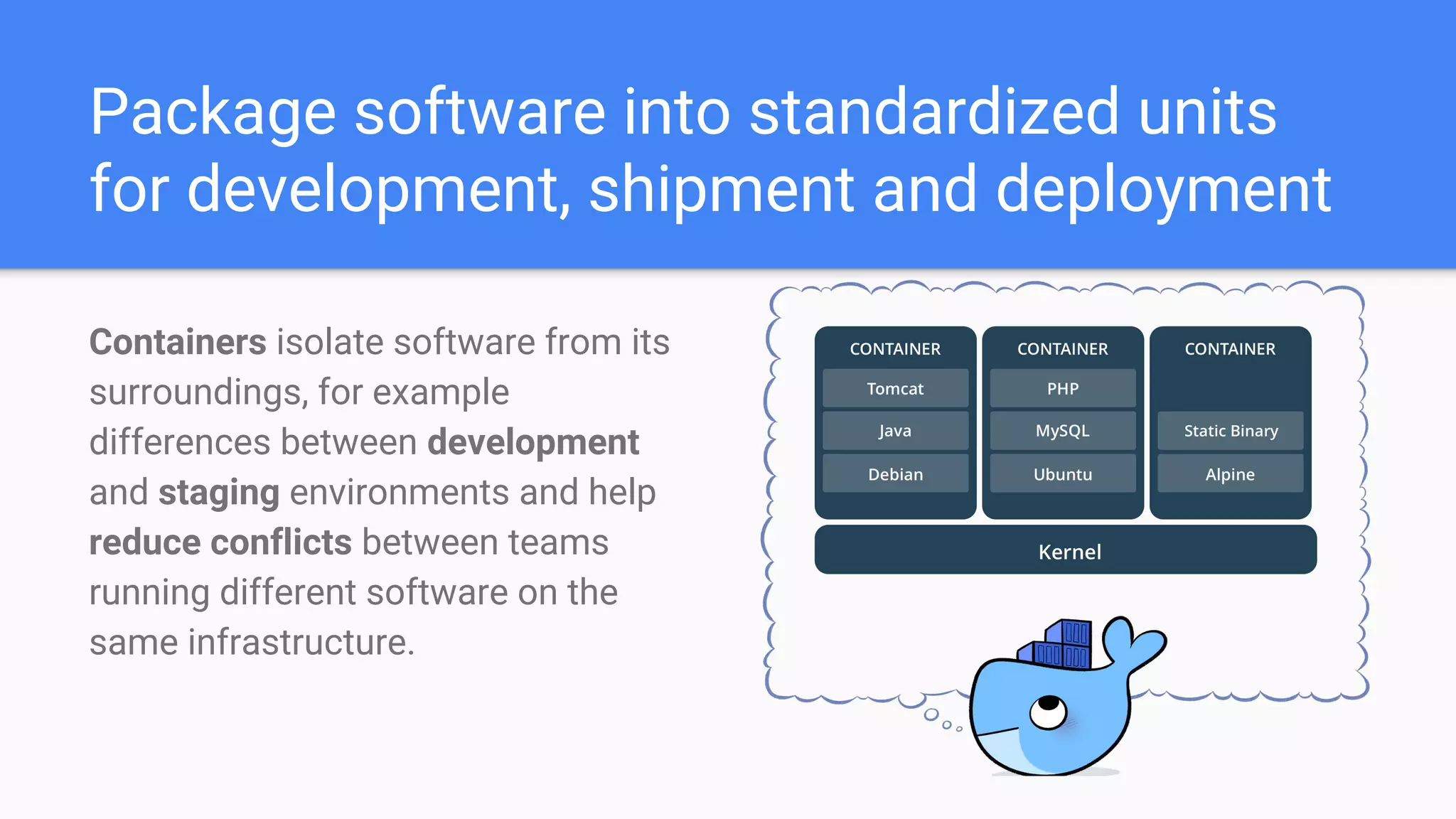
Package software into standardized units
for development, shipment and deployment
Containers isolate software from its
surroundings, for example
differences between development
and staging environments and help
reduce conflicts between teams
running different software on the
same infrastructure.
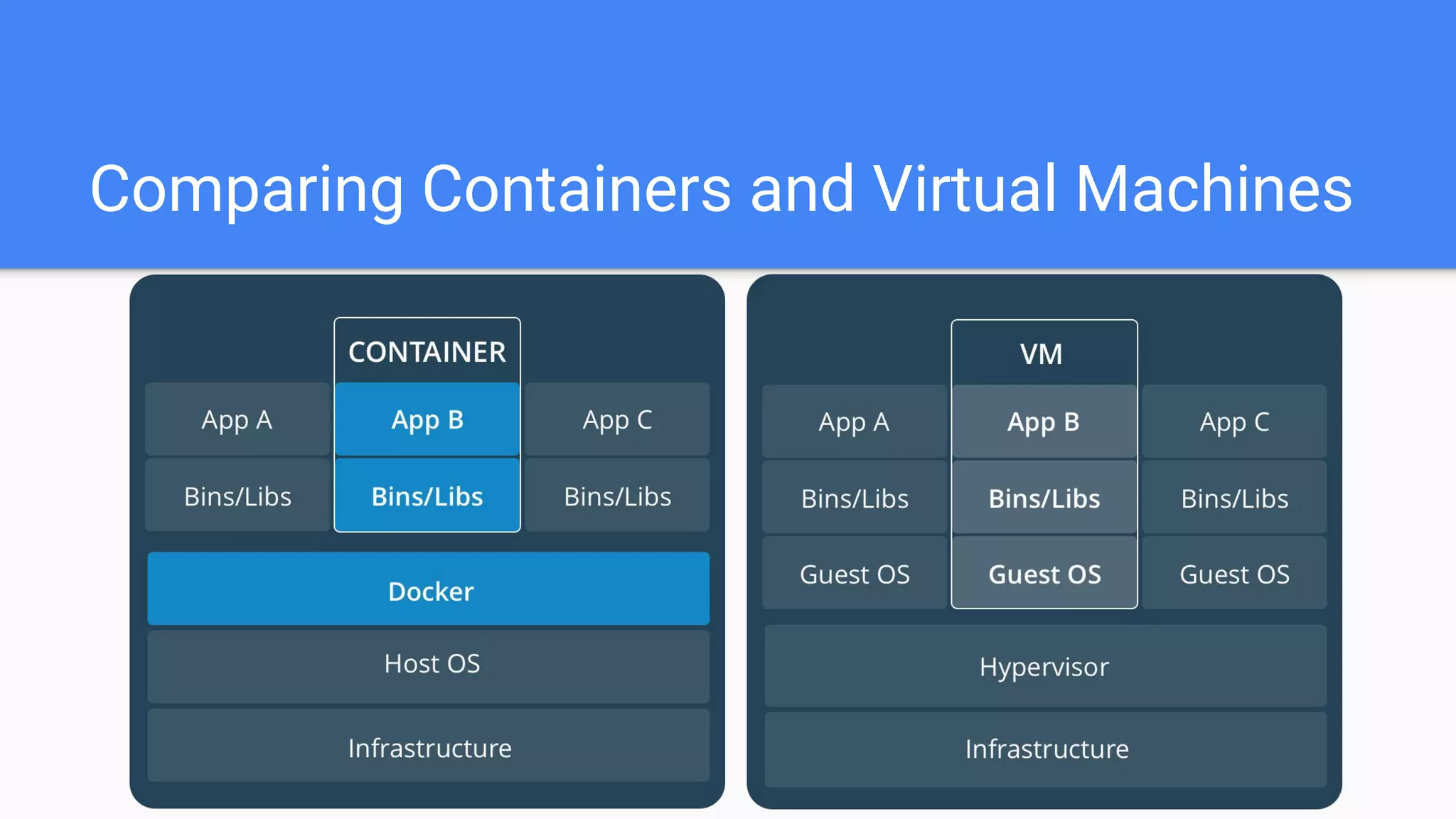
What is the difference from
virtualization?
Comparing Containers and Virtual Machines
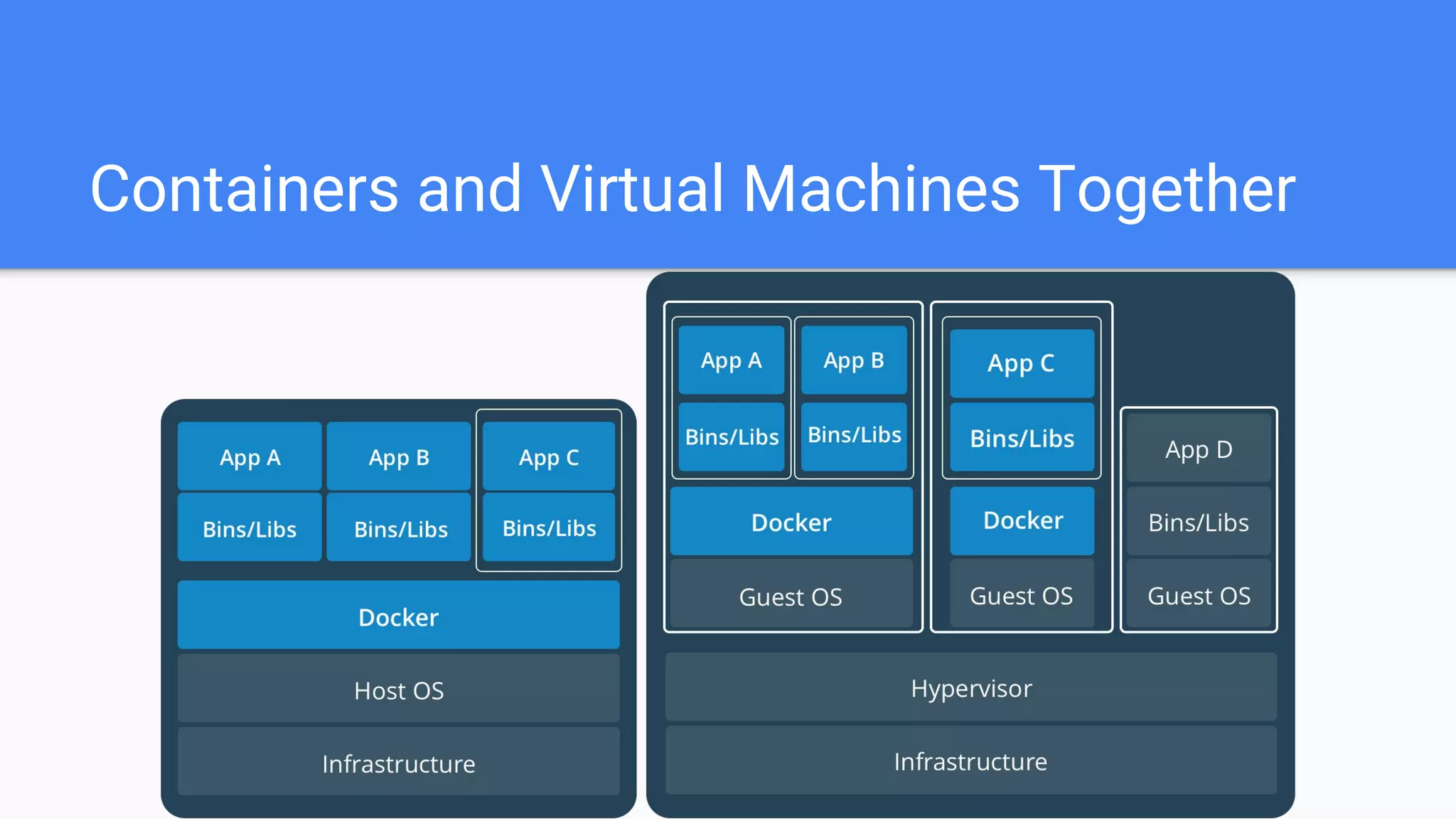
Containers and Virtual Machines Together
Why do we need Docker?
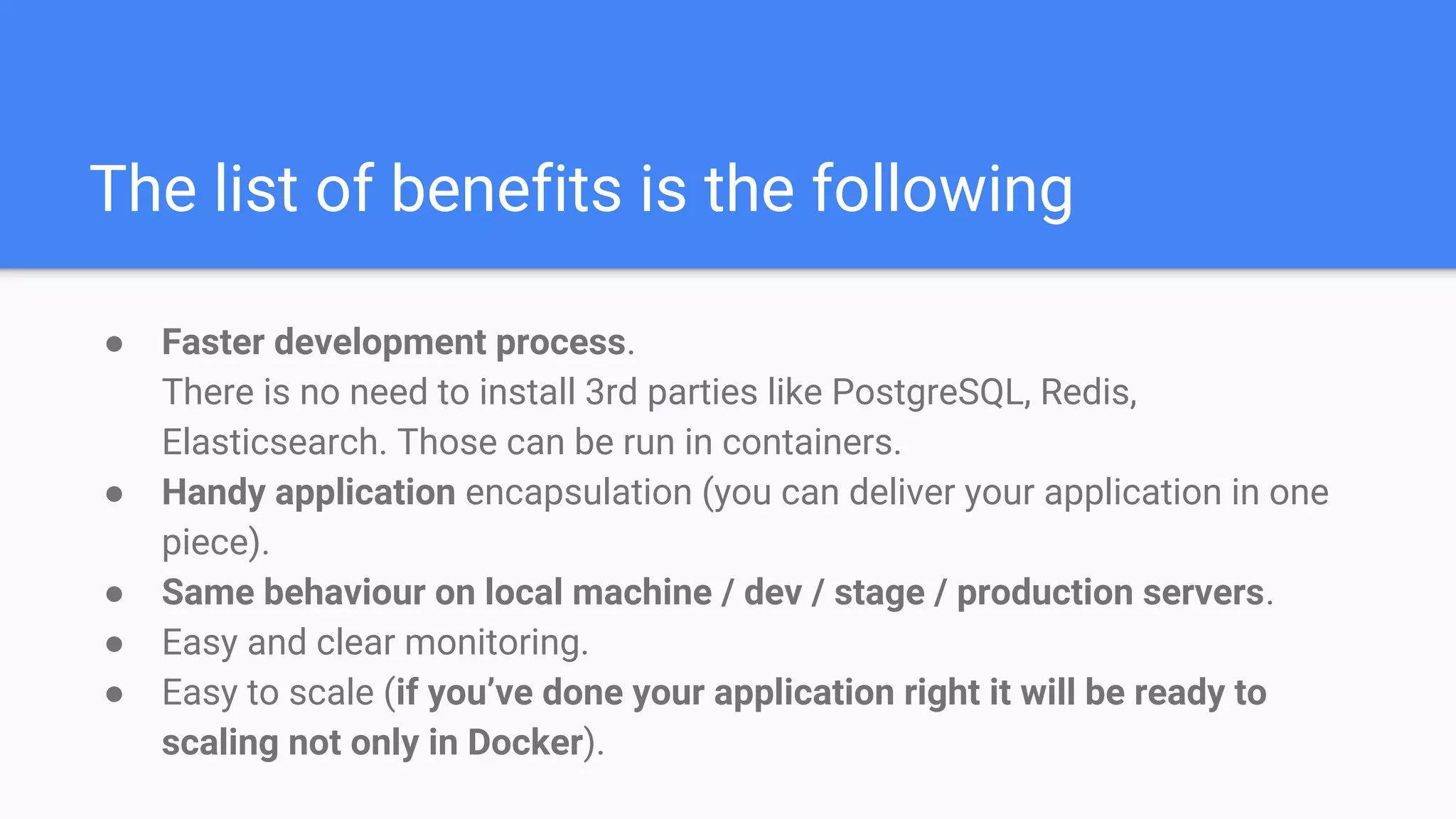
The list of benefits is the following
● Faster development process.
There is no need to install 3rd parties like PostgreSQL, Redis,
Elasticsearch. Those can be run in containers.
● Handy application encapsulation (you can deliver your application in one
piece).
● Same behaviour on local machine / dev / stage / production servers.
● Easy and clear monitoring.
● Easy to scale (if you’ve done your application right it will be ready to
scaling not only in Docker).
Examples
Live Demo
1. Hello world
2. Nginx
3. Writing Dockerfile
4. *Docker Compose
a. Python + Redis
b. Wordpress
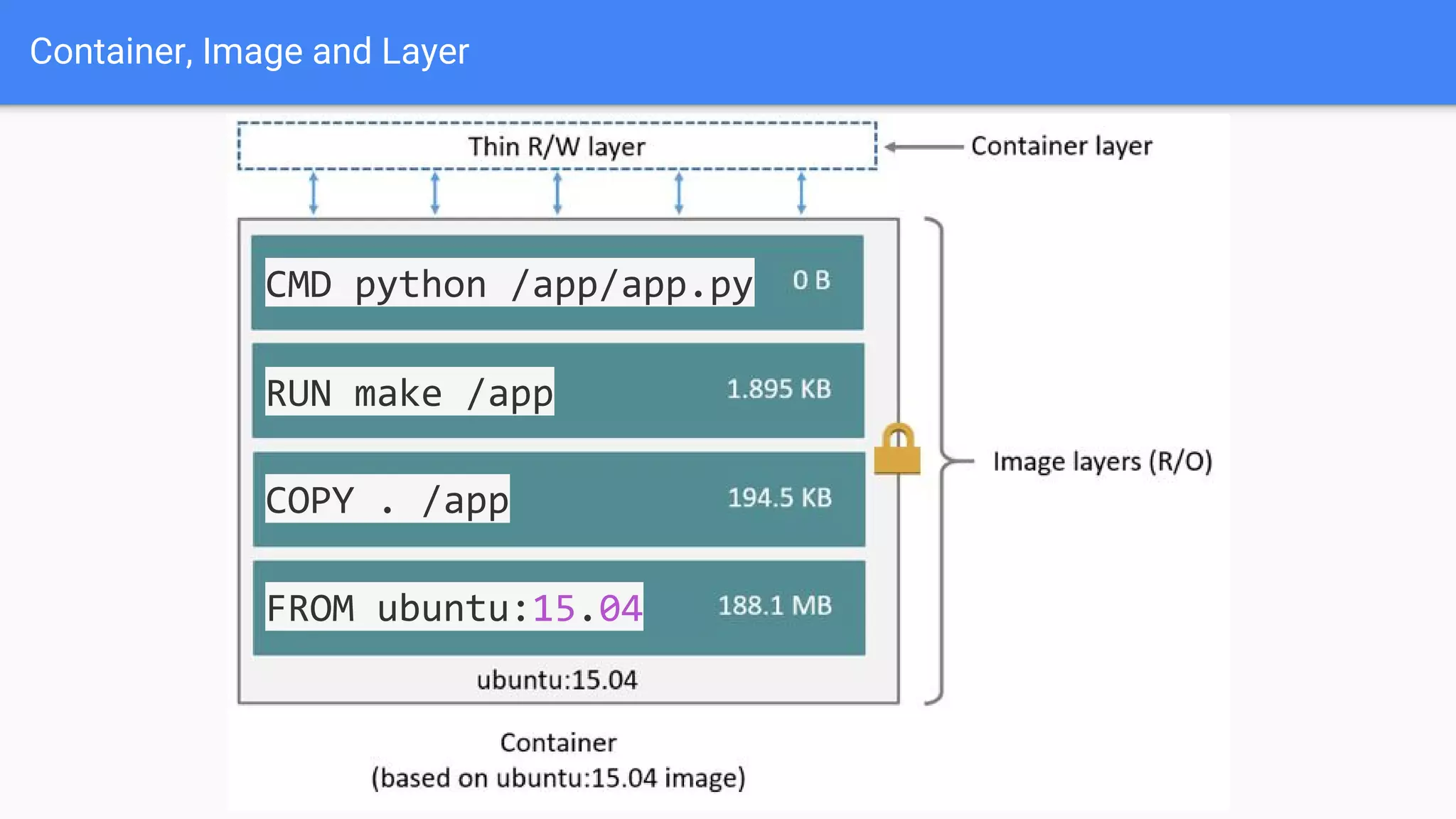
Container, Image and Layer
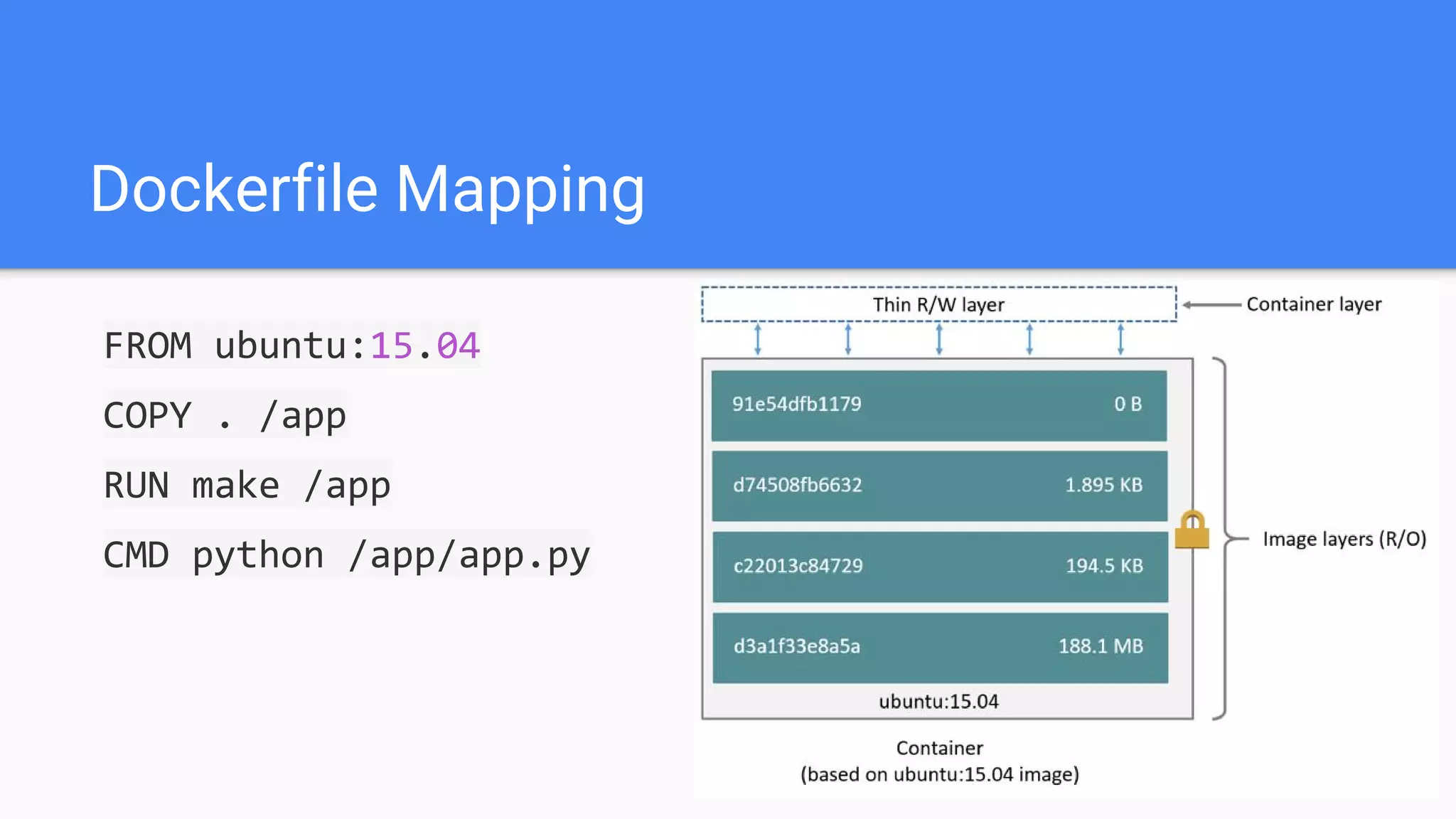
Dockerfile Mapping
FROM ubuntu:15.04
COPY . /app
RUN make /app
CMD python /app/app.py
Container, Image and Layer
FROM ubuntu:15.04
COPY . /app
RUN make /app
CMD python /app/app.py
Best My Practices
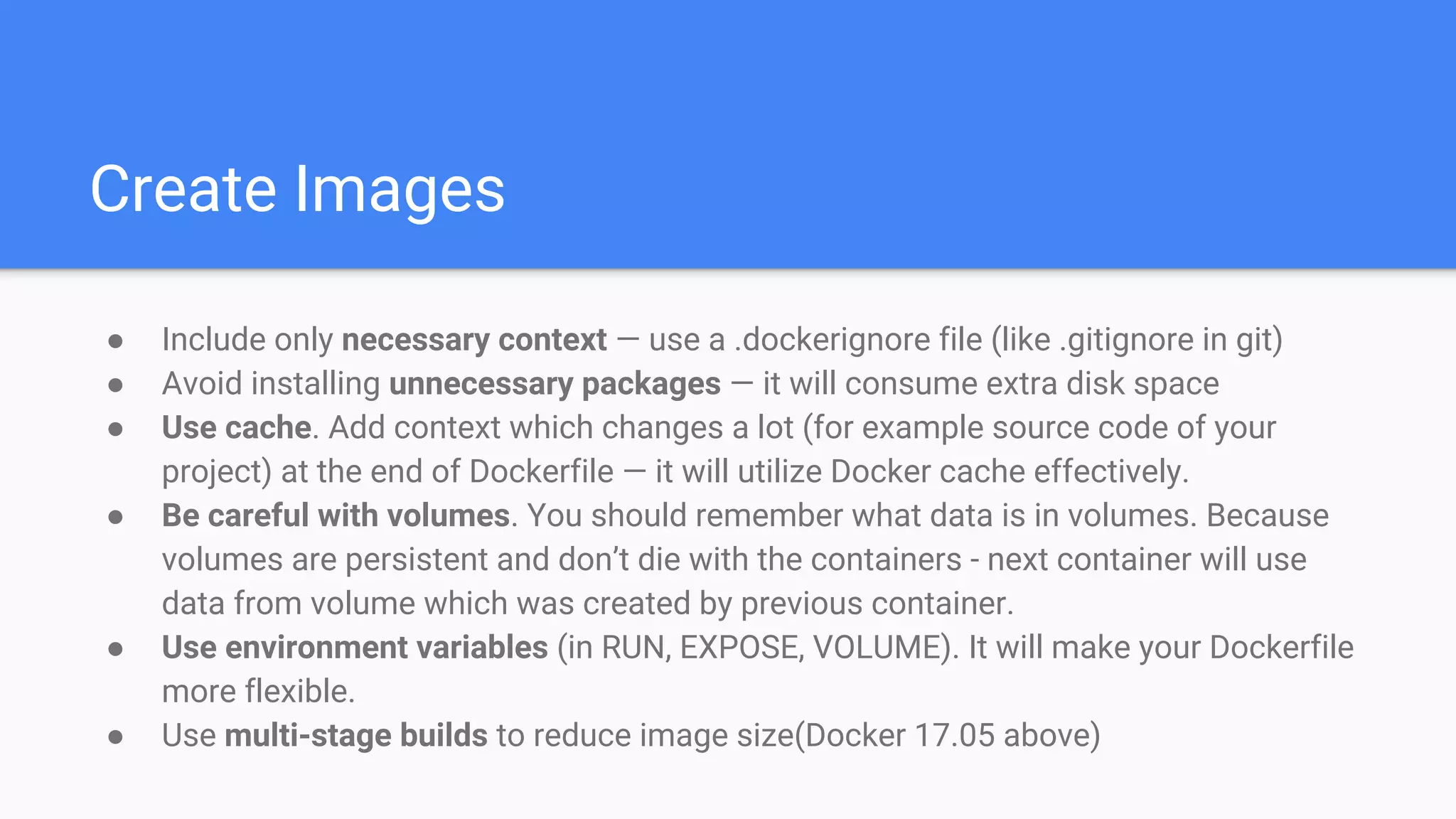
Create Images
● Include only necessary context — use a .dockerignore file (like .gitignore in git)
● Avoid installing unnecessary packages — it will consume extra disk space
● Use cache. Add context which changes a lot (for example source code of your
project) at the end of Dockerfile — it will utilize Docker cache effectively.
● Be careful with volumes. You should remember what data is in volumes. Because
volumes are persistent and don’t die with the containers - next container will use
data from volume which was created by previous container.
● Use environment variables (in RUN, EXPOSE, VOLUME). It will make your Dockerfile
more flexible.
● Use multi-stage builds to reduce image size(Docker 17.05 above)
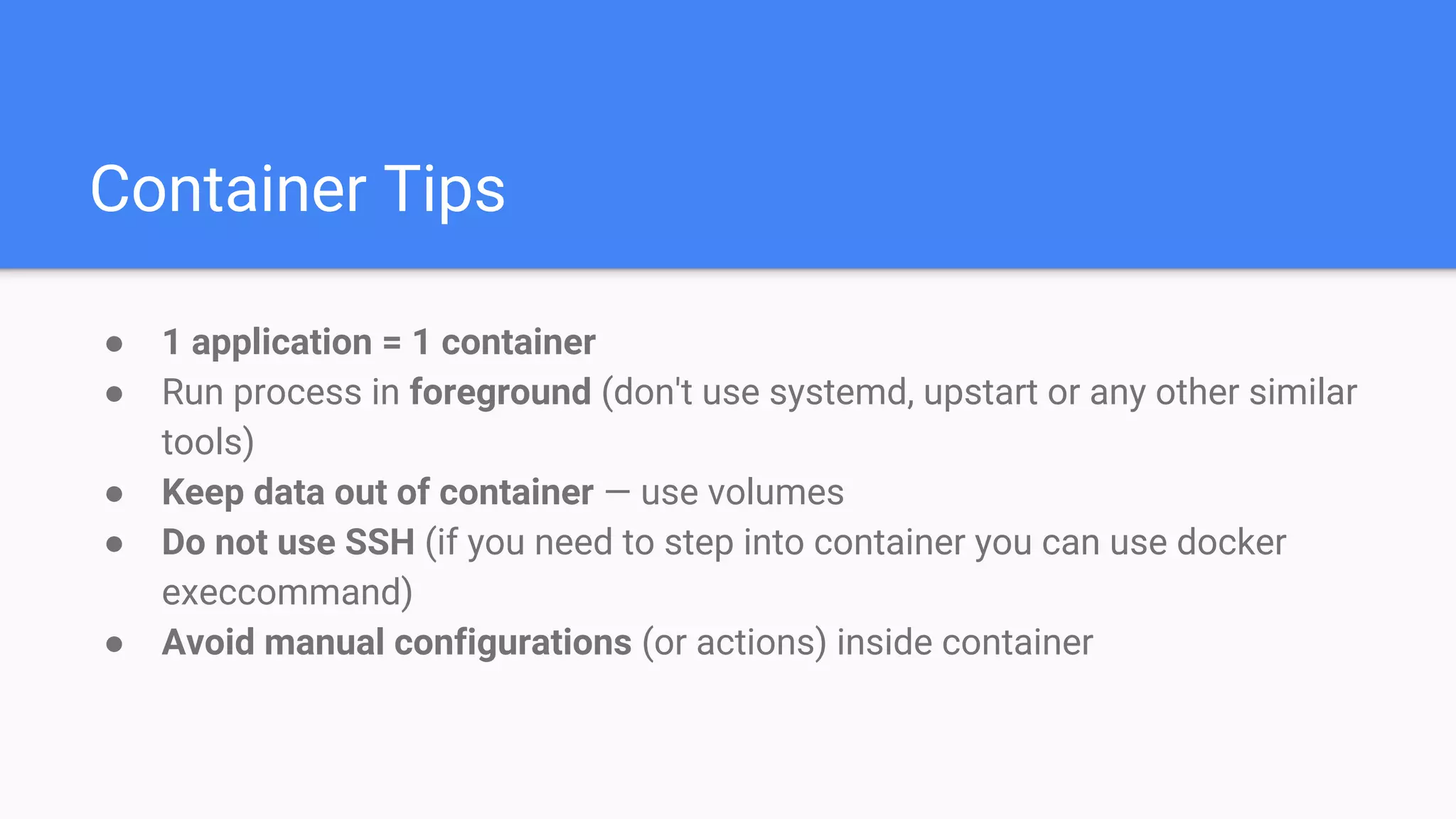
Container Tips
● 1 application = 1 container
● Run process in foreground (don't use systemd, upstart or any other similar
tools)
● Keep data out of container — use volumes
● Do not use SSH (if you need to step into container you can use docker
execcommand)
● Avoid manual configurations (or actions) inside container
Discussion
What is Docker
means to you?
Why do you need
Docker?
How will you use
Docker?
Thanks!
HC Lo
Reference
● What is Docker and How to Use it With Python (Tutorial)
● Docker Documentation
● Docker 入門與實戰
● Docker 容器與容器雲
● Examples

Docker 101

  • 1.
    Docker 101 What's Dockerand How to use? version: 2
  • 2.
    Agenda ● What isDocker? ● What is the difference from virtualization? ● Why do we need Docker? ● Container, Image and Layer ● Examples ● Best My Practices ● Discussion
  • 3.
  • 4.
    Docker is acontainer management service When you develop an application, you need to provide your code alongside with all possible dependencies like libraries, web server, databases, etc. You may end up in a situation when the application is working on your computer but won’t even start on stage env., dev env. or a QA’s machine. This challenge can be addressed by isolating the app to make it independent of the system.
  • 5.
    Package software intostandardized units for development, shipment and deployment Containers isolate software from its surroundings, for example differences between development and staging environments and help reduce conflicts between teams running different software on the same infrastructure.
  • 6.
    What is thedifference from virtualization?
  • 7.
    Comparing Containers andVirtual Machines
  • 8.
    Containers and VirtualMachines Together
  • 9.
    Why do weneed Docker?
  • 10.
    The list ofbenefits is the following ● Faster development process. There is no need to install 3rd parties like PostgreSQL, Redis, Elasticsearch. Those can be run in containers. ● Handy application encapsulation (you can deliver your application in one piece). ● Same behaviour on local machine / dev / stage / production servers. ● Easy and clear monitoring. ● Easy to scale (if you’ve done your application right it will be ready to scaling not only in Docker).
  • 11.
  • 12.
    Live Demo 1. Helloworld 2. Nginx 3. Writing Dockerfile 4. *Docker Compose a. Python + Redis b. Wordpress
  • 13.
  • 14.
    Dockerfile Mapping FROM ubuntu:15.04 COPY. /app RUN make /app CMD python /app/app.py
  • 15.
    Container, Image andLayer FROM ubuntu:15.04 COPY . /app RUN make /app CMD python /app/app.py
  • 16.
  • 17.
    Create Images ● Includeonly necessary context — use a .dockerignore file (like .gitignore in git) ● Avoid installing unnecessary packages — it will consume extra disk space ● Use cache. Add context which changes a lot (for example source code of your project) at the end of Dockerfile — it will utilize Docker cache effectively. ● Be careful with volumes. You should remember what data is in volumes. Because volumes are persistent and don’t die with the containers - next container will use data from volume which was created by previous container. ● Use environment variables (in RUN, EXPOSE, VOLUME). It will make your Dockerfile more flexible. ● Use multi-stage builds to reduce image size(Docker 17.05 above)
  • 18.
    Container Tips ● 1application = 1 container ● Run process in foreground (don't use systemd, upstart or any other similar tools) ● Keep data out of container — use volumes ● Do not use SSH (if you need to step into container you can use docker execcommand) ● Avoid manual configurations (or actions) inside container
  • 19.
  • 20.
  • 21.
    Why do youneed Docker?
  • 22.
    How will youuse Docker?
  • 23.
  • 24.
  • 25.
    ● What isDocker and How to Use it With Python (Tutorial) ● Docker Documentation ● Docker 入門與實戰 ● Docker 容器與容器雲 ● Examples