1
SoftAge Information Technology Ltd. : Confidential2 October 2015
SoftAge DMS
Web based application to scan, upload, save and manage the documents.
2
SoftAge Information Technology Ltd. : Confidential
Contents
• About SoftAge DMS
• Technology
• Hardware Configuration
• SoftAge DMS – Features
• SoftAge DMS – Screenshots
• SoftAge DMS - Benefits
3
SoftAge Information Technology Ltd. : Confidential2 October 2015
SoftAge DMS
Full document
management
capabilities
including Scanning,
Workflow & more
One Stop Solution to
manage structured &
unstructured
information
Empower
organizations to
capitalize on
accumulated
knowledge
Improved
Productivity, Better
Decision making, &
CRM, Cost Efficient
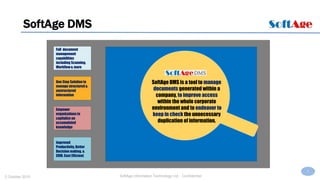
SoftAge DMS is a tool to manage
documents generated within a
company, to improve access
within the whole corporate
environment and to endeavor to
keep in check the unnecessary
duplication of information.
4
SoftAge Information Technology Ltd. : Confidential2 October 2015
Technology
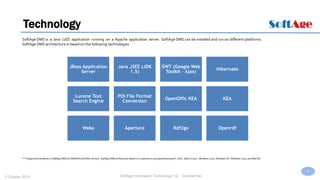
SoftAge DMS is a Java J2EE application running on a Apache application server. SoftAge DMS can be installed and run on different platforms.
SoftAge DMS architecture is based on the following technologies
JBoss Application
Server
Java J2EE (JDK
1.5)
GWT (Google Web
Toolkit - Ajax)
Hibernate
Lucene Text
Search Engine
POI File Format
Conversion
OpenOffic KEA KEA
Weka Aperture Rdf2go Openrdf
***Supported Interfaces in SoftAge DMS are WebDAV and Web services. SoftAge DMS architecture allows it to operate on any operating system: Unix., GNU / Linux., Windows 2000, Windows XP, Windows 2003, and MacOS.
5
SoftAge Information Technology Ltd. : Confidential2 October 2015
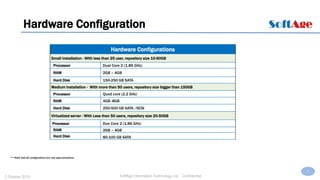
Hardware Configuration
Hardware Configurations
Small Installation - With less than 25 user, repository size 10-60GB
Processor Dual Core 2 (1.86 GHz)
RAM 2GB – 4GB
Hard Disk 150-250 GB SATA
Medium Installation - With more than 50 users, repository size bigger than 150GB
Processor Quad core (2.2 GHz)
RAM 4GB -8GB
Hard Disk 250-500 GB SATA /SCSI
Virtualized server - With Less than 50 users, repository size 20-50GB
Processor Due Core 2 (1.86 GHz)
RAM 2GB – 4GB
Hard Disk 80-100 GB SATA
***Note that all configurations are only approximations
6
SoftAge Information Technology Ltd. : Confidential2 October 2015
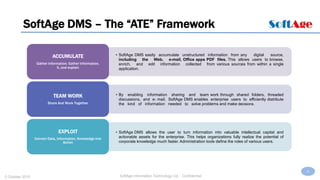
SoftAge DMS – The “ATE” Framework
• SoftAge DMS easily accumulate unstructured information from any digital source,
including the Web, e-mail, Office apps PDF files. This allows users to browse,
enrich, and edit information collected from various sources from within a single
application.
ACCUMULATE
Gather information, Gather Information,
It, and explain
• By enabling information sharing and team work through shared folders, threaded
discussions, and e- mail, SoftAge DMS enables enterprise users to efficiently distribute
the kind of information needed to solve problems and make decisions.
TEAM WORK
Share And Work Together
• SoftAge DMS allows the user to turn information into valuable intellectual capital and
actionable assets for the enterprise. This helps organizations fully realize the potential of
corporate knowledge much faster. Administration tools define the roles of various users.
EXPLOIT
Convert Data, Information, Knowledge into
Action
7
SoftAge Information Technology Ltd. : Confidential2 October 2015
SoftAge DMS-Screenshots
8
SoftAge Information Technology Ltd. : Confidential2 October 2015
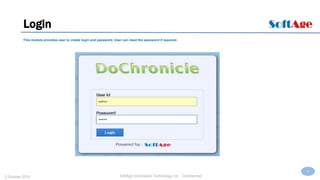
Login
This module provides user to create login and password. User can reset the password if required.
9
SoftAge Information Technology Ltd. : Confidential2 October 2015
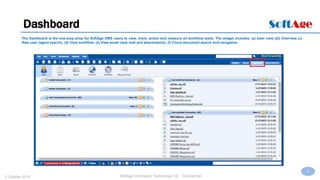
Dashboard
The Dashboard is the one-stop shop for SoftAge DMS users to view, track, action and measure all workflow tasks. The widget includes: (a) User view ((b) Overview (c)
New user (agent search). (d) View workflow. (e) View email (new mail and attachments). (f) Cloud document search and navigation.
10
SoftAge Information Technology Ltd. : Confidential2 October 2015
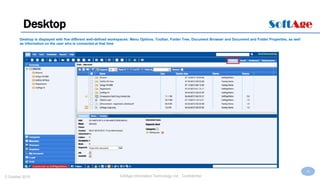
Desktop
Desktop is displayed with five different well-defined workspaces: Menu Options, Toolbar, Folder Tree, Document Browser and Document and Folder Properties, as well
as information on the user who is connected at that time
11
SoftAge Information Technology Ltd. : Confidential2 October 2015
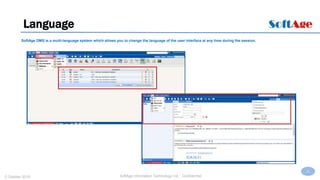
Language
SoftAge DMS is a multi-language system which allows you to change the language of the user interface at any time during the session.
12
SoftAge Information Technology Ltd. : Confidential2 October 2015
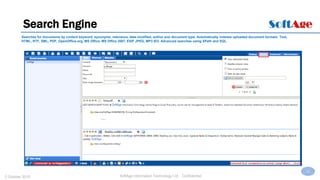
Search Engine
Searches for documents by content keyword, synonyms, relevance, date modified, author and document type. Automatically indexes uploaded document formats: Text,
HTML, RTF, XML, PDF, OpenOffice.org, MS Office, MS Office 2007, EXIF JPEG, MP3 ID3. Advanced searches using XPath and SQL.
13
SoftAge Information Technology Ltd. : Confidential2 October 2015
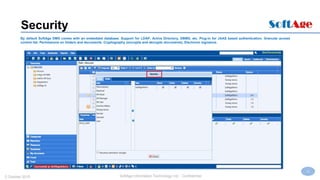
Security
By default SoftAge DMS comes with an embedded database. Support for LDAP, Active Directory, DBMS, etc. Plug-in for JAAS based authentication. Granular access
control list. Permissions on folders and documents. Cryptography (encrypts and decrypts documents). Electronic signature.
14
SoftAge Information Technology Ltd. : Confidential2 October 2015
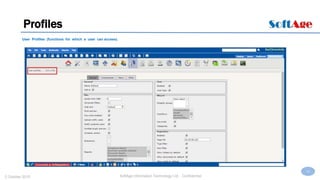
Profiles
User Profiles (functions for which a user can access).
15
SoftAge Information Technology Ltd. : Confidential2 October 2015
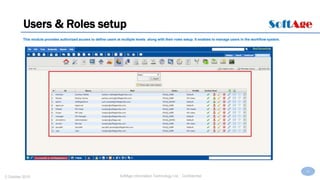
Users & Roles setup
This module provides authorized access to define users at multiple levels along with their roles setup. It enables to manage users in the workflow system.
16
SoftAge Information Technology Ltd. : Confidential2 October 2015
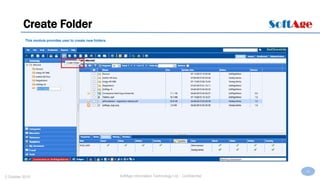
Create Folder
This module provides user to create new folders.
17
SoftAge Information Technology Ltd. : Confidential2 October 2015
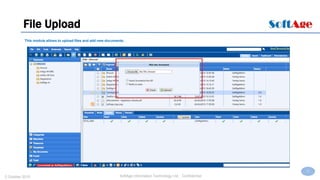
File Upload
This module allows to upload files and add new documents.
18
SoftAge Information Technology Ltd. : Confidential2 October 2015
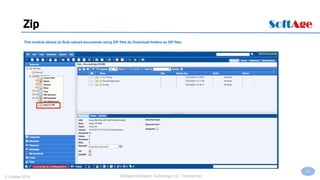
Zip
This module allows (a) Bulk upload documents using ZIP files (b) Download folders as ZIP files.
19
SoftAge Information Technology Ltd. : Confidential2 October 2015
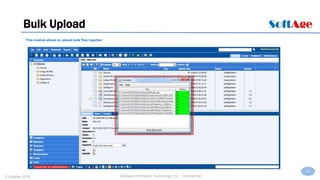
Bulk Upload
This module allows to upload bulk files together.
20
SoftAge Information Technology Ltd. : Confidential2 October 2015
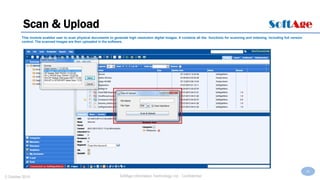
Scan & Upload
This module enables user to scan physical documents to generate high resolution digital images. It contains all the functions for scanning and indexing, including full version
control. The scanned images are then uploaded in the software.
21
SoftAge Information Technology Ltd. : Confidential2 October 2015
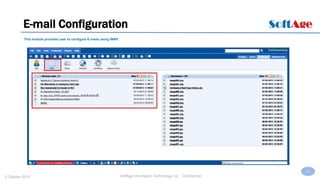
E-mail Configuration
This module provides user to configure E-mails using IMAP.
22
SoftAge Information Technology Ltd. : Confidential2 October 2015
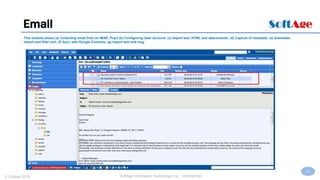
Email
This module allows (a) Collecting email from an IMAP, Pop3 (b) Configuring User Account. (c) Import text, HTML and attachments. (d) Capture of metadata. (e) Automatic
import and filter sort. (f) Sync with Google Contacts. (g) Import eml and msg.
23
SoftAge Information Technology Ltd. : Confidential2 October 2015
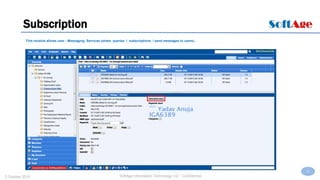
Subscription
This module allows user - Messaging Services (share queries / subscriptions / send messages to users).
24
SoftAge Information Technology Ltd. : Confidential2 October 2015
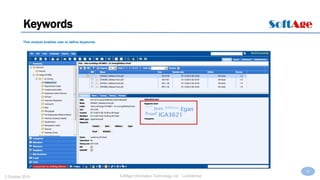
Keywords
This module enables user to define keywords.
25
SoftAge Information Technology Ltd. : Confidential2 October 2015
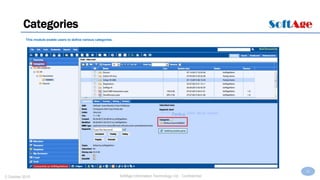
Categories
This module enable users to define various categories.
26
SoftAge Information Technology Ltd. : Confidential2 October 2015
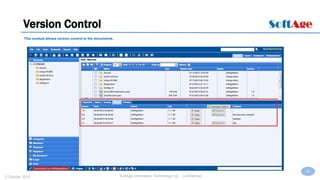
Version Control
This module allows version control to the documents.
27
SoftAge Information Technology Ltd. : Confidential2 October 2015
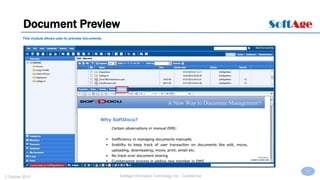
Document Preview
This module allows user to preview documents.
28
SoftAge Information Technology Ltd. : Confidential2 October 2015
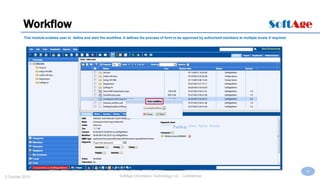
Workflow
This module enables user to define and start the workflow. It defines the process of form to be approved by authorized members at multiple levels if required.
29
SoftAge Information Technology Ltd. : Confidential2 October 2015
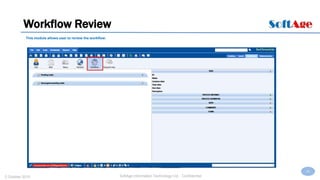
Workflow Review
This module allows user to review the workflow.
30
SoftAge Information Technology Ltd. : Confidential2 October 2015
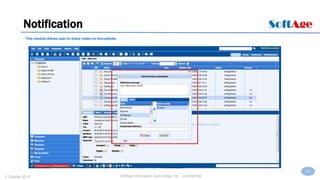
Notification
This module allows user to share notes on documents.
31
SoftAge Information Technology Ltd. : Confidential2 October 2015
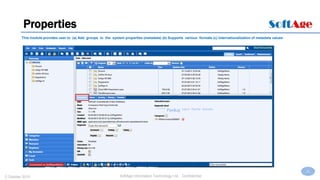
Properties
This module provides user to (a) Add groups to the system properties (metadata) (b) Supports various formats (c) Internationalization of metadata values
32
SoftAge Information Technology Ltd. : Confidential2 October 2015
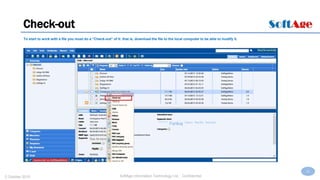
Check-out
To start to work with a file you must do a “Check-out” of it: that is, download the file to the local computer to be able to modify it.
33
SoftAge Information Technology Ltd. : Confidential2 October 2015
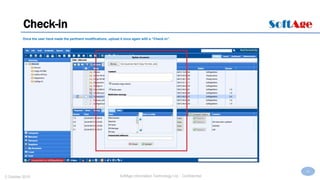
Check-in
Once the user have made the pertinent modifications, upload it once again with a “Check-in”.
34
SoftAge Information Technology Ltd. : Confidential2 October 2015
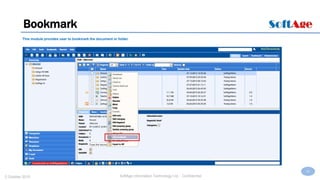
Bookmark
This module provides user to bookmark the document or folder.
35
SoftAge Information Technology Ltd. : Confidential2 October 2015
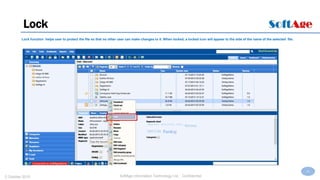
Lock
Lock function helps user to protect the file so that no other user can make changes to it. When locked, a locked icon will appear to the side of the name of the selected file.
36
SoftAge Information Technology Ltd. : Confidential2 October 2015
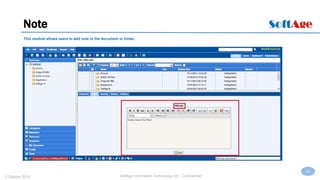
Note
This module allows users to add note to the document or folder.
37
SoftAge Information Technology Ltd. : Confidential2 October 2015
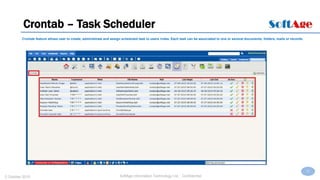
Crontab – Task Scheduler
Crontab feature allows user to create, administrate and assign scheduled task to users /roles. Each task can be associated to one or several documents, folders, mails or records.
38
SoftAge Information Technology Ltd. : Confidential2 October 2015
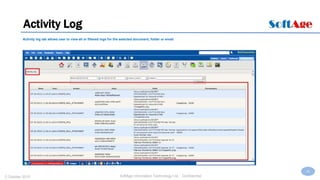
Activity Log
Activity log tab allows user to view all or filtered logs for the selected document, folder or email.
39
SoftAge Information Technology Ltd. : Confidential2 October 2015
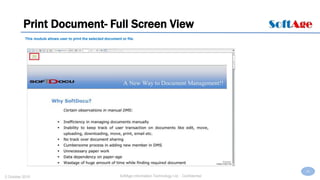
Print Document- Full Screen View
This module allows user to print the selected document or file.
40
SoftAge Information Technology Ltd. : Confidential2 October 2015
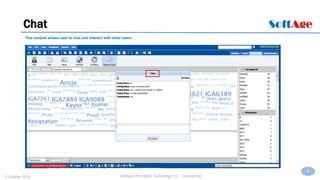
Chat
This module allows user to chat and interact with other users.
41
SoftAge Information Technology Ltd. : Confidential2 October 2015
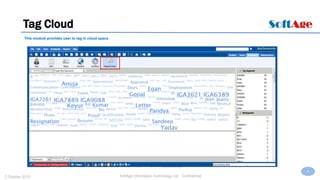
Tag Cloud
This module provides user to tag in cloud space
42
SoftAge Information Technology Ltd. : Confidential2 October 2015
Why SoftAge DMS?
43
SoftAge Information Technology Ltd. : Confidential
SoftAge DMS - Benefits
Productivity: Facilitates quick location of documents and encourages the practice of sharing information
between users. Simple notification settings, defined processes, all possible.
Saving: Robustness and Stability allow tight costs and competitive pricing.
Security: The built-in antivirus and extreme robustness of SoftAge DMS guarantee the integrity of
the data stored.
Integration: A versatile, integrated solution that captures, organizes and tracks all types of information
from paper documents, text files, email, Office apps, videos, audio and images,.
Optimization: SoftAge DMS includes tools to help evaluate and audit the behavior of users and groups, as
well as the use of documents.
44
SoftAge Information Technology Ltd. : Confidential2 October 2015
Thank You
For more details drop a CorpMail at harsh.tikku@softage.net
Or call +919811154452

DoChronicle

  • 1.
    1 SoftAge Information TechnologyLtd. : Confidential2 October 2015 SoftAge DMS Web based application to scan, upload, save and manage the documents.
  • 2.
    2 SoftAge Information TechnologyLtd. : Confidential Contents • About SoftAge DMS • Technology • Hardware Configuration • SoftAge DMS – Features • SoftAge DMS – Screenshots • SoftAge DMS - Benefits
  • 3.
    3 SoftAge Information TechnologyLtd. : Confidential2 October 2015 SoftAge DMS Full document management capabilities including Scanning, Workflow & more One Stop Solution to manage structured & unstructured information Empower organizations to capitalize on accumulated knowledge Improved Productivity, Better Decision making, & CRM, Cost Efficient SoftAge DMS is a tool to manage documents generated within a company, to improve access within the whole corporate environment and to endeavor to keep in check the unnecessary duplication of information.
  • 4.
    4 SoftAge Information TechnologyLtd. : Confidential2 October 2015 Technology SoftAge DMS is a Java J2EE application running on a Apache application server. SoftAge DMS can be installed and run on different platforms. SoftAge DMS architecture is based on the following technologies JBoss Application Server Java J2EE (JDK 1.5) GWT (Google Web Toolkit - Ajax) Hibernate Lucene Text Search Engine POI File Format Conversion OpenOffic KEA KEA Weka Aperture Rdf2go Openrdf ***Supported Interfaces in SoftAge DMS are WebDAV and Web services. SoftAge DMS architecture allows it to operate on any operating system: Unix., GNU / Linux., Windows 2000, Windows XP, Windows 2003, and MacOS.
  • 5.
    5 SoftAge Information TechnologyLtd. : Confidential2 October 2015 Hardware Configuration Hardware Configurations Small Installation - With less than 25 user, repository size 10-60GB Processor Dual Core 2 (1.86 GHz) RAM 2GB – 4GB Hard Disk 150-250 GB SATA Medium Installation - With more than 50 users, repository size bigger than 150GB Processor Quad core (2.2 GHz) RAM 4GB -8GB Hard Disk 250-500 GB SATA /SCSI Virtualized server - With Less than 50 users, repository size 20-50GB Processor Due Core 2 (1.86 GHz) RAM 2GB – 4GB Hard Disk 80-100 GB SATA ***Note that all configurations are only approximations
  • 6.
    6 SoftAge Information TechnologyLtd. : Confidential2 October 2015 SoftAge DMS – The “ATE” Framework • SoftAge DMS easily accumulate unstructured information from any digital source, including the Web, e-mail, Office apps PDF files. This allows users to browse, enrich, and edit information collected from various sources from within a single application. ACCUMULATE Gather information, Gather Information, It, and explain • By enabling information sharing and team work through shared folders, threaded discussions, and e- mail, SoftAge DMS enables enterprise users to efficiently distribute the kind of information needed to solve problems and make decisions. TEAM WORK Share And Work Together • SoftAge DMS allows the user to turn information into valuable intellectual capital and actionable assets for the enterprise. This helps organizations fully realize the potential of corporate knowledge much faster. Administration tools define the roles of various users. EXPLOIT Convert Data, Information, Knowledge into Action
  • 7.
    7 SoftAge Information TechnologyLtd. : Confidential2 October 2015 SoftAge DMS-Screenshots
  • 8.
    8 SoftAge Information TechnologyLtd. : Confidential2 October 2015 Login This module provides user to create login and password. User can reset the password if required.
  • 9.
    9 SoftAge Information TechnologyLtd. : Confidential2 October 2015 Dashboard The Dashboard is the one-stop shop for SoftAge DMS users to view, track, action and measure all workflow tasks. The widget includes: (a) User view ((b) Overview (c) New user (agent search). (d) View workflow. (e) View email (new mail and attachments). (f) Cloud document search and navigation.
  • 10.
    10 SoftAge Information TechnologyLtd. : Confidential2 October 2015 Desktop Desktop is displayed with five different well-defined workspaces: Menu Options, Toolbar, Folder Tree, Document Browser and Document and Folder Properties, as well as information on the user who is connected at that time
  • 11.
    11 SoftAge Information TechnologyLtd. : Confidential2 October 2015 Language SoftAge DMS is a multi-language system which allows you to change the language of the user interface at any time during the session.
  • 12.
    12 SoftAge Information TechnologyLtd. : Confidential2 October 2015 Search Engine Searches for documents by content keyword, synonyms, relevance, date modified, author and document type. Automatically indexes uploaded document formats: Text, HTML, RTF, XML, PDF, OpenOffice.org, MS Office, MS Office 2007, EXIF JPEG, MP3 ID3. Advanced searches using XPath and SQL.
  • 13.
    13 SoftAge Information TechnologyLtd. : Confidential2 October 2015 Security By default SoftAge DMS comes with an embedded database. Support for LDAP, Active Directory, DBMS, etc. Plug-in for JAAS based authentication. Granular access control list. Permissions on folders and documents. Cryptography (encrypts and decrypts documents). Electronic signature.
  • 14.
    14 SoftAge Information TechnologyLtd. : Confidential2 October 2015 Profiles User Profiles (functions for which a user can access).
  • 15.
    15 SoftAge Information TechnologyLtd. : Confidential2 October 2015 Users & Roles setup This module provides authorized access to define users at multiple levels along with their roles setup. It enables to manage users in the workflow system.
  • 16.
    16 SoftAge Information TechnologyLtd. : Confidential2 October 2015 Create Folder This module provides user to create new folders.
  • 17.
    17 SoftAge Information TechnologyLtd. : Confidential2 October 2015 File Upload This module allows to upload files and add new documents.
  • 18.
    18 SoftAge Information TechnologyLtd. : Confidential2 October 2015 Zip This module allows (a) Bulk upload documents using ZIP files (b) Download folders as ZIP files.
  • 19.
    19 SoftAge Information TechnologyLtd. : Confidential2 October 2015 Bulk Upload This module allows to upload bulk files together.
  • 20.
    20 SoftAge Information TechnologyLtd. : Confidential2 October 2015 Scan & Upload This module enables user to scan physical documents to generate high resolution digital images. It contains all the functions for scanning and indexing, including full version control. The scanned images are then uploaded in the software.
  • 21.
    21 SoftAge Information TechnologyLtd. : Confidential2 October 2015 E-mail Configuration This module provides user to configure E-mails using IMAP.
  • 22.
    22 SoftAge Information TechnologyLtd. : Confidential2 October 2015 Email This module allows (a) Collecting email from an IMAP, Pop3 (b) Configuring User Account. (c) Import text, HTML and attachments. (d) Capture of metadata. (e) Automatic import and filter sort. (f) Sync with Google Contacts. (g) Import eml and msg.
  • 23.
    23 SoftAge Information TechnologyLtd. : Confidential2 October 2015 Subscription This module allows user - Messaging Services (share queries / subscriptions / send messages to users).
  • 24.
    24 SoftAge Information TechnologyLtd. : Confidential2 October 2015 Keywords This module enables user to define keywords.
  • 25.
    25 SoftAge Information TechnologyLtd. : Confidential2 October 2015 Categories This module enable users to define various categories.
  • 26.
    26 SoftAge Information TechnologyLtd. : Confidential2 October 2015 Version Control This module allows version control to the documents.
  • 27.
    27 SoftAge Information TechnologyLtd. : Confidential2 October 2015 Document Preview This module allows user to preview documents.
  • 28.
    28 SoftAge Information TechnologyLtd. : Confidential2 October 2015 Workflow This module enables user to define and start the workflow. It defines the process of form to be approved by authorized members at multiple levels if required.
  • 29.
    29 SoftAge Information TechnologyLtd. : Confidential2 October 2015 Workflow Review This module allows user to review the workflow.
  • 30.
    30 SoftAge Information TechnologyLtd. : Confidential2 October 2015 Notification This module allows user to share notes on documents.
  • 31.
    31 SoftAge Information TechnologyLtd. : Confidential2 October 2015 Properties This module provides user to (a) Add groups to the system properties (metadata) (b) Supports various formats (c) Internationalization of metadata values
  • 32.
    32 SoftAge Information TechnologyLtd. : Confidential2 October 2015 Check-out To start to work with a file you must do a “Check-out” of it: that is, download the file to the local computer to be able to modify it.
  • 33.
    33 SoftAge Information TechnologyLtd. : Confidential2 October 2015 Check-in Once the user have made the pertinent modifications, upload it once again with a “Check-in”.
  • 34.
    34 SoftAge Information TechnologyLtd. : Confidential2 October 2015 Bookmark This module provides user to bookmark the document or folder.
  • 35.
    35 SoftAge Information TechnologyLtd. : Confidential2 October 2015 Lock Lock function helps user to protect the file so that no other user can make changes to it. When locked, a locked icon will appear to the side of the name of the selected file.
  • 36.
    36 SoftAge Information TechnologyLtd. : Confidential2 October 2015 Note This module allows users to add note to the document or folder.
  • 37.
    37 SoftAge Information TechnologyLtd. : Confidential2 October 2015 Crontab – Task Scheduler Crontab feature allows user to create, administrate and assign scheduled task to users /roles. Each task can be associated to one or several documents, folders, mails or records.
  • 38.
    38 SoftAge Information TechnologyLtd. : Confidential2 October 2015 Activity Log Activity log tab allows user to view all or filtered logs for the selected document, folder or email.
  • 39.
    39 SoftAge Information TechnologyLtd. : Confidential2 October 2015 Print Document- Full Screen View This module allows user to print the selected document or file.
  • 40.
    40 SoftAge Information TechnologyLtd. : Confidential2 October 2015 Chat This module allows user to chat and interact with other users.
  • 41.
    41 SoftAge Information TechnologyLtd. : Confidential2 October 2015 Tag Cloud This module provides user to tag in cloud space
  • 42.
    42 SoftAge Information TechnologyLtd. : Confidential2 October 2015 Why SoftAge DMS?
  • 43.
    43 SoftAge Information TechnologyLtd. : Confidential SoftAge DMS - Benefits Productivity: Facilitates quick location of documents and encourages the practice of sharing information between users. Simple notification settings, defined processes, all possible. Saving: Robustness and Stability allow tight costs and competitive pricing. Security: The built-in antivirus and extreme robustness of SoftAge DMS guarantee the integrity of the data stored. Integration: A versatile, integrated solution that captures, organizes and tracks all types of information from paper documents, text files, email, Office apps, videos, audio and images,. Optimization: SoftAge DMS includes tools to help evaluate and audit the behavior of users and groups, as well as the use of documents.
  • 44.
    44 SoftAge Information TechnologyLtd. : Confidential2 October 2015 Thank You For more details drop a CorpMail at harsh.tikku@softage.net Or call +919811154452