How Can
 Content Management Software
          Keep Pace?

San Francisco Gilbane Conference 2009
        Content Integration Strategies
              Dick Weisinger
                           g
                 June 4, 2009
Dick Weisinger
 Vice President and Chief Technologist
  Formtek, Inc
 20+ years of experience in Content,
  Document and Image Management
                     g       g
 Regular blogger at
  http://www.formtek.com/blog
Formtek
 An ECM software and services company
  – 25-year history
    25 year
 Experts in general ECM and CM space
 Depth of experience in engineering data
  management
 Formtek Orion ECM Software
 Alfresco Gold Integration Partner
Drowning in Digital Data
 Hand-held devices                  E-Discovery / Records
                                      Management
 High-resolution video
                                     Di iti d B i
                                      Digitized Business D t
                                                         Data
 High-End Video Games
                                     Financial and Health
 High-Resolution
                                      Records
  Graphics d Images
  G hi and I
                                     Business Continuity
 Scientific Data
                                      Backups

Analysts at:
         Gartner Group,
         Forester Research,
                  Research
         IDC and
         The 451 Group
all predict massive growth in digital data.
                                      data
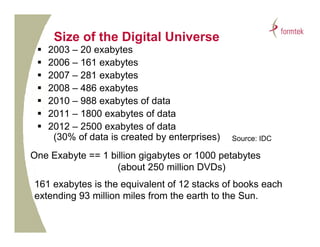
Size of the Digital Universe
    2003 – 20 exabytes
    2006 – 161 exabytes
    2007 – 281 exabytes
    2008 – 486 exabytes
    2010 – 988 exabytes of data
    2011 – 1800 exabytes of data
    2012 – 2500 exabytes of data
      (30% of data is created by enterprises)   Source: IDC

One Exabyte == 1 billion gigabytes or 1000 petabytes
                   (about 250 million DVDs)
161 exabytes is the equivalent of 12 stacks of books each
extending 93 million miles from the earth to the Sun.
Data in Business and Science
 Walmart adds a billion rows of data to
  its 600 terabyte database every hour
 Chevron’s gas and oil exploration
  collects 2 terabytes of data daily
                  y                y
 Large Hadron collider in Switzerland to
  collect 300 exabytes per year
 Department of Energy has increased
  their data by a factor of 10 every four
  years since 1990
Hardware’s Shrinking Cost

Year    Cost/MB
1986    $51.30
                  Storage costs are
1991    $13.00    plummeting,
                  plummeting but not as fast
1994    $1.00     as the amount of data is
                  growing.
1997    $0.09
        $0 09
2000    $0.07     Cheap storage costs also
2003    $0.02
        $0 02     encourage applications to
                  store ever more data.
2009    $0.0002
Can Software Keep Pace?
How Can We Find Anything?

 Search Algorithms have evolved and
  improved, but…
 Internet Search is only Fair to Good
  – Google Page-Rank
      8+ billion web pages, hundreds of thousands of
                      p g ,
       servers
 Enterprise Search is Poor
  – Usage patterns are hard to model
The Problem of Search

 49 percent of business users say that finding
  data is difficult d time consuming.
  d t i diffi lt and ti          i
                           -- AIIM 2008 Market Study


 Users have a 50 percent success rate at
  search
       h
                            -- Recommind Survey
                            March 2009
Scattered Data Repositories
                 p
 Corporate Applications
    –   ERP
    –   PLM/PDM
    –   Business Intelligence / Knowledge Management
    –   Content and Document Management
   Relational Databases
   Local and Shared File Syste s
     oca a d S a ed e Systems
   Internet/Intranet HTTP servers
   Email Servers
   Disk Appliances (digital cameras, cell phone…)
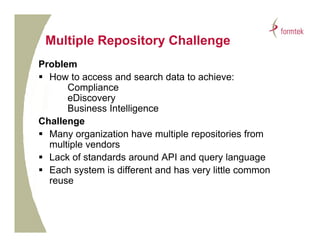
Multiple Repository Challenge
      p     p      y        g
Problem
 How to access and search data to achieve:
      Compliance
      eDiscovery
      Business Intelligence
Challenge
 Many organization have multiple repositories from
      y g                      p     p
  multiple vendors
 Lack of standards around API and query language
 Each system is different and has very little common
  reuse
Unstructured Data Search is Hard
 80 percent of enterprise data is unstructured
     p               p
  – Eg., emails, PDF, Word and Office docs
 No underlying data model or schema
           y g
  – emails and IM often lack context and use
    shorthand and abbreviations that increase the
    search challenge
Huge Data Sets Brings Huge Problems
   Search gets harder as data sets grow
    – Longer to index and search
    – Harder to determine context
   The more systems, the harder to secure
   The more systems, the harder to
    consolidate search
   Conflicting or Inconsistent Data
    – Whi h i th system of reference?
      Which is the  t    f f        ?
Getting Data Under Control
 Ultimate goal: Content Intelligence
  – Knowledge extraction
  – Ability to distill, condense and summarize data

How?
 Apply more Structure and Reuse
  – XML Tags
 Allow greater access across data sources
  – Consolidation of Systems
  – Integration of Systems
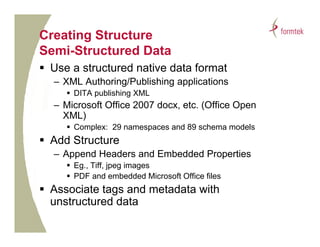
Creating Structure
Semi-Structured Data
S     S
 Use a structured native data format
  – XML Authoring/Publishing applications
      DITA publishing XML
  – Microsoft Office 2007 docx, etc. (Office Open
    XML)
      Complex: 29 namespaces and 89 schema models
 Add Structure
  – Append Headers and Embedded Properties
      Eg., Tiff, jpeg images
      PDF and embedded Microsoft Office files
 Associate tags and metadata with
  unstructured data
Centralized Repository Efficiency

   Management efficiencies of scale
   More efficient search
     – No need to consolidate search results
   Available to users via a single interface
Integration of Repositories
 Content-Intelligence Platforms can
  integrate/unite multiple repositories
 XML is the pipeline for integration
 Integration via APIs or XML Web
  services
   – REST Web Services have momentum
   – Integration with SOA
CMIS -- ECM Integration

 ECM vendors have united to create a
  new interoperability standard:
  Content Management Interoperability
  Services (CMIS)
  – Web services for sharing information
    between different content repositories
                                p
  – “SQL for Document Management”
What is CMIS?

 Content Management Interoperability Services
  – Defines a lowest-denominator CM capability set
  – CM content is accessed as SOAP or AtomPub
    (REST) web services
  – A single application works identically with content
    from any CMIS vendor
            y
CMIS Timeline
 1993 – ODMA (Open Document Management API)
 1996 – DMA (AIIM Document Management Alliance)
 1996 – WebDAV (Web-based Distributed Authoring and Versioning )
 2002 - JSR-170 / Java Content Repository (Day Software)
         JSR 170
 2005 – iECM (AIIM Interoperable ECM)
 October 2006 – CMIS started
 August 2008 - Contributing members invited
 September 2008 - Draft Specification submitted to
  OASIS
 Possible completion and acceptance in late 2009 or
  early 2010
JCR versus CMIS
  Session-based API   Services Based
  Java Only           Language Agnostic
  “Complete” ECM      Core ECM functions
  Infrastructure      Interoperability
                             p       y
  Targets DM, RM,     Intended specifically
  DAM, WCM…           for DM
  Complex             Simple
  Prescriptive        Little or No Change
  Connectors by Day   Vendor Connectors
  Version 2.0         Version .61
  Design spearheaded Design Led by Top
  by Day Software    Tier ECM Vendors
CMIS: Creators and Participants
 Founding Companies for the Original Standard
  – EMC/Documentum
  – IBM/Filenet
  – Microsoft
 Contributing Members (after August 7, 2008)
  –   Alfresco
  –   Open Text
  –   Oracle
  –   SAP
  –   More …
CMIS – The Model
 Documents
   – Eg Office document or image
     Eg.,
   – Content, Metadata and Version History
 Folders
   – Defines Organization and Hierarchy
   – Container, Metadata and Hierarchy/Organization
 Object Links and Relations
    j
   – Reference between two folders or documents
   – Requires a source and target
 Policies
   – Set of rules that can be applied to control other objects, eg.
     ACLs or retention policy
Benefits of CMIS
 Standardized Core ECM functions
 Enables Interoperability between repositories
                 p       y            p
 Encourages Flexible Application Development
 Encourages ‘mash-up’ composite applications
 A single application can consolidate and
  aggregate content from multiple CMIS
  repositories
 Business Processes/Workflow can span and
  touch all enterprise content
CMIS Weak Points
   Only Basic Content Functions Available
   Does not cover Admin/Management
   Does not cover User Authentication
   Does not handle Security/Authorization
Applications
 Workflow/Business Processes
  – Connect work packages from any
    repository
 Portals and Mash-ups
  – Aggregated Content from multiple sources
 E-Discovery and Compliance
Summary
 Massive Growth in Content Creation
 Advances in hardware technology is
  fueling content creation and storage
 Search and Retrieval of content grows
  in complexity with its volume
 Content Intelligence is needed to bring
  understanding to data
 Standards like XML and CMIS provide
                                  p
  consistent classification and handling of
  data

Gilbane 2009 -- How Can Content Management Software Keep Pace?

  • 1.
    How Can ContentManagement Software Keep Pace? San Francisco Gilbane Conference 2009 Content Integration Strategies Dick Weisinger g June 4, 2009
  • 2.
    Dick Weisinger  VicePresident and Chief Technologist Formtek, Inc  20+ years of experience in Content, Document and Image Management g g  Regular blogger at http://www.formtek.com/blog
  • 3.
    Formtek  An ECMsoftware and services company – 25-year history 25 year  Experts in general ECM and CM space  Depth of experience in engineering data management  Formtek Orion ECM Software  Alfresco Gold Integration Partner
  • 4.
    Drowning in DigitalData  Hand-held devices  E-Discovery / Records Management  High-resolution video  Di iti d B i Digitized Business D t Data  High-End Video Games  Financial and Health  High-Resolution Records Graphics d Images G hi and I  Business Continuity  Scientific Data Backups Analysts at: Gartner Group, Forester Research, Research IDC and The 451 Group all predict massive growth in digital data. data
  • 5.
    Size of theDigital Universe  2003 – 20 exabytes  2006 – 161 exabytes  2007 – 281 exabytes  2008 – 486 exabytes  2010 – 988 exabytes of data  2011 – 1800 exabytes of data  2012 – 2500 exabytes of data (30% of data is created by enterprises) Source: IDC One Exabyte == 1 billion gigabytes or 1000 petabytes (about 250 million DVDs) 161 exabytes is the equivalent of 12 stacks of books each extending 93 million miles from the earth to the Sun.
  • 6.
    Data in Businessand Science  Walmart adds a billion rows of data to its 600 terabyte database every hour  Chevron’s gas and oil exploration collects 2 terabytes of data daily y y  Large Hadron collider in Switzerland to collect 300 exabytes per year  Department of Energy has increased their data by a factor of 10 every four years since 1990
  • 7.
    Hardware’s Shrinking Cost Year Cost/MB 1986 $51.30 Storage costs are 1991 $13.00 plummeting, plummeting but not as fast 1994 $1.00 as the amount of data is growing. 1997 $0.09 $0 09 2000 $0.07 Cheap storage costs also 2003 $0.02 $0 02 encourage applications to store ever more data. 2009 $0.0002
  • 8.
    Can Software KeepPace? How Can We Find Anything?  Search Algorithms have evolved and improved, but…  Internet Search is only Fair to Good – Google Page-Rank  8+ billion web pages, hundreds of thousands of p g , servers  Enterprise Search is Poor – Usage patterns are hard to model
  • 9.
    The Problem ofSearch  49 percent of business users say that finding data is difficult d time consuming. d t i diffi lt and ti i -- AIIM 2008 Market Study  Users have a 50 percent success rate at search h -- Recommind Survey March 2009
  • 10.
    Scattered Data Repositories p  Corporate Applications – ERP – PLM/PDM – Business Intelligence / Knowledge Management – Content and Document Management  Relational Databases  Local and Shared File Syste s oca a d S a ed e Systems  Internet/Intranet HTTP servers  Email Servers  Disk Appliances (digital cameras, cell phone…)
  • 11.
    Multiple Repository Challenge p p y g Problem  How to access and search data to achieve: Compliance eDiscovery Business Intelligence Challenge  Many organization have multiple repositories from y g p p multiple vendors  Lack of standards around API and query language  Each system is different and has very little common reuse
  • 12.
    Unstructured Data Searchis Hard  80 percent of enterprise data is unstructured p p – Eg., emails, PDF, Word and Office docs  No underlying data model or schema y g – emails and IM often lack context and use shorthand and abbreviations that increase the search challenge
  • 13.
    Huge Data SetsBrings Huge Problems  Search gets harder as data sets grow – Longer to index and search – Harder to determine context  The more systems, the harder to secure  The more systems, the harder to consolidate search  Conflicting or Inconsistent Data – Whi h i th system of reference? Which is the t f f ?
  • 14.
    Getting Data UnderControl  Ultimate goal: Content Intelligence – Knowledge extraction – Ability to distill, condense and summarize data How?  Apply more Structure and Reuse – XML Tags  Allow greater access across data sources – Consolidation of Systems – Integration of Systems
  • 15.
    Creating Structure Semi-Structured Data S S  Use a structured native data format – XML Authoring/Publishing applications  DITA publishing XML – Microsoft Office 2007 docx, etc. (Office Open XML)  Complex: 29 namespaces and 89 schema models  Add Structure – Append Headers and Embedded Properties  Eg., Tiff, jpeg images  PDF and embedded Microsoft Office files  Associate tags and metadata with unstructured data
  • 16.
    Centralized Repository Efficiency  Management efficiencies of scale  More efficient search – No need to consolidate search results  Available to users via a single interface
  • 17.
    Integration of Repositories Content-Intelligence Platforms can integrate/unite multiple repositories  XML is the pipeline for integration  Integration via APIs or XML Web services – REST Web Services have momentum – Integration with SOA
  • 18.
    CMIS -- ECMIntegration  ECM vendors have united to create a new interoperability standard: Content Management Interoperability Services (CMIS) – Web services for sharing information between different content repositories p – “SQL for Document Management”
  • 19.
    What is CMIS? Content Management Interoperability Services – Defines a lowest-denominator CM capability set – CM content is accessed as SOAP or AtomPub (REST) web services – A single application works identically with content from any CMIS vendor y
  • 20.
    CMIS Timeline  1993– ODMA (Open Document Management API)  1996 – DMA (AIIM Document Management Alliance)  1996 – WebDAV (Web-based Distributed Authoring and Versioning )  2002 - JSR-170 / Java Content Repository (Day Software) JSR 170  2005 – iECM (AIIM Interoperable ECM)  October 2006 – CMIS started  August 2008 - Contributing members invited  September 2008 - Draft Specification submitted to OASIS  Possible completion and acceptance in late 2009 or early 2010
  • 21.
    JCR versus CMIS Session-based API Services Based Java Only Language Agnostic “Complete” ECM Core ECM functions Infrastructure Interoperability p y Targets DM, RM, Intended specifically DAM, WCM… for DM Complex Simple Prescriptive Little or No Change Connectors by Day Vendor Connectors Version 2.0 Version .61 Design spearheaded Design Led by Top by Day Software Tier ECM Vendors
  • 22.
    CMIS: Creators andParticipants  Founding Companies for the Original Standard – EMC/Documentum – IBM/Filenet – Microsoft  Contributing Members (after August 7, 2008) – Alfresco – Open Text – Oracle – SAP – More …
  • 24.
    CMIS – TheModel  Documents – Eg Office document or image Eg., – Content, Metadata and Version History  Folders – Defines Organization and Hierarchy – Container, Metadata and Hierarchy/Organization  Object Links and Relations j – Reference between two folders or documents – Requires a source and target  Policies – Set of rules that can be applied to control other objects, eg. ACLs or retention policy
  • 25.
    Benefits of CMIS Standardized Core ECM functions  Enables Interoperability between repositories p y p  Encourages Flexible Application Development  Encourages ‘mash-up’ composite applications  A single application can consolidate and aggregate content from multiple CMIS repositories  Business Processes/Workflow can span and touch all enterprise content
  • 26.
    CMIS Weak Points  Only Basic Content Functions Available  Does not cover Admin/Management  Does not cover User Authentication  Does not handle Security/Authorization
  • 27.
    Applications  Workflow/Business Processes – Connect work packages from any repository  Portals and Mash-ups – Aggregated Content from multiple sources  E-Discovery and Compliance
  • 28.
    Summary  Massive Growthin Content Creation  Advances in hardware technology is fueling content creation and storage  Search and Retrieval of content grows in complexity with its volume  Content Intelligence is needed to bring understanding to data  Standards like XML and CMIS provide p consistent classification and handling of data