Managing DigitisationProgramsWorkshopSydney, 16 July 2009Mal Booth – DERSU
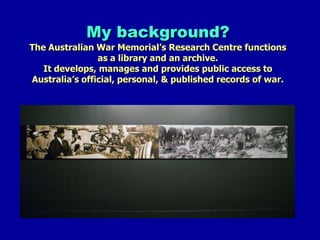
My background?The Australian War Memorial’s Research Centre functions as a library and an archive. It develops, manages and provides public access to Australia’s official, personal, & published records of war.
Global trends in digitisationFaster, better, cheaper equipment & storage
Better DAMS & CMS software
Institutional & shared repositories
More audio & film
Collaboration
Shared collections (eg. Picture Australia)
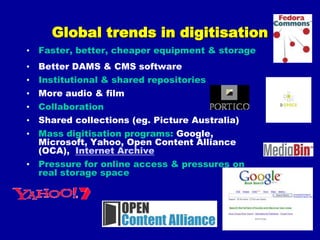
Mass digitisation programs: Google, Microsoft, Yahoo, Open Content Alliance (OCA),  Internet Archive
Pressure for online access & pressures on real storage spaceI’m not sure what these are, but they are important!Dynamism
Preservation (as a benefit & obligation where necessary)
Playing
Management & planning
Compromise
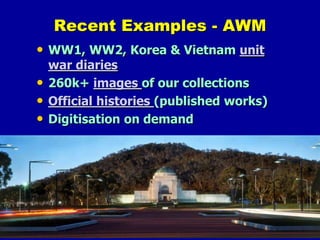
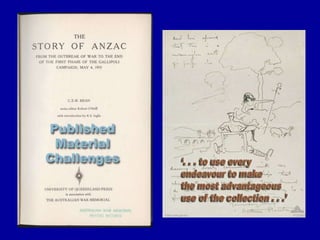
AccessRecent Examples - AWMWW1, WW2, Korea & Vietnam unit war diaries260k+ images of our collectionsOfficial histories (published works)Digitisation on demand
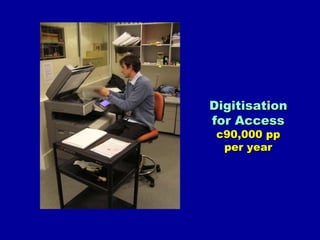
Digitisation for Accessc90,000 ppper year
Recent Examples – UTS LibrarySupporting Teaching & LearningDigital Resource Register
 Alternative Format Service
 Exam PapersAccess onlySupporting Research  eScholarship (UTS ePress, iResearch, eData)
  Australian Digital Theses CollectionAccess & Preservation (data curation)
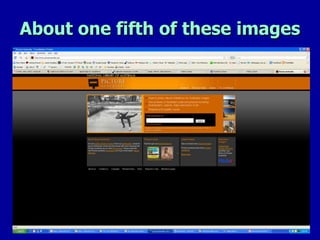
About one fifth of these images
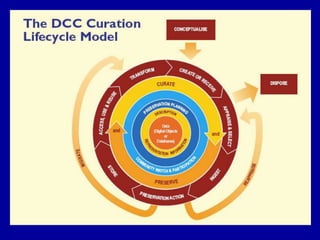
What we will cover today1. GETTING STARTEDa. Why and what to digitise?b. How (preservation/access) & Principlesc. Copyright and IP considerations (briefly)d. Resources needed; in-house or outsource?e. Process outline: from planning to long term maintenance (life-cycle)2. METHODS, CONTENT & STORAGEa. Production: file formats & standards, scanners & cameras, softwareb. Output: indexing, access, search optimisation, delivery optionsc. Storage, ongoing maintenance & management requirementsd. Just doing it, lessons learned & key issues
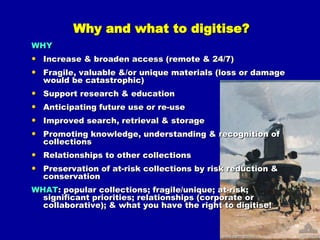
Why and what to digitise?WHYIncrease & broaden access (remote & 24/7)Fragile, valuable &/or unique materials (loss or damage would be catastrophic)Support research & educationAnticipating future use or re-useImproved search, retrieval & storagePromoting knowledge, understanding & recognition of collectionsRelationships to other collectionsPreservation of at-risk collections by risk reduction & conservationWHAT: popular collections; fragile/unique; at-risk; significant priorities; relationships (corporate or collaborative); & what you have the right to digitise!
How: some Principles* - Collections(organised groups of objects)Agreed collection development policySound descriptionLifecycle curationBroad access to allRespect for IPEvaluation for use & usefulnessInteroperabilityIntegration of staff & user workflowsSustainability & continued usability* NISO Framework of Guidance for the Building of Good Digital Collections
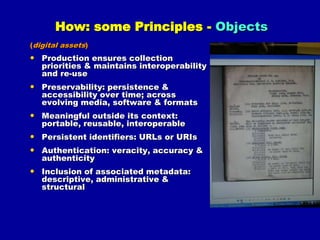
How: some Principles - Objects(digital assets)Production ensures collection priorities & maintains interoperability and re-usePreservability: persistence & accessibility over time; across evolving media, software & formatsMeaningful outside its context: portable, reusable, interoperablePersistent identifiers: URLs or URIsAuthentication: veracity, accuracy & authenticityInclusion of associated metadata: descriptive, administrative & structural
How: some Principles - Metadata(selection and implementation of information about objects: descriptive; administrative; technical; structural; & preservation)Appropriate to materials, users and useSupport for interoperability: mappings & crosswalks between schemesUse of authority control and content standardsIncludes a clear statement on conditions of use for the objects (eg. fair use)Support for long term management, eg. PREMISMetadata records are treated as digital objectsRUBRIC overview:http://cairss.caul.edu.au/packages/RUBRIC_Toolkit/docs/Metadata_lite.htm
How: some Principles - Initiatives(the creation & management of collections)A substantial design and planning componentAppropriate staffing and expertiseBest practice project managementAn evaluation planA project report that documents the process & outcomesConsideration of the entire lifecycle (ongoing management)
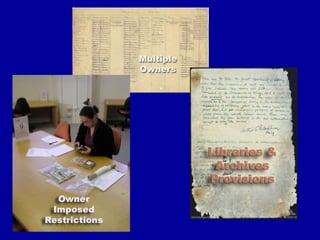
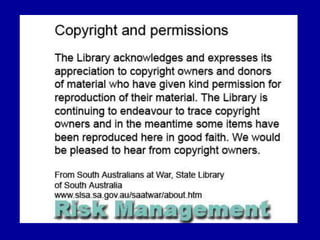
Copyright & Intellectual Property (1)Concerns:What sort of items are protected by copyright? What is the duration of copyright protection? What sorts of activities infringe copyright? When is a copyright licence required?Understanding the “exceptions” to copyright infringementSee: Copyright and Cultural Institutions: Short Guidelines for Digitisation  by Emily Hudson and Andrew Kenyon& ACC’s Special case exception: education, libraries, collections(deals with the new section 200AB)
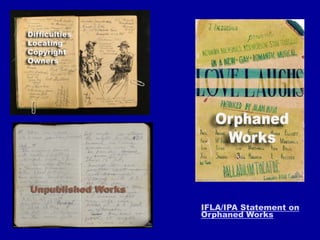
IFLA/IPA Statement on Orphaned Works
Resources required (1)Hardware – scanners, cameras, computers, monitors, digital storage, memory & processing powerSoftware – scanning, OCR, office apps, image editing & management, DAM?, video/audio capture, metadata capture?, file conversion, calibrationFurnishings – for staff, computers, scanners, storageFacility space – scanning, preparation & storage, QASpecialist staff – curatorial, cataloguers, IT/DBA, web, scanning, project management, conservatorsTraining needsConservation needs – archival supplies & consultanciesBudget funds – salaries, hardware/software purchases & lease, licenses, running/ongoing costs, contingencyCorporate support – context within corporate or other priorities and strategies
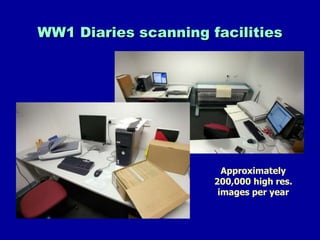
WW1 Diaries scanning facilitiesApproximately 200,000 high res. images per year
Outsource        or          Inhouse?Contractor responsible for capital equipment, training and technology obsolescence costs costsNo need to find scanning spaceLess need for digitisation knowledgeEconomies of scale (& capability for large volumes & throughput)The bureau may be able to achieve a better quality result & have a broader range of servicesA better fix on costs and timescales (but these can vary widely)Better institutional knowledge, understanding & capacity
Less risk than working with external parties
Better ability to meet specific needs and deadlines?
Cheaper costs for oversized or non-standard materials?

Digitisation workshop pres 2009(v1)

  • 1.
  • 2.
    My background?The AustralianWar Memorial’s Research Centre functions as a library and an archive. It develops, manages and provides public access to Australia’s official, personal, & published records of war.
  • 3.
    Global trends indigitisationFaster, better, cheaper equipment & storage
  • 4.
    Better DAMS &CMS software
  • 5.
  • 6.
  • 7.
  • 8.
    Shared collections (eg.Picture Australia)
  • 9.
    Mass digitisation programs:Google, Microsoft, Yahoo, Open Content Alliance (OCA), Internet Archive
  • 10.
    Pressure for onlineaccess & pressures on real storage spaceI’m not sure what these are, but they are important!Dynamism
  • 11.
    Preservation (as abenefit & obligation where necessary)
  • 12.
  • 13.
  • 14.
  • 15.
    AccessRecent Examples -AWMWW1, WW2, Korea & Vietnam unit war diaries260k+ images of our collectionsOfficial histories (published works)Digitisation on demand
  • 16.
  • 17.
    Recent Examples –UTS LibrarySupporting Teaching & LearningDigital Resource Register
  • 18.
  • 19.
    Exam PapersAccessonlySupporting Research eScholarship (UTS ePress, iResearch, eData)
  • 20.
    AustralianDigital Theses CollectionAccess & Preservation (data curation)
  • 21.
    About one fifthof these images
  • 22.
    What we willcover today1. GETTING STARTEDa. Why and what to digitise?b. How (preservation/access) & Principlesc. Copyright and IP considerations (briefly)d. Resources needed; in-house or outsource?e. Process outline: from planning to long term maintenance (life-cycle)2. METHODS, CONTENT & STORAGEa. Production: file formats & standards, scanners & cameras, softwareb. Output: indexing, access, search optimisation, delivery optionsc. Storage, ongoing maintenance & management requirementsd. Just doing it, lessons learned & key issues
  • 23.
    Why and whatto digitise?WHYIncrease & broaden access (remote & 24/7)Fragile, valuable &/or unique materials (loss or damage would be catastrophic)Support research & educationAnticipating future use or re-useImproved search, retrieval & storagePromoting knowledge, understanding & recognition of collectionsRelationships to other collectionsPreservation of at-risk collections by risk reduction & conservationWHAT: popular collections; fragile/unique; at-risk; significant priorities; relationships (corporate or collaborative); & what you have the right to digitise!
  • 24.
    How: some Principles*- Collections(organised groups of objects)Agreed collection development policySound descriptionLifecycle curationBroad access to allRespect for IPEvaluation for use & usefulnessInteroperabilityIntegration of staff & user workflowsSustainability & continued usability* NISO Framework of Guidance for the Building of Good Digital Collections
  • 25.
    How: some Principles- Objects(digital assets)Production ensures collection priorities & maintains interoperability and re-usePreservability: persistence & accessibility over time; across evolving media, software & formatsMeaningful outside its context: portable, reusable, interoperablePersistent identifiers: URLs or URIsAuthentication: veracity, accuracy & authenticityInclusion of associated metadata: descriptive, administrative & structural
  • 26.
    How: some Principles- Metadata(selection and implementation of information about objects: descriptive; administrative; technical; structural; & preservation)Appropriate to materials, users and useSupport for interoperability: mappings & crosswalks between schemesUse of authority control and content standardsIncludes a clear statement on conditions of use for the objects (eg. fair use)Support for long term management, eg. PREMISMetadata records are treated as digital objectsRUBRIC overview:http://cairss.caul.edu.au/packages/RUBRIC_Toolkit/docs/Metadata_lite.htm
  • 27.
    How: some Principles- Initiatives(the creation & management of collections)A substantial design and planning componentAppropriate staffing and expertiseBest practice project managementAn evaluation planA project report that documents the process & outcomesConsideration of the entire lifecycle (ongoing management)
  • 28.
    Copyright & IntellectualProperty (1)Concerns:What sort of items are protected by copyright? What is the duration of copyright protection? What sorts of activities infringe copyright? When is a copyright licence required?Understanding the “exceptions” to copyright infringementSee: Copyright and Cultural Institutions: Short Guidelines for Digitisation by Emily Hudson and Andrew Kenyon& ACC’s Special case exception: education, libraries, collections(deals with the new section 200AB)
  • 29.
    IFLA/IPA Statement onOrphaned Works
  • 33.
    Resources required (1)Hardware– scanners, cameras, computers, monitors, digital storage, memory & processing powerSoftware – scanning, OCR, office apps, image editing & management, DAM?, video/audio capture, metadata capture?, file conversion, calibrationFurnishings – for staff, computers, scanners, storageFacility space – scanning, preparation & storage, QASpecialist staff – curatorial, cataloguers, IT/DBA, web, scanning, project management, conservatorsTraining needsConservation needs – archival supplies & consultanciesBudget funds – salaries, hardware/software purchases & lease, licenses, running/ongoing costs, contingencyCorporate support – context within corporate or other priorities and strategies
  • 34.
    WW1 Diaries scanningfacilitiesApproximately 200,000 high res. images per year
  • 35.
    Outsource or Inhouse?Contractor responsible for capital equipment, training and technology obsolescence costs costsNo need to find scanning spaceLess need for digitisation knowledgeEconomies of scale (& capability for large volumes & throughput)The bureau may be able to achieve a better quality result & have a broader range of servicesA better fix on costs and timescales (but these can vary widely)Better institutional knowledge, understanding & capacity
  • 36.
    Less risk thanworking with external parties
  • 37.
    Better ability tomeet specific needs and deadlines?
  • 38.
    Cheaper costs foroversized or non-standard materials?
  • 39.
    QA may bemore efficient
  • 40.
    Saving on transportand insurance and less risk with onsite scanning
  • 41.
    Assured staff andexpertise Dealing with an external bureauClear contracts are important
  • 42.
    Choosing a bureau– check with reference sites
  • 43.
    Range and scopeof material - non-standard materials
  • 44.
    Collaboration with othersto achieve further economies of scale may be possible
  • 45.
    QA can bea project killer
  • 46.
    Metadata – whatwill the bureau record?
  • 47.
    Consider partial outsourcingor bringing a specialist partner onsiteSome funding optionsProgram funding – dependent on corporate priorities
  • 48.
    User pays –but will they?
  • 49.
    Grants - eg. http://www.nla.gov.au/chg/
  • 50.
    Donors or sponsors-from or associated with a web presence
  • 51.
    Collection Depreciation –depends on valuation and an accounting standard
  • 52.
    As a trainingactivity – can be viable learning experience for a small team & project
  • 53.
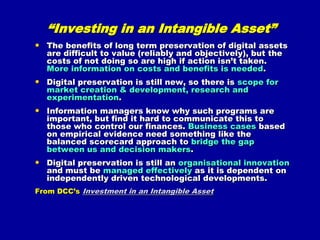
    New policy proposals“Investingin an Intangible Asset”The benefits of long term preservation of digital assets are difficult to value (reliably and objectively), but the costs of not doing so are high if action isn’t taken. More information on costs and benefits is needed.Digital preservation is still new, so there is scope for market creation & development, research and experimentation.Information managers know why such programs are important, but find it hard to communicate this to those who control our finances. Business cases based on empirical evidence need something like the balanced scorecard approach to bridge the gap between us and decision makers.Digital preservation is still an organisational innovation and must be managed effectively as it is dependent on independently driven technological developments.From DCC’sInvestment in an Intangible Asset
  • 54.
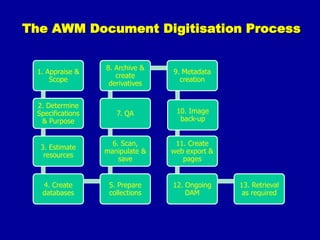
    The AWM DocumentDigitisation Process
  • 55.
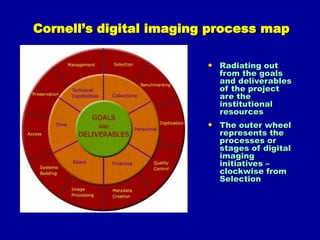
    Cornell’s digital imagingprocess mapRadiating out from the goals and deliverables of the project are the institutional resources
  • 56.
    The outer wheelrepresents the processes or stages of digital imaging initiatives – clockwise from Selection
  • 57.
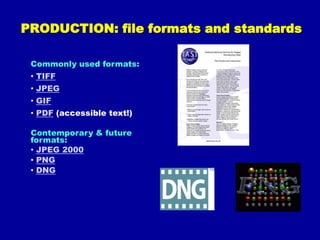
    PRODUCTION: file formatsand standardsCommonly used formats:TIFF
  • 58.
  • 59.
  • 60.
    PDF (accessible text!)Contemporary& future formats:JPEG 2000
  • 61.
  • 62.
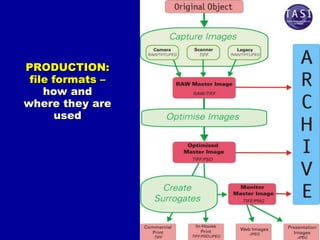
    DNGPRODUCTION: file formats– how and where they are used
  • 63.
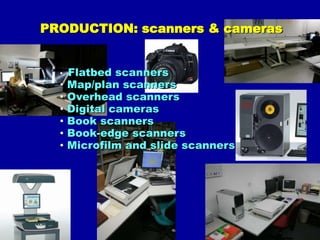
    PRODUCTION: scanners &camerasFlatbed scanners
  • 64.
  • 65.
  • 66.
  • 67.
  • 68.
  • 69.
    Microfilm andslide scannersPRODUCTION: softwareImage editing software Consider: cost; hardware requirements; usability; functionality
  • 70.
    Options :Adobe Photoshop CS3 (expensive/best) & Photoshop Elements (cheap); Gimp (free); + prop. software for RAW files
  • 71.
    Derivative, OCRand pdf production: Adobe Acrobat 9 Pro; OmniPage; ImageMagick (conversion software); Ghostscript (pdf interpreter); & pdftk (pdf toolkit)Other useful open source software:JHOVE object validation
  • 72.
  • 73.
  • 74.
    Xena digital documentpreservation software (from NAA)
  • 75.
  • 76.
    DROID automated batchidentification of file formats (from TNA UK)
  • 77.
    OpenEdit ; Razuna; ResourceSpace - Open source & free DAM softwareOUTPUTIndexing Most descriptive metadata will come from your MARC records
  • 78.
    If aseparate database is needed: Access, SQL & OracleAccess options (also part of just doing it)Collection OPACs, databases, Zoomify, EAD, DVDs, CDs
  • 79.
    Other: Blogs,Facebook ArtShare, Flickr, Flickr Commons, Facebook pageSearch engine optimisationHow can I create a Google-friendly site? STORAGE & MAINTENANCEStorageConsider: Speed (read/write, data transfer); Capacity; Reliability (stability, redundancy); Standardization; Cost; & Fitness to taskManagement, maintenance & preservation Digital preservation practices
  • 80.
  • 81.
    Trusted digitalrepositories?LessonsWhat we wantWhat we are findingAccuracy / authenticity
  • 82.
  • 83.
  • 84.
  • 85.
  • 86.
  • 87.
    Text capture andsearch (OCR) where poss.
  • 88.
  • 89.
  • 90.
  • 91.
  • 92.
  • 93.
    Technology has limits,but is improving
  • 94.
    You learn withnew technology by doing
  • 95.
    There is moreto copyright than owning it
  • 96.
    Anticipate needs &increasing expectations
  • 97.
    $ hard tofind for access (sponsorship?)
  • 98.
    Better management &storage of assets
  • 99.
    A need toeducate managers & suppliers!
  • 100.
    Keeping trained staffis a challenge
  • 101.
    Costs/benefits of newtechnologies (risk?)
  • 102.
    Importance of QAin projects!
  • 103.
    Need for astrategic plan(s)
  • 104.
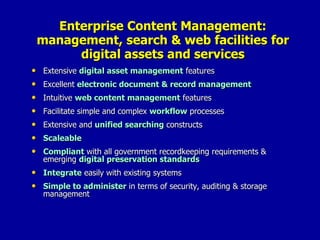
    Be prepared tocompromiseEnterprise Content Management: management, search & web facilities for digital assets and servicesExtensive digital asset management featuresExcellent electronic document & record managementIntuitive web content management featuresFacilitate simple and complex workflow processesExtensive and unified searching constructsScaleableCompliant with all government recordkeeping requirements & emerging digital preservation standardsIntegrate easily with existing systemsSimple to administer in terms of security, auditing & storage management
  • 105.
    implementing user-friendly technologiesmakesure they are findable and useable
  • 106.
    pick a few“winners” & lead by example
  • 107.
  • 108.
    get involvedin your core business
  • 109.
    don't leave itjust to IT-staff (get involved)
  • 110.
    learn tocompromise (the 80:20 rule)‏
  • 111.
  • 112.
    start now!it is sometimes easier to seek forgiveness than gain permissionJISC 2007 – five key issues for digitisationRe-focus on the user (simple, easily found & used output) Aggregate and present content that can resonate with multiple communities Learn from Google & YouTube but keep your valuesNew business models are needed, collaborating with and without the private sectorMore collaboration between publishers, curators, funders, users, vendors and standards bodies