Getting Started with Digital Collections Erin Logsdon Consultant, Digital Solutions NELINET, Inc.
Details AM & PM Break 10:45 & 2:15 Lunch 12:00 to 1:00PM Questions anytime
Introductions Name & organization/role What do you already know? What do you want to learn?
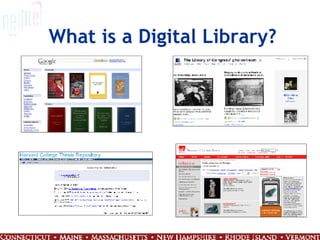
What is a Digital Library?
Define: Digital Library “ Digital libraries are organizations that provide the resources, including specialized staff, to select, structure, offer intellectual access to, interpret, distribute, preserve the integrity of, and ensure the persistence over time of collections of digital works so that they are readily and economically available for use by a defined community or set of communities.” Digital Library Federation Annual Report ,(1998-1999) 1.
Components “ Digital libraries are  organizations  that provide the  resources , including specialized  staff , to  select ,  structure , offer intellectual  access  to,  interpret ,  distribute ,  preserve  the integrity of, and ensure the  persistence  over time of  collections  of  digital works  so that they are readily and economically available for  use  by a  defined   community  or set of communities.” Digital Library Federation Annual Report ,(1998-1999) 1.
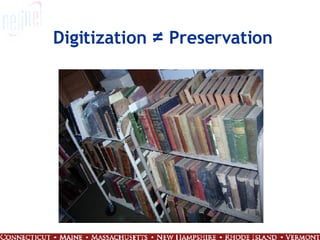
Digitization  ≠  Preservation
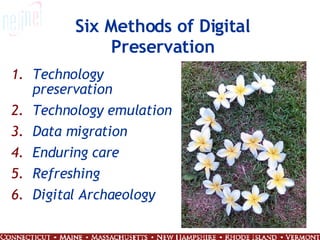
Six Methods of Digital Preservation Technology preservation Technology emulation Data migration Enduring care Refreshing Digital Archaeology
Why should we create a digital collection?
 
Sustainability
First Step
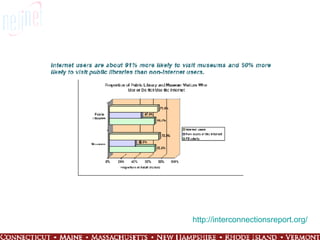
Audience
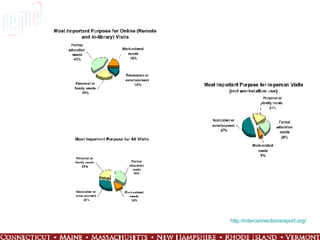
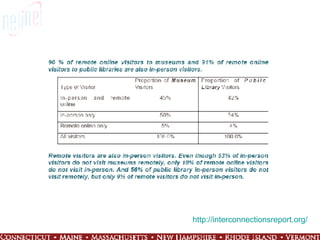
http:// interconnectionsreport.org /
Stakeholders
What should we choose?
Selection Committee
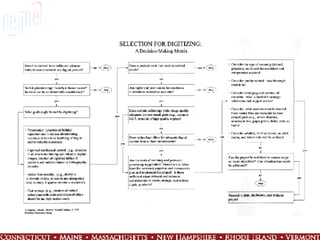
Selection Criteria
 
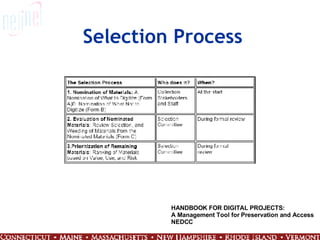
Selection Process HANDBOOK FOR DIGITAL PROJECTS: A Management Tool for Preservation and Access NEDCC
Should, May, Can Should it be digitized? May it be digitized? Can it be digitized? http://www.nedcc.org/resources/leaflets/6Reformatting/06PreservationAndSelection.php
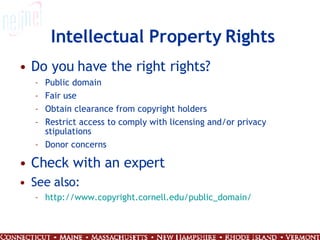
Intellectual Property Rights Do you have the right rights? Public domain Fair use Obtain clearance from copyright holders Restrict access to comply with licensing and/or privacy stipulations Donor concerns Check with an expert See also: http:// www.copyright.cornell.edu/public_domain /
Other Considerations Right of Publicity Right of Privacy Defamation: Libel and slander Obscenity and pornography Sensitivity to content Freedom of Information Act Linking
 
MONEY
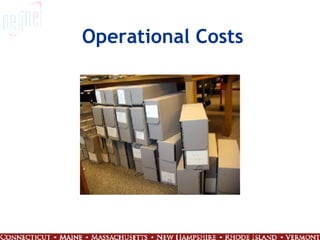
Operational Costs
Organizational Costs
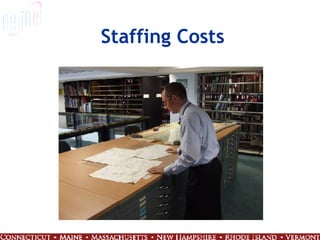
Staffing Costs
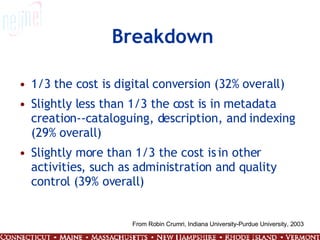
Breakdown 1/3 the cost is digital conversion (32% overall)  Slightly less than 1/3 the cost is in metadata creation--cataloguing, description, and indexing (29% overall)  Slightly more than 1/3 the cost is in other activities, such as administration and quality control (39% overall)  From Robin Crumri, Indiana University-Purdue University, 2003
Cost Factors Costs can vary considerably from project to project Size of collection / number of items Uniformity of collection Books, photos, newspaper articles, sound clips, videos Age and condition of originals Preparation of originals Descriptions/cataloging
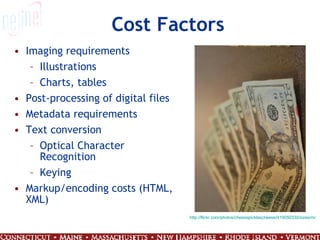
Cost Factors Imaging requirements Illustrations Charts, tables Post-processing of digital files Metadata requirements Text conversion  Optical Character Recognition Keying Markup/encoding costs (HTML, XML) http://flickr.com/photos/cheesepicklescheese/419050330/sizes/m/
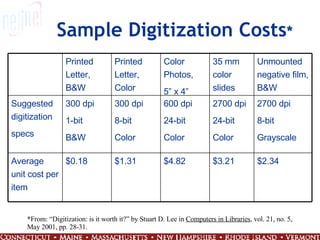
Sample Digitization Costs * *From: “Digitization: is it worth it?” by Stuart D. Lee in  Computers in Libraries , vol. 21, no. 5, May 2001, pp. 28-31. $2.34 $3.21 $4.82 $1.31 $0.18 Average unit cost per item 2700 dpi 8-bit Grayscale 2700 dpi 24-bit Color 600 dpi 24-bit Color 300 dpi 8-bit Color 300 dpi 1-bit B&W Suggested digitization specs Unmounted negative film, B&W 35 mm color slides Color Photos,  5” x 4” Printed Letter, Color Printed Letter, B&W
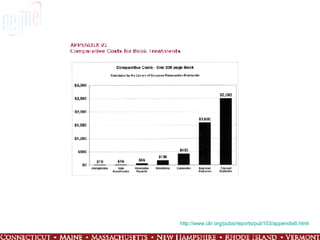
http://www.clir.org/pubs/reports/pub103/appendix6.html
Funding Research Mission / goals of agency Geographic restrictions Subject focus Type of support (capital funds, research, programs, etc.) Type of institutions supported Populations served Communicate with potential funders Letter of inquiry / pre-proposal
Funding Trends
Out-house vs. In-house
Acquire Gather and prepare source materials Digitally capture originals Process images Store files Maintain files - quality control
Standards
Establish Quality Benchmarks
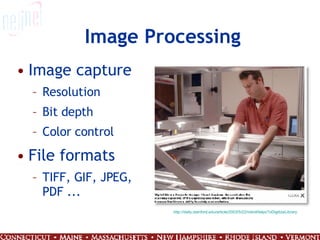
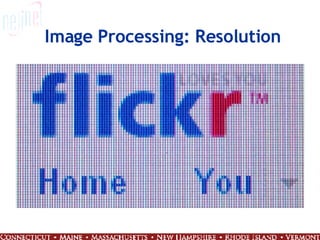
Image Processing Image capture Resolution Bit depth Color control File formats TIFF, GIF, JPEG, PDF ... http://daily.stanford.edu/article/2003/5/22/robotHelpsToDigitizeLibrary
Image Processing: Resolution
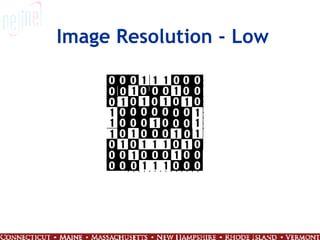
Image Resolution - Low
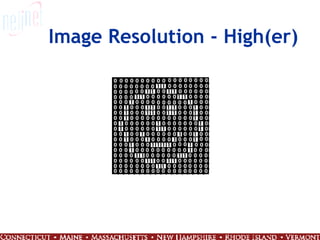
Image Resolution - High(er)


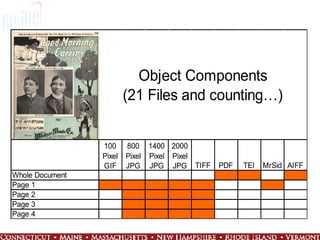
Archival Images/Master Files Scanned at highest possible resolution - 600 dpi or higher High resolution scans allow for multiple uses (print, zoom, etc.) Large file size Often stored on CDs, DVDs, external drives, etc.  TIFF file format Maintain over time: refresh/migrate
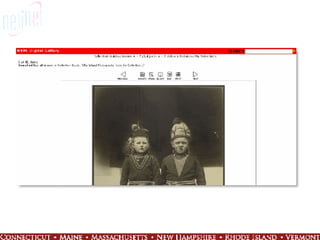
Derivative Images Access image (JPG, GIF, PNG, PDF) Smaller file size for display/delivery Compressed and reduced resolution Requires less disk space Faster download times Thumbnail (JPG, GIF, PNG) Even smaller files Reference image of sufficient quality to determine further usefulness


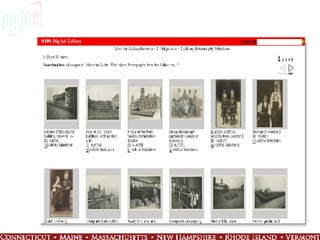
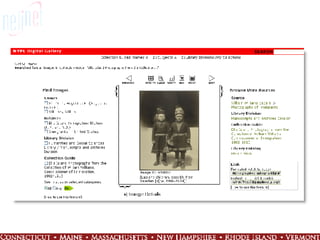
Image Storage and Presentation File naming  Use a system to keep track of the multiple files associated with one source object Original object Archival TIFF JPEGs (access and thumbnail) Backup/storage copy on CD or tape Print copy Link to description/metadata
 
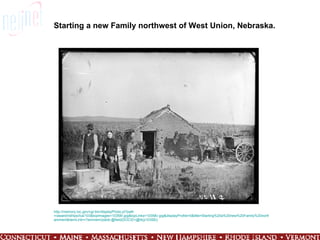
Starting a new Family northwest of West Union, Nebraska. http://memory.loc.gov/cgi-bin/displayPhoto.pl?path =/award/nbhips/lca/103&topImages=10358r.jpg&topLinks=10358v.jpg&displayProfile=0&title=Starting%20a%20new%20Family%20northwest%20of%20West%20Union,%20Nebraska.&m856s=$dnbhips$f10358&dir= ammem&itemLink =r?ammem/psbib:@field(DOCID+@lit(p10358))
New Insights
What is metadata? http://www.flickr.com/photos/caterina/915384/sizes/o/
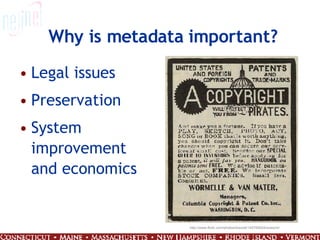
Why is metadata important? Legal issues Preservation System improvement and economics http://www.flickr.com/photos/biwook/145765624/sizes/m/
Why is metadata UNimportant? Seven insurmountable obstacles to reliable metadata: People lie  People are lazy  People are stupid  Mission Impossible: know thyself  Schemas aren't neutral  Metrics influence results  There's more than one way to describe something  Cory Doctorow - Metacrap http:// www.well.com/~doctorow/metacrap.htm
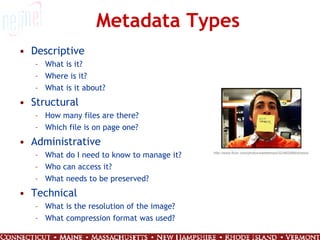
Metadata Types Descriptive What is it? Where is it? What is it about? Structural How many files are there? Which file is on page one? Administrative What do I need to know to manage it? Who can access it? What needs to be preserved? Technical What is the resolution of the image? What compression format was used? http://www.flickr.com/photos/saltatempo/323462998/sizes/s/
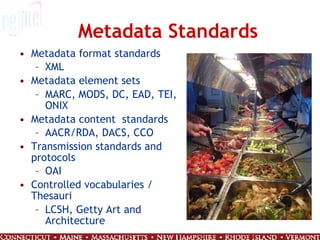
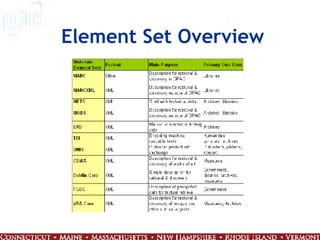
Metadata Standards Metadata format standards XML Metadata element sets  MARC, MODS, DC, EAD, TEI, ONIX Metadata content  standards AACR/RDA, DACS, CCO Transmission standards and protocols OAI Controlled vocabularies / Thesauri LCSH, Getty Art and Architecture
Element Set Overview
Metadata Requirements Metadata requirements for project Determine metadata needs up front Documentation, guidelines, and training Consistency Constraints System OPAC = MARC Staff skills / training
Deciding on a scheme It is very important to decide what the material is, what needs to be described, who it is intended for, how it will be retrieved, and how it will be processed and used before deciding on a scheme for its description. - Dr. Peter Noerr Digital Library Toolkit – Sun Microsystems
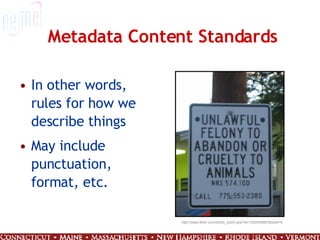
Metadata Content Standards In other words, rules for how we describe things May include punctuation, format, etc. http://www.flickr.com/photo_zoom.gne?id=1252545857&size=m
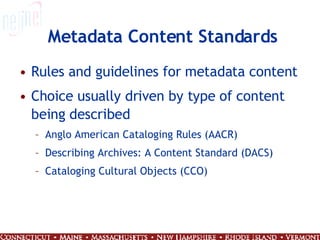
Metadata Content Standards Rules and guidelines for metadata content Choice usually driven by type of content being described Anglo American Cataloging Rules (AACR) Describing Archives: A Content Standard (DACS) Cataloging Cultural Objects (CCO)
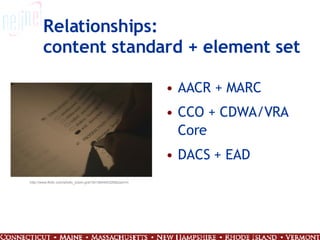
Relationships: content standard + element set AACR + MARC CCO + CDWA/VRA Core DACS + EAD http://www.flickr.com/photo_zoom.gne?id=384440326&size=m
 
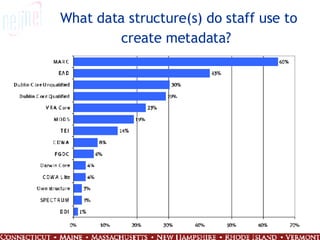
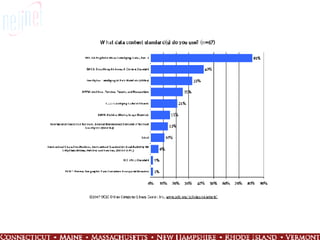
What data structure(s) do staff use to create metadata?
 
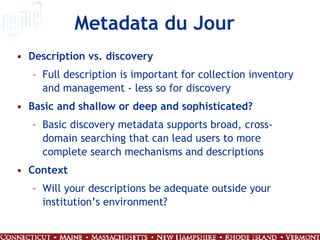
Metadata du Jour Description vs. discovery Full description is important for collection inventory and management - less so for discovery Basic and shallow or deep and sophisticated? Basic discovery metadata supports broad, cross-domain searching that can lead users to more complete search mechanisms and descriptions Context Will your descriptions be adequate outside your institution’s environment?
Interoperability Allows different systems to make use of the same data Usually achieved by following standards In general, an increase in specialization results in a decrease in interoperability Important feature of metadata in today’s world
Interoperability National Initiative for a Networked Cultural Heritage (NINCH)  Guide to Good Practice  first two of its six core principles: Optimize interoperability Enable broadest use IMLS Leadership Grant “ Project design should demonstrate the use of existing standards and best practices for digital material where applicable, and products should be interoperable with digital content.”
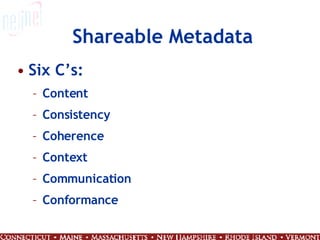
Shareable Metadata Six C’s: Content Consistency Coherence Context Communication Conformance
Information R/evolution http:// youtube.com/watch?v =-4CV05HyAbM
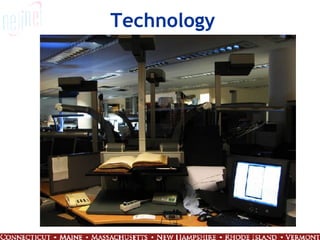
Technology
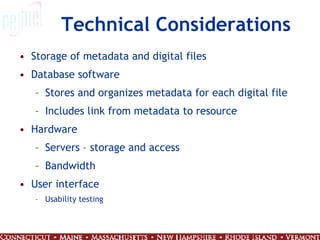
Technical Considerations Storage of metadata and digital files Database software Stores and organizes metadata for each digital file Includes link from metadata to resource Hardware Servers – storage and access Bandwidth User interface Usability testing
Database Software Types Library automation software (ILS) Digital content management software Database software and Web tools Shared repository
Database Software Options “ Off the shelf” CONTENTdm, Luna Insight, DigiTool, etc. Open source DSpace, Greenstone, Fedora Design your own Microsoft Access, MySQL Shared repositories Digital Commonwealth, Maine Memory Outsourced hosting
Database Software Which product is right for you? Considerations Functionality Meet goals for access to collections Software already in use at institution IT Dept recommendations / support Customization Cost
User Interface Intuitive Provide access to multiple file formats: PDF, HTML, Word Allow resource manipulation by user Ensure adequate information and options for appropriate use of the collection
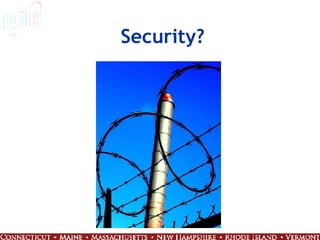
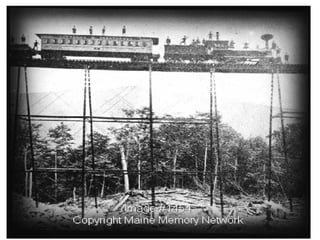
Security?
 
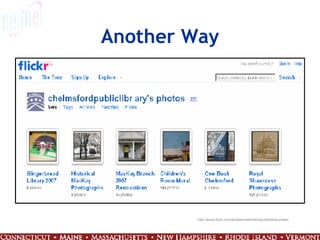
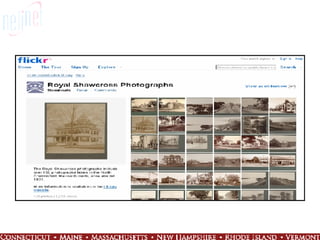
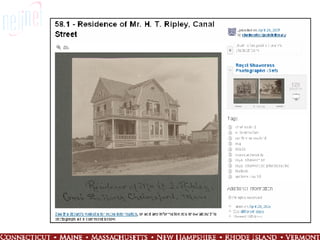
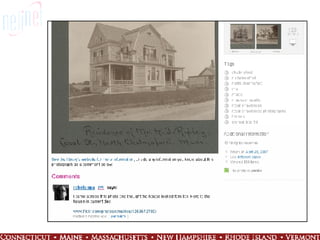
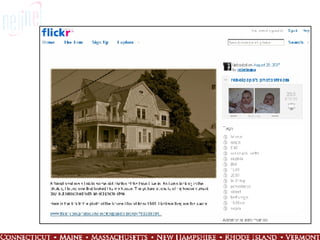
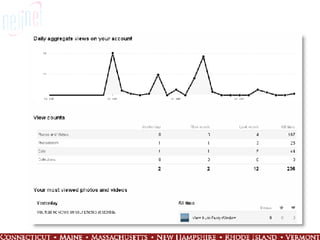
Another Way http://www.flickr.com/photos/chelmsfordpubliclibrary/sets/


Questions? Source: http://www.flickr.com/photo_zoom.gne?id=327122302&size=m Contact Info : Erin Logsdon [email_address] 508.597.1946

Gettingstartedwithdigitalcollectionsweb[1]

  • 1.
    Getting Started withDigital Collections Erin Logsdon Consultant, Digital Solutions NELINET, Inc.
  • 2.
    Details AM &PM Break 10:45 & 2:15 Lunch 12:00 to 1:00PM Questions anytime
  • 3.
    Introductions Name &organization/role What do you already know? What do you want to learn?
  • 4.
    What is aDigital Library?
  • 5.
    Define: Digital Library“ Digital libraries are organizations that provide the resources, including specialized staff, to select, structure, offer intellectual access to, interpret, distribute, preserve the integrity of, and ensure the persistence over time of collections of digital works so that they are readily and economically available for use by a defined community or set of communities.” Digital Library Federation Annual Report ,(1998-1999) 1.
  • 6.
    Components “ Digitallibraries are organizations that provide the resources , including specialized staff , to select , structure , offer intellectual access to, interpret , distribute , preserve the integrity of, and ensure the persistence over time of collections of digital works so that they are readily and economically available for use by a defined community or set of communities.” Digital Library Federation Annual Report ,(1998-1999) 1.
  • 7.
    Digitization ≠ Preservation
  • 8.
    Six Methods ofDigital Preservation Technology preservation Technology emulation Data migration Enduring care Refreshing Digital Archaeology
  • 9.
    Why should wecreate a digital collection?
  • 10.
  • 11.
  • 12.
  • 13.
  • 14.
  • 15.
  • 16.
  • 17.
  • 18.
  • 19.
  • 20.
  • 21.
  • 22.
    Selection Process HANDBOOKFOR DIGITAL PROJECTS: A Management Tool for Preservation and Access NEDCC
  • 23.
    Should, May, CanShould it be digitized? May it be digitized? Can it be digitized? http://www.nedcc.org/resources/leaflets/6Reformatting/06PreservationAndSelection.php
  • 24.
    Intellectual Property RightsDo you have the right rights? Public domain Fair use Obtain clearance from copyright holders Restrict access to comply with licensing and/or privacy stipulations Donor concerns Check with an expert See also: http:// www.copyright.cornell.edu/public_domain /
  • 25.
    Other Considerations Rightof Publicity Right of Privacy Defamation: Libel and slander Obscenity and pornography Sensitivity to content Freedom of Information Act Linking
  • 26.
  • 27.
  • 28.
  • 29.
  • 30.
  • 31.
    Breakdown 1/3 thecost is digital conversion (32% overall) Slightly less than 1/3 the cost is in metadata creation--cataloguing, description, and indexing (29% overall) Slightly more than 1/3 the cost is in other activities, such as administration and quality control (39% overall) From Robin Crumri, Indiana University-Purdue University, 2003
  • 32.
    Cost Factors Costscan vary considerably from project to project Size of collection / number of items Uniformity of collection Books, photos, newspaper articles, sound clips, videos Age and condition of originals Preparation of originals Descriptions/cataloging
  • 33.
    Cost Factors Imagingrequirements Illustrations Charts, tables Post-processing of digital files Metadata requirements Text conversion Optical Character Recognition Keying Markup/encoding costs (HTML, XML) http://flickr.com/photos/cheesepicklescheese/419050330/sizes/m/
  • 34.
    Sample Digitization Costs* *From: “Digitization: is it worth it?” by Stuart D. Lee in Computers in Libraries , vol. 21, no. 5, May 2001, pp. 28-31. $2.34 $3.21 $4.82 $1.31 $0.18 Average unit cost per item 2700 dpi 8-bit Grayscale 2700 dpi 24-bit Color 600 dpi 24-bit Color 300 dpi 8-bit Color 300 dpi 1-bit B&W Suggested digitization specs Unmounted negative film, B&W 35 mm color slides Color Photos, 5” x 4” Printed Letter, Color Printed Letter, B&W
  • 35.
  • 36.
    Funding Research Mission/ goals of agency Geographic restrictions Subject focus Type of support (capital funds, research, programs, etc.) Type of institutions supported Populations served Communicate with potential funders Letter of inquiry / pre-proposal
  • 37.
  • 38.
  • 39.
    Acquire Gather andprepare source materials Digitally capture originals Process images Store files Maintain files - quality control
  • 40.
  • 41.
  • 42.
    Image Processing Imagecapture Resolution Bit depth Color control File formats TIFF, GIF, JPEG, PDF ... http://daily.stanford.edu/article/2003/5/22/robotHelpsToDigitizeLibrary
  • 43.
  • 44.
  • 45.
  • 46.
  • 47.
  • 48.
  • 49.
    Archival Images/Master FilesScanned at highest possible resolution - 600 dpi or higher High resolution scans allow for multiple uses (print, zoom, etc.) Large file size Often stored on CDs, DVDs, external drives, etc. TIFF file format Maintain over time: refresh/migrate
  • 50.
    Derivative Images Accessimage (JPG, GIF, PNG, PDF) Smaller file size for display/delivery Compressed and reduced resolution Requires less disk space Faster download times Thumbnail (JPG, GIF, PNG) Even smaller files Reference image of sufficient quality to determine further usefulness
  • 51.
  • 52.
  • 53.
  • 54.
    Image Storage andPresentation File naming Use a system to keep track of the multiple files associated with one source object Original object Archival TIFF JPEGs (access and thumbnail) Backup/storage copy on CD or tape Print copy Link to description/metadata
  • 55.
  • 56.
    Starting a newFamily northwest of West Union, Nebraska. http://memory.loc.gov/cgi-bin/displayPhoto.pl?path =/award/nbhips/lca/103&topImages=10358r.jpg&topLinks=10358v.jpg&displayProfile=0&title=Starting%20a%20new%20Family%20northwest%20of%20West%20Union,%20Nebraska.&m856s=$dnbhips$f10358&dir= ammem&itemLink =r?ammem/psbib:@field(DOCID+@lit(p10358))
  • 57.
  • 58.
    What is metadata?http://www.flickr.com/photos/caterina/915384/sizes/o/
  • 59.
    Why is metadataimportant? Legal issues Preservation System improvement and economics http://www.flickr.com/photos/biwook/145765624/sizes/m/
  • 60.
    Why is metadataUNimportant? Seven insurmountable obstacles to reliable metadata: People lie People are lazy People are stupid Mission Impossible: know thyself Schemas aren't neutral Metrics influence results There's more than one way to describe something Cory Doctorow - Metacrap http:// www.well.com/~doctorow/metacrap.htm
  • 61.
    Metadata Types DescriptiveWhat is it? Where is it? What is it about? Structural How many files are there? Which file is on page one? Administrative What do I need to know to manage it? Who can access it? What needs to be preserved? Technical What is the resolution of the image? What compression format was used? http://www.flickr.com/photos/saltatempo/323462998/sizes/s/
  • 62.
    Metadata Standards Metadataformat standards XML Metadata element sets MARC, MODS, DC, EAD, TEI, ONIX Metadata content standards AACR/RDA, DACS, CCO Transmission standards and protocols OAI Controlled vocabularies / Thesauri LCSH, Getty Art and Architecture
  • 63.
  • 64.
    Metadata Requirements Metadatarequirements for project Determine metadata needs up front Documentation, guidelines, and training Consistency Constraints System OPAC = MARC Staff skills / training
  • 65.
    Deciding on ascheme It is very important to decide what the material is, what needs to be described, who it is intended for, how it will be retrieved, and how it will be processed and used before deciding on a scheme for its description. - Dr. Peter Noerr Digital Library Toolkit – Sun Microsystems
  • 66.
    Metadata Content StandardsIn other words, rules for how we describe things May include punctuation, format, etc. http://www.flickr.com/photo_zoom.gne?id=1252545857&size=m
  • 67.
    Metadata Content StandardsRules and guidelines for metadata content Choice usually driven by type of content being described Anglo American Cataloging Rules (AACR) Describing Archives: A Content Standard (DACS) Cataloging Cultural Objects (CCO)
  • 68.
    Relationships: content standard+ element set AACR + MARC CCO + CDWA/VRA Core DACS + EAD http://www.flickr.com/photo_zoom.gne?id=384440326&size=m
  • 69.
  • 70.
    What data structure(s)do staff use to create metadata?
  • 71.
  • 72.
    Metadata du JourDescription vs. discovery Full description is important for collection inventory and management - less so for discovery Basic and shallow or deep and sophisticated? Basic discovery metadata supports broad, cross-domain searching that can lead users to more complete search mechanisms and descriptions Context Will your descriptions be adequate outside your institution’s environment?
  • 73.
    Interoperability Allows differentsystems to make use of the same data Usually achieved by following standards In general, an increase in specialization results in a decrease in interoperability Important feature of metadata in today’s world
  • 74.
    Interoperability National Initiativefor a Networked Cultural Heritage (NINCH) Guide to Good Practice first two of its six core principles: Optimize interoperability Enable broadest use IMLS Leadership Grant “ Project design should demonstrate the use of existing standards and best practices for digital material where applicable, and products should be interoperable with digital content.”
  • 75.
    Shareable Metadata SixC’s: Content Consistency Coherence Context Communication Conformance
  • 76.
    Information R/evolution http://youtube.com/watch?v =-4CV05HyAbM
  • 77.
  • 78.
    Technical Considerations Storageof metadata and digital files Database software Stores and organizes metadata for each digital file Includes link from metadata to resource Hardware Servers – storage and access Bandwidth User interface Usability testing
  • 79.
    Database Software TypesLibrary automation software (ILS) Digital content management software Database software and Web tools Shared repository
  • 80.
    Database Software Options“ Off the shelf” CONTENTdm, Luna Insight, DigiTool, etc. Open source DSpace, Greenstone, Fedora Design your own Microsoft Access, MySQL Shared repositories Digital Commonwealth, Maine Memory Outsourced hosting
  • 81.
    Database Software Whichproduct is right for you? Considerations Functionality Meet goals for access to collections Software already in use at institution IT Dept recommendations / support Customization Cost
  • 82.
    User Interface IntuitiveProvide access to multiple file formats: PDF, HTML, Word Allow resource manipulation by user Ensure adequate information and options for appropriate use of the collection
  • 83.
  • 84.
  • 85.
  • 86.
  • 87.
  • 88.
  • 89.
  • 90.
  • 91.
    Questions? Source: http://www.flickr.com/photo_zoom.gne?id=327122302&size=mContact Info : Erin Logsdon [email_address] 508.597.1946