SD 45 Digital Toolbox

Cari Wilson 2013

beta version

for teachers
Ø tools to present knowledge
Ø tools to create content
Ø tools to help research
Ø not all tools work on all platforms
(ack!)
Ø if you are in a byod situation, you
need to be more flexible about
what you ask the kids to do
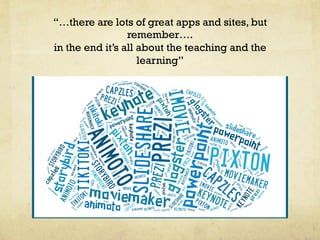
“…there are lots of great apps and sites, but
remember….
in the end it’s all about the teaching and the
learning”
slide tools
u powerpoint
u keynote
u haiku deck
u all of them upload to

slideshare, which allows kids to
then embed them in their blogs
Lorem ipsum dolor sit amet, consectetur adipiscing elit. In a purus ac
urna tincidunt varius. Etiam nec lorem non nisl condimentum semper.
Nam venenatis risus condimentum, tempor urna eget, mollis ante. Etiam
tincidunt non nibh vitae hendrerit. Nunc congue nibh eget tellus
tempus semper. Nullam nibh felis, suscipit nec pretium eu, vehicula
quis nulla. Cras ornare erat augue, a pretium dui imperdiet a. Sed
bibendum urna in dui luctus varius.
In pretium quam mauris, ac aliquet nulla placerat quis. Sed eleifend eu
nulla at luctus. Ut sed aliquet ipsum, porta lobortis nibh. Aenean egestas
lectus mi, mattis vulputate risus lacinia nec. Curabitur in vehicula ligula.
Pellentesque a nulla et lacus tristique lacinia non id purus. Morbi eu
placerat libero. Curabitur convallis nisl et rutrum mattis.
In id blandit elit. Sed faucibus nisi at orci auctor consectetur. Sed
ultricies id sem eget lacinia. Quisque rutrum tincidunt vulputate. Nulla
at leo pulvinar, convallis mauris pretium, euismod sapien. Aenean diam
lectus, eleifend vel rutrum non, accumsan eu urna. Fusce ultricies
ipsum elit, at blandit dolor sodales et. Curabitur a sodales ligula.
Maecenas in tellus ut dui molestie consectetur eu in nulla. Nam vehicula
mollis est, vitae dapibus lorem consectetur sed. Aliquam sed pretium
nisi, vel egestas mi. Sed rutrum ligula sed quam ultricies, eu venenatis
odio fermentum. Nulla vestibulum varius neque, non egestas quam.
prezi
"   Has an edu sign up
https://prezi.com/profile/registration/edu/?license_type=EDUENJOY

"   Like power point on LSD
"   Can have more than one editor
"   Can be embedded
"   Does not play well with ipads (there is a

viewing app but you cannot do much on ipads)
movie tools
Ø imovie on ipad or laptops
(easy enough for even the
younger kids – plugins for
the older kids)
Ø moviemaker (free – use
version 2.4 if you can)
Ø Smoovie – make stop
motion animation on ipads
(on Macs, too $$$$)
animoto
"   can be used to create videos using still photos
"   free for up to 30 sec video
"   combine images, text and knowledge to show

understanding
"   can be embedded
"

ipad app is tricky….search animoto app
download and get it from there
pixton
"  

fantastic comic book creator

"  

has an edu sign up – not free

"  

free version also available
(over 13, no problem, under 13
you either need parental
permission or you need to act
as the parent)

"  

limited but works great

"  

embeddable

"  

is not yet iPad friendly
other comic creators
"   comic life

"

"   $4.99 on ipad

"   free

"   kids combine photos

"   embeddable

and words to create
comics
"   can save as an image

and put in blog

Toondoo
glogster
"   Create digital posters than can incorporate

images, text, sound and video

"   Can buy an edu account or use free account

(kids must be 13)
"

edu account allows you to set up assignments
and use rubrics

"   Can be embedded
"   coming soon to ipads near you
Timelines
capzles
"   a timeline building

tool
"   does not have an edu

component
"   can incorporate

images, text and video
"   is embeddable

preceden
"   relatively new
"   allows user to go back

billions of years
"   $29 teacher account

allows some control
"   not yet embeddable
voicethread
"   allows students to comment and interact around

images or short videos

"   has an edu section
"   book reviews, art critique, science experiments
"   embeddable
"   costs money for most effective use
storybird / storyjumper
"   online story creation tools
"   geared to younger students but useable by

older students
"

storybird – base the story/poem on art

"

storyjumper uses photos, stickers etc to create
iPad storytelling
"   book Creator
"   easy to use
"   can incorporate photos, images, sound and

video
"   kids love it!
Productivity Tools
flipping your class
"

camtasia/ jing – allow you to create a movie of
what you see on your desktop

"

keepvid.com – allows you to “rip” movies out of
youtube

"

tubechop.com – allows you to take small parts
of a video from youtube

"

zamzar.com – convert files

"

ipad – explain everything, screenchomp
working together
"

googledrive – the google suite, which includes
googledocs

"

wikispaces – great wiki site – free and ad free
to educators

"   multiple users can work together to create

fantastic sites
what are they thinking?
"

TodaysMeet – set up a room and let kids “chat”
during lessons, presentations

"   You get a record of what they’re thinking – you

can see who is contributing
"

padlet – get an account, post a question and
encourage students to post their answers

"   Can be done before class or as ticket out the

door
Graphic Tools
"

BigHugeLabs – allows you to create all kinds of
cool graphics with photos

"

Tagxedo/wordle – allows you to create
customized wordclouds

"   On the ipad, use Word Collage (1.99)
more graphics
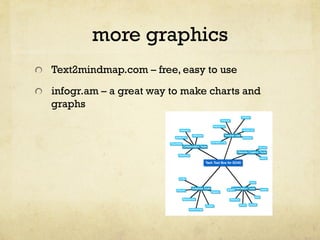
"   Text2mindmap.com – free, easy to use
"

infogr.am – a great way to make charts and
graphs
Website Tools
"

wix.com

"   Easy, free HTML 5 or

Flash animated
websites

"

weebly.com

"   Has a free education

site
"   Super easy to use
this just in…..
pinterest
"   Seriously?
"   Yes, seriously!
"   There are a large

number of teachers on
pinterest who collect
great websites and
information!

Air server
"   Install on your mac or

pc
"   Connect your mac or

pc to a projector and
then you can
wirelessly project any
iphone or ipad in the
room
"   You don’t need to have all the

"   Start small – try one thing, see

how it goes and then try another
"   “If we are engaged, we forget

about facebook”

Remember

answers – “google-it” and
“youtube-it” are perfectly
acceptable answers

Digital toolbox

  • 1.
    SD 45 DigitalToolbox Cari Wilson 2013 beta version for teachers
  • 2.
    Ø tools to presentknowledge Ø tools to create content Ø tools to help research Ø not all tools work on all platforms (ack!) Ø if you are in a byod situation, you need to be more flexible about what you ask the kids to do
  • 3.
    “…there are lotsof great apps and sites, but remember…. in the end it’s all about the teaching and the learning”
  • 4.
    slide tools u powerpoint u keynote u haiku deck u allof them upload to slideshare, which allows kids to then embed them in their blogs
  • 5.
    Lorem ipsum dolorsit amet, consectetur adipiscing elit. In a purus ac urna tincidunt varius. Etiam nec lorem non nisl condimentum semper. Nam venenatis risus condimentum, tempor urna eget, mollis ante. Etiam tincidunt non nibh vitae hendrerit. Nunc congue nibh eget tellus tempus semper. Nullam nibh felis, suscipit nec pretium eu, vehicula quis nulla. Cras ornare erat augue, a pretium dui imperdiet a. Sed bibendum urna in dui luctus varius. In pretium quam mauris, ac aliquet nulla placerat quis. Sed eleifend eu nulla at luctus. Ut sed aliquet ipsum, porta lobortis nibh. Aenean egestas lectus mi, mattis vulputate risus lacinia nec. Curabitur in vehicula ligula. Pellentesque a nulla et lacus tristique lacinia non id purus. Morbi eu placerat libero. Curabitur convallis nisl et rutrum mattis. In id blandit elit. Sed faucibus nisi at orci auctor consectetur. Sed ultricies id sem eget lacinia. Quisque rutrum tincidunt vulputate. Nulla at leo pulvinar, convallis mauris pretium, euismod sapien. Aenean diam lectus, eleifend vel rutrum non, accumsan eu urna. Fusce ultricies ipsum elit, at blandit dolor sodales et. Curabitur a sodales ligula. Maecenas in tellus ut dui molestie consectetur eu in nulla. Nam vehicula mollis est, vitae dapibus lorem consectetur sed. Aliquam sed pretium nisi, vel egestas mi. Sed rutrum ligula sed quam ultricies, eu venenatis odio fermentum. Nulla vestibulum varius neque, non egestas quam.
  • 6.
    prezi "   Hasan edu sign up https://prezi.com/profile/registration/edu/?license_type=EDUENJOY "   Like power point on LSD "   Can have more than one editor "   Can be embedded "   Does not play well with ipads (there is a viewing app but you cannot do much on ipads)
  • 7.
    movie tools Ø imovie onipad or laptops (easy enough for even the younger kids – plugins for the older kids) Ø moviemaker (free – use version 2.4 if you can) Ø Smoovie – make stop motion animation on ipads (on Macs, too $$$$)
  • 8.
    animoto "   canbe used to create videos using still photos "   free for up to 30 sec video "   combine images, text and knowledge to show understanding "   can be embedded " ipad app is tricky….search animoto app download and get it from there
  • 9.
    pixton "   fantastic comicbook creator "   has an edu sign up – not free "   free version also available (over 13, no problem, under 13 you either need parental permission or you need to act as the parent) "   limited but works great "   embeddable "   is not yet iPad friendly
  • 10.
    other comic creators "  comic life " "   $4.99 on ipad "   free "   kids combine photos "   embeddable and words to create comics "   can save as an image and put in blog Toondoo
  • 11.
    glogster "   Createdigital posters than can incorporate images, text, sound and video "   Can buy an edu account or use free account (kids must be 13) " edu account allows you to set up assignments and use rubrics "   Can be embedded "   coming soon to ipads near you
  • 12.
    Timelines capzles "   atimeline building tool "   does not have an edu component "   can incorporate images, text and video "   is embeddable preceden "   relatively new "   allows user to go back billions of years "   $29 teacher account allows some control "   not yet embeddable
  • 13.
    voicethread "   allowsstudents to comment and interact around images or short videos "   has an edu section "   book reviews, art critique, science experiments "   embeddable "   costs money for most effective use
  • 14.
    storybird / storyjumper "  online story creation tools "   geared to younger students but useable by older students " storybird – base the story/poem on art " storyjumper uses photos, stickers etc to create
  • 15.
    iPad storytelling "  book Creator "   easy to use "   can incorporate photos, images, sound and video "   kids love it!
  • 16.
  • 17.
    flipping your class " camtasia/jing – allow you to create a movie of what you see on your desktop " keepvid.com – allows you to “rip” movies out of youtube " tubechop.com – allows you to take small parts of a video from youtube " zamzar.com – convert files " ipad – explain everything, screenchomp
  • 18.
    working together " googledrive –the google suite, which includes googledocs " wikispaces – great wiki site – free and ad free to educators "   multiple users can work together to create fantastic sites
  • 19.
    what are theythinking? " TodaysMeet – set up a room and let kids “chat” during lessons, presentations "   You get a record of what they’re thinking – you can see who is contributing " padlet – get an account, post a question and encourage students to post their answers "   Can be done before class or as ticket out the door
  • 20.
    Graphic Tools " BigHugeLabs –allows you to create all kinds of cool graphics with photos " Tagxedo/wordle – allows you to create customized wordclouds "   On the ipad, use Word Collage (1.99)
  • 21.
    more graphics "  Text2mindmap.com – free, easy to use " infogr.am – a great way to make charts and graphs
  • 22.
    Website Tools " wix.com "  Easy, free HTML 5 or Flash animated websites " weebly.com "   Has a free education site "   Super easy to use
  • 23.
    this just in….. pinterest "  Seriously? "   Yes, seriously! "   There are a large number of teachers on pinterest who collect great websites and information! Air server "   Install on your mac or pc "   Connect your mac or pc to a projector and then you can wirelessly project any iphone or ipad in the room
  • 24.
    "   Youdon’t need to have all the "   Start small – try one thing, see how it goes and then try another "   “If we are engaged, we forget about facebook” Remember answers – “google-it” and “youtube-it” are perfectly acceptable answers