Digital Toolbox for
Science Teaching and Learning
Wednesday 10th July, 11.45am, BG 115
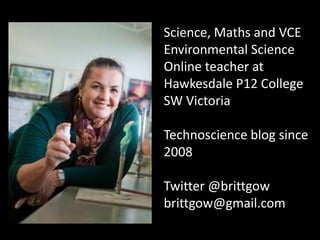
Science, Maths and VCE
Environmental Science
Online teacher at
Hawkesdale P12 College
SW Victoria
Technoscience blog since
2008
Twitter @brittgow
brittgow@gmail.com
How is it different?
• Very fast – almost instant – sharing of audio, text
and images.
• Much more data stored in smaller spaces.
• Visual data are more prominent.
• Global access – few restrictions to
communication across the world.
• 24/7 – not restricted to 9-to-5 on weekdays
‘school’ or ‘working’ hours.
• Anyone can publish – not just the ‘experts’.
• Many more opportunities to find people of
similar interests.
• Self-directed – not dictated by the producer.
Today’s Learners are:
• Multi-taskers
• Digitally literate
• Mobile and connected 24/7
• Experiential
• Social
• Visual/spatial learners
• Fast response times, short attention spans
© 2006 “Teaching the 21st Century Learner”
http://depd.wisc.edu/series/06_4168.pdf
What do you really ‘suck’ at?
• Competitive sports?
• Organizing photos into albums?
• Making a pavlova?
Why?
• Is it something you have never been ‘taught’?
• Is it something you have no interest in?
• You have never had the need to know how?
What are the rules for Learning?
• No talking?
• No use of technology?
• Time limits?
• Groups chosen for students?
• Specific product required?
• Is there access to ‘experts’?
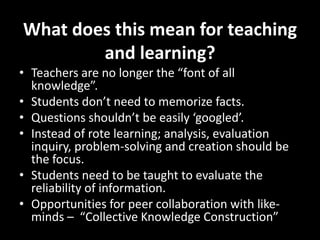
What does this mean for teaching
and learning?
• Teachers are no longer the “font of all
knowledge”.
• Students don’t need to memorize facts.
• Questions shouldn’t be easily ‘googled’.
• Instead of rote learning; analysis, evaluation
inquiry, problem-solving and creation should be
the focus.
• Students need to be taught to evaluate the
reliability of information.
• Opportunities for peer collaboration with like-
minds – “Collective Knowledge Construction”
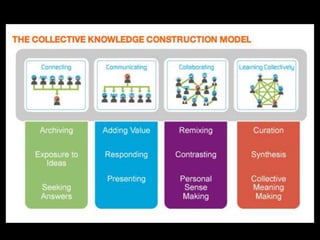
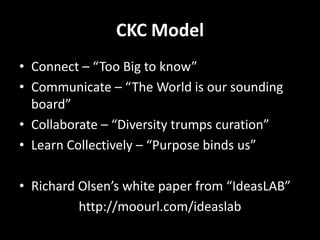
CKC Model
• Connect – “Too Big to know”
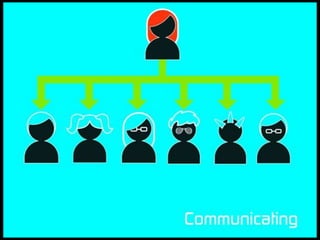
• Communicate – “The World is our sounding
board”
• Collaborate – “Diversity trumps curation”
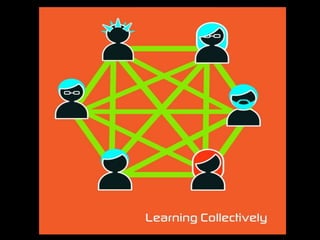
• Learn Collectively – “Purpose binds us”
• Richard Olsen’s white paper from “IdeasLAB”
http://moourl.com/ideaslab
Connect, Communicate & Collaborate
• Groups on Diigo, sharing Delicious links
• Twitter
• Padlet (previously Wallwisher)
• Blogs – writing & commenting on posts
• Creating and sharing slideshows, Voicethreads
and videos
• Wikispaces
• Shared documents/slideshows on Google Drive
Wallwisher is now Padlet
Padlet at http://padlet.com/
Students can create their own webpage in a wiki and
use the URL to create a QR (quick response) code that
directs the user to the information in their webpage.
QR codes
• Treasure hunts
• Mystery organs/systems/animals/plants
• Link to student-created quizzes, videos, wiki
pages
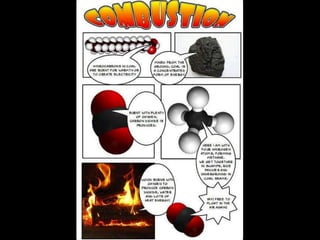
Comics and cartoons
"Pivot" is software that allows creation
of stick figure animations that can be
converted to video.
Learn Collectively
“It’s like a group brain!”
• Curation
• Synthesis
• Collective meaning-making
Tools for curation
• ‘Scrapbooks’ that can be shared online
• Digital ‘buckets’ for collection of resources
• Diigo and Delicious
• Pinterest
• Scoop-it
• Edcanvas
• Thinglink
Edcanvas at http://www.edcanvas.com/
Add web pages, videos, images,
text, quizzes and other digital content to a
single site and share the link.
A digital ‘scrapbook’ or collection of
resources.
Edcanvas
• A “digital bucket”
• For direct instruction/presentations
• 1:1 and ‘flipped’ classrooms
• Student assignments and PBL
• Now includes “Add quiz” for formative
assessment and exit tickets.
• Can be used for student surveys and feedback
http://www.thinglink.com/
Thinglink
• Create annotated images that contain links to
websites, videos, cartoons, other images etc.
• Not just a static image, but a
dynamic, interactive display.
• Use for student research projects, extension
work and introductions to new topics.
Tools for synthesis
• Global2, Edublogs and Wikispaces - Blogs and
wikis allow students to add content, reflect,
comment, revise and discuss
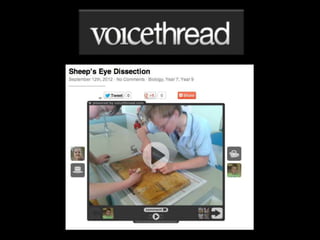
• Voicethread can also allow conversations
(asynchronously)
• Google Docs/presentations with input from
multiple sources.
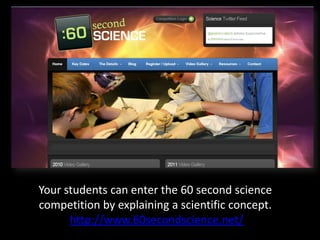
Your students can enter the 60 second science
competition by explaining a scientific concept.
http://www.60secondscience.net/
Tools for collective meaning-making
• Wikis
• Shared Google docs
• Blackboard Collaborate
• Twitter
• Skype
• Quizlet and Quiz Revolution
• Google+?
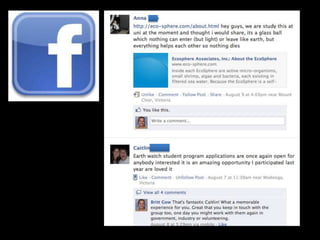
• Facebook?
Tagxedo for word clouds
http://www.tagxedo.com/
Quizlet at http://quizlet.com/
Quiz revolution at
http://www.quizrevolution.com/
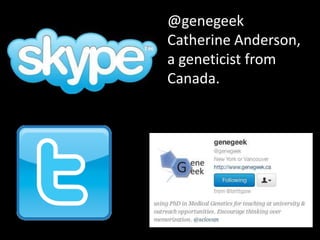
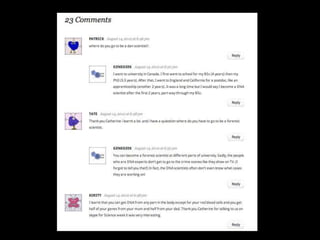
@genegeek
Catherine Anderson,
a geneticist from
Canada.
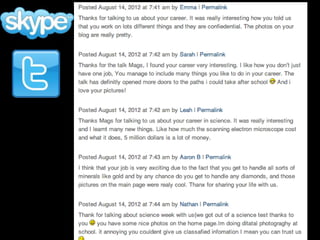
@ScienceMags
Magdeline Lum, a
Metallurgist, photographer
and science writer from
Perth
We use Skype and Blackboard Collaborate to
connect with our Scientist in Schools partner,
Melissa Toifl, from CSIRO Land and Water
Technologies, in Highett and Clayton.
Products for Assessment
• Blogs > global2 or edublogs
• Slideshows > Slideshare
• Animations > ToonDo
• Cartoons > ComicLife
• E-Posters > Glogster
• Digital stories > Photostory
• Team work > Wikispaces
• Mash-ups > Windows Movie Maker; iMovie
• Videos > You-Tube; Vimeo
Practical considerations
• Technology does not replace experiments
• Does every student have access to devices?
• Does every student have internet access?
• Preferred learning styles?
• Concentration span – mix it up!
• Plan B and Plan C
• Best tool for the job of learning
Thank you!
Email - Brittgow@gmail.com
Twitter - @brittgow
Technoscience blog -
http://technoscience.global2.vic.gov.au
Digital toolbox –
http://digitaltoolbox.wikispaces.com

Digital toolbox conasta_2013

  • 1.
    Digital Toolbox for ScienceTeaching and Learning Wednesday 10th July, 11.45am, BG 115
  • 2.
    Science, Maths andVCE Environmental Science Online teacher at Hawkesdale P12 College SW Victoria Technoscience blog since 2008 Twitter @brittgow brittgow@gmail.com
  • 23.
    How is itdifferent? • Very fast – almost instant – sharing of audio, text and images. • Much more data stored in smaller spaces. • Visual data are more prominent. • Global access – few restrictions to communication across the world. • 24/7 – not restricted to 9-to-5 on weekdays ‘school’ or ‘working’ hours. • Anyone can publish – not just the ‘experts’. • Many more opportunities to find people of similar interests. • Self-directed – not dictated by the producer.
  • 24.
    Today’s Learners are: •Multi-taskers • Digitally literate • Mobile and connected 24/7 • Experiential • Social • Visual/spatial learners • Fast response times, short attention spans © 2006 “Teaching the 21st Century Learner” http://depd.wisc.edu/series/06_4168.pdf
  • 26.
    What do youreally ‘suck’ at? • Competitive sports? • Organizing photos into albums? • Making a pavlova? Why? • Is it something you have never been ‘taught’? • Is it something you have no interest in? • You have never had the need to know how?
  • 27.
    What are therules for Learning? • No talking? • No use of technology? • Time limits? • Groups chosen for students? • Specific product required? • Is there access to ‘experts’?
  • 28.
    What does thismean for teaching and learning? • Teachers are no longer the “font of all knowledge”. • Students don’t need to memorize facts. • Questions shouldn’t be easily ‘googled’. • Instead of rote learning; analysis, evaluation inquiry, problem-solving and creation should be the focus. • Students need to be taught to evaluate the reliability of information. • Opportunities for peer collaboration with like- minds – “Collective Knowledge Construction”
  • 30.
    CKC Model • Connect– “Too Big to know” • Communicate – “The World is our sounding board” • Collaborate – “Diversity trumps curation” • Learn Collectively – “Purpose binds us” • Richard Olsen’s white paper from “IdeasLAB” http://moourl.com/ideaslab
  • 35.
    Connect, Communicate &Collaborate • Groups on Diigo, sharing Delicious links • Twitter • Padlet (previously Wallwisher) • Blogs – writing & commenting on posts • Creating and sharing slideshows, Voicethreads and videos • Wikispaces • Shared documents/slideshows on Google Drive
  • 37.
  • 38.
  • 39.
    Students can createtheir own webpage in a wiki and use the URL to create a QR (quick response) code that directs the user to the information in their webpage.
  • 41.
    QR codes • Treasurehunts • Mystery organs/systems/animals/plants • Link to student-created quizzes, videos, wiki pages
  • 42.
  • 45.
    "Pivot" is softwarethat allows creation of stick figure animations that can be converted to video.
  • 46.
    Learn Collectively “It’s likea group brain!” • Curation • Synthesis • Collective meaning-making
  • 48.
    Tools for curation •‘Scrapbooks’ that can be shared online • Digital ‘buckets’ for collection of resources • Diigo and Delicious • Pinterest • Scoop-it • Edcanvas • Thinglink
  • 50.
    Edcanvas at http://www.edcanvas.com/ Addweb pages, videos, images, text, quizzes and other digital content to a single site and share the link. A digital ‘scrapbook’ or collection of resources.
  • 51.
    Edcanvas • A “digitalbucket” • For direct instruction/presentations • 1:1 and ‘flipped’ classrooms • Student assignments and PBL • Now includes “Add quiz” for formative assessment and exit tickets. • Can be used for student surveys and feedback
  • 53.
  • 54.
    Thinglink • Create annotatedimages that contain links to websites, videos, cartoons, other images etc. • Not just a static image, but a dynamic, interactive display. • Use for student research projects, extension work and introductions to new topics.
  • 55.
    Tools for synthesis •Global2, Edublogs and Wikispaces - Blogs and wikis allow students to add content, reflect, comment, revise and discuss • Voicethread can also allow conversations (asynchronously) • Google Docs/presentations with input from multiple sources.
  • 58.
    Your students canenter the 60 second science competition by explaining a scientific concept. http://www.60secondscience.net/
  • 59.
    Tools for collectivemeaning-making • Wikis • Shared Google docs • Blackboard Collaborate • Twitter • Skype • Quizlet and Quiz Revolution • Google+? • Facebook?
  • 60.
    Tagxedo for wordclouds http://www.tagxedo.com/
  • 61.
  • 62.
  • 64.
  • 66.
    @ScienceMags Magdeline Lum, a Metallurgist,photographer and science writer from Perth
  • 68.
    We use Skypeand Blackboard Collaborate to connect with our Scientist in Schools partner, Melissa Toifl, from CSIRO Land and Water Technologies, in Highett and Clayton.
  • 71.
    Products for Assessment •Blogs > global2 or edublogs • Slideshows > Slideshare • Animations > ToonDo • Cartoons > ComicLife • E-Posters > Glogster • Digital stories > Photostory • Team work > Wikispaces • Mash-ups > Windows Movie Maker; iMovie • Videos > You-Tube; Vimeo
  • 72.
    Practical considerations • Technologydoes not replace experiments • Does every student have access to devices? • Does every student have internet access? • Preferred learning styles? • Concentration span – mix it up! • Plan B and Plan C • Best tool for the job of learning
  • 73.
    Thank you! Email -Brittgow@gmail.com Twitter - @brittgow Technoscience blog - http://technoscience.global2.vic.gov.au Digital toolbox – http://digitaltoolbox.wikispaces.com

Editor's Notes

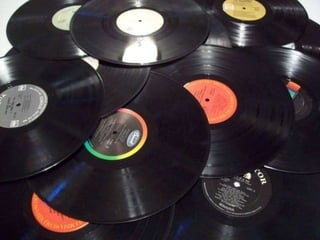
  • #14 Black and white photo album
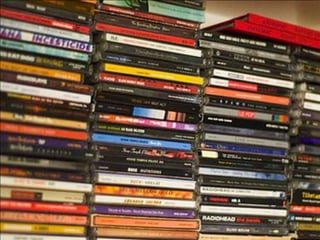
  • #15 Colour photographs
  • #16 Digital cameras
  • #17 Photos with cameras
  • #18 Photos shared online with Instagram, Twitter, Flickr and Facebook
  • #30 Richard Olsen’s IdeasLAB