Digital Storytelling By Mike king
About This PresentationHistorically, we have valued creative writing or art classes because they help to identify and train future writers and artists, but also because the creative process is valuable on its own; every child deserves the chance to express him or herself through words, sounds, and images, even if most will never write, perform, or draw professionally. Having these experiences, changes the way youth think about themselves and alters the way they look at work created by others.
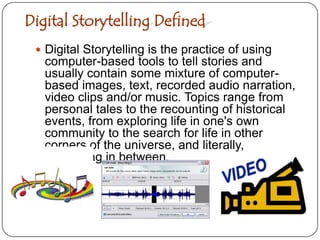
Digital Storytelling DefinedDigital Storytelling is the practice of using computer-based tools to tell stories and usually contain some mixture of computer-based images, text, recorded audio narration, video clips and/or music. Topics range from personal tales to the recounting of historical events, from exploring life in one's own community to the search for life in other corners of the universe, and literally, everything in between.
What Is A Digital Story?Digital Storytelling, revolves around the idea of combining the art of telling stories with a variety of digital multimedia, such as images, audio, and video.bring together some mixture of digital graphics, text, recorded audio narration, video and music to present information on a specific topic.revolve around a chosen theme and often contain a particular viewpoint.are typically just a few minutes long and have a variety of uses, including the telling of personal tales, the recounting of historical events, or as a means to inform or instruct on a particular topic.
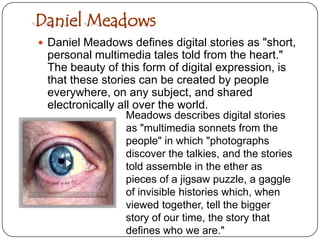
Daniel MeadowsDaniel Meadows defines digital stories as "short, personal multimedia tales told from the heart." The beauty of this form of digital expression, is that these stories can be created by people everywhere, on any subject, and shared electronically all over the world. Meadows describes digital stories as "multimedia sonnets from the people" in which "photographs discover the talkies, and the stories told assemble in the ether as pieces of a jigsaw puzzle, a gaggle of invisible histories which, when viewed together, tell the bigger story of our time, the story that defines who we are."
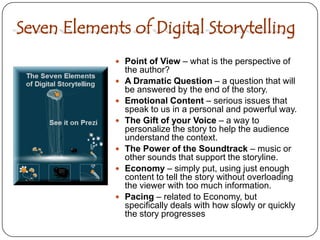
Seven Elements of Digital StorytellingPoint of View – what is the perspective of the author?A Dramatic Question – a question that will be answered by the end of the story.Emotional Content – serious issues that speak to us in a personal and powerful way.The Gift of your Voice – a way to personalize the story to help the audience understand the context.The Power of the Soundtrack – music or other sounds that support the storyline.Economy – simply put, using just enough content to tell the story without overloading the viewer with too much information.Pacing – related to Economy, but specifically deals with how slowly or quickly the story progresses
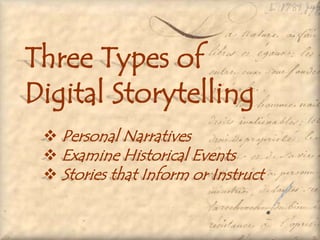
Three Types ofDigital Storytelling  Personal Narratives
 Examine Historical Events
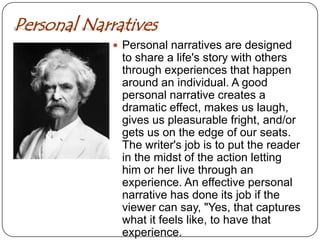
 Stories that Inform or InstructPersonal NarrativesPersonal narratives are designed to share a life's story with others through experiences that happen around an individual. A good personal narrative creates a dramatic effect, makes us laugh, gives us pleasurable fright, and/or gets us on the edge of our seats.  The writer's job is to put the reader in the midst of the action letting him or her live through an experience. An effective personal narrative has done its job if the viewer can say, "Yes, that captures what it feels like, to have that experience.
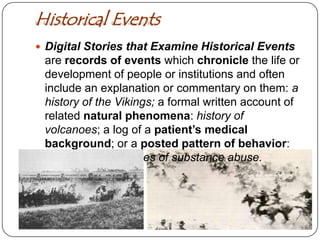
Historical EventsDigital Stories that Examine Historical Events are records of events which chronicle the life or development of people or institutions and often include an explanation or commentary on them: a history of the Vikings; a formal written account of related natural phenomena: history of volcanoes; a log of a patient’s medical background; or a posted pattern of behavior: inmates with histories of substance abuse.
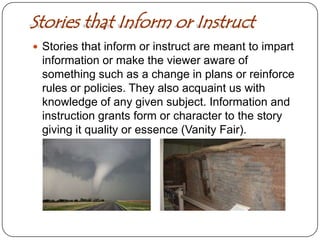
Stories that Inform or InstructStories that inform or instruct are meant to impart information or make the viewer aware of something such as a change in plans or reinforce rules or policies. They also acquaint us with knowledge of any given subject. Information and instruction grants form or character to the story giving it quality or essence (Vanity Fair).
Digital Storytelling As Effective Learning Tool for Students Digital Literacy
 Global Literacy
 Technology Literacy
 Visual Literacy
 Information LiteracyTool for StudentsDigital Storytelling by students provides a strong foundation in many different types of literacy, such as information literacy, visual literacy, technology literacy, and media literacy. Digital Literacy – the ability to communicate with an ever-expanding community to discuss issues, gather information, and seek help;Global Literacy - the capacity to read, interpret, respond, and contextualize messages from a global perspectiveTechnology Literacy - the ability to use computers and other technology to improve learning, productivity, and performance;Visual Literacy - the ability to understand, produce and communicate through visual images;Information Literacy - the ability to find, evaluate and synthesize information.
Digital Storytelling Digital Tool Resources Audio Recording Resources
 Still Image Resources
 Avatars Resources
 Moving Picture Resources
 Production Resources
 Posting and Storage Resources
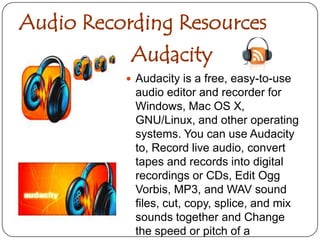
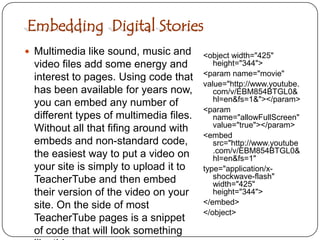
 Embedding  Digital StoriesAudacityAudio Recording ResourcesAudacity is a free, easy-to-use audio editor and recorder for Windows, Mac OS X, GNU/Linux, and other operating systems. You can use Audacity to, Record live audio, convert tapes and records into digital recordings or CDs, Edit OggVorbis, MP3, and WAV sound files, cut, copy, splice, and mix sounds together and Change the speed or pitch of a recording.
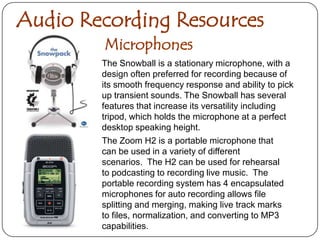
Audio Recording ResourcesMicrophonesThe Snowball is a stationary microphone, with a design often preferred for recording because of its smooth frequency response and ability to pick up transient sounds. The Snowball has several features that increase its versatility including tripod, which holds the microphone at a perfect desktop speaking height. The Zoom H2 is a portable microphone that can be used in a variety of different scenarios.  The H2 can be used for rehearsal to podcasting to recording live music.  The portable recording system has 4 encapsulated microphones for auto recording allows file splitting and merging, making live track marks to files, normalization, and converting to MP3 capabilities.
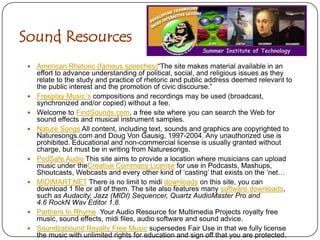
Sound Resources American Rhetoric (famous speeches)“The site makes material available in an effort to advance understanding of political, social, and religious issues as they relate to the study and practice of rhetoric and public address deemed relevant to the public interest and the promotion of civic discourse.” Freeplay Music´s compositions and recordings may be used (broadcast, synchronized and/or copied) without a fee. Welcome to FindSounds.com, a free site where you can search the Web for sound effects and musical instrument samples. Nature Songs All content, including text, sounds and graphics are copyrighted to Naturesongs.com and Doug Von Gausig, 1997-2004. Any unauthorized use is prohibited. Educational and non-commercial license is usually granted without charge, but must be in writing from Naturesongs.PodSafe Audio This site aims to provide a location where musicians can upload music under theCreative Commons License for use in Podcasts, Mashups, Shoutcasts, Webcasts and every other kind of ‘casting’ that exists on the ‘net…MIDIMART.NET There is no limit to midi downloads on this site, you can download 1 file or all of them. The site also features many software downloads, such as Audacity, Jazz (MIDI) Sequencer, Quartz AudioMaster Pro and 4.6 RockN Wav Editor 1.8.   Partners In Rhyme  Your Audio Resource for Multimedia Projects royalty free music, sound effects, midi files, audio software and sound advice.Soundzabound Royalty Free Music supersedes Fair Use in that we fully license the music with unlimited rights for education and sign off that you are protected.
Royalty Free MusicThe person using the work of music must be for non-profit or educational purposes; The copyrighted work must be suitable for educational use, criticism, research or other non-revenue-generating uses; The work must not be used in its entirety or presented in its entirety without adding any commentary or supplemental educational material; The use of the music work must not alter the value or accessibility of the work to others purchasing or paying royalty fees for commercial use of the work.
Digital Storytelling Still Image ResourcesCreative Commons Images
 Image EditorsCreative Commons Images“Now here is a one rule- that the media files you use in your story have to be ones that are licensed or shared with permission to re-use; this is the only way you can safely share your new creation by knowing it does not contain any copyrighted material plus it is just darn human courtesy to give credit where the creation came from. So just finding a picture via Google is not satisfactory. For each media file you find, as you search, be sure to document the source by title and URL and find a person or organization to give credit.”
Image EditorsEditing photos before placing into a digital story, need not require expensive software such as Photoshop or other desktop applications.  A number of free photo editing tools have begun to appear online;  that allow personal photos to be imported and exported from ones computer.
Digital Storytelling Avatars Crazy Talk Avatars
Web Cam AvatarsAvatarsAvatars can be used by classroom teachers when designing digital stories or delivering content. Avatars can represent a tour guide explaining travels along the Silk Road, or represent real life characters like Mark Twain giving a lecture on his home or Einstein introducing the solar system. Most avatars are known as “bots” and are powered by Natural Language Processing. Some avatars like Crazy Talk allows users to record natural voiceovers along with secondary sound recording like music. When incorporating avatars into a digital they can be used to define terms, give directions to an activities or reinforced content.
Crazy Talk AvatarsWith Crazy Talk teachers can make famous historical people come to life as funny talking and animated characters. Students can demonstrate their many talents in design and digital storytelling through unique and creative works made with their own narrations and voiceovers. As a creative project develops, using project based learning; some students could be assigned writing a script, another group developing sound tracks, while one group puts together the voiceover and as a the entire group develops the charter in the storyboard.
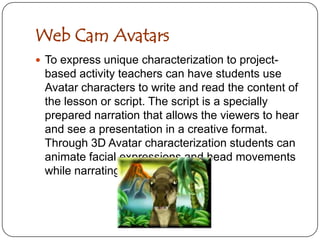
Web Cam AvatarsTo express unique characterization to project-based activity teachers can have students use Avatar characters to write and read the content of the lesson or script. The script is a specially prepared narration that allows the viewers to hear and see a presentation in a creative format. Through 3D Avatar characterization students can animate facial expressions and head movements while narrating a script.
Digital Storytelling Editing, Posting, Converting & EmbeddingPhotoStory 3
MovieMaker
Uploading Resources

Digital Storytelling Vimeo

  • 1.
  • 2.
    About This PresentationHistorically,we have valued creative writing or art classes because they help to identify and train future writers and artists, but also because the creative process is valuable on its own; every child deserves the chance to express him or herself through words, sounds, and images, even if most will never write, perform, or draw professionally. Having these experiences, changes the way youth think about themselves and alters the way they look at work created by others.
  • 3.
    Digital Storytelling DefinedDigitalStorytelling is the practice of using computer-based tools to tell stories and usually contain some mixture of computer-based images, text, recorded audio narration, video clips and/or music. Topics range from personal tales to the recounting of historical events, from exploring life in one's own community to the search for life in other corners of the universe, and literally, everything in between.
  • 4.
    What Is ADigital Story?Digital Storytelling, revolves around the idea of combining the art of telling stories with a variety of digital multimedia, such as images, audio, and video.bring together some mixture of digital graphics, text, recorded audio narration, video and music to present information on a specific topic.revolve around a chosen theme and often contain a particular viewpoint.are typically just a few minutes long and have a variety of uses, including the telling of personal tales, the recounting of historical events, or as a means to inform or instruct on a particular topic.
  • 5.
    Daniel MeadowsDaniel Meadowsdefines digital stories as "short, personal multimedia tales told from the heart." The beauty of this form of digital expression, is that these stories can be created by people everywhere, on any subject, and shared electronically all over the world. Meadows describes digital stories as "multimedia sonnets from the people" in which "photographs discover the talkies, and the stories told assemble in the ether as pieces of a jigsaw puzzle, a gaggle of invisible histories which, when viewed together, tell the bigger story of our time, the story that defines who we are."
  • 7.
    Seven Elements ofDigital StorytellingPoint of View – what is the perspective of the author?A Dramatic Question – a question that will be answered by the end of the story.Emotional Content – serious issues that speak to us in a personal and powerful way.The Gift of your Voice – a way to personalize the story to help the audience understand the context.The Power of the Soundtrack – music or other sounds that support the storyline.Economy – simply put, using just enough content to tell the story without overloading the viewer with too much information.Pacing – related to Economy, but specifically deals with how slowly or quickly the story progresses
  • 8.
    Three Types ofDigitalStorytelling Personal Narratives
  • 9.
  • 10.
    Stories thatInform or InstructPersonal NarrativesPersonal narratives are designed to share a life's story with others through experiences that happen around an individual. A good personal narrative creates a dramatic effect, makes us laugh, gives us pleasurable fright, and/or gets us on the edge of our seats. The writer's job is to put the reader in the midst of the action letting him or her live through an experience. An effective personal narrative has done its job if the viewer can say, "Yes, that captures what it feels like, to have that experience.
  • 11.
    Historical EventsDigital Storiesthat Examine Historical Events are records of events which chronicle the life or development of people or institutions and often include an explanation or commentary on them: a history of the Vikings; a formal written account of related natural phenomena: history of volcanoes; a log of a patient’s medical background; or a posted pattern of behavior: inmates with histories of substance abuse.
  • 12.
    Stories that Informor InstructStories that inform or instruct are meant to impart information or make the viewer aware of something such as a change in plans or reinforce rules or policies. They also acquaint us with knowledge of any given subject. Information and instruction grants form or character to the story giving it quality or essence (Vanity Fair).
  • 13.
    Digital Storytelling AsEffective Learning Tool for Students Digital Literacy
  • 14.
  • 15.
  • 16.
  • 17.
    Information LiteracyToolfor StudentsDigital Storytelling by students provides a strong foundation in many different types of literacy, such as information literacy, visual literacy, technology literacy, and media literacy. Digital Literacy – the ability to communicate with an ever-expanding community to discuss issues, gather information, and seek help;Global Literacy - the capacity to read, interpret, respond, and contextualize messages from a global perspectiveTechnology Literacy - the ability to use computers and other technology to improve learning, productivity, and performance;Visual Literacy - the ability to understand, produce and communicate through visual images;Information Literacy - the ability to find, evaluate and synthesize information.
  • 18.
    Digital Storytelling DigitalTool Resources Audio Recording Resources
  • 19.
    Still ImageResources
  • 20.
  • 21.
  • 22.
  • 23.
    Posting andStorage Resources
  • 24.
    Embedding Digital StoriesAudacityAudio Recording ResourcesAudacity is a free, easy-to-use audio editor and recorder for Windows, Mac OS X, GNU/Linux, and other operating systems. You can use Audacity to, Record live audio, convert tapes and records into digital recordings or CDs, Edit OggVorbis, MP3, and WAV sound files, cut, copy, splice, and mix sounds together and Change the speed or pitch of a recording.
  • 25.
    Audio Recording ResourcesMicrophonesTheSnowball is a stationary microphone, with a design often preferred for recording because of its smooth frequency response and ability to pick up transient sounds. The Snowball has several features that increase its versatility including tripod, which holds the microphone at a perfect desktop speaking height. The Zoom H2 is a portable microphone that can be used in a variety of different scenarios.  The H2 can be used for rehearsal to podcasting to recording live music.  The portable recording system has 4 encapsulated microphones for auto recording allows file splitting and merging, making live track marks to files, normalization, and converting to MP3 capabilities.
  • 26.
    Sound Resources American Rhetoric(famous speeches)“The site makes material available in an effort to advance understanding of political, social, and religious issues as they relate to the study and practice of rhetoric and public address deemed relevant to the public interest and the promotion of civic discourse.” Freeplay Music´s compositions and recordings may be used (broadcast, synchronized and/or copied) without a fee. Welcome to FindSounds.com, a free site where you can search the Web for sound effects and musical instrument samples. Nature Songs All content, including text, sounds and graphics are copyrighted to Naturesongs.com and Doug Von Gausig, 1997-2004. Any unauthorized use is prohibited. Educational and non-commercial license is usually granted without charge, but must be in writing from Naturesongs.PodSafe Audio This site aims to provide a location where musicians can upload music under theCreative Commons License for use in Podcasts, Mashups, Shoutcasts, Webcasts and every other kind of ‘casting’ that exists on the ‘net…MIDIMART.NET There is no limit to midi downloads on this site, you can download 1 file or all of them. The site also features many software downloads, such as Audacity, Jazz (MIDI) Sequencer, Quartz AudioMaster Pro and 4.6 RockN Wav Editor 1.8.   Partners In Rhyme  Your Audio Resource for Multimedia Projects royalty free music, sound effects, midi files, audio software and sound advice.Soundzabound Royalty Free Music supersedes Fair Use in that we fully license the music with unlimited rights for education and sign off that you are protected.
  • 27.
    Royalty Free MusicTheperson using the work of music must be for non-profit or educational purposes; The copyrighted work must be suitable for educational use, criticism, research or other non-revenue-generating uses; The work must not be used in its entirety or presented in its entirety without adding any commentary or supplemental educational material; The use of the music work must not alter the value or accessibility of the work to others purchasing or paying royalty fees for commercial use of the work.
  • 28.
    Digital Storytelling StillImage ResourcesCreative Commons Images
  • 29.
    Image EditorsCreativeCommons Images“Now here is a one rule- that the media files you use in your story have to be ones that are licensed or shared with permission to re-use; this is the only way you can safely share your new creation by knowing it does not contain any copyrighted material plus it is just darn human courtesy to give credit where the creation came from. So just finding a picture via Google is not satisfactory. For each media file you find, as you search, be sure to document the source by title and URL and find a person or organization to give credit.”
  • 30.
    Image EditorsEditing photosbefore placing into a digital story, need not require expensive software such as Photoshop or other desktop applications. A number of free photo editing tools have begun to appear online; that allow personal photos to be imported and exported from ones computer.
  • 31.
  • 32.
    Web Cam AvatarsAvatarsAvatarscan be used by classroom teachers when designing digital stories or delivering content. Avatars can represent a tour guide explaining travels along the Silk Road, or represent real life characters like Mark Twain giving a lecture on his home or Einstein introducing the solar system. Most avatars are known as “bots” and are powered by Natural Language Processing. Some avatars like Crazy Talk allows users to record natural voiceovers along with secondary sound recording like music. When incorporating avatars into a digital they can be used to define terms, give directions to an activities or reinforced content.
  • 33.
    Crazy Talk AvatarsWithCrazy Talk teachers can make famous historical people come to life as funny talking and animated characters. Students can demonstrate their many talents in design and digital storytelling through unique and creative works made with their own narrations and voiceovers. As a creative project develops, using project based learning; some students could be assigned writing a script, another group developing sound tracks, while one group puts together the voiceover and as a the entire group develops the charter in the storyboard.
  • 34.
    Web Cam AvatarsToexpress unique characterization to project-based activity teachers can have students use Avatar characters to write and read the content of the lesson or script. The script is a specially prepared narration that allows the viewers to hear and see a presentation in a creative format. Through 3D Avatar characterization students can animate facial expressions and head movements while narrating a script.
  • 35.
    Digital Storytelling Editing,Posting, Converting & EmbeddingPhotoStory 3
  • 36.
  • 37.