Jen Gal
Manager, Barton and Kenilworth Branches
Hamilton Public Library
DigitalPlayground
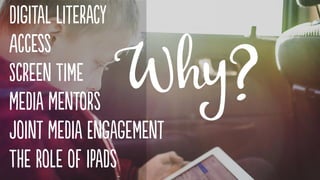
Digital literacy refers to the cognitive, technical
and social skills needed to effectively use, create
and understand digital media.
“Digital Literacy Fundamentals.”
Media Smarts: Canada’s Centre for Digital and Media Literacy
…represents the technical fluency that’s needed
to engage with computers and the Internet. Skills
and competencies that fall under “use” range from
basic technical know how … to the more
sophisticated abilities for accessing and using
knowledge resources.
“Digital Literacy Fundamentals.”
Media Smarts: Canada’s Centre for Digital and Media Literacy
… is the ability to produce content and
effectively communicate through a variety of
digital media tools.
“Digital Literacy Fundamentals.”
Media Smarts: Canada’s Centre for Digital and Media Literacy
… is the set of skills that help us comprehend,
contextualize, and critically evaluate digital
media, so that we can make informed decisions
about what we do and encounter online.
“Digital Literacy Fundamentals.”
Media Smarts: Canada’s Centre for Digital and Media Literacy
“Digital Skills are Not the Same As Digital Literacy.”
Sally Pewhairangi, TechSoup for Libraries. February 8, 2016
… means more than using digital technology as a
means of consuming things other people make ...
Literacy … means moving beyond a passive
relationship with technology.
“Digital Literacy is the Key to the Future, But We Still Don’t Know What it Means.”
Marcus Wohlsen, Wired. September 15, 2014
Libraries continue to play a critical role in providing
access to technology and digital media.
“Infographic: Opportunity for All.”
Katy Svehaug, The Joan Ganz Cooney Center. April 13, 2016
Because digital devices and
the Internet have become so
essential, digital inequality
can exacerbate educational
and economic inequality as
well.
“Opportunity for all: Technology and learning in lower-income families .”
Victoria Rideout and Vikki Katz, The Joan Ganz Cooney Center. Winter 2016
Access points in the community, including public
libraries, have been highlighted by other
researchers as important pathways to
connectivity for adults and children who do not
have Internet or Internet-capable devices at home.
“Opportunity for all: Technology and learning in lower-income families .”
Victoria Rideout and Vikki Katz, The Joan Ganz Cooney Center. Winter 2016
Survey data indicates libraries continue to
make significant gains both in the variety
and the quantity of technology being
offered to patrons.
42%of libraries offer digital
technology programming
“Children’s Services Benchmark and Statistical Report 2016.”
Ontario Public Library Association, 2016
[On October 21, 2016], the American Academy of
Pediatrics shifted its stance on what is commonly
known as “screen time,” abandoning its
controversial recommendation to keep children
under age 2 away from screen media.
“The Beginning of the End of the Screen Time Wars.”
Lisa Guernsey, Slate. October 21, 2016
… An increasing number of researchers, many
educators, and … children’s media developers have
pointed to a growing pile of studies that show how
children, even at very young ages, can benefit from
using media when it catalyzes conversation and
is designed for learning.
“The Beginning of the End of the Screen Time Wars.”
Lisa Guernsey, Slate. October 21, 2016
Recommendation:
For parents of children 18 to 24 months of age who
want to introduce digital media … choose high-
quality programming / apps and use them
together with children, because this is how
toddlers learn best. Letting children use media by
themselves should be avoided.
“Media and Young Minds.”
American Academy of Pediatrics Policy Statement. October 2016
Recommendation:
Engage in selecting and co-viewing media with
your child, through which your child can use media
to learn and be creative, and share these
experiences with your family and your community.
“Media Use in School-Aged Children and Adolescents.”
American Academy of Pediatrics Policy Statement. October 2016
It is a fundamental
responsibility of youth services
staff to meet the needs of
children and their families with
regard to both access to and
support of digital media …
“Media Mentorship in Libraries Serving Youth.”
ALSC Association for Library Service to Children, 2015
Children require mediated and guided
experiences with digital media for the experiences
to translate into positive and productive digital
literacy skills.
“Media Mentorship in Libraries Serving Youth.”
ALSC Association for Library Service to Children, 2015
Media mentors actively engage with children and
families interacting with digital media provided
within the library context, both guiding children
through positive and efficient uses of the
technology and modeling for caregivers how they
can support their children’s digital literacy
development outside of the library.
“Media Mentorship in Libraries Serving Youth.”
ALSC Association for Library Service to Children, 2015
This practice of interacting with media together
allows the experience itself, as well as the content
of the media, to resonate more deeply with the
child using it.
“Media Mentorship in Libraries Serving Youth.”
ALSC Association for Library Service to Children, 2015
The optimal way for children to experience a
physical book or an e-book is with an adult who is
actively involved, asking questions that allow
children to expand on what they’ve read to make
connections and providing opportunities to check
for comprehension.
“Early Learning and Educational Technology Policy Brief.”
US Department of Education, October 2016
Children’s librarians are ideally placed to serve as
media mentors to families with young children,
and we already possess the expertise to
evaluate the quality and age appropriateness
of different types of media for children.
“Chapter One: New Media in Youth Librarianship.”
Cen Campbell and Amy Koester Young Children, New Media, and Libraries. 2015
iPads are a powerful tool for children’s
programming and are more effective when they
are thoughtfully integrated rather than as a
primary focus.
Library staff can help kids and families navigate
the sea of available children’s apps.
When technology is used in early learning
settings, it should be integrated into the learning
program and used in rotation with other learning
tools ...
“Early Learning and Educational Technology Policy Brief.”
US Department of Education, October 2016
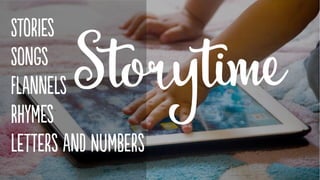
Just as we sing songs, use puppets, or do flannel
boards in storytime, there are a variety of
wonderful apps that can be included in the
librarian’s bag of storytime tricks.
“Chapter Six: New Media in Storytimes: Strategies for Using Tablets in a Program Setting.”
Carissa Christner, Anne Hicks and Amy Koester Young Children, New Media, and Libraries. 2015
In the same way that librarians have been using
flannel boards, big books, puppets, and other
non-standard books to enhance the literacy
experience for years, book apps are another
platform to share and interpret the written
word.
“Chapter Six: New Media in Storytimes: Strategies for Using Tablets in a Program Setting.”
Carissa Christner, Anne Hicks and Amy Koester Young Children, New Media, and Libraries. 2015
• Moo, Baa, La La La! - Sandra Boynton
• The Going to Bed Book - Sandra Boynton
• Nighty Night!
• Don't Let the Pigeon Run This App!
• The Very Hungry Bear
• Go Away, Big Green Monster!
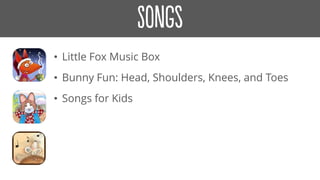
• Little Fox Music Box
• Bunny Fun: Head, Shoulders, Knees, and Toes
• Songs for Kids
• Felt Board
• Felt Board: Mother Goose on the Loose
• Touch Learn Know - Weather & Seasons
• Peekaboo Barn
• Make a Scene: Farmyard
• Make a Scene: Under the Sea
• Nursery Rhymes with StoryTime
• Grow a Reader by Calgary Public Library
• Together Time with Song and Rhyme
• Endless ABC
• MIXIMAL
• ABC Theater: The Alphabet Song
• Alphabet Animals
• Wee Alphas
• Endless 123
Children expected to wield technology effectively,
and increasingly to create with technology, must
first have the hands-on experience of using the
technology and understanding good content.
“Chapter One: New Media in Youth Librarianship.”
Cen Campbell and Amy Koester Young Children, New Media, and Libraries. 2015
The ability to create using digital media ensures
that Canadians are active contributors to digital
society. Creation … is at the heart of citizenship
and innovation.
“Young Canadians in a Wired World, Phase III: Experts or Amateurs?
Gauging Young Canadians’ Digital Literacy Skills.”
Media Smarts: Canada’s Centre for Digital and Media Literacy. March 31, 2014
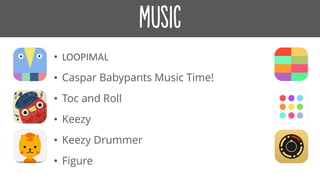
• LOOPIMAL
• Caspar Babypants Music Time!
• Toc and Roll
• Keezy
• Keezy Drummer
• Figure
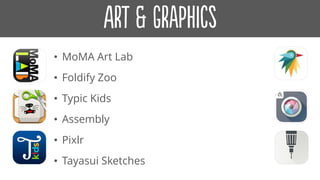
• MoMA Art Lab
• Foldify Zoo
• Typic Kids
• Assembly
• Pixlr
• Tayasui Sketches
• Strip Designer
• Paper Camera
• Toontastic
• Toontastic Jr. Pirates
• FriendStrip Kids Pro
• Seedling Comic Studio
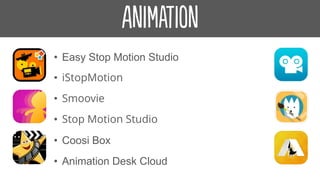
• Easy Stop Motion Studio
• iStopMotion
• Smoovie
• Stop Motion Studio
• Coosi Box
• Animation Desk Cloud
• Shadow Puppet Edu
• Animoto Video Slideshow Maker
• WePublish
• Kid in Story Book Maker
• This Is My Story (And I'm Sticking To It)
• iMovie
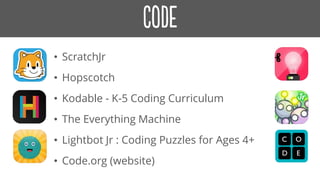
• ScratchJr
• Hopscotch
• Kodable - K-5 Coding Curriculum
• The Everything Machine
• Lightbot Jr : Coding Puzzles for Ages 4+
• Code.org (website)
• There are lots of easy and accessible options for
introducing coding to kids which don’t require
expertise to facilitate.
• Most coding apps and websites like Code.org use game
based tutorials to teach the basics concepts of
programming using drag and drop ‘block coding’.
Photo by Maurizio Pesce / CC BY 2.0
• Ozobots are tiny robots that can be
programmed to perform basic commands.
• Kids can learn the basic concepts of
coding by programming their
Ozobot to move, dance, spin and
light up.
$59 USD
… by simply drawing lines ... Kids use their
creativity and artistic expression, while
developing logical reasoning and in turn,
actually learning high level coding concepts.
When Ozobot detects unique sequences on
colors, it is pre-programmed to perform different
actions or change behavior.
Ozobot.com
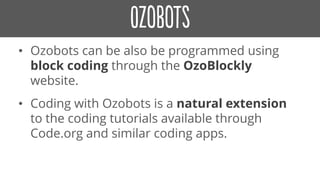
• Ozobots can be also be programmed using
block coding through the OzoBlockly
website.
• Coding with Ozobots is a natural extension
to the coding tutorials available through
Code.org and similar coding apps.
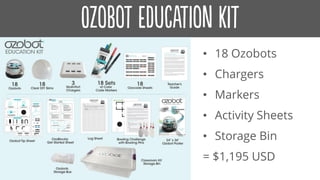
• 18 Ozobots
• Chargers
• Markers
• Activity Sheets
• Storage Bin
= $1,195 USD
• Sphero is a robotic ball that you control with a tilt,
touch, or swing of your smartphone or tablet.
• Draw a shape and Sphero will
follow the path. Control Sphero by
tilting your tablet back and forth.
Swing your smartphone like a golf
club and Sphero will be the golf
ball.
$129.99 USD
• 12 SPRK+ Robots
• 12 Charging bases
• 1 Quick Start guide
• 12 Power Adapters
= $1199.99 USD
• Dash is a robot that responds to voice
commands, navigates objects, dances and
sings.
• Use Wonder, Blockly, and
other apps to create new
behaviors for Dash.
$149.99 USD
• 4 Dot Robots
• 4 Dash Robots
• 1 Accessory Pack
• 1 Building Brick
Connector
• 1 Xylophone
• 1 year Curriculum
Subscription
= $960 USD
• Osmo is a gaming accessory for the
iPad that promotes literacy, numeracy,
visual and spatial reasoning, coding
and more.
Osmo Wonder Kit $189 CAD
• Osmo Coding teaches
coding by combining
tangible blocks with an
interactive game.
Digital Playground 2016

Digital Playground 2016

  • 1.
    Jen Gal Manager, Bartonand Kenilworth Branches Hamilton Public Library DigitalPlayground
  • 4.
    Digital literacy refersto the cognitive, technical and social skills needed to effectively use, create and understand digital media. “Digital Literacy Fundamentals.” Media Smarts: Canada’s Centre for Digital and Media Literacy
  • 6.
    …represents the technicalfluency that’s needed to engage with computers and the Internet. Skills and competencies that fall under “use” range from basic technical know how … to the more sophisticated abilities for accessing and using knowledge resources. “Digital Literacy Fundamentals.” Media Smarts: Canada’s Centre for Digital and Media Literacy
  • 7.
    … is theability to produce content and effectively communicate through a variety of digital media tools. “Digital Literacy Fundamentals.” Media Smarts: Canada’s Centre for Digital and Media Literacy
  • 8.
    … is theset of skills that help us comprehend, contextualize, and critically evaluate digital media, so that we can make informed decisions about what we do and encounter online. “Digital Literacy Fundamentals.” Media Smarts: Canada’s Centre for Digital and Media Literacy
  • 9.
    “Digital Skills areNot the Same As Digital Literacy.” Sally Pewhairangi, TechSoup for Libraries. February 8, 2016
  • 10.
    … means morethan using digital technology as a means of consuming things other people make ... Literacy … means moving beyond a passive relationship with technology. “Digital Literacy is the Key to the Future, But We Still Don’t Know What it Means.” Marcus Wohlsen, Wired. September 15, 2014
  • 11.
    Libraries continue toplay a critical role in providing access to technology and digital media. “Infographic: Opportunity for All.” Katy Svehaug, The Joan Ganz Cooney Center. April 13, 2016
  • 12.
    Because digital devicesand the Internet have become so essential, digital inequality can exacerbate educational and economic inequality as well. “Opportunity for all: Technology and learning in lower-income families .” Victoria Rideout and Vikki Katz, The Joan Ganz Cooney Center. Winter 2016
  • 13.
    Access points inthe community, including public libraries, have been highlighted by other researchers as important pathways to connectivity for adults and children who do not have Internet or Internet-capable devices at home. “Opportunity for all: Technology and learning in lower-income families .” Victoria Rideout and Vikki Katz, The Joan Ganz Cooney Center. Winter 2016
  • 14.
    Survey data indicateslibraries continue to make significant gains both in the variety and the quantity of technology being offered to patrons. 42%of libraries offer digital technology programming “Children’s Services Benchmark and Statistical Report 2016.” Ontario Public Library Association, 2016
  • 15.
    [On October 21,2016], the American Academy of Pediatrics shifted its stance on what is commonly known as “screen time,” abandoning its controversial recommendation to keep children under age 2 away from screen media. “The Beginning of the End of the Screen Time Wars.” Lisa Guernsey, Slate. October 21, 2016
  • 16.
    … An increasingnumber of researchers, many educators, and … children’s media developers have pointed to a growing pile of studies that show how children, even at very young ages, can benefit from using media when it catalyzes conversation and is designed for learning. “The Beginning of the End of the Screen Time Wars.” Lisa Guernsey, Slate. October 21, 2016
  • 17.
    Recommendation: For parents ofchildren 18 to 24 months of age who want to introduce digital media … choose high- quality programming / apps and use them together with children, because this is how toddlers learn best. Letting children use media by themselves should be avoided. “Media and Young Minds.” American Academy of Pediatrics Policy Statement. October 2016
  • 18.
    Recommendation: Engage in selectingand co-viewing media with your child, through which your child can use media to learn and be creative, and share these experiences with your family and your community. “Media Use in School-Aged Children and Adolescents.” American Academy of Pediatrics Policy Statement. October 2016
  • 20.
    It is afundamental responsibility of youth services staff to meet the needs of children and their families with regard to both access to and support of digital media … “Media Mentorship in Libraries Serving Youth.” ALSC Association for Library Service to Children, 2015
  • 21.
    Children require mediatedand guided experiences with digital media for the experiences to translate into positive and productive digital literacy skills. “Media Mentorship in Libraries Serving Youth.” ALSC Association for Library Service to Children, 2015
  • 22.
    Media mentors activelyengage with children and families interacting with digital media provided within the library context, both guiding children through positive and efficient uses of the technology and modeling for caregivers how they can support their children’s digital literacy development outside of the library. “Media Mentorship in Libraries Serving Youth.” ALSC Association for Library Service to Children, 2015
  • 23.
    This practice ofinteracting with media together allows the experience itself, as well as the content of the media, to resonate more deeply with the child using it. “Media Mentorship in Libraries Serving Youth.” ALSC Association for Library Service to Children, 2015
  • 24.
    The optimal wayfor children to experience a physical book or an e-book is with an adult who is actively involved, asking questions that allow children to expand on what they’ve read to make connections and providing opportunities to check for comprehension. “Early Learning and Educational Technology Policy Brief.” US Department of Education, October 2016
  • 25.
    Children’s librarians areideally placed to serve as media mentors to families with young children, and we already possess the expertise to evaluate the quality and age appropriateness of different types of media for children. “Chapter One: New Media in Youth Librarianship.” Cen Campbell and Amy Koester Young Children, New Media, and Libraries. 2015
  • 26.
    iPads are apowerful tool for children’s programming and are more effective when they are thoughtfully integrated rather than as a primary focus. Library staff can help kids and families navigate the sea of available children’s apps.
  • 27.
    When technology isused in early learning settings, it should be integrated into the learning program and used in rotation with other learning tools ... “Early Learning and Educational Technology Policy Brief.” US Department of Education, October 2016
  • 29.
    Just as wesing songs, use puppets, or do flannel boards in storytime, there are a variety of wonderful apps that can be included in the librarian’s bag of storytime tricks. “Chapter Six: New Media in Storytimes: Strategies for Using Tablets in a Program Setting.” Carissa Christner, Anne Hicks and Amy Koester Young Children, New Media, and Libraries. 2015
  • 30.
    In the sameway that librarians have been using flannel boards, big books, puppets, and other non-standard books to enhance the literacy experience for years, book apps are another platform to share and interpret the written word. “Chapter Six: New Media in Storytimes: Strategies for Using Tablets in a Program Setting.” Carissa Christner, Anne Hicks and Amy Koester Young Children, New Media, and Libraries. 2015
  • 31.
    • Moo, Baa,La La La! - Sandra Boynton • The Going to Bed Book - Sandra Boynton • Nighty Night! • Don't Let the Pigeon Run This App! • The Very Hungry Bear • Go Away, Big Green Monster!
  • 32.
    • Little FoxMusic Box • Bunny Fun: Head, Shoulders, Knees, and Toes • Songs for Kids
  • 33.
    • Felt Board •Felt Board: Mother Goose on the Loose • Touch Learn Know - Weather & Seasons • Peekaboo Barn • Make a Scene: Farmyard • Make a Scene: Under the Sea
  • 34.
    • Nursery Rhymeswith StoryTime • Grow a Reader by Calgary Public Library • Together Time with Song and Rhyme
  • 35.
    • Endless ABC •MIXIMAL • ABC Theater: The Alphabet Song • Alphabet Animals • Wee Alphas • Endless 123
  • 37.
    Children expected towield technology effectively, and increasingly to create with technology, must first have the hands-on experience of using the technology and understanding good content. “Chapter One: New Media in Youth Librarianship.” Cen Campbell and Amy Koester Young Children, New Media, and Libraries. 2015
  • 38.
    The ability tocreate using digital media ensures that Canadians are active contributors to digital society. Creation … is at the heart of citizenship and innovation. “Young Canadians in a Wired World, Phase III: Experts or Amateurs? Gauging Young Canadians’ Digital Literacy Skills.” Media Smarts: Canada’s Centre for Digital and Media Literacy. March 31, 2014
  • 39.
    • LOOPIMAL • CasparBabypants Music Time! • Toc and Roll • Keezy • Keezy Drummer • Figure
  • 40.
    • MoMA ArtLab • Foldify Zoo • Typic Kids • Assembly • Pixlr • Tayasui Sketches
  • 41.
    • Strip Designer •Paper Camera • Toontastic • Toontastic Jr. Pirates • FriendStrip Kids Pro • Seedling Comic Studio
  • 42.
    • Easy StopMotion Studio • iStopMotion • Smoovie • Stop Motion Studio • Coosi Box • Animation Desk Cloud
  • 43.
    • Shadow PuppetEdu • Animoto Video Slideshow Maker • WePublish • Kid in Story Book Maker • This Is My Story (And I'm Sticking To It) • iMovie
  • 44.
    • ScratchJr • Hopscotch •Kodable - K-5 Coding Curriculum • The Everything Machine • Lightbot Jr : Coding Puzzles for Ages 4+ • Code.org (website)
  • 46.
    • There arelots of easy and accessible options for introducing coding to kids which don’t require expertise to facilitate. • Most coding apps and websites like Code.org use game based tutorials to teach the basics concepts of programming using drag and drop ‘block coding’.
  • 51.
    Photo by MaurizioPesce / CC BY 2.0
  • 52.
    • Ozobots aretiny robots that can be programmed to perform basic commands. • Kids can learn the basic concepts of coding by programming their Ozobot to move, dance, spin and light up. $59 USD
  • 53.
    … by simplydrawing lines ... Kids use their creativity and artistic expression, while developing logical reasoning and in turn, actually learning high level coding concepts. When Ozobot detects unique sequences on colors, it is pre-programmed to perform different actions or change behavior. Ozobot.com
  • 54.
    • Ozobots canbe also be programmed using block coding through the OzoBlockly website. • Coding with Ozobots is a natural extension to the coding tutorials available through Code.org and similar coding apps.
  • 56.
    • 18 Ozobots •Chargers • Markers • Activity Sheets • Storage Bin = $1,195 USD
  • 58.
    • Sphero isa robotic ball that you control with a tilt, touch, or swing of your smartphone or tablet. • Draw a shape and Sphero will follow the path. Control Sphero by tilting your tablet back and forth. Swing your smartphone like a golf club and Sphero will be the golf ball. $129.99 USD
  • 59.
    • 12 SPRK+Robots • 12 Charging bases • 1 Quick Start guide • 12 Power Adapters = $1199.99 USD
  • 61.
    • Dash isa robot that responds to voice commands, navigates objects, dances and sings. • Use Wonder, Blockly, and other apps to create new behaviors for Dash. $149.99 USD
  • 63.
    • 4 DotRobots • 4 Dash Robots • 1 Accessory Pack • 1 Building Brick Connector • 1 Xylophone • 1 year Curriculum Subscription = $960 USD
  • 65.
    • Osmo isa gaming accessory for the iPad that promotes literacy, numeracy, visual and spatial reasoning, coding and more. Osmo Wonder Kit $189 CAD • Osmo Coding teaches coding by combining tangible blocks with an interactive game.