From Digital Divide to Digital Inclusion:
Technology as an Equalizing Force

#13NTCequal


 Elizabeth Pope, Idealware
 Andrea Berry, Idealware
 Sharman Davis Barrett, PACER Center
 Jonathan Campbell, PACER Center
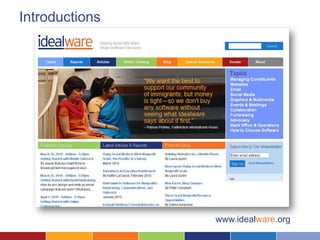
Introductions


                www.idealware.org
Introductions


                www.pacer.org
Slide 4
What is The Digital Divide?
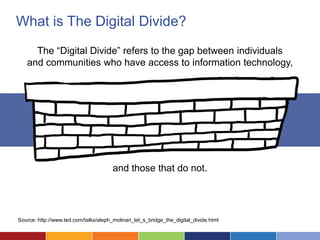
     The “Digital Divide” refers to the gap between individuals
   and communities who have access to information technology,


                                       and those that do not.


Source: http://www.ted.com/talks/aleph_molinari_let_s_bridge_the_digital_divide.html
Who is Not Online?
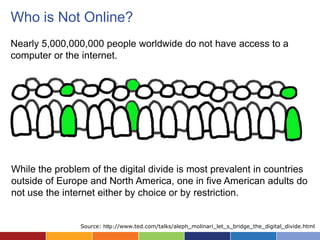
Nearly 5,000,000,000 people worldwide do not have access to a
computer or the internet.


While the problem of the digital divide is most prevalent in countries
outside of Europe and North America, one in five American adults do
not use the internet either by choice or by restriction.


                Source: http://www.ted.com/talks/aleph_molinari_let_s_bridge_the_digital_divide.html
Who does the Digital Divide
    Affect the Most?
Students
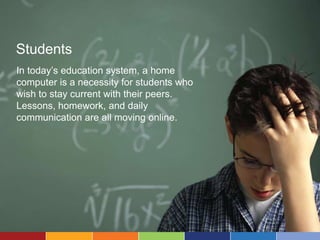
In today’s education system, a home
computer is a necessity for students who
wish to stay current with their peers.
Lessons, homework, and daily
communication are all moving online.
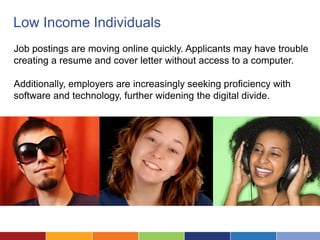
Low Income Individuals
Job postings are moving online quickly. Applicants may have trouble
creating a resume and cover letter without access to a computer.

Additionally, employers are increasingly seeking proficiency with
software and technology, further widening the digital divide.
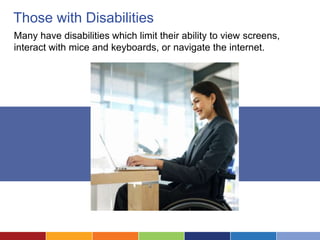
Those with Disabilities
Many have disabilities which limit their ability to view screens,
interact with mice and keyboards, or navigate the internet.
How Does the Digital Divide Affect Our Ability to
           Achieve Our Mission?
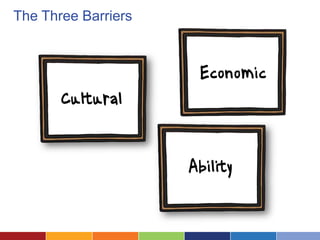
The Three Barriers
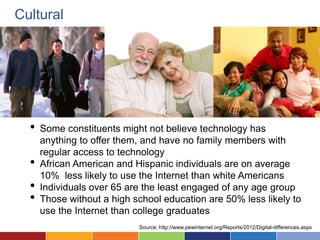
Cultural


  •   Some constituents might not believe technology has
      anything to offer them, and have no family members with
      regular access to technology
  •   African American and Hispanic individuals are on average
      10% less likely to use the Internet than white Americans
  •   Individuals over 65 are the least engaged of any age group
  •   Those without a high school education are 50% less likely to
      use the Internet than college graduates
                            Source: http://www.pewinternet.org/Reports/2012/Digital-differences.aspx
Economic


•   Among those who do not use the Internet and email, 10% claim that
    the cost of a reliable internet connection was the primary deterrent
•   As of 2011, only 62% of adults with annual salaries under $30,000 a
    year were online, compared to 97% of adults with annual salaries
    greater than $75,000

                                Source: http://www.pewinternet.org/Reports/2012/Digital-differences.aspx
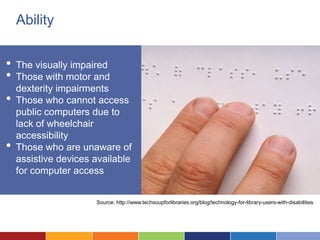
Ability


•   The visually impaired
•   Those with motor and
    dexterity impairments
•   Those who cannot access
    public computers due to
    lack of wheelchair
    accessibility
•   Those who are unaware of
    assistive devices available
    for computer access


                      Source: http://www.techsoupforlibraries.org/blog/technology-for-library-users-with-disabilities
ACTIVITY:
Identifying Barriers
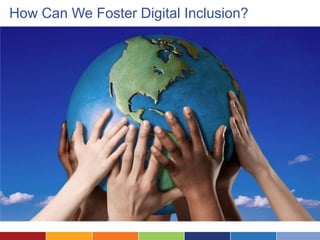
How Can We Foster Digital Inclusion?
Technology:
The Internet’s Global Reach
The Internet is Everywhere!
Technology:
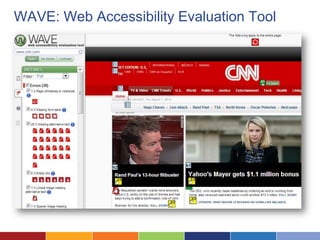
Make Your Website Accessible
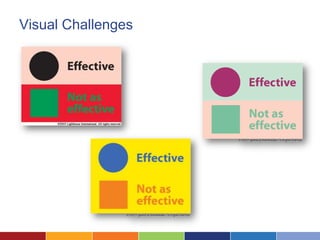
Visual Challenges
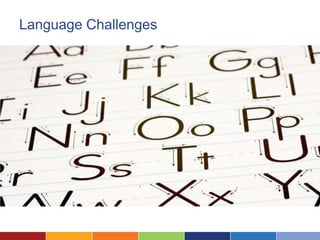
Language Challenges
WAVE: Web Accessibility Evaluation Tool
Technology:
Translation Sites and Apps
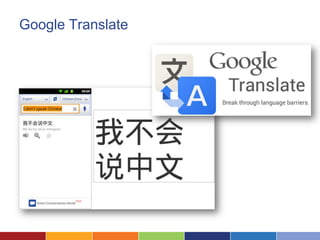
Google Translate
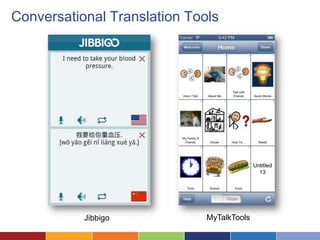
Conversational Translation Tools


           Jibbigo            MyTalkTools
Technology:
Cheaper Computers
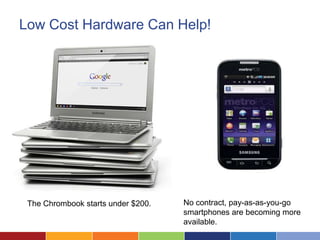
Low Cost Hardware Can Help!


 The Chrombook starts under $200.   No contract, pay-as-as-you-go
                                    smartphones are becoming more
                                    available.
TechSoup Can Help at the Org Level
Technology:
Mobile Devices and Tablets
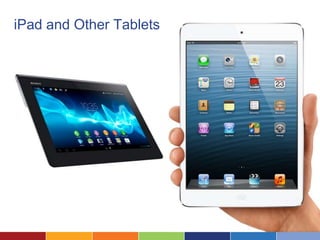
iPad and Other Tablets
Strategy:
Youth Engagement
From the ground up…
Strategy:
Offline Communications
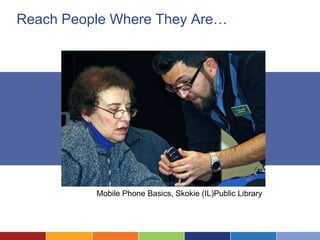
Reach People Where They Are…


          Mobile Phone Basics, Skokie (IL)Public Library
Strategy:
Training Workshops
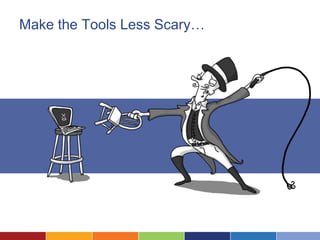
Make the Tools Less Scary…
Strategy:
Free Computer Access
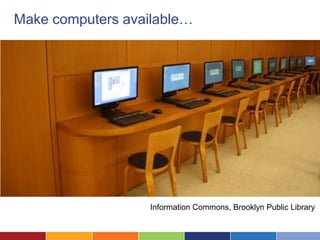
Make computers available…


                   Information Commons, Brooklyn Public Library
Strategy:
Goal Oriented Programs
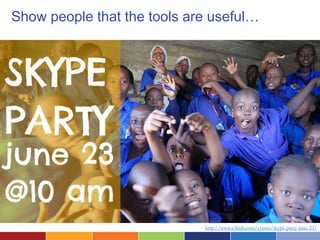
Show people that the tools are useful…


                             http://www.e3kids.com/events/skype-party-june-23/
Case Study
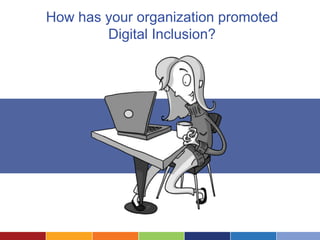
How has your organization promoted
        Digital Inclusion?
Case Study:
              Digital Inclusion Grant
    Digital Inclusion Fund of The Minneapolis
    Foundation
    • Goals
          – Promote technology access and literacy
            for low-income families who have children
            with and without disabilities.
          – Promote technology access and literacy
            for immigrants and refugees.
Page 44
Community Centers
    • PACER Center

    • Project Pride for Living’s Learning
      Center

    • Waite House

    • Hmong International Academy
Page 45
Lessons Learned


      Workshops with the largest attendance
      were tightly goal oriented. Little to no
          interest was given to broadly
             categorized workshops.


Page 46
Examples
    • Finding and applying for a job online.

    • Looking up your child’s grades online.

    • Finding free digital children books.

    • Setting up and using email.

Page 47
Lessons Learned

      Majority of attendees had access to a
      computer at home or in a community
     center but were not comfortable using
     them. They often felt that their children
     were knowledgeable about the internet
      but were not good teachers for them.

Page 48
Lessons Learned


     Our most effect advertising method was
      showing up in person to community
     events and getting community leaders
              to spread the word.


Page 49
Technology for Reaching Out
    • Accessible Website
          – Mobile Friendly
            • WordPress offers resizable layouts
          – Translated content (avoid machine
            translation)
          – Accessible design
            • www.w3.org/WAI/intro/accessibility.php


Page 50
Technology for Reaching Out
    • Accessible Website
          – Offer audio or video versions of content
            • Content is more important than quality
            • Services
               –   YouTube – great captioning support
               –   Vimeo
               –   BlogTalkRadio – podcasts with only a phone
               –   Podbean


Page 51
Technology for Reaching Out
    • Texting services
          – Most phones support texting
          – Must collect numbers
            • www.frontlinesms.com
            • www.textmarks.com
            • www.clubtexting.com


Page 52
Assistive Technology
    • Text-to-speech
          – Naturalreaders.com
    • Magnification
          – Built in
    • Slow Keys
          – Built in


Page 53
Assistive Technology
    • Google Translate
          – translate.google.com
          – Entire Documents and websites
    • Tech Support Videos
          – www.teachparentstech.org


Page 54
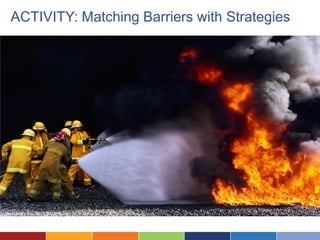
ACTIVITY: Matching Barriers with Strategies
How will you bring it home?
Evaluate This Session!
Each entry is a chance to win an NTEN engraved iPad!


or Online using #13NTCequal at www.nten.org/ntc/eval

From Digital Divide to Digital Inclusion: Technology as an Equalizing Force-Idealware

  • 1.
    From Digital Divideto Digital Inclusion: Technology as an Equalizing Force #13NTCequal Elizabeth Pope, Idealware Andrea Berry, Idealware Sharman Davis Barrett, PACER Center Jonathan Campbell, PACER Center
  • 2.
    Introductions www.idealware.org
  • 3.
    Introductions www.pacer.org
  • 4.
  • 5.
    What is TheDigital Divide? The “Digital Divide” refers to the gap between individuals and communities who have access to information technology, and those that do not. Source: http://www.ted.com/talks/aleph_molinari_let_s_bridge_the_digital_divide.html
  • 6.
    Who is NotOnline? Nearly 5,000,000,000 people worldwide do not have access to a computer or the internet. While the problem of the digital divide is most prevalent in countries outside of Europe and North America, one in five American adults do not use the internet either by choice or by restriction. Source: http://www.ted.com/talks/aleph_molinari_let_s_bridge_the_digital_divide.html
  • 7.
    Who does theDigital Divide Affect the Most?
  • 8.
    Students In today’s educationsystem, a home computer is a necessity for students who wish to stay current with their peers. Lessons, homework, and daily communication are all moving online.
  • 9.
    Low Income Individuals Jobpostings are moving online quickly. Applicants may have trouble creating a resume and cover letter without access to a computer. Additionally, employers are increasingly seeking proficiency with software and technology, further widening the digital divide.
  • 10.
    Those with Disabilities Manyhave disabilities which limit their ability to view screens, interact with mice and keyboards, or navigate the internet.
  • 11.
    How Does theDigital Divide Affect Our Ability to Achieve Our Mission?
  • 12.
  • 13.
    Cultural • Some constituents might not believe technology has anything to offer them, and have no family members with regular access to technology • African American and Hispanic individuals are on average 10% less likely to use the Internet than white Americans • Individuals over 65 are the least engaged of any age group • Those without a high school education are 50% less likely to use the Internet than college graduates Source: http://www.pewinternet.org/Reports/2012/Digital-differences.aspx
  • 14.
    Economic • Among those who do not use the Internet and email, 10% claim that the cost of a reliable internet connection was the primary deterrent • As of 2011, only 62% of adults with annual salaries under $30,000 a year were online, compared to 97% of adults with annual salaries greater than $75,000 Source: http://www.pewinternet.org/Reports/2012/Digital-differences.aspx
  • 15.
    Ability • The visually impaired • Those with motor and dexterity impairments • Those who cannot access public computers due to lack of wheelchair accessibility • Those who are unaware of assistive devices available for computer access Source: http://www.techsoupforlibraries.org/blog/technology-for-library-users-with-disabilities
  • 16.
  • 17.
    How Can WeFoster Digital Inclusion?
  • 18.
  • 19.
    The Internet isEverywhere!
  • 20.
  • 21.
  • 22.
  • 23.
    WAVE: Web AccessibilityEvaluation Tool
  • 24.
  • 25.
  • 26.
  • 27.
  • 28.
    Low Cost HardwareCan Help! The Chrombook starts under $200. No contract, pay-as-as-you-go smartphones are becoming more available.
  • 29.
    TechSoup Can Helpat the Org Level
  • 30.
  • 31.
  • 32.
  • 33.
  • 34.
  • 35.
    Reach People WhereThey Are… Mobile Phone Basics, Skokie (IL)Public Library
  • 36.
  • 37.
    Make the ToolsLess Scary…
  • 38.
  • 39.
    Make computers available… Information Commons, Brooklyn Public Library
  • 40.
  • 41.
    Show people thatthe tools are useful… http://www.e3kids.com/events/skype-party-june-23/
  • 42.
  • 43.
    How has yourorganization promoted Digital Inclusion?
  • 44.
    Case Study: Digital Inclusion Grant Digital Inclusion Fund of The Minneapolis Foundation • Goals – Promote technology access and literacy for low-income families who have children with and without disabilities. – Promote technology access and literacy for immigrants and refugees. Page 44
  • 45.
    Community Centers • PACER Center • Project Pride for Living’s Learning Center • Waite House • Hmong International Academy Page 45
  • 46.
    Lessons Learned Workshops with the largest attendance were tightly goal oriented. Little to no interest was given to broadly categorized workshops. Page 46
  • 47.
    Examples • Finding and applying for a job online. • Looking up your child’s grades online. • Finding free digital children books. • Setting up and using email. Page 47
  • 48.
    Lessons Learned Majority of attendees had access to a computer at home or in a community center but were not comfortable using them. They often felt that their children were knowledgeable about the internet but were not good teachers for them. Page 48
  • 49.
    Lessons Learned Our most effect advertising method was showing up in person to community events and getting community leaders to spread the word. Page 49
  • 50.
    Technology for ReachingOut • Accessible Website – Mobile Friendly • WordPress offers resizable layouts – Translated content (avoid machine translation) – Accessible design • www.w3.org/WAI/intro/accessibility.php Page 50
  • 51.
    Technology for ReachingOut • Accessible Website – Offer audio or video versions of content • Content is more important than quality • Services – YouTube – great captioning support – Vimeo – BlogTalkRadio – podcasts with only a phone – Podbean Page 51
  • 52.
    Technology for ReachingOut • Texting services – Most phones support texting – Must collect numbers • www.frontlinesms.com • www.textmarks.com • www.clubtexting.com Page 52
  • 53.
    Assistive Technology • Text-to-speech – Naturalreaders.com • Magnification – Built in • Slow Keys – Built in Page 53
  • 54.
    Assistive Technology • Google Translate – translate.google.com – Entire Documents and websites • Tech Support Videos – www.teachparentstech.org Page 54
  • 55.
  • 56.
    How will youbring it home?
  • 57.
    Evaluate This Session! Eachentry is a chance to win an NTEN engraved iPad! or Online using #13NTCequal at www.nten.org/ntc/eval