
Examining vSphere Design Through
a Design Scenario
Forbes Guthrie, vReference
Scott Lowe, VMware
VSVC4995
#VSVC4995
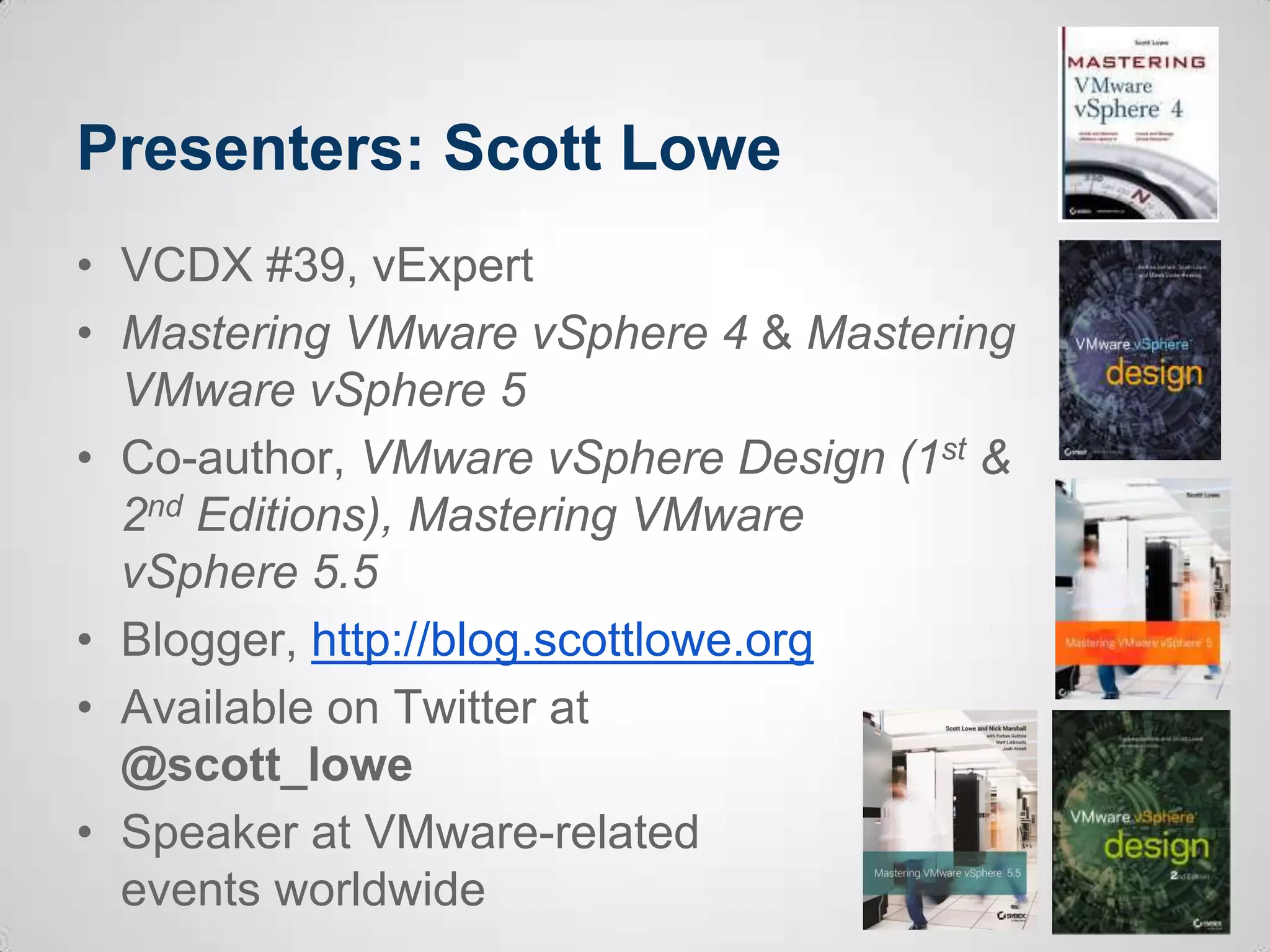
Presenters: Scott Lowe
• VCDX #39, vExpert
• Mastering VMware vSphere 4 & Mastering
VMware vSphere 5
• Co-author, VMware vSphere Design (1st &
2nd Editions), Mastering VMware
vSphere 5.5
• Blogger, http://blog.scottlowe.org
• Available on Twitter at
@scott_lowe
• Speaker at VMware-related
events worldwide
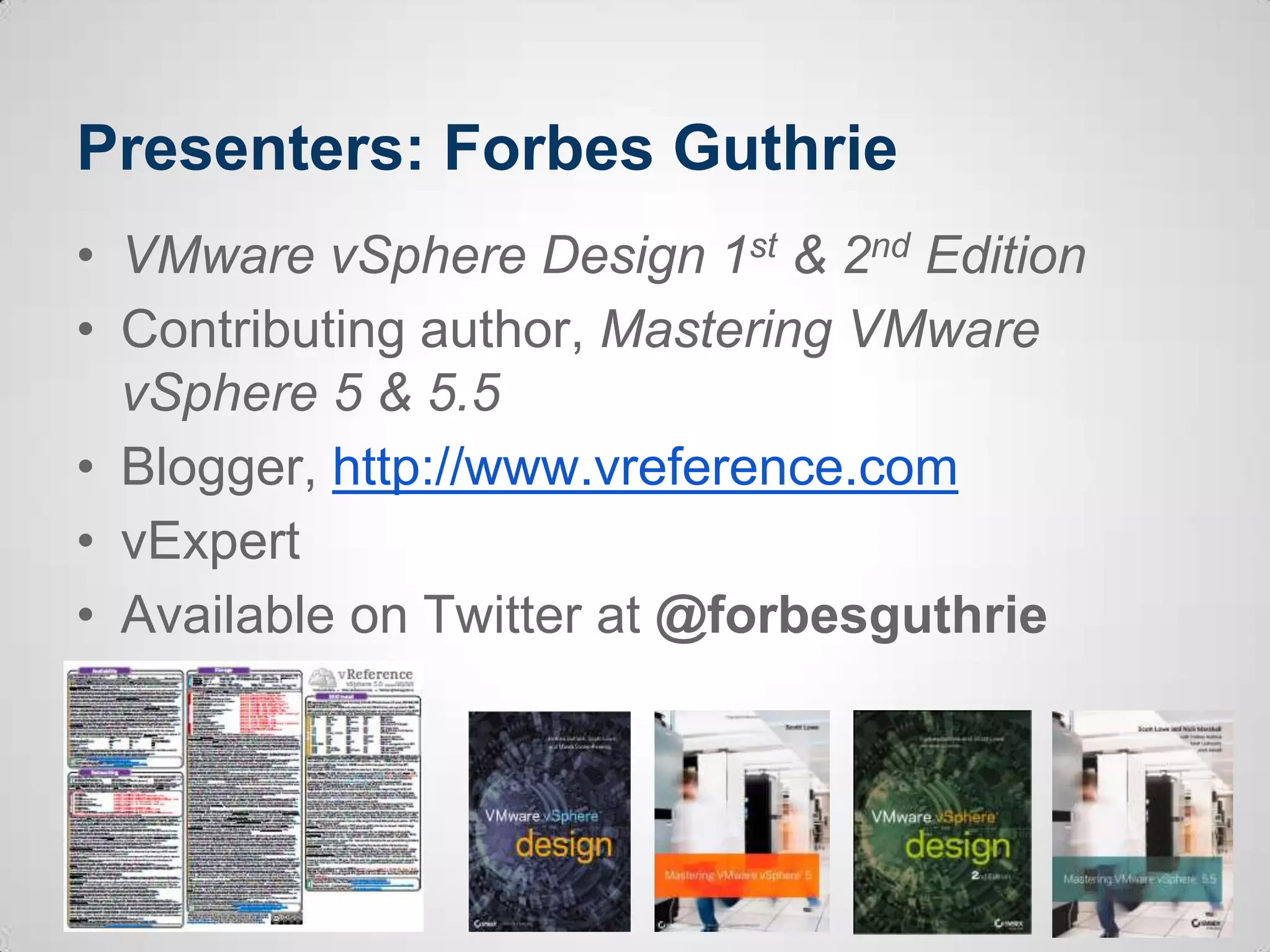
Presenters: Forbes Guthrie
• VMware vSphere Design 1st & 2nd Edition
• Contributing author, Mastering VMware
vSphere 5 & 5.5
• Blogger, http://www.vreference.com
• vExpert
• Available on Twitter at @forbesguthrie
Before we start
• Get involved!
• If you use Twitter, feel free to tweet about this
session (use hashtags #VSVC4995 &
#vmworld)
• We encourage you to take photos or videos
of today’s session and share them online
• This presentation will be made available
online after the event
Agenda
• Review key design concepts
• Examine the design process
• Outline a scenario
• Extract design factors
• Focus on a few design areas
• Discuss the impact of our decisions
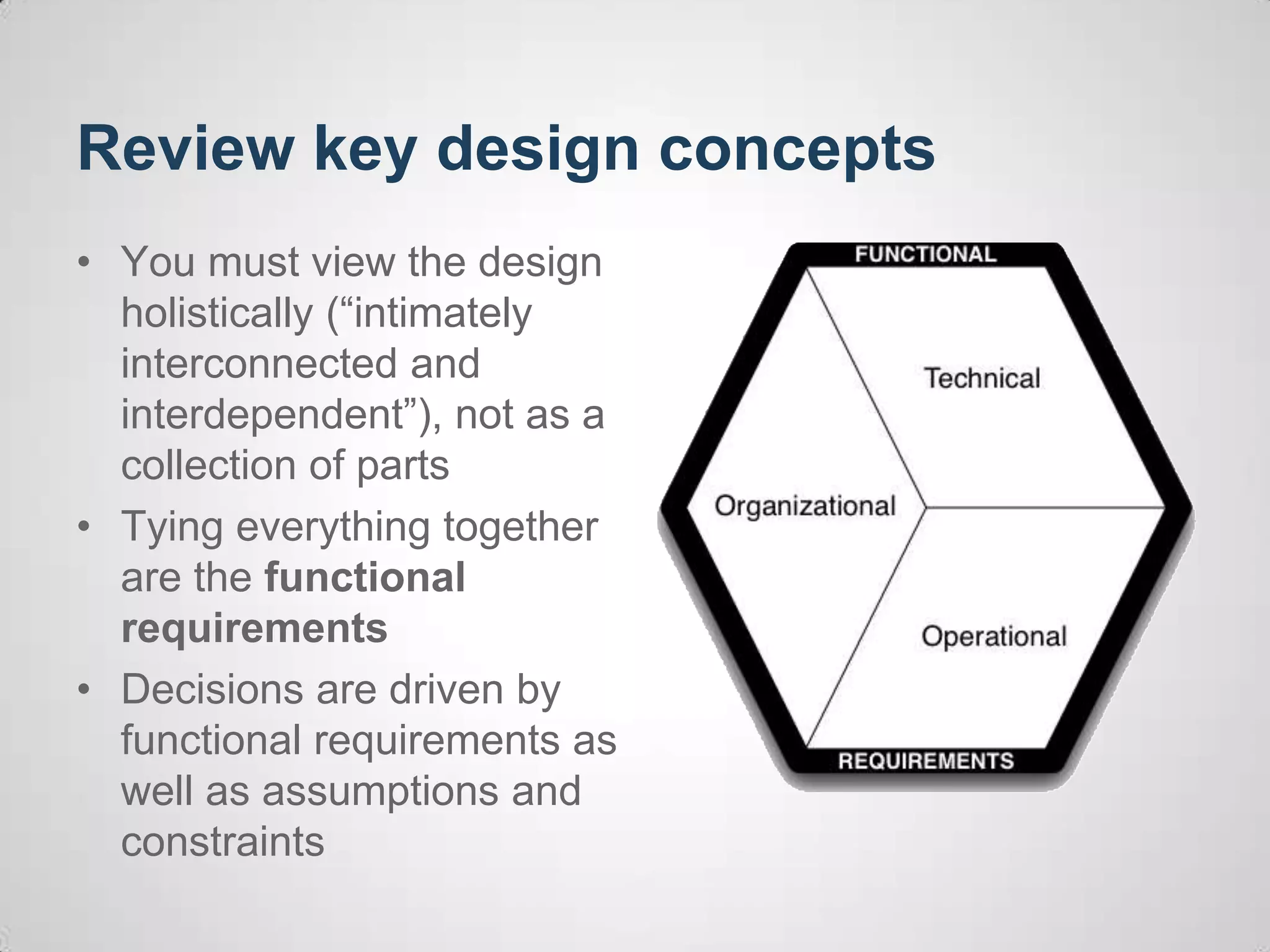
Review key design concepts
• You must view the design
holistically (“intimately
interconnected and
interdependent”), not as a
collection of parts
• Tying everything together
are the functional
requirements
• Decisions are driven by
functional requirements as
well as assumptions and
constraints
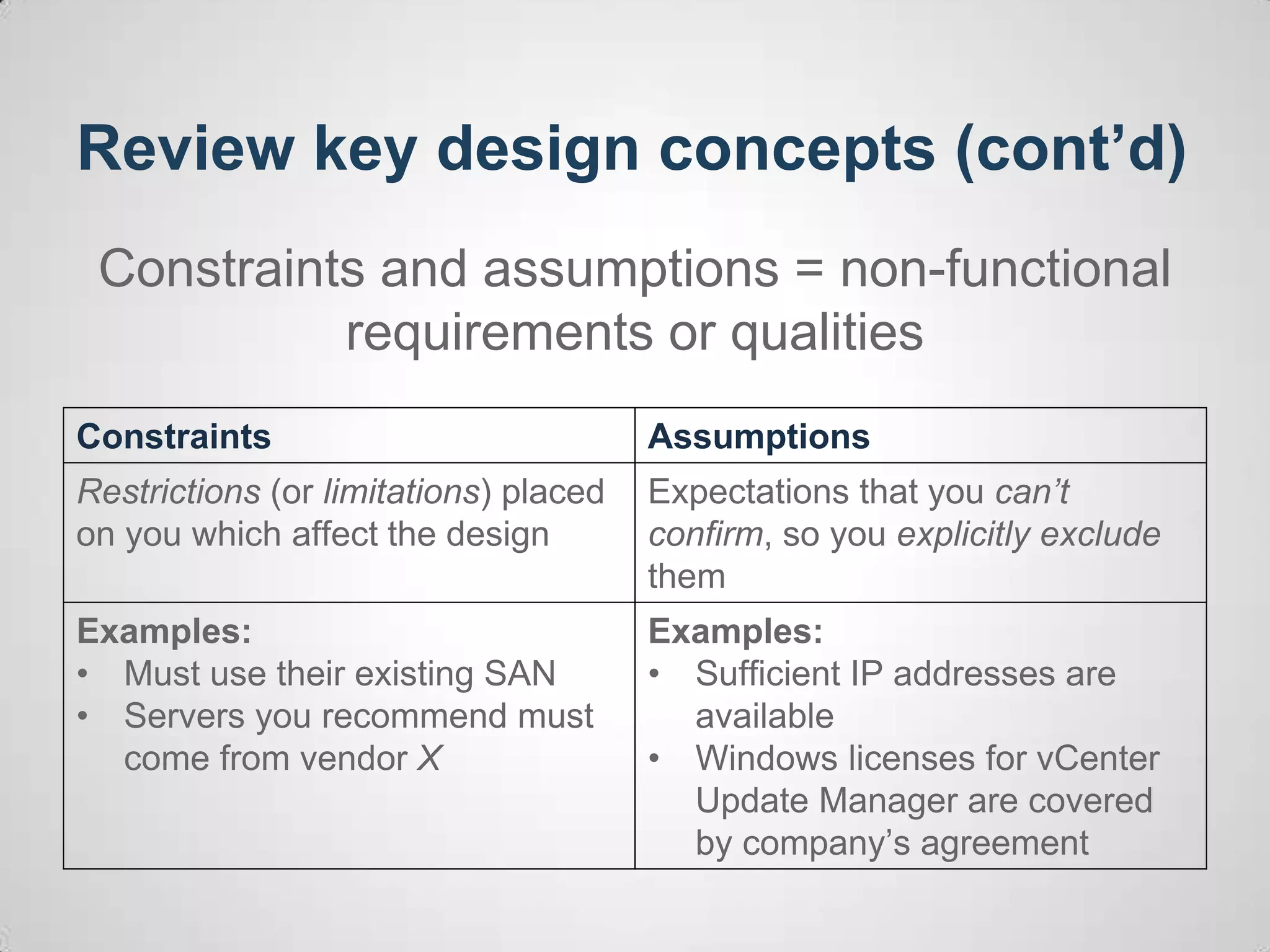
Review key design concepts (cont’d)
Constraints and assumptions = non-functional
requirements or qualities
Constraints Assumptions
Restrictions (or limitations) placed
on you which affect the design
Expectations that you can’t
confirm, so you explicitly exclude
them
Examples:
• Must use their existing SAN
• Servers you recommend must
come from vendor X
Examples:
• Sufficient IP addresses are
available
• Windows licenses for vCenter
Update Manager are covered
by company’s agreement
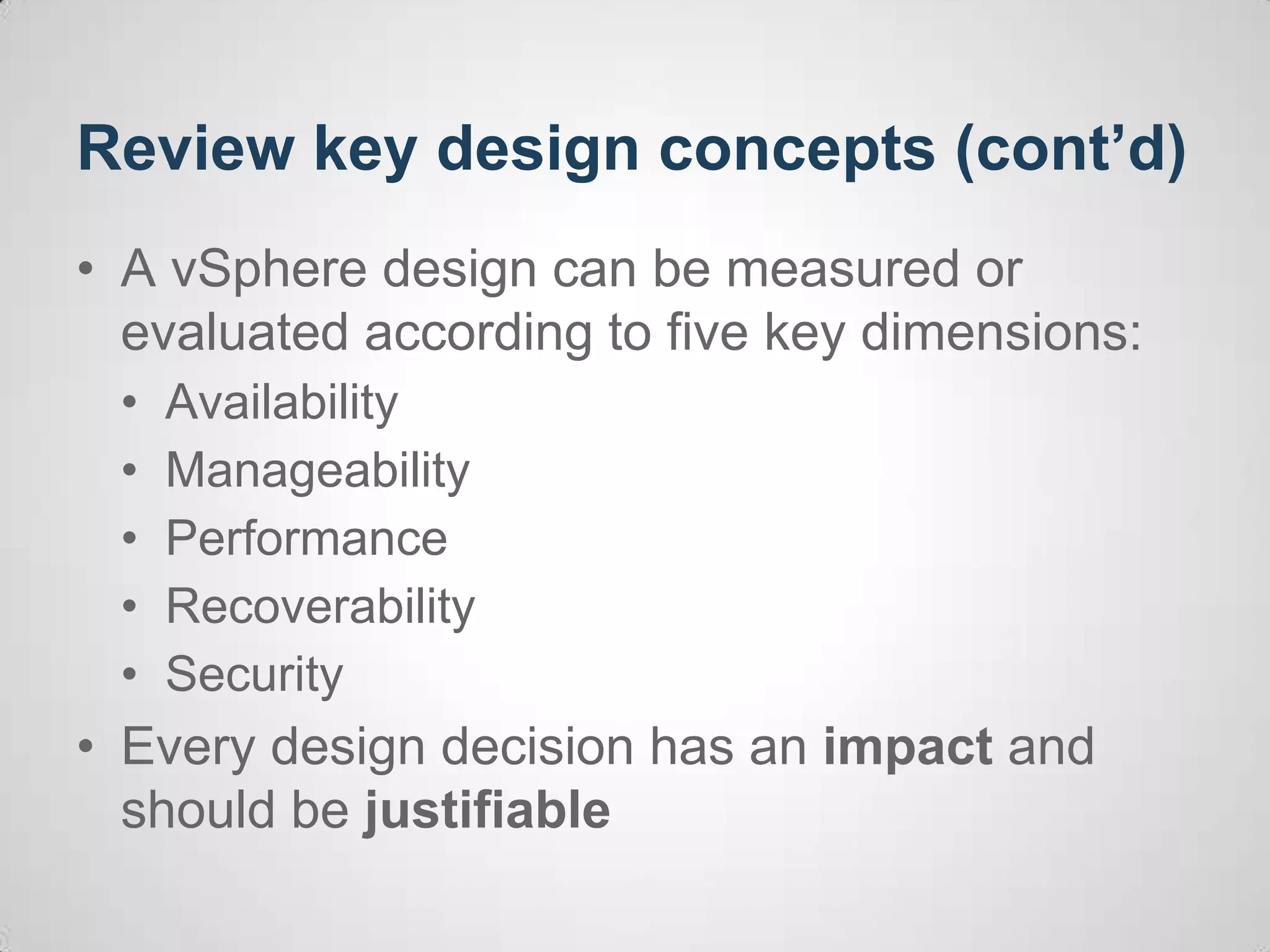
Review key design concepts (cont’d)
• A vSphere design can be measured or
evaluated according to five key dimensions:
• Availability
• Manageability
• Performance
• Recoverability
• Security
• Every design decision has an impact and
should be justifiable
Examine the design process
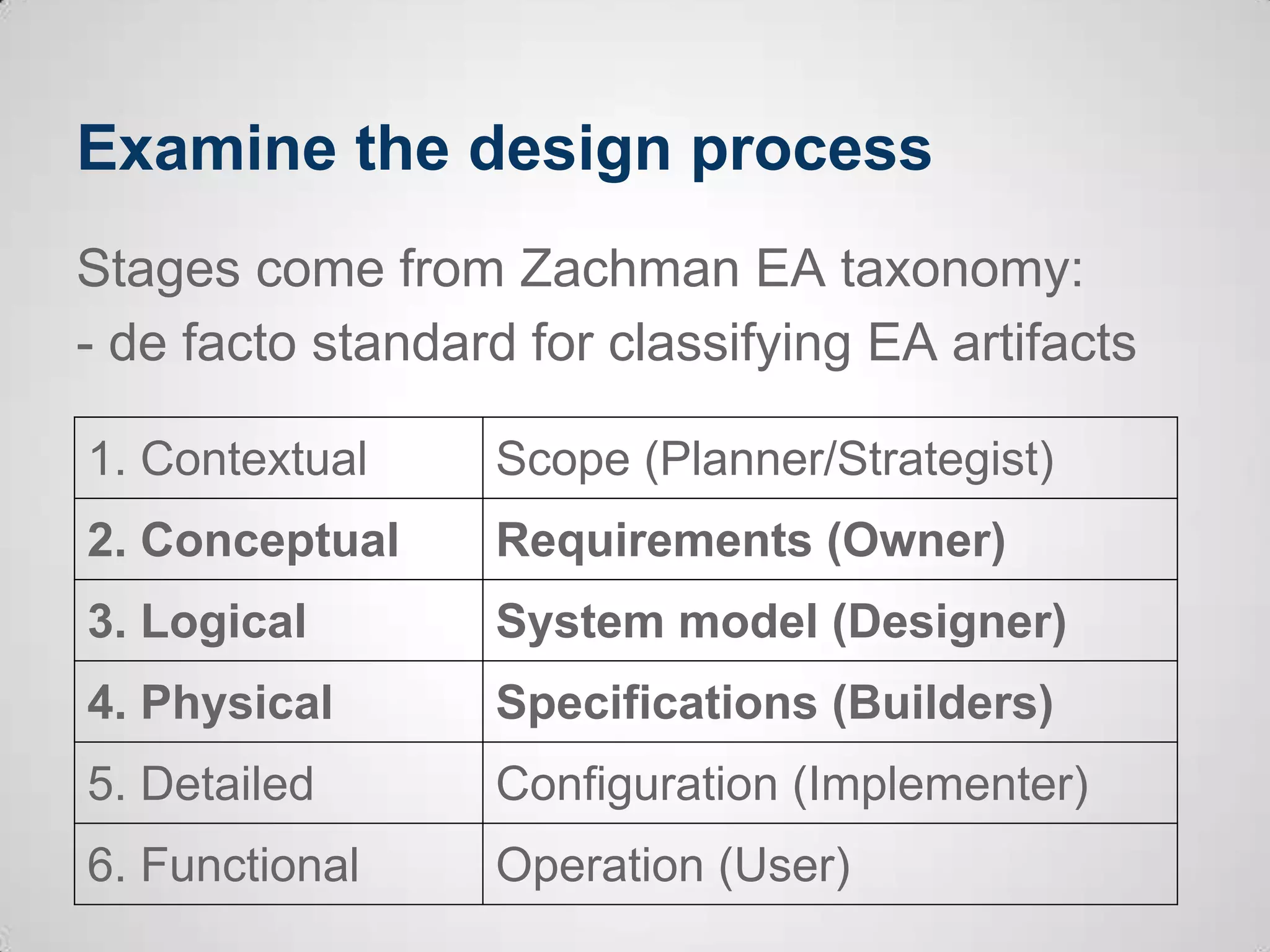
Stages come from Zachman EA taxonomy:
- de facto standard for classifying EA artifacts
1. Contextual Scope (Planner/Strategist)
2. Conceptual Requirements (Owner)
3. Logical System model (Designer)
4. Physical Specifications (Builders)
5. Detailed Configuration (Implementer)
6. Functional Operation (User)
Examine the design process (cont’d)
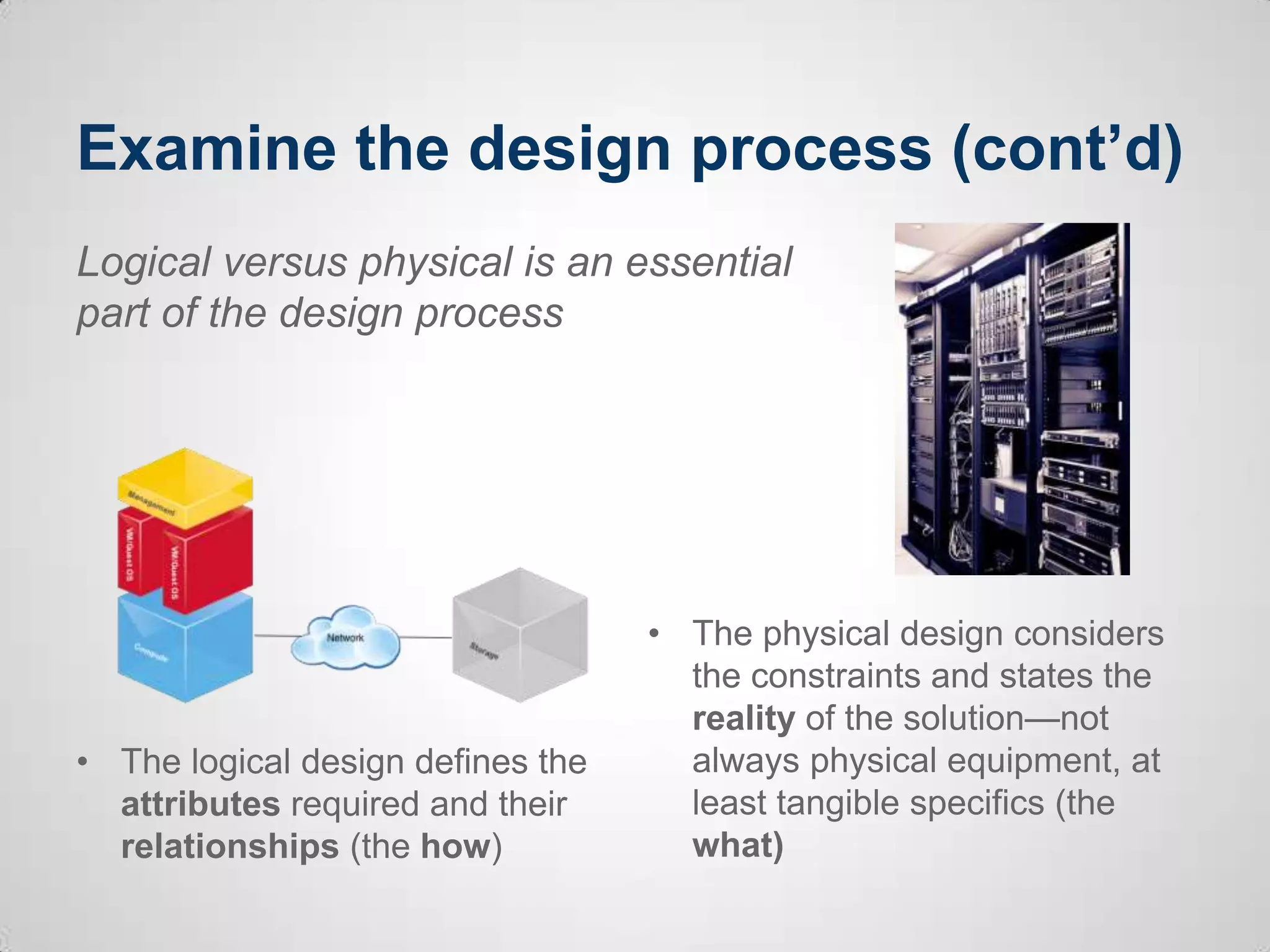
• The logical design defines the
attributes required and their
relationships (the how)
• The physical design considers
the constraints and states the
reality of the solution—not
always physical equipment, at
least tangible specifics (the
what)
Logical versus physical is an essential
part of the design process
Outline a scenario
• You have just been appointed as the new infrastructure
architect of eRaw-mv, a distributor/reseller of digital
images and videos.
• This is not a greenfield deployment, but you have buy-in
from the CIO to make changes and modernize the
infrastructure (but without much budget).
• The CIO enthusiastically hired an external consultancy
company to virtualize his base servers about 4 years
ago, but nothing has really changed since then – it is
running vSphere 4.0
Outline a scenario: company
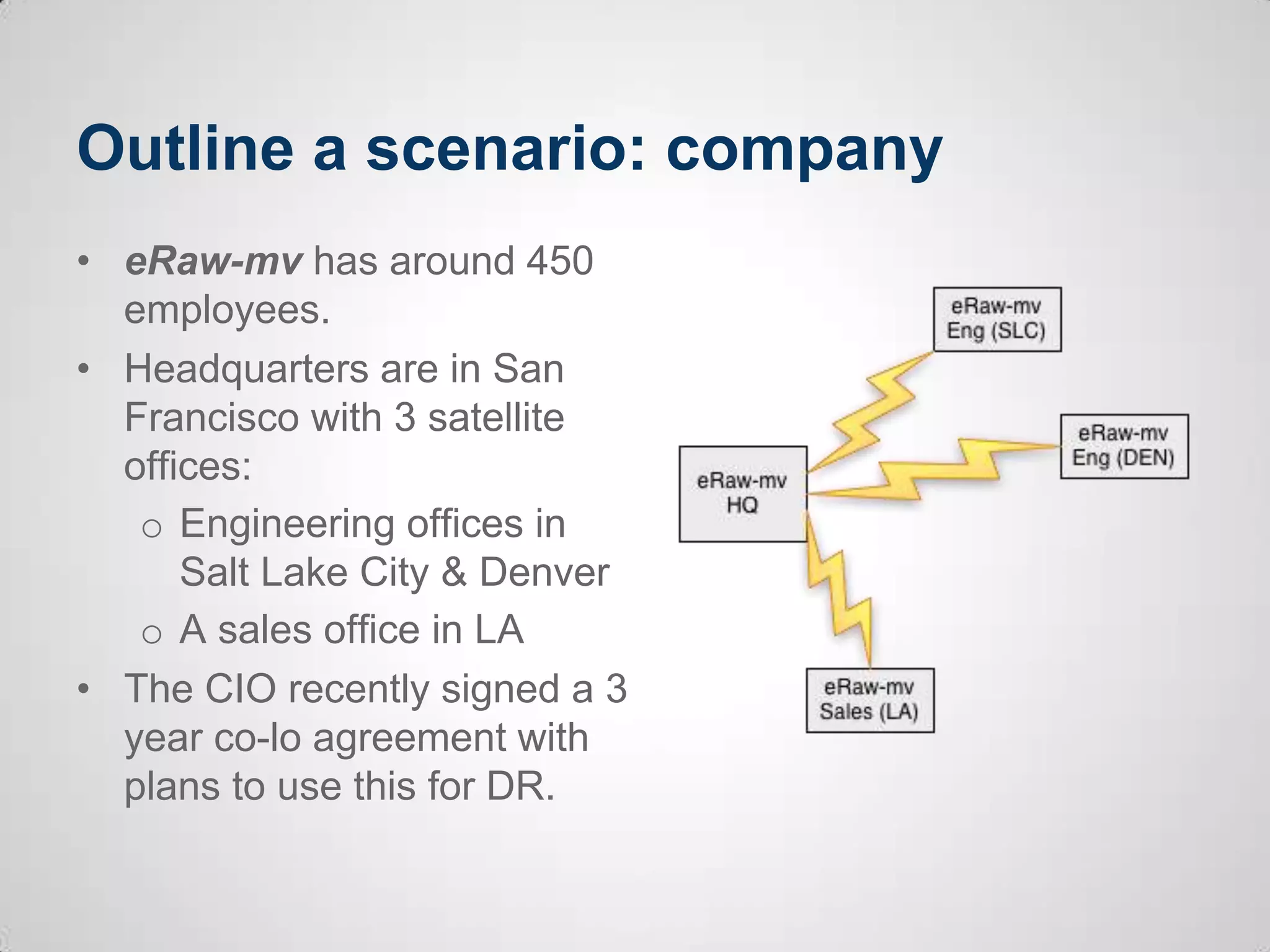
• eRaw-mv has around 450
employees.
• Headquarters are in San
Francisco with 3 satellite
offices:
o Engineering offices in
Salt Lake City & Denver
o A sales office in LA
• The CIO recently signed a 3
year co-lo agreement with
plans to use this for DR.
Outline a scenario: workloads
• eRaw-mv has 120 VMs and 9 non-virtualized servers in the
headquarters (HQ).
• The CIO is keen to fully virtualize all his servers, but there
has been concerns about tier 1 performance.
• Existing non-virtualized tier 1 servers are vCenter,
Exchange, MS SQL cluster (for internal apps), and Oracle
DB on Linux (backend for mission critical customer portal)
• Application and infrastructure performance stats have been
gathered
• Each remote office has 5-10 VMs. They lack
standardization, but are running well and the CIO sees this
as low-priority task.
Outline a scenario: hardware
• The eRaw-mv HQ has 1 year-old rack servers with
sufficient capacity for current growth on existing VMs.
• The head office SAN is a FC traditional array with no real
caching or tiering options.
• The CIO doesn’t trust SAN performance for his tier 1
apps. Tier 1 non-virtualized servers each use several
trays of DAS.
• The servers in the remote offices are out of warranty.
They rely on DAS, and partly because of this the ESX
hosts have never been patched.
Outline a scenario: next steps?
• This is just a bare bones scenario
• What additional steps might be needed in real
world?
o Collate more information – current state analysis
o Meet with technical teams
o Check colo agreement
o Site visits
o Identify stakeholders
• Audience feedback: what else?
Extract design factors: requirements
• Virtualize remaining servers
• DR design and implementation
• Deal with out of warranty servers in remote
offices
• “Modernize” the infrastructure
• Audience feedback: what other requirements?
Extract design factors: constraints
• DR site is fixed (facilities, WAN, services)
• DR will be done internally (no DRaaS)
• Traditional FC SAN for existing VMs
• CAPEX budget for 2013/2014 is very limited
• WAN links cannot be upgraded
• Audience feedback: what other constraints?
Extract design factors: assumptions
• There are no performance issues with the
existing setup (servers/storage).
• No server/storage capacity exists for new
workloads in HQ
• The neworking hardware will profide sufficient
ports, redundancy and there are no bottlenecks
• Audience feedback: what other assumptions?
Extract design factors: risks
• Bandwidth may be insufficient for DR RPOs
• WAN bandwidth during failover event to DR
• Existing FC SAN isn’t good enough for tier 1
apps
• Very old version of vSphere
• No ESXi security patches applied to remote
office servers
• Audience feedback: what other risks?
Focus on a few requirements
• Let’s group this by the 3 main requirements:
o Virtualize tier 1 servers
o Disaster recovery (DR)
o Remote office/branch office (RO/BO)
• We’ll follow this general framework:
o Conceptual – what do we want to do
o Logical design options > Physical design
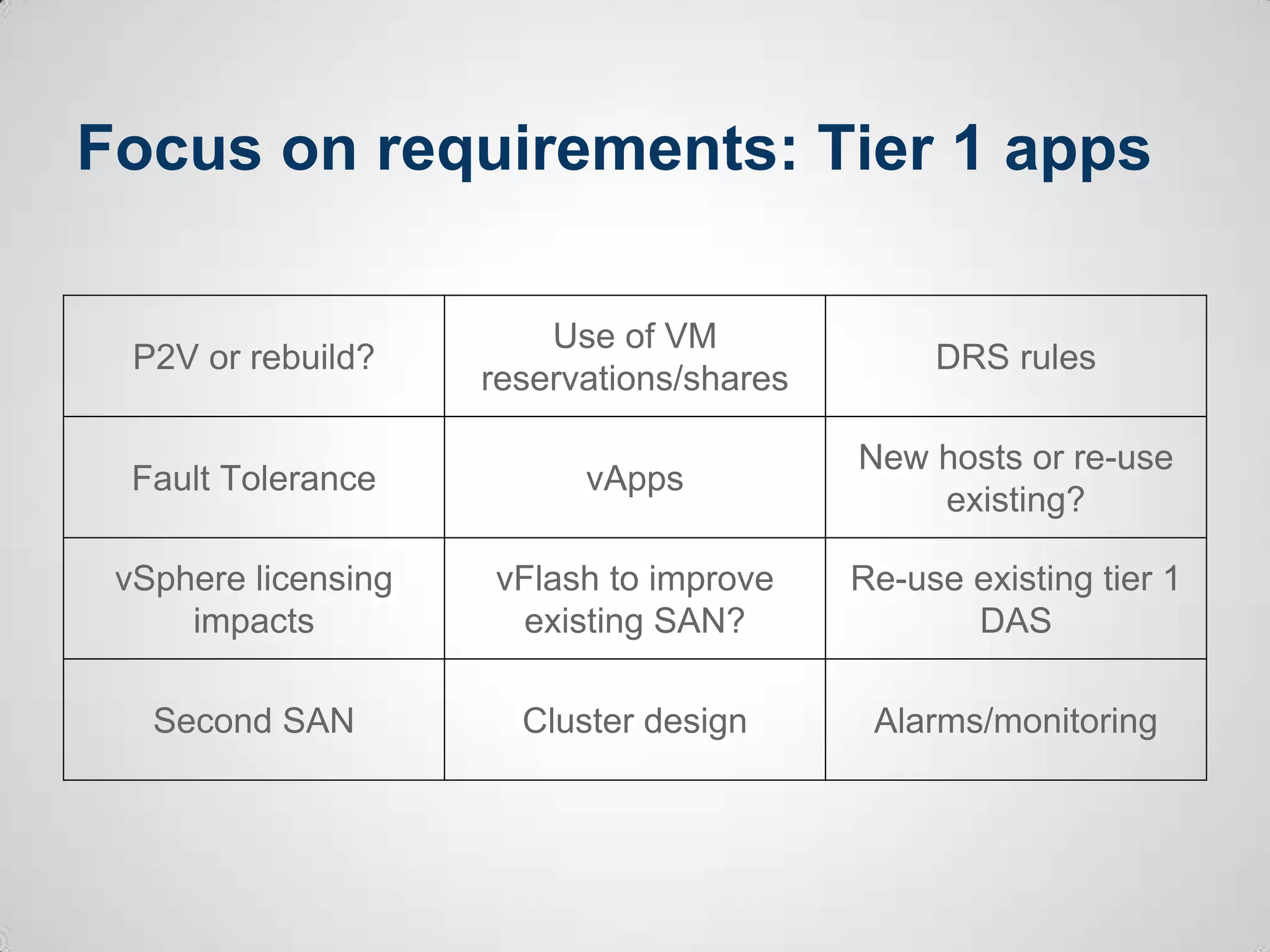
Focus on requirements: Tier 1 apps
P2V or rebuild?
Use of VM
reservations/shares
DRS rules
Fault Tolerance vApps
New hosts or re-use
existing?
vSphere licensing
impacts
vFlash to improve
existing SAN?
Re-use existing tier 1
DAS
Second SAN Cluster design Alarms/monitoring
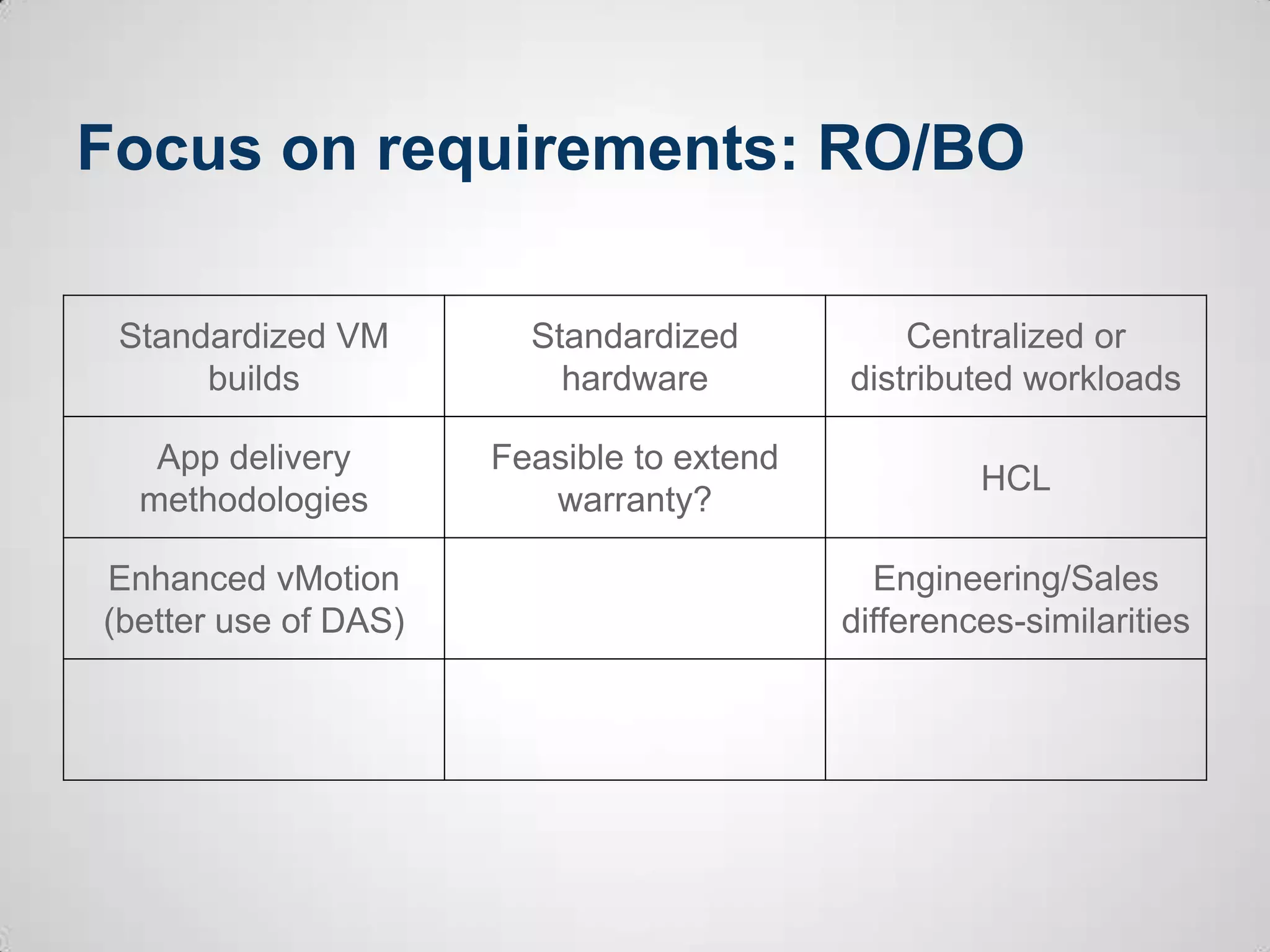
Focus on requirements: RO/BO
Standardized VM
builds
Standardized
hardware
Centralized or
distributed workloads
App delivery
methodologies
Feasible to extend
warranty?
HCL
Enhanced vMotion
(better use of DAS)
Engineering/Sales
differences-similarities
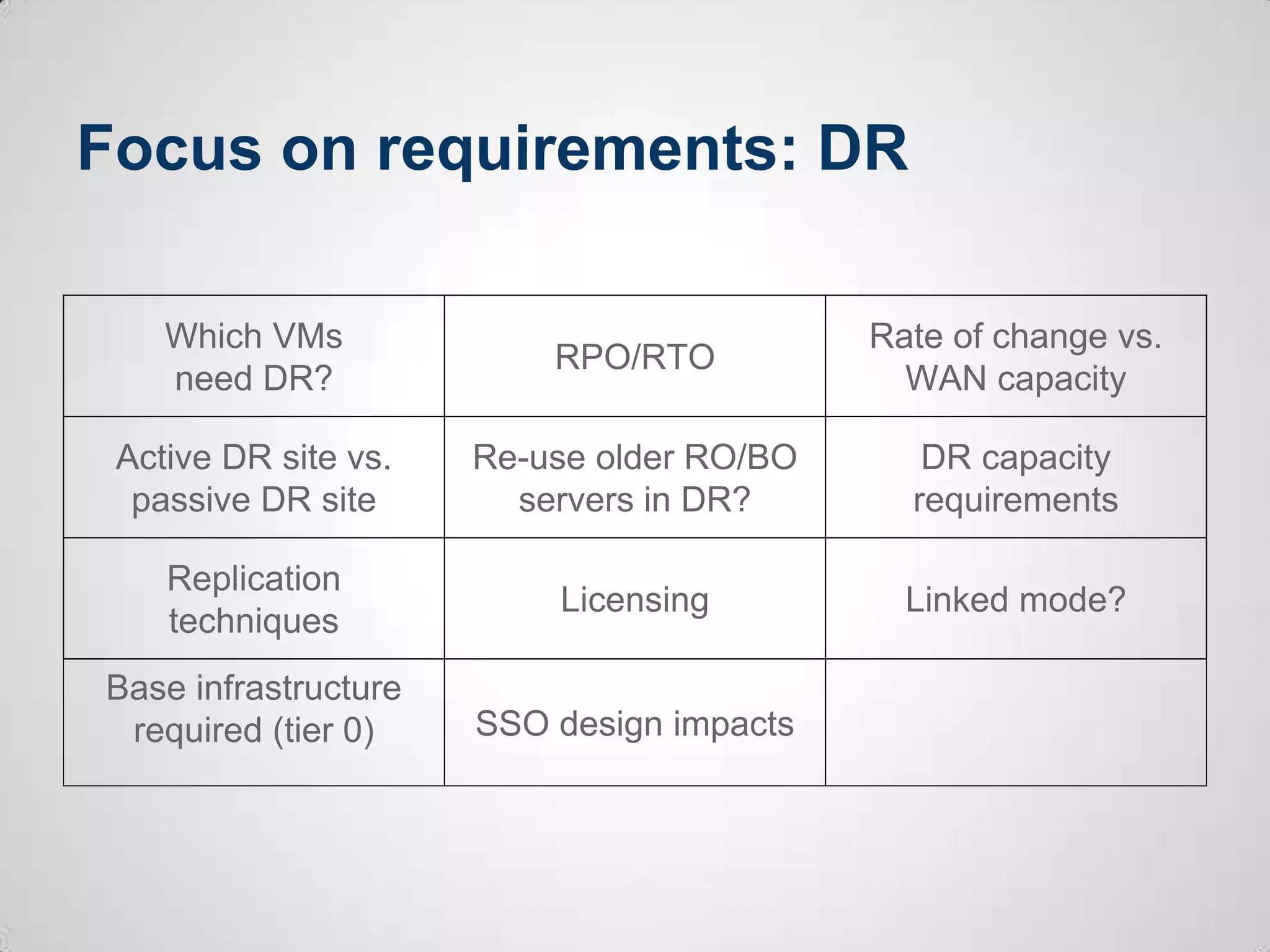
Focus on requirements: DR
Which VMs
need DR?
RPO/RTO
Rate of change vs.
WAN capacity
Active DR site vs.
passive DR site
Re-use older RO/BO
servers in DR?
DR capacity
requirements
Replication
techniques
Licensing Linked mode?
Base infrastructure
required (tier 0) SSO design impacts
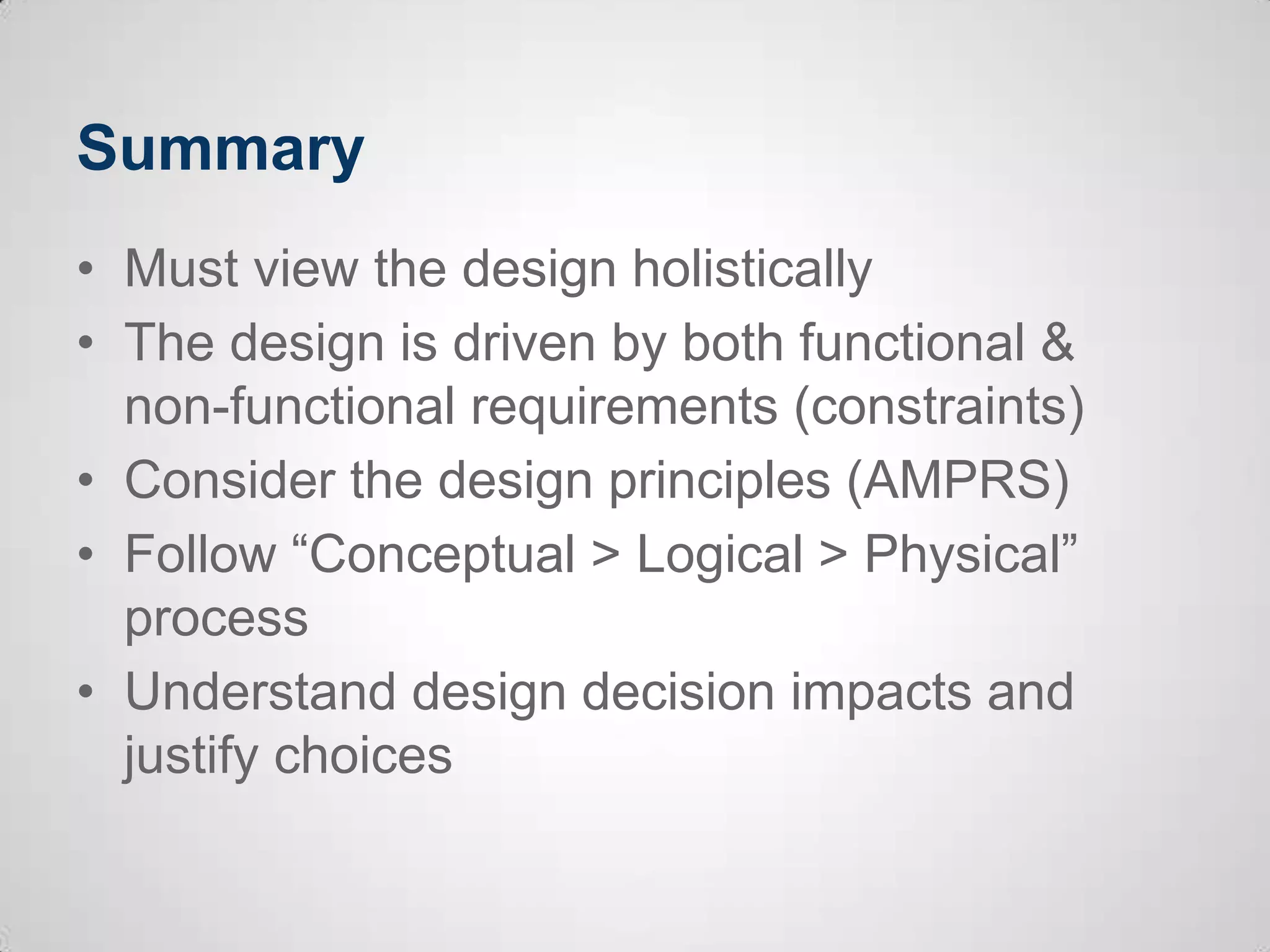
Summary
• Must view the design holistically
• The design is driven by both functional &
non-functional requirements (constraints)
• Consider the design principles (AMPRS)
• Follow “Conceptual > Logical > Physical”
process
• Understand design decision impacts and
justify choices
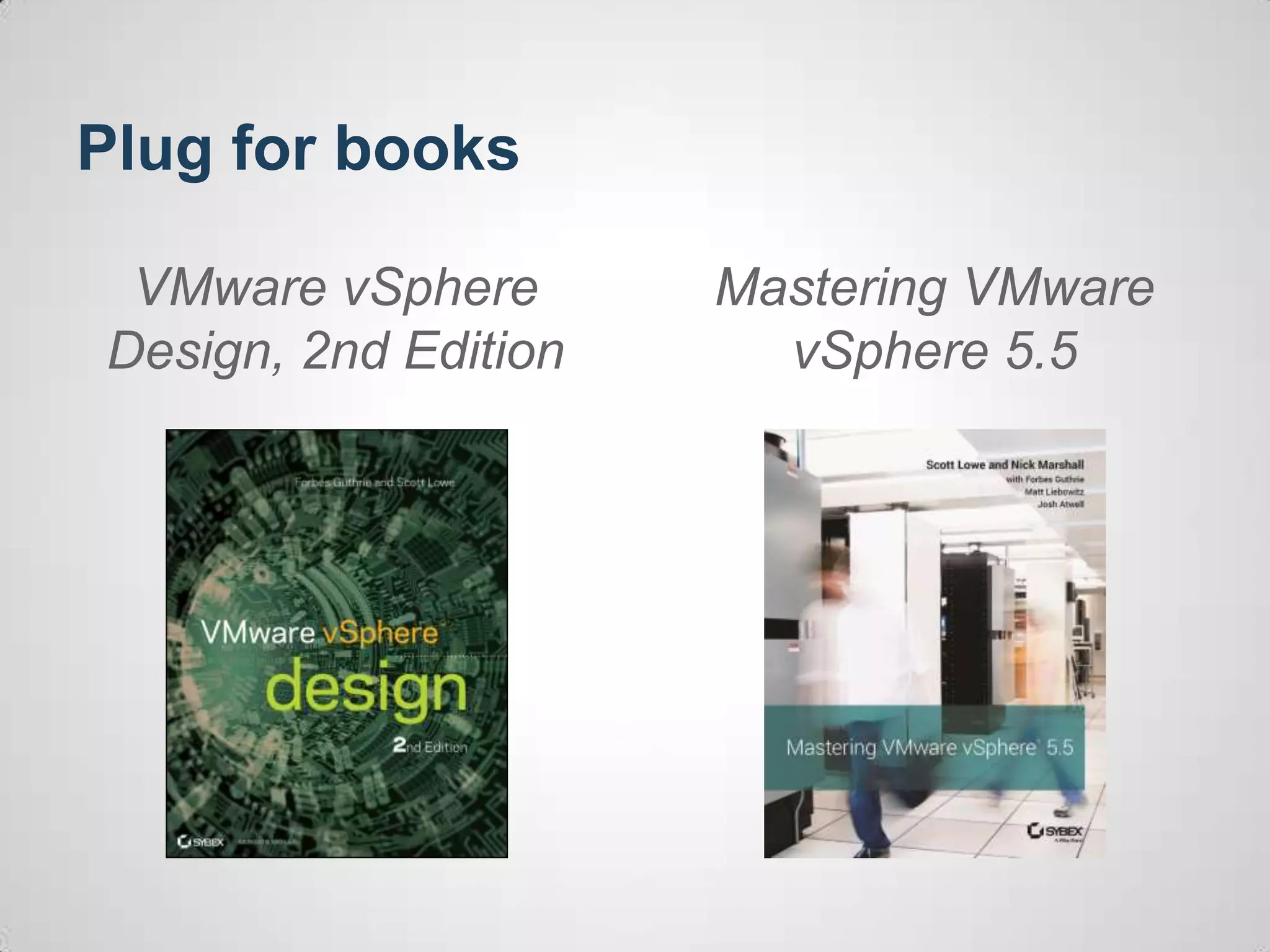
Plug for books
VMware vSphere
Design, 2nd Edition
Mastering VMware
vSphere 5.5
Questions?
THANK YOU
Examining vSphere Design Through
a Design Scenario
Forbes Guthrie, vReference
Scott Lowe, VMware
VSVC4995
#VSVC4995

VMworld 2013: Examining vSphere Design Through a Design Scenario

  • 1.
    Examining vSphere DesignThrough a Design Scenario Forbes Guthrie, vReference Scott Lowe, VMware VSVC4995 #VSVC4995
  • 2.
    Presenters: Scott Lowe •VCDX #39, vExpert • Mastering VMware vSphere 4 & Mastering VMware vSphere 5 • Co-author, VMware vSphere Design (1st & 2nd Editions), Mastering VMware vSphere 5.5 • Blogger, http://blog.scottlowe.org • Available on Twitter at @scott_lowe • Speaker at VMware-related events worldwide
  • 3.
    Presenters: Forbes Guthrie •VMware vSphere Design 1st & 2nd Edition • Contributing author, Mastering VMware vSphere 5 & 5.5 • Blogger, http://www.vreference.com • vExpert • Available on Twitter at @forbesguthrie
  • 4.
    Before we start •Get involved! • If you use Twitter, feel free to tweet about this session (use hashtags #VSVC4995 & #vmworld) • We encourage you to take photos or videos of today’s session and share them online • This presentation will be made available online after the event
  • 5.
    Agenda • Review keydesign concepts • Examine the design process • Outline a scenario • Extract design factors • Focus on a few design areas • Discuss the impact of our decisions
  • 6.
    Review key designconcepts • You must view the design holistically (“intimately interconnected and interdependent”), not as a collection of parts • Tying everything together are the functional requirements • Decisions are driven by functional requirements as well as assumptions and constraints
  • 7.
    Review key designconcepts (cont’d) Constraints and assumptions = non-functional requirements or qualities Constraints Assumptions Restrictions (or limitations) placed on you which affect the design Expectations that you can’t confirm, so you explicitly exclude them Examples: • Must use their existing SAN • Servers you recommend must come from vendor X Examples: • Sufficient IP addresses are available • Windows licenses for vCenter Update Manager are covered by company’s agreement
  • 8.
    Review key designconcepts (cont’d) • A vSphere design can be measured or evaluated according to five key dimensions: • Availability • Manageability • Performance • Recoverability • Security • Every design decision has an impact and should be justifiable
  • 9.
    Examine the designprocess Stages come from Zachman EA taxonomy: - de facto standard for classifying EA artifacts 1. Contextual Scope (Planner/Strategist) 2. Conceptual Requirements (Owner) 3. Logical System model (Designer) 4. Physical Specifications (Builders) 5. Detailed Configuration (Implementer) 6. Functional Operation (User)
  • 10.
    Examine the designprocess (cont’d) • The logical design defines the attributes required and their relationships (the how) • The physical design considers the constraints and states the reality of the solution—not always physical equipment, at least tangible specifics (the what) Logical versus physical is an essential part of the design process
  • 11.
    Outline a scenario •You have just been appointed as the new infrastructure architect of eRaw-mv, a distributor/reseller of digital images and videos. • This is not a greenfield deployment, but you have buy-in from the CIO to make changes and modernize the infrastructure (but without much budget). • The CIO enthusiastically hired an external consultancy company to virtualize his base servers about 4 years ago, but nothing has really changed since then – it is running vSphere 4.0
  • 12.
    Outline a scenario:company • eRaw-mv has around 450 employees. • Headquarters are in San Francisco with 3 satellite offices: o Engineering offices in Salt Lake City & Denver o A sales office in LA • The CIO recently signed a 3 year co-lo agreement with plans to use this for DR.
  • 13.
    Outline a scenario:workloads • eRaw-mv has 120 VMs and 9 non-virtualized servers in the headquarters (HQ). • The CIO is keen to fully virtualize all his servers, but there has been concerns about tier 1 performance. • Existing non-virtualized tier 1 servers are vCenter, Exchange, MS SQL cluster (for internal apps), and Oracle DB on Linux (backend for mission critical customer portal) • Application and infrastructure performance stats have been gathered • Each remote office has 5-10 VMs. They lack standardization, but are running well and the CIO sees this as low-priority task.
  • 14.
    Outline a scenario:hardware • The eRaw-mv HQ has 1 year-old rack servers with sufficient capacity for current growth on existing VMs. • The head office SAN is a FC traditional array with no real caching or tiering options. • The CIO doesn’t trust SAN performance for his tier 1 apps. Tier 1 non-virtualized servers each use several trays of DAS. • The servers in the remote offices are out of warranty. They rely on DAS, and partly because of this the ESX hosts have never been patched.
  • 15.
    Outline a scenario:next steps? • This is just a bare bones scenario • What additional steps might be needed in real world? o Collate more information – current state analysis o Meet with technical teams o Check colo agreement o Site visits o Identify stakeholders • Audience feedback: what else?
  • 16.
    Extract design factors:requirements • Virtualize remaining servers • DR design and implementation • Deal with out of warranty servers in remote offices • “Modernize” the infrastructure • Audience feedback: what other requirements?
  • 17.
    Extract design factors:constraints • DR site is fixed (facilities, WAN, services) • DR will be done internally (no DRaaS) • Traditional FC SAN for existing VMs • CAPEX budget for 2013/2014 is very limited • WAN links cannot be upgraded • Audience feedback: what other constraints?
  • 18.
    Extract design factors:assumptions • There are no performance issues with the existing setup (servers/storage). • No server/storage capacity exists for new workloads in HQ • The neworking hardware will profide sufficient ports, redundancy and there are no bottlenecks • Audience feedback: what other assumptions?
  • 19.
    Extract design factors:risks • Bandwidth may be insufficient for DR RPOs • WAN bandwidth during failover event to DR • Existing FC SAN isn’t good enough for tier 1 apps • Very old version of vSphere • No ESXi security patches applied to remote office servers • Audience feedback: what other risks?
  • 20.
    Focus on afew requirements • Let’s group this by the 3 main requirements: o Virtualize tier 1 servers o Disaster recovery (DR) o Remote office/branch office (RO/BO) • We’ll follow this general framework: o Conceptual – what do we want to do o Logical design options > Physical design
  • 21.
    Focus on requirements:Tier 1 apps P2V or rebuild? Use of VM reservations/shares DRS rules Fault Tolerance vApps New hosts or re-use existing? vSphere licensing impacts vFlash to improve existing SAN? Re-use existing tier 1 DAS Second SAN Cluster design Alarms/monitoring
  • 22.
    Focus on requirements:RO/BO Standardized VM builds Standardized hardware Centralized or distributed workloads App delivery methodologies Feasible to extend warranty? HCL Enhanced vMotion (better use of DAS) Engineering/Sales differences-similarities
  • 23.
    Focus on requirements:DR Which VMs need DR? RPO/RTO Rate of change vs. WAN capacity Active DR site vs. passive DR site Re-use older RO/BO servers in DR? DR capacity requirements Replication techniques Licensing Linked mode? Base infrastructure required (tier 0) SSO design impacts
  • 24.
    Summary • Must viewthe design holistically • The design is driven by both functional & non-functional requirements (constraints) • Consider the design principles (AMPRS) • Follow “Conceptual > Logical > Physical” process • Understand design decision impacts and justify choices
  • 25.
    Plug for books VMwarevSphere Design, 2nd Edition Mastering VMware vSphere 5.5
  • 26.
  • 27.
  • 29.
    Examining vSphere DesignThrough a Design Scenario Forbes Guthrie, vReference Scott Lowe, VMware VSVC4995 #VSVC4995