








Moderator
Don Pearson, Chief Strategy Officer, Inductive Automation
Presenter
Travis Cox
Co-Director of Sales Engineering
Inductive Automation
Agenda
• Introduction to Ignition
• Brief Overview of Perspective’s Key Features
• Planning for Perspective
○ Design and Layout
○ Security
○ Data from Mobile Devices
• Audience Q&A
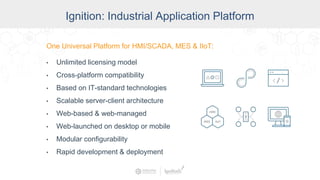
Ignition: The Industrial Application
Platform
• Unlimited licensing model
• Cross-platform compatibility
• Based on IT-standard technologies
• Scalable server-client architecture
• Web-managed
• Launch on desktop or mobile
• Modular configurability
• Rapid development and deployment
One Universal Platform for HMI, SCADA, MES & IIoT:One Universal Platform for HMI/SCADA, MES & IIoT:
• Unlimited licensing model
• Cross-platform compatibility
• Based on IT-standard technologies
• Scalable server-client architecture
• Web-based & web-managed
• Web-launched on desktop or mobile
• Modular configurability
• Rapid development & deployment
Ignition: Industrial Application Platform
Key Perspective Features
● Containers
● Themes / Styles
● Embedding Views / Parameters
● Binding / Transforms
● Event Handling
● Access to Mobile Device Sensors
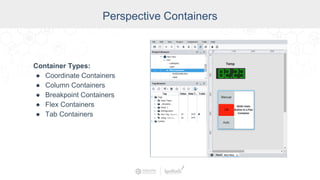
Perspective Containers
Container Types:
● Coordinate Containers
● Column Containers
● Breakpoint Containers
● Flex Containers
● Tab Containers
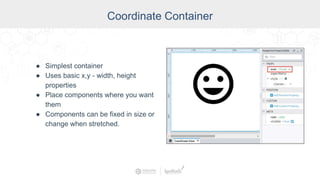
Coordinate Container
● Simplest container
● Uses basic x,y - width, height
properties
● Place components where you want
them
● Components can be fixed in size or
change when stretched.
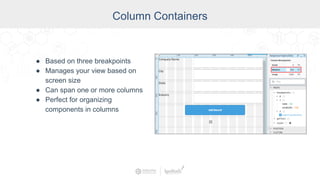
Column Containers
● Based on three breakpoints
● Manages your view based on
screen size
● Can span one or more columns
● Perfect for organizing
components in columns
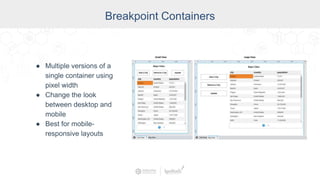
Breakpoint Containers
● Multiple versions of a
single container using
pixel width
● Change the look
between desktop and
mobile
● Best for mobile-
responsive layouts
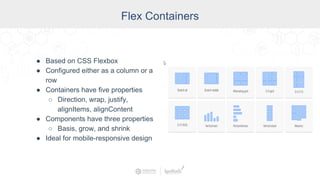
Flex Containers
● Based on CSS Flexbox
● Configured either as a column or a
row
● Containers have five properties
○ Direction, wrap, justify,
alignItems, alignContent
● Components have three properties
○ Basis, grow, and shrink
● Ideal for mobile-responsive design
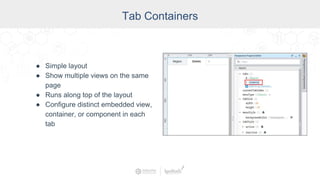
Tab Containers
● Simple layout
● Show multiple views on the same
page
● Runs along top of the layout
● Configure distinct embedded view,
container, or component in each
tab
Themes and Styles
Themes:
● Provide a default style to a component
● Initial theme is either light or dark
Styles:
● Based on CSS
● Allow you to customize the look and feel of
components
● A group of style settings can be saved together as a
Style Class
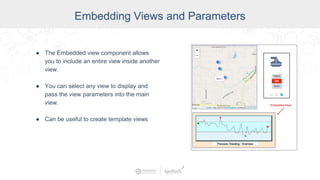
Embedding Views and Parameters
● The Embedded view component allows
you to include an entire view inside another
view.
● You can select any view to display and
pass the view parameters into the main
view.
● Can be useful to create template views
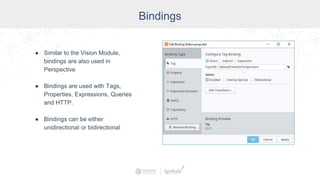
Bindings
● Similar to the Vision Module,
bindings are also used in
Perspective
● Bindings are used with Tags,
Properties, Expressions, Queries
and HTTP.
● Bindings can be either
unidirectional or bidirectional
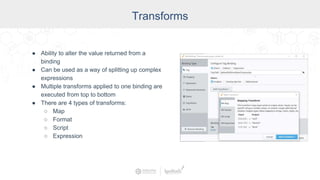
Transforms
● Ability to alter the value returned from a
binding
● Can be used as a way of splitting up complex
expressions
● Multiple transforms applied to one binding are
executed from top to bottom
● There are 4 types of transforms:
○ Map
○ Format
○ Script
○ Expression
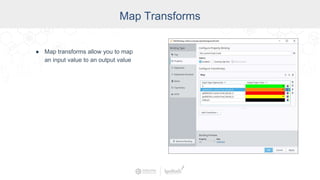
Map Transforms
● Map transforms allow you to map
an input value to an output value
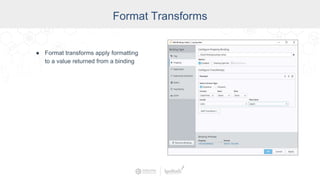
Format Transforms
● Format transforms apply formatting
to a value returned from a binding
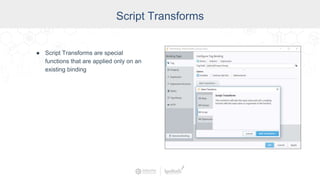
Script Transforms
● Script Transforms are special
functions that are applied only on an
existing binding
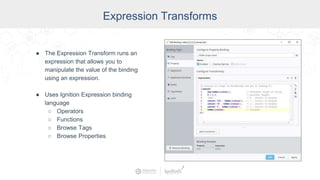
Expression Transforms
● The Expression Transform runs an
expression that allows you to
manipulate the value of the binding
using an expression.
● Uses Ignition Expression binding
language
○ Operators
○ Functions
○ Browse Tags
○ Browse Properties
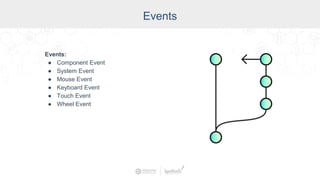
Events
Events:
● Component Event
● System Event
● Mouse Event
● Keyboard Event
● Touch Event
● Wheel Event
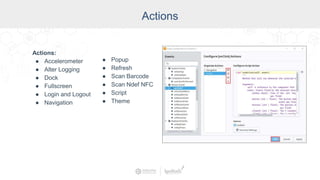
Actions
Actions:
● Accelerometer
● Alter Logging
● Dock
● Fullscreen
● Login and Logout
● Navigation
● Popup
● Refresh
● Scan Barcode
● Scan Ndef NFC
● Script
● Theme
Mobile Device Sensor Data
● GPS
● Accelerometer
● Camera - Barcode Scanning
● Near Field Communication (NFC)
● Bluetooth
Planning Your
Perspective Project
Planning Your Perspective Project
Main areas of focus:
• Design and Layout
• Security
• Data from Mobile Devices
Planning for
Design & Layout
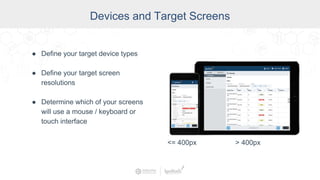
Devices and Target Screens
● Define your target device types
● Define your target screen
resolutions
● Determine which of your screens
will use a mouse / keyboard or
touch interface
<= 400px > 400px
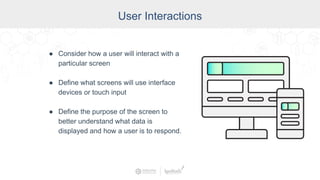
User Interactions
● Consider how a user will interact with a
particular screen
● Define what screens will use interface
devices or touch input
● Define the purpose of the screen to
better understand what data is
displayed and how a user is to respond.
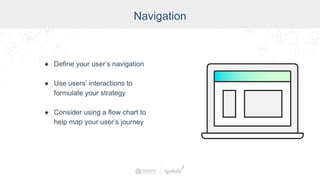
Navigation
● Define your user’s navigation
● Use users’ interactions to
formulate your strategy
● Consider using a flow chart to
help map your user’s journey
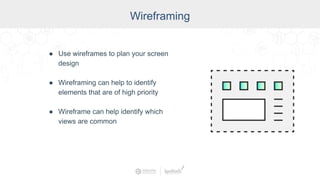
Wireframing
● Use wireframes to plan your screen
design
● Wireframing can help to identify
elements that are of high priority
● Wireframe can help identify which
views are common
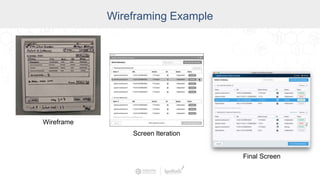
Wireframing Example
Wireframe
Screen Iteration
Final Screen
Visual Definitions
● Define your branding, themes, and
color schemes.
● Gather all assets needed for your
design:
○ Images
○ Symbols
○ Icons
○ Etc.
● Consider reaching out to a UI/UX
consultant for design work.
Planning for Security
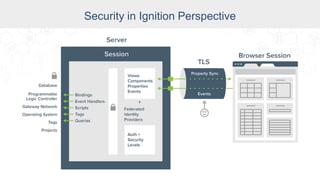
Security in Ignition Perspective
The Perspective Module was built from the ground up with
modern cybersecurity in mind:
• Supports industry-leading encryption protocols
• Compatible with federated identity providers
• Supports 2-factor authentication
• New permissions model lets you secure Perspective
Apps with flexibility and ease
Security in Ignition Perspective
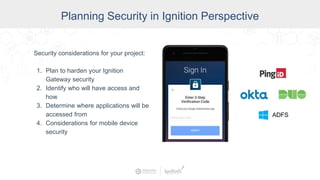
Planning Security in Ignition Perspective
Security considerations for your project:
1. Plan to harden your Ignition
Gateway security
2. Identify who will have access and
how
3. Determine where applications will be
accessed from
4. Considerations for mobile device
security
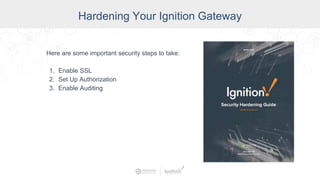
Hardening Your Ignition Gateway
Here are some important security steps to take:
1. Enable SSL
2. Set Up Authorization
3. Enable Auditing
Identify Access Levels
A. Determine who your users are
B. Identify access levels ahead of time
C. What actions are people going to
take that require security?
D. Security levels based on roles -
Access Permissions
E. Public Mode / Authenticated
F. Certain screens with access levels
G. Actions that need access levels
Planning for Data
Ignition Data Considerations
● Identify and map out all of your Ignition
Gateway data sources
● Consider how this data will be processed
and handled
● Determine what third-party or enterprise
level systems will have access to your
data
Perspective Data Sources
● Perspective gives you access to your
mobile device sensor data.
● Data Sources
○ GPS Data
○ Accelerometer
○ Barcode Scanning
○ Near Field Communication (NFC)
○ Bluetooth
● Define what sensor data you want to use
from your mobile device
GPS Data
● Geofencing
● Tag location when entering data
● Navigation based on location, etc.
Accelerometer Data
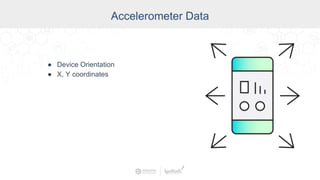
● Device Orientation
● X, Y coordinates
Camera - Barcode Scanning
● Barcodes on the plant floor
● Define what that will look like on
your application
● Inventory Control
● Quick Navigation
● More Context
Near Field Communication
● NFC Tags on the plant floor
● RFID Sensors
● Inventory Control
● Quick Navigation
● More Context
Bluetooth
● Interface with low energy beacons for
humidity or temperature
● iBeacon
● Eddystone
Let’s Review
Design and Layout
● Identify Screen
Sizes
● Purpose of Each
Screen
● Actions you want
users to take
● Wireframes
● Project Assets
Security
● Determine your level
of security
● Who will have
access
● Access Location
● Access based on
role
● Authorization and
Auditing
Data
● Map all your data
sources
● Consider how data
is processed
● Define your mobile
device data sources
● What will your data
provide your users
Perspective Planning Checklist
Design Like a Pro: How to Best Plan Your Perspective Project

Design Like a Pro: How to Best Plan Your Perspective Project

  • 2.
    Moderator Don Pearson, ChiefStrategy Officer, Inductive Automation Presenter Travis Cox Co-Director of Sales Engineering Inductive Automation
  • 3.
    Agenda • Introduction toIgnition • Brief Overview of Perspective’s Key Features • Planning for Perspective ○ Design and Layout ○ Security ○ Data from Mobile Devices • Audience Q&A
  • 4.
    Ignition: The IndustrialApplication Platform • Unlimited licensing model • Cross-platform compatibility • Based on IT-standard technologies • Scalable server-client architecture • Web-managed • Launch on desktop or mobile • Modular configurability • Rapid development and deployment One Universal Platform for HMI, SCADA, MES & IIoT:One Universal Platform for HMI/SCADA, MES & IIoT: • Unlimited licensing model • Cross-platform compatibility • Based on IT-standard technologies • Scalable server-client architecture • Web-based & web-managed • Web-launched on desktop or mobile • Modular configurability • Rapid development & deployment Ignition: Industrial Application Platform
  • 6.
    Key Perspective Features ●Containers ● Themes / Styles ● Embedding Views / Parameters ● Binding / Transforms ● Event Handling ● Access to Mobile Device Sensors
  • 7.
    Perspective Containers Container Types: ●Coordinate Containers ● Column Containers ● Breakpoint Containers ● Flex Containers ● Tab Containers
  • 8.
    Coordinate Container ● Simplestcontainer ● Uses basic x,y - width, height properties ● Place components where you want them ● Components can be fixed in size or change when stretched.
  • 9.
    Column Containers ● Basedon three breakpoints ● Manages your view based on screen size ● Can span one or more columns ● Perfect for organizing components in columns
  • 10.
    Breakpoint Containers ● Multipleversions of a single container using pixel width ● Change the look between desktop and mobile ● Best for mobile- responsive layouts
  • 11.
    Flex Containers ● Basedon CSS Flexbox ● Configured either as a column or a row ● Containers have five properties ○ Direction, wrap, justify, alignItems, alignContent ● Components have three properties ○ Basis, grow, and shrink ● Ideal for mobile-responsive design
  • 12.
    Tab Containers ● Simplelayout ● Show multiple views on the same page ● Runs along top of the layout ● Configure distinct embedded view, container, or component in each tab
  • 13.
    Themes and Styles Themes: ●Provide a default style to a component ● Initial theme is either light or dark Styles: ● Based on CSS ● Allow you to customize the look and feel of components ● A group of style settings can be saved together as a Style Class
  • 14.
    Embedding Views andParameters ● The Embedded view component allows you to include an entire view inside another view. ● You can select any view to display and pass the view parameters into the main view. ● Can be useful to create template views
  • 15.
    Bindings ● Similar tothe Vision Module, bindings are also used in Perspective ● Bindings are used with Tags, Properties, Expressions, Queries and HTTP. ● Bindings can be either unidirectional or bidirectional
  • 16.
    Transforms ● Ability toalter the value returned from a binding ● Can be used as a way of splitting up complex expressions ● Multiple transforms applied to one binding are executed from top to bottom ● There are 4 types of transforms: ○ Map ○ Format ○ Script ○ Expression
  • 17.
    Map Transforms ● Maptransforms allow you to map an input value to an output value
  • 18.
    Format Transforms ● Formattransforms apply formatting to a value returned from a binding
  • 19.
    Script Transforms ● ScriptTransforms are special functions that are applied only on an existing binding
  • 20.
    Expression Transforms ● TheExpression Transform runs an expression that allows you to manipulate the value of the binding using an expression. ● Uses Ignition Expression binding language ○ Operators ○ Functions ○ Browse Tags ○ Browse Properties
  • 21.
    Events Events: ● Component Event ●System Event ● Mouse Event ● Keyboard Event ● Touch Event ● Wheel Event
  • 22.
    Actions Actions: ● Accelerometer ● AlterLogging ● Dock ● Fullscreen ● Login and Logout ● Navigation ● Popup ● Refresh ● Scan Barcode ● Scan Ndef NFC ● Script ● Theme
  • 23.
    Mobile Device SensorData ● GPS ● Accelerometer ● Camera - Barcode Scanning ● Near Field Communication (NFC) ● Bluetooth
  • 24.
  • 25.
    Planning Your PerspectiveProject Main areas of focus: • Design and Layout • Security • Data from Mobile Devices
  • 26.
  • 27.
    Devices and TargetScreens ● Define your target device types ● Define your target screen resolutions ● Determine which of your screens will use a mouse / keyboard or touch interface <= 400px > 400px
  • 28.
    User Interactions ● Considerhow a user will interact with a particular screen ● Define what screens will use interface devices or touch input ● Define the purpose of the screen to better understand what data is displayed and how a user is to respond.
  • 29.
    Navigation ● Define youruser’s navigation ● Use users’ interactions to formulate your strategy ● Consider using a flow chart to help map your user’s journey
  • 30.
    Wireframing ● Use wireframesto plan your screen design ● Wireframing can help to identify elements that are of high priority ● Wireframe can help identify which views are common
  • 31.
  • 32.
    Visual Definitions ● Defineyour branding, themes, and color schemes. ● Gather all assets needed for your design: ○ Images ○ Symbols ○ Icons ○ Etc. ● Consider reaching out to a UI/UX consultant for design work.
  • 33.
  • 34.
    Security in IgnitionPerspective The Perspective Module was built from the ground up with modern cybersecurity in mind: • Supports industry-leading encryption protocols • Compatible with federated identity providers • Supports 2-factor authentication • New permissions model lets you secure Perspective Apps with flexibility and ease
  • 35.
  • 36.
    Planning Security inIgnition Perspective Security considerations for your project: 1. Plan to harden your Ignition Gateway security 2. Identify who will have access and how 3. Determine where applications will be accessed from 4. Considerations for mobile device security
  • 37.
    Hardening Your IgnitionGateway Here are some important security steps to take: 1. Enable SSL 2. Set Up Authorization 3. Enable Auditing
  • 38.
    Identify Access Levels A.Determine who your users are B. Identify access levels ahead of time C. What actions are people going to take that require security? D. Security levels based on roles - Access Permissions E. Public Mode / Authenticated F. Certain screens with access levels G. Actions that need access levels
  • 39.
  • 40.
    Ignition Data Considerations ●Identify and map out all of your Ignition Gateway data sources ● Consider how this data will be processed and handled ● Determine what third-party or enterprise level systems will have access to your data
  • 41.
    Perspective Data Sources ●Perspective gives you access to your mobile device sensor data. ● Data Sources ○ GPS Data ○ Accelerometer ○ Barcode Scanning ○ Near Field Communication (NFC) ○ Bluetooth ● Define what sensor data you want to use from your mobile device
  • 42.
    GPS Data ● Geofencing ●Tag location when entering data ● Navigation based on location, etc.
  • 43.
    Accelerometer Data ● DeviceOrientation ● X, Y coordinates
  • 44.
    Camera - BarcodeScanning ● Barcodes on the plant floor ● Define what that will look like on your application ● Inventory Control ● Quick Navigation ● More Context
  • 45.
    Near Field Communication ●NFC Tags on the plant floor ● RFID Sensors ● Inventory Control ● Quick Navigation ● More Context
  • 46.
    Bluetooth ● Interface withlow energy beacons for humidity or temperature ● iBeacon ● Eddystone
  • 47.
    Let’s Review Design andLayout ● Identify Screen Sizes ● Purpose of Each Screen ● Actions you want users to take ● Wireframes ● Project Assets Security ● Determine your level of security ● Who will have access ● Access Location ● Access based on role ● Authorization and Auditing Data ● Map all your data sources ● Consider how data is processed ● Define your mobile device data sources ● What will your data provide your users
  • 48.