2 December 2005
Human-Computer Interaction
Design Guidelines and Models
Prof. Beat Signer
Department of Computer Science
Vrije Universiteit Brussel
beatsigner.com
Beat Signer - Department of Computer Science - bsigner@vub.be 2
October 27, 2023
Design Guidelines
▪ Design guidelines are based on human psychology: how
people perceive, learn, reason, remember and convert
intentions into action
▪ Over the last 40 years various guidelines and heuristics
have been defined and adapted/extended for new
interface types
Beat Signer - Department of Computer Science - bsigner@vub.be 3
October 27, 2023
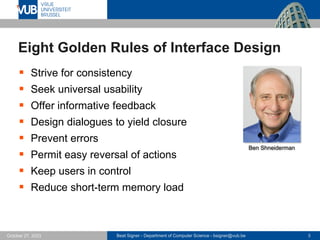
Eight Golden Rules of Interface Design
▪ Strive for consistency
▪ Seek universal usability
▪ Offer informative feedback
▪ Design dialogues to yield closure
▪ Prevent errors
▪ Permit easy reversal of actions
▪ Keep users in control
▪ Reduce short-term memory load
Ben Shneiderman
Beat Signer - Department of Computer Science - bsigner@vub.be 4
October 27, 2023
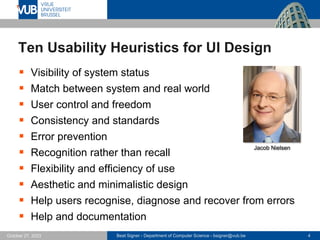
Ten Usability Heuristics for UI Design
▪ Visibility of system status
▪ Match between system and real world
▪ User control and freedom
▪ Consistency and standards
▪ Error prevention
▪ Recognition rather than recall
▪ Flexibility and efficiency of use
▪ Aesthetic and minimalistic design
▪ Help users recognise, diagnose and recover from errors
▪ Help and documentation
Jacob Nielsen
Beat Signer - Department of Computer Science - bsigner@vub.be 5
October 27, 2023
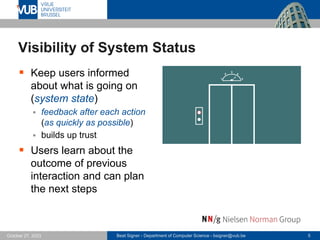
Visibility of System Status
▪ Keep users informed
about what is going on
(system state)
▪ feedback after each action
(as quickly as possible)
▪ builds up trust
▪ Users learn about the
outcome of previous
interaction and can plan
the next steps
Beat Signer - Department of Computer Science - bsigner@vub.be 6
October 27, 2023
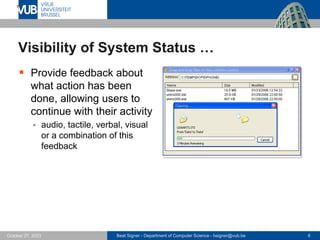
Visibility of System Status …
▪ Provide feedback about
what action has been
done, allowing users to
continue with their activity
▪ audio, tactile, verbal, visual
or a combination of this
feedback
Beat Signer - Department of Computer Science - bsigner@vub.be 7
October 27, 2023
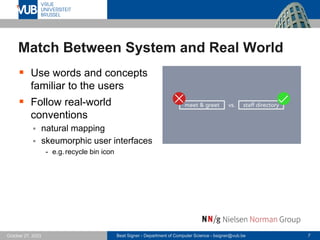
Match Between System and Real World
▪ Use words and concepts
familiar to the users
▪ Follow real-world
conventions
▪ natural mapping
▪ skeumorphic user interfaces
- e.g.recycle bin icon
Beat Signer - Department of Computer Science - bsigner@vub.be 8
October 27, 2023
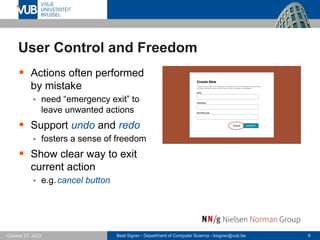
User Control and Freedom
▪ Actions often performed
by mistake
▪ need “emergency exit” to
leave unwanted actions
▪ Support undo and redo
▪ fosters a sense of freedom
▪ Show clear way to exit
current action
▪ e.g.cancel button
Beat Signer - Department of Computer Science - bsigner@vub.be 9
October 27, 2023
Consistency and Standards
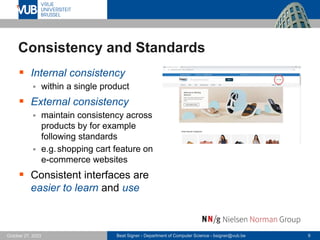
▪ Internal consistency
▪ within a single product
▪ External consistency
▪ maintain consistency across
products by for example
following standards
▪ e.g.shopping cart feature on
e-commerce websites
▪ Consistent interfaces are
easier to learn and use
Beat Signer - Department of Computer Science - bsigner@vub.be 10
October 27, 2023
Consistency and Standards …
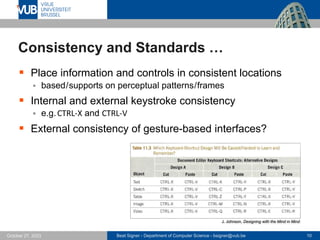
▪ Place information and controls in consistent locations
▪ based/supports on perceptual patterns/frames
▪ Internal and external keystroke consistency
▪ e.g.CTRL-X and CTRL-V
▪ External consistency of gesture-based interfaces?
J. Johnson, Designing with the Mind in Mind
Beat Signer - Department of Computer Science - bsigner@vub.be 11
October 27, 2023
Error Prevention
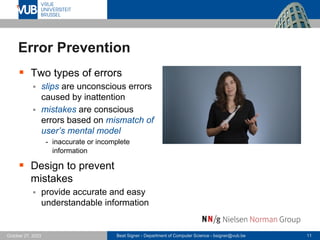
▪ Two types of errors
▪ slips are unconscious errors
caused by inattention
▪ mistakes are conscious
errors based on mismatch of
user’s mental model
- inaccurate or incomplete
information
▪ Design to prevent
mistakes
▪ provide accurate and easy
understandable information
Beat Signer - Department of Computer Science - bsigner@vub.be 12
October 27, 2023
Error Prevention …
▪ Design to prevent slips
▪ large click targets
▪ put space between targets
▪ warn users of incompleteness
▪ prompt users to confirm actions
▪ e.g.do not place ‘save’ menu entry next to ‘exit’ menu entry
▪ …
▪ Make risky operations hard to do
▪ ‘Delete All’ with confirmation defaulting to ‘Cancel’
▪ ask confirmation from multiple users
▪ Prevent permanent errors by supporting undo
▪ Prevent “high-cost” errors first
Beat Signer - Department of Computer Science - bsigner@vub.be 13
October 27, 2023
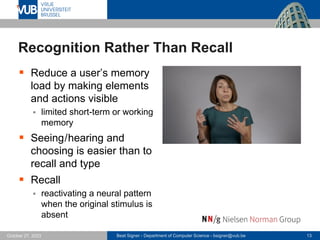
Recognition Rather Than Recall
▪ Reduce a user’s memory
load by making elements
and actions visible
▪ limited short-term or working
memory
▪ Seeing/hearing and
choosing is easier than to
recall and type
▪ Recall
▪ reactivating a neural pattern
when the original stimulus is
absent
Beat Signer - Department of Computer Science - bsigner@vub.be 14
October 27, 2023
Recognition Rather Than Recall …
▪ Use pictures where possible to convey functions
▪ e.g.toolbar icons
▪ people recognise pictures very quickly
▪ We also recognise small versions of the pictures
▪ e.g.thumbnails of slides in presentation overview
▪ Provide cues to let users know where they are
▪ e.g.different screen backgrounds when having multiple screens
▪ Simplify authentication
▪ e.g.biometric authentication rather than remembering passwords
▪ Avoid designs that have modes (or provide visible
feedback about modes)
Beat Signer - Department of Computer Science - bsigner@vub.be 15
October 27, 2023
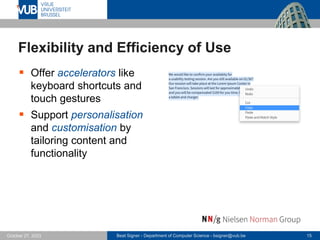
Flexibility and Efficiency of Use
▪ Offer accelerators like
keyboard shortcuts and
touch gestures
▪ Support personalisation
and customisation by
tailoring content and
functionality
Beat Signer - Department of Computer Science - bsigner@vub.be 16
October 27, 2023
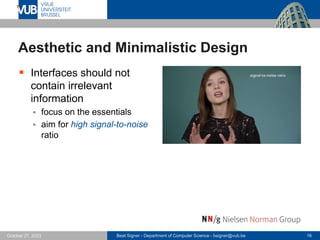
Aesthetic and Minimalistic Design
▪ Interfaces should not
contain irrelevant
information
▪ focus on the essentials
▪ aim for high signal-to-noise
ratio
Beat Signer - Department of Computer Science - bsigner@vub.be 17
October 27, 2023
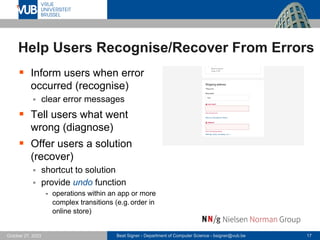
Help Users Recognise/Recover From Errors
▪ Inform users when error
occurred (recognise)
▪ clear error messages
▪ Tell users what went
wrong (diagnose)
▪ Offer users a solution
(recover)
▪ shortcut to solution
▪ provide undo function
- operations within an app or more
complex transitions (e.g. order in
online store)
Beat Signer - Department of Computer Science - bsigner@vub.be 18
October 27, 2023
Help and Documentation
▪ Ensure that it is easy to
search for help
▪ Present contextual help
and documentation
▪ focused on the user’s task
▪ List concrete steps to be
carried out
Beat Signer - Department of Computer Science - bsigner@vub.be 19
October 27, 2023
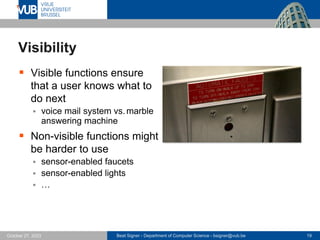
Visibility
▪ Visible functions ensure
that a user knows what to
do next
▪ voice mail system vs.marble
answering machine
▪ Non-visible functions might
be harder to use
▪ sensor-enabled faucets
▪ sensor-enabled lights
▪ …
Beat Signer - Department of Computer Science - bsigner@vub.be 20
October 27, 2023
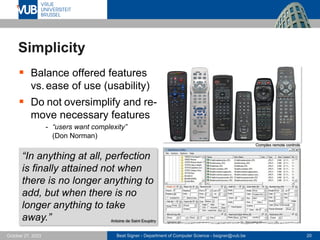
Simplicity
▪ Balance offered features
vs.ease of use (usability)
▪ Do not oversimplify and re-
move necessary features
- “users want complexity”
(Don Norman)
“In anything at all, perfection
is finally attained not when
there is no longer anything to
add, but when there is no
longer anything to take
away.” Antoine de Saint Exupéry
Complex remote controls
Beat Signer - Department of Computer Science - bsigner@vub.be 21
October 27, 2023
Mapping
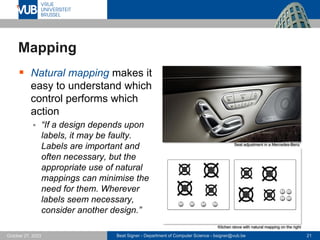
▪ Natural mapping makes it
easy to understand which
control performs which
action
▪ “If a design depends upon
labels, it may be faulty.
Labels are important and
often necessary, but the
appropriate use of natural
mappings can minimise the
need for them. Wherever
labels seem necessary,
consider another design.”
Seat adjustment in a Mercedes-Benz
Kitchen stove with natural mapping on the right
Beat Signer - Department of Computer Science - bsigner@vub.be 22
October 27, 2023
Mapping …
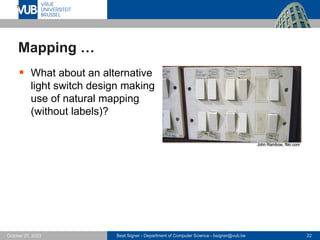
▪ What about an alternative
light switch design making
use of natural mapping
(without labels)?
John Rambow, flikr.com
Beat Signer - Department of Computer Science - bsigner@vub.be 23
October 27, 2023
Gestalt Principles
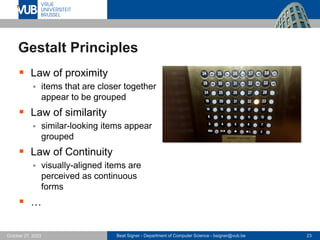
▪ Law of proximity
▪ items that are closer together
appear to be grouped
▪ Law of similarity
▪ similar-looking items appear
grouped
▪ Law of Continuity
▪ visually-aligned items are
perceived as continuous
forms
▪ …
Beat Signer - Department of Computer Science - bsigner@vub.be 24
October 27, 2023
Information Design
▪ Poor information design can disrupt reading
▪ uncommon or unfamiliar vocabulary
- interrupts the reading process, e.g. “Please reauthenticate” vs.“Login again”
▪ tiny or fancy fonts
▪ text on noisy background
▪ contrast of text and background
▪ information buried in repetition (noise from text itself)
- e.g.selection list with the following entries
• Backlit Keyboard (English) & User’s Guide (English)
• Backlit Keyboard (Western Spanish) & User’s Guide
• Backlit Keyboard (French) & User’s Guide
▪ centred text
- eyes are trained to go back to the same horizontal position
▪ Don’t disrupt reading – support it!
Beat Signer - Department of Computer Science - bsigner@vub.be 25
October 27, 2023
Guidelines for Using Colours
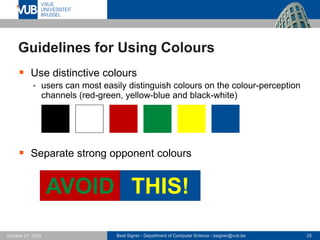
▪ Use distinctive colours
▪ users can most easily distinguish colours on the colour-perception
channels (red-green, yellow-blue and black-white)
▪ Separate strong opponent colours
AVOID THIS!
Beat Signer - Department of Computer Science - bsigner@vub.be 26
October 27, 2023
Guidelines for Using Colours …
▪ Distinguish colours by saturation and brightness as well
as hue
▪ avoid subtle colour differences
▪ check whether elements are distinguishable in greyscale
▪ Avoid colour pairs that colour-blind people cannot
distinguish
▪ Make use of existing tools for selecting (colourblind-
friendly) palettes
▪ e.g. https://coolors.co
Beat Signer - Department of Computer Science - bsigner@vub.be 27
October 27, 2023
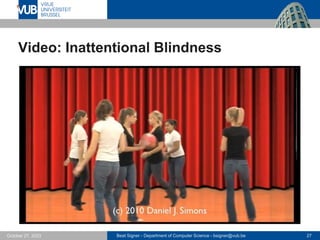
Video: Inattentional Blindness
Beat Signer - Department of Computer Science - bsigner@vub.be 28
October 27, 2023
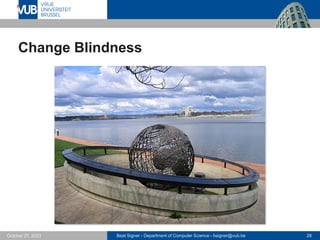
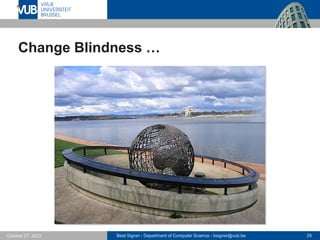
Change Blindness
Beat Signer - Department of Computer Science - bsigner@vub.be 29
October 27, 2023
Change Blindness …
Beat Signer - Department of Computer Science - bsigner@vub.be 30
October 27, 2023
Inattentional/Change Blindness
▪ Our goals strongly focus our attention
▪ Tendency to only perceive and notice things that match
our goal
▪ “following the sent of information toward the goal”
▪ might miss changes at other parts of the screen
▪ Our limited peripheral vision might further reduce the
things we see on a screen
▪ show information where users are already looking at
▪ use visual features/channels that that popout (e.g.blinking) to
highlight a change
Beat Signer - Department of Computer Science - bsigner@vub.be 31
October 27, 2023
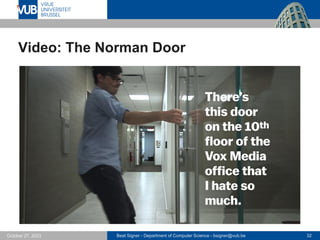
Affordances
▪ Term affordance introduced in 1977 by psychologist
James J.Gibson in the 'The Theory of Affordances'
▪ defined as all possible actions with an object in an environment
independent of an individual's ability to recognise these actions
▪ Don Norman refined the term affordances in the context
of human-machine interaction
▪ only those possible actions with an object that can be recognised
by an individual
▪ an affordance of an object tells us something (gives us a clue)
about how to use the object
▪ good interaction design will take affordances and the related
discoverability into account
▪ screen-based interfaces offer perceived affordances which are
learned conventions
Beat Signer - Department of Computer Science - bsigner@vub.be 32
October 27, 2023
Video: The Norman Door
Beat Signer - Department of Computer Science - bsigner@vub.be 33
October 27, 2023
Fitts’s Law (1954)
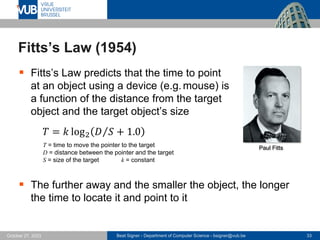
▪ Fitts’s Law predicts that the time to point
at an object using a device (e.g.mouse) is
a function of the distance from the target
object and the target object’s size
𝑇 = 𝑘 log2 Τ
𝐷 𝑆 + 1.0
T = time to move the pointer to the target
D = distance between the pointer and the target
S = size of the target k = constant
▪ The further away and the smaller the object, the longer
the time to locate it and point to it
Paul Fitts
Beat Signer - Department of Computer Science - bsigner@vub.be 34
October 27, 2023
Fitts’s Law (1954) …
▪ Make click targets (e.g.buttons, menu items, links) large
enough that they are quick and easy to hit
▪ Checkboxes, radio buttons and toggle switches should
also accept click on their label to increase the area
▪ Place important targets near the edge of the screen
▪ “infinite target size“ along screen edges (if not other screen
connected to that edge)
▪ On smartphones consider using menus that people can
easily reach with their thumb while holding the phone
Beat Signer - Department of Computer Science - bsigner@vub.be 35
October 27, 2023
Design-Pattern Guidelines: Study Guide
▪ Additional specific design guidelines for specific interface
patterns based on the Ten Usability Heuristics for User
Interface Design
▪ input controls
▪ forms and wizards
▪ tooltips and dialogues
▪ icons and indicators
▪ menu design
▪ navigation elements
▪ search
▪ https://www.nngroup.com/articles/design-pattern-guidelines/
Beat Signer - Department of Computer Science - bsigner@vub.be 36
October 27, 2023
Material Design
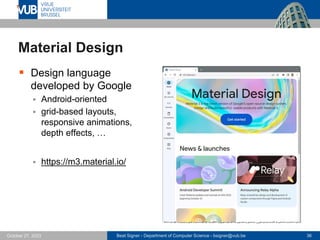
▪ Design language
developed by Google
▪ Android-oriented
▪ grid-based layouts,
responsive animations,
depth effects, …
▪ https://m3.material.io/
Beat Signer - Department of Computer Science - bsigner@vub.be 37
October 27, 2023
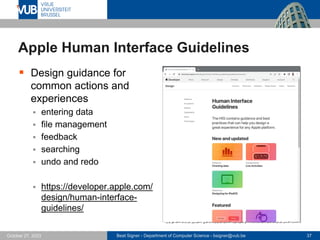
Apple Human Interface Guidelines
▪ Design guidance for
common actions and
experiences
▪ entering data
▪ file management
▪ feedback
▪ searching
▪ undo and redo
▪ https://developer.apple.com/
design/human-interface-
guidelines/
Beat Signer - Department of Computer Science - bsigner@vub.be 38
October 27, 2023
Exercise 5
▪ FIGMA prototyping solution
Beat Signer - Department of Computer Science - bsigner@vub.be 39
October 27, 2023
References
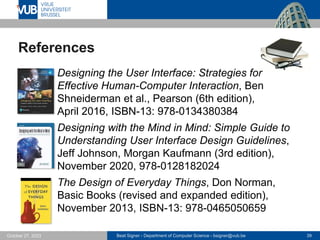
▪ Designing the User Interface: Strategies for
Effective Human-Computer Interaction, Ben
Shneiderman et al., Pearson (6th edition),
April 2016, ISBN-13: 978-0134380384
▪ Designing with the Mind in Mind: Simple Guide to
Understanding User Interface Design Guidelines,
Jeff Johnson, Morgan Kaufmann (3rd edition),
November 2020, 978-0128182024
▪ The Design of Everyday Things, Don Norman,
Basic Books (revised and expanded edition),
November 2013, ISBN-13: 978-0465050659
Beat Signer - Department of Computer Science - bsigner@vub.be 40
October 27, 2023
References ...
▪ Eight Golden Rules of Interface Design
▪ https://www.cs.umd.edu/users/ben/goldenrules.html
▪ Ten Usability Heuristics for User Interface Design
▪ https://www.nngroup.com/articles/ten-usability-heuristics/
▪ Visibility of System Status
▪ https://www.youtube.com/watch?v=cTtc90jCULU
▪ Match Between System and Real World
▪ https://www.youtube.com/watch?v=0TAt9Pln51g
▪ User Control and Freedom
▪ https://www.youtube.com/watch?v=MXuk-fdbr0A
Beat Signer - Department of Computer Science - bsigner@vub.be 41
October 27, 2023
References ...
▪ Consistency and Standards
▪ https://www.youtube.com/watch?v=Ibndy9KLOSQ&t=1s
▪ Error Prevention
▪ https://www.youtube.com/watch?v=imS9s1DUY-I
▪ Recognition Rather Than Recall
▪ https://www.youtube.com/watch?v=imS9s1DUY-I
▪ Flexibility and Efficiency of Use
▪ https://www.youtube.com/watch?v=LoTdRTBB8BQ
▪ Aesthetic and Minimalistic Design
▪ https://www.youtube.com/watch?v=ZgbRmeWDgd0
Beat Signer - Department of Computer Science - bsigner@vub.be 42
October 27, 2023
References ...
▪ Help Users Recognise, Diagnose and
Recover From Errors
▪ https://www.youtube.com/watch?v=cCun-ReLTFI
▪ Help and Documentation
▪ https://www.youtube.com/watch?v=iIQVRzatb50
▪ The Norman Door
▪ https://www.youtube.com/watch?v=yY96hTb8WgI
▪ Colour Palette Generator
▪ https://coolors.co
▪ Material Design
▪ https://m3.material.io
Beat Signer - Department of Computer Science - bsigner@vub.be 43
October 27, 2023
References ...
▪ Apple Human Interface Guidelines
▪ https://developer.apple.com/design/human-interface-guidelines/
▪ Inattentional Blindness
▪ https://www.youtube.com/watch?v=IGQmdoK_ZfY
▪ Change Blindness
▪ https://www.youtube.com/watch?v=VkrrVozZR2c
2 December 2005
Next Lecture
Evaluation Methods

Design Guidelines and Models - Lecture 5 - Human-Computer Interaction (1023841ANR)

  • 1.
    2 December 2005 Human-ComputerInteraction Design Guidelines and Models Prof. Beat Signer Department of Computer Science Vrije Universiteit Brussel beatsigner.com
  • 2.
    Beat Signer -Department of Computer Science - bsigner@vub.be 2 October 27, 2023 Design Guidelines ▪ Design guidelines are based on human psychology: how people perceive, learn, reason, remember and convert intentions into action ▪ Over the last 40 years various guidelines and heuristics have been defined and adapted/extended for new interface types
  • 3.
    Beat Signer -Department of Computer Science - bsigner@vub.be 3 October 27, 2023 Eight Golden Rules of Interface Design ▪ Strive for consistency ▪ Seek universal usability ▪ Offer informative feedback ▪ Design dialogues to yield closure ▪ Prevent errors ▪ Permit easy reversal of actions ▪ Keep users in control ▪ Reduce short-term memory load Ben Shneiderman
  • 4.
    Beat Signer -Department of Computer Science - bsigner@vub.be 4 October 27, 2023 Ten Usability Heuristics for UI Design ▪ Visibility of system status ▪ Match between system and real world ▪ User control and freedom ▪ Consistency and standards ▪ Error prevention ▪ Recognition rather than recall ▪ Flexibility and efficiency of use ▪ Aesthetic and minimalistic design ▪ Help users recognise, diagnose and recover from errors ▪ Help and documentation Jacob Nielsen
  • 5.
    Beat Signer -Department of Computer Science - bsigner@vub.be 5 October 27, 2023 Visibility of System Status ▪ Keep users informed about what is going on (system state) ▪ feedback after each action (as quickly as possible) ▪ builds up trust ▪ Users learn about the outcome of previous interaction and can plan the next steps
  • 6.
    Beat Signer -Department of Computer Science - bsigner@vub.be 6 October 27, 2023 Visibility of System Status … ▪ Provide feedback about what action has been done, allowing users to continue with their activity ▪ audio, tactile, verbal, visual or a combination of this feedback
  • 7.
    Beat Signer -Department of Computer Science - bsigner@vub.be 7 October 27, 2023 Match Between System and Real World ▪ Use words and concepts familiar to the users ▪ Follow real-world conventions ▪ natural mapping ▪ skeumorphic user interfaces - e.g.recycle bin icon
  • 8.
    Beat Signer -Department of Computer Science - bsigner@vub.be 8 October 27, 2023 User Control and Freedom ▪ Actions often performed by mistake ▪ need “emergency exit” to leave unwanted actions ▪ Support undo and redo ▪ fosters a sense of freedom ▪ Show clear way to exit current action ▪ e.g.cancel button
  • 9.
    Beat Signer -Department of Computer Science - bsigner@vub.be 9 October 27, 2023 Consistency and Standards ▪ Internal consistency ▪ within a single product ▪ External consistency ▪ maintain consistency across products by for example following standards ▪ e.g.shopping cart feature on e-commerce websites ▪ Consistent interfaces are easier to learn and use
  • 10.
    Beat Signer -Department of Computer Science - bsigner@vub.be 10 October 27, 2023 Consistency and Standards … ▪ Place information and controls in consistent locations ▪ based/supports on perceptual patterns/frames ▪ Internal and external keystroke consistency ▪ e.g.CTRL-X and CTRL-V ▪ External consistency of gesture-based interfaces? J. Johnson, Designing with the Mind in Mind
  • 11.
    Beat Signer -Department of Computer Science - bsigner@vub.be 11 October 27, 2023 Error Prevention ▪ Two types of errors ▪ slips are unconscious errors caused by inattention ▪ mistakes are conscious errors based on mismatch of user’s mental model - inaccurate or incomplete information ▪ Design to prevent mistakes ▪ provide accurate and easy understandable information
  • 12.
    Beat Signer -Department of Computer Science - bsigner@vub.be 12 October 27, 2023 Error Prevention … ▪ Design to prevent slips ▪ large click targets ▪ put space between targets ▪ warn users of incompleteness ▪ prompt users to confirm actions ▪ e.g.do not place ‘save’ menu entry next to ‘exit’ menu entry ▪ … ▪ Make risky operations hard to do ▪ ‘Delete All’ with confirmation defaulting to ‘Cancel’ ▪ ask confirmation from multiple users ▪ Prevent permanent errors by supporting undo ▪ Prevent “high-cost” errors first
  • 13.
    Beat Signer -Department of Computer Science - bsigner@vub.be 13 October 27, 2023 Recognition Rather Than Recall ▪ Reduce a user’s memory load by making elements and actions visible ▪ limited short-term or working memory ▪ Seeing/hearing and choosing is easier than to recall and type ▪ Recall ▪ reactivating a neural pattern when the original stimulus is absent
  • 14.
    Beat Signer -Department of Computer Science - bsigner@vub.be 14 October 27, 2023 Recognition Rather Than Recall … ▪ Use pictures where possible to convey functions ▪ e.g.toolbar icons ▪ people recognise pictures very quickly ▪ We also recognise small versions of the pictures ▪ e.g.thumbnails of slides in presentation overview ▪ Provide cues to let users know where they are ▪ e.g.different screen backgrounds when having multiple screens ▪ Simplify authentication ▪ e.g.biometric authentication rather than remembering passwords ▪ Avoid designs that have modes (or provide visible feedback about modes)
  • 15.
    Beat Signer -Department of Computer Science - bsigner@vub.be 15 October 27, 2023 Flexibility and Efficiency of Use ▪ Offer accelerators like keyboard shortcuts and touch gestures ▪ Support personalisation and customisation by tailoring content and functionality
  • 16.
    Beat Signer -Department of Computer Science - bsigner@vub.be 16 October 27, 2023 Aesthetic and Minimalistic Design ▪ Interfaces should not contain irrelevant information ▪ focus on the essentials ▪ aim for high signal-to-noise ratio
  • 17.
    Beat Signer -Department of Computer Science - bsigner@vub.be 17 October 27, 2023 Help Users Recognise/Recover From Errors ▪ Inform users when error occurred (recognise) ▪ clear error messages ▪ Tell users what went wrong (diagnose) ▪ Offer users a solution (recover) ▪ shortcut to solution ▪ provide undo function - operations within an app or more complex transitions (e.g. order in online store)
  • 18.
    Beat Signer -Department of Computer Science - bsigner@vub.be 18 October 27, 2023 Help and Documentation ▪ Ensure that it is easy to search for help ▪ Present contextual help and documentation ▪ focused on the user’s task ▪ List concrete steps to be carried out
  • 19.
    Beat Signer -Department of Computer Science - bsigner@vub.be 19 October 27, 2023 Visibility ▪ Visible functions ensure that a user knows what to do next ▪ voice mail system vs.marble answering machine ▪ Non-visible functions might be harder to use ▪ sensor-enabled faucets ▪ sensor-enabled lights ▪ …
  • 20.
    Beat Signer -Department of Computer Science - bsigner@vub.be 20 October 27, 2023 Simplicity ▪ Balance offered features vs.ease of use (usability) ▪ Do not oversimplify and re- move necessary features - “users want complexity” (Don Norman) “In anything at all, perfection is finally attained not when there is no longer anything to add, but when there is no longer anything to take away.” Antoine de Saint Exupéry Complex remote controls
  • 21.
    Beat Signer -Department of Computer Science - bsigner@vub.be 21 October 27, 2023 Mapping ▪ Natural mapping makes it easy to understand which control performs which action ▪ “If a design depends upon labels, it may be faulty. Labels are important and often necessary, but the appropriate use of natural mappings can minimise the need for them. Wherever labels seem necessary, consider another design.” Seat adjustment in a Mercedes-Benz Kitchen stove with natural mapping on the right
  • 22.
    Beat Signer -Department of Computer Science - bsigner@vub.be 22 October 27, 2023 Mapping … ▪ What about an alternative light switch design making use of natural mapping (without labels)? John Rambow, flikr.com
  • 23.
    Beat Signer -Department of Computer Science - bsigner@vub.be 23 October 27, 2023 Gestalt Principles ▪ Law of proximity ▪ items that are closer together appear to be grouped ▪ Law of similarity ▪ similar-looking items appear grouped ▪ Law of Continuity ▪ visually-aligned items are perceived as continuous forms ▪ …
  • 24.
    Beat Signer -Department of Computer Science - bsigner@vub.be 24 October 27, 2023 Information Design ▪ Poor information design can disrupt reading ▪ uncommon or unfamiliar vocabulary - interrupts the reading process, e.g. “Please reauthenticate” vs.“Login again” ▪ tiny or fancy fonts ▪ text on noisy background ▪ contrast of text and background ▪ information buried in repetition (noise from text itself) - e.g.selection list with the following entries • Backlit Keyboard (English) & User’s Guide (English) • Backlit Keyboard (Western Spanish) & User’s Guide • Backlit Keyboard (French) & User’s Guide ▪ centred text - eyes are trained to go back to the same horizontal position ▪ Don’t disrupt reading – support it!
  • 25.
    Beat Signer -Department of Computer Science - bsigner@vub.be 25 October 27, 2023 Guidelines for Using Colours ▪ Use distinctive colours ▪ users can most easily distinguish colours on the colour-perception channels (red-green, yellow-blue and black-white) ▪ Separate strong opponent colours AVOID THIS!
  • 26.
    Beat Signer -Department of Computer Science - bsigner@vub.be 26 October 27, 2023 Guidelines for Using Colours … ▪ Distinguish colours by saturation and brightness as well as hue ▪ avoid subtle colour differences ▪ check whether elements are distinguishable in greyscale ▪ Avoid colour pairs that colour-blind people cannot distinguish ▪ Make use of existing tools for selecting (colourblind- friendly) palettes ▪ e.g. https://coolors.co
  • 27.
    Beat Signer -Department of Computer Science - bsigner@vub.be 27 October 27, 2023 Video: Inattentional Blindness
  • 28.
    Beat Signer -Department of Computer Science - bsigner@vub.be 28 October 27, 2023 Change Blindness
  • 29.
    Beat Signer -Department of Computer Science - bsigner@vub.be 29 October 27, 2023 Change Blindness …
  • 30.
    Beat Signer -Department of Computer Science - bsigner@vub.be 30 October 27, 2023 Inattentional/Change Blindness ▪ Our goals strongly focus our attention ▪ Tendency to only perceive and notice things that match our goal ▪ “following the sent of information toward the goal” ▪ might miss changes at other parts of the screen ▪ Our limited peripheral vision might further reduce the things we see on a screen ▪ show information where users are already looking at ▪ use visual features/channels that that popout (e.g.blinking) to highlight a change
  • 31.
    Beat Signer -Department of Computer Science - bsigner@vub.be 31 October 27, 2023 Affordances ▪ Term affordance introduced in 1977 by psychologist James J.Gibson in the 'The Theory of Affordances' ▪ defined as all possible actions with an object in an environment independent of an individual's ability to recognise these actions ▪ Don Norman refined the term affordances in the context of human-machine interaction ▪ only those possible actions with an object that can be recognised by an individual ▪ an affordance of an object tells us something (gives us a clue) about how to use the object ▪ good interaction design will take affordances and the related discoverability into account ▪ screen-based interfaces offer perceived affordances which are learned conventions
  • 32.
    Beat Signer -Department of Computer Science - bsigner@vub.be 32 October 27, 2023 Video: The Norman Door
  • 33.
    Beat Signer -Department of Computer Science - bsigner@vub.be 33 October 27, 2023 Fitts’s Law (1954) ▪ Fitts’s Law predicts that the time to point at an object using a device (e.g.mouse) is a function of the distance from the target object and the target object’s size 𝑇 = 𝑘 log2 Τ 𝐷 𝑆 + 1.0 T = time to move the pointer to the target D = distance between the pointer and the target S = size of the target k = constant ▪ The further away and the smaller the object, the longer the time to locate it and point to it Paul Fitts
  • 34.
    Beat Signer -Department of Computer Science - bsigner@vub.be 34 October 27, 2023 Fitts’s Law (1954) … ▪ Make click targets (e.g.buttons, menu items, links) large enough that they are quick and easy to hit ▪ Checkboxes, radio buttons and toggle switches should also accept click on their label to increase the area ▪ Place important targets near the edge of the screen ▪ “infinite target size“ along screen edges (if not other screen connected to that edge) ▪ On smartphones consider using menus that people can easily reach with their thumb while holding the phone
  • 35.
    Beat Signer -Department of Computer Science - bsigner@vub.be 35 October 27, 2023 Design-Pattern Guidelines: Study Guide ▪ Additional specific design guidelines for specific interface patterns based on the Ten Usability Heuristics for User Interface Design ▪ input controls ▪ forms and wizards ▪ tooltips and dialogues ▪ icons and indicators ▪ menu design ▪ navigation elements ▪ search ▪ https://www.nngroup.com/articles/design-pattern-guidelines/
  • 36.
    Beat Signer -Department of Computer Science - bsigner@vub.be 36 October 27, 2023 Material Design ▪ Design language developed by Google ▪ Android-oriented ▪ grid-based layouts, responsive animations, depth effects, … ▪ https://m3.material.io/
  • 37.
    Beat Signer -Department of Computer Science - bsigner@vub.be 37 October 27, 2023 Apple Human Interface Guidelines ▪ Design guidance for common actions and experiences ▪ entering data ▪ file management ▪ feedback ▪ searching ▪ undo and redo ▪ https://developer.apple.com/ design/human-interface- guidelines/
  • 38.
    Beat Signer -Department of Computer Science - bsigner@vub.be 38 October 27, 2023 Exercise 5 ▪ FIGMA prototyping solution
  • 39.
    Beat Signer -Department of Computer Science - bsigner@vub.be 39 October 27, 2023 References ▪ Designing the User Interface: Strategies for Effective Human-Computer Interaction, Ben Shneiderman et al., Pearson (6th edition), April 2016, ISBN-13: 978-0134380384 ▪ Designing with the Mind in Mind: Simple Guide to Understanding User Interface Design Guidelines, Jeff Johnson, Morgan Kaufmann (3rd edition), November 2020, 978-0128182024 ▪ The Design of Everyday Things, Don Norman, Basic Books (revised and expanded edition), November 2013, ISBN-13: 978-0465050659
  • 40.
    Beat Signer -Department of Computer Science - bsigner@vub.be 40 October 27, 2023 References ... ▪ Eight Golden Rules of Interface Design ▪ https://www.cs.umd.edu/users/ben/goldenrules.html ▪ Ten Usability Heuristics for User Interface Design ▪ https://www.nngroup.com/articles/ten-usability-heuristics/ ▪ Visibility of System Status ▪ https://www.youtube.com/watch?v=cTtc90jCULU ▪ Match Between System and Real World ▪ https://www.youtube.com/watch?v=0TAt9Pln51g ▪ User Control and Freedom ▪ https://www.youtube.com/watch?v=MXuk-fdbr0A
  • 41.
    Beat Signer -Department of Computer Science - bsigner@vub.be 41 October 27, 2023 References ... ▪ Consistency and Standards ▪ https://www.youtube.com/watch?v=Ibndy9KLOSQ&t=1s ▪ Error Prevention ▪ https://www.youtube.com/watch?v=imS9s1DUY-I ▪ Recognition Rather Than Recall ▪ https://www.youtube.com/watch?v=imS9s1DUY-I ▪ Flexibility and Efficiency of Use ▪ https://www.youtube.com/watch?v=LoTdRTBB8BQ ▪ Aesthetic and Minimalistic Design ▪ https://www.youtube.com/watch?v=ZgbRmeWDgd0
  • 42.
    Beat Signer -Department of Computer Science - bsigner@vub.be 42 October 27, 2023 References ... ▪ Help Users Recognise, Diagnose and Recover From Errors ▪ https://www.youtube.com/watch?v=cCun-ReLTFI ▪ Help and Documentation ▪ https://www.youtube.com/watch?v=iIQVRzatb50 ▪ The Norman Door ▪ https://www.youtube.com/watch?v=yY96hTb8WgI ▪ Colour Palette Generator ▪ https://coolors.co ▪ Material Design ▪ https://m3.material.io
  • 43.
    Beat Signer -Department of Computer Science - bsigner@vub.be 43 October 27, 2023 References ... ▪ Apple Human Interface Guidelines ▪ https://developer.apple.com/design/human-interface-guidelines/ ▪ Inattentional Blindness ▪ https://www.youtube.com/watch?v=IGQmdoK_ZfY ▪ Change Blindness ▪ https://www.youtube.com/watch?v=VkrrVozZR2c
  • 44.
    2 December 2005 NextLecture Evaluation Methods