2 December 2005
Human-Computer Interaction
HCI and Interaction Design
Prof. Beat Signer
Department of Computer Science
Vrije Universiteit Brussel
beatsigner.com
Beat Signer - Department of Computer Science - bsigner@vub.ac.be 2
October 6, 2023
Human-Computer Interaction
▪ Human-Computer Interaction is a multidisciplinary field
▪ Computer Science
▪ Design
▪ Cognitive Science
▪ Psychology
▪ …
Human-computer interaction is a discipline concerned
with the design, evaluation and implementation of
interactive computing systems for human use and with
the study of major phenomena surrounding them.
ACM SIGCHI Curricula for Human-Computer Interaction
Beat Signer - Department of Computer Science - bsigner@vub.ac.be 3
October 6, 2023
Human-Computer Interaction …
▪ Area of research and practice that emerged in
the early 1980s
▪ originally a special area in Computer Science embracing cognitive
science and human factors engineering
▪ original focus mainly on usability
▪ Theories and models
▪ GOMS (Goals, Operations, Methods, Selection rules) model,
keystroke-level model, Fitts’ law, …
▪ Research methods
▪ surveys, interviews, focus groups, diaries, case studies,
ethnography, usability testing, automated data collection, …
Beat Signer - Department of Computer Science - bsigner@vub.ac.be 4
October 6, 2023
Main HCI Conferences
▪ CHI: ACM Conference on Human Factors in
Computing Systems
▪ https://dl.acm.org/conference/chi/
▪ UIST: ACM Symposium on User Interface Software
and Technology
▪ https://dl.acm.org/conference/uist/
▪ CSCW: ACM Conference on Computer-supported
Cooperative Work and Social Computing
▪ https://dl.acm.org/conference/cscw/
▪ IUI: Annual Conference on Intelligent User Interfaces
▪ https://dl.acm.org/conference/iui/
Beat Signer - Department of Computer Science - bsigner@vub.ac.be 5
October 6, 2023
Main HCI Conferences …
▪ TEI: International Conference on Tangible,
Embedded, and Embodied Interaction
▪ https://dl.acm.org/conference/tei/
▪ EICS: International Conference on Engineering
Interactive Computing Systems
▪ https://dl.acm.org/conference/eics/
▪ DIS: ACM Conference on Designing Interactive Systems
▪ https://dl.acm.org/conference/dis/
▪ ICMI: International Conference on Multimodal Interaction
▪ https://dl.acm.org/conference/icmi/
Beat Signer - Department of Computer Science - bsigner@vub.ac.be 6
October 6, 2023
Interaction Design (IxD)
[Illustration by Dan Saffer]
Beat Signer - Department of Computer Science - bsigner@vub.ac.be 7
October 6, 2023
Interaction Design (IxD) …
▪ In order to design a product, we first need some
requirements
▪ whom to ask about the requirements?
▪ will users know what they want or need?
▪ users are unlikely to be able to envision what is possible
- where to get ideas for innovative products?
▪ user-centred design involves users throughout the
process
Interaction design addresses the design of interactive
products to support the way people communicate and
interact in their everyday and working lives.
Y. Rogers, H. Sharp and J. Preece, Interaction Design: Beyond Human-Computer Interaction
Beat Signer - Department of Computer Science - bsigner@vub.ac.be 8
October 6, 2023
Interaction Design (IxD) …
▪ Reduce negative aspects
▪ frustration
▪ annoyance
▪ Design products that are easy to learn, effective to use
and provide an enjoyable user experience
Beat Signer - Department of Computer Science - bsigner@vub.ac.be 9
October 6, 2023
What to Design
▪ Who (user) is going to use an interactive product,
how (task) is it going to be used and where (context)?
▪ Have to understand the activities people are doing while
using the products
▪ How to optimise a user’s interactions with a system,
environment or product to support and extend their
activities in effective, useful and usable ways?
▪ take into account what people are good and bad at (human
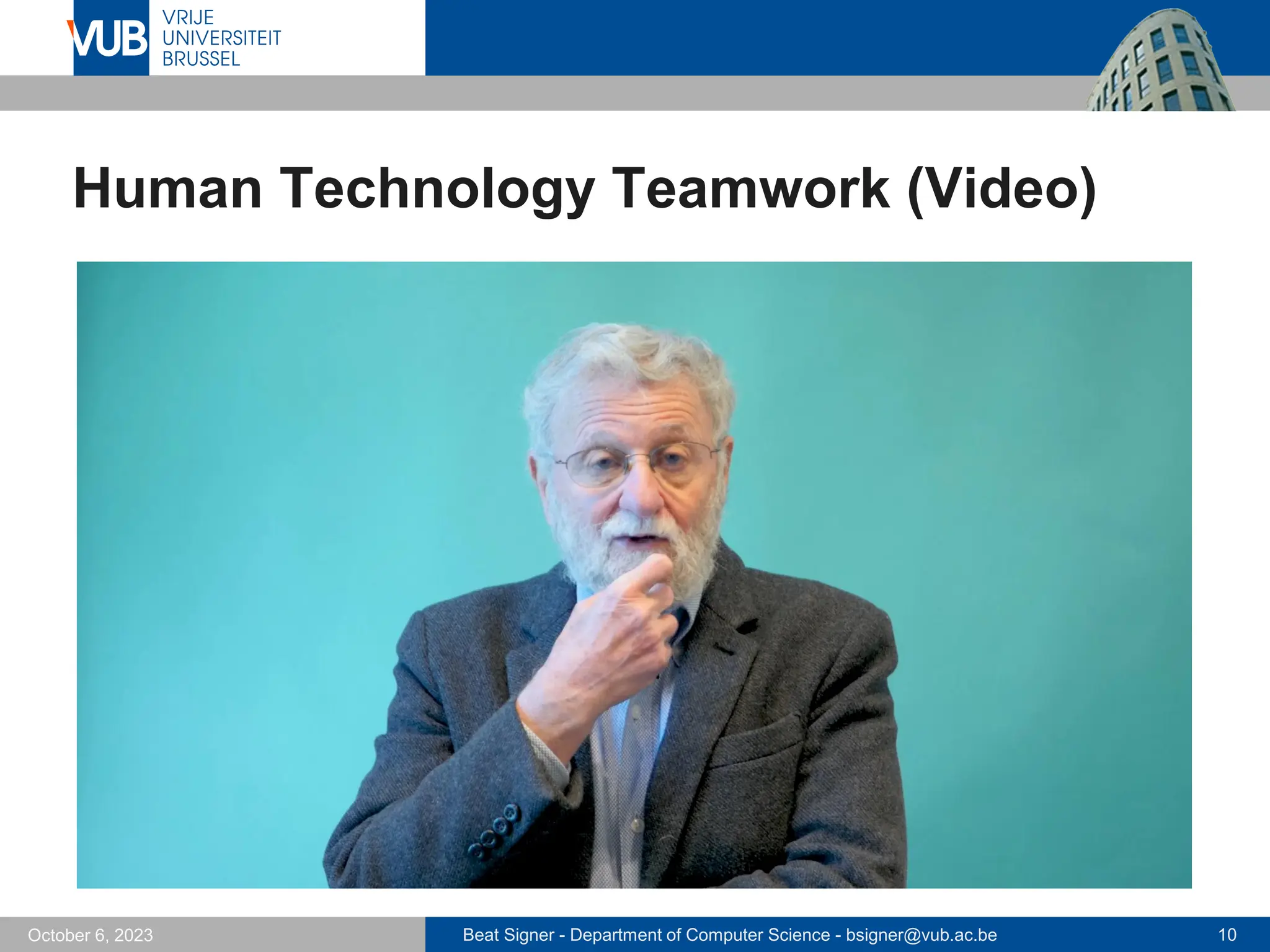
technology teamwork)
▪ what might help people with the way they currently do things
▪ listen to what people want and get them involved in the design
▪ use established user-based techniques during the design process
Beat Signer - Department of Computer Science - bsigner@vub.ac.be 10
October 6, 2023
Human Technology Teamwork (Video)
Beat Signer - Department of Computer Science - bsigner@vub.ac.be 11
October 6, 2023
Who Is Involved in Interaction Design
▪ Often carried out in multidisciplinary teams
▪ engineers, designers, programmers, users, psychologists, …
▪ creates more ideas as well as more creative and original designs
▪ Communication between people with different
backgrounds might be a challenge
▪ Nowadays companies often seek help from interaction
design consultants
▪ Cooper, Nielsen Norman Group, IDEO, …
Beat Signer - Department of Computer Science - bsigner@vub.ac.be 12
October 6, 2023
Good and Poor Design
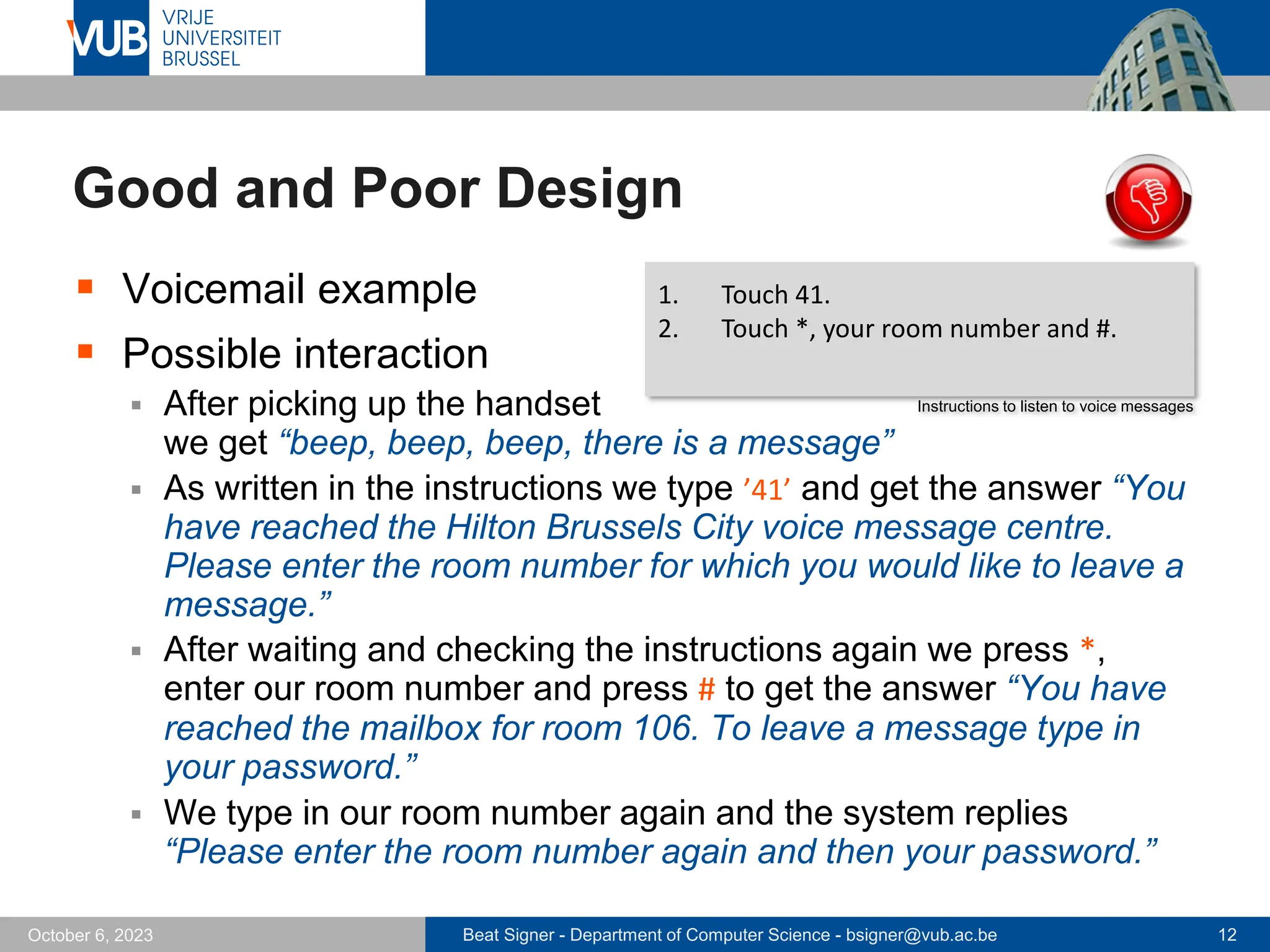
▪ Voicemail example
▪ Possible interaction
▪ After picking up the handset
we get “beep, beep, beep, there is a message”
▪ As written in the instructions we type ’41’ and get the answer “You
have reached the Hilton Brussels City voice message centre.
Please enter the room number for which you would like to leave a
message.”
▪ After waiting and checking the instructions again we press *,
enter our room number and press # to get the answer “You have
reached the mailbox for room 106. To leave a message type in
your password.”
▪ We type in our room number again and the system replies
“Please enter the room number again and then your password.”
1. Touch 41.
2. Touch *, your room number and #.
Instructions to listen to voice messages
Beat Signer - Department of Computer Science - bsigner@vub.ac.be 13
October 6, 2023
Good and Poor Design …
▪ What is the problem with this voicemail system?
▪ confusing
▪ takes too many steps to do basic tasks
▪ difficult to use
▪ impossible to see at a glance how many messages have been left
▪ instructions are partially provided by the system and partially by
the instructions card
▪ …
Beat Signer - Department of Computer Science - bsigner@vub.ac.be 14
October 6, 2023
Good and Poor Design …
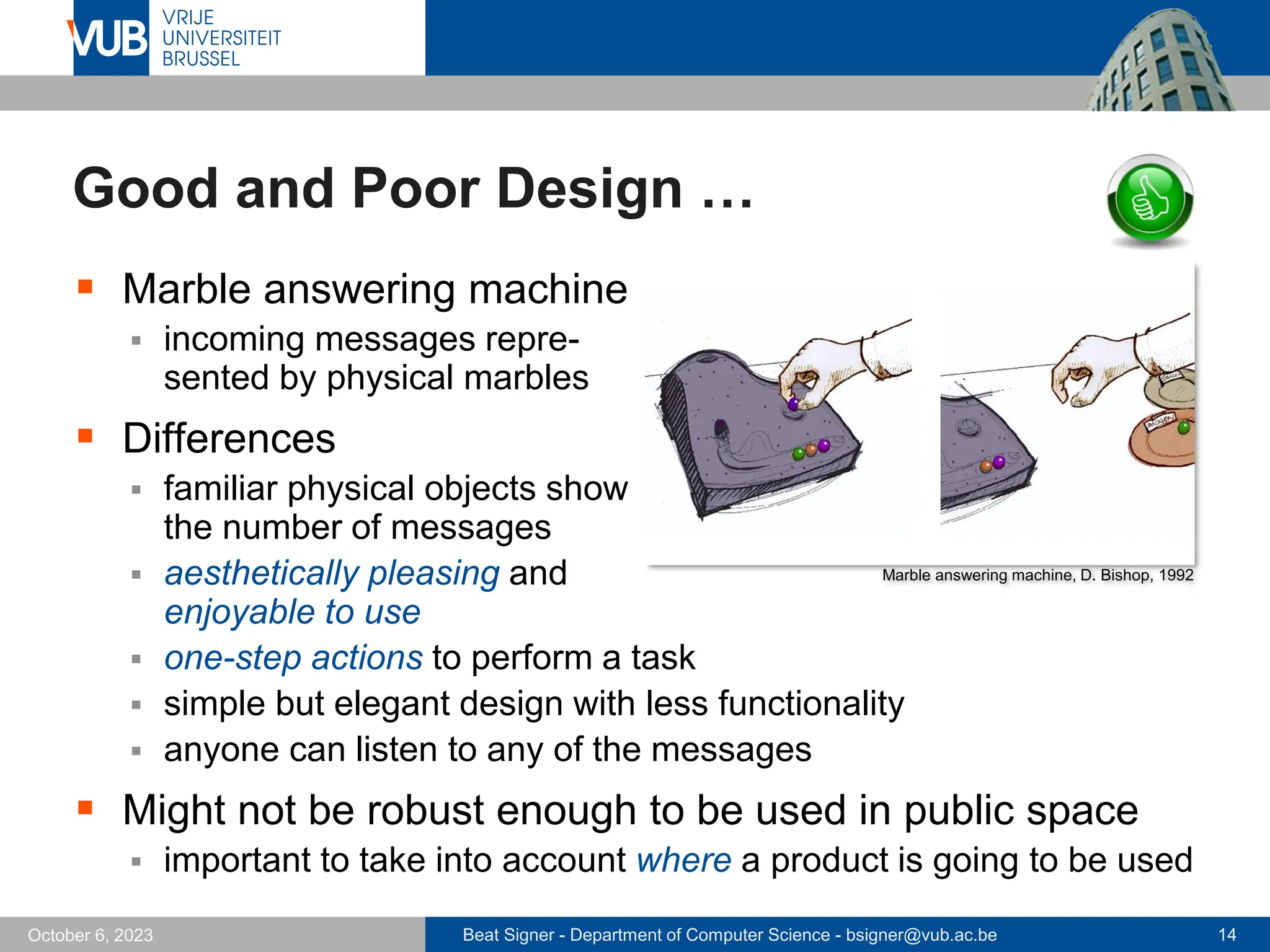
▪ Marble answering machine
▪ incoming messages repre-
sented by physical marbles
▪ Differences
▪ familiar physical objects show
the number of messages
▪ aesthetically pleasing and
enjoyable to use
▪ one-step actions to perform a task
▪ simple but elegant design with less functionality
▪ anyone can listen to any of the messages
▪ Might not be robust enough to be used in public space
▪ important to take into account where a product is going to be used
Marble answering machine, D. Bishop, 1992
Beat Signer - Department of Computer Science - bsigner@vub.ac.be 15
October 6, 2023
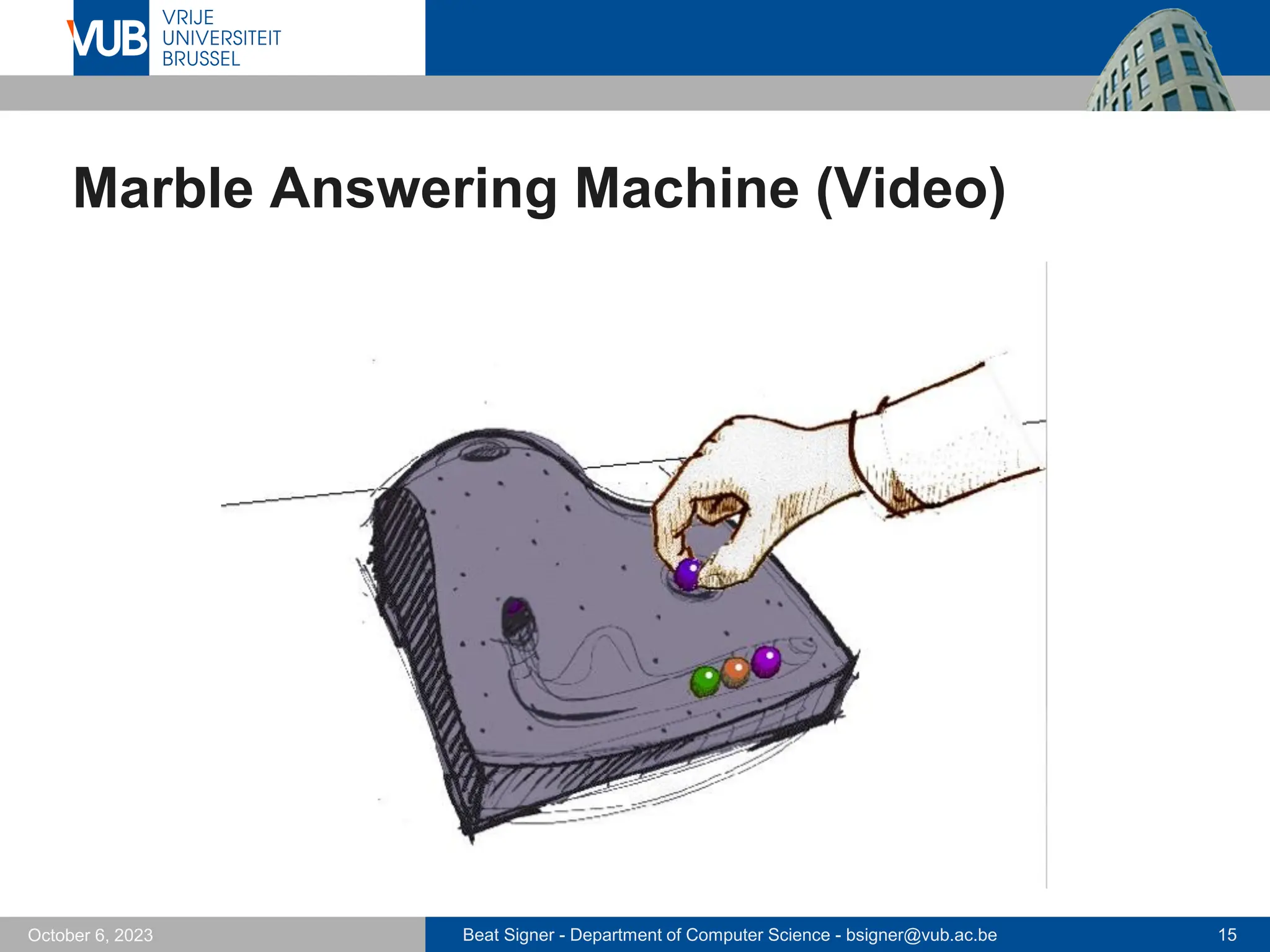
Marble Answering Machine (Video)
Beat Signer - Department of Computer Science - bsigner@vub.ac.be 16
October 6, 2023
Good and Poor Design
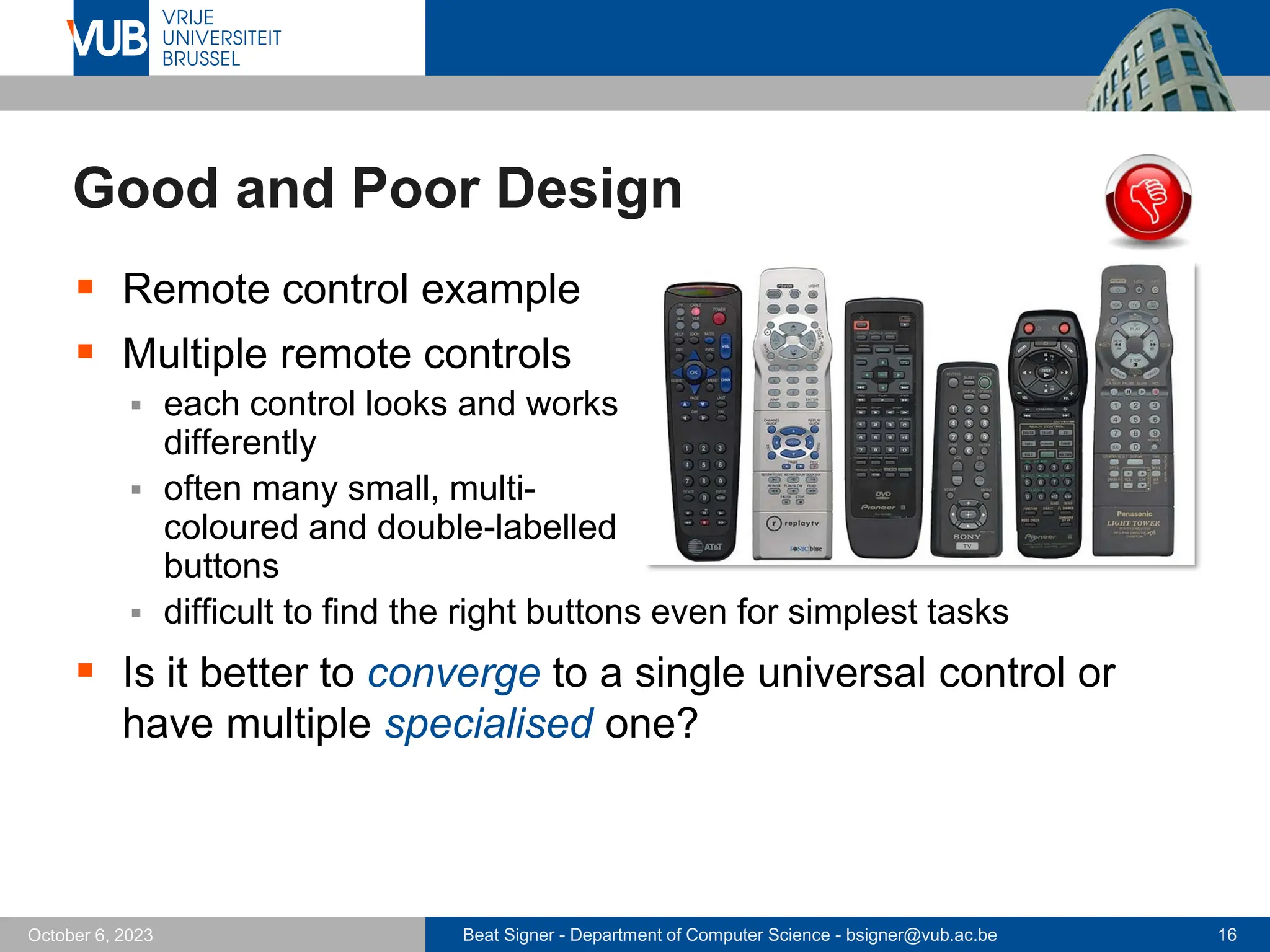
▪ Remote control example
▪ Multiple remote controls
▪ each control looks and works
differently
▪ often many small, multi-
coloured and double-labelled
buttons
▪ difficult to find the right buttons even for simplest tasks
▪ Is it better to converge to a single universal control or
have multiple specialised one?
Beat Signer - Department of Computer Science - bsigner@vub.ac.be 17
October 6, 2023
Good and Poor Design …
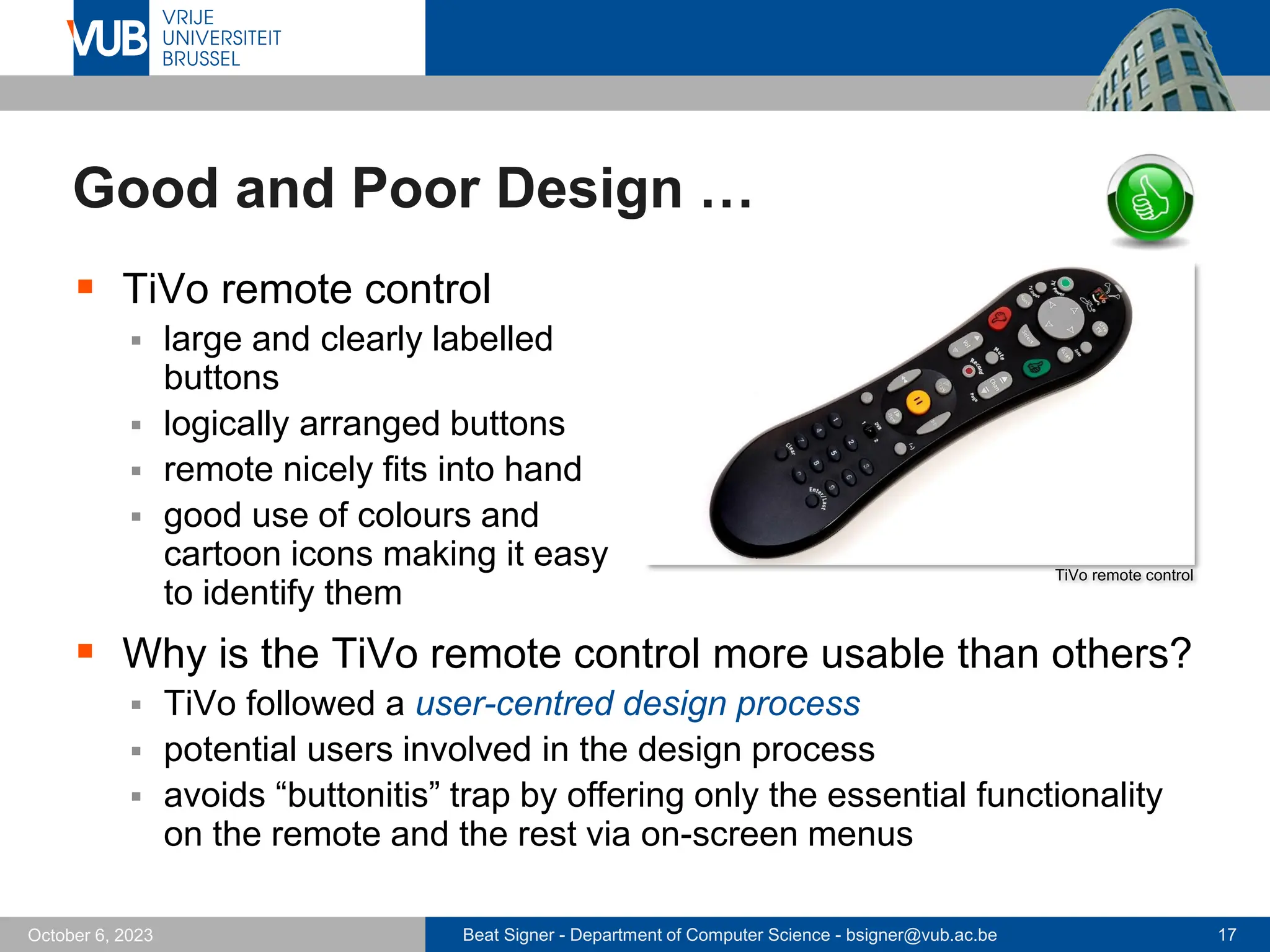
▪ TiVo remote control
▪ large and clearly labelled
buttons
▪ logically arranged buttons
▪ remote nicely fits into hand
▪ good use of colours and
cartoon icons making it easy
to identify them
▪ Why is the TiVo remote control more usable than others?
▪ TiVo followed a user-centred design process
▪ potential users involved in the design process
▪ avoids “buttonitis” trap by offering only the essential functionality
on the remote and the rest via on-screen menus
TiVo remote control
Beat Signer - Department of Computer Science - bsigner@vub.ac.be 18
October 6, 2023
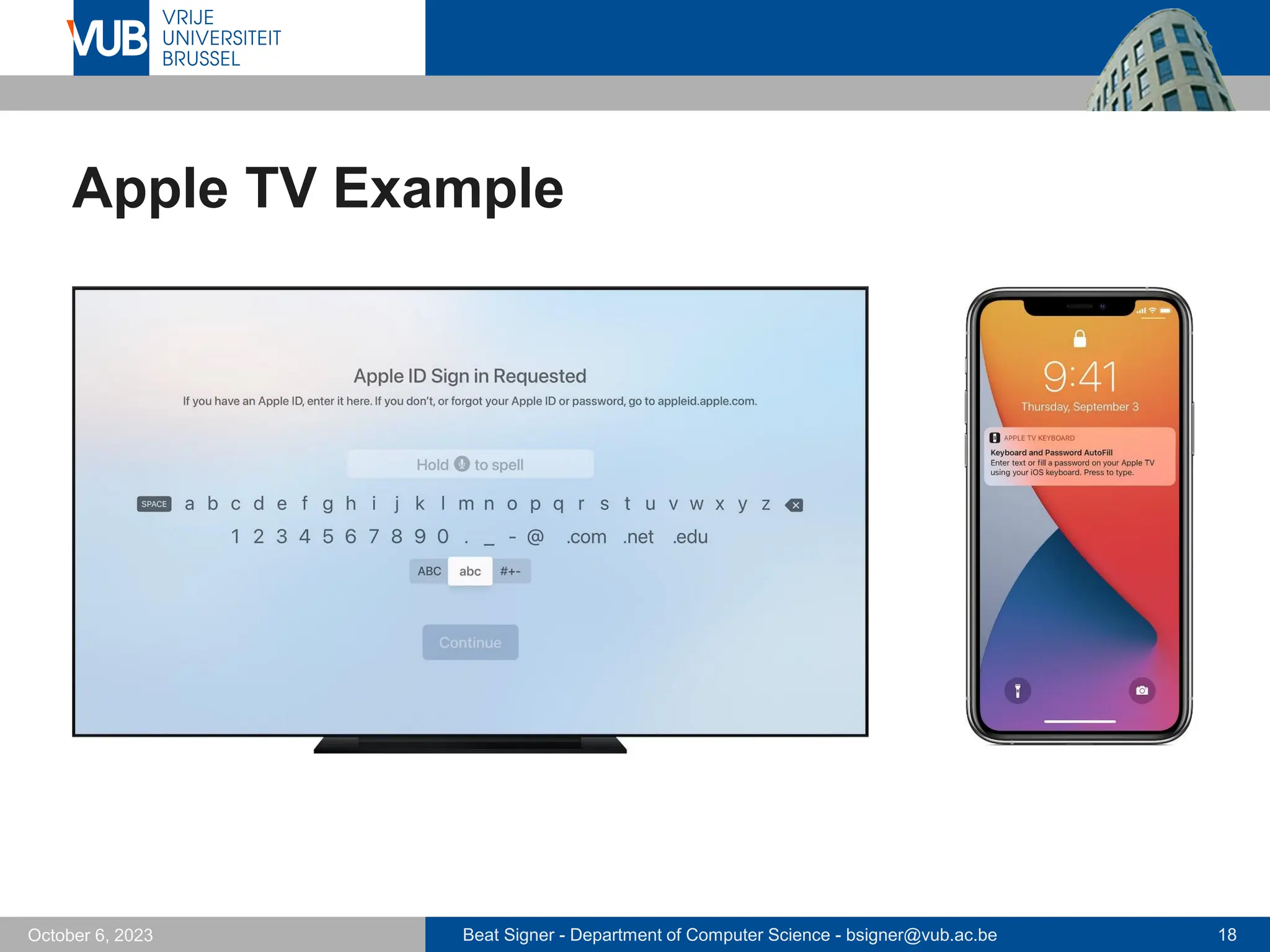
Apple TV Example
Beat Signer - Department of Computer Science - bsigner@vub.ac.be 19
October 6, 2023
Usability and User Experience
▪ Understand users to be clear about the primary objective
of developing an interactive product for them
▪ Objectives can be classified in terms of usability and
user experience goals
▪ e.g.product should be highly efficient, entertaining and
aesthetically pleasing
▪ Originally, HCI primarily concerned with usability
Beat Signer - Department of Computer Science - bsigner@vub.ac.be 20
October 6, 2023
Usability Goals
▪ Effectiveness
▪ how good is the product at doing what it is supposed to do
▪ question: “Is the product capable of allowing people to learn, carry
out their work efficiently, access the information they need, or buy
the goods they want?”
▪ Efficiency
▪ how well does the product support the user in carrying out their
tasks
▪ question: ”Once users have learned how to use a product to carry
out their tasks, can they sustain a high level of productivity?”
Beat Signer - Department of Computer Science - bsigner@vub.ac.be 21
October 6, 2023
Usability Goals …
▪ Safety
▪ protect the user from dangerous conditions and undesirable
situations
▪ prevent users from making serious errors by mistake
- do not place a quit or delete command next to a save command in a menu
- asks for a confirmation for “dangerous” commands
▪ provide different ways to recover from errors
- offer some undo functionality
▪ question: “What is the range of errors that are possible using the
product and what measures are there to permit users to recover
from them?”
Beat Signer - Department of Computer Science - bsigner@vub.ac.be 22
October 6, 2023
Usability Goals …
▪ Utility
▪ does the product provide the right kind of functionality
▪ question: “Does the product provide an appropriate set of
functions that will enable users to carry out all their tasks in the
way they want to do them?”
▪ Learnability
▪ how easy is it to learn to use the system
▪ question: “Is it possible for the user to work out how to use the
product by exploring the interface and trying out certain actions?
How hard will it be to learn the whole set of functions in this way?”
Beat Signer - Department of Computer Science - bsigner@vub.ac.be 23
October 6, 2023
Usability Goals …
▪ Memorability
▪ how easy is it to remember how to use a system once it
has been learned
- meaningful icons, command names and options
▪ important for infrequently used products
▪ question: “What kinds of interface support have been provided to
help users remember how to carry out tasks, especially for
products and operations they use infrequently?”
Beat Signer - Department of Computer Science - bsigner@vub.ac.be 24
October 6, 2023
User Experience (UX)
▪ How does a product behave and how is it used
by people in the real world
▪ how do people feel
▪ pleasure and satisfaction when using, holding, opening, …
▪ We cannot design a user experience but only design for
a user experience
▪ usability
▪ aesthetics
▪ content
▪ look and feel as well as sensual and emotional appeal
▪ No unifying theory but conceptual frameworks, verified
design methods, guidelines and research findings
Beat Signer - Department of Computer Science - bsigner@vub.ac.be 25
October 6, 2023
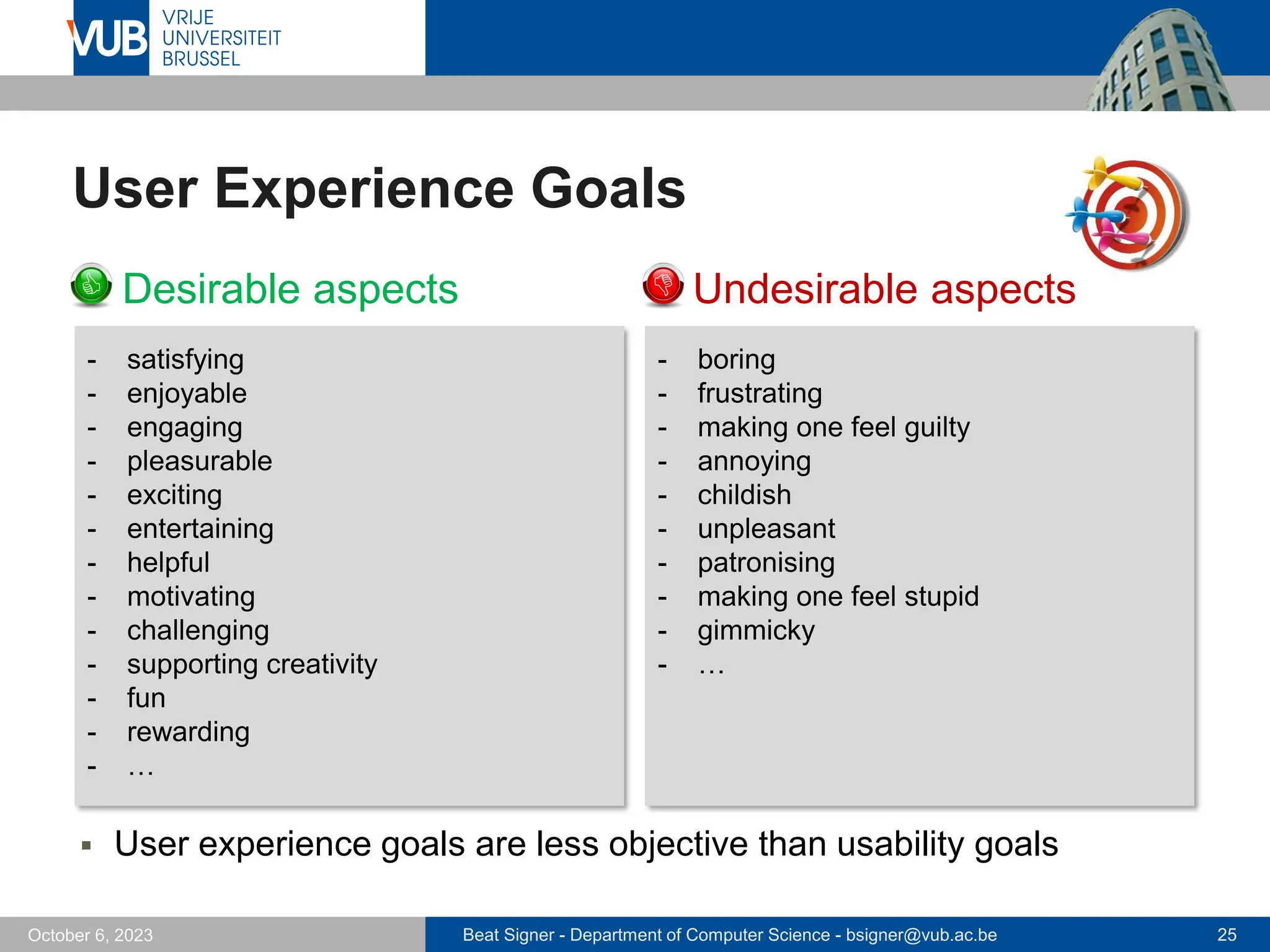
User Experience Goals
▪ Desirable aspects ▪ Undesirable aspects
- boring
- frustrating
- making one feel guilty
- annoying
- childish
- unpleasant
- patronising
- making one feel stupid
- gimmicky
- …
- satisfying
- enjoyable
- engaging
- pleasurable
- exciting
- entertaining
- helpful
- motivating
- challenging
- supporting creativity
- fun
- rewarding
- …
▪ User experience goals are less objective than usability goals
Beat Signer - Department of Computer Science - bsigner@vub.ac.be 26
October 6, 2023
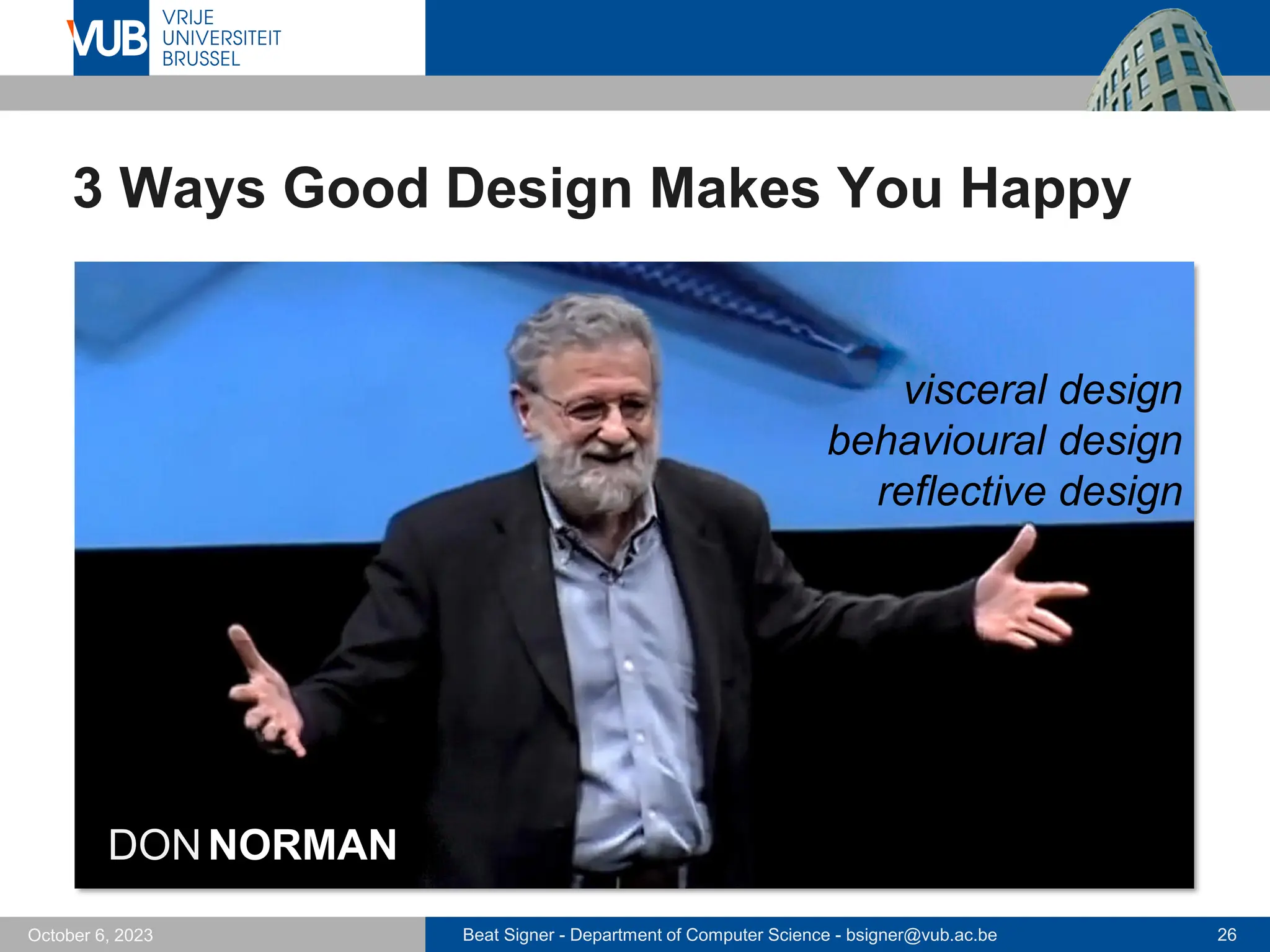
3 Ways Good Design Makes You Happy
DONNORMAN
visceral design
behavioural design
reflective design
Beat Signer - Department of Computer Science - bsigner@vub.ac.be 27
October 6, 2023
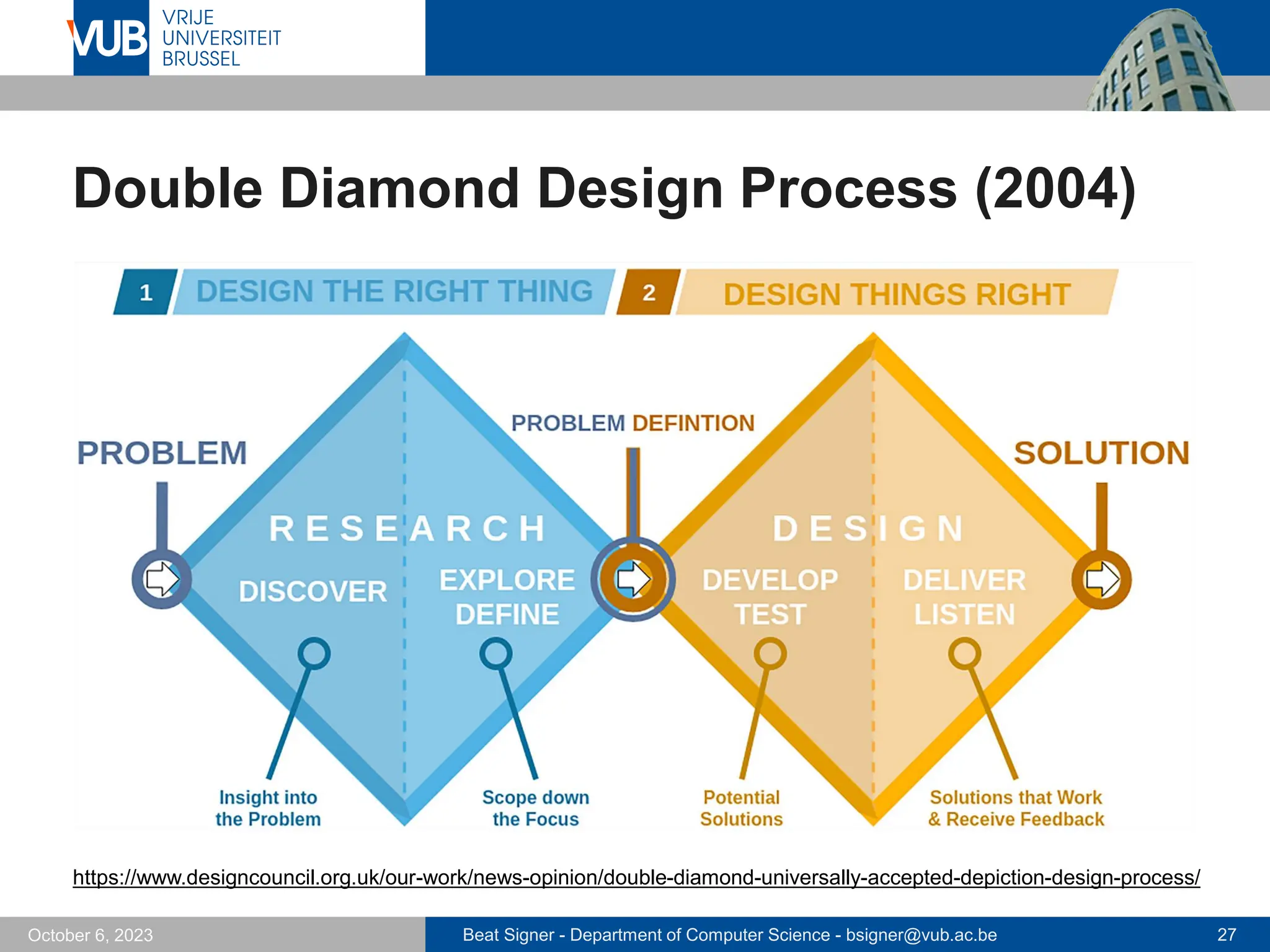
Double Diamond Design Process (2004)
https://www.designcouncil.org.uk/our-work/news-opinion/double-diamond-universally-accepted-depiction-design-process/
Beat Signer - Department of Computer Science - bsigner@vub.ac.be 28
October 6, 2023
Understanding the Problem Space
▪ Identification of usability and user experience goals
as a prerequisite
▪ Make underlying assumptions and claims explicit
▪ e.g. "people will want to watch TV on their mobile phones"
▪ Articulation of the problem space is typically done
as a team effort
▪ Time-consuming process but reduces the chance of
incorrect assumptions and unsupported claims creeping
into a design solution
▪ Good understanding of the problem space helps in
conceptualising the design space (blueprint)
Beat Signer - Department of Computer Science - bsigner@vub.ac.be 29
October 6, 2023
Developing an Initial Conceptual Model
▪ Define an initial conceptual model by considering
▪ which interface metaphors are suitable to help users understand
the product?
▪ which interaction type(s) do best support the users’ activities?
▪ Three-step process for choosing a good interface
metaphor
▪ understand what the system will do (functional requirements)
▪ understand which parts (tasks or subtasks) of the product are
likely to cause users problems, are complicated or critical
▪ choose metaphor to support those critical aspects
- human technology teamwork
Beat Signer - Department of Computer Science - bsigner@vub.ac.be 30
October 6, 2023
Developing an Initial Conceptual Model …
▪ Interaction type depends on the application domain and
the kind of product that is developed
▪ e.g.manipulating type most likely suited for a game
▪ conceptual model can include a combination of interaction types
- different parts of the interaction associated with different types
▪ Consideration of different interface types at this stage
might lead to different design alternatives
Beat Signer - Department of Computer Science - bsigner@vub.ac.be 31
October 6, 2023
Interaction Types
▪ Instructing
▪ user issues instructions to a system
▪ typing commands, selecting menu options, …
▪ Conversing
▪ user having a two-way communication/conversion with the system
- e.g. ticket booking or help systems
▪ used to find out specific kinds of information
▪ Manipulating
▪ in direct manipulation digital objects are designed so that they can
be interacted with in a similar way as physical real-world objects
▪ Exploring
▪ explore environment by exploiting knowledge of how to navigate
through existing spaces
Beat Signer - Department of Computer Science - bsigner@vub.ac.be 32
October 6, 2023
Four Approaches to Interaction Design
▪ User-centred design (UCD)
▪ user knows best and is the only guide to the designer
▪ designer translates user needs into a design solution
▪ Activity-centred design (ACD)
▪ user still plays an important role but focus on their behaviour
rather than their goals and needs
▪ Systems design
▪ system (people, computers, objects …) is the centre of attention
and the user’s role is to set the goal of the system
▪ Genius design
▪ relies solely on the experience and creativity of the designer
▪ the user’s role is to validate the design
Dan Saffer, 2009
Beat Signer - Department of Computer Science - bsigner@vub.ac.be 33
October 6, 2023
Importance of User Involvement
▪ Before user-centred design was used, developers
defined requirements based on
▪ talking to their managers
▪ talking to people playing the role of users (proxy users)
▪ their own judgement
▪ User involvement during the development guarantees
that user activities are taken into account
▪ Makes sure that the user expectations about a new
product are realistic (expectation management)
▪ pre-release versions and hands-on demonstration also help in
shaping the expectations
Beat Signer - Department of Computer Science - bsigner@vub.ac.be 34
October 6, 2023
Importance of User Involvement …
▪ Users who are involved feel that they have contributed to
the development and are more likely to support a
product’s use (sense of ownership)
▪ Different degrees of user involvement
▪ full-time for the duration of the whole project
▪ full-time for a limited time
▪ part-time for the duration of the whole project
▪ part-time for a limited time
▪ Another possibility is to combine regular newsletters with
workshops
▪ Customer support and logging/error reporting systems
after product release
Beat Signer - Department of Computer Science - bsigner@vub.ac.be 35
October 6, 2023
How Much User Involvement?
▪ Some studies have shown that too much user
involvement might also lead to problems
▪ higher costs
▪ less innovation
▪ lower team effectiveness
▪ over time, users develop more sophisticated ideas and they want
to have them incorporated late in the project
▪ …
Beat Signer - Department of Computer Science - bsigner@vub.ac.be 36
October 6, 2023
User-Centred Design Principles
1. Early focus on users and tasks
▪ who will be the users
▪ study the characteristics of users
2. Empirical measurement
▪ identify specific usability and user experience goals
- helps to choose between alternative designs
- can be used to check the progress
▪ sketches, description in natural language and prototypes help to
observe and analyse the performance and reactions of users
3. Iterative design
▪ problems identified in user testing are fixed and evaluated in
a next iteration
- iteration is particularly important when trying to innovate
Beat Signer - Department of Computer Science - bsigner@vub.ac.be 37
October 6, 2023
Early Focus on Users and Tasks
▪ Users’ tasks and goals are the driving force
▪ technology informs design options and choices, but user goals
and tasks are the driving force
▪ “What technologies are available to provide better support for
users’ goals?”
▪ Users’ behaviour and context of use are studied and the
system is designed to support them
▪ design to support an activity with little understanding of the real
work involved is likely to be incompatible with current practice
- users do not like to deviate from their learned habits
▪ Users’ characteristics are captured and designed for
▪ take the cognitive and physical limitations of users into account
and limit the mistakes they can make
Beat Signer - Department of Computer Science - bsigner@vub.ac.be 38
October 6, 2023
Early Focus on Users and Tasks …
▪ Users are consulted throughout the whole development
▪ respect users and take their input seriously into account
▪ Design decisions are taken within the context of users,
their work and their environment
▪ does not necessarily mean that users are actively involved in
design decisions
Beat Signer - Department of Computer Science - bsigner@vub.ac.be 39
October 6, 2023
Who are the Users?
▪ Involving the right users is crucial
▪ Different types of users
▪ primary users
- frequent hands-on users of the product
▪ secondary users
- occasional users or users who use the product through an intermediary
▪ tertiary users
- affected by the introduction of the product or influence its purchase
▪ Group of stakeholders for a product normally larger than
the group thought of as users
▪ Difficult to find users for products that are a new
invention
Beat Signer - Department of Computer Science - bsigner@vub.ac.be 41
October 6, 2023
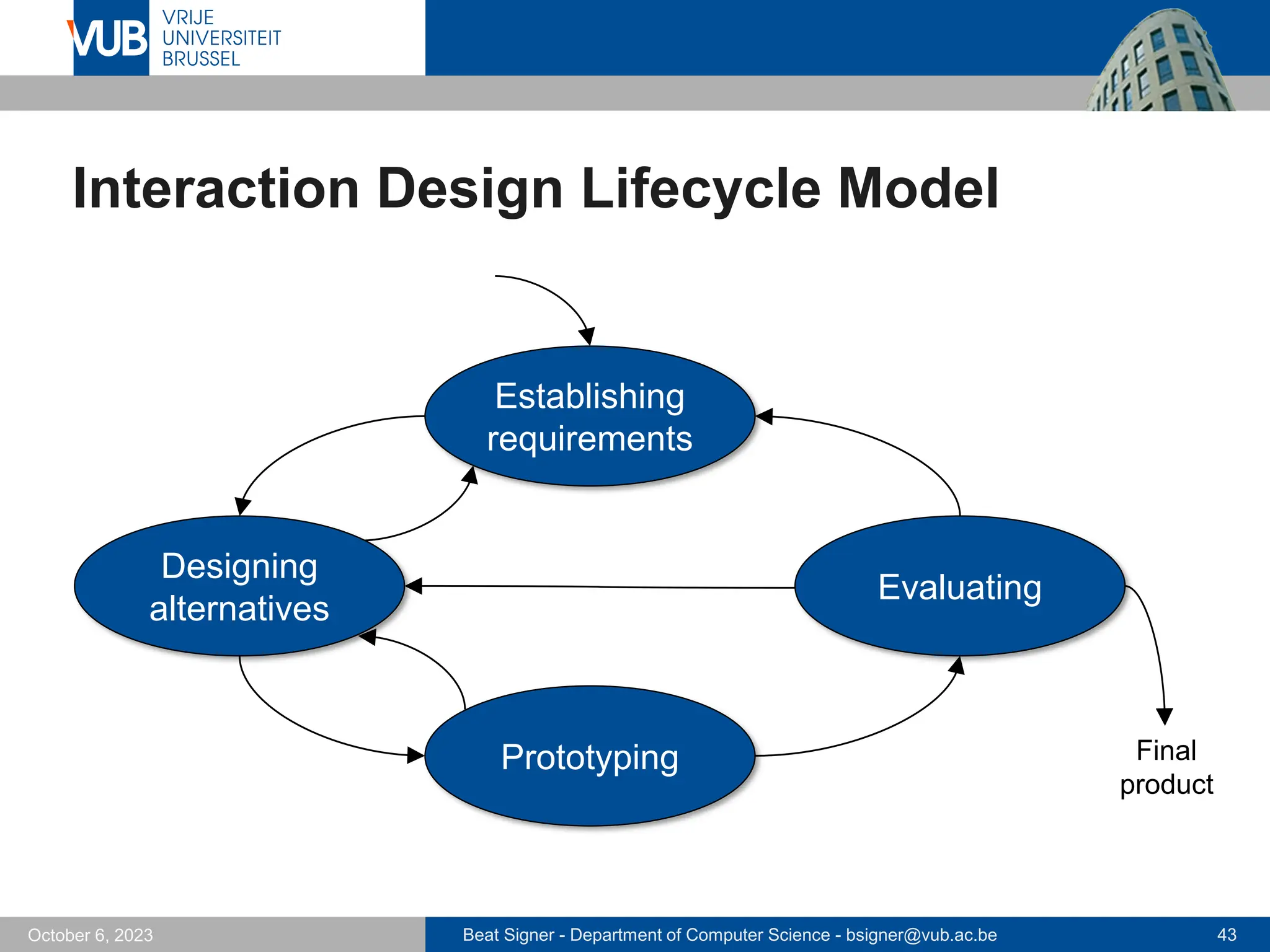
Interaction Design Process
The interaction design process involves four basic activities
1. Establishing requirements
▪ know target users and the required support
2. Designing alternatives that meet the requirements
▪ conceptual design
▪ physical design
3. Prototyping the alternative designs in order that they
can be communicated and assessed
▪ paper-based prototypes
▪ software prototypes
Beat Signer - Department of Computer Science - bsigner@vub.ac.be 42
October 6, 2023
Interaction Design Process
4. Evaluating
▪ determining the usability and acceptability
▪ observing or talking to users
▪ interviews or questionnaires
Beat Signer - Department of Computer Science - bsigner@vub.ac.be 43
October 6, 2023
Interaction Design Lifecycle Model
Establishing
requirements
Designing
alternatives
Prototyping
Evaluating
Final
product
Beat Signer - Department of Computer Science - bsigner@vub.ac.be 44
October 6, 2023
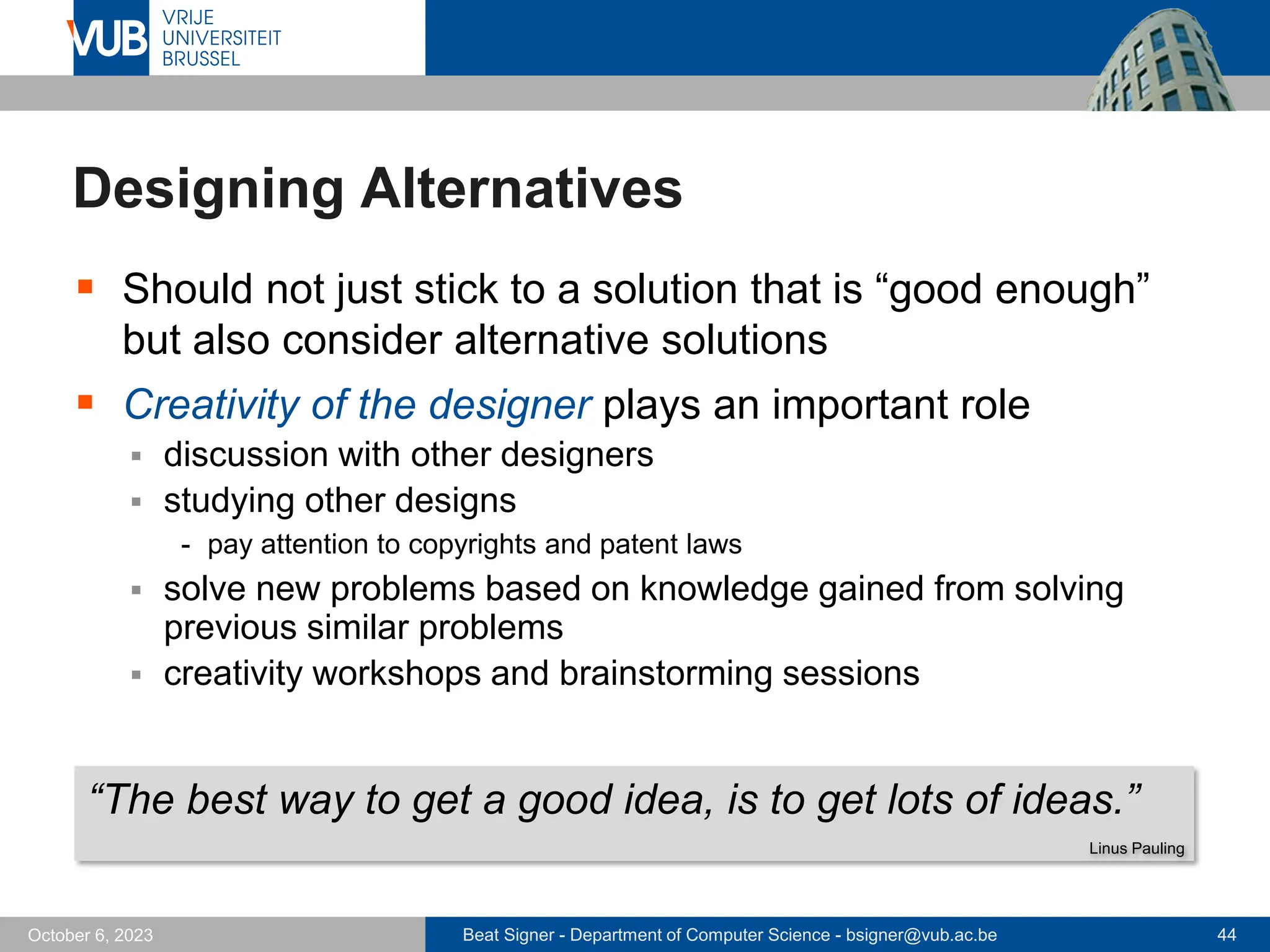
Designing Alternatives
▪ Should not just stick to a solution that is “good enough”
but also consider alternative solutions
▪ Creativity of the designer plays an important role
▪ discussion with other designers
▪ studying other designs
- pay attention to copyrights and patent laws
▪ solve new problems based on knowledge gained from solving
previous similar problems
▪ creativity workshops and brainstorming sessions
“The best way to get a good idea, is to get lots of ideas.”
Linus Pauling
Beat Signer - Department of Computer Science - bsigner@vub.ac.be 45
October 6, 2023
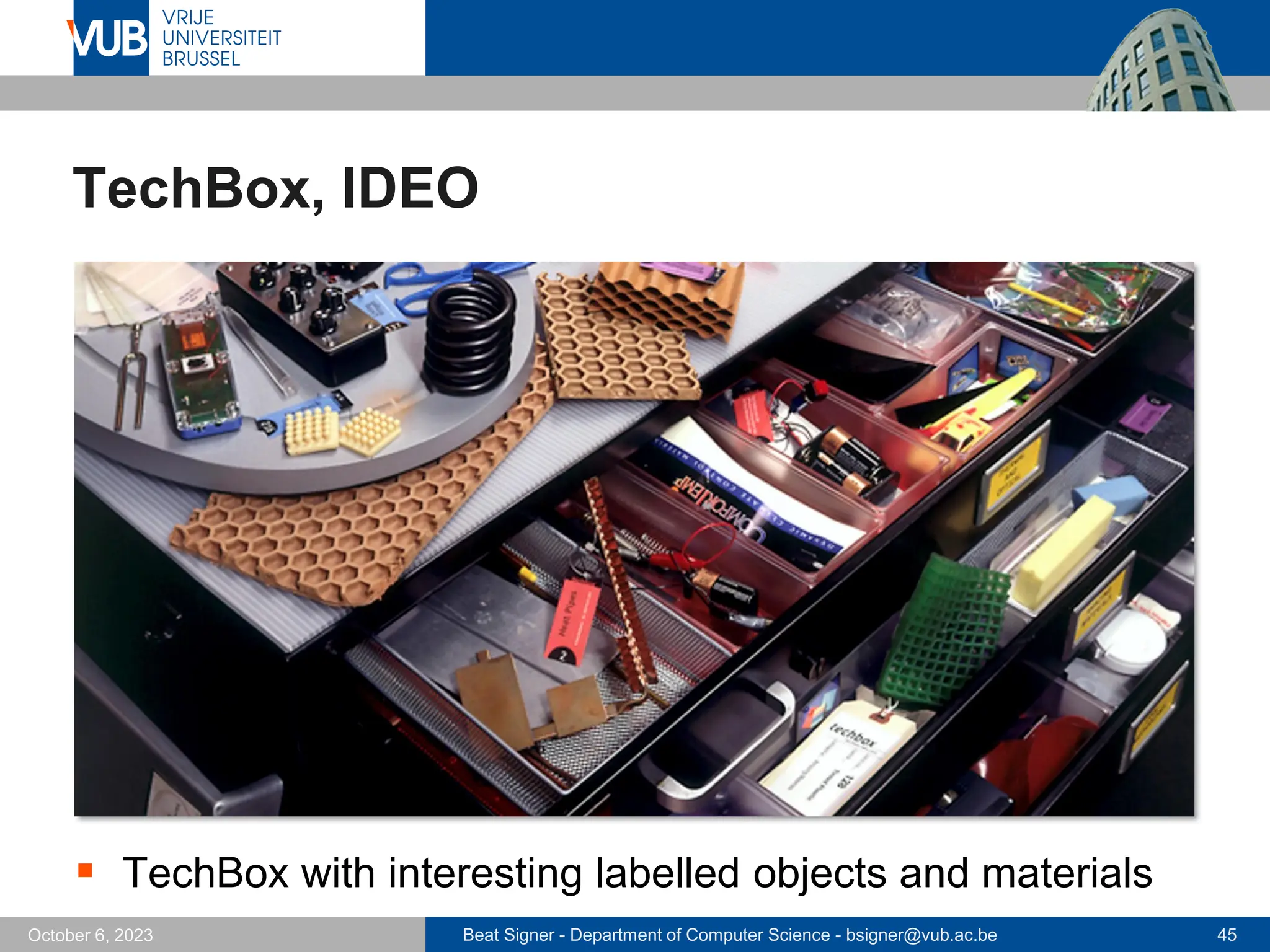
TechBox, IDEO
▪ TechBox with interesting labelled objects and materials
Beat Signer - Department of Computer Science - bsigner@vub.ac.be 46
October 6, 2023
Choose Among Alternative Designs
▪ Designs and potential solutions have to be communi-
cated in a suitable form to other people
▪ sketches, description in natural language, prototypes, …
▪ Design decisions based on the information collected
about users and their tasks
▪ Decision also based on the technical feasibility of an idea
▪ Decide about
▪ externally visible and measurable features
▪ internal characteristics of the system
▪ Let users and stakeholders interact with the products
▪ decide based on their experience, preferences and suggestions
for improvements
Beat Signer - Department of Computer Science - bsigner@vub.ac.be 47
October 6, 2023
Integrating IxD and Other Lifecycle Models
▪ Lifecycle models associated with other disciplines that
contribute to interaction design
▪ Software engineering
▪ “Human-Centred Software Engineering” (HCSE)
▪ Agile Software Development as a promising attempt
- eXtreme Programming (XP)
- Scrum
- …
Beat Signer - Department of Computer Science - bsigner@vub.ac.be 48
October 6, 2023
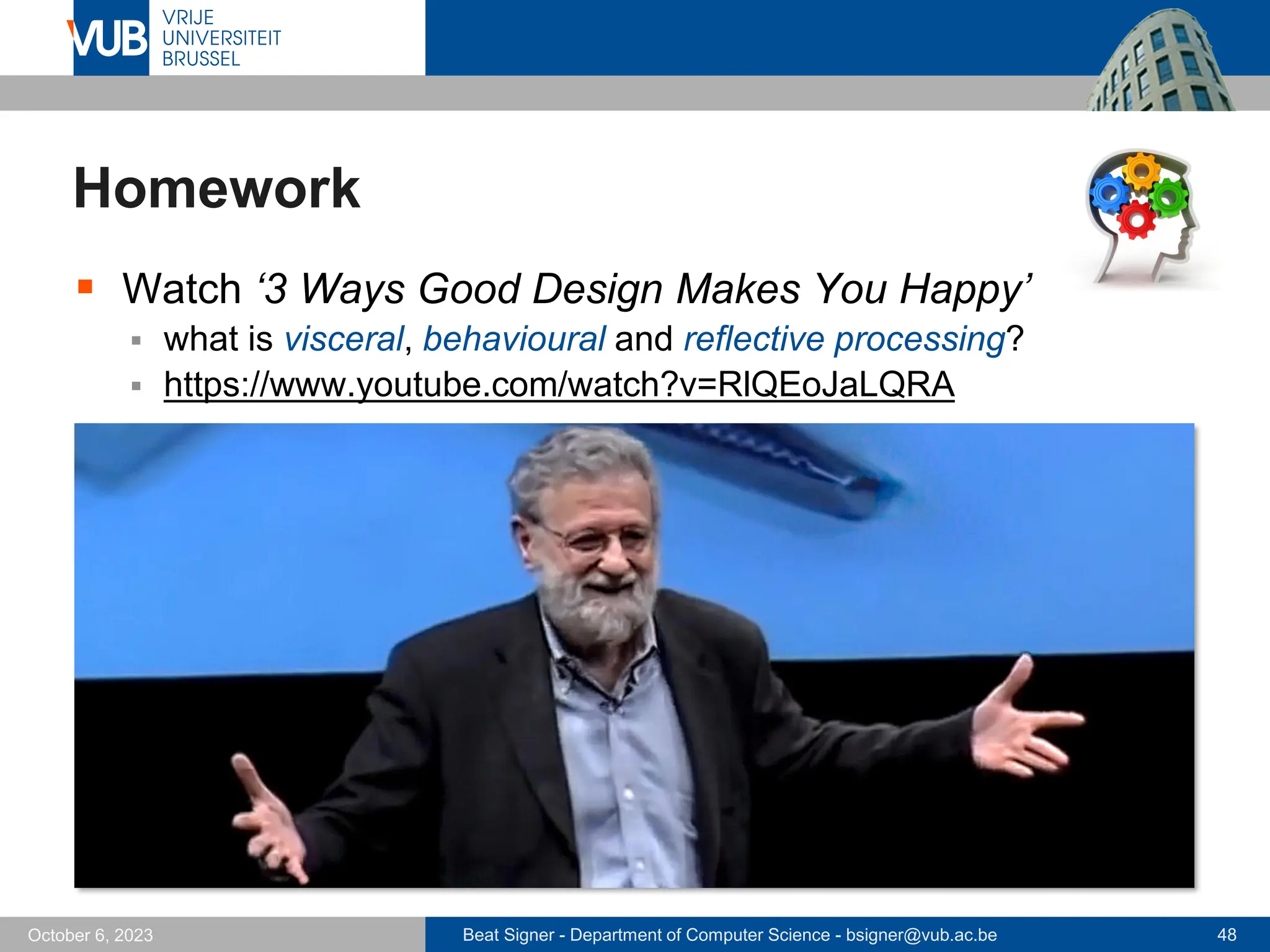
Homework
▪ Watch ‘3 Ways Good Design Makes You Happy’
▪ what is visceral, behavioural and reflective processing?
▪ https://www.youtube.com/watch?v=RlQEoJaLQRA
Beat Signer - Department of Computer Science - bsigner@vub.ac.be 49
October 6, 2023
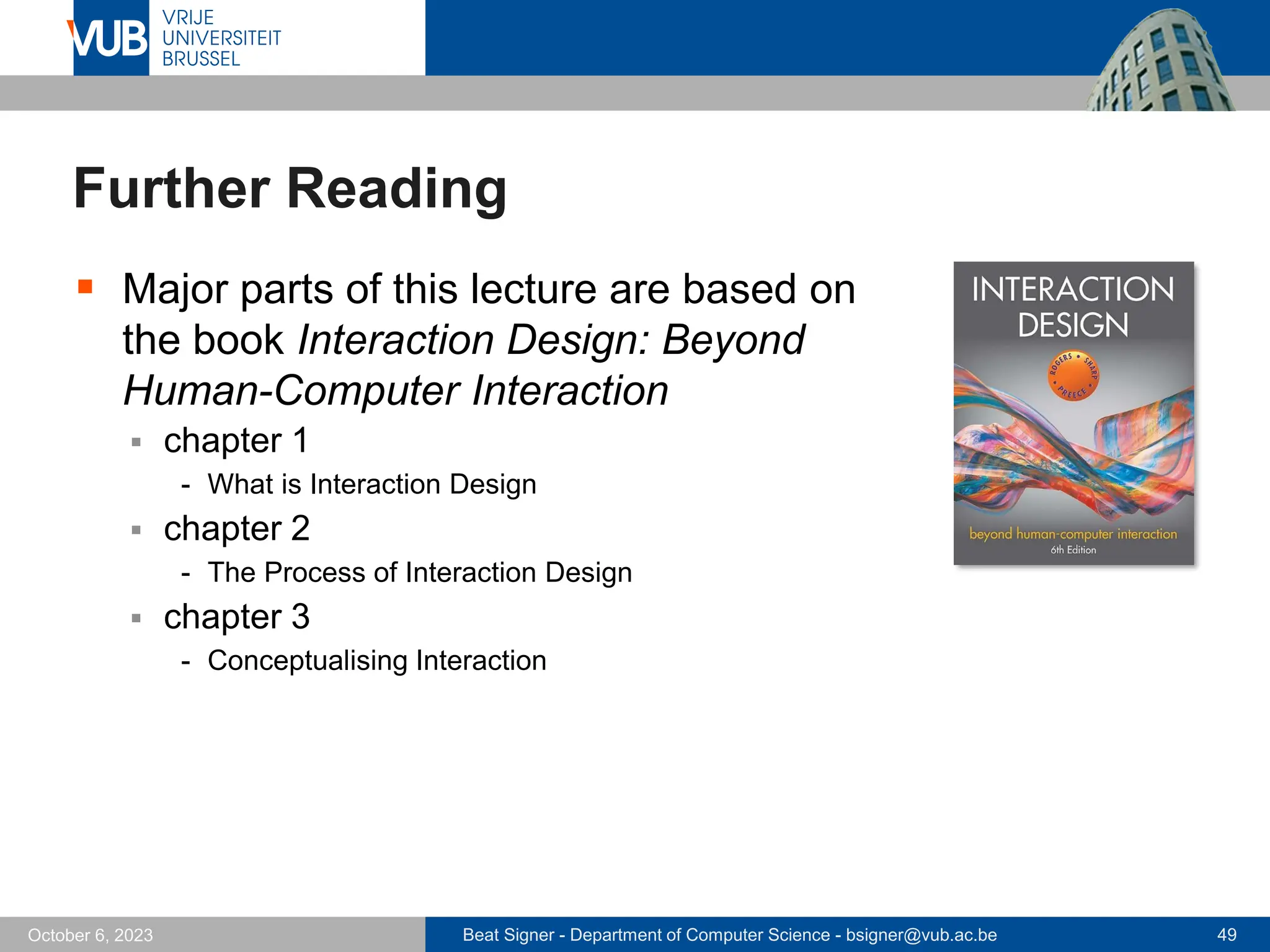
Further Reading
▪ Major parts of this lecture are based on
the book Interaction Design: Beyond
Human-Computer Interaction
▪ chapter 1
- What is Interaction Design
▪ chapter 2
- The Process of Interaction Design
▪ chapter 3
- Conceptualising Interaction
Beat Signer - Department of Computer Science - bsigner@vub.ac.be 50
October 6, 2023
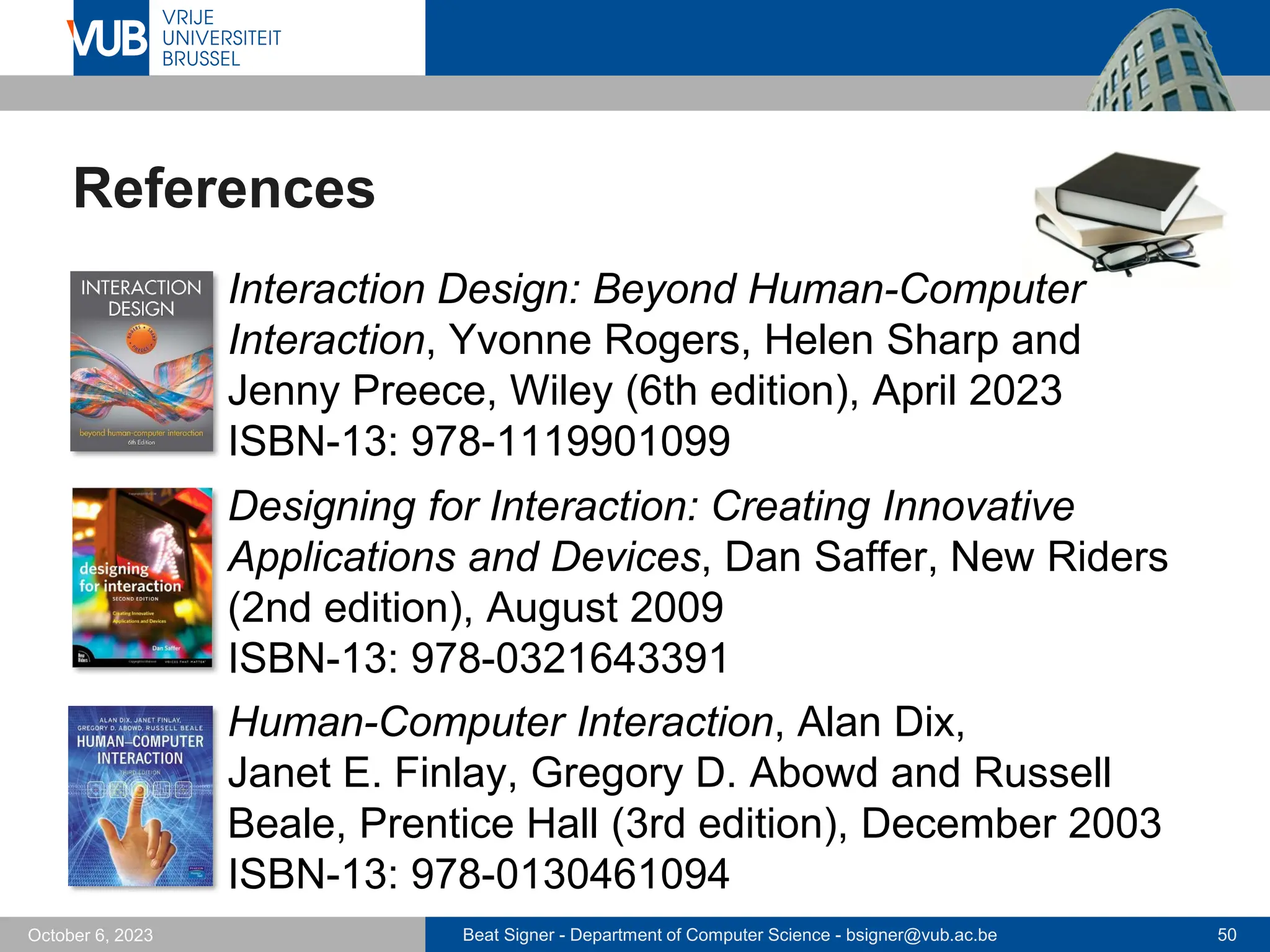
References
▪ Interaction Design: Beyond Human-Computer
Interaction, Yvonne Rogers, Helen Sharp and
Jenny Preece, Wiley (6th edition), April 2023
ISBN-13: 978-1119901099
▪ Designing for Interaction: Creating Innovative
Applications and Devices, Dan Saffer, New Riders
(2nd edition), August 2009
ISBN-13: 978-0321643391
Human-Computer Interaction, Alan Dix,
Janet E. Finlay, Gregory D. Abowd and Russell
Beale, Prentice Hall (3rd edition), December 2003
ISBN-13: 978-0130461094
Beat Signer - Department of Computer Science - bsigner@vub.ac.be 51
October 6, 2023
References …
▪ The Encyclopedia of Human-Computer
Interaction (2nd edition),
Interaction Design Foundation
https://bit.ly/3eb2NXs
▪ Durrell Bishop’s Marble Answering Machine
▪ https://www.youtube.com/watch?v=RgVbXV1krgU
▪ Human Technology Teamwork: The Role of Machines
and Humans in Good UX Design, D. Norman, 2017
▪ https://www.youtube.com/watch?v=15VmXVPVkyg
Beat Signer - Department of Computer Science - bsigner@vub.ac.be 52
October 6, 2023
References …
▪ 3 Ways Good Design Makes You Happy,
D. Norman, TED Talk, February 2003
▪ https://www.youtube.com/watch?v=RlQEoJaLQRA
2 December 2005
Next Lecture
Requirements Analysis and Prototyping

HCI and Interaction Design - Lecture 2 - Human-Computer Interaction (1023841ANR)

  • 1.
    2 December 2005 Human-ComputerInteraction HCI and Interaction Design Prof. Beat Signer Department of Computer Science Vrije Universiteit Brussel beatsigner.com
  • 2.
    Beat Signer -Department of Computer Science - bsigner@vub.ac.be 2 October 6, 2023 Human-Computer Interaction ▪ Human-Computer Interaction is a multidisciplinary field ▪ Computer Science ▪ Design ▪ Cognitive Science ▪ Psychology ▪ … Human-computer interaction is a discipline concerned with the design, evaluation and implementation of interactive computing systems for human use and with the study of major phenomena surrounding them. ACM SIGCHI Curricula for Human-Computer Interaction
  • 3.
    Beat Signer -Department of Computer Science - bsigner@vub.ac.be 3 October 6, 2023 Human-Computer Interaction … ▪ Area of research and practice that emerged in the early 1980s ▪ originally a special area in Computer Science embracing cognitive science and human factors engineering ▪ original focus mainly on usability ▪ Theories and models ▪ GOMS (Goals, Operations, Methods, Selection rules) model, keystroke-level model, Fitts’ law, … ▪ Research methods ▪ surveys, interviews, focus groups, diaries, case studies, ethnography, usability testing, automated data collection, …
  • 4.
    Beat Signer -Department of Computer Science - bsigner@vub.ac.be 4 October 6, 2023 Main HCI Conferences ▪ CHI: ACM Conference on Human Factors in Computing Systems ▪ https://dl.acm.org/conference/chi/ ▪ UIST: ACM Symposium on User Interface Software and Technology ▪ https://dl.acm.org/conference/uist/ ▪ CSCW: ACM Conference on Computer-supported Cooperative Work and Social Computing ▪ https://dl.acm.org/conference/cscw/ ▪ IUI: Annual Conference on Intelligent User Interfaces ▪ https://dl.acm.org/conference/iui/
  • 5.
    Beat Signer -Department of Computer Science - bsigner@vub.ac.be 5 October 6, 2023 Main HCI Conferences … ▪ TEI: International Conference on Tangible, Embedded, and Embodied Interaction ▪ https://dl.acm.org/conference/tei/ ▪ EICS: International Conference on Engineering Interactive Computing Systems ▪ https://dl.acm.org/conference/eics/ ▪ DIS: ACM Conference on Designing Interactive Systems ▪ https://dl.acm.org/conference/dis/ ▪ ICMI: International Conference on Multimodal Interaction ▪ https://dl.acm.org/conference/icmi/
  • 6.
    Beat Signer -Department of Computer Science - bsigner@vub.ac.be 6 October 6, 2023 Interaction Design (IxD) [Illustration by Dan Saffer]
  • 7.
    Beat Signer -Department of Computer Science - bsigner@vub.ac.be 7 October 6, 2023 Interaction Design (IxD) … ▪ In order to design a product, we first need some requirements ▪ whom to ask about the requirements? ▪ will users know what they want or need? ▪ users are unlikely to be able to envision what is possible - where to get ideas for innovative products? ▪ user-centred design involves users throughout the process Interaction design addresses the design of interactive products to support the way people communicate and interact in their everyday and working lives. Y. Rogers, H. Sharp and J. Preece, Interaction Design: Beyond Human-Computer Interaction
  • 8.
    Beat Signer -Department of Computer Science - bsigner@vub.ac.be 8 October 6, 2023 Interaction Design (IxD) … ▪ Reduce negative aspects ▪ frustration ▪ annoyance ▪ Design products that are easy to learn, effective to use and provide an enjoyable user experience
  • 9.
    Beat Signer -Department of Computer Science - bsigner@vub.ac.be 9 October 6, 2023 What to Design ▪ Who (user) is going to use an interactive product, how (task) is it going to be used and where (context)? ▪ Have to understand the activities people are doing while using the products ▪ How to optimise a user’s interactions with a system, environment or product to support and extend their activities in effective, useful and usable ways? ▪ take into account what people are good and bad at (human technology teamwork) ▪ what might help people with the way they currently do things ▪ listen to what people want and get them involved in the design ▪ use established user-based techniques during the design process
  • 10.
    Beat Signer -Department of Computer Science - bsigner@vub.ac.be 10 October 6, 2023 Human Technology Teamwork (Video)
  • 11.
    Beat Signer -Department of Computer Science - bsigner@vub.ac.be 11 October 6, 2023 Who Is Involved in Interaction Design ▪ Often carried out in multidisciplinary teams ▪ engineers, designers, programmers, users, psychologists, … ▪ creates more ideas as well as more creative and original designs ▪ Communication between people with different backgrounds might be a challenge ▪ Nowadays companies often seek help from interaction design consultants ▪ Cooper, Nielsen Norman Group, IDEO, …
  • 12.
    Beat Signer -Department of Computer Science - bsigner@vub.ac.be 12 October 6, 2023 Good and Poor Design ▪ Voicemail example ▪ Possible interaction ▪ After picking up the handset we get “beep, beep, beep, there is a message” ▪ As written in the instructions we type ’41’ and get the answer “You have reached the Hilton Brussels City voice message centre. Please enter the room number for which you would like to leave a message.” ▪ After waiting and checking the instructions again we press *, enter our room number and press # to get the answer “You have reached the mailbox for room 106. To leave a message type in your password.” ▪ We type in our room number again and the system replies “Please enter the room number again and then your password.” 1. Touch 41. 2. Touch *, your room number and #. Instructions to listen to voice messages
  • 13.
    Beat Signer -Department of Computer Science - bsigner@vub.ac.be 13 October 6, 2023 Good and Poor Design … ▪ What is the problem with this voicemail system? ▪ confusing ▪ takes too many steps to do basic tasks ▪ difficult to use ▪ impossible to see at a glance how many messages have been left ▪ instructions are partially provided by the system and partially by the instructions card ▪ …
  • 14.
    Beat Signer -Department of Computer Science - bsigner@vub.ac.be 14 October 6, 2023 Good and Poor Design … ▪ Marble answering machine ▪ incoming messages repre- sented by physical marbles ▪ Differences ▪ familiar physical objects show the number of messages ▪ aesthetically pleasing and enjoyable to use ▪ one-step actions to perform a task ▪ simple but elegant design with less functionality ▪ anyone can listen to any of the messages ▪ Might not be robust enough to be used in public space ▪ important to take into account where a product is going to be used Marble answering machine, D. Bishop, 1992
  • 15.
    Beat Signer -Department of Computer Science - bsigner@vub.ac.be 15 October 6, 2023 Marble Answering Machine (Video)
  • 16.
    Beat Signer -Department of Computer Science - bsigner@vub.ac.be 16 October 6, 2023 Good and Poor Design ▪ Remote control example ▪ Multiple remote controls ▪ each control looks and works differently ▪ often many small, multi- coloured and double-labelled buttons ▪ difficult to find the right buttons even for simplest tasks ▪ Is it better to converge to a single universal control or have multiple specialised one?
  • 17.
    Beat Signer -Department of Computer Science - bsigner@vub.ac.be 17 October 6, 2023 Good and Poor Design … ▪ TiVo remote control ▪ large and clearly labelled buttons ▪ logically arranged buttons ▪ remote nicely fits into hand ▪ good use of colours and cartoon icons making it easy to identify them ▪ Why is the TiVo remote control more usable than others? ▪ TiVo followed a user-centred design process ▪ potential users involved in the design process ▪ avoids “buttonitis” trap by offering only the essential functionality on the remote and the rest via on-screen menus TiVo remote control
  • 18.
    Beat Signer -Department of Computer Science - bsigner@vub.ac.be 18 October 6, 2023 Apple TV Example
  • 19.
    Beat Signer -Department of Computer Science - bsigner@vub.ac.be 19 October 6, 2023 Usability and User Experience ▪ Understand users to be clear about the primary objective of developing an interactive product for them ▪ Objectives can be classified in terms of usability and user experience goals ▪ e.g.product should be highly efficient, entertaining and aesthetically pleasing ▪ Originally, HCI primarily concerned with usability
  • 20.
    Beat Signer -Department of Computer Science - bsigner@vub.ac.be 20 October 6, 2023 Usability Goals ▪ Effectiveness ▪ how good is the product at doing what it is supposed to do ▪ question: “Is the product capable of allowing people to learn, carry out their work efficiently, access the information they need, or buy the goods they want?” ▪ Efficiency ▪ how well does the product support the user in carrying out their tasks ▪ question: ”Once users have learned how to use a product to carry out their tasks, can they sustain a high level of productivity?”
  • 21.
    Beat Signer -Department of Computer Science - bsigner@vub.ac.be 21 October 6, 2023 Usability Goals … ▪ Safety ▪ protect the user from dangerous conditions and undesirable situations ▪ prevent users from making serious errors by mistake - do not place a quit or delete command next to a save command in a menu - asks for a confirmation for “dangerous” commands ▪ provide different ways to recover from errors - offer some undo functionality ▪ question: “What is the range of errors that are possible using the product and what measures are there to permit users to recover from them?”
  • 22.
    Beat Signer -Department of Computer Science - bsigner@vub.ac.be 22 October 6, 2023 Usability Goals … ▪ Utility ▪ does the product provide the right kind of functionality ▪ question: “Does the product provide an appropriate set of functions that will enable users to carry out all their tasks in the way they want to do them?” ▪ Learnability ▪ how easy is it to learn to use the system ▪ question: “Is it possible for the user to work out how to use the product by exploring the interface and trying out certain actions? How hard will it be to learn the whole set of functions in this way?”
  • 23.
    Beat Signer -Department of Computer Science - bsigner@vub.ac.be 23 October 6, 2023 Usability Goals … ▪ Memorability ▪ how easy is it to remember how to use a system once it has been learned - meaningful icons, command names and options ▪ important for infrequently used products ▪ question: “What kinds of interface support have been provided to help users remember how to carry out tasks, especially for products and operations they use infrequently?”
  • 24.
    Beat Signer -Department of Computer Science - bsigner@vub.ac.be 24 October 6, 2023 User Experience (UX) ▪ How does a product behave and how is it used by people in the real world ▪ how do people feel ▪ pleasure and satisfaction when using, holding, opening, … ▪ We cannot design a user experience but only design for a user experience ▪ usability ▪ aesthetics ▪ content ▪ look and feel as well as sensual and emotional appeal ▪ No unifying theory but conceptual frameworks, verified design methods, guidelines and research findings
  • 25.
    Beat Signer -Department of Computer Science - bsigner@vub.ac.be 25 October 6, 2023 User Experience Goals ▪ Desirable aspects ▪ Undesirable aspects - boring - frustrating - making one feel guilty - annoying - childish - unpleasant - patronising - making one feel stupid - gimmicky - … - satisfying - enjoyable - engaging - pleasurable - exciting - entertaining - helpful - motivating - challenging - supporting creativity - fun - rewarding - … ▪ User experience goals are less objective than usability goals
  • 26.
    Beat Signer -Department of Computer Science - bsigner@vub.ac.be 26 October 6, 2023 3 Ways Good Design Makes You Happy DONNORMAN visceral design behavioural design reflective design
  • 27.
    Beat Signer -Department of Computer Science - bsigner@vub.ac.be 27 October 6, 2023 Double Diamond Design Process (2004) https://www.designcouncil.org.uk/our-work/news-opinion/double-diamond-universally-accepted-depiction-design-process/
  • 28.
    Beat Signer -Department of Computer Science - bsigner@vub.ac.be 28 October 6, 2023 Understanding the Problem Space ▪ Identification of usability and user experience goals as a prerequisite ▪ Make underlying assumptions and claims explicit ▪ e.g. "people will want to watch TV on their mobile phones" ▪ Articulation of the problem space is typically done as a team effort ▪ Time-consuming process but reduces the chance of incorrect assumptions and unsupported claims creeping into a design solution ▪ Good understanding of the problem space helps in conceptualising the design space (blueprint)
  • 29.
    Beat Signer -Department of Computer Science - bsigner@vub.ac.be 29 October 6, 2023 Developing an Initial Conceptual Model ▪ Define an initial conceptual model by considering ▪ which interface metaphors are suitable to help users understand the product? ▪ which interaction type(s) do best support the users’ activities? ▪ Three-step process for choosing a good interface metaphor ▪ understand what the system will do (functional requirements) ▪ understand which parts (tasks or subtasks) of the product are likely to cause users problems, are complicated or critical ▪ choose metaphor to support those critical aspects - human technology teamwork
  • 30.
    Beat Signer -Department of Computer Science - bsigner@vub.ac.be 30 October 6, 2023 Developing an Initial Conceptual Model … ▪ Interaction type depends on the application domain and the kind of product that is developed ▪ e.g.manipulating type most likely suited for a game ▪ conceptual model can include a combination of interaction types - different parts of the interaction associated with different types ▪ Consideration of different interface types at this stage might lead to different design alternatives
  • 31.
    Beat Signer -Department of Computer Science - bsigner@vub.ac.be 31 October 6, 2023 Interaction Types ▪ Instructing ▪ user issues instructions to a system ▪ typing commands, selecting menu options, … ▪ Conversing ▪ user having a two-way communication/conversion with the system - e.g. ticket booking or help systems ▪ used to find out specific kinds of information ▪ Manipulating ▪ in direct manipulation digital objects are designed so that they can be interacted with in a similar way as physical real-world objects ▪ Exploring ▪ explore environment by exploiting knowledge of how to navigate through existing spaces
  • 32.
    Beat Signer -Department of Computer Science - bsigner@vub.ac.be 32 October 6, 2023 Four Approaches to Interaction Design ▪ User-centred design (UCD) ▪ user knows best and is the only guide to the designer ▪ designer translates user needs into a design solution ▪ Activity-centred design (ACD) ▪ user still plays an important role but focus on their behaviour rather than their goals and needs ▪ Systems design ▪ system (people, computers, objects …) is the centre of attention and the user’s role is to set the goal of the system ▪ Genius design ▪ relies solely on the experience and creativity of the designer ▪ the user’s role is to validate the design Dan Saffer, 2009
  • 33.
    Beat Signer -Department of Computer Science - bsigner@vub.ac.be 33 October 6, 2023 Importance of User Involvement ▪ Before user-centred design was used, developers defined requirements based on ▪ talking to their managers ▪ talking to people playing the role of users (proxy users) ▪ their own judgement ▪ User involvement during the development guarantees that user activities are taken into account ▪ Makes sure that the user expectations about a new product are realistic (expectation management) ▪ pre-release versions and hands-on demonstration also help in shaping the expectations
  • 34.
    Beat Signer -Department of Computer Science - bsigner@vub.ac.be 34 October 6, 2023 Importance of User Involvement … ▪ Users who are involved feel that they have contributed to the development and are more likely to support a product’s use (sense of ownership) ▪ Different degrees of user involvement ▪ full-time for the duration of the whole project ▪ full-time for a limited time ▪ part-time for the duration of the whole project ▪ part-time for a limited time ▪ Another possibility is to combine regular newsletters with workshops ▪ Customer support and logging/error reporting systems after product release
  • 35.
    Beat Signer -Department of Computer Science - bsigner@vub.ac.be 35 October 6, 2023 How Much User Involvement? ▪ Some studies have shown that too much user involvement might also lead to problems ▪ higher costs ▪ less innovation ▪ lower team effectiveness ▪ over time, users develop more sophisticated ideas and they want to have them incorporated late in the project ▪ …
  • 36.
    Beat Signer -Department of Computer Science - bsigner@vub.ac.be 36 October 6, 2023 User-Centred Design Principles 1. Early focus on users and tasks ▪ who will be the users ▪ study the characteristics of users 2. Empirical measurement ▪ identify specific usability and user experience goals - helps to choose between alternative designs - can be used to check the progress ▪ sketches, description in natural language and prototypes help to observe and analyse the performance and reactions of users 3. Iterative design ▪ problems identified in user testing are fixed and evaluated in a next iteration - iteration is particularly important when trying to innovate
  • 37.
    Beat Signer -Department of Computer Science - bsigner@vub.ac.be 37 October 6, 2023 Early Focus on Users and Tasks ▪ Users’ tasks and goals are the driving force ▪ technology informs design options and choices, but user goals and tasks are the driving force ▪ “What technologies are available to provide better support for users’ goals?” ▪ Users’ behaviour and context of use are studied and the system is designed to support them ▪ design to support an activity with little understanding of the real work involved is likely to be incompatible with current practice - users do not like to deviate from their learned habits ▪ Users’ characteristics are captured and designed for ▪ take the cognitive and physical limitations of users into account and limit the mistakes they can make
  • 38.
    Beat Signer -Department of Computer Science - bsigner@vub.ac.be 38 October 6, 2023 Early Focus on Users and Tasks … ▪ Users are consulted throughout the whole development ▪ respect users and take their input seriously into account ▪ Design decisions are taken within the context of users, their work and their environment ▪ does not necessarily mean that users are actively involved in design decisions
  • 39.
    Beat Signer -Department of Computer Science - bsigner@vub.ac.be 39 October 6, 2023 Who are the Users? ▪ Involving the right users is crucial ▪ Different types of users ▪ primary users - frequent hands-on users of the product ▪ secondary users - occasional users or users who use the product through an intermediary ▪ tertiary users - affected by the introduction of the product or influence its purchase ▪ Group of stakeholders for a product normally larger than the group thought of as users ▪ Difficult to find users for products that are a new invention
  • 40.
    Beat Signer -Department of Computer Science - bsigner@vub.ac.be 41 October 6, 2023 Interaction Design Process The interaction design process involves four basic activities 1. Establishing requirements ▪ know target users and the required support 2. Designing alternatives that meet the requirements ▪ conceptual design ▪ physical design 3. Prototyping the alternative designs in order that they can be communicated and assessed ▪ paper-based prototypes ▪ software prototypes
  • 41.
    Beat Signer -Department of Computer Science - bsigner@vub.ac.be 42 October 6, 2023 Interaction Design Process 4. Evaluating ▪ determining the usability and acceptability ▪ observing or talking to users ▪ interviews or questionnaires
  • 42.
    Beat Signer -Department of Computer Science - bsigner@vub.ac.be 43 October 6, 2023 Interaction Design Lifecycle Model Establishing requirements Designing alternatives Prototyping Evaluating Final product
  • 43.
    Beat Signer -Department of Computer Science - bsigner@vub.ac.be 44 October 6, 2023 Designing Alternatives ▪ Should not just stick to a solution that is “good enough” but also consider alternative solutions ▪ Creativity of the designer plays an important role ▪ discussion with other designers ▪ studying other designs - pay attention to copyrights and patent laws ▪ solve new problems based on knowledge gained from solving previous similar problems ▪ creativity workshops and brainstorming sessions “The best way to get a good idea, is to get lots of ideas.” Linus Pauling
  • 44.
    Beat Signer -Department of Computer Science - bsigner@vub.ac.be 45 October 6, 2023 TechBox, IDEO ▪ TechBox with interesting labelled objects and materials
  • 45.
    Beat Signer -Department of Computer Science - bsigner@vub.ac.be 46 October 6, 2023 Choose Among Alternative Designs ▪ Designs and potential solutions have to be communi- cated in a suitable form to other people ▪ sketches, description in natural language, prototypes, … ▪ Design decisions based on the information collected about users and their tasks ▪ Decision also based on the technical feasibility of an idea ▪ Decide about ▪ externally visible and measurable features ▪ internal characteristics of the system ▪ Let users and stakeholders interact with the products ▪ decide based on their experience, preferences and suggestions for improvements
  • 46.
    Beat Signer -Department of Computer Science - bsigner@vub.ac.be 47 October 6, 2023 Integrating IxD and Other Lifecycle Models ▪ Lifecycle models associated with other disciplines that contribute to interaction design ▪ Software engineering ▪ “Human-Centred Software Engineering” (HCSE) ▪ Agile Software Development as a promising attempt - eXtreme Programming (XP) - Scrum - …
  • 47.
    Beat Signer -Department of Computer Science - bsigner@vub.ac.be 48 October 6, 2023 Homework ▪ Watch ‘3 Ways Good Design Makes You Happy’ ▪ what is visceral, behavioural and reflective processing? ▪ https://www.youtube.com/watch?v=RlQEoJaLQRA
  • 48.
    Beat Signer -Department of Computer Science - bsigner@vub.ac.be 49 October 6, 2023 Further Reading ▪ Major parts of this lecture are based on the book Interaction Design: Beyond Human-Computer Interaction ▪ chapter 1 - What is Interaction Design ▪ chapter 2 - The Process of Interaction Design ▪ chapter 3 - Conceptualising Interaction
  • 49.
    Beat Signer -Department of Computer Science - bsigner@vub.ac.be 50 October 6, 2023 References ▪ Interaction Design: Beyond Human-Computer Interaction, Yvonne Rogers, Helen Sharp and Jenny Preece, Wiley (6th edition), April 2023 ISBN-13: 978-1119901099 ▪ Designing for Interaction: Creating Innovative Applications and Devices, Dan Saffer, New Riders (2nd edition), August 2009 ISBN-13: 978-0321643391 Human-Computer Interaction, Alan Dix, Janet E. Finlay, Gregory D. Abowd and Russell Beale, Prentice Hall (3rd edition), December 2003 ISBN-13: 978-0130461094
  • 50.
    Beat Signer -Department of Computer Science - bsigner@vub.ac.be 51 October 6, 2023 References … ▪ The Encyclopedia of Human-Computer Interaction (2nd edition), Interaction Design Foundation https://bit.ly/3eb2NXs ▪ Durrell Bishop’s Marble Answering Machine ▪ https://www.youtube.com/watch?v=RgVbXV1krgU ▪ Human Technology Teamwork: The Role of Machines and Humans in Good UX Design, D. Norman, 2017 ▪ https://www.youtube.com/watch?v=15VmXVPVkyg
  • 51.
    Beat Signer -Department of Computer Science - bsigner@vub.ac.be 52 October 6, 2023 References … ▪ 3 Ways Good Design Makes You Happy, D. Norman, TED Talk, February 2003 ▪ https://www.youtube.com/watch?v=RlQEoJaLQRA
  • 52.
    2 December 2005 NextLecture Requirements Analysis and Prototyping