SPONSORED BY
DEPLOYING LYNC EVALUATING 
COSTS AND COMPLEXITIES 
Fabrizio Volpe 
Network and Systems Administrator, Iccrea Banking Group 
Microsoft MVP 
E-mail/IM: fabrizio.volpe@outlook.com
Topics: 
• Skype for Business 
• Lync Deployment Scenarios 
• Let’s Talk About Money 
• Better Not Together
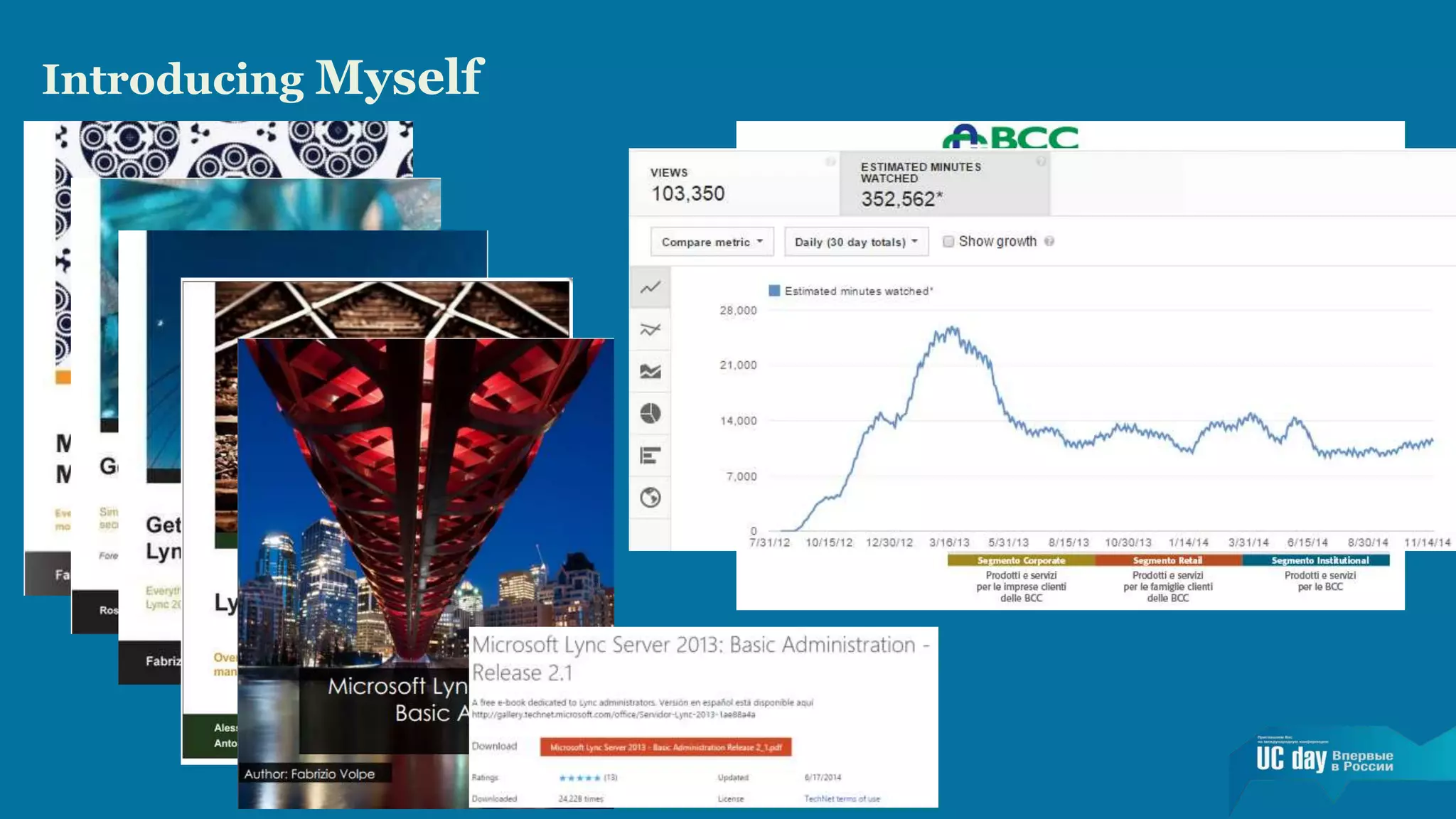
Introducing Myself
Focus of this Speech 
This is a session dedicated to business, so we will not deep dive the 
technical aspects of the various scenario. 
1. A short introduction of Skype for Business 
2. An outline of some of the options to deploy Lync Server 2013 
3. Related complexities ( “notes”) 
4. A short overview of the costs related to Lync 
5. A list of features and design decisions that usually add a lot of 
complexity
Introducing Skype for Business 
• Some Skype Metrics 
• Over 300 million connected users per 
month 
• Skype users made 2 billion minutes of calls 
in one day 
• 140 million active Skype users on iOS and 
Android 
• Skype continues to be an essential app, 
ranked in the top 10 most downloaded apps 
of all time on Windows Phone, iOS and 
Android
Introducing Skype for Business 
• Skype for Business Release 
• In the first half of 2015, Microsoft will deliver a 
new server, a new client and new services in 
• Office 365 
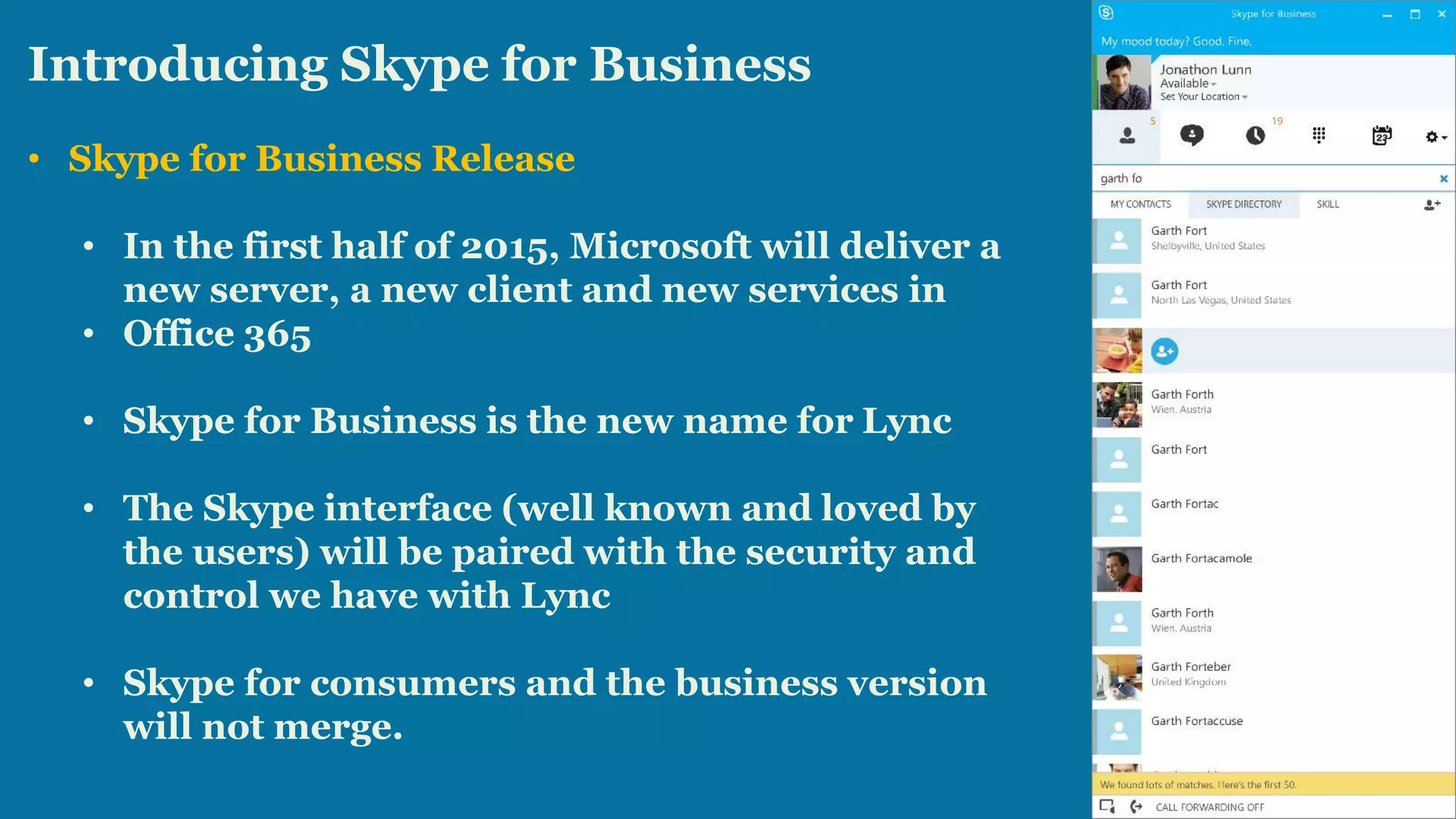
• Skype for Business is the new name for Lync 
• The Skype interface (well known and loved by 
the users) will be paired with the security and 
control we have with Lync 
• Skype for consumers and the business version 
will not merge.
Introducing Skype for Business 
• Skype Clients Ecosystem 
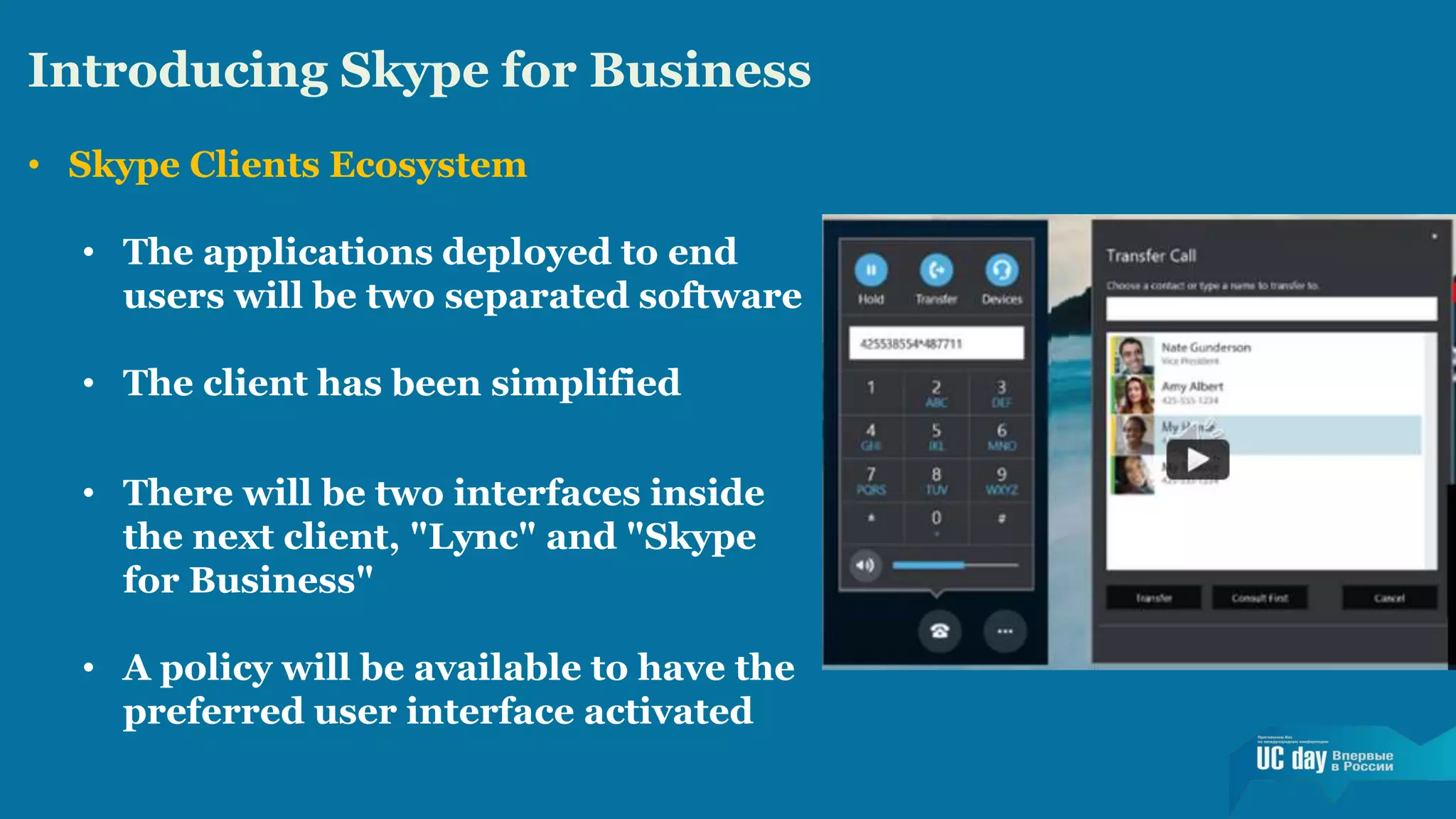
• The applications deployed to end 
users will be two separated software 
• The client has been simplified 
• There will be two interfaces inside 
the next client, "Lync" and "Skype 
for Business" 
• A policy will be available to have the 
preferred user interface activated
Introducing Skype for Business 
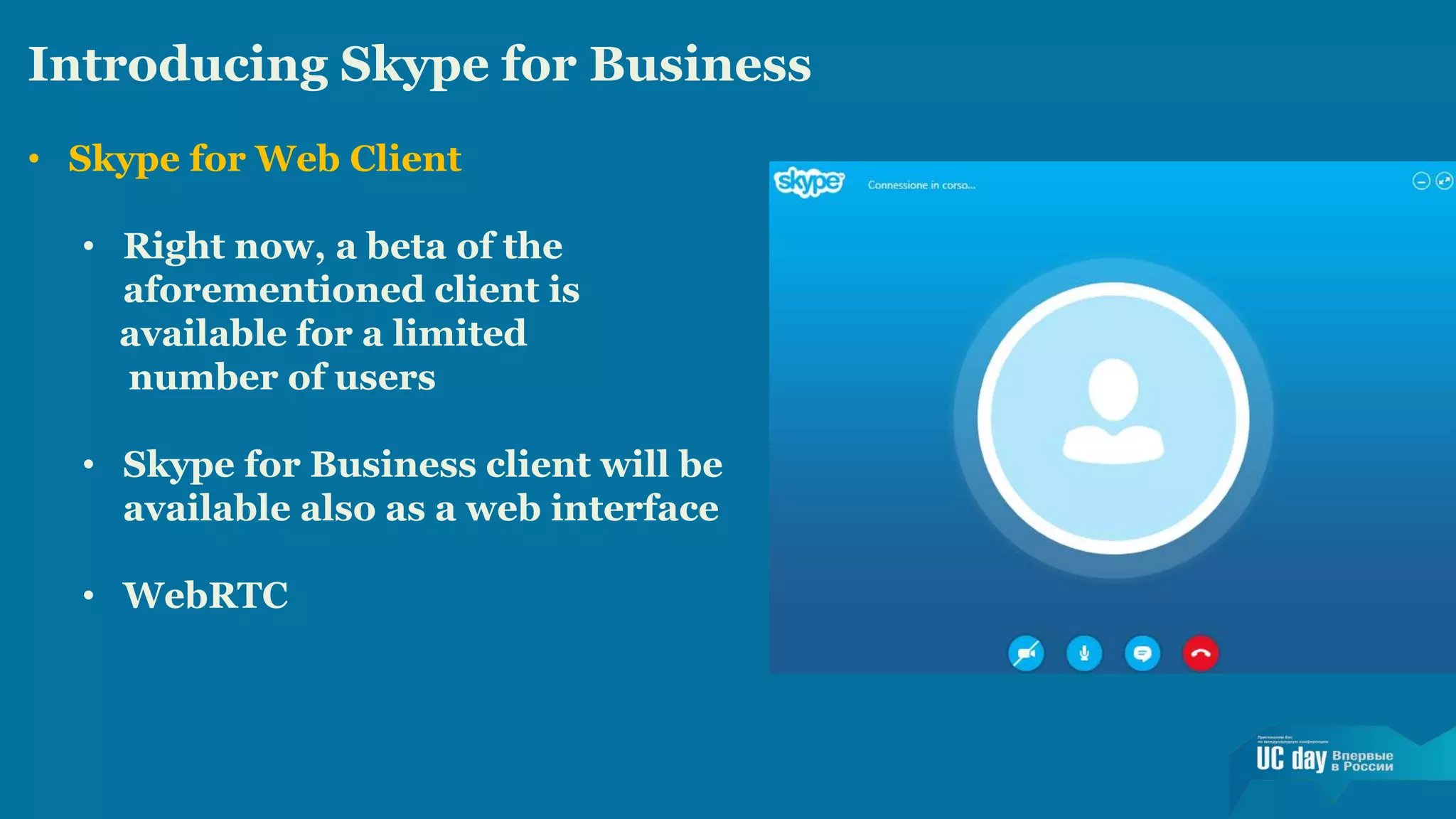
• Skype for Web Client 
• Right now, a beta of the 
aforementioned client is 
available for a limited 
number of users 
• Skype for Business client will be 
available also as a web interface 
• WebRTC
Timing: An Essential Element 
• Ongoing Deployment Projects 
• Deployment Projects 
starting in a Few Months 
• Deployment Projects 
starting in the late 2015
How Complex it is to Deploy Lync? 
The list of Lync features includes 
• Instant Messaging (Chat) 
• Presence Information 
• Video Conferencing 
• Data Sharing 
• Telephony (VOIP) And Call Control 
The more features we deploy, the more complex our 
infrastructure (and requirements) will be
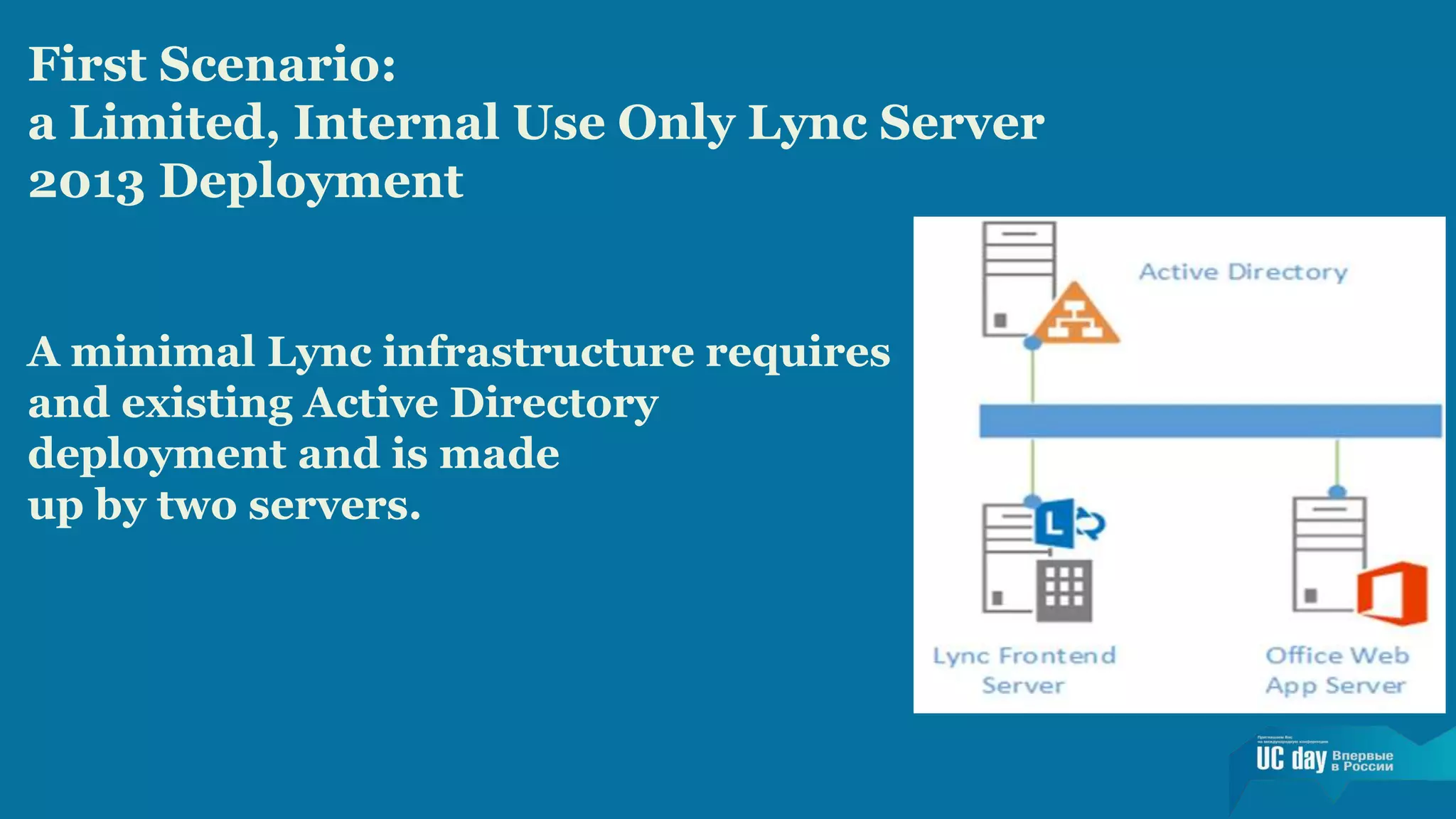
First Scenario: 
a Limited, Internal Use Only Lync Server 
2013 Deployment 
A minimal Lync infrastructure requires 
and existing Active Directory 
deployment and is made 
up by two servers.
First Note: Deploy Lync Enterprise Voice 
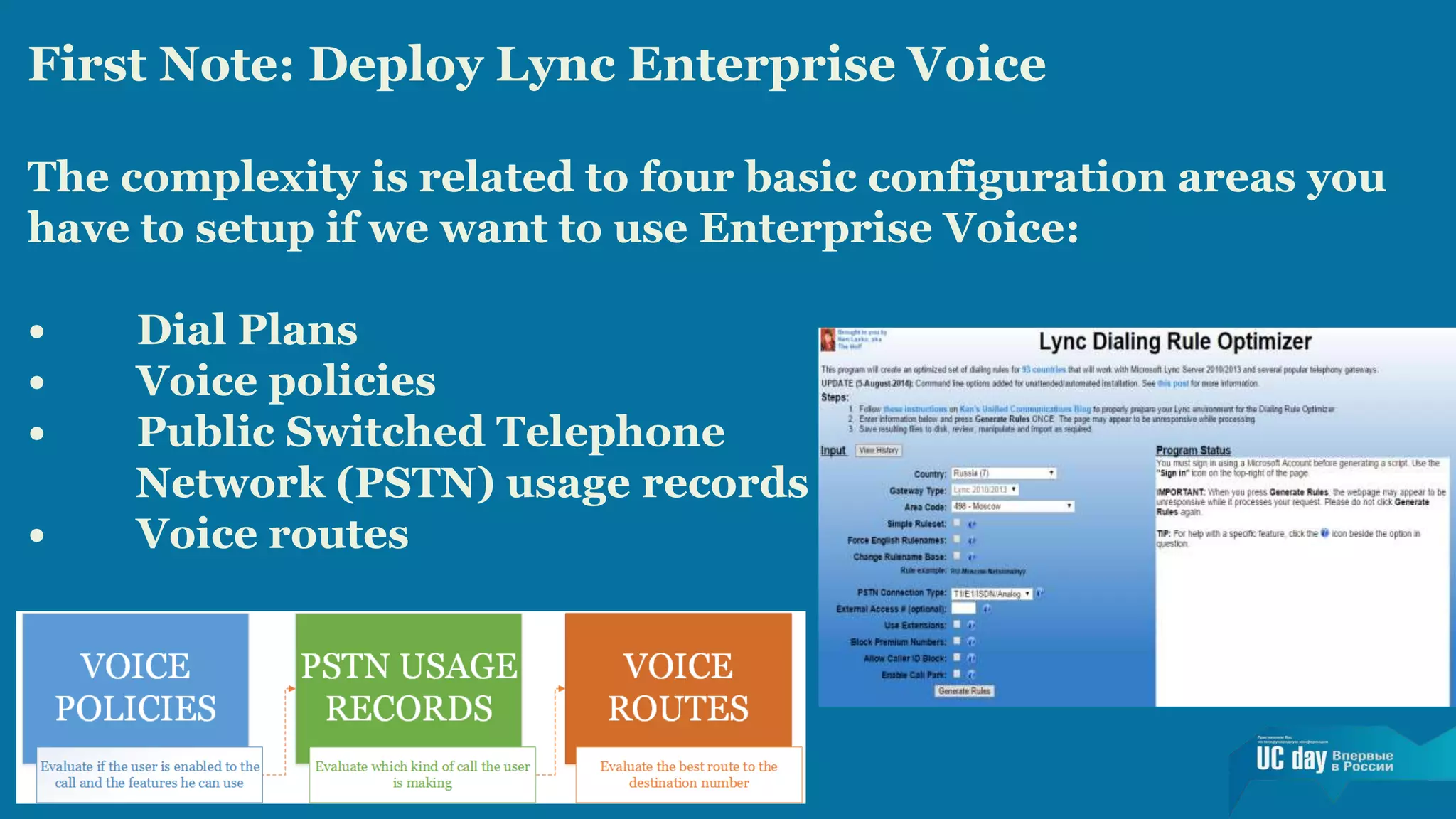
The complexity is related to four basic configuration areas you 
have to setup if we want to use Enterprise Voice: 
• Dial Plans 
• Voice policies 
• Public Switched Telephone 
Network (PSTN) usage records 
• Voice routes
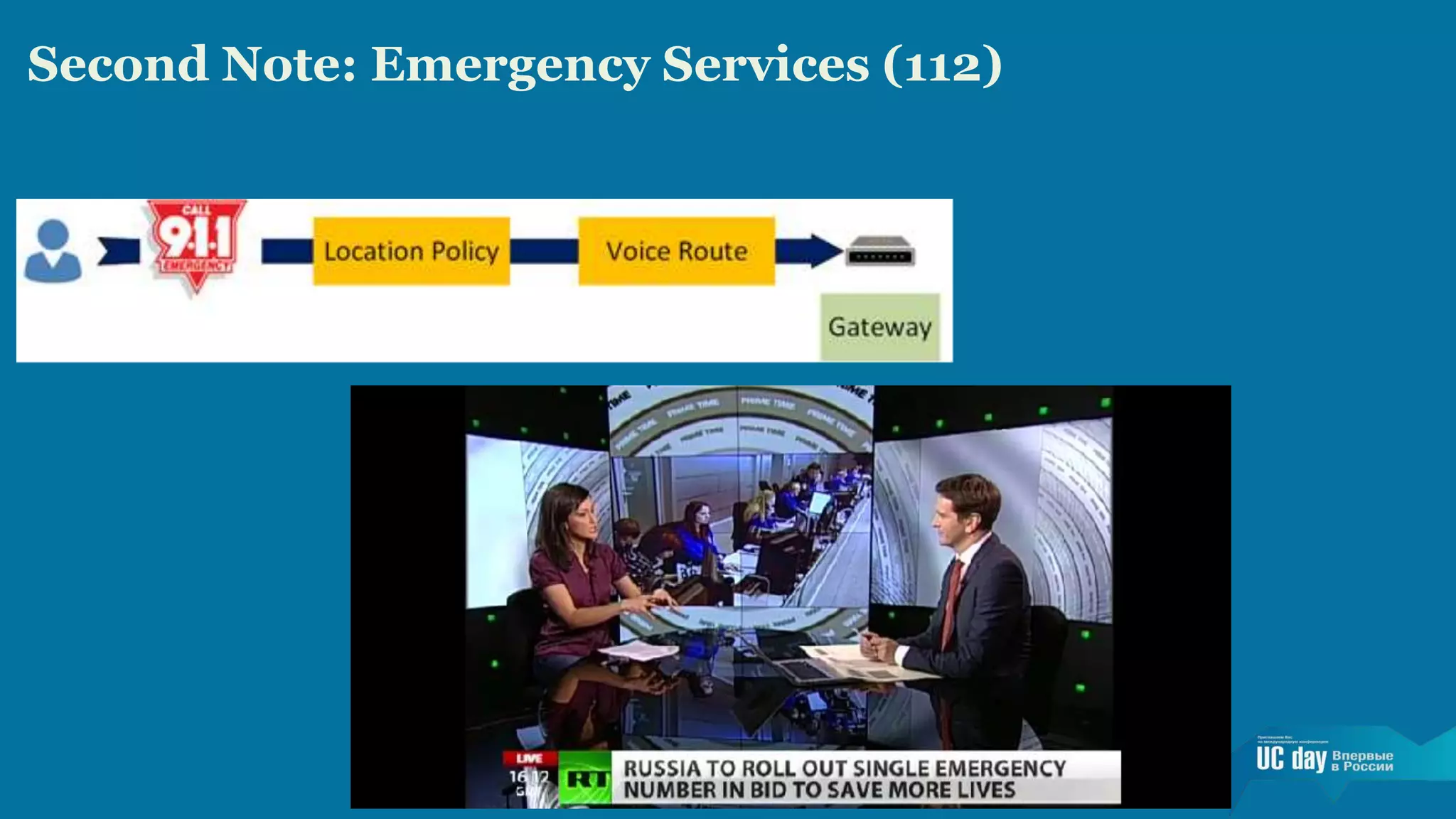
Second Note: Emergency Services (112)
Second Scenario: 
Making Services Available to External Users 
The infrastructure we have seen in the previous 
scenario will require two additional elements: 
• Lync Edge Server 
• Reverse proxy
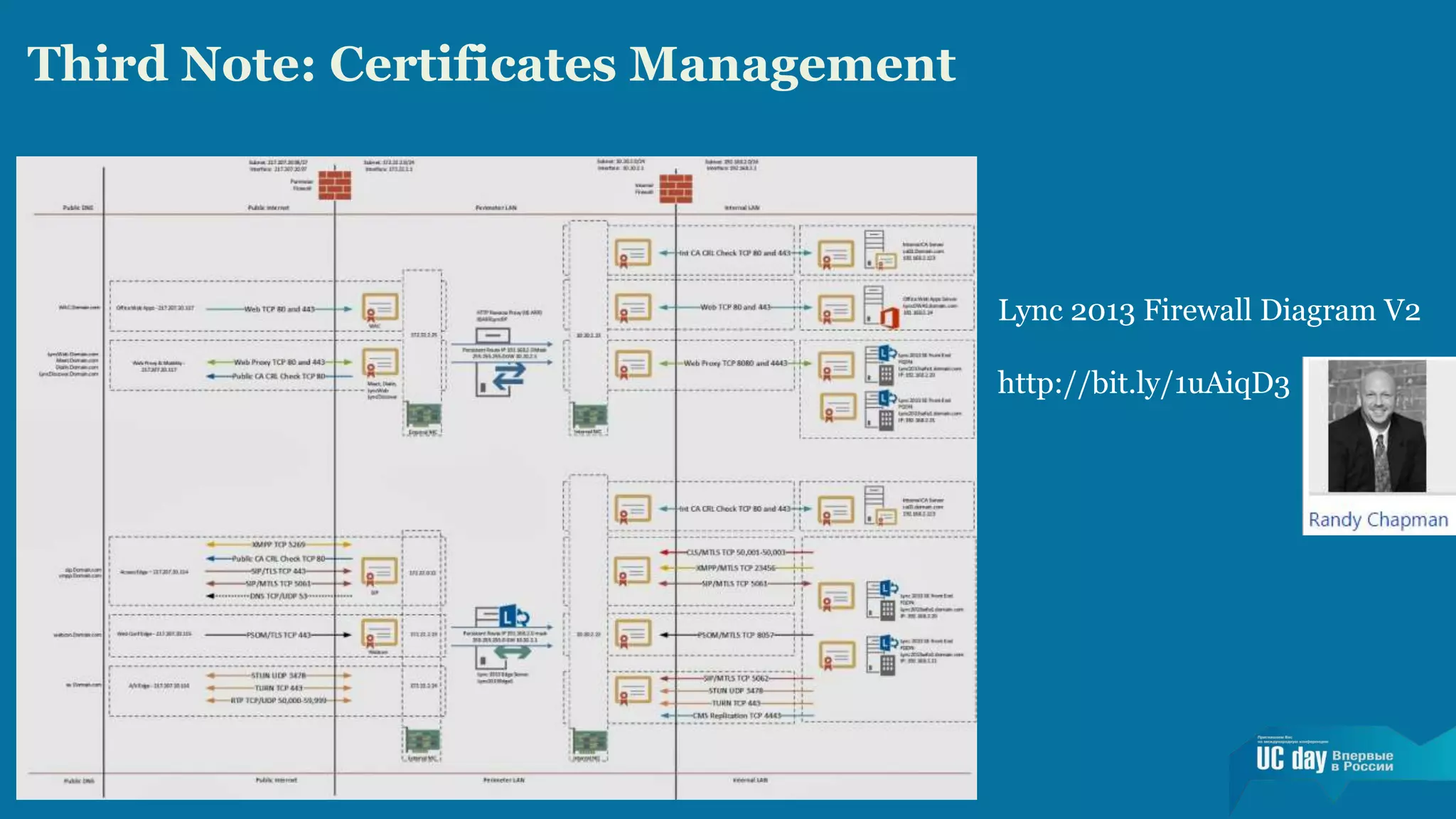
Third Note: Certificates Management 
Lync 2013 Firewall Diagram V2 
http://bit.ly/1uAiqD3
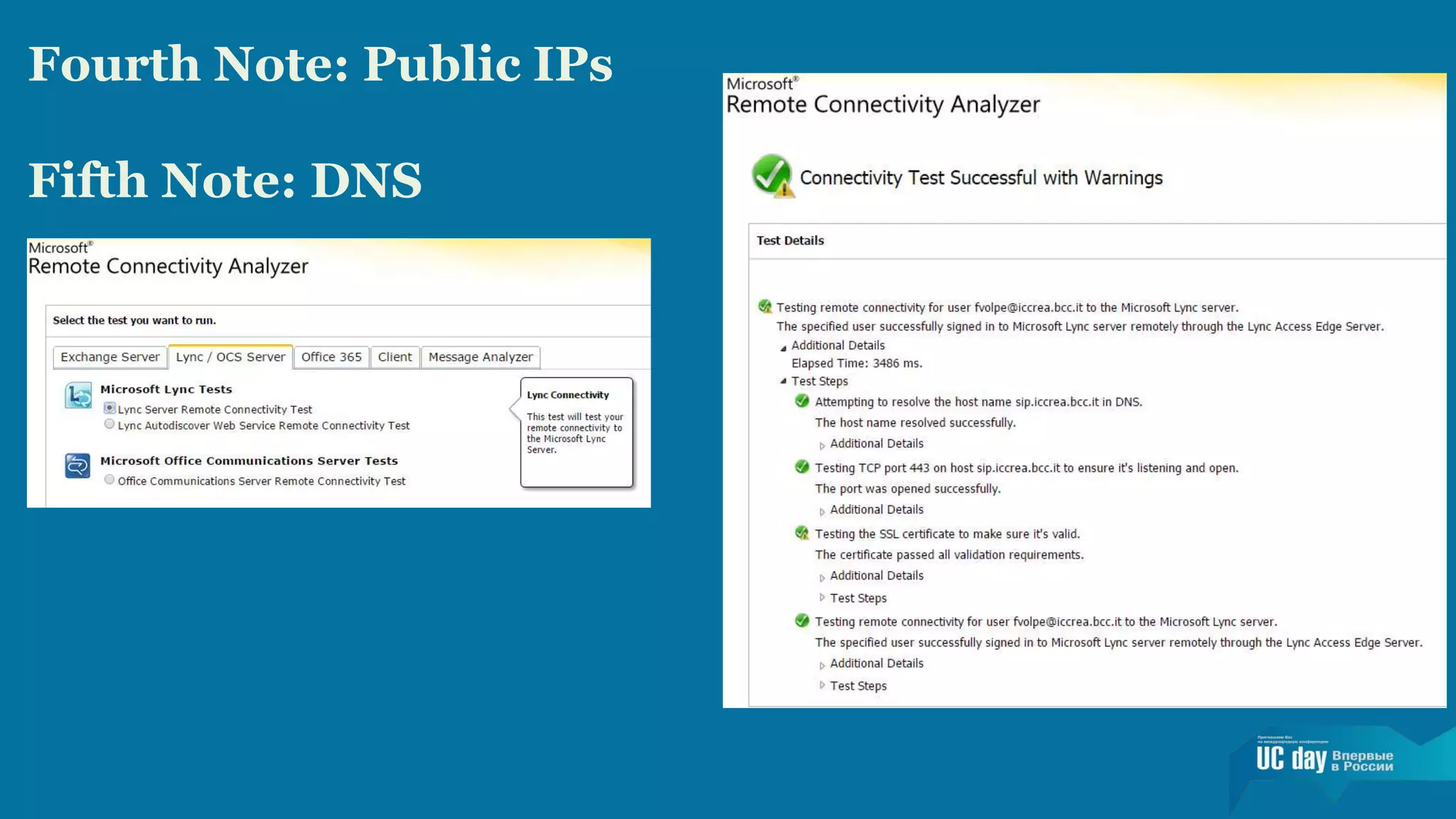
Fourth Note: Public IPs 
Fifth Note: DNS
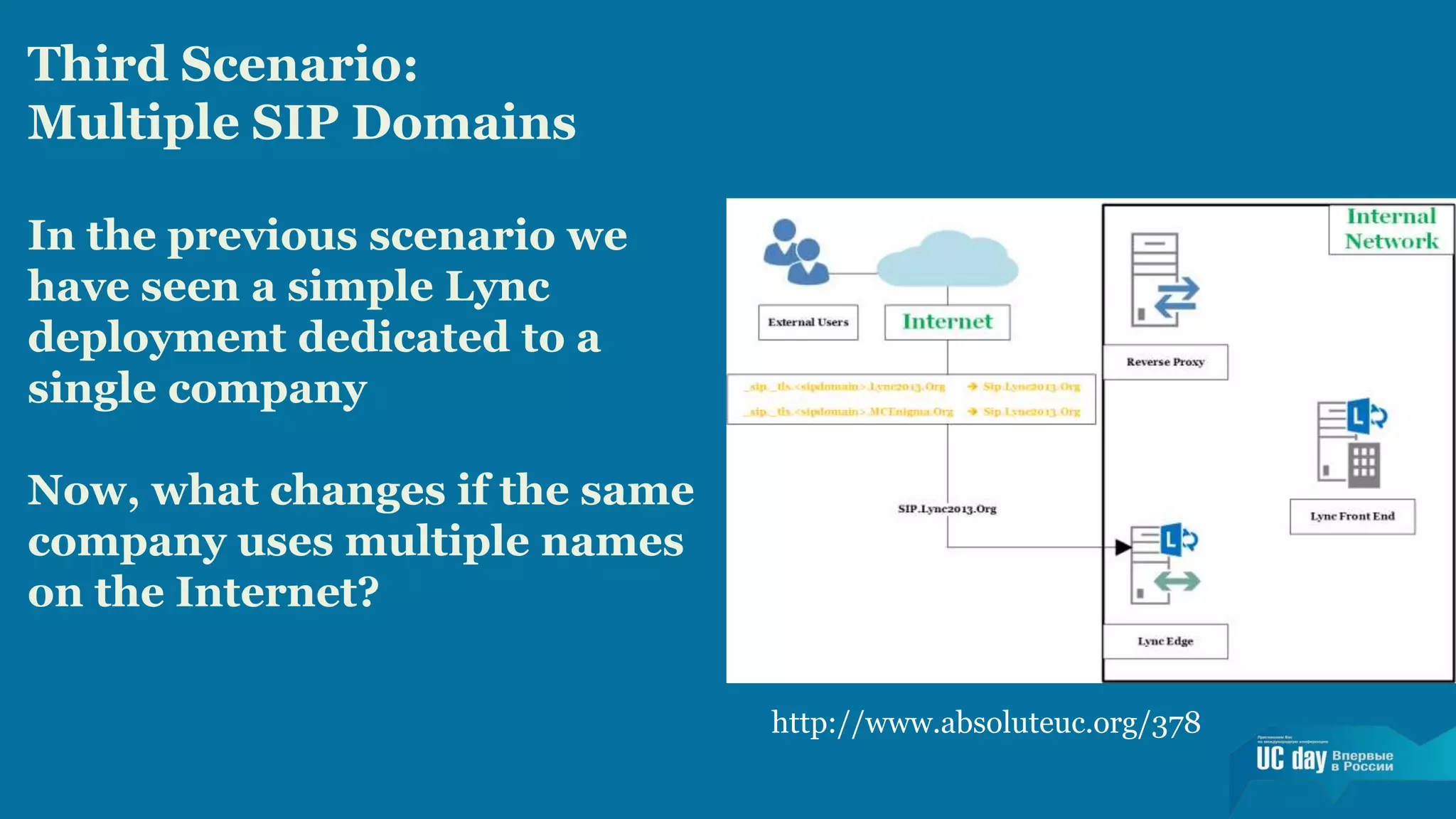
Third Scenario: 
Multiple SIP Domains 
In the previous scenario we 
have seen a simple Lync 
deployment dedicated to a 
single company 
Now, what changes if the same 
company uses multiple names 
on the Internet? 
http://www.absoluteuc.org/378
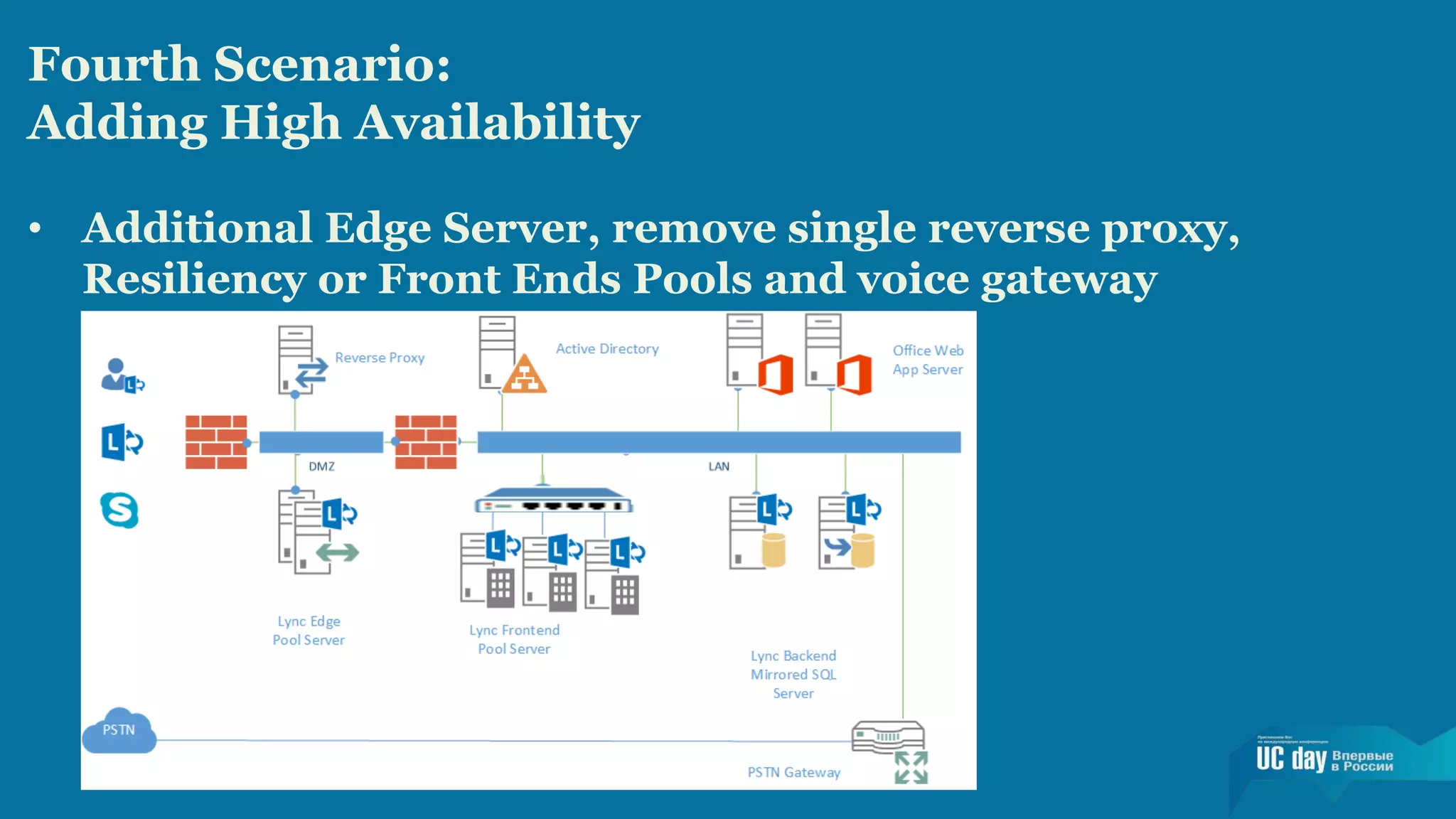
Fourth Scenario: 
Adding High Availability 
• Additional Edge Server, remove single reverse proxy, 
Resiliency or Front Ends Pools and voice gateway
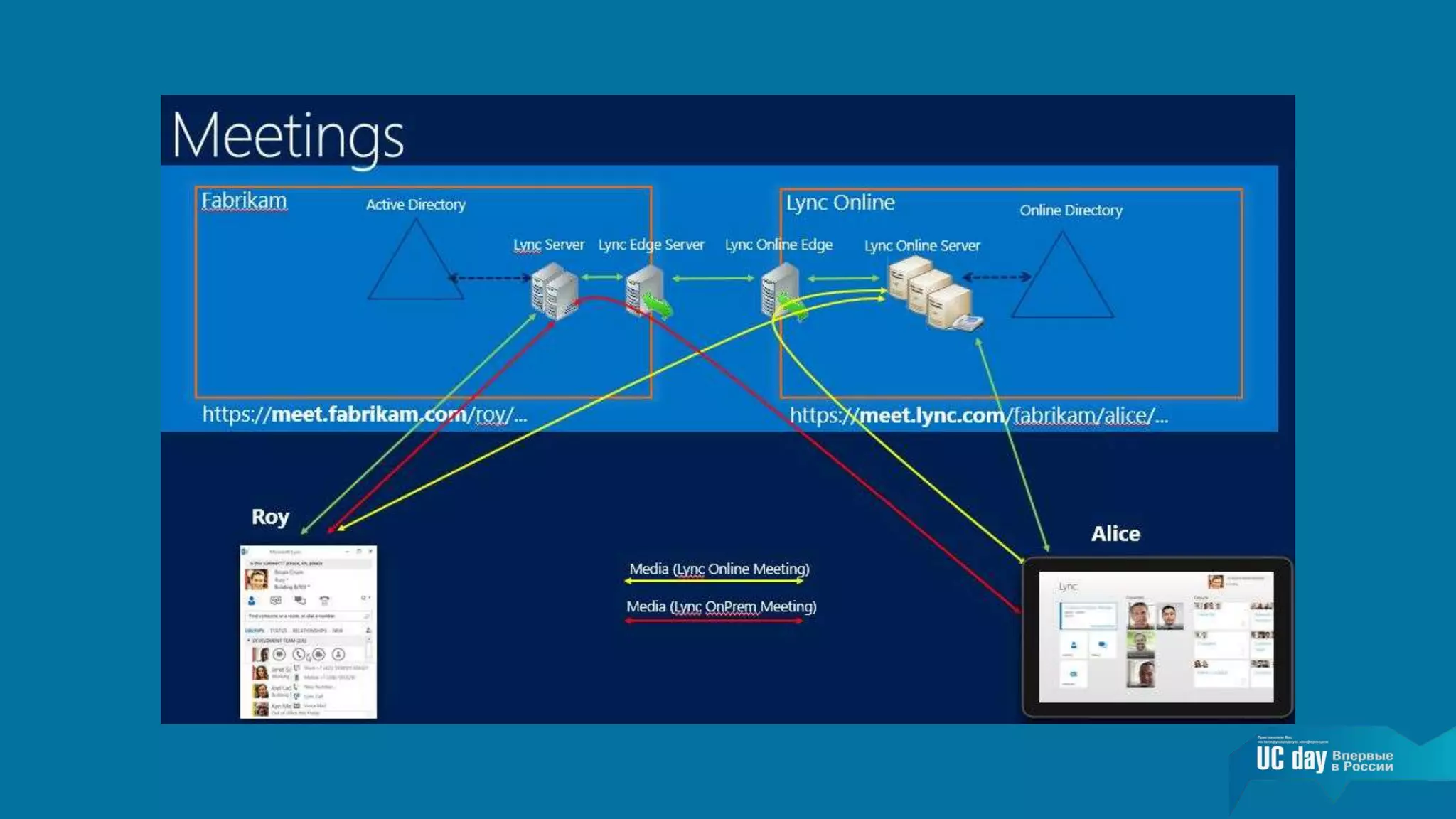
Fifth Scenario: Lync Hybrid 
• User accounts and related information homed in 
the on-premises Directory Services and replicated 
to Office 365 
• A part of our Lync users consuming on-premises 
resources and a part of them using online (Office 
365 / Lync Online) resources 
• The same (public) domain name used both online 
and on-premises (Lync split DNS) 
• Other Office 365 services and integration with 
other applications available to all our users
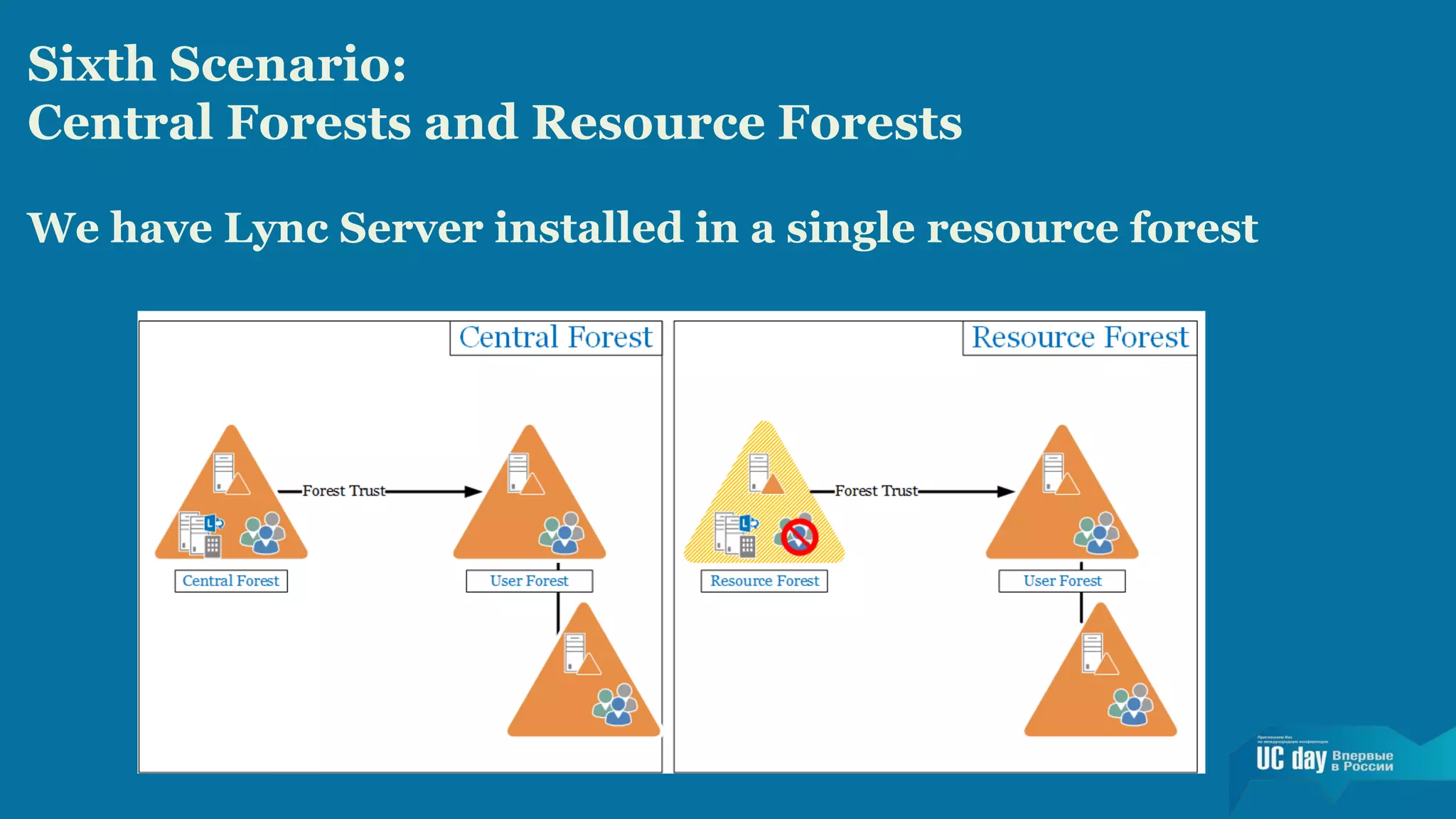
Sixth Scenario: 
Central Forests and Resource Forests 
We have Lync Server installed in a single resource forest
Seventh Scenario: 
Expanding Resource Forests to the Cloud 
Companies that have moved Lync (and Exchange) to 
the Cloud could still deploy a resource forest 
configuration. 
Deploying Lync in a Multi-Forest Architecture 
(Partner Hosted Lync with Exchange Hybrid) 
http://www.microsoft.com/en-us/ 
download/details.aspx?id=44276
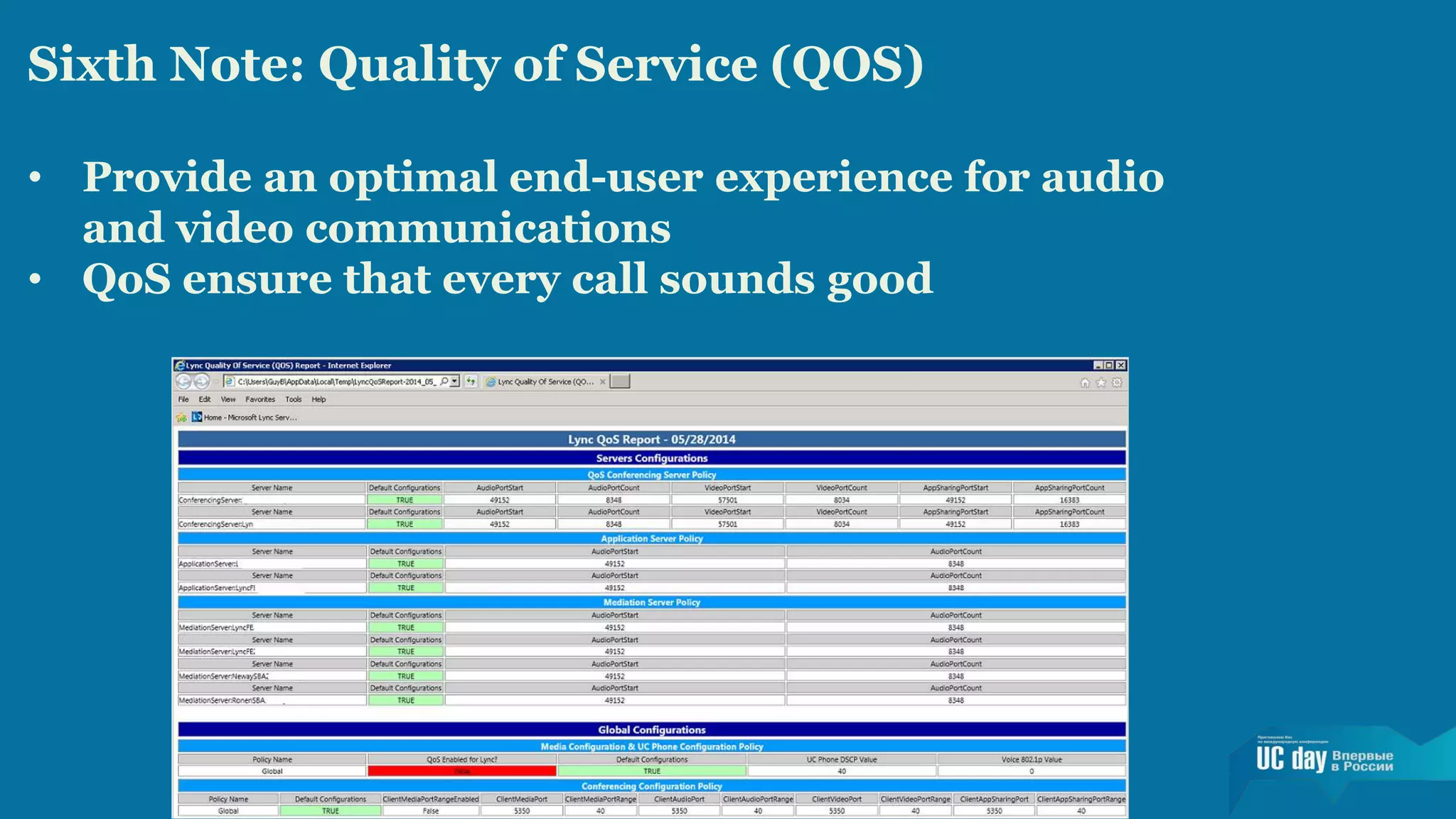
Sixth Note: Quality of Service (QOS) 
• Provide an optimal end-user experience for audio 
and video communications 
• QoS ensure that every call sounds good
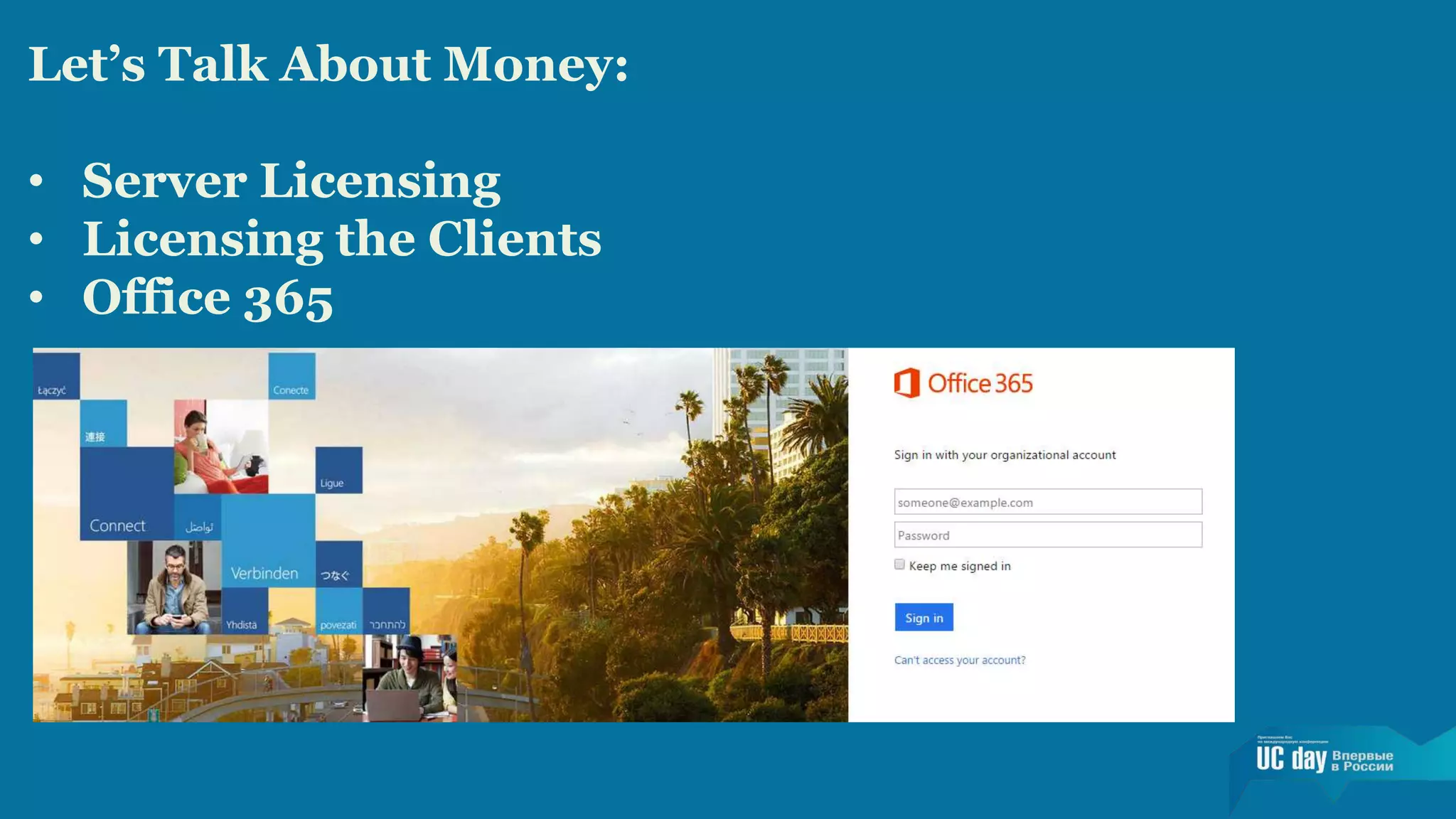
Let’s Talk About Money: 
• Server Licensing 
• Licensing the Clients 
• Office 365
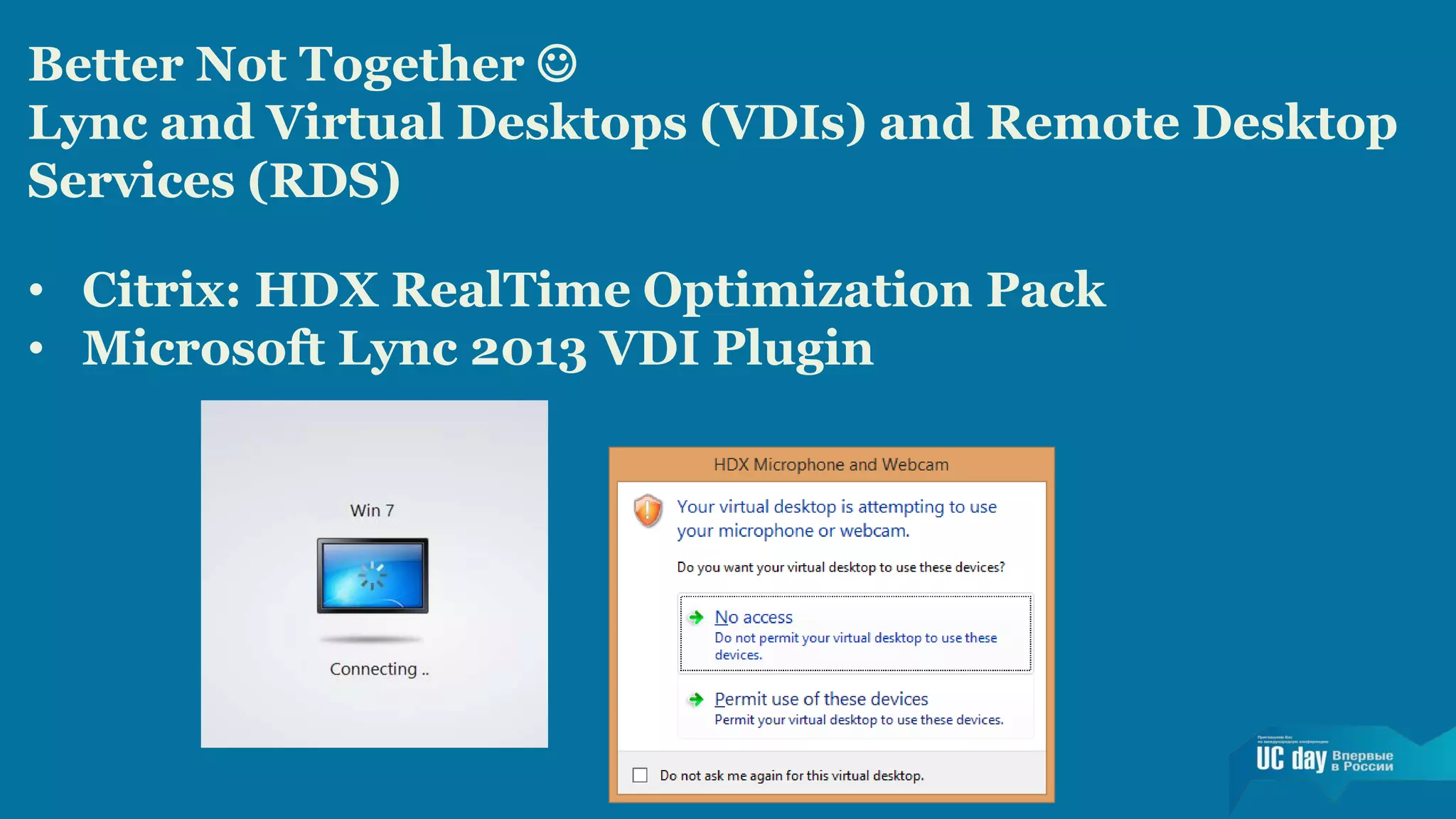
Better Not Together  
Lync and Virtual Desktops (VDIs) and Remote Desktop 
Services (RDS) 
• Citrix: HDX RealTime Optimization Pack 
• Microsoft Lync 2013 VDI Plugin
Better Not Together  
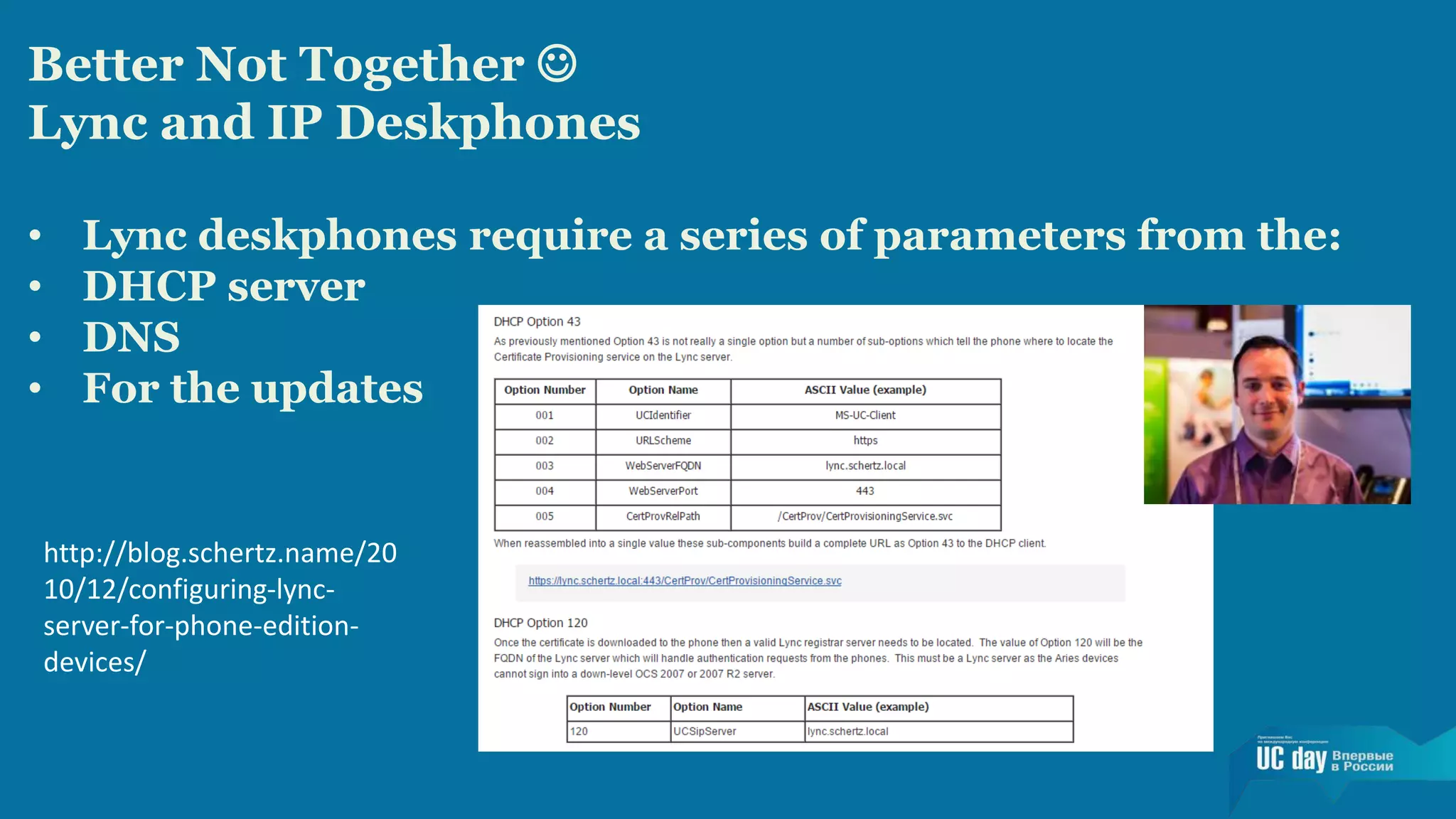
Lync and IP Deskphones 
• Lync deskphones require a series of parameters from the: 
• DHCP server 
• DNS 
• For the updates 
http://blog.schertz.name/20 
10/12/configuring-lync-server- 
for-phone-edition-devices/
Better Not Together  
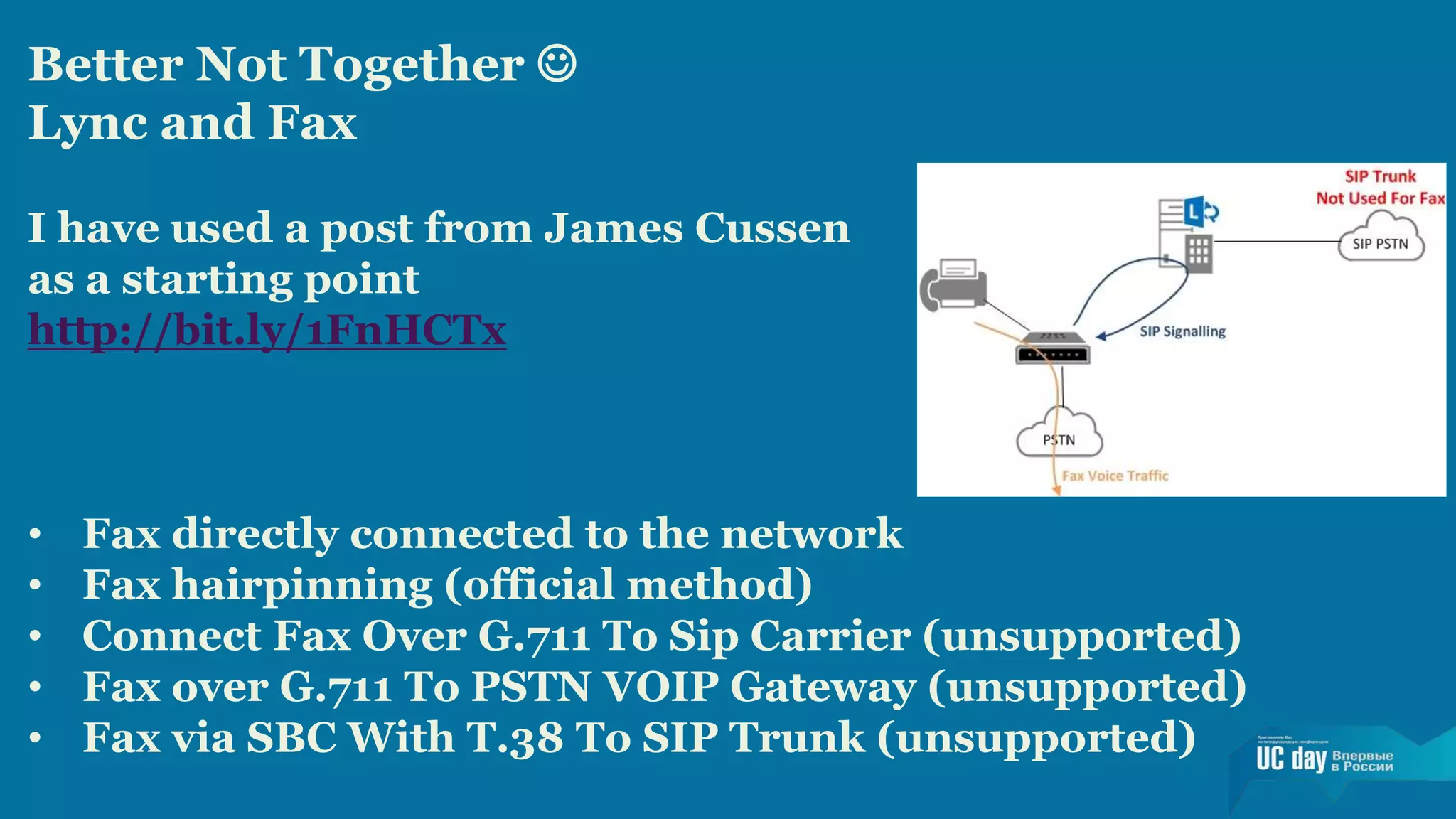
Lync and Fax 
I have used a post from James Cussen 
as a starting point 
http://bit.ly/1FnHCTx 
• Fax directly connected to the network 
• Fax hairpinning (official method) 
• Connect Fax Over G.711 To Sip Carrier (unsupported) 
• Fax over G.711 To PSTN VOIP Gateway (unsupported) 
• Fax via SBC With T.38 To SIP Trunk (unsupported)

Deploying lync evaluating costs and complexities

  • 2.
  • 3.
    DEPLOYING LYNC EVALUATING COSTS AND COMPLEXITIES Fabrizio Volpe Network and Systems Administrator, Iccrea Banking Group Microsoft MVP E-mail/IM: fabrizio.volpe@outlook.com
  • 4.
    Topics: • Skypefor Business • Lync Deployment Scenarios • Let’s Talk About Money • Better Not Together
  • 5.
  • 6.
    Focus of thisSpeech This is a session dedicated to business, so we will not deep dive the technical aspects of the various scenario. 1. A short introduction of Skype for Business 2. An outline of some of the options to deploy Lync Server 2013 3. Related complexities ( “notes”) 4. A short overview of the costs related to Lync 5. A list of features and design decisions that usually add a lot of complexity
  • 7.
    Introducing Skype forBusiness • Some Skype Metrics • Over 300 million connected users per month • Skype users made 2 billion minutes of calls in one day • 140 million active Skype users on iOS and Android • Skype continues to be an essential app, ranked in the top 10 most downloaded apps of all time on Windows Phone, iOS and Android
  • 8.
    Introducing Skype forBusiness • Skype for Business Release • In the first half of 2015, Microsoft will deliver a new server, a new client and new services in • Office 365 • Skype for Business is the new name for Lync • The Skype interface (well known and loved by the users) will be paired with the security and control we have with Lync • Skype for consumers and the business version will not merge.
  • 9.
    Introducing Skype forBusiness • Skype Clients Ecosystem • The applications deployed to end users will be two separated software • The client has been simplified • There will be two interfaces inside the next client, "Lync" and "Skype for Business" • A policy will be available to have the preferred user interface activated
  • 10.
    Introducing Skype forBusiness • Skype for Web Client • Right now, a beta of the aforementioned client is available for a limited number of users • Skype for Business client will be available also as a web interface • WebRTC
  • 11.
    Timing: An EssentialElement • Ongoing Deployment Projects • Deployment Projects starting in a Few Months • Deployment Projects starting in the late 2015
  • 12.
    How Complex itis to Deploy Lync? The list of Lync features includes • Instant Messaging (Chat) • Presence Information • Video Conferencing • Data Sharing • Telephony (VOIP) And Call Control The more features we deploy, the more complex our infrastructure (and requirements) will be
  • 13.
    First Scenario: aLimited, Internal Use Only Lync Server 2013 Deployment A minimal Lync infrastructure requires and existing Active Directory deployment and is made up by two servers.
  • 14.
    First Note: DeployLync Enterprise Voice The complexity is related to four basic configuration areas you have to setup if we want to use Enterprise Voice: • Dial Plans • Voice policies • Public Switched Telephone Network (PSTN) usage records • Voice routes
  • 15.
    Second Note: EmergencyServices (112)
  • 16.
    Second Scenario: MakingServices Available to External Users The infrastructure we have seen in the previous scenario will require two additional elements: • Lync Edge Server • Reverse proxy
  • 17.
    Third Note: CertificatesManagement Lync 2013 Firewall Diagram V2 http://bit.ly/1uAiqD3
  • 18.
    Fourth Note: PublicIPs Fifth Note: DNS
  • 19.
    Third Scenario: MultipleSIP Domains In the previous scenario we have seen a simple Lync deployment dedicated to a single company Now, what changes if the same company uses multiple names on the Internet? http://www.absoluteuc.org/378
  • 20.
    Fourth Scenario: AddingHigh Availability • Additional Edge Server, remove single reverse proxy, Resiliency or Front Ends Pools and voice gateway
  • 21.
    Fifth Scenario: LyncHybrid • User accounts and related information homed in the on-premises Directory Services and replicated to Office 365 • A part of our Lync users consuming on-premises resources and a part of them using online (Office 365 / Lync Online) resources • The same (public) domain name used both online and on-premises (Lync split DNS) • Other Office 365 services and integration with other applications available to all our users
  • 23.
    Sixth Scenario: CentralForests and Resource Forests We have Lync Server installed in a single resource forest
  • 24.
    Seventh Scenario: ExpandingResource Forests to the Cloud Companies that have moved Lync (and Exchange) to the Cloud could still deploy a resource forest configuration. Deploying Lync in a Multi-Forest Architecture (Partner Hosted Lync with Exchange Hybrid) http://www.microsoft.com/en-us/ download/details.aspx?id=44276
  • 25.
    Sixth Note: Qualityof Service (QOS) • Provide an optimal end-user experience for audio and video communications • QoS ensure that every call sounds good
  • 26.
    Let’s Talk AboutMoney: • Server Licensing • Licensing the Clients • Office 365
  • 27.
    Better Not Together Lync and Virtual Desktops (VDIs) and Remote Desktop Services (RDS) • Citrix: HDX RealTime Optimization Pack • Microsoft Lync 2013 VDI Plugin
  • 28.
    Better Not Together Lync and IP Deskphones • Lync deskphones require a series of parameters from the: • DHCP server • DNS • For the updates http://blog.schertz.name/20 10/12/configuring-lync-server- for-phone-edition-devices/
  • 29.
    Better Not Together Lync and Fax I have used a post from James Cussen as a starting point http://bit.ly/1FnHCTx • Fax directly connected to the network • Fax hairpinning (official method) • Connect Fax Over G.711 To Sip Carrier (unsupported) • Fax over G.711 To PSTN VOIP Gateway (unsupported) • Fax via SBC With T.38 To SIP Trunk (unsupported)