


Lync-Skype Connectivity
Microsoft UC Federation Overview
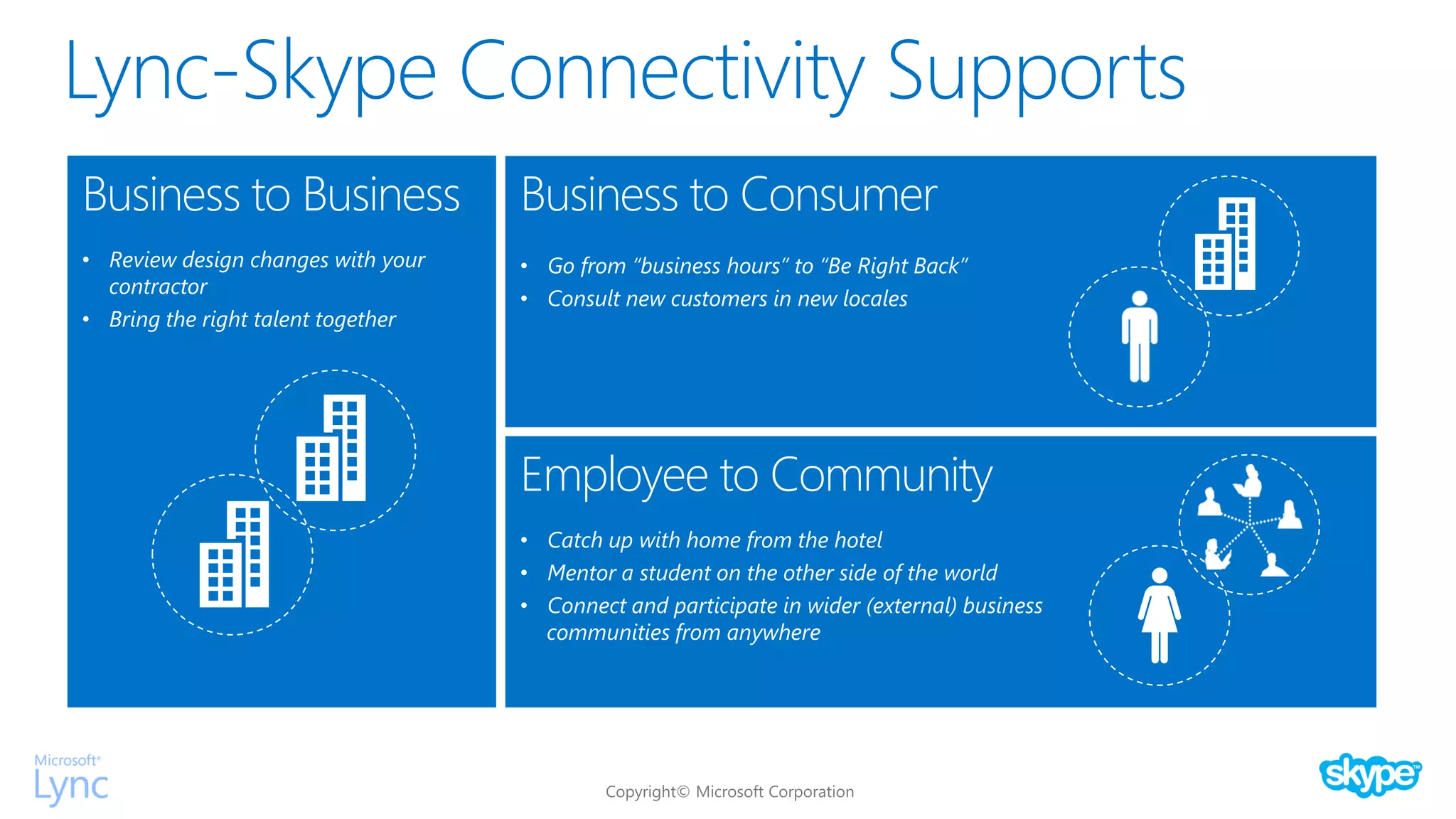
Lync-Skype Connectivity Supports
Business to Business
• Review design changes with your
contractor
• Bring the right talent together
Business to Consumer
• Go from “business hours” to “Be Right Back”
• Consult new customers in new locales
Employee to Community
• Catch up with home from the hotel
• Mentor a student on the other side of the world
• Connect and participate in wider (external) business
communities from anywhere
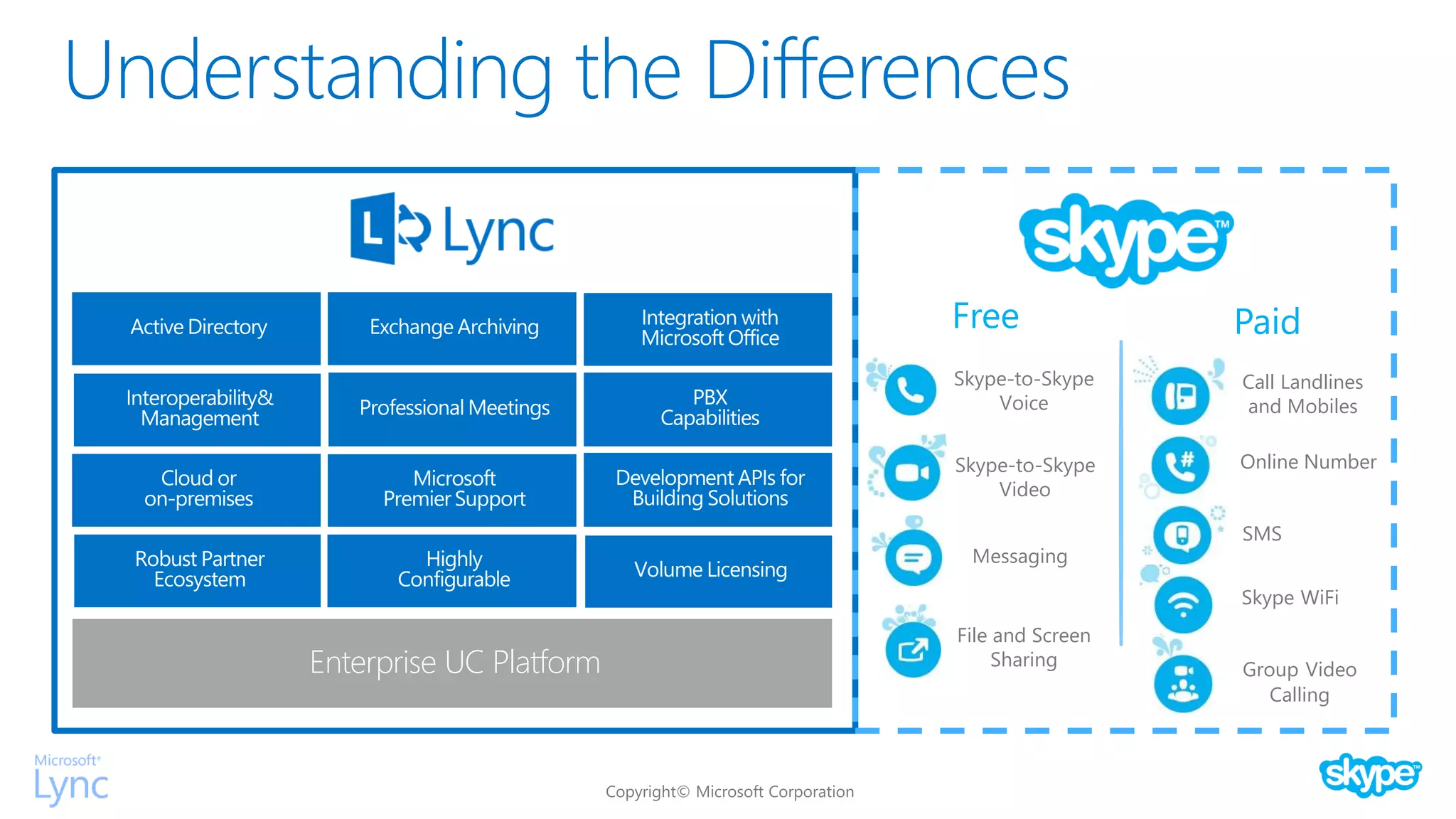
Understanding the Differences
Enterprise UC Platform
Skype-to-Skype
Voice
Skype-to-Skype
Video
Messaging
File and Screen
Sharing
Call Landlines
and Mobiles
Group Video
Calling
Skype WiFi
Online Number
SMS
Free Paid
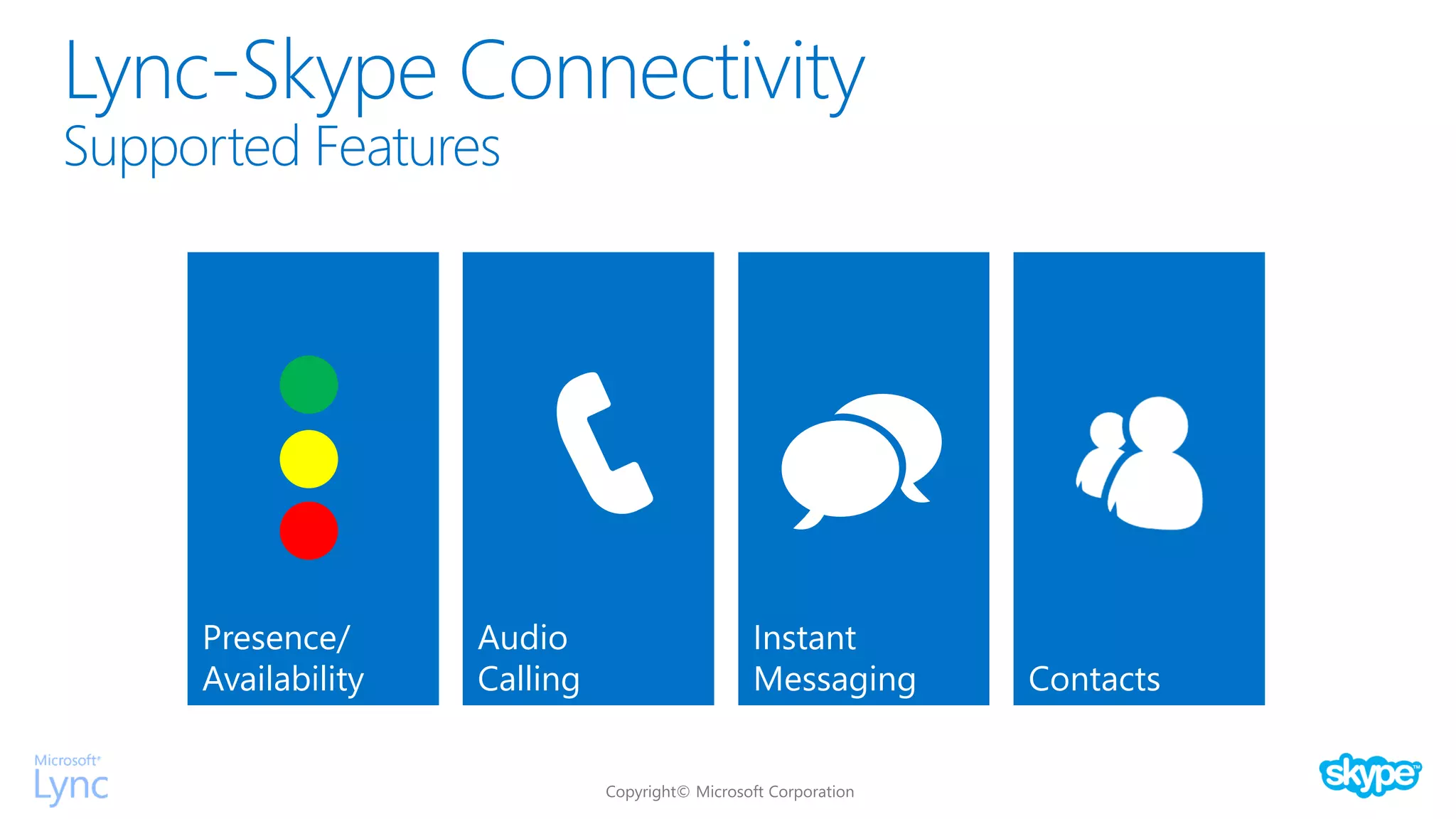
Instant
Messaging
Presence/
Availability
Audio
Calling Contacts
Lync-Skype Connectivity
Supported Features
Lync-Skype Connectivity
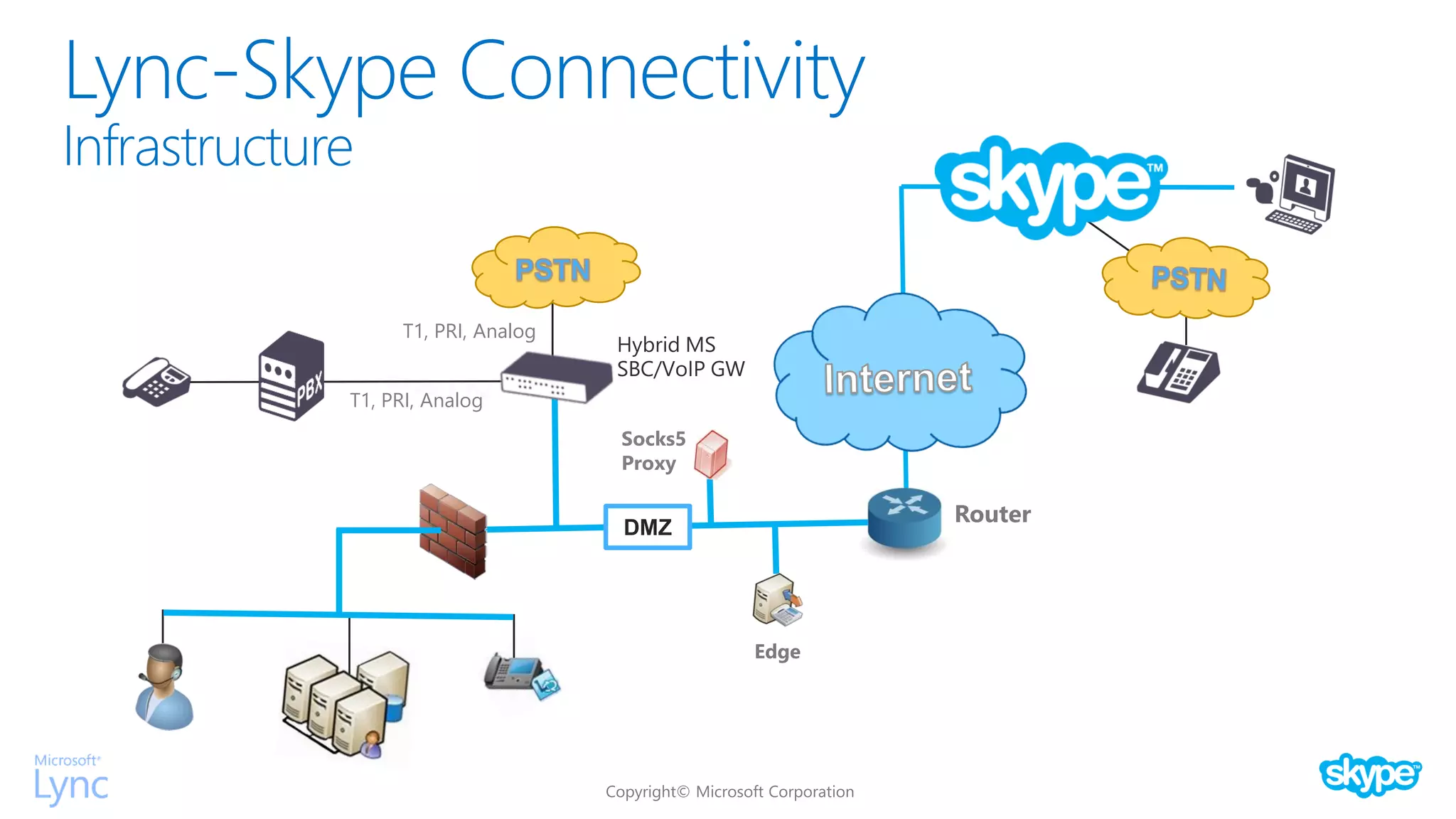
Infrastructure
Router
T1, PRI, Analog
T1, PRI, Analog
Hybrid MS
SBC/VoIP GW
Socks5
Proxy
Edge
DMZ
Lync-Skype Connectivity
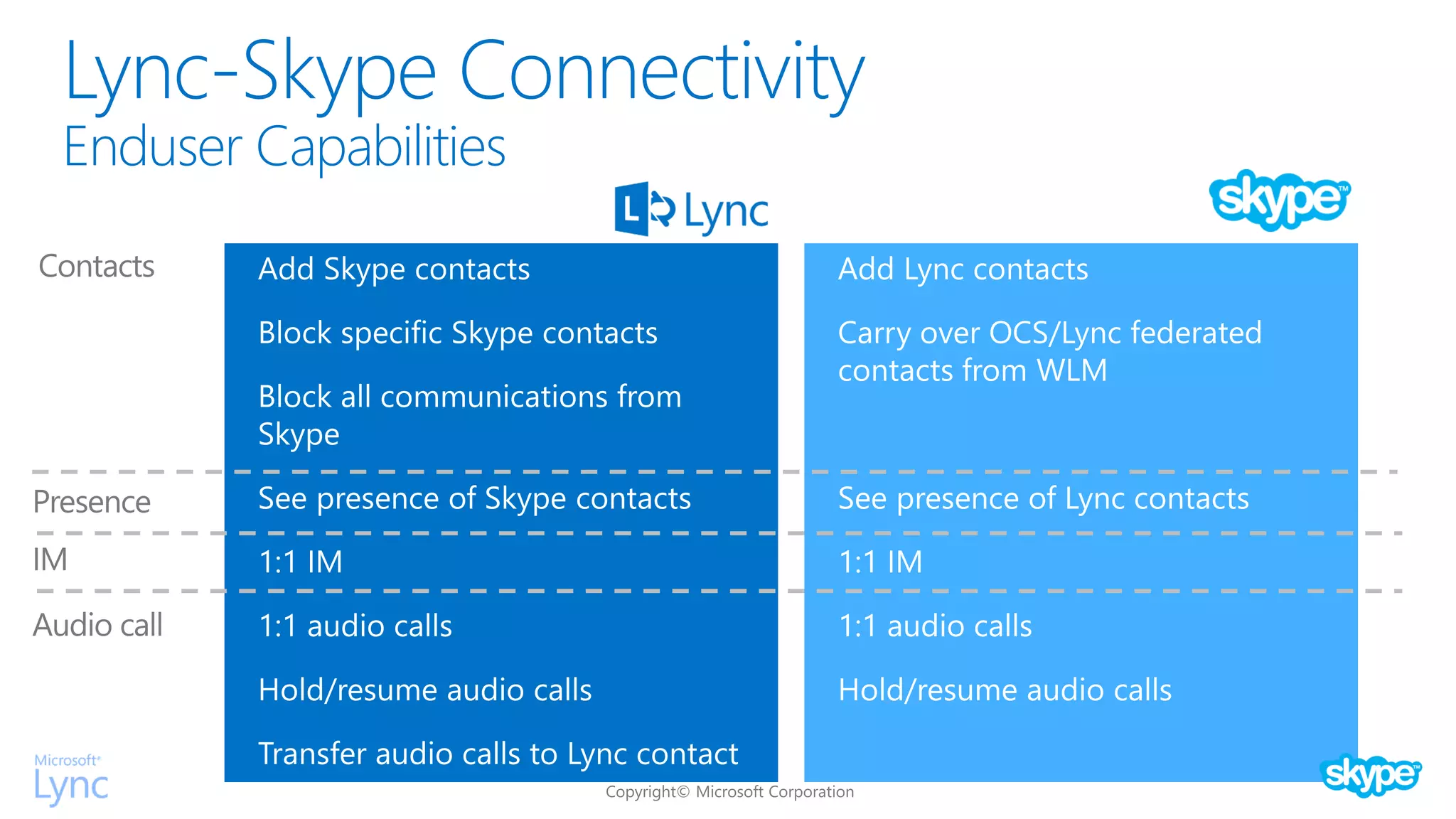
Enduser Capabilities
Lync-Skype Connectivity
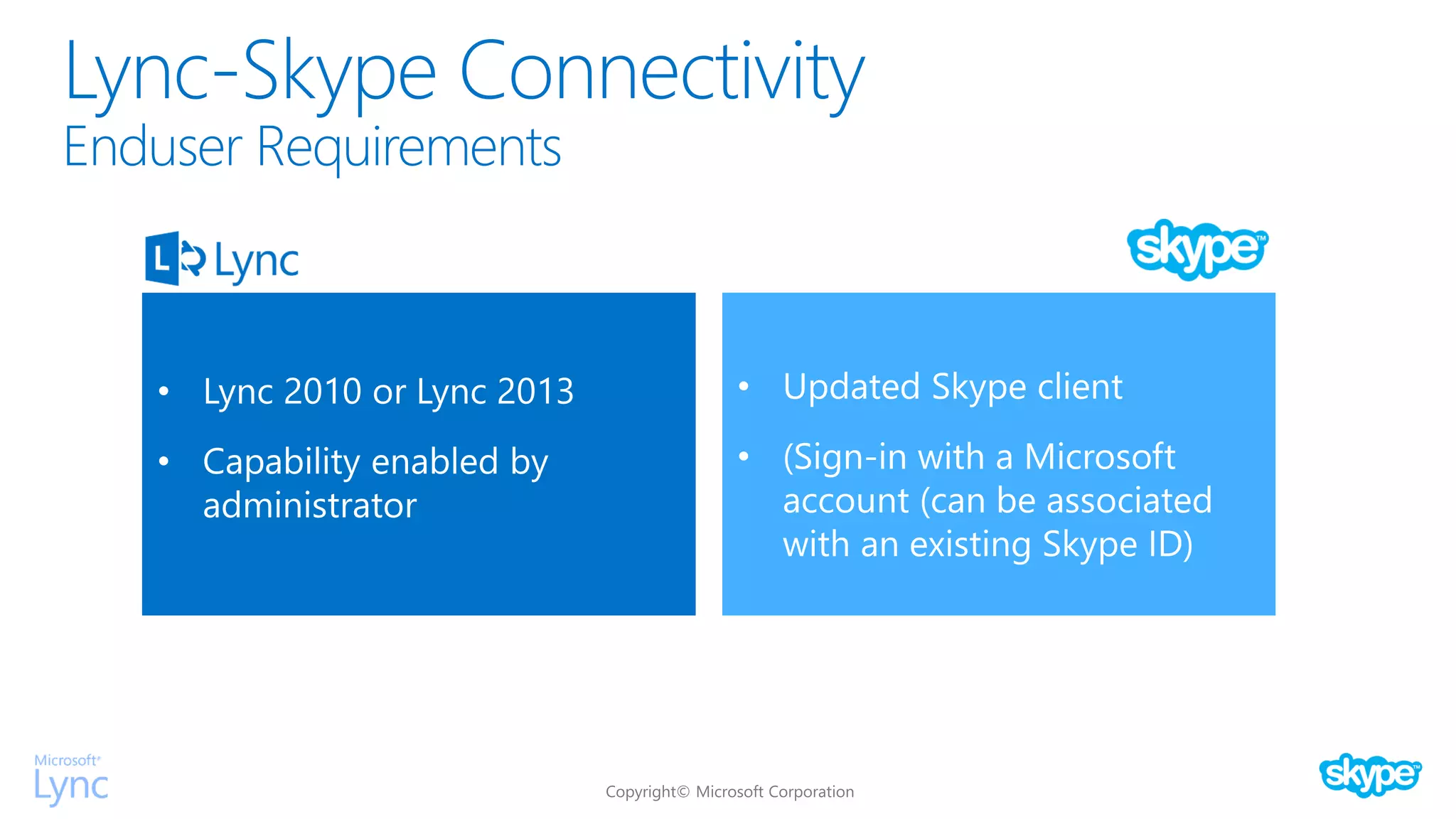
Enduser Requirements
Lync-Skype Connectivity
What is a MSA (Microsoft Account)?
Lync-Skype Connectivity
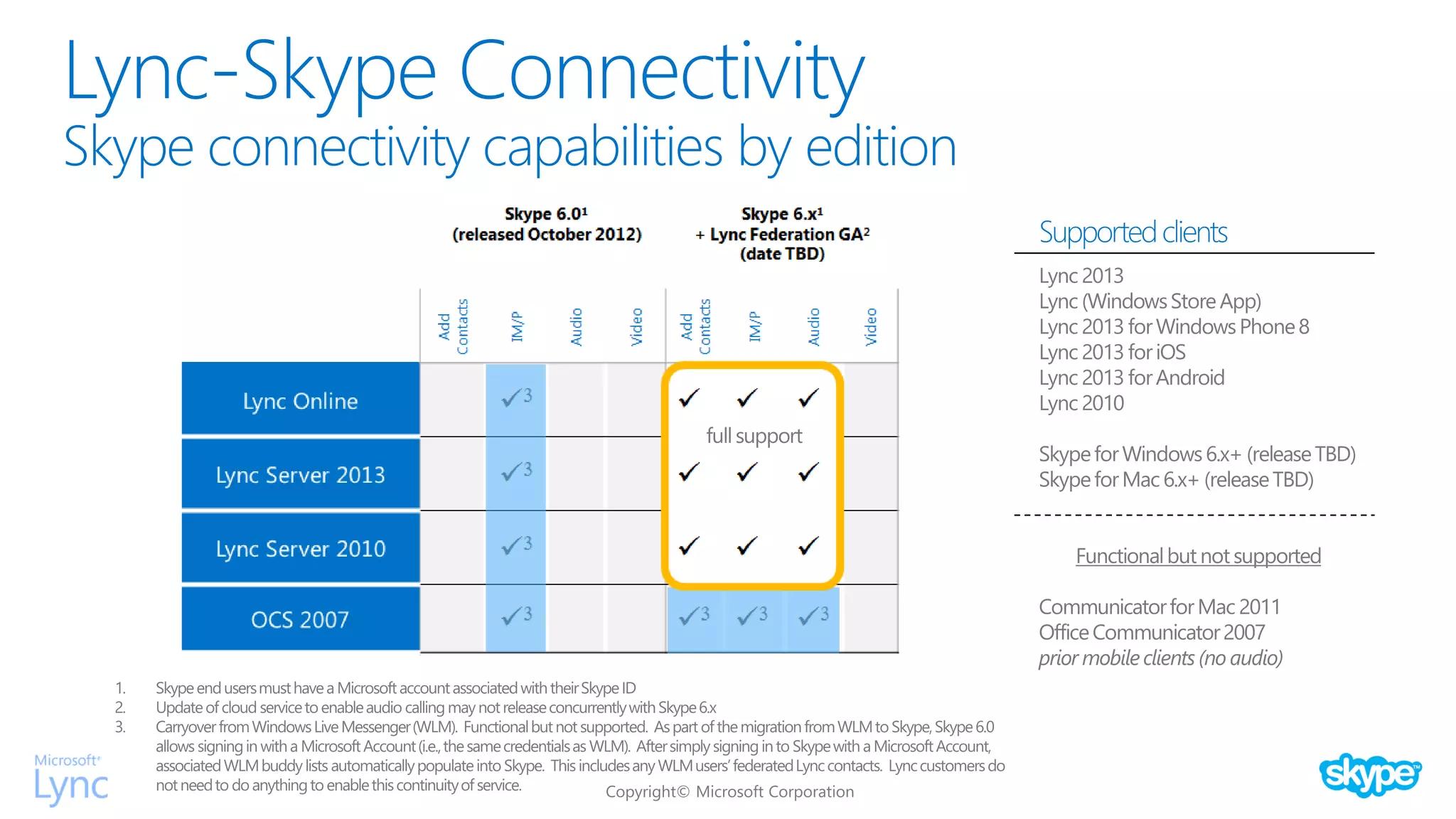
Skype connectivity capabilities by edition
and
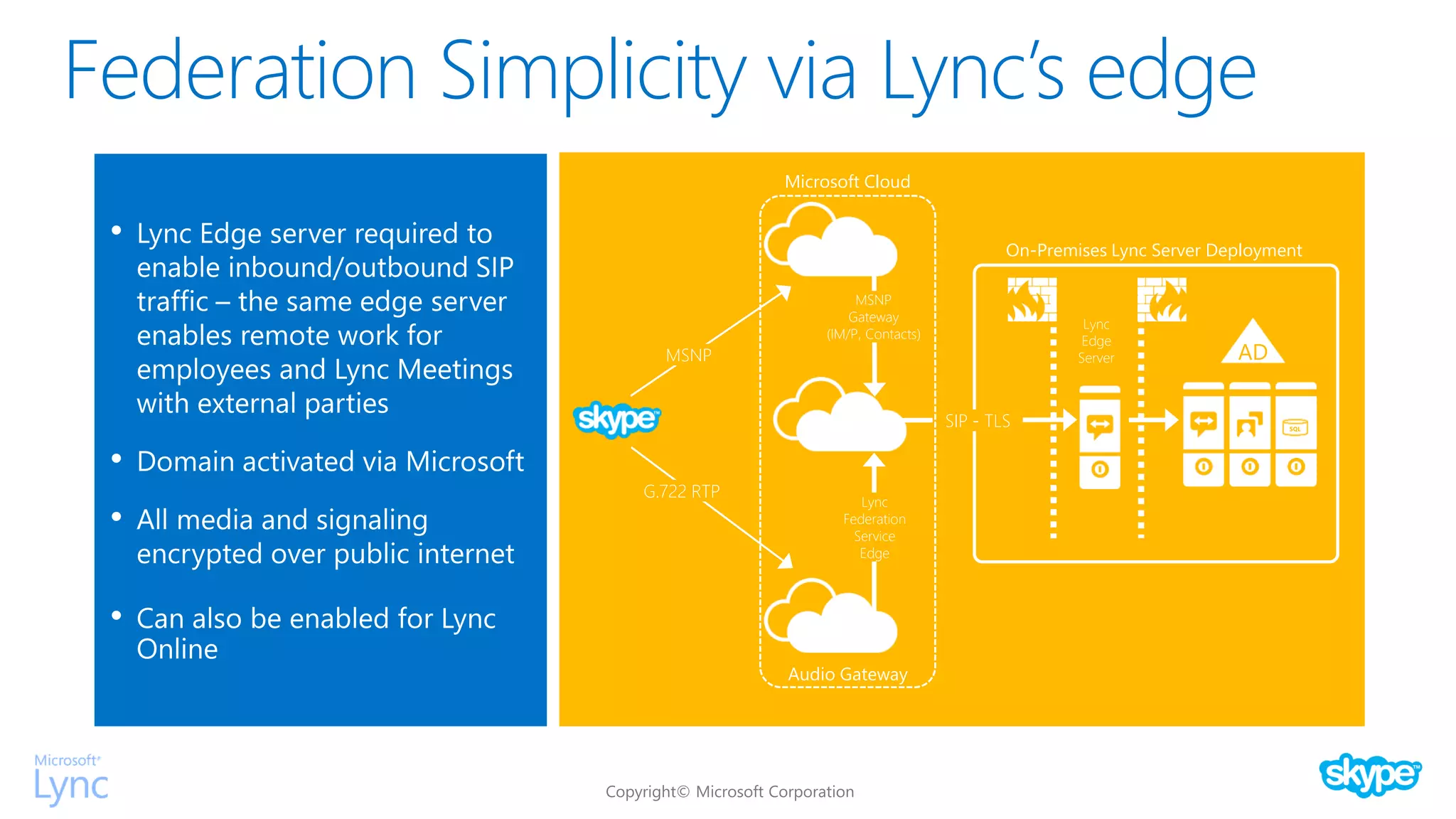
Federation Simplicity via Lync’s edge
•
•
•
•
AD
Lync
Edge
Server
SIP - TLS
G.722 RTP
MSNP
On-Premises Lync Server Deployment
Audio Gateway
Microsoft Cloud
MSNP
Gateway
(IM/P, Contacts)
Lync
Federation
Service
Edge
SQL
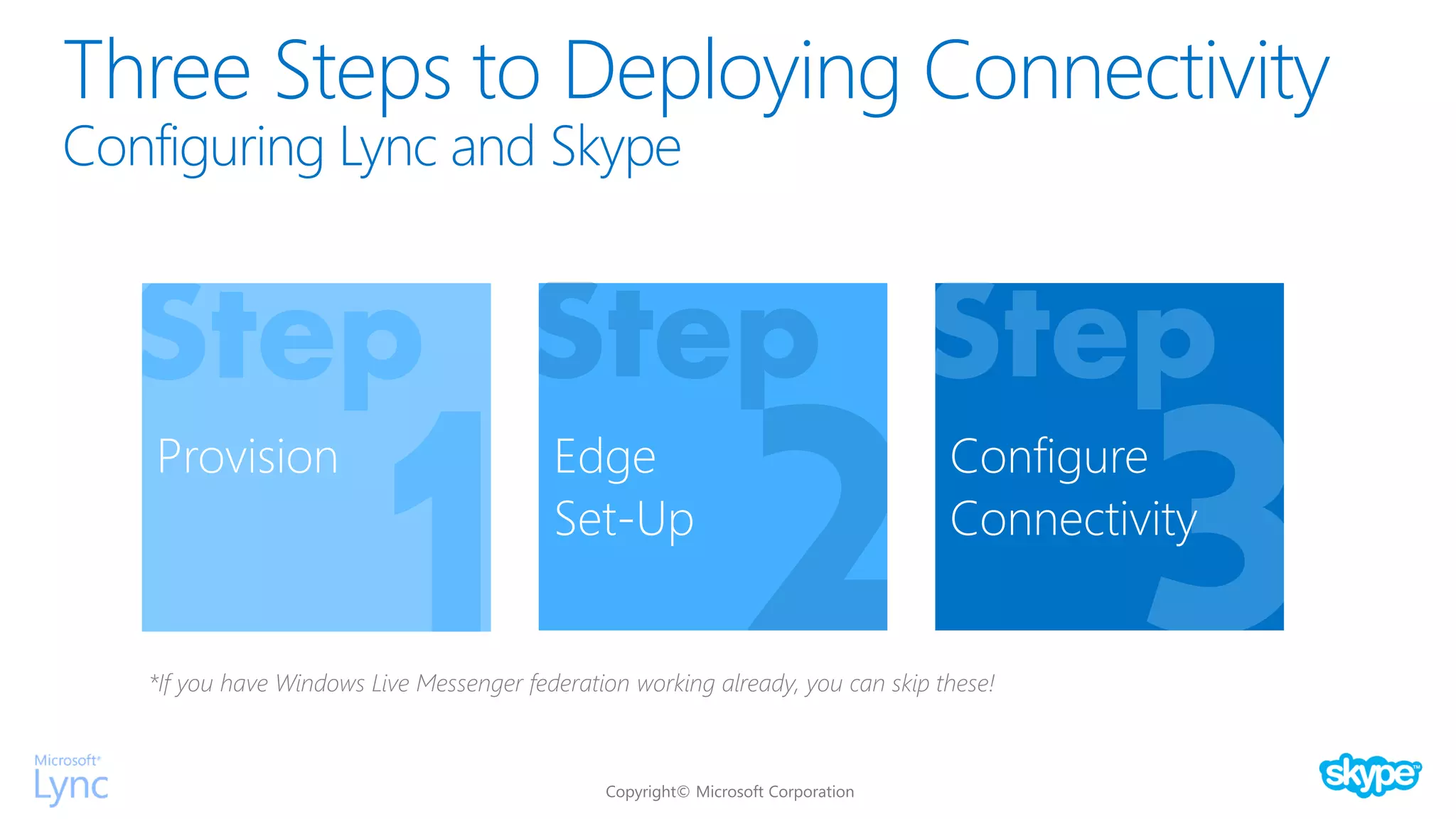
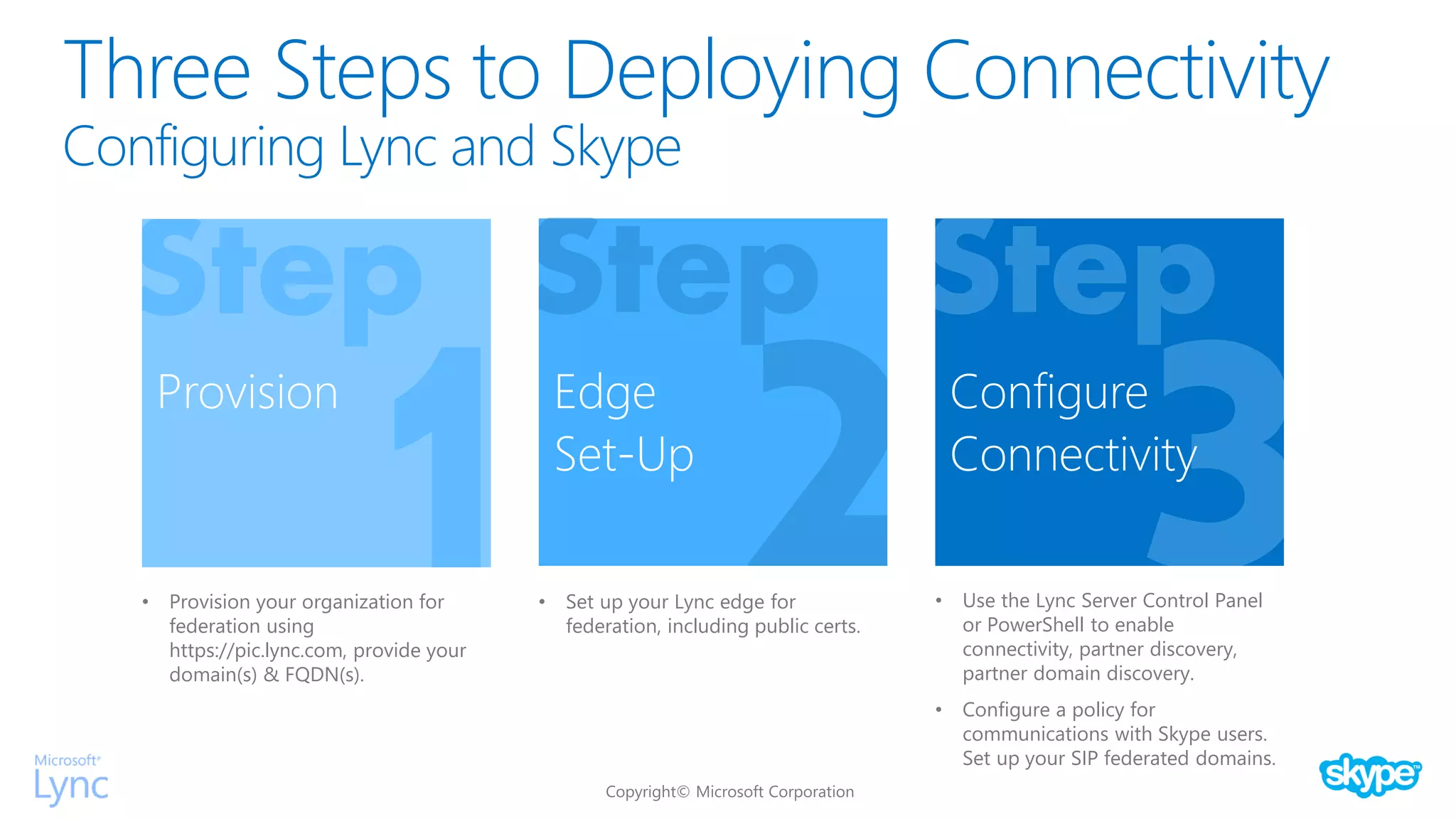
Three Steps to Deploying Connectivity
Configuring Lync and Skype
Provision Edge
Set-Up
Configure
Connectivity
*If you have Windows Live Messenger federation working already, you can skip these!
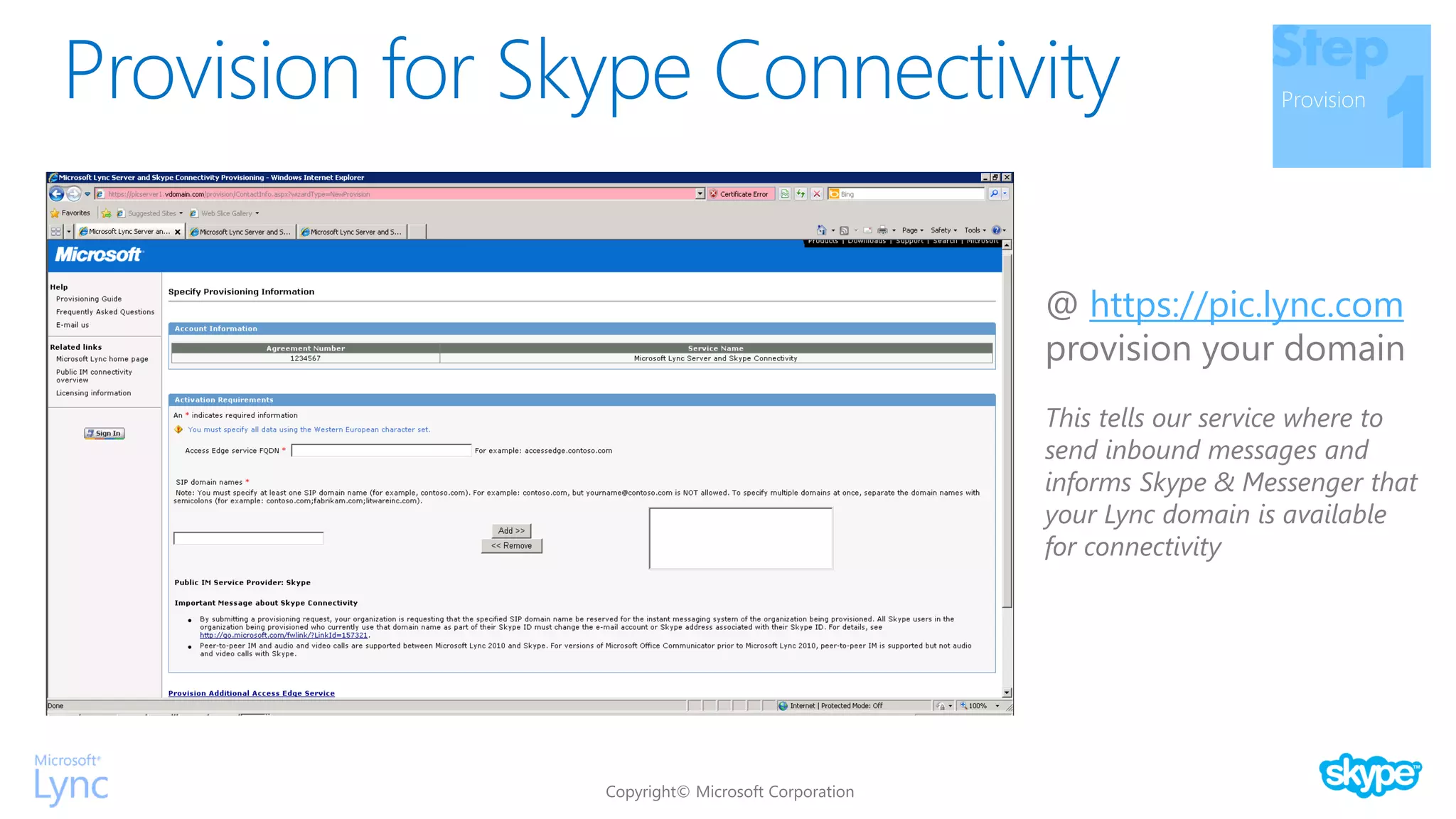
Provision for Skype Connectivity Provision
@ https://pic.lync.com
provision your domain
This tells our service where to
send inbound messages and
informs Skype & Messenger that
your Lync domain is available
for connectivity
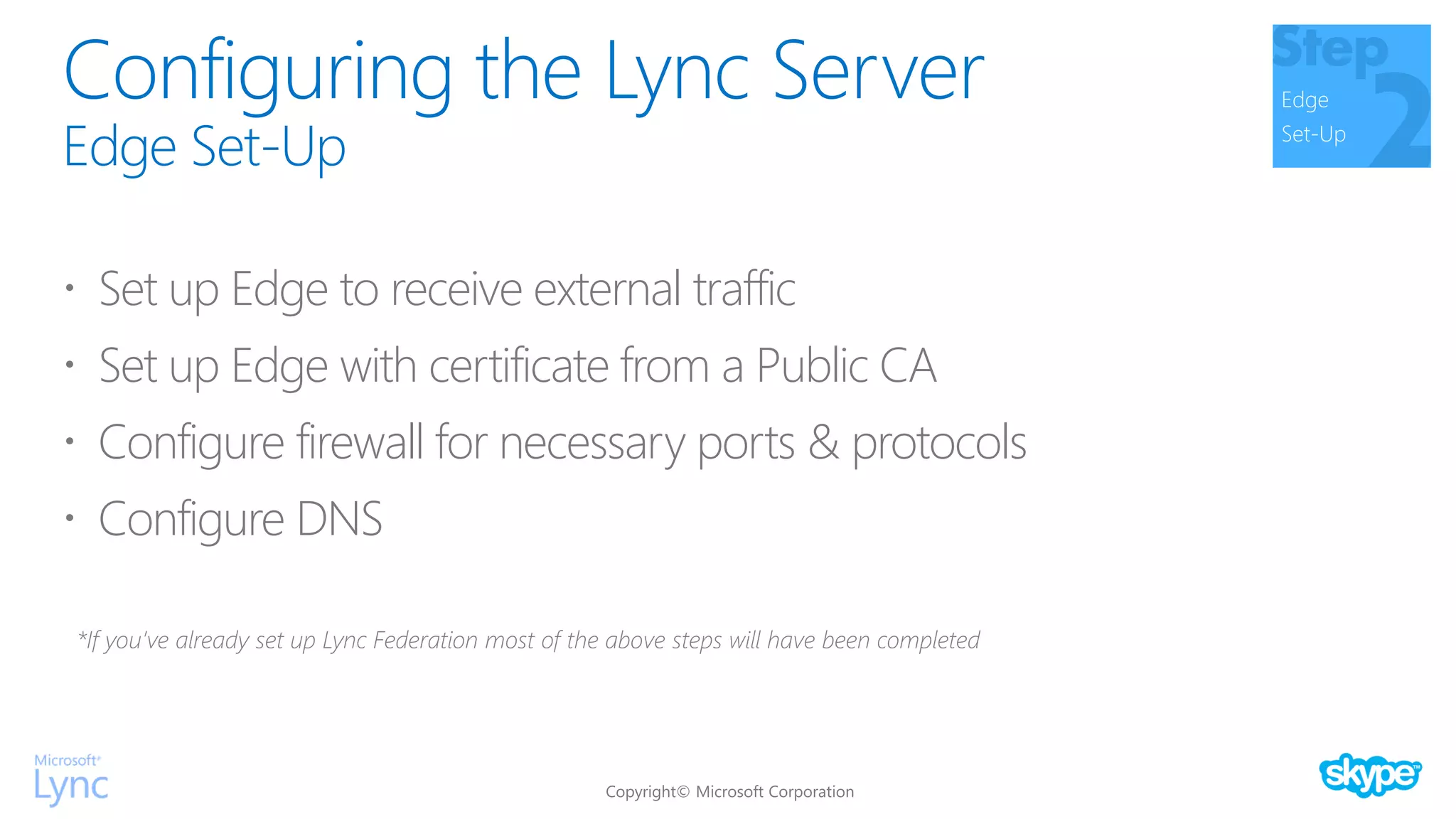
Configuring the Lync Server
Edge Set-Up
Edge
Set-Up
 Set up Edge to receive external traffic
 Set up Edge with certificate from a Public CA
 Configure firewall for necessary ports & protocols
 Configure DNS
*If you’ve already set up Lync Federation most of the above steps will have been completed
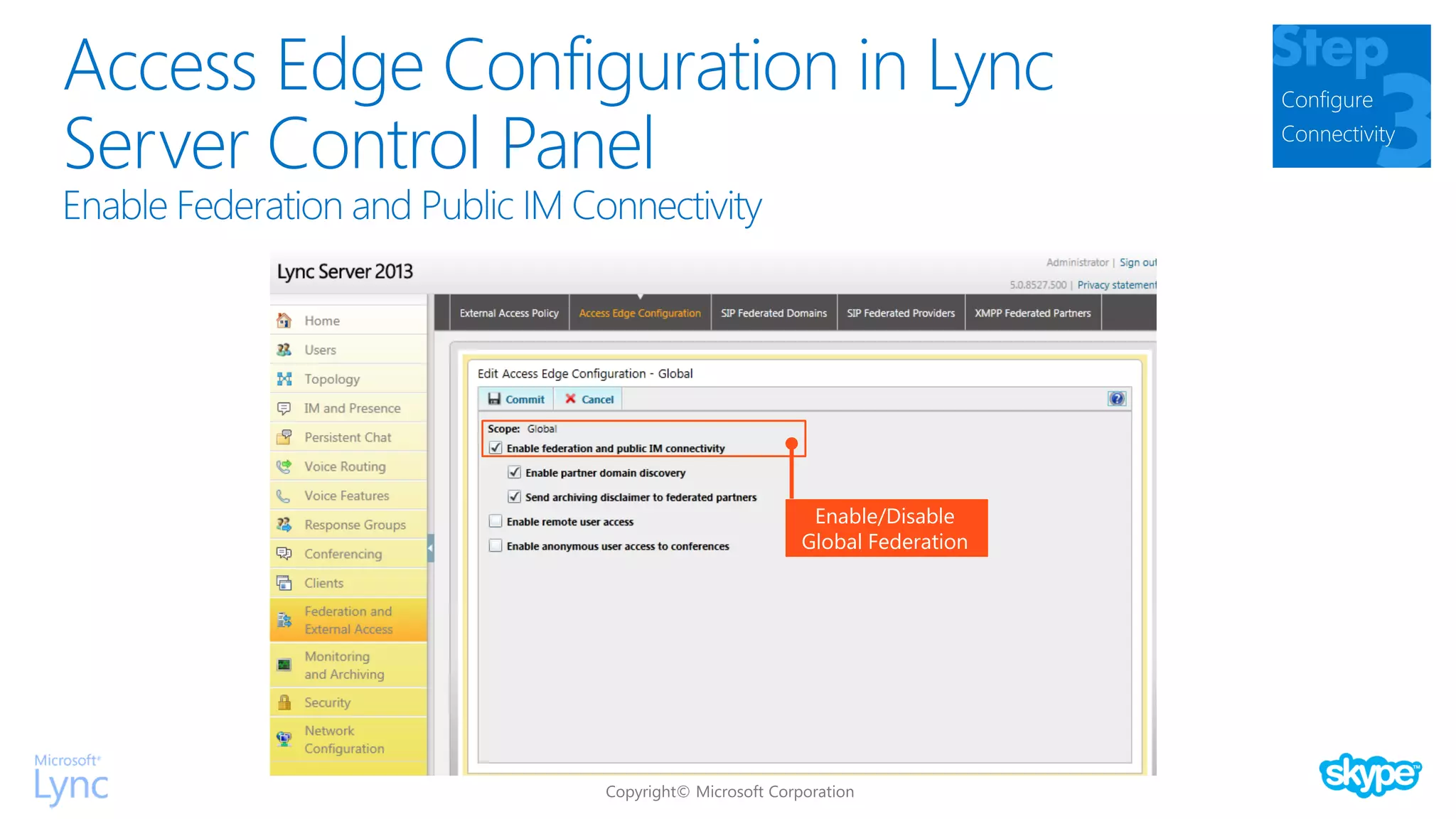
Access Edge Configuration in Lync
Server Control Panel
Configure
Connectivity
Enable/Disable
Global Federation
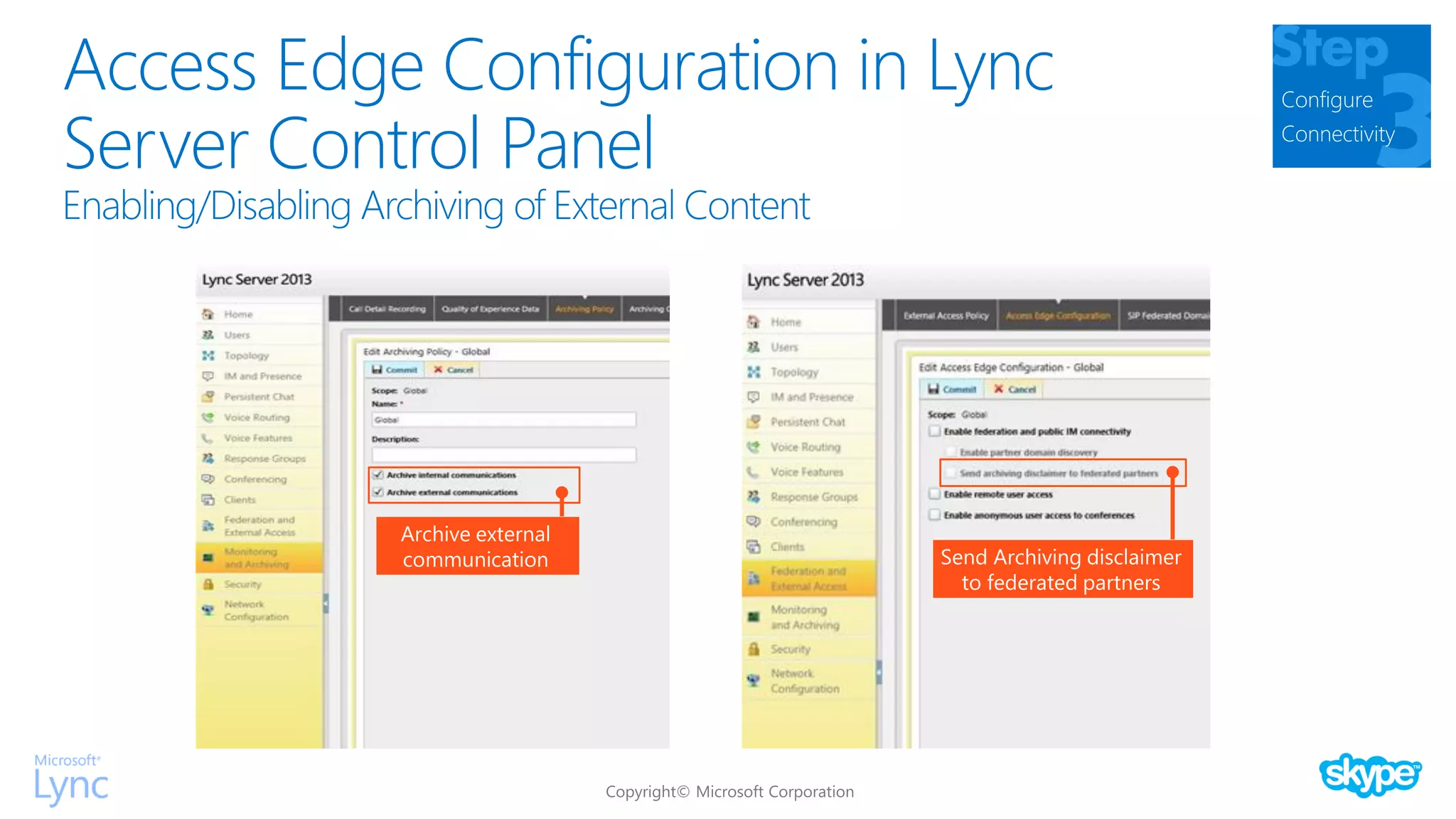
Access Edge Configuration in Lync
Server Control Panel
Configure
Connectivity
Archive external
communication Send Archiving disclaimer
to federated partners
Access Edge Configuration in Lync
Server Control Panel
Configure
Connectivity
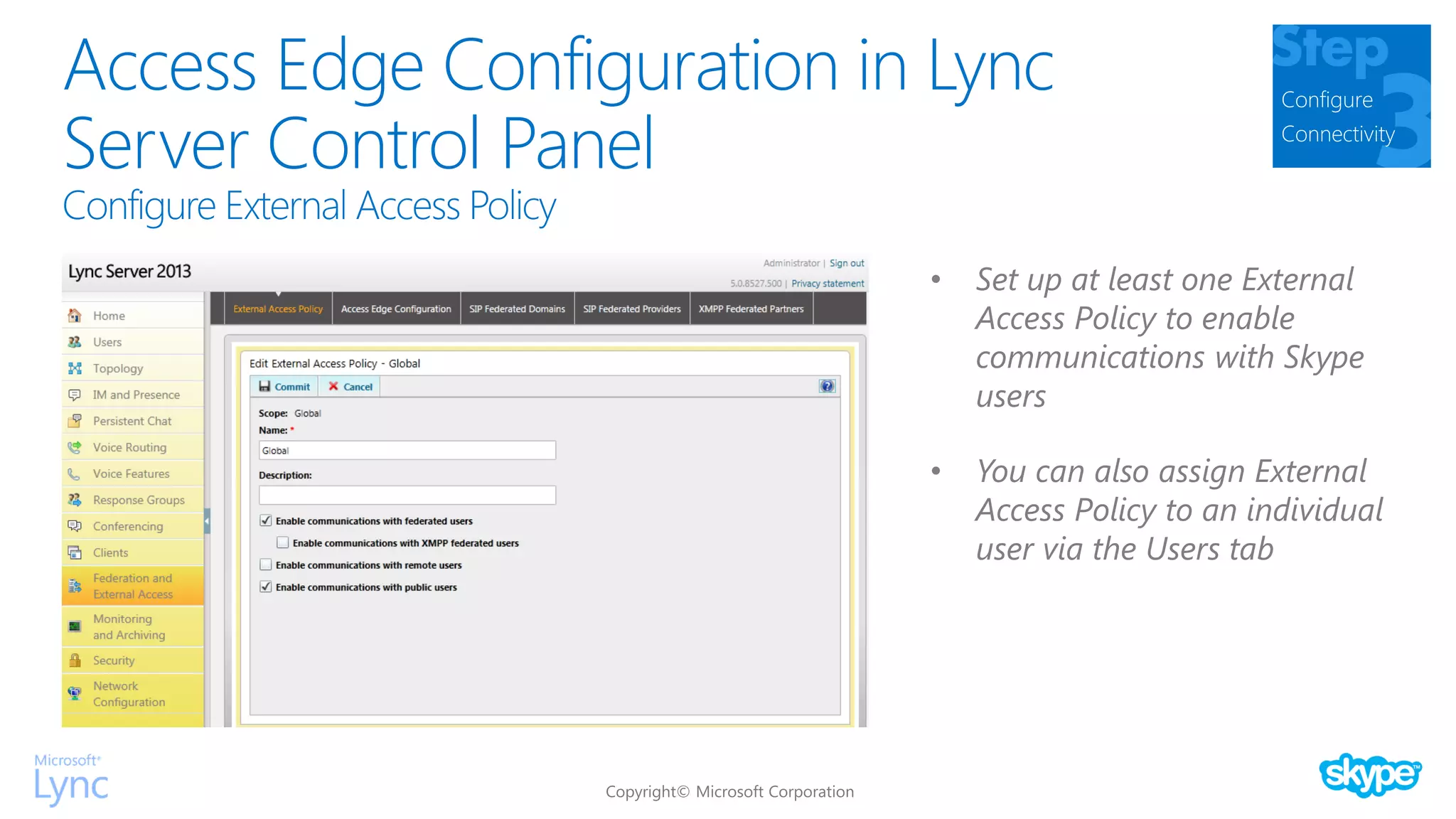
• Set up at least one External
Access Policy to enable
communications with Skype
users
• You can also assign External
Access Policy to an individual
user via the Users tab
Access Edge Configuration in Lync
Server Control Panel
Configure
Connectivity
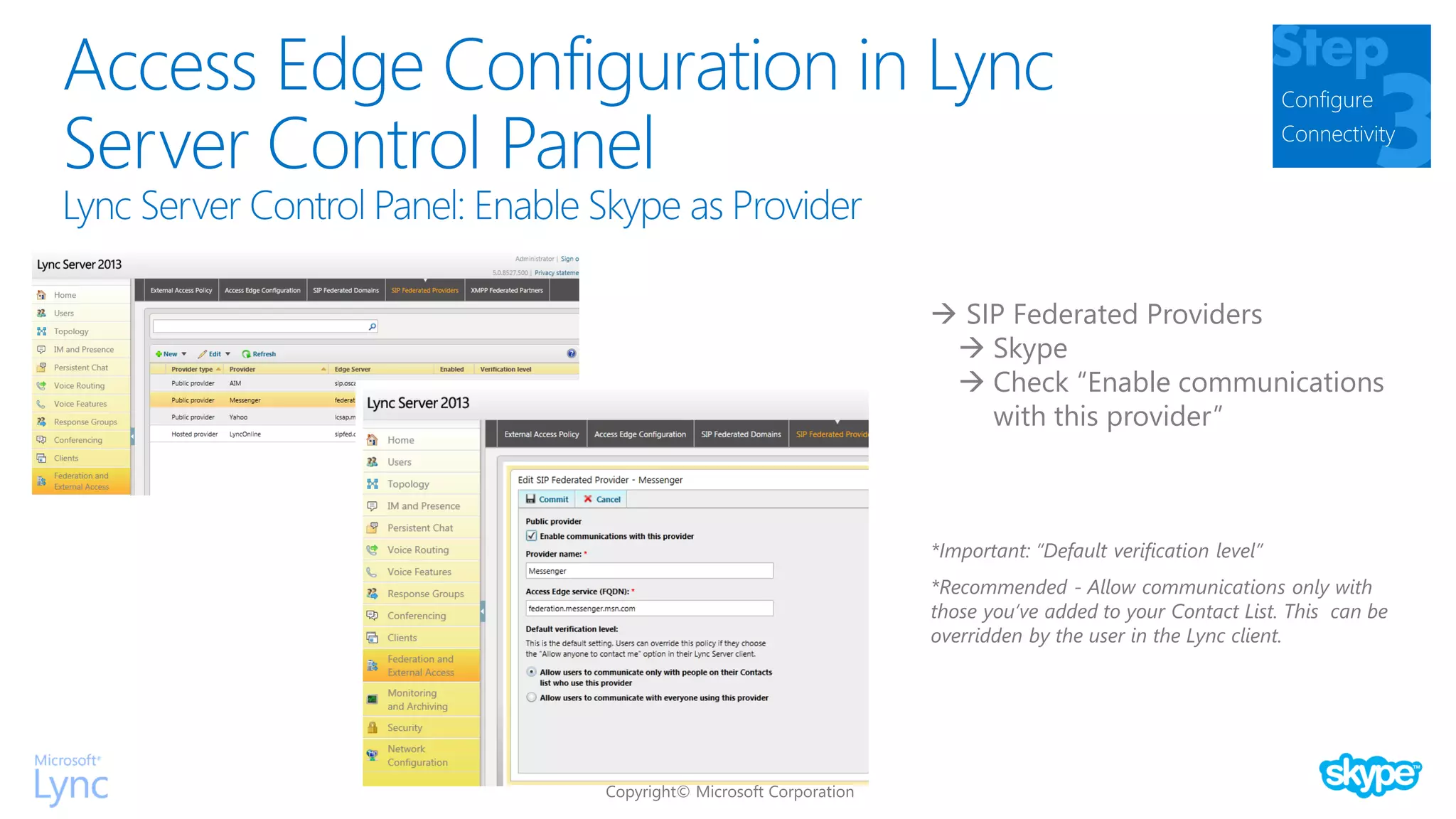
 SIP Federated Providers
 Skype
 Check “Enable communications
with this provider”
*Important: “Default verification level”
*Recommended - Allow communications only with
those you’ve added to your Contact List. This can be
overridden by the user in the Lync client.
• Use the Lync Server Control Panel
or PowerShell to enable
connectivity, partner discovery,
partner domain discovery.
• Configure a policy for
communications with Skype users.
Set up your SIP federated domains.
• Provision your organization for
federation using
https://pic.lync.com, provide your
domain(s) & FQDN(s).
• Set up your Lync edge for
federation, including public certs.
Three Steps to Deploying Connectivity
Configuring Lync and Skype
Provision Edge
Set-Up
Configure
Connectivity
Skype
Connectivity
Step
User
Configuration
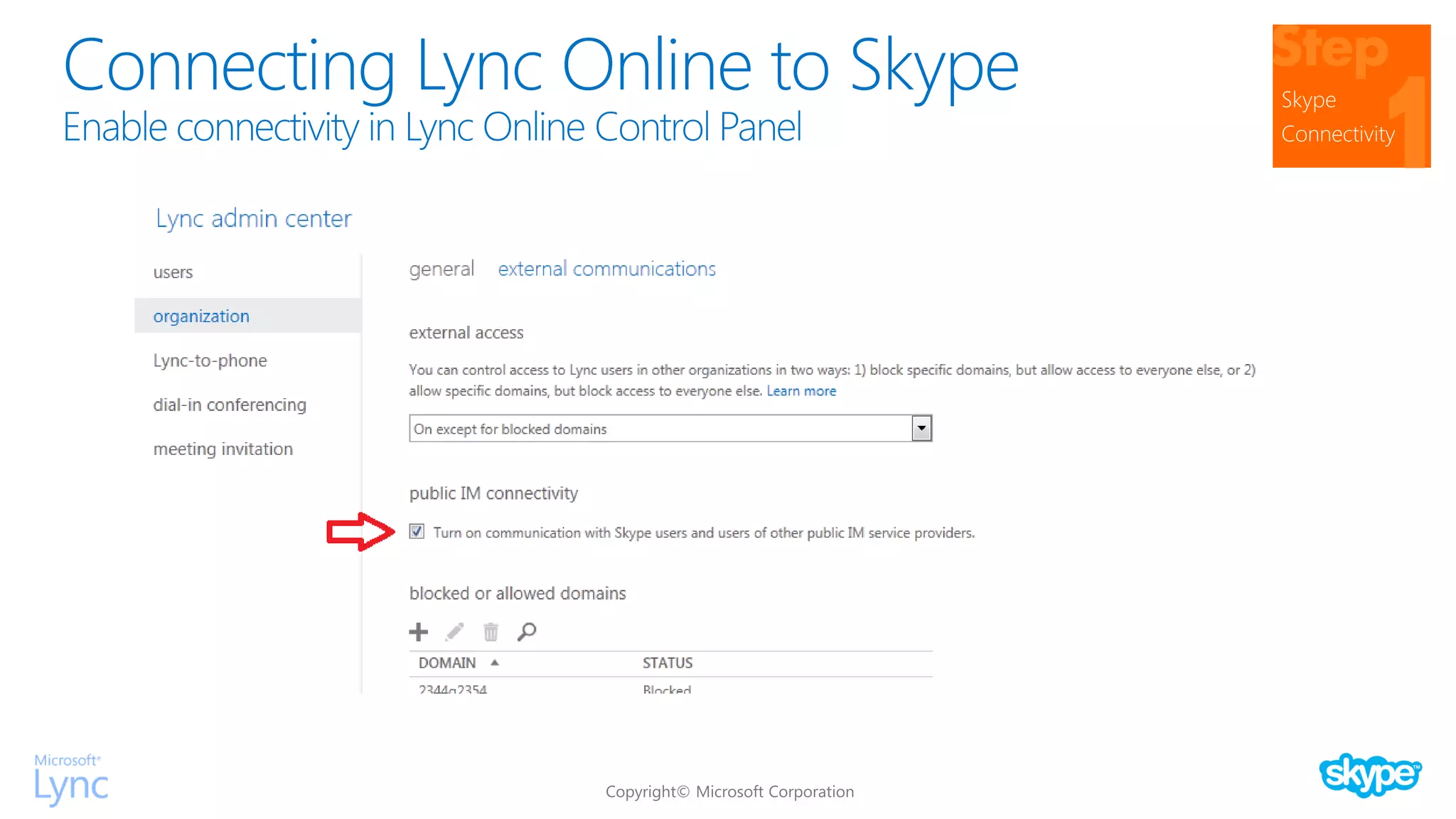
Connecting Lync Online to Skype Skype
Connectivity
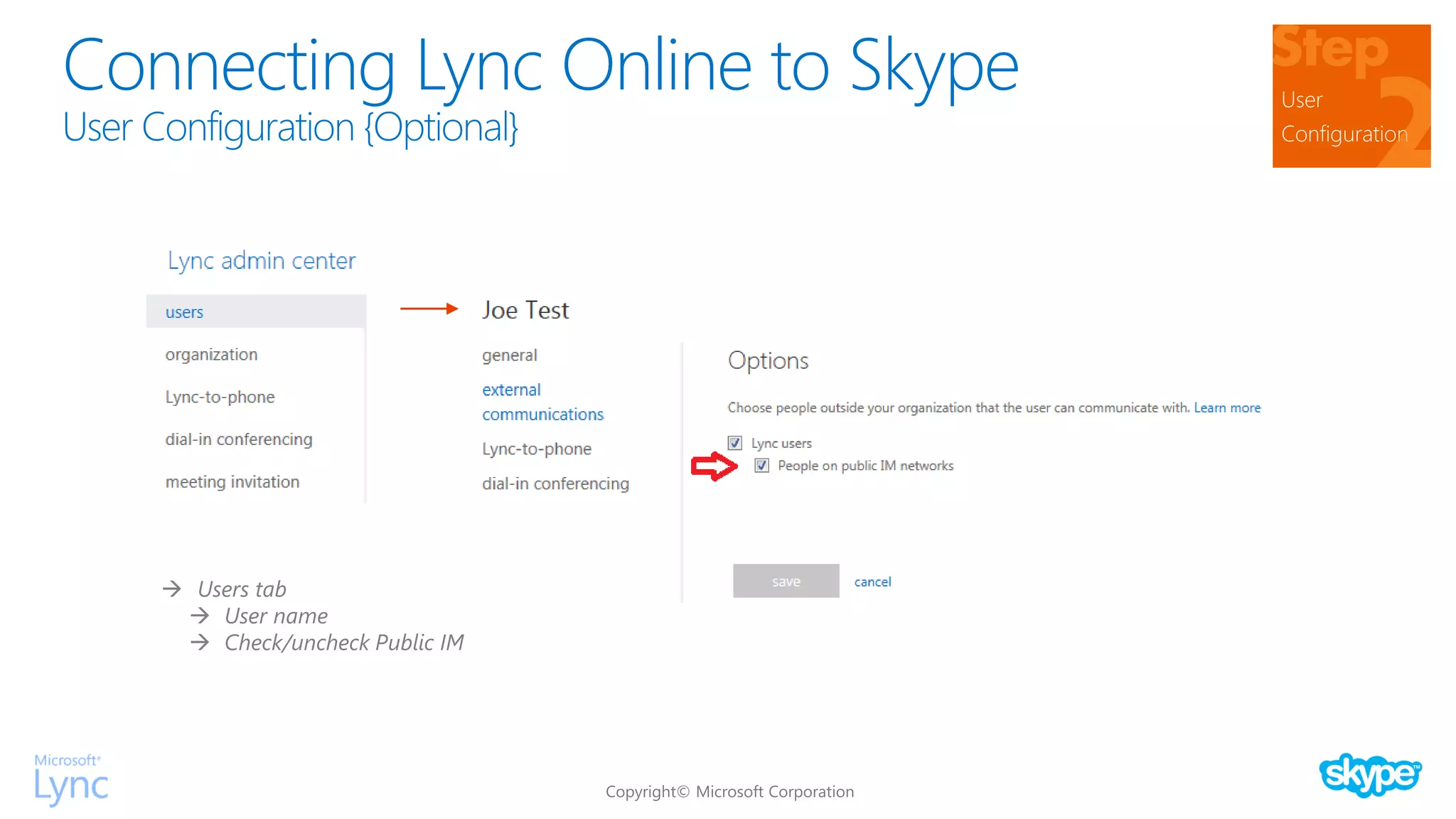
Connecting Lync Online to Skype User
Configuration
 Users tab
 User name
 Check/uncheck Public IM
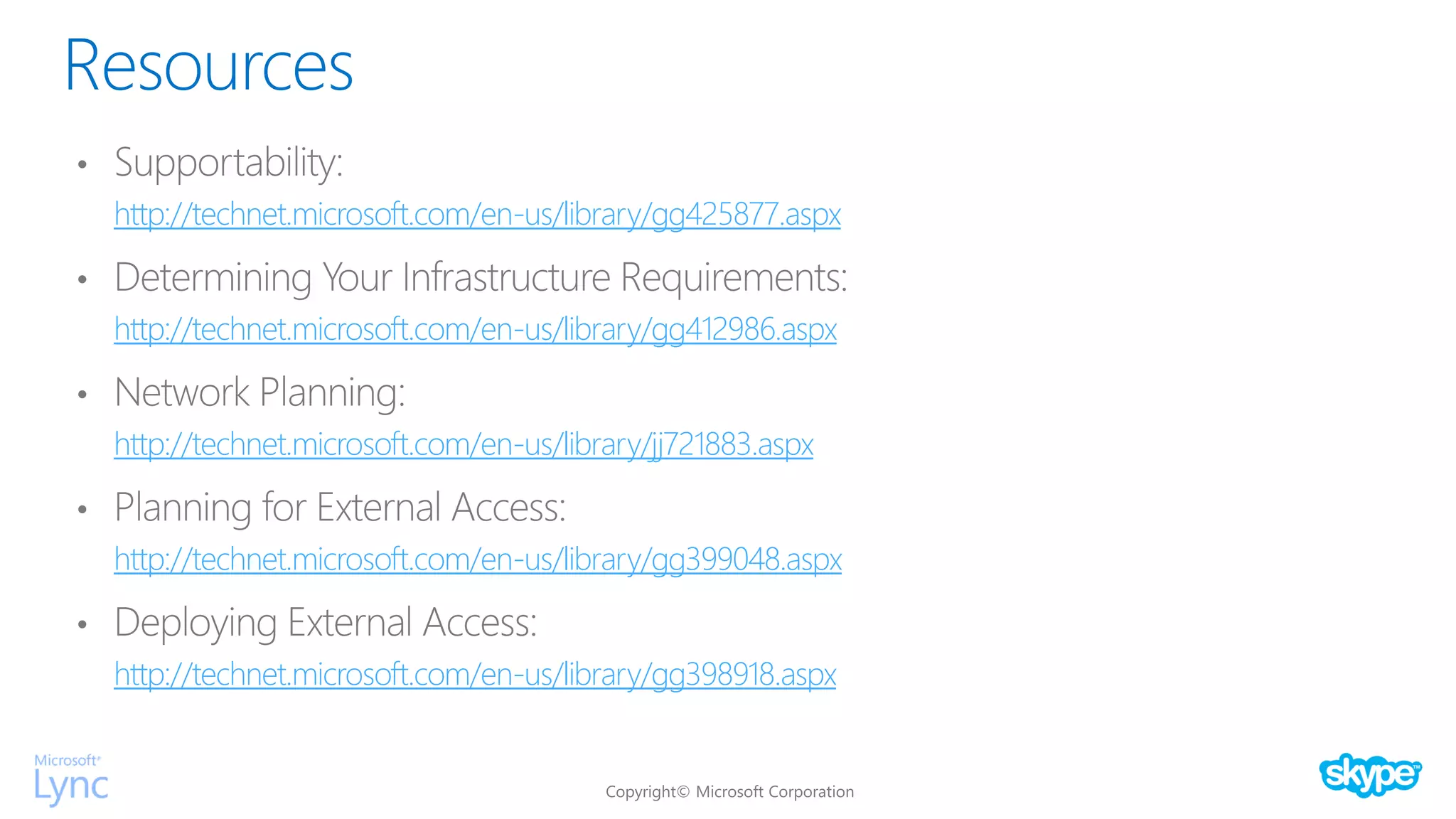
Resources
http://technet.microsoft.com/en-us/library/gg425877.aspx
http://technet.microsoft.com/en-us/library/gg412986.aspx
http://technet.microsoft.com/en-us/library/jj721883.aspx
http://technet.microsoft.com/en-us/library/gg399048.aspx
http://technet.microsoft.com/en-us/library/gg398918.aspx

Lync-Skype Connectivity