Development of Skype for
Business and Knowledge of
SharePoint
By : Aye Myat Moe
Office servers and services MVP
2017 March 4
Today Contents
 Opening
 My Profile
 About SharePoint
 Basic Knowledge of SharePoint Development
 Answer the Questions
 About Skype for Business
 Development of Skype for Business
 Coffee Break Time
 Demo for Development of Skype for Business
 Answer the Questions
 Closing
My Profile
Aye Myat Moe
Blogayemmoe.blogspot.com
Email ayemyatmoe069@gmail.com
Phone 095100694
 Award
 Lync MVP (2014)
 Skype for Business MVP (2015)
 Office Servers and Services (2016)
 Developing Skype for Business and SharePoint Applications
 iOS Application, Desktop Application
 Language
 Objective C, C#.Net, Java, PHP ,HTML, JavaScript, Json
About the SharePoint
• Introduction to SharePoint
• SharePoint Versions
• Difference Between SharePoint Server vs Online
Introduction to SharePoint
What Is SharePoint?
 SharePoint is a Popular Content Management Tool developed by
Microsoft that allows users to share data (like word documents, Excel etc.)
in a web-based collaborative environment.
 Allows individuals in an organization to easily create and manage their
own collaborative Web sites.
 Simplifies how people find and share information across boundaries, and
enabling better informed decisions
 Using the word “Microsoft SharePoint” is like using the word “Microsoft
Office”
 SharePoint was Introduced by Microsoft in early 2001 and it has since
gone through various versions; the latest being SharePoint 2013, and has
also Improved in terms of Collaboration and Integration with other LOB
Tools.
Introduction to SharePoint
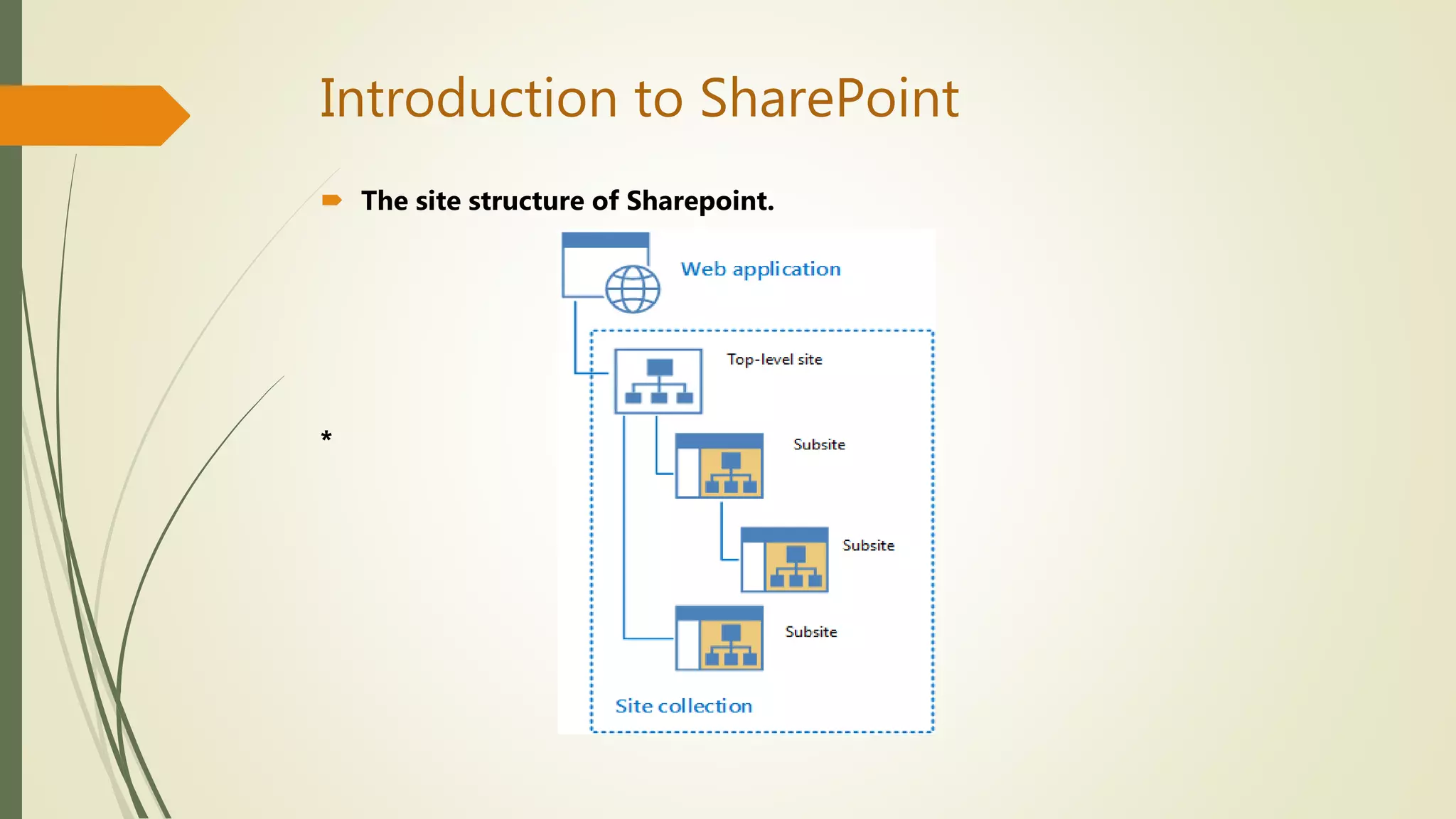
 The site structure of Sharepoint.
*
Introduction to SharePoint
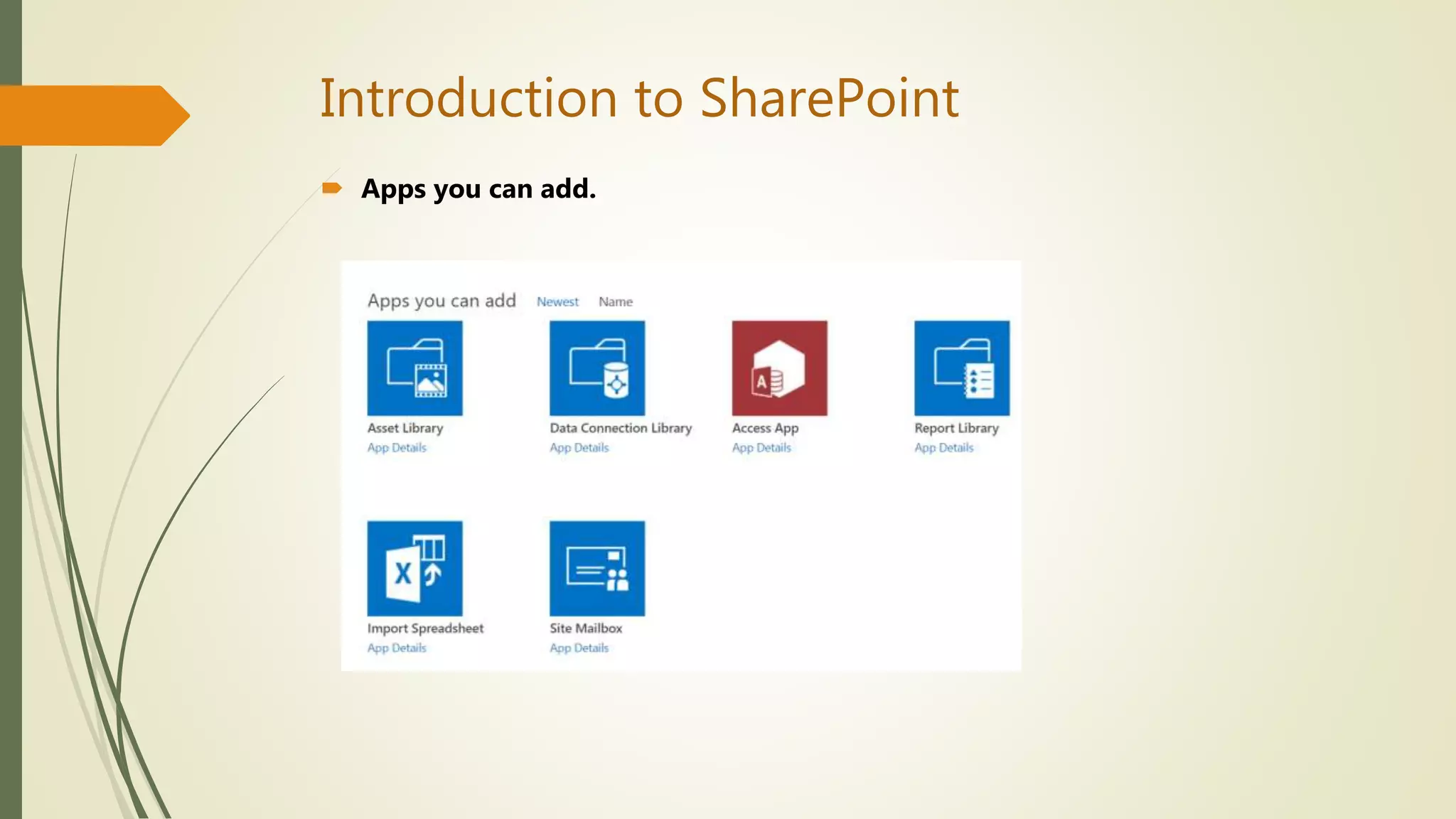
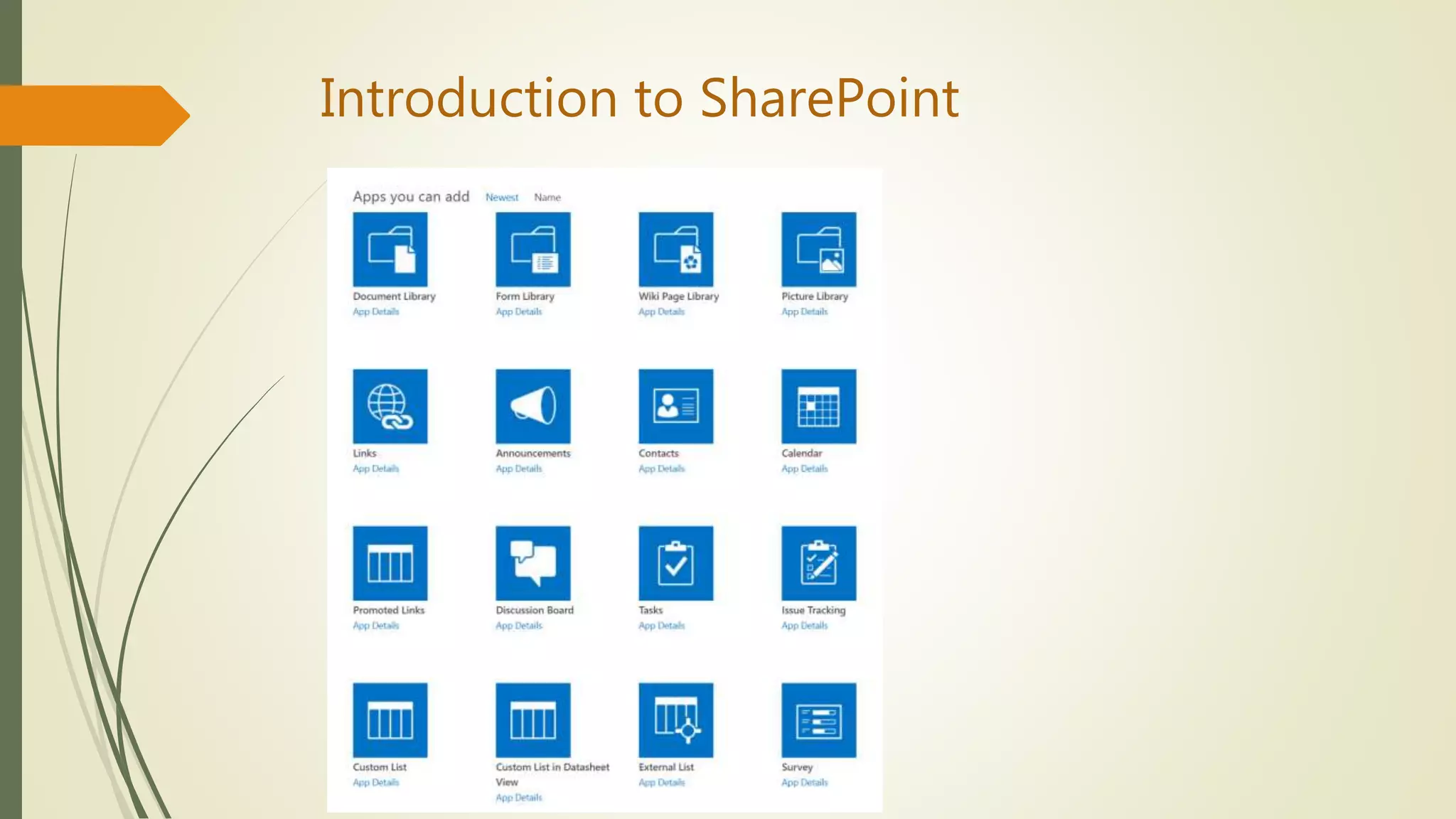
 Apps you can add.
Introduction to SharePoint
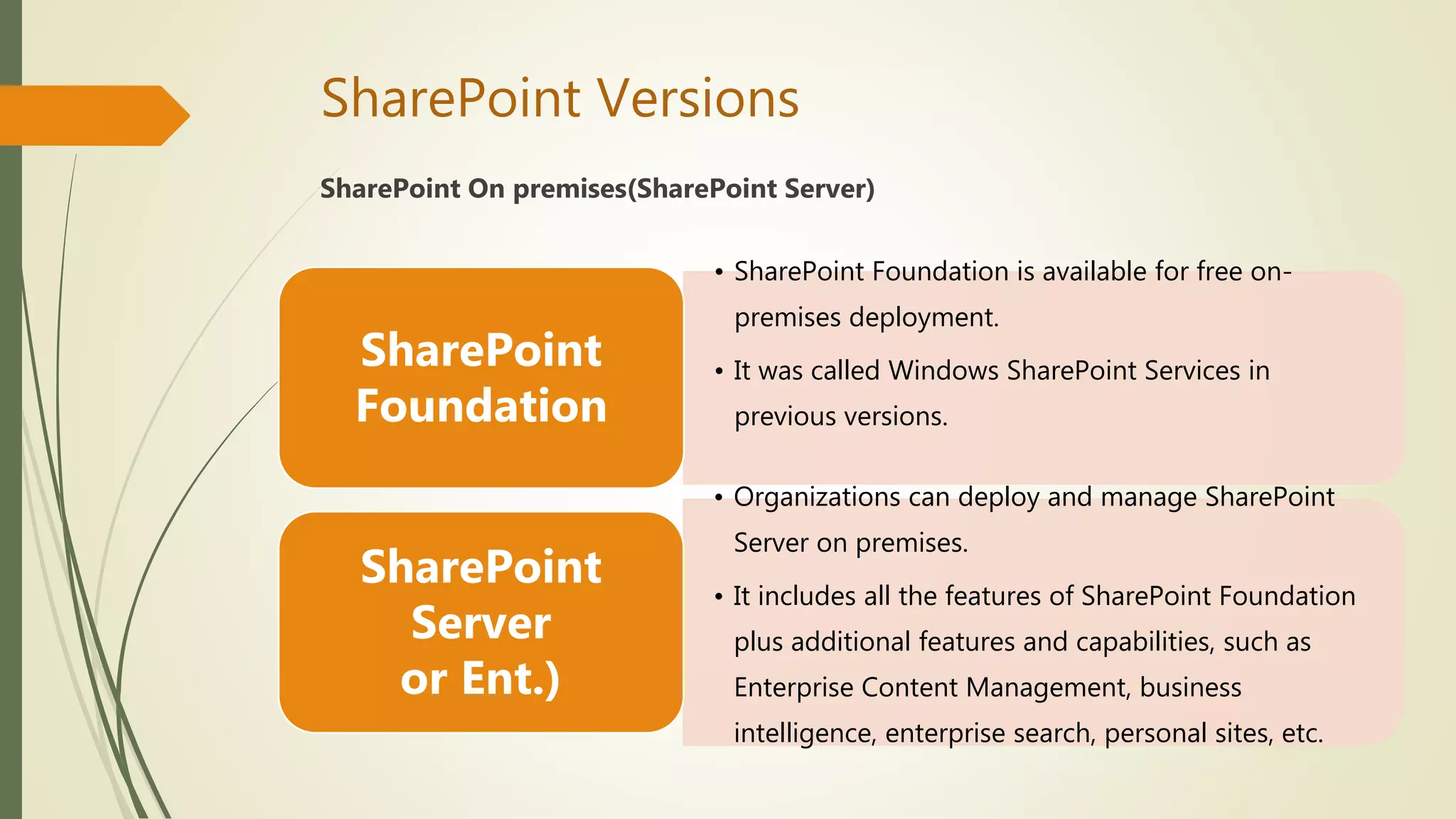
SharePoint Versions
SharePoint On premises(SharePoint Server)
• SharePoint Foundation is available for free on-
premises deployment.
• It was called Windows SharePoint Services in
previous versions.
SharePoint
Foundation
• Organizations can deploy and manage SharePoint
Server on premises.
• It includes all the features of SharePoint Foundation
plus additional features and capabilities, such as
Enterprise Content Management, business
intelligence, enterprise search, personal sites, etc.
SharePoint
Server
or Ent.)
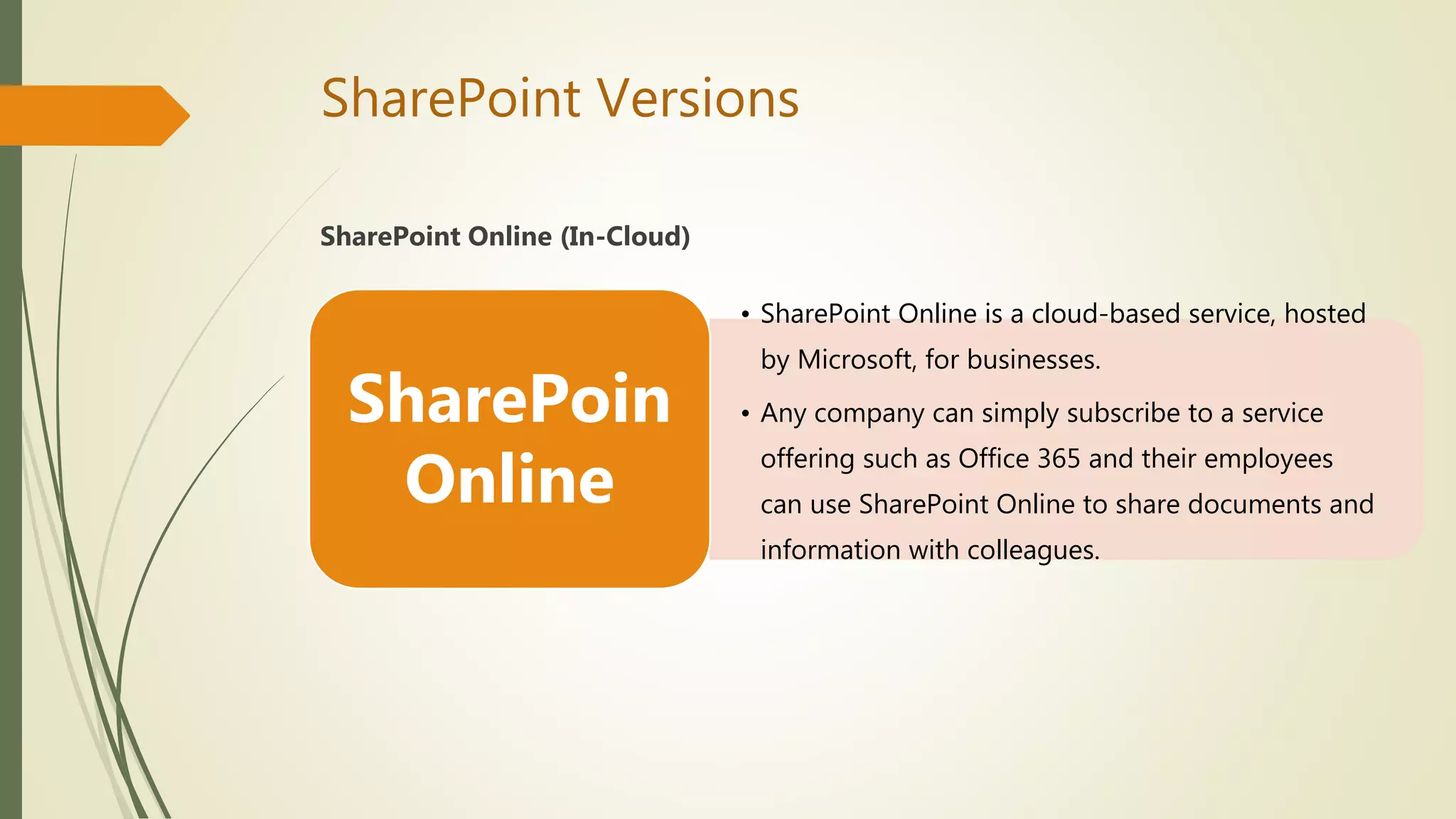
SharePoint Versions
SharePoint Online (In-Cloud)
• SharePoint Online is a cloud-based service, hosted
by Microsoft, for businesses.
• Any company can simply subscribe to a service
offering such as Office 365 and their employees
can use SharePoint Online to share documents and
information with colleagues.
SharePoin
Online
SharePoint Versions
 SharePoint On premises - This is a Server deployment that is deployed
and managed generally by a Company's IT department. SharePoint can be
Licensed from Microsoft for installation purposes. The latest version is
SharePoint Server 2016.
 SharePoint Online (In-Cloud) - SharePoint Online is cloud solution which
is a part of Office 365 package. Office 365 is a subscription based Cloud
service deployed and maintained by Microsoft. The basic options are same
to SharePoint Server.
Difference Between SharePoint Server vs Online
SharePoint Server
 SP farm hosted locally
 IT team responsible for farm, patching and change control
 On-premise AD(Active Directory) is required
 Maintain and update by IT team
SharePoint Online
 SP farm resides within the Microsoft Data Center Network
 MS host and patch the environment
 Anywhere access
 Update automatically by Microsoft
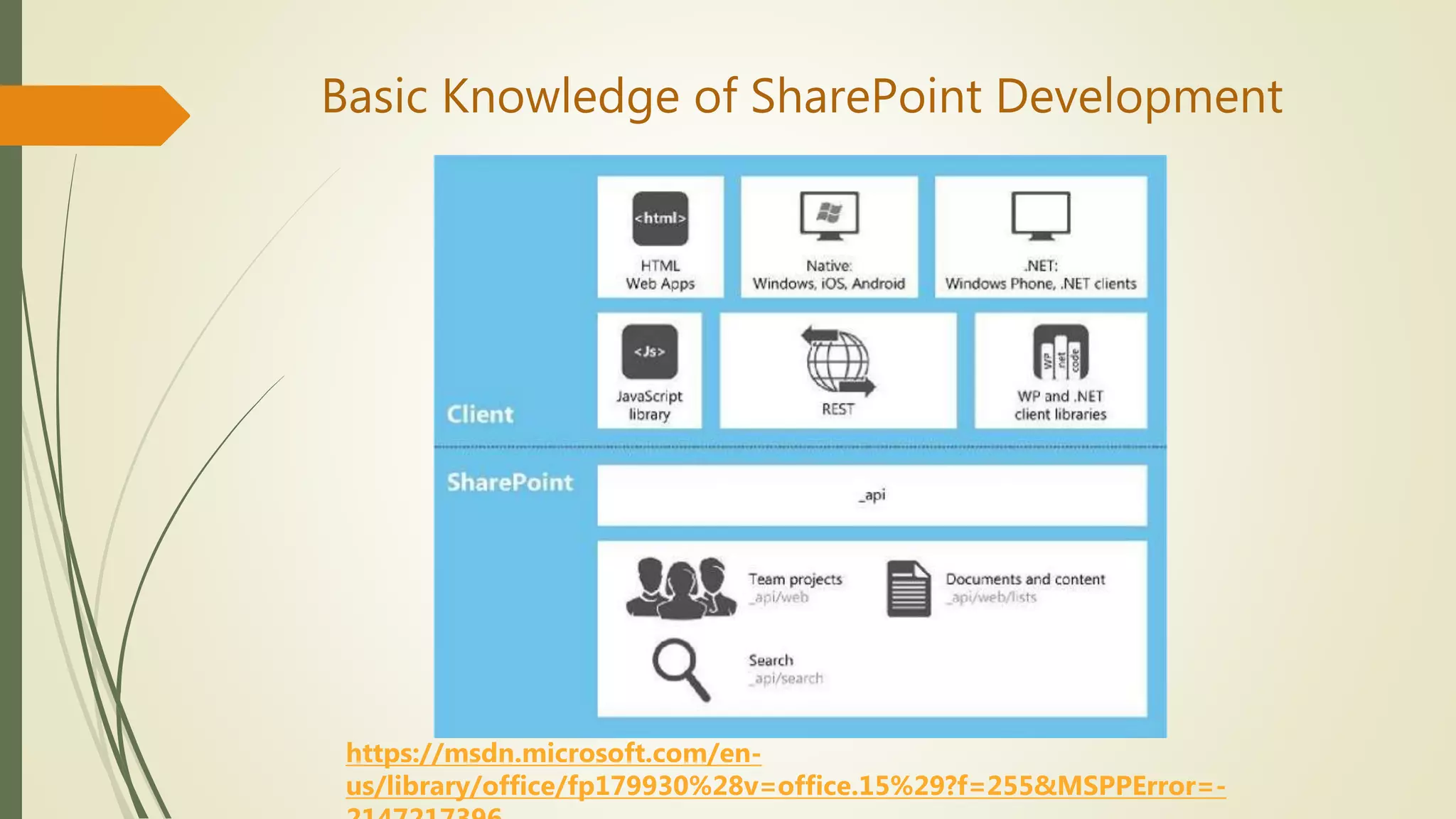
Basic Knowledge of SharePoint Development
https://msdn.microsoft.com/en-
us/library/office/fp179930%28v=office.15%29?f=255&MSPPError=-
Basic Knowledge of SharePoint Development
Other Development APIs
 Soap Services
 Web Services
 SharePoint Designer
Demo Applications
 ShareOffice
https://www.youtube.com/watch?v=Avxx8SZ38DY
 Share Report
https://www.youtube.com/watch?v=-aD_u8GmbRA
Answer the questions.
About Skype for Business
 Core Features of Skype for Business
 Demonstration of Skype for Business
 Skype vs Skype for Business: What’s the Difference?
 Skype for Business Version
 Difference Between Skype for Business Server vs Online
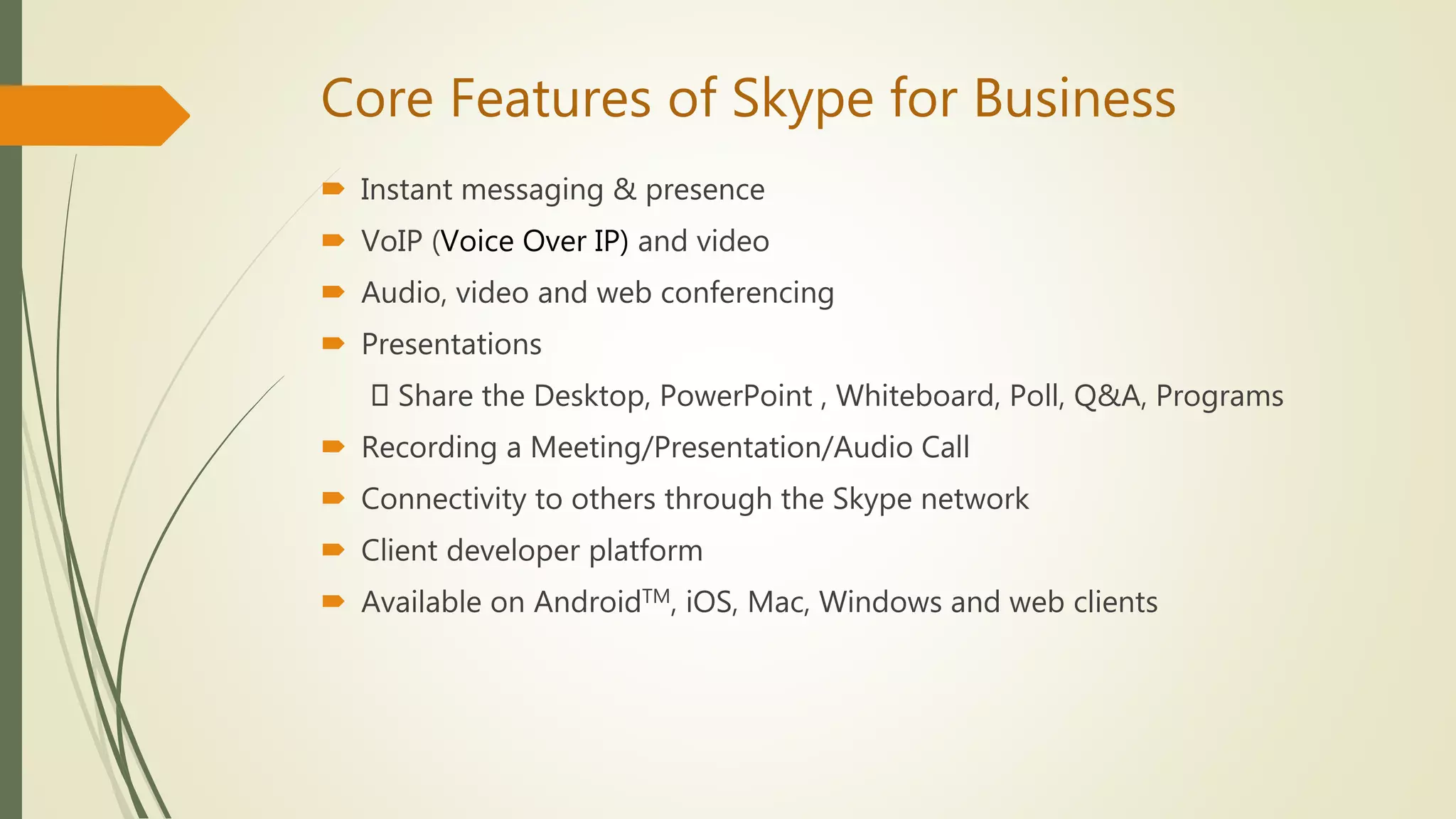
Core Features of Skype for Business
 Instant messaging & presence
 VoIP (Voice Over IP) and video
 Audio, video and web conferencing
 Presentations
Share the Desktop, PowerPoint , Whiteboard, Poll, Q&A, Programs
 Recording a Meeting/Presentation/Audio Call
 Connectivity to others through the Skype network
 Client developer platform
 Available on AndroidTM, iOS, Mac, Windows and web clients
Demonstration of Skype for Business
Skype for Business 2016 Preview
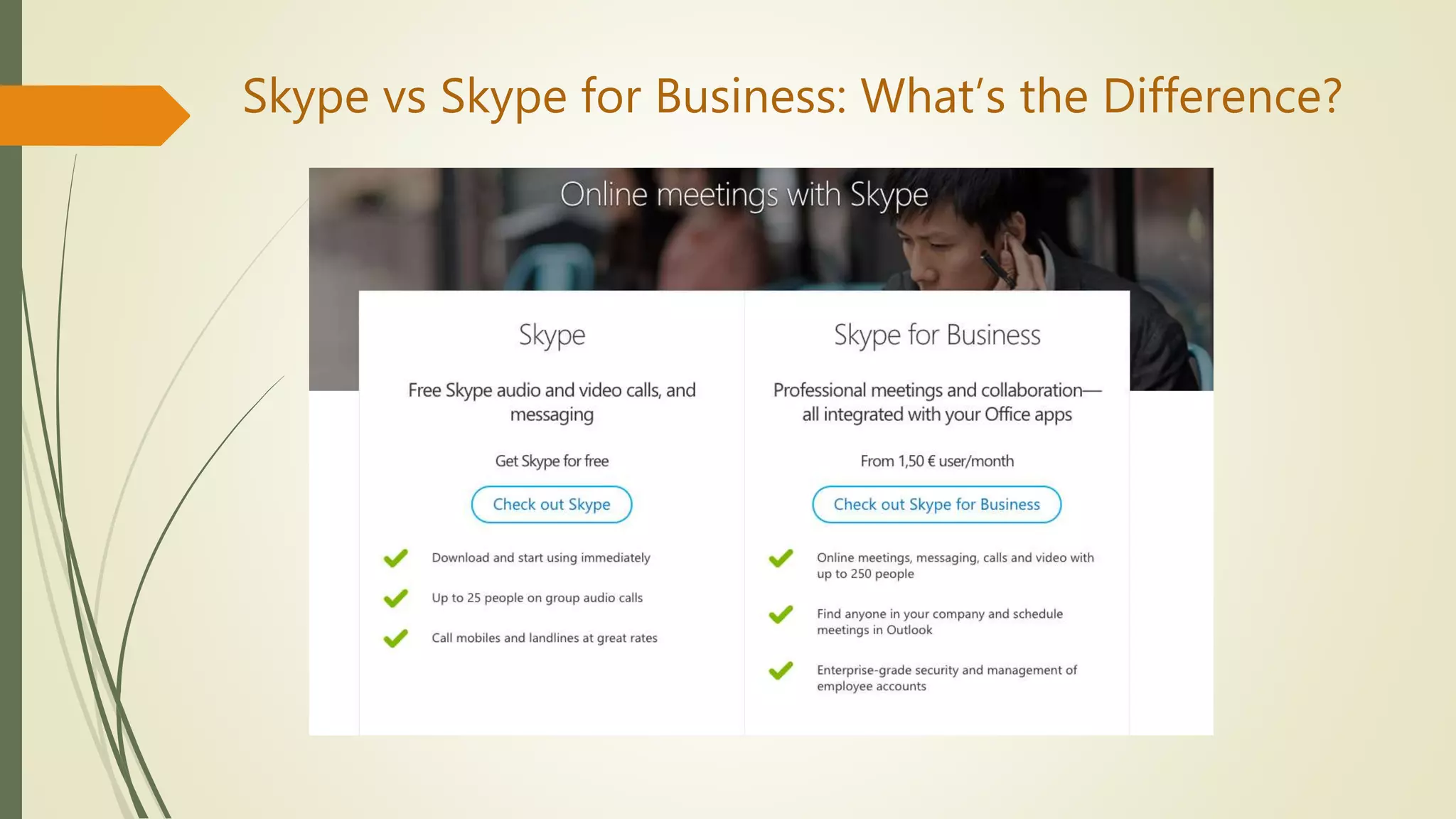
Skype vs Skype for Business: What’s the Difference?
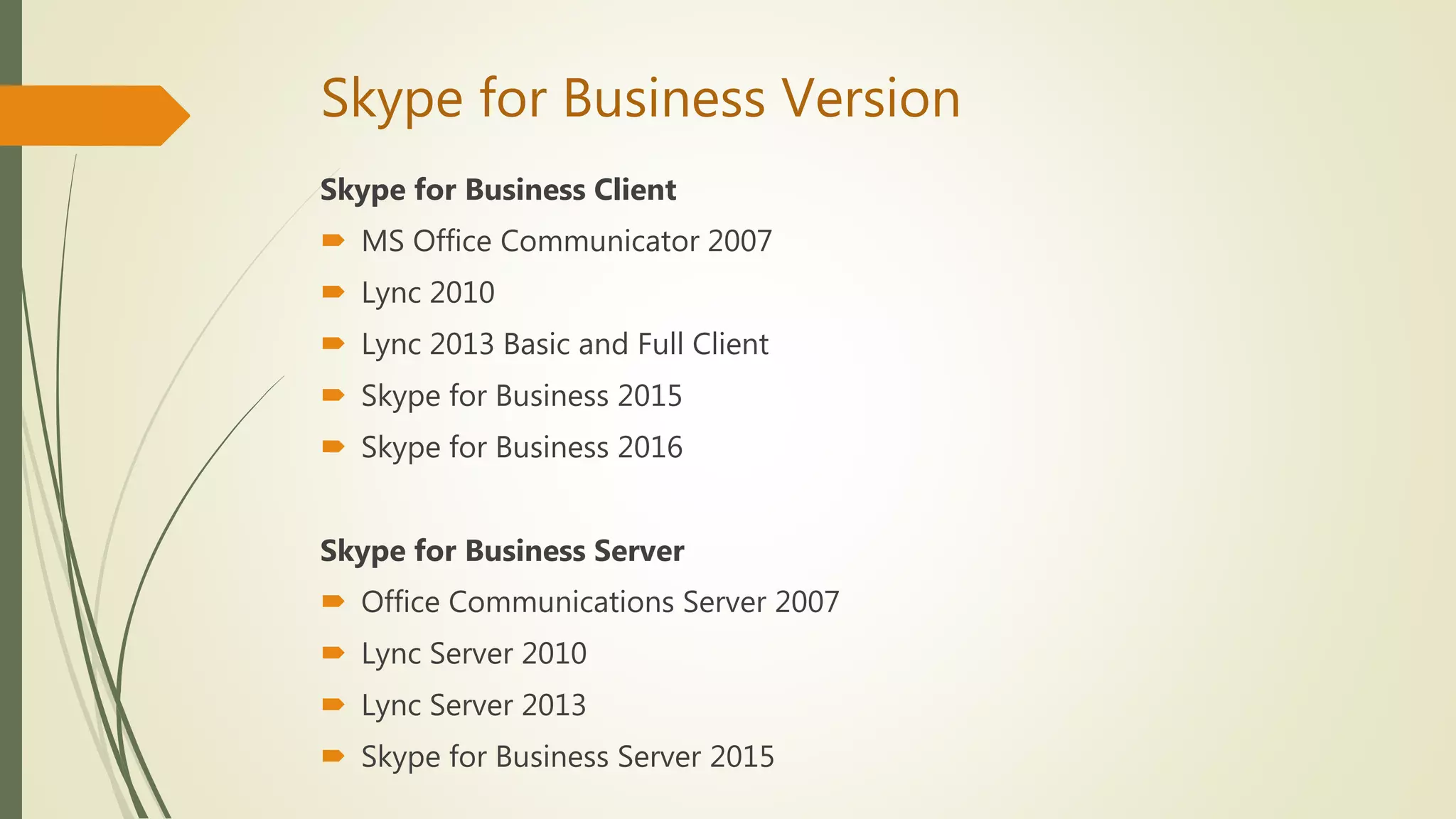
Skype for Business Version
Skype for Business Client
 MS Office Communicator 2007
 Lync 2010
 Lync 2013 Basic and Full Client
 Skype for Business 2015
 Skype for Business 2016
Skype for Business Server
 Office Communications Server 2007
 Lync Server 2010
 Lync Server 2013
 Skype for Business Server 2015
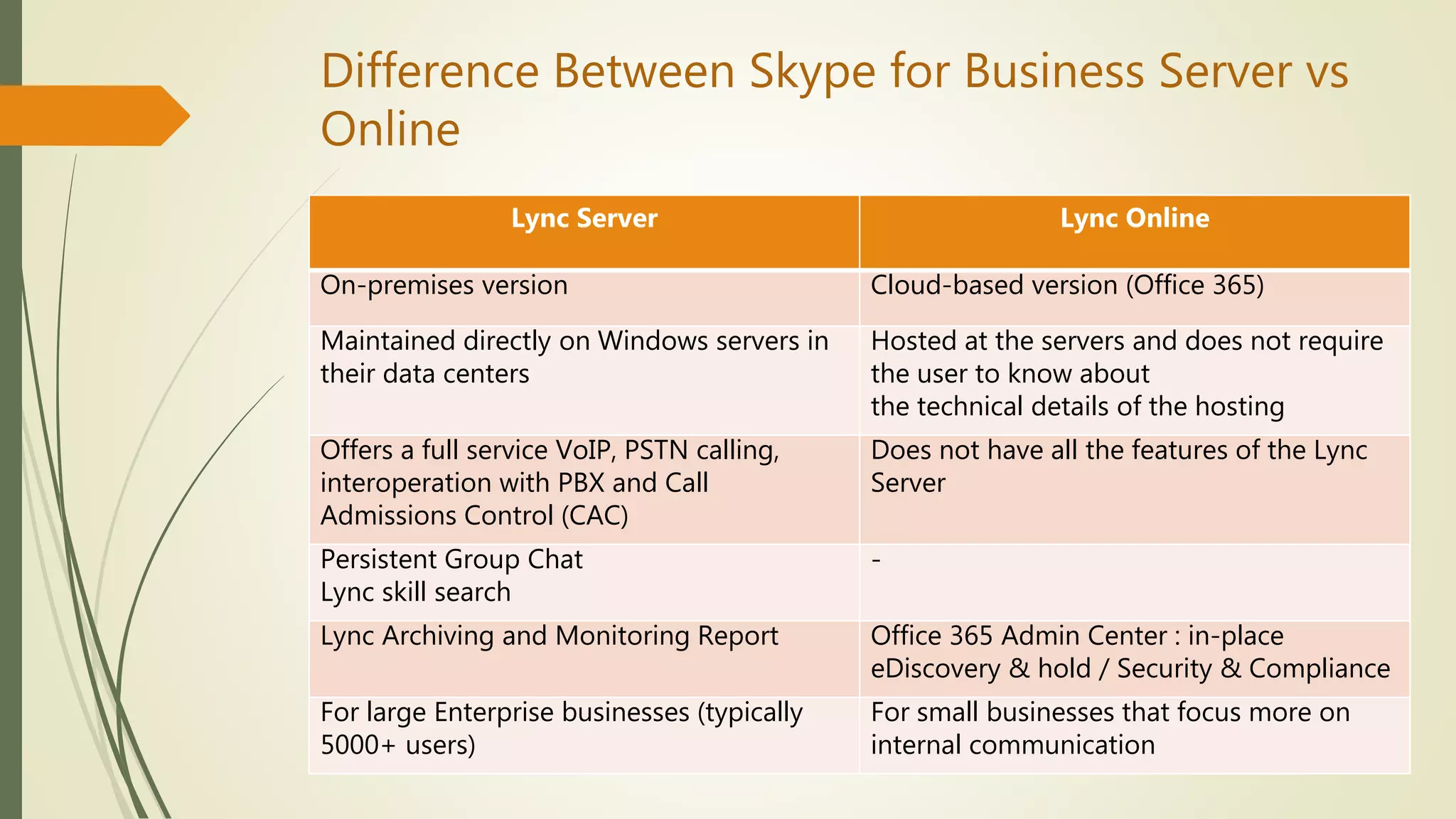
Difference Between Skype for Business Server vs
Online
Lync Server Lync Online
On-premises version Cloud-based version (Office 365)
Maintained directly on Windows servers in
their data centers
Hosted at the servers and does not require
the user to know about
the technical details of the hosting
Offers a full service VoIP, PSTN calling,
interoperation with PBX and Call
Admissions Control (CAC)
Does not have all the features of the Lync
Server
Persistent Group Chat
Lync skill search
-
Lync Archiving and Monitoring Report Office 365 Admin Center : in-place
eDiscovery & hold / Security & Compliance
For large Enterprise businesses (typically
5000+ users)
For small businesses that focus more on
internal communication
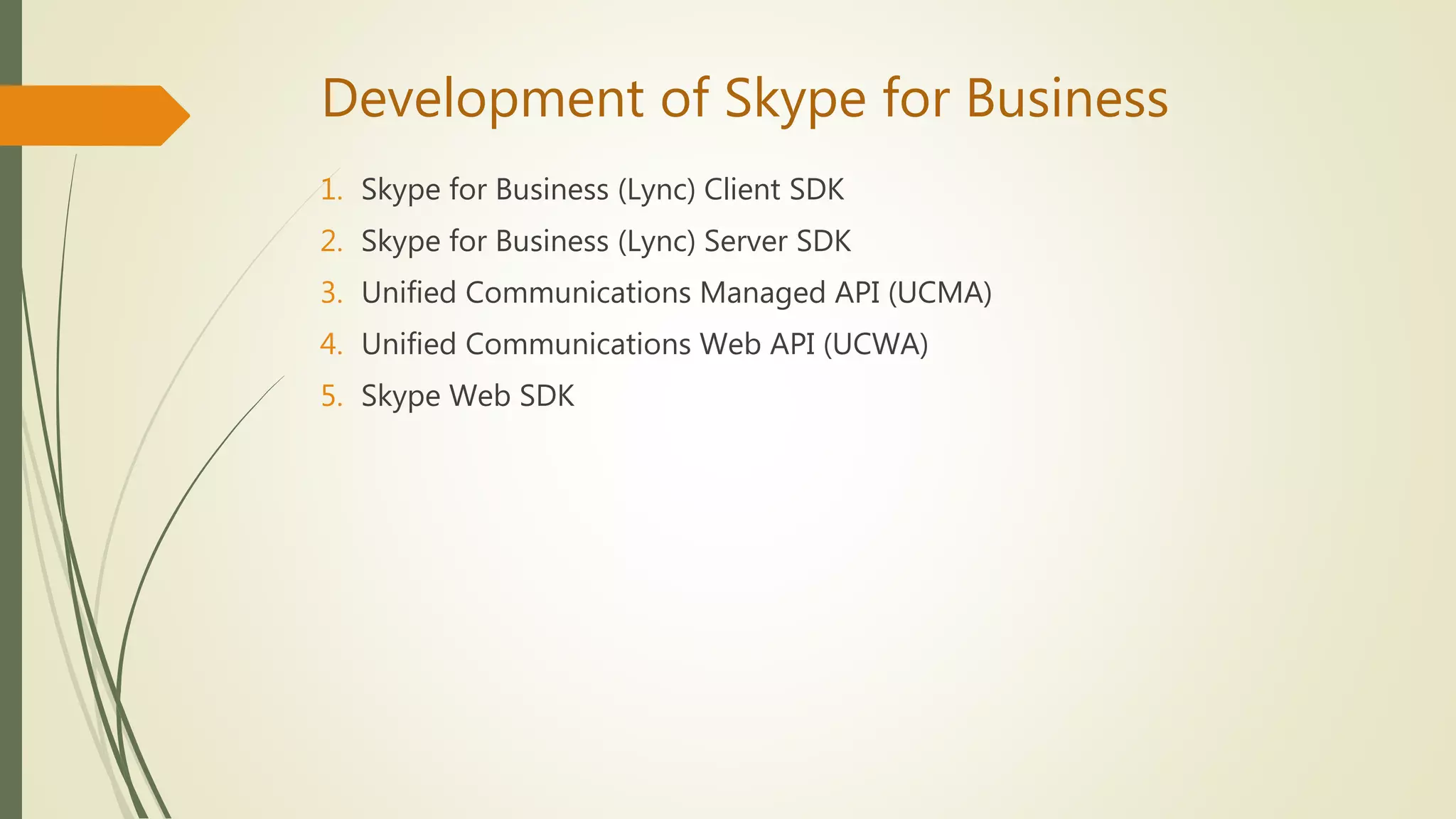
Development of Skype for Business
1. Skype for Business (Lync) Client SDK
2. Skype for Business (Lync) Server SDK
3. Unified Communications Managed API (UCMA)
4. Unified Communications Web API (UCWA)
5. Skype Web SDK
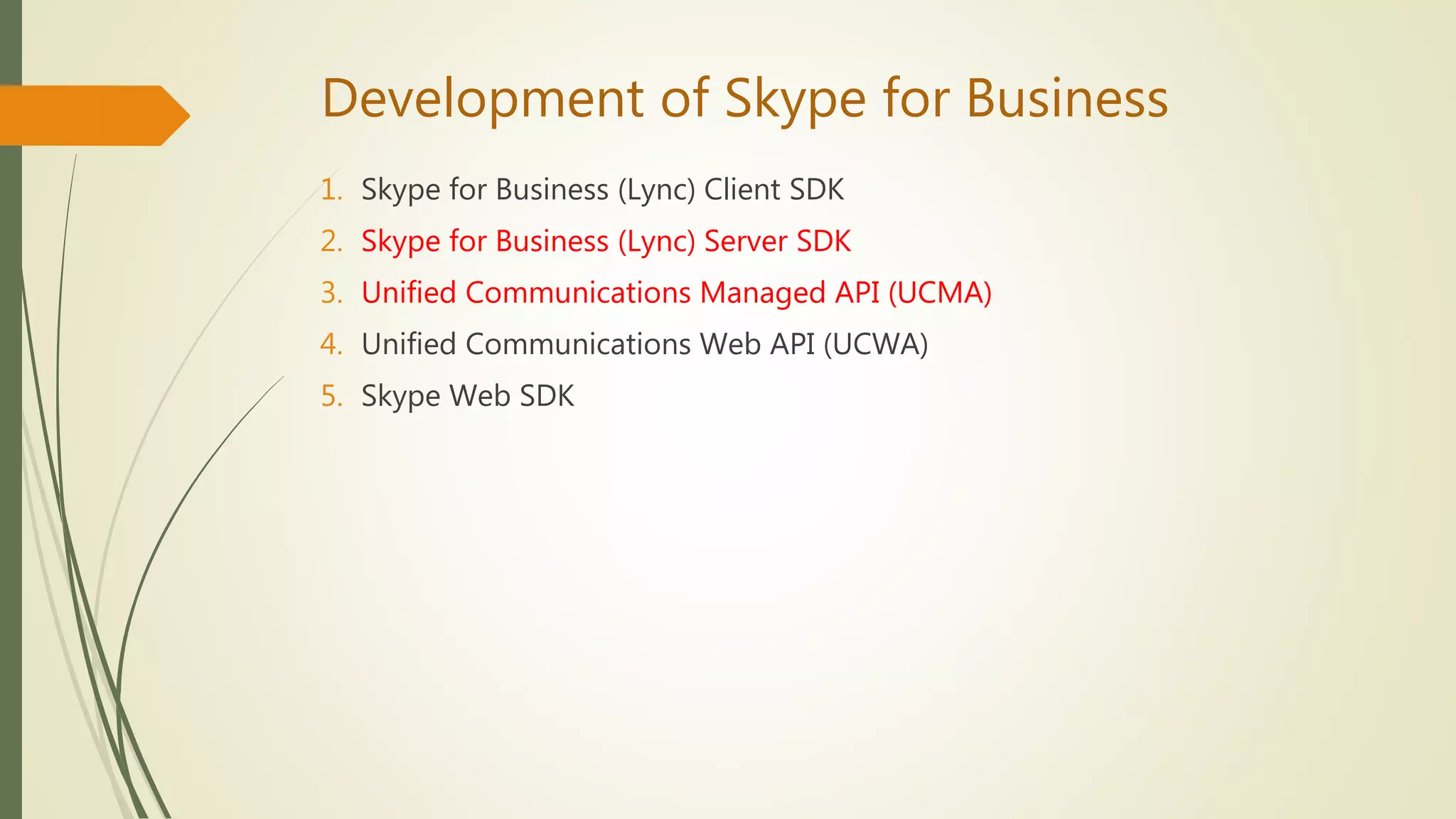
Development of Skype for Business
1. Skype for Business (Lync) Client SDK
2. Skype for Business (Lync) Server SDK
3. Unified Communications Managed API (UCMA)
4. Unified Communications Web API (UCWA)
5. Skype Web SDK
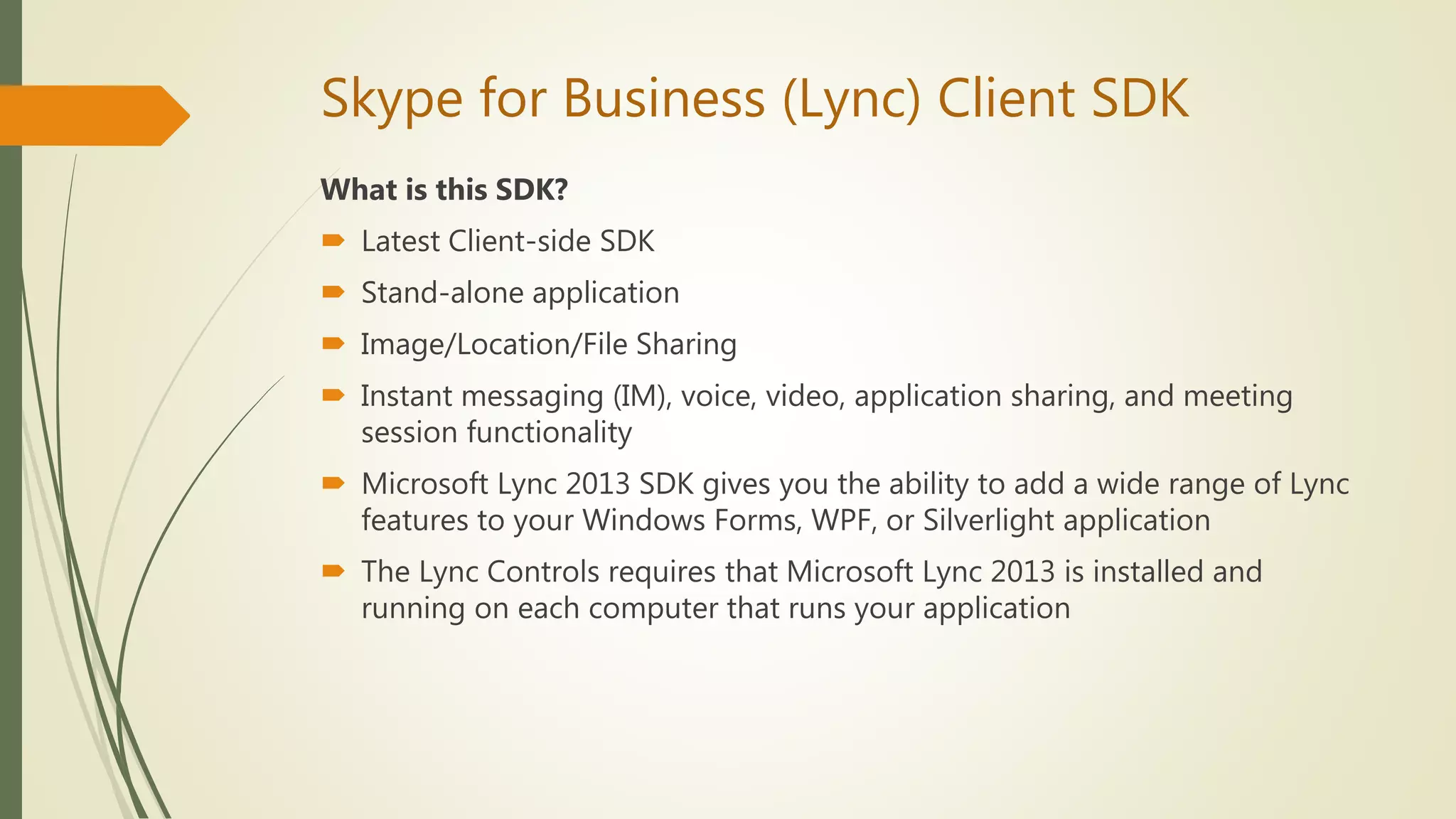
Skype for Business (Lync) Client SDK
What is this SDK?
 Latest Client-side SDK
 Stand-alone application
 Image/Location/File Sharing
 Instant messaging (IM), voice, video, application sharing, and meeting
session functionality
 Microsoft Lync 2013 SDK gives you the ability to add a wide range of Lync
features to your Windows Forms, WPF, or Silverlight application
 The Lync Controls requires that Microsoft Lync 2013 is installed and
running on each computer that runs your application
Skype for Business (Lync) Client SDK
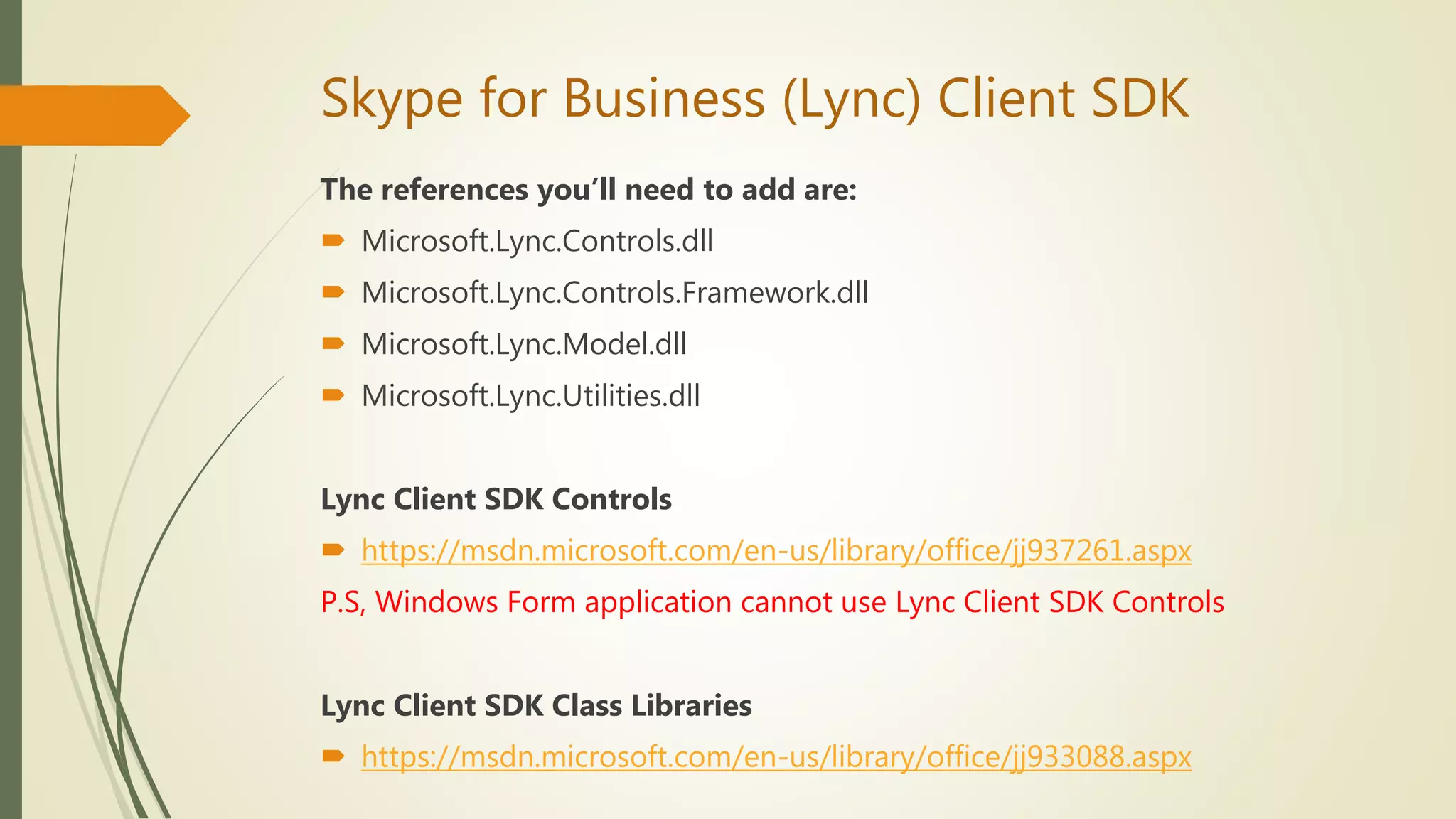
System Requirements
 Skype for Business Server or Office 365
 .NET Framework 4.0 and later versions of .NET Framework
 Silverlight 5 SDK
 Silverlight 5 Tools For Visual Studio
 Visual Studio 2012 Premium Version
 Skype for Business Client
 Lync 2013 SDK
 Platform
Windows Presentation Foundation,Silverlight,Windows Form
 Development Language
C#.Net、VB.Net
Skype for Business (Lync) Client SDK
Lync Client Development Style
 Add Lync function to applications
 Build the Lync client yourself
 Add custom function in Lync client
Skype for Business (Lync) Client SDK
Lync Client Development Style
 Add Lync function to applications
 Build the Lync client yourself
 Add custom function in Lync client
Skype for Business (Lync) Client SDK
The references you’ll need to add are:
 Microsoft.Lync.Controls.dll
 Microsoft.Lync.Controls.Framework.dll
 Microsoft.Lync.Model.dll
 Microsoft.Lync.Utilities.dll
Lync Client SDK Controls
 https://msdn.microsoft.com/en-us/library/office/jj937261.aspx
P.S, Windows Form application cannot use Lync Client SDK Controls
Lync Client SDK Class Libraries
 https://msdn.microsoft.com/en-us/library/office/jj933088.aspx
Skype for Business (Lync) Client SDK
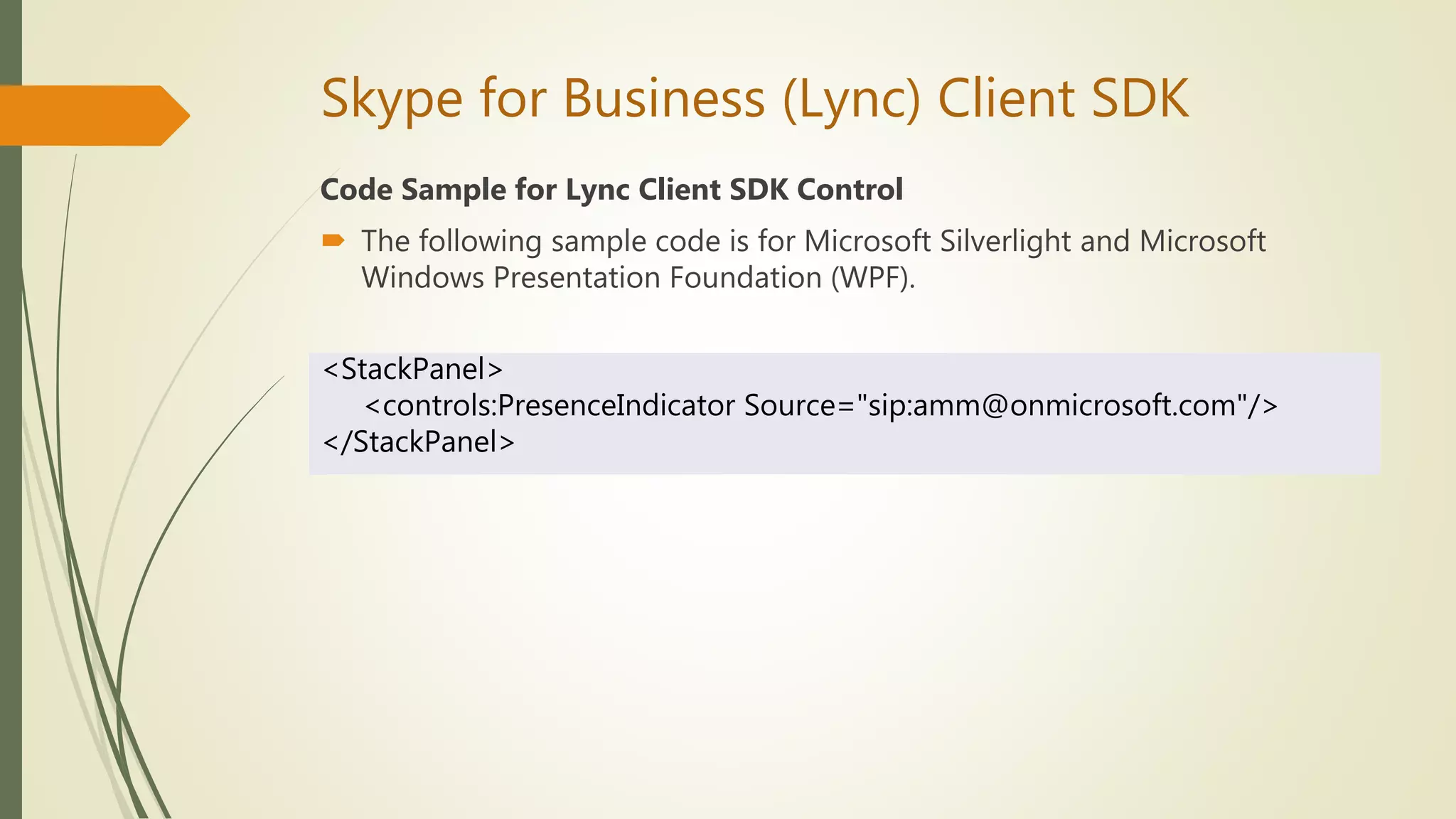
Code Sample for Lync Client SDK Control
 The following sample code is for Microsoft Silverlight and Microsoft
Windows Presentation Foundation (WPF).
<StackPanel>
<controls:PresenceIndicator Source="sip:amm@onmicrosoft.com"/>
</StackPanel>
Skype for Business (Lync) Client SDK
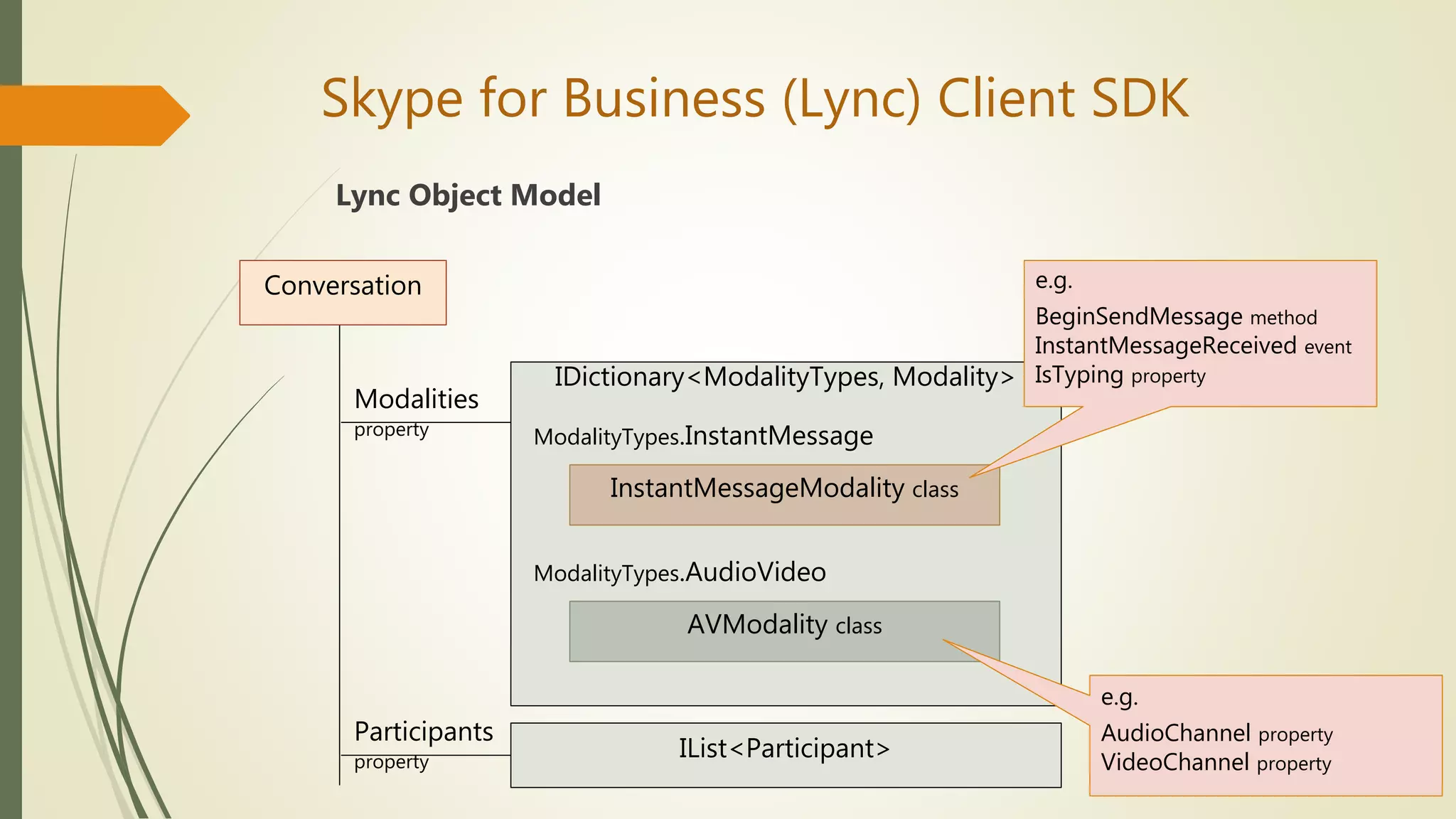
Lync Object Model
Conversation
IDictionary<ModalityTypes, Modality>
InstantMessageModality class
ModalityTypes.InstantMessage
ModalityTypes.AudioVideo
AVModality class
Modalities
property
IList<Participant>
Participants
property
e.g.
BeginSendMessage method
InstantMessageReceived event
IsTyping property
e.g.
AudioChannel property
VideoChannel property
Skype for Business (Lync) Client SDK
Lync Client Development Style
 Add Lync function to applications
 Build the Lync client yourself
 Add custom function in Lync client
Skype for Business (Lync) Client SDK
Implement your own communication client based on Lync, but you do
not want to use Lync's UI?
How to turn on UI Suppression Mode?
☆☆☆ Registry Key ☆☆☆
UI Suppression Mode
[HKEY_CURRENT_USERSoftwareMicrosoftOffice15.0Lync]
"UISuppressionMode"=dword:00000001
Skype for Business (Lync) Client SDK
UI Suppression Mode
 Application Start and Stop
Lync can not be started from the [Start] menu
LyncClient.BeginInitialize Method
var lyncClient = LyncClient.GetClient();
if (lyncClient.State == ClientState.Uninitialized)
{
lyncClient.BeginInitialize(ar =>
{
var client = ar.AsyncState as LyncClient;
client.EndInitialize(ar);
}, lyncClient);
}
Skype for Business (Lync) Client SDK
UI Suppression Mode
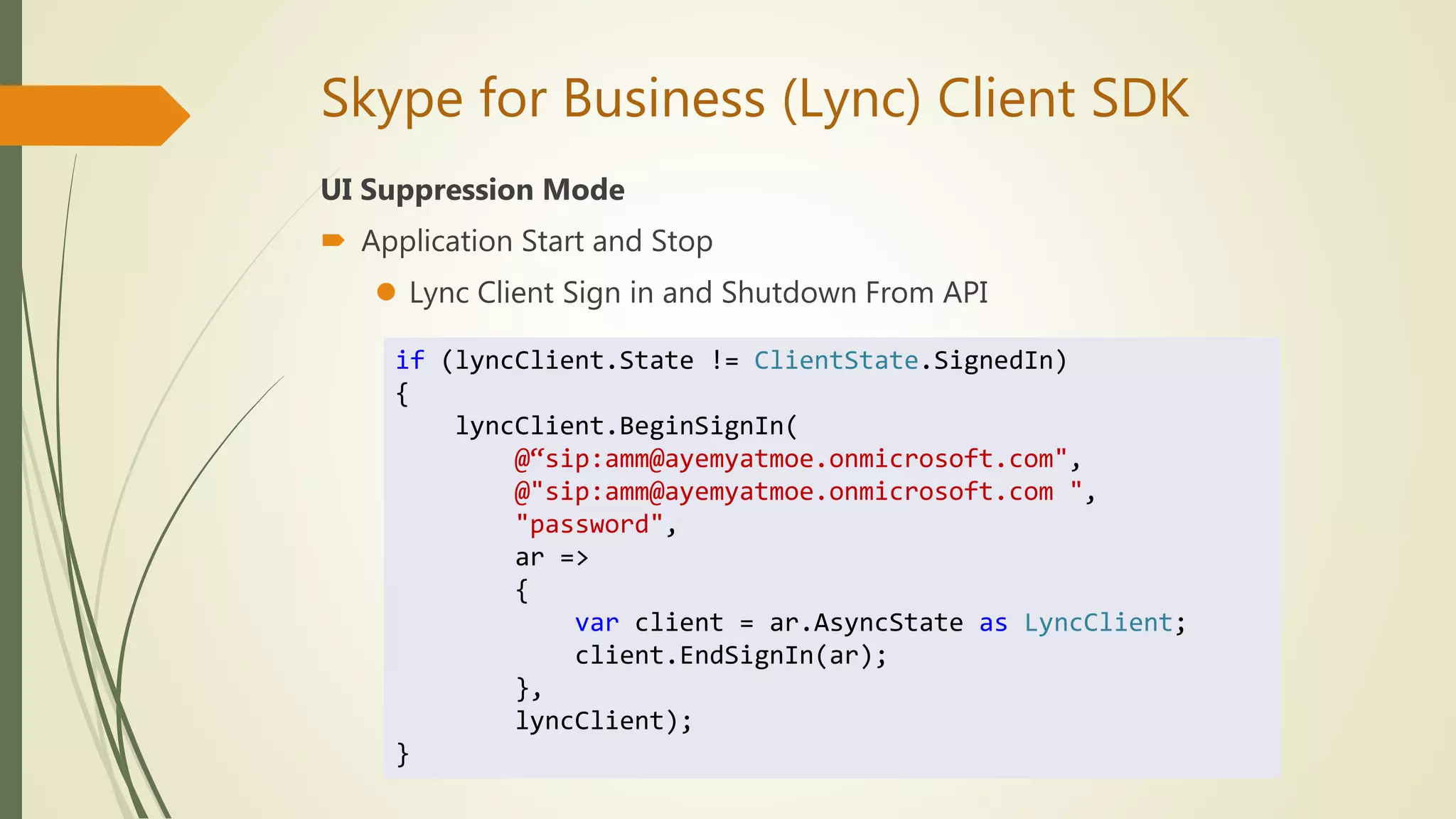
 Application Start and Stop
 Lync Client Sign in and Shutdown From API
if (lyncClient.State != ClientState.SignedIn)
{
lyncClient.BeginSignIn(
@“sip:amm@ayemyatmoe.onmicrosoft.com",
@"sip:amm@ayemyatmoe.onmicrosoft.com ",
"password",
ar =>
{
var client = ar.AsyncState as LyncClient;
client.EndSignIn(ar);
},
lyncClient);
}
Skype for Business (Lync) Client SDK
UI Suppression Mode
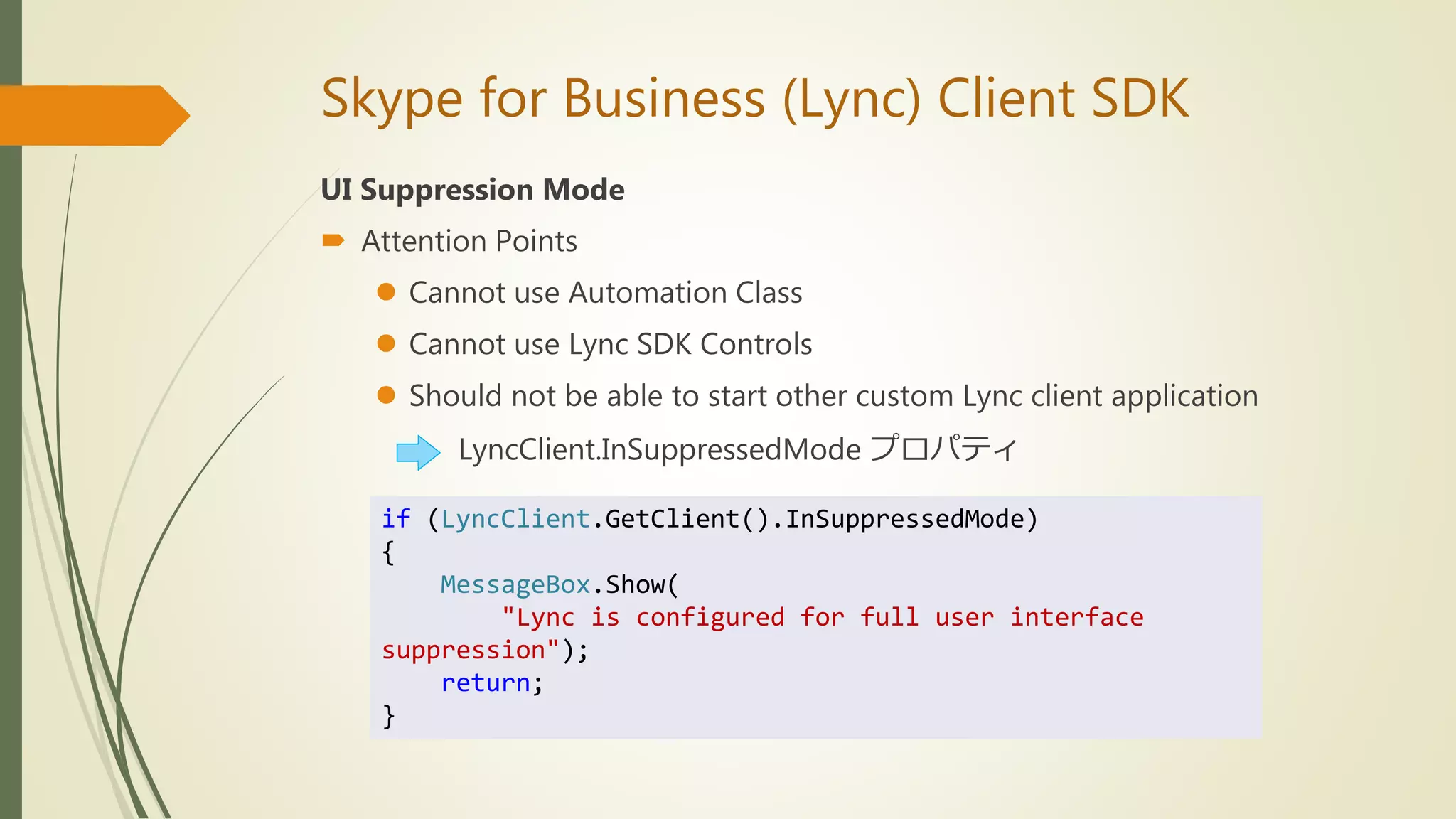
 Attention Points
 Cannot use Automation Class
 Cannot use Lync SDK Controls
 Should not be able to start other custom Lync client application
LyncClient.InSuppressedMode プロパティ
if (LyncClient.GetClient().InSuppressedMode)
{
MessageBox.Show(
"Lync is configured for full user interface
suppression");
return;
}
Skype for Business (Lync) Client SDK
Lync Client Development Style
 Add Lync function to applications
 Build the Lync client yourself
 Add custom function in Lync client
Skype for Business (Lync) Client SDK
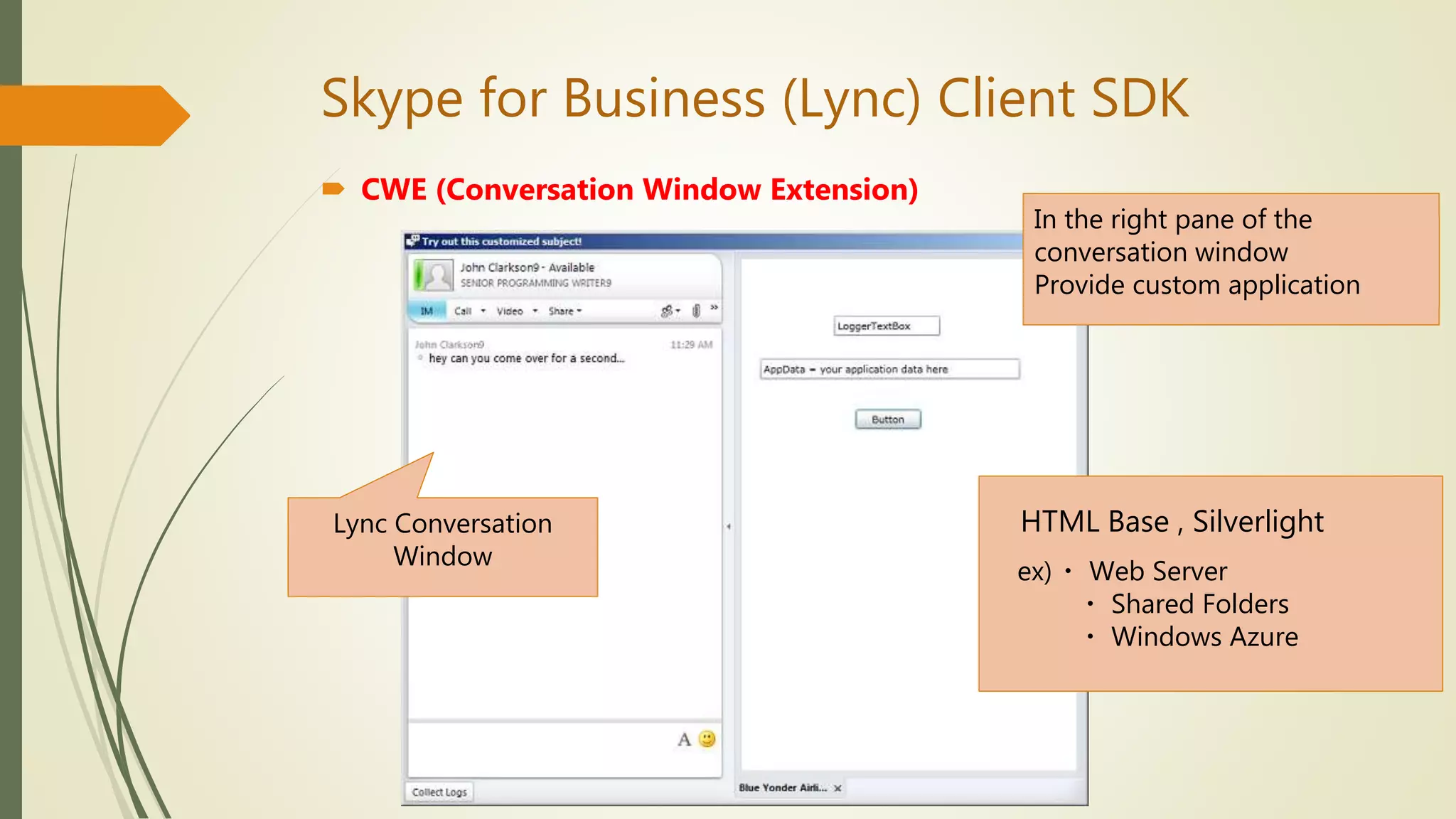
 CWE (Conversation Window Extension)
In the right pane of the
conversation window
Provide custom application
HTML Base , Silverlight
ex)・ Web Server
・ Shared Folders
・ Windows Azure
Lync Conversation
Window
Skype for Business (Lync) Client SDK
 CWE (Conversation Window Extension)
 Create Silverlight application
 Visual Studio [Tool] - [GUID Create] → Create new GUID
 Install registration
☆☆☆If you register the registry, you can call it at any time
Windows Registry Editor Version 5.00
[HKEY_CURRENT_USERSoftwareMicrosoftCommunicator
ContextPackages{12345678-9ABC-DEF0-1234-56789ABC}]
"Name"="Sample CWE Application 1"
"ExtensibilityWindowSize"=dword:00000001
"ExternalURL"="http://sample.net/CWESample.html"
"InternalURL"="http://sample.net/CWESample.html"
GUID
ExtensibilityWindowSize
0: 300 x 200 px
1: 600 x 400 px
2: 800 x 600 px
Application URL
Skype for Business (Lync) Client SDK
 CWE (Conversation Window Extension)
 Create Silverlight application
 Visual Studio [Tool] - [GUID Create] → Create new GUID
 Run-Time Registration
☆☆☆Only while the user is signed in to Lync
var registration =
LyncClient.GetClient().CreateApplicationRegistration(
"{12345678-9ABC-DEF0-1234-56789ABC}",
"Run-Time Registration Test");
registration.SetExtensibilityWindowProperties(
"http://sample.net/CWESample.html",
ConversationWindowExtensionSize.Medium);
registration.AddRegistration();
Demonstration of Skype for Business (Lync)
Client SDK Application
Skype for Business (Lync) Server SDK
What is this SDK?
 Server-side SDK
 Can be used to create Session Initiation Protocol (SIP) server applications
 Customize and extend the functionality of Microsoft Lync Server 2013
 Three Lync Server 2013 SIP Application API references:
1. SIP application manifest
2. Microsoft SIP Processing Language (MSPL)
3. Microsoft.Rtc.Sip namespace
 The audiences:
1. Developers who want to use application manifests and MSPL scripts to implement simple
custom SIP message filtering and routing on computers in a Lync Server 2013
deployment.
2. Experienced SIP developers who want to create SIP-based managed code server
applications that implement real-time content delivery or instant messaging
infrastructure. This includes applications that work directly with SIP transaction objects or
support multithreaded transactions.
Skype for Business (Lync) Server SDK
System Requirements
 Microsoft Lync Server 2013 or Office 365
 Managed code applications require the Lync Server 2013 SIP Application
API ServerAgent.dll
 Microsoft Windows Server 2008 operating system
 Active Directory Domain Services
 Development Language
Microsoft SIP Processing Language (MSPL) scripting language
Unified Communications Managed API (UCMA)
What is this SDK?
 Latest server-side SDK
 Allows you to build applications that register to Lync as endpoints
 Key features :
https://msdn.microsoft.com/en-us/library/office/dn465947.aspx
 The back-to-back user agent concept
★essential for call center/helpdesk applications
 Provide automatic responses (IVR or chat bots), record conversations
 UCMA is not available for Skype for Business Online (Office 365)
Unified Communications Managed API (UCMA)
System Requirements
 UCMA 4.0 SDK is available only in a 64-bit version
 Windows XP and Windows Server 2008 are not supported
 Development is supported only in 64-bit environments
 Media Foundation is required on Windows Server 2012
 Microsoft .NET Framework 4.5
 Development Language
C#.Net
Demo for back-to-back calls using UCMA
https://www.youtube.com/watch?v=5onvhIU87Ps
Unified Communications Web API (UCWA)
What is this SDK?
 Skype for Business Server or Office 365
 RESTful Web API
 UCWA applications for Skype for Business Online is on Azure and
complicated Authentication
 Core Features
https://ucwa.skype.com/documentation/core-features
 Platform for Mobile and Web Development
Unified Communications Web API (UCWA)
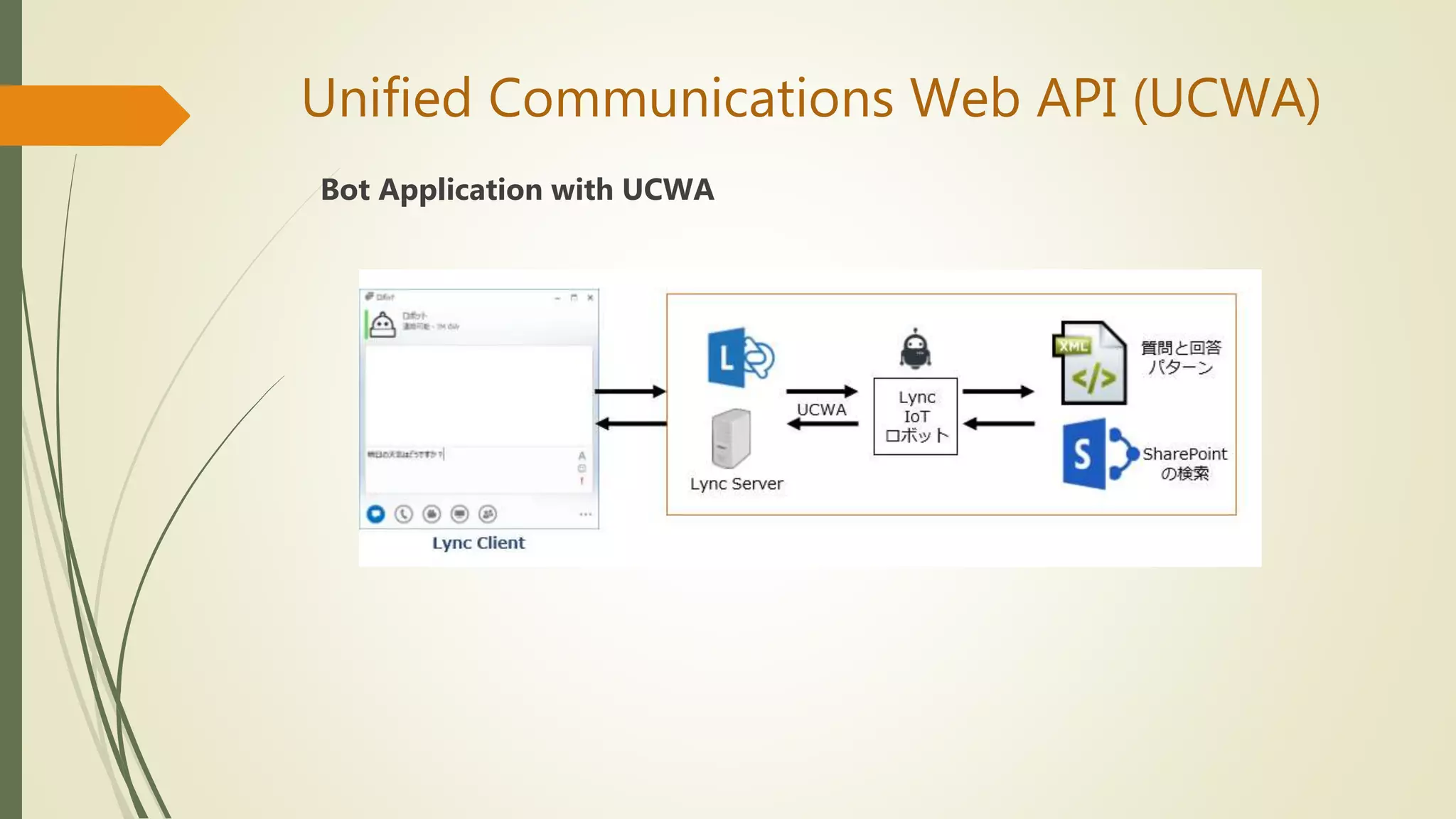
Bot Application with UCWA
Unified Communications Web API (UCWA)
System Requirements
 Microsoft Lync Server 2013 or Office 365
 Development Language
HTTP, HTML, CSS, JSON, and JavaScript
Demo for UCWA
https://ucwa.skype.com/login/terms
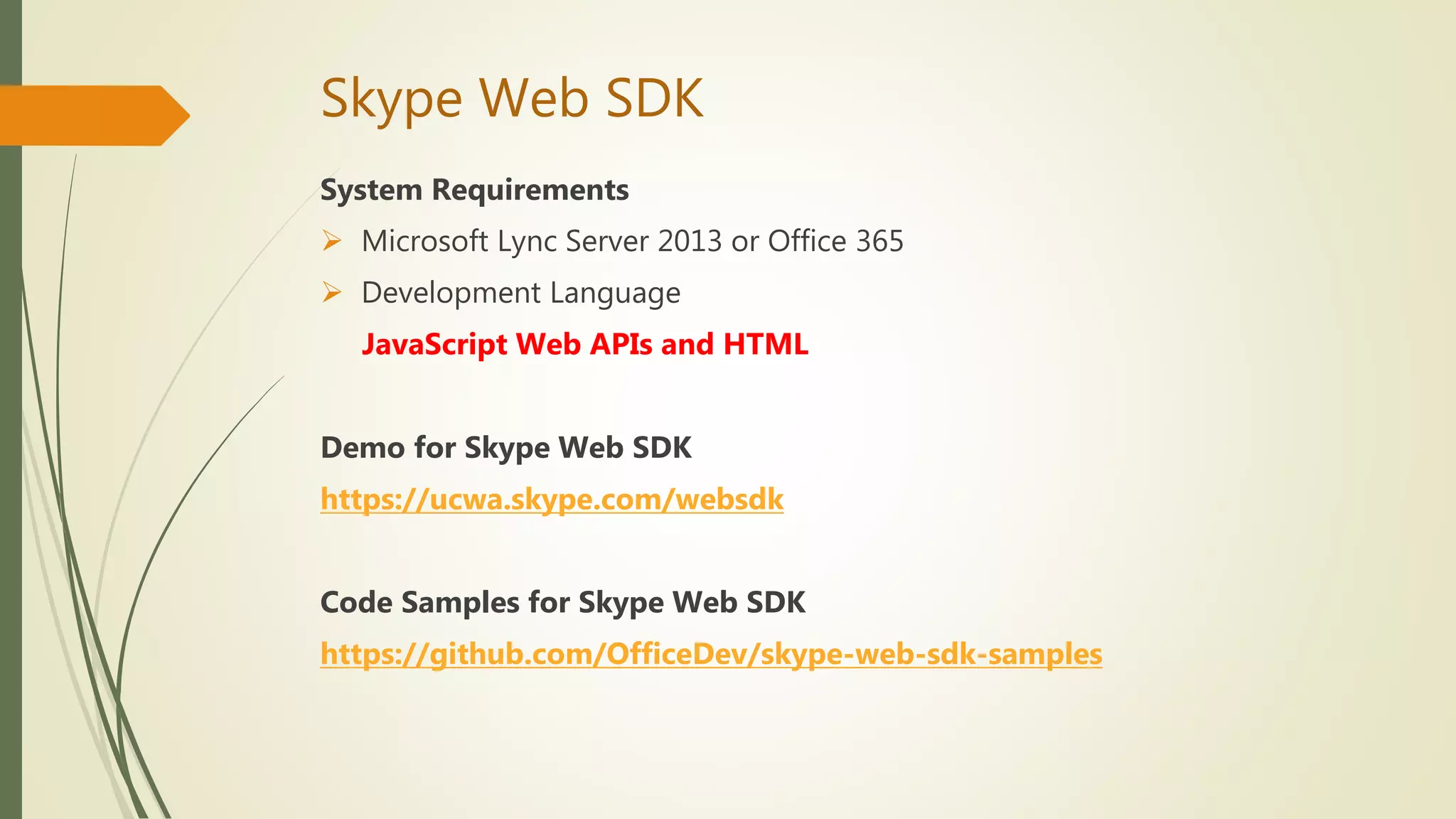
Skype Web SDK
What is this SDK?
 Skype for Business Server or Office 365
 A set of JavaScript Web APIs and HTML controls
 Stand-alone web client
 Applications for Skype for Business Online is on Azure but authentication
flows and other function are more easier than UCWA
 You do not have to install it
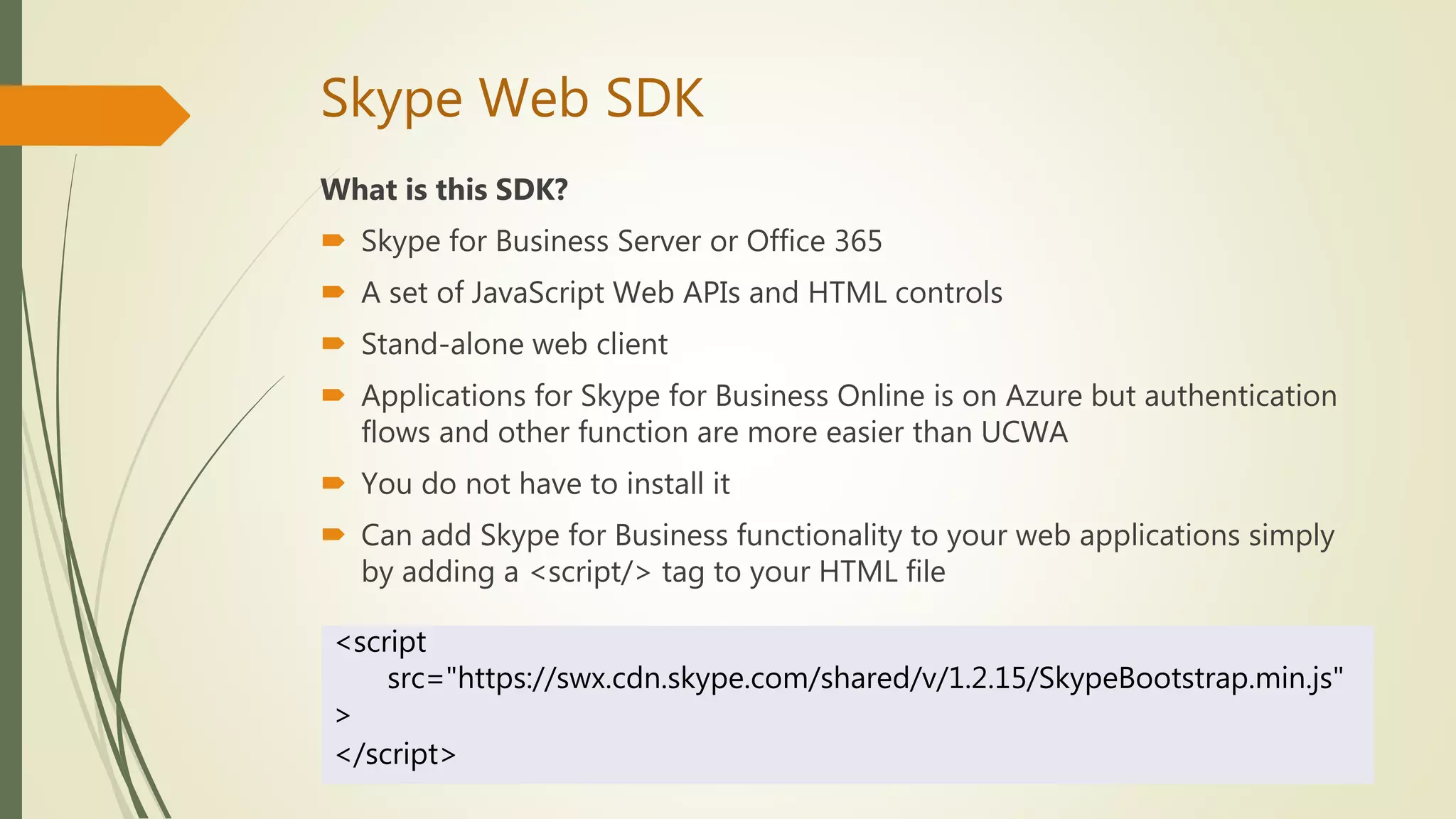
 Can add Skype for Business functionality to your web applications simply
by adding a <script/> tag to your HTML file
<script
src="https://swx.cdn.skype.com/shared/v/1.2.15/SkypeBootstrap.min.js"
>
</script>
Skype Web SDK
System Requirements
 Microsoft Lync Server 2013 or Office 365
 Development Language
JavaScript Web APIs and HTML
Demo for Skype Web SDK
https://ucwa.skype.com/websdk
Code Samples for Skype Web SDK
https://github.com/OfficeDev/skype-web-sdk-samples
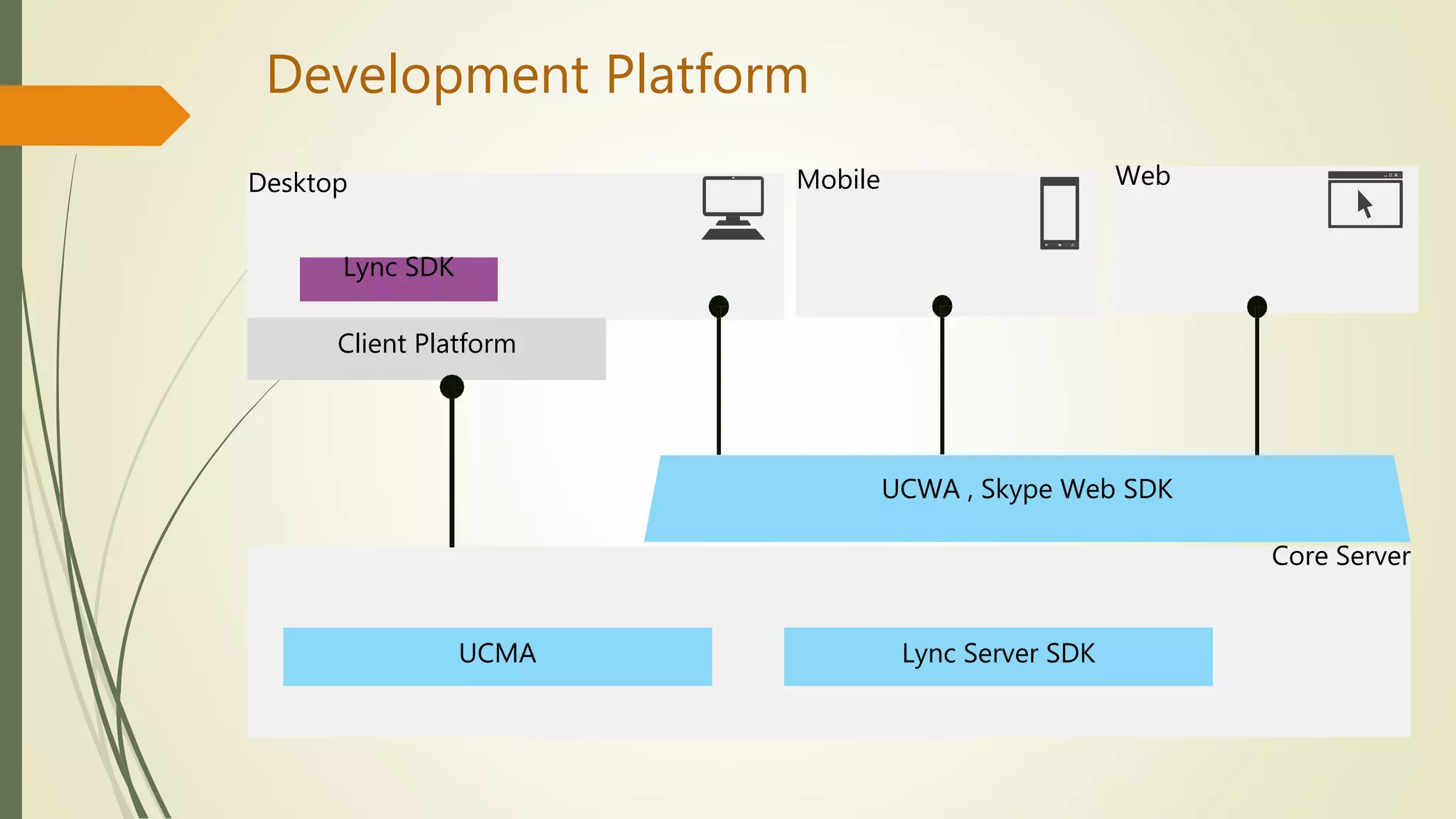
Desktop
Development Platform
Lync SDK
Mobile Web
Core Server
UCMA Lync Server SDK
UCWA , Skype Web SDK
Client Platform
Reference
Code Samples
 Windows Presentation Foundation (WPF) Application
http://lyncwpfdemo.codeplex.com/
 Silverlight Application
http://lyncsilverlightdemo.codeplex.com/
 Windows Form Application
http://lyncwindowsformdemo.codeplex.com/
Answer the questions.
Thank You!
By : Aye Myat Moe
Office servers and services MVP
2017 march 4

Development of skype for business and knowledge of

  • 1.
    Development of Skypefor Business and Knowledge of SharePoint By : Aye Myat Moe Office servers and services MVP 2017 March 4
  • 2.
    Today Contents  Opening My Profile  About SharePoint  Basic Knowledge of SharePoint Development  Answer the Questions  About Skype for Business  Development of Skype for Business  Coffee Break Time  Demo for Development of Skype for Business  Answer the Questions  Closing
  • 3.
    My Profile Aye MyatMoe Blogayemmoe.blogspot.com Email ayemyatmoe069@gmail.com Phone 095100694  Award  Lync MVP (2014)  Skype for Business MVP (2015)  Office Servers and Services (2016)  Developing Skype for Business and SharePoint Applications  iOS Application, Desktop Application  Language  Objective C, C#.Net, Java, PHP ,HTML, JavaScript, Json
  • 4.
    About the SharePoint •Introduction to SharePoint • SharePoint Versions • Difference Between SharePoint Server vs Online
  • 5.
    Introduction to SharePoint WhatIs SharePoint?  SharePoint is a Popular Content Management Tool developed by Microsoft that allows users to share data (like word documents, Excel etc.) in a web-based collaborative environment.  Allows individuals in an organization to easily create and manage their own collaborative Web sites.  Simplifies how people find and share information across boundaries, and enabling better informed decisions  Using the word “Microsoft SharePoint” is like using the word “Microsoft Office”  SharePoint was Introduced by Microsoft in early 2001 and it has since gone through various versions; the latest being SharePoint 2013, and has also Improved in terms of Collaboration and Integration with other LOB Tools.
  • 6.
    Introduction to SharePoint The site structure of Sharepoint. *
  • 7.
  • 8.
  • 9.
    SharePoint Versions SharePoint Onpremises(SharePoint Server) • SharePoint Foundation is available for free on- premises deployment. • It was called Windows SharePoint Services in previous versions. SharePoint Foundation • Organizations can deploy and manage SharePoint Server on premises. • It includes all the features of SharePoint Foundation plus additional features and capabilities, such as Enterprise Content Management, business intelligence, enterprise search, personal sites, etc. SharePoint Server or Ent.)
  • 10.
    SharePoint Versions SharePoint Online(In-Cloud) • SharePoint Online is a cloud-based service, hosted by Microsoft, for businesses. • Any company can simply subscribe to a service offering such as Office 365 and their employees can use SharePoint Online to share documents and information with colleagues. SharePoin Online
  • 11.
    SharePoint Versions  SharePointOn premises - This is a Server deployment that is deployed and managed generally by a Company's IT department. SharePoint can be Licensed from Microsoft for installation purposes. The latest version is SharePoint Server 2016.  SharePoint Online (In-Cloud) - SharePoint Online is cloud solution which is a part of Office 365 package. Office 365 is a subscription based Cloud service deployed and maintained by Microsoft. The basic options are same to SharePoint Server.
  • 12.
    Difference Between SharePointServer vs Online SharePoint Server  SP farm hosted locally  IT team responsible for farm, patching and change control  On-premise AD(Active Directory) is required  Maintain and update by IT team SharePoint Online  SP farm resides within the Microsoft Data Center Network  MS host and patch the environment  Anywhere access  Update automatically by Microsoft
  • 13.
    Basic Knowledge ofSharePoint Development https://msdn.microsoft.com/en- us/library/office/fp179930%28v=office.15%29?f=255&MSPPError=-
  • 14.
    Basic Knowledge ofSharePoint Development Other Development APIs  Soap Services  Web Services  SharePoint Designer
  • 15.
    Demo Applications  ShareOffice https://www.youtube.com/watch?v=Avxx8SZ38DY Share Report https://www.youtube.com/watch?v=-aD_u8GmbRA
  • 16.
  • 17.
    About Skype forBusiness  Core Features of Skype for Business  Demonstration of Skype for Business  Skype vs Skype for Business: What’s the Difference?  Skype for Business Version  Difference Between Skype for Business Server vs Online
  • 18.
    Core Features ofSkype for Business  Instant messaging & presence  VoIP (Voice Over IP) and video  Audio, video and web conferencing  Presentations Share the Desktop, PowerPoint , Whiteboard, Poll, Q&A, Programs  Recording a Meeting/Presentation/Audio Call  Connectivity to others through the Skype network  Client developer platform  Available on AndroidTM, iOS, Mac, Windows and web clients
  • 19.
    Demonstration of Skypefor Business Skype for Business 2016 Preview
  • 20.
    Skype vs Skypefor Business: What’s the Difference?
  • 21.
    Skype for BusinessVersion Skype for Business Client  MS Office Communicator 2007  Lync 2010  Lync 2013 Basic and Full Client  Skype for Business 2015  Skype for Business 2016 Skype for Business Server  Office Communications Server 2007  Lync Server 2010  Lync Server 2013  Skype for Business Server 2015
  • 22.
    Difference Between Skypefor Business Server vs Online Lync Server Lync Online On-premises version Cloud-based version (Office 365) Maintained directly on Windows servers in their data centers Hosted at the servers and does not require the user to know about the technical details of the hosting Offers a full service VoIP, PSTN calling, interoperation with PBX and Call Admissions Control (CAC) Does not have all the features of the Lync Server Persistent Group Chat Lync skill search - Lync Archiving and Monitoring Report Office 365 Admin Center : in-place eDiscovery & hold / Security & Compliance For large Enterprise businesses (typically 5000+ users) For small businesses that focus more on internal communication
  • 23.
    Development of Skypefor Business 1. Skype for Business (Lync) Client SDK 2. Skype for Business (Lync) Server SDK 3. Unified Communications Managed API (UCMA) 4. Unified Communications Web API (UCWA) 5. Skype Web SDK
  • 24.
    Development of Skypefor Business 1. Skype for Business (Lync) Client SDK 2. Skype for Business (Lync) Server SDK 3. Unified Communications Managed API (UCMA) 4. Unified Communications Web API (UCWA) 5. Skype Web SDK
  • 25.
    Skype for Business(Lync) Client SDK What is this SDK?  Latest Client-side SDK  Stand-alone application  Image/Location/File Sharing  Instant messaging (IM), voice, video, application sharing, and meeting session functionality  Microsoft Lync 2013 SDK gives you the ability to add a wide range of Lync features to your Windows Forms, WPF, or Silverlight application  The Lync Controls requires that Microsoft Lync 2013 is installed and running on each computer that runs your application
  • 26.
    Skype for Business(Lync) Client SDK System Requirements  Skype for Business Server or Office 365  .NET Framework 4.0 and later versions of .NET Framework  Silverlight 5 SDK  Silverlight 5 Tools For Visual Studio  Visual Studio 2012 Premium Version  Skype for Business Client  Lync 2013 SDK  Platform Windows Presentation Foundation,Silverlight,Windows Form  Development Language C#.Net、VB.Net
  • 27.
    Skype for Business(Lync) Client SDK Lync Client Development Style  Add Lync function to applications  Build the Lync client yourself  Add custom function in Lync client
  • 28.
    Skype for Business(Lync) Client SDK Lync Client Development Style  Add Lync function to applications  Build the Lync client yourself  Add custom function in Lync client
  • 29.
    Skype for Business(Lync) Client SDK The references you’ll need to add are:  Microsoft.Lync.Controls.dll  Microsoft.Lync.Controls.Framework.dll  Microsoft.Lync.Model.dll  Microsoft.Lync.Utilities.dll Lync Client SDK Controls  https://msdn.microsoft.com/en-us/library/office/jj937261.aspx P.S, Windows Form application cannot use Lync Client SDK Controls Lync Client SDK Class Libraries  https://msdn.microsoft.com/en-us/library/office/jj933088.aspx
  • 30.
    Skype for Business(Lync) Client SDK Code Sample for Lync Client SDK Control  The following sample code is for Microsoft Silverlight and Microsoft Windows Presentation Foundation (WPF). <StackPanel> <controls:PresenceIndicator Source="sip:amm@onmicrosoft.com"/> </StackPanel>
  • 31.
    Skype for Business(Lync) Client SDK Lync Object Model Conversation IDictionary<ModalityTypes, Modality> InstantMessageModality class ModalityTypes.InstantMessage ModalityTypes.AudioVideo AVModality class Modalities property IList<Participant> Participants property e.g. BeginSendMessage method InstantMessageReceived event IsTyping property e.g. AudioChannel property VideoChannel property
  • 32.
    Skype for Business(Lync) Client SDK Lync Client Development Style  Add Lync function to applications  Build the Lync client yourself  Add custom function in Lync client
  • 33.
    Skype for Business(Lync) Client SDK Implement your own communication client based on Lync, but you do not want to use Lync's UI? How to turn on UI Suppression Mode? ☆☆☆ Registry Key ☆☆☆ UI Suppression Mode [HKEY_CURRENT_USERSoftwareMicrosoftOffice15.0Lync] "UISuppressionMode"=dword:00000001
  • 34.
    Skype for Business(Lync) Client SDK UI Suppression Mode  Application Start and Stop Lync can not be started from the [Start] menu LyncClient.BeginInitialize Method var lyncClient = LyncClient.GetClient(); if (lyncClient.State == ClientState.Uninitialized) { lyncClient.BeginInitialize(ar => { var client = ar.AsyncState as LyncClient; client.EndInitialize(ar); }, lyncClient); }
  • 35.
    Skype for Business(Lync) Client SDK UI Suppression Mode  Application Start and Stop  Lync Client Sign in and Shutdown From API if (lyncClient.State != ClientState.SignedIn) { lyncClient.BeginSignIn( @“sip:amm@ayemyatmoe.onmicrosoft.com", @"sip:amm@ayemyatmoe.onmicrosoft.com ", "password", ar => { var client = ar.AsyncState as LyncClient; client.EndSignIn(ar); }, lyncClient); }
  • 36.
    Skype for Business(Lync) Client SDK UI Suppression Mode  Attention Points  Cannot use Automation Class  Cannot use Lync SDK Controls  Should not be able to start other custom Lync client application LyncClient.InSuppressedMode プロパティ if (LyncClient.GetClient().InSuppressedMode) { MessageBox.Show( "Lync is configured for full user interface suppression"); return; }
  • 37.
    Skype for Business(Lync) Client SDK Lync Client Development Style  Add Lync function to applications  Build the Lync client yourself  Add custom function in Lync client
  • 38.
    Skype for Business(Lync) Client SDK  CWE (Conversation Window Extension) In the right pane of the conversation window Provide custom application HTML Base , Silverlight ex)・ Web Server ・ Shared Folders ・ Windows Azure Lync Conversation Window
  • 39.
    Skype for Business(Lync) Client SDK  CWE (Conversation Window Extension)  Create Silverlight application  Visual Studio [Tool] - [GUID Create] → Create new GUID  Install registration ☆☆☆If you register the registry, you can call it at any time Windows Registry Editor Version 5.00 [HKEY_CURRENT_USERSoftwareMicrosoftCommunicator ContextPackages{12345678-9ABC-DEF0-1234-56789ABC}] "Name"="Sample CWE Application 1" "ExtensibilityWindowSize"=dword:00000001 "ExternalURL"="http://sample.net/CWESample.html" "InternalURL"="http://sample.net/CWESample.html" GUID ExtensibilityWindowSize 0: 300 x 200 px 1: 600 x 400 px 2: 800 x 600 px Application URL
  • 40.
    Skype for Business(Lync) Client SDK  CWE (Conversation Window Extension)  Create Silverlight application  Visual Studio [Tool] - [GUID Create] → Create new GUID  Run-Time Registration ☆☆☆Only while the user is signed in to Lync var registration = LyncClient.GetClient().CreateApplicationRegistration( "{12345678-9ABC-DEF0-1234-56789ABC}", "Run-Time Registration Test"); registration.SetExtensibilityWindowProperties( "http://sample.net/CWESample.html", "http://sample.net/CWESample.html", ConversationWindowExtensionSize.Medium); registration.AddRegistration();
  • 41.
    Demonstration of Skypefor Business (Lync) Client SDK Application
  • 42.
    Skype for Business(Lync) Server SDK What is this SDK?  Server-side SDK  Can be used to create Session Initiation Protocol (SIP) server applications  Customize and extend the functionality of Microsoft Lync Server 2013  Three Lync Server 2013 SIP Application API references: 1. SIP application manifest 2. Microsoft SIP Processing Language (MSPL) 3. Microsoft.Rtc.Sip namespace  The audiences: 1. Developers who want to use application manifests and MSPL scripts to implement simple custom SIP message filtering and routing on computers in a Lync Server 2013 deployment. 2. Experienced SIP developers who want to create SIP-based managed code server applications that implement real-time content delivery or instant messaging infrastructure. This includes applications that work directly with SIP transaction objects or support multithreaded transactions.
  • 43.
    Skype for Business(Lync) Server SDK System Requirements  Microsoft Lync Server 2013 or Office 365  Managed code applications require the Lync Server 2013 SIP Application API ServerAgent.dll  Microsoft Windows Server 2008 operating system  Active Directory Domain Services  Development Language Microsoft SIP Processing Language (MSPL) scripting language
  • 44.
    Unified Communications ManagedAPI (UCMA) What is this SDK?  Latest server-side SDK  Allows you to build applications that register to Lync as endpoints  Key features : https://msdn.microsoft.com/en-us/library/office/dn465947.aspx  The back-to-back user agent concept ★essential for call center/helpdesk applications  Provide automatic responses (IVR or chat bots), record conversations  UCMA is not available for Skype for Business Online (Office 365)
  • 45.
    Unified Communications ManagedAPI (UCMA) System Requirements  UCMA 4.0 SDK is available only in a 64-bit version  Windows XP and Windows Server 2008 are not supported  Development is supported only in 64-bit environments  Media Foundation is required on Windows Server 2012  Microsoft .NET Framework 4.5  Development Language C#.Net Demo for back-to-back calls using UCMA https://www.youtube.com/watch?v=5onvhIU87Ps
  • 46.
    Unified Communications WebAPI (UCWA) What is this SDK?  Skype for Business Server or Office 365  RESTful Web API  UCWA applications for Skype for Business Online is on Azure and complicated Authentication  Core Features https://ucwa.skype.com/documentation/core-features  Platform for Mobile and Web Development
  • 47.
    Unified Communications WebAPI (UCWA) Bot Application with UCWA
  • 48.
    Unified Communications WebAPI (UCWA) System Requirements  Microsoft Lync Server 2013 or Office 365  Development Language HTTP, HTML, CSS, JSON, and JavaScript Demo for UCWA https://ucwa.skype.com/login/terms
  • 49.
    Skype Web SDK Whatis this SDK?  Skype for Business Server or Office 365  A set of JavaScript Web APIs and HTML controls  Stand-alone web client  Applications for Skype for Business Online is on Azure but authentication flows and other function are more easier than UCWA  You do not have to install it  Can add Skype for Business functionality to your web applications simply by adding a <script/> tag to your HTML file <script src="https://swx.cdn.skype.com/shared/v/1.2.15/SkypeBootstrap.min.js" > </script>
  • 50.
    Skype Web SDK SystemRequirements  Microsoft Lync Server 2013 or Office 365  Development Language JavaScript Web APIs and HTML Demo for Skype Web SDK https://ucwa.skype.com/websdk Code Samples for Skype Web SDK https://github.com/OfficeDev/skype-web-sdk-samples
  • 51.
    Desktop Development Platform Lync SDK MobileWeb Core Server UCMA Lync Server SDK UCWA , Skype Web SDK Client Platform
  • 52.
    Reference Code Samples  WindowsPresentation Foundation (WPF) Application http://lyncwpfdemo.codeplex.com/  Silverlight Application http://lyncsilverlightdemo.codeplex.com/  Windows Form Application http://lyncwindowsformdemo.codeplex.com/
  • 53.
  • 54.
    Thank You! By :Aye Myat Moe Office servers and services MVP 2017 march 4