REPORTING SERVICES


   Microsoft SQL Server 2008 R2 Reporting Services
   accelerates report creation, facilitates sharing and             Server Parallel Data Warehouse, SQL Azure and others.
   collaboration, and provides a complete platform to
   enable organizations to deliver relevant information             Enable self-service reporting for business users
   across the entire enterprise.                                    Enable business users to create their own reports and
                                                                    explore corporate data by using Microsoft Report
                                                                    Builder 3.0, an intuitive and familiar authoring environment
   Key Features                                                     with rich visualizations including maps, charts, and gauges.
            Access the new Report Part Gallery for “grab
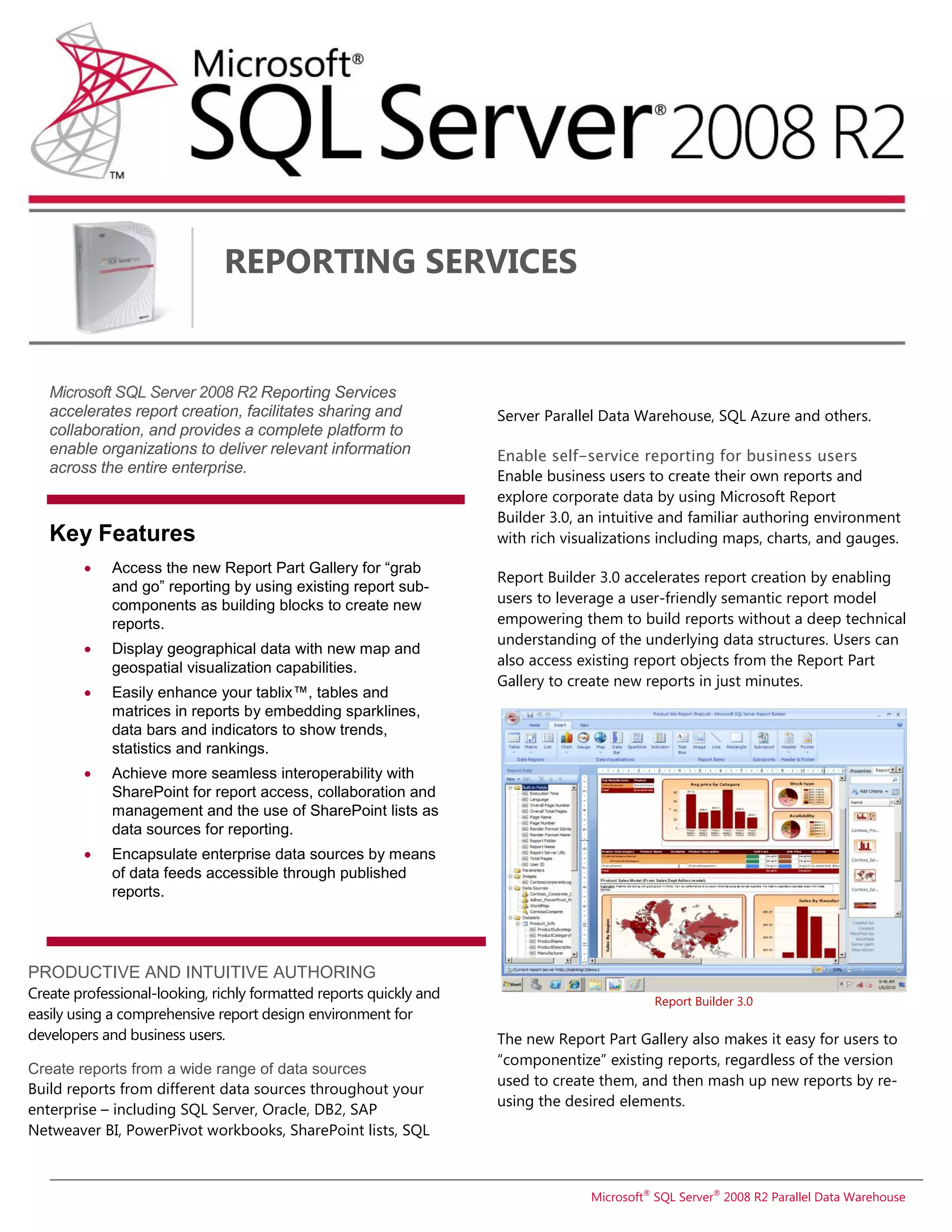
                                                                    Report Builder 3.0 accelerates report creation by enabling
             and go” reporting by using existing report sub-
             components as building blocks to create new            users to leverage a user-friendly semantic report model
             reports.                                               empowering them to build reports without a deep technical
                                                                    understanding of the underlying data structures. Users can
        ď‚·    Display geographical data with new map and
             geospatial visualization capabilities.                 also access existing report objects from the Report Part
                                                                    Gallery to create new reports in just minutes.
            Easily enhance your tablix™, tables and
             matrices in reports by embedding sparklines,
             data bars and indicators to show trends,
             statistics and rankings.
        ď‚·    Achieve more seamless interoperability with
             SharePoint for report access, collaboration and
             management and the use of SharePoint lists as
             data sources for reporting.
        ď‚·    Encapsulate enterprise data sources by means
             of data feeds accessible through published
             reports.


PRODUCTIVE AND INTUITIVE AUTHORING
Create professional-looking, richly formatted reports quickly and                          Report Builder 3.0
easily using a comprehensive report design environment for
developers and business users.                                      The new Report Part Gallery also makes it easy for users to
                                                                    “componentize” existing reports, regardless of the version
Create reports from a wide range of data sources
                                                                    used to create them, and then mash up new reports by re-
Build reports from different data sources throughout your
                                                                    using the desired elements.
enterprise – including SQL Server, Oracle, DB2, SAP
Netweaver BI, PowerPivot workbooks, SharePoint lists, SQL


                                                                                 Microsoft® SQL Server® 2008 R2 Parallel Data Warehouse
Choose from flexible data representation options                                                     Rendering options offer a variety of formats including
Format reports in the way that makes most sense for your                                             HTML, PDF, CSV, XML, and Image (TIFF) as well as Microsoft
particular reporting needs.                                                                          Office Word and Excel.

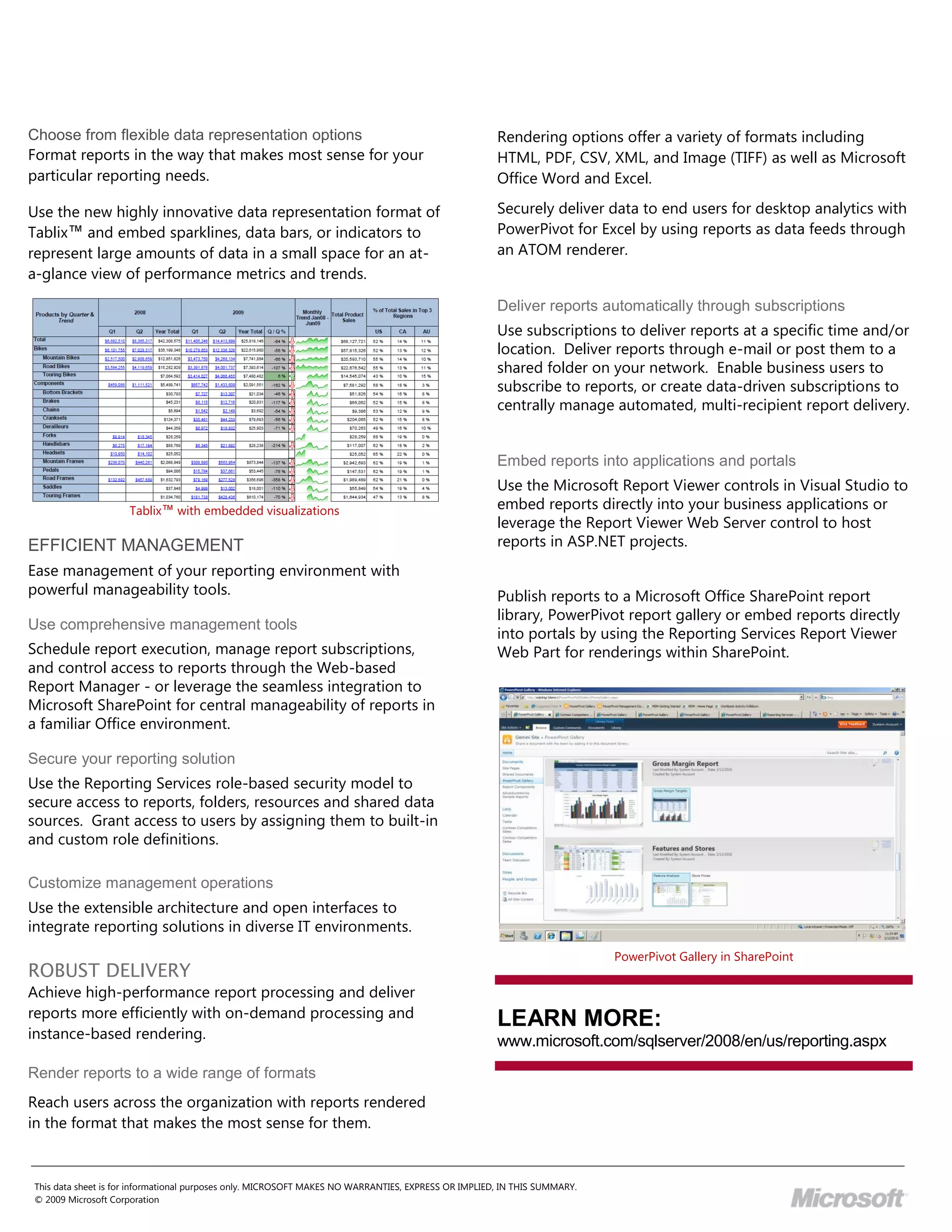
Use the new highly innovative data representation format of                                          Securely deliver data to end users for desktop analytics with
Tablix™ and embed sparklines, data bars, or indicators to                                            PowerPivot for Excel by using reports as data feeds through
represent large amounts of data in a small space for an at-                                          an ATOM renderer.
a-glance view of performance metrics and trends.

                                                                                                     Deliver reports automatically through subscriptions
                                                                                                     Use subscriptions to deliver reports at a specific time and/or
                                                                                                     location. Deliver reports through e-mail or post them to a
                                                                                                     shared folder on your network. Enable business users to
                                                                                                     subscribe to reports, or create data-driven subscriptions to
                                                                                                     centrally manage automated, multi-recipient report delivery.


                                                                                                     Embed reports into applications and portals
                                                                                                     Use the Microsoft Report Viewer controls in Visual Studio to
                    Tablix™ with embedded visualizations                                             embed reports directly into your business applications or
                                                                                                     leverage the Report Viewer Web Server control to host
EFFICIENT MANAGEMENT                                                                                 reports in ASP.NET projects.
Ease management of your reporting environment with
powerful manageability tools.                                                                        Publish reports to a Microsoft Office SharePoint report
                                                                                                     library, PowerPivot report gallery or embed reports directly
Use comprehensive management tools
                                                                                                     into portals by using the Reporting Services Report Viewer
Schedule report execution, manage report subscriptions,                                              Web Part for renderings within SharePoint.
and control access to reports through the Web-based
Report Manager - or leverage the seamless integration to
Microsoft SharePoint for central manageability of reports in
a familiar Office environment.

Secure your reporting solution
Use the Reporting Services role-based security model to
secure access to reports, folders, resources and shared data
sources. Grant access to users by assigning them to built-in
and custom role definitions.

Customize management operations
Use the extensible architecture and open interfaces to
integrate reporting solutions in diverse IT environments.
                                                                                                                          PowerPivot Gallery in SharePoint
ROBUST DELIVERY
Achieve high-performance report processing and deliver
reports more efficiently with on-demand processing and
                                                                                                     LEARN MORE:
instance-based rendering.                                                                            www.microsoft.com/sqlserver/2008/en/us/reporting.aspx
Render reports to a wide range of formats
Reach users across the organization with reports rendered
in the format that makes the most sense for them.


This data sheet is for informational purposes only. MICROSOFT MAKES NO WARRANTIES, EXPRESS OR IMPLIED, IN THIS SUMMARY.
© 2009 Microsoft Corporation

Microsoft SQL Server 2008 R2 - Reporting Services Datasheet

  • 1.
    REPORTING SERVICES Microsoft SQL Server 2008 R2 Reporting Services accelerates report creation, facilitates sharing and Server Parallel Data Warehouse, SQL Azure and others. collaboration, and provides a complete platform to enable organizations to deliver relevant information Enable self-service reporting for business users across the entire enterprise. Enable business users to create their own reports and explore corporate data by using Microsoft Report Builder 3.0, an intuitive and familiar authoring environment Key Features with rich visualizations including maps, charts, and gauges.  Access the new Report Part Gallery for “grab Report Builder 3.0 accelerates report creation by enabling and go” reporting by using existing report sub- components as building blocks to create new users to leverage a user-friendly semantic report model reports. empowering them to build reports without a deep technical understanding of the underlying data structures. Users can  Display geographical data with new map and geospatial visualization capabilities. also access existing report objects from the Report Part Gallery to create new reports in just minutes.  Easily enhance your tablix™, tables and matrices in reports by embedding sparklines, data bars and indicators to show trends, statistics and rankings.  Achieve more seamless interoperability with SharePoint for report access, collaboration and management and the use of SharePoint lists as data sources for reporting.  Encapsulate enterprise data sources by means of data feeds accessible through published reports. PRODUCTIVE AND INTUITIVE AUTHORING Create professional-looking, richly formatted reports quickly and Report Builder 3.0 easily using a comprehensive report design environment for developers and business users. The new Report Part Gallery also makes it easy for users to “componentize” existing reports, regardless of the version Create reports from a wide range of data sources used to create them, and then mash up new reports by re- Build reports from different data sources throughout your using the desired elements. enterprise – including SQL Server, Oracle, DB2, SAP Netweaver BI, PowerPivot workbooks, SharePoint lists, SQL Microsoft® SQL Server® 2008 R2 Parallel Data Warehouse
  • 2.
    Choose from flexibledata representation options Rendering options offer a variety of formats including Format reports in the way that makes most sense for your HTML, PDF, CSV, XML, and Image (TIFF) as well as Microsoft particular reporting needs. Office Word and Excel. Use the new highly innovative data representation format of Securely deliver data to end users for desktop analytics with Tablix™ and embed sparklines, data bars, or indicators to PowerPivot for Excel by using reports as data feeds through represent large amounts of data in a small space for an at- an ATOM renderer. a-glance view of performance metrics and trends. Deliver reports automatically through subscriptions Use subscriptions to deliver reports at a specific time and/or location. Deliver reports through e-mail or post them to a shared folder on your network. Enable business users to subscribe to reports, or create data-driven subscriptions to centrally manage automated, multi-recipient report delivery. Embed reports into applications and portals Use the Microsoft Report Viewer controls in Visual Studio to Tablix™ with embedded visualizations embed reports directly into your business applications or leverage the Report Viewer Web Server control to host EFFICIENT MANAGEMENT reports in ASP.NET projects. Ease management of your reporting environment with powerful manageability tools. Publish reports to a Microsoft Office SharePoint report library, PowerPivot report gallery or embed reports directly Use comprehensive management tools into portals by using the Reporting Services Report Viewer Schedule report execution, manage report subscriptions, Web Part for renderings within SharePoint. and control access to reports through the Web-based Report Manager - or leverage the seamless integration to Microsoft SharePoint for central manageability of reports in a familiar Office environment. Secure your reporting solution Use the Reporting Services role-based security model to secure access to reports, folders, resources and shared data sources. Grant access to users by assigning them to built-in and custom role definitions. Customize management operations Use the extensible architecture and open interfaces to integrate reporting solutions in diverse IT environments. PowerPivot Gallery in SharePoint ROBUST DELIVERY Achieve high-performance report processing and deliver reports more efficiently with on-demand processing and LEARN MORE: instance-based rendering. www.microsoft.com/sqlserver/2008/en/us/reporting.aspx Render reports to a wide range of formats Reach users across the organization with reports rendered in the format that makes the most sense for them. This data sheet is for informational purposes only. MICROSOFT MAKES NO WARRANTIES, EXPRESS OR IMPLIED, IN THIS SUMMARY. © 2009 Microsoft Corporation