• Over 25 years experience implementing 
business management software 
• Currently oversees the day-to-day 
operations of Oasis 
• Enjoys meeting with new and existing 
clients to discover ways to make their 
businesses better
• Established in 1991 
• Headquartered in Louisville 
• Offices in: 
• Lexington, KY 
• Nashville, TN
• Oasis has 10 consultants with combined 100 
years of experience 
• 2 are CPA’s 
• 2 MBA and 1 CITP 
• We consult on: 
• Accounting 
• Human Resource 
• Customer Relationship Management(CRM) 
• Annual re-certifications 
• Continual training on Project Management 
• Consultants that assists with Change 
Management for new clients
What We Do: 
• Mid-Market Business Consulting on 
• Accounting 
• Human Resource 
• Customer Relationship Management(CRM) 
• Recommend the BEST solution 
• Project Manage 
• Assist with Change Management 
• Train Users 
• Help Desk is local (we speak Kentucky!!) 
• Assist with additional needs after we “go live”
Oasis Professional Services: 
• Process review and analysis 
• Report Writing 
• Custom Programming 
• Training on products we sell 
• FREE informational webinars 
• FREE End User Group meetings annually 
• FREE Virtual End User Group meeting quarterly 
• Assist prospective customers to make the right 
decision
Our discussion today will focus on How to Choose 
Business Management Software. 
• This will be beneficial if you are a CPA in private 
business and are looking for new software 
• This will be beneficial if you are a CPA in a firm 
and giving advice to your client
GET ON YOUR FEET ! 
Have you been part of a bad software 
implementation in the past 2 years 
Have you been part of a GOOD software 
implementation in the past 2 years 
Are you or a client getting ready to embark on a new 
software implementation
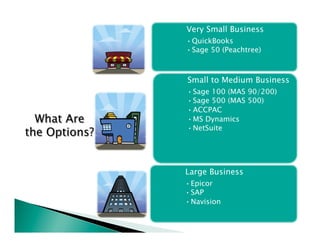
Very Small Business 
• QuickBooks 
• Sage 50 (Peachtree) 
Small to Medium Business 
• Sage 100 (MAS 90/200) 
• Sage 500 (MAS 500) 
• ACCPAC 
• MS Dynamics 
• NetSuite 
Large Business 
• Epicor 
• SAP 
• Navision
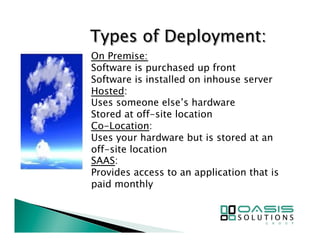
On Premise: 
Software is purchased up front 
Software is installed on inhouse server 
Hosted: 
Uses someone else’s hardware 
Stored at off-site location 
Co-Location: 
Uses your hardware but is stored at an 
off-site location 
SAAS: 
Provides access to an application that is 
paid monthly
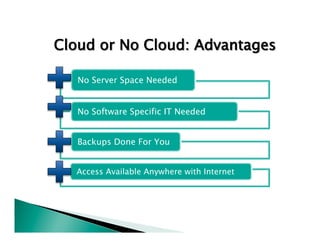
Cloud or No Cloud: Advantages 
No Server Space Needed 
No Software Specific IT Needed 
Backups Done For You 
Access Available Anywhere with Internet
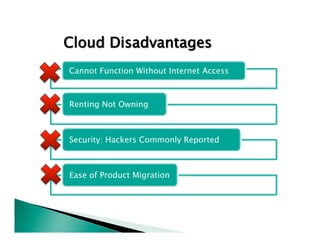
Cloud Disadvantages 
Cannot Function Without Internet Access 
Renting Not Owning 
Security: Hackers Commonly Reported 
Ease of Product Migration
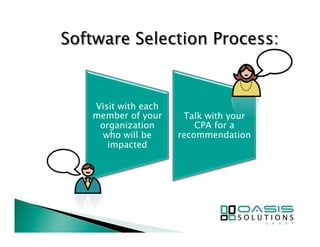
Visit with each 
member of your 
organization 
who will be 
impacted 
Talk with your 
CPA for a 
recommendation
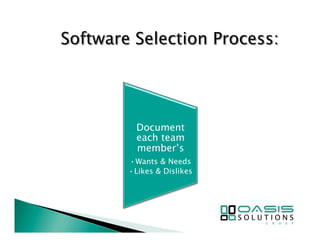
Document 
each team 
member’s 
• Wants & Needs 
• Likes & Dislikes
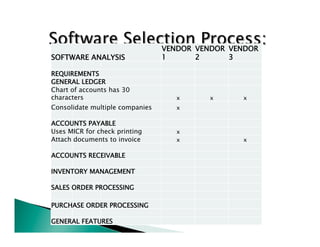
SOFTWARE ANALYSIS 
VENDOR 
1 
VENDOR 
2 
VENDOR 
3 
REQUIREMENTS 
GENERAL LEDGER 
Chart of accounts has 30 
characters 
x 
x 
x 
Consolidate multiple companies 
x 
ACCOUNTS PAYABLE 
Uses MICR for check printing 
x 
Attach documents to invoice 
x 
x 
ACCOUNTS RECEIVABLE 
INVENTORY MANAGEMENT 
SALES ORDER PROCESSING 
PURCHASE ORDER PROCESSING 
GENERAL FEATURES
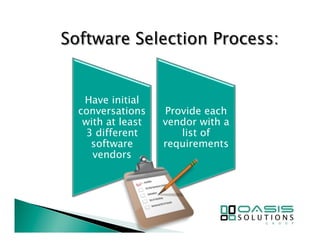
Have initial 
conversations 
with at least 
3 different 
software 
vendors 
Provide each 
vendor with a 
list of 
requirements
See our list of 
questions you 
should ask 
each 
prospective 
vendor
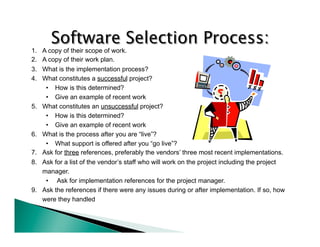
1. A copy of their scope of work. 
2. A copy of their work plan. 
3. What is the implementation process? 
4. What constitutes a successful project? 
• How is this determined? 
• Give an example of recent work 
5. What constitutes an unsuccessful project? 
• How is this determined? 
• Give an example of recent work 
6. What is the process after you are “live”? 
• What support is offered after you “go live”? 
7. Ask for three references, preferably the vendors’ three most recent implementations. 
8. Ask for a list of the vendor’s staff who will work on the project including the project 
manager. 
• Ask for implementation references for the project manager. 
9. Ask the references if there were any issues during or after implementation. If so, how 
were they handled
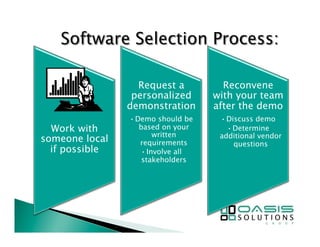
Work with 
someone local 
if possible 
Request a 
personalized 
demonstration 
• Demo should be 
based on your 
written 
requirements 
• Involve all 
stakeholders 
Reconvene 
with your team 
after the demo 
• Discuss demo 
• Determine 
additional vendor 
questions
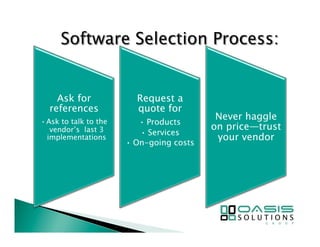
Ask for 
references 
• Ask to talk to the 
vendor’s last 3 
implementations 
Request a 
quote for 
• Products 
• Services 
• On-going costs 
Never haggle 
on price—trust 
your vendor
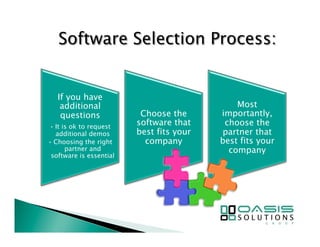
If you have 
additional 
questions 
• It is ok to request 
additional demos 
• Choosing the right 
partner and 
software is essential 
Choose the 
software that 
best fits your 
company 
Most 
importantly, 
choose the 
partner that 
best fits your 
company
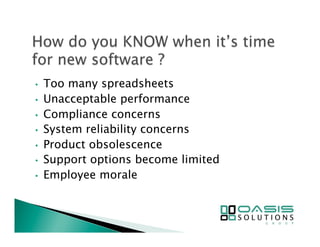
• Too many spreadsheets 
• Unacceptable performance 
• Compliance concerns 
• System reliability concerns 
• Product obsolescence 
• Support options become limited 
• Employee morale
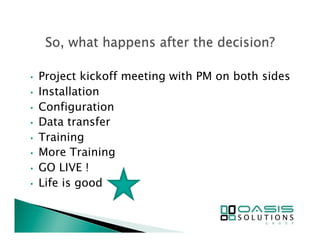
• Project kickoff meeting with PM on both sides 
• Installation 
• Configuration 
• Data transfer 
• Training 
• More Training 
• GO LIVE ! 
• Life is good
Involve everyone in the process 
Record demos to ensure you are selecting the 
correct solution 
Pick the right partner 
! 
! 
!

Choosing business management software presentation

  • 2.
    • Over 25years experience implementing business management software • Currently oversees the day-to-day operations of Oasis • Enjoys meeting with new and existing clients to discover ways to make their businesses better
  • 3.
    • Established in1991 • Headquartered in Louisville • Offices in: • Lexington, KY • Nashville, TN
  • 4.
    • Oasis has10 consultants with combined 100 years of experience • 2 are CPA’s • 2 MBA and 1 CITP • We consult on: • Accounting • Human Resource • Customer Relationship Management(CRM) • Annual re-certifications • Continual training on Project Management • Consultants that assists with Change Management for new clients
  • 5.
    What We Do: • Mid-Market Business Consulting on • Accounting • Human Resource • Customer Relationship Management(CRM) • Recommend the BEST solution • Project Manage • Assist with Change Management • Train Users • Help Desk is local (we speak Kentucky!!) • Assist with additional needs after we “go live”
  • 6.
    Oasis Professional Services: • Process review and analysis • Report Writing • Custom Programming • Training on products we sell • FREE informational webinars • FREE End User Group meetings annually • FREE Virtual End User Group meeting quarterly • Assist prospective customers to make the right decision
  • 7.
    Our discussion todaywill focus on How to Choose Business Management Software. • This will be beneficial if you are a CPA in private business and are looking for new software • This will be beneficial if you are a CPA in a firm and giving advice to your client
  • 8.
    GET ON YOURFEET ! Have you been part of a bad software implementation in the past 2 years Have you been part of a GOOD software implementation in the past 2 years Are you or a client getting ready to embark on a new software implementation
  • 9.
    Very Small Business • QuickBooks • Sage 50 (Peachtree) Small to Medium Business • Sage 100 (MAS 90/200) • Sage 500 (MAS 500) • ACCPAC • MS Dynamics • NetSuite Large Business • Epicor • SAP • Navision
  • 10.
    On Premise: Softwareis purchased up front Software is installed on inhouse server Hosted: Uses someone else’s hardware Stored at off-site location Co-Location: Uses your hardware but is stored at an off-site location SAAS: Provides access to an application that is paid monthly
  • 11.
    Cloud or NoCloud: Advantages No Server Space Needed No Software Specific IT Needed Backups Done For You Access Available Anywhere with Internet
  • 12.
    Cloud Disadvantages CannotFunction Without Internet Access Renting Not Owning Security: Hackers Commonly Reported Ease of Product Migration
  • 13.
    Visit with each member of your organization who will be impacted Talk with your CPA for a recommendation
  • 14.
    Document each team member’s • Wants & Needs • Likes & Dislikes
  • 15.
    SOFTWARE ANALYSIS VENDOR 1 VENDOR 2 VENDOR 3 REQUIREMENTS GENERAL LEDGER Chart of accounts has 30 characters x x x Consolidate multiple companies x ACCOUNTS PAYABLE Uses MICR for check printing x Attach documents to invoice x x ACCOUNTS RECEIVABLE INVENTORY MANAGEMENT SALES ORDER PROCESSING PURCHASE ORDER PROCESSING GENERAL FEATURES
  • 16.
    Have initial conversations with at least 3 different software vendors Provide each vendor with a list of requirements
  • 17.
    See our listof questions you should ask each prospective vendor
  • 18.
    1. A copyof their scope of work. 2. A copy of their work plan. 3. What is the implementation process? 4. What constitutes a successful project? • How is this determined? • Give an example of recent work 5. What constitutes an unsuccessful project? • How is this determined? • Give an example of recent work 6. What is the process after you are “live”? • What support is offered after you “go live”? 7. Ask for three references, preferably the vendors’ three most recent implementations. 8. Ask for a list of the vendor’s staff who will work on the project including the project manager. • Ask for implementation references for the project manager. 9. Ask the references if there were any issues during or after implementation. If so, how were they handled
  • 19.
    Work with someonelocal if possible Request a personalized demonstration • Demo should be based on your written requirements • Involve all stakeholders Reconvene with your team after the demo • Discuss demo • Determine additional vendor questions
  • 20.
    Ask for references • Ask to talk to the vendor’s last 3 implementations Request a quote for • Products • Services • On-going costs Never haggle on price—trust your vendor
  • 21.
    If you have additional questions • It is ok to request additional demos • Choosing the right partner and software is essential Choose the software that best fits your company Most importantly, choose the partner that best fits your company
  • 22.
    • Too manyspreadsheets • Unacceptable performance • Compliance concerns • System reliability concerns • Product obsolescence • Support options become limited • Employee morale
  • 23.
    • Project kickoffmeeting with PM on both sides • Installation • Configuration • Data transfer • Training • More Training • GO LIVE ! • Life is good
  • 24.
    Involve everyone inthe process Record demos to ensure you are selecting the correct solution Pick the right partner ! ! !