1
for dummies
Rodney Joyce – Data & AI Consultant
LinkedIn - bit.ly/rodneyjoyce
© 2019
2
Agenda
ο Objective / Data Science Series
ο Boring theory
ο Use Cases
ο Demos
ο Getting started
ο Interactive Notebooks
ο ETL Batch job with Azure Data Factory
ο The humble dataframe
ο Pricing
ο Takeaways
ο Questions
3
Objective & Data Science Series
1. Databricks for dummies
2. Titanic survival prediction with Databricks + Python + Spark ML
3. Titanic with Azure Machine Learning Studio
4. Titanic with Databricks + Azure Machine Learning Service
5. Titanic with Databricks + MLS + AutoML
6. Titanic with Databricks + MLFlow
7. Titanic with DataRobot
8. Deployment, DevOps/MLops and Operationalization
What is Azure Databricks, why you should learn it and how to get started…
4
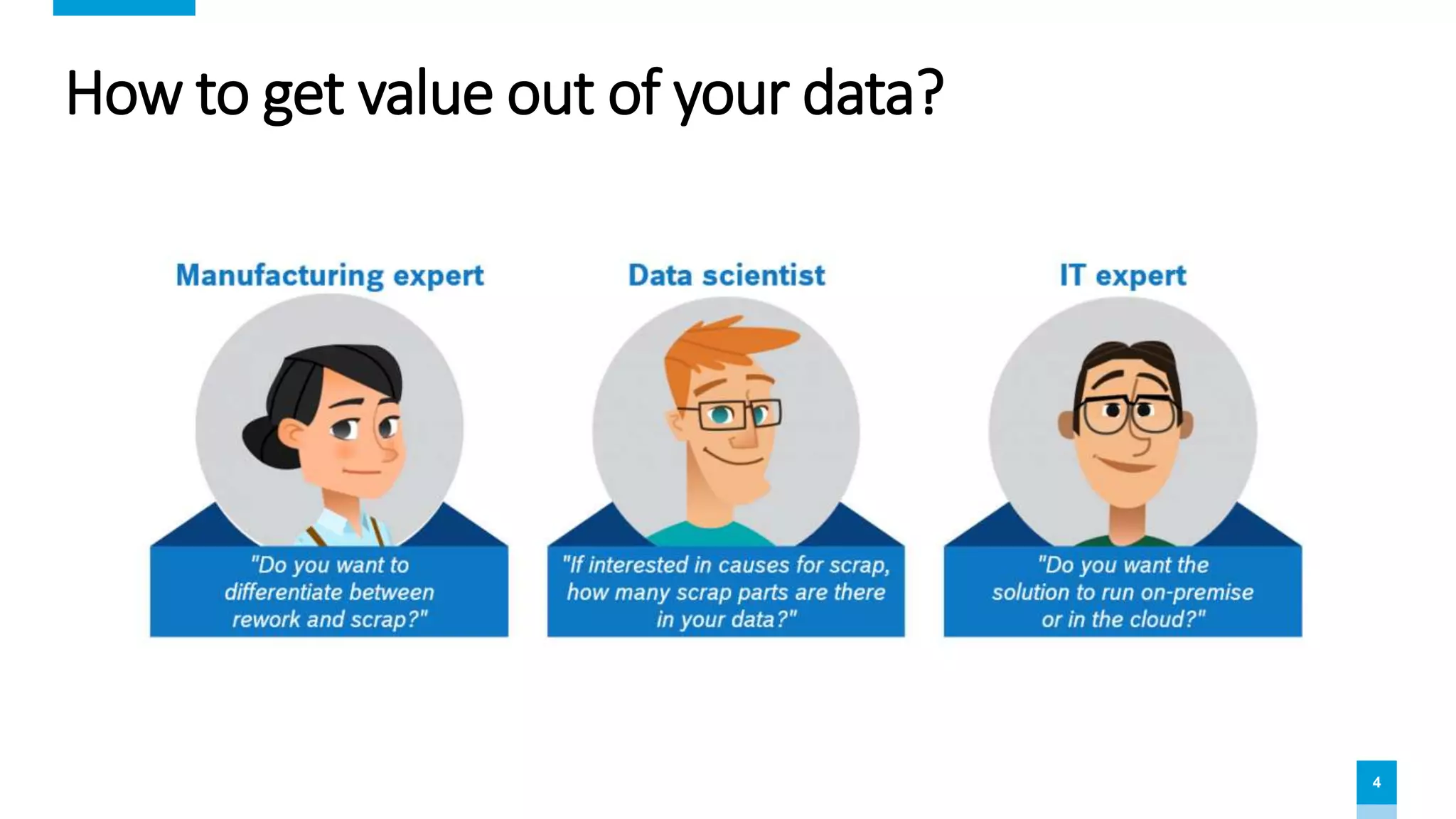
How to get value out of your data?
5
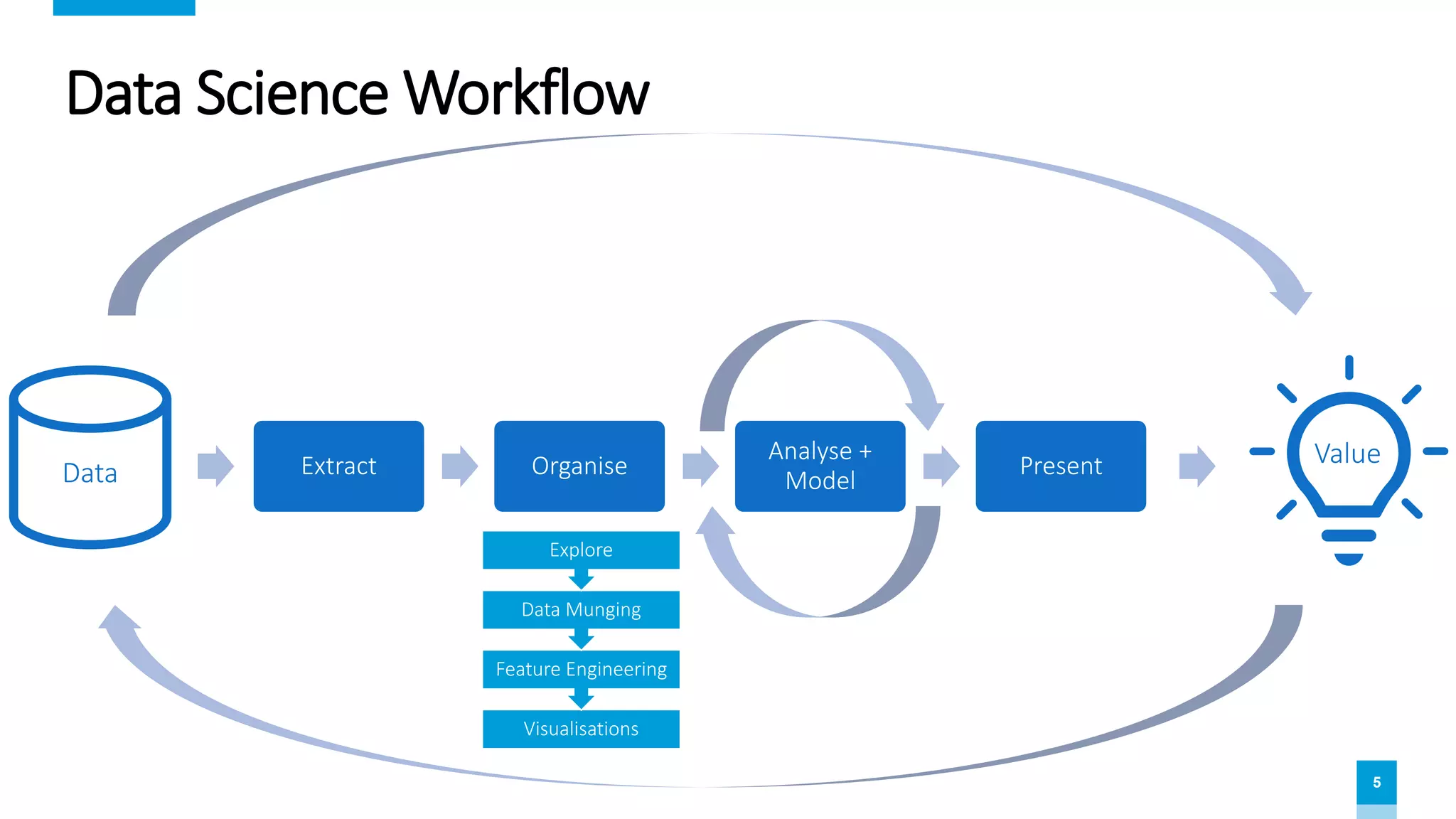
Data Science Workflow
Extract Organise
Analyse +
Model
PresentData
Value
Visualisations
Feature Engineering
Data Munging
Explore
6
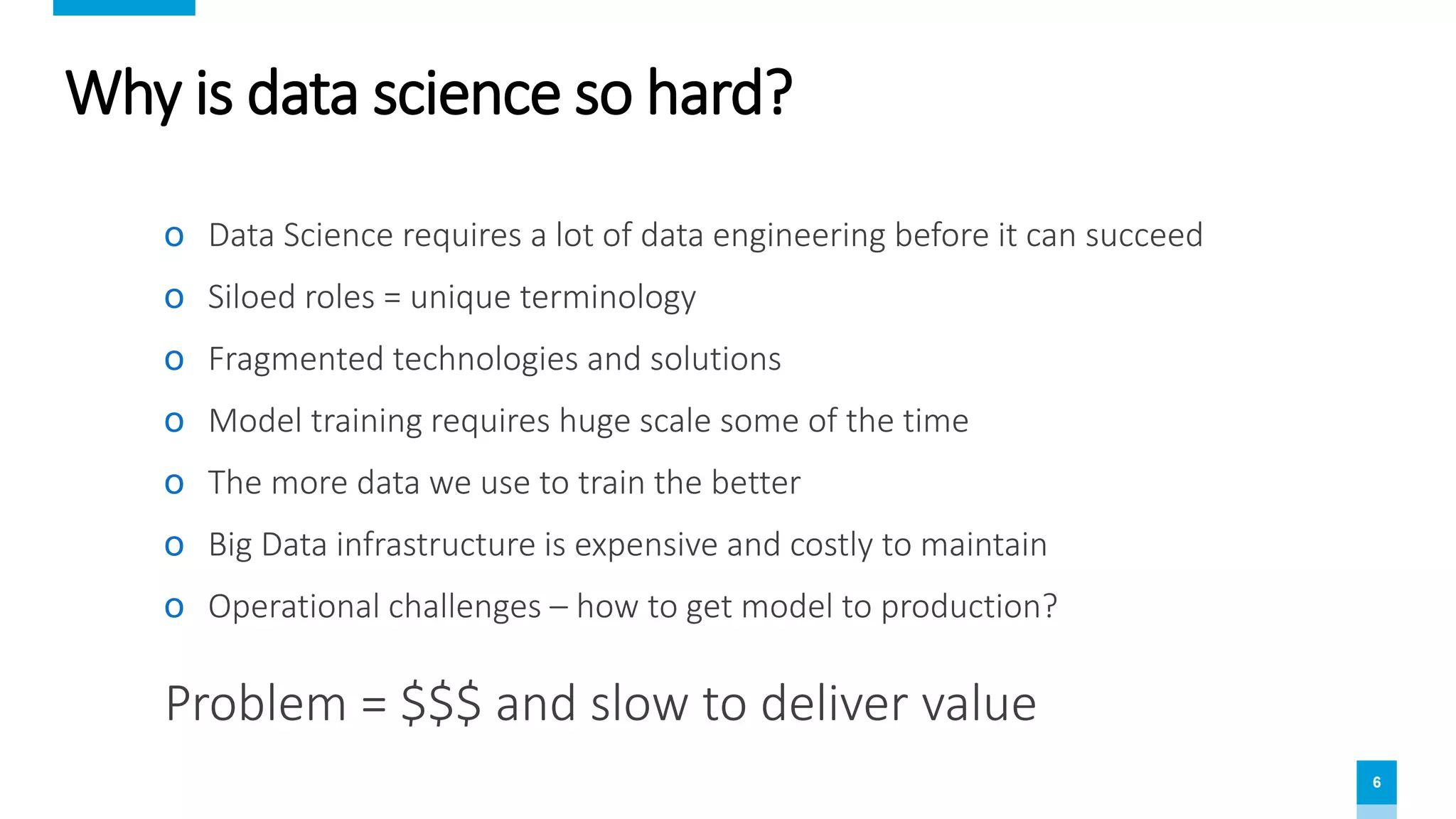
Why is data science so hard?
ο Data Science requires a lot of data engineering before it can succeed
ο Siloed roles = unique terminology
ο Fragmented technologies and solutions
ο Model training requires huge scale some of the time
ο The more data we use to train the better
ο Big Data infrastructure is expensive and costly to maintain
ο Operational challenges – how to get model to production?
Problem = $$$ and slow to deliver value
7
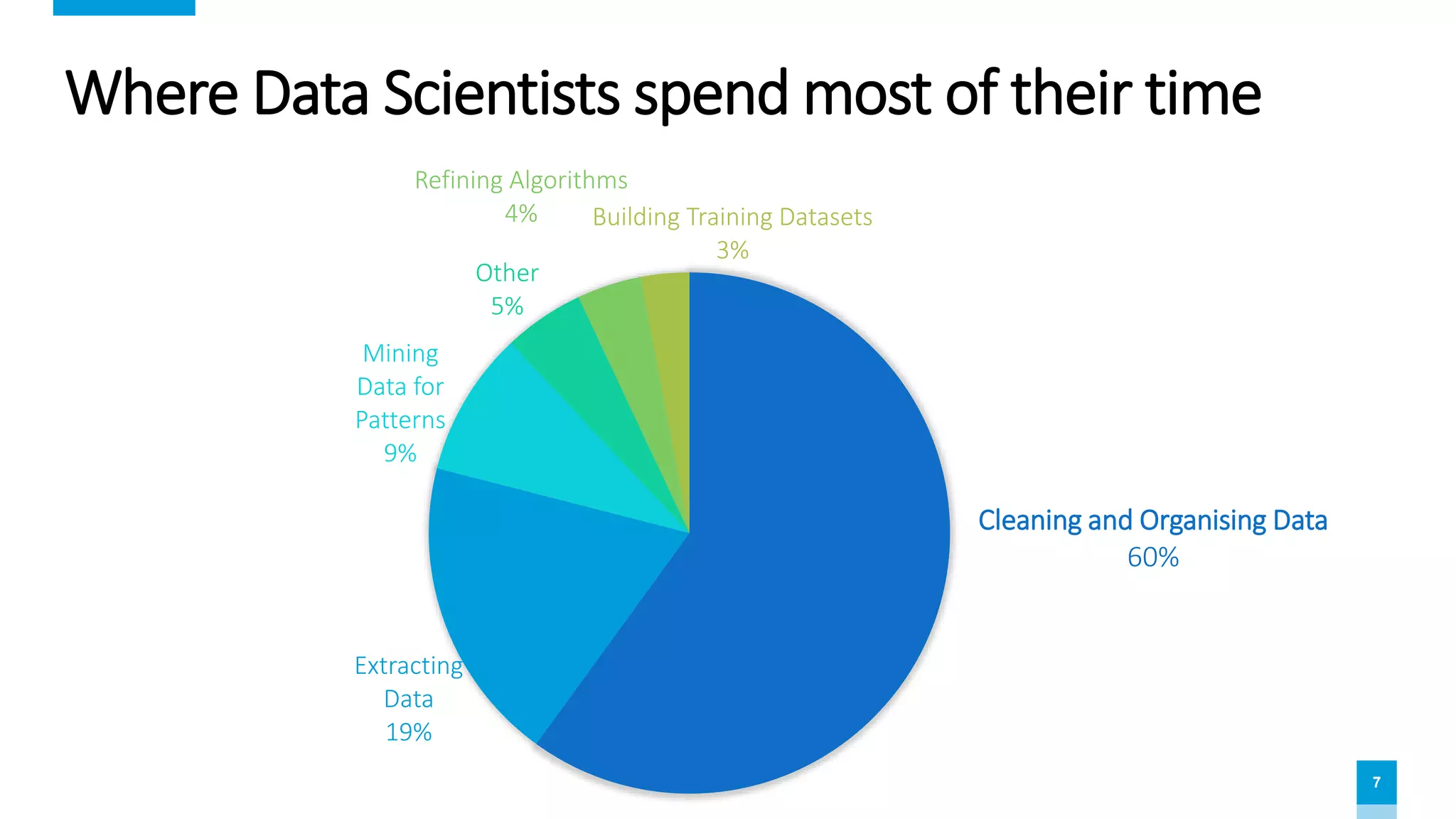
Where Data Scientists spend most of their time
Cleaning and Organising Data
60%
Extracting
Data
19%
Mining
Data for
Patterns
9%
Other
5%
Refining Algorithms
4% Building Training Datasets
3%
8
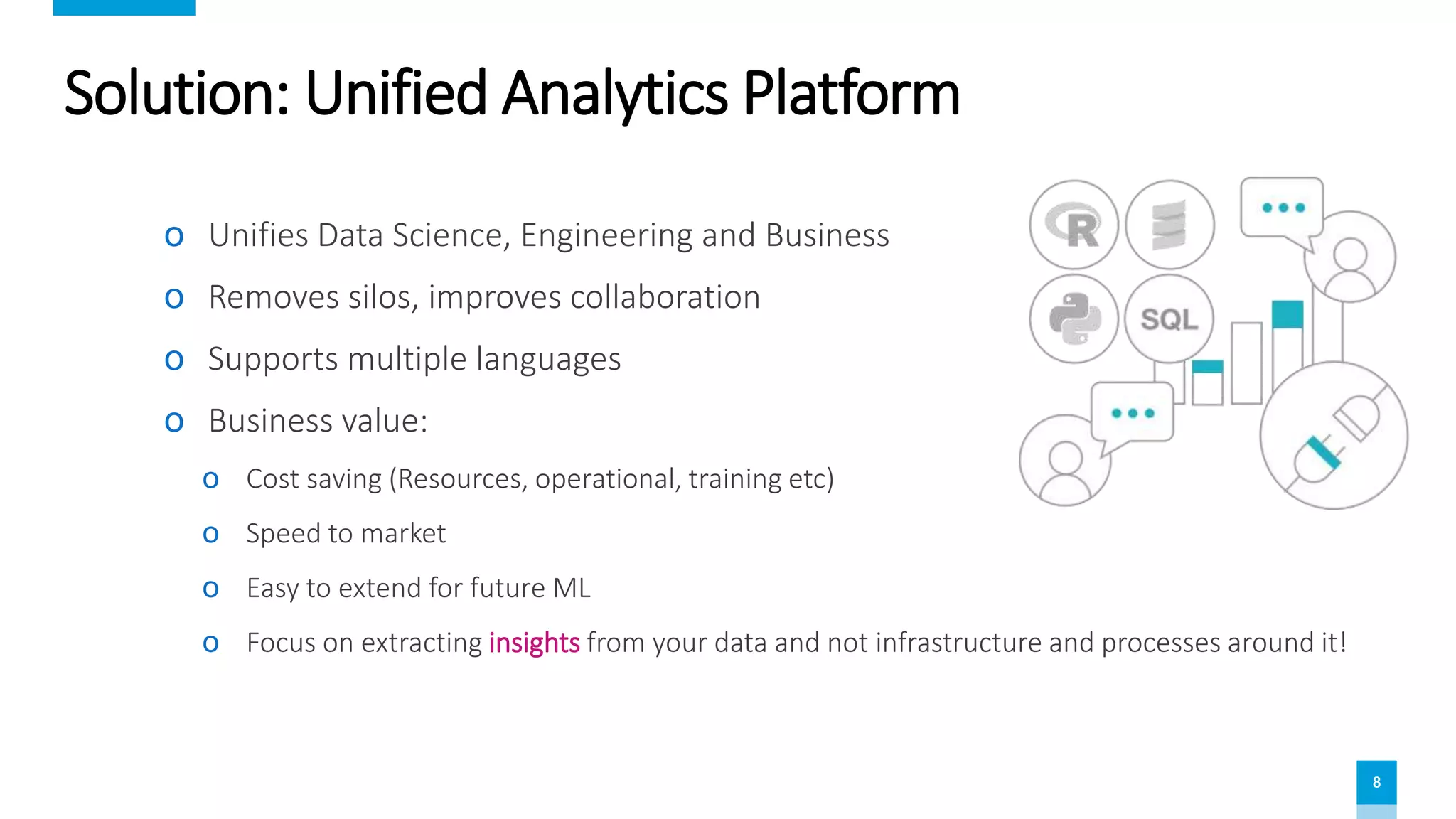
Solution: Unified Analytics Platform
ο Unifies Data Science, Engineering and Business
ο Removes silos, improves collaboration
ο Supports multiple languages
ο Business value:
ο Cost saving (Resources, operational, training etc)
ο Speed to market
ο Easy to extend for future ML
ο Focus on extracting insights from your data and not infrastructure and processes around it!
9
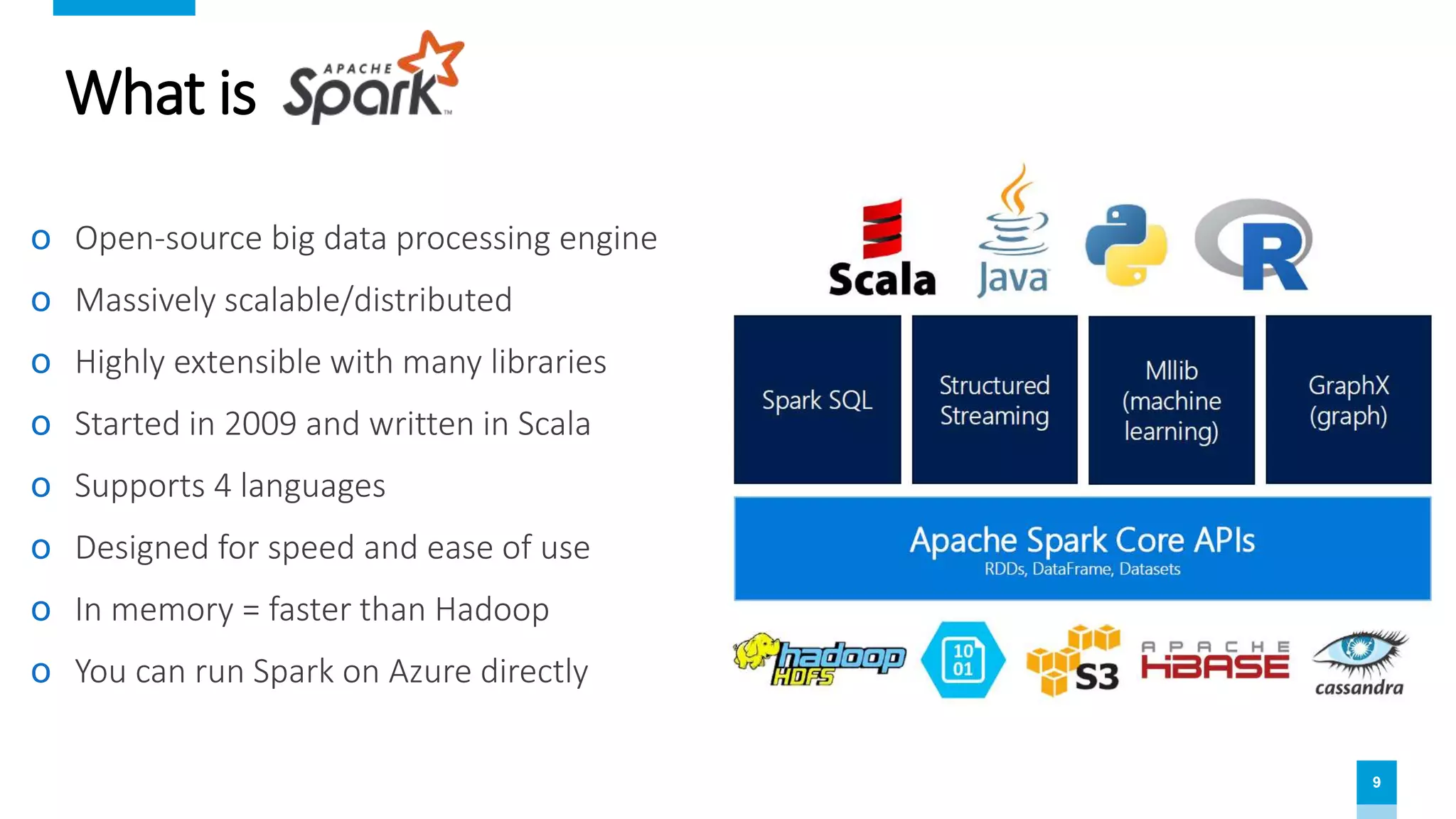
What is
ο Open-source big data processing engine
ο Massively scalable/distributed
ο Highly extensible with many libraries
ο Started in 2009 and written in Scala
ο Supports 4 languages
ο Designed for speed and ease of use
ο In memory = faster than Hadoop
ο You can run Spark on Azure directly
10
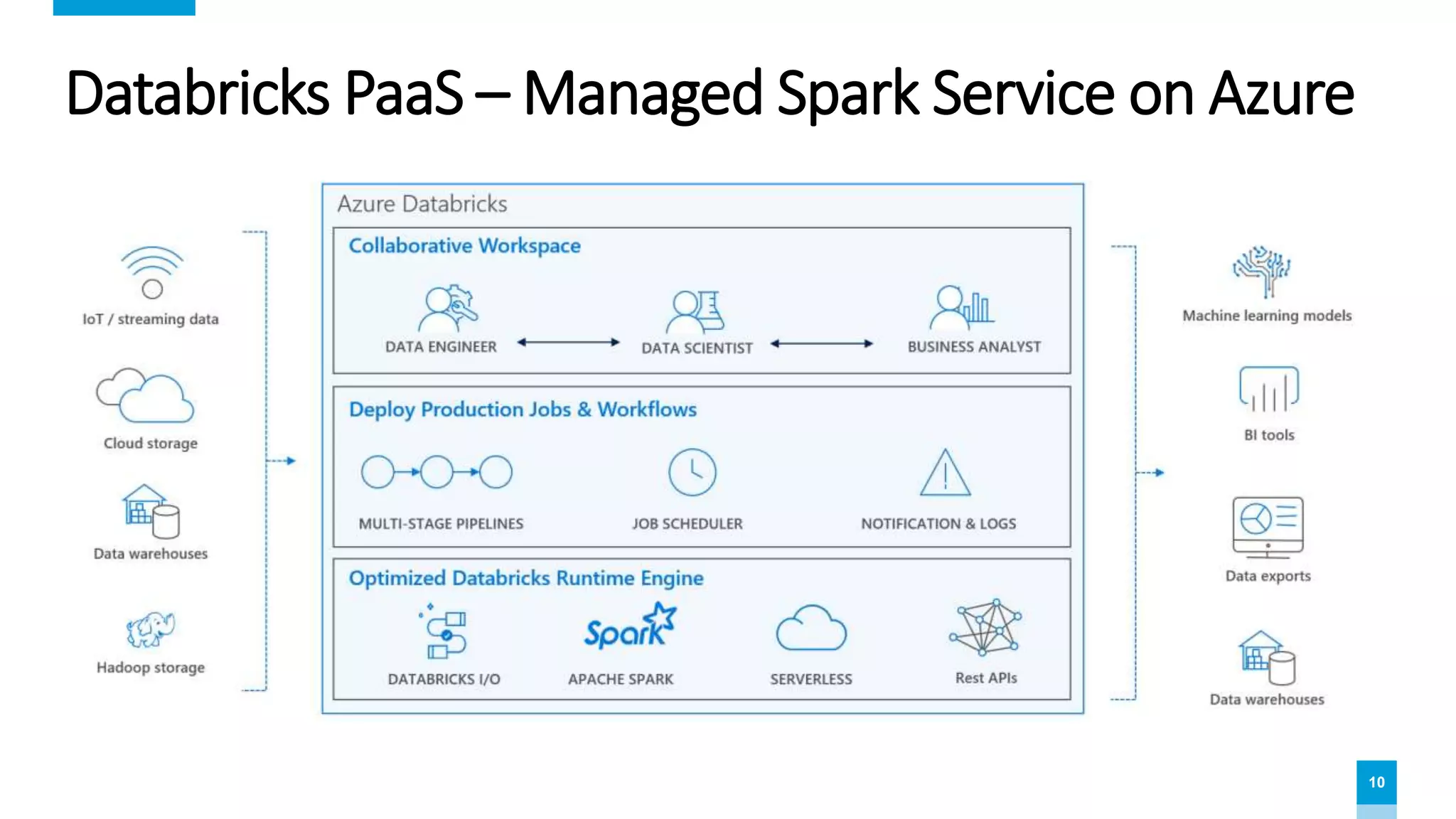
Databricks PaaS – Managed Spark Service on Azure
11
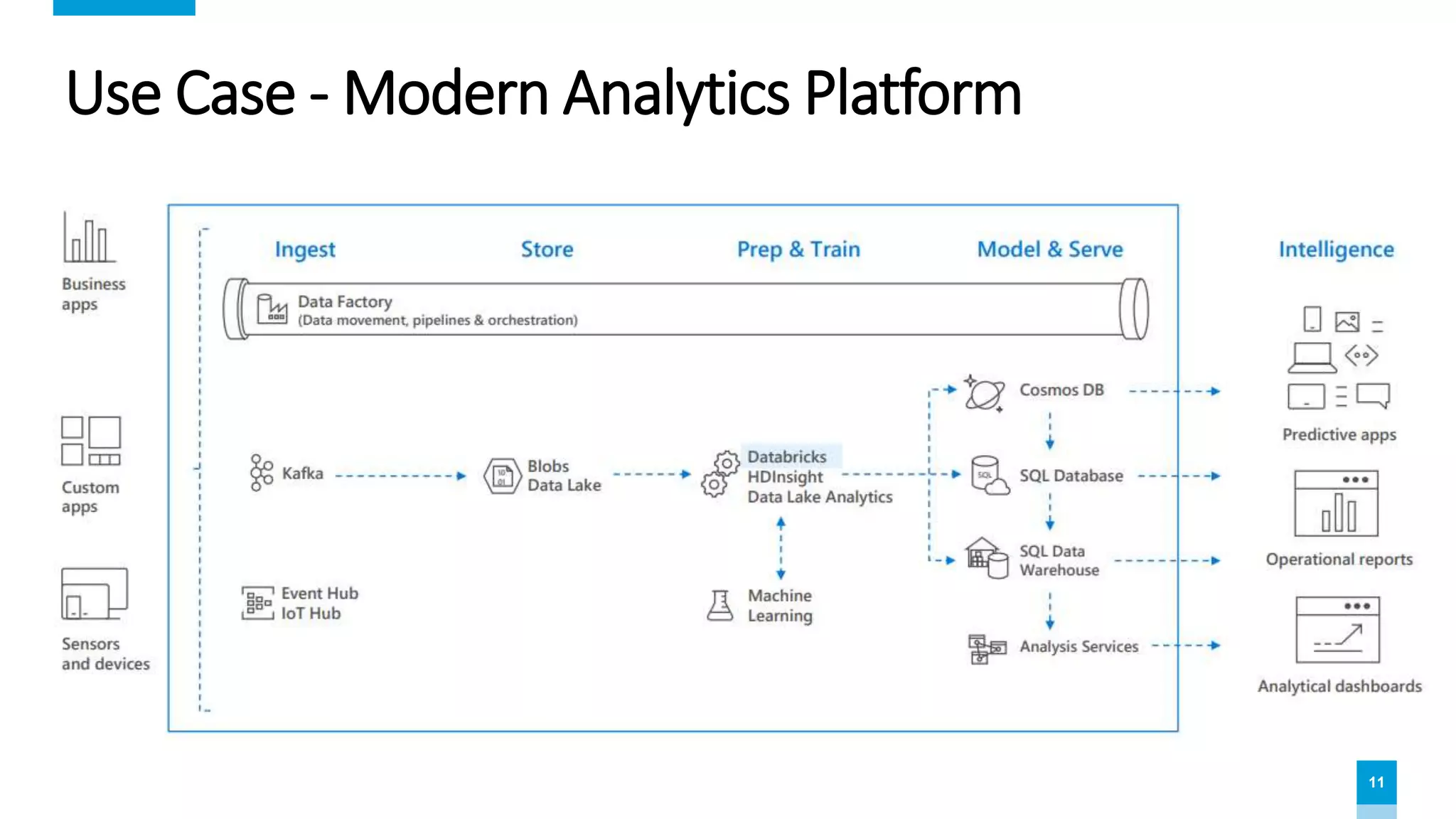
Use Case - Modern Analytics Platform
12
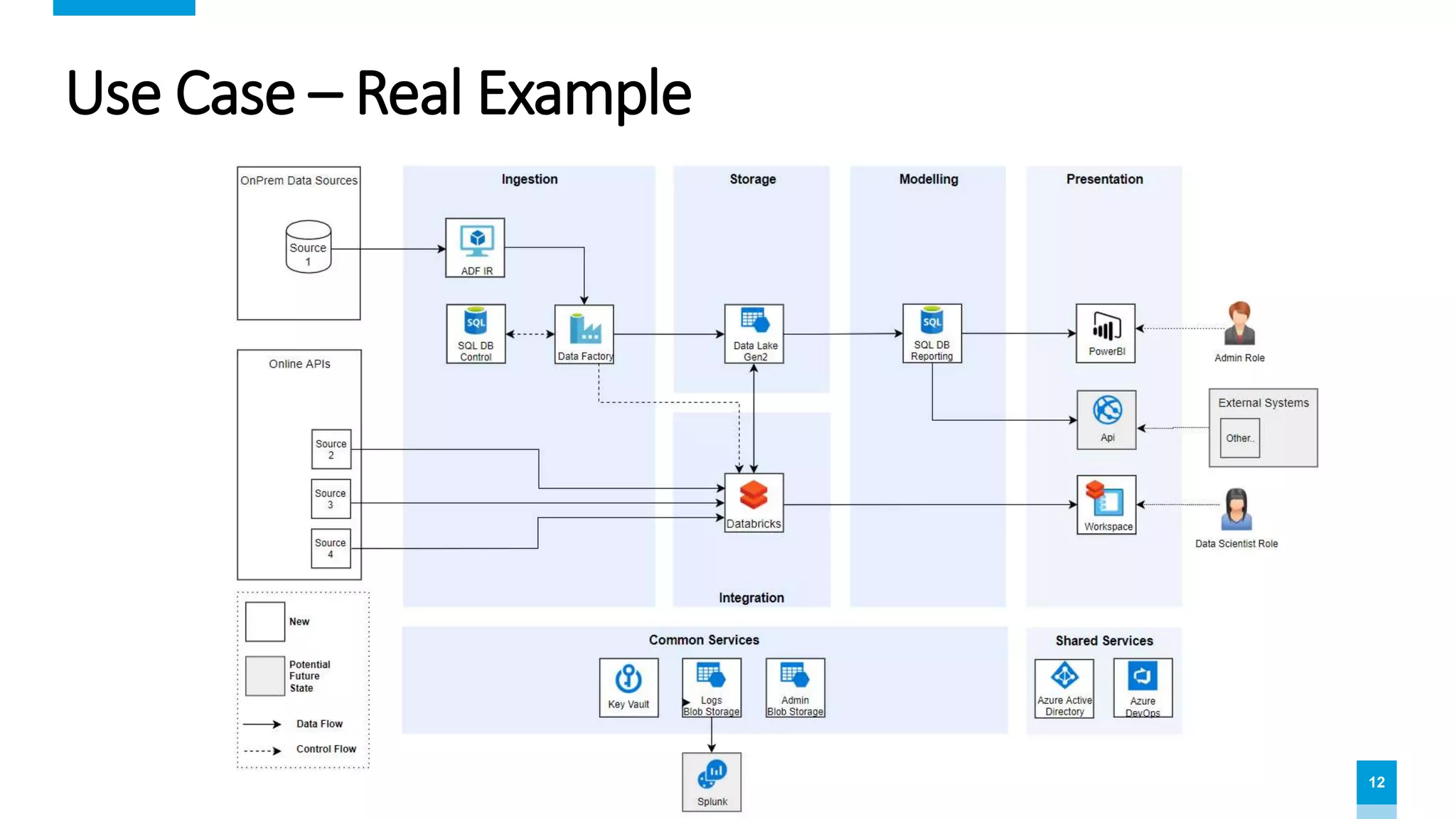
Use Case – Real Example
13
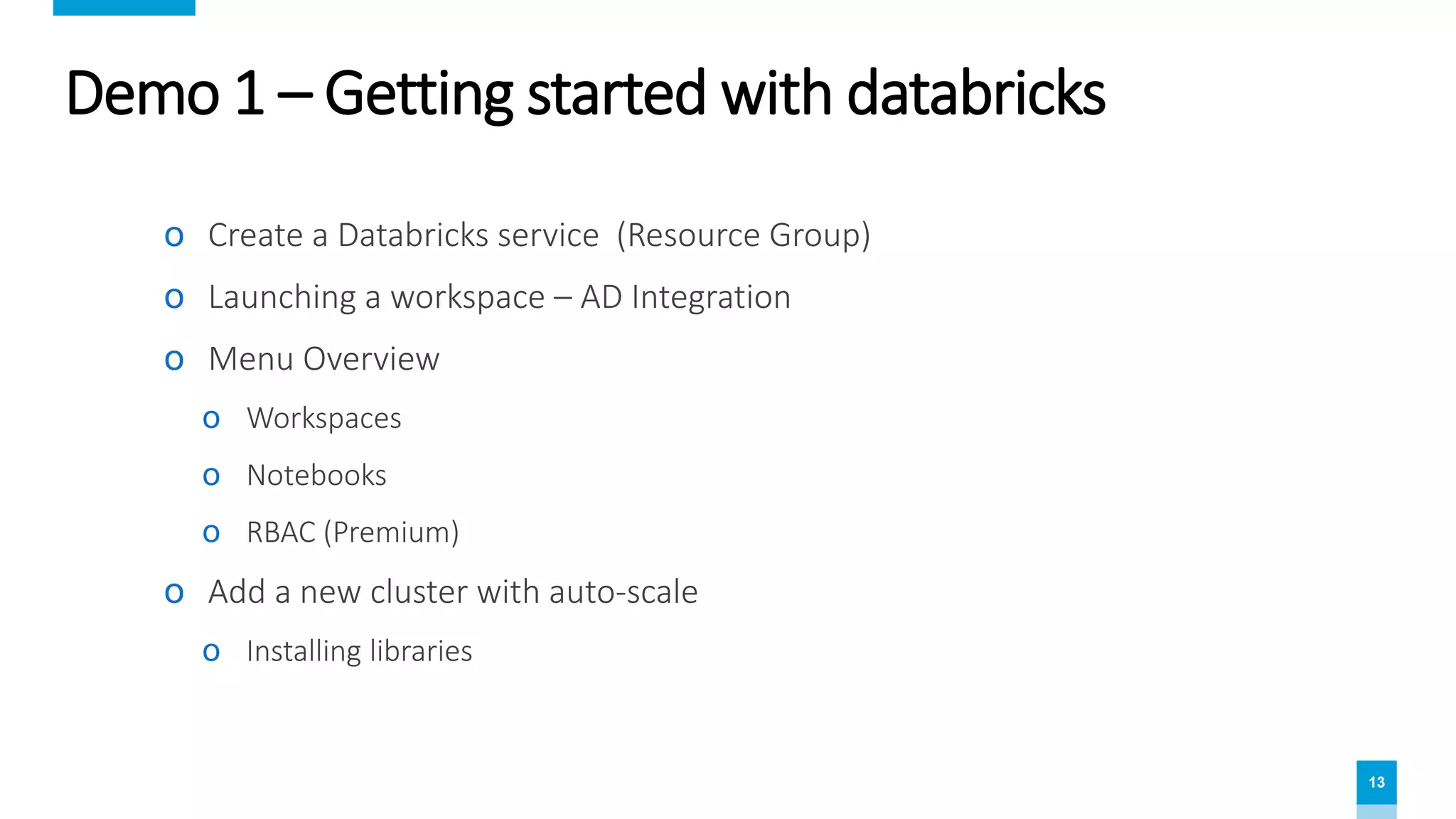
Demo 1 – Getting started with databricks
ο Create a Databricks service (Resource Group)
ο Launching a workspace – AD Integration
ο Menu Overview
ο Workspaces
ο Notebooks
ο RBAC (Premium)
ο Add a new cluster with auto-scale
ο Installing libraries
14
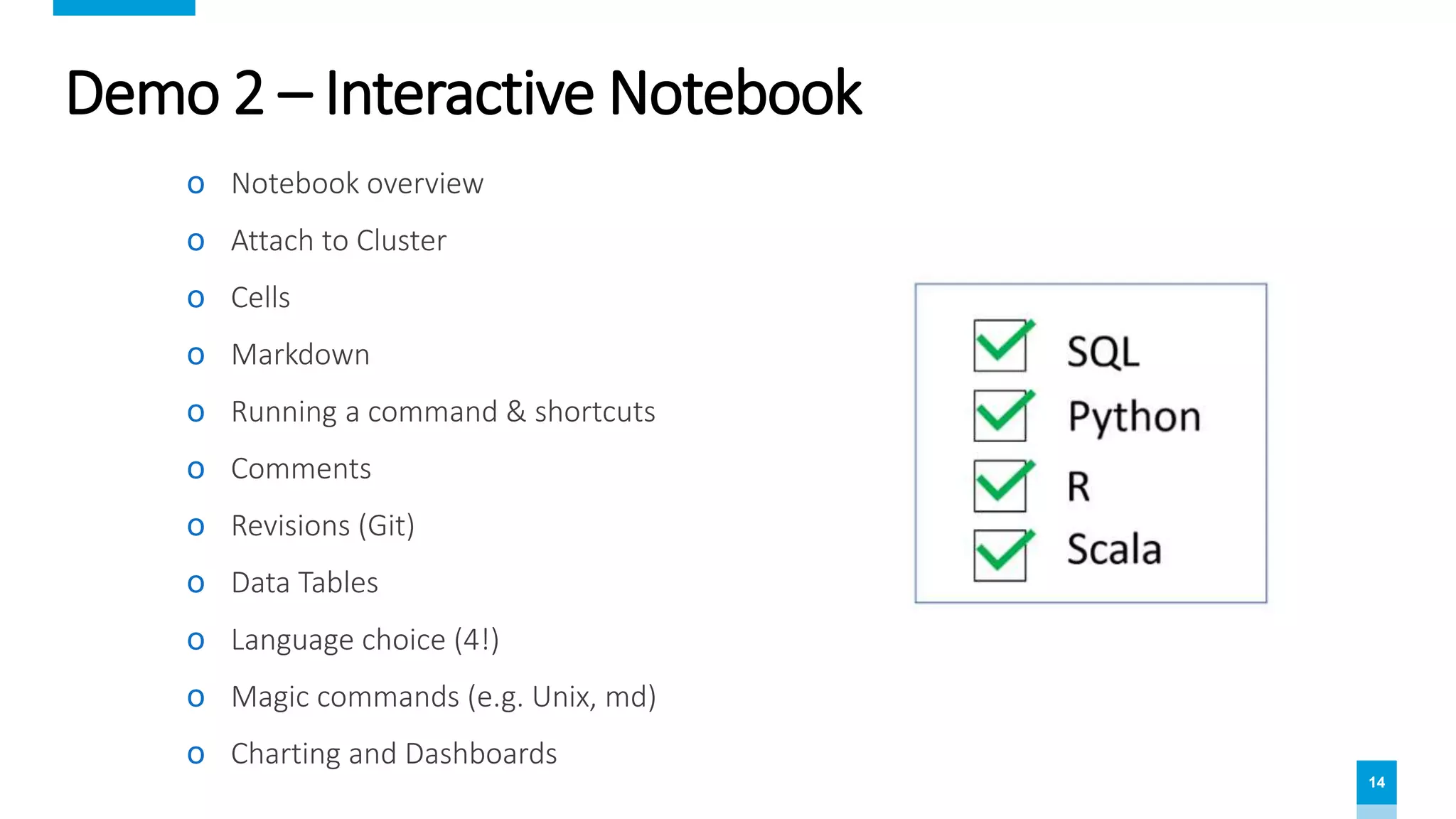
Demo 2 – Interactive Notebook
ο Notebook overview
ο Attach to Cluster
ο Cells
ο Markdown
ο Running a command & shortcuts
ο Comments
ο Revisions (Git)
ο Data Tables
ο Language choice (4!)
ο Magic commands (e.g. Unix, md)
ο Charting and Dashboards
15
Demo 3 – ETL Batch Job with databricks
ο Key Vault integration
ο Storage integration
ο Widgets/Parameters
ο Nesting pipelines
ο Scheduling a Job (Time based)
ο ADF integration (Event driven)
16
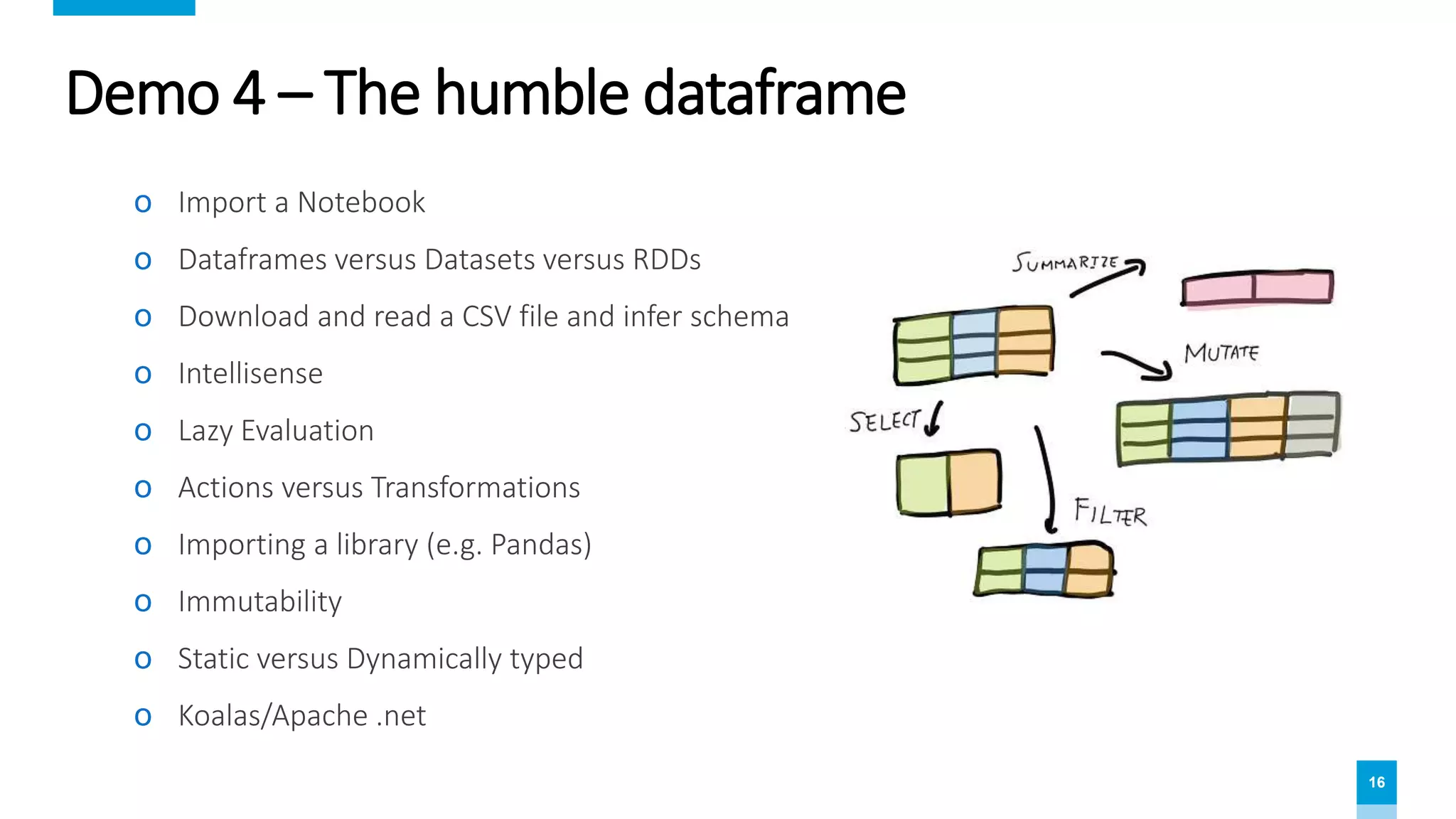
Demo 4 – The humble dataframe
ο Import a Notebook
ο Dataframes versus Datasets versus RDDs
ο Download and read a CSV file and infer schema
ο Intellisense
ο Lazy Evaluation
ο Actions versus Transformations
ο Importing a library (e.g. Pandas)
ο Immutability
ο Static versus Dynamically typed
ο Koalas/Apache .net
18
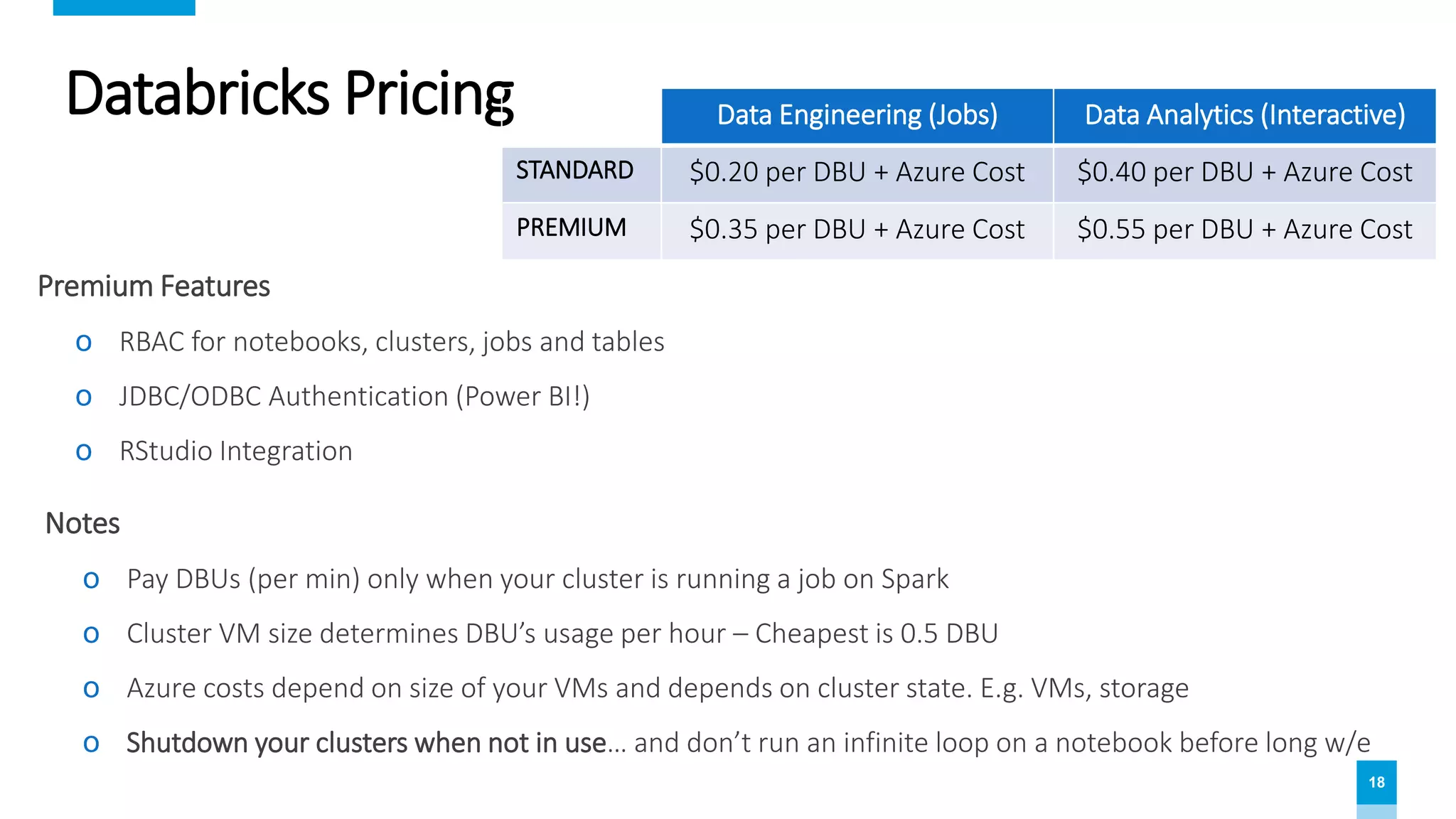
Databricks Pricing
Notes
ο Pay DBUs (per min) only when your cluster is running a job on Spark
ο Cluster VM size determines DBU’s usage per hour – Cheapest is 0.5 DBU
ο Azure costs depend on size of your VMs and depends on cluster state. E.g. VMs, storage
ο Shutdown your clusters when not in use… and don’t run an infinite loop on a notebook before long w/e
Premium Features
ο RBAC for notebooks, clusters, jobs and tables
ο JDBC/ODBC Authentication (Power BI!)
ο RStudio Integration
Data Engineering (Jobs) Data Analytics (Interactive)
STANDARD $0.20 per DBU + Azure Cost $0.40 per DBU + Azure Cost
PREMIUM $0.35 per DBU + Azure Cost $0.55 per DBU + Azure Cost
19
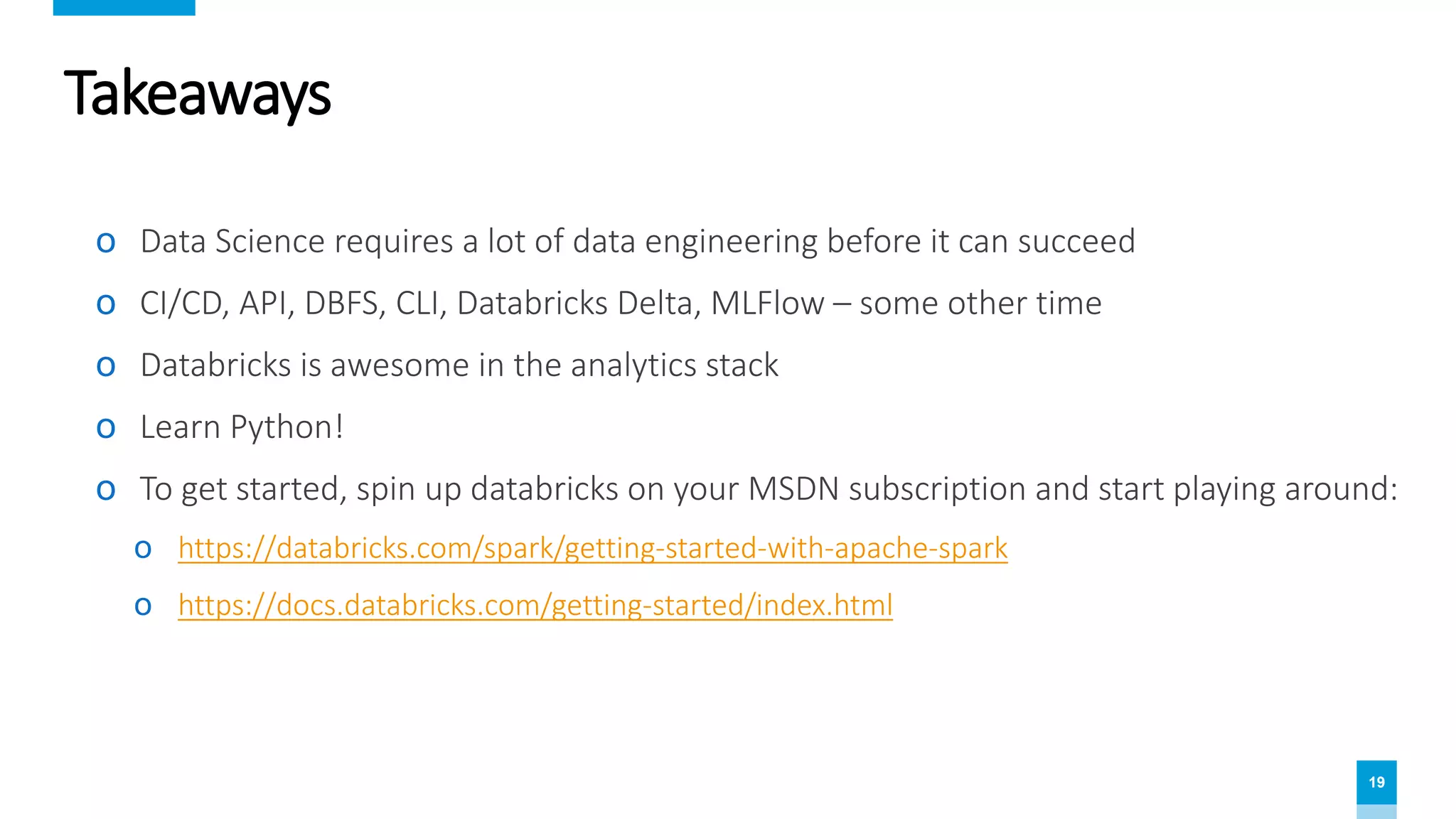
Takeaways
ο Data Science requires a lot of data engineering before it can succeed
ο CI/CD, API, DBFS, CLI, Databricks Delta, MLFlow – some other time
ο Databricks is awesome in the analytics stack
ο Learn Python!
ο To get started, spin up databricks on your MSDN subscription and start playing around:
ο https://databricks.com/spark/getting-started-with-apache-spark
ο https://docs.databricks.com/getting-started/index.html
20
Questions?
Rodney Joyce – Data & AI Consultant
LinkedIn - bit.ly/rodneyjoyce
© 2019
1. Databricks for dummies
2. Titanic survival prediction with Databricks + Python + Spark ML
3. Titanic with Azure Machine Learning Studio
4. Titanic with Databricks + Azure Machine Learning Service
5. Titanic with Databricks + MLS + AutoML
6. Titanic with Databricks + MLFlow
7. Titanic with DataRobot
8. Deployment, DevOps/MLops and Operationalization
e.g. What is HDInsights on Azure?

Databricks for Dummies

  • 1.
    1 for dummies Rodney Joyce– Data & AI Consultant LinkedIn - bit.ly/rodneyjoyce © 2019
  • 2.
    2 Agenda ο Objective /Data Science Series ο Boring theory ο Use Cases ο Demos ο Getting started ο Interactive Notebooks ο ETL Batch job with Azure Data Factory ο The humble dataframe ο Pricing ο Takeaways ο Questions
  • 3.
    3 Objective & DataScience Series 1. Databricks for dummies 2. Titanic survival prediction with Databricks + Python + Spark ML 3. Titanic with Azure Machine Learning Studio 4. Titanic with Databricks + Azure Machine Learning Service 5. Titanic with Databricks + MLS + AutoML 6. Titanic with Databricks + MLFlow 7. Titanic with DataRobot 8. Deployment, DevOps/MLops and Operationalization What is Azure Databricks, why you should learn it and how to get started…
  • 4.
    4 How to getvalue out of your data?
  • 5.
    5 Data Science Workflow ExtractOrganise Analyse + Model PresentData Value Visualisations Feature Engineering Data Munging Explore
  • 6.
    6 Why is datascience so hard? ο Data Science requires a lot of data engineering before it can succeed ο Siloed roles = unique terminology ο Fragmented technologies and solutions ο Model training requires huge scale some of the time ο The more data we use to train the better ο Big Data infrastructure is expensive and costly to maintain ο Operational challenges – how to get model to production? Problem = $$$ and slow to deliver value
  • 7.
    7 Where Data Scientistsspend most of their time Cleaning and Organising Data 60% Extracting Data 19% Mining Data for Patterns 9% Other 5% Refining Algorithms 4% Building Training Datasets 3%
  • 8.
    8 Solution: Unified AnalyticsPlatform ο Unifies Data Science, Engineering and Business ο Removes silos, improves collaboration ο Supports multiple languages ο Business value: ο Cost saving (Resources, operational, training etc) ο Speed to market ο Easy to extend for future ML ο Focus on extracting insights from your data and not infrastructure and processes around it!
  • 9.
    9 What is ο Open-sourcebig data processing engine ο Massively scalable/distributed ο Highly extensible with many libraries ο Started in 2009 and written in Scala ο Supports 4 languages ο Designed for speed and ease of use ο In memory = faster than Hadoop ο You can run Spark on Azure directly
  • 10.
    10 Databricks PaaS –Managed Spark Service on Azure
  • 11.
    11 Use Case -Modern Analytics Platform
  • 12.
    12 Use Case –Real Example
  • 13.
    13 Demo 1 –Getting started with databricks ο Create a Databricks service (Resource Group) ο Launching a workspace – AD Integration ο Menu Overview ο Workspaces ο Notebooks ο RBAC (Premium) ο Add a new cluster with auto-scale ο Installing libraries
  • 14.
    14 Demo 2 –Interactive Notebook ο Notebook overview ο Attach to Cluster ο Cells ο Markdown ο Running a command & shortcuts ο Comments ο Revisions (Git) ο Data Tables ο Language choice (4!) ο Magic commands (e.g. Unix, md) ο Charting and Dashboards
  • 15.
    15 Demo 3 –ETL Batch Job with databricks ο Key Vault integration ο Storage integration ο Widgets/Parameters ο Nesting pipelines ο Scheduling a Job (Time based) ο ADF integration (Event driven)
  • 16.
    16 Demo 4 –The humble dataframe ο Import a Notebook ο Dataframes versus Datasets versus RDDs ο Download and read a CSV file and infer schema ο Intellisense ο Lazy Evaluation ο Actions versus Transformations ο Importing a library (e.g. Pandas) ο Immutability ο Static versus Dynamically typed ο Koalas/Apache .net
  • 17.
    18 Databricks Pricing Notes ο PayDBUs (per min) only when your cluster is running a job on Spark ο Cluster VM size determines DBU’s usage per hour – Cheapest is 0.5 DBU ο Azure costs depend on size of your VMs and depends on cluster state. E.g. VMs, storage ο Shutdown your clusters when not in use… and don’t run an infinite loop on a notebook before long w/e Premium Features ο RBAC for notebooks, clusters, jobs and tables ο JDBC/ODBC Authentication (Power BI!) ο RStudio Integration Data Engineering (Jobs) Data Analytics (Interactive) STANDARD $0.20 per DBU + Azure Cost $0.40 per DBU + Azure Cost PREMIUM $0.35 per DBU + Azure Cost $0.55 per DBU + Azure Cost
  • 18.
    19 Takeaways ο Data Sciencerequires a lot of data engineering before it can succeed ο CI/CD, API, DBFS, CLI, Databricks Delta, MLFlow – some other time ο Databricks is awesome in the analytics stack ο Learn Python! ο To get started, spin up databricks on your MSDN subscription and start playing around: ο https://databricks.com/spark/getting-started-with-apache-spark ο https://docs.databricks.com/getting-started/index.html
  • 19.
    20 Questions? Rodney Joyce –Data & AI Consultant LinkedIn - bit.ly/rodneyjoyce © 2019 1. Databricks for dummies 2. Titanic survival prediction with Databricks + Python + Spark ML 3. Titanic with Azure Machine Learning Studio 4. Titanic with Databricks + Azure Machine Learning Service 5. Titanic with Databricks + MLS + AutoML 6. Titanic with Databricks + MLFlow 7. Titanic with DataRobot 8. Deployment, DevOps/MLops and Operationalization e.g. What is HDInsights on Azure?

Editor's Notes

  • #2 Prep: Clusters running and bumped up, no timeout – make sure Koala library is installed Storage Explorer Browsers, Kaggle, Azure, Databricks
  • #3 Objective: Understand what databricks is, where it fits into the analytics stack and how it adds value for our customers
  • #4 We will repeat the same process but with different tools and compare the ease and accuracy
  • #5 ML sounds sexy but it’s not really ;)
  • #7 Before we go into Databricks we need to understand the data science workflow. The Business Understands core business and how to make money. Data Scientist Experiment Explore and model Hypothesis and looks for correlations in data considering the business value Data Engineer Architects a solution to get the data in the right format Scales it Operationalize the output of the data scientist into production Maintains the damn thing (tests, CI/CD etc) We do all the hard work before giving the easy stuff over to the data scientist
  • #8 ML sounds sexy but it’s not really ;)
  • #10 Before we talk about Databricks we’re going to talk about another open-source big data technology - Spark
  • #11 Databricks is a first-class PaaS citizen on Azure (although not written by Microsoft). Active Directory, KeyVault, DevOps, Data Factory, Billing, SLAs Founded by creators of the Apache Spark Ingest data from any data source (Azure or non-azure), relational, structured, IOT data, unstructured etc. Data is separate Collaborative Workspace: Interactive Notebooks for collaboration between engineers, data scientists and analysts Jobs and Workflows Run Notebooks as Jobs in multi stage pipelines with easy auditing and notifications RunTime Serverless – all the rage these days! REST API to access programmatically Massively scalable on the Spark engine – up and outwards Output to ML, ADW, Storage
  • #12 Lamda Architcture – Hot and cold paths, streaming and batch Transformations: data cleansing, deduplication, data prepping, consolidation, validation Azure Data Lake Analytics, HDInsights (Spark, Hadoop), SQL Stored Procedure, Batch AI VMs, custom python apps running on VMs/docker Real-time Streaming: Streaming Analytics Jobs AI-related tasks: HDInsights Cluster with R (Perpetual), Machine Learning Studio Data Exploration/Interactive Notebooks: Azure Notebooks, Jupyter Jobs: Azure Data Factory * Similar tools – Jupiter Notebook, Python, Pandas, Spark hosted, Hadoop
  • #13 Lamda Architcture – Hot and cold paths, streaming and batch Transformations: data cleansing, deduplication, data prepping, consolidation, validation Azure Data Lake Analytics, HDInsights (Spark, Hadoop), SQL Stored Procedure, Batch AI VMs, custom python apps running on VMs/docker Real-time Streaming: Streaming Analytics Jobs AI-related tasks: HDInsights Cluster with R (Perpetual), Machine Learning Studio Data Exploration/Interactive Notebooks: Azure Notebooks, Jupyter Jobs: Azure Data Factory *
  • #14 Show the components created by Databricks service in Resource Group Workspaces are like folders for organisation Discuss Autoscale Runtime Release notes and libraries: https://docs.azuredatabricks.net/release-notes/runtime/5.2ml.html#python-libraries
  • #15 What is a Notebook? Jupyter opensource, Azure Notebooks We will use Python (PySpark) – many of the same commands apply Very good for data exploration – e.g. by Data scientists to find correlations between data points Author Spark applications that can be run on the Spark cluster
  • #16 Show the components created by Databricks service in Resource Group Workspaces are like folders for organisation Discuss Autoscale Runtime Release notes and libraries: https://docs.azuredatabricks.net/release-notes/runtime/5.2ml.html#python-libraries
  • #17 Resilient Distributed Datasets: immutability, massive scale Fault-tolerance: lineage Datasets are like a DataFrame but with typing – so only available in Scala and not in Python DBFS: Distributed File System that can be mounted over storage and easily accessed. Persisted to blob so not lost when cluster shuts down InferSchema – looks at X rows and makes a guess – better to set the schema on read
  • #18 Connecting to Power BI - JDBC Connection/Premium Streaming Machine Learning – Azure Auto ML / TensorFlow / Psikit Learn
  • #19 https://databricks.com/product/azure-pricing 2 PaaS models: Standard and Premium 2 Modes – Data Engineering and Data Analytics Jobs versus Notebooks (ETL versus exploration) Show the components created by Databricks service in Resource Group
  • #20 Resources: eBooks, Pluralsight, YouTube Public datasets – Kaggle, Uber, government sites