Unit 1-Chapter 2
Data types and operators
contents
• Primitive types
• Literals
• Variables
• The scope and lifetime of variables
• Operators
• Type conversion in assignments
• Casting the incompatible types
• Operator precedence
• Expression
Primitive types
• Two categories of built-in data types:
– Object-oriented
– Non-object oriented
• There are 8 primitive data types offered by
java which are
• Boolean, byte, char, double, float, int,
long, short
• Java specifies a range and behavior for
each primitives type.
Integers
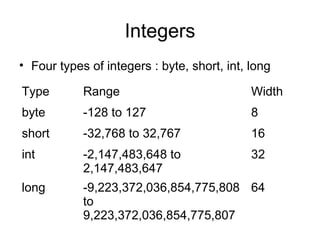
• Four types of integers : byte, short, int, long
Type Range Width
byte -128 to 127 8
short -32,768 to 32,767 16
int -2,147,483,648 to
2,147,483,647
32
long -9,223,372,036,854,775,808
to
9,223,372,036,854,775,807
64
class Inches{
public static void main(Strings args[]){
long ci;
long im;
im=5280*12;
ci=im*im*im;
System.out.println(“There are”+ci+” cubic inches in a
mile”);
}//end of the main
} //end of the Inches class
Output ??
Floating point types
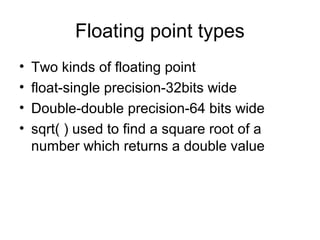
• Two kinds of floating point
• float-single precision-32bits wide
• Double-double precision-64 bits wide
• sqrt( ) used to find a square root of a
number which returns a double value
Pythagoras theorem
class PthyThm{
public static void main(Strings args[]){
double x,y,z;
x=3;
y=4;
z=Math.sqrt(x*x+y*y);
System.out.println(“Hypotenuse is “+z);
}
}//end of PthyThm
Output ??
Charecters
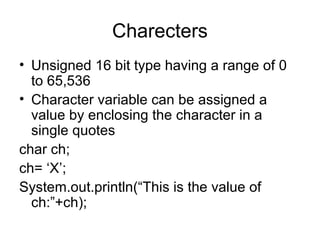
• Unsigned 16 bit type having a range of 0
to 65,536
• Character variable can be assigned a
value by enclosing the character in a
single quotes
char ch;
ch= ‘X’;
System.out.println(“This is the value of
ch:”+ch);
• Arithmetic manipulations can be performed on the character
variable
class CharArithDemo{
public static void main(Strings args []){
char ch;
ch=‘X’;
Sytem.out.println(“The value of ch:”+ch);
ch++;
Sytem.out.println(“The value of ch:”+ch);
ch=90;
Sytem.out.println(“The value of ch:”+ch);
}
}
Output ??
Boolean type
• Represents true / false values
• Java uses keywords “true” and “false”
• A variable can be one of these type and
not both at the same time.
• Program to demonstrate boolean type
class BoolDemo {
public static void main(String args[])
boolean b;
b=false;
System.out.println(“b is :”+b);
b=true;
System.out.println(“b is :”+b);
if(b)
Sytem.out.println(“this is executed”);
b=false;
if(b)
System.out.println(“This is not executed..”);
System.out.println(“10>9 is “+ (10>9));
}
}
Output ??
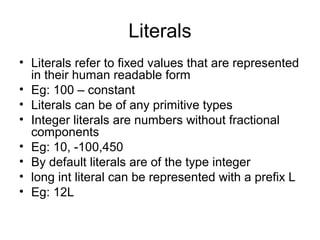
Literals
• Literals refer to fixed values that are represented
in their human readable form
• Eg: 100 – constant
• Literals can be of any primitive types
• Integer literals are numbers without fractional
components
• Eg: 10, -100,450
• By default literals are of the type integer
• long int literal can be represented with a prefix L
• Eg: 12L
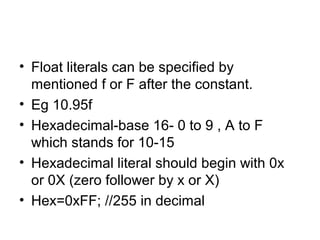
• Float literals can be specified by
mentioned f or F after the constant.
• Eg 10.95f
• Hexadecimal-base 16- 0 to 9 , A to F
which stands for 10-15
• Hexadecimal literal should begin with 0x
or 0X (zero follower by x or X)
• Hex=0xFF; //255 in decimal
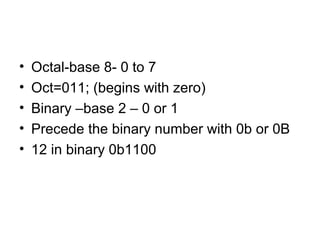
• Octal-base 8- 0 to 7
• Oct=011; (begins with zero)
• Binary –base 2 – 0 or 1
• Precede the binary number with 0b or 0B
• 12 in binary 0b1100
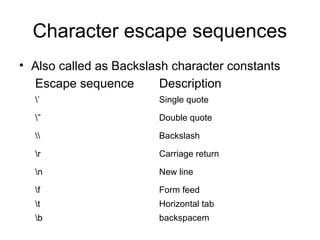
Character escape sequences
• Also called as Backslash character constants
Escape sequence Description
’ Single quote
” Double quote
 Backslash
r Carriage return
n New line
f Form feed
t Horizontal tab
b backspacem
class CharecterEx{
public static void main(String args[]){
char ch;
ch=‘t’;
System.out.println(“5”+ch+”00”);
ch=‘’’;
System.out.println(“5”+ch+”00”);
}
}
Output ??
String literals
• A string is a set of characters enclosed by
double quotes.
• “this is a test string”
class Strdemo{
public static void main(String args[]){
System.out.println(“First linesecond line”);
System.out.println(“AtBtC”);
System.out.println(“DtEtF”);
}
}
variables
• Syntax  type variable_name;
• Type – data type that variable belongs to
• When you create a variable, you are
creating instance of its type.
• boolean variable cannot store a floating
point value
• int variable cannot store a character value
in it.
Initializing a variable
• type var=value;
• Value is the value that is stored in variable
named var when it is created.
• int count=10;
• char ch=‘x’;
• float f1=12.5;
• Same type variables can be declared and
assigned together in a single line
• For eg: int a,b=10,c=15 , d;
• Dynamic initialization
class Dynamic{
public static void main(String args[])
{
double radius=4,height=5;
double vol=3.14*radius*radius*height;
System.out.println(“Volume is :”+vol);
}
}
Output ??
Radius and height are initialized locally
Vol is initialised dynamically
The scope and lifetime of variables
• Java allows to declare variables in any
block.
• Block begins with a open and close curly
brace
• Block defines a scope
• Scope determines what objects are visible
to other parts of your program, also
lifetime of objects.
• Many languages defines scope in two categories
: global and local
• Java defines : by or within a method
• Scope defined by method begins with a opening
curly braces, parameters of the method are
included within method’s scope.
• Variables declared inside a scope are not visible
to code that is defined outside the scope.
• Scope provides foundation for
encapsulation.
• Scopes can be nested
• Outer scope , inner scope.
• Outer scope variables will be visible for
inner scope but vice versa is not true.
class ScopeDemo{
public static void main(String args[])
{
int x=10;
if(x ==10)
{
int y=20;
System.out.println(“x =”+x+”y= ”+y);
x=y*2;
}
y=100;
System.out.println(“x =“+x);
}
Output ??
• Variables are created when their scope is
entered and destroyed when their scope is
left.
• Values of the variables are lost as soon
they are out of the scope.
• Thu lifetime is confined to scope.
• Variable includes an intializer, that
variable will reinitialized each time the
block In which it is declared is entered.
class VarInitDemo{
public static void main(String args[]){
int x;
for(x=0;x<3;x++)
{
int y=-1;
System.out.println(“y=“+y);
y=100;
System.out.println(“y=“+y);
}
}
}
Output ? ?
• No variable declared within an inner scope can have the same name as a
variable declared by enclosing scope.
class NestVar{
public static void main(String args[]){
int i;
for(i=0;i<10;i++)
{
System.out.println(“Value of i =:”+i);
int i; // illegal – throws error
for(i=0;i<2;i++)
System.out.println(“Incorrect program!!”);
}
}
}
Output ??
Operators
• An operator is a symbol that tells the
computer to perform a specific
mathematical or logical manipulation.
• Four categories :
– Arithmetic
– Bitwise
– Relational
– Logical
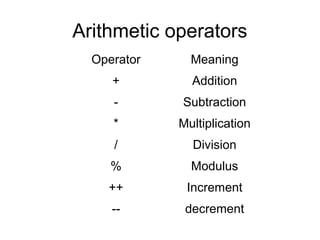
Arithmetic operators
Operator Meaning
+ Addition
- Subtraction
* Multiplication
/ Division
% Modulus
++ Increment
-- decrement
class ModDemo{
public static void main(String args[]){
int iresult,irem;
double dresult,drem;
iresult=10/3;
irem=10%3;
dresult=10.0/3.0;
drem=10.0%3.0;
System.out.println(“Result and remainder of 10/3 is :” +iresult+ “ “
+irem);
System.out.println(“Result and remainder of 10/3 is :” +dresult+ “ “
+drem);
}
}
Output ??
Increment ++ and Decrement --
• Increment operator adds 1 to its operand
and decrement operator subtracts 1
• x=x+1 is same as x++
• x=x-1 is same as x—
• Two forms for both , postfix and prefix
form
• Postfix x++ , x- -
• Prefix ++x,--x
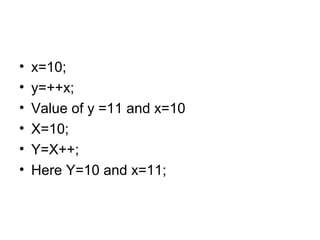
• x=10;
• y=++x;
• Value of y =11 and x=10
• X=10;
• Y=X++;
• Here Y=10 and x=11;
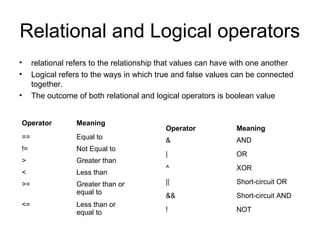
Relational and Logical operators
• relational refers to the relationship that values can have with one another
• Logical refers to the ways in which true and false values can be connected
together.
• The outcome of both relational and logical operators is boolean value
Operator Meaning
== Equal to
!= Not Equal to
> Greater than
< Less than
>= Greater than or
equal to
<= Less than or
equal to
Operator Meaning
& AND
| OR
^ XOR
|| Short-circuit OR
&& Short-circuit AND
! NOT
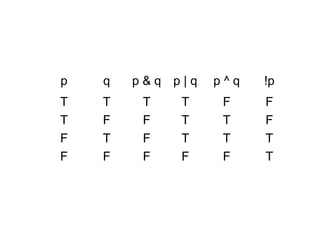
p q p & q p | q p ^ q !p
T T T T F F
T F F T T F
F T F T T T
F F F F F T
class RelOps{
public static void main(String args[])
{
int i=10,j=11;
if(i<j)
System.out.println(“i < j”);
if(i<=j)
System.out.println(“i <= j”);
if(i!=j)
System.out.println(“i != j”);
if(i == j)
System.out.println(“this wont execute!”);
if(i >= j)
System.out.println(“this wont execute!”);
if(i > j)
System.out.println(“this wont execute!”);
}
}
class LogOps{
public static void main(String args[])
{
boolean b1=true,b2=false;
if(b1 & b2)
System.out.println(“This wont execute”);
if(!(b1 & b2))
System.out.println(“! (b1&b2) is true..”);
if( b1|b2)
System.out.println(“b1 | b2 is true”);
if(b1 ^ b2)
System.out.println(“ b1 ^ b2 is true..”);
}
}
Short-circuit logical operators
• In AND operation, if first operand is false , the result is
false, no need to evaluate the second operand.
• In OR operation, if first operand is true, the result is true,
no need of evaluating the second operand.
• By not evaluating second operand, time is saved and
more efficient code is produced.
• Short circuit AND / conditional AND operator ( && )
• Short circuit OR / conditional OR operator ( || )
• In short circuit operator, the second operand is evaluated
when it is necessary rest functionality is similar to & or |
class SCOpr{
public static void main(String args[]){
int n=10,d=2,q;
if( d!=0 && (n%d) ==0)
System.out.println(d+ “is a factor of “+n);
d=0;
if( d!=0 && (n%d) ==0)
System.out.println(d+ “is a factor of “+n);
}
}
Assignment operator
• Assignment operator is a single equal to
sign
• var=expression
• int x,y,z;
• x=y=z=100;
• All the variables are initialized with the
value 100
Shorthand assignments
• x=x+10;
• x+=10;
• += operator pair tells the compiler to
assign the value of x plus 10
• y=y-10;
• y-=10;
• += -= *= /= %= &= |= ^=
Type conversion in assignments
• Assigning one type variable to another type
• int to float variable
int i=10;
float f;
f = i;
• Compatible types are implicitly type casted, it is
performed automatically, the value of i is converted to
float and then it is stored into f.
• boolean to int not compatible.
• Automatic conversion takes place only if
– The two types are compatible
– The destination is larger than the source type.
• byte to int , automatic conversion takes
place
• Eg: LtoD.java
• No automatic conversion from numeric
type to char or boolean.
Casting Incompatible types
• A cast is a instruction to the compiler to convert
one type into another.
• General form:
• (target-type)expresion
double x,y;
int z;
z=(int)(x/y);
• Why is parenthesis around x/y is necessary?
• During casting, i.e. narrowing conversion,
the value of the information might be lost.
• From long to short type.
• From float to int.
class CastDemo{
public static void main(String args[]){
double x=10.0,y=3.0;
byte b;
int i;
char ch;
i=(int)(x/y);
System.out.println("Integer division of x/y is:"+i);
//range of byte is -128 to 127
i=100;
b=(byte)i;
System.out.println("Value of b:"+b);
i=257;
b=(byte)i; //out of range
System.out.println("Value of b:"+b);
b=88; //ascii for letter x
ch=(char)b;
System.out.println("ch:"+ch);
}
}
Shift operator
• Left shift <<
• Right shift >>
• Unsigned right shift >>>
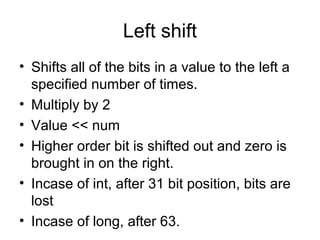
Left shift
• Shifts all of the bits in a value to the left a
specified number of times.
• Multiply by 2
• Value << num
• Higher order bit is shifted out and zero is
brought in on the right.
• Incase of int, after 31 bit position, bits are
lost
• Incase of long, after 63.
class ByteShift{
public static void main(String args[])
{
byte a=64,b;
int i;
i=a<<2;
b=(byte)(a<<2);
System.out.println("Original value of a :"+a);
System.out.println("i and b :"+i+" " +b);
}
}
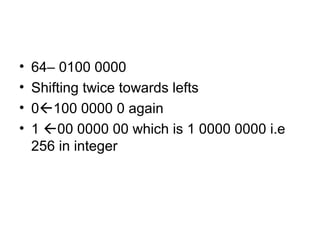
• 64– 0100 0000
• Shifting twice towards lefts
• 0100 0000 0 again
• 1 00 0000 00 which is 1 0000 0000 i.e
256 in integer
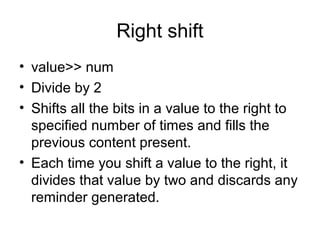
Right shift
• value>> num
• Divide by 2
• Shifts all the bits in a value to the right to
specified number of times and fills the
previous content present.
• Each time you shift a value to the right, it
divides that value by two and discards any
reminder generated.
class RightByteShift{
public static void main(String args[])
{
byte a=8;
int i;
i=a>>2;
System.out.println("value of a :"+a);
System.out.println("value of i:"+i);
}
}
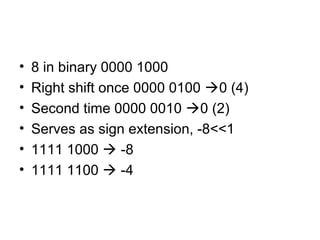
• 8 in binary 0000 1000
• Right shift once 0000 0100 0 (4)
• Second time 0000 0010 0 (2)
• Serves as sign extension, -8<<1
• 1111 1000  -8
• 1111 1100  -4
Unsigned right shift >>>
• Sometimes keeping the sign shifted is
undesireble, if your shifting something that
does not represent a numeric value
• Pixel based values , graphics
• It shifts zero into higher order bits
class UnsignedRightShift{
public static void main(String args[])
{
int a=-1;
a=a>>24;
System.out.println("value of a after right shift:"+a);
a=a>>>24;
System.out.println("value of a after unsigned right
shift:"+a);
}
}
?: operator
• Exp1 ? Exp 2 : Exp 3
• Exp1 can be any expression that
evaluates to boolean
• If exp1 is true, exp2 will be executed
• If exp1 is false, exp3 will be executed.
• Both exp2 and exp3 should return the
same type, which cant be void.
• Ratio=denom==0 ? 0 : num/denom;
class Ternary{
public static void main(String args[]){
int i,k;
i=10;
k=i <0 ? -i : i;
System.out.print("Absolute value of ");
System.out.println(i+" is "+k);
i=-10;
k=i <0 ? -i : i;
System.out.print("Absolute value of ");
System.out.println(i+" is "+k);
}
}
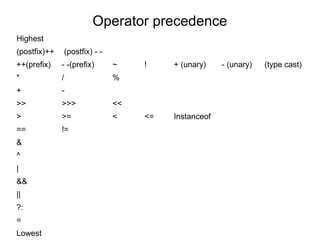
Operator precedence
Highest
(postfix)++ (postfix) - -
++(prefix) - -(prefix) ~ ! + (unary) - (unary) (type cast)
* / %
+ -
>> >>> <<
> >= < <= Instanceof
== !=
&
^
|
&&
||
?:
=
Lowest
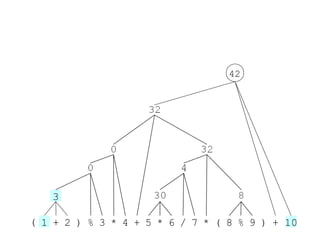
( 1 + 2 ) % 3 * 4 + 5 * 6 / 7 * ( 8 % 9 ) + 10
3
42
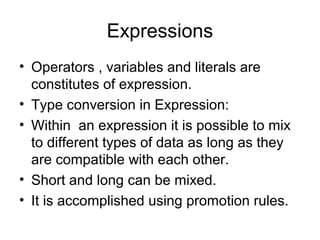
Expressions
• Operators , variables and literals are
constitutes of expression.
• Type conversion in Expression:
• Within an expression it is possible to mix
to different types of data as long as they
are compatible with each other.
• Short and long can be mixed.
• It is accomplished using promotion rules.
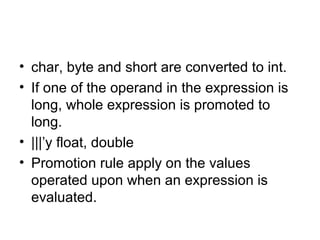
• char, byte and short are converted to int.
• If one of the operand in the expression is
long, whole expression is promoted to
long.
• |||’y float, double
• Promotion rule apply on the values
operated upon when an expression is
evaluated.
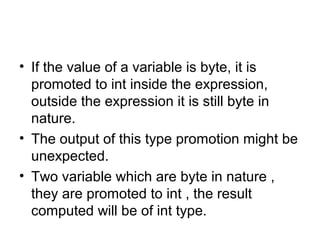
• If the value of a variable is byte, it is
promoted to int inside the expression,
outside the expression it is still byte in
nature.
• The output of this type promotion might be
unexpected.
• Two variable which are byte in nature ,
they are promoted to int , the result
computed will be of int type.
class PromoDemo{
public static void main(String args[])
{
byte b;
int i;
b=10;
i=b*b;
b=10;
//b=(byte) (b*b);
b=(b*b);
System.out.println("i and b:"+i+"t"+b);
}
}
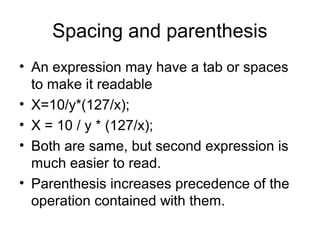
Spacing and parenthesis
• An expression may have a tab or spaces
to make it readable
• X=10/y*(127/x);
• X = 10 / y * (127/x);
• Both are same, but second expression is
much easier to read.
• Parenthesis increases precedence of the
operation contained with them.
• Use of additional parenthesis will not lead
to any kind of errors.
• X=y/3-34*temp+127;
• X= (y/3) – (34*temp) + 127;

Data types and Operators

  • 1.
    Unit 1-Chapter 2 Datatypes and operators
  • 2.
    contents • Primitive types •Literals • Variables • The scope and lifetime of variables • Operators • Type conversion in assignments • Casting the incompatible types • Operator precedence • Expression
  • 3.
    Primitive types • Twocategories of built-in data types: – Object-oriented – Non-object oriented • There are 8 primitive data types offered by java which are • Boolean, byte, char, double, float, int, long, short • Java specifies a range and behavior for each primitives type.
  • 4.
    Integers • Four typesof integers : byte, short, int, long Type Range Width byte -128 to 127 8 short -32,768 to 32,767 16 int -2,147,483,648 to 2,147,483,647 32 long -9,223,372,036,854,775,808 to 9,223,372,036,854,775,807 64
  • 5.
    class Inches{ public staticvoid main(Strings args[]){ long ci; long im; im=5280*12; ci=im*im*im; System.out.println(“There are”+ci+” cubic inches in a mile”); }//end of the main } //end of the Inches class Output ??
  • 6.
    Floating point types •Two kinds of floating point • float-single precision-32bits wide • Double-double precision-64 bits wide • sqrt( ) used to find a square root of a number which returns a double value
  • 7.
    Pythagoras theorem class PthyThm{ publicstatic void main(Strings args[]){ double x,y,z; x=3; y=4; z=Math.sqrt(x*x+y*y); System.out.println(“Hypotenuse is “+z); } }//end of PthyThm Output ??
  • 8.
    Charecters • Unsigned 16bit type having a range of 0 to 65,536 • Character variable can be assigned a value by enclosing the character in a single quotes char ch; ch= ‘X’; System.out.println(“This is the value of ch:”+ch);
  • 9.
    • Arithmetic manipulationscan be performed on the character variable class CharArithDemo{ public static void main(Strings args []){ char ch; ch=‘X’; Sytem.out.println(“The value of ch:”+ch); ch++; Sytem.out.println(“The value of ch:”+ch); ch=90; Sytem.out.println(“The value of ch:”+ch); } } Output ??
  • 10.
    Boolean type • Representstrue / false values • Java uses keywords “true” and “false” • A variable can be one of these type and not both at the same time. • Program to demonstrate boolean type
  • 11.
    class BoolDemo { publicstatic void main(String args[]) boolean b; b=false; System.out.println(“b is :”+b); b=true; System.out.println(“b is :”+b); if(b) Sytem.out.println(“this is executed”); b=false; if(b) System.out.println(“This is not executed..”); System.out.println(“10>9 is “+ (10>9)); } } Output ??
  • 12.
    Literals • Literals referto fixed values that are represented in their human readable form • Eg: 100 – constant • Literals can be of any primitive types • Integer literals are numbers without fractional components • Eg: 10, -100,450 • By default literals are of the type integer • long int literal can be represented with a prefix L • Eg: 12L
  • 13.
    • Float literalscan be specified by mentioned f or F after the constant. • Eg 10.95f • Hexadecimal-base 16- 0 to 9 , A to F which stands for 10-15 • Hexadecimal literal should begin with 0x or 0X (zero follower by x or X) • Hex=0xFF; //255 in decimal
  • 14.
    • Octal-base 8-0 to 7 • Oct=011; (begins with zero) • Binary –base 2 – 0 or 1 • Precede the binary number with 0b or 0B • 12 in binary 0b1100
  • 15.
    Character escape sequences •Also called as Backslash character constants Escape sequence Description ’ Single quote ” Double quote Backslash r Carriage return n New line f Form feed t Horizontal tab b backspacem
  • 16.
    class CharecterEx{ public staticvoid main(String args[]){ char ch; ch=‘t’; System.out.println(“5”+ch+”00”); ch=‘’’; System.out.println(“5”+ch+”00”); } } Output ??
  • 17.
    String literals • Astring is a set of characters enclosed by double quotes. • “this is a test string” class Strdemo{ public static void main(String args[]){ System.out.println(“First linesecond line”); System.out.println(“AtBtC”); System.out.println(“DtEtF”); } }
  • 18.
    variables • Syntax type variable_name; • Type – data type that variable belongs to • When you create a variable, you are creating instance of its type. • boolean variable cannot store a floating point value • int variable cannot store a character value in it.
  • 19.
    Initializing a variable •type var=value; • Value is the value that is stored in variable named var when it is created. • int count=10; • char ch=‘x’; • float f1=12.5; • Same type variables can be declared and assigned together in a single line • For eg: int a,b=10,c=15 , d;
  • 20.
    • Dynamic initialization classDynamic{ public static void main(String args[]) { double radius=4,height=5; double vol=3.14*radius*radius*height; System.out.println(“Volume is :”+vol); } } Output ?? Radius and height are initialized locally Vol is initialised dynamically
  • 21.
    The scope andlifetime of variables • Java allows to declare variables in any block. • Block begins with a open and close curly brace • Block defines a scope • Scope determines what objects are visible to other parts of your program, also lifetime of objects.
  • 22.
    • Many languagesdefines scope in two categories : global and local • Java defines : by or within a method • Scope defined by method begins with a opening curly braces, parameters of the method are included within method’s scope. • Variables declared inside a scope are not visible to code that is defined outside the scope.
  • 23.
    • Scope providesfoundation for encapsulation. • Scopes can be nested • Outer scope , inner scope. • Outer scope variables will be visible for inner scope but vice versa is not true.
  • 24.
    class ScopeDemo{ public staticvoid main(String args[]) { int x=10; if(x ==10) { int y=20; System.out.println(“x =”+x+”y= ”+y); x=y*2; } y=100; System.out.println(“x =“+x); } Output ??
  • 25.
    • Variables arecreated when their scope is entered and destroyed when their scope is left. • Values of the variables are lost as soon they are out of the scope. • Thu lifetime is confined to scope. • Variable includes an intializer, that variable will reinitialized each time the block In which it is declared is entered.
  • 26.
    class VarInitDemo{ public staticvoid main(String args[]){ int x; for(x=0;x<3;x++) { int y=-1; System.out.println(“y=“+y); y=100; System.out.println(“y=“+y); } } } Output ? ?
  • 27.
    • No variabledeclared within an inner scope can have the same name as a variable declared by enclosing scope. class NestVar{ public static void main(String args[]){ int i; for(i=0;i<10;i++) { System.out.println(“Value of i =:”+i); int i; // illegal – throws error for(i=0;i<2;i++) System.out.println(“Incorrect program!!”); } } } Output ??
  • 28.
    Operators • An operatoris a symbol that tells the computer to perform a specific mathematical or logical manipulation. • Four categories : – Arithmetic – Bitwise – Relational – Logical
  • 29.
    Arithmetic operators Operator Meaning +Addition - Subtraction * Multiplication / Division % Modulus ++ Increment -- decrement
  • 30.
    class ModDemo{ public staticvoid main(String args[]){ int iresult,irem; double dresult,drem; iresult=10/3; irem=10%3; dresult=10.0/3.0; drem=10.0%3.0; System.out.println(“Result and remainder of 10/3 is :” +iresult+ “ “ +irem); System.out.println(“Result and remainder of 10/3 is :” +dresult+ “ “ +drem); } } Output ??
  • 31.
    Increment ++ andDecrement -- • Increment operator adds 1 to its operand and decrement operator subtracts 1 • x=x+1 is same as x++ • x=x-1 is same as x— • Two forms for both , postfix and prefix form • Postfix x++ , x- - • Prefix ++x,--x
  • 32.
    • x=10; • y=++x; •Value of y =11 and x=10 • X=10; • Y=X++; • Here Y=10 and x=11;
  • 33.
    Relational and Logicaloperators • relational refers to the relationship that values can have with one another • Logical refers to the ways in which true and false values can be connected together. • The outcome of both relational and logical operators is boolean value Operator Meaning == Equal to != Not Equal to > Greater than < Less than >= Greater than or equal to <= Less than or equal to Operator Meaning & AND | OR ^ XOR || Short-circuit OR && Short-circuit AND ! NOT
  • 34.
    p q p& q p | q p ^ q !p T T T T F F T F F T T F F T F T T T F F F F F T
  • 35.
    class RelOps{ public staticvoid main(String args[]) { int i=10,j=11; if(i<j) System.out.println(“i < j”); if(i<=j) System.out.println(“i <= j”); if(i!=j) System.out.println(“i != j”); if(i == j) System.out.println(“this wont execute!”); if(i >= j) System.out.println(“this wont execute!”); if(i > j) System.out.println(“this wont execute!”); } }
  • 36.
    class LogOps{ public staticvoid main(String args[]) { boolean b1=true,b2=false; if(b1 & b2) System.out.println(“This wont execute”); if(!(b1 & b2)) System.out.println(“! (b1&b2) is true..”); if( b1|b2) System.out.println(“b1 | b2 is true”); if(b1 ^ b2) System.out.println(“ b1 ^ b2 is true..”); } }
  • 37.
    Short-circuit logical operators •In AND operation, if first operand is false , the result is false, no need to evaluate the second operand. • In OR operation, if first operand is true, the result is true, no need of evaluating the second operand. • By not evaluating second operand, time is saved and more efficient code is produced. • Short circuit AND / conditional AND operator ( && ) • Short circuit OR / conditional OR operator ( || ) • In short circuit operator, the second operand is evaluated when it is necessary rest functionality is similar to & or |
  • 38.
    class SCOpr{ public staticvoid main(String args[]){ int n=10,d=2,q; if( d!=0 && (n%d) ==0) System.out.println(d+ “is a factor of “+n); d=0; if( d!=0 && (n%d) ==0) System.out.println(d+ “is a factor of “+n); } }
  • 39.
    Assignment operator • Assignmentoperator is a single equal to sign • var=expression • int x,y,z; • x=y=z=100; • All the variables are initialized with the value 100
  • 40.
    Shorthand assignments • x=x+10; •x+=10; • += operator pair tells the compiler to assign the value of x plus 10 • y=y-10; • y-=10; • += -= *= /= %= &= |= ^=
  • 41.
    Type conversion inassignments • Assigning one type variable to another type • int to float variable int i=10; float f; f = i; • Compatible types are implicitly type casted, it is performed automatically, the value of i is converted to float and then it is stored into f. • boolean to int not compatible.
  • 42.
    • Automatic conversiontakes place only if – The two types are compatible – The destination is larger than the source type. • byte to int , automatic conversion takes place • Eg: LtoD.java • No automatic conversion from numeric type to char or boolean.
  • 43.
    Casting Incompatible types •A cast is a instruction to the compiler to convert one type into another. • General form: • (target-type)expresion double x,y; int z; z=(int)(x/y); • Why is parenthesis around x/y is necessary?
  • 44.
    • During casting,i.e. narrowing conversion, the value of the information might be lost. • From long to short type. • From float to int.
  • 45.
    class CastDemo{ public staticvoid main(String args[]){ double x=10.0,y=3.0; byte b; int i; char ch; i=(int)(x/y); System.out.println("Integer division of x/y is:"+i); //range of byte is -128 to 127 i=100; b=(byte)i; System.out.println("Value of b:"+b); i=257; b=(byte)i; //out of range System.out.println("Value of b:"+b); b=88; //ascii for letter x ch=(char)b; System.out.println("ch:"+ch); } }
  • 46.
    Shift operator • Leftshift << • Right shift >> • Unsigned right shift >>>
  • 47.
    Left shift • Shiftsall of the bits in a value to the left a specified number of times. • Multiply by 2 • Value << num • Higher order bit is shifted out and zero is brought in on the right. • Incase of int, after 31 bit position, bits are lost • Incase of long, after 63.
  • 48.
    class ByteShift{ public staticvoid main(String args[]) { byte a=64,b; int i; i=a<<2; b=(byte)(a<<2); System.out.println("Original value of a :"+a); System.out.println("i and b :"+i+" " +b); } }
  • 49.
    • 64– 01000000 • Shifting twice towards lefts • 0100 0000 0 again • 1 00 0000 00 which is 1 0000 0000 i.e 256 in integer
  • 50.
    Right shift • value>>num • Divide by 2 • Shifts all the bits in a value to the right to specified number of times and fills the previous content present. • Each time you shift a value to the right, it divides that value by two and discards any reminder generated.
  • 51.
    class RightByteShift{ public staticvoid main(String args[]) { byte a=8; int i; i=a>>2; System.out.println("value of a :"+a); System.out.println("value of i:"+i); } }
  • 52.
    • 8 inbinary 0000 1000 • Right shift once 0000 0100 0 (4) • Second time 0000 0010 0 (2) • Serves as sign extension, -8<<1 • 1111 1000  -8 • 1111 1100  -4
  • 53.
    Unsigned right shift>>> • Sometimes keeping the sign shifted is undesireble, if your shifting something that does not represent a numeric value • Pixel based values , graphics • It shifts zero into higher order bits
  • 54.
    class UnsignedRightShift{ public staticvoid main(String args[]) { int a=-1; a=a>>24; System.out.println("value of a after right shift:"+a); a=a>>>24; System.out.println("value of a after unsigned right shift:"+a); } }
  • 55.
    ?: operator • Exp1? Exp 2 : Exp 3 • Exp1 can be any expression that evaluates to boolean • If exp1 is true, exp2 will be executed • If exp1 is false, exp3 will be executed. • Both exp2 and exp3 should return the same type, which cant be void. • Ratio=denom==0 ? 0 : num/denom;
  • 56.
    class Ternary{ public staticvoid main(String args[]){ int i,k; i=10; k=i <0 ? -i : i; System.out.print("Absolute value of "); System.out.println(i+" is "+k); i=-10; k=i <0 ? -i : i; System.out.print("Absolute value of "); System.out.println(i+" is "+k); } }
  • 57.
    Operator precedence Highest (postfix)++ (postfix)- - ++(prefix) - -(prefix) ~ ! + (unary) - (unary) (type cast) * / % + - >> >>> << > >= < <= Instanceof == != & ^ | && || ?: = Lowest
  • 58.
    ( 1 +2 ) % 3 * 4 + 5 * 6 / 7 * ( 8 % 9 ) + 10 3 42
  • 59.
    Expressions • Operators ,variables and literals are constitutes of expression. • Type conversion in Expression: • Within an expression it is possible to mix to different types of data as long as they are compatible with each other. • Short and long can be mixed. • It is accomplished using promotion rules.
  • 60.
    • char, byteand short are converted to int. • If one of the operand in the expression is long, whole expression is promoted to long. • |||’y float, double • Promotion rule apply on the values operated upon when an expression is evaluated.
  • 61.
    • If thevalue of a variable is byte, it is promoted to int inside the expression, outside the expression it is still byte in nature. • The output of this type promotion might be unexpected. • Two variable which are byte in nature , they are promoted to int , the result computed will be of int type.
  • 62.
    class PromoDemo{ public staticvoid main(String args[]) { byte b; int i; b=10; i=b*b; b=10; //b=(byte) (b*b); b=(b*b); System.out.println("i and b:"+i+"t"+b); } }
  • 63.
    Spacing and parenthesis •An expression may have a tab or spaces to make it readable • X=10/y*(127/x); • X = 10 / y * (127/x); • Both are same, but second expression is much easier to read. • Parenthesis increases precedence of the operation contained with them.
  • 64.
    • Use ofadditional parenthesis will not lead to any kind of errors. • X=y/3-34*temp+127; • X= (y/3) – (34*temp) + 127;