Data Resource Management

   A managerial activity
   Applies information systems technology to
    managing data resources
What is a DataBase?
   Database – a collection of related data organized in
    a way to facilitate data processing (ie searches)
   DBMS – Database Management Systems
       Use a DBMS software to create, store, organize, and
        retrieve data from a single database or several databases

       Example: Microsoft Access
Foundation Data Concepts

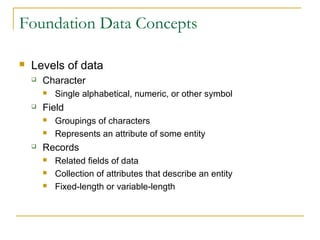
   Levels of data
       Character
           Single alphabetical, numeric, or other symbol
       Field
           Groupings of characters
           Represents an attribute of some entity
       Records
           Related fields of data
           Collection of attributes that describe an entity
           Fixed-length or variable-length
Foundation Data Concepts (continued)
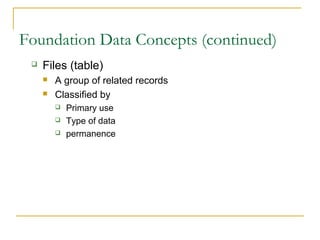
    Files (table)
        A group of related records
        Classified by
            Primary use
            Type of data
            permanence
Foundation Data Concepts (continued)
      Data Elements
Foundation Data Concepts (continued)
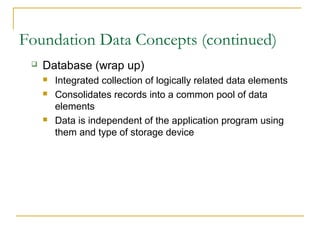
    Database (wrap up)
        Integrated collection of logically related data elements
        Consolidates records into a common pool of data
         elements
        Data is independent of the application program using
         them and type of storage device
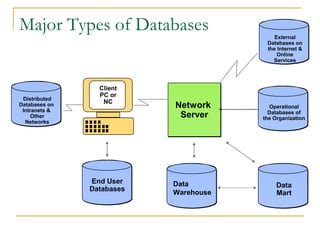
Major Types of Databases                   External
                                        Databases on
                                        the Internet &
                                            Online
                                          Services


                 Client
                 PC or
 Distributed
                  NC
Databases on
 Intranets &
                           Network       Operational
                                         Databases of
     Other                  Server     the Organization
  Networks


               End User    Data             Data
               Databases   Warehouse        Mart
Types of Databases

   Operational
       Supports business processes and operations
       Also called subject-area databases, transaction
        databases, and production databases.
       These also include databases of Internet and
        electronic commerce activity, such as click
        stream data or data describing online behavior
        of visitors at a company’s website.
Types of Databases (continued)

    Distributed
        Replicated and distributed copies or parts of
         databases on network servers at a variety of sites.
        Done to improve database performance and security
        These are the databases of local workgroups and
         departments at regional offices, branch offices, and other
         work sites needed to complete the task at hand.
Data Warehouse Databases. These store data
 from current and previous years that has been
 extracted from the various operational and
 management databases of the organization. As
 a standardized and integrated central source of
 data, warehouses can be used by managers for
 pattern processing, where key factors and trends
 about operations can be identified from the
 historical record.
   Data Marts. Are subsets of the data included in
    a Data Warehouse which focus on specific
    aspects of a company, e.g. department,
    business process, etc.
   End User Databases. These consist of a variety
    of data files developed by end users at their
    workstations. For example, an end user in sales
    might combine information on a customer’s
    order history with her own notes and
    impressions from face-to-face meetings to
    improve follow-up.
   External Databases. Many organizations make
    use of privately generated and owned online
    databases or data banks that specialize in a
    particular area of interest. Access is usually
    through a subscription for continuing links or a
    one-time fee for a specific piece of information
    (like the results of a single search). Other
    sources like those found on the Web are free.
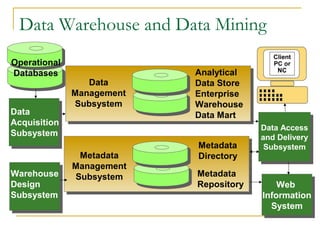
Data Warehouse and Data Mining
                                           Client
Operational                                PC or
                           Analytical       NC
Databases
                 Data      Data Store
              Management   Enterprise
              Subsystem    Warehouse
Data                       Data Mart
Acquisition
                                        Data Access
                                         Data Access
Subsystem                               and Delivery
                                         and Delivery
                           Metadata      Subsystem
                                          Subsystem
               Metadata    Directory
              Management
Warehouse     Subsystem    Metadata
Design                     Repository       Web
                                             Web
Subsystem                               Information
                                         Information
                                           System
                                           System
Data Warehouses and Data Mining
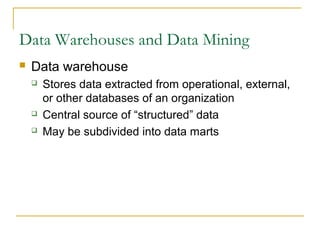
   Data warehouse
       Stores data extracted from operational, external,
        or other databases of an organization
       Central source of “structured” data
       May be subdivided into data marts
How Organizations Get the Most
from Their Data
   Data Mining
       A method for better understanding data
       Information on customers, products, markets, etc.
       Drill down: from summary to more detailed data
       Sort and extract information
       Trends, correlations, forecasting, statistics
How Organizations Get the
Most from Their Data
   Data Mining
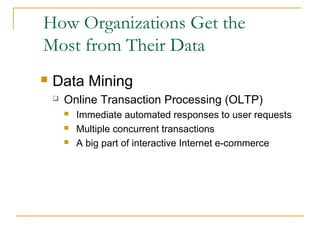
       Online Transaction Processing (OLTP)
           Immediate automated responses to user requests
           Multiple concurrent transactions
           A big part of interactive Internet e-commerce
How Organizations Get the
Most from Their Data
   Data Mining
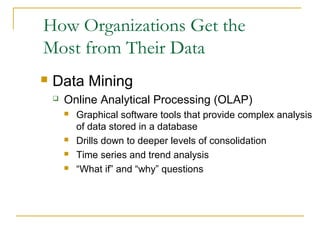
       Online Analytical Processing (OLAP)
           Graphical software tools that provide complex analysis
            of data stored in a database
           Drills down to deeper levels of consolidation
           Time series and trend analysis
           “What if” and “why” questions
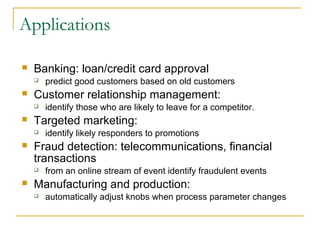
Applications

   Banking: loan/credit card approval
       predict good customers based on old customers
   Customer relationship management:
       identify those who are likely to leave for a competitor.
   Targeted marketing:
       identify likely responders to promotions
   Fraud detection: telecommunications, financial
    transactions
       from an online stream of event identify fraudulent events
   Manufacturing and production:
       automatically adjust knobs when process parameter changes
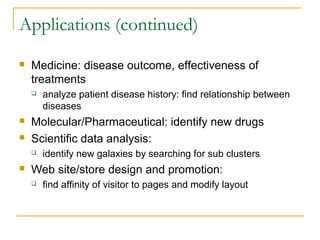
Applications (continued)
   Medicine: disease outcome, effectiveness of
    treatments
       analyze patient disease history: find relationship between
        diseases
   Molecular/Pharmaceutical: identify new drugs
   Scientific data analysis:
       identify new galaxies by searching for sub clusters
   Web site/store design and promotion:
       find affinity of visitor to pages and modify layout
Data Mining in Use

   Basketball teams use it to track game strategy
   Cross Selling
   Target Marketing
   Holding on to Good Customers
   Weeding out Bad Customers

data resource management

  • 1.
  • 2.
    Data Resource Management  A managerial activity  Applies information systems technology to managing data resources
  • 3.
    What is aDataBase?  Database – a collection of related data organized in a way to facilitate data processing (ie searches)  DBMS – Database Management Systems  Use a DBMS software to create, store, organize, and retrieve data from a single database or several databases  Example: Microsoft Access
  • 4.
    Foundation Data Concepts  Levels of data  Character  Single alphabetical, numeric, or other symbol  Field  Groupings of characters  Represents an attribute of some entity  Records  Related fields of data  Collection of attributes that describe an entity  Fixed-length or variable-length
  • 5.
    Foundation Data Concepts(continued)  Files (table)  A group of related records  Classified by  Primary use  Type of data  permanence
  • 6.
    Foundation Data Concepts(continued)  Data Elements
  • 7.
    Foundation Data Concepts(continued)  Database (wrap up)  Integrated collection of logically related data elements  Consolidates records into a common pool of data elements  Data is independent of the application program using them and type of storage device
  • 8.
    Major Types ofDatabases External Databases on the Internet & Online Services Client PC or Distributed NC Databases on Intranets & Network Operational Databases of Other Server the Organization Networks End User Data Data Databases Warehouse Mart
  • 9.
    Types of Databases  Operational  Supports business processes and operations  Also called subject-area databases, transaction databases, and production databases.  These also include databases of Internet and electronic commerce activity, such as click stream data or data describing online behavior of visitors at a company’s website.
  • 10.
    Types of Databases(continued)  Distributed  Replicated and distributed copies or parts of databases on network servers at a variety of sites.  Done to improve database performance and security  These are the databases of local workgroups and departments at regional offices, branch offices, and other work sites needed to complete the task at hand.
  • 11.
    Data Warehouse Databases.These store data from current and previous years that has been extracted from the various operational and management databases of the organization. As a standardized and integrated central source of data, warehouses can be used by managers for pattern processing, where key factors and trends about operations can be identified from the historical record.
  • 12.
    Data Marts. Are subsets of the data included in a Data Warehouse which focus on specific aspects of a company, e.g. department, business process, etc.  End User Databases. These consist of a variety of data files developed by end users at their workstations. For example, an end user in sales might combine information on a customer’s order history with her own notes and impressions from face-to-face meetings to improve follow-up.
  • 13.
    External Databases. Many organizations make use of privately generated and owned online databases or data banks that specialize in a particular area of interest. Access is usually through a subscription for continuing links or a one-time fee for a specific piece of information (like the results of a single search). Other sources like those found on the Web are free.
  • 14.
    Data Warehouse andData Mining Client Operational PC or Analytical NC Databases Data Data Store Management Enterprise Subsystem Warehouse Data Data Mart Acquisition Data Access Data Access Subsystem and Delivery and Delivery Metadata Subsystem Subsystem Metadata Directory Management Warehouse Subsystem Metadata Design Repository Web Web Subsystem Information Information System System
  • 15.
    Data Warehouses andData Mining  Data warehouse  Stores data extracted from operational, external, or other databases of an organization  Central source of “structured” data  May be subdivided into data marts
  • 16.
    How Organizations Getthe Most from Their Data  Data Mining  A method for better understanding data  Information on customers, products, markets, etc.  Drill down: from summary to more detailed data  Sort and extract information  Trends, correlations, forecasting, statistics
  • 17.
    How Organizations Getthe Most from Their Data  Data Mining  Online Transaction Processing (OLTP)  Immediate automated responses to user requests  Multiple concurrent transactions  A big part of interactive Internet e-commerce
  • 18.
    How Organizations Getthe Most from Their Data  Data Mining  Online Analytical Processing (OLAP)  Graphical software tools that provide complex analysis of data stored in a database  Drills down to deeper levels of consolidation  Time series and trend analysis  “What if” and “why” questions
  • 19.
    Applications  Banking: loan/credit card approval  predict good customers based on old customers  Customer relationship management:  identify those who are likely to leave for a competitor.  Targeted marketing:  identify likely responders to promotions  Fraud detection: telecommunications, financial transactions  from an online stream of event identify fraudulent events  Manufacturing and production:  automatically adjust knobs when process parameter changes
  • 20.
    Applications (continued)  Medicine: disease outcome, effectiveness of treatments  analyze patient disease history: find relationship between diseases  Molecular/Pharmaceutical: identify new drugs  Scientific data analysis:  identify new galaxies by searching for sub clusters  Web site/store design and promotion:  find affinity of visitor to pages and modify layout
  • 21.
    Data Mining inUse  Basketball teams use it to track game strategy  Cross Selling  Target Marketing  Holding on to Good Customers  Weeding out Bad Customers

Editor's Notes

  • #9 Six major types of databases are illustrated on the slide and used by computer-based organizations: Operational Databases . These databases store detailed data needed to support the operations of the entire organization. They are also called subject area databases (SADB), transaction databases, and production databases. These also include databases of Internet and electronic commerce activity, such as click stream data or data describing online behavior of visitors at a company’s website. Data Warehouse Databases . These store data from current and previous years that has been extracted from the various operational and management databases of the organization. As a standardized and integrated central source of data, warehouses can be used by managers for pattern processing, where key factors and trends about operations can be identified from the historical record. Data Marts . Are subsets of the data included in a Data Warehouse which focus on specific aspects of a company, e.g. department, business process, etc. Distributed Databases . These are the databases of local workgroups and departments at regional offices, branch offices, and other work sites needed to complete the task at hand. They include relevant information from other organizational databases combined with data and information generated only at the particular site. These databases can reside on network servers, on the World Wide Web, or on Intranets and Extranets. End User Databases . These consist of a variety of data files developed by end users at their workstations. For example, an end user in sales might combine information on a customer’s order history with her own notes and impressions from face-to-face meetings to improve follow-up. External Databases . Many organizations make use of privately generated and owned online databases or data banks that specialize in a particular area of interest. Access is usually through a subscription for continuing links or a one-time fee for a specific piece of information (like the results of a single search). Other sources like those found on the Web are free.
  • #15 A data warehouse stores data that has been extracted from various operational, external, and other databases within the organization. To create a data warehouse, data from various databases are captured, cleaned, e.g. sorted, filtered, converted, and transformed into data that can be better used for analysis. The data is then stored in the enterprise data warehouse, from where it can be moved into data marts or to an analytical data store that holds data to support certain types of analysis. Metadata , that defines the data in the data warehouse, is stored in a Metadata Directory that is used to support data administration. A variety of analytical software tools can then be used to query, report, and analyze data. One such means for analyzing data in a data warehouse is called data mining. In data mining , the data in a data warehouse are analyzed to reveal hidden patterns and trends in historical business activity. This can help managers make decisions about strategic changes in business operations.
  • #20 Any area where large amounts of historic data that if understood better can help shape future decisions.