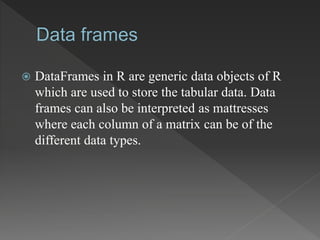
 DataFrames in R are generic data objects of R
which are used to store the tabular data. Data
frames can also be interpreted as mattresses
where each column of a matrix can be of the
different data types.
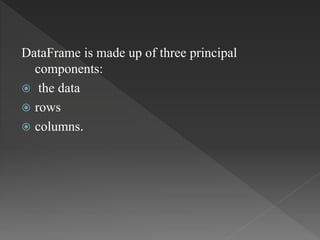
DataFrame is made up of three principal
components:
 the data
 rows
 columns.
Operations that can be performed on a DataFrame
are:
 Creating a DataFrame
 Accessing rows and columns
 Selecting the subset of the data frame
 Editing dataframes
 Adding extra rows and columns to the data frame
 Add new variables to dataframe based on
existing ones
 Delete rows and columns in a data frame
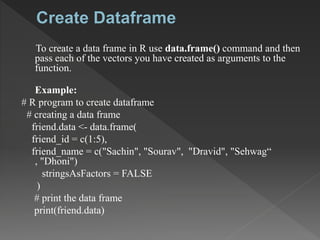
To create a data frame in R use data.frame() command and then
pass each of the vectors you have created as arguments to the
function.
Example:
# R program to create dataframe
# creating a data frame
friend.data <- data.frame(
friend_id = c(1:5),
friend_name = c("Sachin", "Sourav", "Dravid", "Sehwag“
, "Dhoni")
stringsAsFactors = FALSE
)
# print the data frame
print(friend.data)
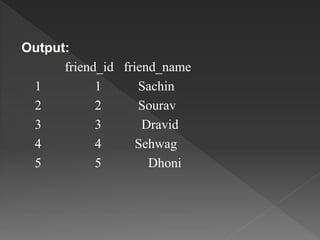
Output:
friend_id friend_name
1 1 Sachin
2 2 Sourav
3 3 Dravid
4 4 Sehwag
5 5 Dhoni
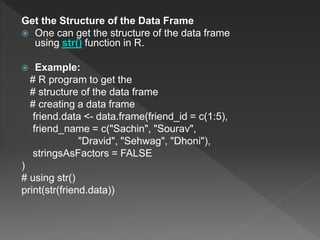
Get the Structure of the Data Frame
 One can get the structure of the data frame
using str() function in R.
 Example:
# R program to get the
# structure of the data frame
# creating a data frame
friend.data <- data.frame(friend_id = c(1:5),
friend_name = c("Sachin", "Sourav",
"Dravid", "Sehwag", "Dhoni"),
stringsAsFactors = FALSE
)
# using str()
print(str(friend.data))
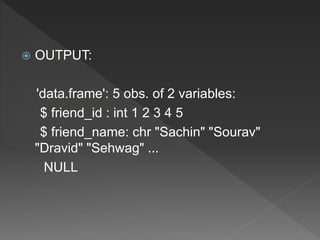
 OUTPUT:
'data.frame': 5 obs. of 2 variables:
$ friend_id : int 1 2 3 4 5
$ friend_name: chr "Sachin" "Sourav"
"Dravid" "Sehwag" ...
NULL
Data frame operations

Data frame operations

  • 2.
     DataFrames inR are generic data objects of R which are used to store the tabular data. Data frames can also be interpreted as mattresses where each column of a matrix can be of the different data types.
  • 3.
    DataFrame is madeup of three principal components:  the data  rows  columns.
  • 4.
    Operations that canbe performed on a DataFrame are:  Creating a DataFrame  Accessing rows and columns  Selecting the subset of the data frame  Editing dataframes  Adding extra rows and columns to the data frame  Add new variables to dataframe based on existing ones  Delete rows and columns in a data frame
  • 5.
    To create adata frame in R use data.frame() command and then pass each of the vectors you have created as arguments to the function. Example: # R program to create dataframe # creating a data frame friend.data <- data.frame( friend_id = c(1:5), friend_name = c("Sachin", "Sourav", "Dravid", "Sehwag“ , "Dhoni") stringsAsFactors = FALSE ) # print the data frame print(friend.data)
  • 6.
    Output: friend_id friend_name 1 1Sachin 2 2 Sourav 3 3 Dravid 4 4 Sehwag 5 5 Dhoni
  • 7.
    Get the Structureof the Data Frame  One can get the structure of the data frame using str() function in R.  Example: # R program to get the # structure of the data frame # creating a data frame friend.data <- data.frame(friend_id = c(1:5), friend_name = c("Sachin", "Sourav", "Dravid", "Sehwag", "Dhoni"), stringsAsFactors = FALSE ) # using str() print(str(friend.data))
  • 8.
     OUTPUT: 'data.frame': 5obs. of 2 variables: $ friend_id : int 1 2 3 4 5 $ friend_name: chr "Sachin" "Sourav" "Dravid" "Sehwag" ... NULL