IIS
(DEEMED TO BE UNIVERSITY)
Web Application Development (CBCA 304)
Topic : Date and time
Submitted By:
Garima
Agarwal
Garima Garg
Kajal Agarwal
Vinita kapoor
CONTENT
 JS Dates
 JS Dates Formats
 JS Date Get Methods
 JS Date Set Methods
Additional Topics
 Meta Tag
 Dialog Tag
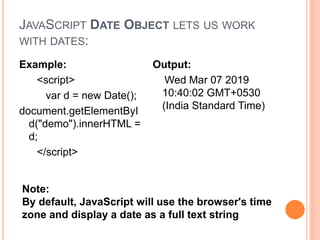
JAVASCRIPT DATE OBJECT LETS US WORK
WITH DATES:
Example:
<script>
var d = new Date();
document.getElementByI
d("demo").innerHTML =
d;
</script>
Output:
Wed Mar 07 2019
10:40:02 GMT+0530
(India Standard Time)
Note:
By default, JavaScript will use the browser's time
zone and display a date as a full text string
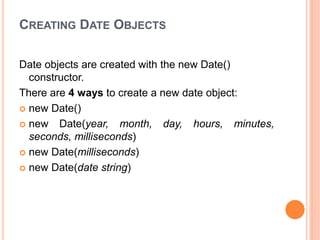
CREATING DATE OBJECTS
Date objects are created with the new Date()
constructor.
There are 4 ways to create a new date object:
 new Date()
 new Date(year, month, day, hours, minutes,
seconds, milliseconds)
 new Date(milliseconds)
 new Date(date string)
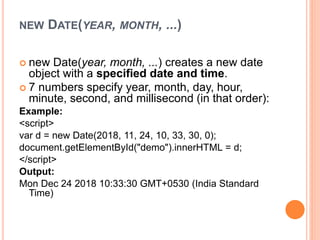
NEW DATE(YEAR, MONTH, ...)
 new Date(year, month, ...) creates a new date
object with a specified date and time.
 7 numbers specify year, month, day, hour,
minute, second, and millisecond (in that order):
Example:
<script>
var d = new Date(2018, 11, 24, 10, 33, 30, 0);
document.getElementById("demo").innerHTML = d;
</script>
Output:
Mon Dec 24 2018 10:33:30 GMT+0530 (India Standard
Time)
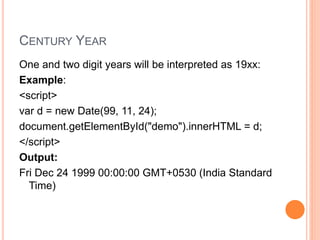
CENTURY YEAR
One and two digit years will be interpreted as 19xx:
Example:
<script>
var d = new Date(99, 11, 24);
document.getElementById("demo").innerHTML = d;
</script>
Output:
Fri Dec 24 1999 00:00:00 GMT+0530 (India Standard
Time)
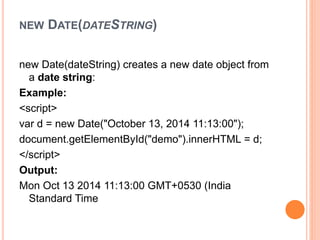
NEW DATE(DATESTRING)
new Date(dateString) creates a new date object from
a date string:
Example:
<script>
var d = new Date("October 13, 2014 11:13:00");
document.getElementById("demo").innerHTML = d;
</script>
Output:
Mon Oct 13 2014 11:13:00 GMT+0530 (India
Standard Time
JAVASCRIPT STORES DATES AS MILLISECONDS
 JavaScript stores dates as number of milliseconds
since January 01, 1970, 00:00:00 UTC (Universal
Time Coordinated).
 Zero time is January 01, 1970 00:00:00 UTC.
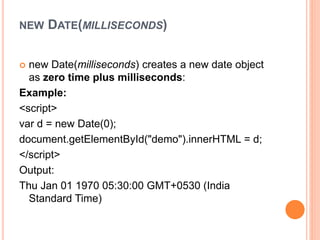
NEW DATE(MILLISECONDS)
 new Date(milliseconds) creates a new date object
as zero time plus milliseconds:
Example:
<script>
var d = new Date(0);
document.getElementById("demo").innerHTML = d;
</script>
Output:
Thu Jan 01 1970 05:30:00 GMT+0530 (India
Standard Time)
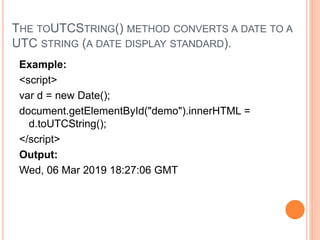
THE TOUTCSTRING() METHOD CONVERTS A DATE TO A
UTC STRING (A DATE DISPLAY STANDARD).
Example:
<script>
var d = new Date();
document.getElementById("demo").innerHTML =
d.toUTCString();
</script>
Output:
Wed, 06 Mar 2019 18:27:06 GMT
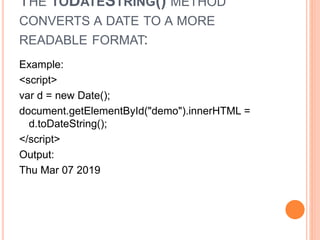
THE TODATESTRING() METHOD
CONVERTS A DATE TO A MORE
READABLE FORMAT:
Example:
<script>
var d = new Date();
document.getElementById("demo").innerHTML =
d.toDateString();
</script>
Output:
Thu Mar 07 2019
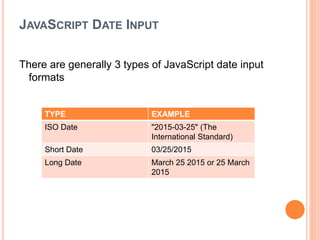
JAVASCRIPT DATE INPUT
There are generally 3 types of JavaScript date input
formats
TYPE EXAMPLE
ISO Date "2015-03-25" (The
International Standard)
Short Date 03/25/2015
Long Date March 25 2015 or 25 March
2015
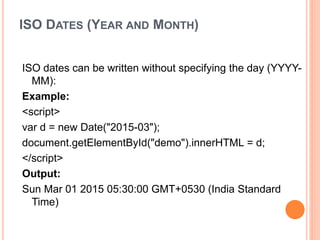
ISO DATES (YEAR AND MONTH)
ISO dates can be written without specifying the day (YYYY-
MM):
Example:
<script>
var d = new Date("2015-03");
document.getElementById("demo").innerHTML = d;
</script>
Output:
Sun Mar 01 2015 05:30:00 GMT+0530 (India Standard
Time)
TIME ZONES
 When setting a date, without specifying the time
zone, JavaScript will use the browser's time zone.
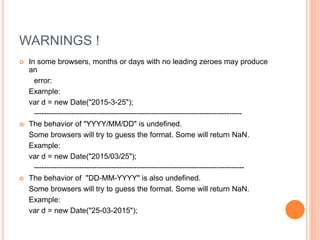
WARNINGS !
 In some browsers, months or days with no leading zeroes may produce
an
error:
Example:
var d = new Date("2015-3-25");
-----------------------------------------------------------------------------------
 The behavior of "YYYY/MM/DD" is undefined.
Some browsers will try to guess the format. Some will return NaN.
Example:
var d = new Date("2015/03/25");
------------------------------------------------------------------------------------
 The behavior of "DD-MM-YYYY" is also undefined.
Some browsers will try to guess the format. Some will return NaN.
Example:
var d = new Date("25-03-2015");
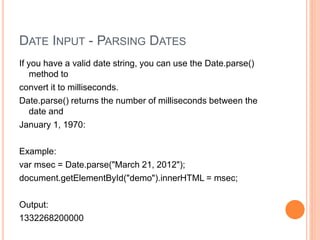
DATE INPUT - PARSING DATES
If you have a valid date string, you can use the Date.parse()
method to
convert it to milliseconds.
Date.parse() returns the number of milliseconds between the
date and
January 1, 1970:
Example:
var msec = Date.parse("March 21, 2012");
document.getElementById("demo").innerHTML = msec;
Output:
1332268200000
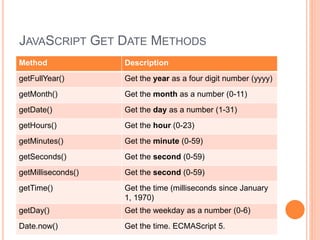
JAVASCRIPT GET DATE METHODS
Method Description
getFullYear() Get the year as a four digit number (yyyy)
getMonth() Get the month as a number (0-11)
getDate() Get the day as a number (1-31)
getHours() Get the hour (0-23)
getMinutes() Get the minute (0-59)
getSeconds() Get the second (0-59)
getMilliseconds() Get the second (0-59)
getTime() Get the time (milliseconds since January
1, 1970)
getDay() Get the weekday as a number (0-6)
Date.now() Get the time. ECMAScript 5.
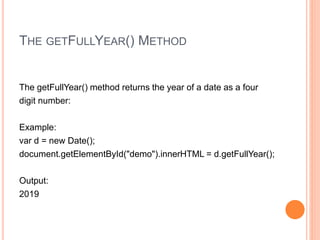
THE GETFULLYEAR() METHOD
The getFullYear() method returns the year of a date as a four
digit number:
Example:
var d = new Date();
document.getElementById("demo").innerHTML = d.getFullYear();
Output:
2019
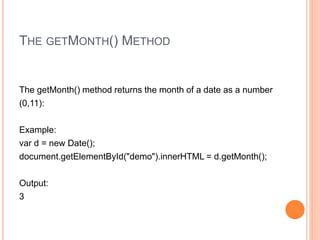
THE GETMONTH() METHOD
The getMonth() method returns the month of a date as a number
(0,11):
Example:
var d = new Date();
document.getElementById("demo").innerHTML = d.getMonth();
Output:
3
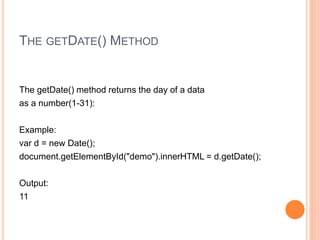
THE GETDATE() METHOD
The getDate() method returns the day of a data
as a number(1-31):
Example:
var d = new Date();
document.getElementById("demo").innerHTML = d.getDate();
Output:
11
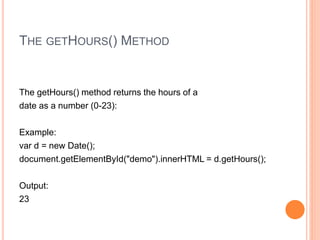
THE GETHOURS() METHOD
The getHours() method returns the hours of a
date as a number (0-23):
Example:
var d = new Date();
document.getElementById("demo").innerHTML = d.getHours();
Output:
23
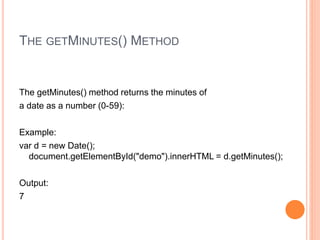
THE GETMINUTES() METHOD
The getMinutes() method returns the minutes of
a date as a number (0-59):
Example:
var d = new Date();
document.getElementById("demo").innerHTML = d.getMinutes();
Output:
7
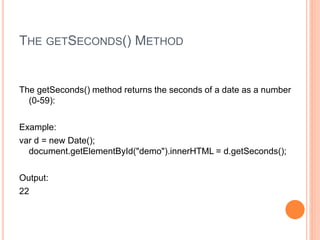
THE GETSECONDS() METHOD
The getSeconds() method returns the seconds of a date as a number
(0-59):
Example:
var d = new Date();
document.getElementById("demo").innerHTML = d.getSeconds();
Output:
22
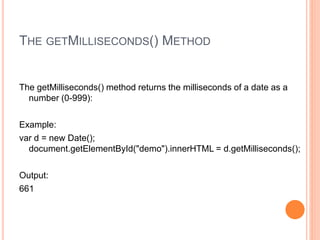
THE GETMILLISECONDS() METHOD
The getMilliseconds() method returns the milliseconds of a date as a
number (0-999):
Example:
var d = new Date();
document.getElementById("demo").innerHTML = d.getMilliseconds();
Output:
661
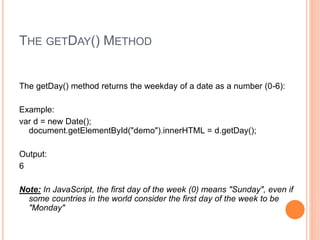
THE GETDAY() METHOD
The getDay() method returns the weekday of a date as a number (0-6):
Example:
var d = new Date();
document.getElementById("demo").innerHTML = d.getDay();
Output:
6
Note: In JavaScript, the first day of the week (0) means "Sunday", even if
some countries in the world consider the first day of the week to be
"Monday"
You can use an array of names, and getDay() to return the
weekday as a name:
Example:
var d = new Date();
var days = ["Sunday", "Monday", "Tuesday", "Wednesday",
"Thursday", "Friday", "Saturday"];
document.getElementById("demo").innerHTML =
days[d.getDay()];
Output:
Wednesday
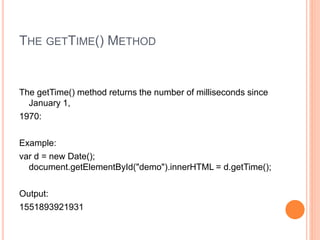
THE GETTIME() METHOD
The getTime() method returns the number of milliseconds since
January 1,
1970:
Example:
var d = new Date();
document.getElementById("demo").innerHTML = d.getTime();
Output:
1551893921931
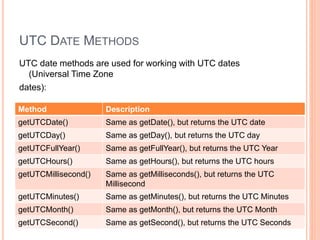
UTC DATE METHODS
UTC date methods are used for working with UTC dates
(Universal Time Zone
dates):
Method Description
getUTCDate() Same as getDate(), but returns the UTC date
getUTCDay() Same as getDay(), but returns the UTC day
getUTCFullYear() Same as getFullYear(), but returns the UTC Year
getUTCHours() Same as getHours(), but returns the UTC hours
getUTCMillisecond() Same as getMilliseconds(), but returns the UTC
Millisecond
getUTCMinutes() Same as getMinutes(), but returns the UTC Minutes
getUTCMonth() Same as getMonth(), but returns the UTC Month
getUTCSecond() Same as getSecond(), but returns the UTC Seconds
Data and time

Data and time

  • 1.
    IIS (DEEMED TO BEUNIVERSITY) Web Application Development (CBCA 304) Topic : Date and time Submitted By: Garima Agarwal Garima Garg Kajal Agarwal Vinita kapoor
  • 2.
    CONTENT  JS Dates JS Dates Formats  JS Date Get Methods  JS Date Set Methods Additional Topics  Meta Tag  Dialog Tag
  • 3.
    JAVASCRIPT DATE OBJECTLETS US WORK WITH DATES: Example: <script> var d = new Date(); document.getElementByI d("demo").innerHTML = d; </script> Output: Wed Mar 07 2019 10:40:02 GMT+0530 (India Standard Time) Note: By default, JavaScript will use the browser's time zone and display a date as a full text string
  • 4.
    CREATING DATE OBJECTS Dateobjects are created with the new Date() constructor. There are 4 ways to create a new date object:  new Date()  new Date(year, month, day, hours, minutes, seconds, milliseconds)  new Date(milliseconds)  new Date(date string)
  • 5.
    NEW DATE(YEAR, MONTH,...)  new Date(year, month, ...) creates a new date object with a specified date and time.  7 numbers specify year, month, day, hour, minute, second, and millisecond (in that order): Example: <script> var d = new Date(2018, 11, 24, 10, 33, 30, 0); document.getElementById("demo").innerHTML = d; </script> Output: Mon Dec 24 2018 10:33:30 GMT+0530 (India Standard Time)
  • 6.
    CENTURY YEAR One andtwo digit years will be interpreted as 19xx: Example: <script> var d = new Date(99, 11, 24); document.getElementById("demo").innerHTML = d; </script> Output: Fri Dec 24 1999 00:00:00 GMT+0530 (India Standard Time)
  • 7.
    NEW DATE(DATESTRING) new Date(dateString)creates a new date object from a date string: Example: <script> var d = new Date("October 13, 2014 11:13:00"); document.getElementById("demo").innerHTML = d; </script> Output: Mon Oct 13 2014 11:13:00 GMT+0530 (India Standard Time
  • 8.
    JAVASCRIPT STORES DATESAS MILLISECONDS  JavaScript stores dates as number of milliseconds since January 01, 1970, 00:00:00 UTC (Universal Time Coordinated).  Zero time is January 01, 1970 00:00:00 UTC.
  • 9.
    NEW DATE(MILLISECONDS)  newDate(milliseconds) creates a new date object as zero time plus milliseconds: Example: <script> var d = new Date(0); document.getElementById("demo").innerHTML = d; </script> Output: Thu Jan 01 1970 05:30:00 GMT+0530 (India Standard Time)
  • 10.
    THE TOUTCSTRING() METHODCONVERTS A DATE TO A UTC STRING (A DATE DISPLAY STANDARD). Example: <script> var d = new Date(); document.getElementById("demo").innerHTML = d.toUTCString(); </script> Output: Wed, 06 Mar 2019 18:27:06 GMT
  • 11.
    THE TODATESTRING() METHOD CONVERTSA DATE TO A MORE READABLE FORMAT: Example: <script> var d = new Date(); document.getElementById("demo").innerHTML = d.toDateString(); </script> Output: Thu Mar 07 2019
  • 13.
    JAVASCRIPT DATE INPUT Thereare generally 3 types of JavaScript date input formats TYPE EXAMPLE ISO Date "2015-03-25" (The International Standard) Short Date 03/25/2015 Long Date March 25 2015 or 25 March 2015
  • 14.
    ISO DATES (YEARAND MONTH) ISO dates can be written without specifying the day (YYYY- MM): Example: <script> var d = new Date("2015-03"); document.getElementById("demo").innerHTML = d; </script> Output: Sun Mar 01 2015 05:30:00 GMT+0530 (India Standard Time)
  • 15.
    TIME ZONES  Whensetting a date, without specifying the time zone, JavaScript will use the browser's time zone.
  • 16.
    WARNINGS !  Insome browsers, months or days with no leading zeroes may produce an error: Example: var d = new Date("2015-3-25"); -----------------------------------------------------------------------------------  The behavior of "YYYY/MM/DD" is undefined. Some browsers will try to guess the format. Some will return NaN. Example: var d = new Date("2015/03/25"); ------------------------------------------------------------------------------------  The behavior of "DD-MM-YYYY" is also undefined. Some browsers will try to guess the format. Some will return NaN. Example: var d = new Date("25-03-2015");
  • 17.
    DATE INPUT -PARSING DATES If you have a valid date string, you can use the Date.parse() method to convert it to milliseconds. Date.parse() returns the number of milliseconds between the date and January 1, 1970: Example: var msec = Date.parse("March 21, 2012"); document.getElementById("demo").innerHTML = msec; Output: 1332268200000
  • 18.
    JAVASCRIPT GET DATEMETHODS Method Description getFullYear() Get the year as a four digit number (yyyy) getMonth() Get the month as a number (0-11) getDate() Get the day as a number (1-31) getHours() Get the hour (0-23) getMinutes() Get the minute (0-59) getSeconds() Get the second (0-59) getMilliseconds() Get the second (0-59) getTime() Get the time (milliseconds since January 1, 1970) getDay() Get the weekday as a number (0-6) Date.now() Get the time. ECMAScript 5.
  • 19.
    THE GETFULLYEAR() METHOD ThegetFullYear() method returns the year of a date as a four digit number: Example: var d = new Date(); document.getElementById("demo").innerHTML = d.getFullYear(); Output: 2019
  • 20.
    THE GETMONTH() METHOD ThegetMonth() method returns the month of a date as a number (0,11): Example: var d = new Date(); document.getElementById("demo").innerHTML = d.getMonth(); Output: 3
  • 21.
    THE GETDATE() METHOD ThegetDate() method returns the day of a data as a number(1-31): Example: var d = new Date(); document.getElementById("demo").innerHTML = d.getDate(); Output: 11
  • 22.
    THE GETHOURS() METHOD ThegetHours() method returns the hours of a date as a number (0-23): Example: var d = new Date(); document.getElementById("demo").innerHTML = d.getHours(); Output: 23
  • 23.
    THE GETMINUTES() METHOD ThegetMinutes() method returns the minutes of a date as a number (0-59): Example: var d = new Date(); document.getElementById("demo").innerHTML = d.getMinutes(); Output: 7
  • 24.
    THE GETSECONDS() METHOD ThegetSeconds() method returns the seconds of a date as a number (0-59): Example: var d = new Date(); document.getElementById("demo").innerHTML = d.getSeconds(); Output: 22
  • 25.
    THE GETMILLISECONDS() METHOD ThegetMilliseconds() method returns the milliseconds of a date as a number (0-999): Example: var d = new Date(); document.getElementById("demo").innerHTML = d.getMilliseconds(); Output: 661
  • 26.
    THE GETDAY() METHOD ThegetDay() method returns the weekday of a date as a number (0-6): Example: var d = new Date(); document.getElementById("demo").innerHTML = d.getDay(); Output: 6 Note: In JavaScript, the first day of the week (0) means "Sunday", even if some countries in the world consider the first day of the week to be "Monday"
  • 27.
    You can usean array of names, and getDay() to return the weekday as a name: Example: var d = new Date(); var days = ["Sunday", "Monday", "Tuesday", "Wednesday", "Thursday", "Friday", "Saturday"]; document.getElementById("demo").innerHTML = days[d.getDay()]; Output: Wednesday
  • 28.
    THE GETTIME() METHOD ThegetTime() method returns the number of milliseconds since January 1, 1970: Example: var d = new Date(); document.getElementById("demo").innerHTML = d.getTime(); Output: 1551893921931
  • 29.
    UTC DATE METHODS UTCdate methods are used for working with UTC dates (Universal Time Zone dates): Method Description getUTCDate() Same as getDate(), but returns the UTC date getUTCDay() Same as getDay(), but returns the UTC day getUTCFullYear() Same as getFullYear(), but returns the UTC Year getUTCHours() Same as getHours(), but returns the UTC hours getUTCMillisecond() Same as getMilliseconds(), but returns the UTC Millisecond getUTCMinutes() Same as getMinutes(), but returns the UTC Minutes getUTCMonth() Same as getMonth(), but returns the UTC Month getUTCSecond() Same as getSecond(), but returns the UTC Seconds