
XING at 17 / 09 / 2009
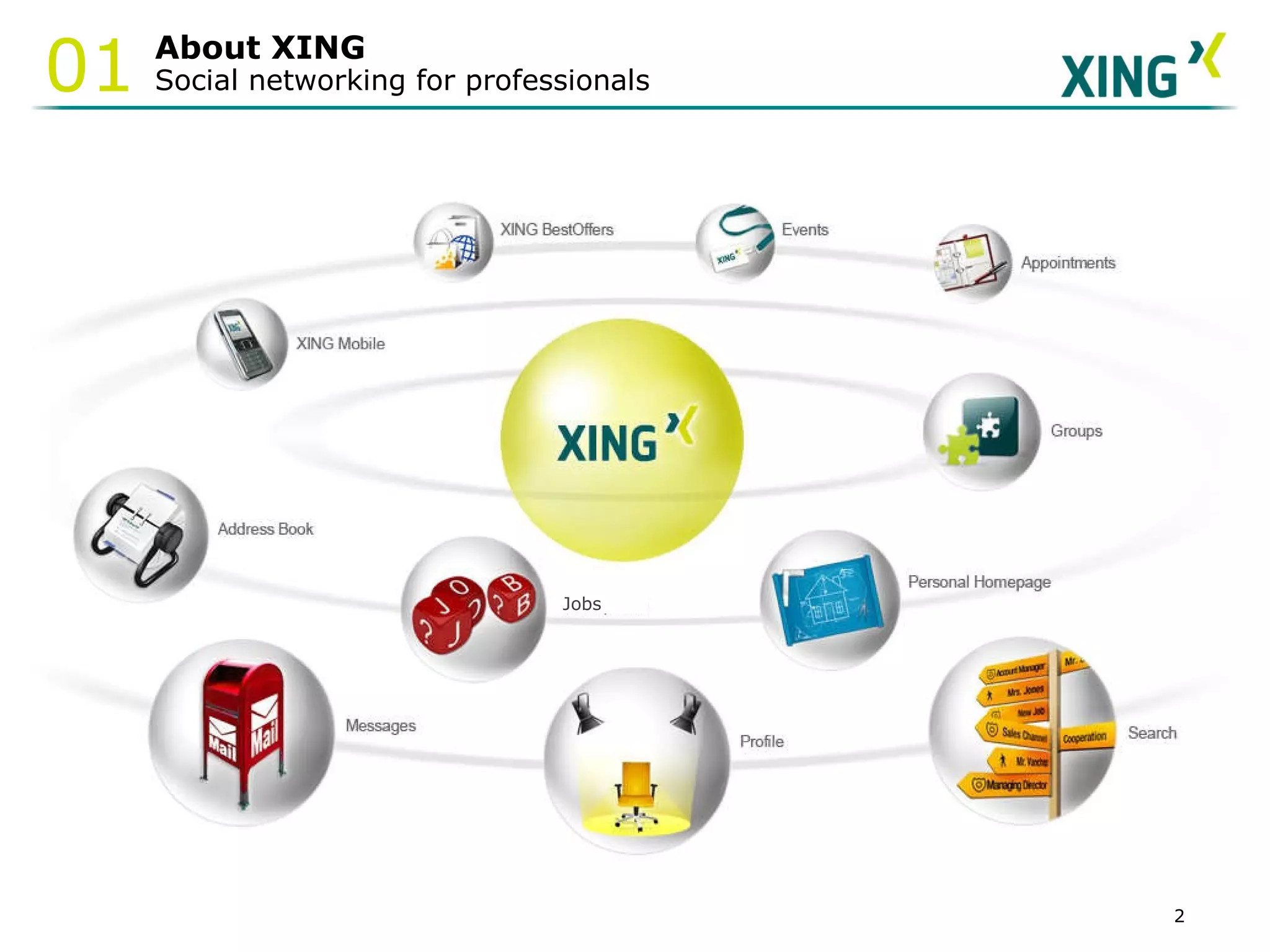
About XING Social networking for professionals 01 Jobs
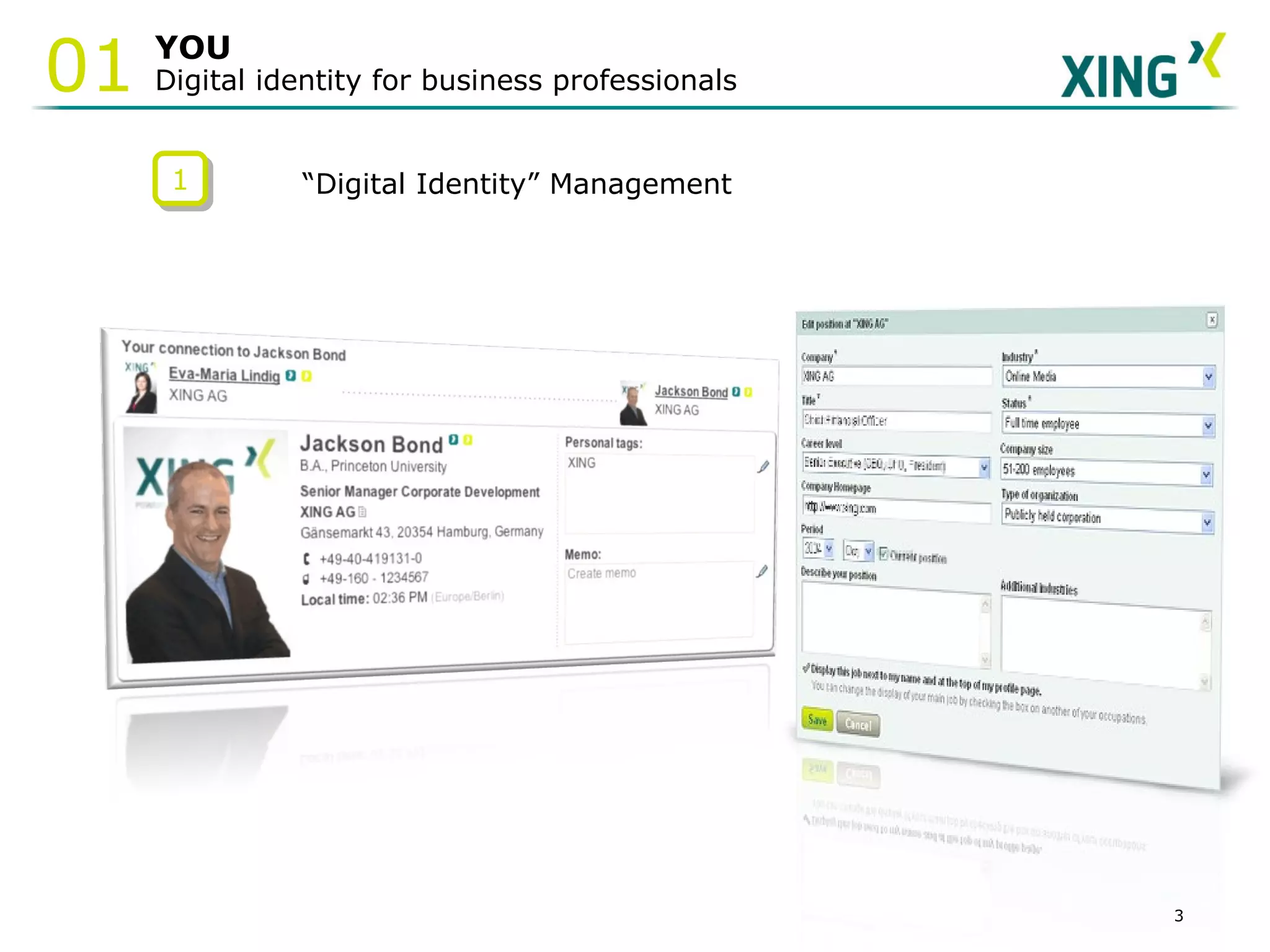
YOU Digital identity for business professionals 01 1 “ Digital Identity” Management
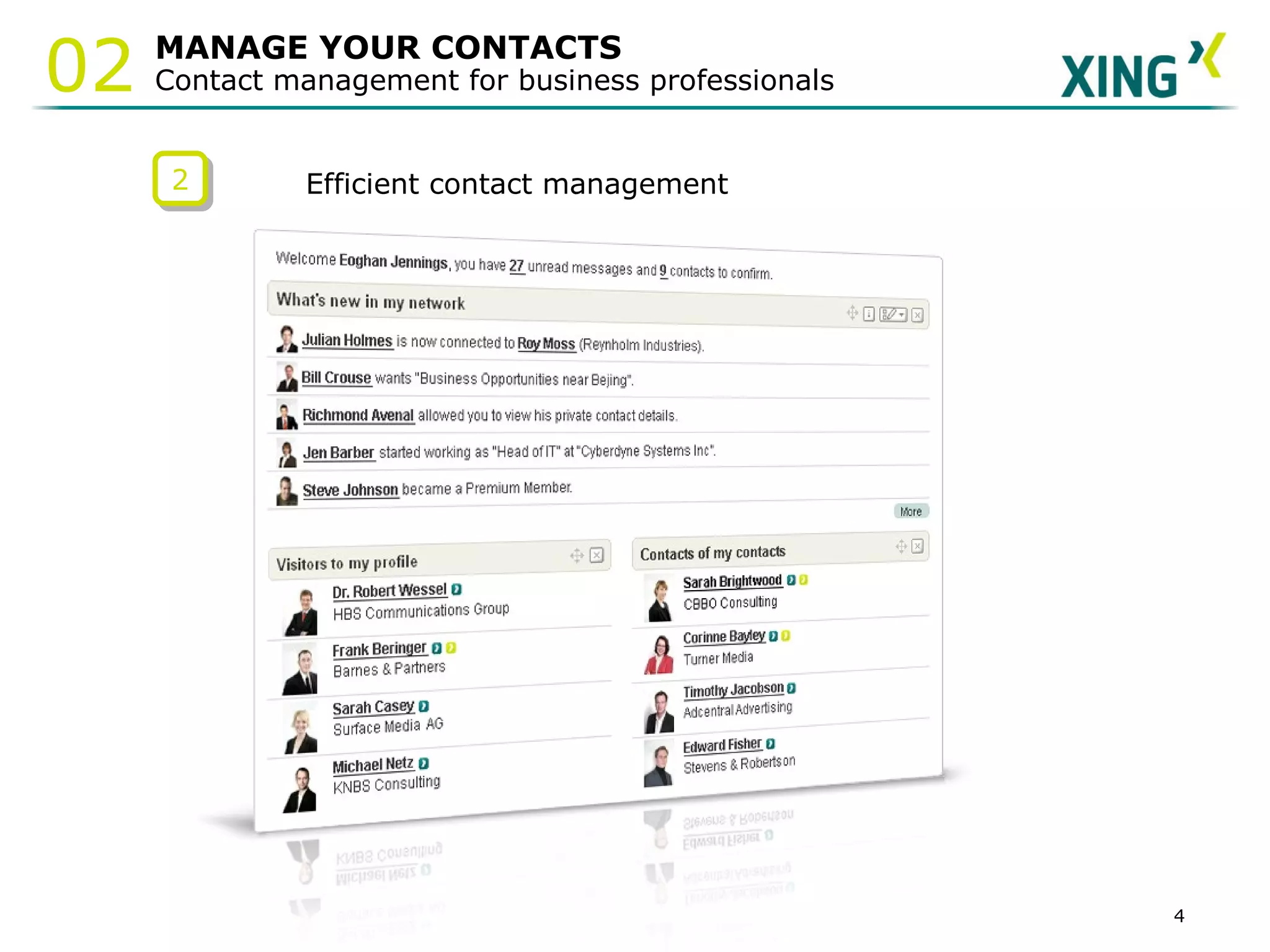
MANAGE YOUR CONTACTS Contact management for business professionals 02 2 Efficient contact management
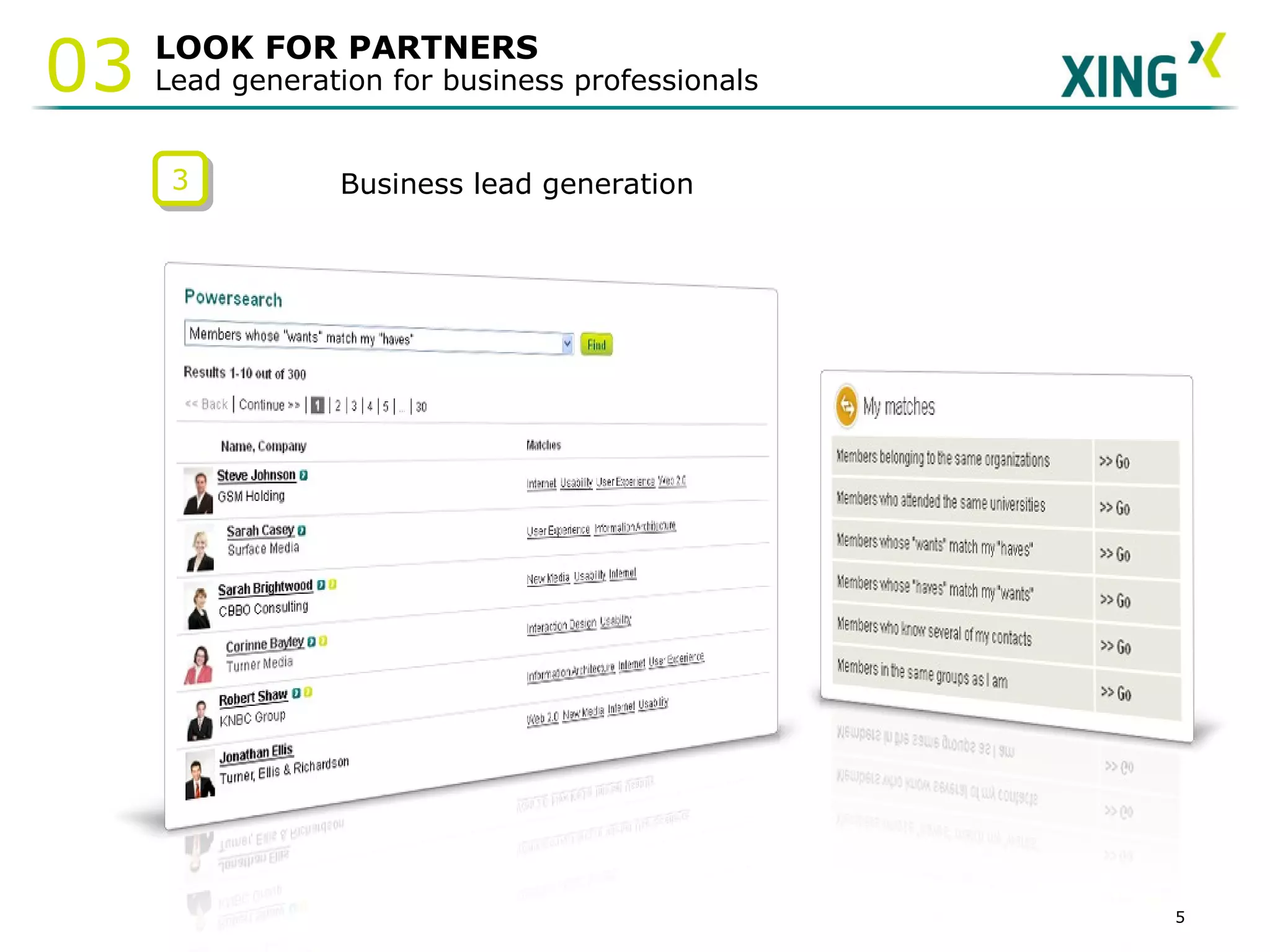
LOOK FOR PARTNERS Lead generation for business professionals 03 3 Business lead generation
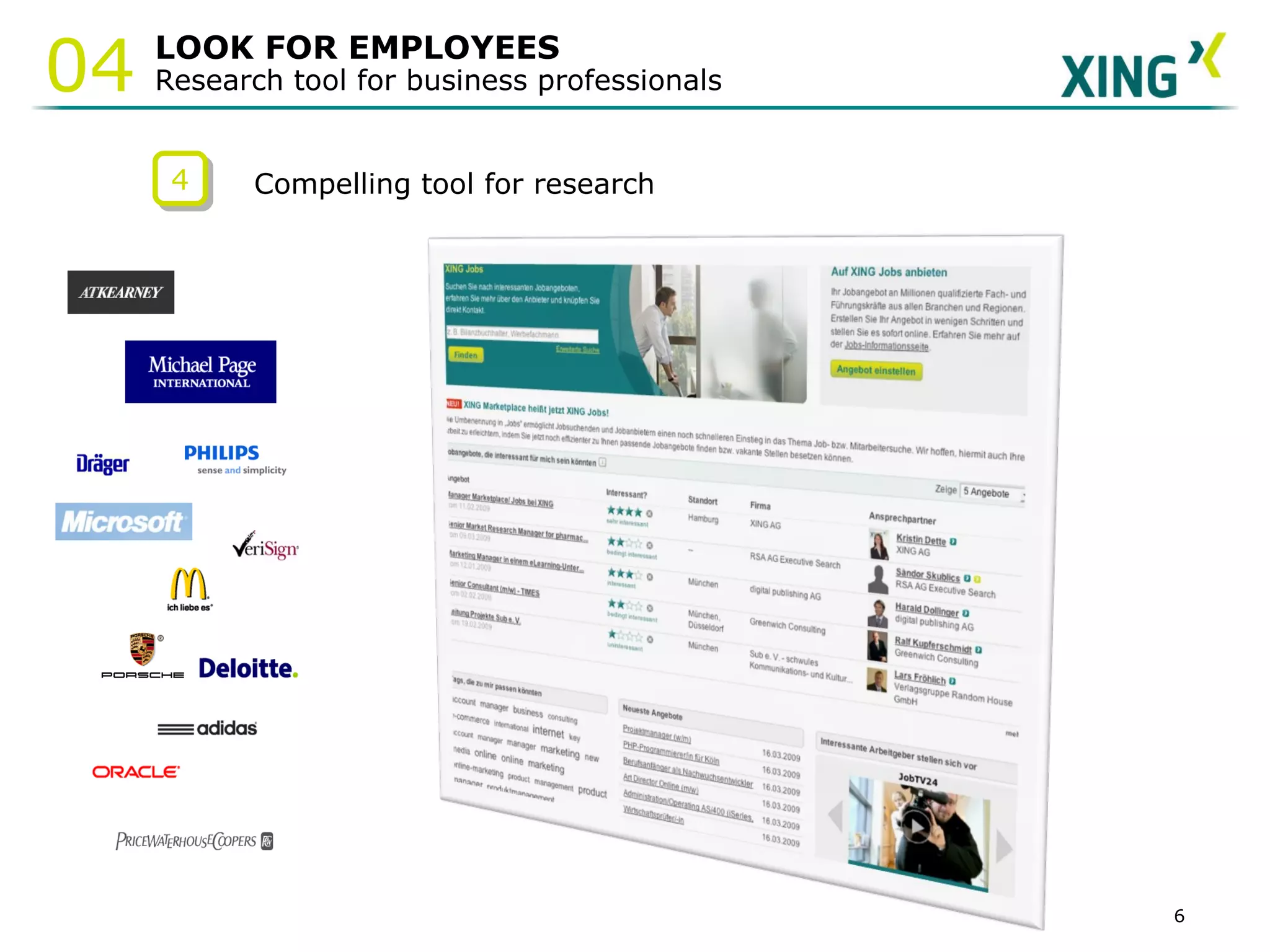
LOOK FOR EMPLOYEES Research tool for business professionals 04 4 Compelling tool for research
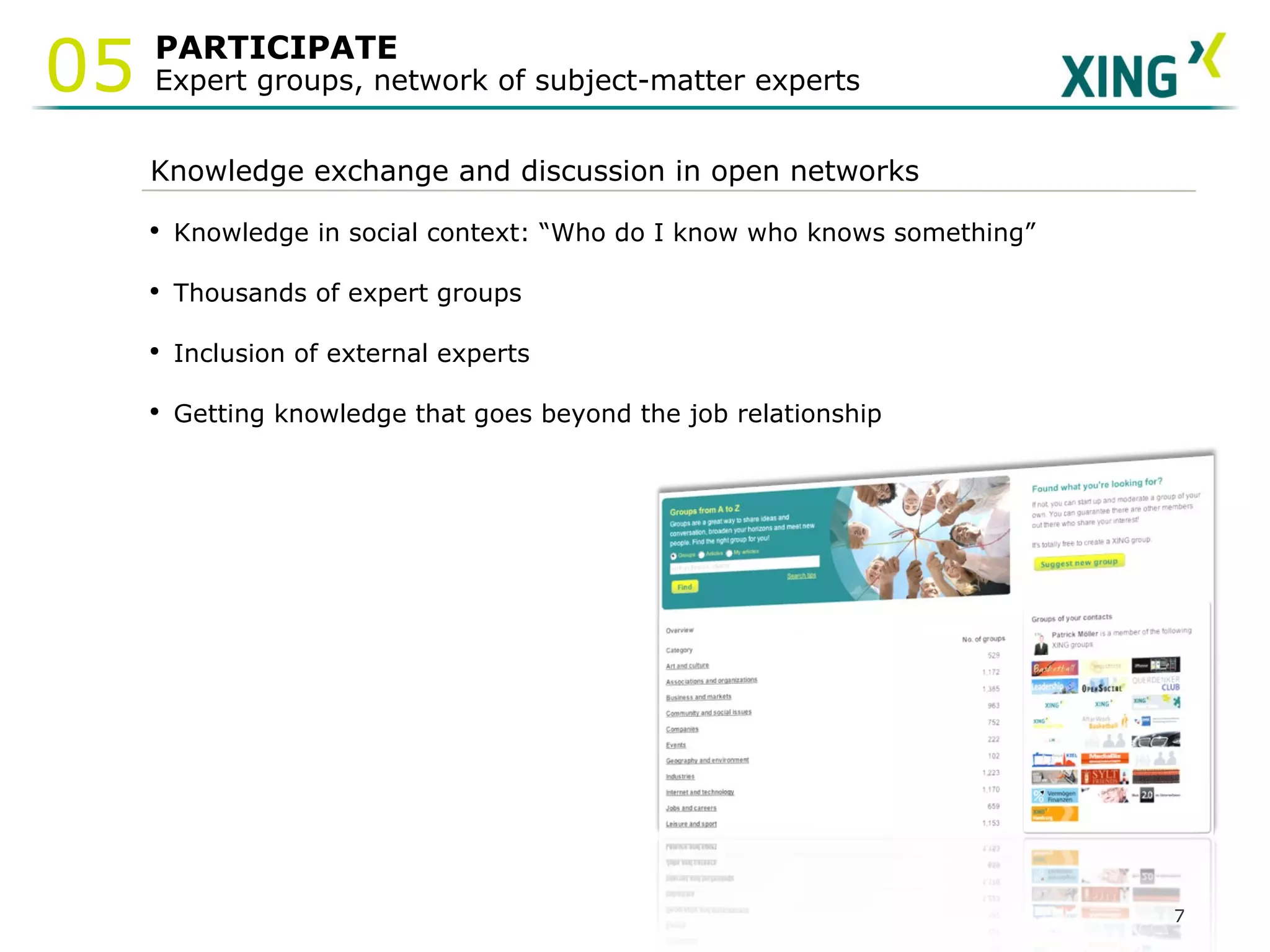
PARTICIPATE  Expert groups, network of subject-matter experts 05 Knowledge exchange and discussion in open networks Knowledge in social context: “Who do I know who knows something” Thousands of expert groups Inclusion of external experts Getting knowledge that goes beyond the job relationship
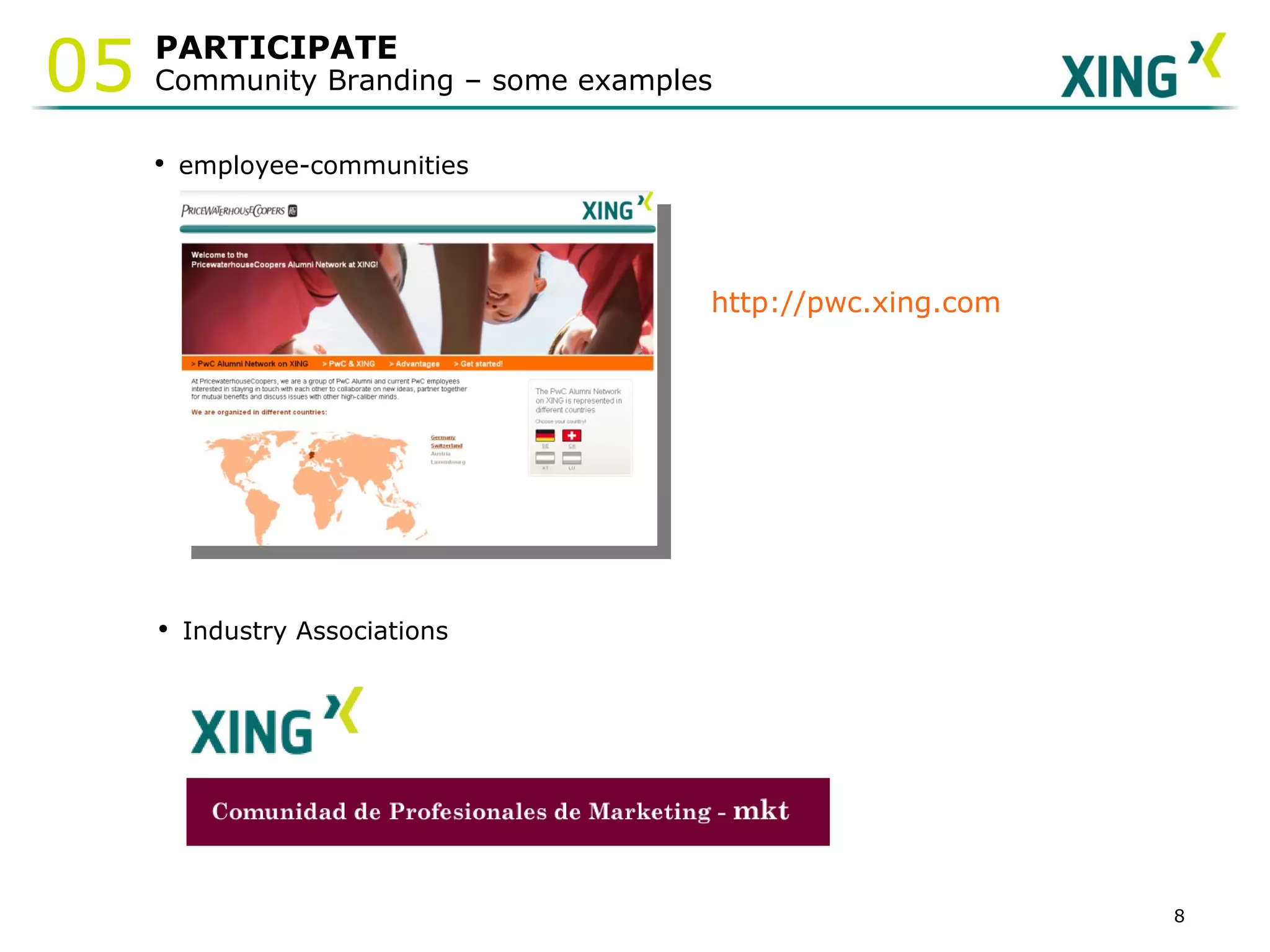
PARTICIPATE Community Branding – some examples 05 employee-communities http://pwc.xing.com Industry Associations
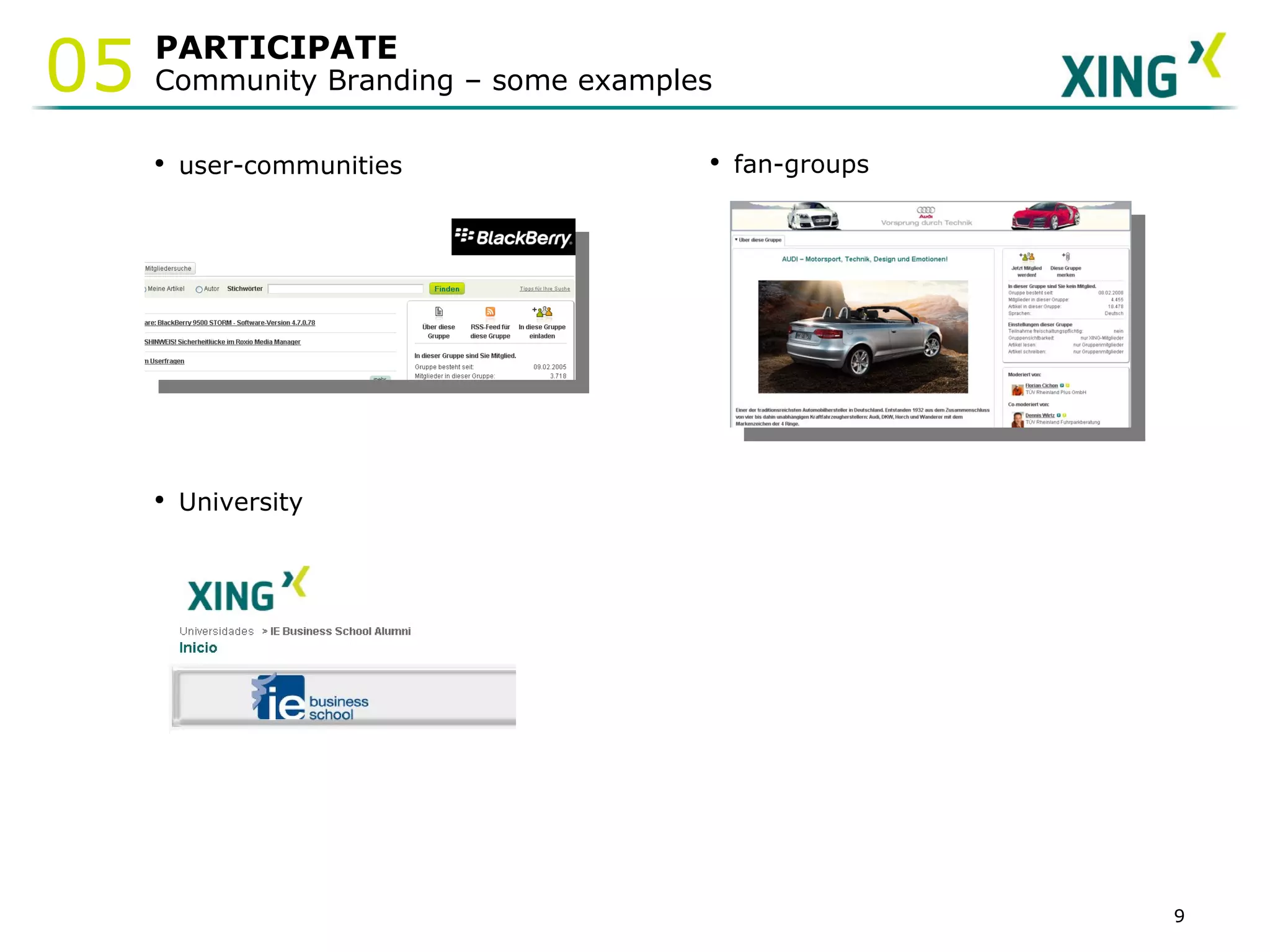
PARTICIPATE Community Branding – some examples 05 user-communities fan-groups University
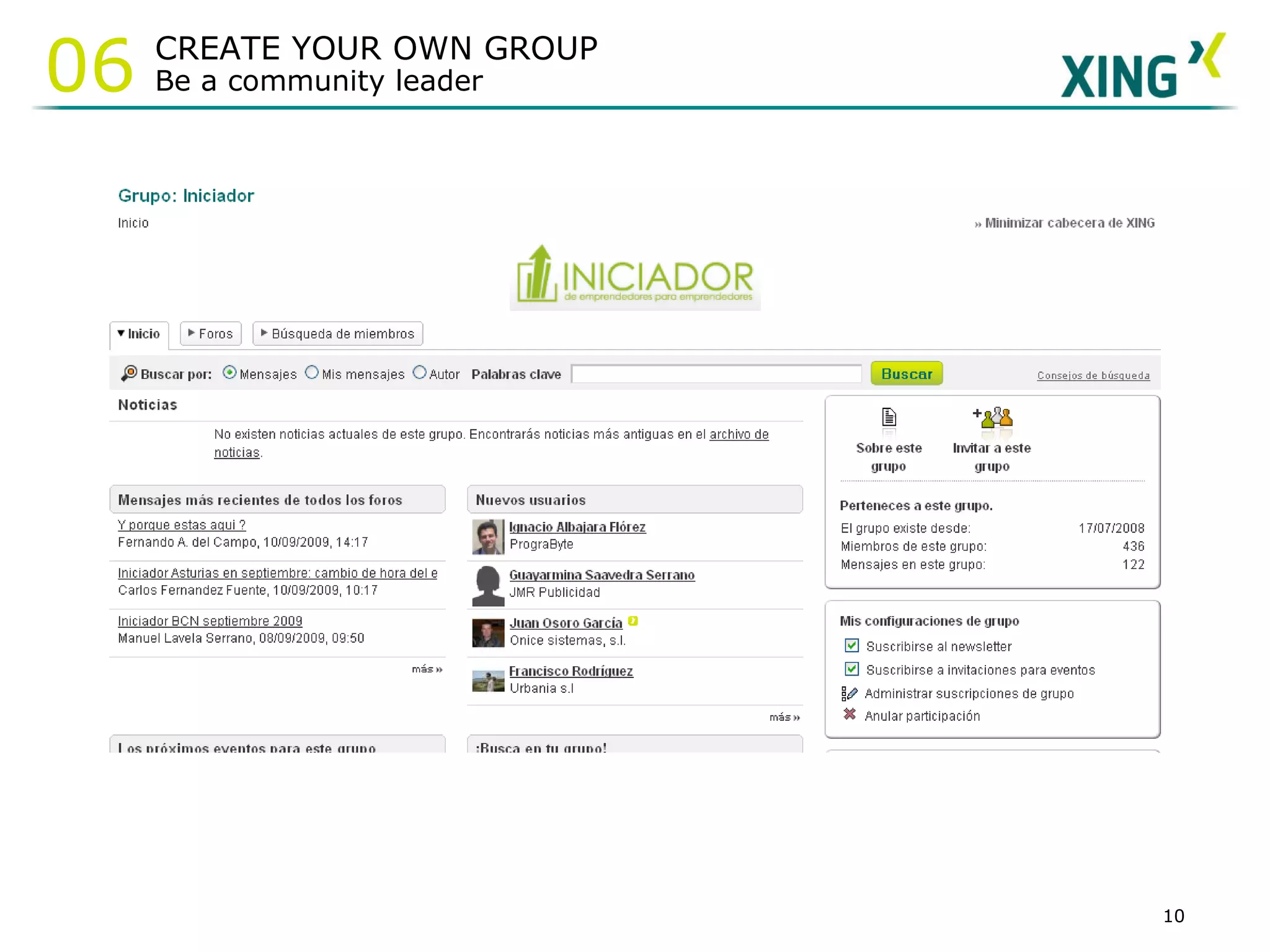
CREATE YOUR OWN GROUP  Be a community leader 06
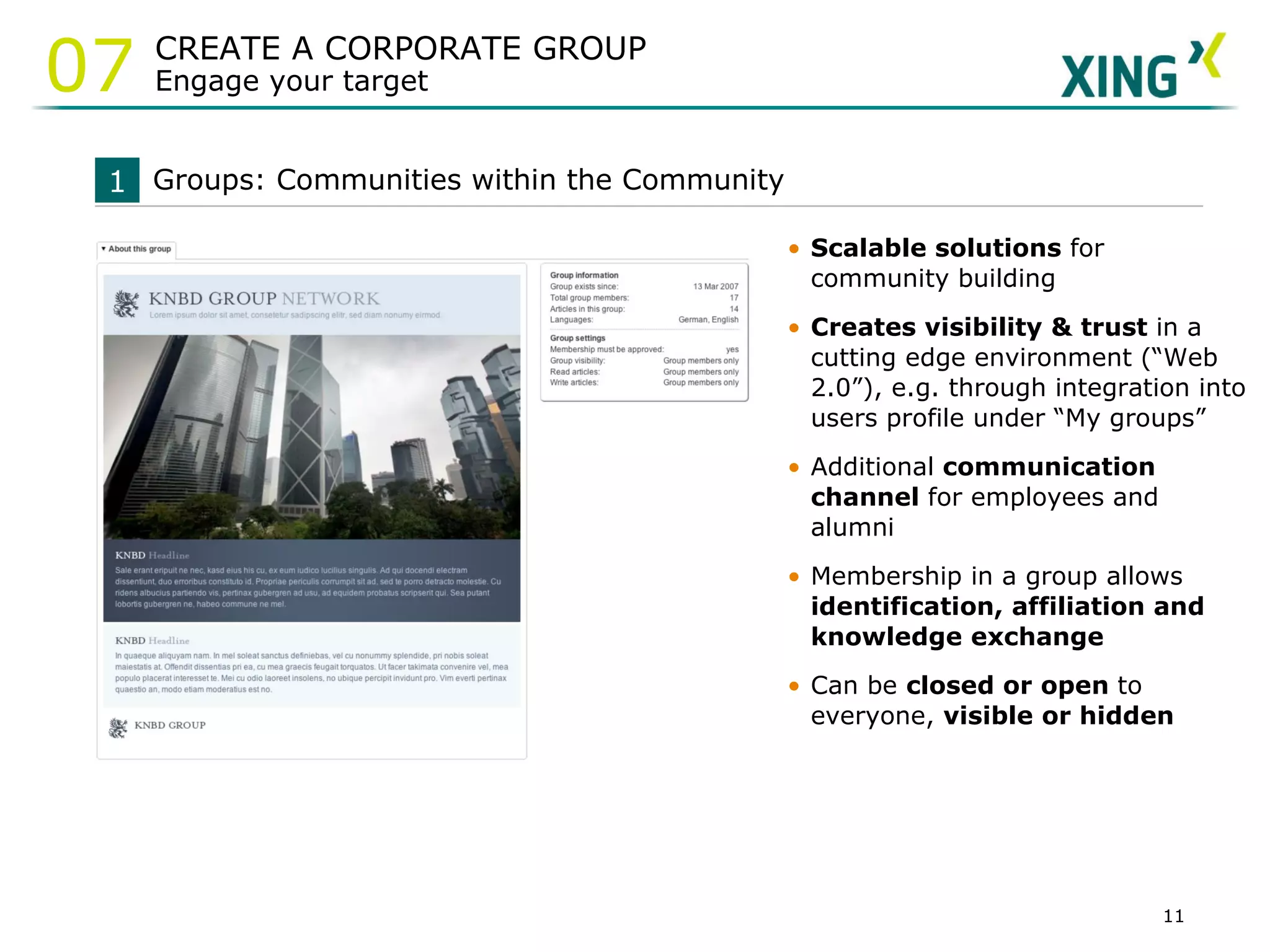
Scalable solutions  for community building  Creates visibility & trust  in a cutting edge environment  (“Web 2.0”), e.g. through integration into users profile under “My groups” Additional  communication channel  for employees and alumni Membership in a group allows  identification, affiliation and knowledge exchange Can be  closed or open  to everyone,  visible or hidden Groups: Communities within the Community 1 CREATE A CORPORATE GROUP Engage your target 07
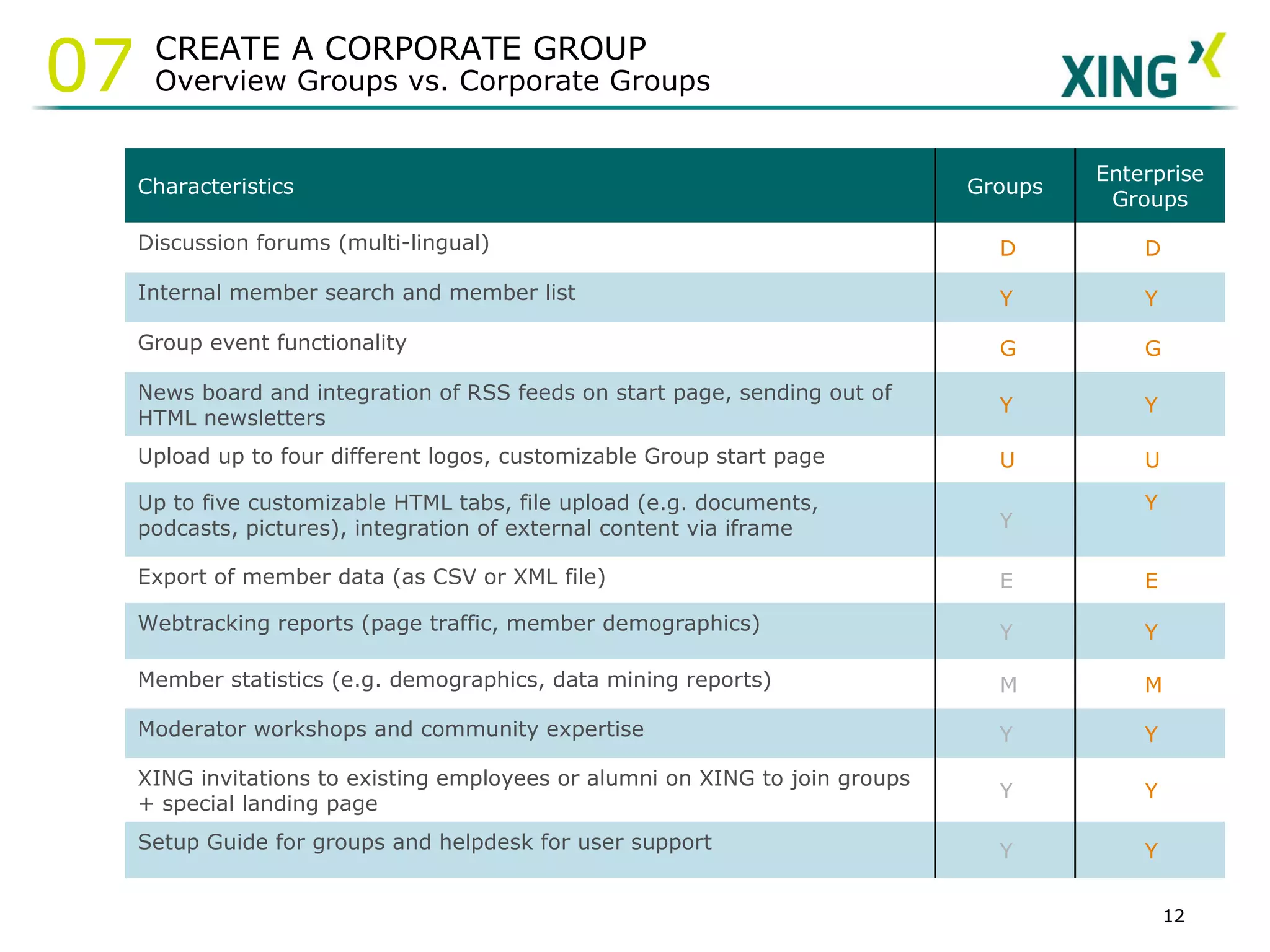
CREATE A CORPORATE GROUP Overview Groups vs. Corporate Groups 07 Characteristics Groups Enterprise Groups Discussion forums (multi-lingual)   Internal member search and member list   Group event functionality   News board and integration of RSS feeds on start page, sending out of HTML newsletters   Upload up to four different logos, customizable Group start page   Up to five customizable HTML tabs, file upload (e.g. documents, podcasts, pictures), integration of external content via iframe    Export of member data (as CSV or XML file)   Webtracking reports (page traffic, member demographics)   Member statistics (e.g. demographics, data mining reports)   Moderator workshops and community expertise   XING invitations to existing employees or alumni on XING to join groups + special landing page   Setup Guide for groups and helpdesk for user support  
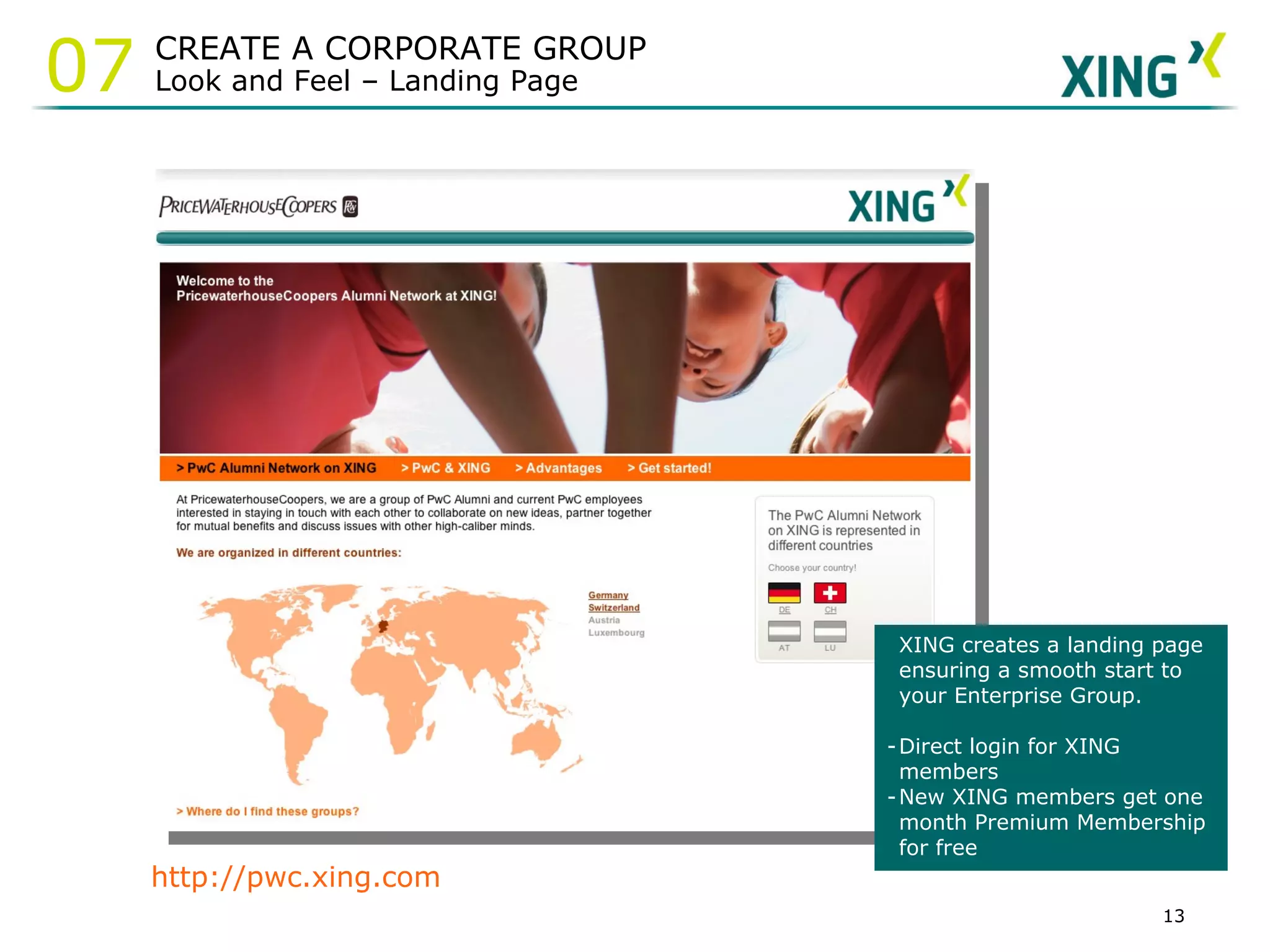
http://pwc.xing.com XING creates a landing page ensuring a smooth start to your Enterprise Group.  Direct login for XING members New XING members get one month Premium Membership for free CREATE A CORPORATE GROUP Look and Feel – Landing Page 07
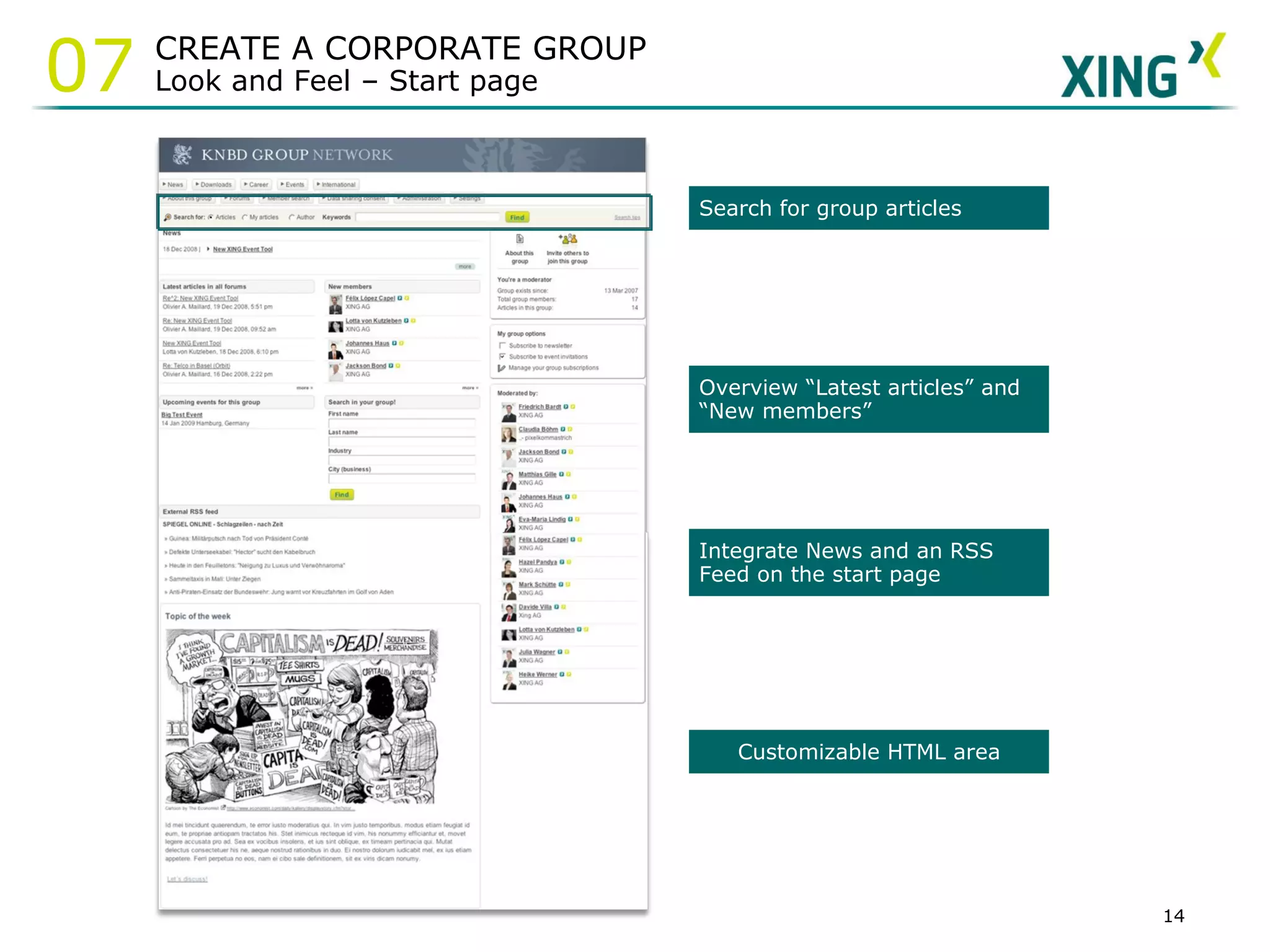
Overview “Latest articles” and “New members” Search for group articles  Integrate News and an RSS Feed on the start page Customizable HTML area CREATE A CORPORATE GROUP Look and Feel – Start page 07
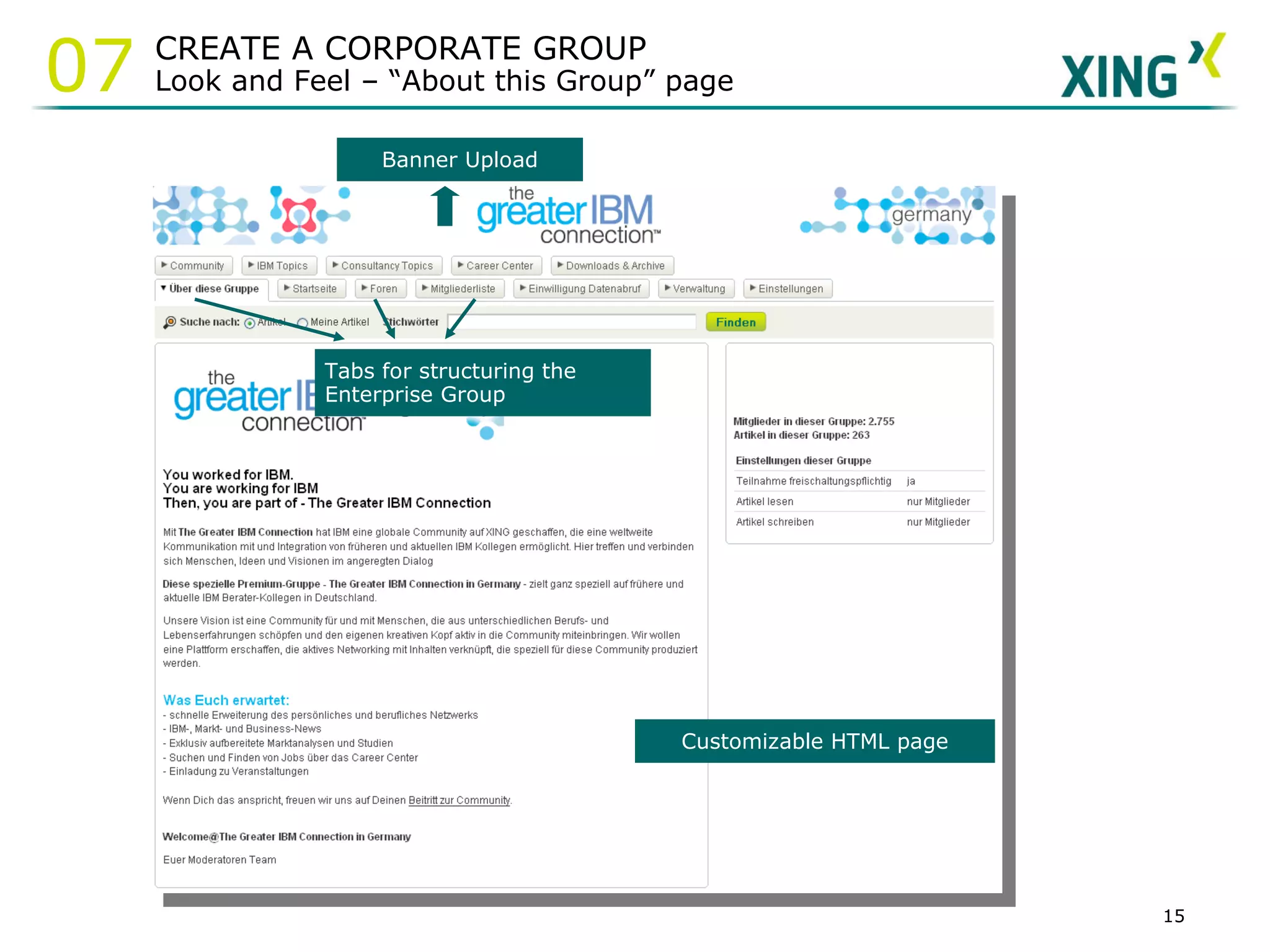
Banner Upload Customizable HTML page Tabs for structuring the  Enterprise Group CREATE A CORPORATE GROUP Look and Feel – “About this Group” page 07
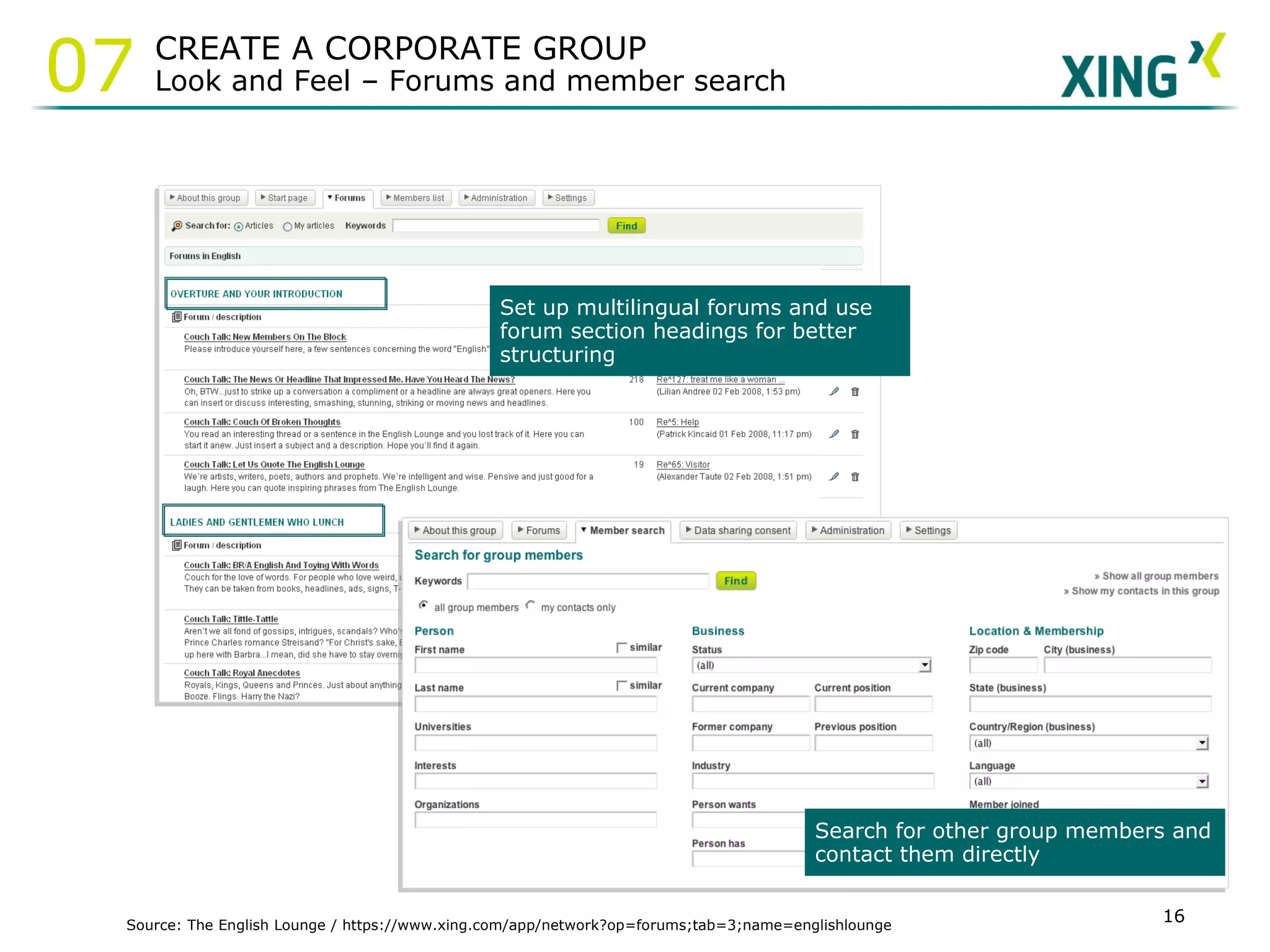
Source: The English Lounge / https://www.xing.com/app/network?op=forums;tab=3;name=englishlounge Set up multilingual forums and use forum section headings for better structuring Search for other group members and contact them directly CREATE A CORPORATE GROUP Look and Feel – Forums and member search 07
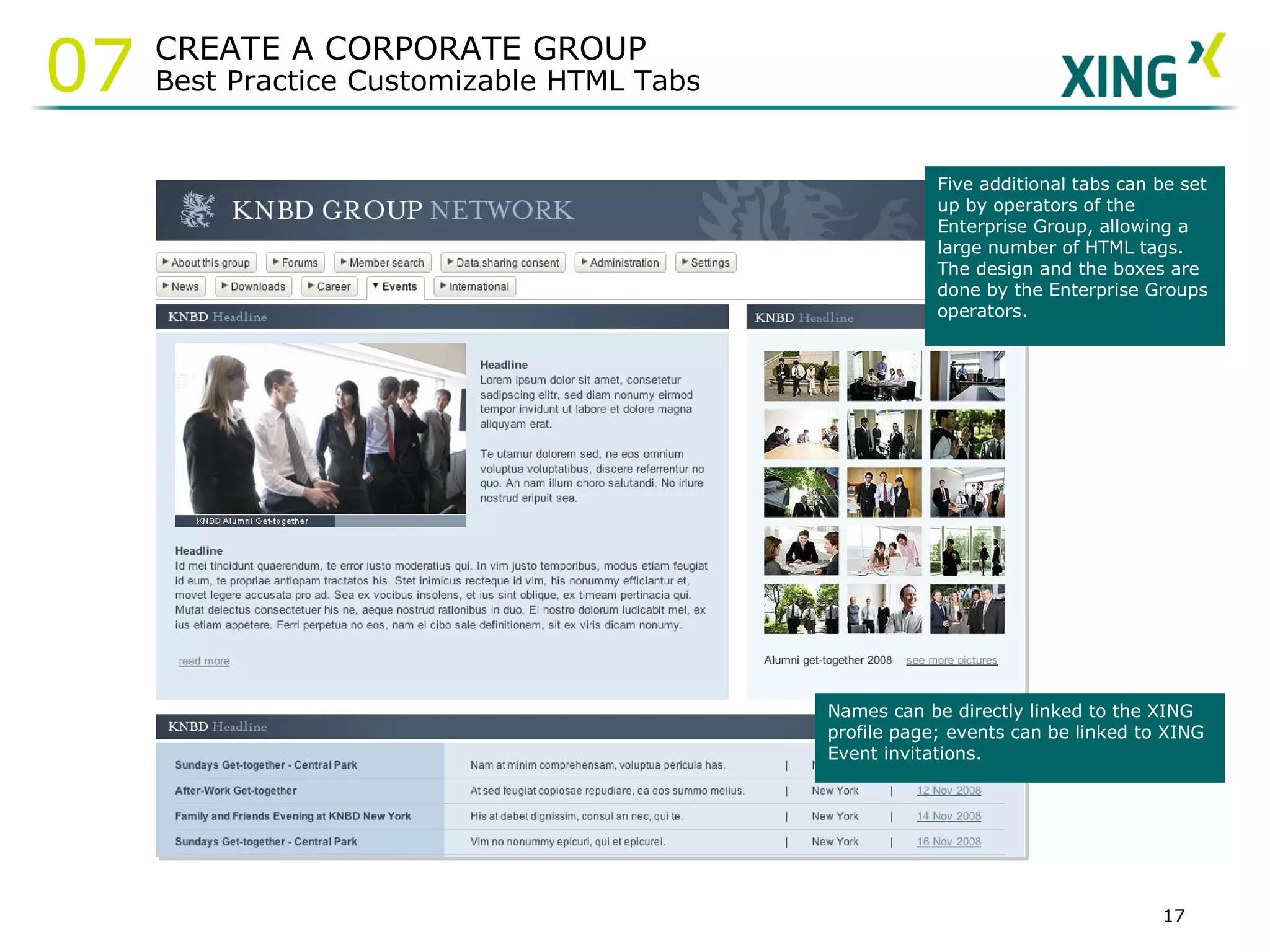
Names can be directly linked to the XING profile page; events can be linked to XING Event invitations.  Five additional tabs can be set up by operators of the Enterprise Group, allowing a large number of HTML tags. The design and the boxes are done by the Enterprise Groups operators.  CREATE A CORPORATE GROUP Best Practice Customizable HTML Tabs 07
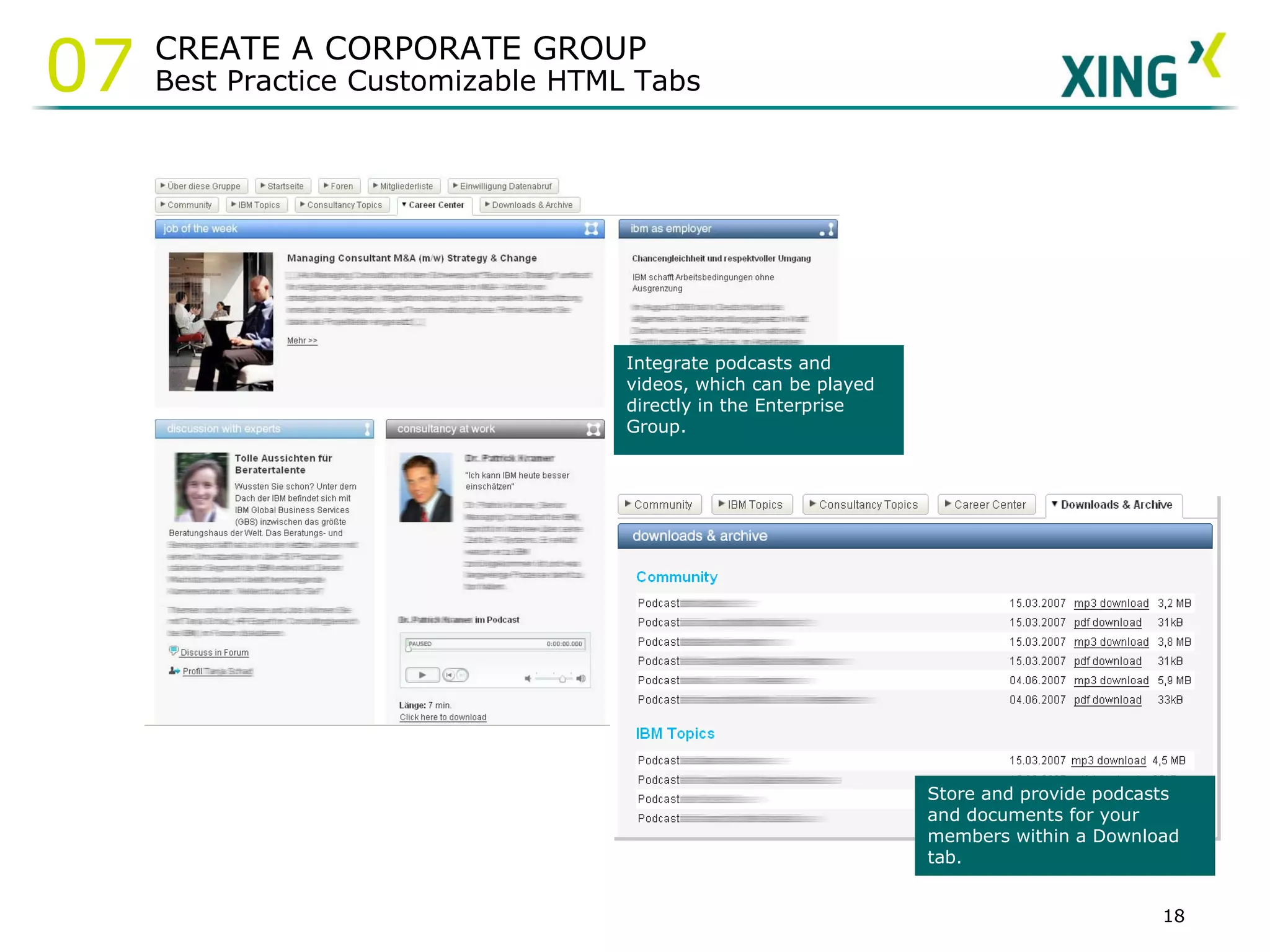
Integrate podcasts and videos, which can be played directly in the Enterprise Group. Store and provide podcasts and documents for your members within a Download tab. CREATE A CORPORATE GROUP Best Practice Customizable HTML Tabs 07
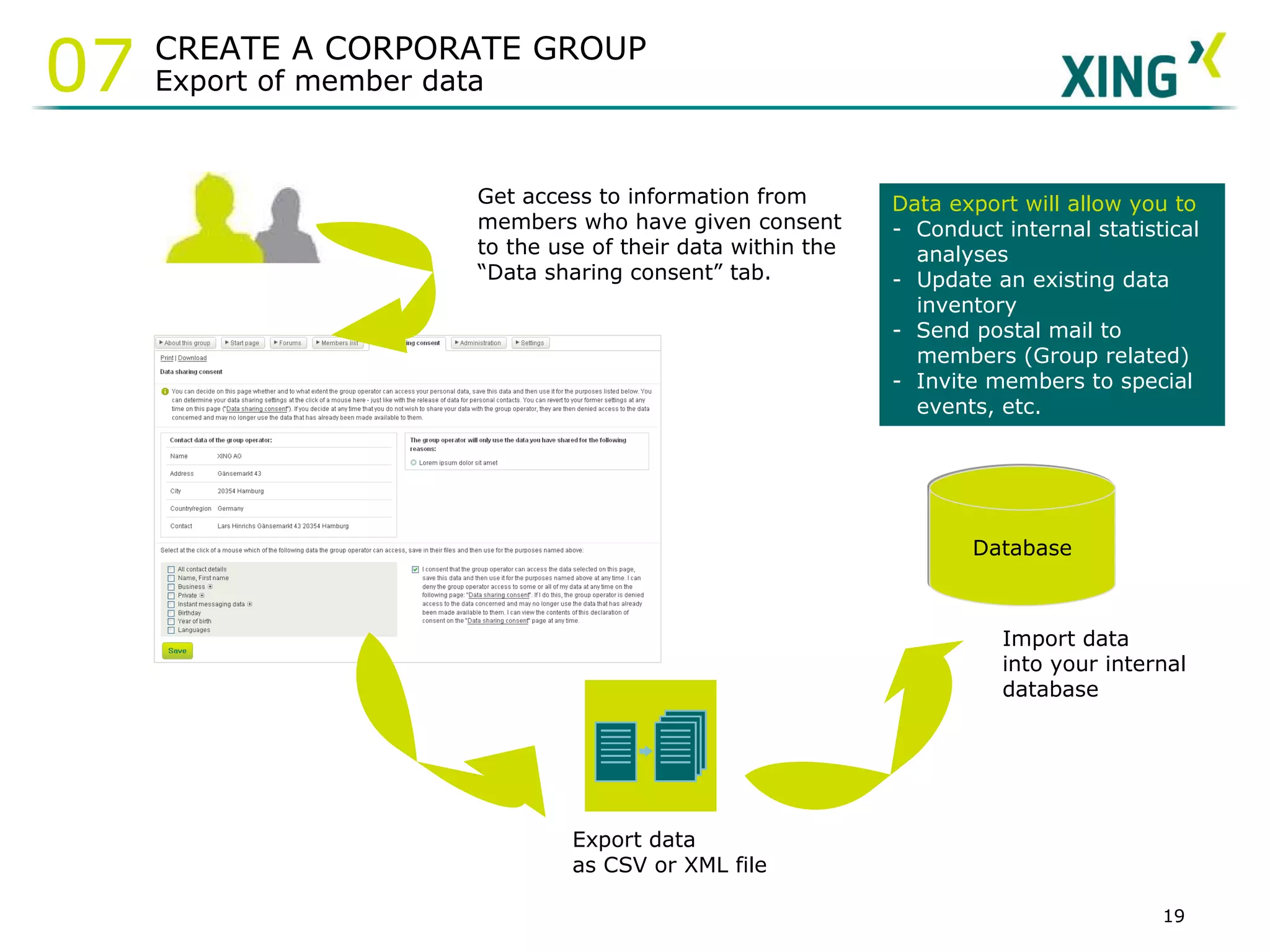
Get access to information from members who have given consent to the use of their data within the “Data sharing consent” tab.   Export data as CSV or XML file Database Import data into your internal database Data export will allow you to -  Conduct internal statistical analyses Update an existing data inventory  -  Send postal mail to members (Group related) -  Invite members to special events, etc. CREATE A CORPORATE GROUP Export of member data 07
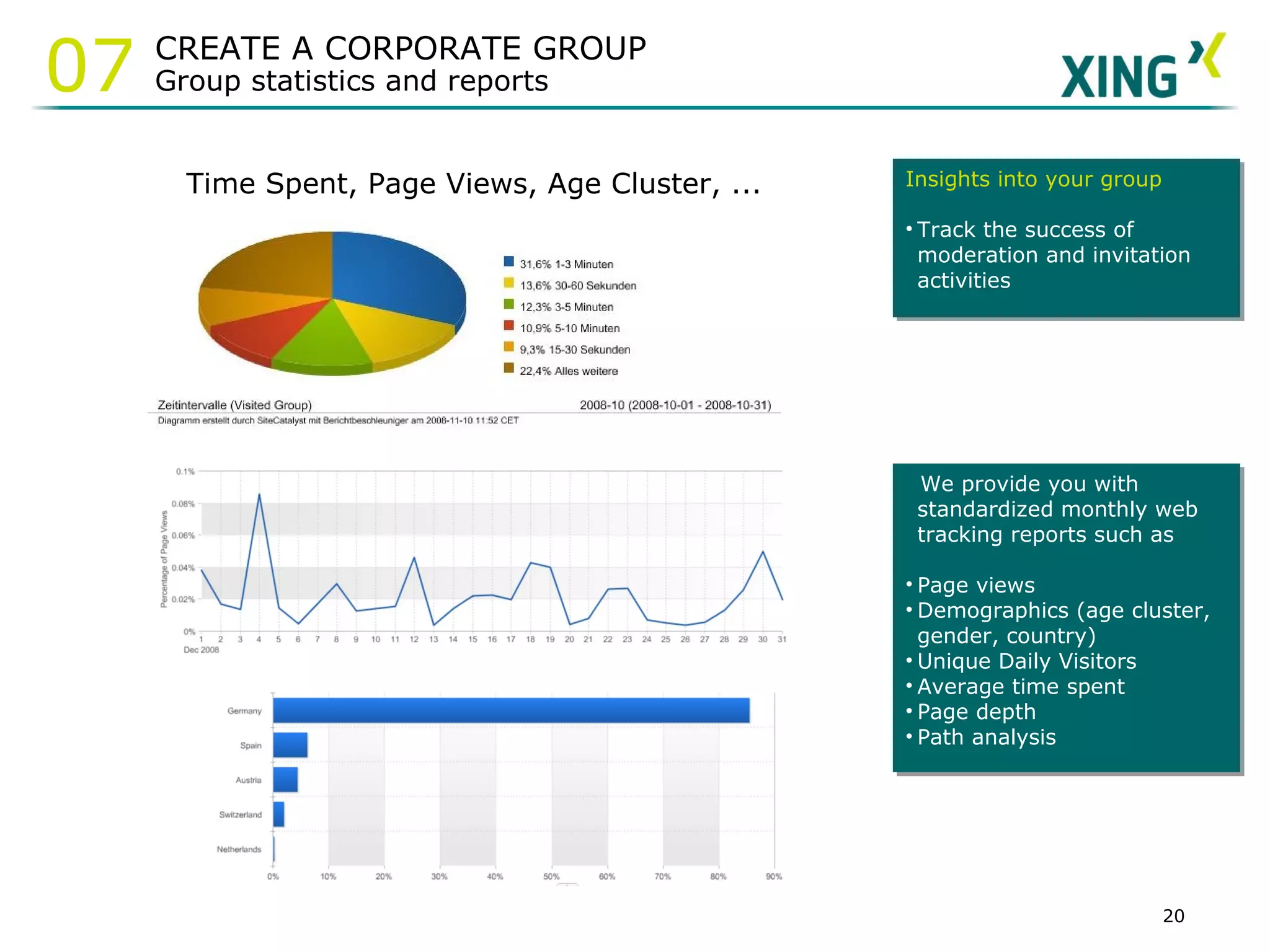
Time Spent, Page Views, Age Cluster, ... We provide you with standardized monthly web tracking reports such as Page views Demographics (age cluster, gender, country) Unique Daily Visitors Average time spent Page depth Path analysis Insights into your group Track the success of moderation and invitation activities CREATE A CORPORATE GROUP Group statistics and reports 07
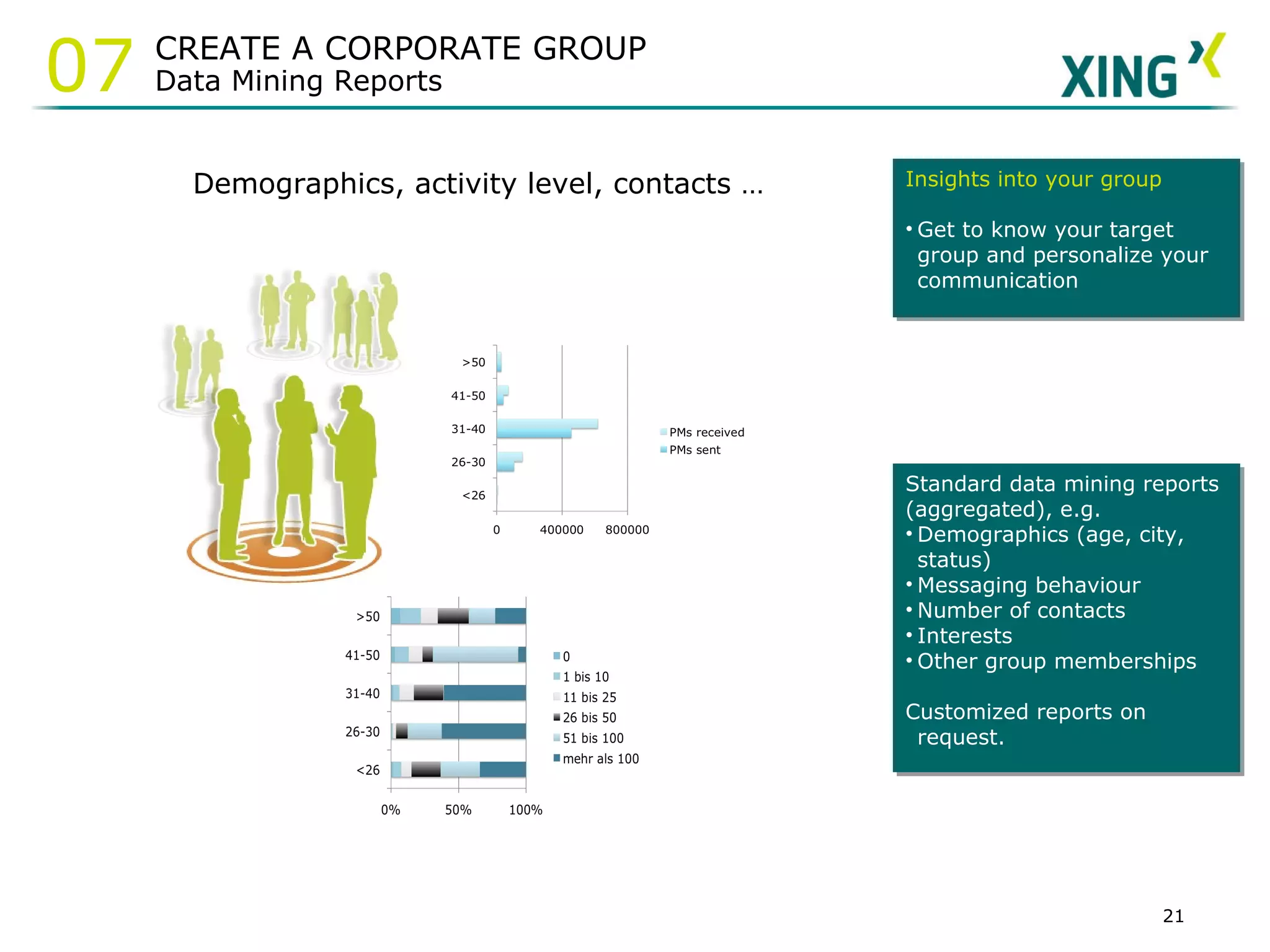
Demographics, activity level, contacts … Standard data mining reports (aggregated), e.g. Demographics (age, city, status) Messaging behaviour Number of contacts Interests Other group memberships Customized reports on request. Insights into your group Get to know your target group and personalize your communication CREATE A CORPORATE GROUP Data Mining Reports 07
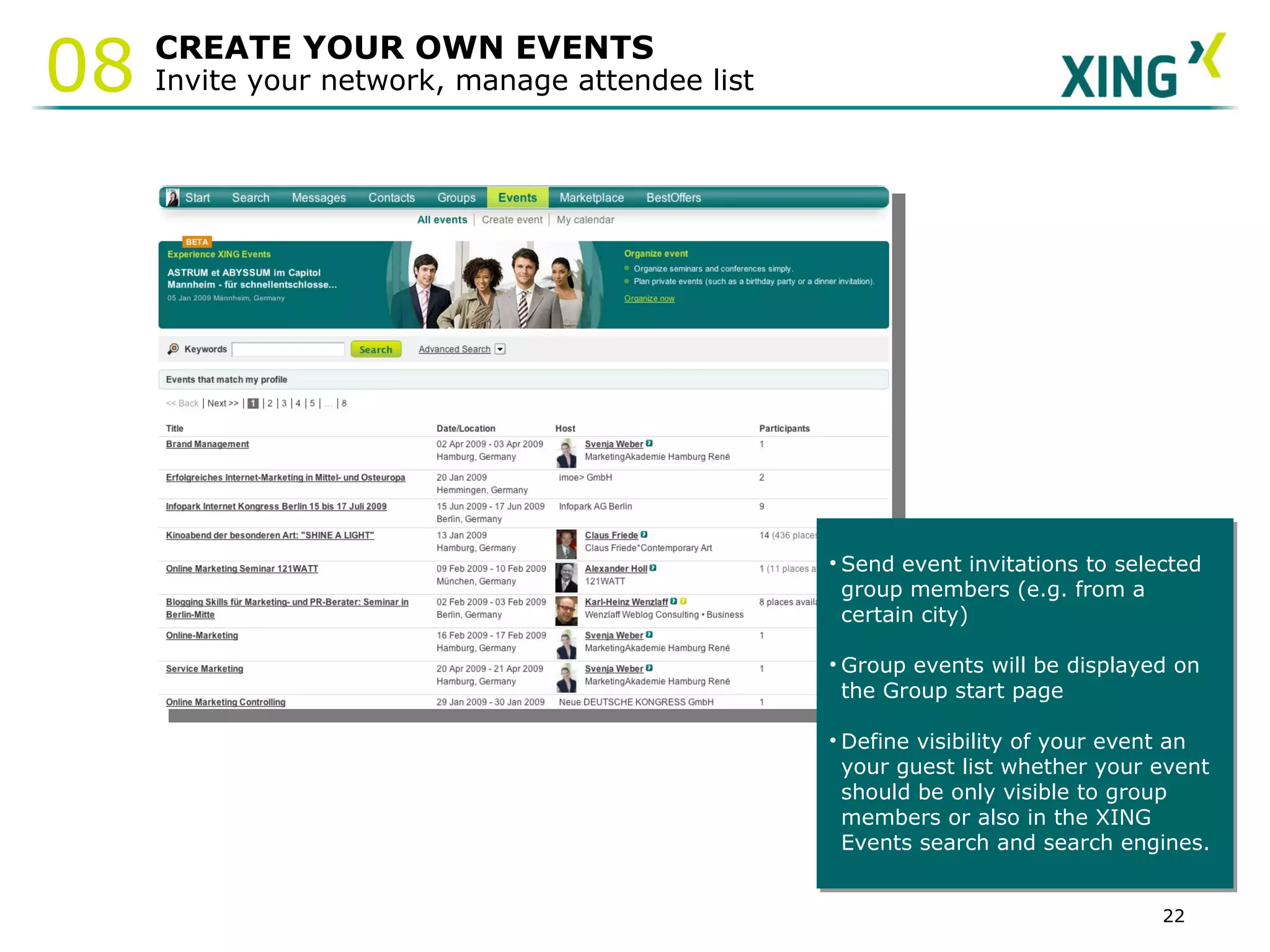
CREATE YOUR OWN EVENTS Invite your network, manage attendee list Send event invitations to selected group members (e.g. from a certain city) Group events will be displayed on the Group start page Define visibility of your event an  your guest list whether your event  should be only visible to group members or also in the XING  Events search and search engines. 08
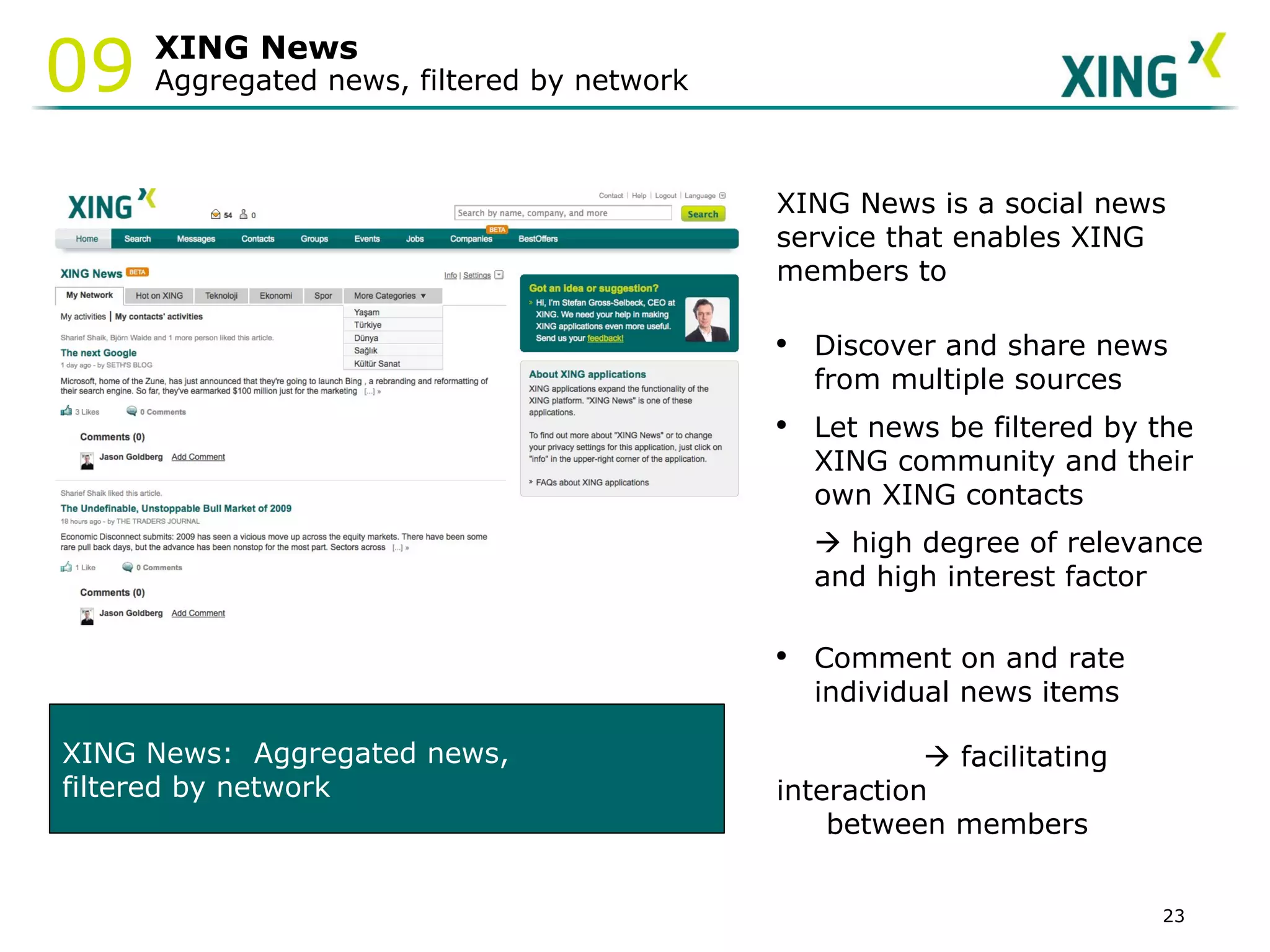
XING News Aggregated news, filtered by network XING News:  Aggregated news,  filtered by network XING News is a social news service that enables XING members to Discover and share news from multiple sources Let news be filtered by the XING community and their own XING contacts     high degree of relevance and high interest factor Comment on and rate individual news items      facilitating interaction between members  09
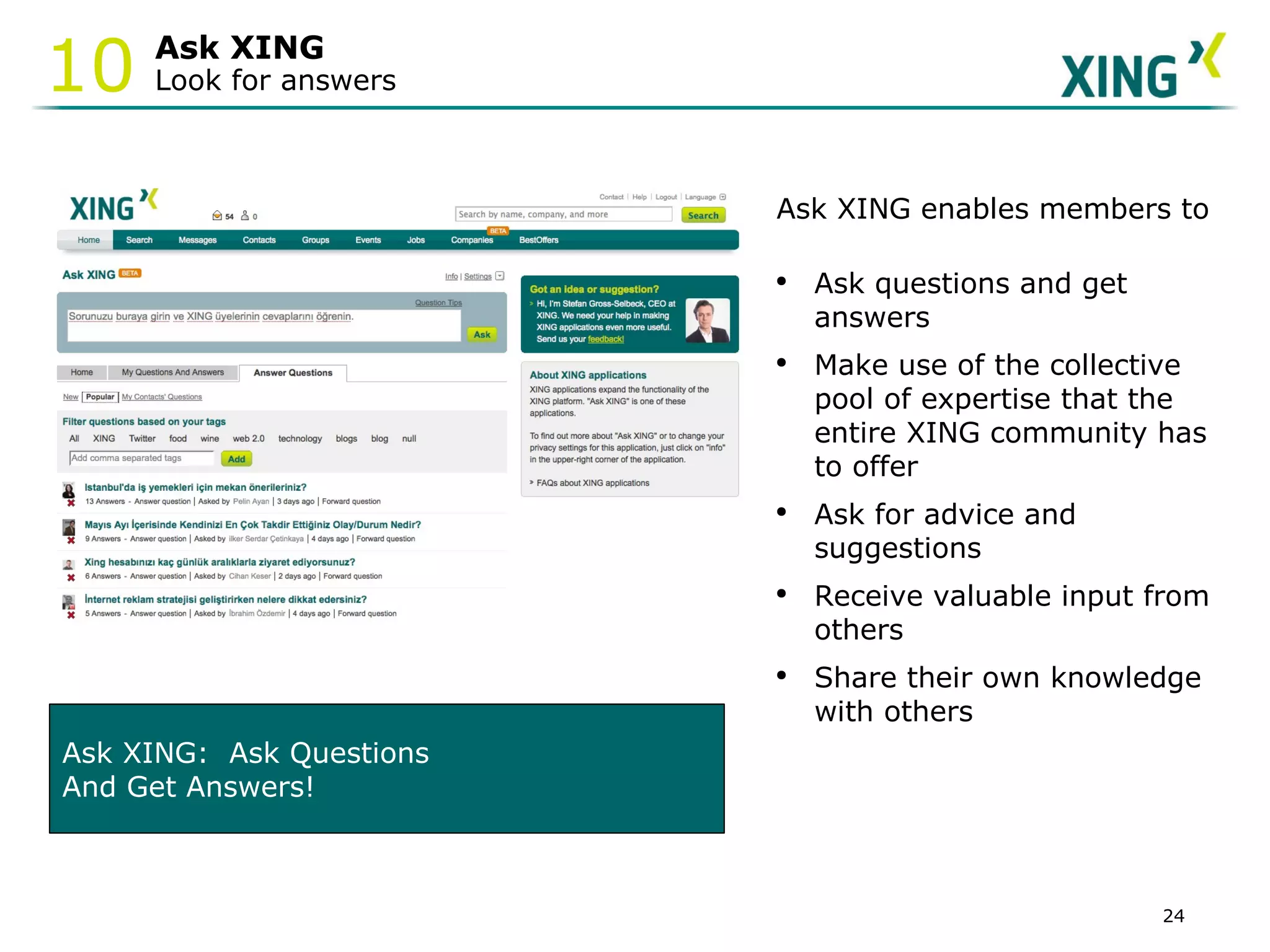
Ask XING Look for answers 10 Ask XING:  Ask Questions  And Get Answers! Ask XING enables members to Ask questions and get    answers  Make use of the collective pool of expertise that the entire XING community has to offer  Ask for advice and suggestions Receive valuable input from others Share their own knowledge with others
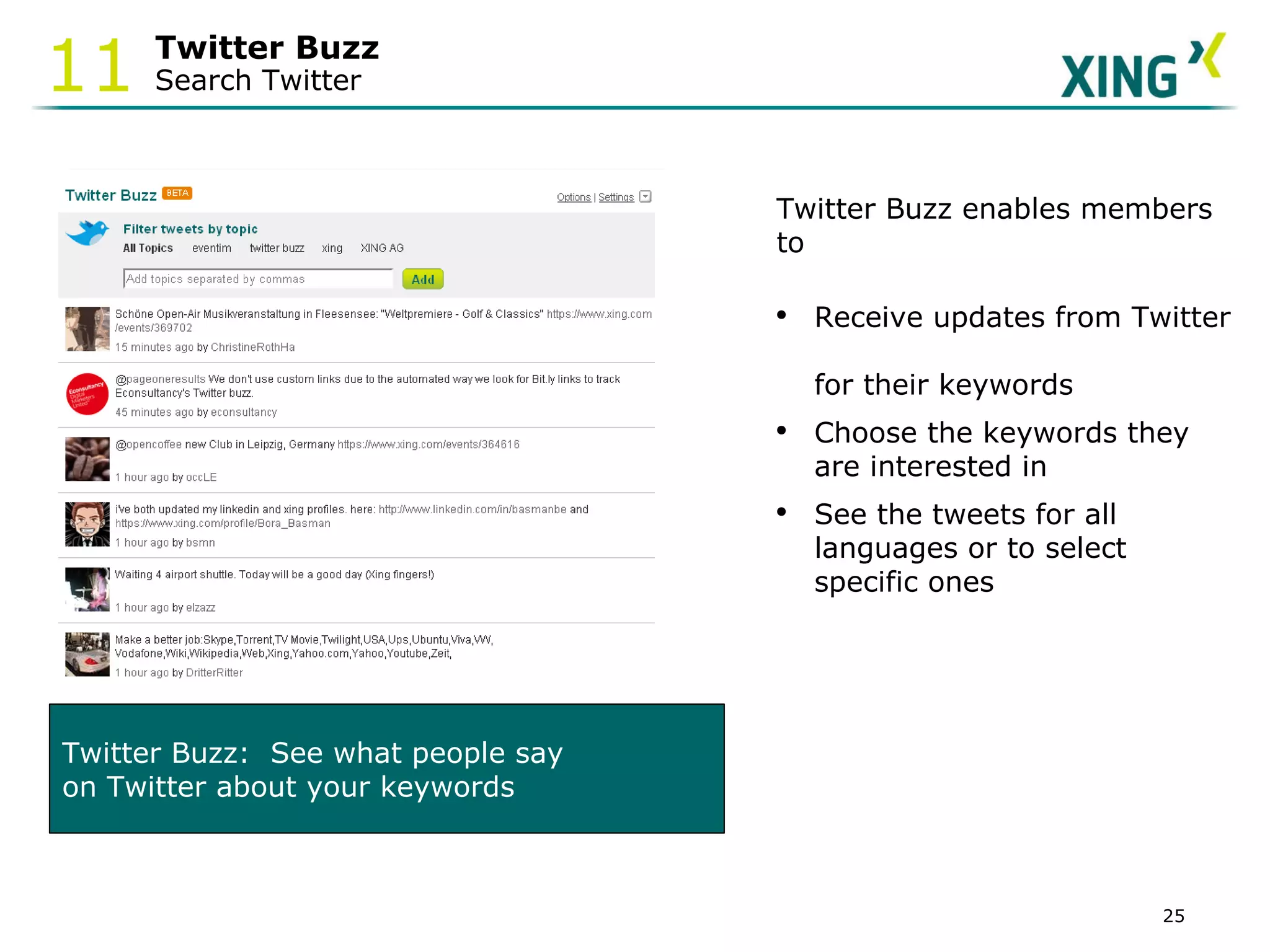
Twitter Buzz Search Twitter 11 Twitter Buzz enables members to Receive updates from Twitter  for their keywords Choose the keywords they are interested in See the tweets for all languages or to select specific ones Twitter Buzz:  See what people say  on Twitter about your keywords
Social scheduling The XING Partner Ecosystem 12
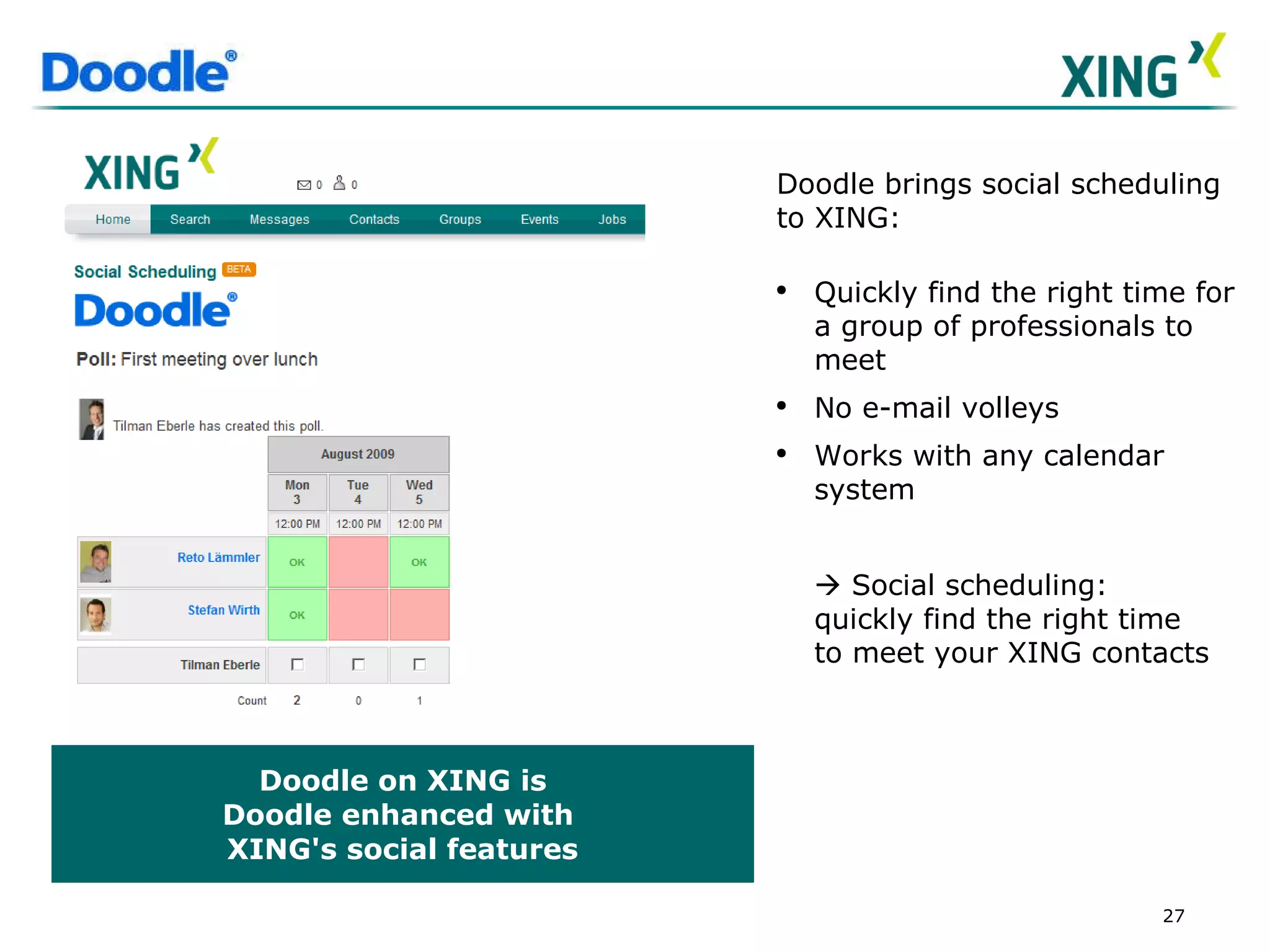
Doodle on XING is Doodle enhanced with  XING's social features Doodle brings social scheduling to XING:  Quickly find the right time for a group of professionals to meet  No e-mail volleys  Works with any calendar system    Social scheduling: quickly find the right time to meet your XING contacts
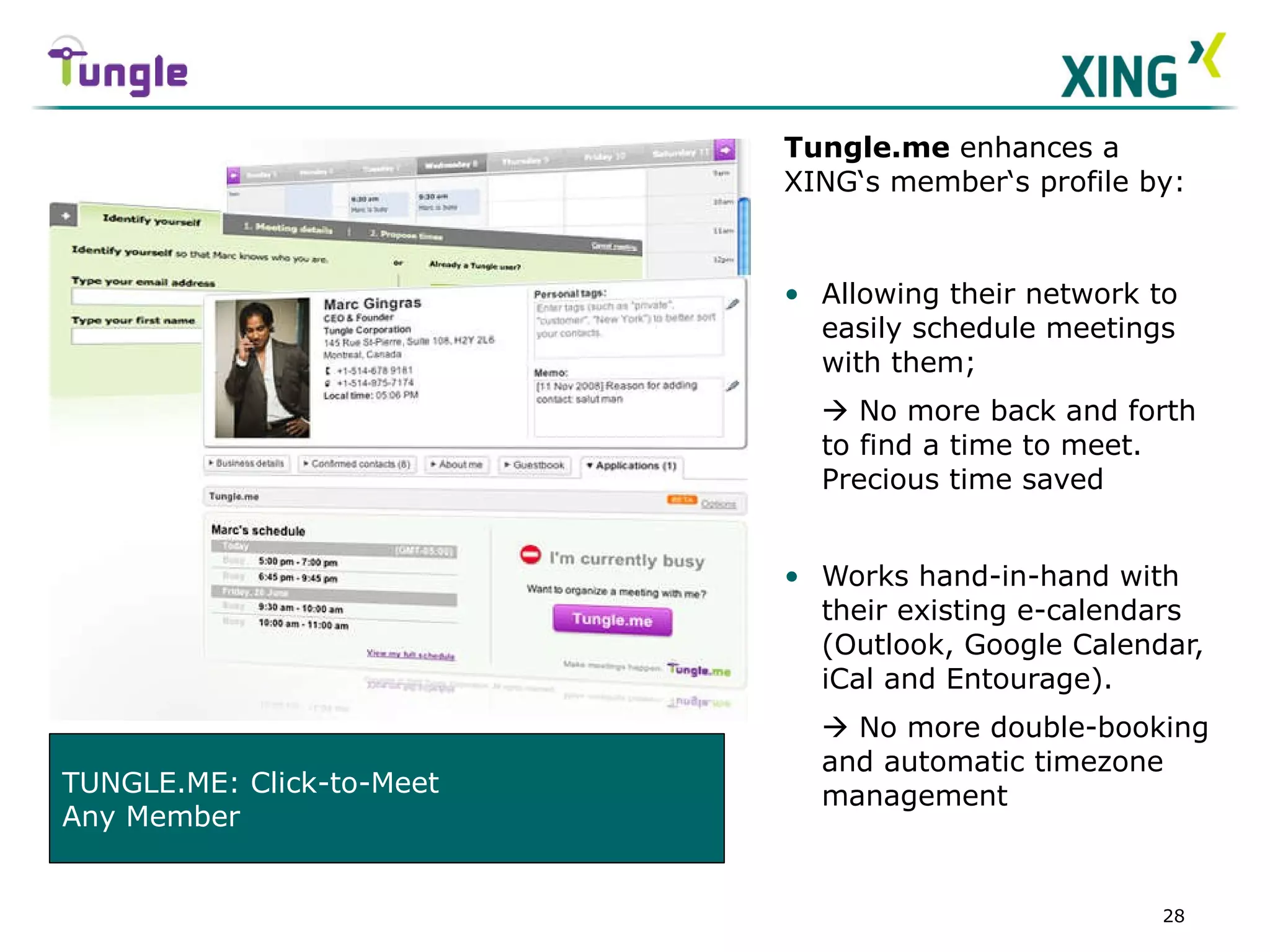
Tungle.me  enhances a XING‘s member‘s profile by: Allowing their network to easily schedule meetings with them;    No more back and forth to find a time to meet.  Precious time saved Works hand-in-hand with their existing e-calendars (Outlook, Google Calendar, iCal and Entourage).    No more double-booking and automatic timezone management TUNGLE.ME: Click-to-Meet Any Member
Collaboration/ project management/ workspaces  The XING Partner Ecosystem 12
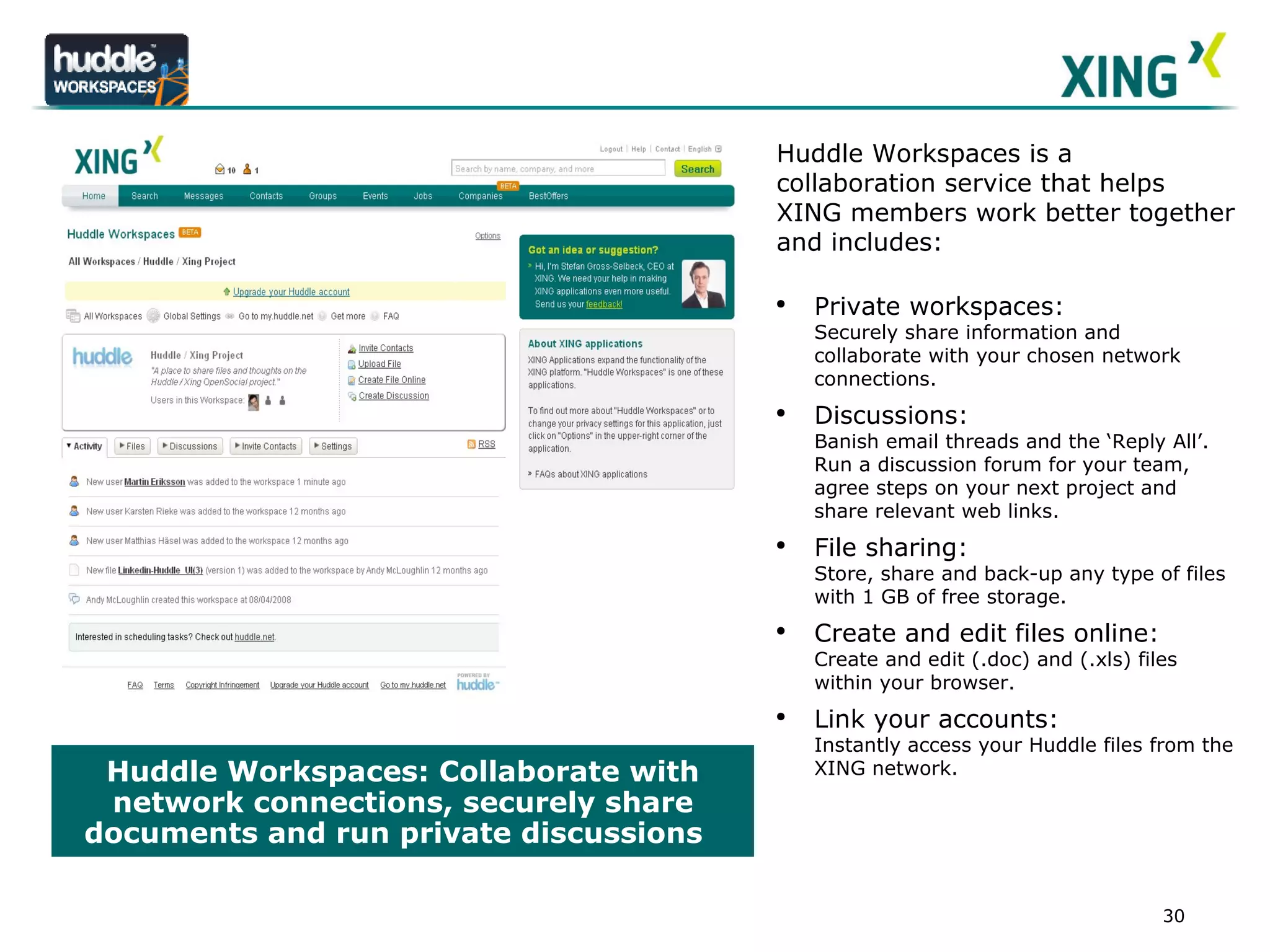
Huddle Workspaces: Collaborate with network connections, securely share documents and run private discussions  LOGO Huddle Workspaces is a collaboration service that helps XING members work better together and includes:  Private workspaces:  Securely share information and collaborate with your chosen network connections. Discussions:  Banish email threads and the ‘Reply All’. Run a discussion forum for your team, agree steps on your next project and share relevant web links. File sharing:  Store, share and back-up any type of files with 1 GB of free storage.  Create and edit files online: Create and edit (.doc) and (.xls) files within your browser. Link your accounts: Instantly access your Huddle files from the XING network.
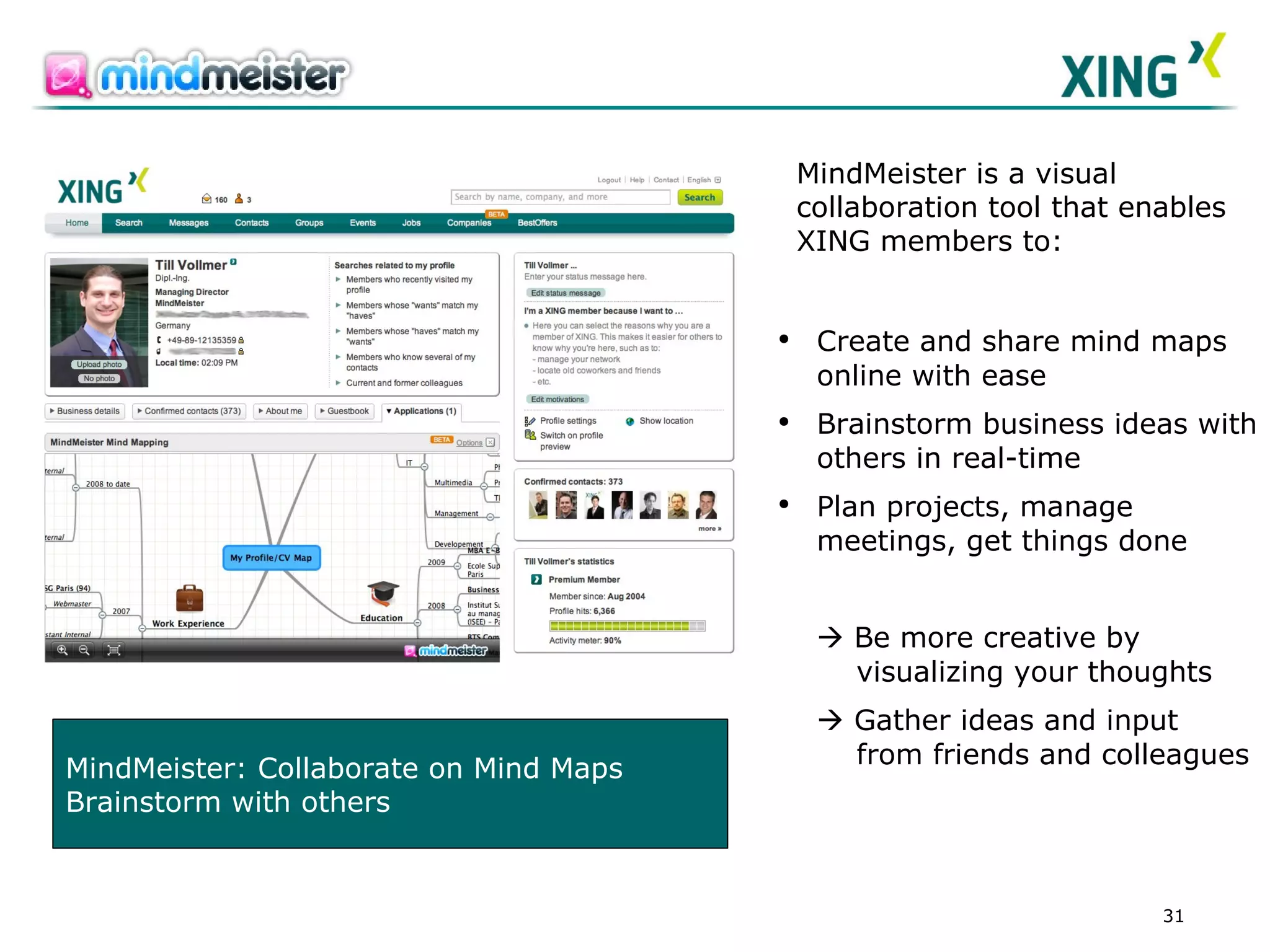
MindMeister: Collaborate on Mind Maps Brainstorm with others Create and share mind maps online with ease  Brainstorm business ideas with others in real-time  Plan projects, manage meetings, get things done    B e more creative by    visualizing your thoughts    Gather ideas and input    from friends and colleagues MindMeister is a visual collaboration tool that enables XING members to:
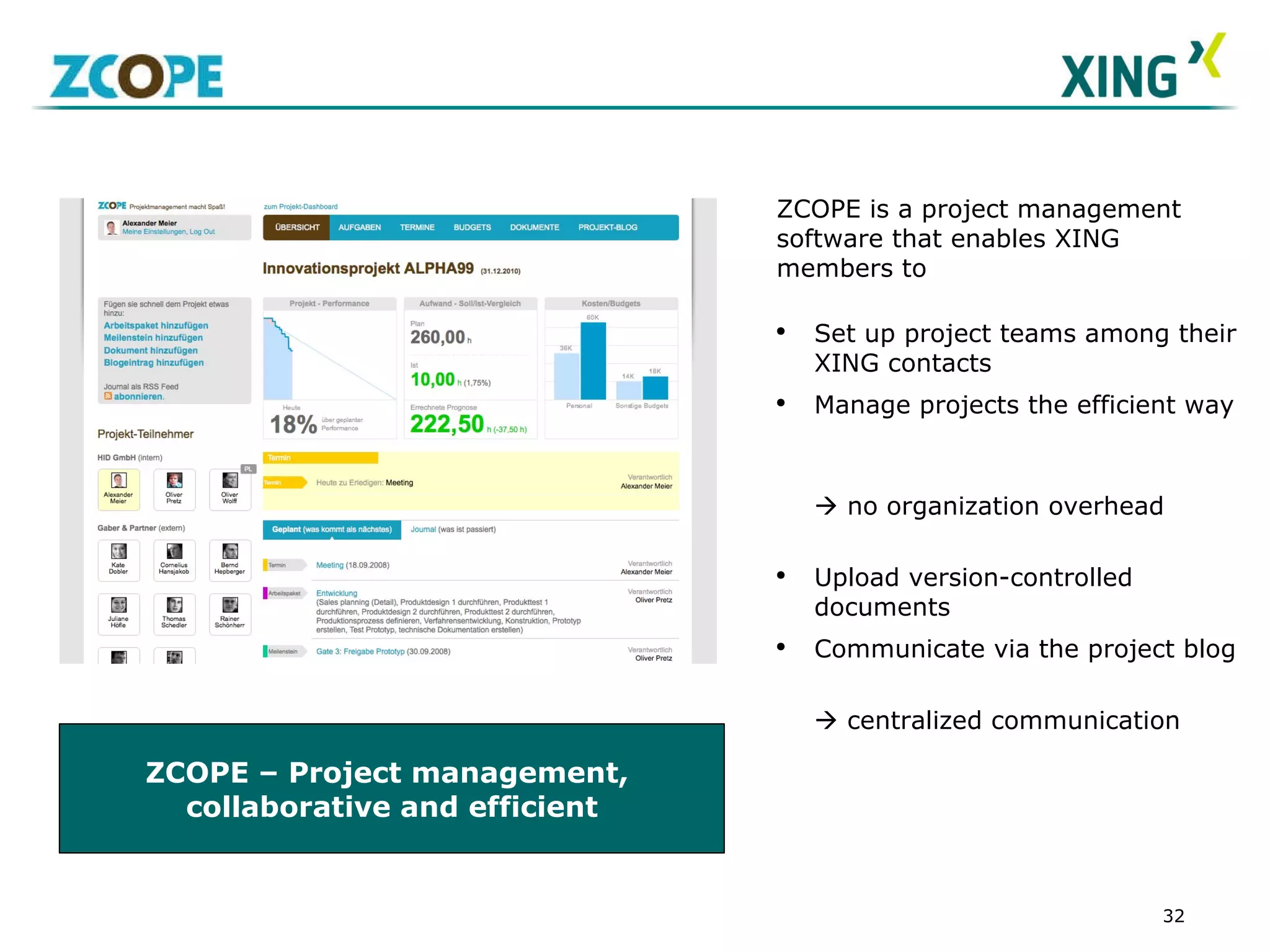
ZCOPE – Project management,  collaborative and efficient ZCOPE is a project management software that enables XING members to  Set up project teams among their XING contacts  Manage projects the efficient way     no organization overhead Upload version-controlled documents Communicate via the project blog      centralized communication
Collaboration/ web meetings The XING Partner Ecosystem 12
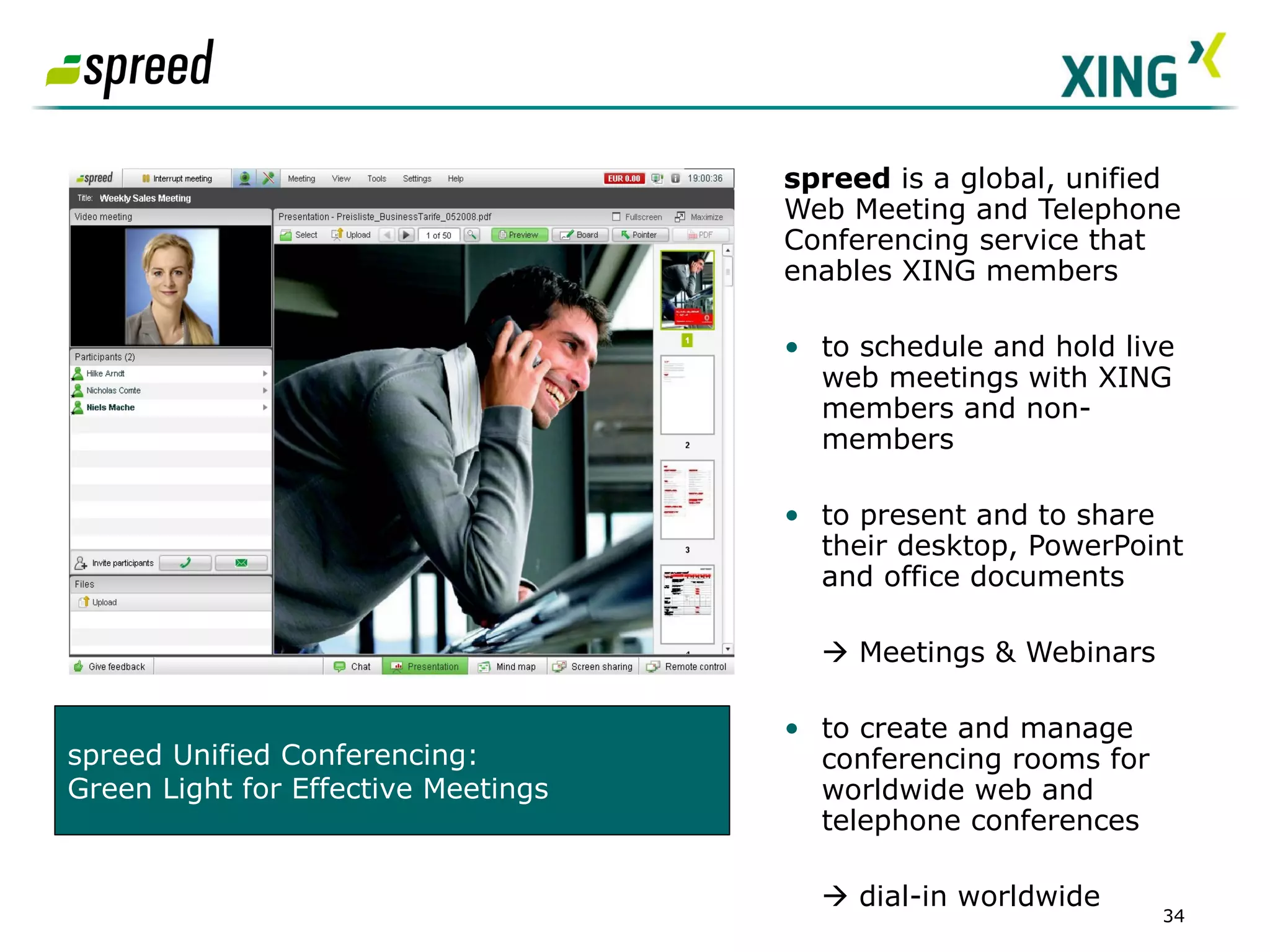
spreed  is a global, unified Web Meeting and Telephone Conferencing service that enables XING members   to schedule and hold live web meetings with XING members and non-members to present and to share their desktop, PowerPoint and office documents     Meetings & Webinars to create and manage conferencing rooms for worldwide web and telephone conferences    dial-in worldwide  SCREENSHOT Partner App  spreed Unified Conferencing:  Green Light for Effective Meetings
Sharing The XING Partner Ecosystem 12
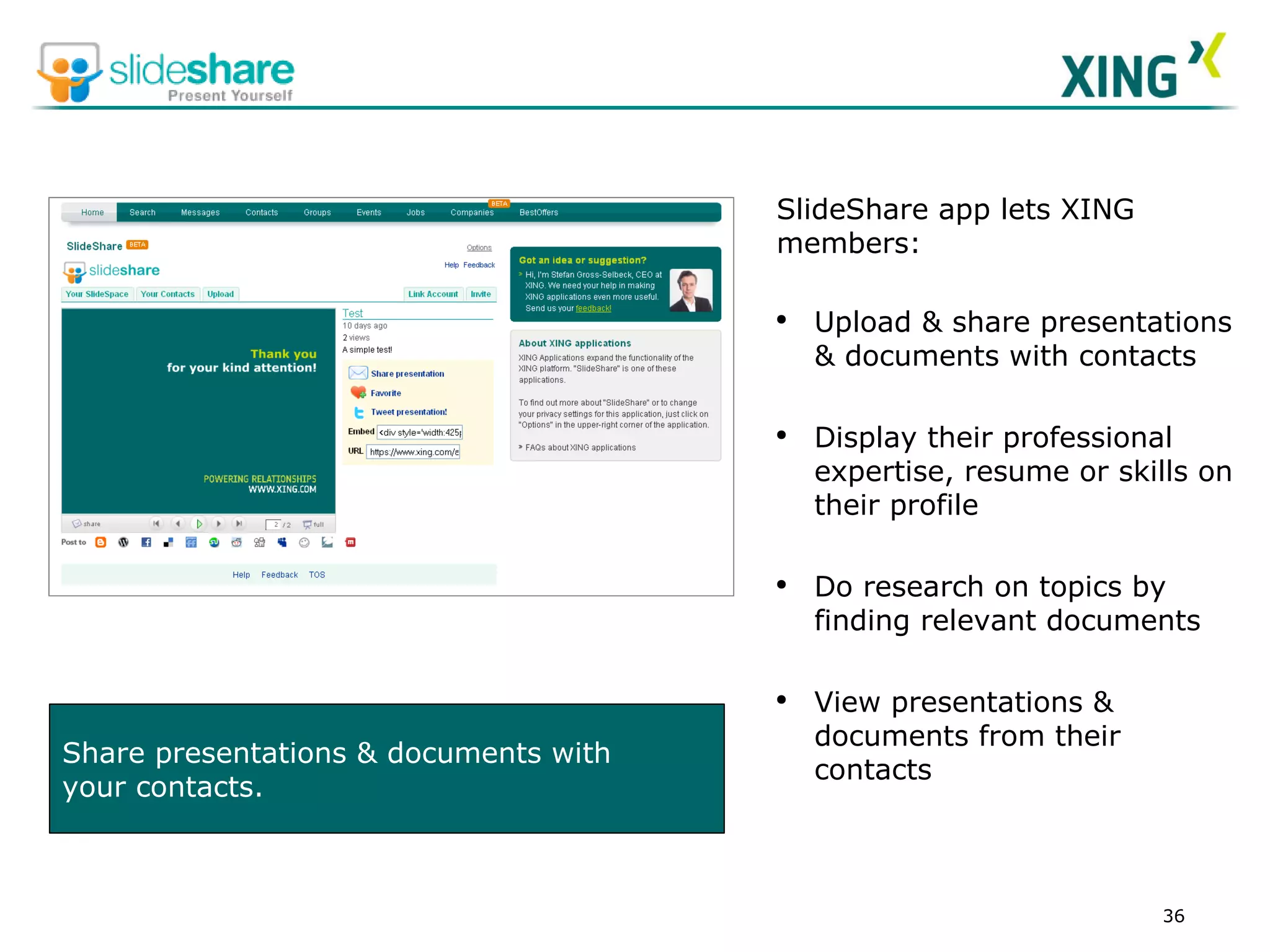
Share presentations & documents with  your contacts. SlideShare app lets XING members:  Upload & share presentations & documents with contacts Display their professional expertise, resume or skills on their profile Do research on topics by finding relevant documents   View presentations & documents from their contacts
Travel The XING Partner Ecosystem 12
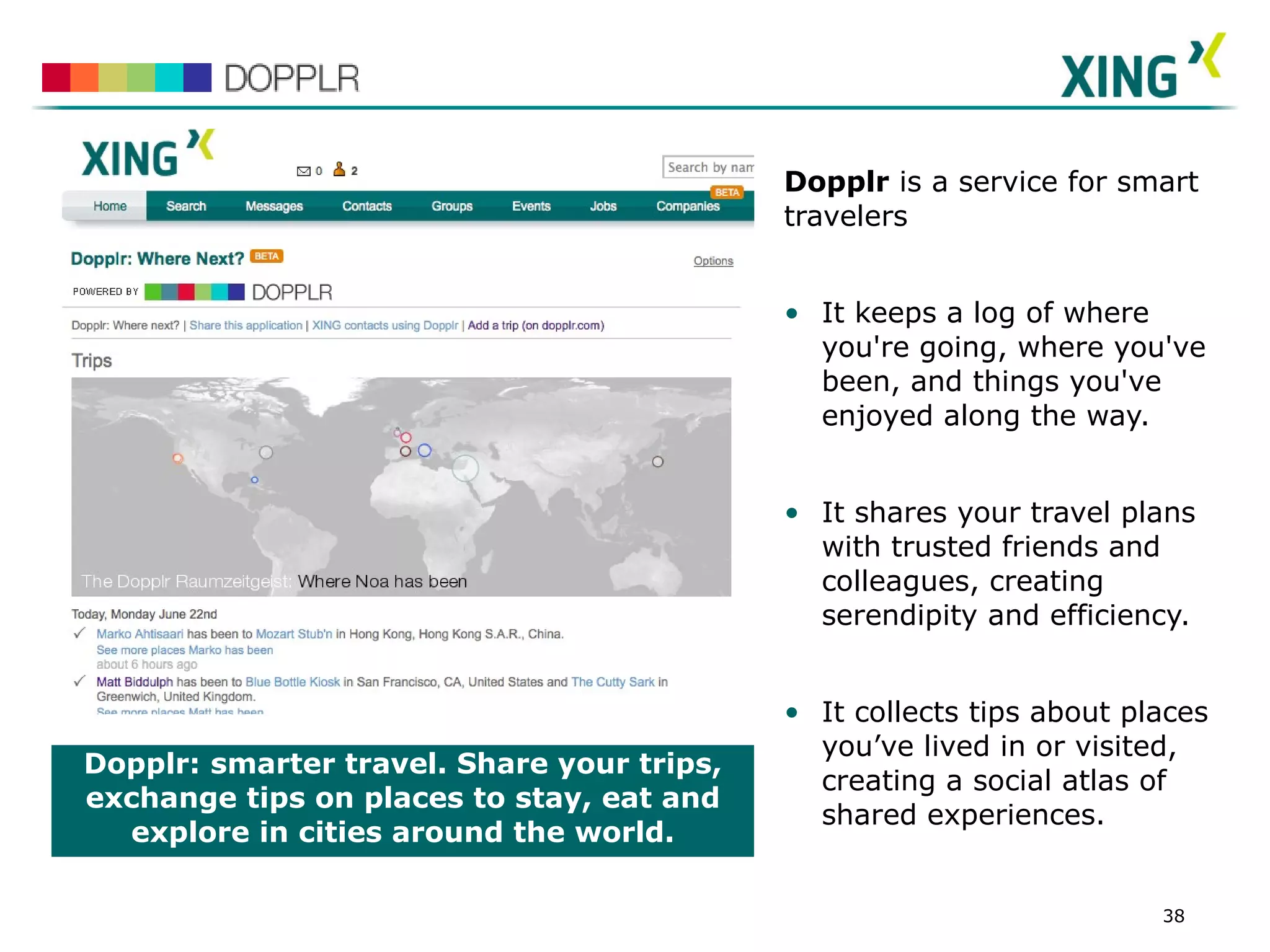
Dopplr:   smarter travel. Share your trips, exchange tips on places to stay, eat and explore in cities around the world. Dopplr  is a service for smart travelers It keeps a log of where you're going, where you've been, and things you've enjoyed along the way. It shares your travel plans with trusted friends and colleagues, creating serendipity and efficiency. It collects tips about places you’ve lived in or visited, creating a social atlas of shared experiences. SCREENSHOT
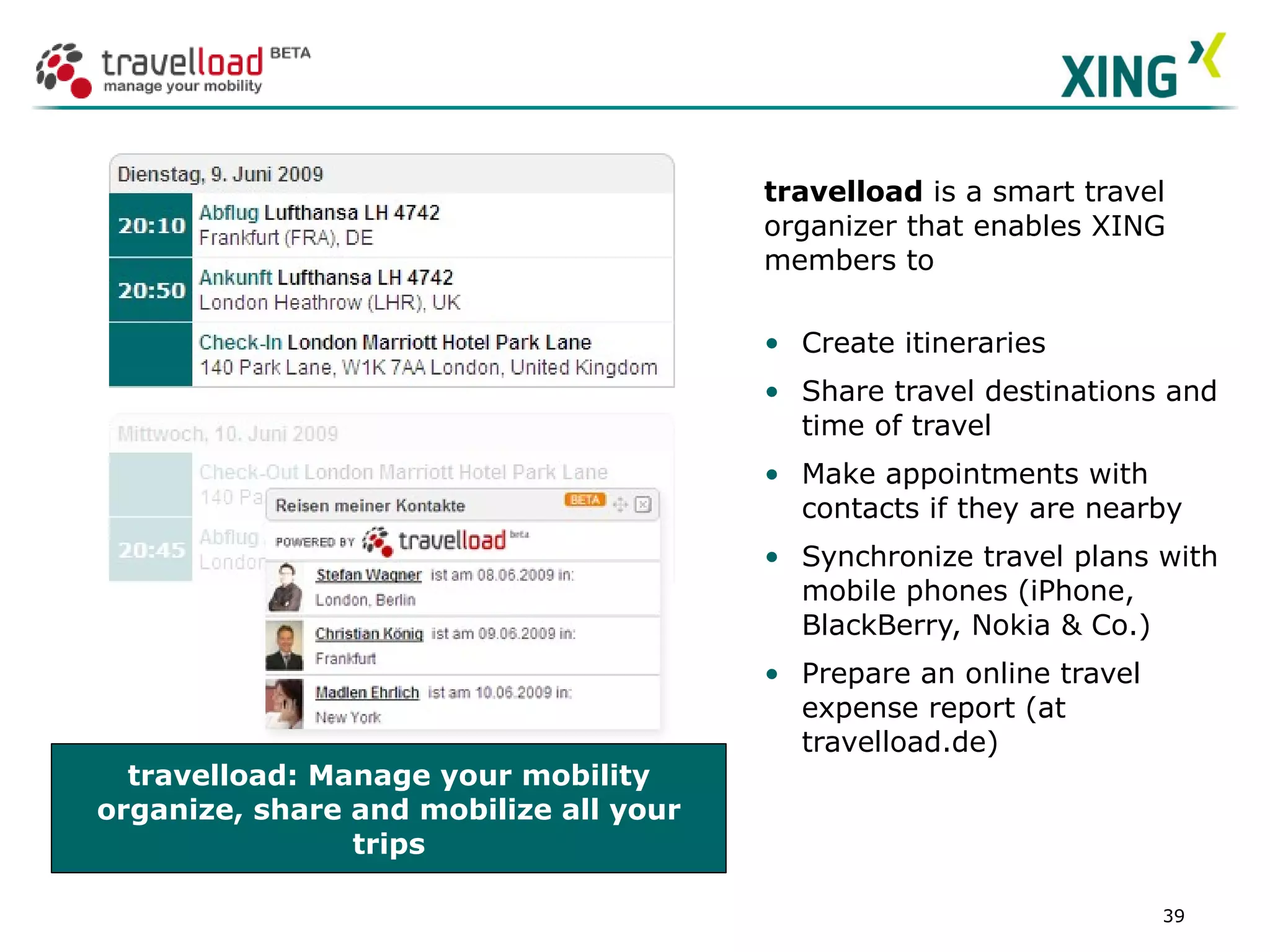
travelload: Manage your mobility organize, share and mobilize all your trips travelload  is a smart travel organizer that enables XING members to Create itineraries Share travel destinations and time of travel Make appointments with contacts if they are nearby Synchronize travel plans with mobile phones (iPhone, BlackBerry, Nokia & Co.) Prepare an online travel expense report (at travelload.de) SCREENSHOT Partner App
https://www.xing.com/profile/Daniel_PerezColomar http://twitter.com/dani_perez Thanks!!! Daniel Perez Colomar Country Manager Xing Spain

Daniel Perez Colomar Xing Entrepreneurs Network Barcelona

  • 1.
    XING at 17/ 09 / 2009
  • 2.
    About XING Socialnetworking for professionals 01 Jobs
  • 3.
    YOU Digital identityfor business professionals 01 1 “ Digital Identity” Management
  • 4.
    MANAGE YOUR CONTACTSContact management for business professionals 02 2 Efficient contact management
  • 5.
    LOOK FOR PARTNERSLead generation for business professionals 03 3 Business lead generation
  • 6.
    LOOK FOR EMPLOYEESResearch tool for business professionals 04 4 Compelling tool for research
  • 7.
    PARTICIPATE Expertgroups, network of subject-matter experts 05 Knowledge exchange and discussion in open networks Knowledge in social context: “Who do I know who knows something” Thousands of expert groups Inclusion of external experts Getting knowledge that goes beyond the job relationship
  • 8.
    PARTICIPATE Community Branding– some examples 05 employee-communities http://pwc.xing.com Industry Associations
  • 9.
    PARTICIPATE Community Branding– some examples 05 user-communities fan-groups University
  • 10.
    CREATE YOUR OWNGROUP Be a community leader 06
  • 11.
    Scalable solutions for community building Creates visibility & trust in a cutting edge environment (“Web 2.0”), e.g. through integration into users profile under “My groups” Additional communication channel for employees and alumni Membership in a group allows identification, affiliation and knowledge exchange Can be closed or open to everyone, visible or hidden Groups: Communities within the Community 1 CREATE A CORPORATE GROUP Engage your target 07
  • 12.
    CREATE A CORPORATEGROUP Overview Groups vs. Corporate Groups 07 Characteristics Groups Enterprise Groups Discussion forums (multi-lingual)   Internal member search and member list   Group event functionality   News board and integration of RSS feeds on start page, sending out of HTML newsletters   Upload up to four different logos, customizable Group start page   Up to five customizable HTML tabs, file upload (e.g. documents, podcasts, pictures), integration of external content via iframe   Export of member data (as CSV or XML file)   Webtracking reports (page traffic, member demographics)   Member statistics (e.g. demographics, data mining reports)   Moderator workshops and community expertise   XING invitations to existing employees or alumni on XING to join groups + special landing page   Setup Guide for groups and helpdesk for user support  
  • 13.
    http://pwc.xing.com XING createsa landing page ensuring a smooth start to your Enterprise Group. Direct login for XING members New XING members get one month Premium Membership for free CREATE A CORPORATE GROUP Look and Feel – Landing Page 07
  • 14.
    Overview “Latest articles”and “New members” Search for group articles Integrate News and an RSS Feed on the start page Customizable HTML area CREATE A CORPORATE GROUP Look and Feel – Start page 07
  • 15.
    Banner Upload CustomizableHTML page Tabs for structuring the Enterprise Group CREATE A CORPORATE GROUP Look and Feel – “About this Group” page 07
  • 16.
    Source: The EnglishLounge / https://www.xing.com/app/network?op=forums;tab=3;name=englishlounge Set up multilingual forums and use forum section headings for better structuring Search for other group members and contact them directly CREATE A CORPORATE GROUP Look and Feel – Forums and member search 07
  • 17.
    Names can bedirectly linked to the XING profile page; events can be linked to XING Event invitations. Five additional tabs can be set up by operators of the Enterprise Group, allowing a large number of HTML tags. The design and the boxes are done by the Enterprise Groups operators. CREATE A CORPORATE GROUP Best Practice Customizable HTML Tabs 07
  • 18.
    Integrate podcasts andvideos, which can be played directly in the Enterprise Group. Store and provide podcasts and documents for your members within a Download tab. CREATE A CORPORATE GROUP Best Practice Customizable HTML Tabs 07
  • 19.
    Get access toinformation from members who have given consent to the use of their data within the “Data sharing consent” tab.   Export data as CSV or XML file Database Import data into your internal database Data export will allow you to - Conduct internal statistical analyses Update an existing data inventory - Send postal mail to members (Group related) - Invite members to special events, etc. CREATE A CORPORATE GROUP Export of member data 07
  • 20.
    Time Spent, PageViews, Age Cluster, ... We provide you with standardized monthly web tracking reports such as Page views Demographics (age cluster, gender, country) Unique Daily Visitors Average time spent Page depth Path analysis Insights into your group Track the success of moderation and invitation activities CREATE A CORPORATE GROUP Group statistics and reports 07
  • 21.
    Demographics, activity level,contacts … Standard data mining reports (aggregated), e.g. Demographics (age, city, status) Messaging behaviour Number of contacts Interests Other group memberships Customized reports on request. Insights into your group Get to know your target group and personalize your communication CREATE A CORPORATE GROUP Data Mining Reports 07
  • 22.
    CREATE YOUR OWNEVENTS Invite your network, manage attendee list Send event invitations to selected group members (e.g. from a certain city) Group events will be displayed on the Group start page Define visibility of your event an your guest list whether your event should be only visible to group members or also in the XING Events search and search engines. 08
  • 23.
    XING News Aggregatednews, filtered by network XING News: Aggregated news, filtered by network XING News is a social news service that enables XING members to Discover and share news from multiple sources Let news be filtered by the XING community and their own XING contacts  high degree of relevance and high interest factor Comment on and rate individual news items  facilitating interaction between members 09
  • 24.
    Ask XING Lookfor answers 10 Ask XING: Ask Questions And Get Answers! Ask XING enables members to Ask questions and get answers Make use of the collective pool of expertise that the entire XING community has to offer Ask for advice and suggestions Receive valuable input from others Share their own knowledge with others
  • 25.
    Twitter Buzz SearchTwitter 11 Twitter Buzz enables members to Receive updates from Twitter for their keywords Choose the keywords they are interested in See the tweets for all languages or to select specific ones Twitter Buzz: See what people say on Twitter about your keywords
  • 26.
    Social scheduling TheXING Partner Ecosystem 12
  • 27.
    Doodle on XINGis Doodle enhanced with XING's social features Doodle brings social scheduling to XING: Quickly find the right time for a group of professionals to meet No e-mail volleys Works with any calendar system  Social scheduling: quickly find the right time to meet your XING contacts
  • 28.
    Tungle.me enhancesa XING‘s member‘s profile by: Allowing their network to easily schedule meetings with them;  No more back and forth to find a time to meet. Precious time saved Works hand-in-hand with their existing e-calendars (Outlook, Google Calendar, iCal and Entourage).  No more double-booking and automatic timezone management TUNGLE.ME: Click-to-Meet Any Member
  • 29.
    Collaboration/ project management/workspaces The XING Partner Ecosystem 12
  • 30.
    Huddle Workspaces: Collaboratewith network connections, securely share documents and run private discussions LOGO Huddle Workspaces is a collaboration service that helps XING members work better together and includes: Private workspaces:  Securely share information and collaborate with your chosen network connections. Discussions: Banish email threads and the ‘Reply All’. Run a discussion forum for your team, agree steps on your next project and share relevant web links. File sharing: Store, share and back-up any type of files with 1 GB of free storage. Create and edit files online: Create and edit (.doc) and (.xls) files within your browser. Link your accounts: Instantly access your Huddle files from the XING network.
  • 31.
    MindMeister: Collaborate onMind Maps Brainstorm with others Create and share mind maps online with ease Brainstorm business ideas with others in real-time Plan projects, manage meetings, get things done  B e more creative by visualizing your thoughts  Gather ideas and input from friends and colleagues MindMeister is a visual collaboration tool that enables XING members to:
  • 32.
    ZCOPE – Projectmanagement, collaborative and efficient ZCOPE is a project management software that enables XING members to Set up project teams among their XING contacts Manage projects the efficient way  no organization overhead Upload version-controlled documents Communicate via the project blog  centralized communication
  • 33.
    Collaboration/ web meetingsThe XING Partner Ecosystem 12
  • 34.
    spreed isa global, unified Web Meeting and Telephone Conferencing service that enables XING members to schedule and hold live web meetings with XING members and non-members to present and to share their desktop, PowerPoint and office documents  Meetings & Webinars to create and manage conferencing rooms for worldwide web and telephone conferences  dial-in worldwide SCREENSHOT Partner App spreed Unified Conferencing: Green Light for Effective Meetings
  • 35.
    Sharing The XINGPartner Ecosystem 12
  • 36.
    Share presentations &documents with your contacts. SlideShare app lets XING members: Upload & share presentations & documents with contacts Display their professional expertise, resume or skills on their profile Do research on topics by finding relevant documents View presentations & documents from their contacts
  • 37.
    Travel The XINGPartner Ecosystem 12
  • 38.
    Dopplr: smarter travel. Share your trips, exchange tips on places to stay, eat and explore in cities around the world. Dopplr is a service for smart travelers It keeps a log of where you're going, where you've been, and things you've enjoyed along the way. It shares your travel plans with trusted friends and colleagues, creating serendipity and efficiency. It collects tips about places you’ve lived in or visited, creating a social atlas of shared experiences. SCREENSHOT
  • 39.
    travelload: Manage yourmobility organize, share and mobilize all your trips travelload is a smart travel organizer that enables XING members to Create itineraries Share travel destinations and time of travel Make appointments with contacts if they are nearby Synchronize travel plans with mobile phones (iPhone, BlackBerry, Nokia & Co.) Prepare an online travel expense report (at travelload.de) SCREENSHOT Partner App
  • 40.