LinkedIn
                                              Networking Made Easy
                                              Presented by:


Andy Brennan, Jacksonville Business Journal
e: abrennan@bizjournals.com t: 904-265-2207
li: http://linkedin.com/in/johnabrennan
The Purpose of LinkedIn
Over 60 million professionals use LinkedIn to
exchange information, ideas and opportunities

• Stay informed about your contacts and industry

• Find the people & knowledge you need to achieve your goals

• Control your professional online identity

• Create and promote new business opportunities
The Purpose of LinkedIn
• Connect and network with like minded business people on a local
  and national level
• Build your network of influence through this virtual handshake
• Create unique groups to generate targeted thought sharing
• Promote business services to your connections and group members
• Ask and answer questions to gain and offer industry knowledge
Who to connect with?
• Colleagues
• Clients
• Local business owners
• Get introduced through current connections and groups
• Anyone you’ve met, done or hope to do business with
• Trade shows / Networking events / Vendors / Board Members
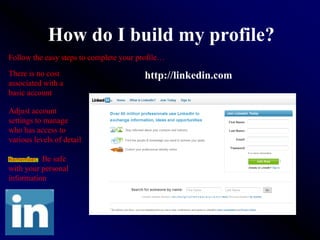
How do I build my profile?
Follow the easy steps to complete your profile…

There is no cost                         http://linkedin.com
associated with a
basic account

Adjust account
settings to manage
who has access to
various levels of detail

Remember: Be safe
with your personal
information
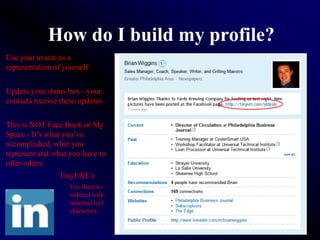
How do I build my profile?
Use your avatar as a
representation of yourself


Update your status box - your
contacts receive these updates


This is NOT Face Book or My
Space - It’s what you’ve
accomplished, what you
represent and what you have to
offer others
                TinyURL’s
                    Use them to
                    redirect with
                    minimal text
                    characters
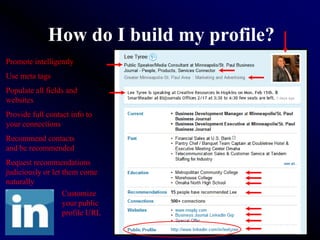
How do I build my profile?
Promote intelligently
Use meta tags
Populate all fields and
websites
Provide full contact info to
your connections
Recommend contacts
and be recommended
Request recommendations
judiciously or let them come
naturally
                   Customize
                   your public
                   profile URL
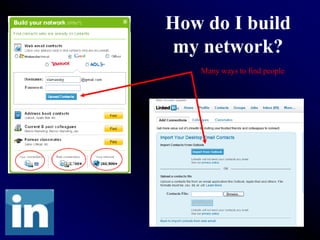
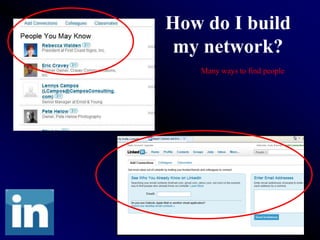
How do I build
 my network?
   Many ways to find people
How do I build
 my network?
   Many ways to find people
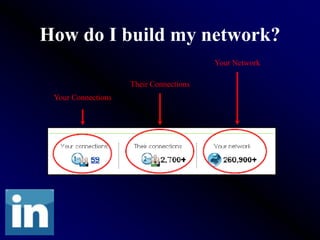
How do I build my network?
                                        Your Network

                    Their Connections
 Your Connections
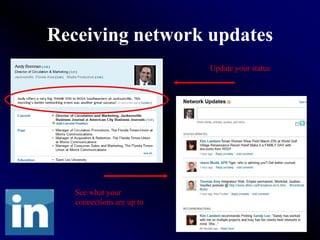
Receiving network updates
                           Update your status


   See what your
   connections are up to
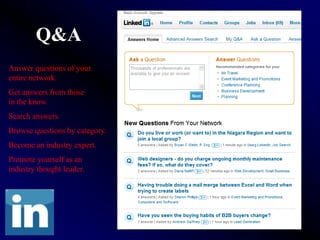
Q&A
Answer questions of your
entire network.
Get answers from those
in the know.
Search answers.
Browse questions by category.
Become an industry expert.
Promote yourself as an
industry thought leader.
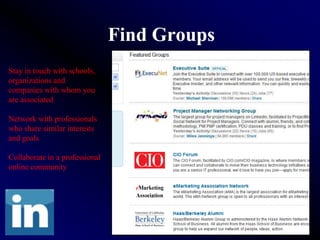
Find Groups
Stay in touch with schools,
organizations and
companies with whom you
are associated

Network with professionals
who share similar interests
and goals

Collaborate in a professional
online community
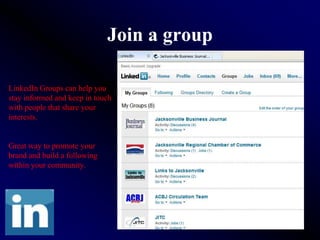
Join a group

LinkedIn Groups can help you
stay informed and keep in touch
with people that share your
interests.


Great way to promote your
brand and build a following
within your community.
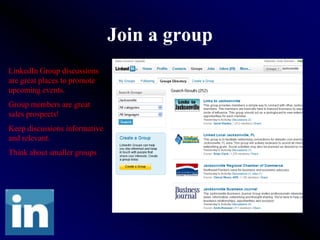
Join a group
LinkedIn Group discussions
are great places to promote
upcoming events.
Group members are great
sales prospects!
Keep discussions informative
and relevant.
Think about smaller groups
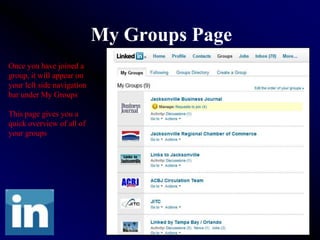
My Groups Page
Once you have joined a
group, it will appear on
your left side navigation
bar under My Groups

This page gives you a
quick overview of all of
your groups
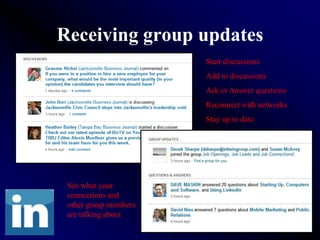
Receiving group updates
                       Start discussions
                       Add to discussions
                       Ask or Answer questions
                       Reconnect with networks
                       Stay up to date


 See what your
 connections and
 other group members
 are talking about
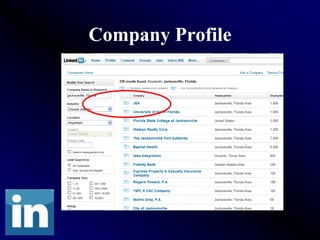
Company Profile
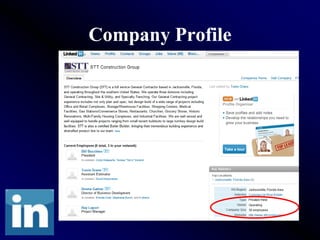
Company Profile
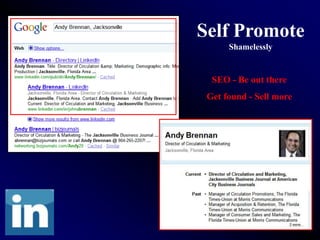
Self Promote
      Shamelessly


  SEO - Be out there
 Get found - Sell more
LinkedIn
Next Steps: Using Groups & Events
     Presented by:
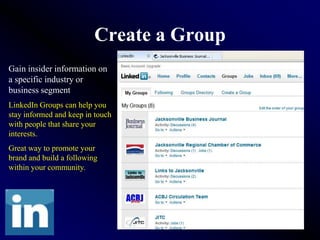
Create a Group
Gain insider information on
a specific industry or
business segment
LinkedIn Groups can help you
stay informed and keep in touch
with people that share your
interests.
Great way to promote your
brand and build a following
within your community.
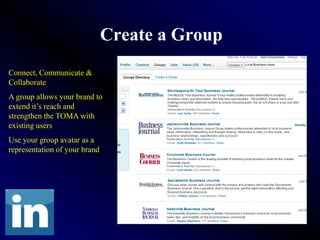
Create a Group
Connect, Communicate &
Collaborate
A group allows your brand to
extend it’s reach and
strengthen the TOMA with
existing users
Use your group avatar as a
representation of your brand
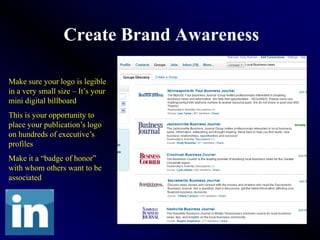
Create Brand Awareness

Make sure your logo is legible
in a very small size – It’s your
mini digital billboard
This is your opportunity to
place your publication’s logo
on hundreds of executive’s
profiles
Make it a “badge of honor”
with whom others want to be
associated
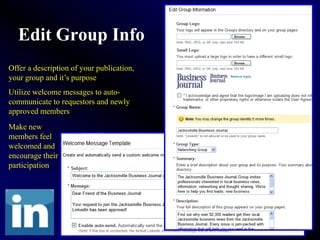
Edit Group Info
Offer a description of your publication,
your group and it’s purpose
Utilize welcome messages to auto-
communicate to requestors and newly
approved members
Make new
members feel
welcomed and
encourage their
participation
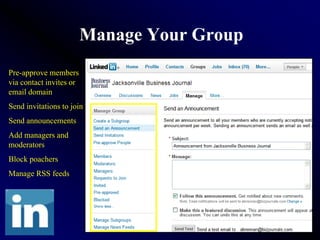
Manage Your Group
Pre-approve members
via contact invites or
email domain
Send invitations to join
Send announcements
Add managers and
moderators
Block poachers
Manage RSS feeds
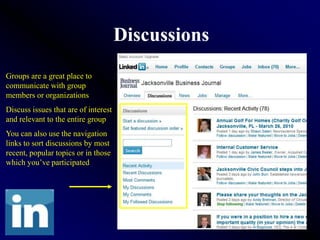
Discussions
Groups are a great place to
communicate with group
members or organizations
Discuss issues that are of interest
and relevant to the entire group
You can also use the navigation
links to sort discussions by most
recent, popular topics or in those
which you’ve participated
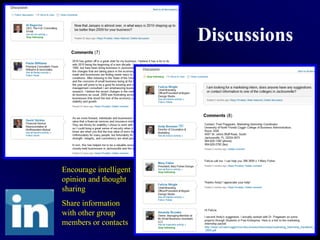
Discussions


Encourage intelligent
opinion and thought
sharing
Share information
with other group
members or contacts
Discussions

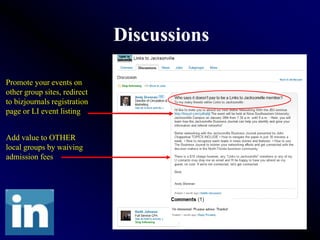
Promote your events on
other group sites, redirect
to bizjournals registration
page or LI event listing


Add value to OTHER
local groups by waiving
admission fees
Members
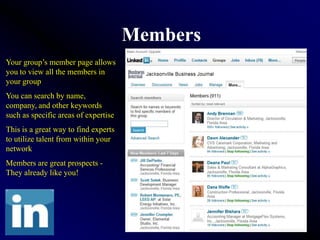
Your group’s member page allows
you to view all the members in
your group
You can search by name,
company, and other keywords
such as specific areas of expertise
This is a great way to find experts
to utilize talent from within your
network
Members are great prospects -
They already like you!
Discussions: Event Promo

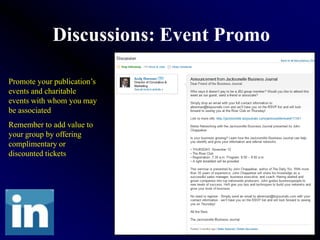
Promote your publication’s
events and charitable
events with whom you may
be associated
Remember to add value to
your group by offering
complimentary or
discounted tickets
Discourage Poachers
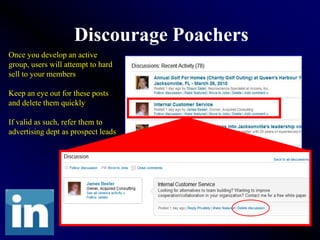
Once you develop an active
group, users will attempt to hard
sell to your members

Keep an eye out for these posts
and delete them quickly

If valid as such, refer them to
advertising dept as prospect leads
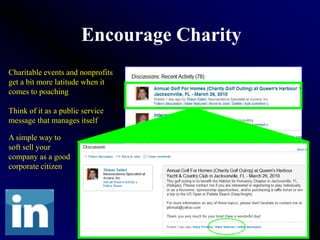
Encourage Charity
Charitable events and nonprofits
get a bit more latitude when it
comes to poaching

Think of it as a public service
message that manages itself

A simple way to
soft sell your
company as a good
corporate citizen
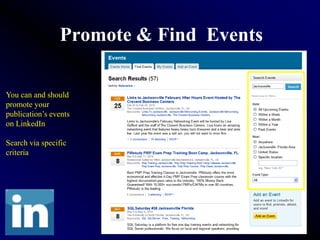
Promote & Find Events

You can and should
promote your
publication’s events
on LinkedIn

Search via specific
criteria
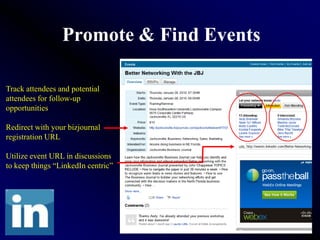
Promote & Find Events

Track attendees and potential
attendees for follow-up
opportunities

Redirect with your bizjournal
registration URL

Utilize event URL in discussions
to keep things “LinkedIn centric”
LinkedIn Conclusion
• Promote your brand personal / product
• Meet new contacts and potential clients
• Stay informed and keep in touch
• Connect with groups and grow your network
• Share knowledge / Promote yourself as an expert in your industry
• Enhance brand awareness and create a following of prospects
• Create a group - Connect, Communicate and Collaborate
• Keep your members informed and engaged
LinkedIn Q&A
   Presented by:

Using LinkedIn Brennan

  • 1.
    LinkedIn Networking Made Easy Presented by: Andy Brennan, Jacksonville Business Journal e: abrennan@bizjournals.com t: 904-265-2207 li: http://linkedin.com/in/johnabrennan
  • 2.
    The Purpose ofLinkedIn Over 60 million professionals use LinkedIn to exchange information, ideas and opportunities • Stay informed about your contacts and industry • Find the people & knowledge you need to achieve your goals • Control your professional online identity • Create and promote new business opportunities
  • 3.
    The Purpose ofLinkedIn • Connect and network with like minded business people on a local and national level • Build your network of influence through this virtual handshake • Create unique groups to generate targeted thought sharing • Promote business services to your connections and group members • Ask and answer questions to gain and offer industry knowledge
  • 4.
    Who to connectwith? • Colleagues • Clients • Local business owners • Get introduced through current connections and groups • Anyone you’ve met, done or hope to do business with • Trade shows / Networking events / Vendors / Board Members
  • 5.
    How do Ibuild my profile? Follow the easy steps to complete your profile… There is no cost http://linkedin.com associated with a basic account Adjust account settings to manage who has access to various levels of detail Remember: Be safe with your personal information
  • 6.
    How do Ibuild my profile? Use your avatar as a representation of yourself Update your status box - your contacts receive these updates This is NOT Face Book or My Space - It’s what you’ve accomplished, what you represent and what you have to offer others TinyURL’s Use them to redirect with minimal text characters
  • 7.
    How do Ibuild my profile? Promote intelligently Use meta tags Populate all fields and websites Provide full contact info to your connections Recommend contacts and be recommended Request recommendations judiciously or let them come naturally Customize your public profile URL
  • 8.
    How do Ibuild my network? Many ways to find people
  • 9.
    How do Ibuild my network? Many ways to find people
  • 10.
    How do Ibuild my network? Your Network Their Connections Your Connections
  • 11.
    Receiving network updates Update your status See what your connections are up to
  • 12.
    Q&A Answer questions ofyour entire network. Get answers from those in the know. Search answers. Browse questions by category. Become an industry expert. Promote yourself as an industry thought leader.
  • 13.
    Find Groups Stay intouch with schools, organizations and companies with whom you are associated Network with professionals who share similar interests and goals Collaborate in a professional online community
  • 14.
    Join a group LinkedInGroups can help you stay informed and keep in touch with people that share your interests. Great way to promote your brand and build a following within your community.
  • 15.
    Join a group LinkedInGroup discussions are great places to promote upcoming events. Group members are great sales prospects! Keep discussions informative and relevant. Think about smaller groups
  • 16.
    My Groups Page Onceyou have joined a group, it will appear on your left side navigation bar under My Groups This page gives you a quick overview of all of your groups
  • 17.
    Receiving group updates Start discussions Add to discussions Ask or Answer questions Reconnect with networks Stay up to date See what your connections and other group members are talking about
  • 18.
  • 19.
  • 20.
    Self Promote Shamelessly SEO - Be out there Get found - Sell more
  • 21.
    LinkedIn Next Steps: UsingGroups & Events Presented by:
  • 22.
    Create a Group Gaininsider information on a specific industry or business segment LinkedIn Groups can help you stay informed and keep in touch with people that share your interests. Great way to promote your brand and build a following within your community.
  • 23.
    Create a Group Connect,Communicate & Collaborate A group allows your brand to extend it’s reach and strengthen the TOMA with existing users Use your group avatar as a representation of your brand
  • 24.
    Create Brand Awareness Makesure your logo is legible in a very small size – It’s your mini digital billboard This is your opportunity to place your publication’s logo on hundreds of executive’s profiles Make it a “badge of honor” with whom others want to be associated
  • 25.
    Edit Group Info Offera description of your publication, your group and it’s purpose Utilize welcome messages to auto- communicate to requestors and newly approved members Make new members feel welcomed and encourage their participation
  • 26.
    Manage Your Group Pre-approvemembers via contact invites or email domain Send invitations to join Send announcements Add managers and moderators Block poachers Manage RSS feeds
  • 27.
    Discussions Groups are agreat place to communicate with group members or organizations Discuss issues that are of interest and relevant to the entire group You can also use the navigation links to sort discussions by most recent, popular topics or in those which you’ve participated
  • 28.
    Discussions Encourage intelligent opinion andthought sharing Share information with other group members or contacts
  • 29.
    Discussions Promote your eventson other group sites, redirect to bizjournals registration page or LI event listing Add value to OTHER local groups by waiving admission fees
  • 30.
    Members Your group’s memberpage allows you to view all the members in your group You can search by name, company, and other keywords such as specific areas of expertise This is a great way to find experts to utilize talent from within your network Members are great prospects - They already like you!
  • 31.
    Discussions: Event Promo Promoteyour publication’s events and charitable events with whom you may be associated Remember to add value to your group by offering complimentary or discounted tickets
  • 32.
    Discourage Poachers Once youdevelop an active group, users will attempt to hard sell to your members Keep an eye out for these posts and delete them quickly If valid as such, refer them to advertising dept as prospect leads
  • 33.
    Encourage Charity Charitable eventsand nonprofits get a bit more latitude when it comes to poaching Think of it as a public service message that manages itself A simple way to soft sell your company as a good corporate citizen
  • 34.
    Promote & FindEvents You can and should promote your publication’s events on LinkedIn Search via specific criteria
  • 35.
    Promote & FindEvents Track attendees and potential attendees for follow-up opportunities Redirect with your bizjournal registration URL Utilize event URL in discussions to keep things “LinkedIn centric”
  • 36.
    LinkedIn Conclusion • Promoteyour brand personal / product • Meet new contacts and potential clients • Stay informed and keep in touch • Connect with groups and grow your network • Share knowledge / Promote yourself as an expert in your industry • Enhance brand awareness and create a following of prospects • Create a group - Connect, Communicate and Collaborate • Keep your members informed and engaged
  • 37.
    LinkedIn Q&A Presented by: