Web 2.0 Presentation Tools & Resources:  Flickr, SlideShare, Zoho Show & More Patricia F. Anderson  <pfa@umich.edu> Health Sciences Libraries, UM  March 1, 2007 © 2007 Regents of the University of Michigan. All rights reserved.
Web 2.0 is Useful for … Folk who use multiple computers in various locations Discovery of items similar to your selections Sharing resources with peers, managers, students & others Web site development & support Building communities and discovering like-minded individuals
Web 2.0 Presentation Resources When making a presentation, you want pictures, and a few words. And people. Finding Pictures: Google Images Other Image Search Engines Flickr Building your presentation -- Zoho: Show Sharing your presentation (& finding other presentations) -- SlideShare.net
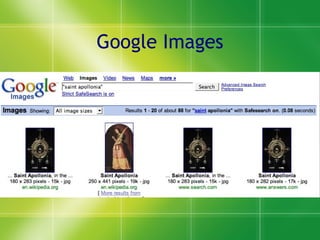
Google Images
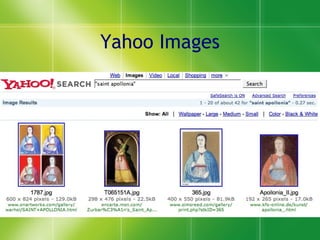
Yahoo Images
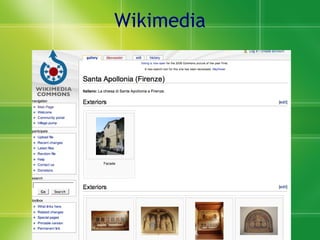
Wikimedia
Other Image Search Engines A9 Altavista: Image Search Ask: Picture Search Ditto DogPile PicSearch MORE: http://www-personal.umich.edu/~pfa/pro/8fold/taskpics.html
Flickr Account types Free, with limited uploads Fee, personal accounts Inexpensive - around $15 USD/year No corporate accounts, yet
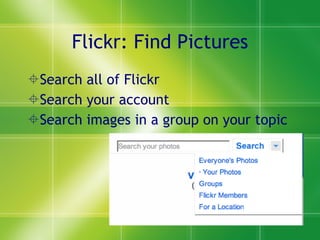
Flickr: Find Pictures Search all of Flickr Search your account Search images in a group on your topic
Browsing Tags in Flickr Tags are freeform and self-selected Check a variety of spellings, phrasings, capitalization, and punctuation for the same concept Watch for popular terms When tagging your pictures, use a variety of spellings and terms to aid in discovery. Browse:  http://flickr.com/photos/tags/_______
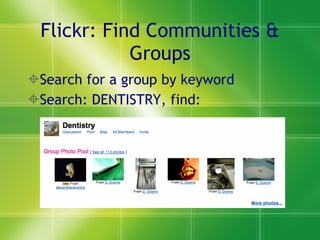
Flickr: Find Communities & Groups Search for a group by keyword Search: DENTISTRY, find:
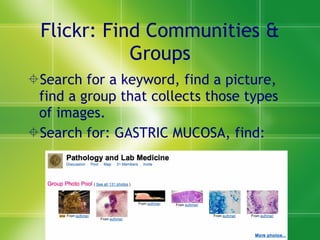
Flickr: Find Communities & Groups Search for a keyword, find a picture, find a group that collects those types of images. Search for: GASTRIC MUCOSA, find:
Flickr: Build Communities & Groups Start a group on a topic that interests you Search for images that fit; look for a range of interesting images Invite people to join and add their images Invite partner(s) to help moderate group to keep it on target Thank those who add good images, to build a reward system.
Flickr: Build Communities & Groups Why? (NOTE: These are true for Web 2.0 communities in general) Market and promote your resources Link back to your online resources Broaden recognition of your expertise among new groups Broaden awareness of range of resources available Discover new persons interested in your topic of interest
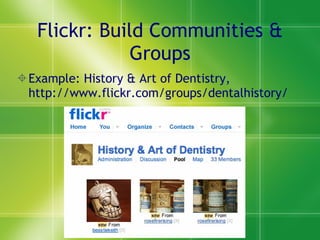
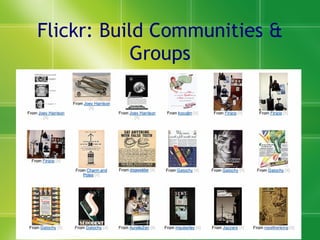
Flickr: Build Communities & Groups Example: History & Art of Dentistry, http://www.flickr.com/groups/dentalhistory/
Flickr: Build Communities & Groups
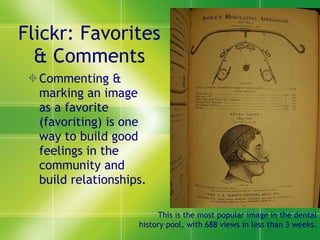
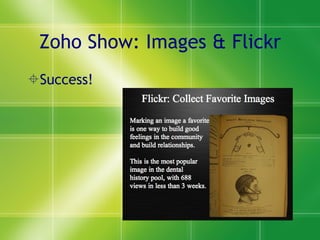
Flickr: Favorites & Comments Commenting & marking an image as a favorite (favoriting) is one way to build good feelings in the community and build relationships. This is the most popular image in the dental history pool, with 688 views in less than 3 weeks.
Flickr: FYIs All new accounts temporarily restricted from being accessible via Flickr search. Accounts may be blocked from searching if focus is not real-folk photos (negotiable). ‘ Blocked’ photos still accessible via groups and photostream. Some image restrictions apply: Copyright, Image ownership, Sexual, nudity, graphic violence,  Or otherwise not family-friendly.
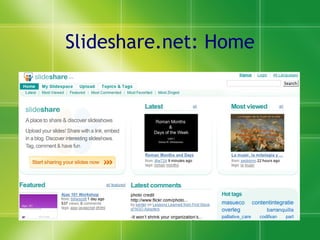
Slideshare.net: Home
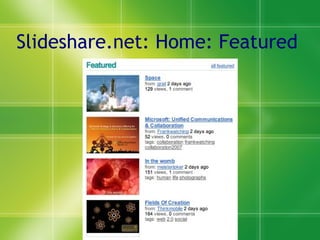
Slideshare.net: Home: Featured
Slideshare.net: About Content from those who want to get their ideas out: Not-for-profits International schools Consultants Individuals
SlideShare.net: About 2 Things to do with SlideShare: Find teaching materials Share teaching materials Share conference slides Review content remotely from secured computers. NOTES about sharing:  People cannot download your presentation without asking you first. People can ask you.
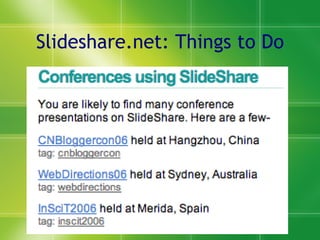
Slideshare.net: Things to Do
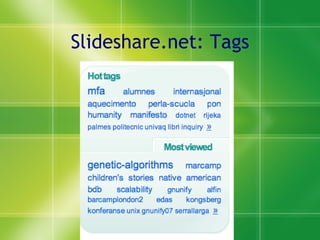
Slideshare.net: Tags
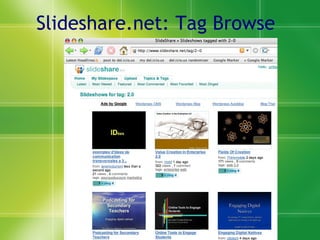
Slideshare.net: Tag Browse
SlideShare.net: Searching No advanced search Sloppy search  This reflects relatively new product and growing collection -- they want you to find something, so make the search imprecise. Community still “young” (in Web 2.0 terms), so few comments / added tags Pluses: Searches full text of presentation slides, and breaks out full text in display
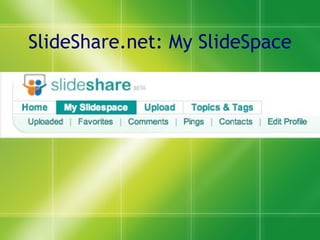
SlideShare.net: My SlideSpace
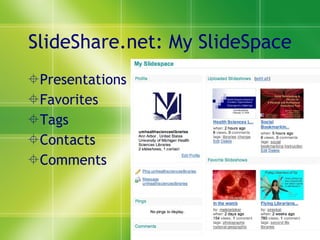
SlideShare.net: My SlideSpace Presentations Favorites Tags Contacts Comments
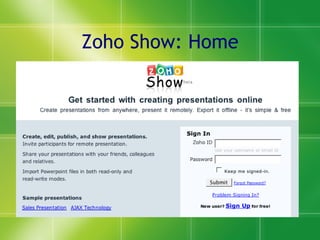
Zoho Show: Home
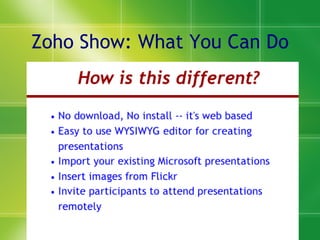
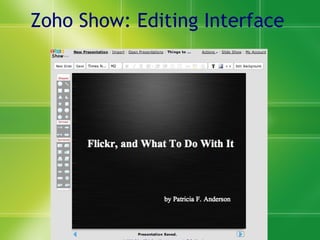
Zoho Show: What You Can Do
Zoho Show: Ways to Use It Backup your presentation, in case  Your computer fries at a conference When you have to use someone else’s computer You are working from a public computer without your preferred presentation software Last minute edits / updates to previously loaded presentation Pseudo Webcast presentations -- conference call + online slideshow you control Interviewing job candidates remotely Guest speakers & consulting presentations
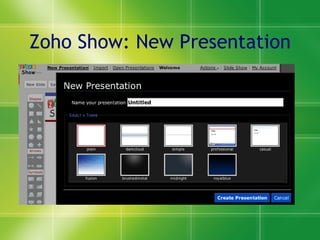
Zoho Show: New Presentation
Zoho Show: Editing Interface
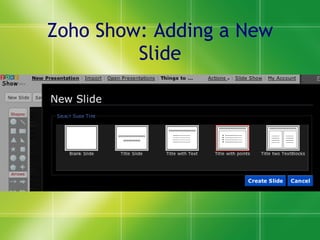
Zoho Show: Adding a New Slide
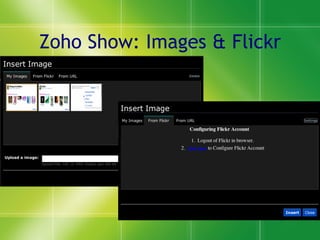
Zoho Show: Images & Flickr
Zoho Show: Images & Flickr Success!
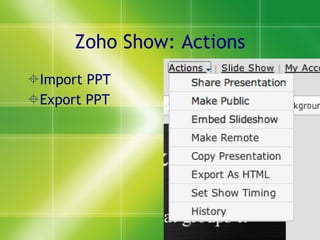
Zoho Show: Actions Import PPT Export PPT
Other Free Zoho Online Tools Zoho Writer (word processing) Zoho Sheet (spreadsheet) Zoho Polls (surveys) Zoho Creator (online databases) Zoho Wiki More … at Zoho.com
Creating Accounts Each account per tool (Flickr, Zoho, Slideshare) must usually be associated with a unique e-mail address. If creating an account to be shared across an office, consider creating an e-mail list to serve as the contact e-mail address.
More: Copyright & Licensing Creative Commons license options for both SlideShare and Flickr Is there an institutional policy? What does your boss think? Most conservative license is “All Rights Reserved.” Next most conservative, but more open, is Creative Commons, non-commercial use only, no derivatives.

Bus tech

  • 1.
    Web 2.0 PresentationTools & Resources: Flickr, SlideShare, Zoho Show & More Patricia F. Anderson <pfa@umich.edu> Health Sciences Libraries, UM March 1, 2007 © 2007 Regents of the University of Michigan. All rights reserved.
  • 2.
    Web 2.0 isUseful for … Folk who use multiple computers in various locations Discovery of items similar to your selections Sharing resources with peers, managers, students & others Web site development & support Building communities and discovering like-minded individuals
  • 3.
    Web 2.0 PresentationResources When making a presentation, you want pictures, and a few words. And people. Finding Pictures: Google Images Other Image Search Engines Flickr Building your presentation -- Zoho: Show Sharing your presentation (& finding other presentations) -- SlideShare.net
  • 4.
  • 5.
  • 6.
  • 7.
    Other Image SearchEngines A9 Altavista: Image Search Ask: Picture Search Ditto DogPile PicSearch MORE: http://www-personal.umich.edu/~pfa/pro/8fold/taskpics.html
  • 8.
    Flickr Account typesFree, with limited uploads Fee, personal accounts Inexpensive - around $15 USD/year No corporate accounts, yet
  • 9.
    Flickr: Find PicturesSearch all of Flickr Search your account Search images in a group on your topic
  • 10.
    Browsing Tags inFlickr Tags are freeform and self-selected Check a variety of spellings, phrasings, capitalization, and punctuation for the same concept Watch for popular terms When tagging your pictures, use a variety of spellings and terms to aid in discovery. Browse: http://flickr.com/photos/tags/_______
  • 11.
    Flickr: Find Communities& Groups Search for a group by keyword Search: DENTISTRY, find:
  • 12.
    Flickr: Find Communities& Groups Search for a keyword, find a picture, find a group that collects those types of images. Search for: GASTRIC MUCOSA, find:
  • 13.
    Flickr: Build Communities& Groups Start a group on a topic that interests you Search for images that fit; look for a range of interesting images Invite people to join and add their images Invite partner(s) to help moderate group to keep it on target Thank those who add good images, to build a reward system.
  • 14.
    Flickr: Build Communities& Groups Why? (NOTE: These are true for Web 2.0 communities in general) Market and promote your resources Link back to your online resources Broaden recognition of your expertise among new groups Broaden awareness of range of resources available Discover new persons interested in your topic of interest
  • 15.
    Flickr: Build Communities& Groups Example: History & Art of Dentistry, http://www.flickr.com/groups/dentalhistory/
  • 16.
  • 17.
    Flickr: Favorites &Comments Commenting & marking an image as a favorite (favoriting) is one way to build good feelings in the community and build relationships. This is the most popular image in the dental history pool, with 688 views in less than 3 weeks.
  • 18.
    Flickr: FYIs Allnew accounts temporarily restricted from being accessible via Flickr search. Accounts may be blocked from searching if focus is not real-folk photos (negotiable). ‘ Blocked’ photos still accessible via groups and photostream. Some image restrictions apply: Copyright, Image ownership, Sexual, nudity, graphic violence, Or otherwise not family-friendly.
  • 19.
  • 20.
  • 21.
    Slideshare.net: About Contentfrom those who want to get their ideas out: Not-for-profits International schools Consultants Individuals
  • 22.
    SlideShare.net: About 2Things to do with SlideShare: Find teaching materials Share teaching materials Share conference slides Review content remotely from secured computers. NOTES about sharing: People cannot download your presentation without asking you first. People can ask you.
  • 23.
  • 24.
  • 25.
  • 26.
    SlideShare.net: Searching Noadvanced search Sloppy search This reflects relatively new product and growing collection -- they want you to find something, so make the search imprecise. Community still “young” (in Web 2.0 terms), so few comments / added tags Pluses: Searches full text of presentation slides, and breaks out full text in display
  • 27.
  • 28.
    SlideShare.net: My SlideSpacePresentations Favorites Tags Contacts Comments
  • 29.
  • 30.
    Zoho Show: WhatYou Can Do
  • 31.
    Zoho Show: Waysto Use It Backup your presentation, in case Your computer fries at a conference When you have to use someone else’s computer You are working from a public computer without your preferred presentation software Last minute edits / updates to previously loaded presentation Pseudo Webcast presentations -- conference call + online slideshow you control Interviewing job candidates remotely Guest speakers & consulting presentations
  • 32.
    Zoho Show: NewPresentation
  • 33.
  • 34.
    Zoho Show: Addinga New Slide
  • 35.
  • 36.
    Zoho Show: Images& Flickr Success!
  • 37.
    Zoho Show: ActionsImport PPT Export PPT
  • 38.
    Other Free ZohoOnline Tools Zoho Writer (word processing) Zoho Sheet (spreadsheet) Zoho Polls (surveys) Zoho Creator (online databases) Zoho Wiki More … at Zoho.com
  • 39.
    Creating Accounts Eachaccount per tool (Flickr, Zoho, Slideshare) must usually be associated with a unique e-mail address. If creating an account to be shared across an office, consider creating an e-mail list to serve as the contact e-mail address.
  • 40.
    More: Copyright &Licensing Creative Commons license options for both SlideShare and Flickr Is there an institutional policy? What does your boss think? Most conservative license is “All Rights Reserved.” Next most conservative, but more open, is Creative Commons, non-commercial use only, no derivatives.