Downloaded 194 times
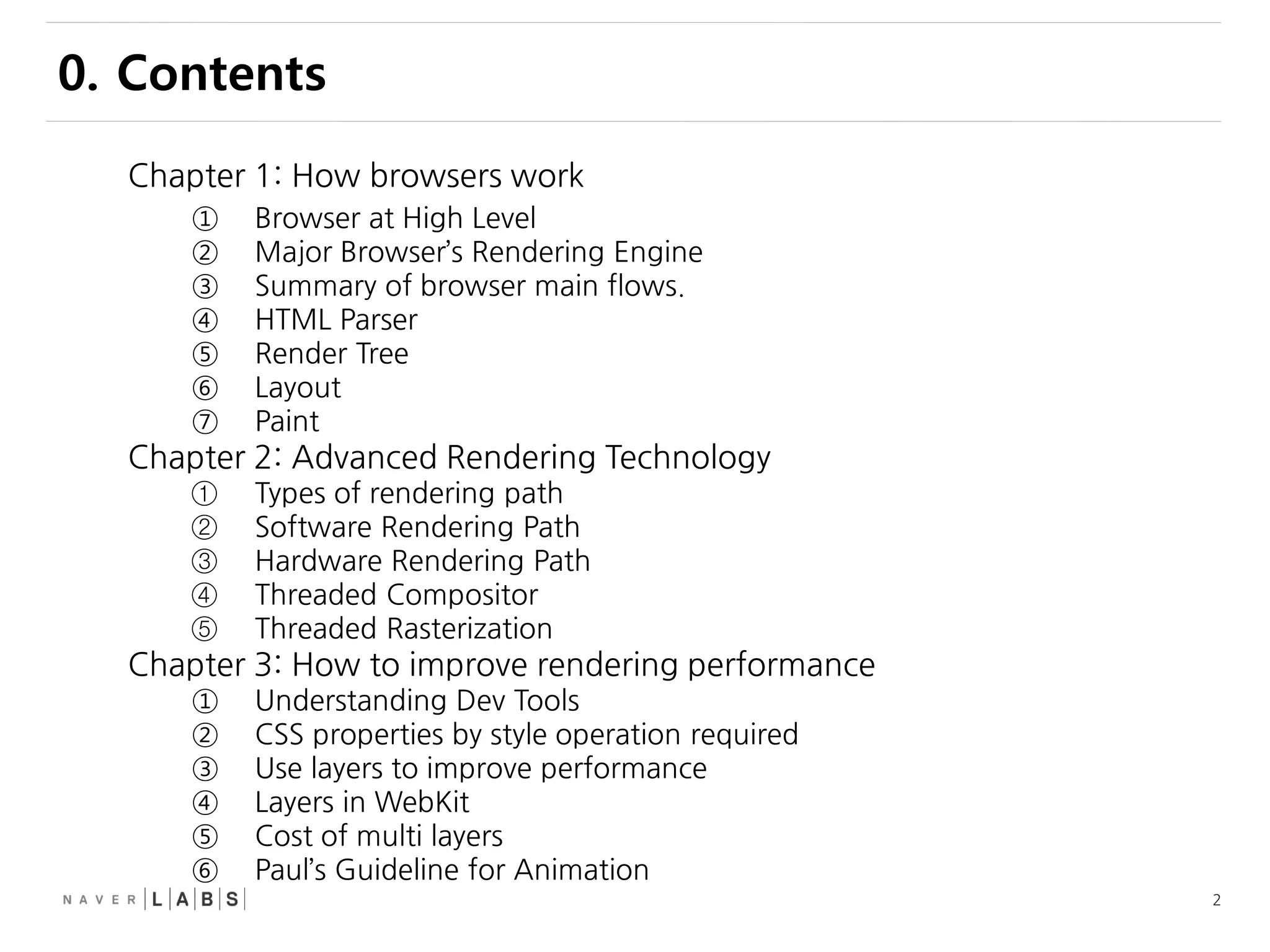
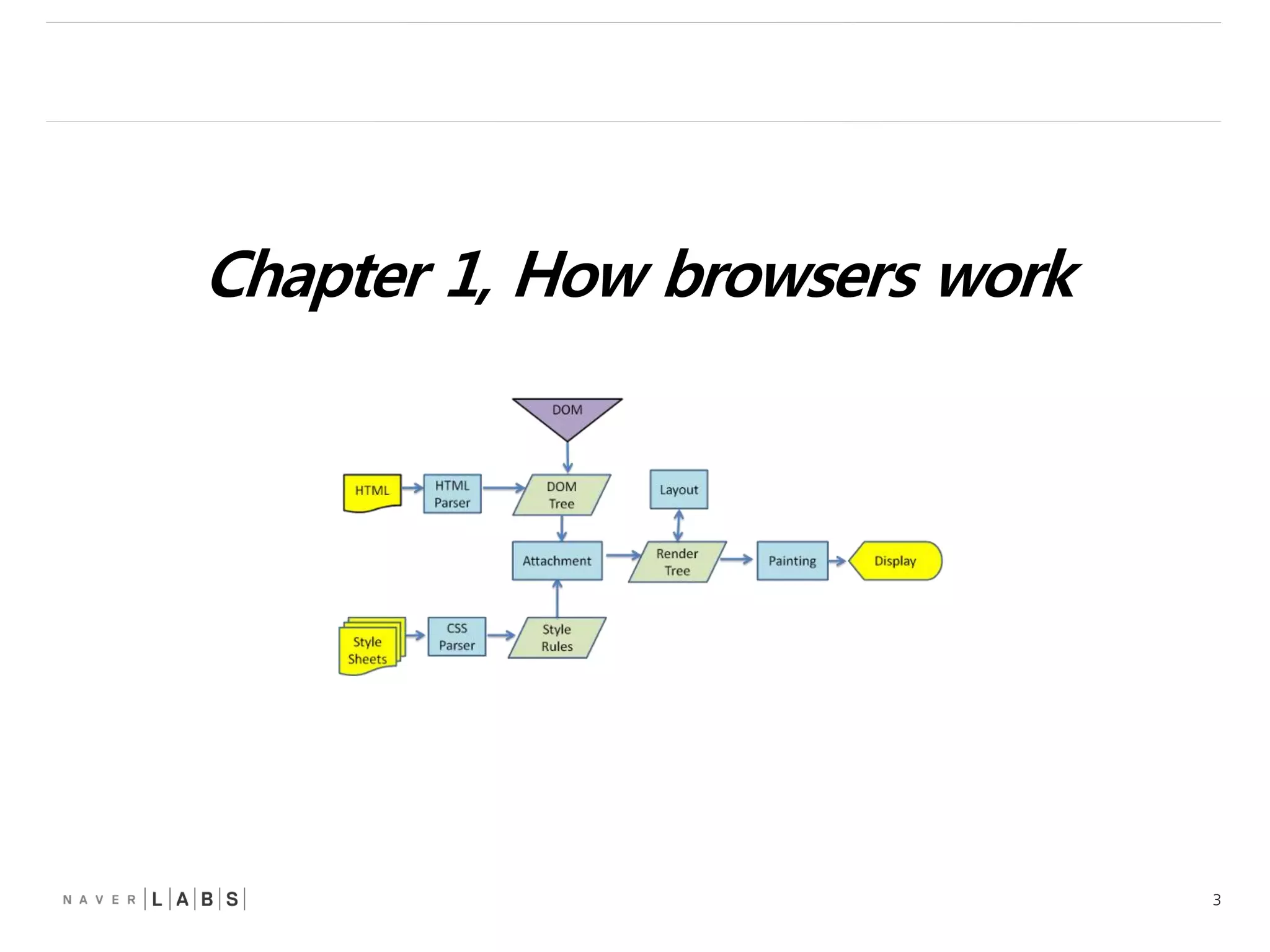
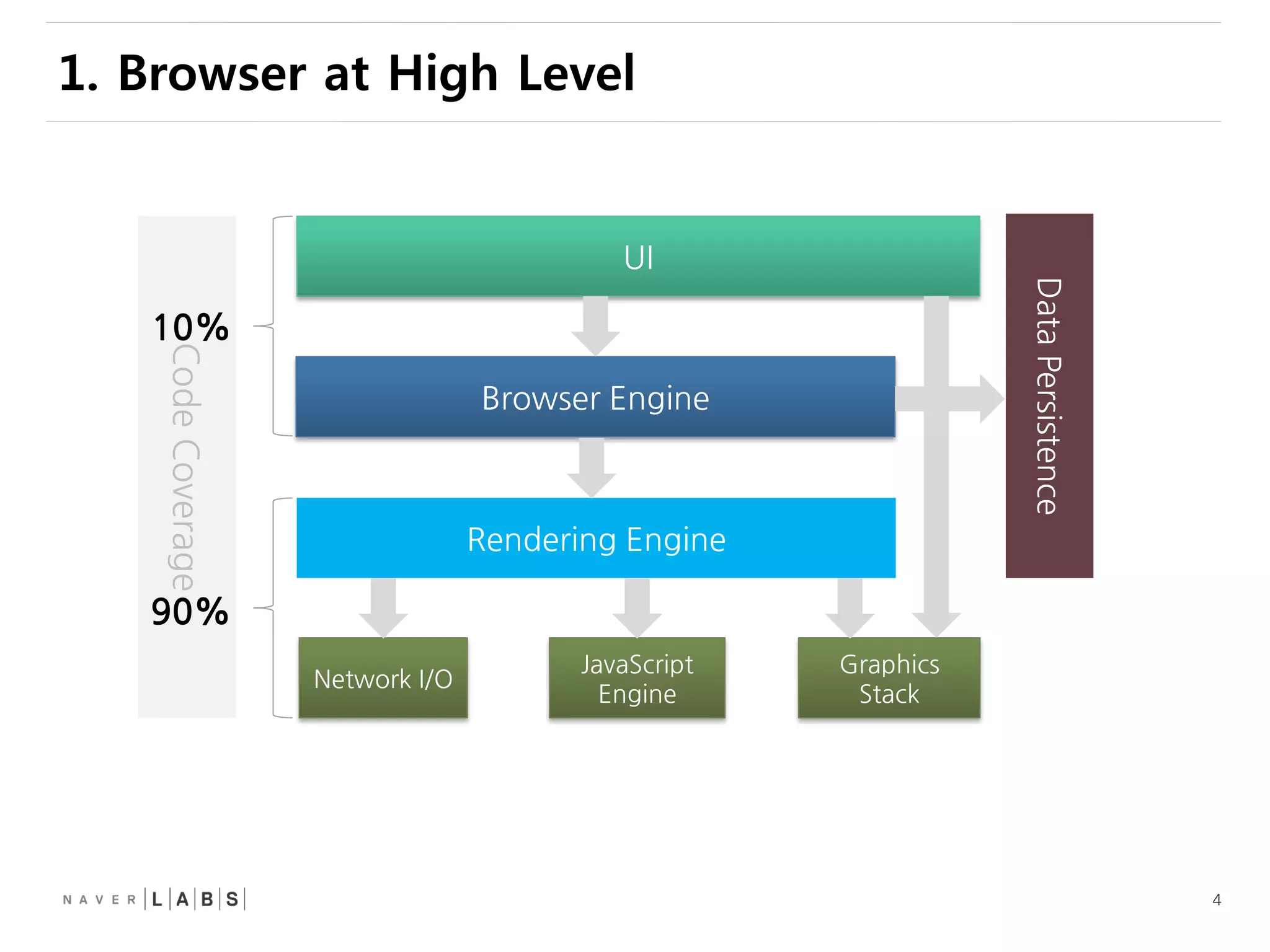
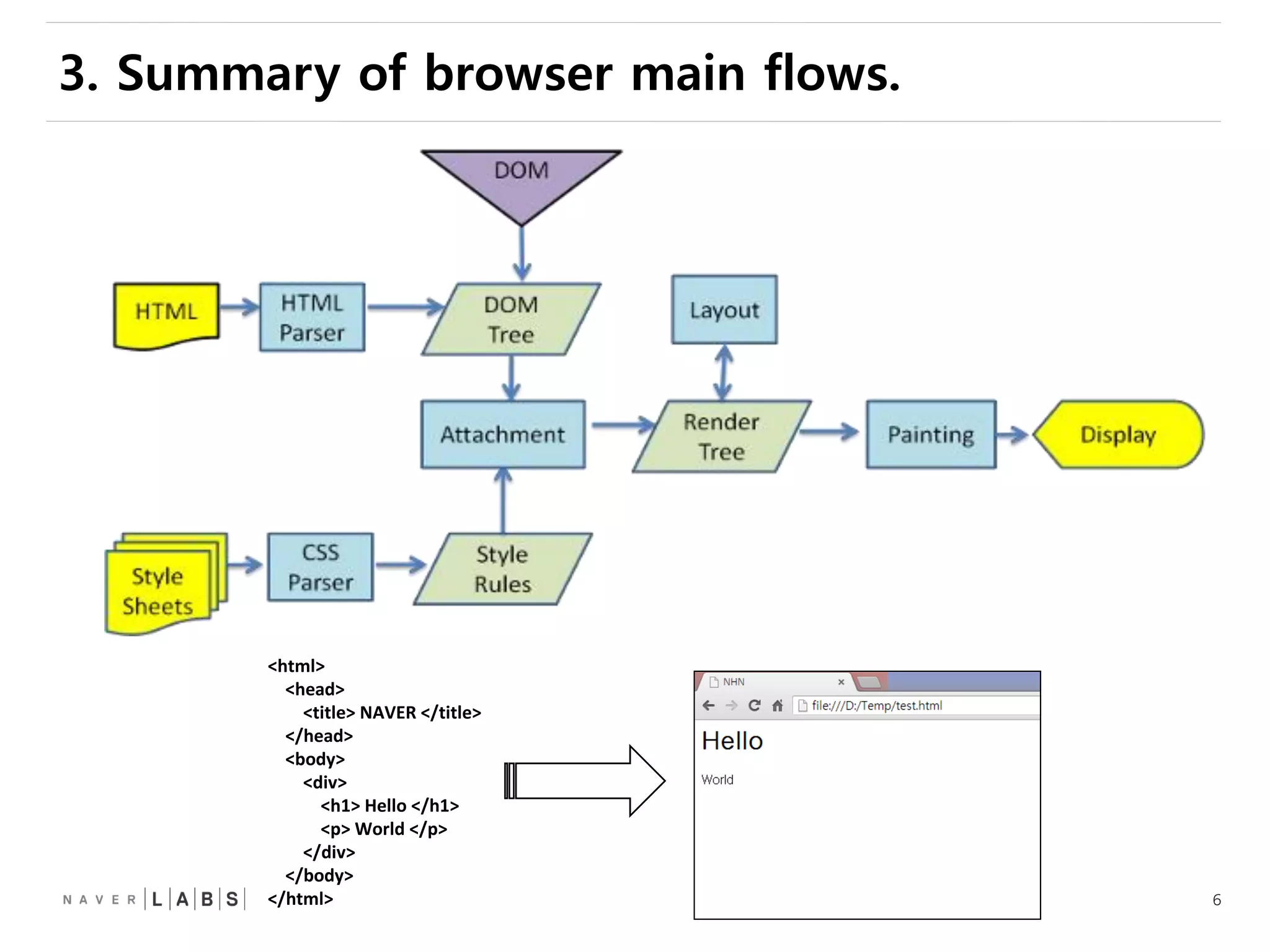
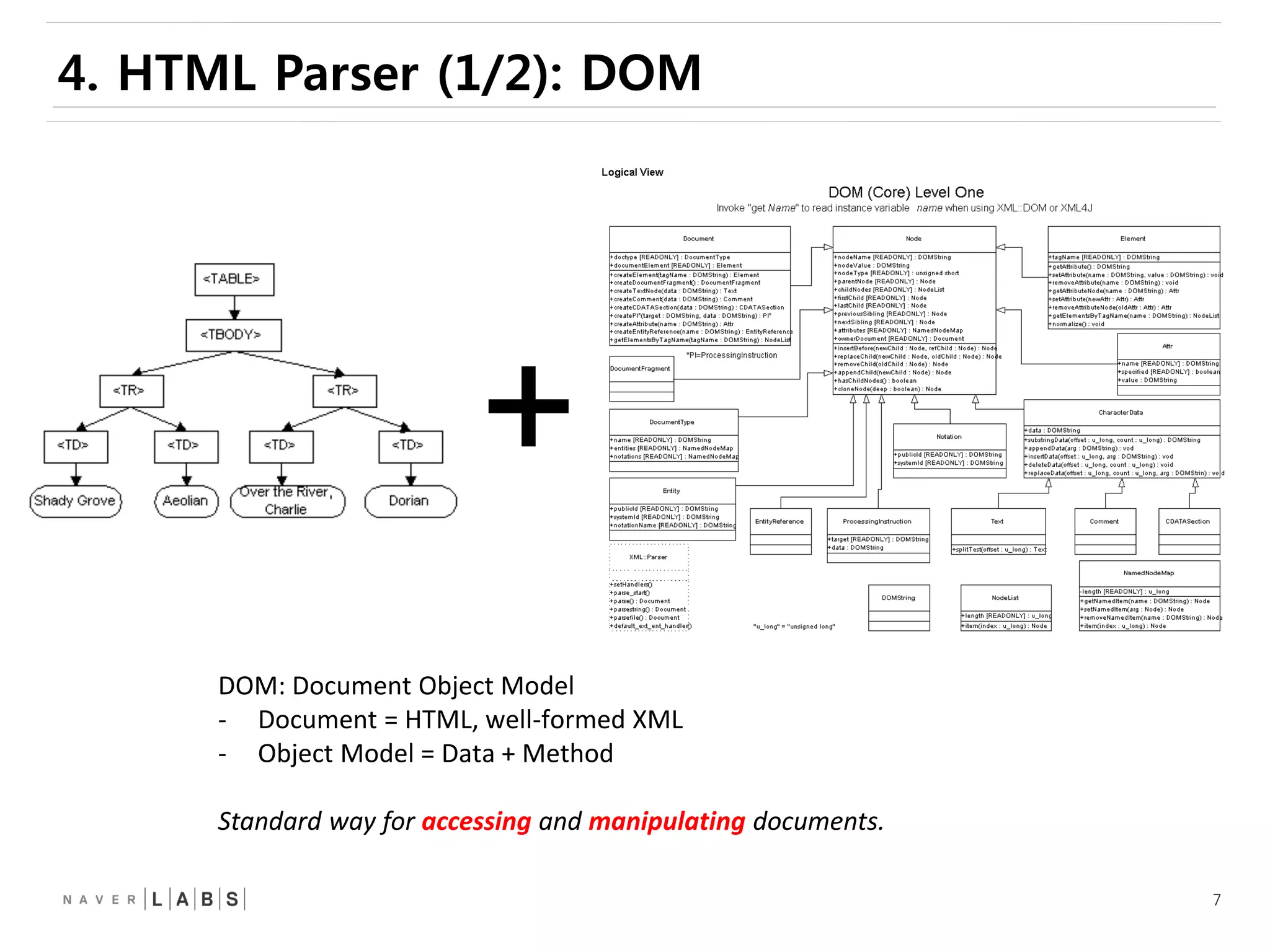
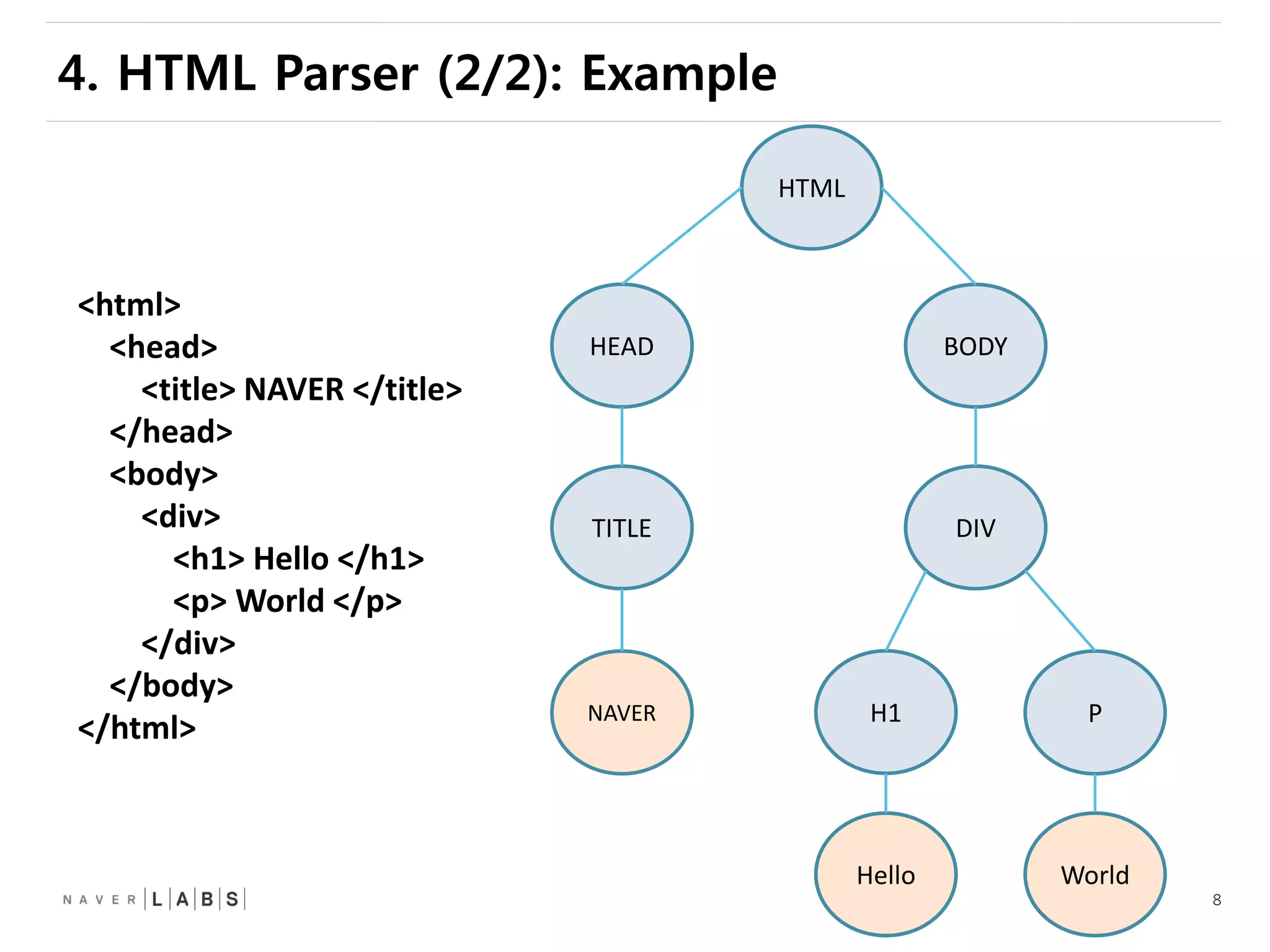
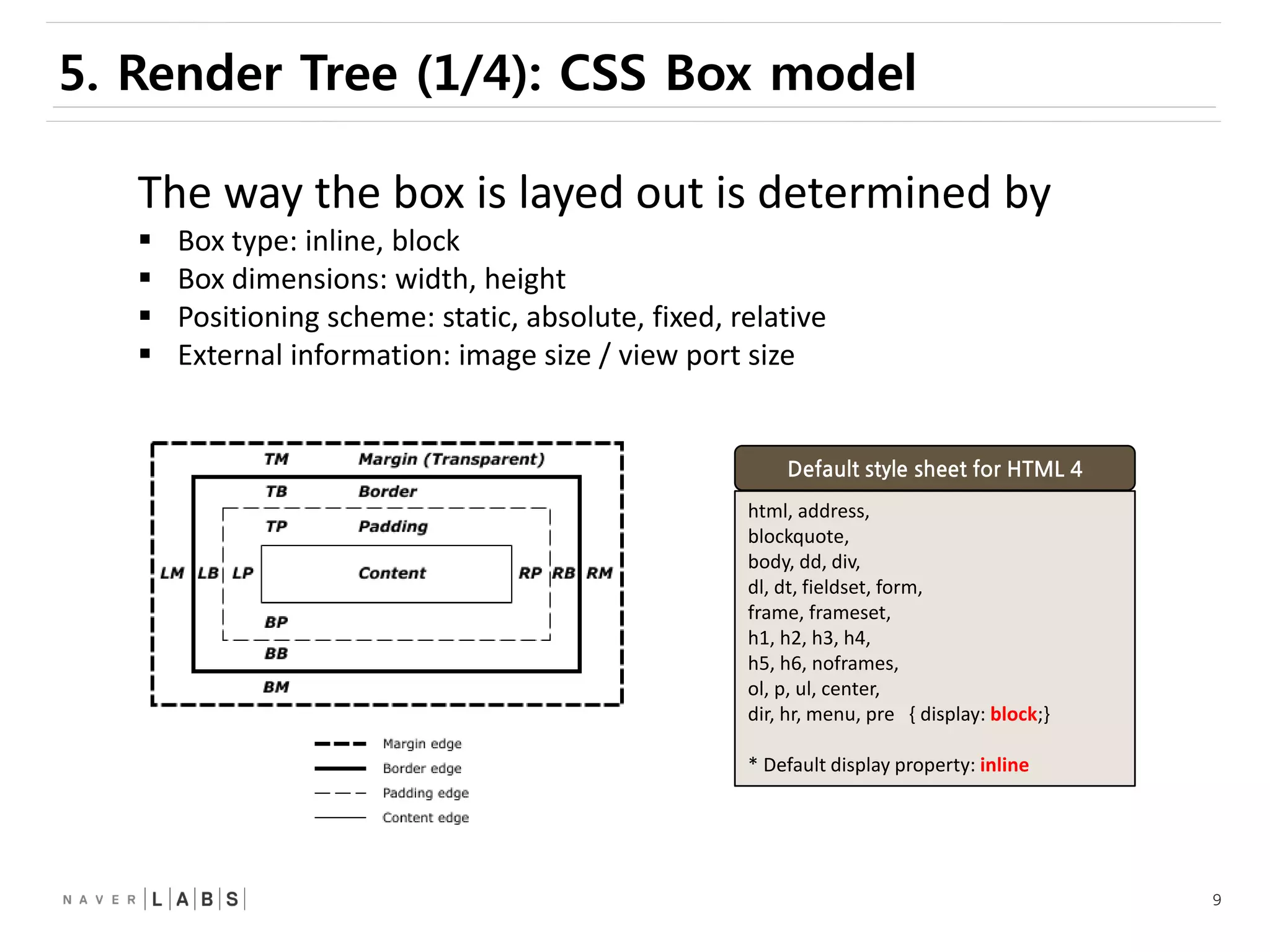
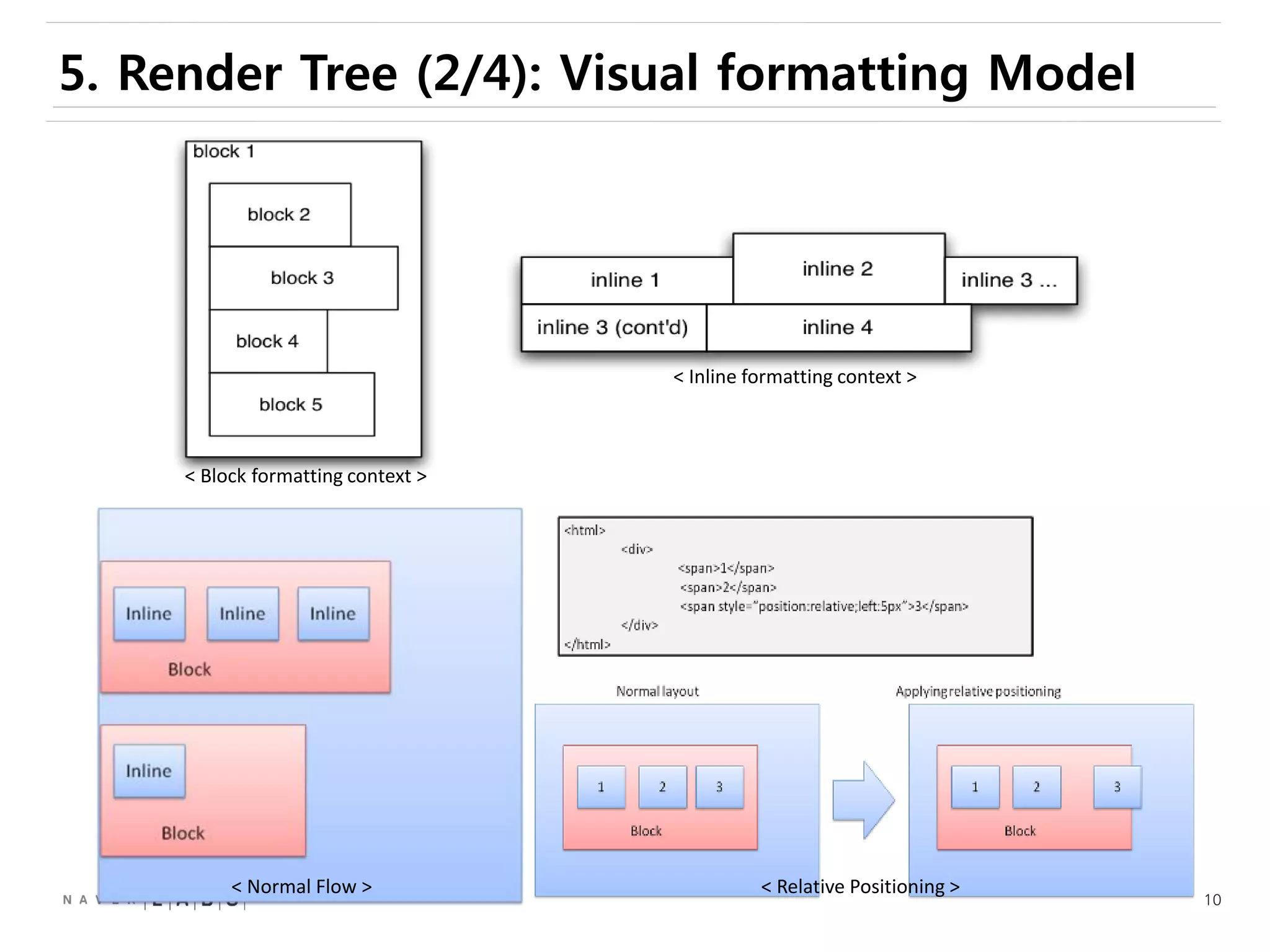
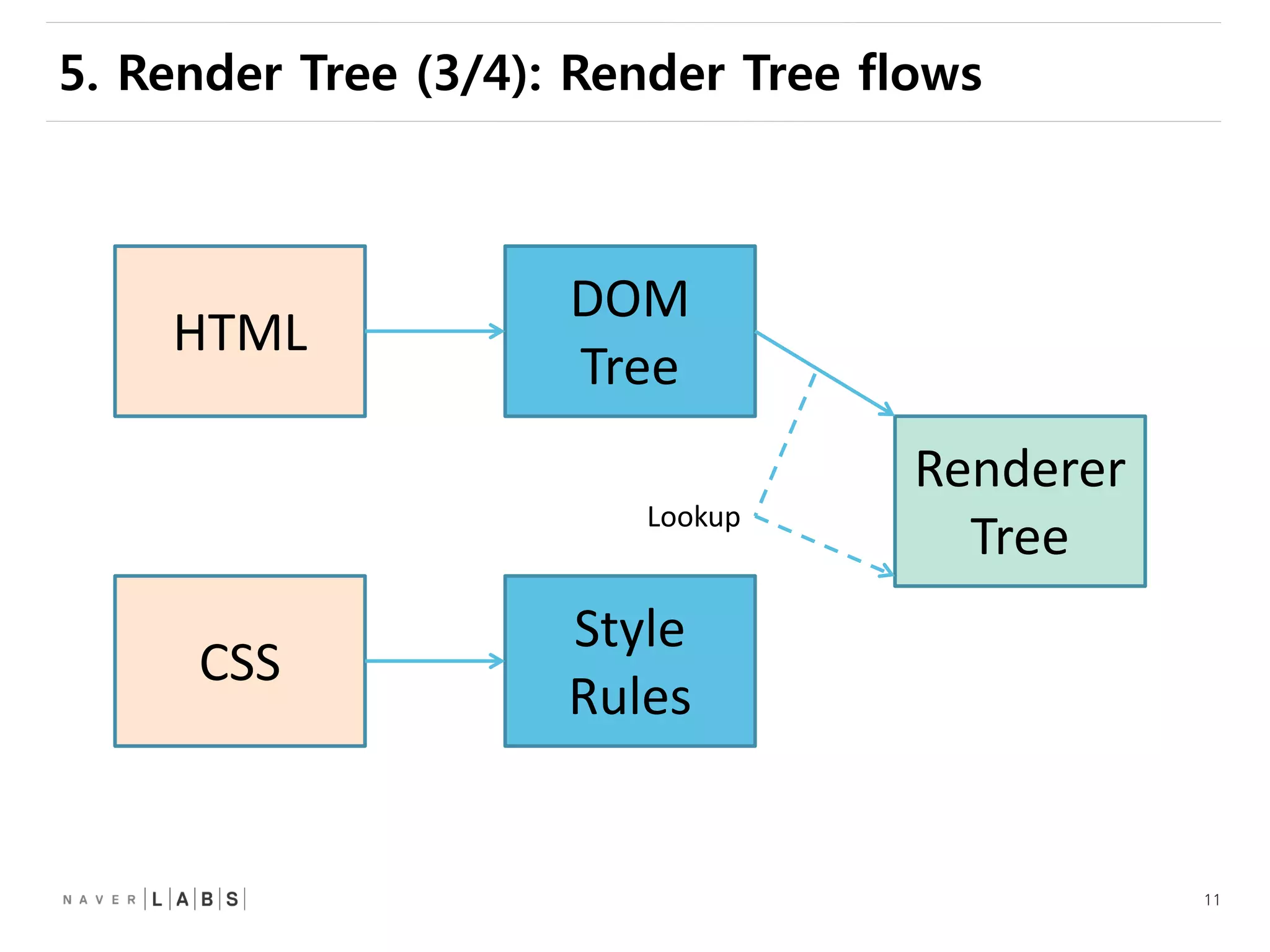
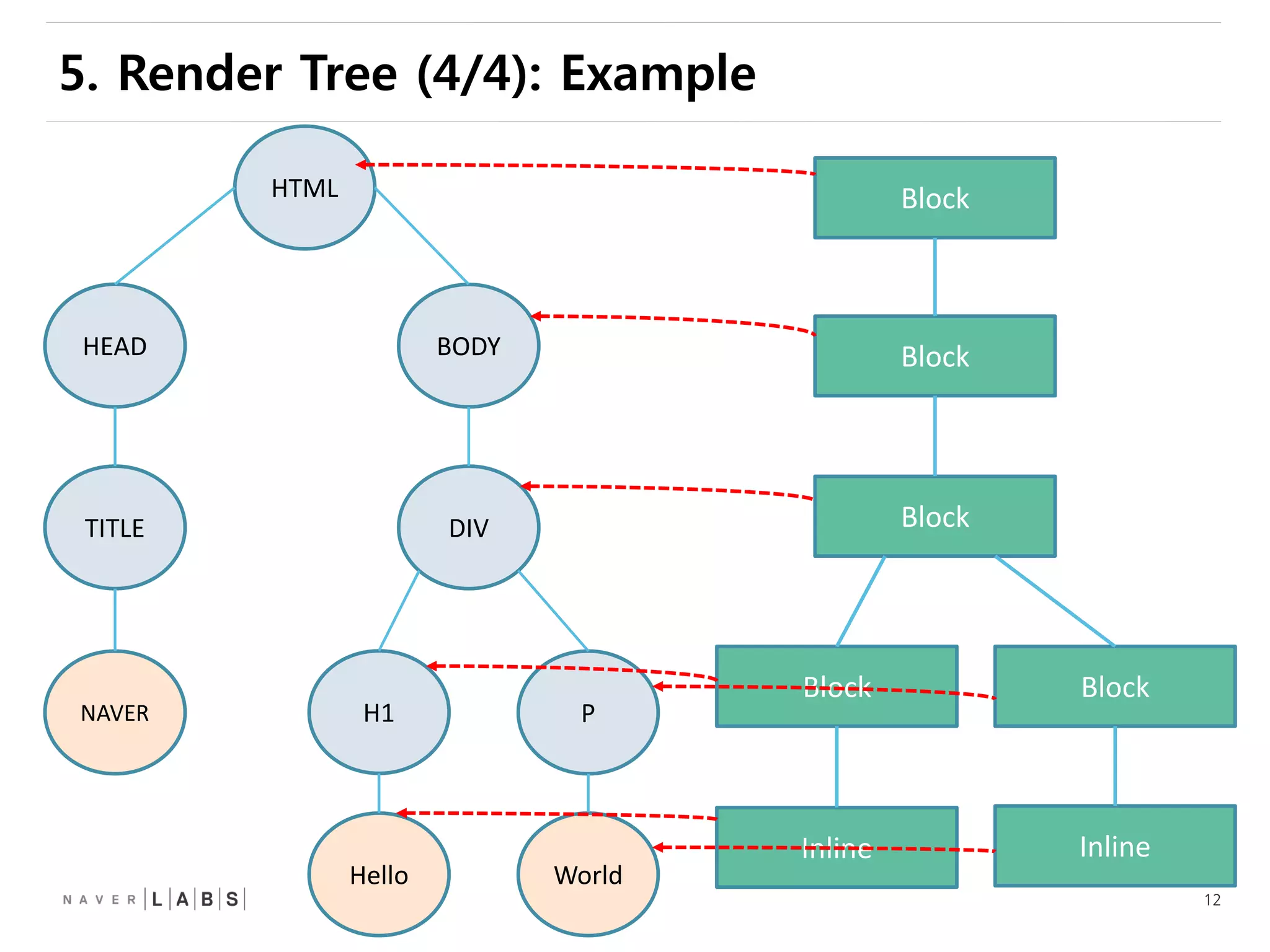
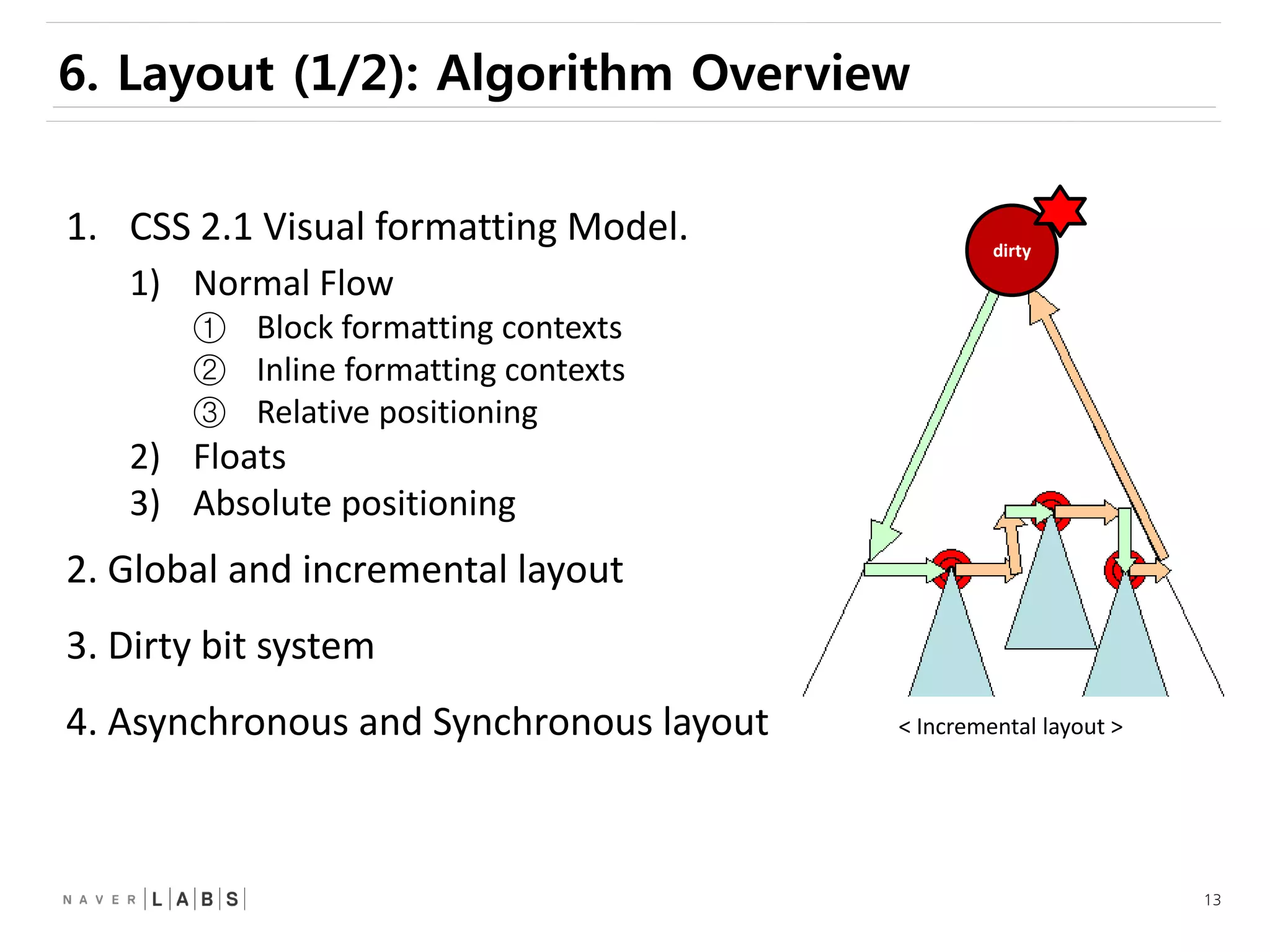
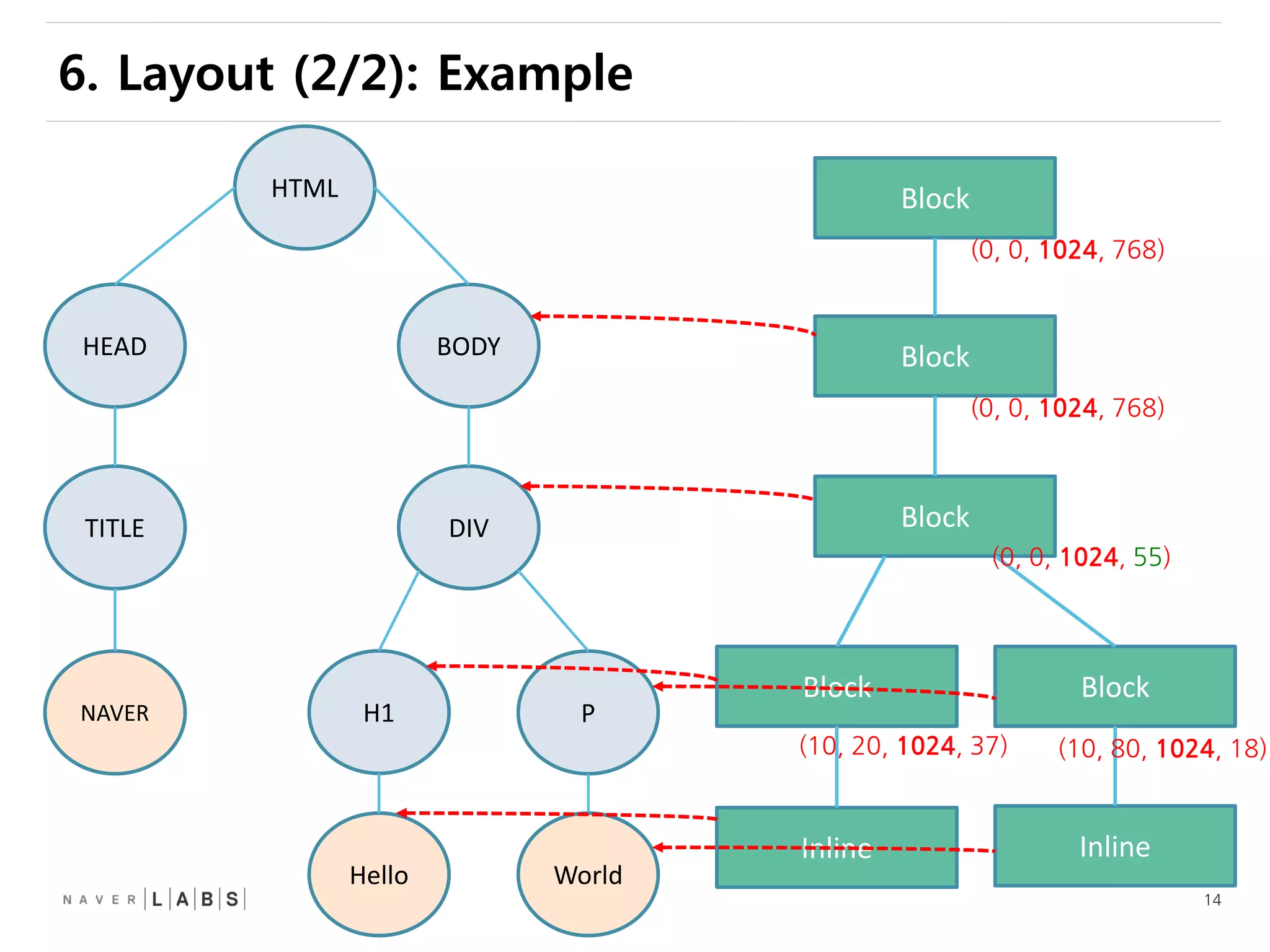
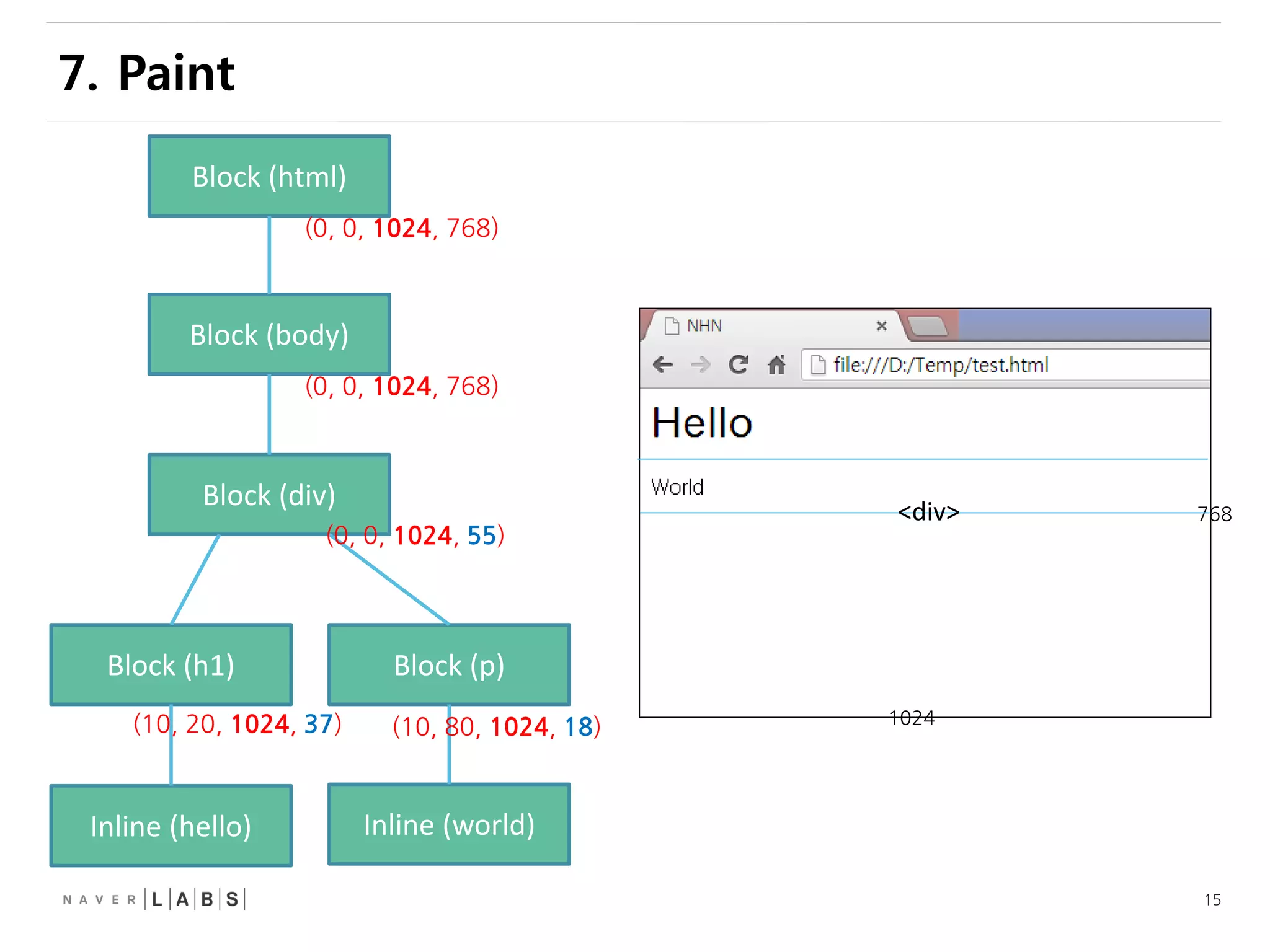
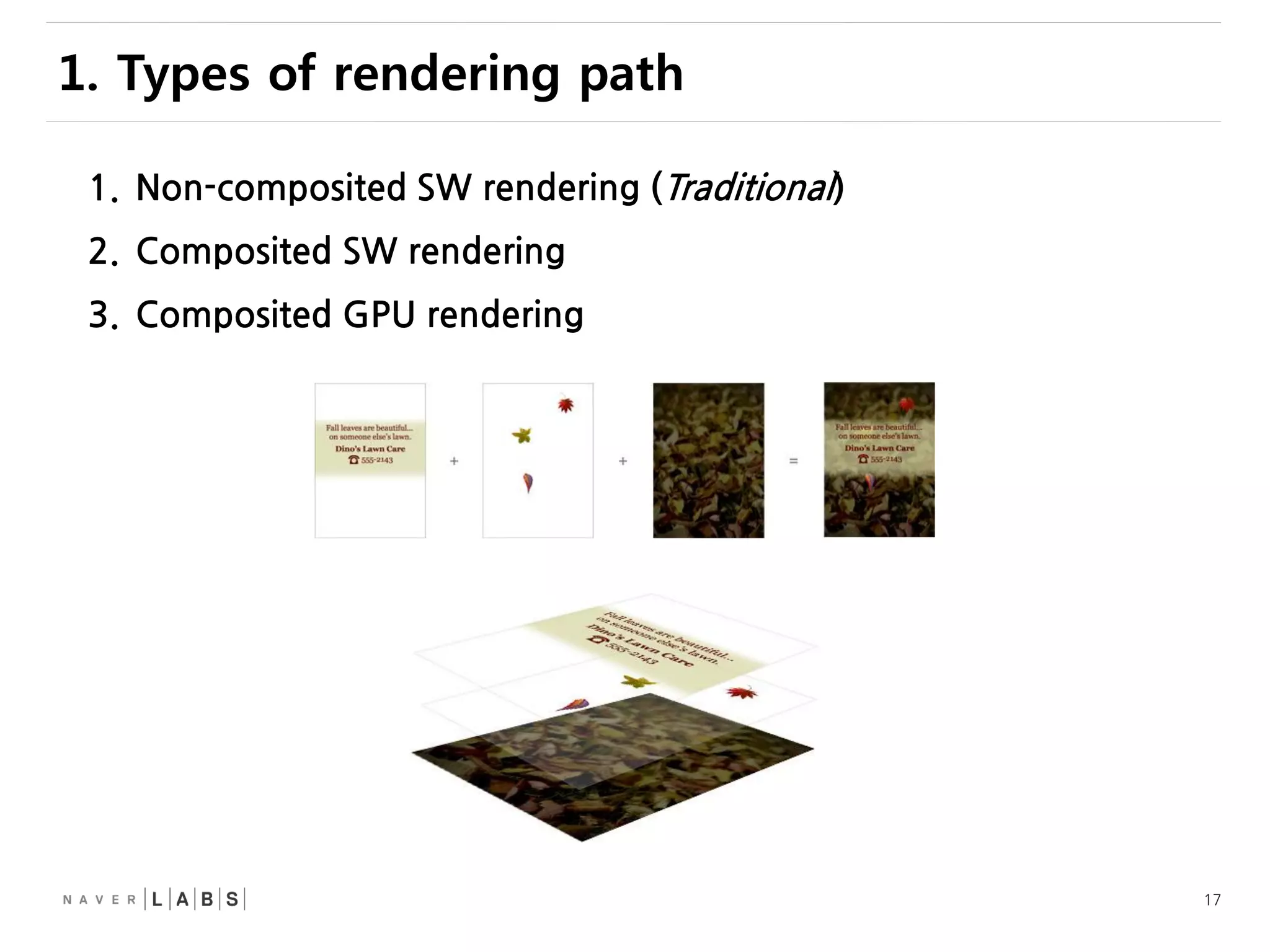
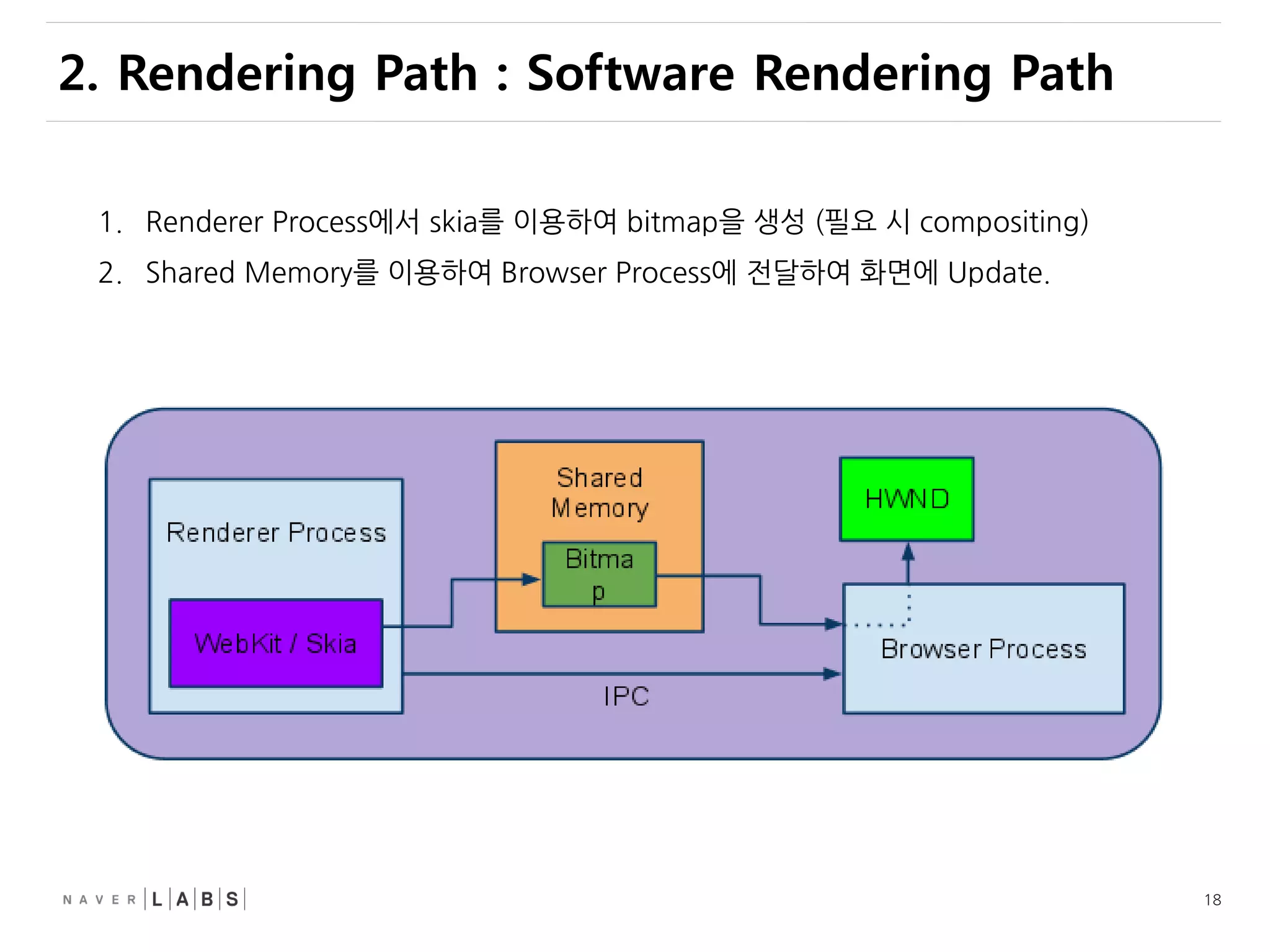
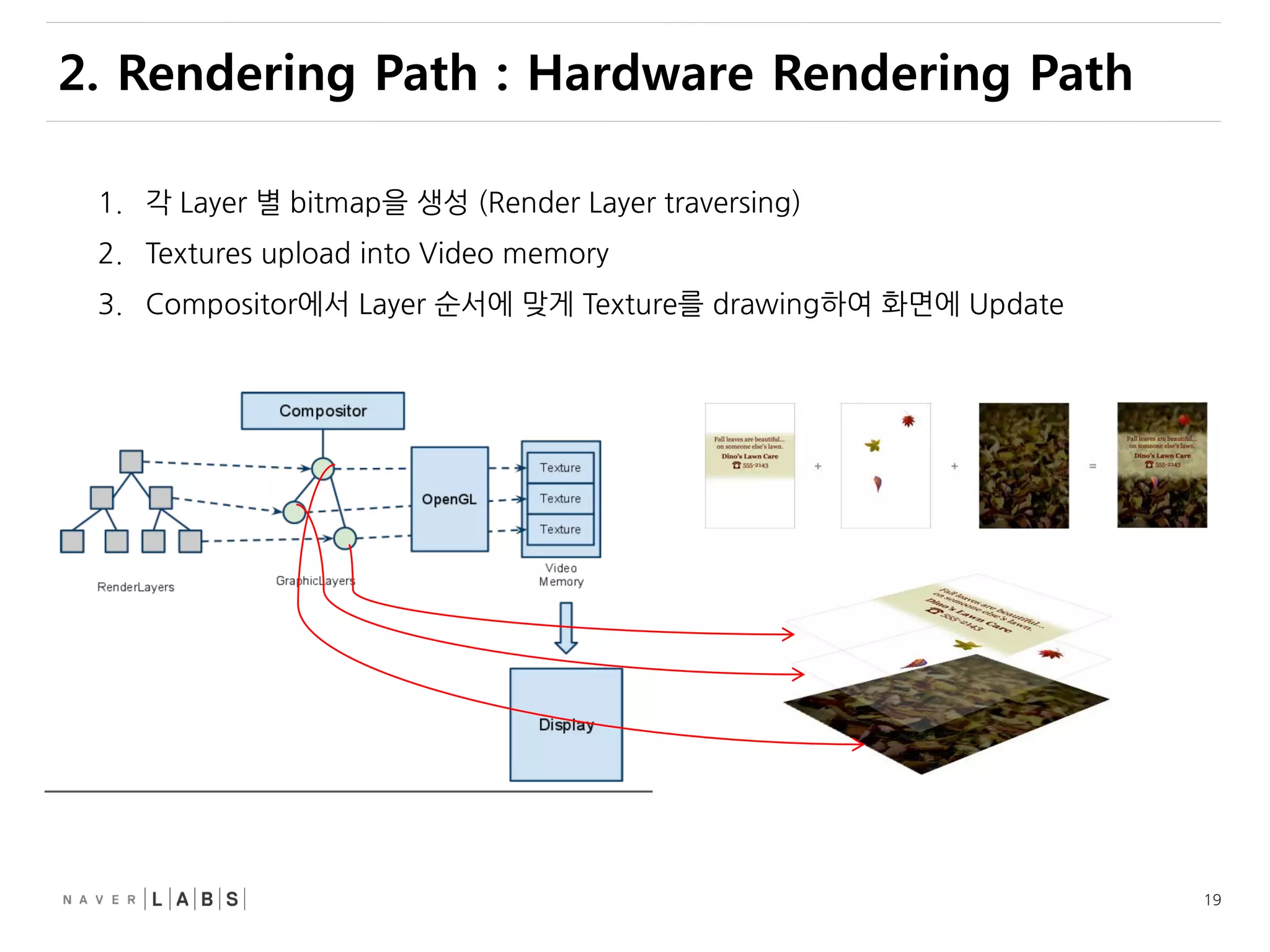
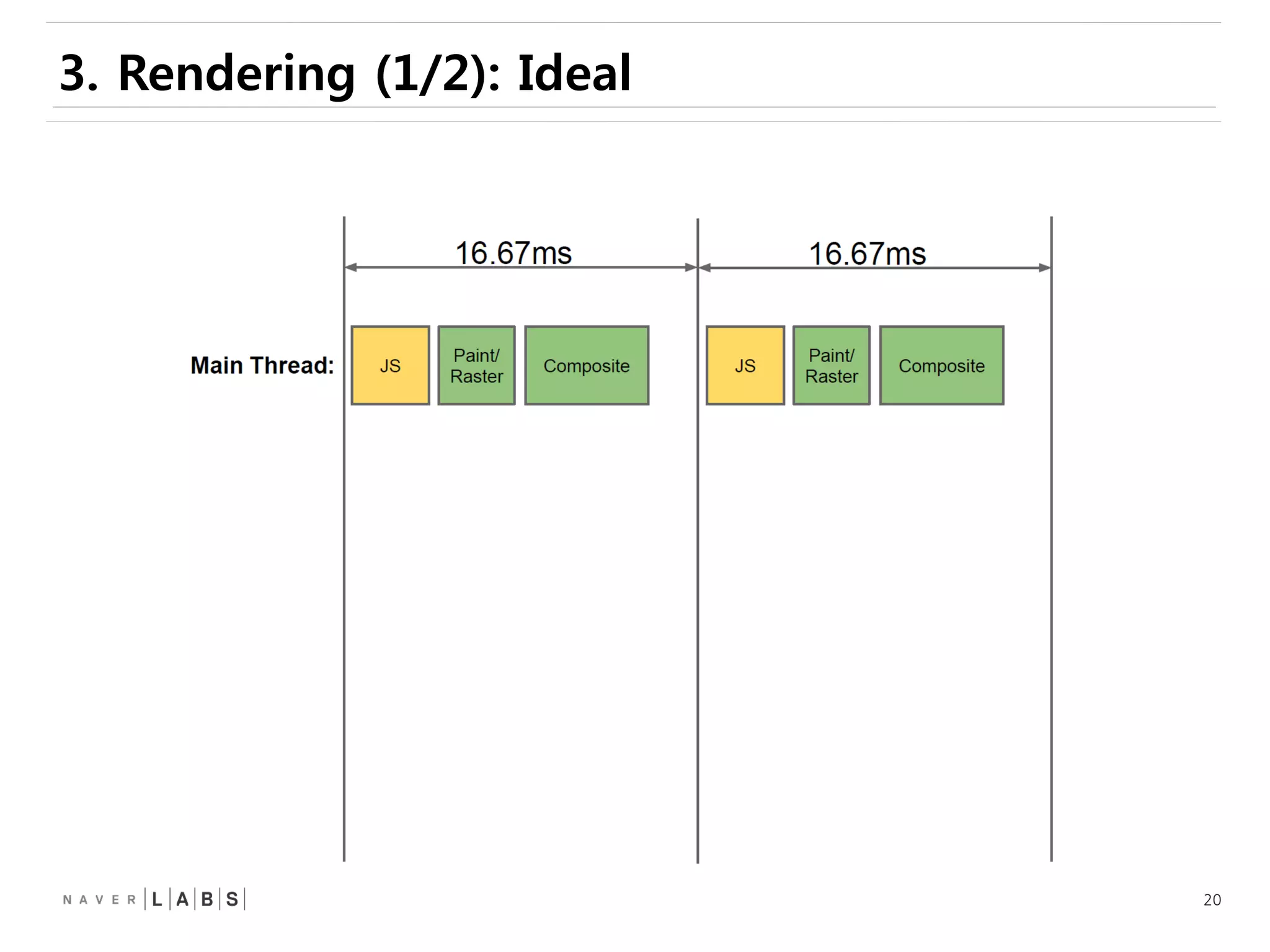
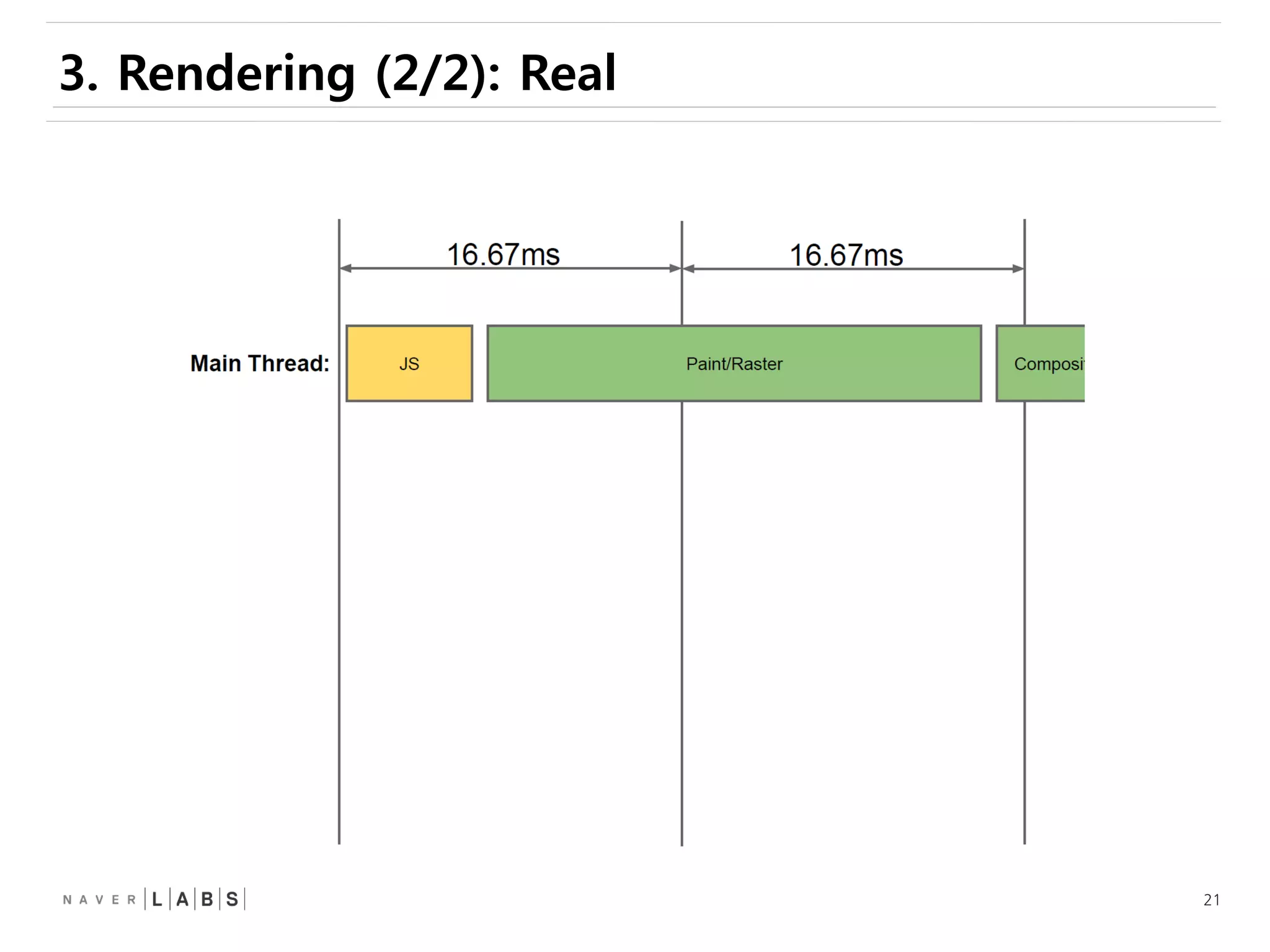
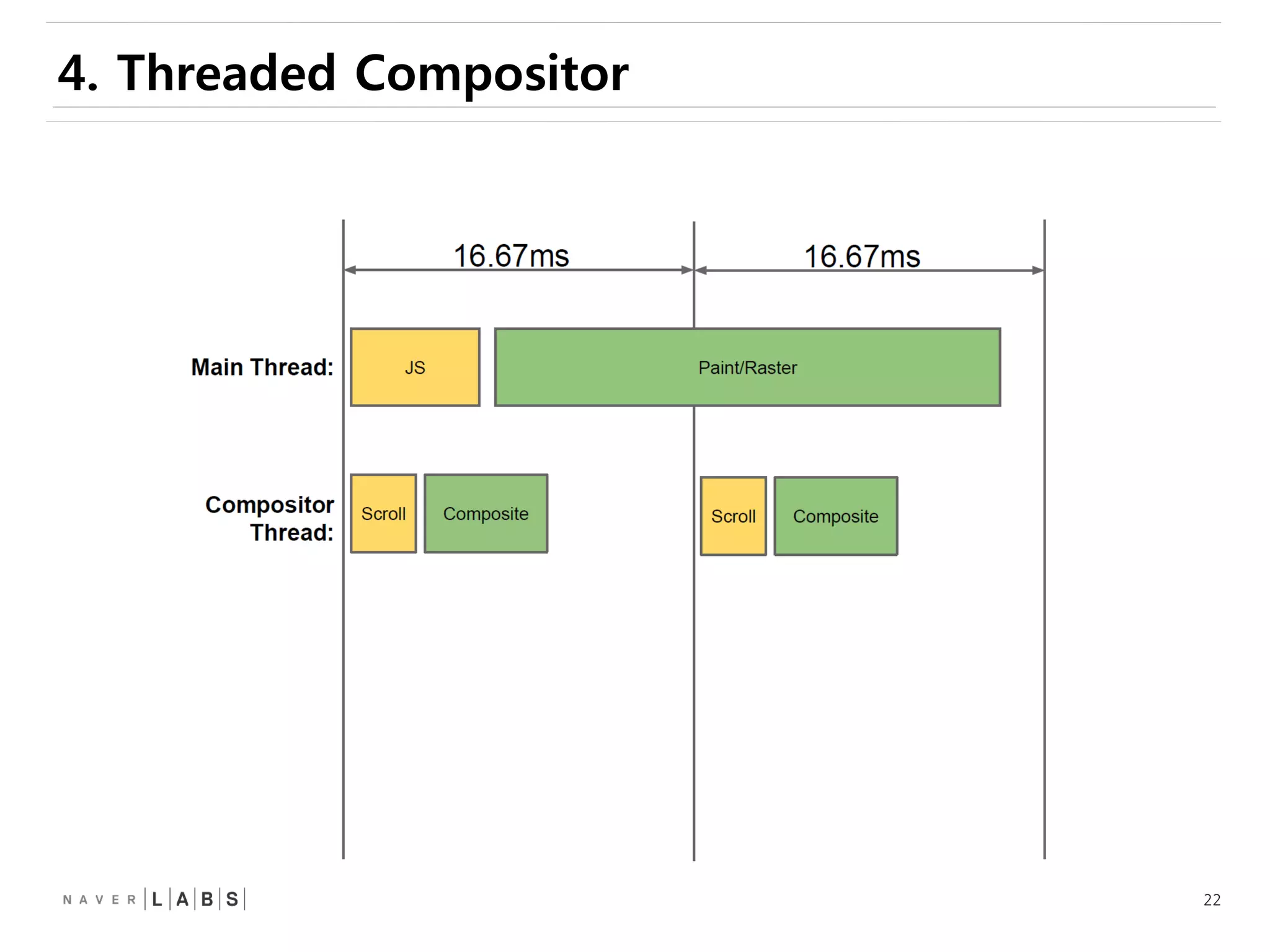
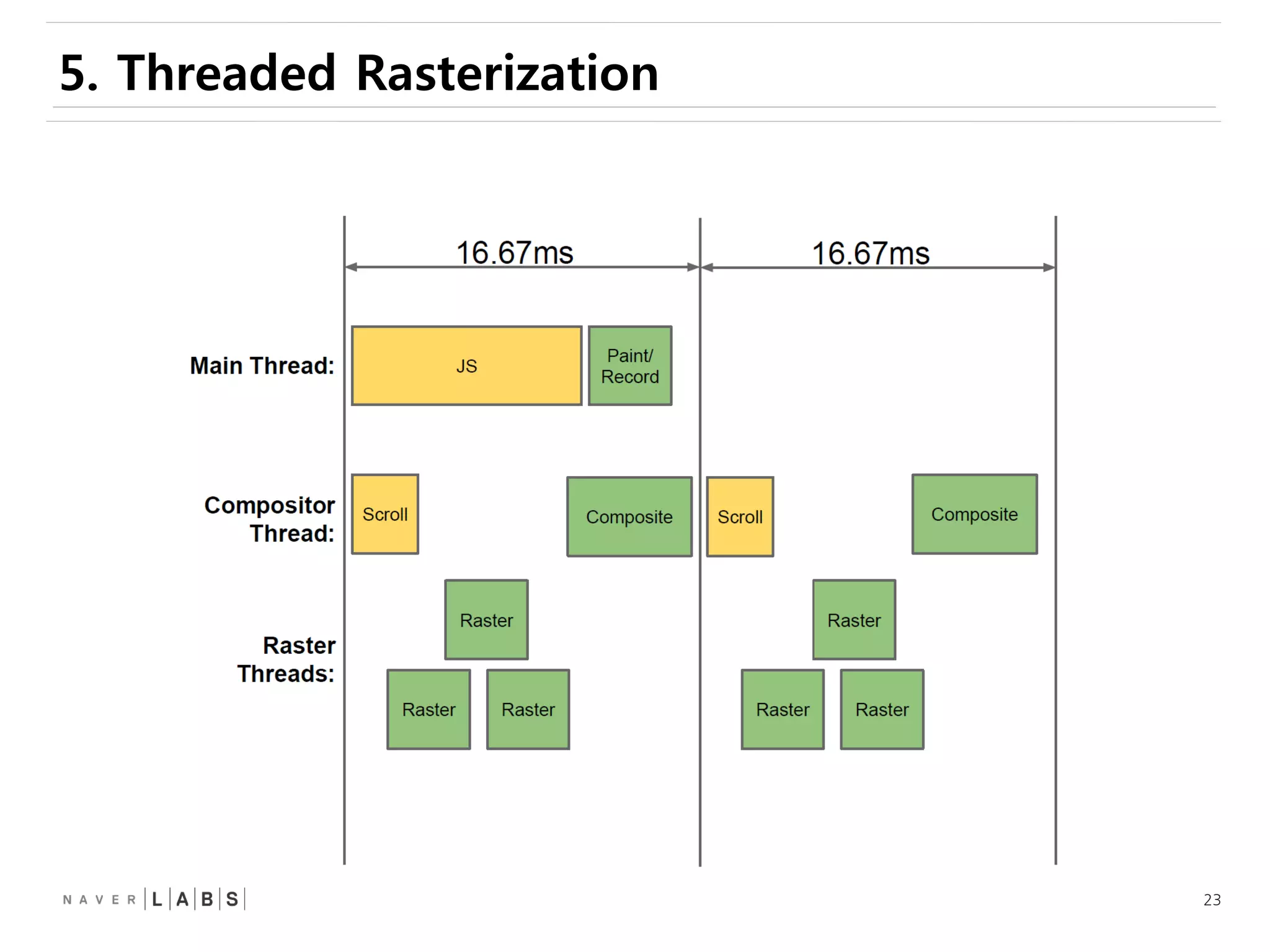
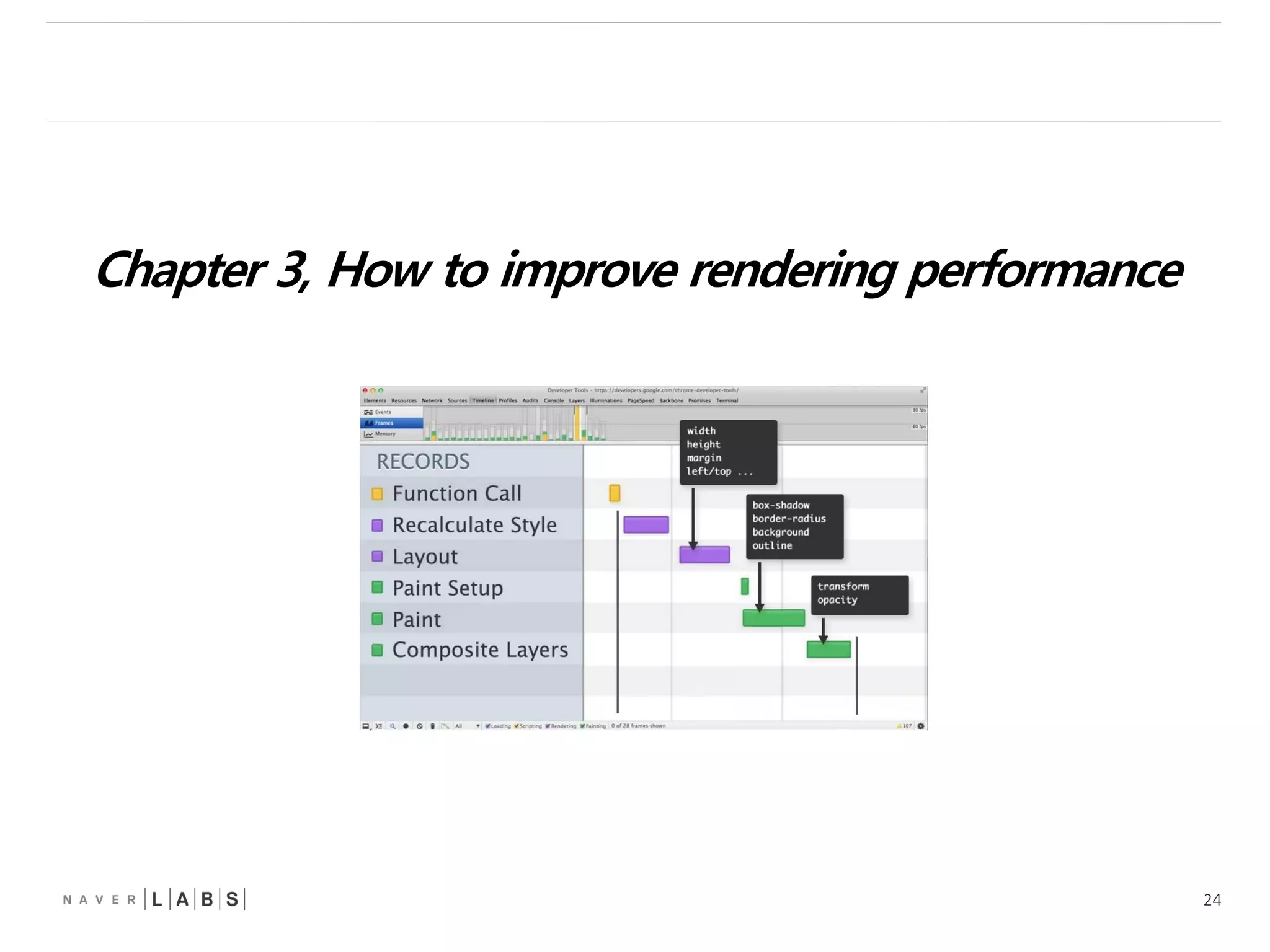
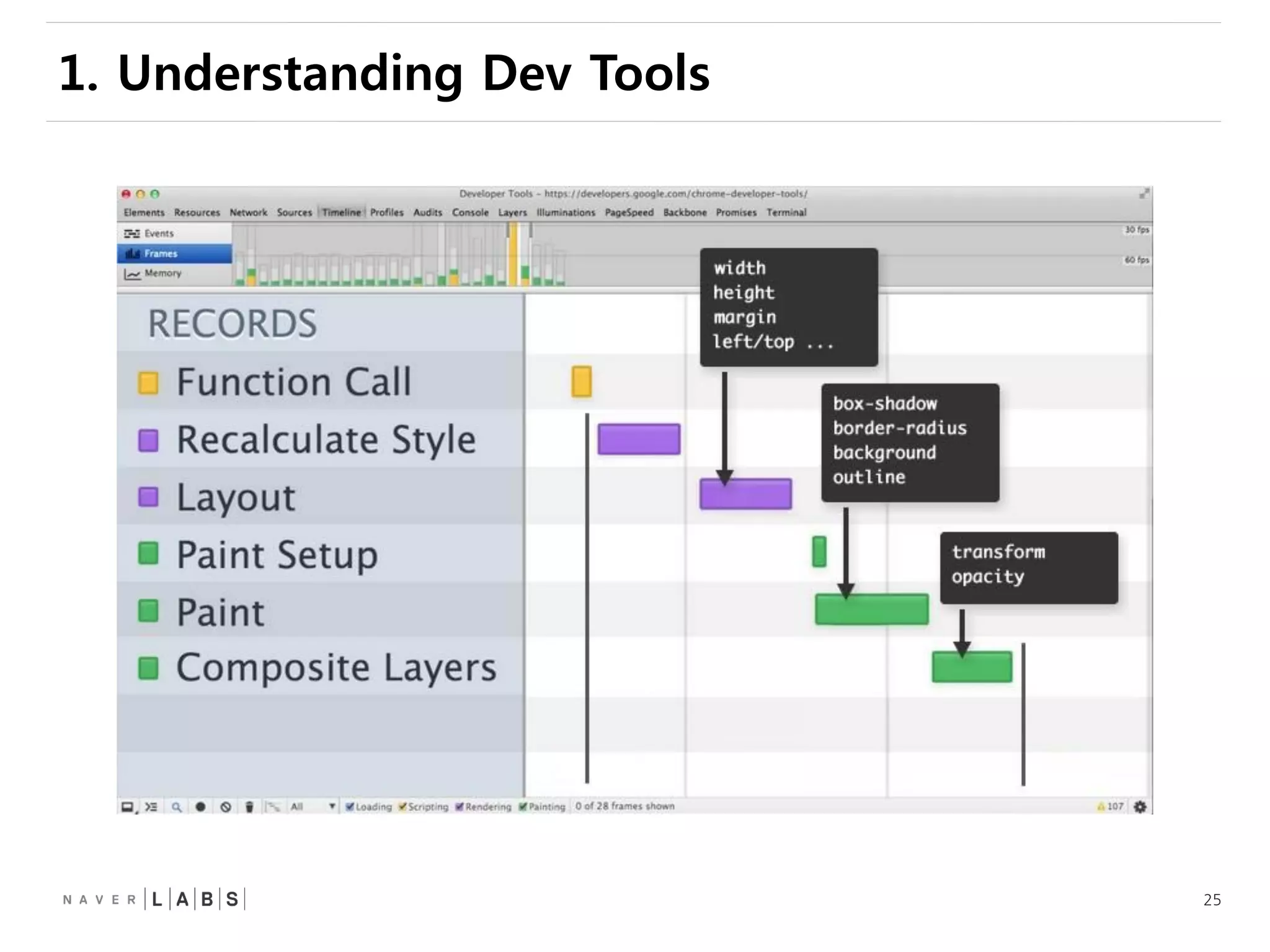
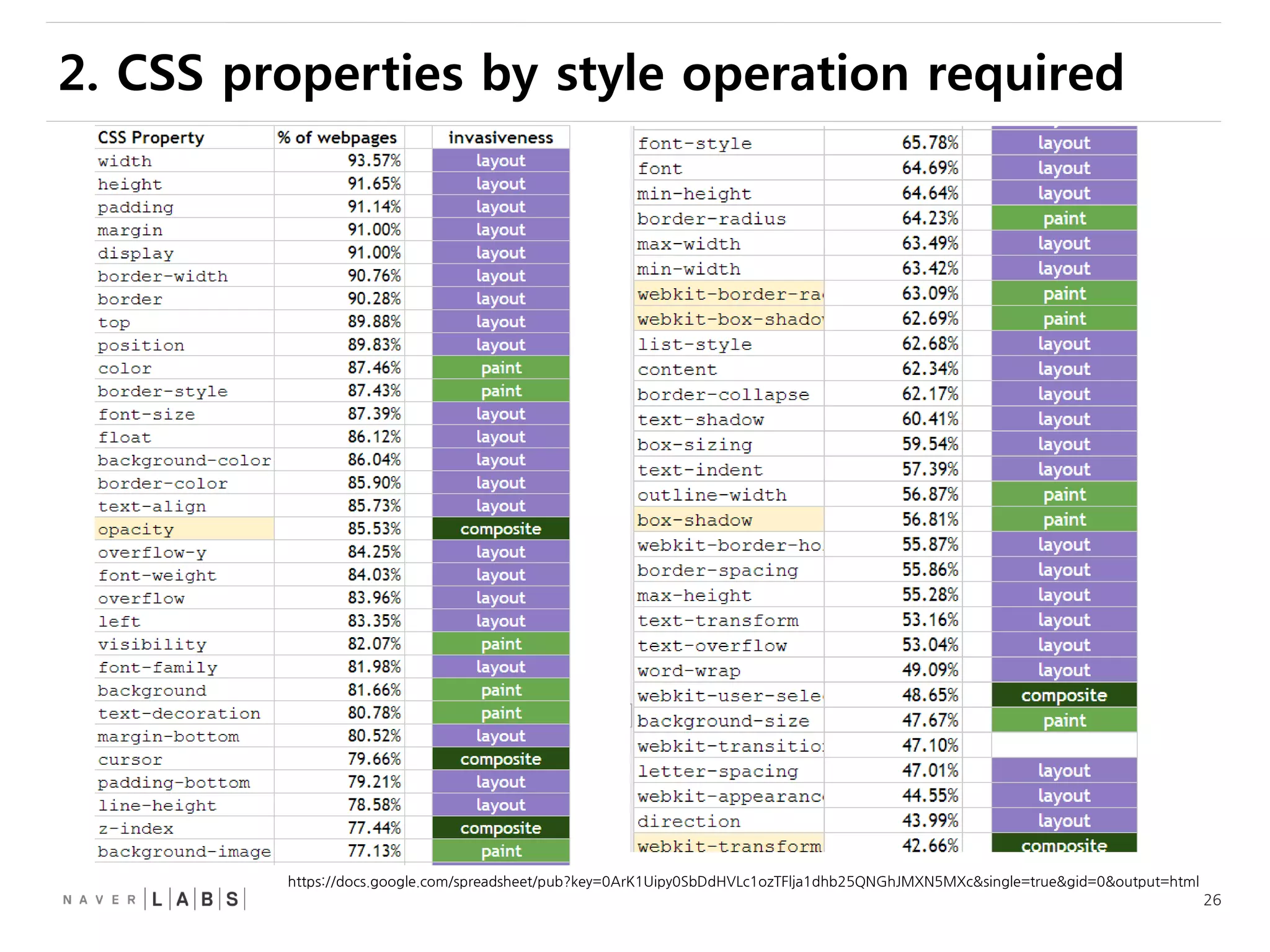
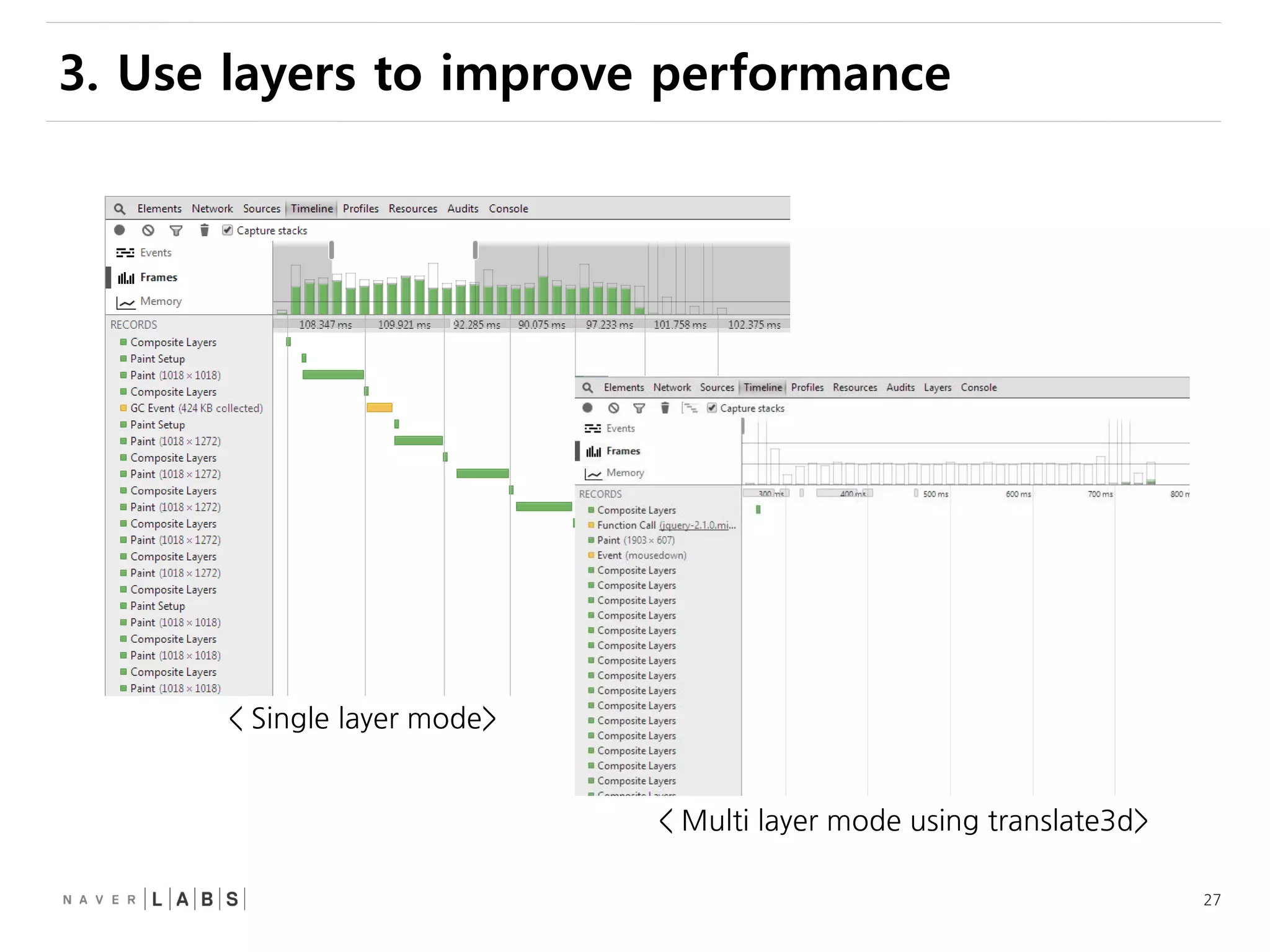
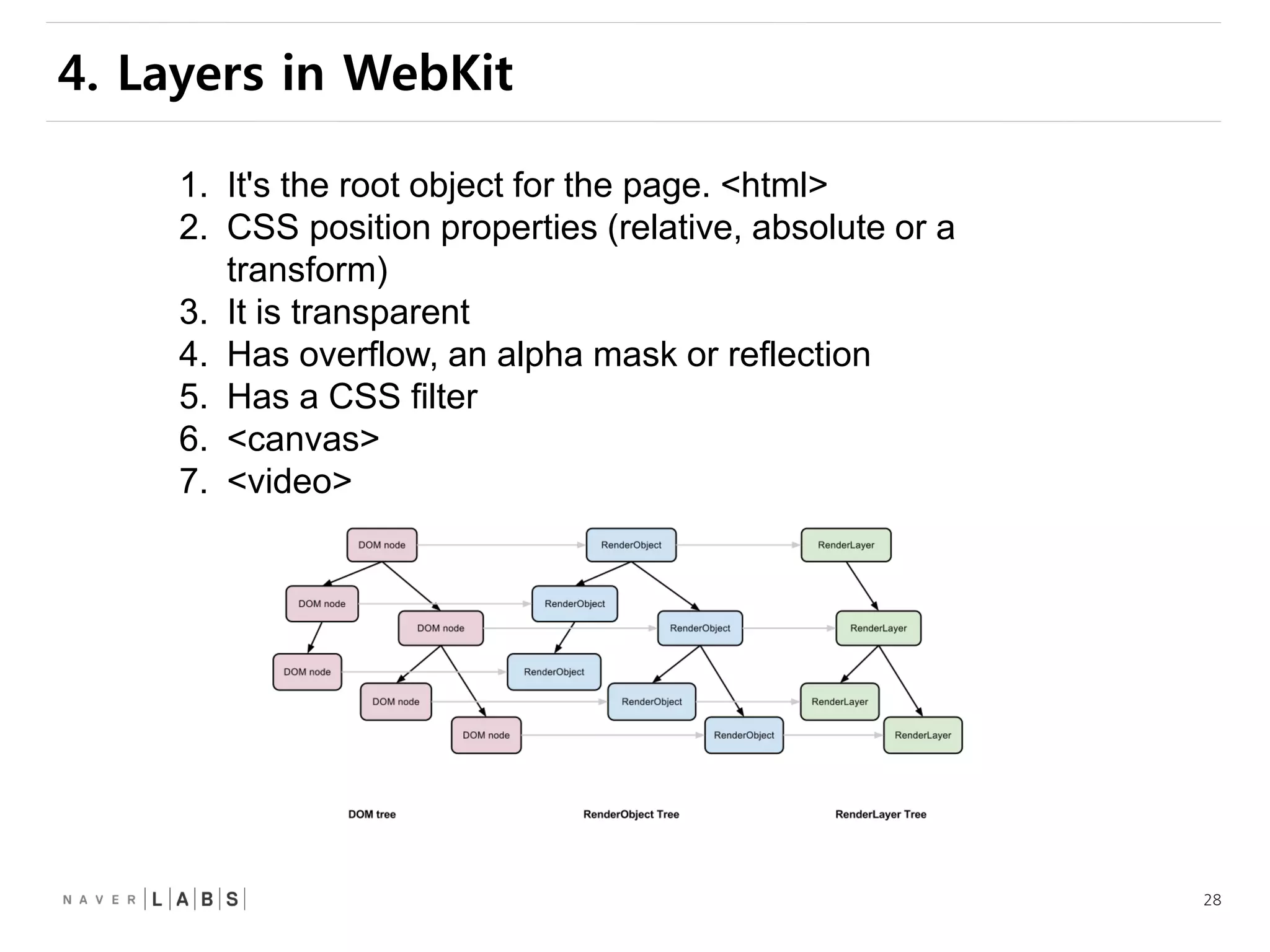
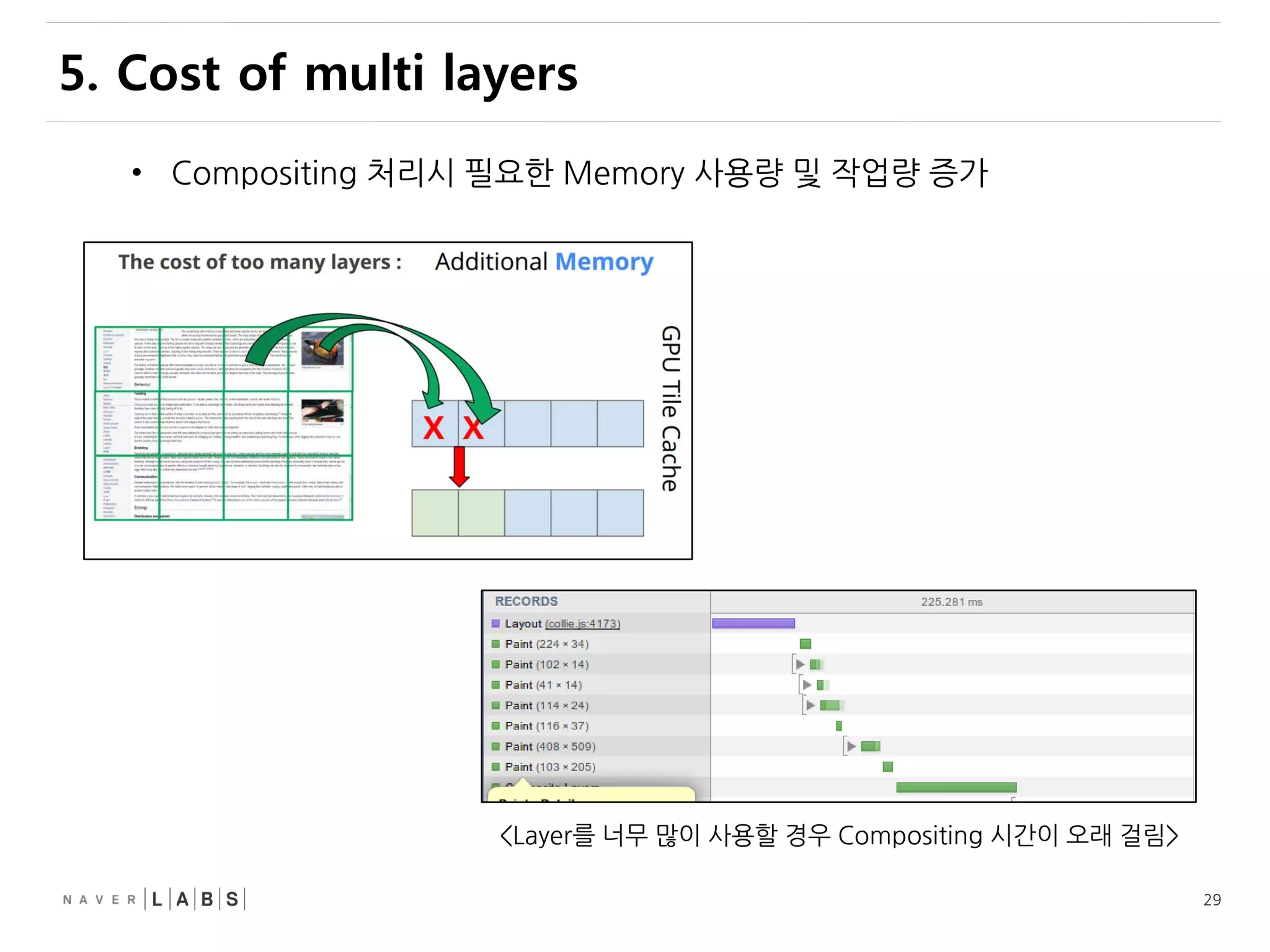
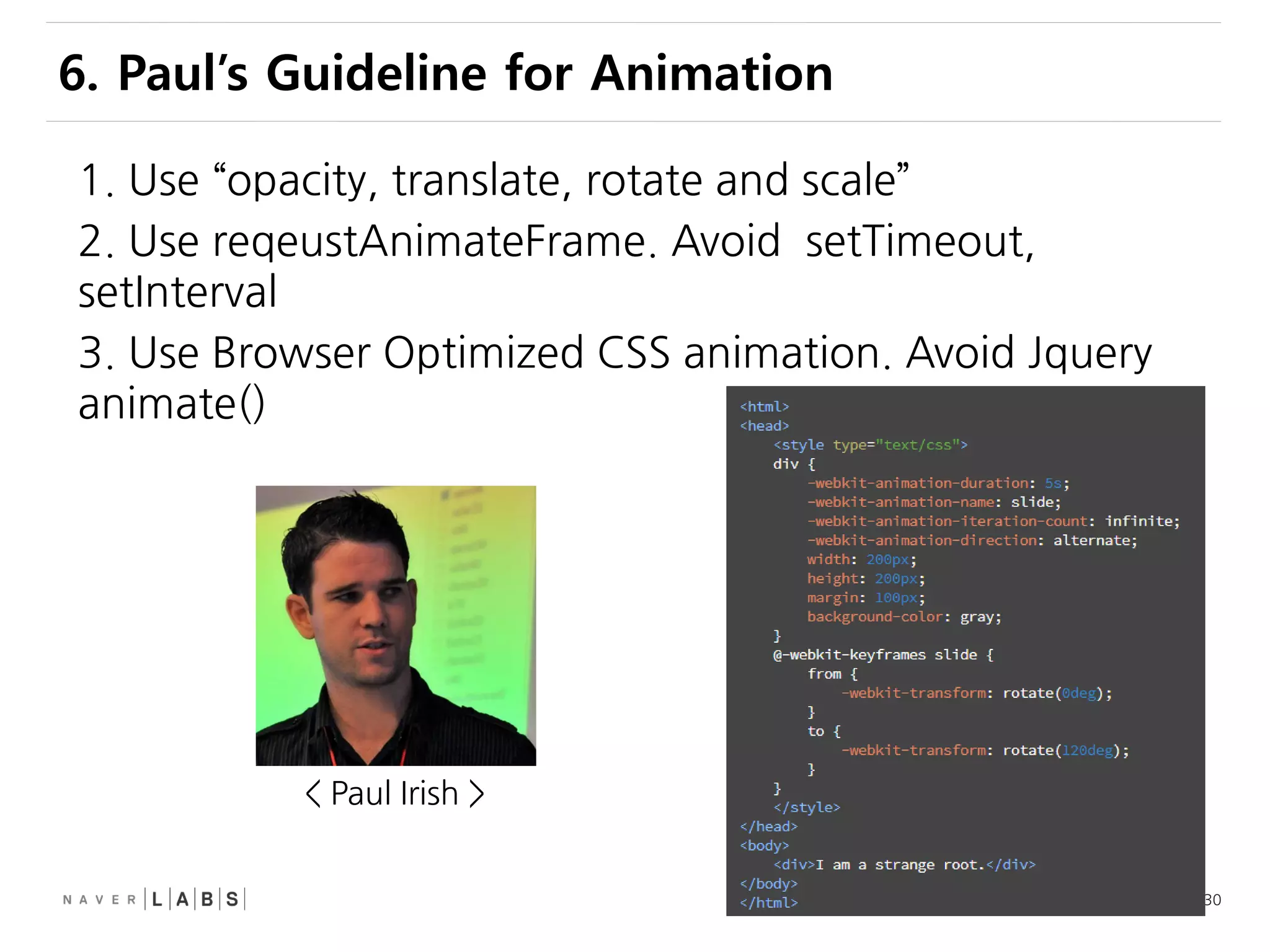
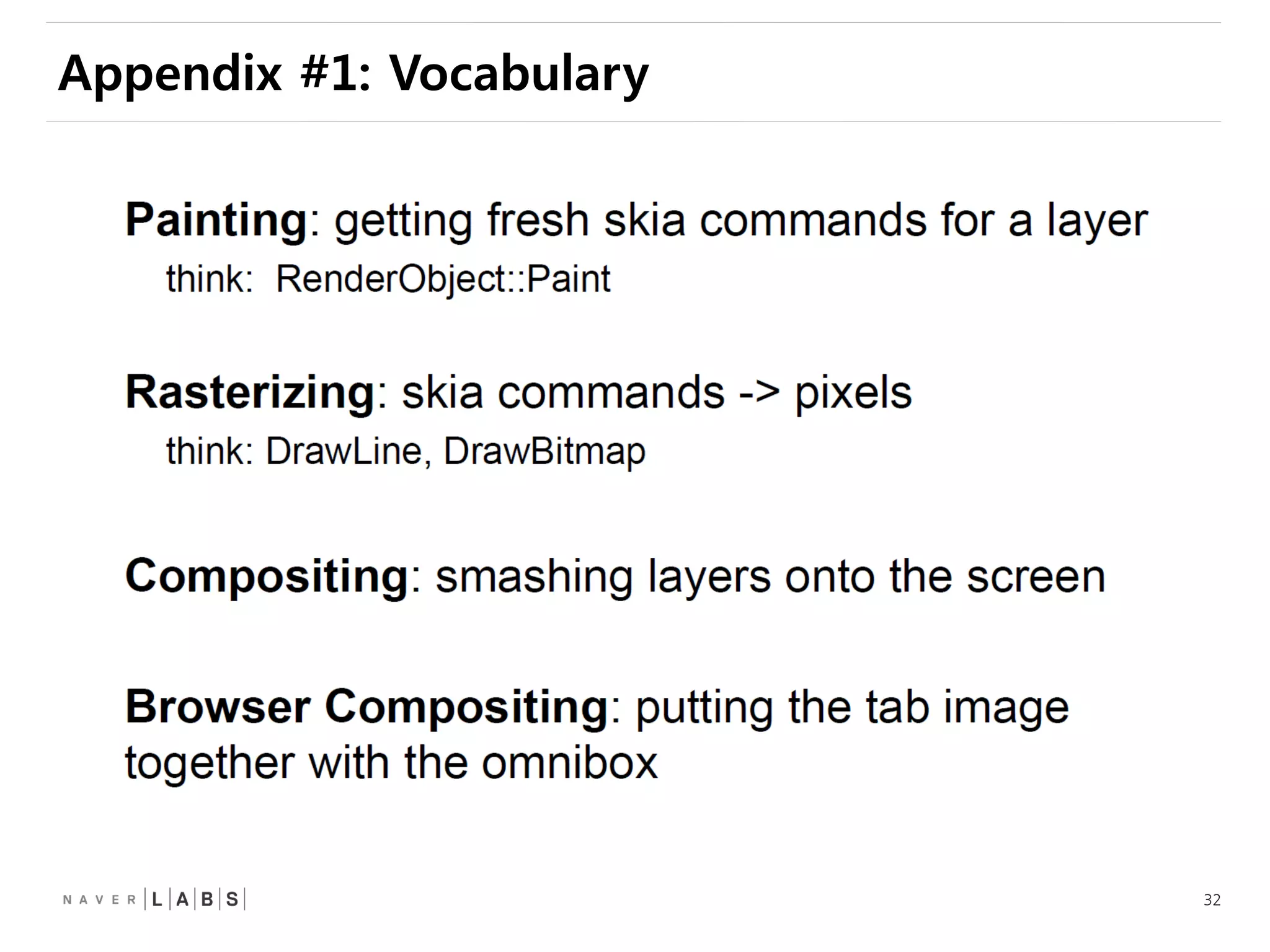
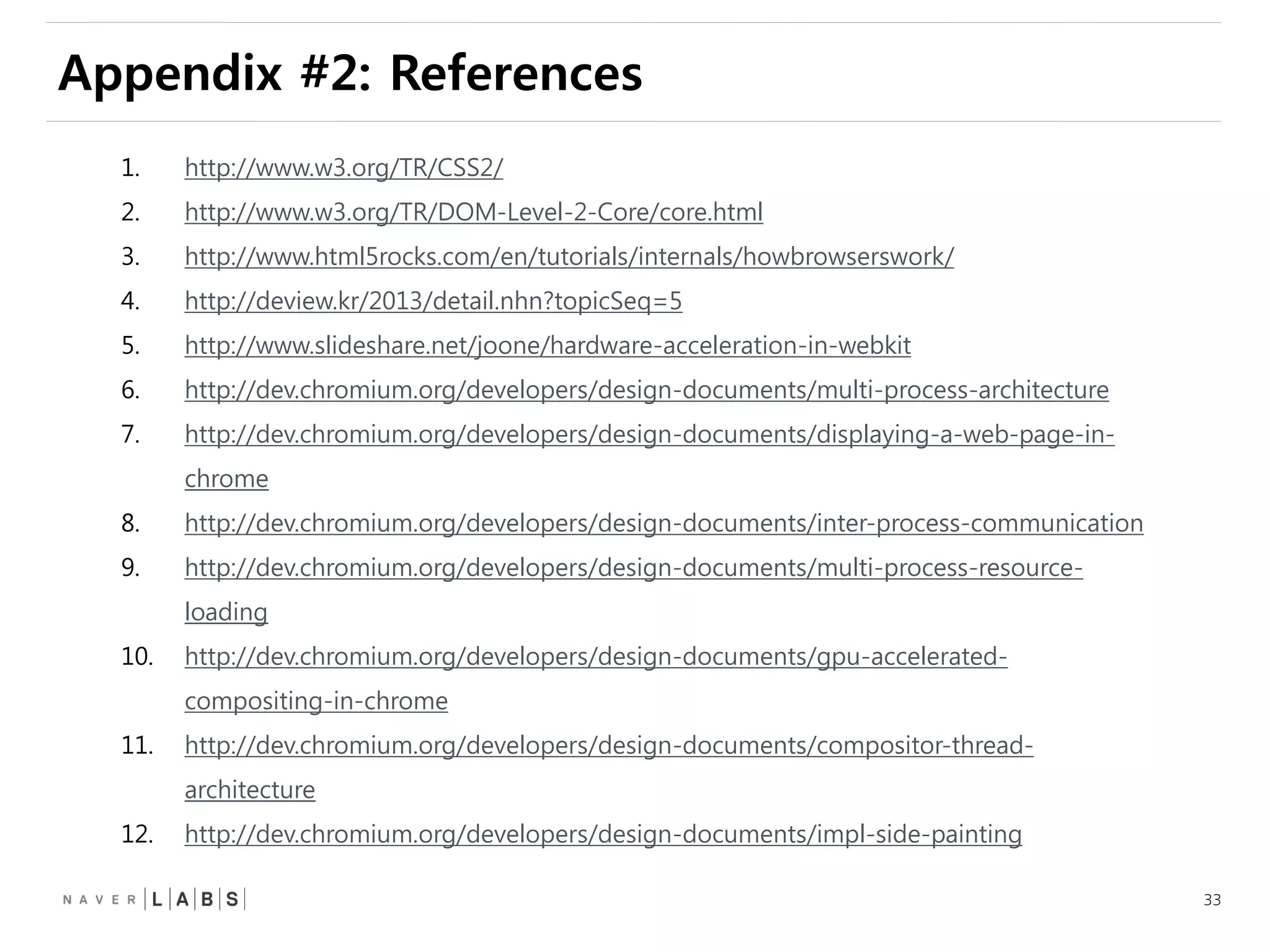

This document discusses how web browsers work and techniques for improving rendering performance. It covers how browsers parse HTML and CSS to build a render tree. The render tree is then laid out and painted to the screen. It also describes different rendering paths including software rendering, hardware accelerated rendering using the GPU, and techniques like layering and compositing. Guidelines are provided for optimizing CSS animations and using developer tools to analyze rendering performance.

![[D2 campus seminar]웹브라우저 엔진](https://cdn.slidesharecdn.com/ss_thumbnails/d2campusseminar-150227003530-conversion-gate01-thumbnail.jpg?width=640&height=640&fit=bounds)


![Fundamental Progressive Enhancement [Web Builder 2.0 - 2008]](https://cdn.slidesharecdn.com/ss_thumbnails/fundamental-progressive-enhancement-wb20-1226797402842096-8-thumbnail.jpg?width=640&height=640&fit=bounds)


![[D2 오픈세미나]5.robolectric 안드로이드 테스팅](https://cdn.slidesharecdn.com/ss_thumbnails/5-140804011233-phpapp02-thumbnail.jpg?width=640&height=640&fit=bounds)

![[D2대학생세미나]산넘어 산, 음원서비스 세이렌 개발기](https://cdn.slidesharecdn.com/ss_thumbnails/d2-140827015147-phpapp02-thumbnail.jpg?width=640&height=640&fit=bounds)
![[D2 오픈세미나]1.무한스크롤성능개선](https://cdn.slidesharecdn.com/ss_thumbnails/1-140804011241-phpapp01-thumbnail.jpg?width=640&height=640&fit=bounds)
![[D2 오픈세미나]3.자바스크립트mean스택 김태훈](https://cdn.slidesharecdn.com/ss_thumbnails/d23-140525205955-phpapp01-thumbnail.jpg?width=640&height=640&fit=bounds)
![[D2 오픈세미나]1.html5 api 옥상훈](https://cdn.slidesharecdn.com/ss_thumbnails/d21-140525211350-phpapp01-thumbnail.jpg?width=640&height=640&fit=bounds)
![[D2 오픈세미나]4.진보된개발환경 주우영](https://cdn.slidesharecdn.com/ss_thumbnails/d24-140525210100-phpapp02-thumbnail.jpg?width=640&height=640&fit=bounds)
![[토크아이티] 프런트엔드 개발 시작하기 저자 특강](https://cdn.slidesharecdn.com/ss_thumbnails/random-141024103422-conversion-gate01-thumbnail.jpg?width=640&height=640&fit=bounds)
![[D2 오픈세미나]2.모바일웹디버깅](https://cdn.slidesharecdn.com/ss_thumbnails/2-140804011239-phpapp01-thumbnail.jpg?width=640&height=640&fit=bounds)

![[D2 오픈세미나]5.html5 api 테트리스게임_이진권](https://cdn.slidesharecdn.com/ss_thumbnails/d25-140525205941-phpapp02-thumbnail.jpg?width=640&height=640&fit=bounds)

![[Hello world]nodejs helloworld chaesuwon](https://cdn.slidesharecdn.com/ss_thumbnails/helloworldnodejshelloworldchaesuwon-120831010259-phpapp02-thumbnail.jpg?width=640&height=640&fit=bounds)

![[Hello world]git internal](https://cdn.slidesharecdn.com/ss_thumbnails/helloworldgit-internal-120831010436-phpapp02-thumbnail.jpg?width=640&height=640&fit=bounds)


![[215] Druid로 쉽고 빠르게 데이터 분석하기](https://cdn.slidesharecdn.com/ss_thumbnails/215druid-181012071910-thumbnail.jpg?width=640&height=640&fit=bounds)
![Old version: [233]대형 컨테이너 클러스터에서의 고가용성 Network Load Balancing](https://cdn.slidesharecdn.com/ss_thumbnails/233largecontainerclusternetworkloadbalancing-181012024225-thumbnail.jpg?width=640&height=640&fit=bounds)
![[214] Ai Serving Platform: 하루 수 억 건의 인퍼런스를 처리하기 위한 고군분투기](https://cdn.slidesharecdn.com/ss_thumbnails/214aiservingplatforminference-181012022603-thumbnail.jpg?width=640&height=640&fit=bounds)
![[232] TensorRT를 활용한 딥러닝 Inference 최적화](https://cdn.slidesharecdn.com/ss_thumbnails/232dlinferenceoptimizationusingtensorrt1-181012014455-thumbnail.jpg?width=640&height=640&fit=bounds)
![[211] 인공지능이 인공지능 챗봇을 만든다](https://cdn.slidesharecdn.com/ss_thumbnails/211chatbot-181106094835-thumbnail.jpg?width=640&height=640&fit=bounds)
![[225]NSML: 머신러닝 플랫폼 서비스하기 & 모델 튜닝 자동화하기](https://cdn.slidesharecdn.com/ss_thumbnails/225nsmlmachinelearningntuningautomize-181012023407-thumbnail.jpg?width=640&height=640&fit=bounds)
![[233] 대형 컨테이너 클러스터에서의 고가용성 Network Load Balancing: Maglev Hashing Scheduler i...](https://cdn.slidesharecdn.com/ss_thumbnails/233networkloadbalancing-181018151852-thumbnail.jpg?width=640&height=640&fit=bounds)
![[223]기계독해 QA: 검색인가, NLP인가?](https://cdn.slidesharecdn.com/ss_thumbnails/2232018-181012010149-thumbnail.jpg?width=640&height=640&fit=bounds)
![[224]네이버 검색과 개인화](https://cdn.slidesharecdn.com/ss_thumbnails/224naversearchnpersonalizationfinal-181012022631-thumbnail.jpg?width=640&height=640&fit=bounds)
![[243] Deep Learning to help student’s Deep Learning](https://cdn.slidesharecdn.com/ss_thumbnails/243deeplearningtohelpstudentsdeeplearning-181012024530-thumbnail.jpg?width=640&height=640&fit=bounds)
![[242]컴퓨터 비전을 이용한 실내 지도 자동 업데이트 방법: 딥러닝을 통한 POI 변화 탐지](https://cdn.slidesharecdn.com/ss_thumbnails/242pcdpublic-181012011734-thumbnail.jpg?width=640&height=640&fit=bounds)
![[216]Search Reliability Engineering (부제: 지진에도 흔들리지 않는 네이버 검색시스템)](https://cdn.slidesharecdn.com/ss_thumbnails/216sresearchreliabilityengineering-181012022623-thumbnail.jpg?width=640&height=640&fit=bounds)
![[236] 스트림 저장소 최적화 이야기: 아파치 드루이드로부터 얻은 교훈](https://cdn.slidesharecdn.com/ss_thumbnails/236deview2018jihoonson-final-181012031726-thumbnail.jpg?width=640&height=640&fit=bounds)
![[244]로봇이 현실 세계에 대해 학습하도록 만들기](https://cdn.slidesharecdn.com/ss_thumbnails/244deview2018tomisilanderrobotsrealworldfinal11oct2018-181012024720-thumbnail.jpg?width=640&height=640&fit=bounds)
![[235]Wikipedia-scale Q&A](https://cdn.slidesharecdn.com/ss_thumbnails/235deview2018julienperezwikipediaqa12oct2018-181012030613-thumbnail.jpg?width=640&height=640&fit=bounds)
![[213] Fashion Visual Search](https://cdn.slidesharecdn.com/ss_thumbnails/213fashionvisualsearchreduced-181012022540-thumbnail.jpg?width=640&height=640&fit=bounds)
![[234]Fast & Accurate Data Annotation Pipeline for AI applications](https://cdn.slidesharecdn.com/ss_thumbnails/234fastaccuratedataannotationpipelineforaiapplications1-181012024230-thumbnail.jpg?width=640&height=640&fit=bounds)
![[245]Papago Internals: 모델분석과 응용기술 개발](https://cdn.slidesharecdn.com/ss_thumbnails/245papagointernals1-181012045005-thumbnail.jpg?width=640&height=640&fit=bounds)
![[212]C3, 데이터 처리에서 서빙까지 가능한 하둡 클러스터](https://cdn.slidesharecdn.com/ss_thumbnails/212c3-181012011644-thumbnail.jpg?width=640&height=640&fit=bounds)
![[226]NAVER 광고 deep click prediction: 모델링부터 서빙까지](https://cdn.slidesharecdn.com/ss_thumbnails/226naveraddeepclickprediction-181012024116-thumbnail.jpg?width=640&height=640&fit=bounds)


![Vibe Coding vs. Spec-Driven Development [Free Meetup]](https://cdn.slidesharecdn.com/ss_thumbnails/vibecodingvsspecdrivendevelopment-251209105622-43f455e7-thumbnail.jpg?width=640&height=640&fit=bounds)


![Coded Agents – with UiPath SDK + LangGraph [Virtual Hands-on Workshop]](https://cdn.slidesharecdn.com/ss_thumbnails/codedagentsdeck-251215155422-5497c599-thumbnail.jpg?width=640&height=640&fit=bounds)


