1
Chapter 12
FLOWCHARTS
2
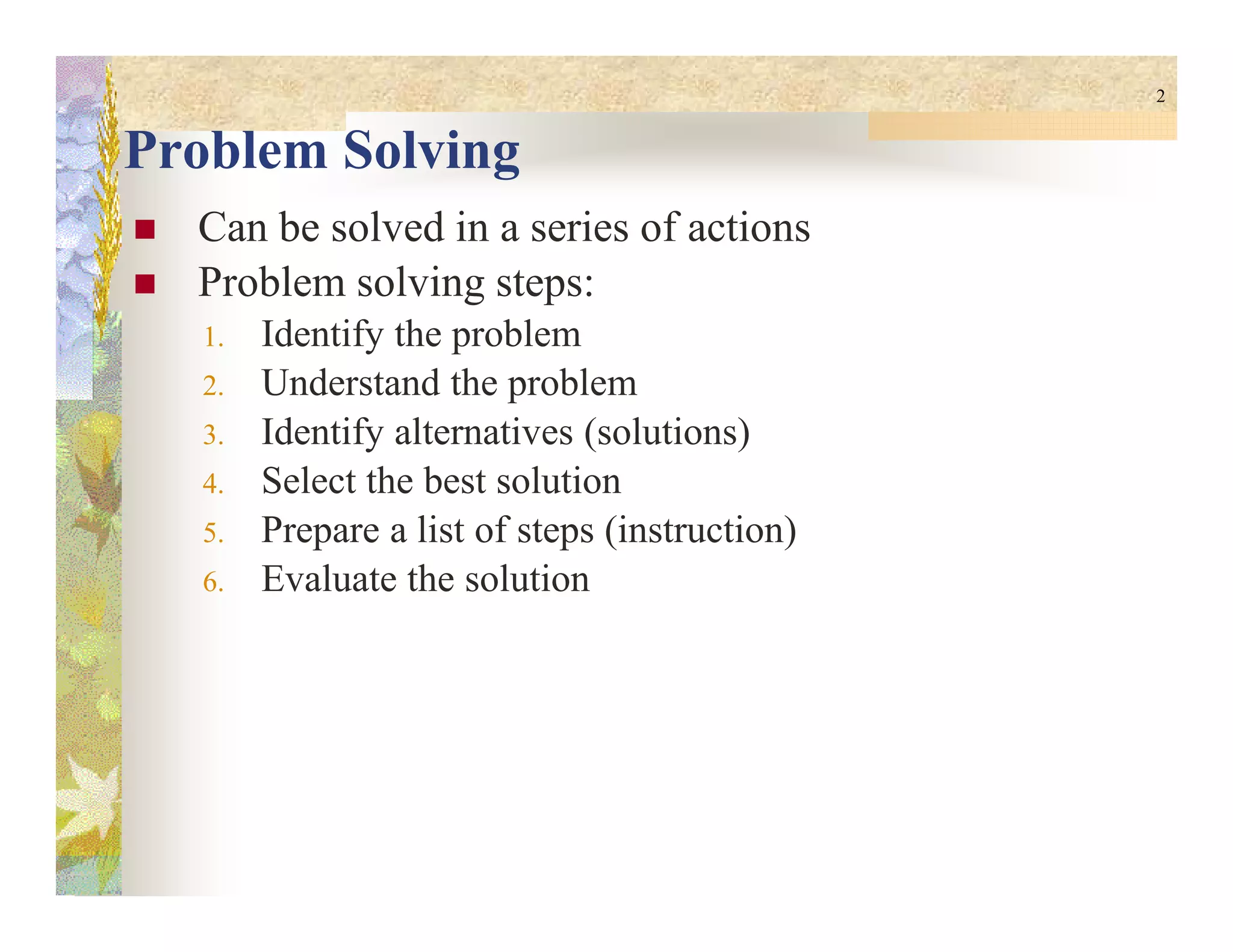
Problem Solving
Can be solved in a series of actions
Problem solving steps:
1. Identify the problem
2. Understand the problem
3. Identify alternatives (solutions)
4. Select the best solution4. Select the best solution
5. Prepare a list of steps (instruction)
6. Evaluate the solution
3
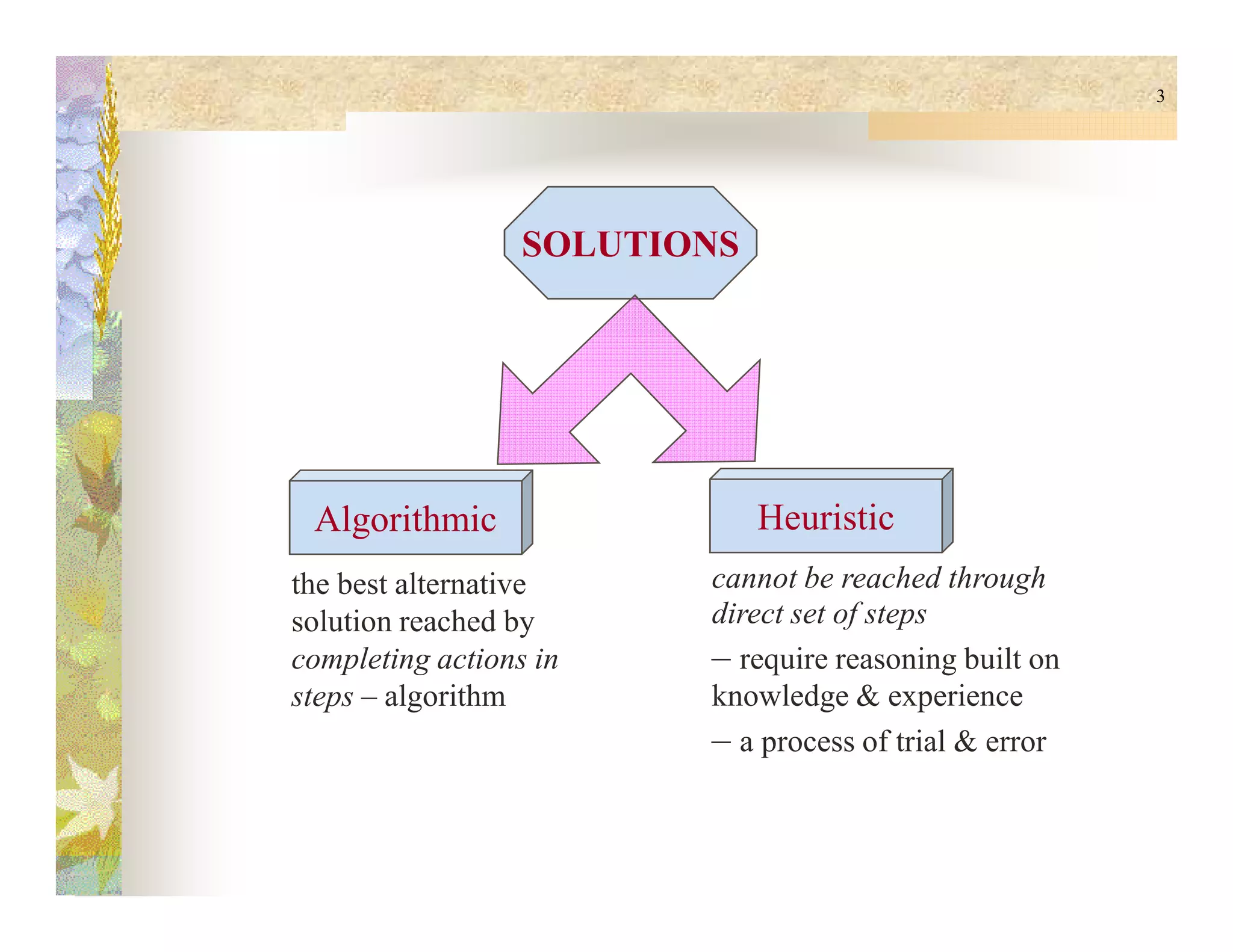
SOLUTIONS
Algorithmic Heuristic
the best alternative
solution reached by
completing actions in
steps – algorithm
cannot be reached through
direct set of steps
– require reasoning built on
knowledge & experience
– a process of trial & error
4
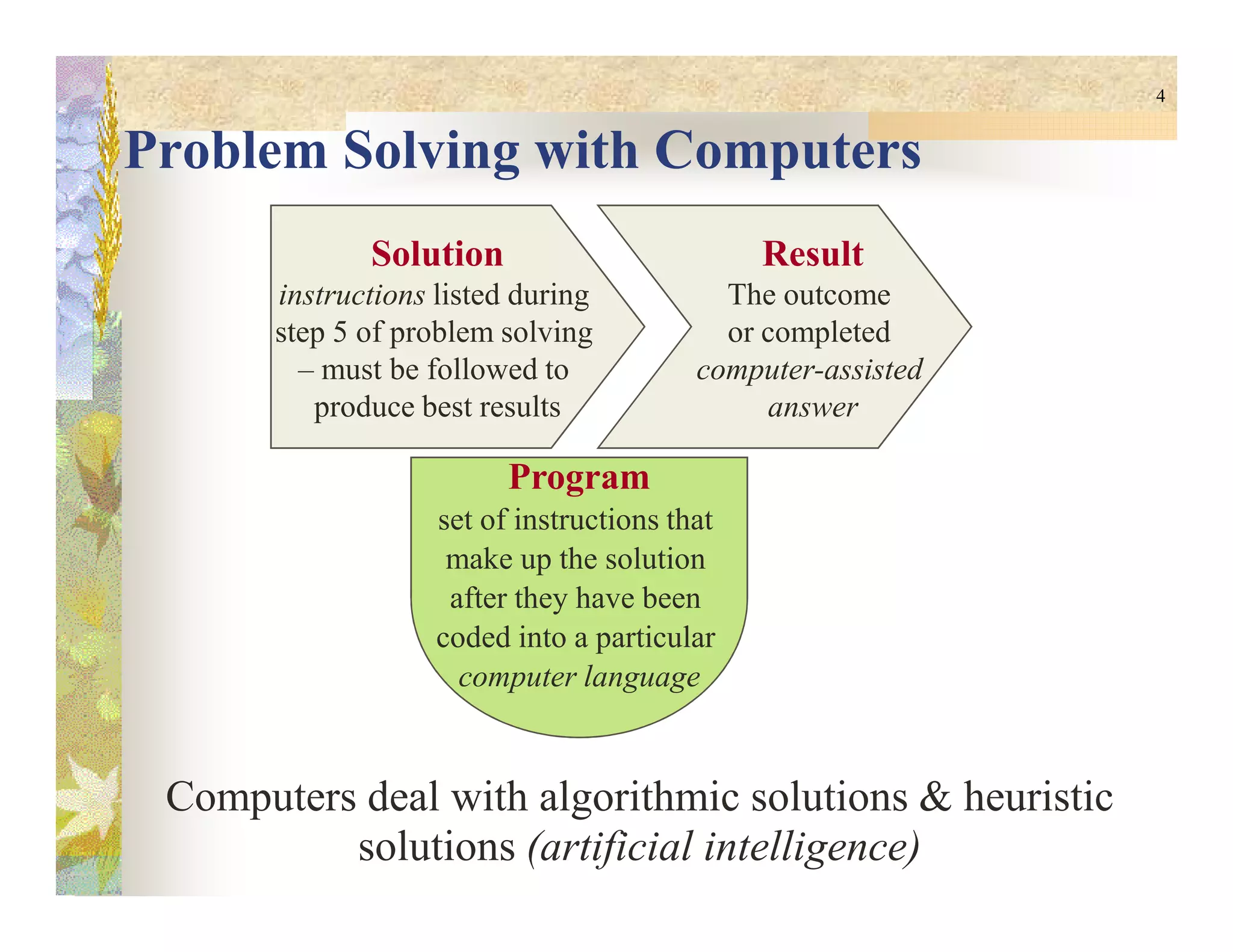
Problem Solving with Computers
Solution
instructions listed during
step 5 of problem solving
– must be followed to
produce best results
Result
The outcome
or completed
computer-assisted
answer
Program
Computers deal with algorithmic solutions & heuristic
solutions (artificial intelligence)
Program
set of instructions that
make up the solution
after they have been
coded into a particular
computer language
5
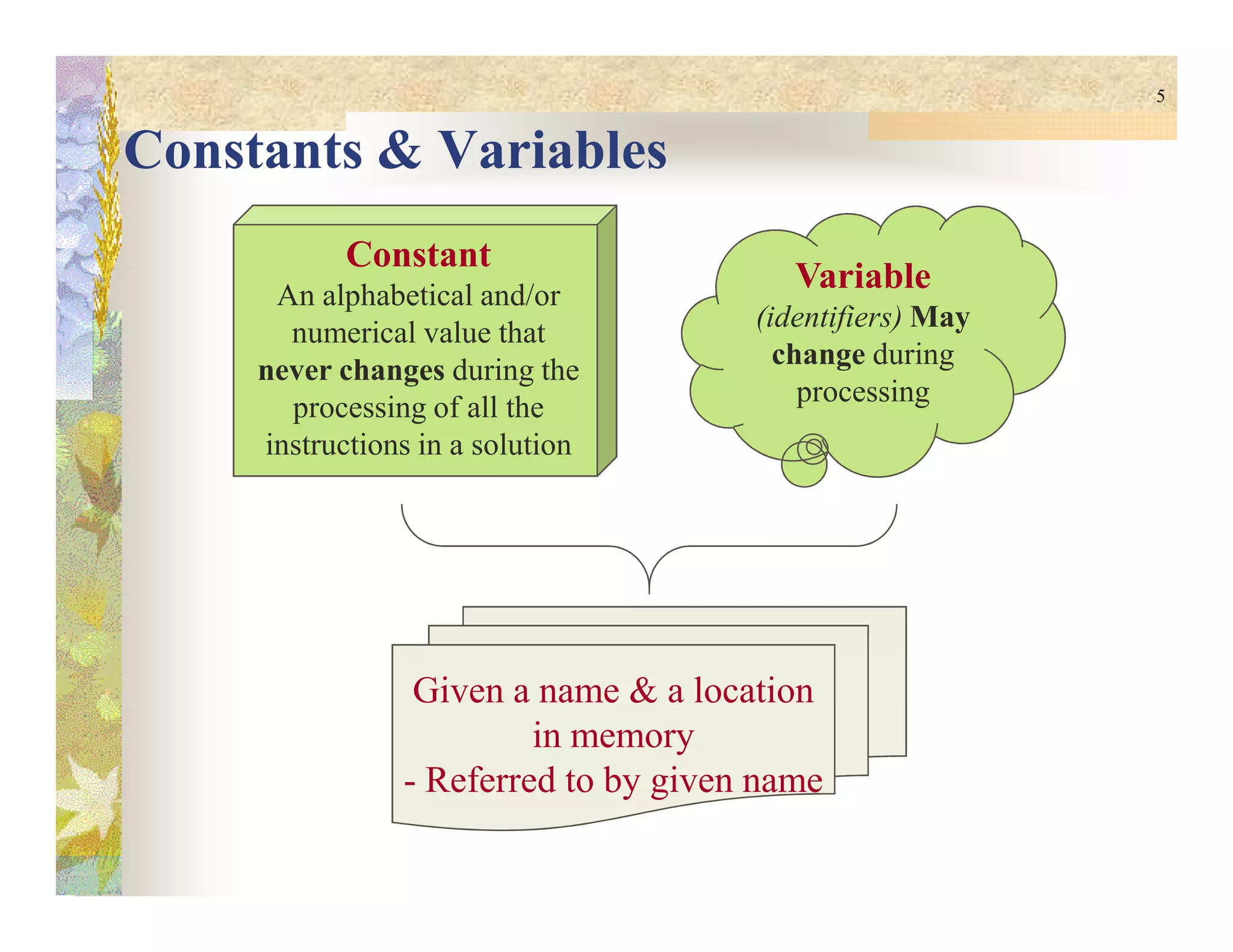
Constants & Variables
Constant
An alphabetical and/or
numerical value that
never changes during the
processing of all the
instructions in a solution
Variable
(identifiers) May
change during
processing
Given a name & a location
in memory
- Referred to by given name
6
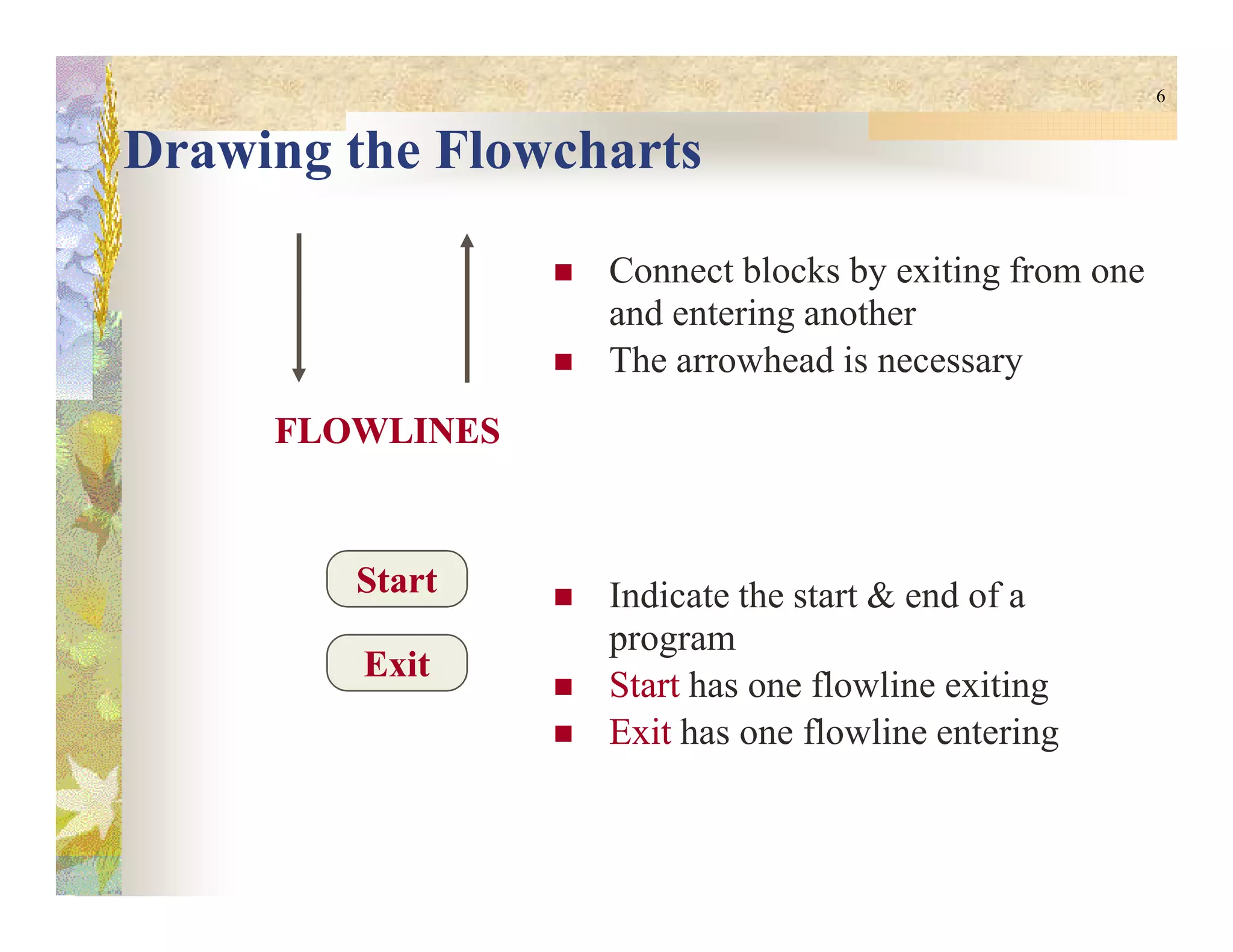
Drawing the Flowcharts
Connect blocks by exiting from one
and entering another
The arrowhead is necessary
FLOWLINESFLOWLINES
Indicate the start & end of a
program
StartStart has one flowline exiting
ExitExit has one flowline entering
StartStart
ExitExit
7
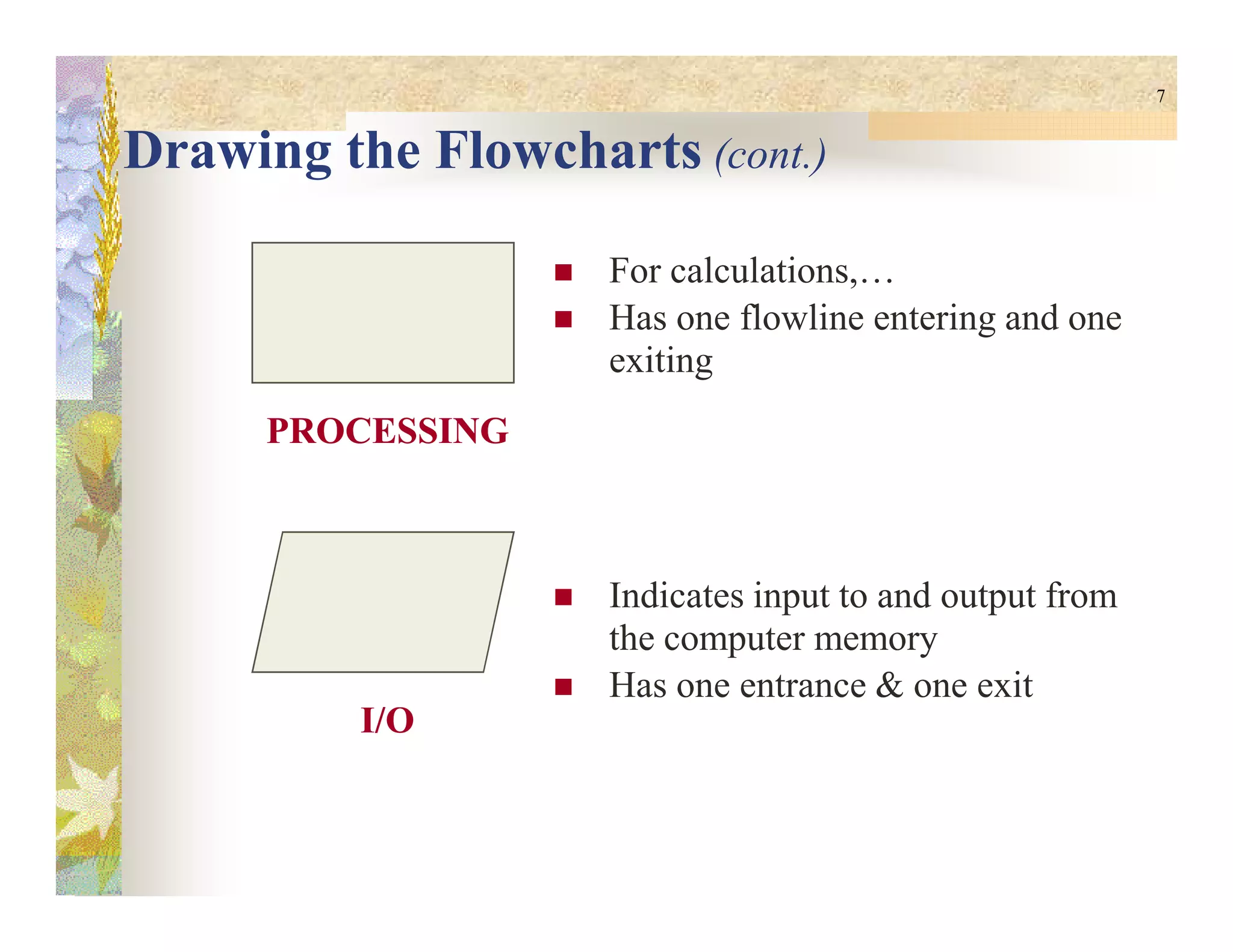
Drawing the Flowcharts (cont.)
For calculations,…
Has one flowline entering and one
exiting
PROCESSINGPROCESSING
Indicates input to and output from
the computer memory
Has one entrance & one exit
I/OI/O
8
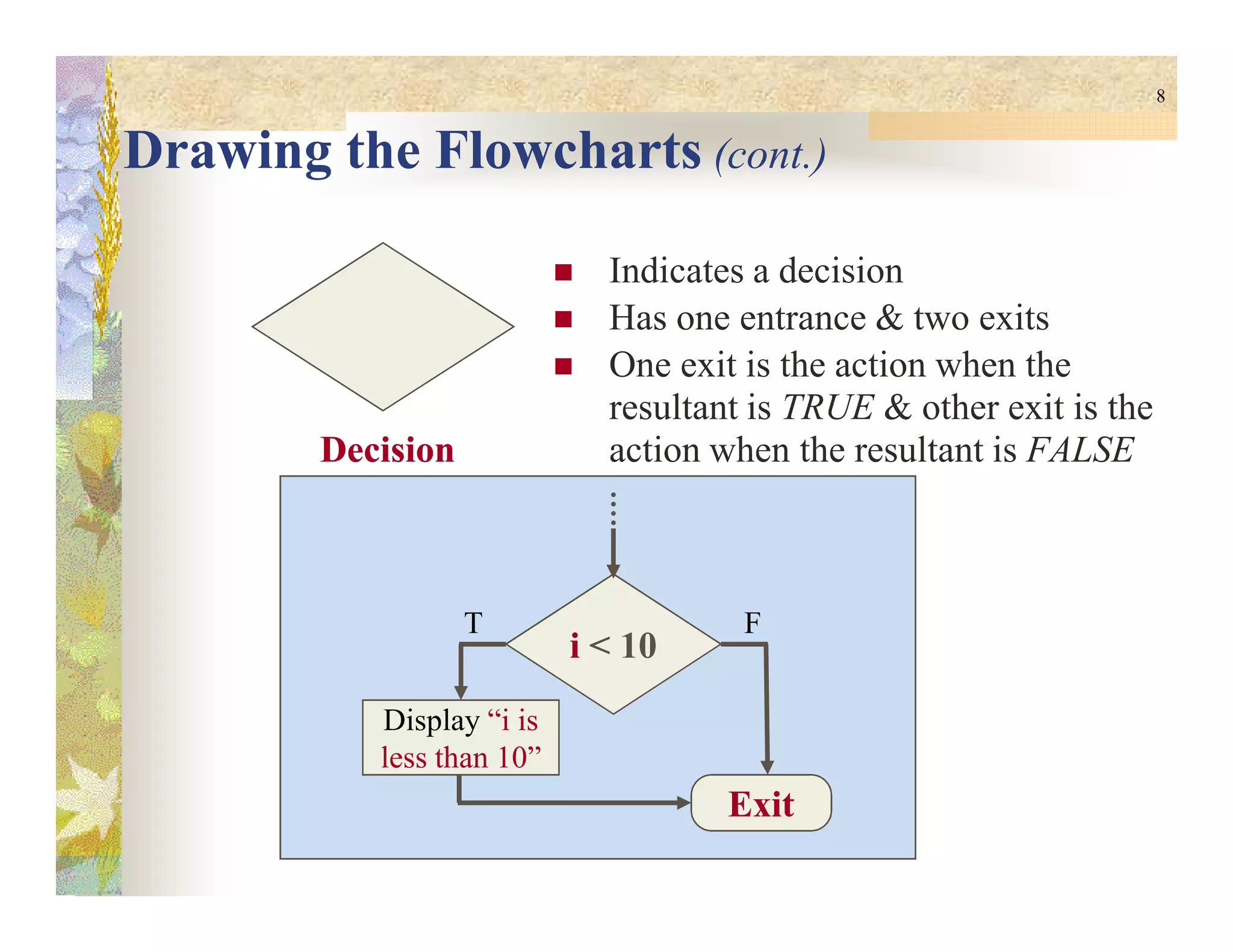
Drawing the Flowcharts (cont.)
Indicates a decision
Has one entrance & two exits
One exit is the action when the
resultant is TRUE & other exit is the
action when the resultant is FALSEDecisionDecision
i < 10
T F
Display “i is
less than 10”
ExitExit
9
Problem Solving with Computers
Problem: Display Area of a Circle
Steps to solve the problem:
1. Declare & Initialize PI value
2. Declare & Initialize Radius value
3. Declare & Initialize Area value
4. Calculate Area
5. Display the value of Area
10
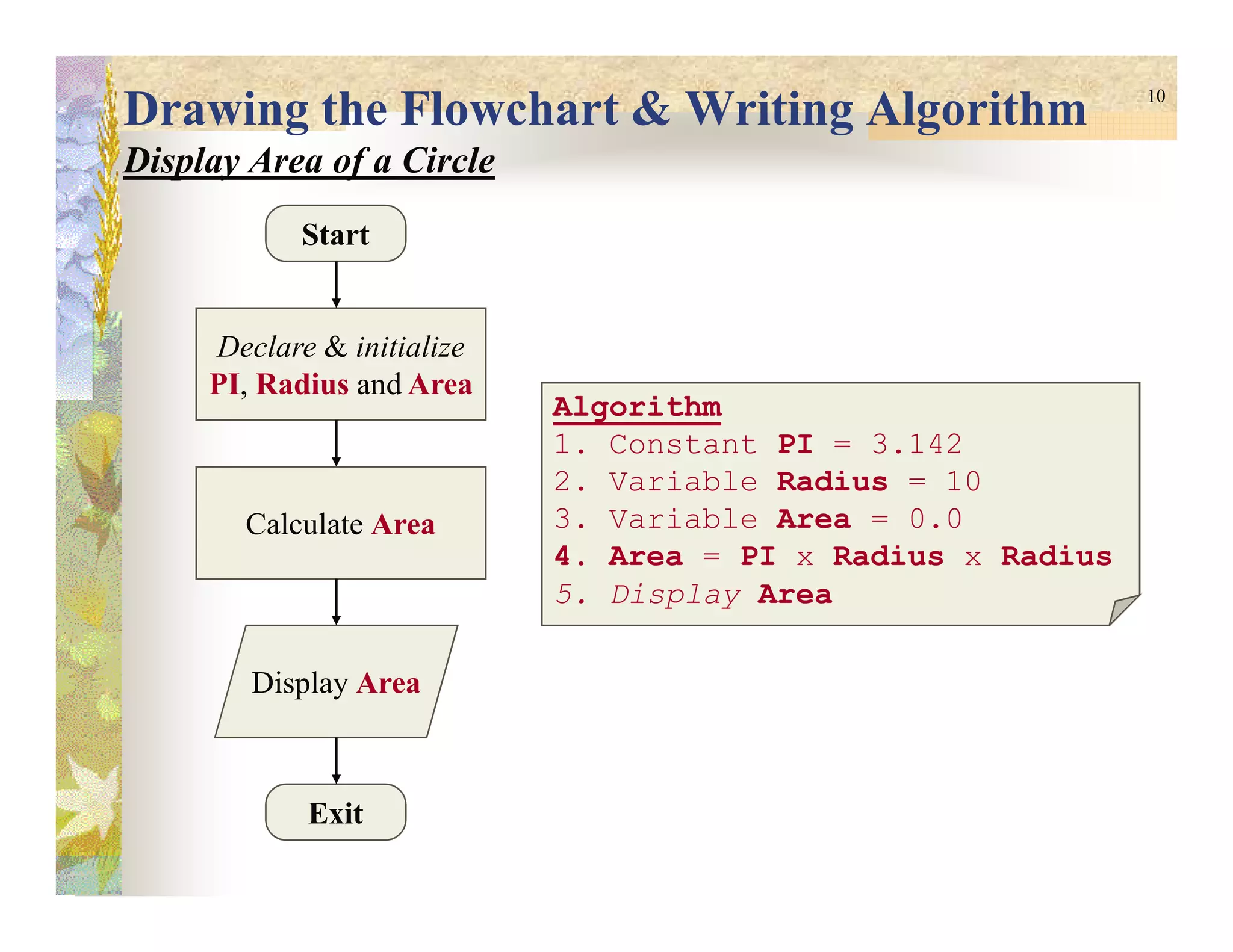
Drawing the Flowchart & Writing Algorithm
Display Area of a Circle
Start
Declare & initialize
PI, Radius and Area
Algorithm
1. Constant PI = 3.142
2. Variable Radius = 10
Exit
Calculate Area
Display Area
2. Variable Radius = 10
3. Variable Area = 0.0
4. Area = PI x Radius x Radius
5. Display Area
11
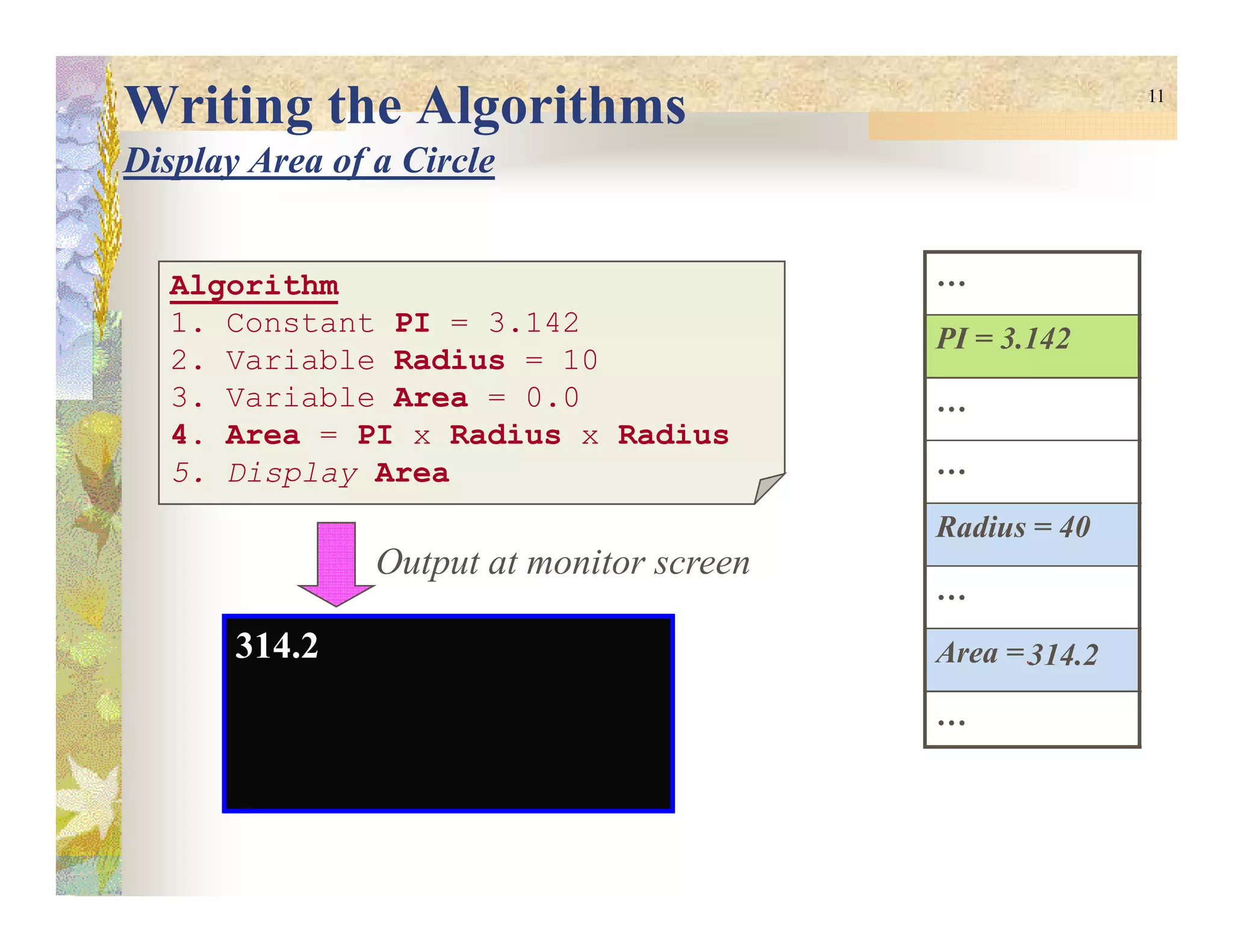
Writing the Algorithms
Display Area of a Circle
Algorithm
1. Constant PI = 3.142
2. Variable Radius = 10
3. Variable Area = 0.0
4. Area = PI x Radius x Radius
5. Display Area
…
PI = 3.142
…
…5. Display Area …
Radius = 40
…
Area = 0.0
…
314.2314.2
Output at monitor screen
12
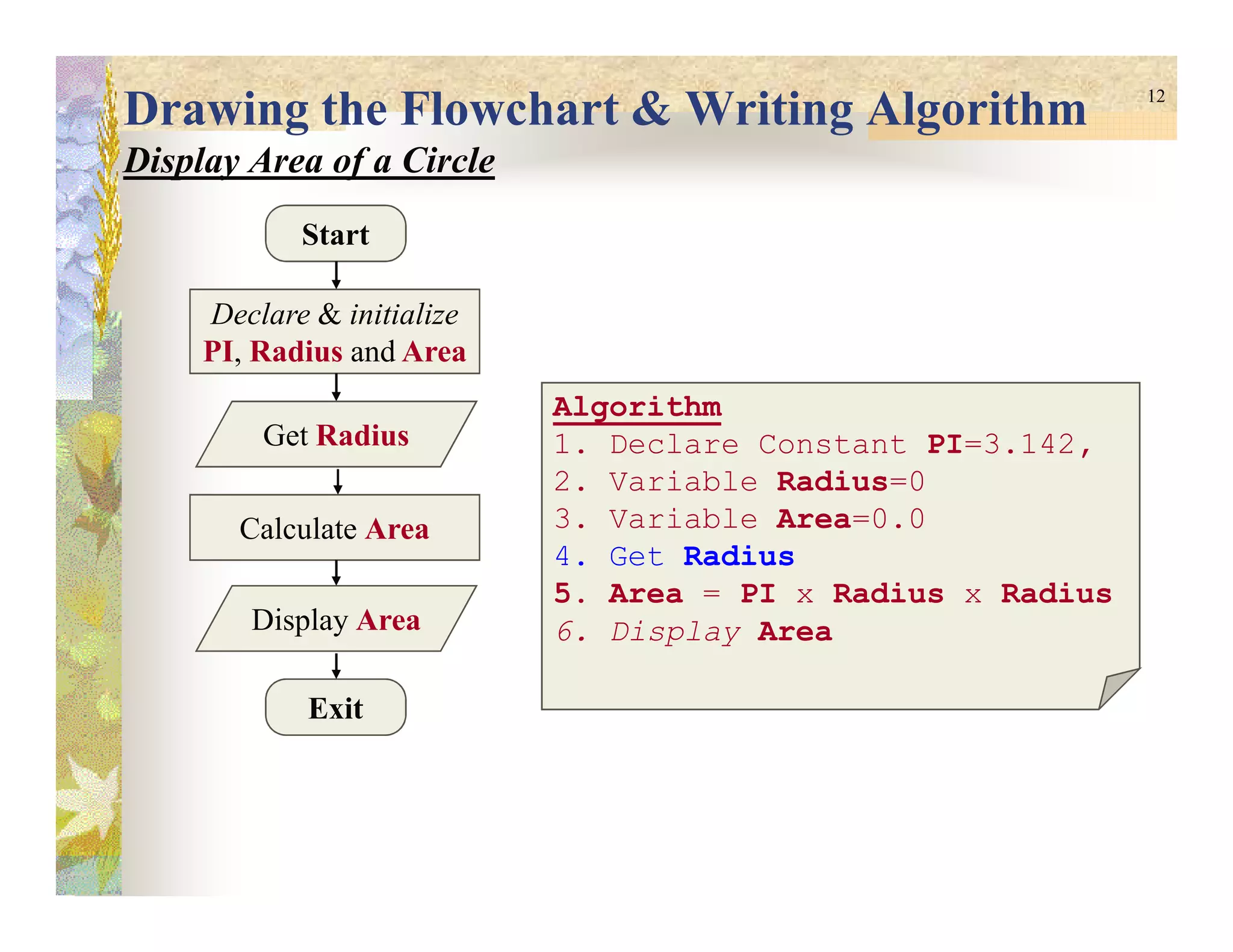
Drawing the Flowchart & Writing Algorithm
Display Area of a Circle
Start
Declare & initialize
PI, Radius and Area
Algorithm
1. Declare Constant PI=3.142,
2. Variable Radius=0
Get Radius
Exit
Calculate Area
Display Area
2. Variable Radius=0
3. Variable Area=0.0
4. Get Radius
5. Area = PI x Radius x Radius
6. Display Area
13
PROGRAM STRUCTUREPROGRAM STRUCTUREPROGRAM STRUCTUREPROGRAM STRUCTURE
14
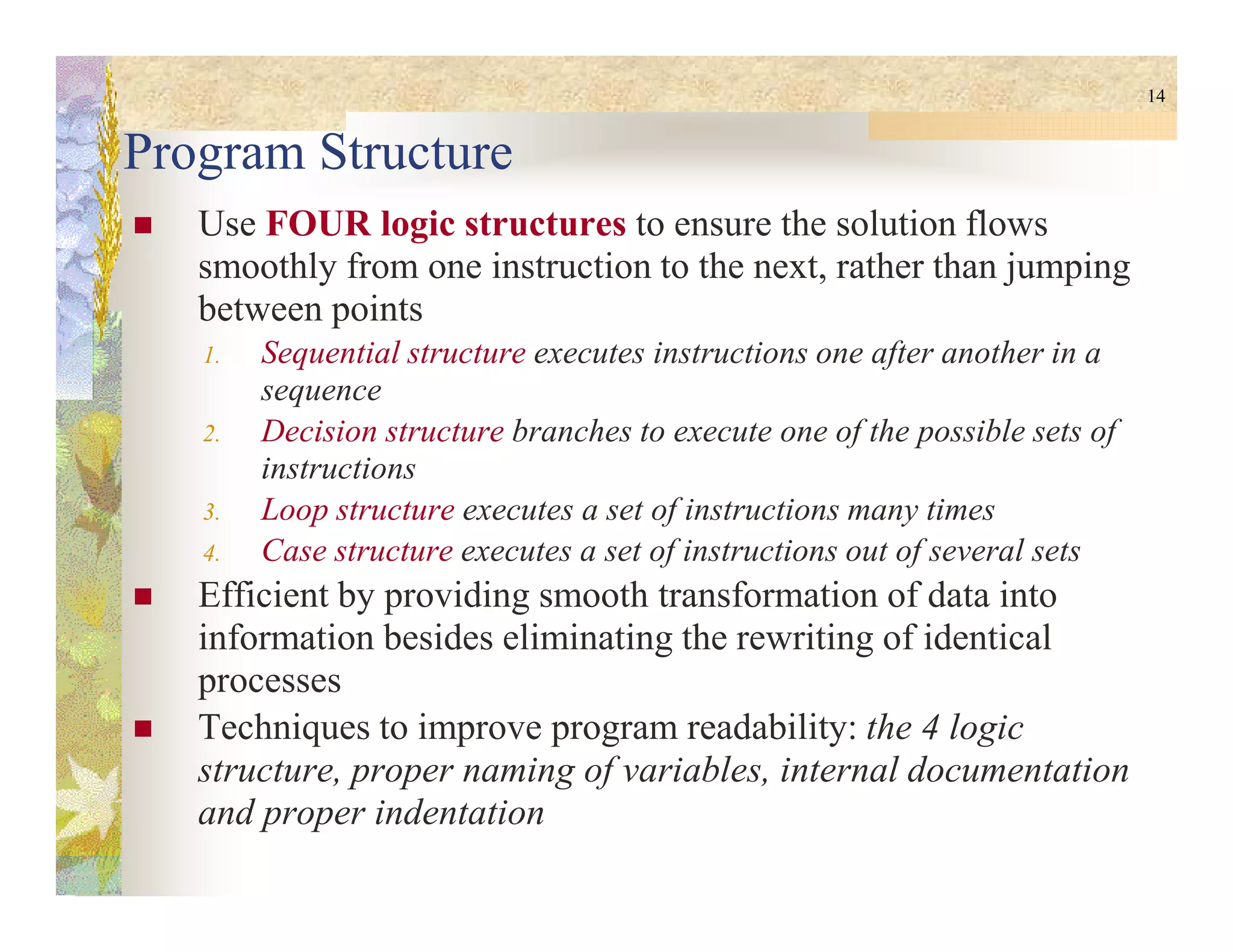
Program Structure
Use FOUR logic structures to ensure the solution flows
smoothly from one instruction to the next, rather than jumping
between points
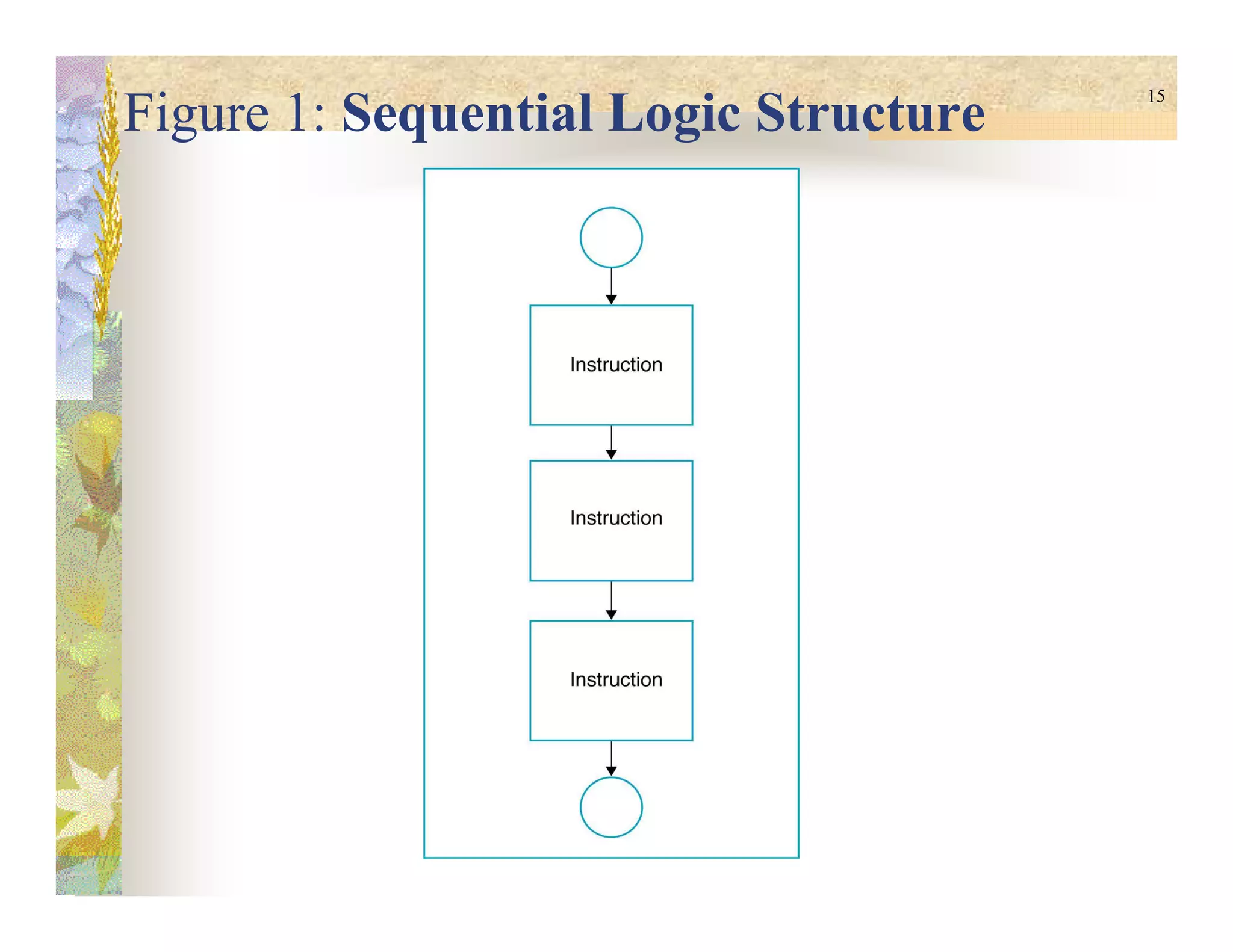
1. Sequential structure executes instructions one after another in a
sequence
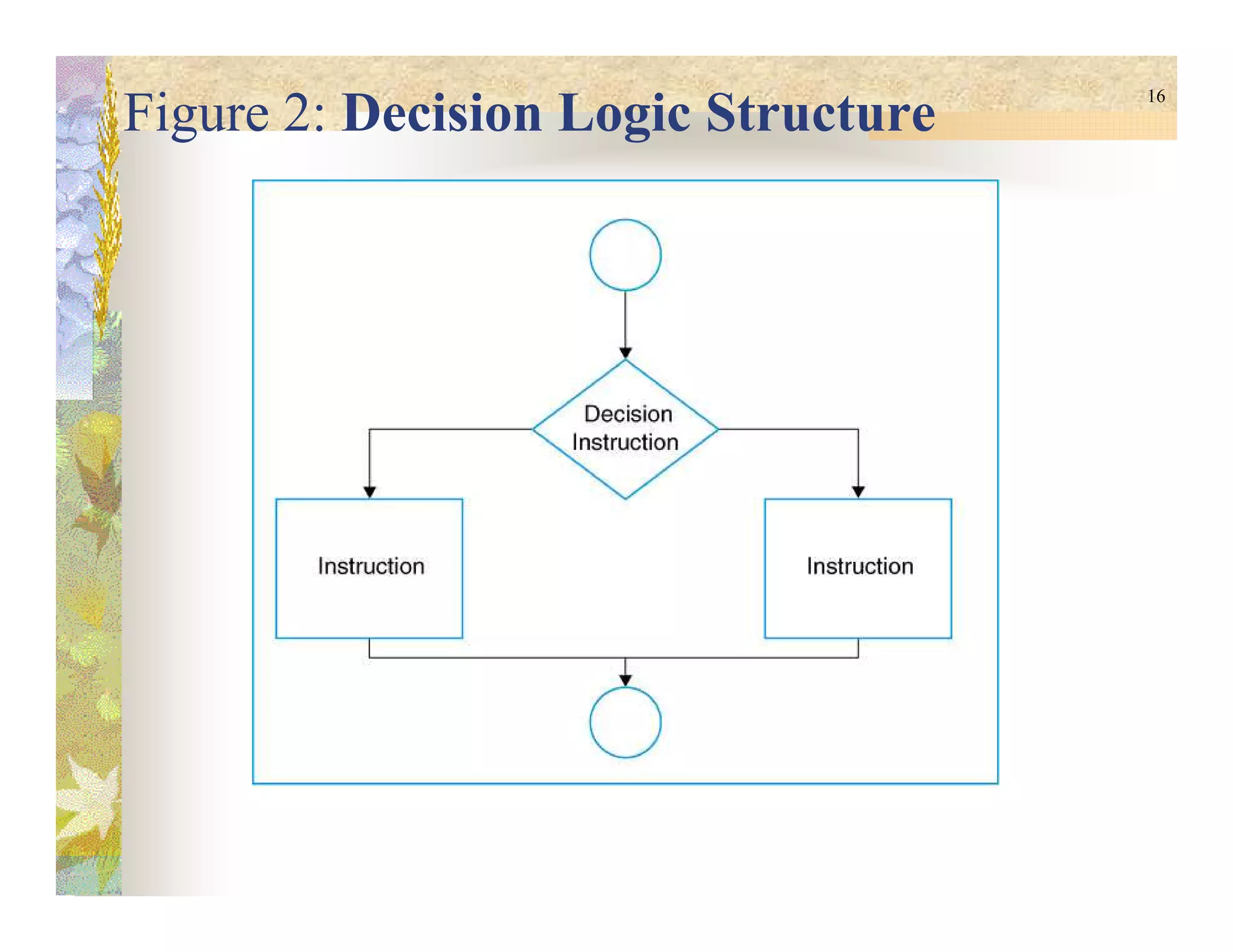
2. Decision structure branches to execute one of the possible sets of
instructionsinstructions
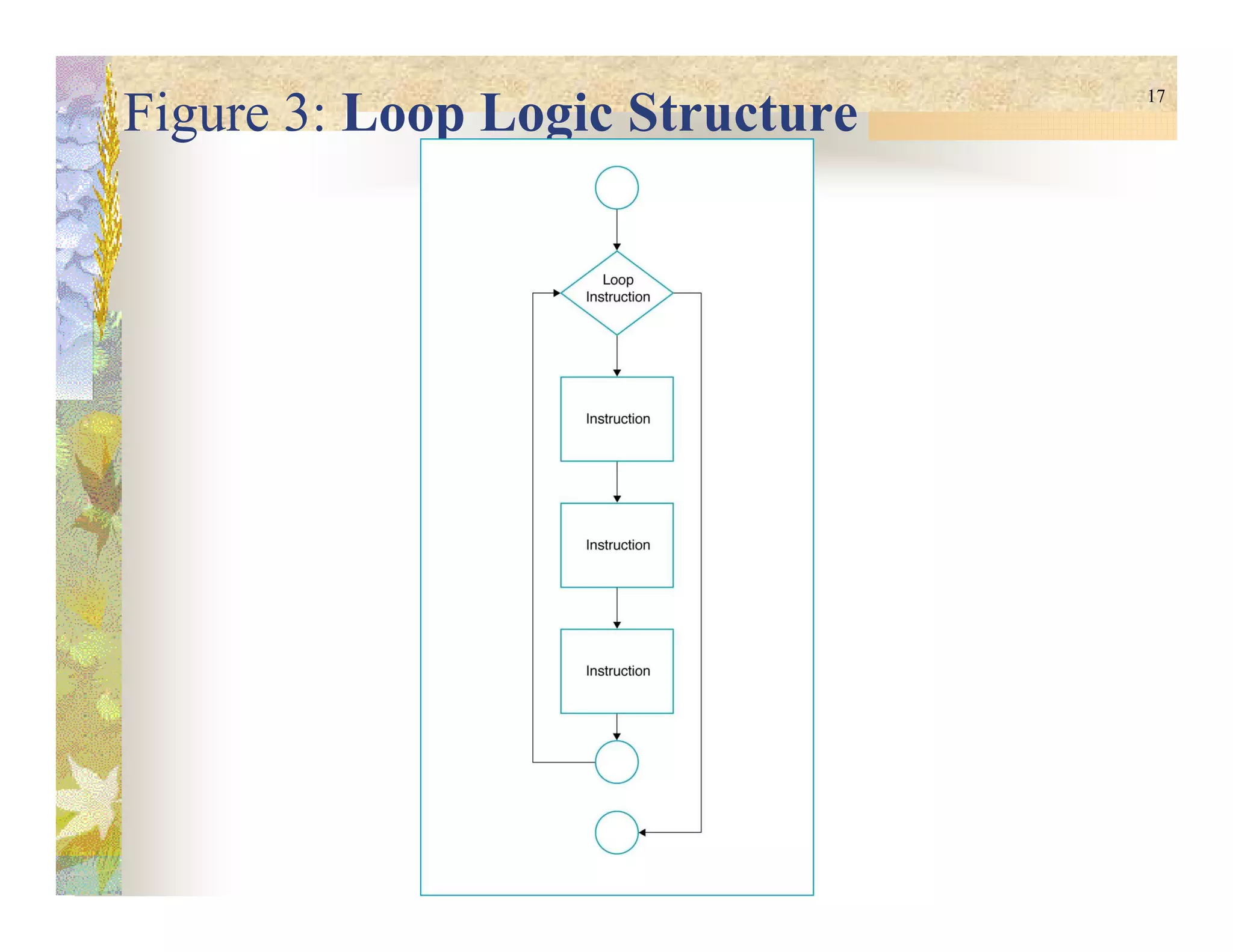
3. Loop structure executes a set of instructions many times
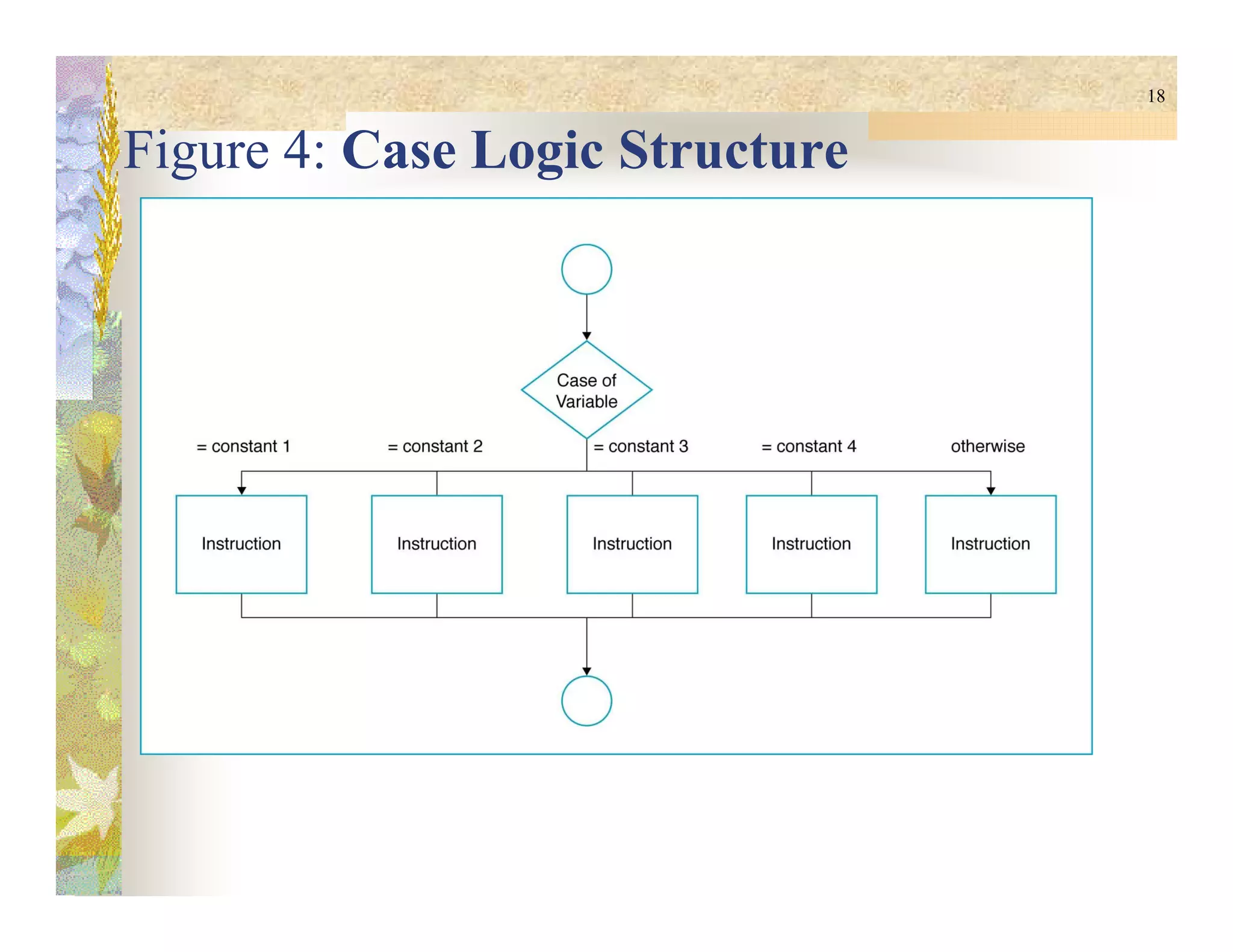
4. Case structure executes a set of instructions out of several sets
Efficient by providing smooth transformation of data into
information besides eliminating the rewriting of identical
processes
Techniques to improve program readability: the 4 logic
structure, proper naming of variables, internal documentation
and proper indentation
15
Figure 1: Sequential Logic Structure
16
Figure 2: Decision Logic Structure
17
Figure 3: Loop Logic Structure
18
Figure 4: Case Logic Structure
19
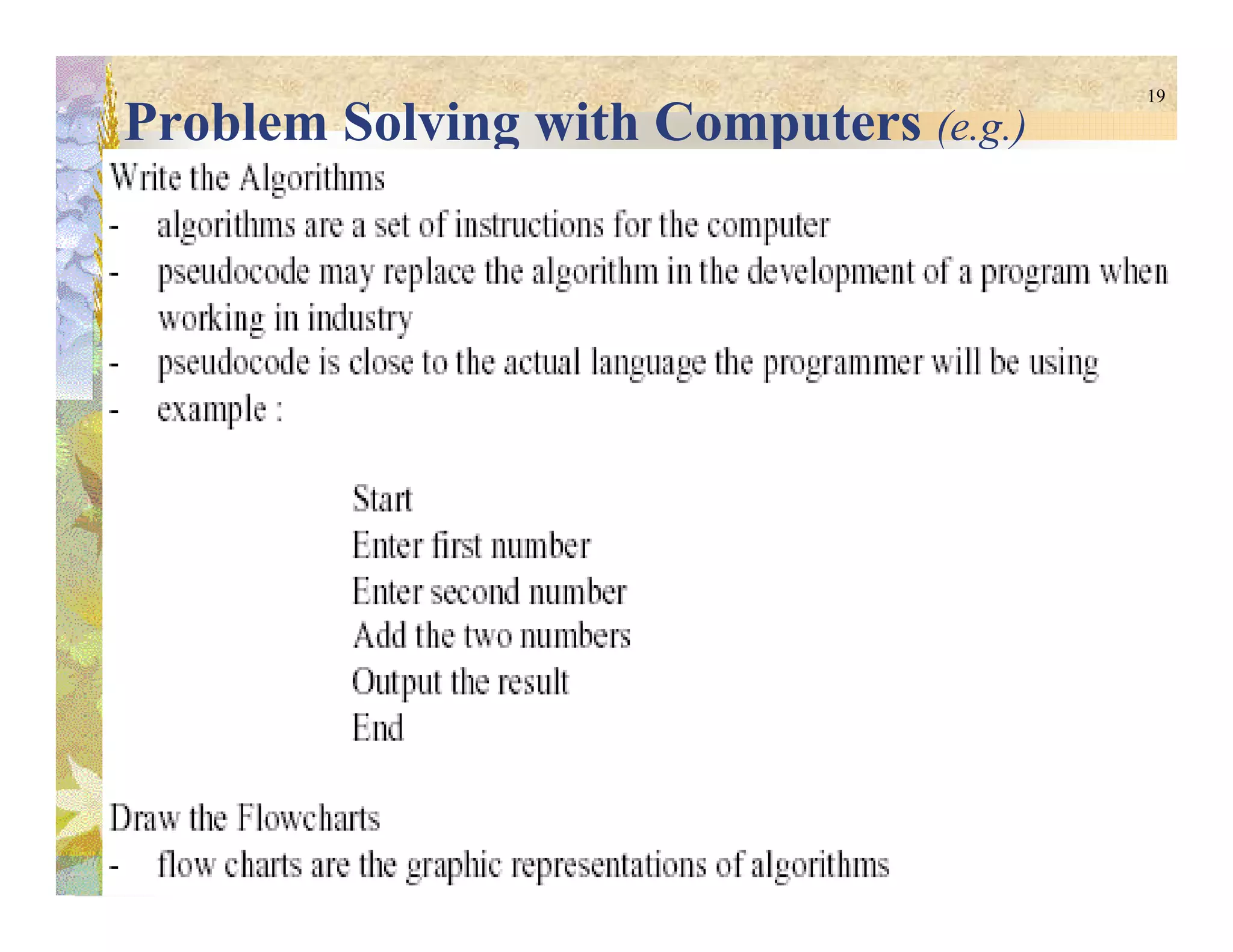
Problem Solving with Computers (e.g.)
20
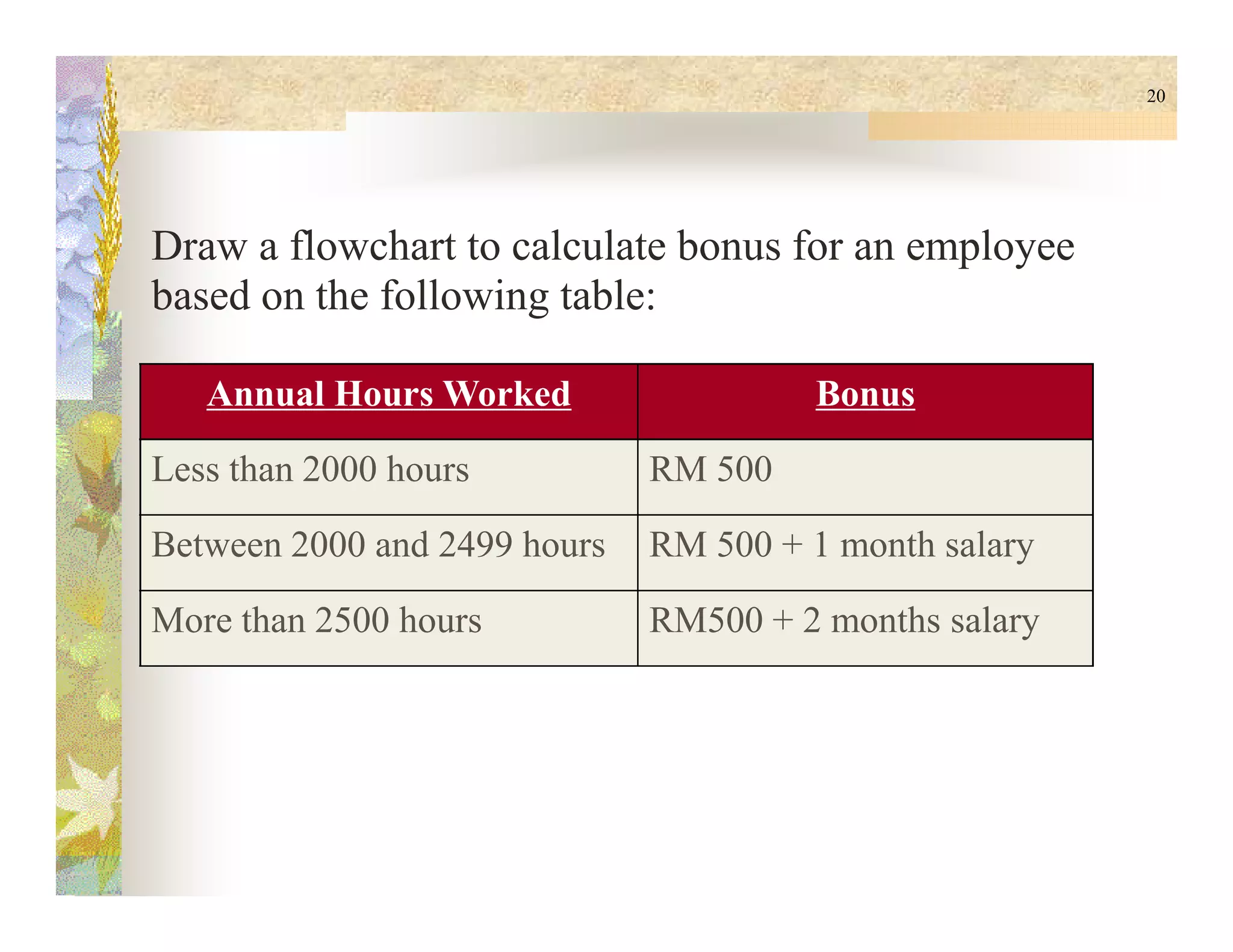
Draw a flowchart to calculate bonus for an employee
based on the following table:
Annual Hours Worked Bonus
Less than 2000 hours RM 500Less than 2000 hours RM 500
Between 2000 and 2499 hours RM 500 + 1 month salary
More than 2500 hours RM500 + 2 months salary

CSC1100 - Chapter12 - Flow Charts

  • 1.
  • 2.
    2 Problem Solving Can besolved in a series of actions Problem solving steps: 1. Identify the problem 2. Understand the problem 3. Identify alternatives (solutions) 4. Select the best solution4. Select the best solution 5. Prepare a list of steps (instruction) 6. Evaluate the solution
  • 3.
    3 SOLUTIONS Algorithmic Heuristic the bestalternative solution reached by completing actions in steps – algorithm cannot be reached through direct set of steps – require reasoning built on knowledge & experience – a process of trial & error
  • 4.
    4 Problem Solving withComputers Solution instructions listed during step 5 of problem solving – must be followed to produce best results Result The outcome or completed computer-assisted answer Program Computers deal with algorithmic solutions & heuristic solutions (artificial intelligence) Program set of instructions that make up the solution after they have been coded into a particular computer language
  • 5.
    5 Constants & Variables Constant Analphabetical and/or numerical value that never changes during the processing of all the instructions in a solution Variable (identifiers) May change during processing Given a name & a location in memory - Referred to by given name
  • 6.
    6 Drawing the Flowcharts Connectblocks by exiting from one and entering another The arrowhead is necessary FLOWLINESFLOWLINES Indicate the start & end of a program StartStart has one flowline exiting ExitExit has one flowline entering StartStart ExitExit
  • 7.
    7 Drawing the Flowcharts(cont.) For calculations,… Has one flowline entering and one exiting PROCESSINGPROCESSING Indicates input to and output from the computer memory Has one entrance & one exit I/OI/O
  • 8.
    8 Drawing the Flowcharts(cont.) Indicates a decision Has one entrance & two exits One exit is the action when the resultant is TRUE & other exit is the action when the resultant is FALSEDecisionDecision i < 10 T F Display “i is less than 10” ExitExit
  • 9.
    9 Problem Solving withComputers Problem: Display Area of a Circle Steps to solve the problem: 1. Declare & Initialize PI value 2. Declare & Initialize Radius value 3. Declare & Initialize Area value 4. Calculate Area 5. Display the value of Area
  • 10.
    10 Drawing the Flowchart& Writing Algorithm Display Area of a Circle Start Declare & initialize PI, Radius and Area Algorithm 1. Constant PI = 3.142 2. Variable Radius = 10 Exit Calculate Area Display Area 2. Variable Radius = 10 3. Variable Area = 0.0 4. Area = PI x Radius x Radius 5. Display Area
  • 11.
    11 Writing the Algorithms DisplayArea of a Circle Algorithm 1. Constant PI = 3.142 2. Variable Radius = 10 3. Variable Area = 0.0 4. Area = PI x Radius x Radius 5. Display Area … PI = 3.142 … …5. Display Area … Radius = 40 … Area = 0.0 … 314.2314.2 Output at monitor screen
  • 12.
    12 Drawing the Flowchart& Writing Algorithm Display Area of a Circle Start Declare & initialize PI, Radius and Area Algorithm 1. Declare Constant PI=3.142, 2. Variable Radius=0 Get Radius Exit Calculate Area Display Area 2. Variable Radius=0 3. Variable Area=0.0 4. Get Radius 5. Area = PI x Radius x Radius 6. Display Area
  • 13.
  • 14.
    14 Program Structure Use FOURlogic structures to ensure the solution flows smoothly from one instruction to the next, rather than jumping between points 1. Sequential structure executes instructions one after another in a sequence 2. Decision structure branches to execute one of the possible sets of instructionsinstructions 3. Loop structure executes a set of instructions many times 4. Case structure executes a set of instructions out of several sets Efficient by providing smooth transformation of data into information besides eliminating the rewriting of identical processes Techniques to improve program readability: the 4 logic structure, proper naming of variables, internal documentation and proper indentation
  • 15.
    15 Figure 1: SequentialLogic Structure
  • 16.
    16 Figure 2: DecisionLogic Structure
  • 17.
    17 Figure 3: LoopLogic Structure
  • 18.
    18 Figure 4: CaseLogic Structure
  • 19.
    19 Problem Solving withComputers (e.g.)
  • 20.
    20 Draw a flowchartto calculate bonus for an employee based on the following table: Annual Hours Worked Bonus Less than 2000 hours RM 500Less than 2000 hours RM 500 Between 2000 and 2499 hours RM 500 + 1 month salary More than 2500 hours RM500 + 2 months salary