Your First 
Xamarin.Forms 
App 
Craig Dunn 
Developer Evangelist 
@conceptdev
Forget Everything!
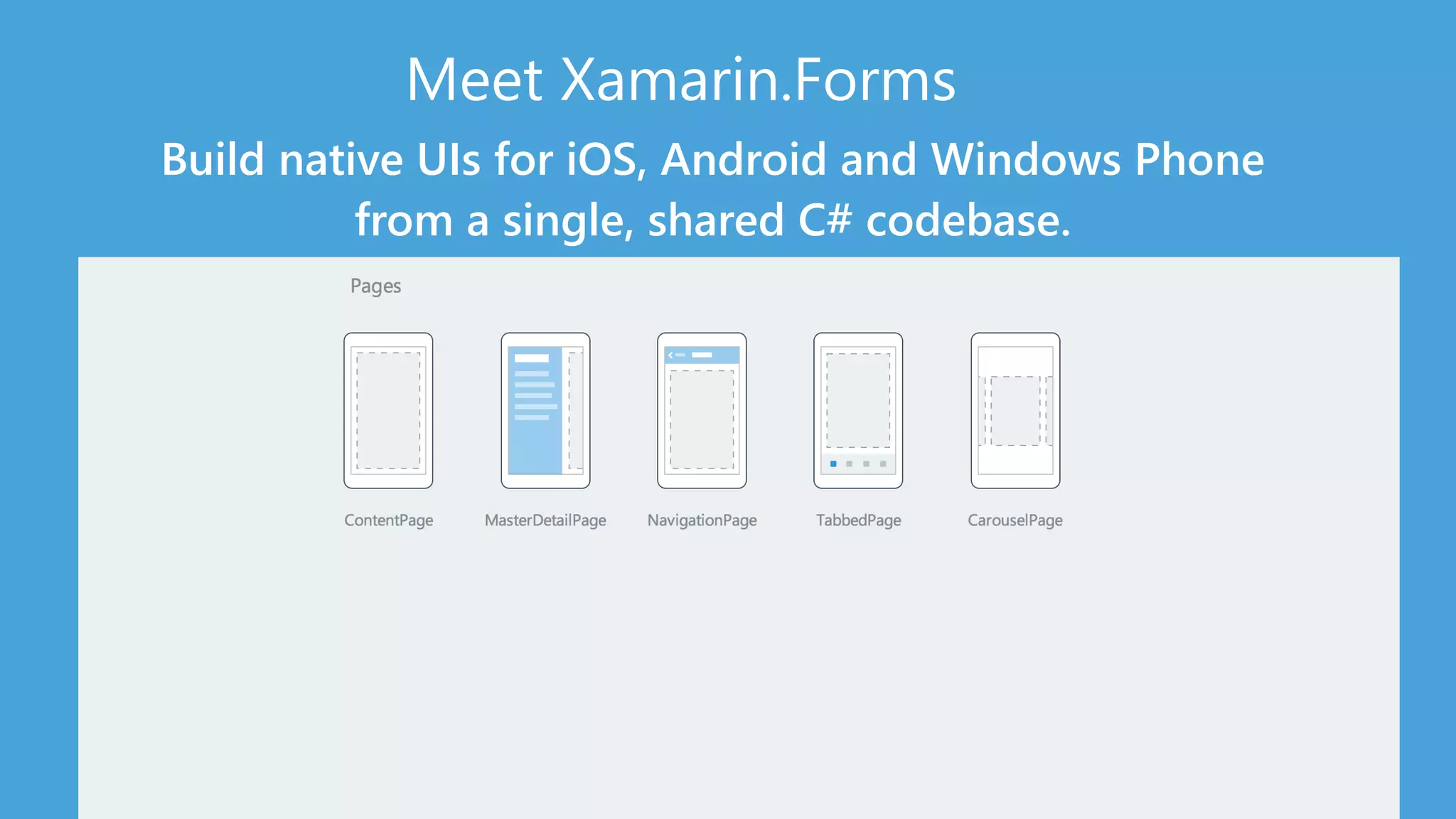
Meet Xamarin.Forms 
Build native UIs for iOS, Android and Windows Phone 
from a single, shared C# codebase.
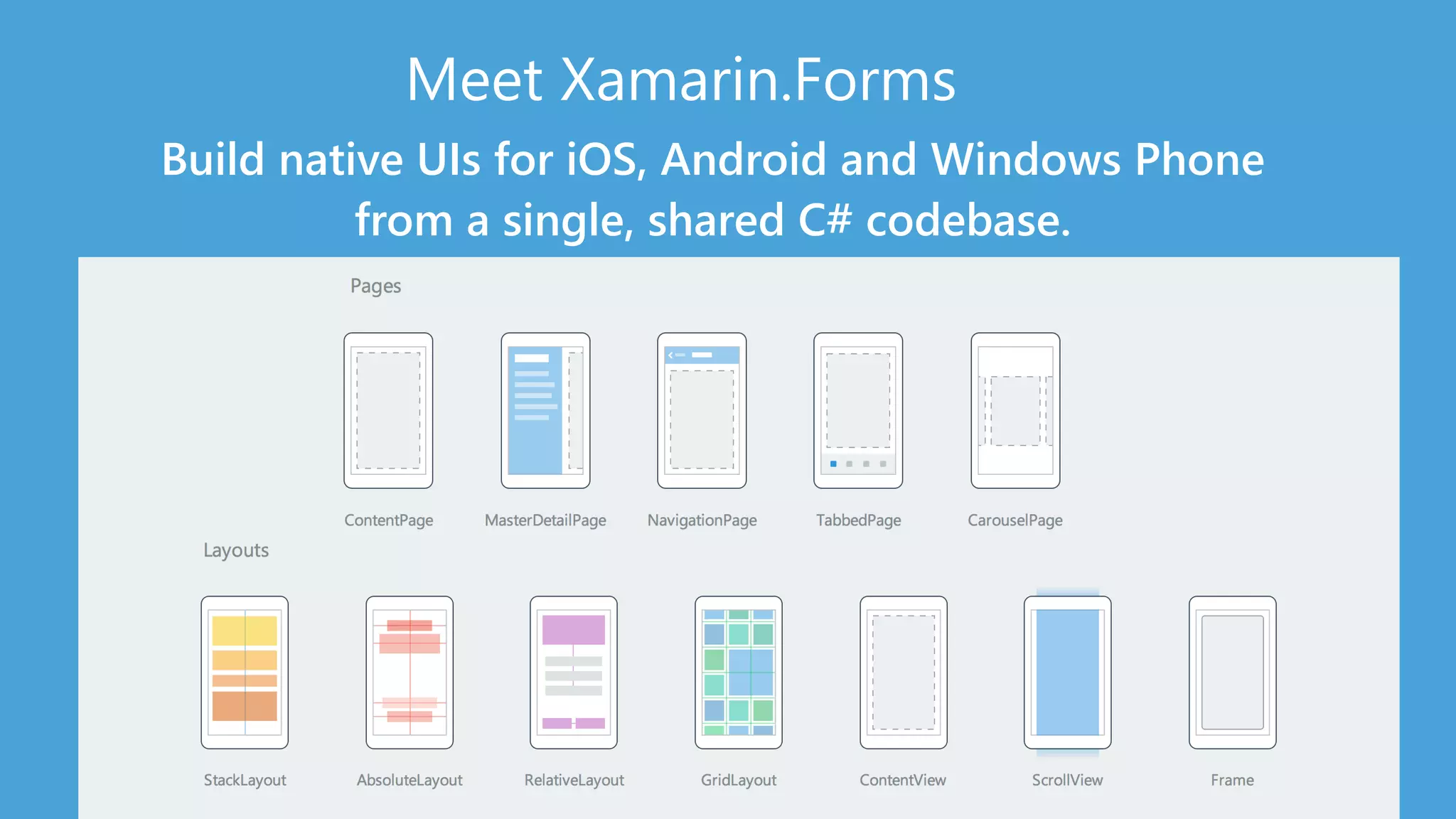
Meet Xamarin.Forms 
Build native UIs for iOS, Android and Windows Phone 
from a single, shared C# codebase.
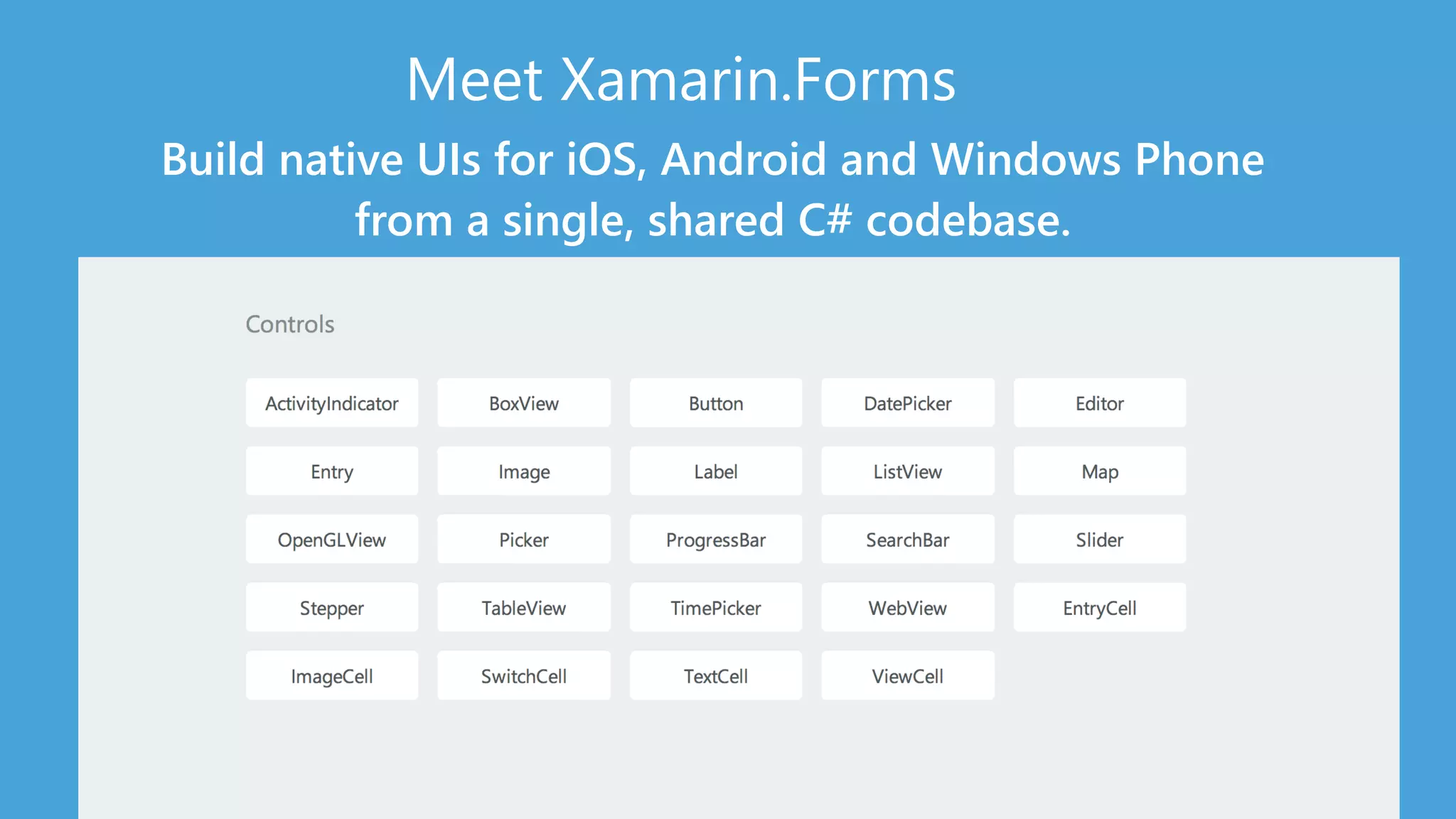
Meet Xamarin.Forms 
Build native UIs for iOS, Android and Windows Phone 
from a single, shared C# codebase.
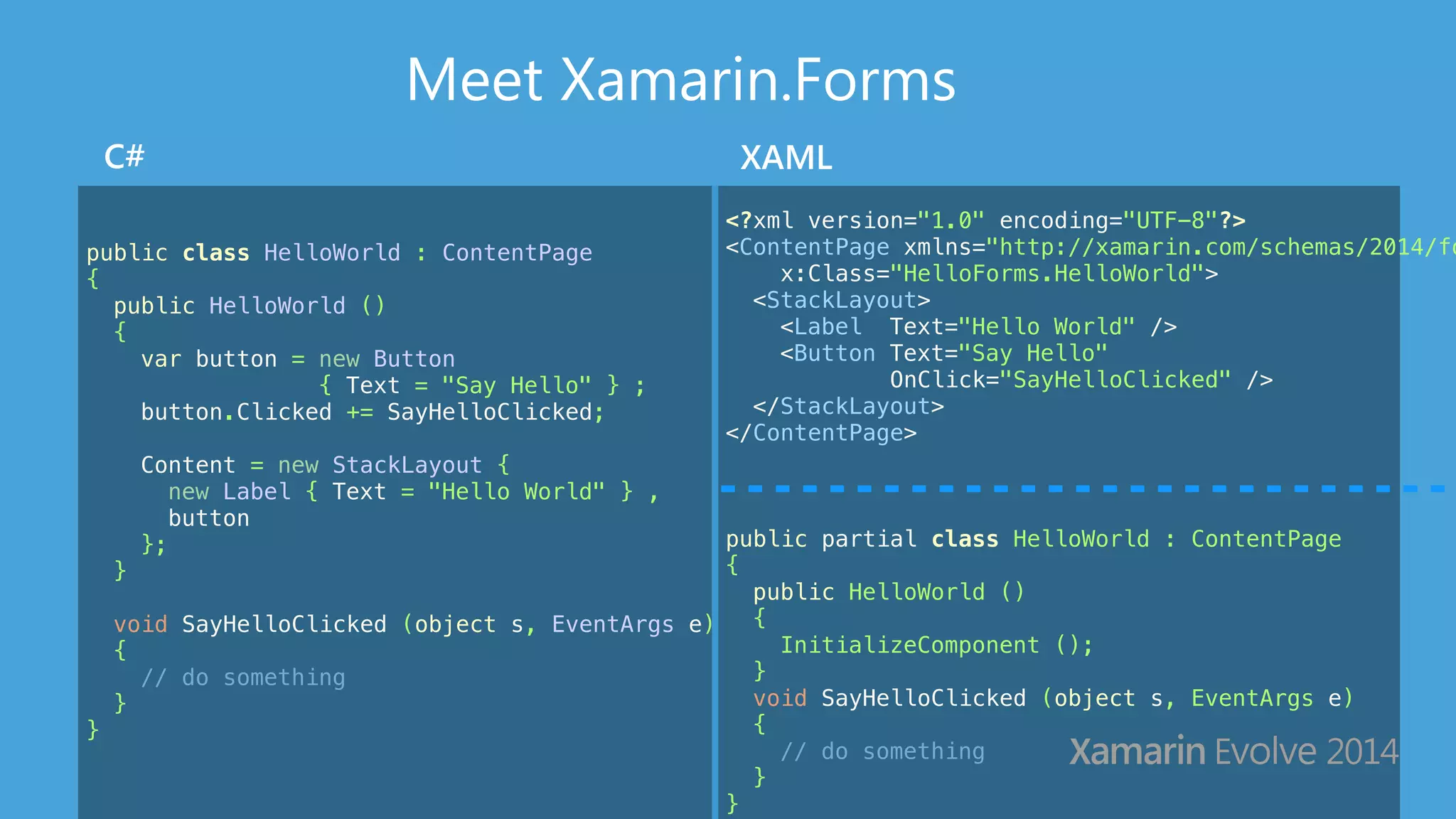
Meet Xamarin.Forms 
C# XAML 
public class HelloWorld : ContentPage 
{ 
public HelloWorld () 
{ 
var button = new Button 
{ Text = "Say Hello" } ; 
button.Clicked += SayHelloClicked; 
Content = new StackLayout { 
new Label { Text = "Hello World" } , 
button 
}; 
} 
! 
void SayHelloClicked (object s, EventArgs e) 
{ 
// do something 
} 
} 
<?xml version="1.0" encoding="UTF-8"?> 
<ContentPage xmlns="http://xamarin.com/schemas/2014/forms" 
x:Class="HelloForms.HelloWorld"> 
<StackLayout> 
<Label Text="Hello World" /> 
<Button Text="Say Hello" 
OnClick="SayHelloClicked" /> 
</StackLayout> 
</ContentPage> 
! 
public partial class HelloWorld : ContentPage 
{ 
public HelloWorld () 
{ 
InitializeComponent (); 
} 
void SayHelloClicked (object s, EventArgs e) 
{ 
// do something 
} 
}
Your first Xamarin.Forms app 
■ File > New Project 
■ Design a screen 
■ Add some code 
■ Run on iOS, Android, 
& Windows Phone
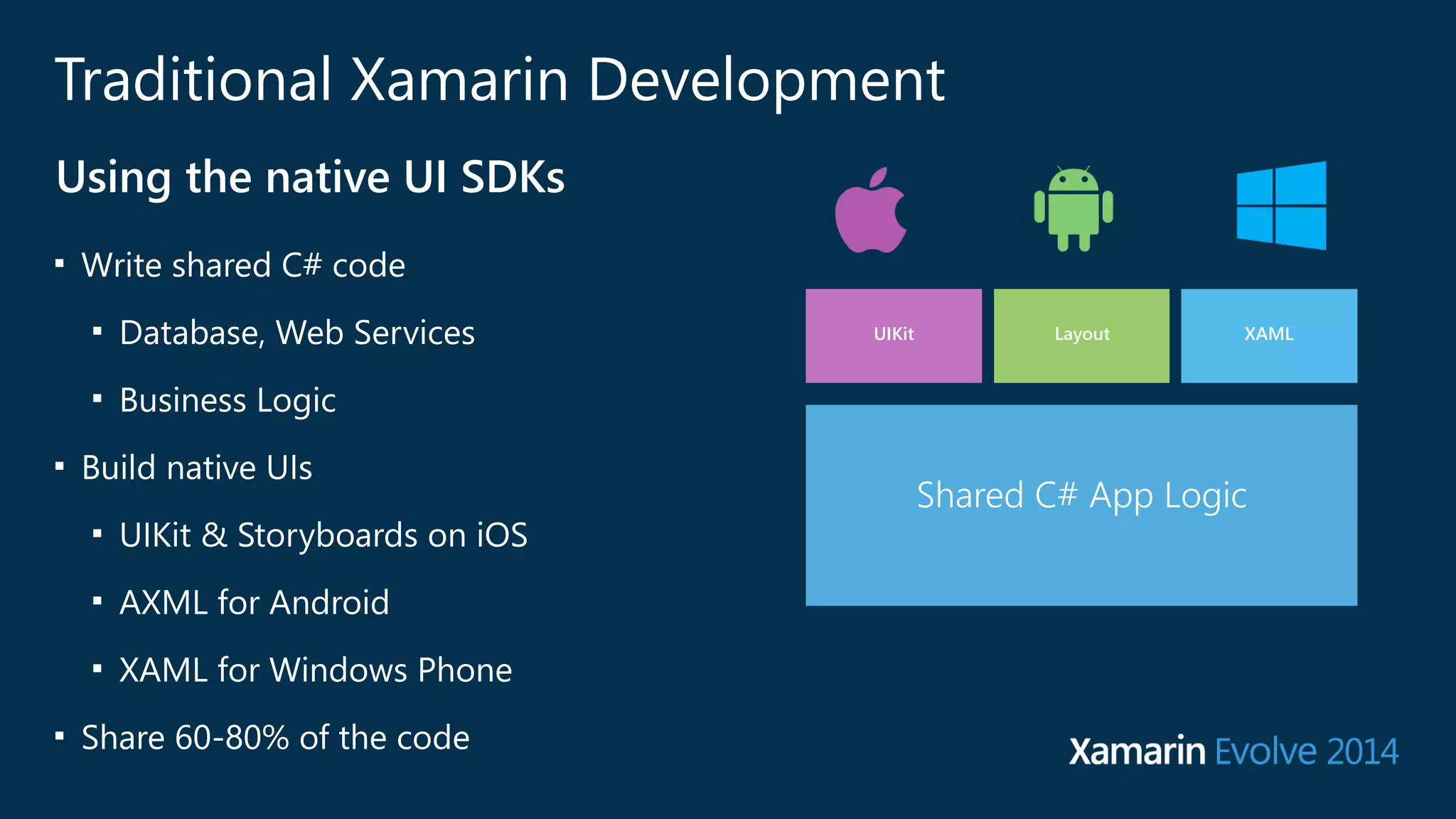
Traditional Xamarin Development 
Using the native UI SDKs 
■ Write shared C# code 
■ Database, Web Services 
■ Business Logic 
■ Build native UIs 
■ UIKit & Storyboards on iOS 
■ AXML for Android 
■ XAML for Windows Phone 
■ Share 60-‐80% of the code 
UIKit Layout XAML 
SharedS Ch#a rAepdp A Lpopg iLcogic
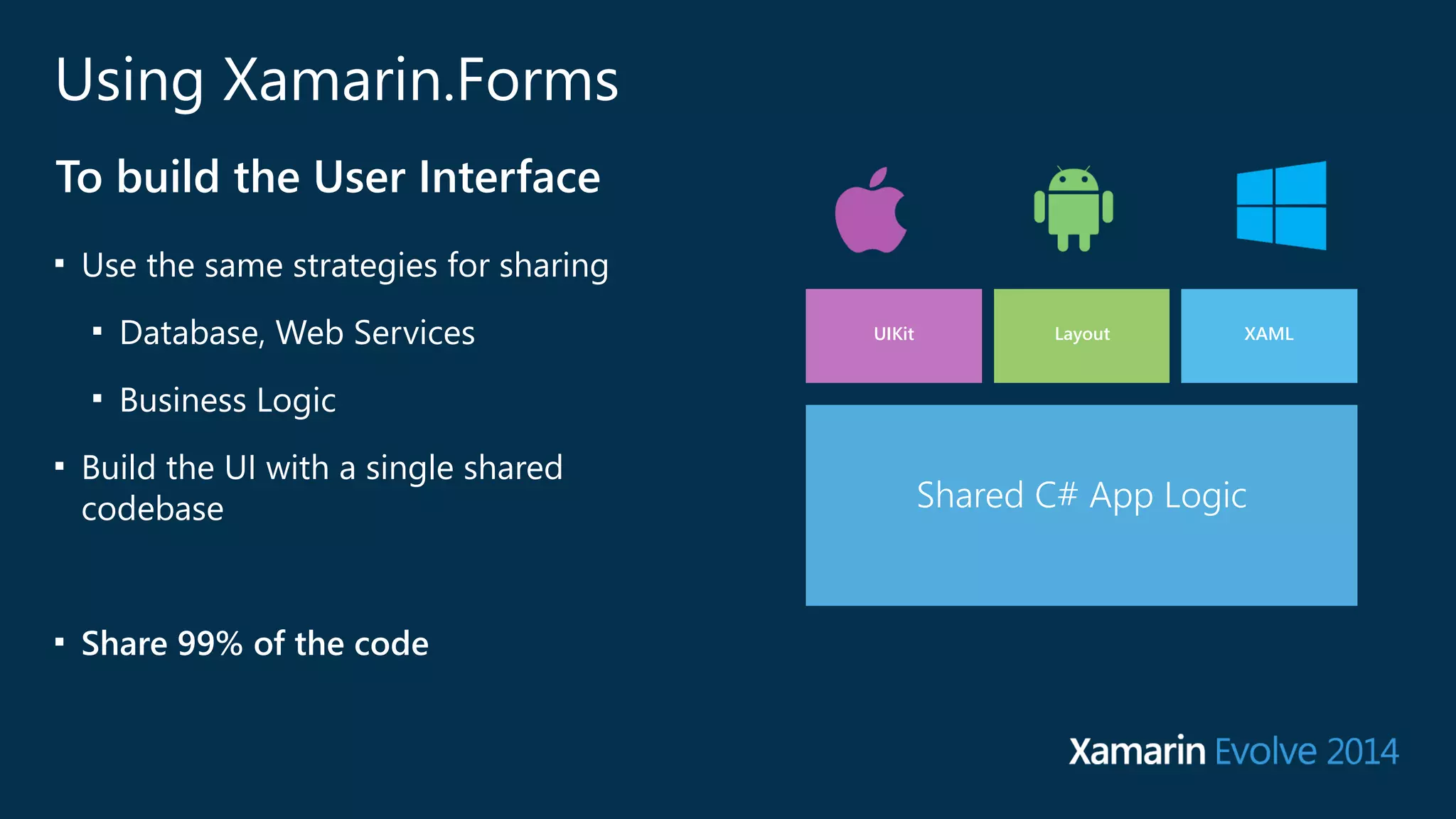
UIKit Layout XAML 
Shared C# User Interface Code 
Shared C# App Logic 
Shared App Logic 
Using Xamarin.Forms 
To build the User Interface 
■ Use the same strategies for sharing 
■ Database, Web Services 
■ Business Logic 
■ Build the UI with a single shared 
codebase 
! 
■ Share 99% of the code
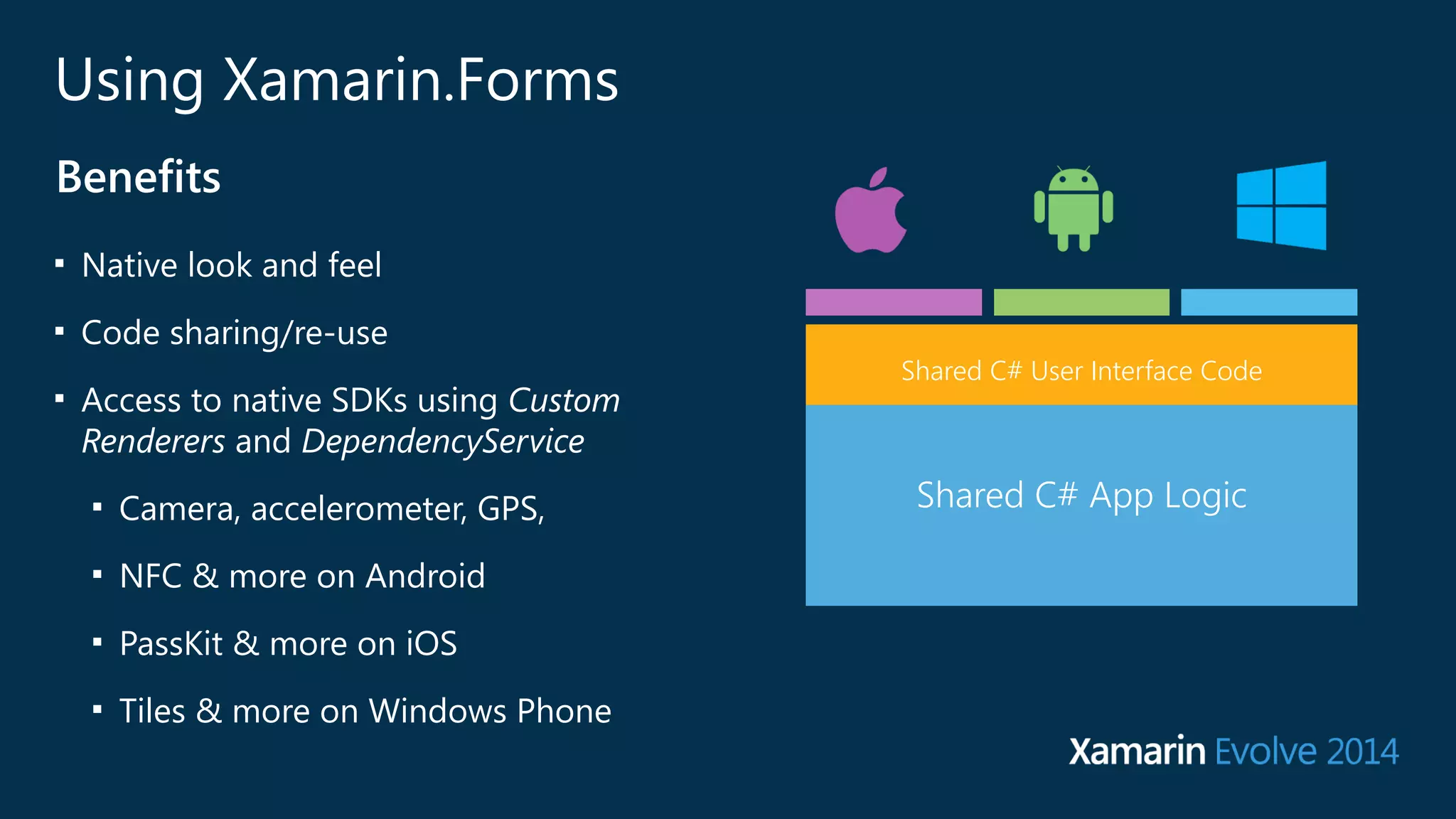
Using Xamarin.Forms 
Benefits 
■ Native look and feel 
■ Code sharing/re-‐use 
■ Access to native SDKs using Custom 
Renderers and DependencyService 
■ Camera, accelerometer, GPS, 
■ NFC & more on Android 
■ PassKit & more on iOS 
■ Tiles & more on Windows Phone 
Shared C# User Interface Code 
Shared App Logic 
Shared C# App Logic
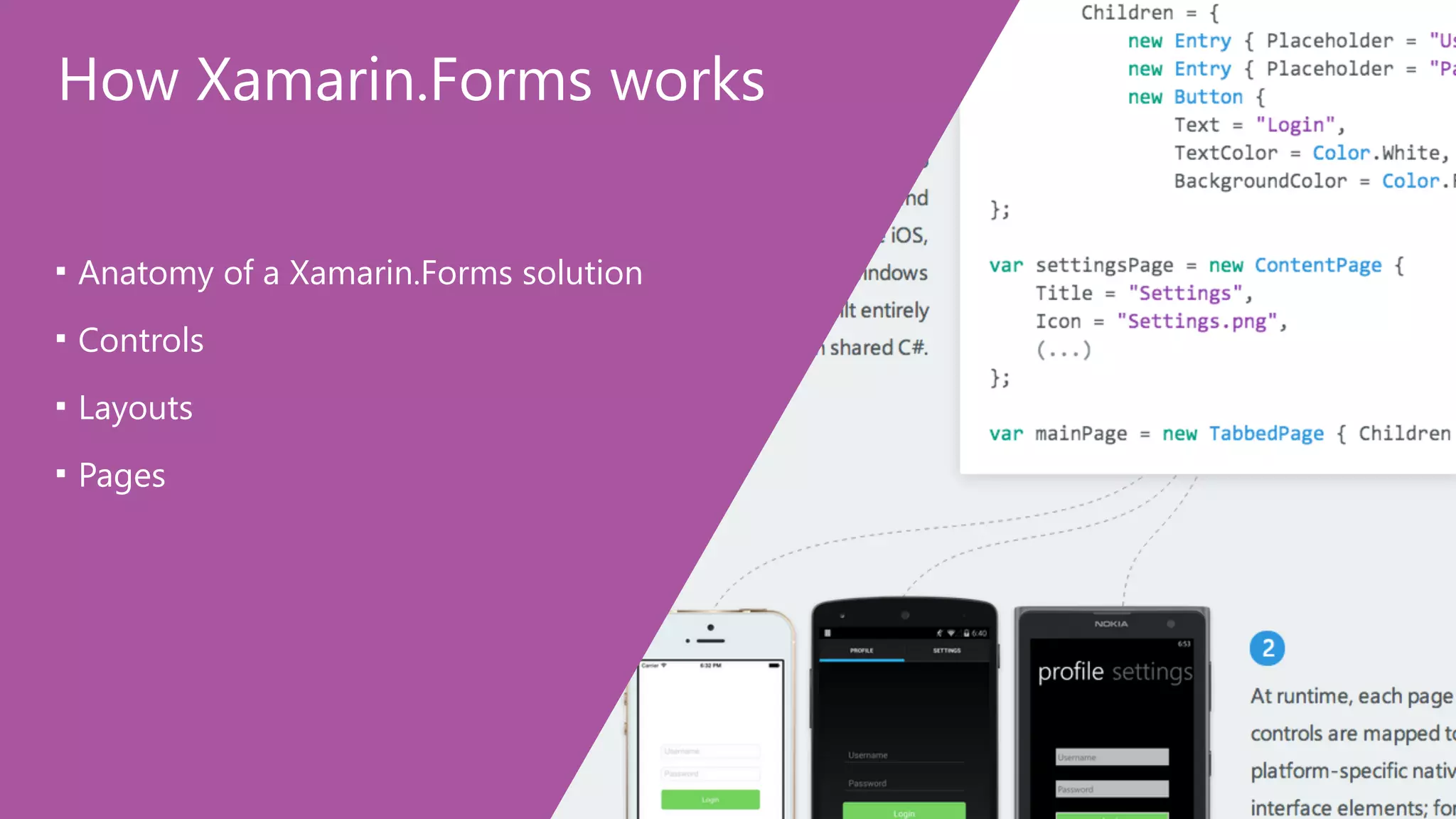
How Xamarin.Forms works 
■ Anatomy of a Xamarin.Forms solution 
■ Controls 
■ Layouts 
■ Pages
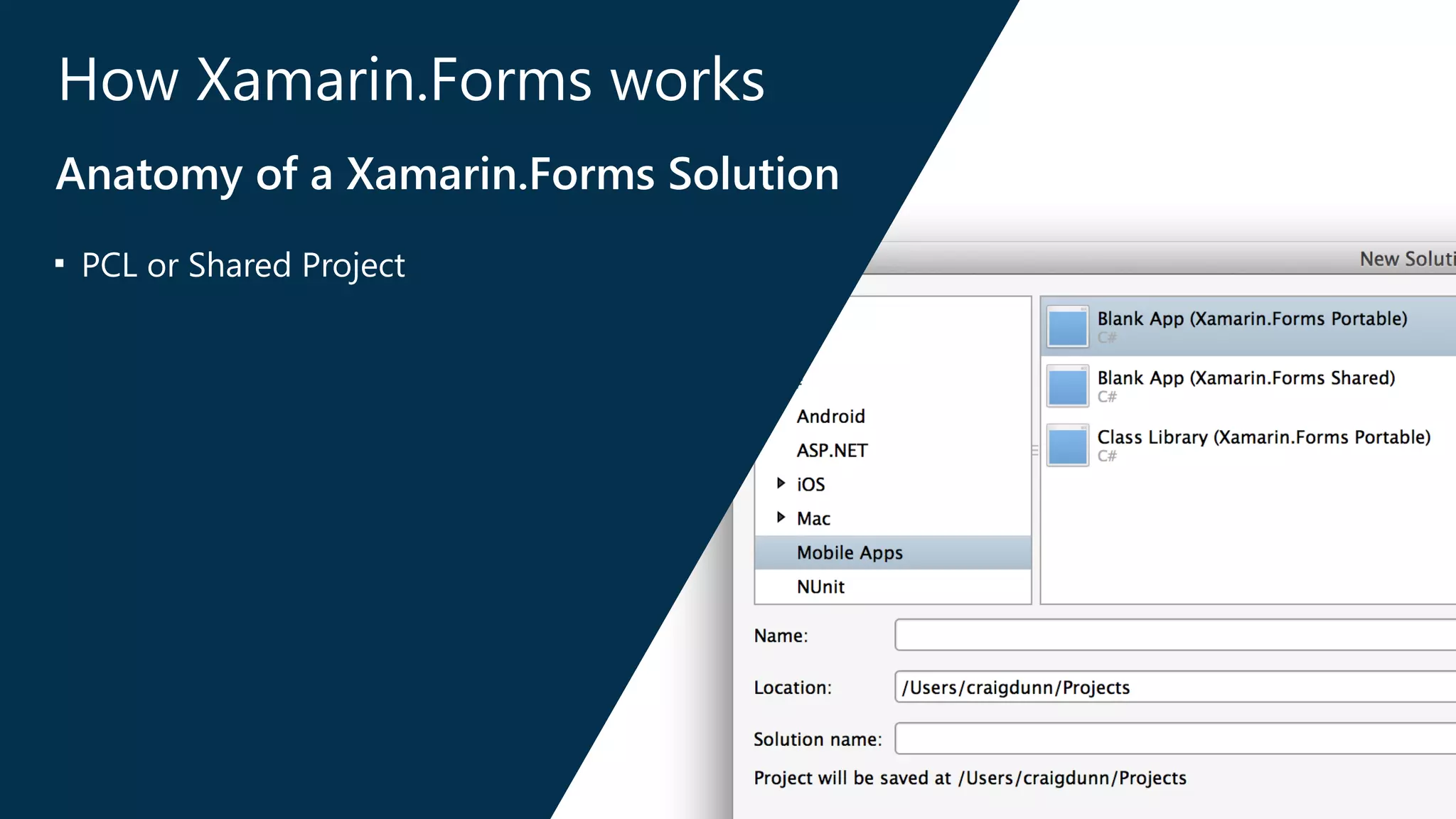
How Xamarin.Forms works 
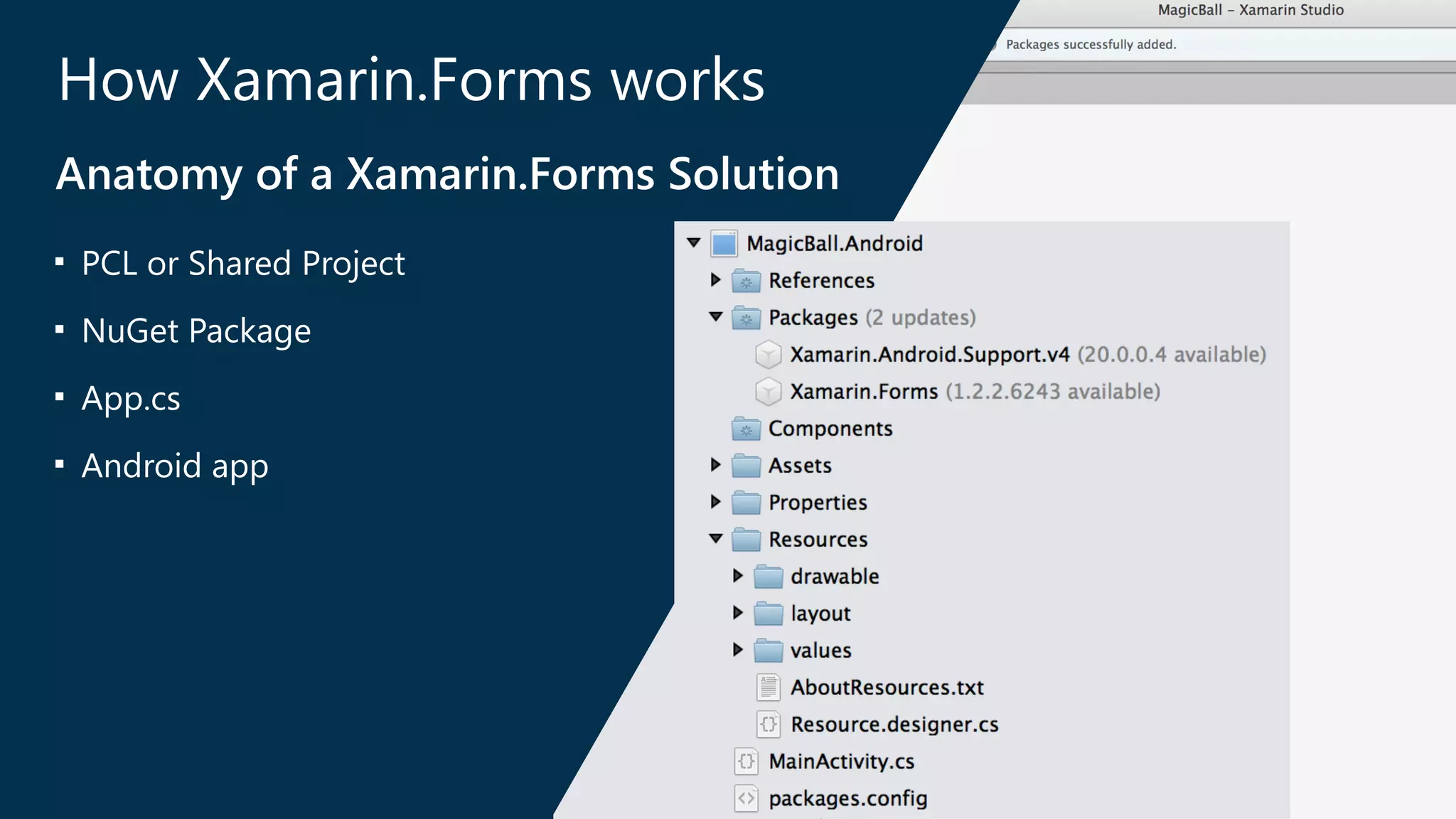
Anatomy of a Xamarin.Forms Solution 
■ PCL or Shared Project
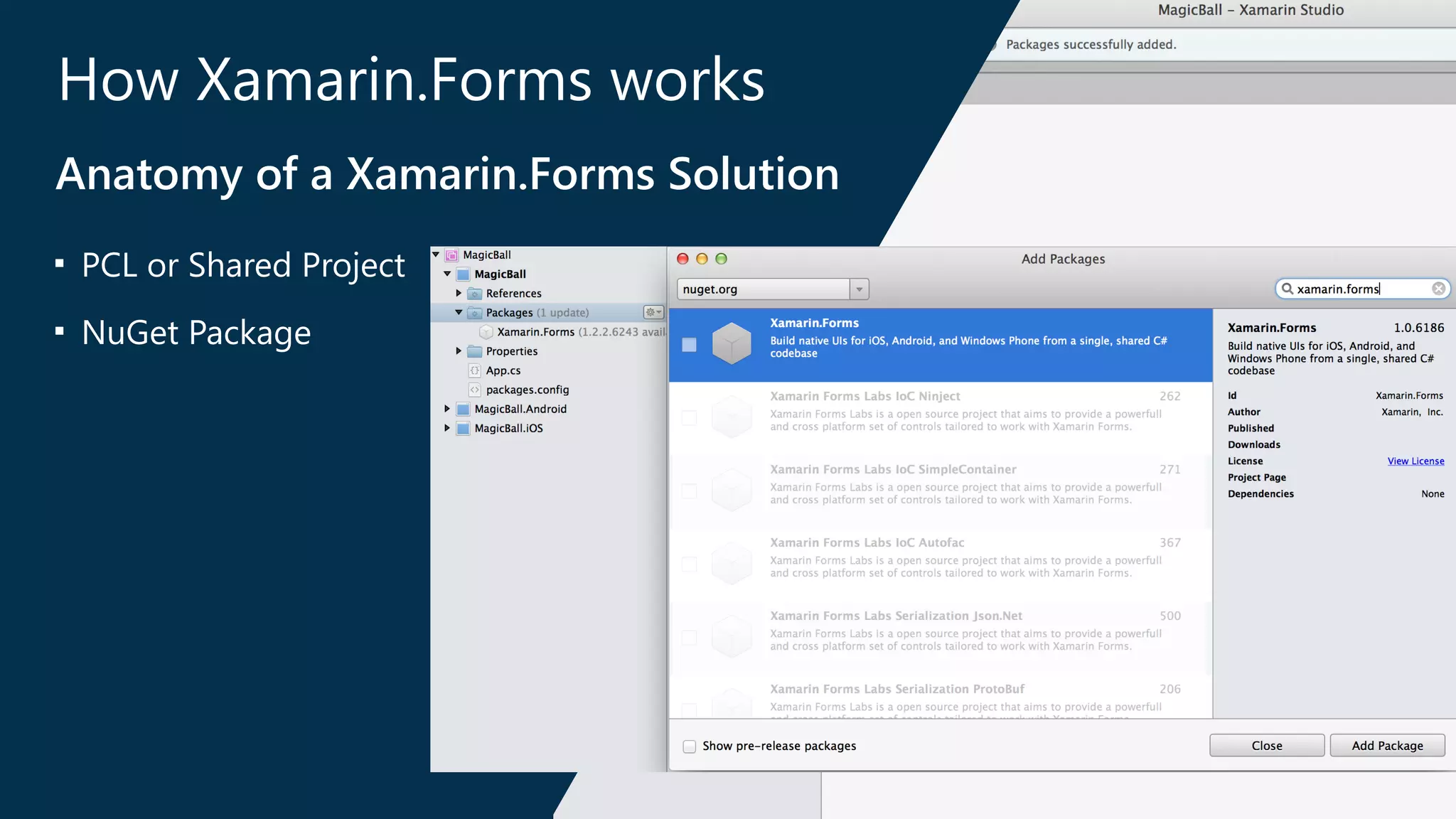
How Xamarin.Forms works 
Anatomy of a Xamarin.Forms Solution 
■ PCL or Shared Project 
■ NuGet Package
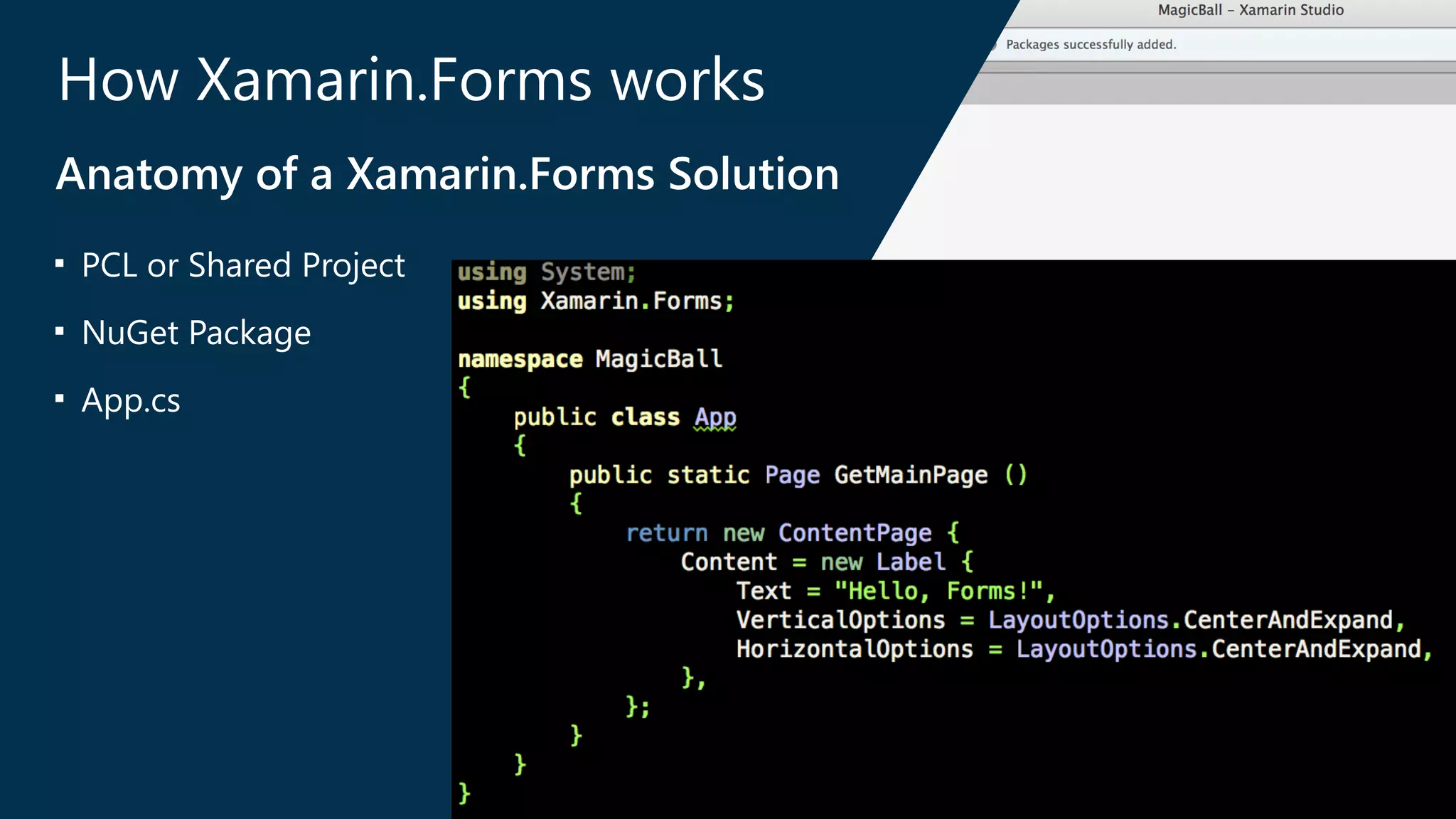
How Xamarin.Forms works 
Anatomy of a Xamarin.Forms Solution 
■ PCL or Shared Project 
■ NuGet Package 
■ App.cs
How Xamarin.Forms works 
Anatomy of a Xamarin.Forms Solution 
■ PCL or Shared Project 
■ NuGet Package 
■ App.cs 
■ Android app
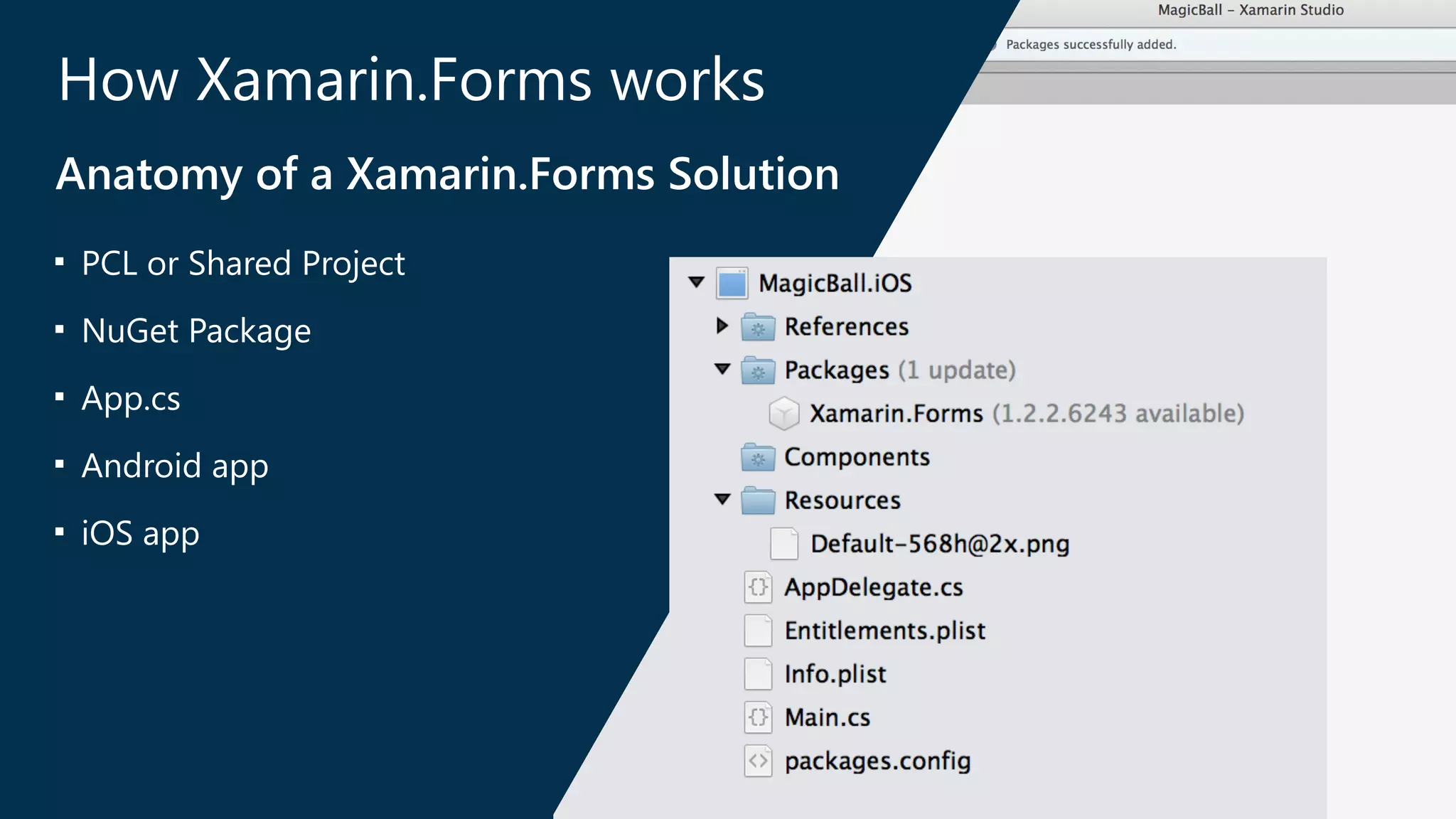
How Xamarin.Forms works 
Anatomy of a Xamarin.Forms Solution 
■ PCL or Shared Project 
■ NuGet Package 
■ App.cs 
■ Android app 
■ iOS app
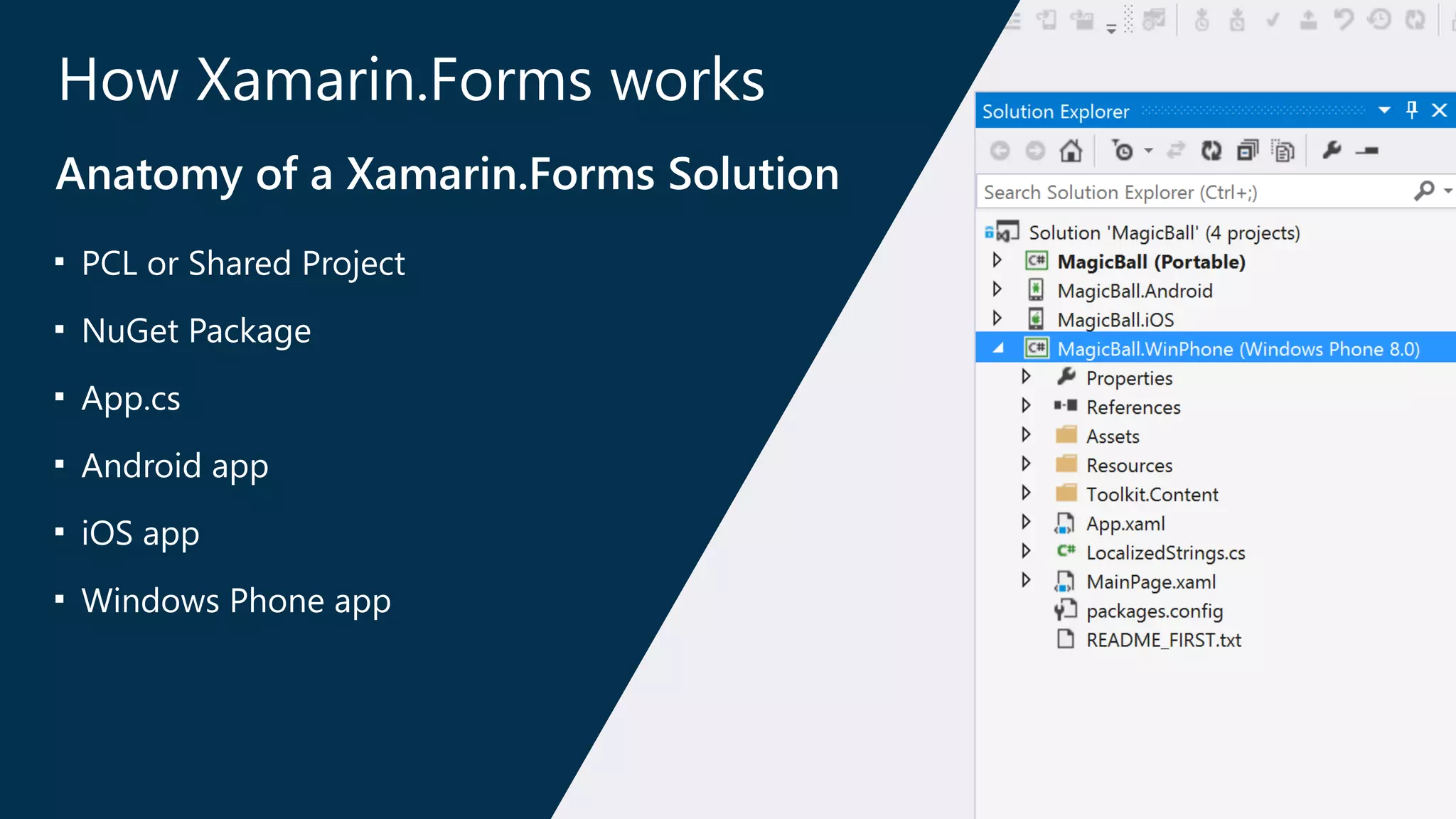
How Xamarin.Forms works 
Anatomy of a Xamarin.Forms Solution 
■ PCL or Shared Project 
■ NuGet Package 
■ App.cs 
■ Android app 
■ iOS app 
■ Windows Phone app
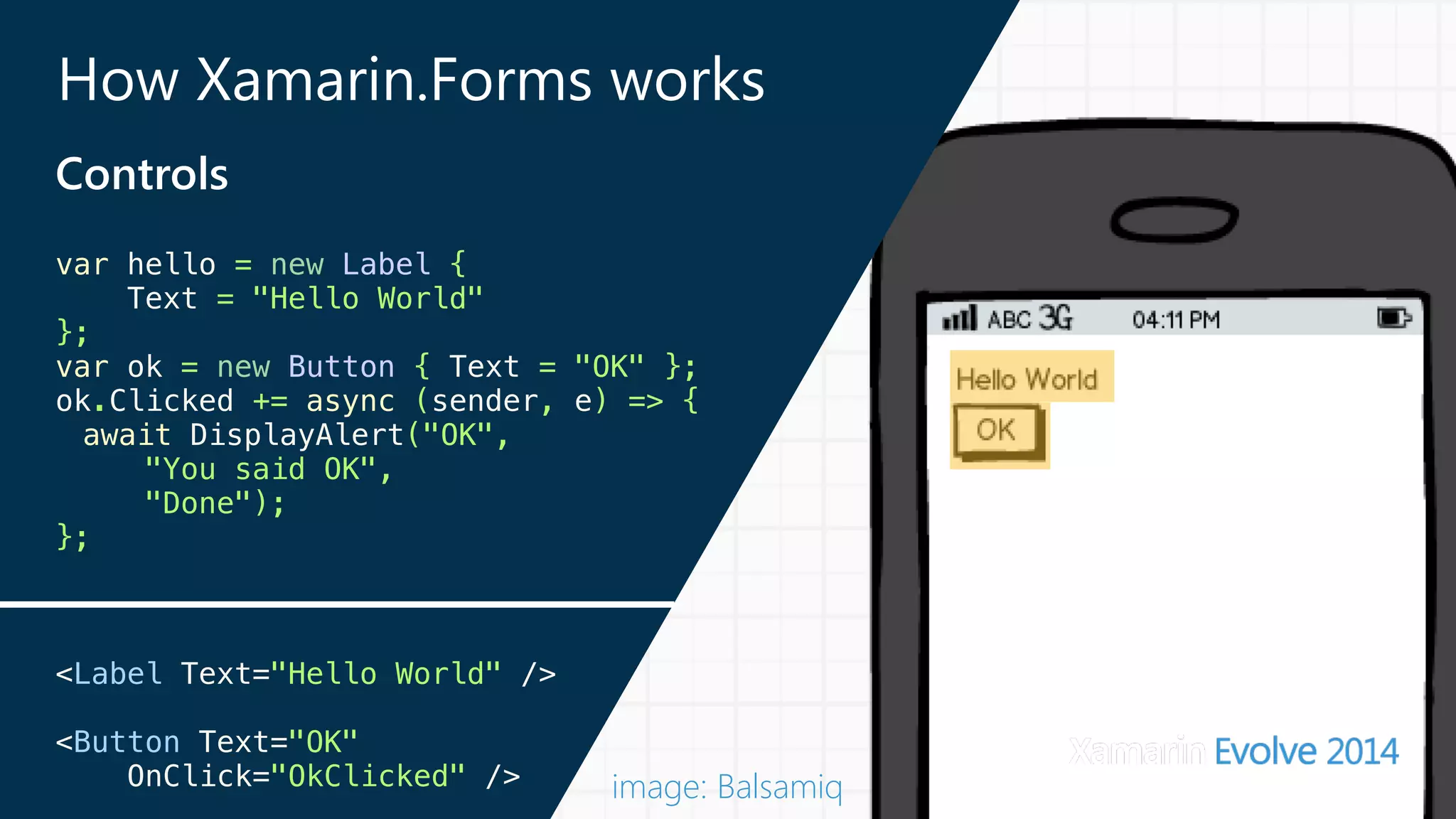
How Xamarin.Forms works 
Controls 
var hello = new Label { 
Text = "Hello World" 
}; 
var ok = new Button { Text = "OK" }; 
ok.Clicked += async (sender, e) => { 
await DisplayAlert("OK", 
"You said OK", 
"Done"); 
}; 
! 
! 
<Label Text="Hello World" /> 
<Button Text="OK" 
OnClick="OkClicked" /> 
image: Balsamiq
How Xamarin.Forms works 
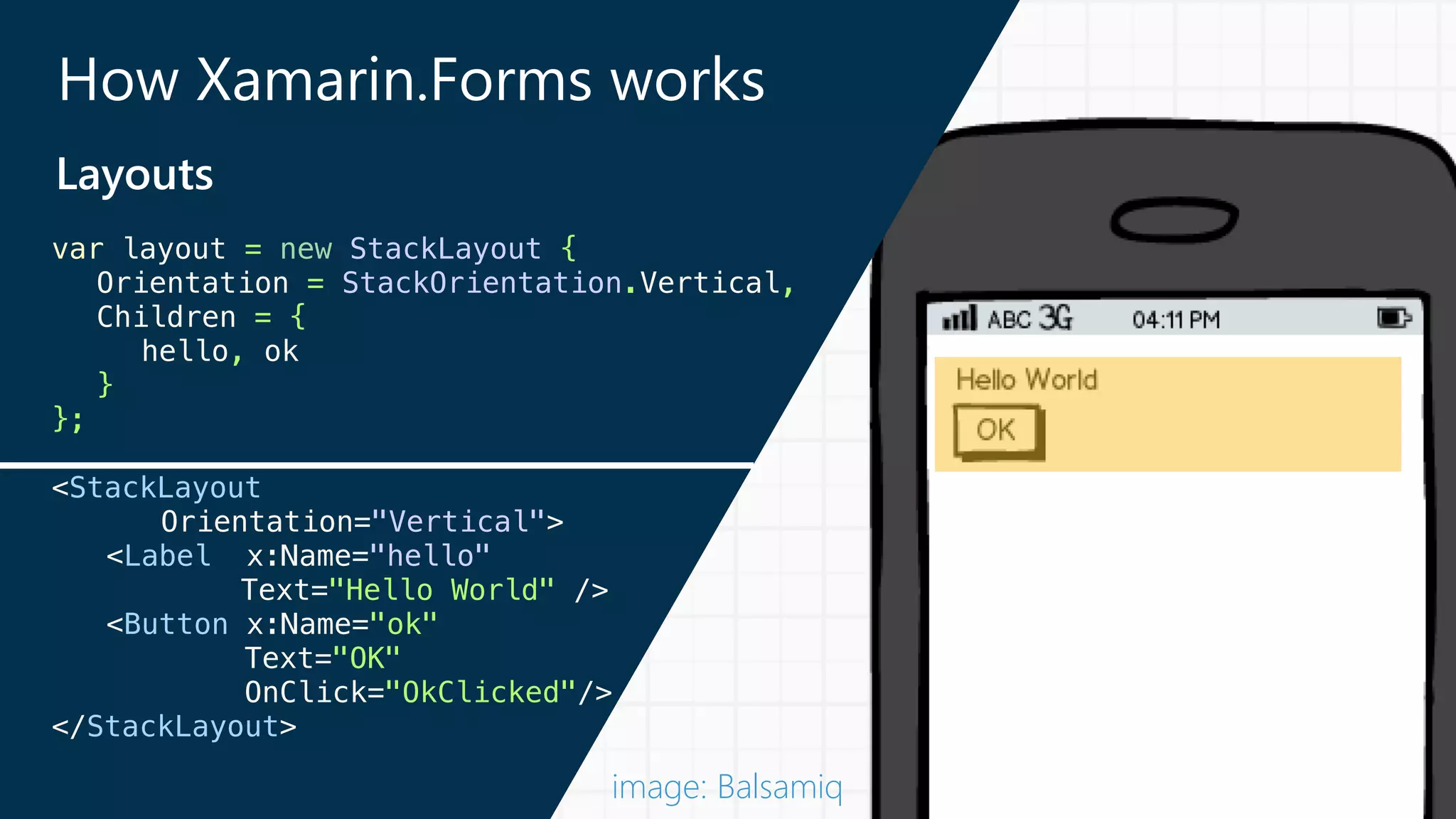
Layouts 
var layout = new StackLayout { 
Orientation = StackOrientation.Vertical, 
Children = { 
hello, ok 
} 
}; 
<StackLayout 
Orientation="Vertical"> 
<Label x:Name="hello" 
Text="Hello World" /> 
<Button x:Name="ok" 
Text="OK" 
OnClick="OkClicked"/> 
</StackLayout> 
image: Balsamiq
How Xamarin.Forms works 
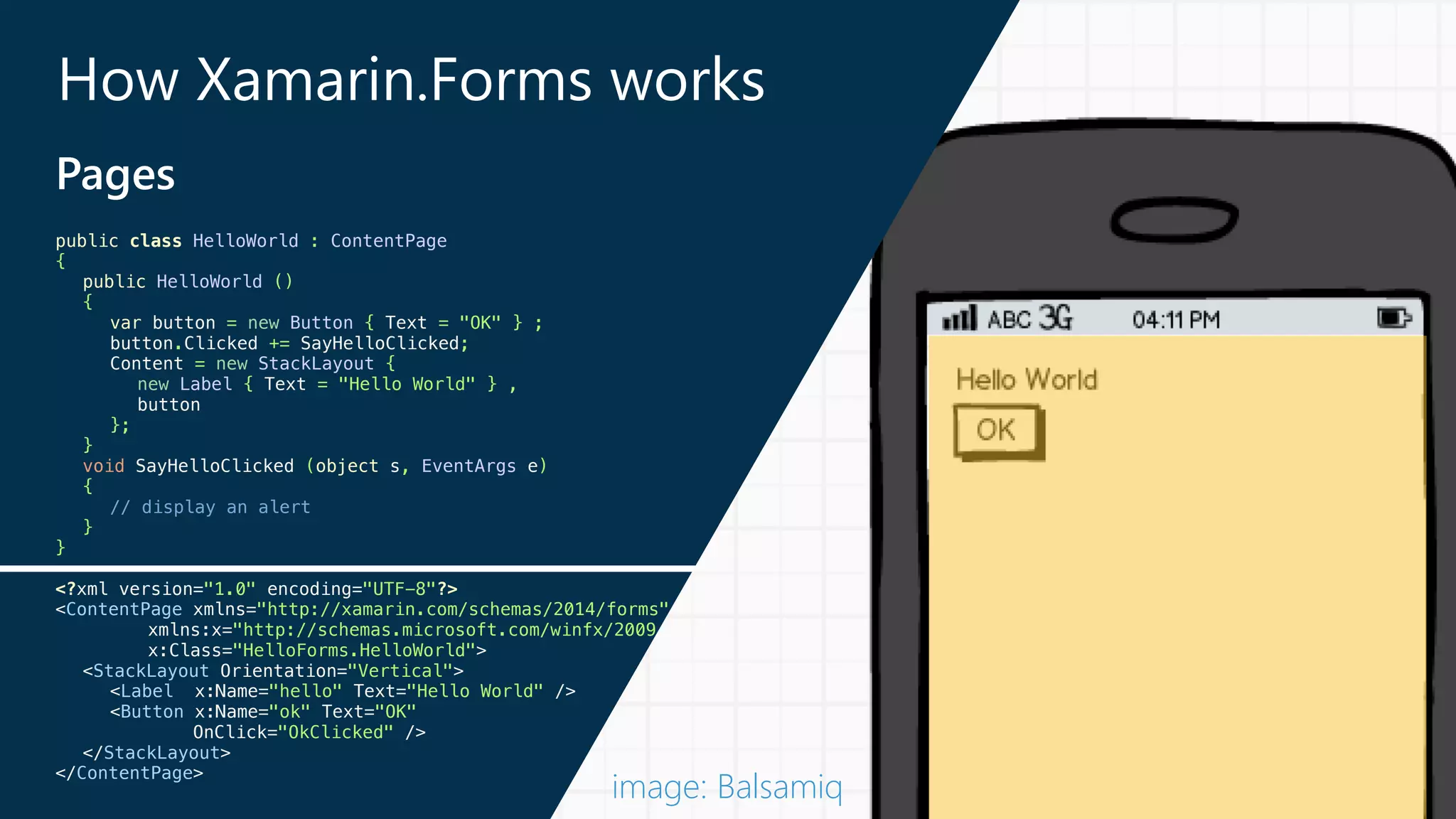
Pages 
public class HelloWorld : ContentPage 
{ 
public HelloWorld () 
{ 
var button = new Button { Text = "OK" } ; 
button.Clicked += SayHelloClicked; 
Content = new StackLayout { 
new Label { Text = "Hello World" } , 
button 
}; 
} 
void SayHelloClicked (object s, EventArgs e) 
{ 
// display an alert 
} 
} 
! 
<?xml version="1.0" encoding="UTF-8"?> 
<ContentPage xmlns="http://xamarin.com/schemas/2014/forms" 
xmlns:x="http://schemas.microsoft.com/winfx/2009 
x:Class="HelloForms.HelloWorld"> 
<StackLayout Orientation="Vertical"> 
<Label x:Name="hello" Text="Hello World" /> 
<Button x:Name="ok" Text="OK" 
OnClick="OkClicked" /> 
</StackLayout> 
</ContentPage> 
image: Balsamiq
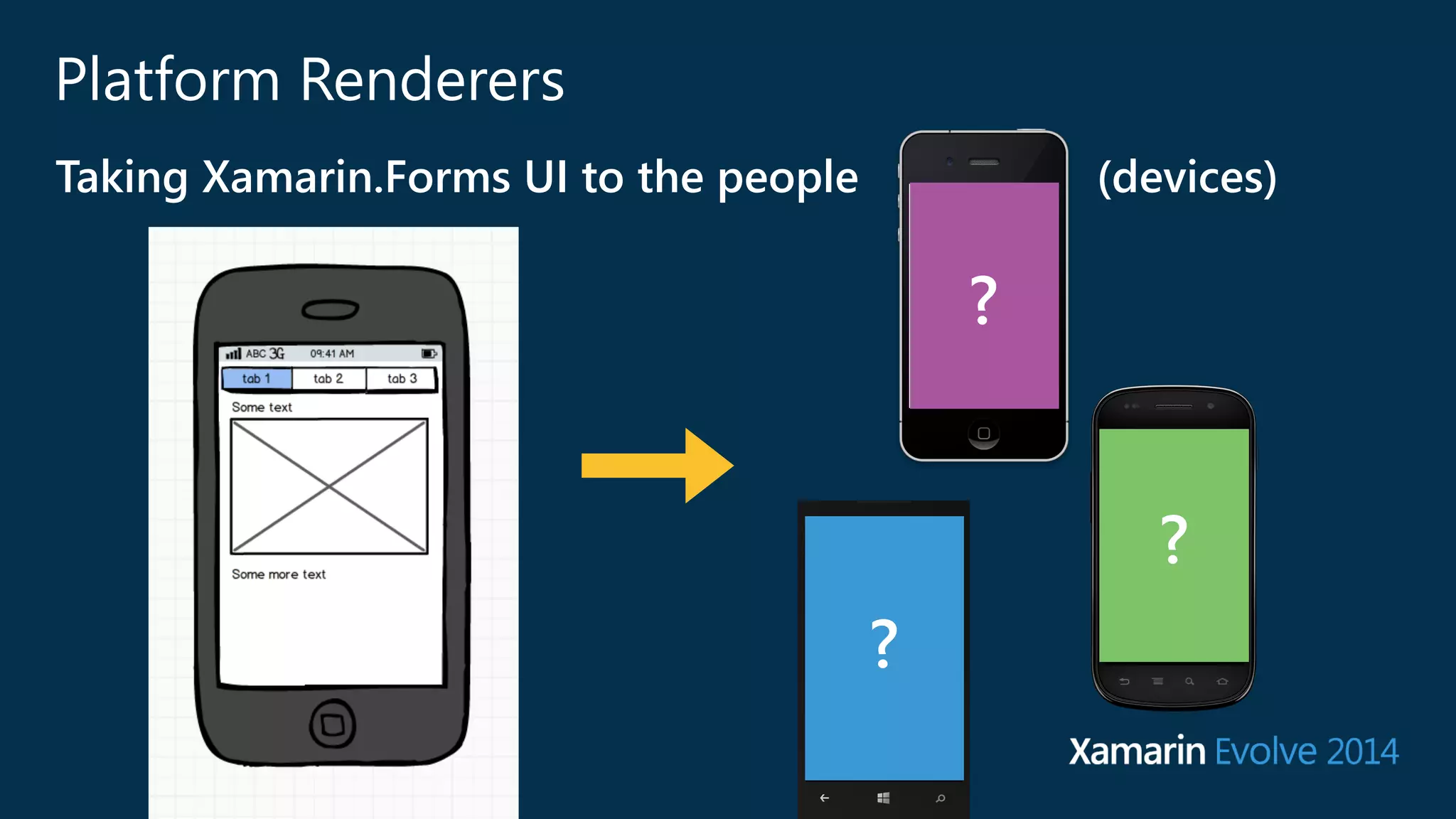
Platform Renderers 
Taking Xamarin.Forms UI to the people (﴾devices)﴿ 
? 
? 
?
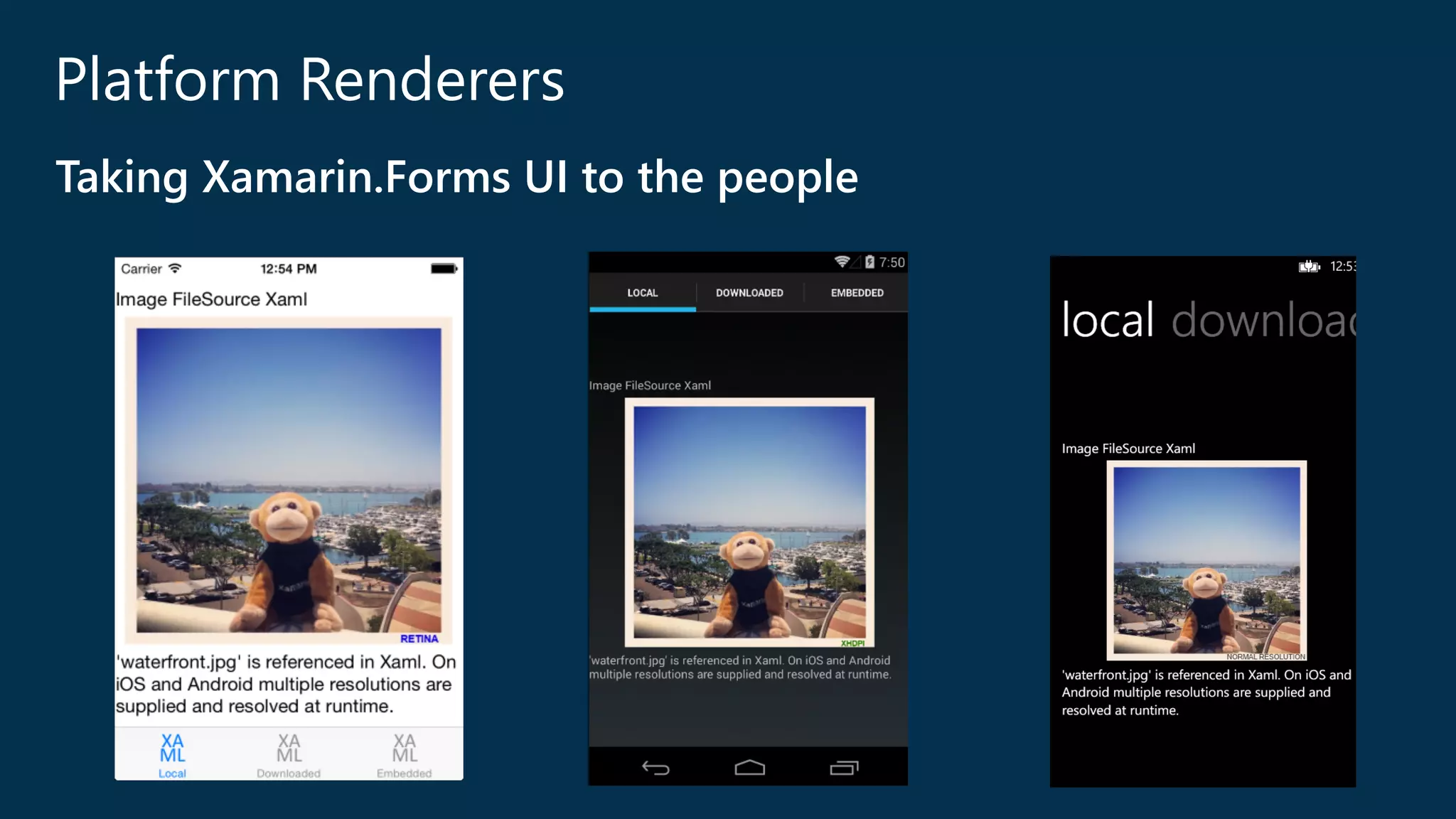
Platform Renderers 
Taking Xamarin.Forms UI to the people
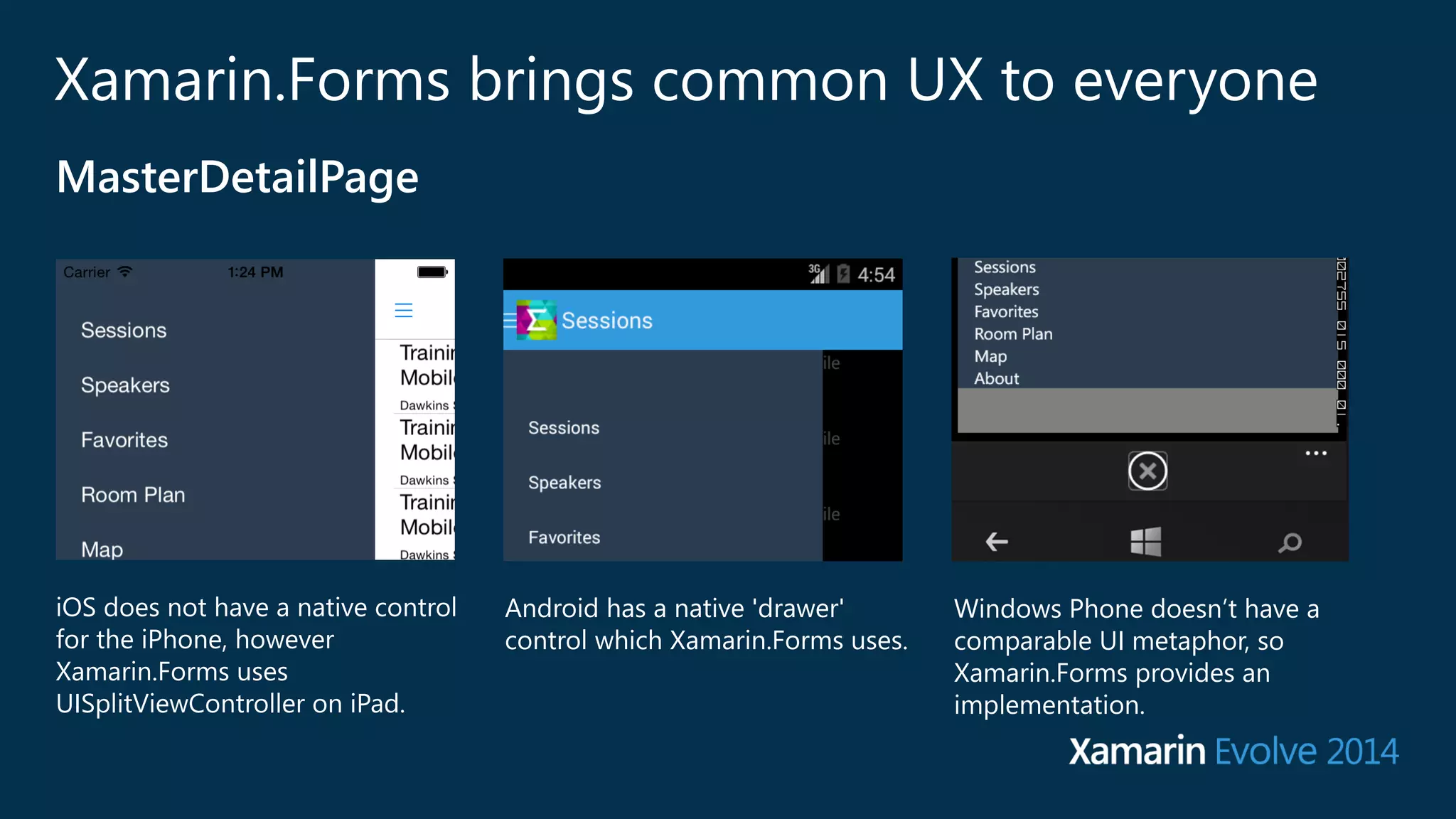
Xamarin.Forms brings common UX to everyone 
iOS does not have a native control 
for the iPhone, however 
Xamarin.Forms uses 
UISplitViewController on iPad. 
Android has a native 'drawer' 
control which Xamarin.Forms uses. 
Windows Phone doesn’t have a 
comparable UI metaphor, so 
Xamarin.Forms provides an 
implementation. 
MasterDetailPage
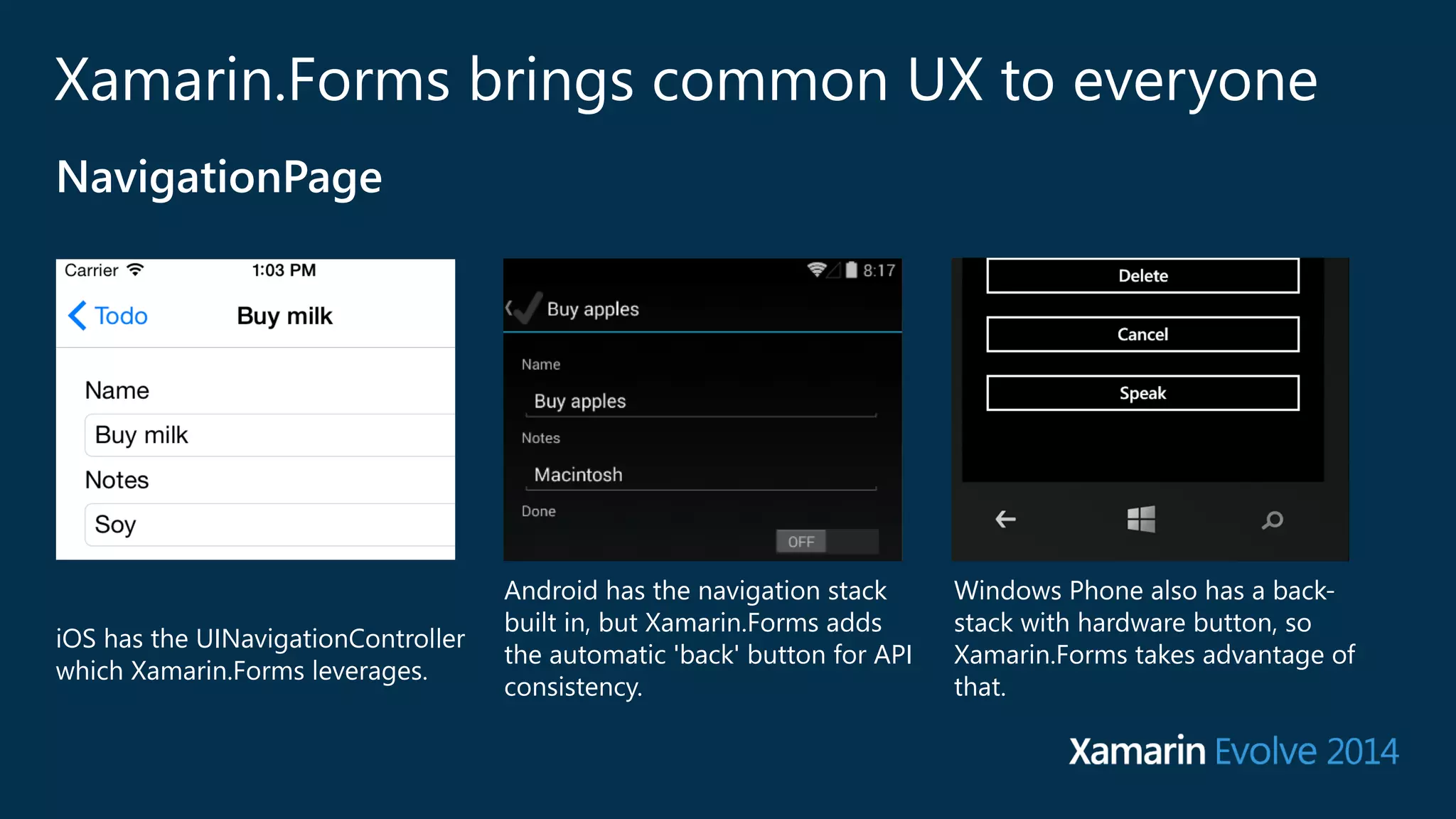
Xamarin.Forms brings common UX to everyone 
iOS has the UINavigationController 
which Xamarin.Forms leverages. 
Android has the navigation stack 
built in, but Xamarin.Forms adds 
the automatic 'back' button for API 
consistency. 
Windows Phone also has a back-‐ 
stack with hardware button, so 
Xamarin.Forms takes advantage of 
that. 
NavigationPage
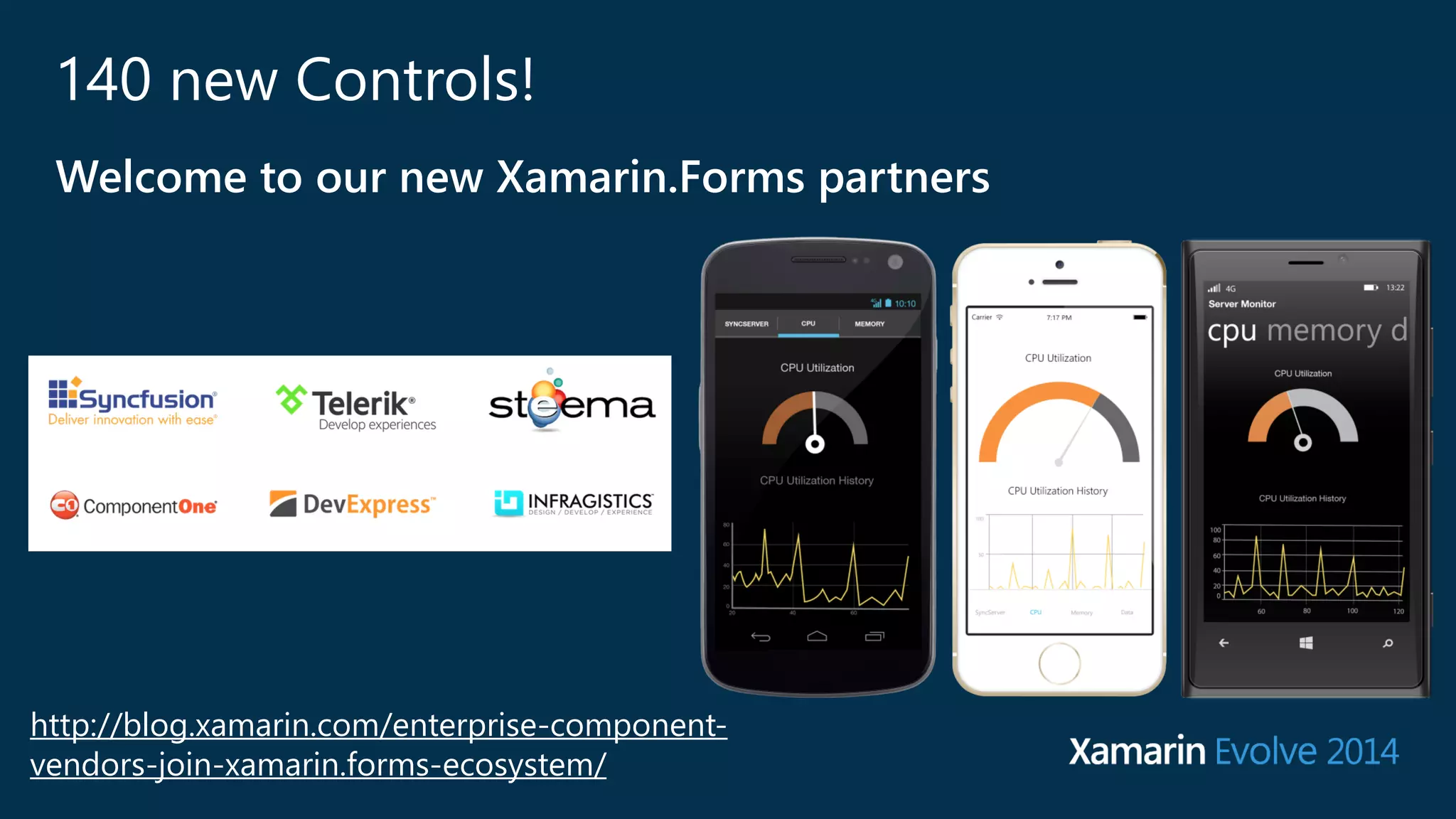
140 new Controls! 
Welcome to our new Xamarin.Forms partners 
http://blog.xamarin.com/enterprise-‐component-‐ 
vendors-‐join-‐xamarin.forms-‐ecosystem/
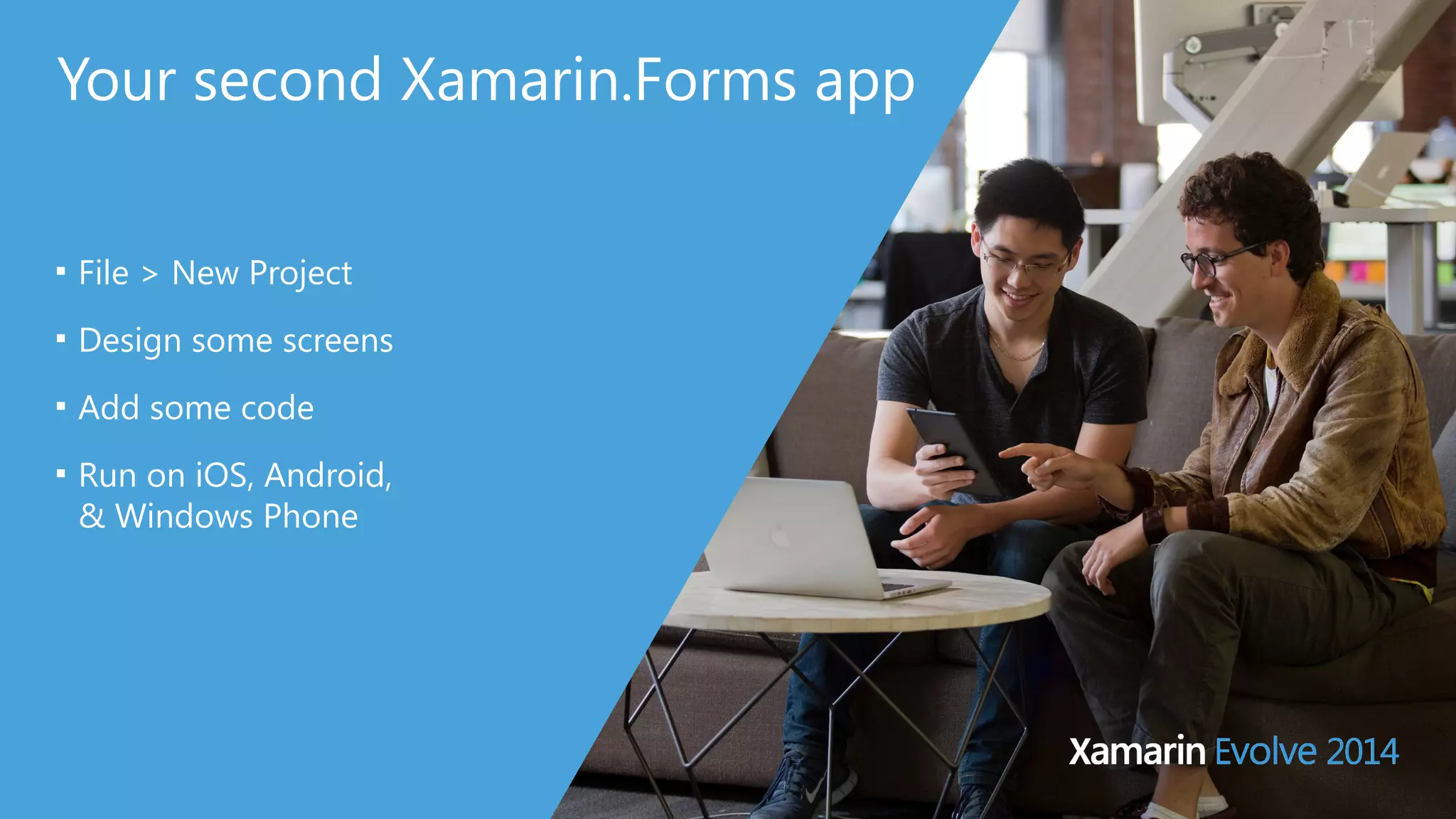
Your second Xamarin.Forms app 
■ File > New Project 
■ Design some screens 
■ Add some code 
■ Run on iOS, Android, 
& Windows Phone
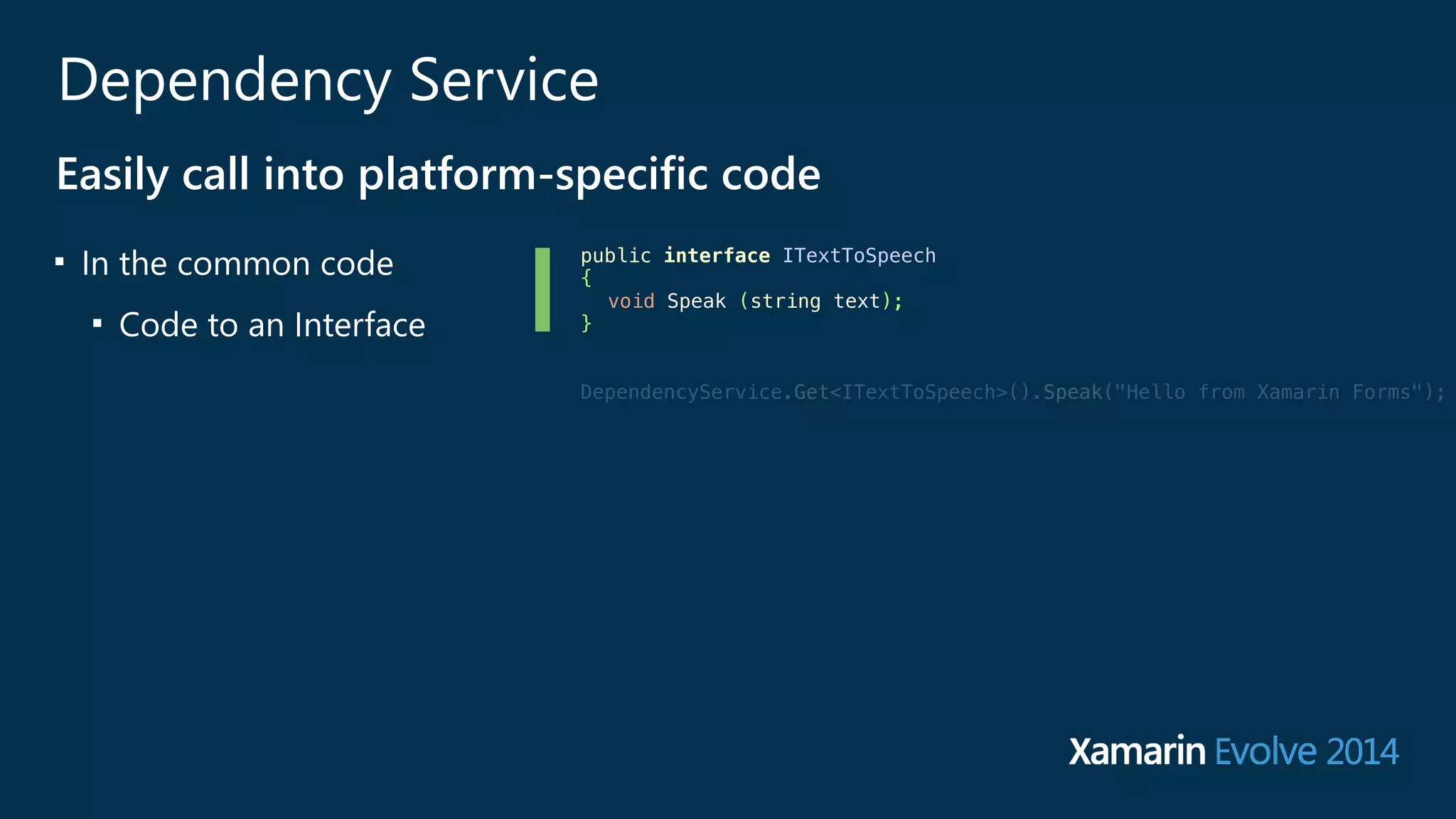
Dependency Service 
Easily call into platform-‐specific code 
■ In the common code 
■ Code to an Interface 
public interface ITextToSpeech 
{ 
void Speak (string text); 
} 
! 
! 
DependencyService.Get<ITextToSpeech>().Speak("Hello from Xamarin Forms"); 
! 
! 
!
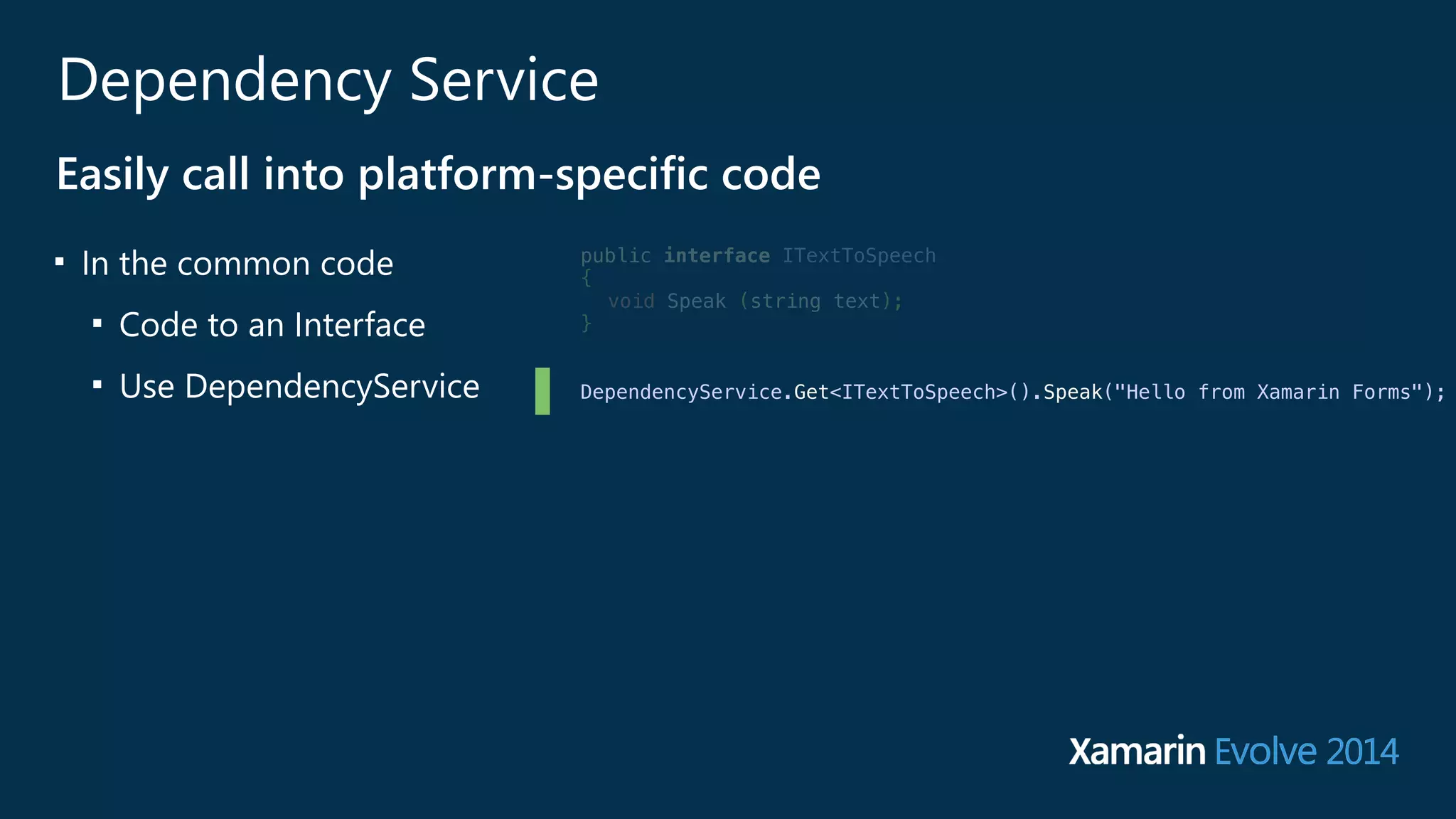
Dependency Service 
Easily call into platform-‐specific code 
■ In the common code 
■ Code to an Interface 
■ Use DependencyService 
public interface ITextToSpeech 
{ 
void Speak (string text); 
} 
! 
! 
DependencyService.Get<ITextToSpeech>().Speak("Hello from Xamarin Forms"); 
! 
! 
!
Dependency Service 
Easily call into platform-‐specific code 
■ In the common code 
■ Code to an Interface 
■ Use DependencyService 
■ For each platform 
■ implement the Interface 
[assembly: Xamarin.Forms.Dependency (typeof (Speech))] 
public class Speech : ITextToSpeech 
{ 
public Speech () { } 
public void Speak (string text) 
{ 
var speechSynthesizer = new AVSpeechSynthesizer (); 
var speechUtterance = new AVSpeechUtterance (text) { 
Rate = AVSpeechUtterance.MaximumSpeechRate/4, 
Voice = AVSpeechSynthesisVoice.FromLanguage ("en-US"), 
Volume = 0.5f, 
PitchMultiplier = 1.0f 
} ; 
speechSynthesizer.SpeakUtterance (speechUtterance); 
} 
}
Dependency Service 
Easily call into platform-‐specific code 
■ In the common code 
■ Code to an Interface 
■ Use DependencyService 
■ For each platform 
■ implement the Interface 
■ use Dependency 
attribute on the 
assembly 
[assembly: Xamarin.Forms.Dependency (typeof (Speech))] 
public class Speech : ITextToSpeech 
{ 
public Speech () { } 
public void Speak (string text) 
{ 
var speechSynthesizer = new AVSpeechSynthesizer (); 
var speechUtterance = new AVSpeechUtterance (text) { 
Rate = AVSpeechUtterance.MaximumSpeechRate/4, 
Voice = AVSpeechSynthesisVoice.FromLanguage ("en-US"), 
Volume = 0.5f, 
PitchMultiplier = 1.0f 
} ; 
speechSynthesizer.SpeakUtterance (speechUtterance); 
} 
}
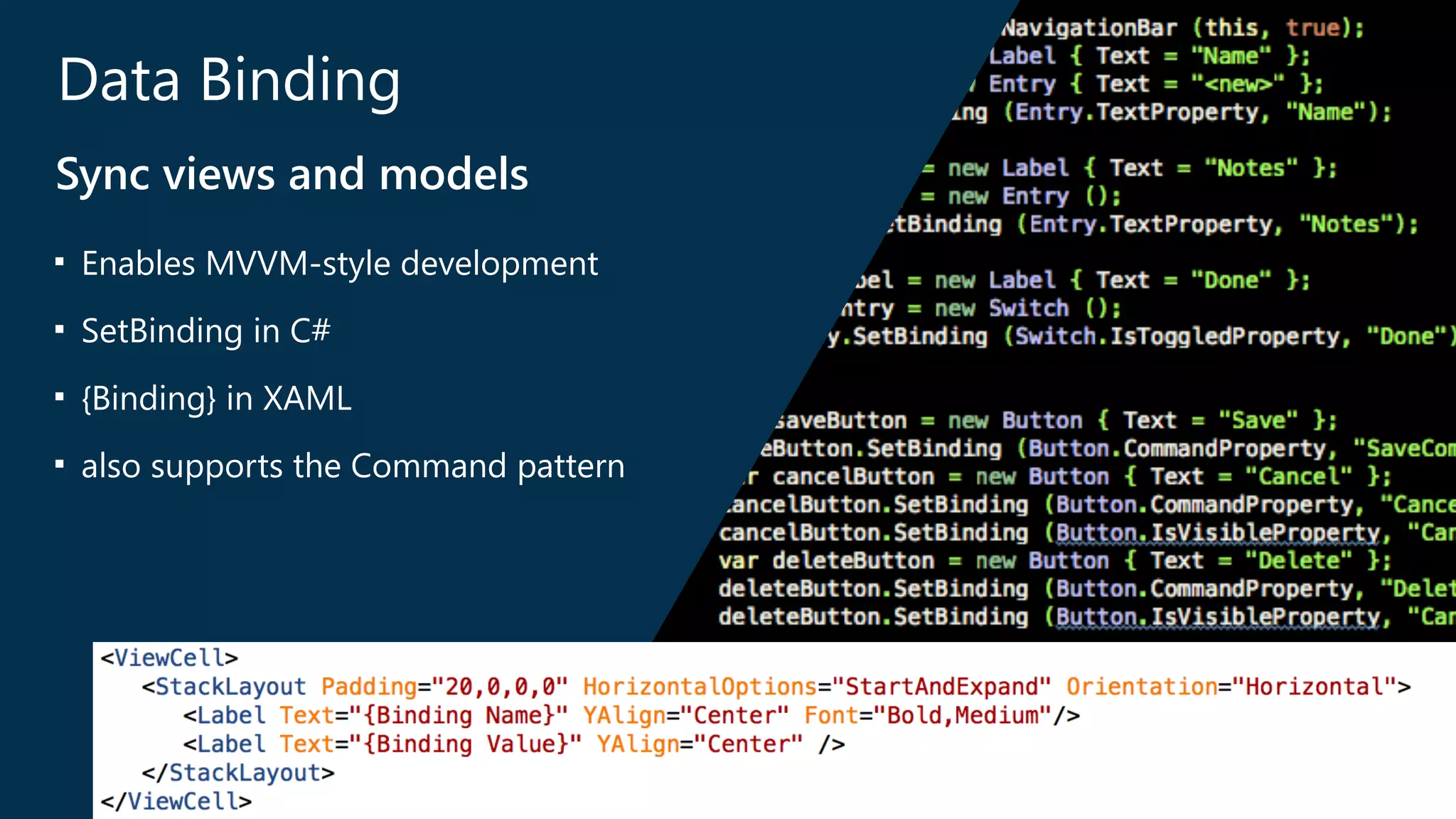
Data Binding 
Sync views and models 
■ Enables MVVM-‐style development 
■ SetBinding in C# 
■ {Binding} in XAML 
■ also supports the Command pattern
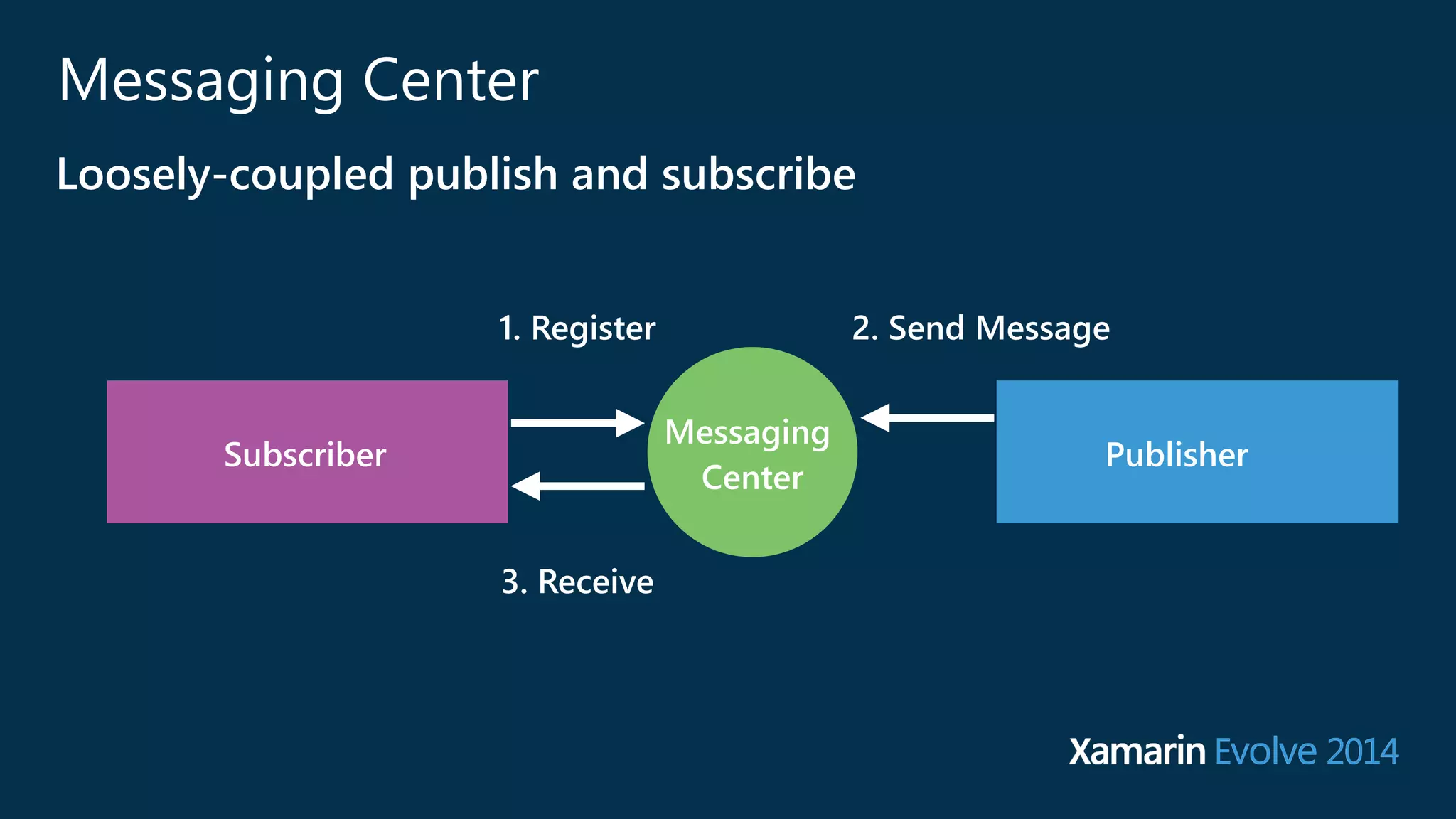
Messaging Center 
Loosely-‐coupled publish and subscribe 
Subscriber Messaging Publisher 
Center 
1. Register 
3. Receive 
2. Send Message
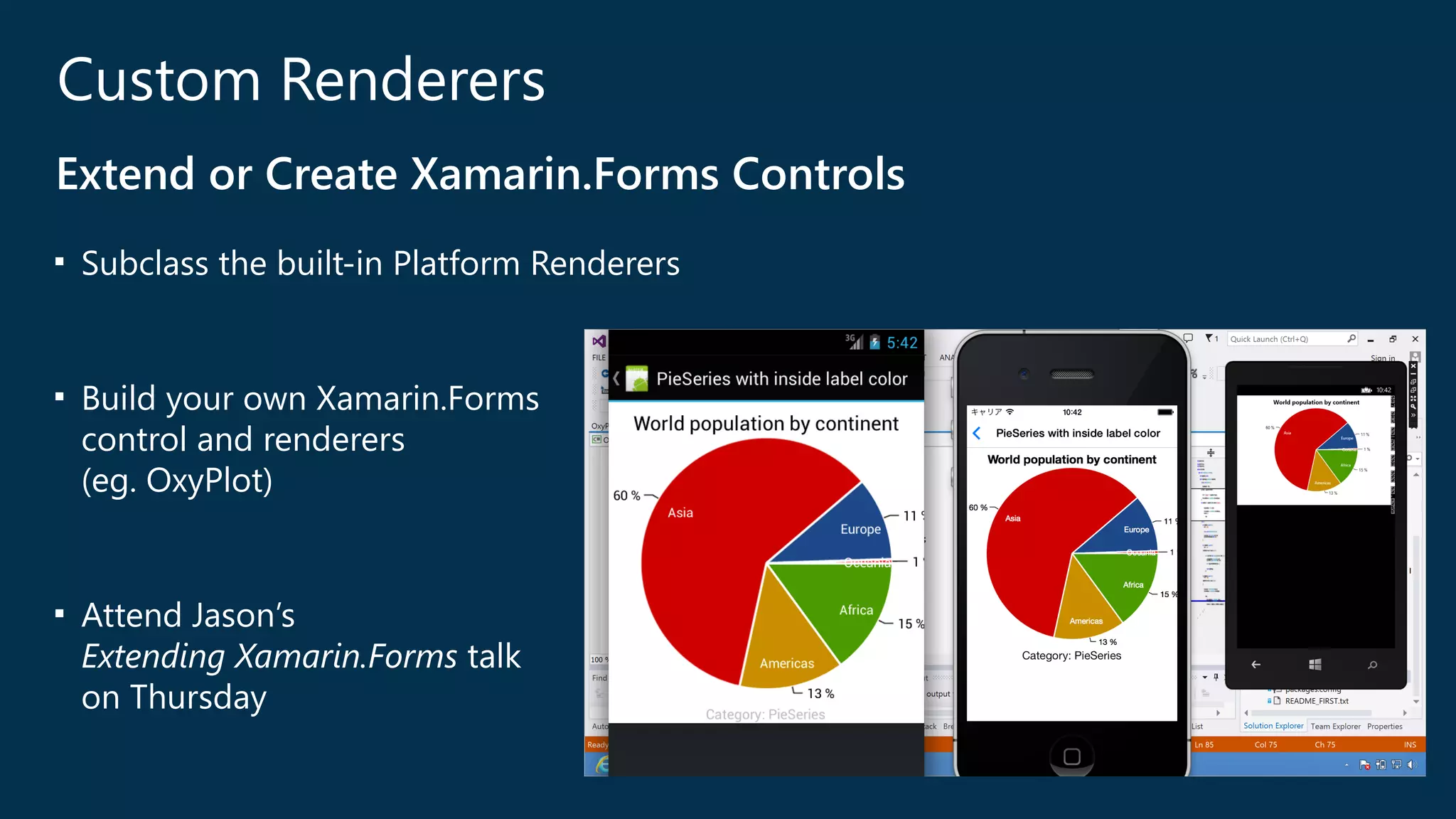
Custom Renderers 
Extend or Create Xamarin.Forms Controls 
■ Subclass the built-‐in Platform Renderers 
! 
■ Build your own Xamarin.Forms 
control and renderers 
(﴾eg. OxyPlot)﴿ 
! 
■ Attend Jason’s 
Extending Xamarin.Forms talk 
on Thursday
Further Reading… 
■ developer.xamarin.com 
■ forums.xamarin.com 
■ Creating Mobile Apps with 
Xamarin.Forms -‐ Charles Petzold 
PREVIEW EDITION available for 
all Evolve 2014 attendees
What’s next? 
Today 
• Building cross platform applications -‐ Laurent Bugnion 
Tomorrow 
• XAML for Xamarin.Forms -‐ Charles Petzold 
• Extending Xamarin.Forms -‐ Jason Smith 
Friday 
• Xamarin.Forms is Cooler Than You Think -‐ Charles Petzold 
! 
Mini-‐hacks 
• Visit the Darwin Lounge
Your First 
Xamarin.Forms 
App 
Craig Dunn 
@conceptdev 
craig@xamarin.com

Your First Xamarin.Forms App

  • 1.
    Your First Xamarin.Forms App Craig Dunn Developer Evangelist @conceptdev
  • 2.
  • 3.
    Meet Xamarin.Forms Buildnative UIs for iOS, Android and Windows Phone from a single, shared C# codebase.
  • 4.
    Meet Xamarin.Forms Buildnative UIs for iOS, Android and Windows Phone from a single, shared C# codebase.
  • 5.
    Meet Xamarin.Forms Buildnative UIs for iOS, Android and Windows Phone from a single, shared C# codebase.
  • 6.
    Meet Xamarin.Forms C#XAML public class HelloWorld : ContentPage { public HelloWorld () { var button = new Button { Text = "Say Hello" } ; button.Clicked += SayHelloClicked; Content = new StackLayout { new Label { Text = "Hello World" } , button }; } ! void SayHelloClicked (object s, EventArgs e) { // do something } } <?xml version="1.0" encoding="UTF-8"?> <ContentPage xmlns="http://xamarin.com/schemas/2014/forms" x:Class="HelloForms.HelloWorld"> <StackLayout> <Label Text="Hello World" /> <Button Text="Say Hello" OnClick="SayHelloClicked" /> </StackLayout> </ContentPage> ! public partial class HelloWorld : ContentPage { public HelloWorld () { InitializeComponent (); } void SayHelloClicked (object s, EventArgs e) { // do something } }
  • 7.
    Your first Xamarin.Formsapp ■ File > New Project ■ Design a screen ■ Add some code ■ Run on iOS, Android, & Windows Phone
  • 8.
    Traditional Xamarin Development Using the native UI SDKs ■ Write shared C# code ■ Database, Web Services ■ Business Logic ■ Build native UIs ■ UIKit & Storyboards on iOS ■ AXML for Android ■ XAML for Windows Phone ■ Share 60-‐80% of the code UIKit Layout XAML SharedS Ch#a rAepdp A Lpopg iLcogic
  • 9.
    UIKit Layout XAML Shared C# User Interface Code Shared C# App Logic Shared App Logic Using Xamarin.Forms To build the User Interface ■ Use the same strategies for sharing ■ Database, Web Services ■ Business Logic ■ Build the UI with a single shared codebase ! ■ Share 99% of the code
  • 10.
    Using Xamarin.Forms Benefits ■ Native look and feel ■ Code sharing/re-‐use ■ Access to native SDKs using Custom Renderers and DependencyService ■ Camera, accelerometer, GPS, ■ NFC & more on Android ■ PassKit & more on iOS ■ Tiles & more on Windows Phone Shared C# User Interface Code Shared App Logic Shared C# App Logic
  • 11.
    How Xamarin.Forms works ■ Anatomy of a Xamarin.Forms solution ■ Controls ■ Layouts ■ Pages
  • 12.
    How Xamarin.Forms works Anatomy of a Xamarin.Forms Solution ■ PCL or Shared Project
  • 13.
    How Xamarin.Forms works Anatomy of a Xamarin.Forms Solution ■ PCL or Shared Project ■ NuGet Package
  • 14.
    How Xamarin.Forms works Anatomy of a Xamarin.Forms Solution ■ PCL or Shared Project ■ NuGet Package ■ App.cs
  • 15.
    How Xamarin.Forms works Anatomy of a Xamarin.Forms Solution ■ PCL or Shared Project ■ NuGet Package ■ App.cs ■ Android app
  • 16.
    How Xamarin.Forms works Anatomy of a Xamarin.Forms Solution ■ PCL or Shared Project ■ NuGet Package ■ App.cs ■ Android app ■ iOS app
  • 17.
    How Xamarin.Forms works Anatomy of a Xamarin.Forms Solution ■ PCL or Shared Project ■ NuGet Package ■ App.cs ■ Android app ■ iOS app ■ Windows Phone app
  • 18.
    How Xamarin.Forms works Controls var hello = new Label { Text = "Hello World" }; var ok = new Button { Text = "OK" }; ok.Clicked += async (sender, e) => { await DisplayAlert("OK", "You said OK", "Done"); }; ! ! <Label Text="Hello World" /> <Button Text="OK" OnClick="OkClicked" /> image: Balsamiq
  • 19.
    How Xamarin.Forms works Layouts var layout = new StackLayout { Orientation = StackOrientation.Vertical, Children = { hello, ok } }; <StackLayout Orientation="Vertical"> <Label x:Name="hello" Text="Hello World" /> <Button x:Name="ok" Text="OK" OnClick="OkClicked"/> </StackLayout> image: Balsamiq
  • 20.
    How Xamarin.Forms works Pages public class HelloWorld : ContentPage { public HelloWorld () { var button = new Button { Text = "OK" } ; button.Clicked += SayHelloClicked; Content = new StackLayout { new Label { Text = "Hello World" } , button }; } void SayHelloClicked (object s, EventArgs e) { // display an alert } } ! <?xml version="1.0" encoding="UTF-8"?> <ContentPage xmlns="http://xamarin.com/schemas/2014/forms" xmlns:x="http://schemas.microsoft.com/winfx/2009 x:Class="HelloForms.HelloWorld"> <StackLayout Orientation="Vertical"> <Label x:Name="hello" Text="Hello World" /> <Button x:Name="ok" Text="OK" OnClick="OkClicked" /> </StackLayout> </ContentPage> image: Balsamiq
  • 21.
    Platform Renderers TakingXamarin.Forms UI to the people (﴾devices)﴿ ? ? ?
  • 22.
    Platform Renderers TakingXamarin.Forms UI to the people
  • 23.
    Xamarin.Forms brings commonUX to everyone iOS does not have a native control for the iPhone, however Xamarin.Forms uses UISplitViewController on iPad. Android has a native 'drawer' control which Xamarin.Forms uses. Windows Phone doesn’t have a comparable UI metaphor, so Xamarin.Forms provides an implementation. MasterDetailPage
  • 24.
    Xamarin.Forms brings commonUX to everyone iOS has the UINavigationController which Xamarin.Forms leverages. Android has the navigation stack built in, but Xamarin.Forms adds the automatic 'back' button for API consistency. Windows Phone also has a back-‐ stack with hardware button, so Xamarin.Forms takes advantage of that. NavigationPage
  • 25.
    140 new Controls! Welcome to our new Xamarin.Forms partners http://blog.xamarin.com/enterprise-‐component-‐ vendors-‐join-‐xamarin.forms-‐ecosystem/
  • 26.
    Your second Xamarin.Formsapp ■ File > New Project ■ Design some screens ■ Add some code ■ Run on iOS, Android, & Windows Phone
  • 27.
    Dependency Service Easilycall into platform-‐specific code ■ In the common code ■ Code to an Interface public interface ITextToSpeech { void Speak (string text); } ! ! DependencyService.Get<ITextToSpeech>().Speak("Hello from Xamarin Forms"); ! ! !
  • 28.
    Dependency Service Easilycall into platform-‐specific code ■ In the common code ■ Code to an Interface ■ Use DependencyService public interface ITextToSpeech { void Speak (string text); } ! ! DependencyService.Get<ITextToSpeech>().Speak("Hello from Xamarin Forms"); ! ! !
  • 29.
    Dependency Service Easilycall into platform-‐specific code ■ In the common code ■ Code to an Interface ■ Use DependencyService ■ For each platform ■ implement the Interface [assembly: Xamarin.Forms.Dependency (typeof (Speech))] public class Speech : ITextToSpeech { public Speech () { } public void Speak (string text) { var speechSynthesizer = new AVSpeechSynthesizer (); var speechUtterance = new AVSpeechUtterance (text) { Rate = AVSpeechUtterance.MaximumSpeechRate/4, Voice = AVSpeechSynthesisVoice.FromLanguage ("en-US"), Volume = 0.5f, PitchMultiplier = 1.0f } ; speechSynthesizer.SpeakUtterance (speechUtterance); } }
  • 30.
    Dependency Service Easilycall into platform-‐specific code ■ In the common code ■ Code to an Interface ■ Use DependencyService ■ For each platform ■ implement the Interface ■ use Dependency attribute on the assembly [assembly: Xamarin.Forms.Dependency (typeof (Speech))] public class Speech : ITextToSpeech { public Speech () { } public void Speak (string text) { var speechSynthesizer = new AVSpeechSynthesizer (); var speechUtterance = new AVSpeechUtterance (text) { Rate = AVSpeechUtterance.MaximumSpeechRate/4, Voice = AVSpeechSynthesisVoice.FromLanguage ("en-US"), Volume = 0.5f, PitchMultiplier = 1.0f } ; speechSynthesizer.SpeakUtterance (speechUtterance); } }
  • 31.
    Data Binding Syncviews and models ■ Enables MVVM-‐style development ■ SetBinding in C# ■ {Binding} in XAML ■ also supports the Command pattern
  • 32.
    Messaging Center Loosely-‐coupledpublish and subscribe Subscriber Messaging Publisher Center 1. Register 3. Receive 2. Send Message
  • 33.
    Custom Renderers Extendor Create Xamarin.Forms Controls ■ Subclass the built-‐in Platform Renderers ! ■ Build your own Xamarin.Forms control and renderers (﴾eg. OxyPlot)﴿ ! ■ Attend Jason’s Extending Xamarin.Forms talk on Thursday
  • 34.
    Further Reading… ■developer.xamarin.com ■ forums.xamarin.com ■ Creating Mobile Apps with Xamarin.Forms -‐ Charles Petzold PREVIEW EDITION available for all Evolve 2014 attendees
  • 35.
    What’s next? Today • Building cross platform applications -‐ Laurent Bugnion Tomorrow • XAML for Xamarin.Forms -‐ Charles Petzold • Extending Xamarin.Forms -‐ Jason Smith Friday • Xamarin.Forms is Cooler Than You Think -‐ Charles Petzold ! Mini-‐hacks • Visit the Darwin Lounge
  • 36.
    Your First Xamarin.Forms App Craig Dunn @conceptdev craig@xamarin.com