Creating a Social Media Plan
 Teaming for Technology Colorado
         March 20, 2012
       Emily Davis, MNM
       EDA Consulting LLC
The Power of Social Media


3/20/12          T4T: Creating a Social Media Plan   2
Introductions

Your name and role/title
Experience with social media
Expectation(s) for discussion
One question you’d like answered


3/20/12        T4T: Creating a Social Media Plan   3
What are your fears?


3/20/12        T4T: Creating a Social Media Plan   4
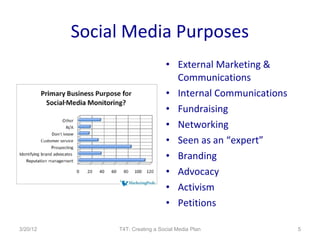
Social Media Purposes
                                 • External Marketing &
                                   Communications
                                 • Internal Communications
                                 • Fundraising
                                 • Networking
                                 • Seen as an “expert”
                                 • Branding
                                 • Advocacy
                                 • Activism
                                 • Petitions

3/20/12        T4T: Creating a Social Media Plan             5
Benefits to Social Media
• Social & professional                 • Build relationships and trust
  networking                              – at a distance
• Prospecting                           • Build base of
• Get feedback                            support/community and
• Viral Recommendations                   gather contact info
• Cost effective & green                • Tell your story
• Cross all boundaries                  • Quick access
• Collaboration opportunities           • Promote brand and cause
• Share resources
                                        • Transparency
• Test ideas
• Build networks and community

3/20/12               T4T: Creating a Social Media Plan               6
Cons to Using Social Media
                                    • Loss of control
                                    • Time investment (training,
                                      maintenance )
                                    • New communication
                                      structure
                                    • Ideas and opinions that are
                                      shared may change over time
                                    • Getting staff/board
                                      investment in new
                                      technology
                                    • Transparency

3/20/12           T4T: Creating a Social Media Plan             7
Social Media is a Tool
   Social Media is a Plant
   Adding Value
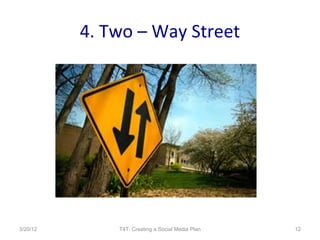
   Two-Way Street
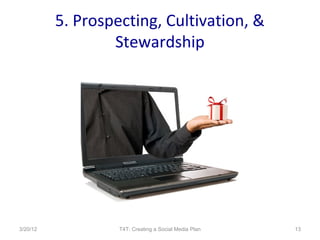
   Prospecting, Cultivation &
   Stewardship
   Next Generation Philanthropy
   It Ain’t Free
   Not Everyone “Diggs” It
   Selling Social Media
   Have a Plan


   TEN TIPS FOR USING SOCIAL MEDIA

3/20/12                   T4T: Creating a Social Media Plan   8
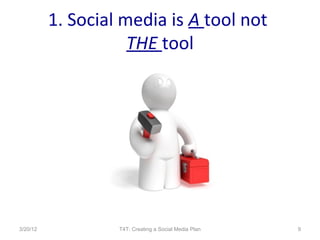
1. Social media is A tool not
                     THE tool


3/20/12            T4T: Creating a Social Media Plan   9
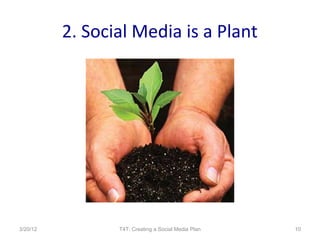
2. Social Media is a Plant


3/20/12          T4T: Creating a Social Media Plan   10
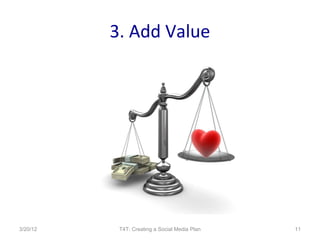
3. Add Value


3/20/12    T4T: Creating a Social Media Plan   11
4. Two – Way Street


3/20/12       T4T: Creating a Social Media Plan   12
5. Prospecting, Cultivation, &
                  Stewardship


3/20/12            T4T: Creating a Social Media Plan   13
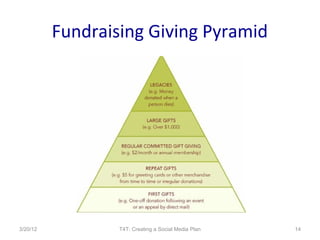
Fundraising Giving Pyramid


3/20/12           T4T: Creating a Social Media Plan   14
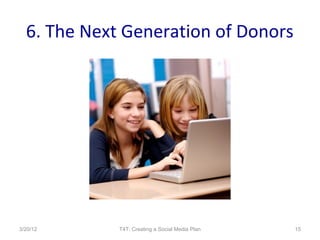
6. The Next Generation of Donors


3/20/12      T4T: Creating a Social Media Plan   15
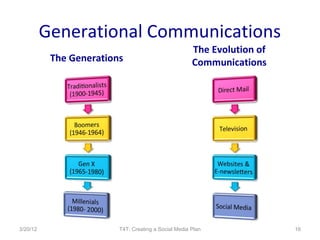
Generational Communications
                                                      The Evolution of
           The Generations                            Communications


3/20/12                  T4T: Creating a Social Media Plan               16
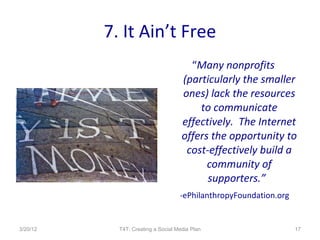
7. It Ain’t Free
                                       “Many nonprofits
                                     (particularly the smaller
                                     ones) lack the resources
                                         to communicate
                                     effectively. The Internet
                                     offers the opportunity to
                                      cost-effectively build a
                                           community of
                                           supporters.”
                                    -ePhilanthropyFoundation.org


3/20/12     T4T: Creating a Social Media Plan                      17
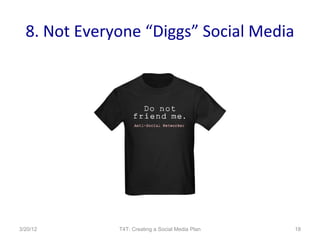
8. Not Everyone “Diggs” Social Media


3/20/12       T4T: Creating a Social Media Plan   18
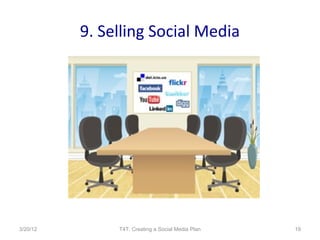
9. Selling Social Media


3/20/12        T4T: Creating a Social Media Plan   19
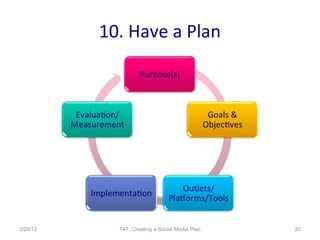
10. Have a Plan


3/20/12     T4T: Creating a Social Media Plan   20
Purpose
   Goals & Objectives
   Tools & Implementation
   Engagement
   Insurance
   Measurement

   Elements of a social media plan


3/20/12                     T4T: Creating a Social Media Plan   21
Why Plan?
•   Map for activities
•   Explain why you are using social media
•   Measurement
•   Clear guidelines, expectations
•   Other?


3/20/12           T4T: Creating a Social Media Plan   22
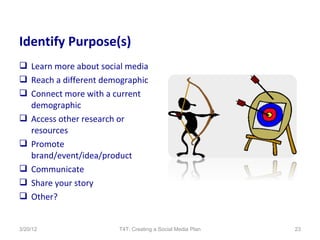
Identify Purpose(s)
 Learn more about social media
 Reach a different demographic
 Connect more with a current
  demographic
 Access other research or
  resources
 Promote
  brand/event/idea/product
 Communicate
 Share your story
 Other?


3/20/12                 T4T: Creating a Social Media Plan   23
Goal and Objectives
 Increase website traffic
 Sell more product
 Share ideas
 Learn about resources in
  your field
 Promote an event or idea
 Develop your brand
 Test ideas
 Other?


3/20/12              T4T: Creating a Social Media Plan   24
Tools and Implementation
• Blog                                     • Facebook
      – How often will you blog?                  –   Profile/Group/Page
      – What will you blog about?                 –   Who will manage?
      – Who will blog?                            –   Facebook Ads?
• Twitter                                         –   Will you link to Twitter?
      – How often will you tweet?                     Ping?
      – What will you tweet                • LinkedIn
        about?                                    –   Group and subgroups?
      – How will you track?                       –   Who will you invite to join?
      – Who will you follow?                      –   Who will be admins?
      – Who will tweet?                           –   How often will you post?

3/20/12                  T4T: Creating a Social Media Plan                        25
Implementation
 Who will manage your social
  media?
 Who will contribute to your social
  media?
         Board members
         Staff members
         Volunteers
         Stakeholders
 Way to tell your organization’s
  story
 Ask questions
 Solicit dialogue

3/20/12                   T4T: Creating a Social Media Plan   26
Some Insurance
 Keep it simple, but include:
 Purpose of the social media
  tool or online sharing
 Who can use the online tools
 What is your org’s purpose in
  using these tools
 Examples of information that
  should be shared
 User guidelines
 Consequences for violation(s)
 Reconfirm commitment to
  mission

3/20/12                  T4T: Creating a Social Media Plan   27
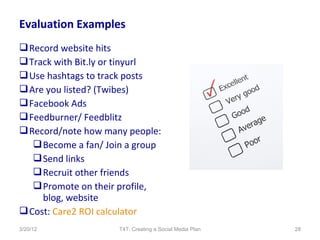
Evaluation Examples
 Record website hits
 Track with Bit.ly or tinyurl
 Use hashtags to track posts
 Are you listed? (Twibes)
 Facebook Ads
 Feedburner/ Feedblitz
 Record/note how many people:
    Become a fan/ Join a group
    Send links
    Recruit other friends
    Promote on their profile,
     blog, website
 Cost: Care2 ROI calculator
3/20/12              T4T: Creating a Social Media Plan   28
What is it?
   Why is it useful?
   How do you set it up and blog?
   Best practices
   Examples

   Blogging and twitter


3/20/12                     T4T: Creating a Social Media Plan   29
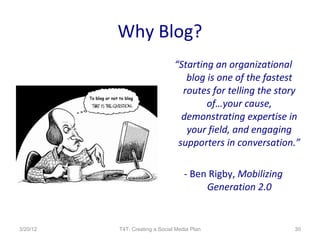
Why Blog?
                                “Starting an organizational
                                   blog is one of the fastest
                                  routes for telling the story
                                        of…your cause,
                                  demonstrating expertise in
                                   your field, and engaging
                                 supporters in conversation.”

                                    - Ben Rigby, Mobilizing
                                         Generation 2.0


3/20/12   T4T: Creating a Social Media Plan                   30
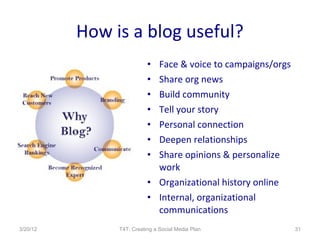
How is a blog useful?
                          • Face & voice to campaigns/orgs
                          • Share org news
                          • Build community
                          • Tell your story
                          • Personal connection
                          • Deepen relationships
                          • Share opinions & personalize
                            work
                          • Organizational history online
                          • Internal, organizational
                            communications
3/20/12        T4T: Creating a Social Media Plan             31
Stats…
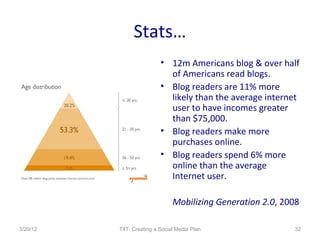
                          • 12m Americans blog & over half
                            of Americans read blogs.
                          • Blog readers are 11% more
                            likely than the average internet
                            user to have incomes greater
                            than $75,000.
                          • Blog readers make more
                            purchases online.
                          • Blog readers spend 6% more
                            online than the average
                            Internet user.

                               Mobilizing Generation 2.0, 2008

3/20/12   T4T: Creating a Social Media Plan                 32
Blog vs. Website


          Website = Static Content
          Blog = Dynamic Content

3/20/12          T4T: Creating a Social Media Plan   33
Blog Best Practices
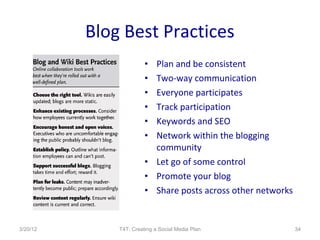
                        • Plan and be consistent
                        • Two-way communication
                        • Everyone participates
                        • Track participation
                        • Keywords and SEO
                        • Network within the blogging
                          community
                        • Let go of some control
                        • Promote your blog
                        • Share posts across other networks


3/20/12       T4T: Creating a Social Media Plan               34
Sample Blog Topics
• Organizational announcements
• Program and organizational successes
• News and resources related to organizational
  mission – ask permission!
• Volunteer/board/client spotlights
• Videos and interviews
• Call for support – donations, volunteers, board
  recruitment
• Guest opinions

3/20/12           T4T: Creating a Social Media Plan   35
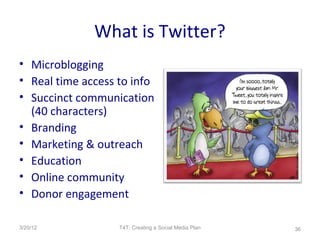
What is Twitter?
• Microblogging
• Real time access to info
• Succinct communication
  (40 characters)
• Branding
• Marketing & outreach
• Education
• Online community
• Donor engagement

3/20/12            T4T: Creating a Social Media Plan   36
Why Use Twitter?
• Viral                              • Access new audiences
  recommendations                    • Ask and listen to what
• Build a network easily               people are talking about
• Recruit people Share               • Get advice
  links & ideas quickly              • Learn from others
• Low-cost                           • Promote your website
                                       other partner website
• Provide information
                                       and knowledge
  across networks
                                     • Hone your messaging for
• Education                            programs and fundraising
3/20/12            T4T: Creating a Social Media Plan          37
Creating Content
                   • Ask questions of yourself
                   • Watch what others post about
                   • Ask people what they are
                     interested in
                   • Follow topics
                   • Retweet!
                   • Blog posts
                   • Website content
                   • Pictures

3/20/12      T4T: Creating a Social Media Plan      38
Twitter To Dos
•   Tweet 5 – 20 times per day (includes RTs)
•   Identify hashtags
•   Thank those who follow you thru DM
•   Search for people to follow
•   Choose a social media dashboard tool
•   Explore lists
•   Paper.li

3/20/12            T4T: Creating a Social Media Plan   39
Tweetraising
• Twestival: Raised
  $250,000 for charity:
  water (2009)
• Tweetsgiving: $10,000
  in 48 hours
• Twollars
• Tweet4Good
• Challenges
• Matching gifts

3/20/12           T4T: Creating a Social Media Plan   40
What is it?
   Why is it useful?
   How do you set it up and use it?
   Best practices
   Examples

   Facebook & Linkedin


3/20/12                      T4T: Creating a Social Media Plan   41
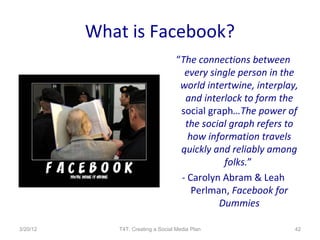
What is Facebook?
                                    “The connections between
                                      every single person in the
                                     world intertwine, interplay,
                                      and interlock to form the
                                     social graph…The power of
                                      the social graph refers to
                                       how information travels
                                     quickly and reliably among
                                               folks.”
                                     - Carolyn Abram & Leah
                                        Perlman, Facebook for
                                              Dummies

3/20/12      T4T: Creating a Social Media Plan                  42
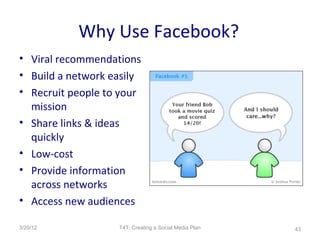
Why Use Facebook?
• Viral recommendations
• Build a network easily
• Recruit people to your
  mission
• Share links & ideas
  quickly
• Low-cost
• Provide information
  across networks
• Access new audiences

3/20/12            T4T: Creating a Social Media Plan   43
Facebook Pages
• Fans instead of Friends              • Recommended for
• Page = Business profile                businesses, npos,
• Share – badges, thru                   celebrities, brands
  profile wall
                                       • Recommended for
• Applications (i.e. Twitter,
  RSS)
                                         businesses, npos,
• Event creation                         celebrities, brands
• Become a fan of other                • Purchase ads for
  pages                                  promotion
• Content shows up in fans’            • Share on your profile
  walls                                  (through Info tab)
3/20/12              T4T: Creating a Social Media Plan           44
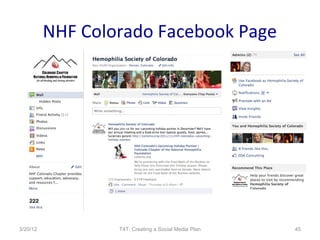
NHF Colorado Facebook Page


3/20/12           T4T: Creating a Social Media Plan   45
Facebook Cause
• 2.3 million monthly users           How to…
• Nonprofits have raised              •http://www.youtube.co
  $30 million using Causes            m/watch?
• Specific calls to action            v=GmLwBNEqmcg
• Project-based campaigns             •http://www.fundraising1
• Peer-to-peer fundraising            23.org/article/starting-
• Share stories & track               cause-facebook
  success
• Portal to your website

3/20/12             T4T: Creating a Social Media Plan        46
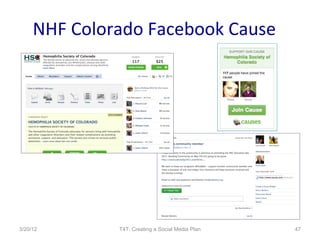
NHF Colorado Facebook Cause


3/20/12       T4T: Creating a Social Media Plan   47
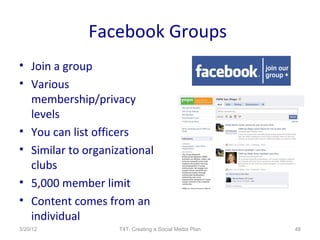
Facebook Groups
• Join a group
• Various
  membership/privacy
  levels
• You can list officers
• Similar to organizational
  clubs
• 5,000 member limit
• Content comes from an
  individual
3/20/12             T4T: Creating a Social Media Plan   48
Best Practices
• Plan and be consistent
• Two-way
  communication
• Everyone participates
• Let go of some control
• Promote your Page
  across other social
  networks


3/20/12            T4T: Creating a Social Media Plan   49
Facebook Resources
•   Non-profits on Facebook
•   NTEN
•   Techsoup
•   Inside Facebook
•   Mashable!
•   Socialbrite
•   Wild Apricot
•   The Nonprofit Facebook Guy

3/20/12          T4T: Creating a Social Media Plan   50
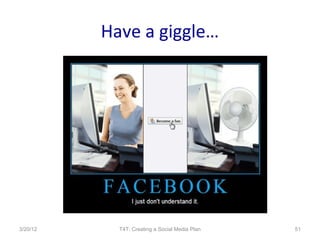
Have a giggle…


3/20/12     T4T: Creating a Social Media Plan   51
3/20/12   T4T: Creating a Social Media Plan   52
What is LinkedIn?
• Like a professional Facebook
• Used less than Facebook by nonprofits
• Groups are really useful for nonprofits
• Search for employees and employers
• Connect personal profile to other social media
• Online community
• Professional resources – ask questions, share
  resources
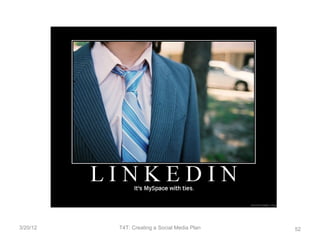
• Described another way…

3/20/12            T4T: Creating a Social Media Plan   53
Why Use LinkedIn?
• Groups provide                   • Provide information
  resources (give and                across networks
  receive)                         • Education
• Learn from others                • Access new audiences
• Build a network                  • Ask and listen to what
  easily                             people are talking
                                     about
• Recruit people
                                   • Promote your mission
• Share links & ideas
                                   • Hone your messaging
  quickly
                                   • Low-cost/ FREE!
3/20/12          T4T: Creating a Social Media Plan            54
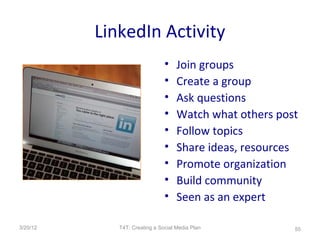
LinkedIn Activity
                               •    Join groups
                               •    Create a group
                               •    Ask questions
                               •    Watch what others post
                               •    Follow topics
                               •    Share ideas, resources
                               •    Promote organization
                               •    Build community
                               •    Seen as an expert

3/20/12      T4T: Creating a Social Media Plan           55
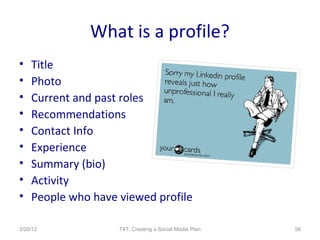
What is a profile?
•   Title
•   Photo
•   Current and past roles
•   Recommendations
•   Contact Info
•   Experience
•   Summary (bio)
•   Activity
•   People who have viewed profile

3/20/12             T4T: Creating a Social Media Plan   56
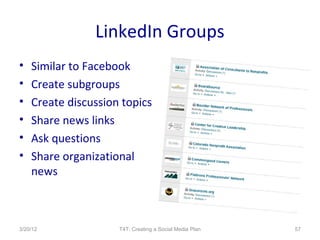
LinkedIn Groups
•   Similar to Facebook
•   Create subgroups
•   Create discussion topics
•   Share news links
•   Ask questions
•   Share organizational
    news


3/20/12              T4T: Creating a Social Media Plan   57
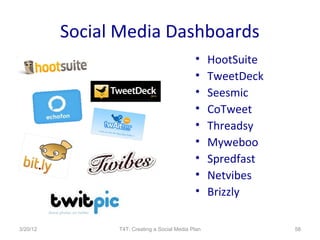
Social Media Dashboards
                                              •     HootSuite
                                              •     TweetDeck
                                              •     Seesmic
                                              •     CoTweet
                                              •     Threadsy
                                              •     Myweboo
                                              •     Spredfast
                                              •     Netvibes
                                              •     Brizzly

3/20/12         T4T: Creating a Social Media Plan               58
Questions


3/20/12   T4T: Creating a Social Media Plan   59
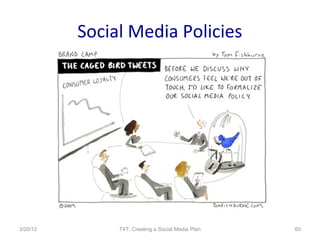
Social Media Policies


3/20/12        T4T: Creating a Social Media Plan   60
External Policy
• Target audience: users
  outside the organization
• What is appropriate
• What is inappropriate
• Post publicly
      – Website
      – Social media platforms
      – Post regularly
• Research samples

3/20/12                 T4T: Creating a Social Media Plan   61
Internal Policy
• Target audiences: Staff
  and volunteers
• More insurance
• What is in/ appropriate?
• Set boundaries
• Share at orientation
• Represent the
  organization
• Research examples

3/20/12          T4T: Creating a Social Media Plan   62
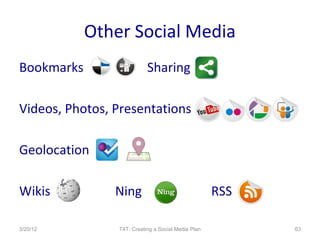
Other Social Media
Bookmarks                  Sharing

Videos, Photos, Presentations

Geolocation

Wikis           Ning                                RSS

3/20/12         T4T: Creating a Social Media Plan         63
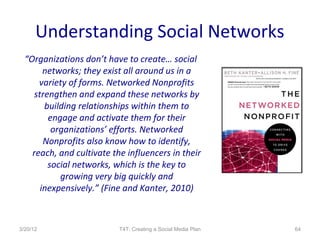
Understanding Social Networks
  “Organizations don’t have to create… social
        networks; they exist all around us in a
      variety of forms. Networked Nonprofits
     strengthen and expand these networks by
        building relationships within them to
         engage and activate them for their
          organizations’ efforts. Networked
        Nonprofits also know how to identify,
    reach, and cultivate the influencers in their
         social networks, which is the key to
            growing very big quickly and
       inexpensively.” (Fine and Kanter, 2010)


3/20/12                    T4T: Creating a Social Media Plan   64
Questions


3/20/12   T4T: Creating a Social Media Plan   65
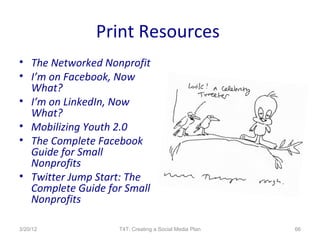
Print Resources
• The Networked Nonprofit
• I’m on Facebook, Now
  What?
• I’m on LinkedIn, Now
  What?
• Mobilizing Youth 2.0
• The Complete Facebook
  Guide for Small
  Nonprofits
• Twitter Jump Start: The
  Complete Guide for Small
  Nonprofits

3/20/12            T4T: Creating a Social Media Plan   66
Online Resources
• Mashable.com
• Nonprofit Technology
  Network (NTEN)
• Nonprofit Alltop
• Beth Kanter:
  http://beth.typepad.com/
• Social Media Plan Outline:
  www.ideaencore.com
• www.delicious.com/coloradononprofithelpdesk


3/20/12          T4T: Creating a Social Media Plan   67
THANK YOU!

    For questions or more
         information…                    www.edaconsultingcafe.org/blog


    Emily Davis, MNM                     http://twitter.com/edaconsulting
   EDA Consulting LLC
       Boulder, CO
                                        www.facebook.com/edaconsulting
      (303) 652-7536
 emily@edaconsulting.org
                                      http://www.linkedin.com/in/edacons
 www.edaconsulting.org                                ulting


3/20/12              T4T: Creating a Social Media Plan                      68

Creating a Social Media Plan

  • 1.
    Creating a SocialMedia Plan Teaming for Technology Colorado March 20, 2012 Emily Davis, MNM EDA Consulting LLC
  • 2.
    The Power ofSocial Media 3/20/12 T4T: Creating a Social Media Plan 2
  • 3.
    Introductions Your name androle/title Experience with social media Expectation(s) for discussion One question you’d like answered 3/20/12 T4T: Creating a Social Media Plan 3
  • 4.
    What are yourfears? 3/20/12 T4T: Creating a Social Media Plan 4
  • 5.
    Social Media Purposes • External Marketing & Communications • Internal Communications • Fundraising • Networking • Seen as an “expert” • Branding • Advocacy • Activism • Petitions 3/20/12 T4T: Creating a Social Media Plan 5
  • 6.
    Benefits to SocialMedia • Social & professional • Build relationships and trust networking – at a distance • Prospecting • Build base of • Get feedback support/community and • Viral Recommendations gather contact info • Cost effective & green • Tell your story • Cross all boundaries • Quick access • Collaboration opportunities • Promote brand and cause • Share resources • Transparency • Test ideas • Build networks and community 3/20/12 T4T: Creating a Social Media Plan 6
  • 7.
    Cons to UsingSocial Media • Loss of control • Time investment (training, maintenance ) • New communication structure • Ideas and opinions that are shared may change over time • Getting staff/board investment in new technology • Transparency 3/20/12 T4T: Creating a Social Media Plan 7
  • 8.
    Social Media isa Tool Social Media is a Plant Adding Value Two-Way Street Prospecting, Cultivation & Stewardship Next Generation Philanthropy It Ain’t Free Not Everyone “Diggs” It Selling Social Media Have a Plan TEN TIPS FOR USING SOCIAL MEDIA 3/20/12 T4T: Creating a Social Media Plan 8
  • 9.
    1. Social mediais A tool not THE tool 3/20/12 T4T: Creating a Social Media Plan 9
  • 10.
    2. Social Mediais a Plant 3/20/12 T4T: Creating a Social Media Plan 10
  • 11.
    3. Add Value 3/20/12 T4T: Creating a Social Media Plan 11
  • 12.
    4. Two –Way Street 3/20/12 T4T: Creating a Social Media Plan 12
  • 13.
    5. Prospecting, Cultivation,& Stewardship 3/20/12 T4T: Creating a Social Media Plan 13
  • 14.
    Fundraising Giving Pyramid 3/20/12 T4T: Creating a Social Media Plan 14
  • 15.
    6. The NextGeneration of Donors 3/20/12 T4T: Creating a Social Media Plan 15
  • 16.
    Generational Communications The Evolution of The Generations Communications 3/20/12 T4T: Creating a Social Media Plan 16
  • 17.
    7. It Ain’tFree “Many nonprofits (particularly the smaller ones) lack the resources to communicate effectively. The Internet offers the opportunity to cost-effectively build a community of supporters.” -ePhilanthropyFoundation.org 3/20/12 T4T: Creating a Social Media Plan 17
  • 18.
    8. Not Everyone“Diggs” Social Media 3/20/12 T4T: Creating a Social Media Plan 18
  • 19.
    9. Selling SocialMedia 3/20/12 T4T: Creating a Social Media Plan 19
  • 20.
    10. Have aPlan 3/20/12 T4T: Creating a Social Media Plan 20
  • 21.
    Purpose Goals & Objectives Tools & Implementation Engagement Insurance Measurement Elements of a social media plan 3/20/12 T4T: Creating a Social Media Plan 21
  • 22.
    Why Plan? • Map for activities • Explain why you are using social media • Measurement • Clear guidelines, expectations • Other? 3/20/12 T4T: Creating a Social Media Plan 22
  • 23.
    Identify Purpose(s)  Learnmore about social media  Reach a different demographic  Connect more with a current demographic  Access other research or resources  Promote brand/event/idea/product  Communicate  Share your story  Other? 3/20/12 T4T: Creating a Social Media Plan 23
  • 24.
    Goal and Objectives Increase website traffic  Sell more product  Share ideas  Learn about resources in your field  Promote an event or idea  Develop your brand  Test ideas  Other? 3/20/12 T4T: Creating a Social Media Plan 24
  • 25.
    Tools and Implementation •Blog • Facebook – How often will you blog? – Profile/Group/Page – What will you blog about? – Who will manage? – Who will blog? – Facebook Ads? • Twitter – Will you link to Twitter? – How often will you tweet? Ping? – What will you tweet • LinkedIn about? – Group and subgroups? – How will you track? – Who will you invite to join? – Who will you follow? – Who will be admins? – Who will tweet? – How often will you post? 3/20/12 T4T: Creating a Social Media Plan 25
  • 26.
    Implementation  Who willmanage your social media?  Who will contribute to your social media?  Board members  Staff members  Volunteers  Stakeholders  Way to tell your organization’s story  Ask questions  Solicit dialogue 3/20/12 T4T: Creating a Social Media Plan 26
  • 27.
    Some Insurance  Keepit simple, but include:  Purpose of the social media tool or online sharing  Who can use the online tools  What is your org’s purpose in using these tools  Examples of information that should be shared  User guidelines  Consequences for violation(s)  Reconfirm commitment to mission 3/20/12 T4T: Creating a Social Media Plan 27
  • 28.
    Evaluation Examples  Recordwebsite hits  Track with Bit.ly or tinyurl  Use hashtags to track posts  Are you listed? (Twibes)  Facebook Ads  Feedburner/ Feedblitz  Record/note how many people:  Become a fan/ Join a group  Send links  Recruit other friends  Promote on their profile, blog, website  Cost: Care2 ROI calculator 3/20/12 T4T: Creating a Social Media Plan 28
  • 29.
    What is it? Why is it useful? How do you set it up and blog? Best practices Examples Blogging and twitter 3/20/12 T4T: Creating a Social Media Plan 29
  • 30.
    Why Blog? “Starting an organizational blog is one of the fastest routes for telling the story of…your cause, demonstrating expertise in your field, and engaging supporters in conversation.” - Ben Rigby, Mobilizing Generation 2.0 3/20/12 T4T: Creating a Social Media Plan 30
  • 31.
    How is ablog useful? • Face & voice to campaigns/orgs • Share org news • Build community • Tell your story • Personal connection • Deepen relationships • Share opinions & personalize work • Organizational history online • Internal, organizational communications 3/20/12 T4T: Creating a Social Media Plan 31
  • 32.
    Stats… • 12m Americans blog & over half of Americans read blogs. • Blog readers are 11% more likely than the average internet user to have incomes greater than $75,000. • Blog readers make more purchases online. • Blog readers spend 6% more online than the average Internet user. Mobilizing Generation 2.0, 2008 3/20/12 T4T: Creating a Social Media Plan 32
  • 33.
    Blog vs. Website Website = Static Content Blog = Dynamic Content 3/20/12 T4T: Creating a Social Media Plan 33
  • 34.
    Blog Best Practices • Plan and be consistent • Two-way communication • Everyone participates • Track participation • Keywords and SEO • Network within the blogging community • Let go of some control • Promote your blog • Share posts across other networks 3/20/12 T4T: Creating a Social Media Plan 34
  • 35.
    Sample Blog Topics •Organizational announcements • Program and organizational successes • News and resources related to organizational mission – ask permission! • Volunteer/board/client spotlights • Videos and interviews • Call for support – donations, volunteers, board recruitment • Guest opinions 3/20/12 T4T: Creating a Social Media Plan 35
  • 36.
    What is Twitter? •Microblogging • Real time access to info • Succinct communication (40 characters) • Branding • Marketing & outreach • Education • Online community • Donor engagement 3/20/12 T4T: Creating a Social Media Plan 36
  • 37.
    Why Use Twitter? •Viral • Access new audiences recommendations • Ask and listen to what • Build a network easily people are talking about • Recruit people Share • Get advice links & ideas quickly • Learn from others • Low-cost • Promote your website other partner website • Provide information and knowledge across networks • Hone your messaging for • Education programs and fundraising 3/20/12 T4T: Creating a Social Media Plan 37
  • 38.
    Creating Content • Ask questions of yourself • Watch what others post about • Ask people what they are interested in • Follow topics • Retweet! • Blog posts • Website content • Pictures 3/20/12 T4T: Creating a Social Media Plan 38
  • 39.
    Twitter To Dos • Tweet 5 – 20 times per day (includes RTs) • Identify hashtags • Thank those who follow you thru DM • Search for people to follow • Choose a social media dashboard tool • Explore lists • Paper.li 3/20/12 T4T: Creating a Social Media Plan 39
  • 40.
    Tweetraising • Twestival: Raised $250,000 for charity: water (2009) • Tweetsgiving: $10,000 in 48 hours • Twollars • Tweet4Good • Challenges • Matching gifts 3/20/12 T4T: Creating a Social Media Plan 40
  • 41.
    What is it? Why is it useful? How do you set it up and use it? Best practices Examples Facebook & Linkedin 3/20/12 T4T: Creating a Social Media Plan 41
  • 42.
    What is Facebook? “The connections between every single person in the world intertwine, interplay, and interlock to form the social graph…The power of the social graph refers to how information travels quickly and reliably among folks.” - Carolyn Abram & Leah Perlman, Facebook for Dummies 3/20/12 T4T: Creating a Social Media Plan 42
  • 43.
    Why Use Facebook? •Viral recommendations • Build a network easily • Recruit people to your mission • Share links & ideas quickly • Low-cost • Provide information across networks • Access new audiences 3/20/12 T4T: Creating a Social Media Plan 43
  • 44.
    Facebook Pages • Fansinstead of Friends • Recommended for • Page = Business profile businesses, npos, • Share – badges, thru celebrities, brands profile wall • Recommended for • Applications (i.e. Twitter, RSS) businesses, npos, • Event creation celebrities, brands • Become a fan of other • Purchase ads for pages promotion • Content shows up in fans’ • Share on your profile walls (through Info tab) 3/20/12 T4T: Creating a Social Media Plan 44
  • 45.
    NHF Colorado FacebookPage 3/20/12 T4T: Creating a Social Media Plan 45
  • 46.
    Facebook Cause • 2.3million monthly users How to… • Nonprofits have raised •http://www.youtube.co $30 million using Causes m/watch? • Specific calls to action v=GmLwBNEqmcg • Project-based campaigns •http://www.fundraising1 • Peer-to-peer fundraising 23.org/article/starting- • Share stories & track cause-facebook success • Portal to your website 3/20/12 T4T: Creating a Social Media Plan 46
  • 47.
    NHF Colorado FacebookCause 3/20/12 T4T: Creating a Social Media Plan 47
  • 48.
    Facebook Groups • Joina group • Various membership/privacy levels • You can list officers • Similar to organizational clubs • 5,000 member limit • Content comes from an individual 3/20/12 T4T: Creating a Social Media Plan 48
  • 49.
    Best Practices • Planand be consistent • Two-way communication • Everyone participates • Let go of some control • Promote your Page across other social networks 3/20/12 T4T: Creating a Social Media Plan 49
  • 50.
    Facebook Resources • Non-profits on Facebook • NTEN • Techsoup • Inside Facebook • Mashable! • Socialbrite • Wild Apricot • The Nonprofit Facebook Guy 3/20/12 T4T: Creating a Social Media Plan 50
  • 51.
    Have a giggle… 3/20/12 T4T: Creating a Social Media Plan 51
  • 52.
    3/20/12 T4T: Creating a Social Media Plan 52
  • 53.
    What is LinkedIn? •Like a professional Facebook • Used less than Facebook by nonprofits • Groups are really useful for nonprofits • Search for employees and employers • Connect personal profile to other social media • Online community • Professional resources – ask questions, share resources • Described another way… 3/20/12 T4T: Creating a Social Media Plan 53
  • 54.
    Why Use LinkedIn? •Groups provide • Provide information resources (give and across networks receive) • Education • Learn from others • Access new audiences • Build a network • Ask and listen to what easily people are talking about • Recruit people • Promote your mission • Share links & ideas • Hone your messaging quickly • Low-cost/ FREE! 3/20/12 T4T: Creating a Social Media Plan 54
  • 55.
    LinkedIn Activity • Join groups • Create a group • Ask questions • Watch what others post • Follow topics • Share ideas, resources • Promote organization • Build community • Seen as an expert 3/20/12 T4T: Creating a Social Media Plan 55
  • 56.
    What is aprofile? • Title • Photo • Current and past roles • Recommendations • Contact Info • Experience • Summary (bio) • Activity • People who have viewed profile 3/20/12 T4T: Creating a Social Media Plan 56
  • 57.
    LinkedIn Groups • Similar to Facebook • Create subgroups • Create discussion topics • Share news links • Ask questions • Share organizational news 3/20/12 T4T: Creating a Social Media Plan 57
  • 58.
    Social Media Dashboards • HootSuite • TweetDeck • Seesmic • CoTweet • Threadsy • Myweboo • Spredfast • Netvibes • Brizzly 3/20/12 T4T: Creating a Social Media Plan 58
  • 59.
    Questions 3/20/12 T4T: Creating a Social Media Plan 59
  • 60.
    Social Media Policies 3/20/12 T4T: Creating a Social Media Plan 60
  • 61.
    External Policy • Targetaudience: users outside the organization • What is appropriate • What is inappropriate • Post publicly – Website – Social media platforms – Post regularly • Research samples 3/20/12 T4T: Creating a Social Media Plan 61
  • 62.
    Internal Policy • Targetaudiences: Staff and volunteers • More insurance • What is in/ appropriate? • Set boundaries • Share at orientation • Represent the organization • Research examples 3/20/12 T4T: Creating a Social Media Plan 62
  • 63.
    Other Social Media Bookmarks Sharing Videos, Photos, Presentations Geolocation Wikis Ning RSS 3/20/12 T4T: Creating a Social Media Plan 63
  • 64.
    Understanding Social Networks “Organizations don’t have to create… social networks; they exist all around us in a variety of forms. Networked Nonprofits strengthen and expand these networks by building relationships within them to engage and activate them for their organizations’ efforts. Networked Nonprofits also know how to identify, reach, and cultivate the influencers in their social networks, which is the key to growing very big quickly and inexpensively.” (Fine and Kanter, 2010) 3/20/12 T4T: Creating a Social Media Plan 64
  • 65.
    Questions 3/20/12 T4T: Creating a Social Media Plan 65
  • 66.
    Print Resources • TheNetworked Nonprofit • I’m on Facebook, Now What? • I’m on LinkedIn, Now What? • Mobilizing Youth 2.0 • The Complete Facebook Guide for Small Nonprofits • Twitter Jump Start: The Complete Guide for Small Nonprofits 3/20/12 T4T: Creating a Social Media Plan 66
  • 67.
    Online Resources • Mashable.com •Nonprofit Technology Network (NTEN) • Nonprofit Alltop • Beth Kanter: http://beth.typepad.com/ • Social Media Plan Outline: www.ideaencore.com • www.delicious.com/coloradononprofithelpdesk 3/20/12 T4T: Creating a Social Media Plan 67
  • 68.
    THANK YOU! For questions or more information… www.edaconsultingcafe.org/blog Emily Davis, MNM http://twitter.com/edaconsulting EDA Consulting LLC Boulder, CO www.facebook.com/edaconsulting (303) 652-7536 emily@edaconsulting.org http://www.linkedin.com/in/edacons www.edaconsulting.org ulting 3/20/12 T4T: Creating a Social Media Plan 68

Editor's Notes

  • #2 EDA Consulting
  • #4 Experience with social media – new, some experience, advanced Everyone is going to be at a different place in their experience with social media, so please be patient and save your questions until the end of each section. If I don ’t get to everyone’s questions email me and I will respond individually with an answer. EDA Consulting
  • #5 What are some comments you ’ve heard about social media, particularly as it relates to using social media? Lisa Parker from the Lawrence Welk Family Foundation just shared in a session how her mom, Shirley Fredricks, was on Facebook before she was…Shirley actually encouraged Lisa to start using it. DON ’T MAKE ASSUMPTIONS! My mom was watching MTV and playing Nintendo before I ever was. The whole point to social media is that it is EASY and ACCESSIBLE…young people who use it need/want something that is quick and simple. Maybe the current strategies work, but they will be outdated pretty quickly as technology continue to evolve. Social media is here and it will continuing growing and evolving so it make sense to learn about it and use it now. EDA Consulting
  • #7 Andy Goodman speaks in depth about the importance of telling your organization ’s story; this is the hallmark of good communications and draws people in closer to your work – helps them build a personal connection and relationship to what you do. Social media = viral recommendations EDA Consulting
  • #8 The new technology and information is going to happen whether you are a part of it or not. It ’s important that you consider this as a tool. Learning how to use technology now will help as it continue to develop and advance…the longer you wait the harder it will get. There are ways to protect information, but having so much access is a risk. If you think your personal information isn ’t already out there you are wrong. Just be smart about managing the information. Maintenance EDA Consulting
  • #9 Fastest growing segment of Facebook users are females 55 – 65 EDA Consulting
  • #10 Social media helps to reach out to stakeholders - donors, volunteers, prospective board members and more. We can raise funds, get the message out, and build support for our cause. However, no organization should completely rely on social media to answer all their questions. There is no magic wand here. We didn't always have fax machines and direct mail was new at some point as well that solved all of our questions. Social media is just another tool in the marketing and fundraising toolbox that you can use. EDA Consulting
  • #11 I compare social media to watering a plant.  That is, you cannot simply create a Twitter account, for example, and expect people to follow you.  You need to water that plant - take 20 minutes a day to begin with populating your social media outlets.  What is the message that you want to get out to your stakeholders and the community?  This should be covered in your social media plan.  Watering the social media plan a little every day will help to create a foundation under which you can grow. Creating a calendar for posting often helps. EDA Consulting
  • #12 Despite what many people believe, adding content to social media networks is not only about promoting your organization's events and activities.  Be sure to refer to other resources outside your organization.  For example, let's say I represent an organization that works with animals.  In addition to sharing about our upcoming programs and adoption opportunities, share articles about caring for your pet, current legislation affecting animals, and activities of like-minded organizations.  This demonstrates that you are connected and knowledgeable about more than just your organization, that you seek resources that would be beneficial for the reader to learn. Essentially, you want your organization to become an expert hub for resources.   EDA Consulting
  • #13 One of the best things about social media is that there is potential for dialogue.  A direct mail appeal can't do this in the same way that a blog can.  Share news and opinions, take risks, and be ready for dissent and support. Your organization is trying to enhance engagement and you should be willing to post comments that challenge your opinions.  This is how strong dialogue begins.  You can always respond directly to positive or challenging comments, but allowing that space means you are open to the community. Of course, inappropriate or demeaning language is never acceptable.   First thing you need to do is LISTEN and solicit participation before asking for anything This is a way of building relationships EDA Consulting
  • #14 One of the great things about social media is that it is a low-cost way to communicate with your constituents. It's a great way to tell current donors and supporters how their participation impacted a goal, clients, or the mission.  In fundraising, the closer we bring donors into the inner circle of our organization, the more likely they are to give and to give more dollars.  Using social media is a great way to open that door to current and prospective donors, building closer relationships. EDA Consulting
  • #15 EDA Consulting
  • #16 Using social media is a great way to reach out to the next generation of philanthropists.  Many of those prospective donors are on Facebook or other social media tools - they are definitely online and the first place they go to investigate your organization is your website.  If they want to learn more and get a sneak peak into your organization's world is to join one of your online networks.  Do you have ways to engage them? A great strategy is to recruit and work with younger board members who might have access to using social networks and who can engage their circle of friends or networks. Over 50% of the world ’s population is under the age of 30 96% of Millenieals belong to a social network EDA Consulting
  • #17 Reach your current supporters Reach new supporters Networking Be seen as an expert Advocacy Activism Petitions Multi-channel communications Need to connect to fundraising, programs, board development EDA Consulting
  • #18 Social media tools can be free of cost compared to websites, print publications, and other online tools, but it does cost money.  Time is money and social media takes time, especially if you are asking people to manage social media who don't really understand where to get started.  I'm making a plug for consulting here, but I believe that consultants can save you some of that time, money, and energy by putting together a plan, training staff, volunteers or board members, and setting a foundation for your online practices. There is a small environmental impact here, but many agree that it is less than using only traditional methods of outreach for fundraising. EDA Consulting
  • #19 It's true that not everyone is going to follow you on Twitter, become a fan on Facebook, or join your LinkedIn Group.  Some people prefer direct mail, but then again direct mail isn't for anyone.  I know next generation philanthropists who will not donate to organizations who use direct mail because they see it as a waste of time and environmental resources.  Providing platforms for different types of people to get engaged in your organization is the key to casting a wide net. The more points of entry you have for engagement the greater likelihood of success. EDA Consulting
  • #20 Build into current plans Have personal experience using it Just like any other fundraising tool Ask knowledgeable staff to partner with staff new to web 2.0 tools Ease fears and build confidence Start slowly: blogging and social networking Everyone can participate EDA Consulting
  • #21 This is really all about communications, so people need to plan, but also be flexible. Create a strategy, but know that these technologies are so new that they often don ’t have hard research behind them. Think of them as an entrepreneurial effort. I cannot emphasize this enough. Hiring someone with experience to write a social media plan that folds into an existing fundraising or communications plans will be so helpful in the long run. You will be able to more effectively keep everyone in the organization on the same page, adjust the strategy, and implement consistently. The plan should also cover how you will manage your social media - that is, will you bring on volunteers? Staff? Consultant? Most likely, your organization will need to train someone so make sure you have someone who can train effectively on the topic. Having a strategy will help keep the social media plant watered consistently and effectively. What current strategies are you using and how would social media compliment them? Has someone else created a FB page that you don ’t know about? Try not to duplicate efforts. Why are you using social media? Don ’t just use it because others are! Include a calendar for messaging – blogging calendar, etc. Get buy-in and investment form staff, board, and volunteers Try it out for personal purposes – check out Causes, etc. Have fun! EDA Consulting
  • #27 EDA Consulting
  • #28 It is important to have some insurance when it comes to social media. Very infrequently have I seen posts, comments, etc. that are inappropriate for the platform, but you want to be prepared.  Be sure to outline the purpose of your social media tools, how to use the tools, what is acceptable, and what will not be tolerated including spam.  Always reserve the right to ask someone not to participate or block them from posting. A good example is a nonprofit network I consult for - it is not appropriate to post information that is related to real estate on a nonprofit-focused network.  Be sure to have action steps clearly outlined in your policy when someone has violated that policy. EDA Consulting
  • #29 Cost – Care2 determined that its per-friend acquisition cost on MySpace was $12.27 Rinse and repeat EDA Consulting
  • #30 How many of you blog? Or read blogs? EDA Consulting
  • #31 Connect a blog to stories about your organization and post the links to Facebook groups, LinkedIn groups, Twitter. Is your blog going to be open to anyone or are you going to have it closed for privacy? EDA Consulting
  • #32 I like blogging better than e-newsletters… Some people use them for their main websites – can make it as simple or sophisticated as you like. Start with an internal blog before starting one that you share with your donors. Readers are able to comment and share information Use resources like Feed Burner, Feed Blitz and Google analytics Some groups and campaigns can provide a platform where supporters can operate their own blogs through that org or campaign (Obama is a good example of this) EDA Consulting
  • #33 Especially good for marketing folks who are looking to sell something. EDA Consulting
  • #35 Every time you post a comment on another blog it links back to yours. I am a guest blogger for NP2020, NCNA, BlogHer and others…helps to promote my cause and my knowledge. Blogging makes your org more transparent and responsive….new structure! EDA Consulting
  • #36 10/12/11 EDA Consulting Social Media Training Series Nonprofit Cultivation Center
  • #37 It was created in March 2006 by Jack Dorsey and launched that July. The service rapidly gained worldwide popularity, with over 300 million users as of 2011, [6] generating over 300 million tweets and handling over 1.6 billion search queries per day. [3][8][9] It has been described as "the SMS of the Internet." [10] EDA Consulting
  • #38 EDA Consulting
  • #39 What are you focusing on? What are you doing right now? EDA Consulting
  • #42 EDA Consulting
  • #43 Not discussing MySpace because that is becoming filled with porn, etc. and is less reliable in some ways. It ’s a less credible resource. Fastest growing group of people using FB used to be people over the age of 35…these are the next generation of philanthropists. VERY popular among stay at home moms. Now the fastest growing demographic is women over the age of 55. 500 million people on Facebook 6 million users become “fans” every day. Does anyone know how FB started? Mark Zuckerberg founded this for students in the education system EDA Consulting
  • #44 “ Friend” has now become a verb too! Examples of how social networking is becoming popular to other groups: Change.org = social networking site dedicated to causes. Stayclassy.org = social networking for fundraising - Care2 = social network consisting of more than 7 million activists… ”largest online community of people passionate about making a difference.” EDA Consulting
  • #45 A great way to send information to your supporters that will show in their profile wall without overwhelming their inboxes. How do you get more followers outside your fans and friends? How do I get people to comments? What’s a good length for a FB post? What are discussions versus posts? EDA Consulting
  • #46 A great way to send information to your supporters that will show in their profile wall without overwhelming their inboxes. Fans instead of friends Page = business profile Share option Add applications Recommended for businesses, npos, celebrities, brands Events Create badge Content shows up in fans’ walls EDA Consulting
  • #47 People are more likely to donate to a project rather than just general operating Causes are not just for raising money, but as a portal to direct them to your website. In 2009, the vast majority of nonprofits were not really using Causes Why are you on Causes? What do you want to accomplish? Causes are based on people reaching out to their own networks to help advocate, build awareness and raise money for your organization – you’ve got to keep those people engaged by adding value and making specific calls to action EDA Consulting
  • #48 EDA Consulting
  • #49 EDA Consulting
  • #50 Every time you post a comment on another blog it links back to yours. I am a guest blogger for NP2020, NCNA, BlogHer and others…helps to promote my cause and my knowledge. Blogging makes your org more transparent and responsive….new structure! EDA Consulting Social Media Training Series 10/12/11 Nonprofit Cultivation Center
  • #53 EDA Consulting
  • #54 EDA Consulting
  • #55 EDA Consulting
  • #56 What are you focusing on? What are you doing right now? EDA Consulting
  • #62 Some link shortening will also help you track your links, schedule, etc. Some tools are already built into things like HootSuite. Nonprofit Cultivation Center 10/12/11 EDA Consulting Social Media Training Series
  • #63 If you don’t set the rules, you can’t follow them. Who should you friend? Nonprofit Cultivation Center 10/12/11 EDA Consulting Social Media Training Series
  • #64 EDA Consulting
  • #65 Use strategy to build from where you are. EDA Consulting
  • #69 EDA Consulting