How to create a Gmail account
EDP 632
Jiarui Yang
Gmail
 Gmail has been increasing in popularity since it was first introduced in 2004.
It is regarded as one of the best email services available and offers many
useful features. With the decline of Yahoo, AOL, and Hotmail, more and
more people are moving to Google's services.
How to set up a Gmail account
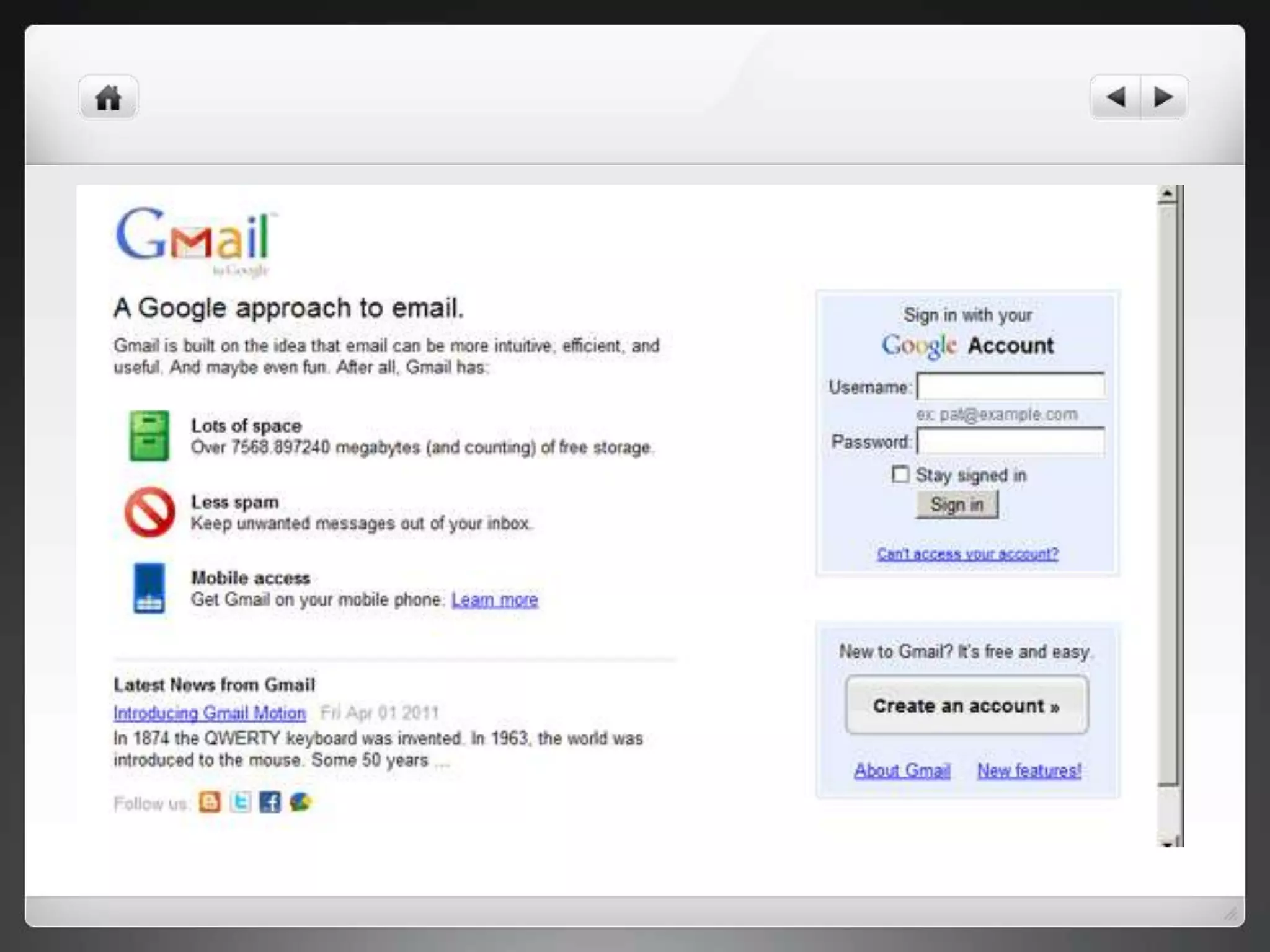
 Step 1: Go to Gmail homepage. Click the red “CREATE AN ACCOUNT” button
in the top-right corner. This will take you to the “Create a new Google
Account” page.
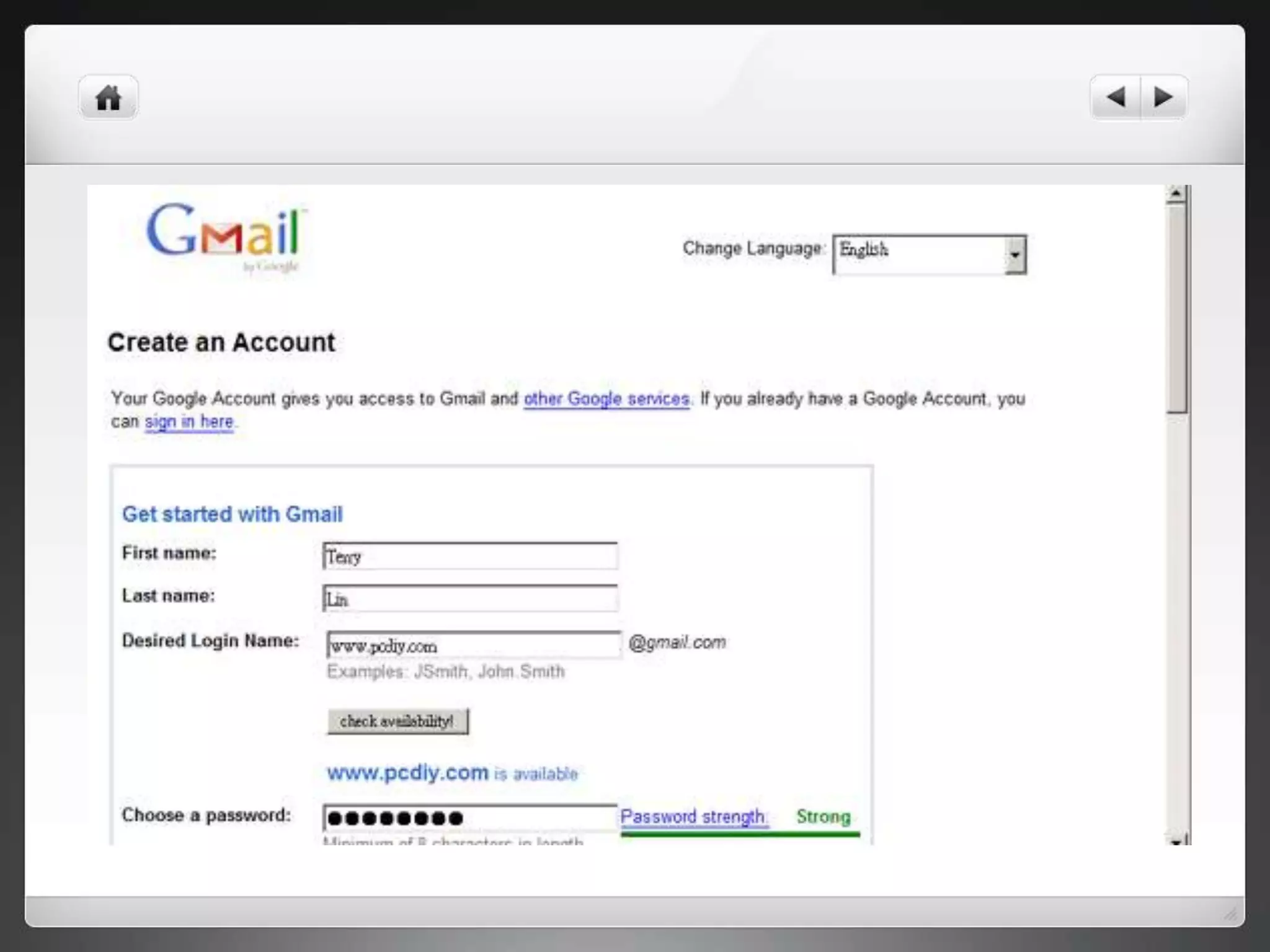
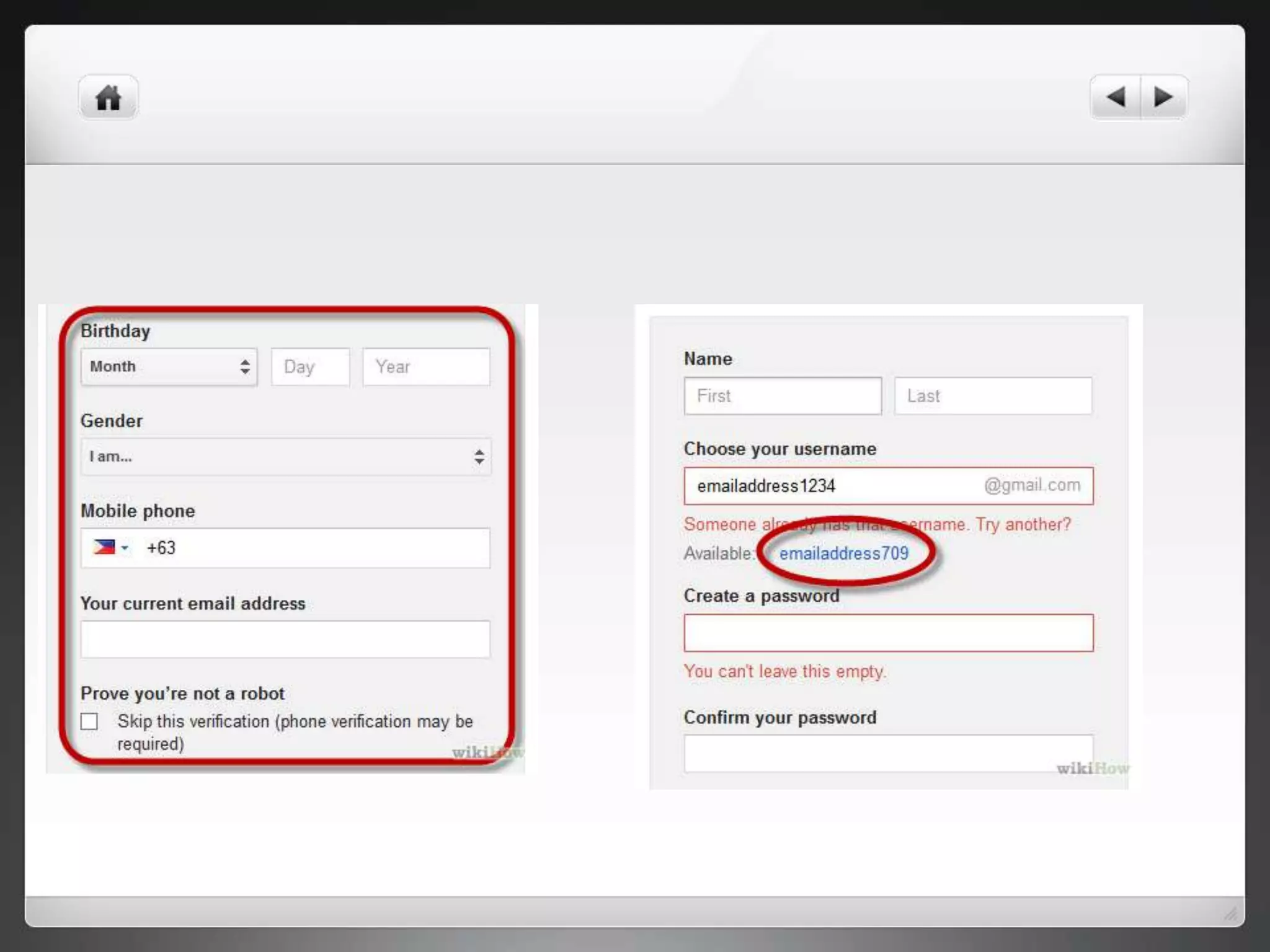
 Step 2: Come up with a username. Your username will become your new
Gmail email address. If your username is not available, you will be given
several related options, or you can try a different one.
Step 3
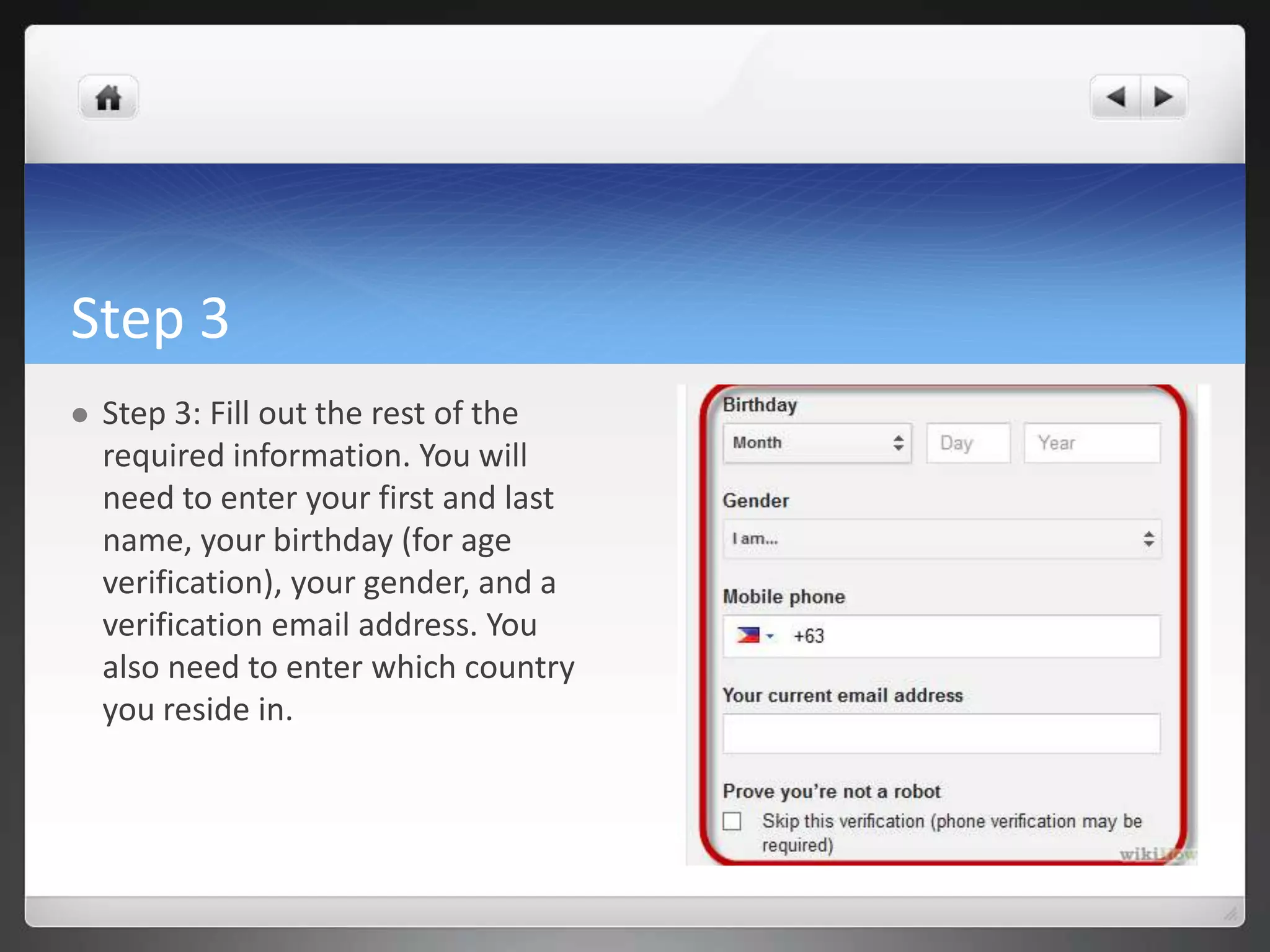
 Step 3: Fill out the rest of the
required information. You will
need to enter your first and last
name, your birthday (for age
verification), your gender, and a
verification email address. You
also need to enter which country
you reside in.
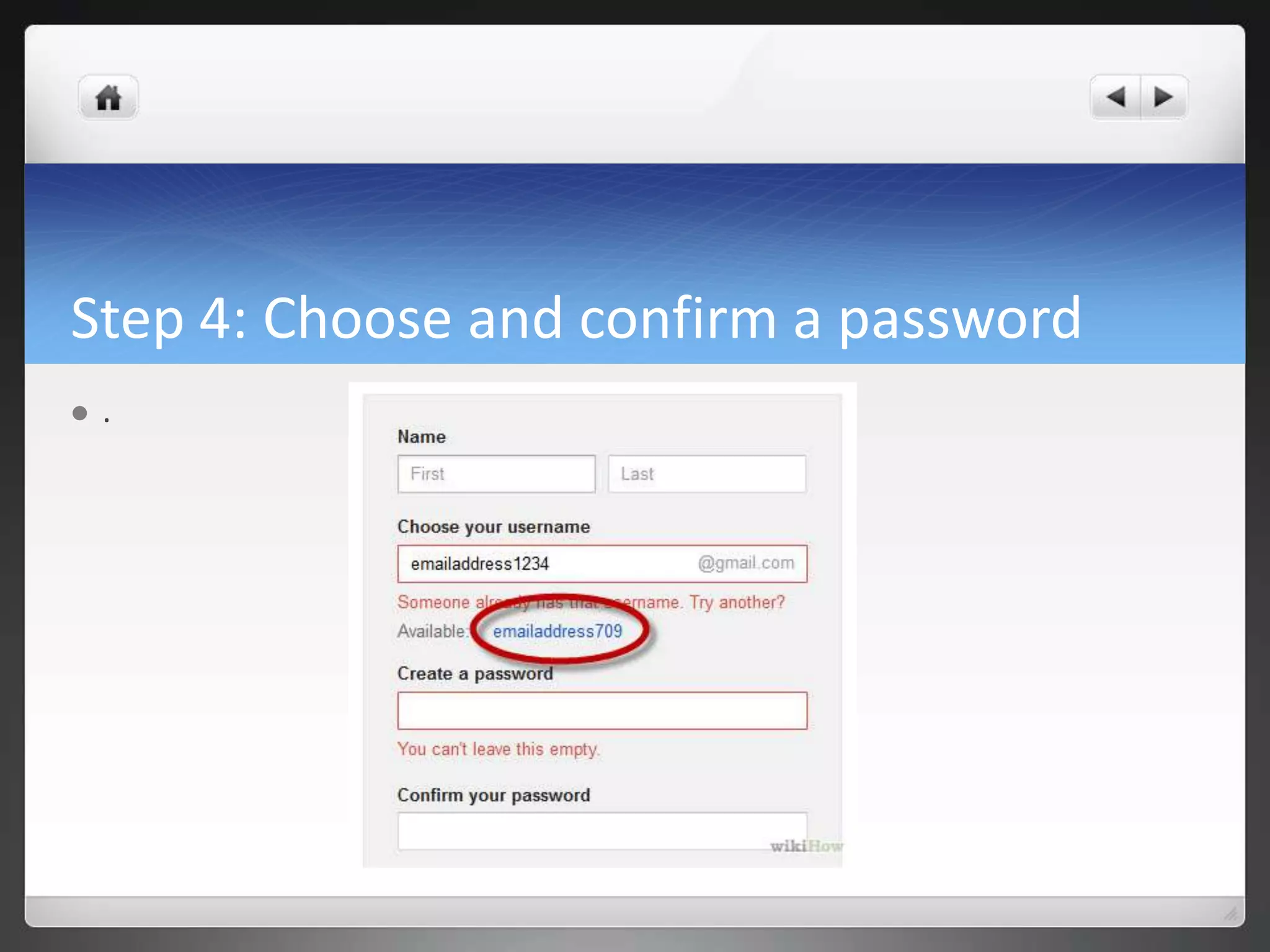
Step 4: Choose and confirm a password
 .
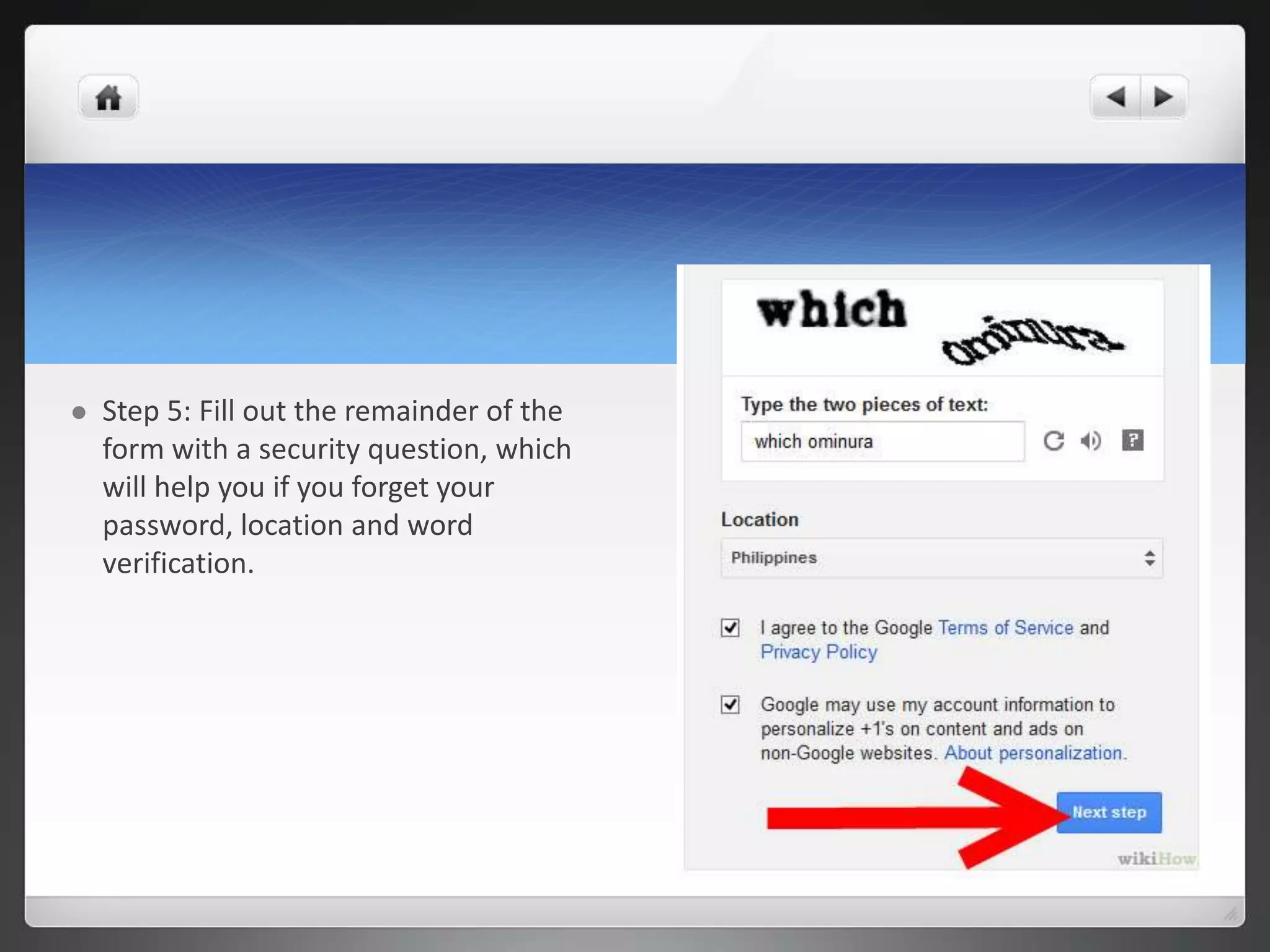
 Step 5: Fill out the remainder of the
form with a security question, which
will help you if you forget your
password, location and word
verification.
Step 6: Click on the button marked "I accept. Create My
Account" if you accept the Gmail terms of service.
Create gmail account

Create gmail account

  • 1.
    How to createa Gmail account EDP 632 Jiarui Yang
  • 2.
    Gmail  Gmail hasbeen increasing in popularity since it was first introduced in 2004. It is regarded as one of the best email services available and offers many useful features. With the decline of Yahoo, AOL, and Hotmail, more and more people are moving to Google's services.
  • 3.
    How to setup a Gmail account  Step 1: Go to Gmail homepage. Click the red “CREATE AN ACCOUNT” button in the top-right corner. This will take you to the “Create a new Google Account” page.  Step 2: Come up with a username. Your username will become your new Gmail email address. If your username is not available, you will be given several related options, or you can try a different one.
  • 6.
    Step 3  Step3: Fill out the rest of the required information. You will need to enter your first and last name, your birthday (for age verification), your gender, and a verification email address. You also need to enter which country you reside in.
  • 7.
    Step 4: Chooseand confirm a password  .
  • 8.
     Step 5:Fill out the remainder of the form with a security question, which will help you if you forget your password, location and word verification.
  • 9.
    Step 6: Clickon the button marked "I accept. Create My Account" if you accept the Gmail terms of service.