Everything you ever wanted
to know about deployment
  ...but were afraid to ask
           Laura Thomson
         laura@mozilla.com
                @lxt


                 1
Disclaimers

Not about tools
Not prescriptive
Recognize where you are, and where you
want to be


                   2
Models


  3
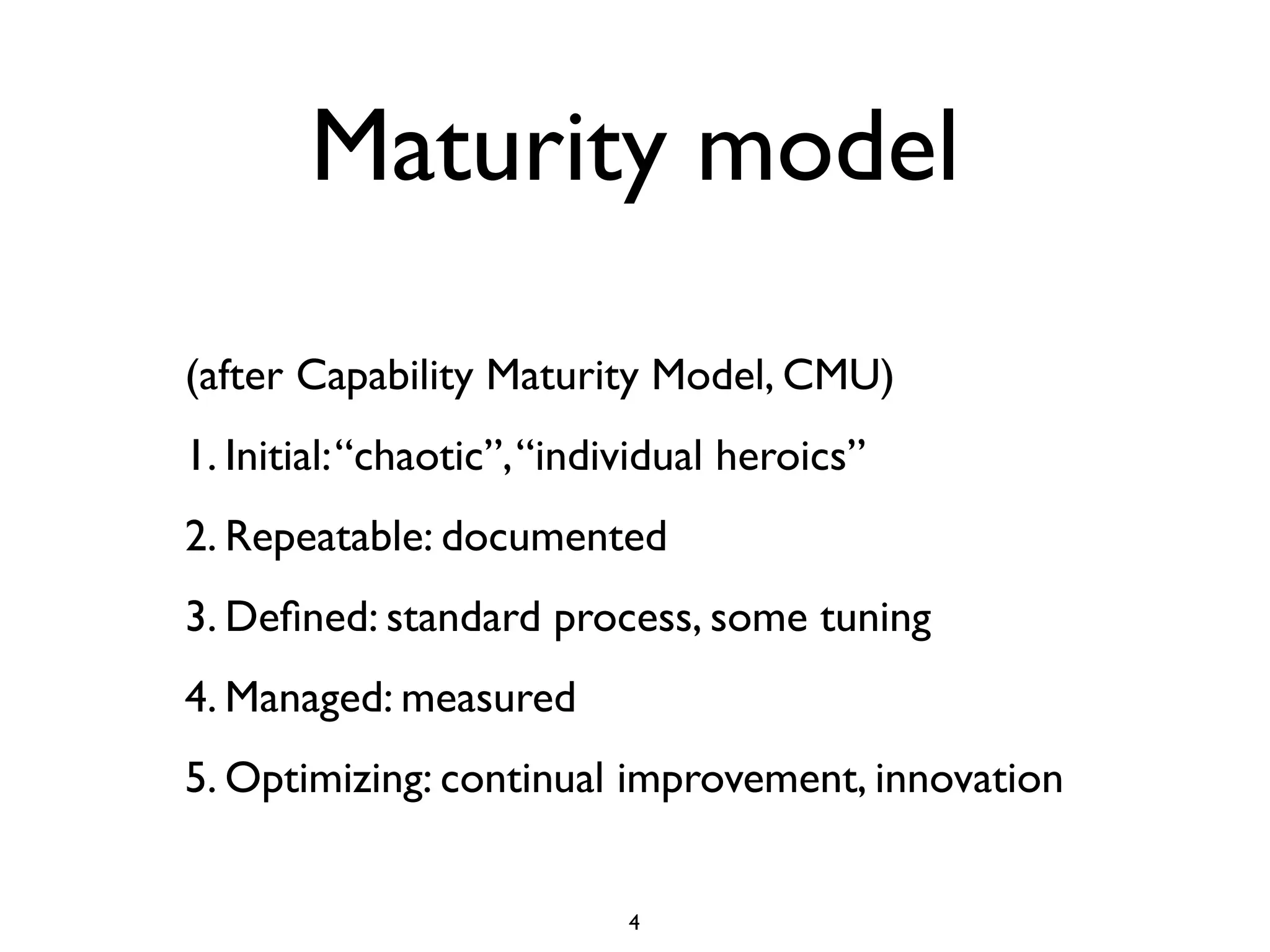
Maturity model

(after Capability Maturity Model, CMU)
1. Initial: “chaotic”, “individual heroics”
2. Repeatable: documented
3. Defined: standard process, some tuning
4. Managed: measured
5. Optimizing: continual improvement, innovation


                            4
Initial
Startup phase of many projects
Long term
Push code whenever you feel like it
Devs push code
Not a lot of tests, automation, or verification


                     5
Repeatable

Often after a 1.0, first non-beta ship, or first
ship with a significant number of users
Some kind of written process
Push when a feature is done: less often than
initially, typically


                      6
Defined

Procedural documentation
Start of automation
Often done by a sysadmin


                      7
Managed
Automation
Tools: packaging
Verification post-push
Measurement: How often do we push? How
long does it take? How did that push affect
performance?


                    8
Optimized

Take the drama out of deployment
Often - not essentially - continuous
deployment
Typically a lot of test automation
Lightweight


                     9
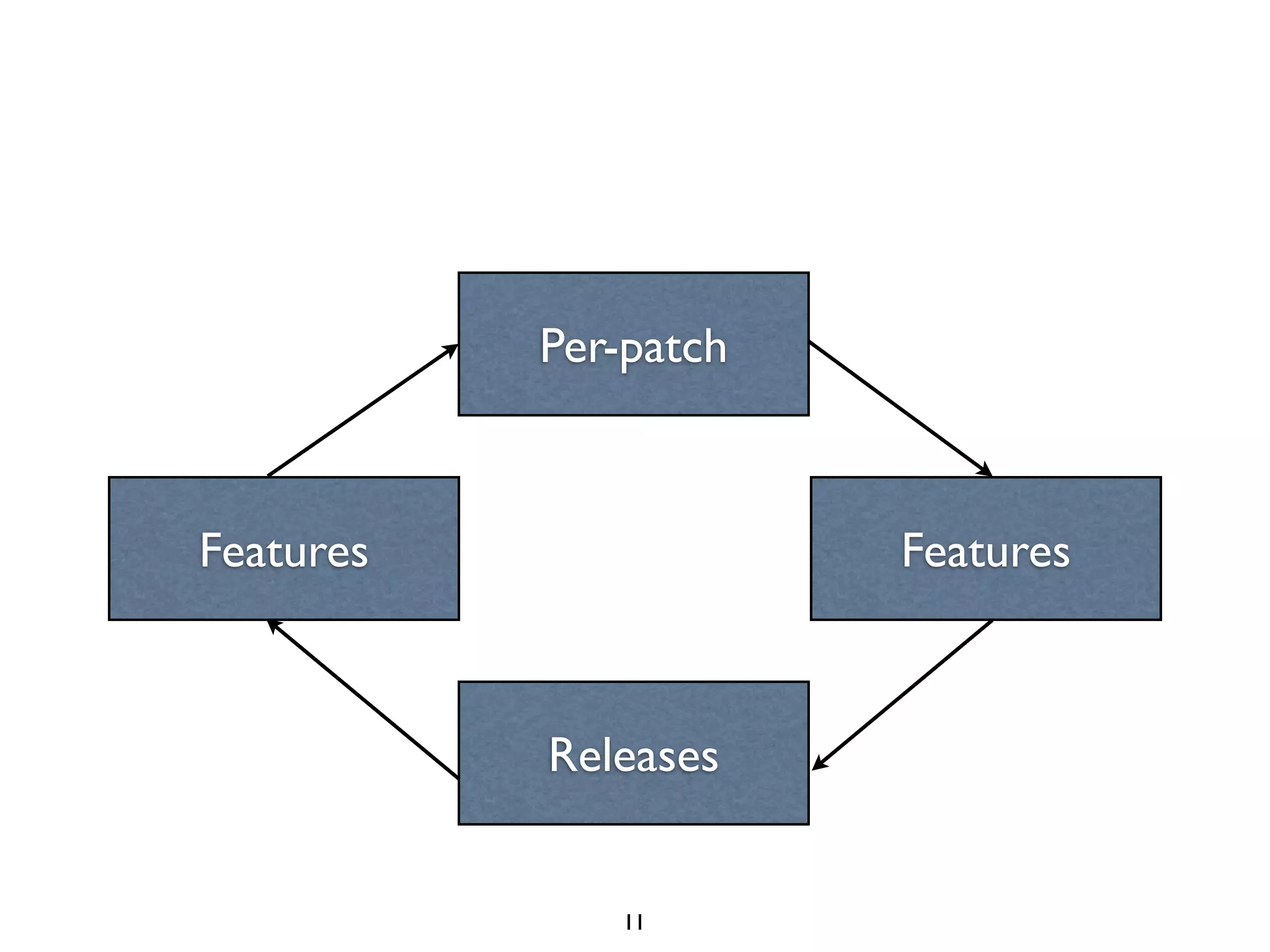
How much do we ship?
Start with per-patch pushes
Move to features
Then to releases
Then back to features
The back to per-patch pushes


                    10
Per-patch


Features               Features


           Releases


              11
Velocity models
Critical mass
Single hard deadline
Train model
Continuous deployment


                       12
Critical mass

“enough stuff to release”
MVP


                    13
Single hard deadline

Support for X by date Y
Shipping to a marketing plan
Hard deadlines are hard


                    14
Train model

Release every Wednesday
Whatever’s ready to ship, ships
Anything else catches the next train


                    15
Continuous
         deployment

Ship each change as soon as it’s done
Continuous is kind of a misnomer;
deployment is discrete


                    16
Tools and practices


         17
Source control
Stable vs unstable
Branch per bug, branch per feature
“git flow” is overkill, but you need a process
If it’s not per-patch-push, tag what you push
Open source needs ESRs even if you’re high
velocity

                     18
Dev Envs
Dev’s laptop is a horrible environment
VMs can be hard to maintain
Development databases are hard: fake data, minidbs
Development API sandbox
Lightweight set up and tear down VMs
“Development” staging server (unstable)


                        19
Staging Envs
Staging environment MUST REFLECT
PRODUCTION
Same versions, same proportions: a scale
model
Realistic traffic and load (scale)
Staging must be monitored
Staging must have managed configuration

                      20
One Box Fail

Staging needs to be more than one box
If you have multiple databases or webheads
or whatever in prod...you need that in
staging


                    21
Continuous Integration
Build-on-commit
VM-per-build
Run all unit tests
(Auto) push build to staging
Run more tests (acceptance/UI)


                     22
Testing
Unit tests: run locally, run on build
Acceptance/User tests: run against browser
(Selenium or whatever)
Load tests: how does it perform under prod
load?
Smoke tests: what’s the maximum load we
can support with this build?

                      23
Deployment tools
It doesn’t really matter what you use
Automate it
Do it the same way in staging and production
Use configuration management to deploy
config changes and manage your
platform...the same way in staging and
production

                    24
QA

Feature tests on unstable
Full tests on stage
Full tests on production (verification)


                      25
Measurement

Monitoring
Performance testing
Instrument, instrument, instrument
Is it actually possible to have too much data?
(Hint: yes. But only if no insight)

                      26
Postmortems

What went right
What went wrong
No finger pointing


                    27
When things go wrong


         28
Quantum of
          deployment
(via Erik Kastner)
“What’s the smallest number of steps,
with the smallest number of people
and the smallest amount of ceremony required
to get new code running on your servers?”
                     http://codeascraft.etsy.com/2010/05/20/quantum-of-deployment/,


                        29
Chemspills


Even if you have heavyweight/non-automated
deployments, what does a chemspill look
like?


                   30
THIS IS NOT A DRILL


        31
Fail forward

Fail forward: the premise that
Mean Time To Repair
is the key measure, not MTBF


                     32
Fail
Sometimes you can’t fail forward
Example: intractable/unforeseen performance
problem, hardware failures, datacenter
migrations
Sometimes it happens.
Upper time limits: failing forward is taking
too long

                      33
Rollback

Going back to the last known good
Having a known process for rollback is just
as important as having a known process for
deployment
Practice rollbacks


                     34
Decision points
When shipping something new, define some
rules and decision points
If it passes this test/performance criteria
we’ll ship it
If these things go wrong we’ll roll back
Make these rules beforehand, while heads
are calm

                      35
Feature switches
A nicer alternative to rollback
Turn a feature on for a subset of users: beta
users, developers, n% of users
Turn it on for everybody
Turn it off if you’re having problems or
unexpected load: “load shedding”


                     36
Continuous
Deployment


    37
What is CD?
Total misnomer
Not continuous, discrete
Automated not automatic, generally
Intention is push-per-change
Usually driven by a Big Red Button


                    38
Technical requirements
Continuous integration with build-on-commit
Tests with good coverage, and a good feel for the
holes in coverage
A staging environment that reflects production
Managed configuration
Scripted single button deployment to a large number
of machines


                        39
People and process
High levels of trust
Realistic risk assessment and tolerance
Excellent code review
Excellent source code management
Tracking, trending, monitoring


                       40
Testing vs monitoring
Run tests against production
Continuous testing = one kind of monitoring
Testing is an important monitor
You need other monitors
You need tests too


                     41
You should build the capability for
continuous deployment
even if you never intend to do
continuous deployment.


                 42
The only way to get good at
deployment is to deploy a lot.


                 43
Questions?


 laura@mozilla.com


       44

Everything you ever wanted to know about deployment but were afraid to ask

  • 1.
    Everything you everwanted to know about deployment ...but were afraid to ask Laura Thomson laura@mozilla.com @lxt 1
  • 2.
    Disclaimers Not about tools Notprescriptive Recognize where you are, and where you want to be 2
  • 3.
  • 4.
    Maturity model (after CapabilityMaturity Model, CMU) 1. Initial: “chaotic”, “individual heroics” 2. Repeatable: documented 3. Defined: standard process, some tuning 4. Managed: measured 5. Optimizing: continual improvement, innovation 4
  • 5.
    Initial Startup phase ofmany projects Long term Push code whenever you feel like it Devs push code Not a lot of tests, automation, or verification 5
  • 6.
    Repeatable Often after a1.0, first non-beta ship, or first ship with a significant number of users Some kind of written process Push when a feature is done: less often than initially, typically 6
  • 7.
    Defined Procedural documentation Start ofautomation Often done by a sysadmin 7
  • 8.
    Managed Automation Tools: packaging Verification post-push Measurement:How often do we push? How long does it take? How did that push affect performance? 8
  • 9.
    Optimized Take the dramaout of deployment Often - not essentially - continuous deployment Typically a lot of test automation Lightweight 9
  • 10.
    How much dowe ship? Start with per-patch pushes Move to features Then to releases Then back to features The back to per-patch pushes 10
  • 11.
    Per-patch Features Features Releases 11
  • 12.
    Velocity models Critical mass Singlehard deadline Train model Continuous deployment 12
  • 13.
    Critical mass “enough stuffto release” MVP 13
  • 14.
    Single hard deadline Supportfor X by date Y Shipping to a marketing plan Hard deadlines are hard 14
  • 15.
    Train model Release everyWednesday Whatever’s ready to ship, ships Anything else catches the next train 15
  • 16.
    Continuous deployment Ship each change as soon as it’s done Continuous is kind of a misnomer; deployment is discrete 16
  • 17.
  • 18.
    Source control Stable vsunstable Branch per bug, branch per feature “git flow” is overkill, but you need a process If it’s not per-patch-push, tag what you push Open source needs ESRs even if you’re high velocity 18
  • 19.
    Dev Envs Dev’s laptopis a horrible environment VMs can be hard to maintain Development databases are hard: fake data, minidbs Development API sandbox Lightweight set up and tear down VMs “Development” staging server (unstable) 19
  • 20.
    Staging Envs Staging environmentMUST REFLECT PRODUCTION Same versions, same proportions: a scale model Realistic traffic and load (scale) Staging must be monitored Staging must have managed configuration 20
  • 21.
    One Box Fail Stagingneeds to be more than one box If you have multiple databases or webheads or whatever in prod...you need that in staging 21
  • 22.
    Continuous Integration Build-on-commit VM-per-build Run allunit tests (Auto) push build to staging Run more tests (acceptance/UI) 22
  • 23.
    Testing Unit tests: runlocally, run on build Acceptance/User tests: run against browser (Selenium or whatever) Load tests: how does it perform under prod load? Smoke tests: what’s the maximum load we can support with this build? 23
  • 24.
    Deployment tools It doesn’treally matter what you use Automate it Do it the same way in staging and production Use configuration management to deploy config changes and manage your platform...the same way in staging and production 24
  • 25.
    QA Feature tests onunstable Full tests on stage Full tests on production (verification) 25
  • 26.
    Measurement Monitoring Performance testing Instrument, instrument,instrument Is it actually possible to have too much data? (Hint: yes. But only if no insight) 26
  • 27.
    Postmortems What went right Whatwent wrong No finger pointing 27
  • 28.
  • 29.
    Quantum of deployment (via Erik Kastner) “What’s the smallest number of steps, with the smallest number of people and the smallest amount of ceremony required to get new code running on your servers?” http://codeascraft.etsy.com/2010/05/20/quantum-of-deployment/, 29
  • 30.
    Chemspills Even if youhave heavyweight/non-automated deployments, what does a chemspill look like? 30
  • 31.
    THIS IS NOTA DRILL 31
  • 32.
    Fail forward Fail forward:the premise that Mean Time To Repair is the key measure, not MTBF 32
  • 33.
    Fail Sometimes you can’tfail forward Example: intractable/unforeseen performance problem, hardware failures, datacenter migrations Sometimes it happens. Upper time limits: failing forward is taking too long 33
  • 34.
    Rollback Going back tothe last known good Having a known process for rollback is just as important as having a known process for deployment Practice rollbacks 34
  • 35.
    Decision points When shippingsomething new, define some rules and decision points If it passes this test/performance criteria we’ll ship it If these things go wrong we’ll roll back Make these rules beforehand, while heads are calm 35
  • 36.
    Feature switches A niceralternative to rollback Turn a feature on for a subset of users: beta users, developers, n% of users Turn it on for everybody Turn it off if you’re having problems or unexpected load: “load shedding” 36
  • 37.
  • 38.
    What is CD? Totalmisnomer Not continuous, discrete Automated not automatic, generally Intention is push-per-change Usually driven by a Big Red Button 38
  • 39.
    Technical requirements Continuous integrationwith build-on-commit Tests with good coverage, and a good feel for the holes in coverage A staging environment that reflects production Managed configuration Scripted single button deployment to a large number of machines 39
  • 40.
    People and process Highlevels of trust Realistic risk assessment and tolerance Excellent code review Excellent source code management Tracking, trending, monitoring 40
  • 41.
    Testing vs monitoring Runtests against production Continuous testing = one kind of monitoring Testing is an important monitor You need other monitors You need tests too 41
  • 42.
    You should buildthe capability for continuous deployment even if you never intend to do continuous deployment. 42
  • 43.
    The only wayto get good at deployment is to deploy a lot. 43
  • 44.