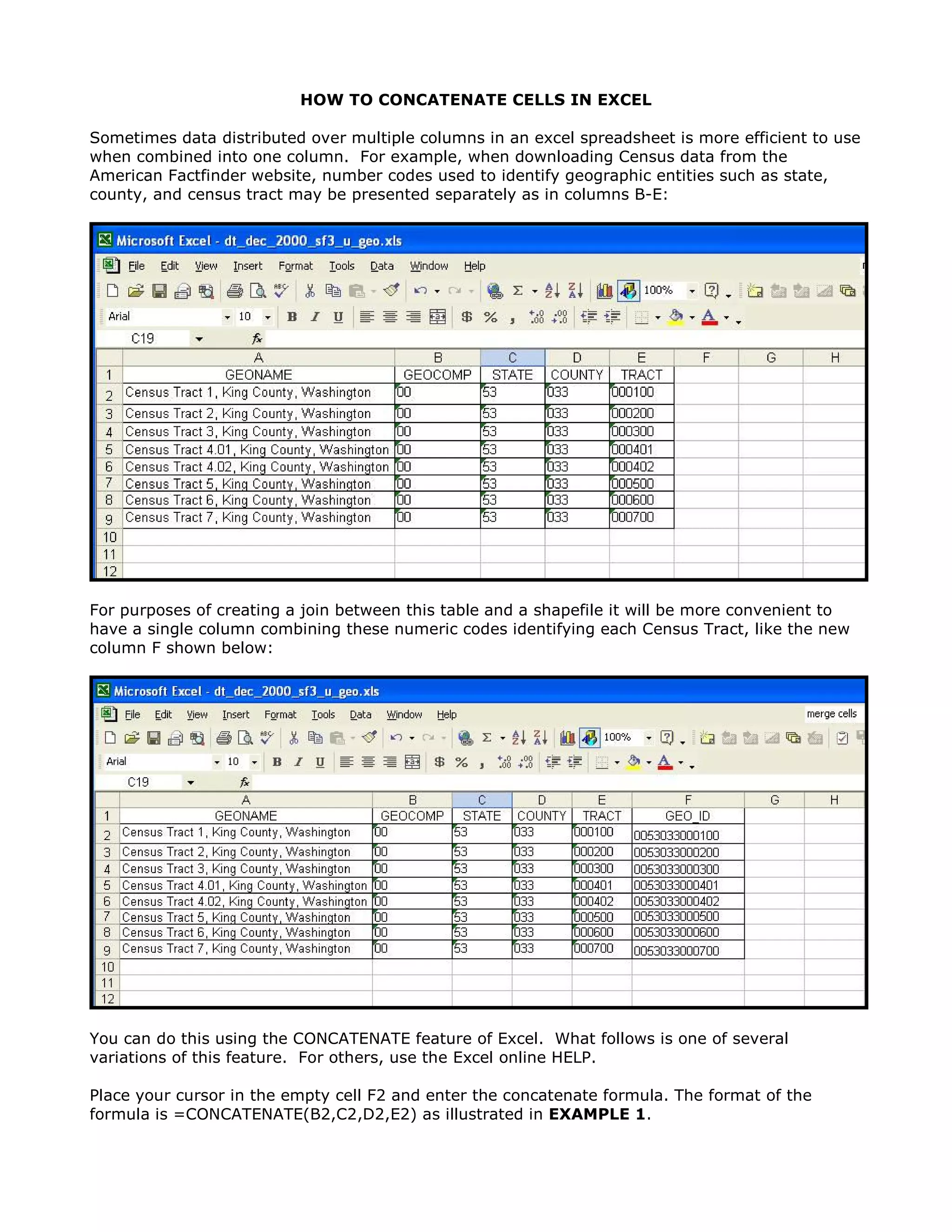
To concatenate (combine) numeric codes from multiple columns into a single column in Excel:
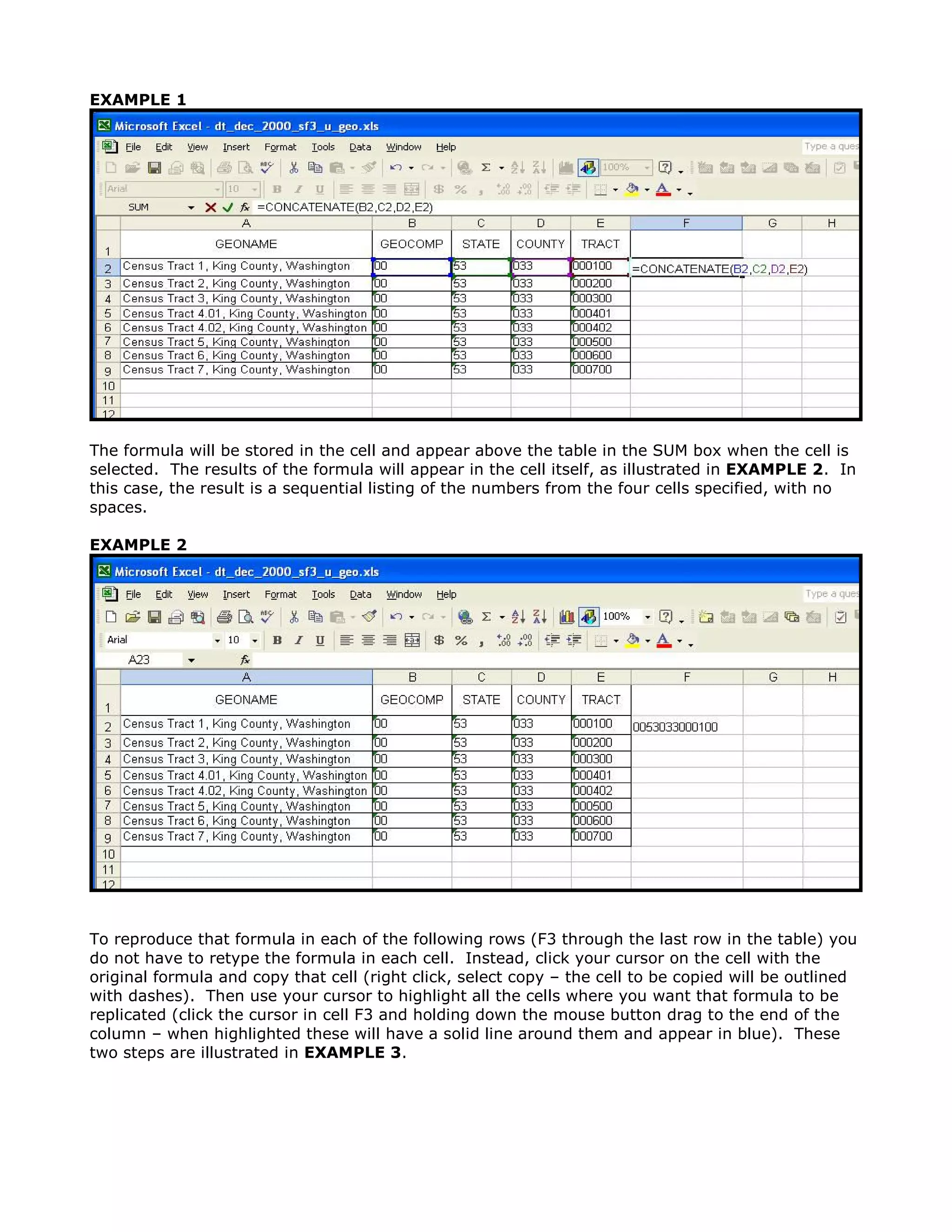
1. Enter the formula =CONCATENATE(cell1, cell2, cell3, etc.) in the first cell of the new column.
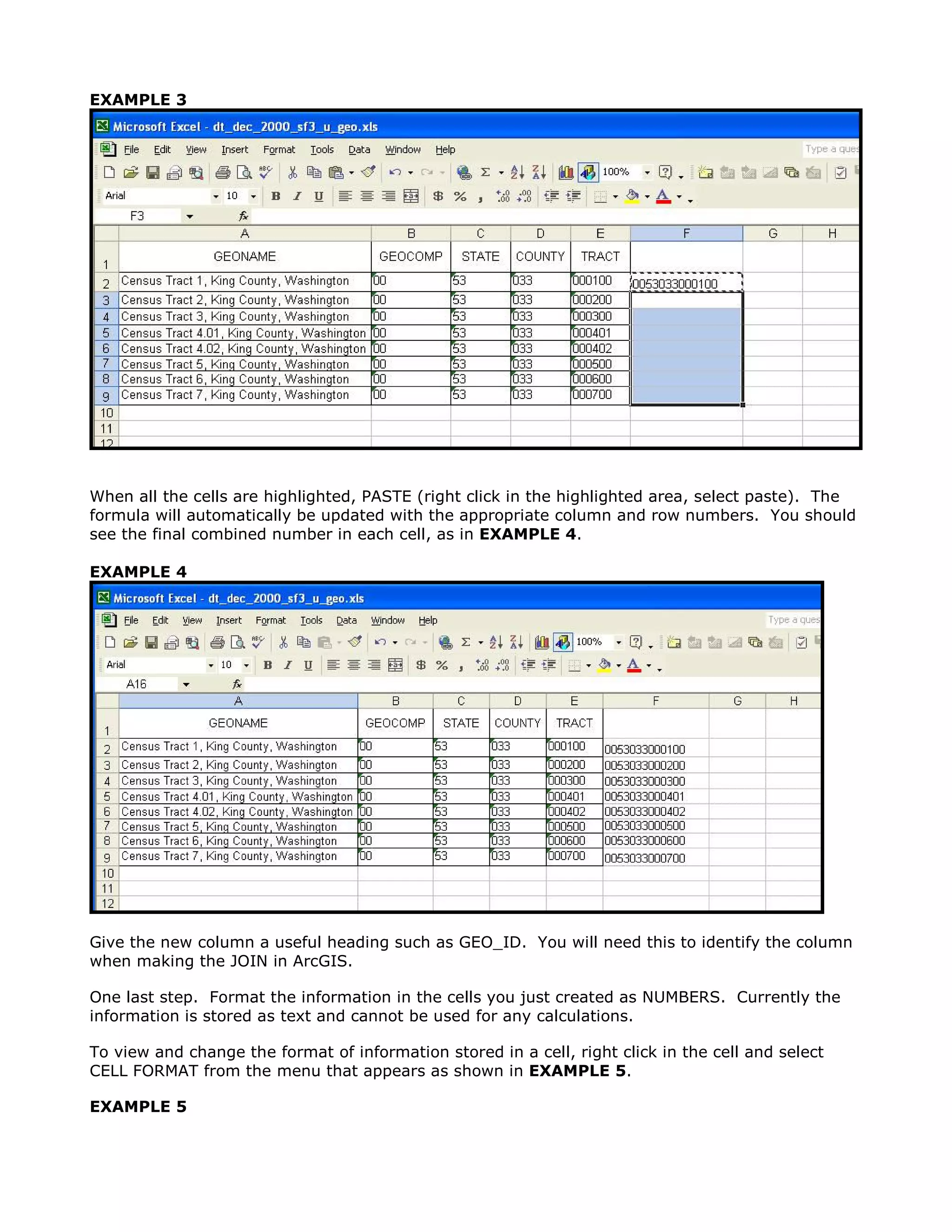
2. Copy the formula down the column to autofill it for the remaining rows.
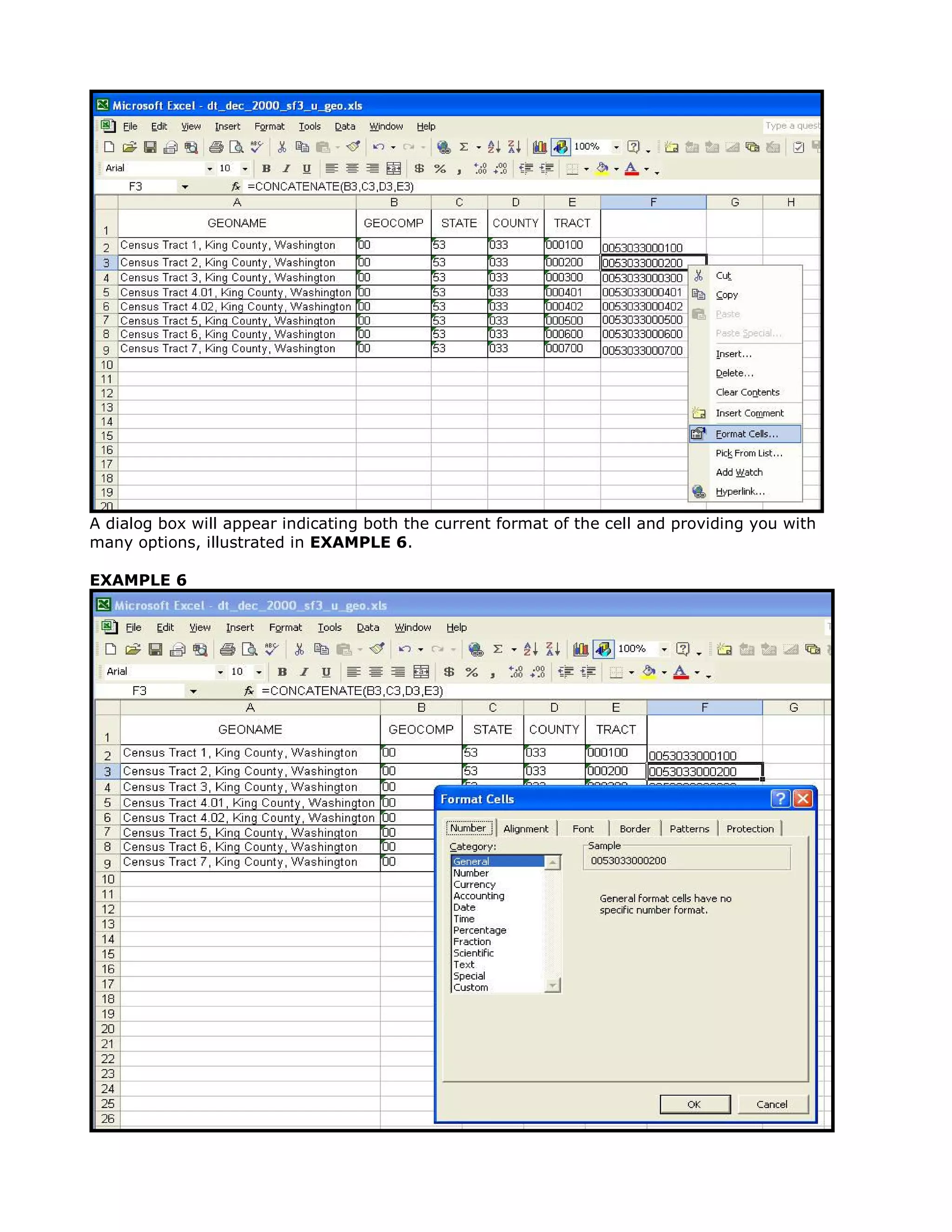
3. Format the column as numbers to allow calculations on the concatenated values.