BASIC COMPONENTS OF COMPUTER
SYSTEM
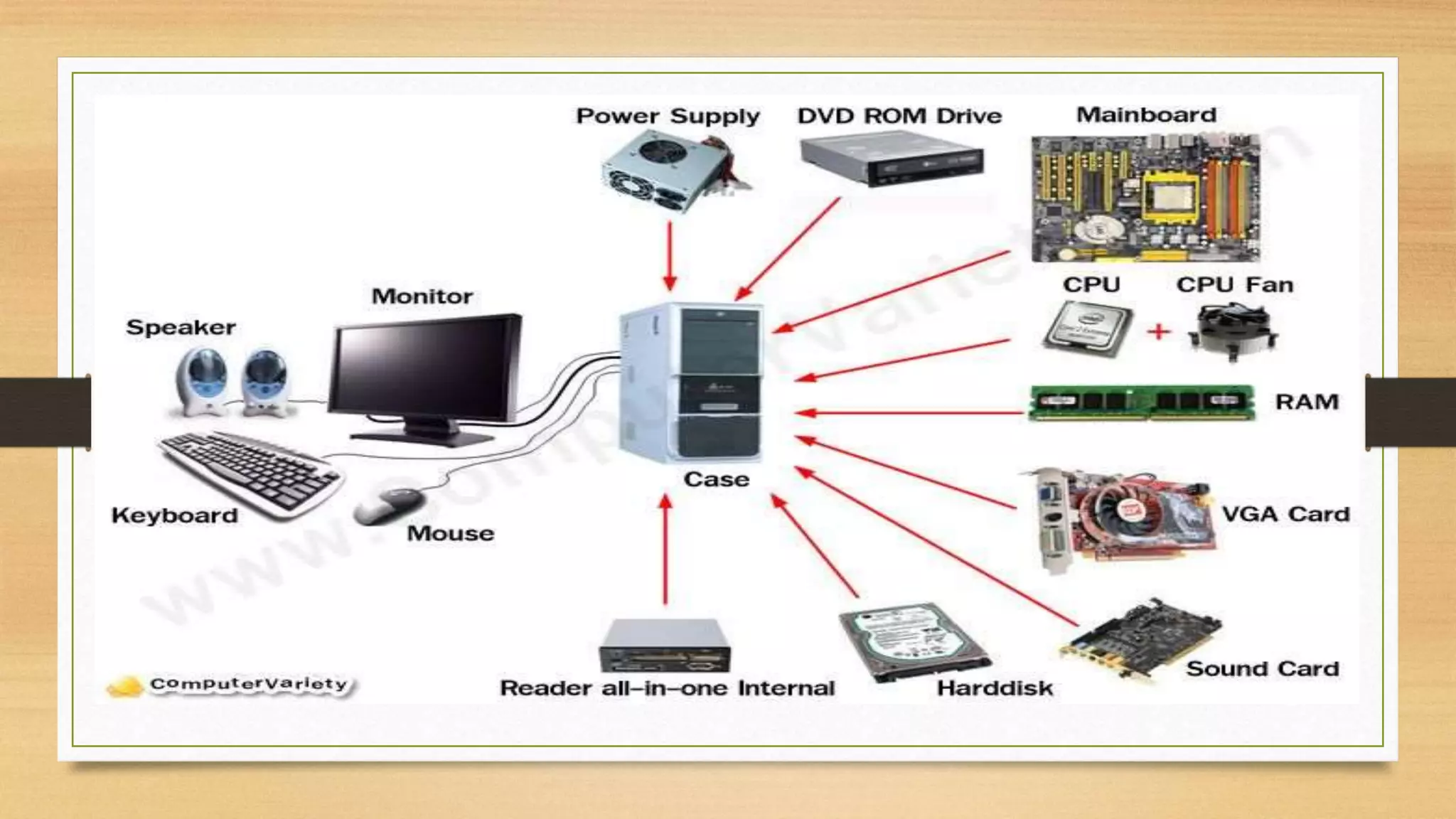
A computer contains many electronic and mechanical
components known as hardware. These components
include input devices, output devices, a system unit,
storage devices, and communication devices, shows some
common computer hardware components.
By: Bhim
Sirpali
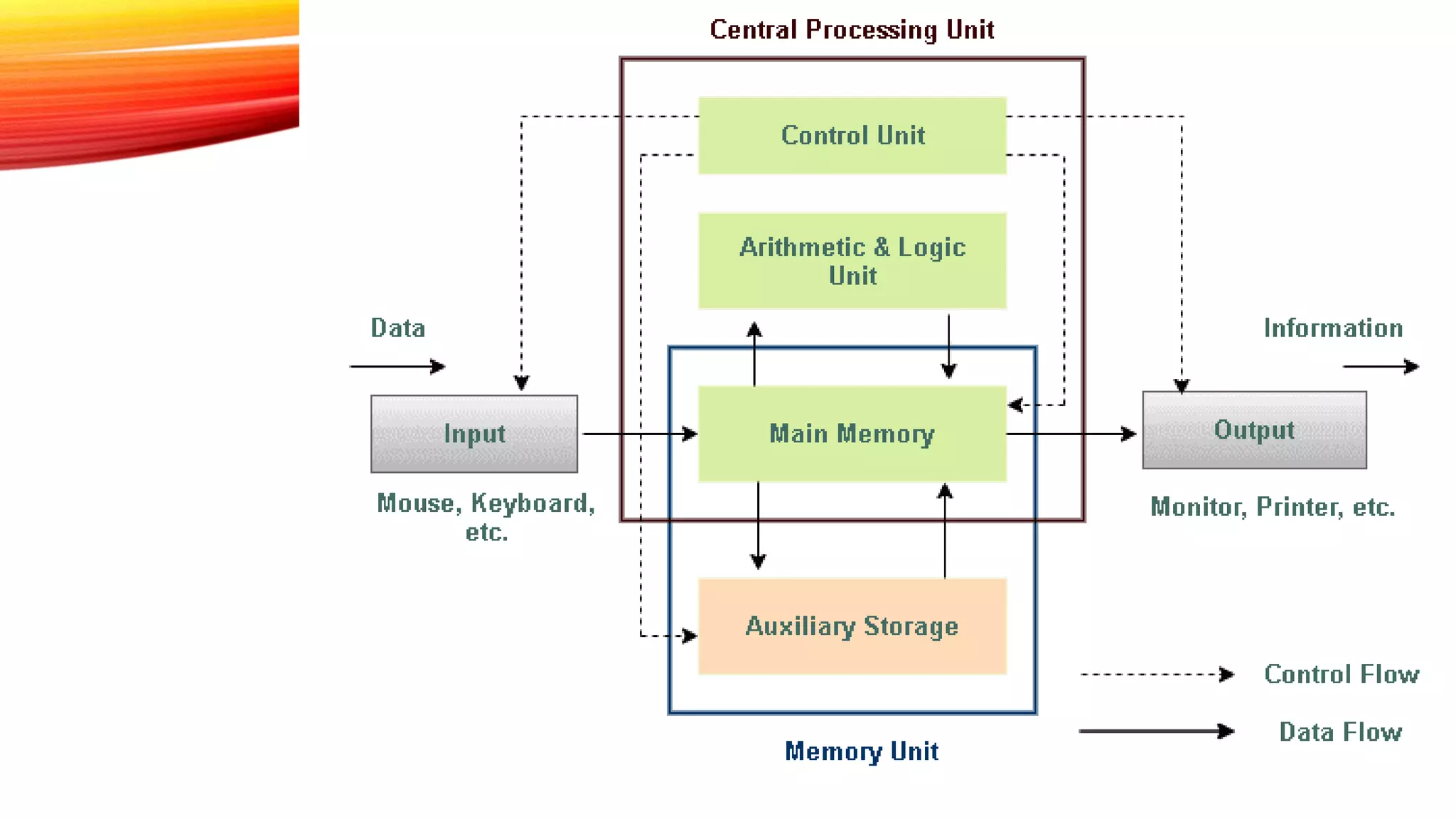
Mainly computer system consists of three parts, that are central processing unit (CPU), Input
Devices, and Output Devices. The Central Processing Unit (CPU) is divided into two parts
again: arithmetic logic unit (ALU) and the control unit (CU). The set of instruction is in the
form of raw data.
A large amount of data is stored in the computer memory with the help of primary
and secondary storage devices. The CPU is like the heart/brain of the computer. The
user does not get the desired output, without the necessary option taken by the CPU.
The Central processing unit (CPU) is responsible for the processing of all the
instructions which are given by the user to the computer system. The data is entered through
input devices such as the keyboard, mouse, etc. This set of instruction is processed by the
CPU after getting the input by the user, and then the computer system produces the output.
The computer can show the output with the help of output devices to the user, such as
monitor, printer, etc.
Input Unit
Central Processing Unit
Output Unit
Memory or Storage Unit
Input Unit
The Input Unit consists of input devices such as a mouse, keyboard,
scanner, joystick, etc. These devices are used to input information or
instruction into the computer system. Like other electronic machines,
a computer takes inputs as raw data (binary data) and performs
necessary processing giving out processed data.
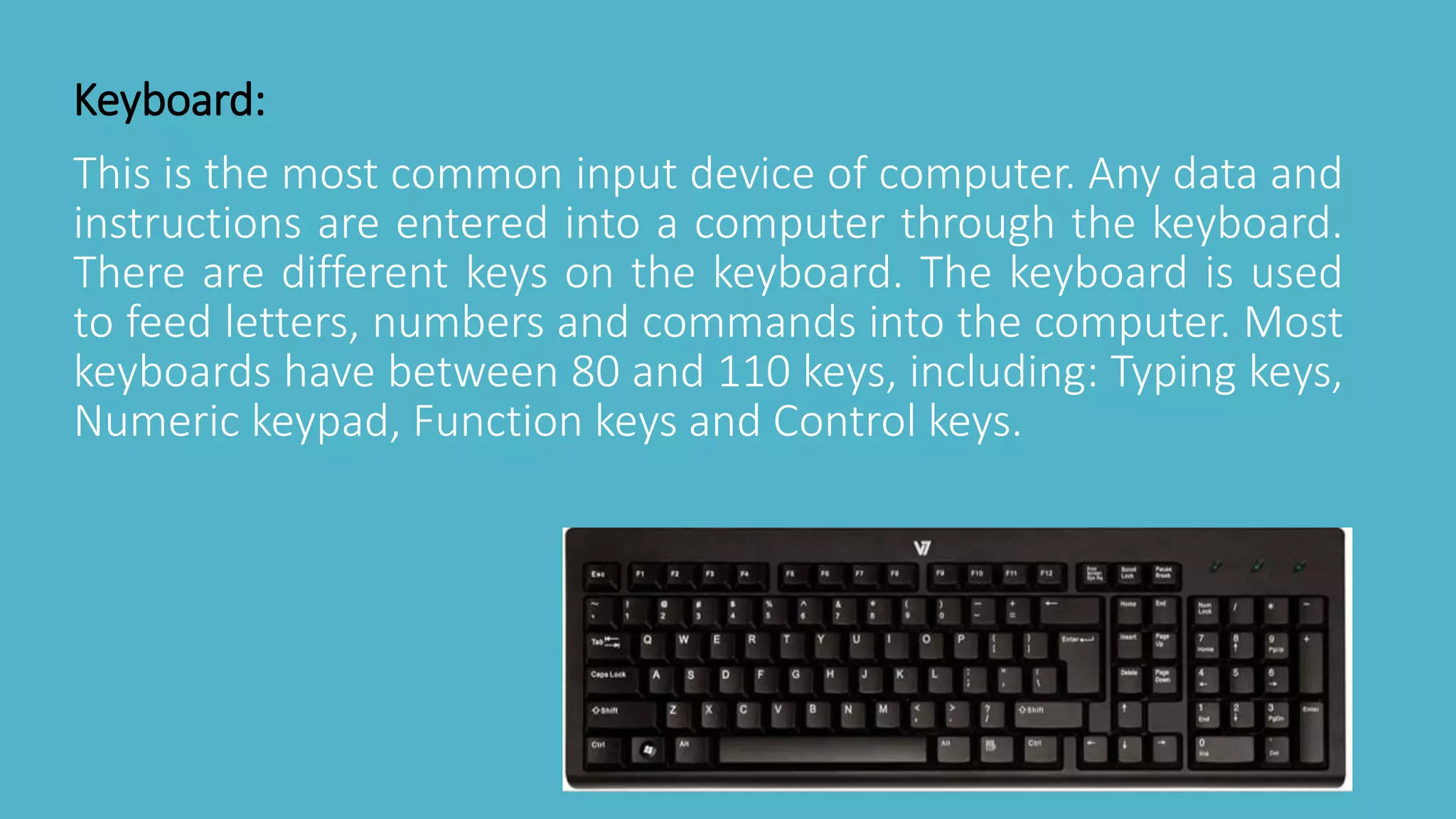
This is the most common input device of computer. Any data and
instructions are entered into a computer through the keyboard.
There are different keys on the keyboard. The keyboard is used
to feed letters, numbers and commands into the computer. Most
keyboards have between 80 and 110 keys, including: Typing keys,
Numeric keypad, Function keys and Control keys.
Keyboard:
Mouse
The mouse is a hand held pointing input device
that controls cursor movement on the screen as
it is moved over a flat surface. It is
recommended in windows environment. Mouse
operations are described as click, double click
right click and drag.
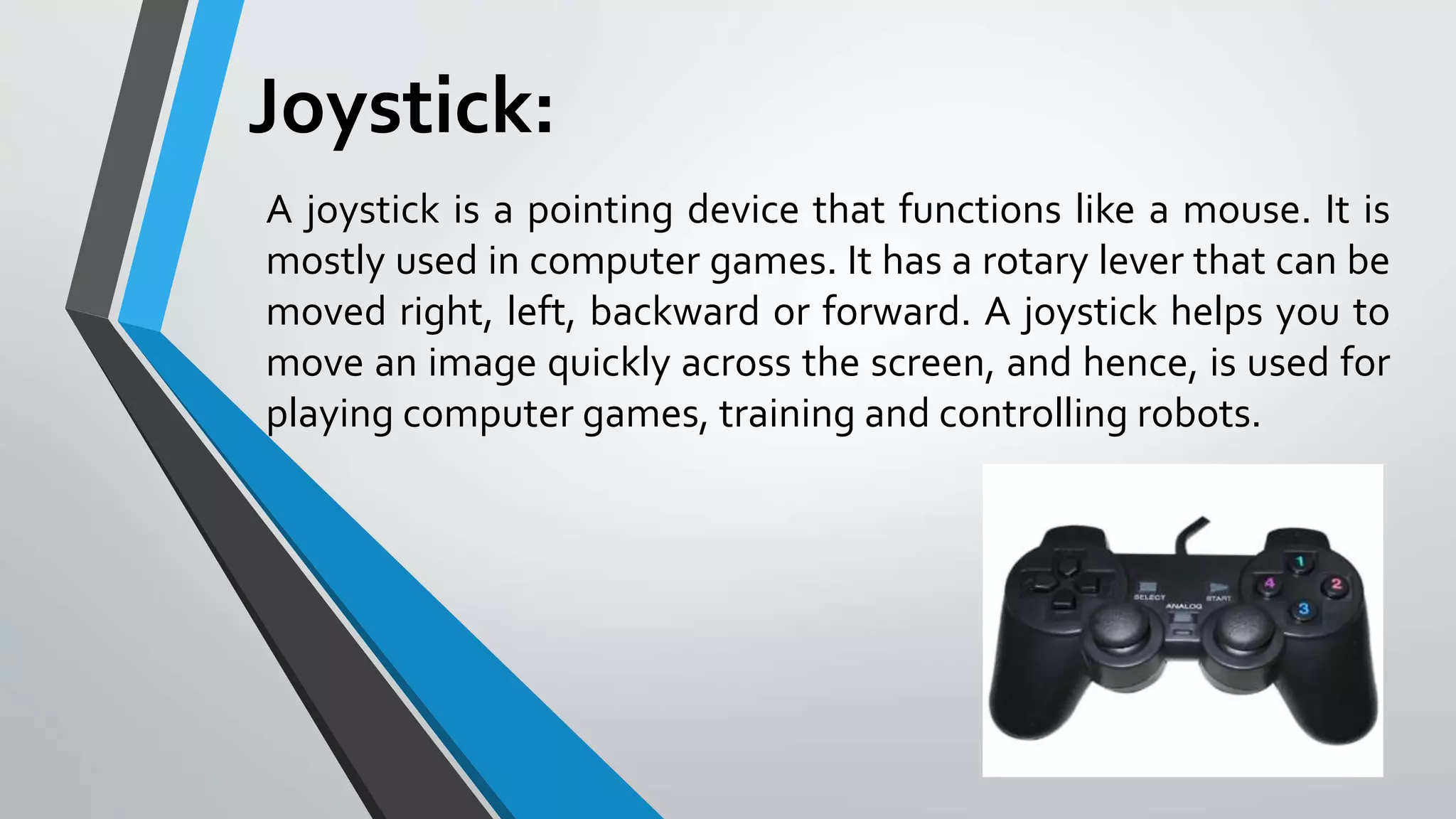
Joystick:
A joystick is a pointing device that functions like a mouse. It is
mostly used in computer games. It has a rotary lever that can be
moved right, left, backward or forward. A joystick helps you to
move an image quickly across the screen, and hence, is used for
playing computer games, training and controlling robots.
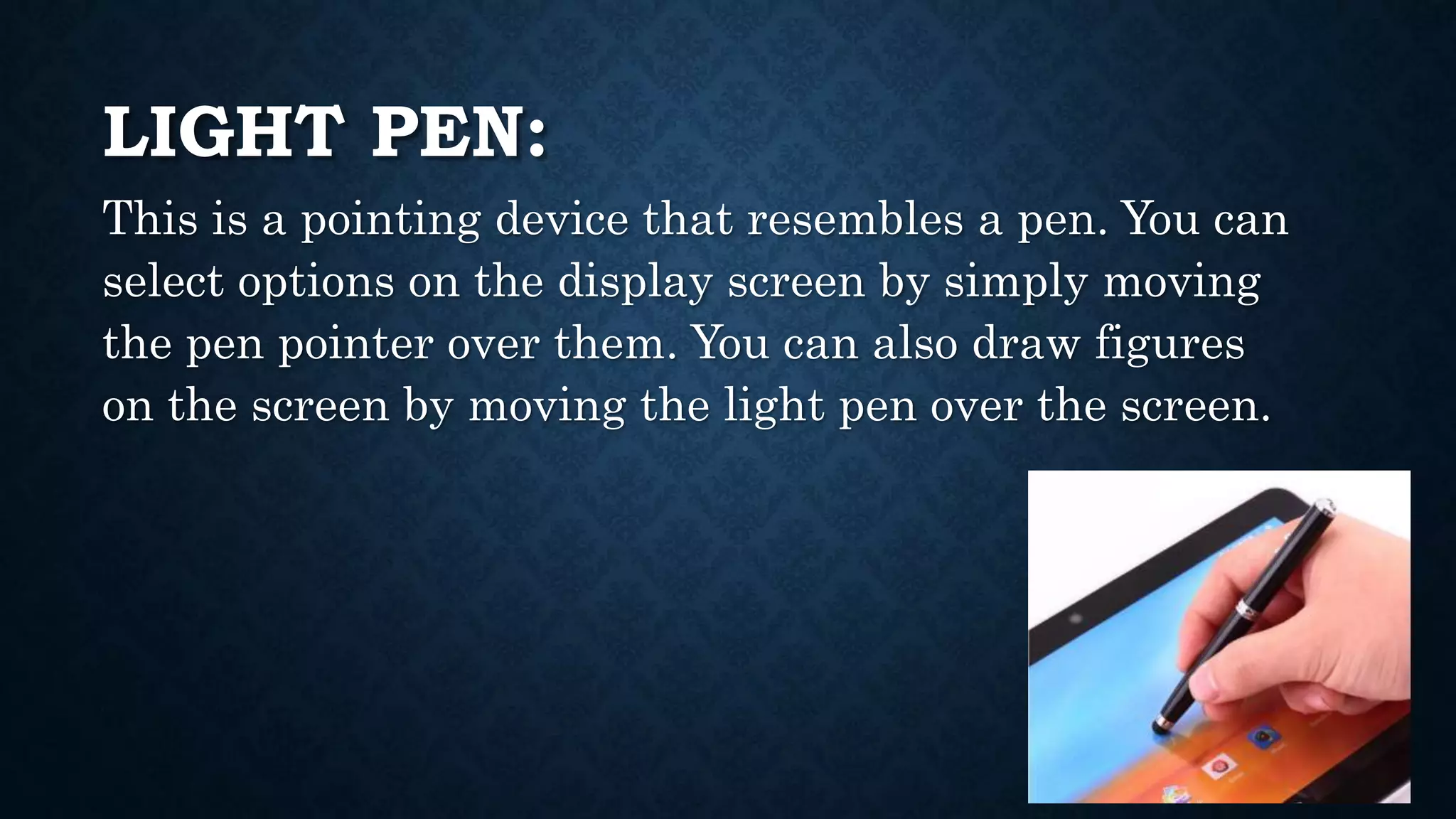
LIGHT PEN:
This is a pointing device that resembles a pen. You can
select options on the display screen by simply moving
the pen pointer over them. You can also draw figures
on the screen by moving the light pen over the screen.
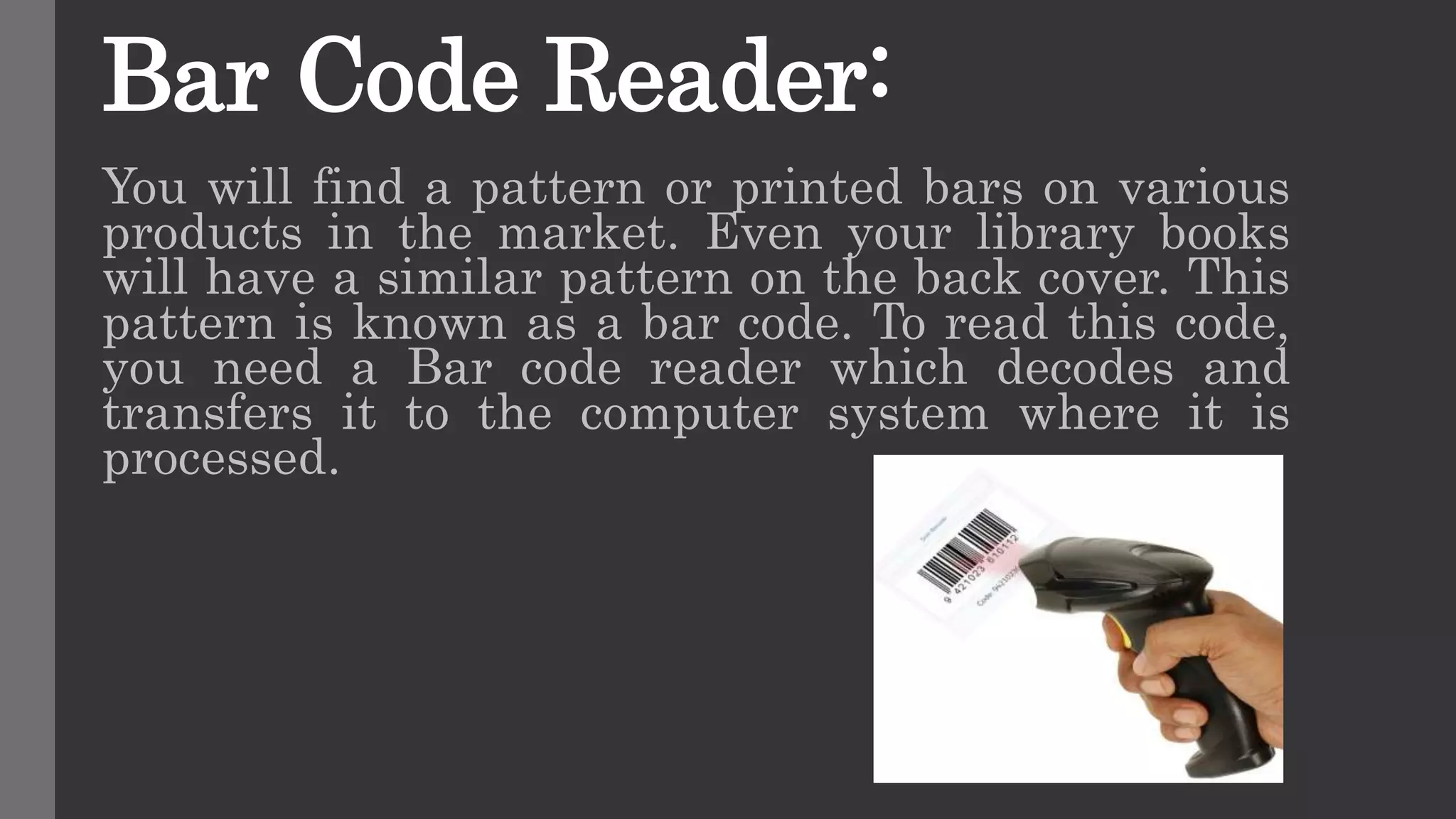
Bar Code Reader:
You will find a pattern or printed bars on various
products in the market. Even your library books
will have a similar pattern on the back cover. This
pattern is known as a bar code. To read this code,
you need a Bar code reader which decodes and
transfers it to the computer system where it is
processed.
Digital camera
It is used to generate the digital photo images, which are clear than that of the normal camera
CENTRAL PROCESSING UNIT
The computer system is nothing without the Central
processing Unit so, it is also known as the brain or heat of
computer. The CPU is an electronic hardware device which
can perform different types of operations such as arithmetic
and logical operation. The CPU contains two parts: the
arithmetic logic unit and control unit. We have discussed
briefly the arithmetic unit, logical unit, and control unit
which are given below:
CONTROL UNIT
The control unit (CU) controls all the activities or operations which are
performed inside the computer system. It is also responsible for
controlling input/output, memory, and other devices connected to the
CPU.
When the control unit receives an instruction set or information, it
converts the instruction set to control signals then; these signals are sent
to the central processor for further processing. The control unit
understands which operation to execute, accurately, and in which order.
Arithmetic & Logic Unit
The data inputted through input devices is stored in the primary storage unit.
The Arithmetic Logic Unit (ALU) performs arithmetic and logical operations. The
arithmetic unit controls simple operations such as addition, subtraction, division, and
multiplication.
On the other side, the logical unit controls the logical operations such as AND,
OR, Equal, greater than, and less than, etc. Apart from it, the logic unit also responsible
for performing several other operations such as comparing, selecting, matching,
and merging data.
OUTPUT UNIT
Output Unit The output unit consists of devices that
are used to display the results or output of
processing. The output data is first stored in the
memory and then displayed in human-readable form
through output devices. Some of the widely used
output devices are Monitor, Printer, and Projector.
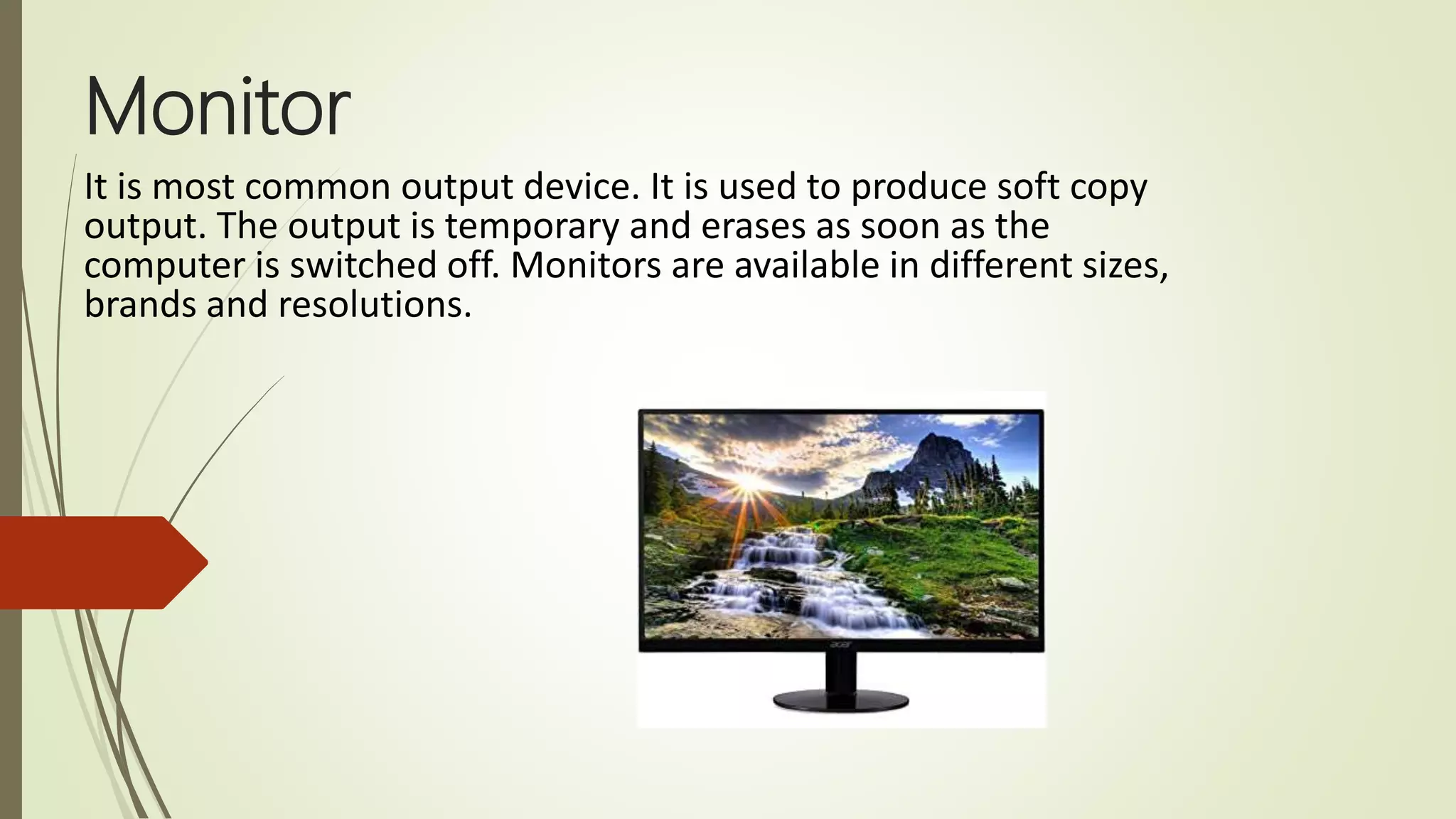
Monitor
It is most common output device. It is used to produce soft copy
output. The output is temporary and erases as soon as the
computer is switched off. Monitors are available in different sizes,
brands and resolutions.
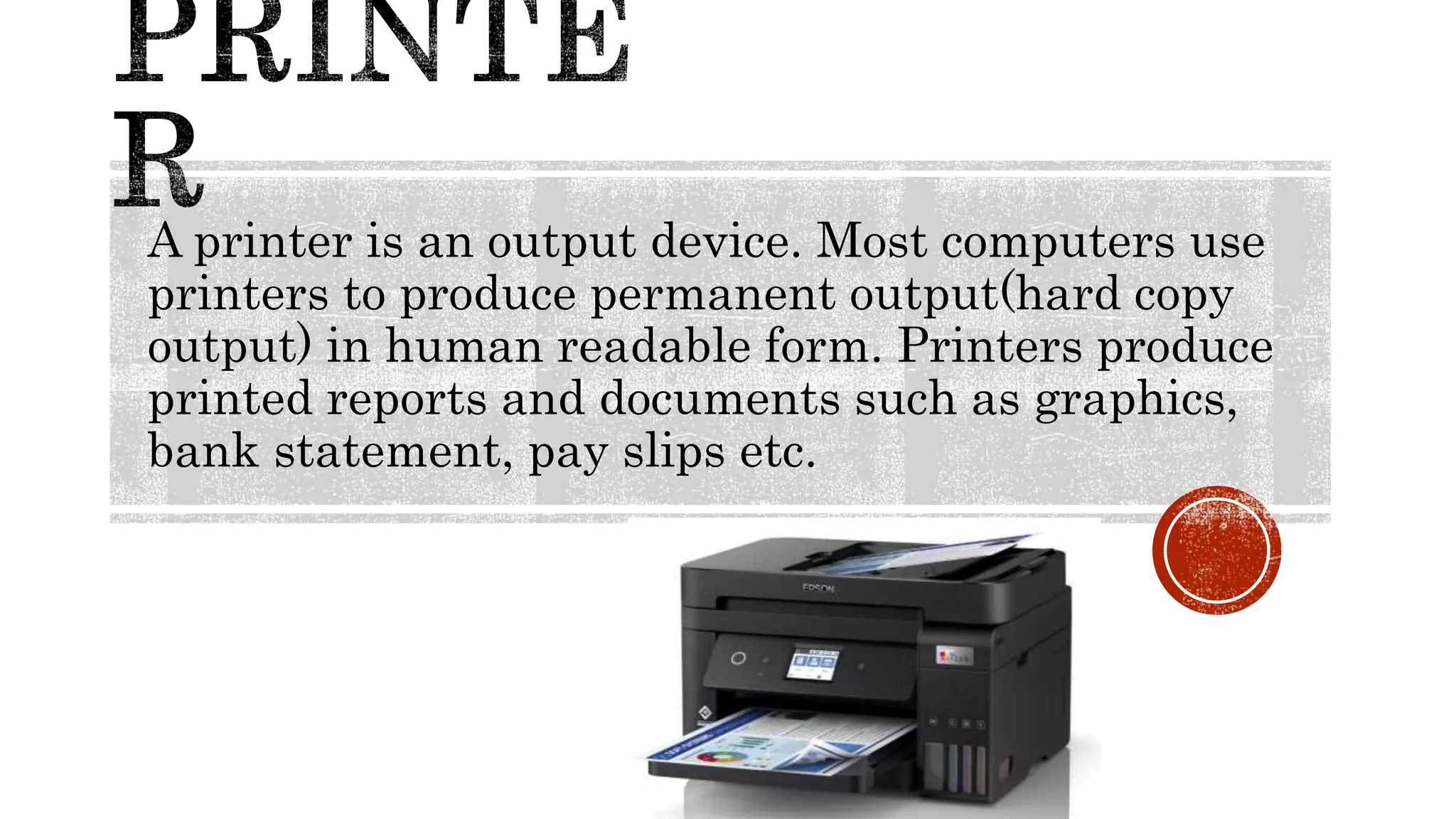
A printer is an output device. Most computers use
printers to produce permanent output(hard copy
output) in human readable form. Printers produce
printed reports and documents such as graphics,
bank statement, pay slips etc.
speaker
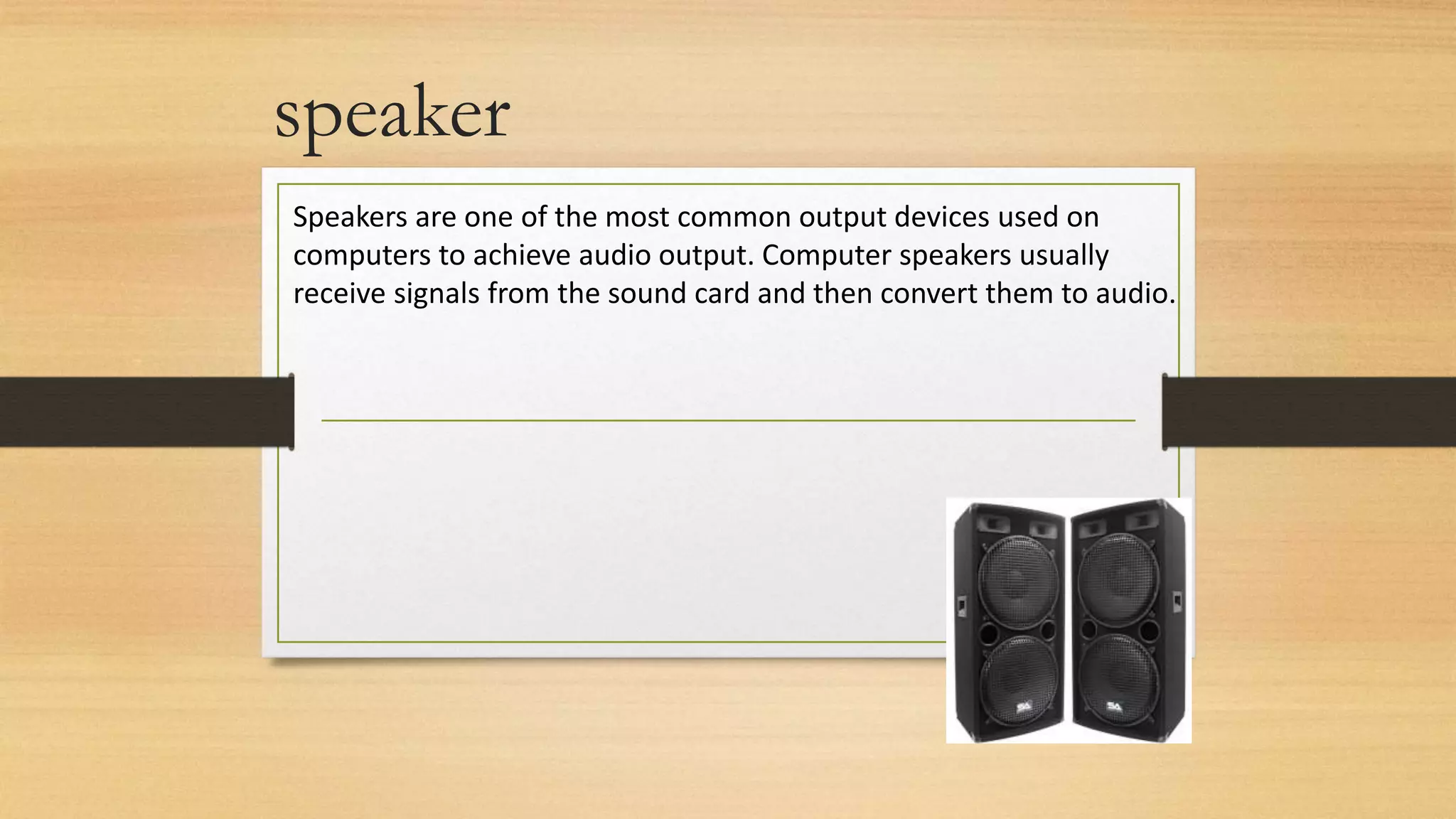
Speakers are one of the most common output devices used on
computers to achieve audio output. Computer speakers usually
receive signals from the sound card and then convert them to audio.
Memory unit
A storage device is a piece of hardware that is primarily used for
storing data. Every desktop computer, laptop, tablet, and
smartphone will have some kind of storage device within it. Some
computer storage devices are able to hold information permanently
while others can only hold information temporarily. Every computer
has both primary and secondary storage, with primary storage
acting as a computer’s short-term memory, and secondary as a
computer’s long-term memory.
Primary memory
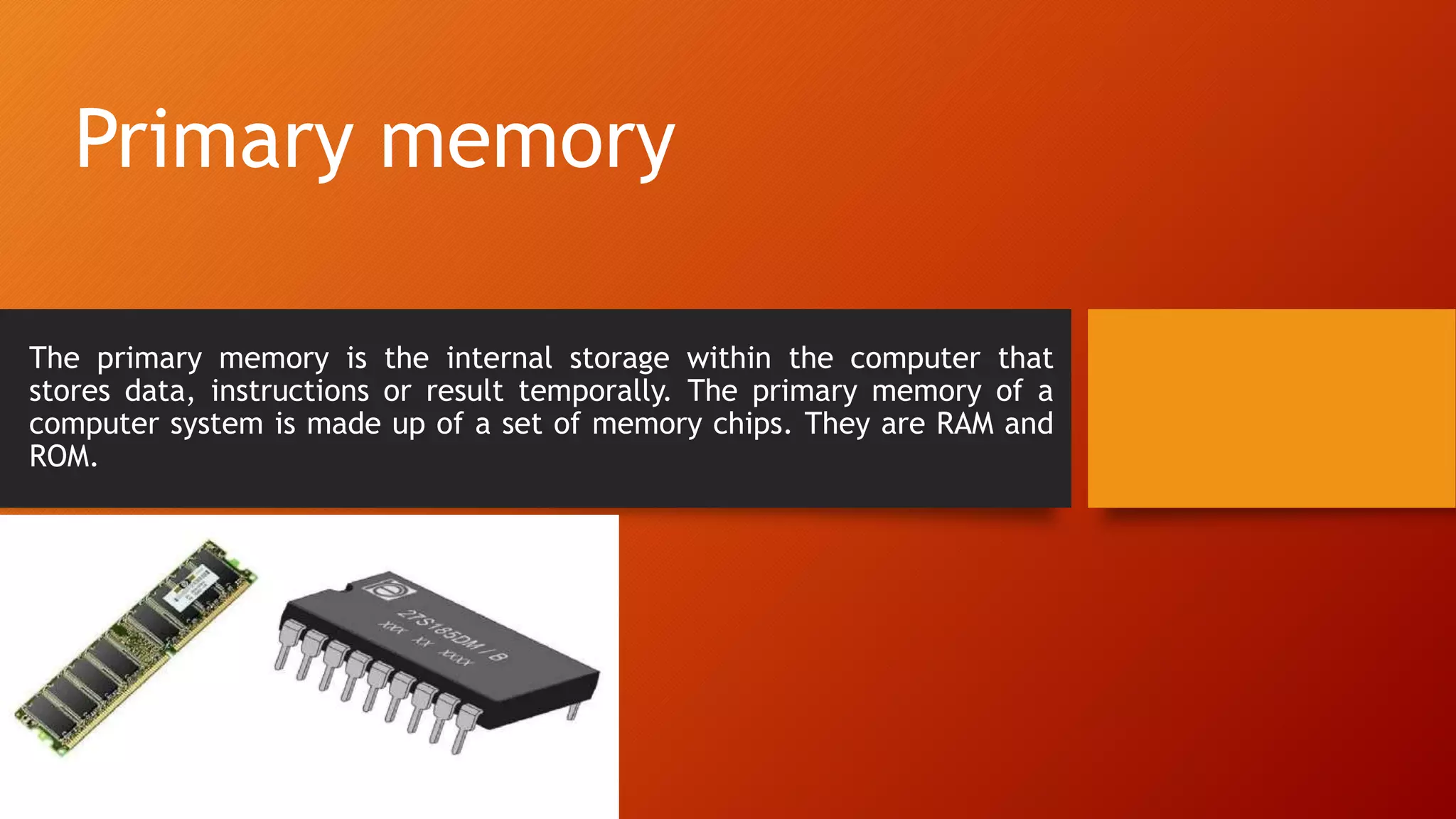
The primary memory is the internal storage within the computer that
stores data, instructions or result temporally. The primary memory of a
computer system is made up of a set of memory chips. They are RAM and
ROM.
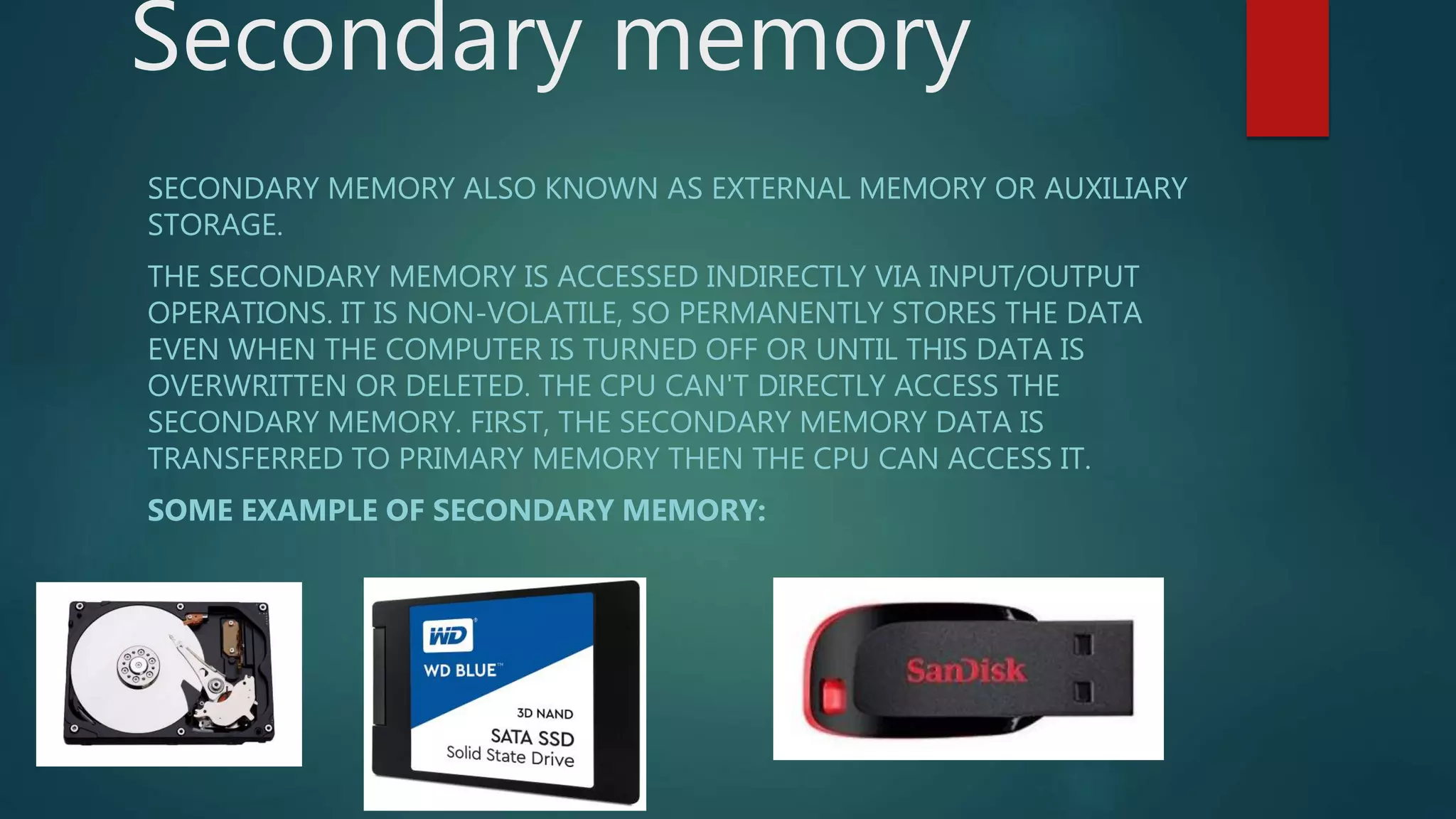
Secondary memory
SECONDARY MEMORY ALSO KNOWN AS EXTERNAL MEMORY OR AUXILIARY
STORAGE.
THE SECONDARY MEMORY IS ACCESSED INDIRECTLY VIA INPUT/OUTPUT
OPERATIONS. IT IS NON-VOLATILE, SO PERMANENTLY STORES THE DATA
EVEN WHEN THE COMPUTER IS TURNED OFF OR UNTIL THIS DATA IS
OVERWRITTEN OR DELETED. THE CPU CAN'T DIRECTLY ACCESS THE
SECONDARY MEMORY. FIRST, THE SECONDARY MEMORY DATA IS
TRANSFERRED TO PRIMARY MEMORY THEN THE CPU CAN ACCESS IT.
SOME EXAMPLE OF SECONDARY MEMORY:
Thank You!

Basic components of computer.ppsx

  • 1.
    BASIC COMPONENTS OFCOMPUTER SYSTEM A computer contains many electronic and mechanical components known as hardware. These components include input devices, output devices, a system unit, storage devices, and communication devices, shows some common computer hardware components. By: Bhim Sirpali
  • 4.
    Mainly computer systemconsists of three parts, that are central processing unit (CPU), Input Devices, and Output Devices. The Central Processing Unit (CPU) is divided into two parts again: arithmetic logic unit (ALU) and the control unit (CU). The set of instruction is in the form of raw data. A large amount of data is stored in the computer memory with the help of primary and secondary storage devices. The CPU is like the heart/brain of the computer. The user does not get the desired output, without the necessary option taken by the CPU. The Central processing unit (CPU) is responsible for the processing of all the instructions which are given by the user to the computer system. The data is entered through input devices such as the keyboard, mouse, etc. This set of instruction is processed by the CPU after getting the input by the user, and then the computer system produces the output. The computer can show the output with the help of output devices to the user, such as monitor, printer, etc.
  • 5.
    Input Unit Central ProcessingUnit Output Unit Memory or Storage Unit
  • 6.
    Input Unit The InputUnit consists of input devices such as a mouse, keyboard, scanner, joystick, etc. These devices are used to input information or instruction into the computer system. Like other electronic machines, a computer takes inputs as raw data (binary data) and performs necessary processing giving out processed data.
  • 7.
    This is themost common input device of computer. Any data and instructions are entered into a computer through the keyboard. There are different keys on the keyboard. The keyboard is used to feed letters, numbers and commands into the computer. Most keyboards have between 80 and 110 keys, including: Typing keys, Numeric keypad, Function keys and Control keys. Keyboard:
  • 8.
    Mouse The mouse isa hand held pointing input device that controls cursor movement on the screen as it is moved over a flat surface. It is recommended in windows environment. Mouse operations are described as click, double click right click and drag.
  • 9.
    Joystick: A joystick isa pointing device that functions like a mouse. It is mostly used in computer games. It has a rotary lever that can be moved right, left, backward or forward. A joystick helps you to move an image quickly across the screen, and hence, is used for playing computer games, training and controlling robots.
  • 10.
    LIGHT PEN: This isa pointing device that resembles a pen. You can select options on the display screen by simply moving the pen pointer over them. You can also draw figures on the screen by moving the light pen over the screen.
  • 11.
    Bar Code Reader: Youwill find a pattern or printed bars on various products in the market. Even your library books will have a similar pattern on the back cover. This pattern is known as a bar code. To read this code, you need a Bar code reader which decodes and transfers it to the computer system where it is processed.
  • 12.
    Digital camera It isused to generate the digital photo images, which are clear than that of the normal camera
  • 13.
    CENTRAL PROCESSING UNIT Thecomputer system is nothing without the Central processing Unit so, it is also known as the brain or heat of computer. The CPU is an electronic hardware device which can perform different types of operations such as arithmetic and logical operation. The CPU contains two parts: the arithmetic logic unit and control unit. We have discussed briefly the arithmetic unit, logical unit, and control unit which are given below:
  • 14.
    CONTROL UNIT The controlunit (CU) controls all the activities or operations which are performed inside the computer system. It is also responsible for controlling input/output, memory, and other devices connected to the CPU. When the control unit receives an instruction set or information, it converts the instruction set to control signals then; these signals are sent to the central processor for further processing. The control unit understands which operation to execute, accurately, and in which order.
  • 15.
    Arithmetic & LogicUnit The data inputted through input devices is stored in the primary storage unit. The Arithmetic Logic Unit (ALU) performs arithmetic and logical operations. The arithmetic unit controls simple operations such as addition, subtraction, division, and multiplication. On the other side, the logical unit controls the logical operations such as AND, OR, Equal, greater than, and less than, etc. Apart from it, the logic unit also responsible for performing several other operations such as comparing, selecting, matching, and merging data.
  • 16.
    OUTPUT UNIT Output UnitThe output unit consists of devices that are used to display the results or output of processing. The output data is first stored in the memory and then displayed in human-readable form through output devices. Some of the widely used output devices are Monitor, Printer, and Projector.
  • 17.
    Monitor It is mostcommon output device. It is used to produce soft copy output. The output is temporary and erases as soon as the computer is switched off. Monitors are available in different sizes, brands and resolutions.
  • 18.
    A printer isan output device. Most computers use printers to produce permanent output(hard copy output) in human readable form. Printers produce printed reports and documents such as graphics, bank statement, pay slips etc.
  • 19.
    speaker Speakers are oneof the most common output devices used on computers to achieve audio output. Computer speakers usually receive signals from the sound card and then convert them to audio.
  • 20.
    Memory unit A storagedevice is a piece of hardware that is primarily used for storing data. Every desktop computer, laptop, tablet, and smartphone will have some kind of storage device within it. Some computer storage devices are able to hold information permanently while others can only hold information temporarily. Every computer has both primary and secondary storage, with primary storage acting as a computer’s short-term memory, and secondary as a computer’s long-term memory.
  • 21.
    Primary memory The primarymemory is the internal storage within the computer that stores data, instructions or result temporally. The primary memory of a computer system is made up of a set of memory chips. They are RAM and ROM.
  • 22.
    Secondary memory SECONDARY MEMORYALSO KNOWN AS EXTERNAL MEMORY OR AUXILIARY STORAGE. THE SECONDARY MEMORY IS ACCESSED INDIRECTLY VIA INPUT/OUTPUT OPERATIONS. IT IS NON-VOLATILE, SO PERMANENTLY STORES THE DATA EVEN WHEN THE COMPUTER IS TURNED OFF OR UNTIL THIS DATA IS OVERWRITTEN OR DELETED. THE CPU CAN'T DIRECTLY ACCESS THE SECONDARY MEMORY. FIRST, THE SECONDARY MEMORY DATA IS TRANSFERRED TO PRIMARY MEMORY THEN THE CPU CAN ACCESS IT. SOME EXAMPLE OF SECONDARY MEMORY:
  • 23.